
Media stack deep dive Module Overview Overview of
SN
Published · 43 slides · 0 views

1 / 1






Description
Media stack deep dive Module Overview Overview of Media Platform Audio Processing Components Media Improvements SDP Codec Details Mediation Server Bandwidth Estimation Which Factors Influence Media Quality? Audio and video coding Network
Related Topics
Share
Embed code
Download this presentation From Below
"Media stack deep dive Module Overview Overview of" is the property of its rightful owner. Permission is granted to download and print the materials on this website for personal, non-commercial use only, and to display it on your personal computer provided you do not modify the materials and that you retain all copyright notices contained in the materials. By downloading content from our website, you accept the terms of this agreement.
Presentation Transcript
01
Media stack deep dive<br>
02
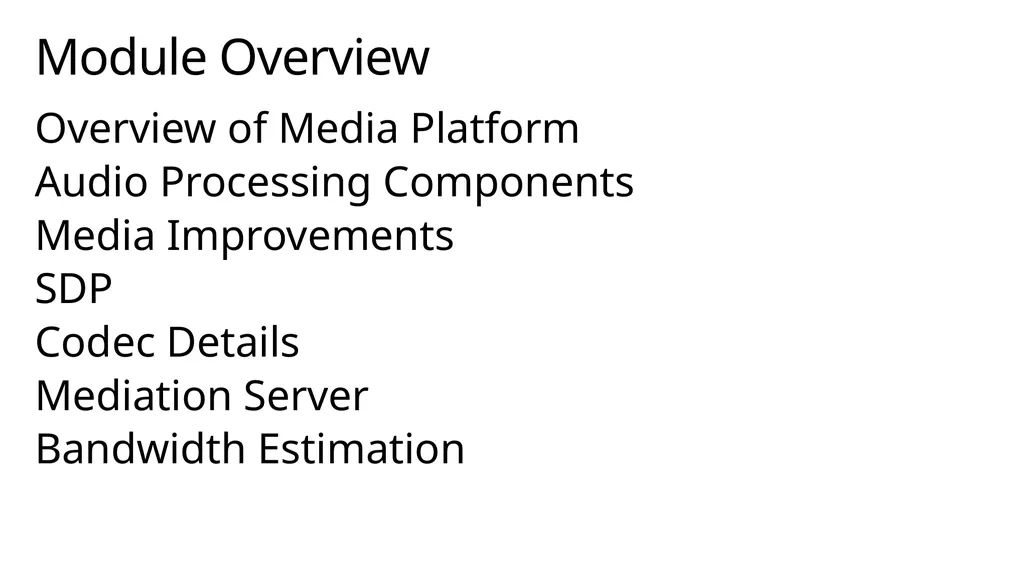
Module Overview Overview of Media Platform
Audio Processing Components
Media Improvements
SDP
Codec Details
Mediation Server
Bandwidth Estimation<br>
Audio Processing Components
Media Improvements
SDP
Codec Details
Mediation Server
Bandwidth Estimation<br>
03
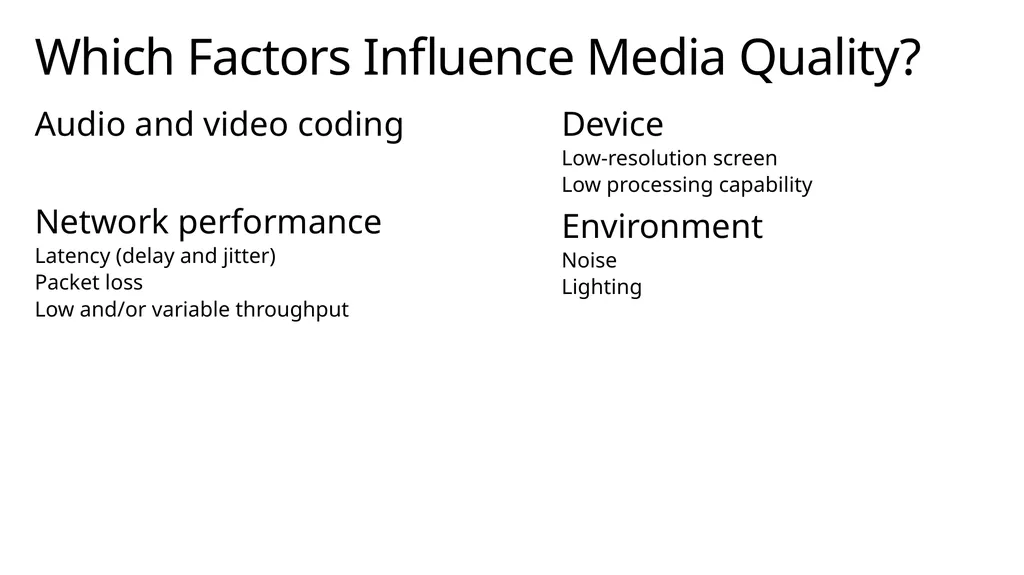
Which Factors Influence Media Quality? Audio and video coding
Network performance
Latency (delay and jitter)
Packet loss
Low and/or variable throughput Device
Low-resolution screen
Low processing capability
Environment
Noise
Lighting<br>
Network performance
Latency (delay and jitter)
Packet loss
Low and/or variable throughput Device
Low-resolution screen
Low processing capability
Environment
Noise
Lighting<br>
04
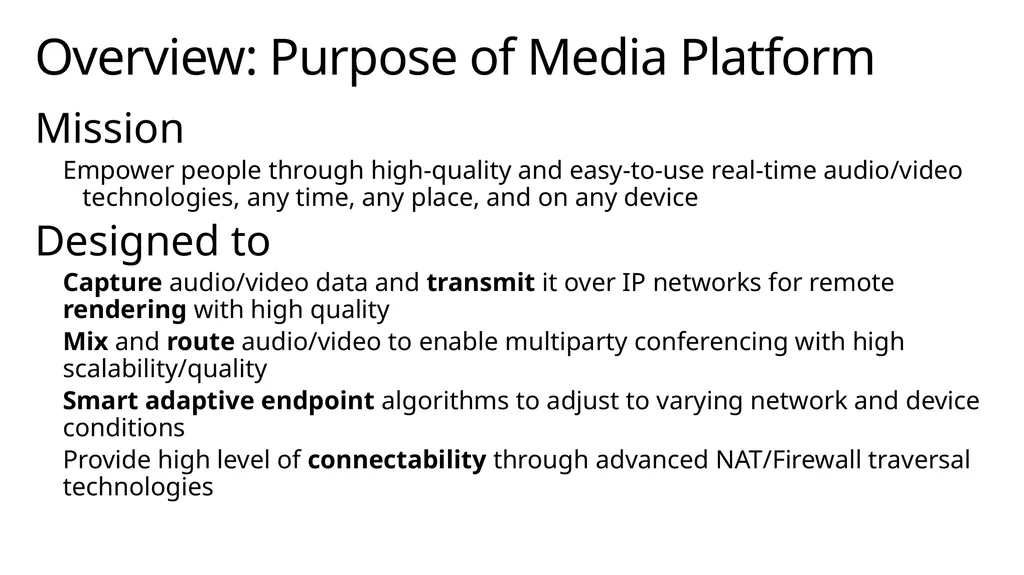
Mission
Empower people through high-quality and easy-to-use real-time audio/video technologies, any time, any place, and on any device
Designed to
Capture audio/video data and transmit it over IP networks for remote rendering with high quality
Mix and route audio/video to enable multiparty conferencing with high scalability/quality
Smart adaptive endpoint algorithms to adjust to varying network and device conditions
Provide high level of connectability through advanced NAT/Firewall traversal technologies Overview: Purpose of Media Platform<br>
Empower people through high-quality and easy-to-use real-time audio/video technologies, any time, any place, and on any device
Designed to
Capture audio/video data and transmit it over IP networks for remote rendering with high quality
Mix and route audio/video to enable multiparty conferencing with high scalability/quality
Smart adaptive endpoint algorithms to adjust to varying network and device conditions
Provide high level of connectability through advanced NAT/Firewall traversal technologies Overview: Purpose of Media Platform<br>
05
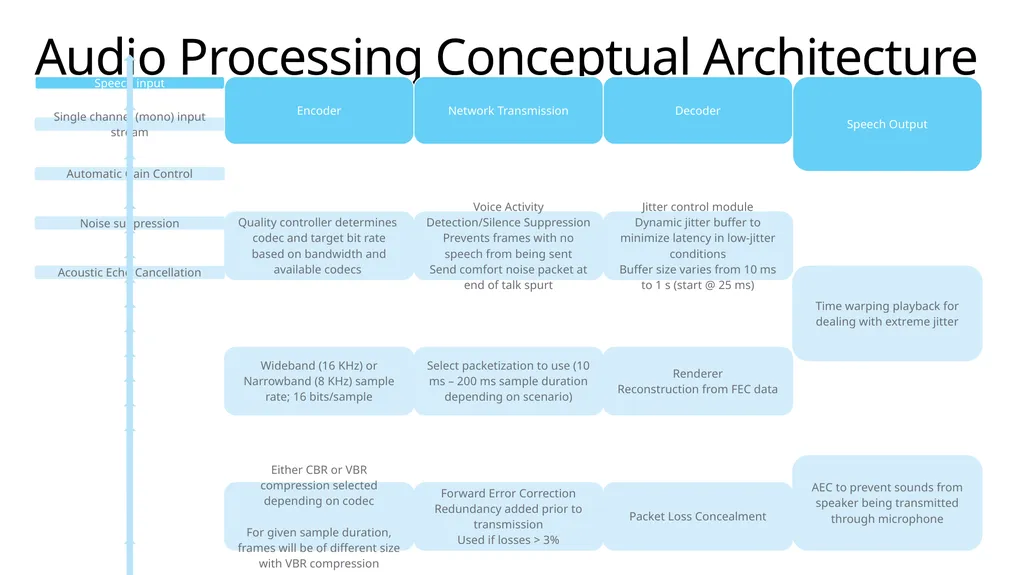
Audio Processing Conceptual Architecture<br>
06
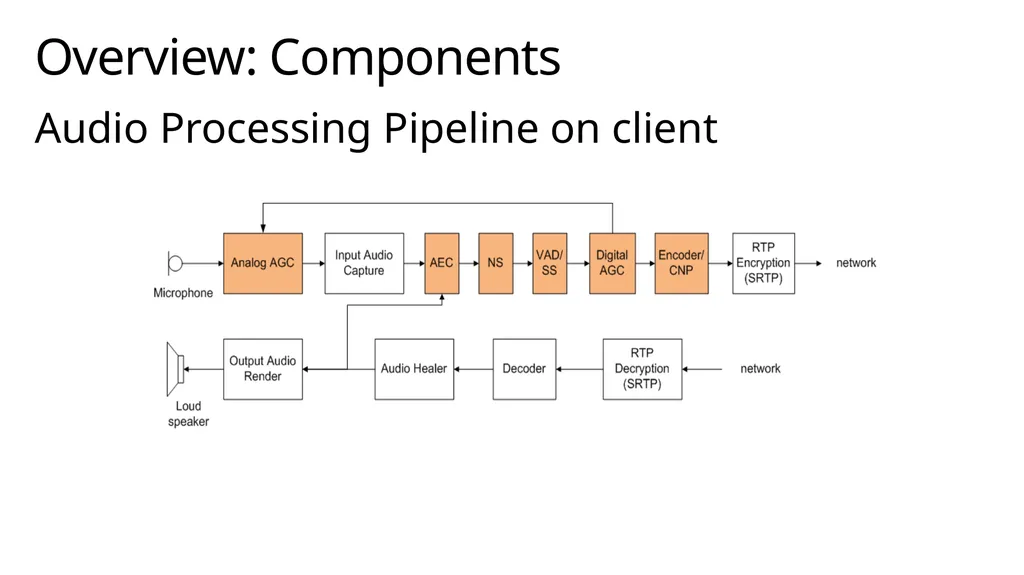
Audio Processing Pipeline on client Overview: Components<br>
07
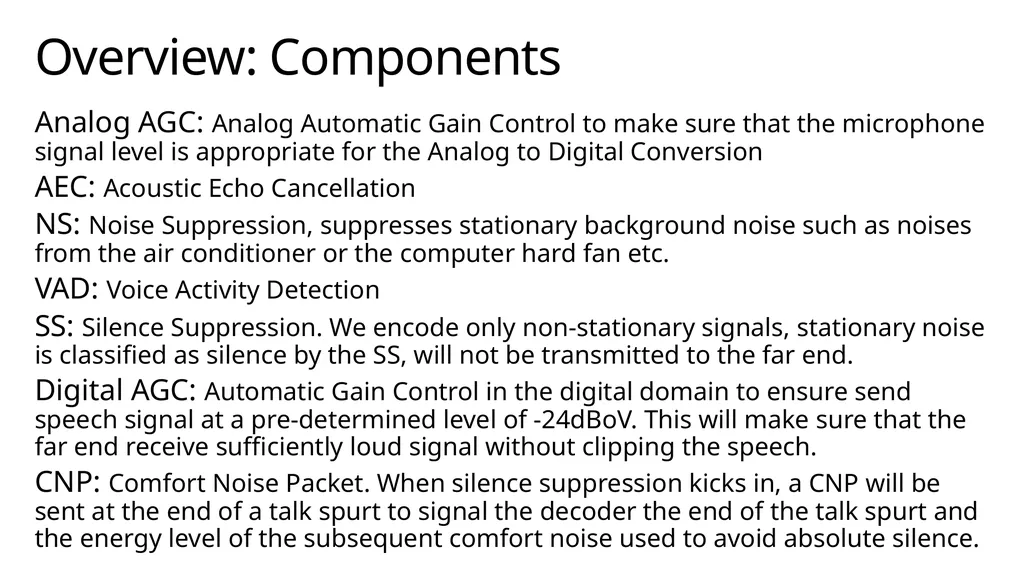
Analog AGC: Analog Automatic Gain Control to make sure that the microphone signal level is appropriate for the Analog to Digital Conversion
AEC: Acoustic Echo Cancellation
NS: Noise Suppression, suppresses stationary background noise such as noises from the air conditioner or the computer hard fan etc.
VAD: Voice Activity Detection
SS: Silence Suppression. We encode only non-stationary signals, stationary noise is classified as silence by the SS, will not be transmitted to the far end.
Digital AGC: Automatic Gain Control in the digital domain to ensure send speech signal at a pre-determined level of -24dBoV. This will make sure that the far end receive sufficiently loud signal without clipping the speech.
CNP: Comfort Noise Packet. When silence suppression kicks in, a CNP will be sent at the end of a talk spurt to signal the decoder the end of the talk spurt and the energy level of the subsequent comfort noise used to avoid absolute silence. Overview: Components<br>
AEC: Acoustic Echo Cancellation
NS: Noise Suppression, suppresses stationary background noise such as noises from the air conditioner or the computer hard fan etc.
VAD: Voice Activity Detection
SS: Silence Suppression. We encode only non-stationary signals, stationary noise is classified as silence by the SS, will not be transmitted to the far end.
Digital AGC: Automatic Gain Control in the digital domain to ensure send speech signal at a pre-determined level of -24dBoV. This will make sure that the far end receive sufficiently loud signal without clipping the speech.
CNP: Comfort Noise Packet. When silence suppression kicks in, a CNP will be sent at the end of a talk spurt to signal the decoder the end of the talk spurt and the energy level of the subsequent comfort noise used to avoid absolute silence. Overview: Components<br>
08
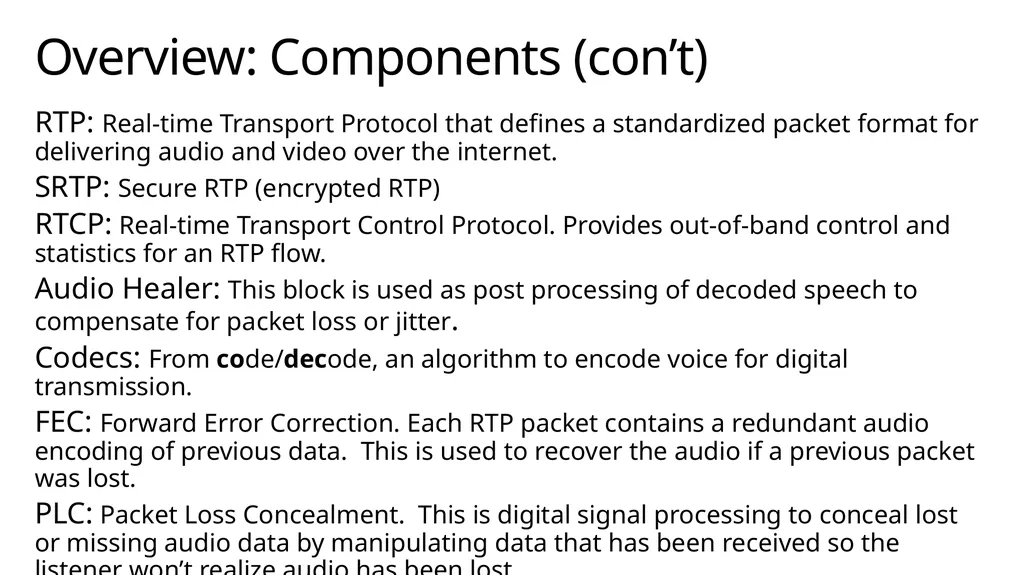
RTP: Real-time Transport Protocol that defines a standardized packet format for delivering audio and video over the internet.
SRTP: Secure RTP (encrypted RTP)
RTCP: Real-time Transport Control Protocol. Provides out-of-band control and statistics for an RTP flow.
Audio Healer: This block is used as post processing of decoded speech to compensate for packet loss or jitter.
Codecs: From code/decode, an algorithm to encode voice for digital transmission.
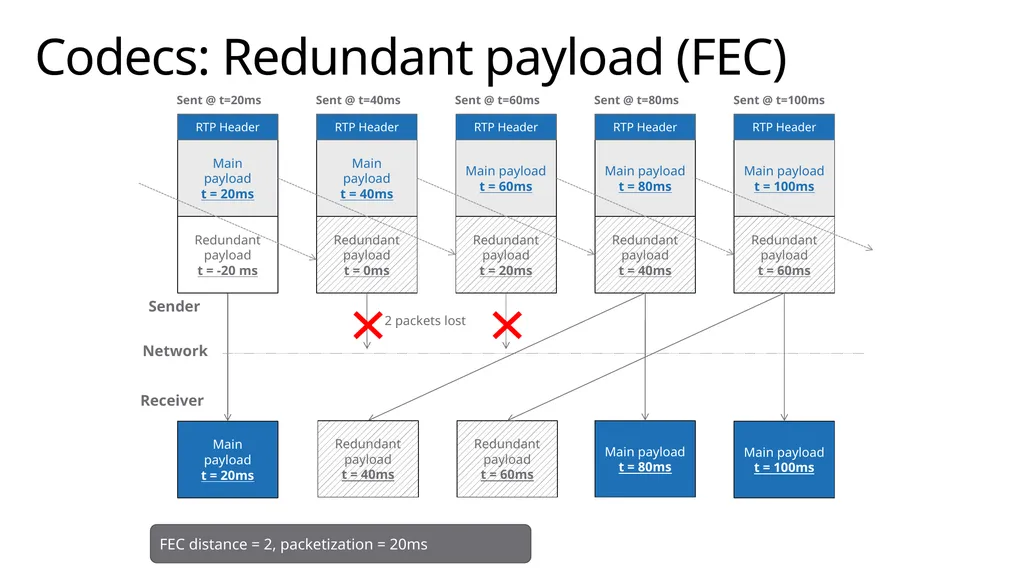
FEC: Forward Error Correction. Each RTP packet contains a redundant audio encoding of previous data. This is used to recover the audio if a previous packet was lost.
PLC: Packet Loss Concealment. This is digital signal processing to conceal lost or missing audio data by manipulating data that has been received so the listener won’t realize audio has been lost. Overview: Components (con’t)<br>
SRTP: Secure RTP (encrypted RTP)
RTCP: Real-time Transport Control Protocol. Provides out-of-band control and statistics for an RTP flow.
Audio Healer: This block is used as post processing of decoded speech to compensate for packet loss or jitter.
Codecs: From code/decode, an algorithm to encode voice for digital transmission.
FEC: Forward Error Correction. Each RTP packet contains a redundant audio encoding of previous data. This is used to recover the audio if a previous packet was lost.
PLC: Packet Loss Concealment. This is digital signal processing to conceal lost or missing audio data by manipulating data that has been received so the listener won’t realize audio has been lost. Overview: Components (con’t)<br>
09
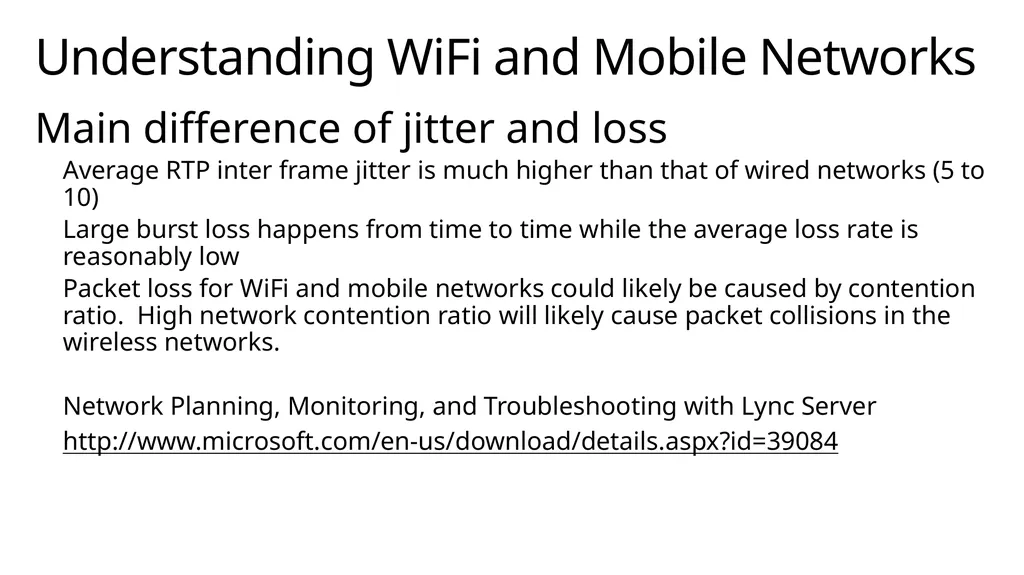
Main difference of jitter and loss
Average RTP inter frame jitter is much higher than that of wired networks (5 to 10)
Large burst loss happens from time to time while the average loss rate is reasonably low
Packet loss for WiFi and mobile networks could likely be caused by contention ratio. High network contention ratio will likely cause packet collisions in the wireless networks.
Network Planning, Monitoring, and Troubleshooting with Lync Server
http://www.microsoft.com/en-us/download/details.aspx?id=39084 Understanding WiFi and Mobile Networks<br>
Average RTP inter frame jitter is much higher than that of wired networks (5 to 10)
Large burst loss happens from time to time while the average loss rate is reasonably low
Packet loss for WiFi and mobile networks could likely be caused by contention ratio. High network contention ratio will likely cause packet collisions in the wireless networks.
Network Planning, Monitoring, and Troubleshooting with Lync Server
http://www.microsoft.com/en-us/download/details.aspx?id=39084 Understanding WiFi and Mobile Networks<br>
10
When packets arrive early or later than 20 ms, it is called RTP inter frame jitter.
The jitter will cause the audio healer to drop the packets even when the packets finally arrive
This is equivalent to packet loss at the receive side. Average RTP Inter Frame Jitter<br>
The jitter will cause the audio healer to drop the packets even when the packets finally arrive
This is equivalent to packet loss at the receive side. Average RTP Inter Frame Jitter<br>
11
Audio healer will delay triggering the FEC usage when first few burst losses happen but the longer term average loss rate is low.
Audio healer will not trigger FEC when burst losses (consecutive loss more than one frame) are larger than 3 frames
FEC is only applied up to distance of 3 frames. It is helpful when the packet loss is between 1 frame and 3 frames. When burst loss is larger than 3 frames, FEC won’t help much. FEC scheme for WiFi and Mobile Networks<br>
Audio healer will not trigger FEC when burst losses (consecutive loss more than one frame) are larger than 3 frames
FEC is only applied up to distance of 3 frames. It is helpful when the packet loss is between 1 frame and 3 frames. When burst loss is larger than 3 frames, FEC won’t help much. FEC scheme for WiFi and Mobile Networks<br>
12
The additional jitter control logic in audio healer is needed to accommodate the large RTP inter frame jitter for WiFi and mobile networks.
The audio healer will increase jitter buffer size when large jitter is detected.
Increase jitter buffer size quickly when increase of RTP jitter detected
Decrease jitter buffer size slowly to avoid fluctuation of the jitter buffer size. Jitter Buffer control for WiFi / Mobile Networks<br>
The audio healer will increase jitter buffer size when large jitter is detected.
Increase jitter buffer size quickly when increase of RTP jitter detected
Decrease jitter buffer size slowly to avoid fluctuation of the jitter buffer size. Jitter Buffer control for WiFi / Mobile Networks<br>
13
Jitter Buffer<br>
14
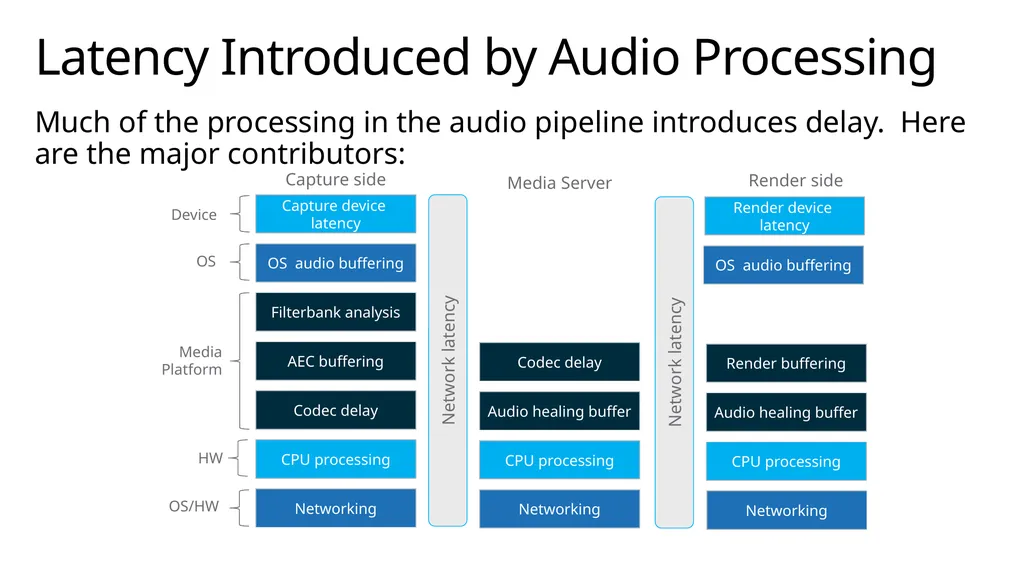
Much of the processing in the audio pipeline introduces delay. Here are the major contributors: Latency Introduced by Audio Processing Capture device latency OS audio buffering Filterbank analysis AEC buffering Codec delay CPU processing Networking Codec delay CPU processing Networking Audio healing buffer CPU processing Networking Audio healing buffer Render buffering OS audio buffering Render device latency Capture side Media Server Render side Network latency Network latency Device OS Media
Platform HW OS/HW<br>
Platform HW OS/HW<br>
15
Audio Quality – Comfort Noise Comfort noise packet (CNP) support
CNP for Narrow Band and Wide Band according to RFC 3389
When silence suppression kicks in, a CNP will be sent at the end of a talk spurt to signal the decoder the end of the talk spurt and the energy level of the subsequent comfort noise used to avoid absolute silence.<br>
CNP for Narrow Band and Wide Band according to RFC 3389
When silence suppression kicks in, a CNP will be sent at the end of a talk spurt to signal the decoder the end of the talk spurt and the energy level of the subsequent comfort noise used to avoid absolute silence.<br>
16
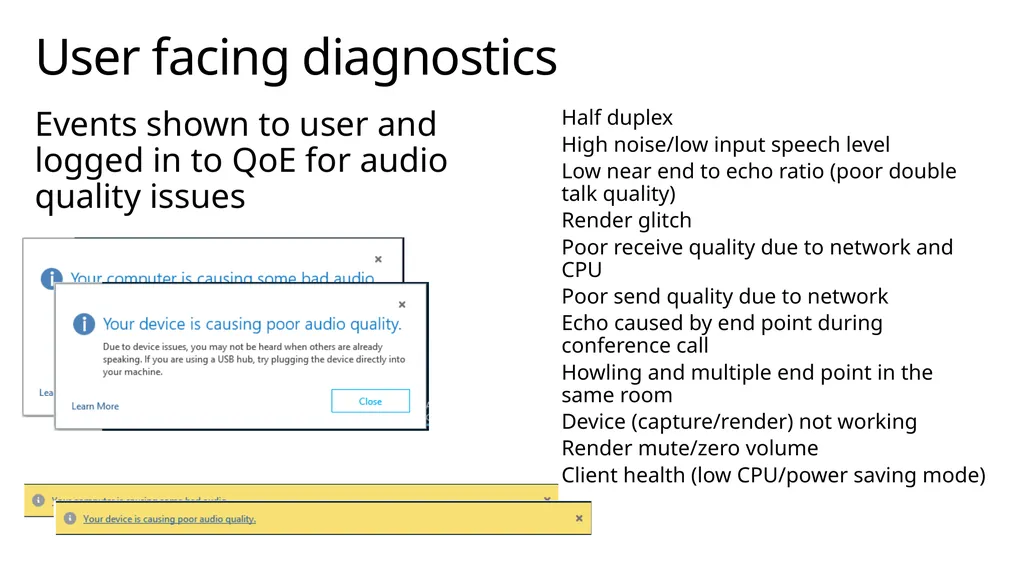
User facing diagnostics Events shown to user and logged in to QoE for audio quality issues Half duplex
High noise/low input speech level
Low near end to echo ratio (poor double talk quality)
Render glitch
Poor receive quality due to network and CPU
Poor send quality due to network
Echo caused by end point during conference call
Howling and multiple end point in the same room
Device (capture/render) not working
Render mute/zero volume
Client health (low CPU/power saving mode)<br>
High noise/low input speech level
Low near end to echo ratio (poor double talk quality)
Render glitch
Poor receive quality due to network and CPU
Poor send quality due to network
Echo caused by end point during conference call
Howling and multiple end point in the same room
Device (capture/render) not working
Render mute/zero volume
Client health (low CPU/power saving mode)<br>
17
First in industry with detailed audio quality requirements for GW performance
Fully automated testing combining Sage Equipment with media software
Automatic report/pass-fail GW Audio Quality Certification Team<br>
Fully automated testing combining Sage Equipment with media software
Automatic report/pass-fail GW Audio Quality Certification Team<br>
18
UC Audio Quality Certification Program Certification program for UC audio devices including
Headset/handset
Speakerphone
PC/laptop
Ensures devices work well with Lync and meet customer experience needs. Areas:
Acoustics (loudness, frequency response, noise and distortion, coupling, directivity, latency)
Driver, clock sync
Timestamp measurement
TIA and IEEE standard based and expanded for PC platform
Test tool:
UCDC by MSFT
HEAD acoustics<br>
Headset/handset
Speakerphone
PC/laptop
Ensures devices work well with Lync and meet customer experience needs. Areas:
Acoustics (loudness, frequency response, noise and distortion, coupling, directivity, latency)
Driver, clock sync
Timestamp measurement
TIA and IEEE standard based and expanded for PC platform
Test tool:
UCDC by MSFT
HEAD acoustics<br>
19
Session Description Protocol<br>
20
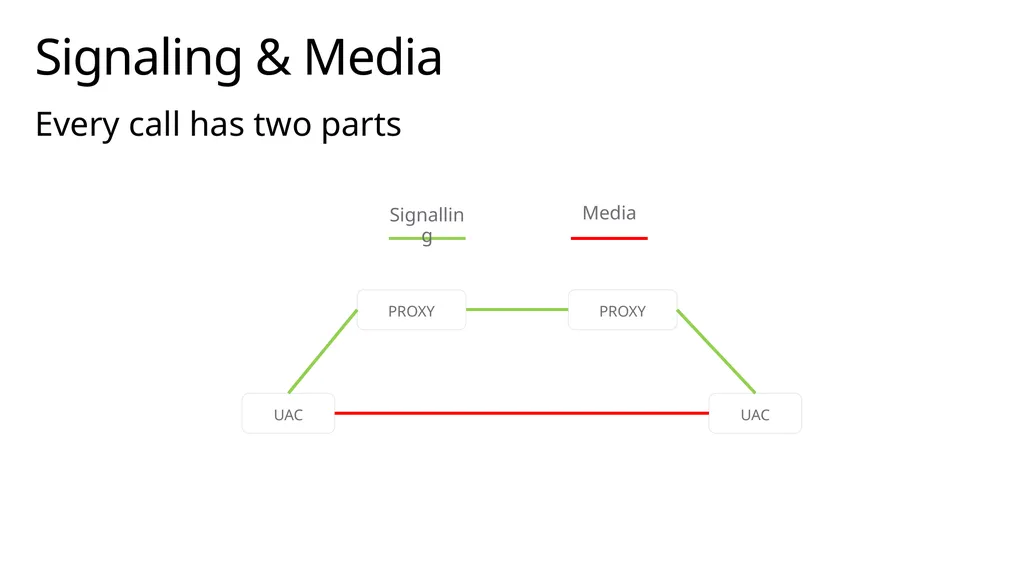
Signaling & Media Every call has two parts PROXY UAC UAC PROXY Media Signalling<br>
21
Session Description Protocol SDP describes the Media Session in a call.
SDP is intended for multimedia management - session invitations, acceptance, modifications.
An SDP session description includes the following:
Session name and purpose
Time(s) the session is active
The media comprising the session
Information needed to receive those media (addresses, ports, formats, etc.)<br>
SDP is intended for multimedia management - session invitations, acceptance, modifications.
An SDP session description includes the following:
Session name and purpose
Time(s) the session is active
The media comprising the session
Information needed to receive those media (addresses, ports, formats, etc.)<br>
22
Session Description Protocol Describes multimedia sessions for announcement or initiation.
SIP INVITE from initiating endpoint
SIP “200 OK” or “183 Session Progress“ from other endpoint
Content-Type: application/sdp
Described in RFC 4566
Parameters are registered with IANA http://www.iana.org/assignments/sdp-parameters<br>
SIP INVITE from initiating endpoint
SIP “200 OK” or “183 Session Progress“ from other endpoint
Content-Type: application/sdp
Described in RFC 4566
Parameters are registered with IANA http://www.iana.org/assignments/sdp-parameters<br>
23
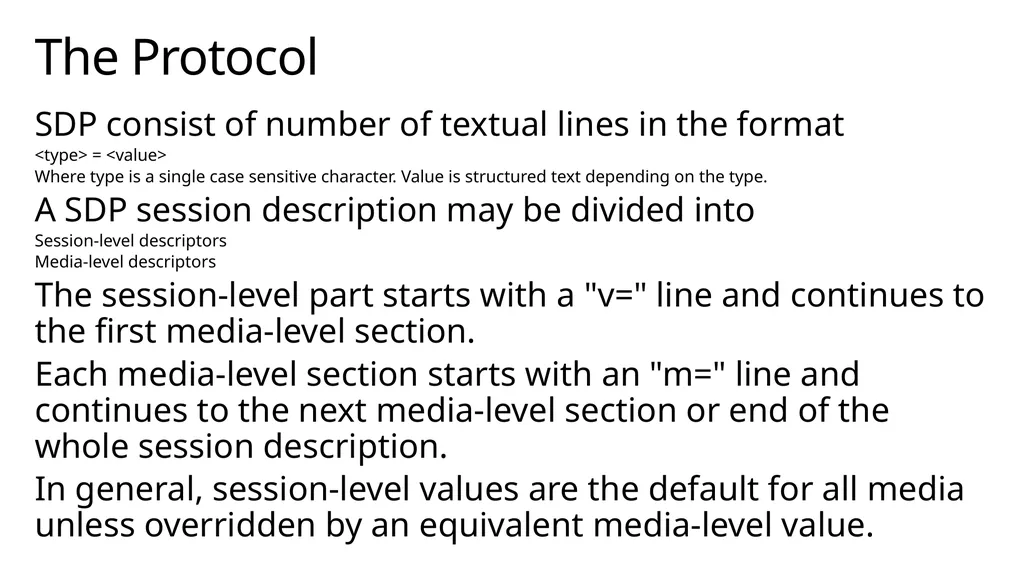
The Protocol SDP consist of number of textual lines in the format
<type> = <value>
Where type is a single case sensitive character. Value is structured text depending on the type.
A SDP session description may be divided into
Session-level descriptors
Media-level descriptors
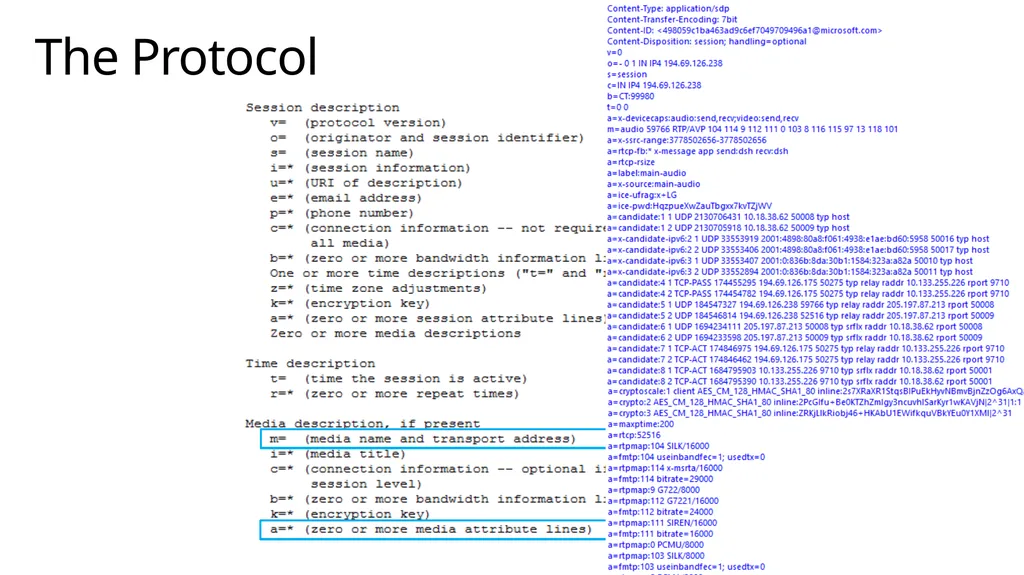
The session-level part starts with a "v=" line and continues to the first media-level section.
Each media-level section starts with an "m=" line and continues to the next media-level section or end of the whole session description.
In general, session-level values are the default for all media unless overridden by an equivalent media-level value.<br>
<type> = <value>
Where type is a single case sensitive character. Value is structured text depending on the type.
A SDP session description may be divided into
Session-level descriptors
Media-level descriptors
The session-level part starts with a "v=" line and continues to the first media-level section.
Each media-level section starts with an "m=" line and continues to the next media-level section or end of the whole session description.
In general, session-level values are the default for all media unless overridden by an equivalent media-level value.<br>
24
The Protocol<br>
25
SDP Example<br>
26
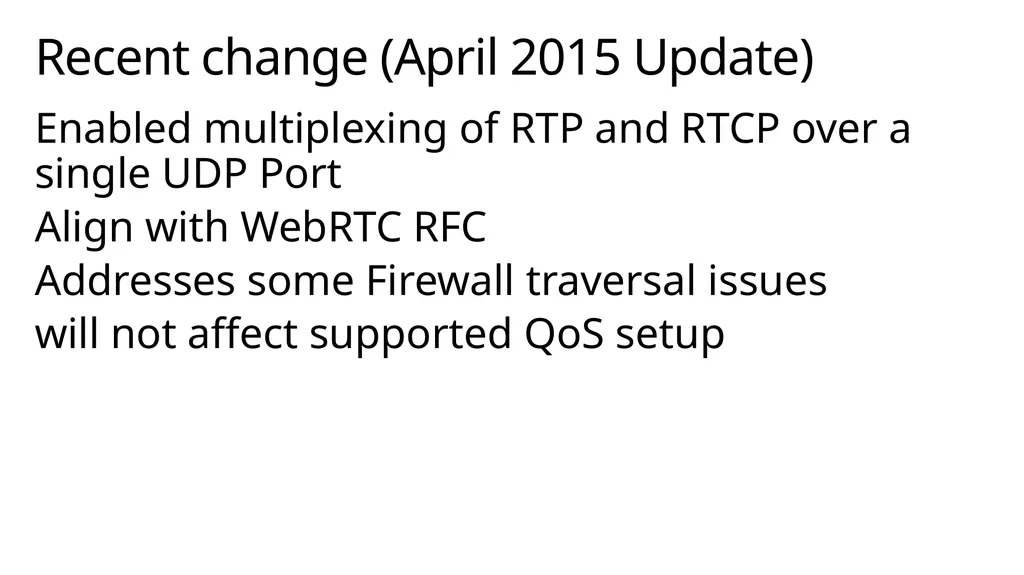
Recent change (April 2015 Update) Enabled multiplexing of RTP and RTCP over a single UDP Port
Align with WebRTC RFC
Addresses some Firewall traversal issues
will not affect supported QoS setup<br>
Align with WebRTC RFC
Addresses some Firewall traversal issues
will not affect supported QoS setup<br>
27
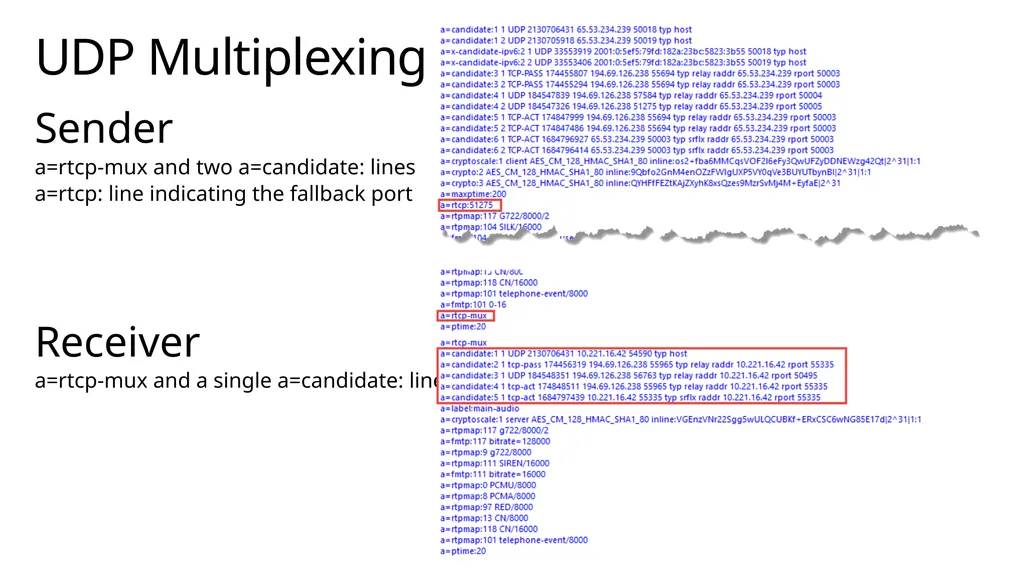
UDP Multiplexing Sender
a=rtcp-mux and two a=candidate: lines
a=rtcp: line indicating the fallback port
Receiver
a=rtcp-mux and a single a=candidate: line<br>
a=rtcp-mux and two a=candidate: lines
a=rtcp: line indicating the fallback port
Receiver
a=rtcp-mux and a single a=candidate: line<br>
28
SDP Examples<br>
29
Codecs<br>
30
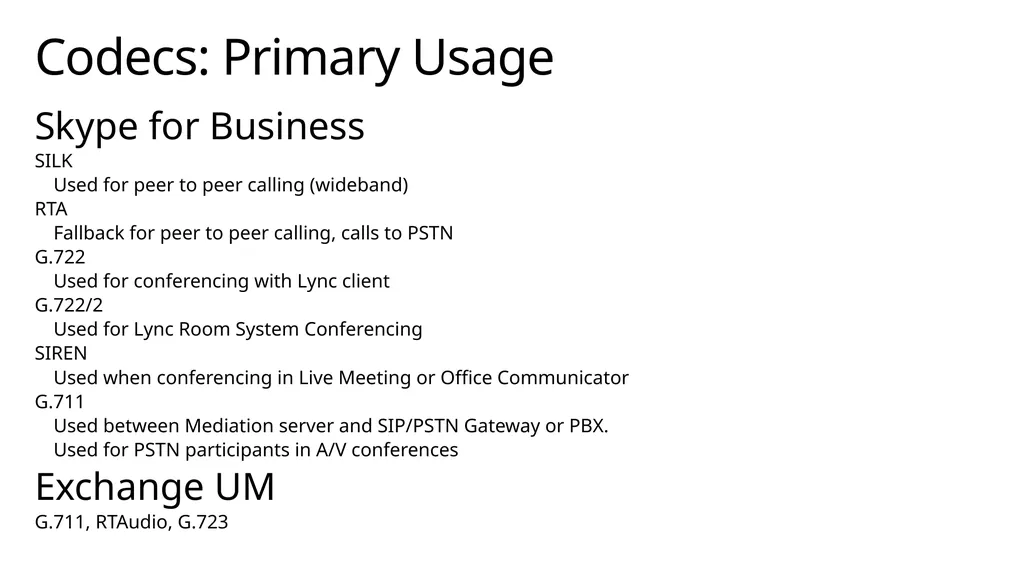
Codecs: Primary Usage Skype for Business
SILK
Used for peer to peer calling (wideband)
RTA
Fallback for peer to peer calling, calls to PSTN
G.722
Used for conferencing with Lync client
G.722/2
Used for Lync Room System Conferencing
SIREN
Used when conferencing in Live Meeting or Office Communicator
G.711
Used between Mediation server and SIP/PSTN Gateway or PBX.
Used for PSTN participants in A/V conferences
Exchange UM
G.711, RTAudio, G.723<br>
SILK
Used for peer to peer calling (wideband)
RTA
Fallback for peer to peer calling, calls to PSTN
G.722
Used for conferencing with Lync client
G.722/2
Used for Lync Room System Conferencing
SIREN
Used when conferencing in Live Meeting or Office Communicator
G.711
Used between Mediation server and SIP/PSTN Gateway or PBX.
Used for PSTN participants in A/V conferences
Exchange UM
G.711, RTAudio, G.723<br>
31
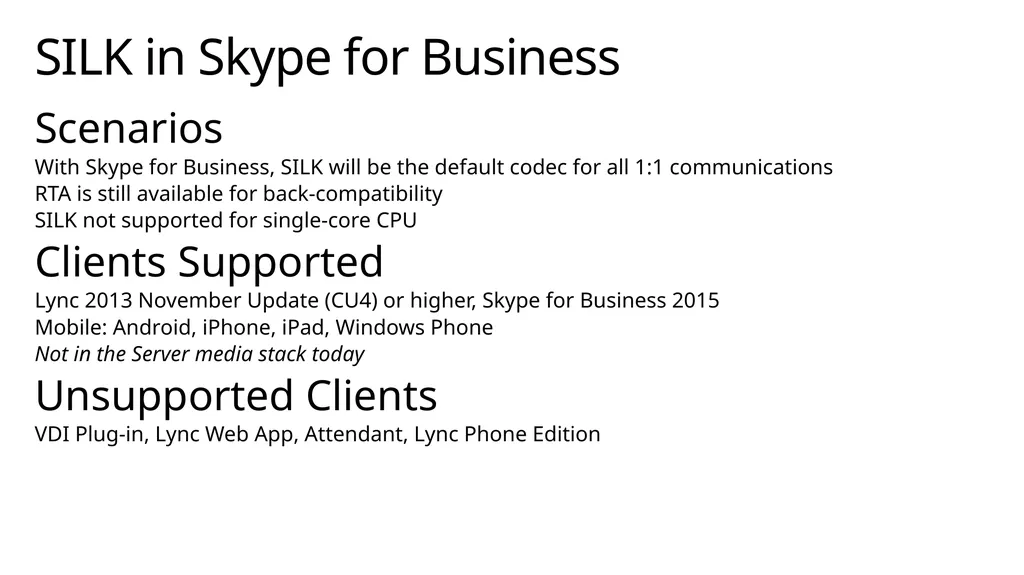
SILK in Skype for Business Scenarios
With Skype for Business, SILK will be the default codec for all 1:1 communications
RTA is still available for back-compatibility
SILK not supported for single-core CPU
Clients Supported
Lync 2013 November Update (CU4) or higher, Skype for Business 2015
Mobile: Android, iPhone, iPad, Windows Phone
Not in the Server media stack today
Unsupported Clients
VDI Plug-in, Lync Web App, Attendant, Lync Phone Edition<br>
With Skype for Business, SILK will be the default codec for all 1:1 communications
RTA is still available for back-compatibility
SILK not supported for single-core CPU
Clients Supported
Lync 2013 November Update (CU4) or higher, Skype for Business 2015
Mobile: Android, iPhone, iPad, Windows Phone
Not in the Server media stack today
Unsupported Clients
VDI Plug-in, Lync Web App, Attendant, Lync Phone Edition<br>
32
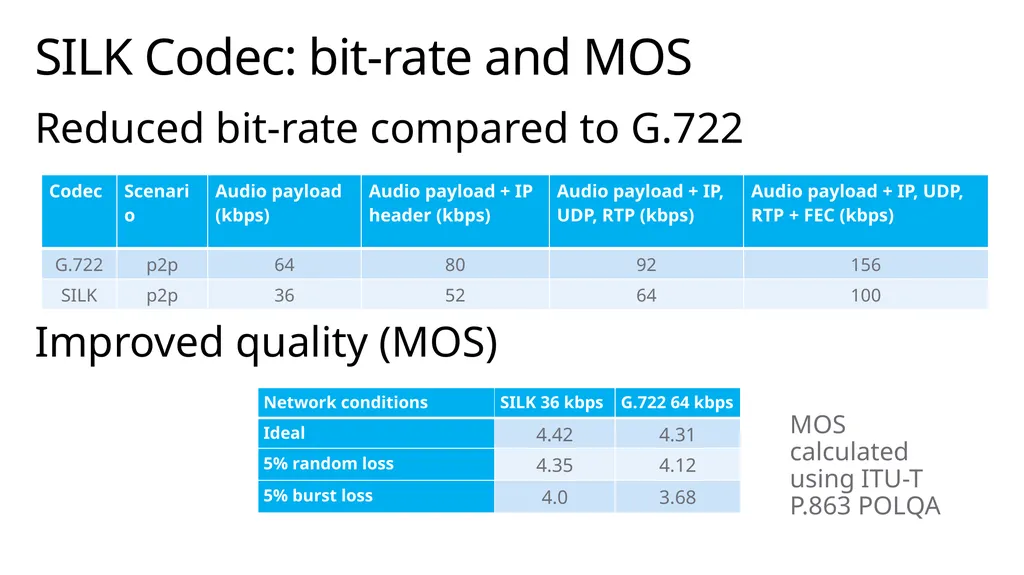
S4B to Skype Federated calls SILK WB with a target bit-rate of 36 kbps will be the default audio codec for federated skype calls.
Replaces G.722 @ 64 kbps
Lync 2013 CU4 (Nov 2013) and higher will use SILK. Older clients will continue using G.722.<br>
Replaces G.722 @ 64 kbps
Lync 2013 CU4 (Nov 2013) and higher will use SILK. Older clients will continue using G.722.<br>
33
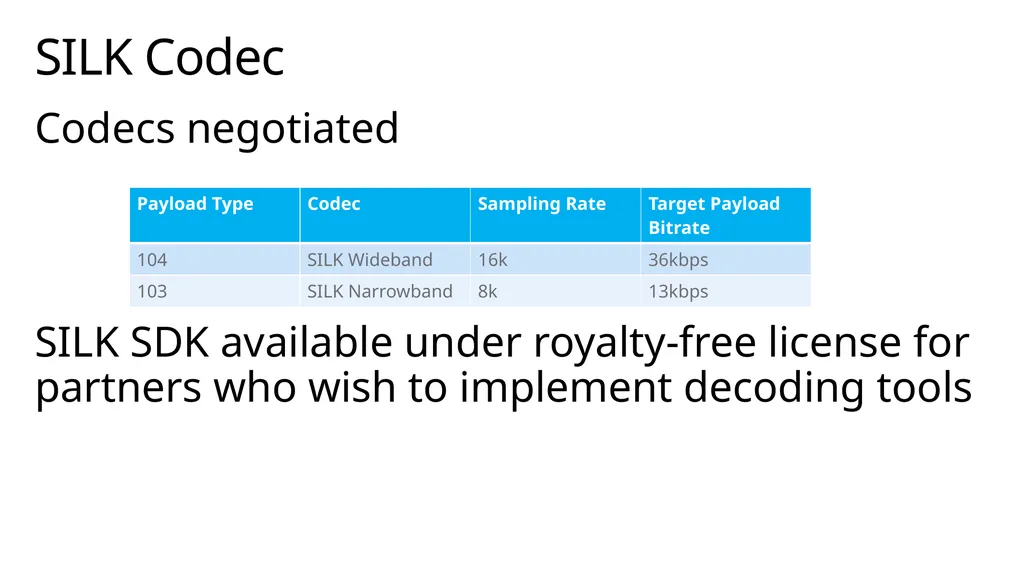
Codecs negotiated
SILK SDK available under royalty-free license for partners who wish to implement decoding tools SILK Codec<br>
SILK SDK available under royalty-free license for partners who wish to implement decoding tools SILK Codec<br>
34
SILK Codec: bit-rate and MOS Reduced bit-rate compared to G.722
Improved quality (MOS) MOS calculated using ITU-T P.863 POLQA<br>
Improved quality (MOS) MOS calculated using ITU-T P.863 POLQA<br>
35
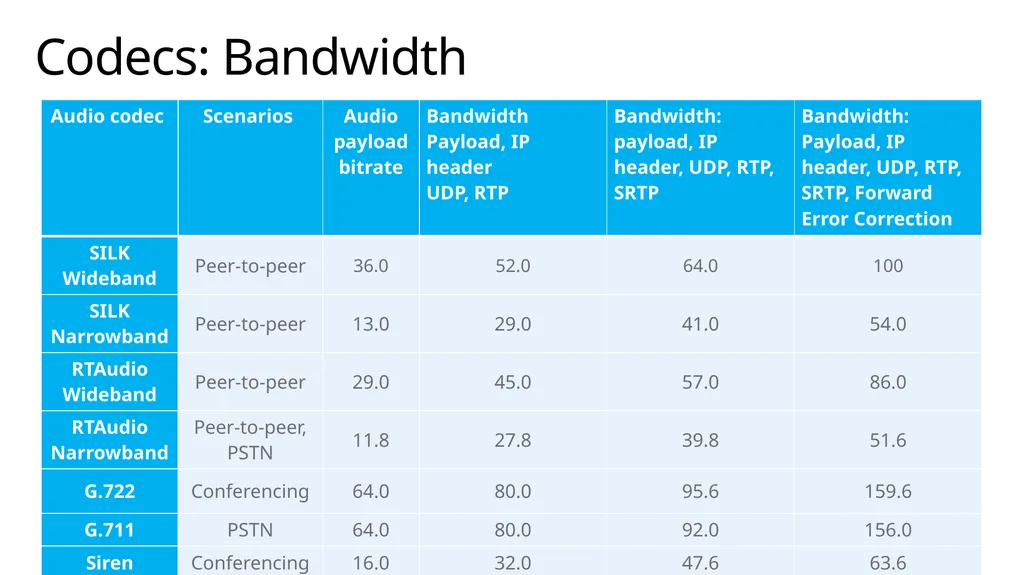
Codecs: Bandwidth<br>
36
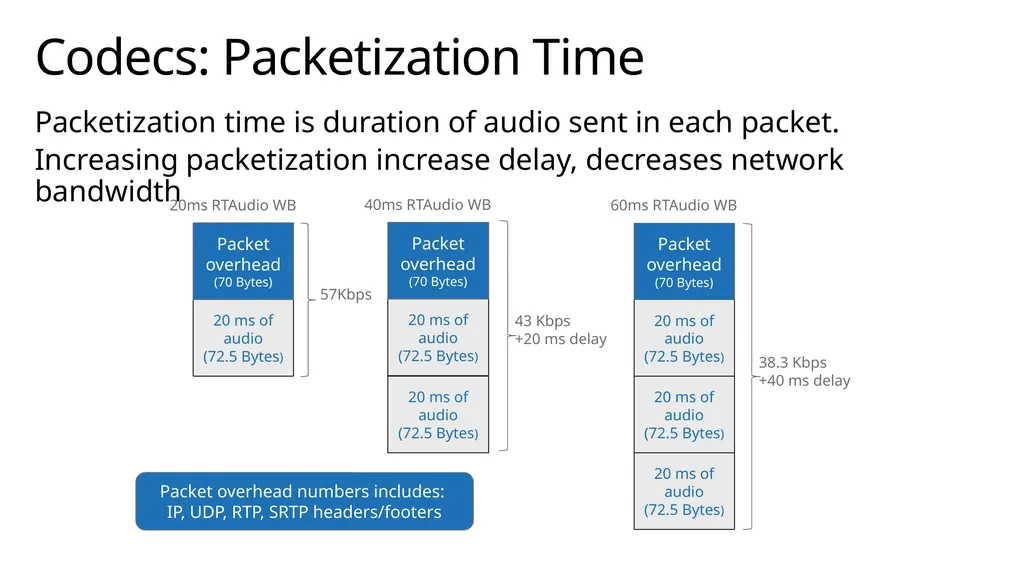
Codecs: Packetization Time Packetization time is duration of audio sent in each packet.
Increasing packetization increase delay, decreases network bandwidth 57Kbps 43 Kbps
+20 ms delay 38.3 Kbps
+40 ms delay Packet overhead numbers includes:
IP, UDP, RTP, SRTP headers/footers<br>
Increasing packetization increase delay, decreases network bandwidth 57Kbps 43 Kbps
+20 ms delay 38.3 Kbps
+40 ms delay Packet overhead numbers includes:
IP, UDP, RTP, SRTP headers/footers<br>
37
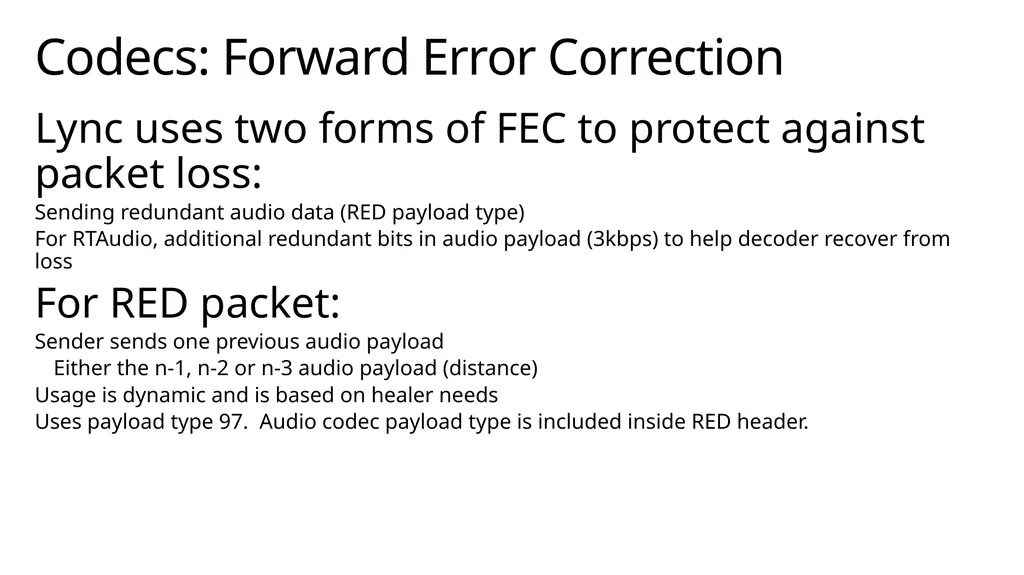
Codecs: Forward Error Correction Lync uses two forms of FEC to protect against packet loss:
Sending redundant audio data (RED payload type)
For RTAudio, additional redundant bits in audio payload (3kbps) to help decoder recover from loss
For RED packet:
Sender sends one previous audio payload
Either the n-1, n-2 or n-3 audio payload (distance)
Usage is dynamic and is based on healer needs
Uses payload type 97. Audio codec payload type is included inside RED header.<br>
Sending redundant audio data (RED payload type)
For RTAudio, additional redundant bits in audio payload (3kbps) to help decoder recover from loss
For RED packet:
Sender sends one previous audio payload
Either the n-1, n-2 or n-3 audio payload (distance)
Usage is dynamic and is based on healer needs
Uses payload type 97. Audio codec payload type is included inside RED header.<br>
38
Codecs: Redundant payload (FEC) Main
payload
t = 40ms RTP Header Redundant payload
t = 0ms Main payload
t = 60ms RTP Header Redundant payload
t = 20ms Main payload
t = 80ms RTP Header Redundant payload
t = 40ms Main payload
t = 100ms RTP Header Redundant payload
t = 60ms Sent @ t=40ms Sent @ t=60ms Sent @ t=80ms Sent @ t=100ms 2 packets lost Sender Main
payload
t = 20ms Redundant payload
t = 40ms Redundant payload
t = 60ms Main payload
t = 80ms Main payload
t = 100ms Main
payload
t = 20ms RTP Header Redundant payload
t = -20 ms Sent @ t=20ms Receiver Network FEC distance = 2, packetization = 20ms<br>
payload
t = 40ms RTP Header Redundant payload
t = 0ms Main payload
t = 60ms RTP Header Redundant payload
t = 20ms Main payload
t = 80ms RTP Header Redundant payload
t = 40ms Main payload
t = 100ms RTP Header Redundant payload
t = 60ms Sent @ t=40ms Sent @ t=60ms Sent @ t=80ms Sent @ t=100ms 2 packets lost Sender Main
payload
t = 20ms Redundant payload
t = 40ms Redundant payload
t = 60ms Main payload
t = 80ms Main payload
t = 100ms Main
payload
t = 20ms RTP Header Redundant payload
t = -20 ms Sent @ t=20ms Receiver Network FEC distance = 2, packetization = 20ms<br>
39
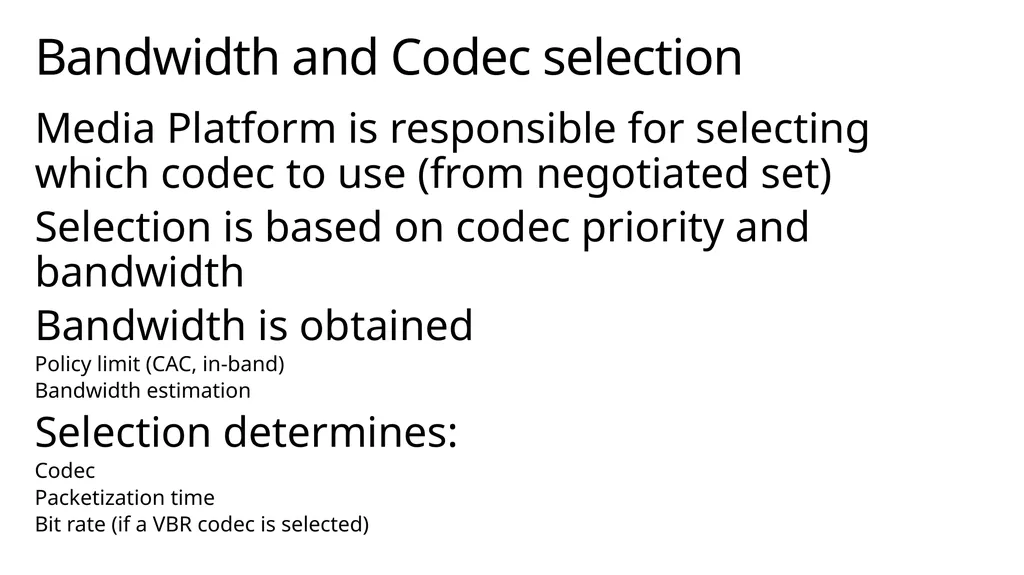
Bandwidth and Codec selection Media Platform is responsible for selecting which codec to use (from negotiated set)
Selection is based on codec priority and bandwidth
Bandwidth is obtained
Policy limit (CAC, in-band)
Bandwidth estimation
Selection determines:
Codec
Packetization time
Bit rate (if a VBR codec is selected)<br>
Selection is based on codec priority and bandwidth
Bandwidth is obtained
Policy limit (CAC, in-band)
Bandwidth estimation
Selection determines:
Codec
Packetization time
Bit rate (if a VBR codec is selected)<br>
40
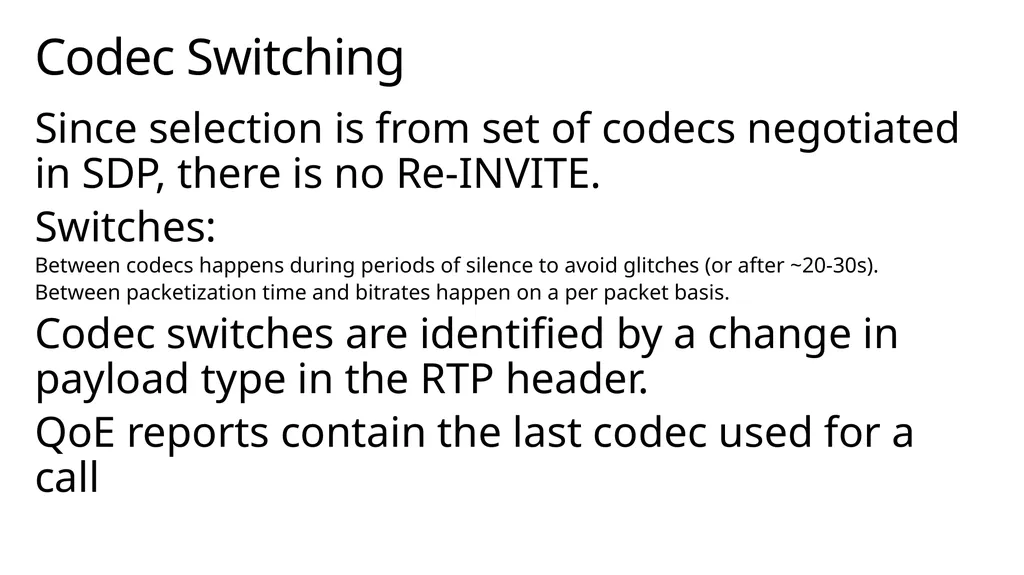
Codec Switching Since selection is from set of codecs negotiated in SDP, there is no Re-INVITE.
Switches:
Between codecs happens during periods of silence to avoid glitches (or after ~20-30s).
Between packetization time and bitrates happen on a per packet basis.
Codec switches are identified by a change in payload type in the RTP header.
QoE reports contain the last codec used for a call<br>
Switches:
Between codecs happens during periods of silence to avoid glitches (or after ~20-30s).
Between packetization time and bitrates happen on a per packet basis.
Codec switches are identified by a change in payload type in the RTP header.
QoE reports contain the last codec used for a call<br>
41
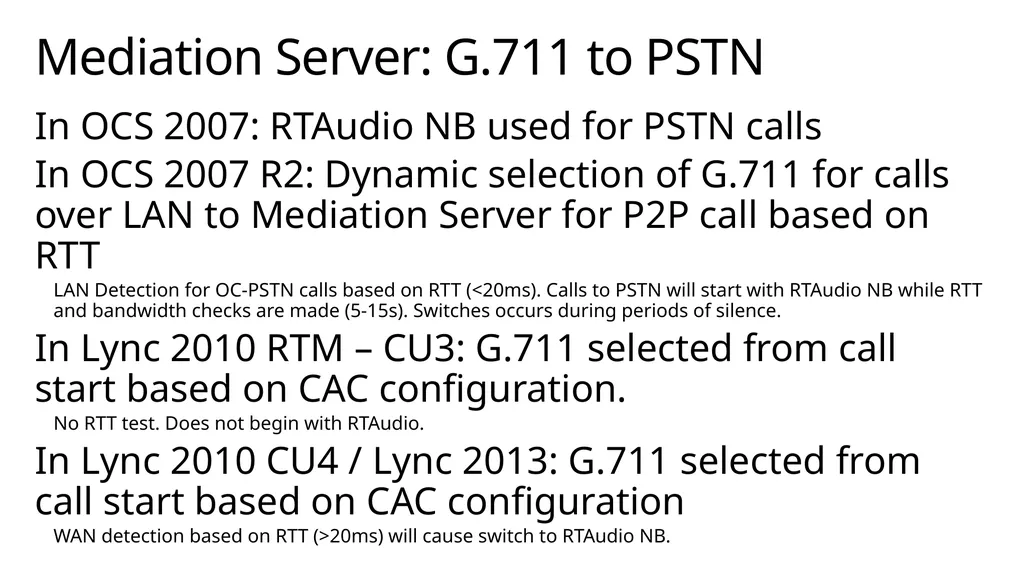
Mediation Server: G.711 to PSTN In OCS 2007: RTAudio NB used for PSTN calls
In OCS 2007 R2: Dynamic selection of G.711 for calls over LAN to Mediation Server for P2P call based on RTT
LAN Detection for OC-PSTN calls based on RTT (<20ms). Calls to PSTN will start with RTAudio NB while RTT and bandwidth checks are made (5-15s). Switches occurs during periods of silence.
In Lync 2010 RTM – CU3: G.711 selected from call start based on CAC configuration.
No RTT test. Does not begin with RTAudio.
In Lync 2010 CU4 / Lync 2013: G.711 selected from call start based on CAC configuration
WAN detection based on RTT (>20ms) will cause switch to RTAudio NB.<br>
In OCS 2007 R2: Dynamic selection of G.711 for calls over LAN to Mediation Server for P2P call based on RTT
LAN Detection for OC-PSTN calls based on RTT (<20ms). Calls to PSTN will start with RTAudio NB while RTT and bandwidth checks are made (5-15s). Switches occurs during periods of silence.
In Lync 2010 RTM – CU3: G.711 selected from call start based on CAC configuration.
No RTT test. Does not begin with RTAudio.
In Lync 2010 CU4 / Lync 2013: G.711 selected from call start based on CAC configuration
WAN detection based on RTT (>20ms) will cause switch to RTAudio NB.<br>
42
Bandwidth Estimation Must estimate available bandwidth to make appropriate decisions for media
Wideband vs. narrowband, target bit rate, packetization, forward error correction, G.711 use
Performed by sending pairs of RTCP packets and measuring time to receive both.
Limited in ability to adjust quickly to large changes in bandwidth.<br>
Wideband vs. narrowband, target bit rate, packetization, forward error correction, G.711 use
Performed by sending pairs of RTCP packets and measuring time to receive both.
Limited in ability to adjust quickly to large changes in bandwidth.<br>
43
Questions?<br>