Microsoft Lists Training Guide Resources and best
Description: Microsoft Lists Training Guide Resources and best practices for leading Lists training Audiences: Training Methods: Training approach Scenarios: Audiences Training Methods Training approach Managers Admins Change Champions Knowledge workers
Related Topics
Download Presentation
"Microsoft Lists Training Guide Resources and best" is the property of its rightful owner. Permission is granted to download and print the materials on this website for personal, non-commercial use only, and to display it on your personal computer provided you do not modify the materials and that you retain all copyright notices contained in the materials. By downloading content from our website, you accept the terms of this agreement.
Presentation Transcript
slide1. Microsoft Lists Training Guide Resources and best practices for leading Lists training<br>
slide2. Audiences: Training Methods: Training approach Scenarios:<br>
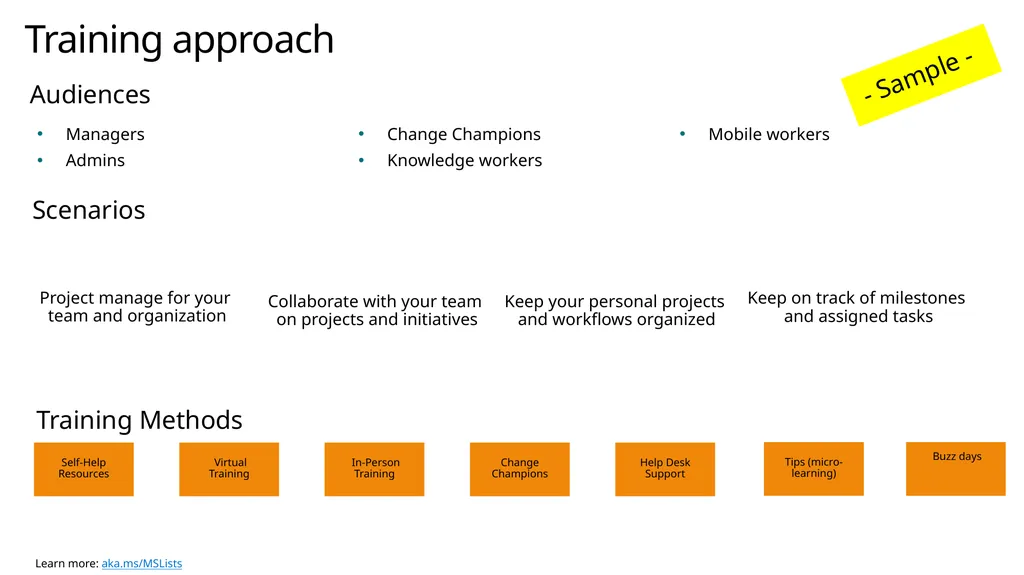
slide3. Audiences Training Methods Training approach Managers
Admins
Change Champions
Knowledge workers
Mobile workers Scenarios Collaborate with your team
on projects and initiatives Keep on track of milestones
and assigned tasks Keep your personal projects
and workflows organized Project manage for your
team and organization - Sample -<br>
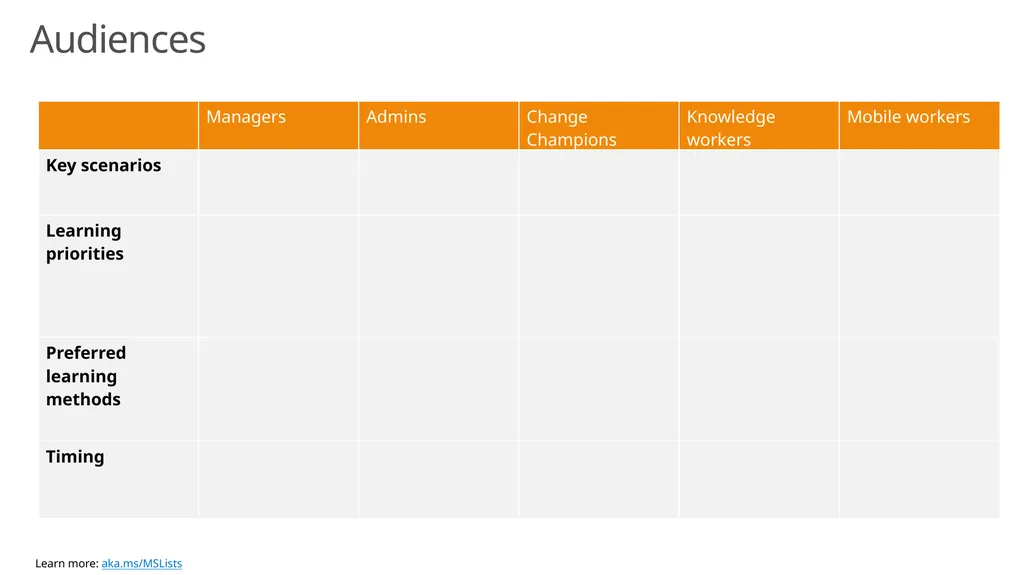
slide4. Audiences<br>
slide5. Audiences<br>
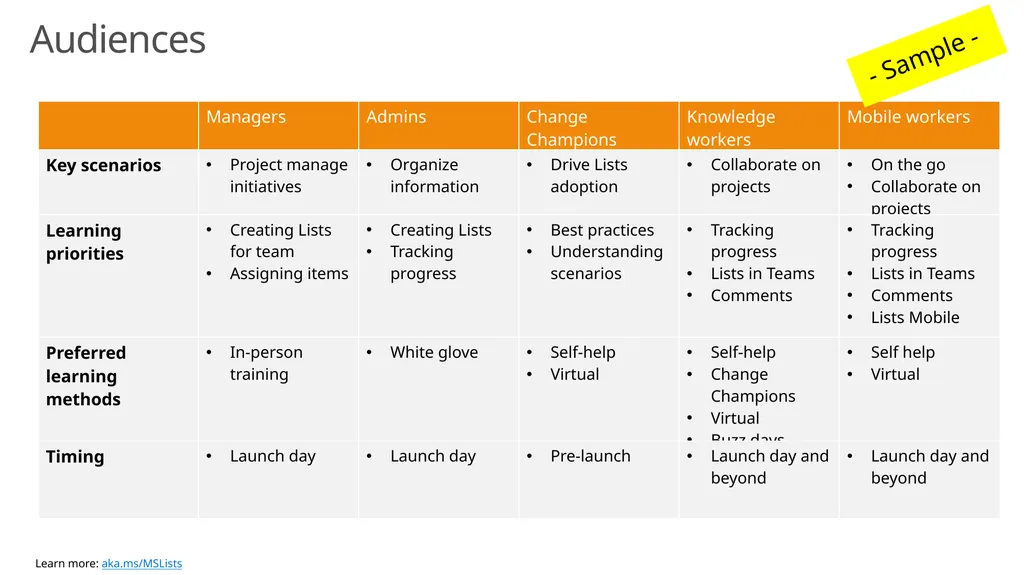
slide6. Audiences - Sample -<br>
slide7. Training Methods<br>
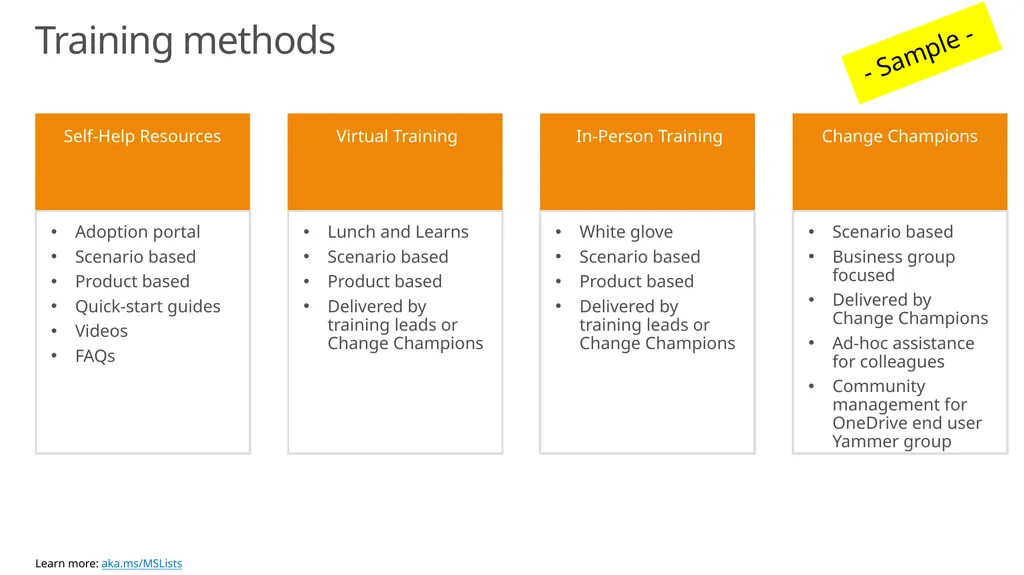
slide8. Training methods Adoption portal
Scenario based
Product based
Quick-start guides
Videos
FAQs Lunch and Learns
Scenario based
Product based
Delivered by training leads or Change Champions White glove
Scenario based
Product based
Delivered by training leads or Change Champions Scenario based
Business group focused
Delivered by Change Champions
Ad-hoc assistance for colleagues
Community management for OneDrive end user Yammer group - Sample -<br>
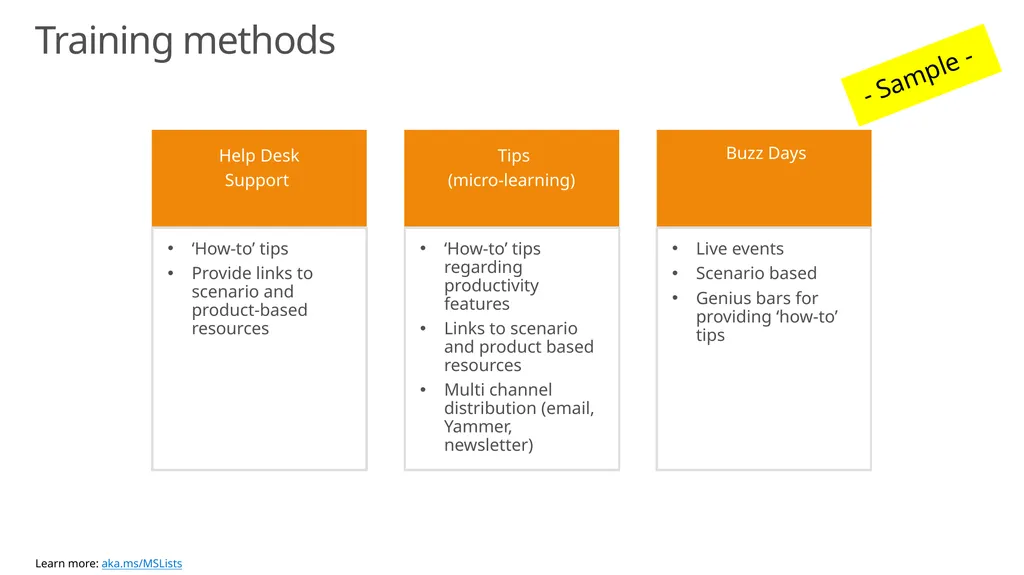
slide9. Training methods - Sample -<br>
slide10. Training Content<br>
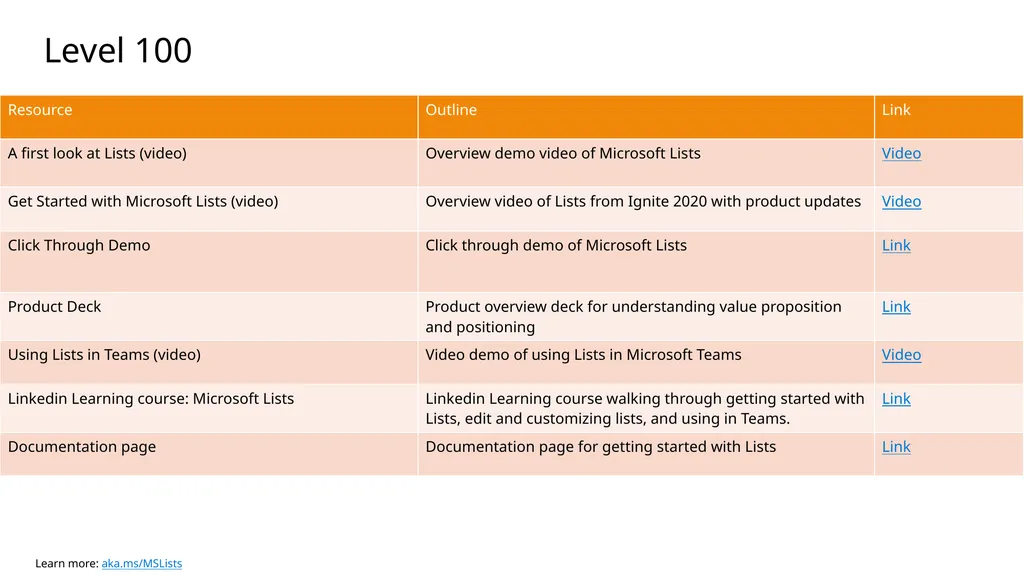
slide11. Level 100<br>
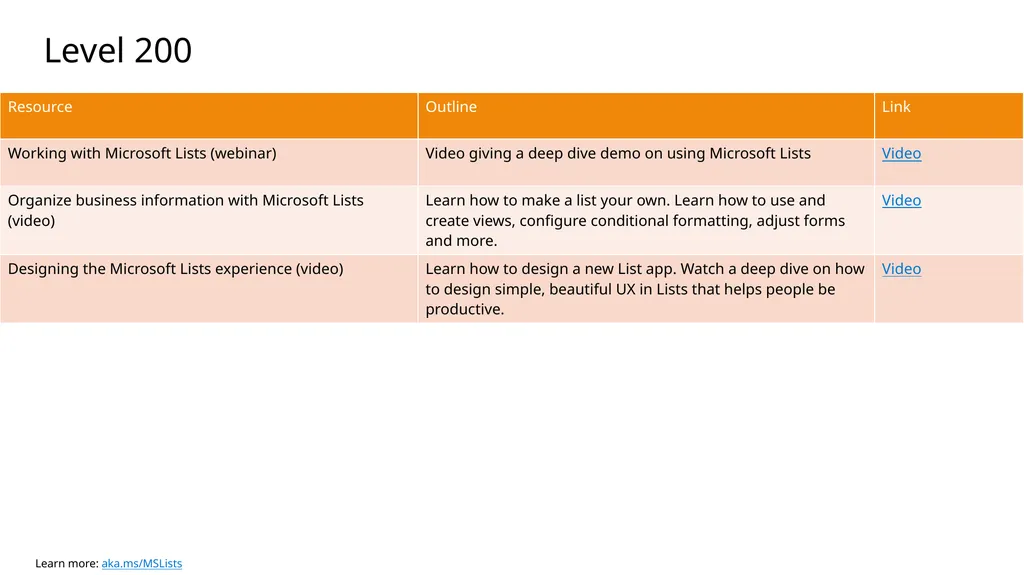
slide12. Level 200<br>
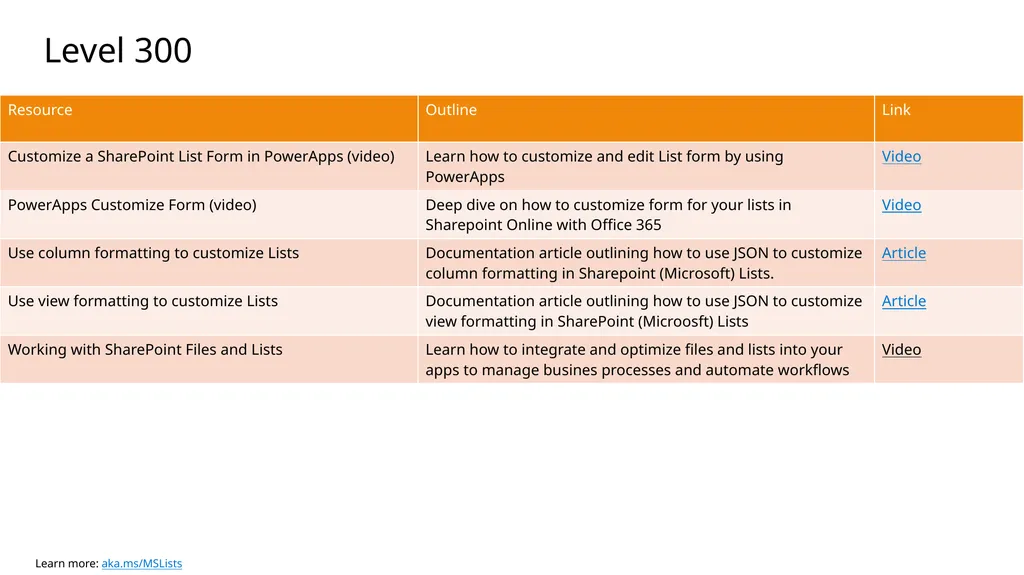
slide13. Level 300<br>
slide2. Audiences: Training Methods: Training approach Scenarios:<br>
slide3. Audiences Training Methods Training approach Managers
Admins
Change Champions
Knowledge workers
Mobile workers Scenarios Collaborate with your team
on projects and initiatives Keep on track of milestones
and assigned tasks Keep your personal projects
and workflows organized Project manage for your
team and organization - Sample -<br>
slide4. Audiences<br>
slide5. Audiences<br>
slide6. Audiences - Sample -<br>
slide7. Training Methods<br>
slide8. Training methods Adoption portal
Scenario based
Product based
Quick-start guides
Videos
FAQs Lunch and Learns
Scenario based
Product based
Delivered by training leads or Change Champions White glove
Scenario based
Product based
Delivered by training leads or Change Champions Scenario based
Business group focused
Delivered by Change Champions
Ad-hoc assistance for colleagues
Community management for OneDrive end user Yammer group - Sample -<br>
slide9. Training methods - Sample -<br>
slide10. Training Content<br>
slide11. Level 100<br>
slide12. Level 200<br>
slide13. Level 300<br>