
Module 5 Object-Oriented Programming and class
MT
Published · 50 slides · 0 views
1 / 1
Description
Module 5 Object-Oriented Programming and class Design Motivation Object-Oriented Programming (OOP) is based on the concept of classes, from which objects are created. In essence, classes work as a blueprint for creating something, while
Related Topics
Share
Embed code
Download this presentation From Below
"Module 5 Object-Oriented Programming and class" is the property of its rightful owner. Permission is granted to download and print the materials on this website for personal, non-commercial use only, and to display it on your personal computer provided you do not modify the materials and that you retain all copyright notices contained in the materials. By downloading content from our website, you accept the terms of this agreement.
Presentation Transcript
01
Module 5 Object-Oriented Programming and class Design<br>
02
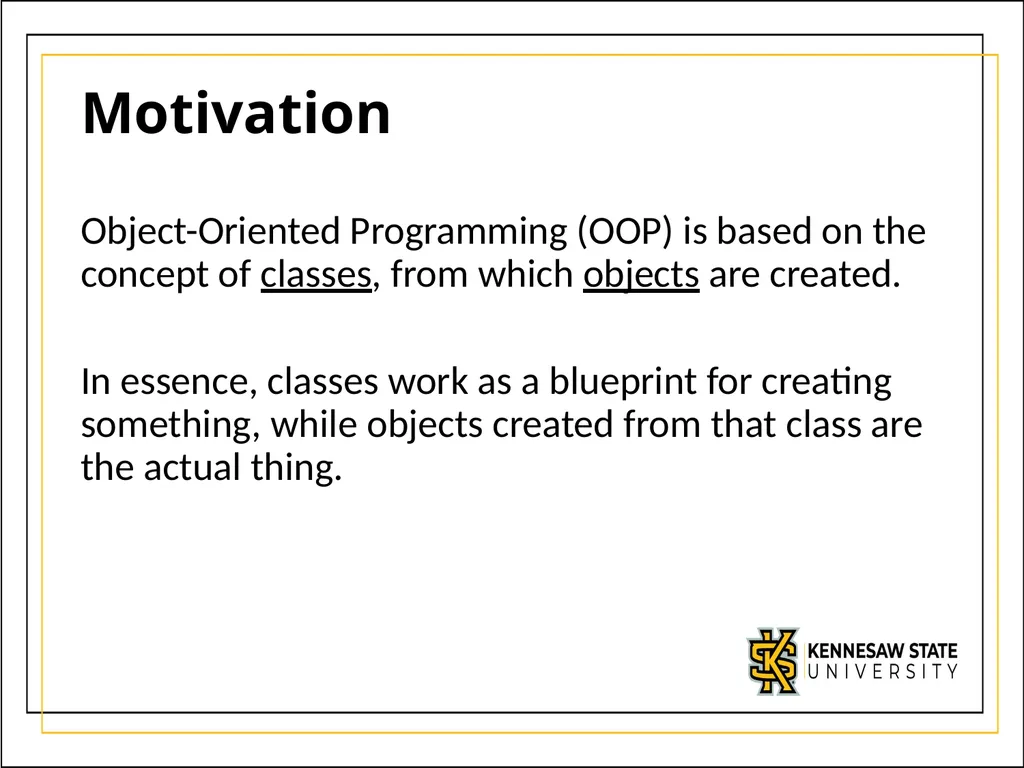
Motivation Object-Oriented Programming (OOP) is based on the concept of classes, from which objects are created.
In essence, classes work as a blueprint for creating something, while objects created from that class are the actual thing.<br>
In essence, classes work as a blueprint for creating something, while objects created from that class are the actual thing.<br>
03
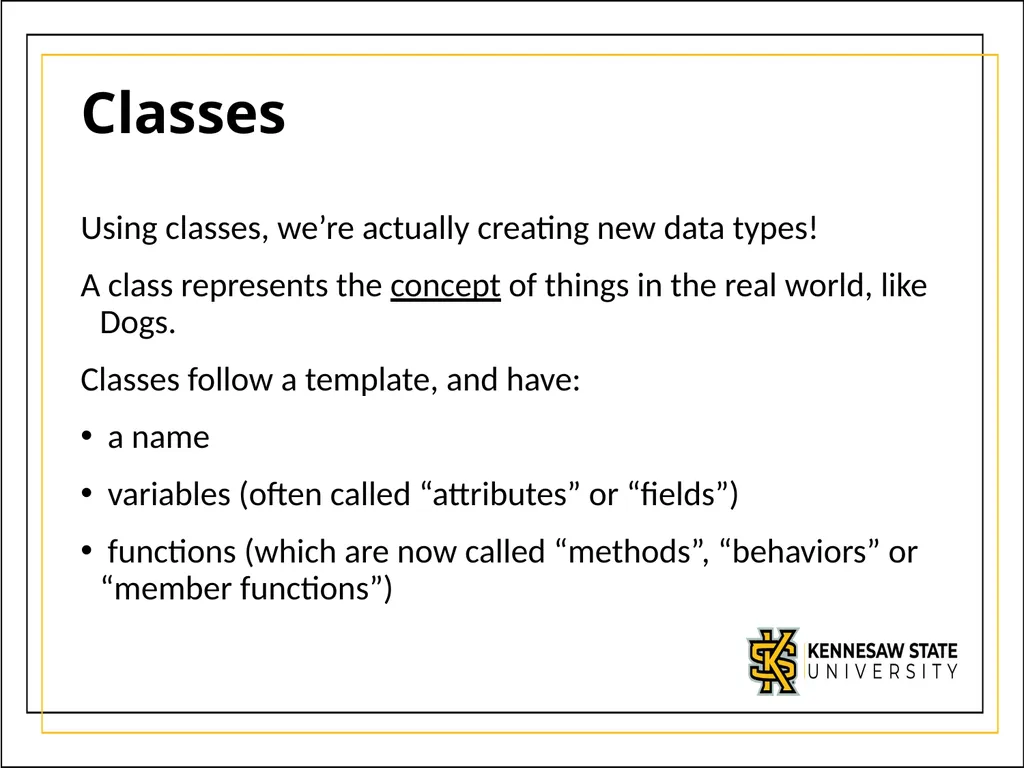
Classes Using classes, we’re actually creating new data types!
A class represents the concept of things in the real world, like Dogs.
Classes follow a template, and have:
a name
variables (often called “attributes” or “fields”)
functions (which are now called “methods”, “behaviors” or “member functions”)<br>
A class represents the concept of things in the real world, like Dogs.
Classes follow a template, and have:
a name
variables (often called “attributes” or “fields”)
functions (which are now called “methods”, “behaviors” or “member functions”)<br>
04
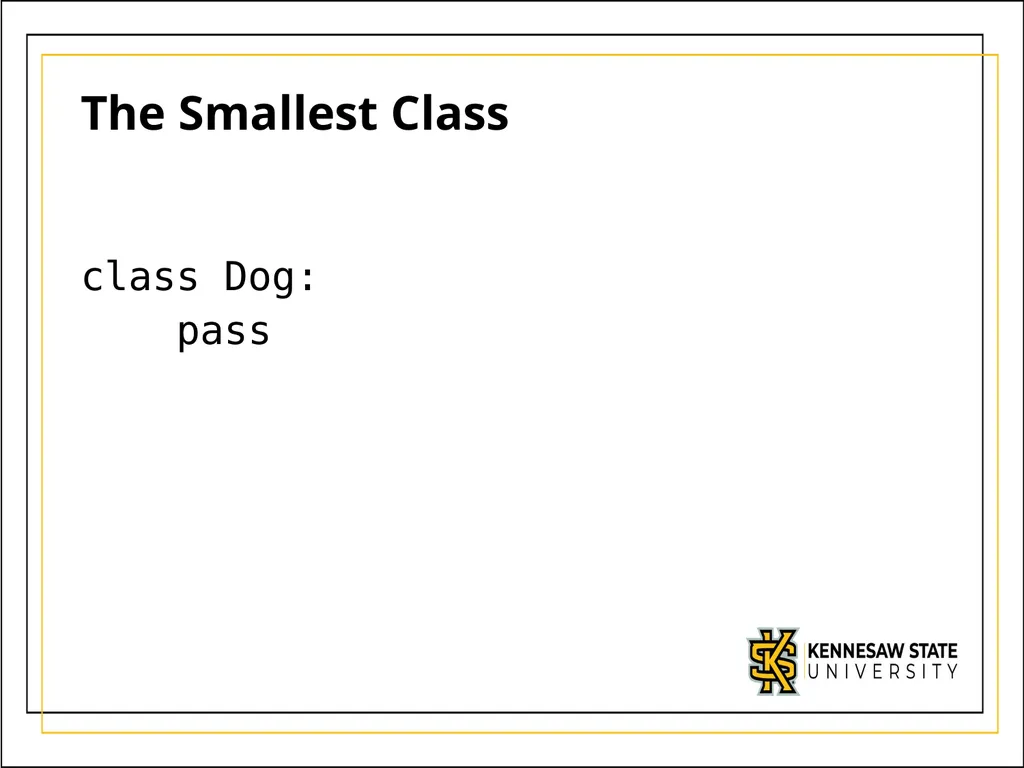
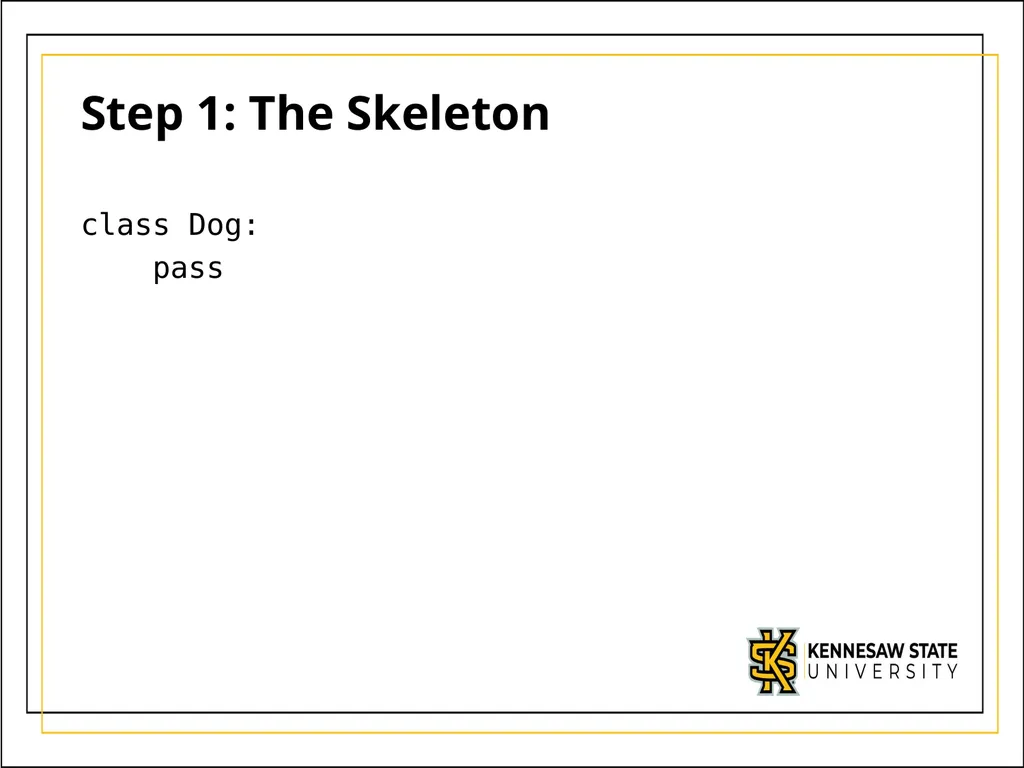
The Smallest Class class Dog:
pass<br>
pass<br>
05
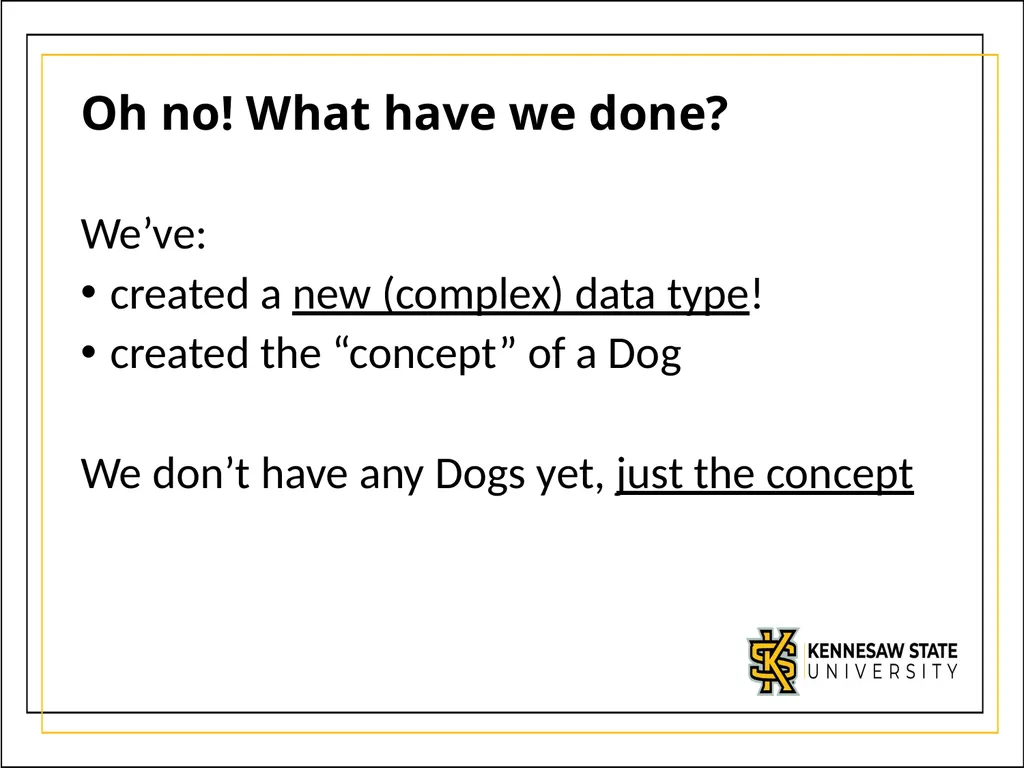
Oh no! What have we done? We’ve:
created a new (complex) data type!
created the “concept” of a Dog
We don’t have any Dogs yet, just the concept<br>
created a new (complex) data type!
created the “concept” of a Dog
We don’t have any Dogs yet, just the concept<br>
06
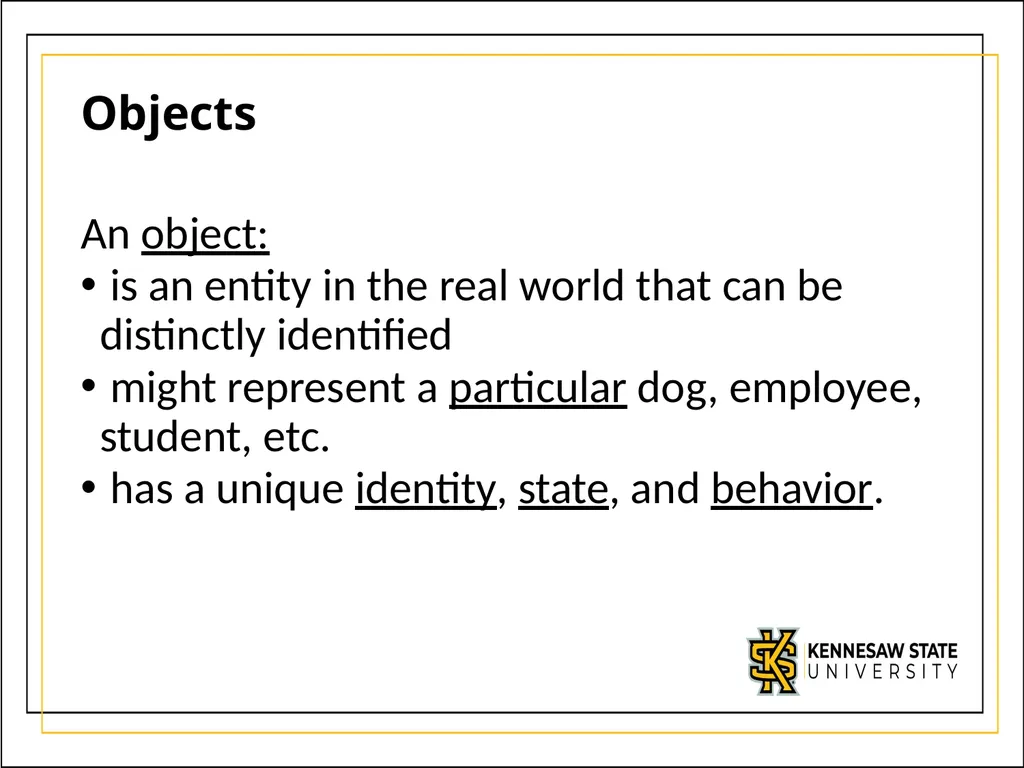
Objects An object:
is an entity in the real world that can be distinctly identified
might represent a particular dog, employee, student, etc.
has a unique identity, state, and behavior.<br>
is an entity in the real world that can be distinctly identified
might represent a particular dog, employee, student, etc.
has a unique identity, state, and behavior.<br>
07
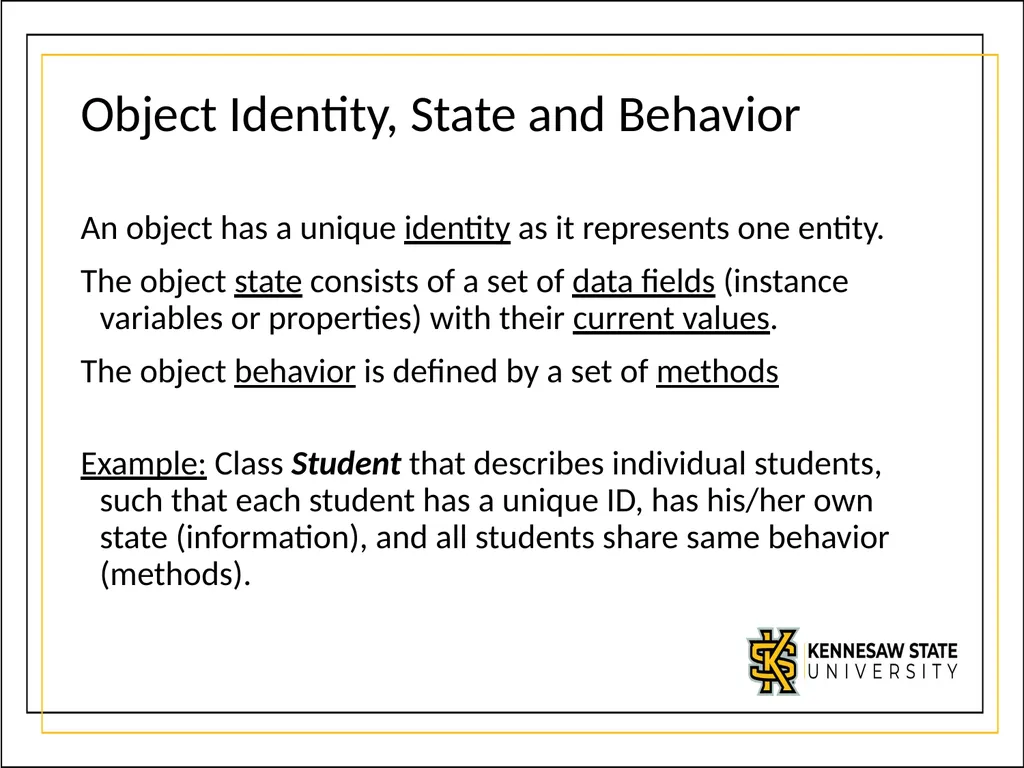
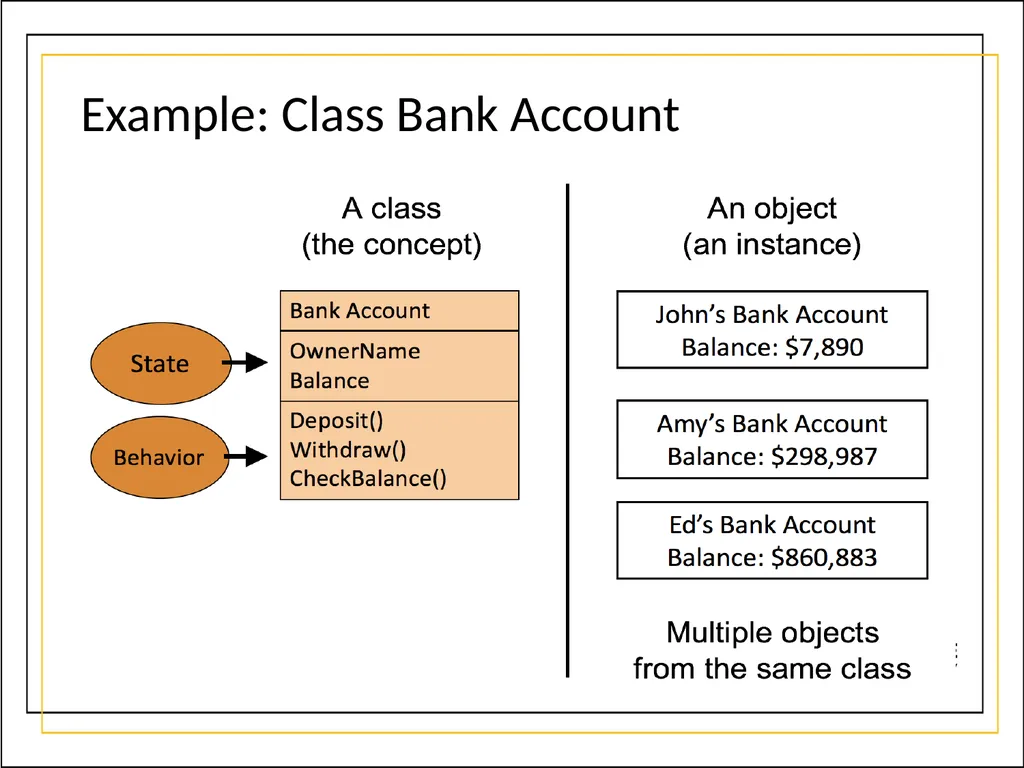
Object Identity, State and Behavior An object has a unique identity as it represents one entity.
The object state consists of a set of data fields (instance variables or properties) with their current values.
The object behavior is defined by a set of methods
Example: Class Student that describes individual students, such that each student has a unique ID, has his/her own state (information), and all students share same behavior (methods).<br>
The object state consists of a set of data fields (instance variables or properties) with their current values.
The object behavior is defined by a set of methods
Example: Class Student that describes individual students, such that each student has a unique ID, has his/her own state (information), and all students share same behavior (methods).<br>
08
Example: Class Bank Account<br>
09
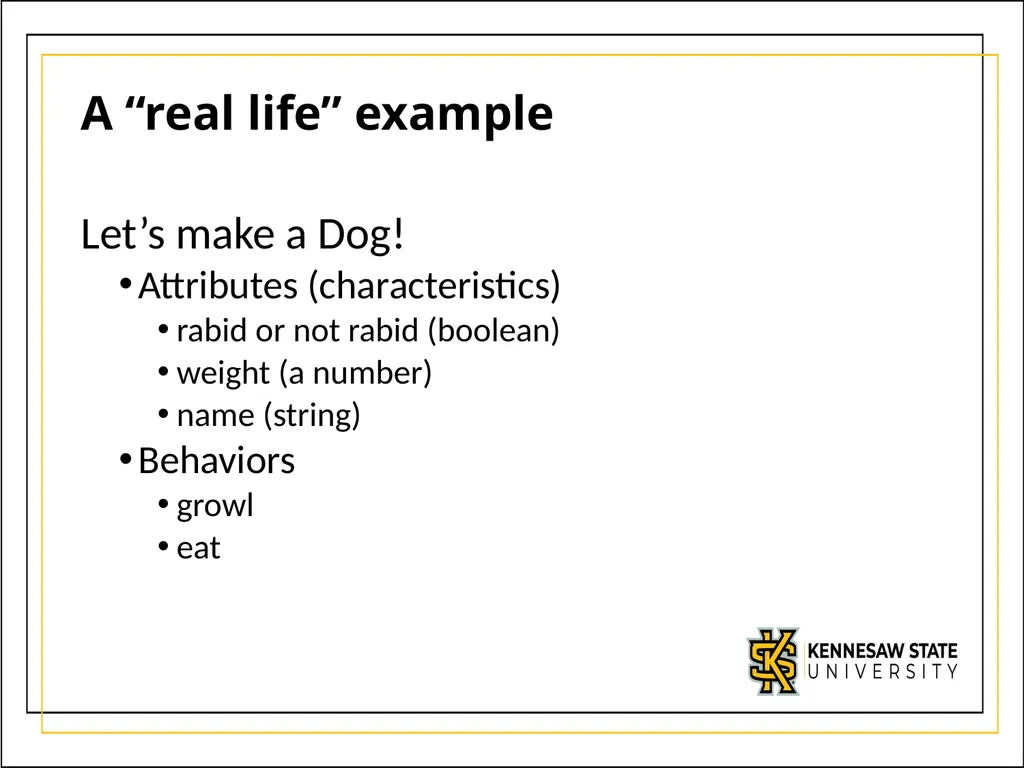
A “real life” example Let’s make a Dog!
Attributes (characteristics)
rabid or not rabid (boolean)
weight (a number)
name (string)
Behaviors
growl
eat<br>
Attributes (characteristics)
rabid or not rabid (boolean)
weight (a number)
name (string)
Behaviors
growl
eat<br>
10
Step 1: The Skeleton class Dog:
pass<br>
pass<br>
11
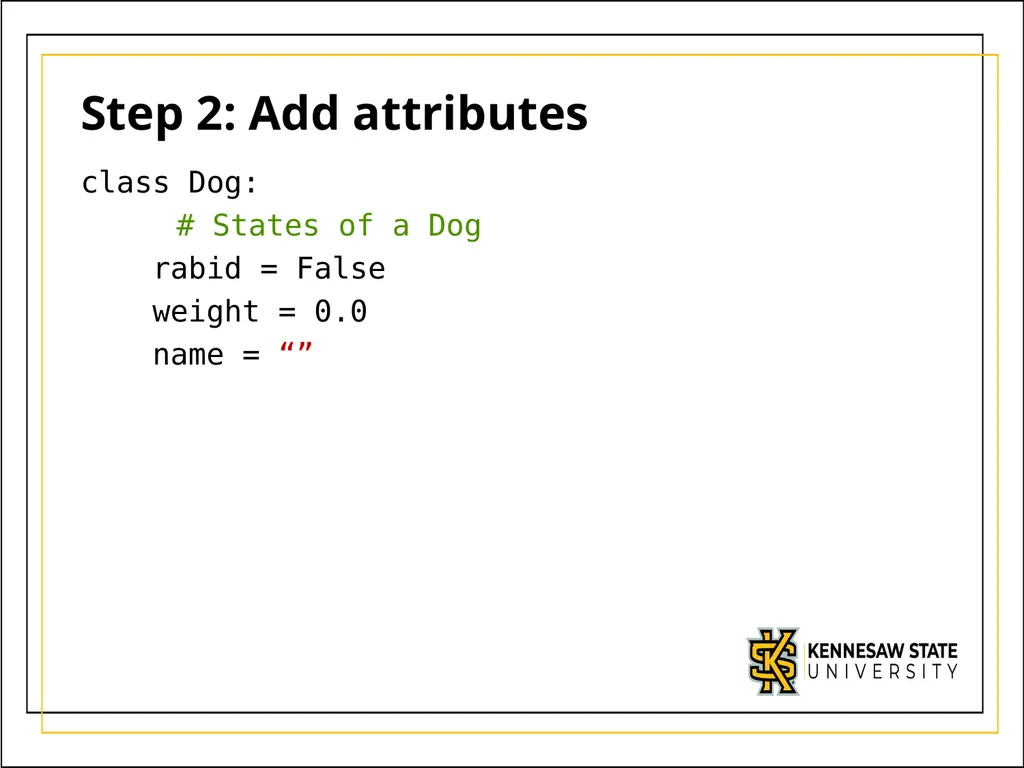
Step 2: Add attributes class Dog:
# States of a Dog
rabid = False
weight = 0.0
name = “”<br>
# States of a Dog
rabid = False
weight = 0.0
name = “”<br>
12
class Dog:
# States of a Dog
rabid = False
weight = 0.0
name = “”
# Behaviors of a Dog
def eat(self, food):
weight += food
print(self.name + “ now weighs “ + str(weight))
def growl(self):
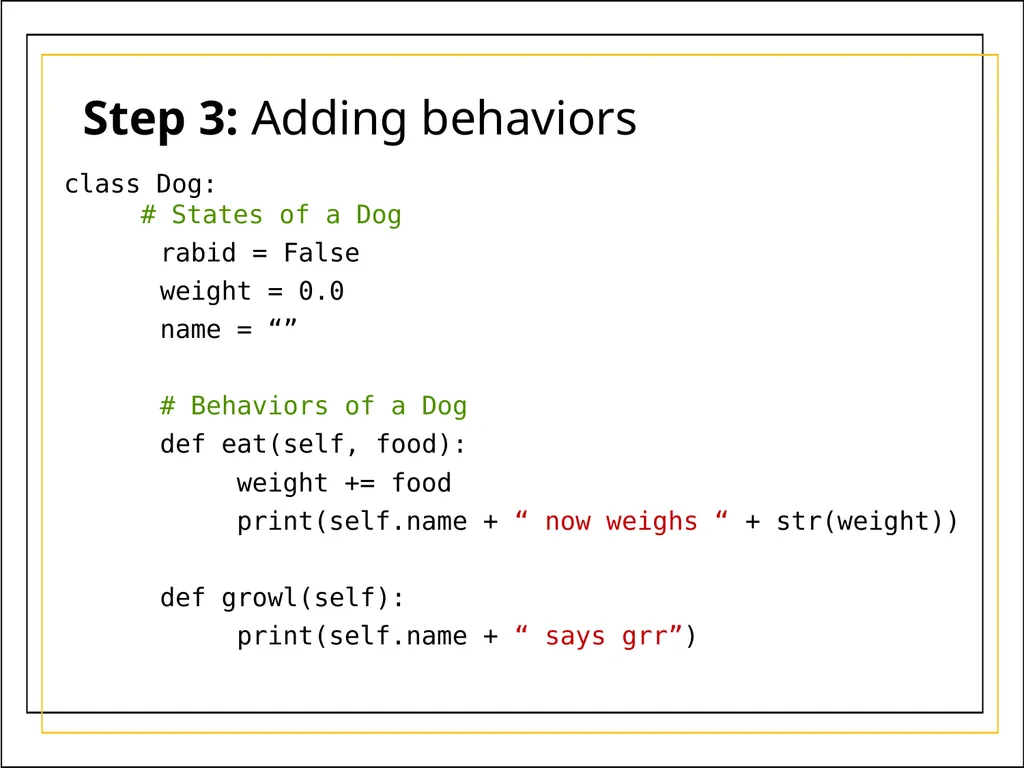
print(self.name + “ says grr”) Step 3: Adding behaviors<br>
# States of a Dog
rabid = False
weight = 0.0
name = “”
# Behaviors of a Dog
def eat(self, food):
weight += food
print(self.name + “ now weighs “ + str(weight))
def growl(self):
print(self.name + “ says grr”) Step 3: Adding behaviors<br>
13
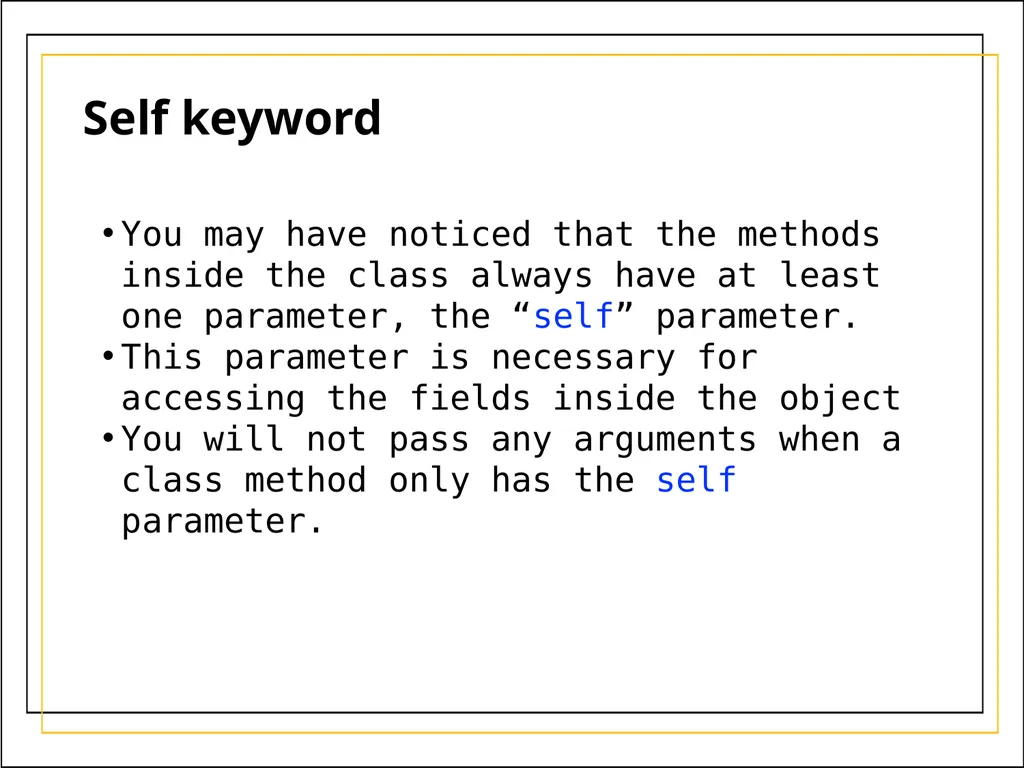
You may have noticed that the methods inside the class always have at least one parameter, the “self” parameter.
This parameter is necessary for accessing the fields inside the object
You will not pass any arguments when a class method only has the self parameter. Self keyword<br>
This parameter is necessary for accessing the fields inside the object
You will not pass any arguments when a class method only has the self parameter. Self keyword<br>
14
# empty code file Creating Dogs Memory<br>
15
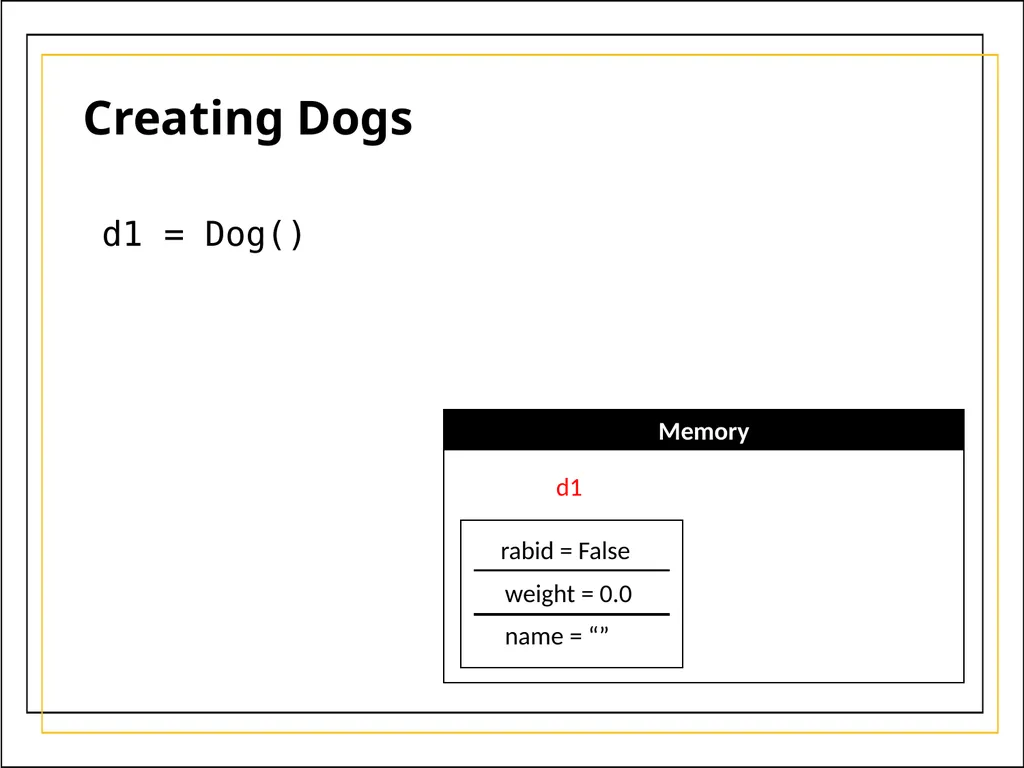
d1 = Dog() Creating Dogs Memory d1 rabid = False weight = 0.0 name = “”<br>
16
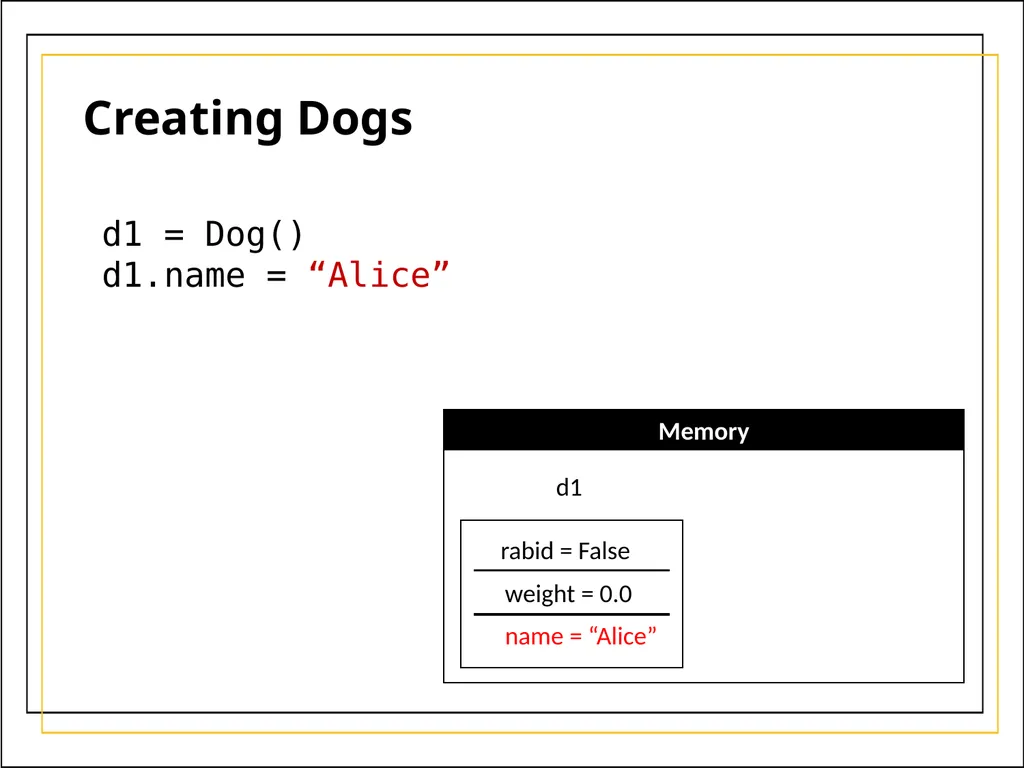
d1 = Dog()
d1.name = “Alice” Creating Dogs Memory d1 rabid = False weight = 0.0 name = “Alice”<br>
d1.name = “Alice” Creating Dogs Memory d1 rabid = False weight = 0.0 name = “Alice”<br>
17
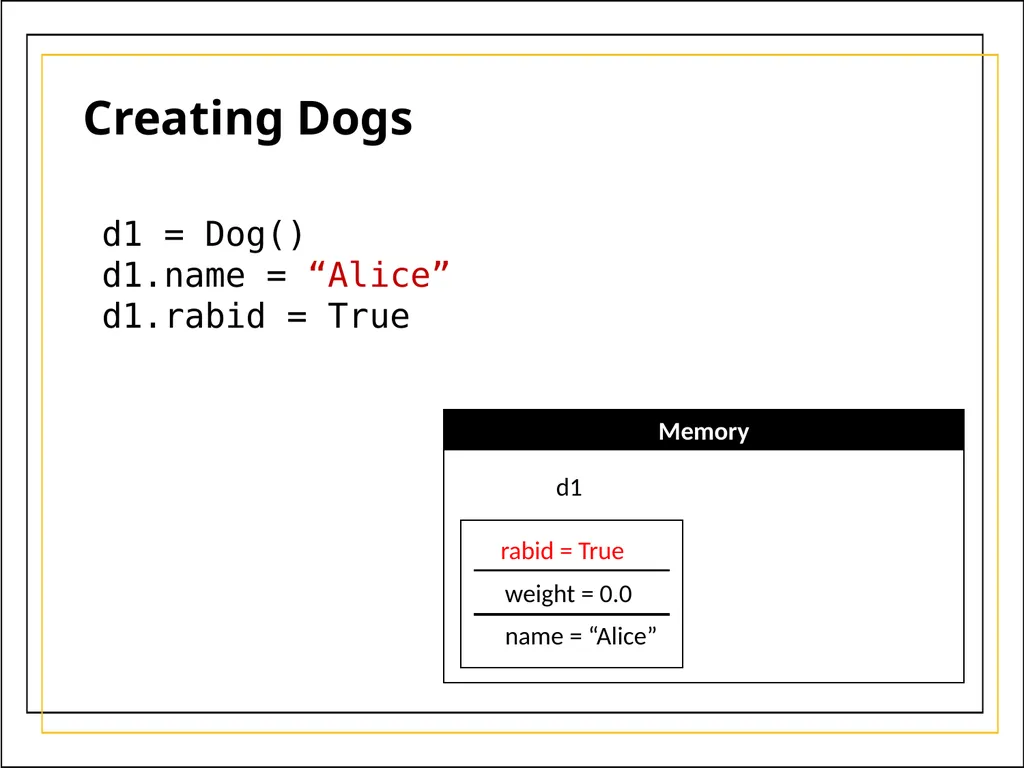
d1 = Dog()
d1.name = “Alice”
d1.rabid = True Creating Dogs Memory d1 rabid = True weight = 0.0 name = “Alice”<br>
d1.name = “Alice”
d1.rabid = True Creating Dogs Memory d1 rabid = True weight = 0.0 name = “Alice”<br>
18
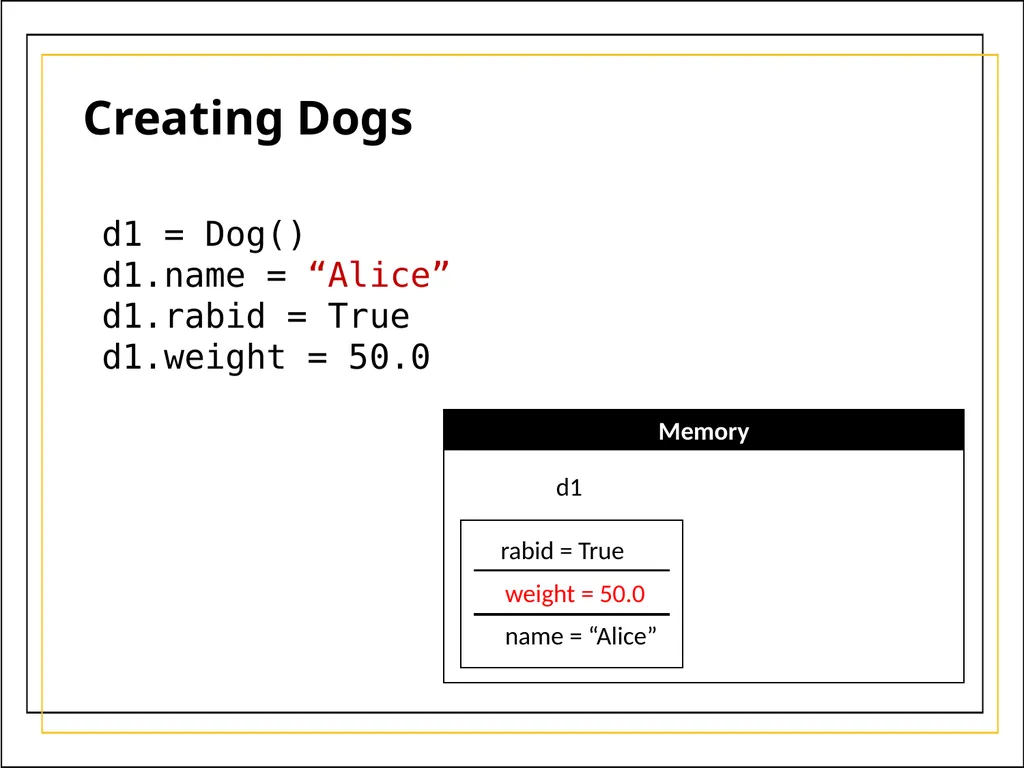
d1 = Dog()
d1.name = “Alice”
d1.rabid = True
d1.weight = 50.0 Creating Dogs Memory d1 rabid = True weight = 50.0 name = “Alice”<br>
d1.name = “Alice”
d1.rabid = True
d1.weight = 50.0 Creating Dogs Memory d1 rabid = True weight = 50.0 name = “Alice”<br>
19
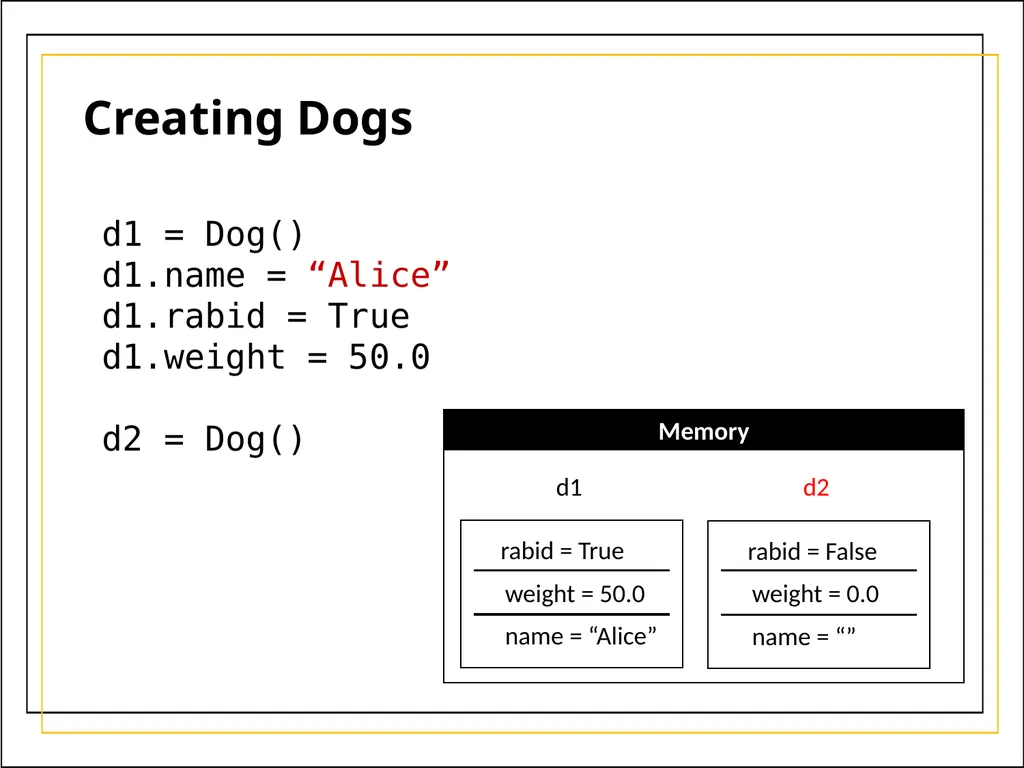
d1 = Dog()
d1.name = “Alice”
d1.rabid = True
d1.weight = 50.0
d2 = Dog() Creating Dogs Memory d1 rabid = True weight = 50.0 name = “Alice” d2 rabid = False weight = 0.0 name = “”<br>
d1.name = “Alice”
d1.rabid = True
d1.weight = 50.0
d2 = Dog() Creating Dogs Memory d1 rabid = True weight = 50.0 name = “Alice” d2 rabid = False weight = 0.0 name = “”<br>
20
d1 = Dog()
d1.name = “Alice”
d1.rabid = True
d1.weight = 50.0
d2 = Dog()
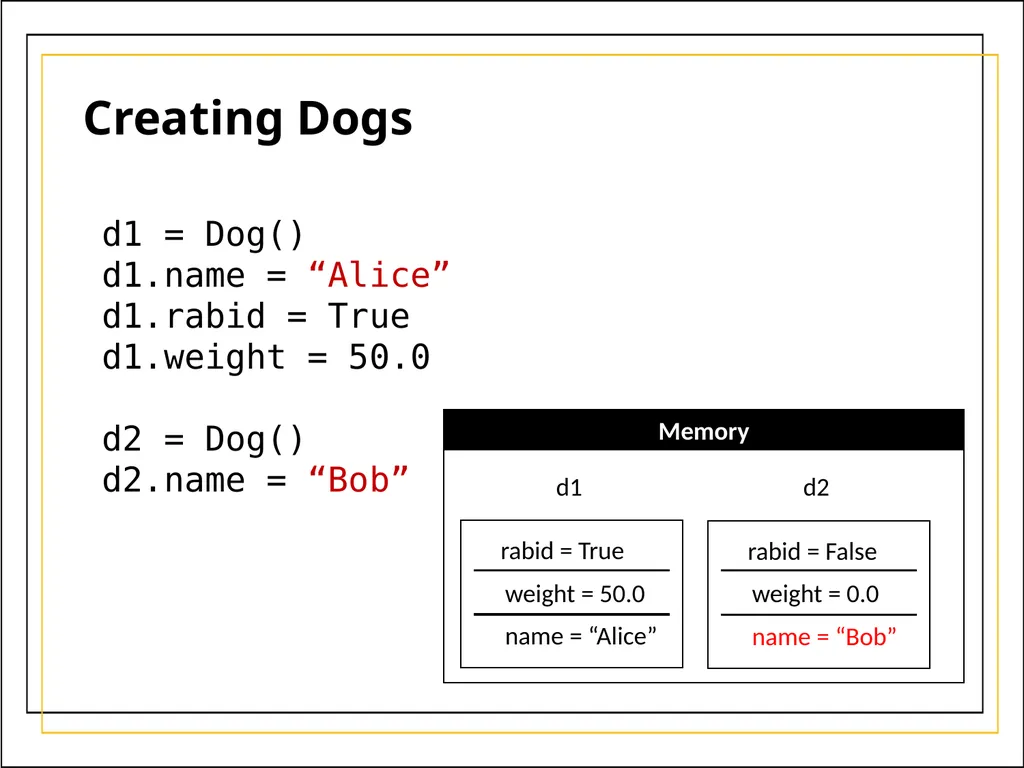
d2.name = “Bob” Creating Dogs Memory d1 rabid = True weight = 50.0 name = “Alice” d2 rabid = False weight = 0.0 name = “Bob”<br>
d1.name = “Alice”
d1.rabid = True
d1.weight = 50.0
d2 = Dog()
d2.name = “Bob” Creating Dogs Memory d1 rabid = True weight = 50.0 name = “Alice” d2 rabid = False weight = 0.0 name = “Bob”<br>
21
d1 = Dog()
d1.name = “Alice”
d1.rabid = True
d1.weight = 50.0
d2 = Dog()
d2.name = “Bob”
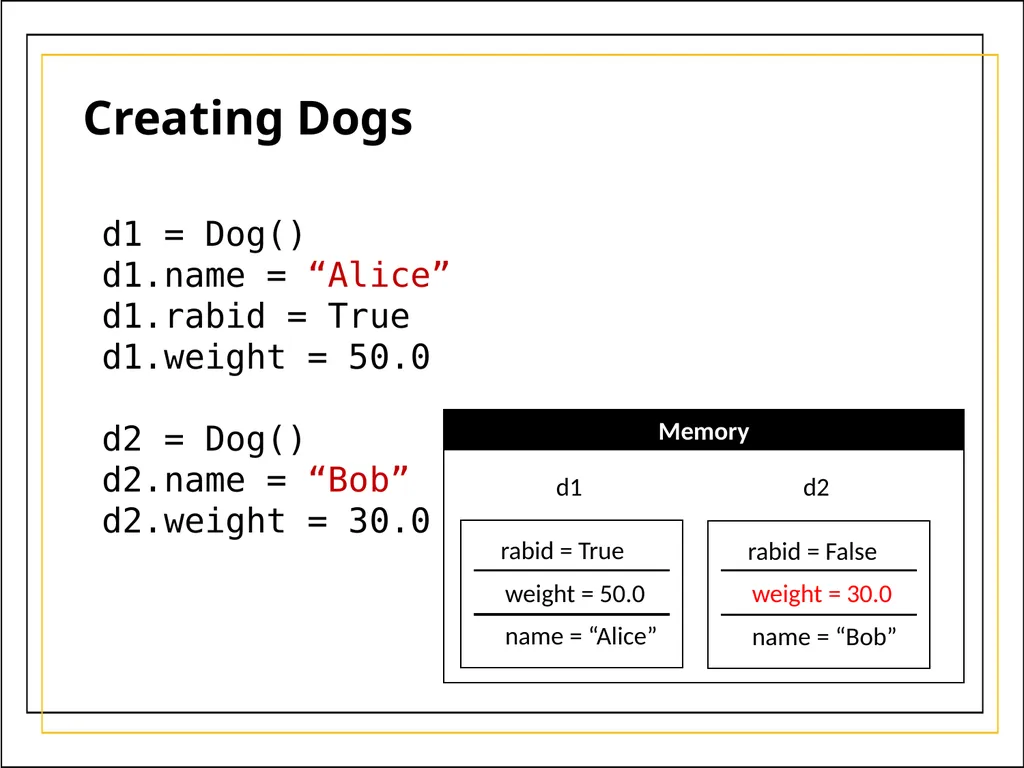
d2.weight = 30.0 Creating Dogs Memory d1 rabid = True weight = 50.0 name = “Alice” d2 rabid = False weight = 30.0 name = “Bob”<br>
d1.name = “Alice”
d1.rabid = True
d1.weight = 50.0
d2 = Dog()
d2.name = “Bob”
d2.weight = 30.0 Creating Dogs Memory d1 rabid = True weight = 50.0 name = “Alice” d2 rabid = False weight = 30.0 name = “Bob”<br>
22
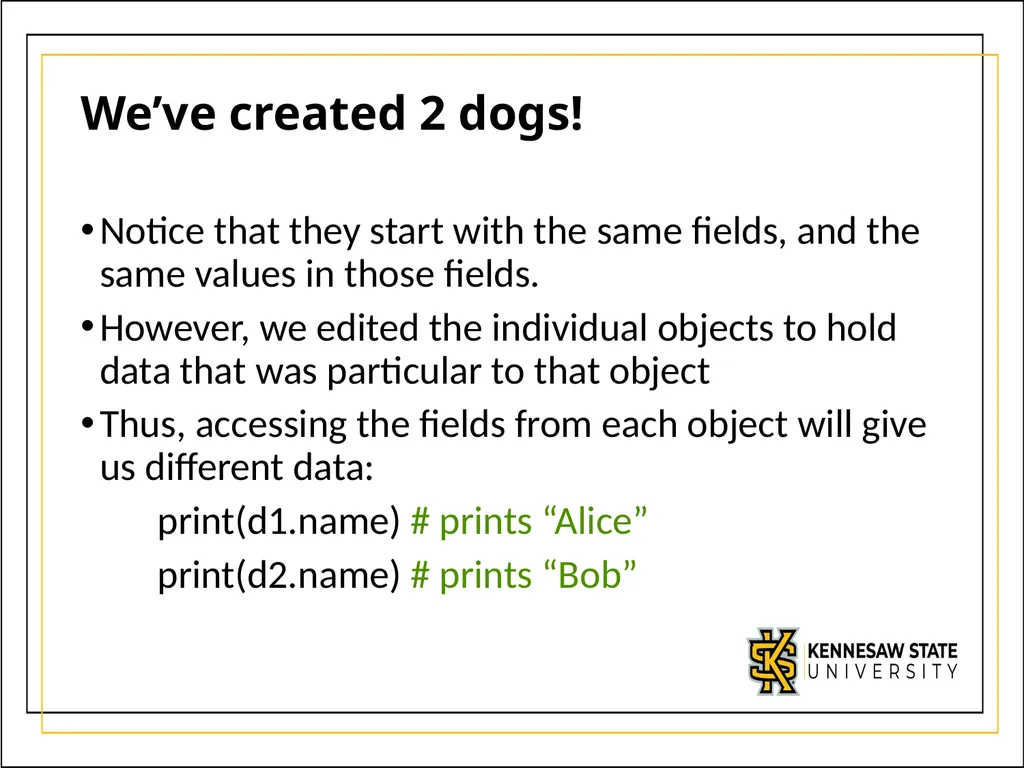
We’ve created 2 dogs! Notice that they start with the same fields, and the same values in those fields.
However, we edited the individual objects to hold data that was particular to that object
Thus, accessing the fields from each object will give us different data:
print(d1.name) # prints “Alice”
print(d2.name) # prints “Bob”<br>
However, we edited the individual objects to hold data that was particular to that object
Thus, accessing the fields from each object will give us different data:
print(d1.name) # prints “Alice”
print(d2.name) # prints “Bob”<br>
23
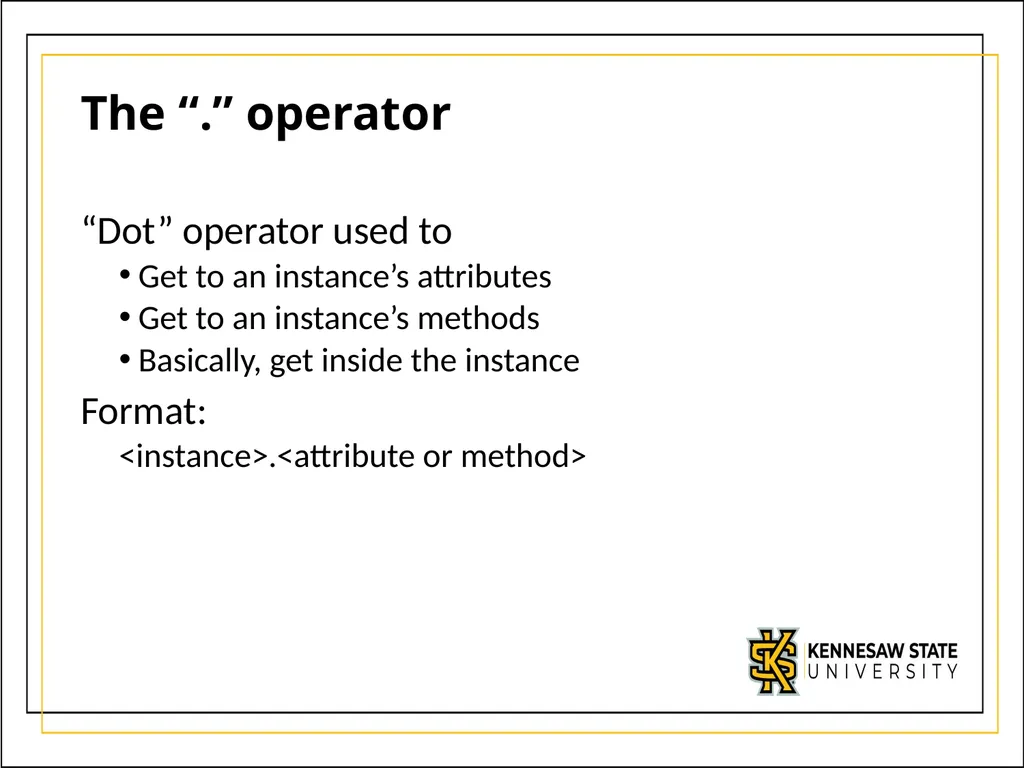
The “.” operator “Dot” operator used to
Get to an instance’s attributes
Get to an instance’s methods
Basically, get inside the instance
Format:
<instance>.<attribute or method><br>
Get to an instance’s attributes
Get to an instance’s methods
Basically, get inside the instance
Format:
<instance>.<attribute or method><br>
24
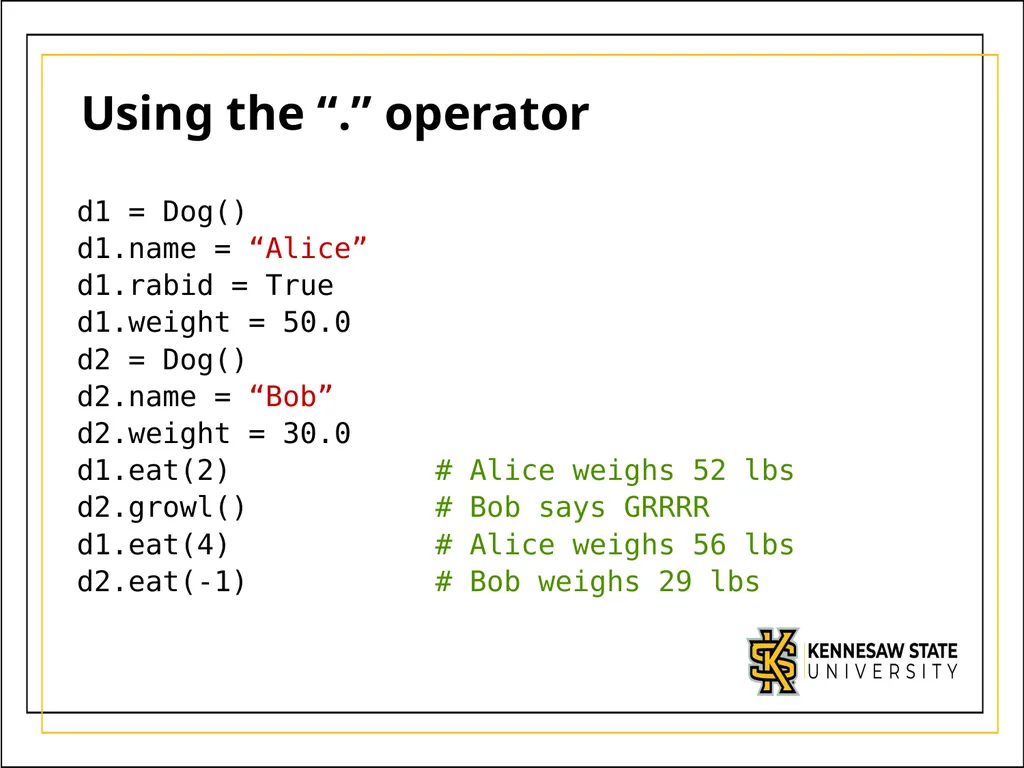
Using the “.” operator d1 = Dog()
d1.name = “Alice”
d1.rabid = True
d1.weight = 50.0
d2 = Dog()
d2.name = “Bob”
d2.weight = 30.0
d1.eat(2) # Alice weighs 52 lbs
d2.growl() # Bob says GRRRR
d1.eat(4) # Alice weighs 56 lbs
d2.eat(-1) # Bob weighs 29 lbs<br>
d1.name = “Alice”
d1.rabid = True
d1.weight = 50.0
d2 = Dog()
d2.name = “Bob”
d2.weight = 30.0
d1.eat(2) # Alice weighs 52 lbs
d2.growl() # Bob says GRRRR
d1.eat(4) # Alice weighs 56 lbs
d2.eat(-1) # Bob weighs 29 lbs<br>
25
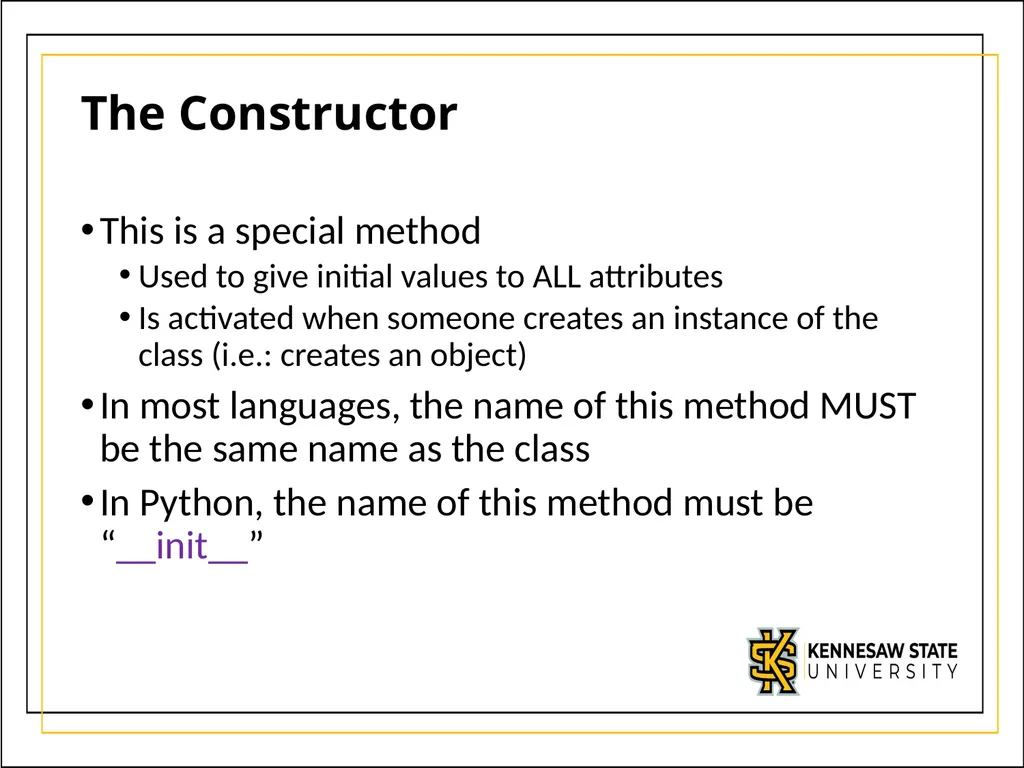
The Constructor This is a special method
Used to give initial values to ALL attributes
Is activated when someone creates an instance of the class (i.e.: creates an object)
In most languages, the name of this method MUST be the same name as the class
In Python, the name of this method must be “__init__”<br>
Used to give initial values to ALL attributes
Is activated when someone creates an instance of the class (i.e.: creates an object)
In most languages, the name of this method MUST be the same name as the class
In Python, the name of this method must be “__init__”<br>
26
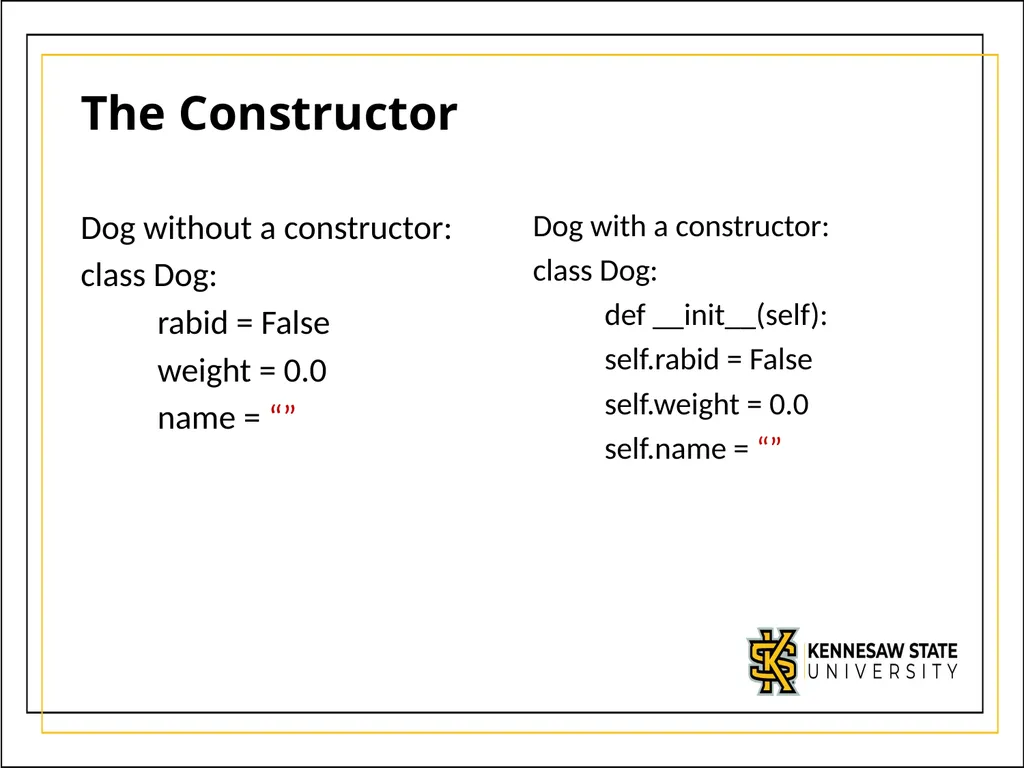
The Constructor Dog without a constructor:
class Dog:
rabid = False
weight = 0.0
name = “” Dog with a constructor:
class Dog:
def __init__(self):
self.rabid = False
self.weight = 0.0
self.name = “”<br>
class Dog:
rabid = False
weight = 0.0
name = “” Dog with a constructor:
class Dog:
def __init__(self):
self.rabid = False
self.weight = 0.0
self.name = “”<br>
27
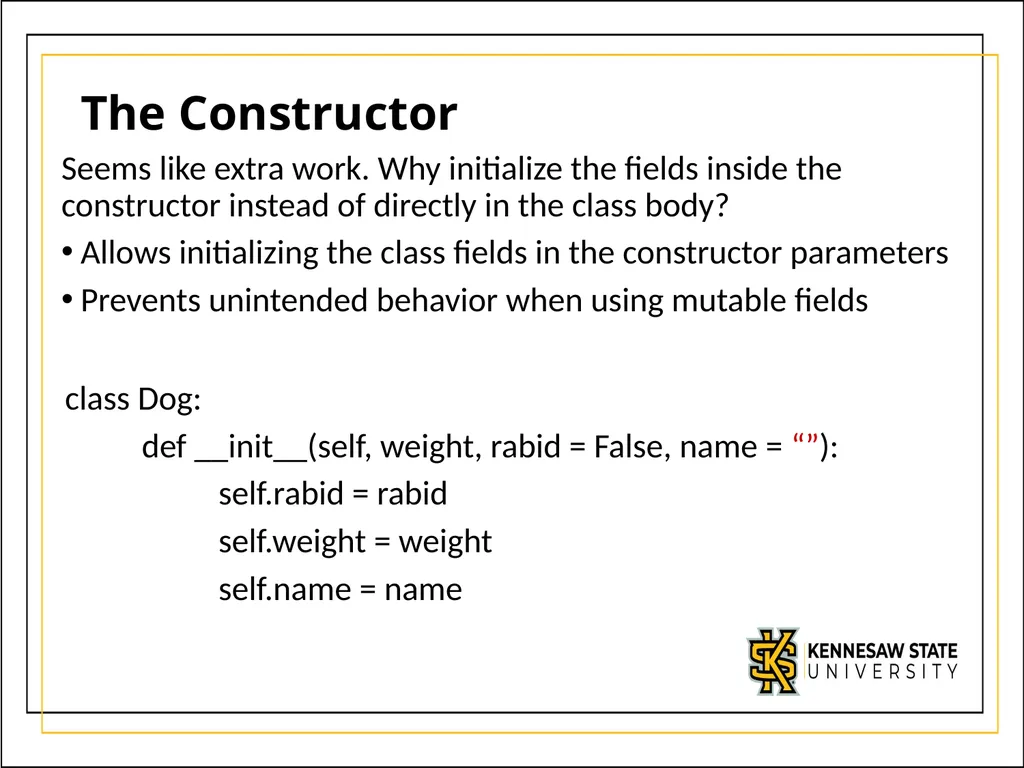
The Constructor Seems like extra work. Why initialize the fields inside the constructor instead of directly in the class body?
Allows initializing the class fields in the constructor parameters
Prevents unintended behavior when using mutable fields class Dog:
def __init__(self, weight, rabid = False, name = “”):
self.rabid = rabid
self.weight = weight
self.name = name<br>
Allows initializing the class fields in the constructor parameters
Prevents unintended behavior when using mutable fields class Dog:
def __init__(self, weight, rabid = False, name = “”):
self.rabid = rabid
self.weight = weight
self.name = name<br>
28
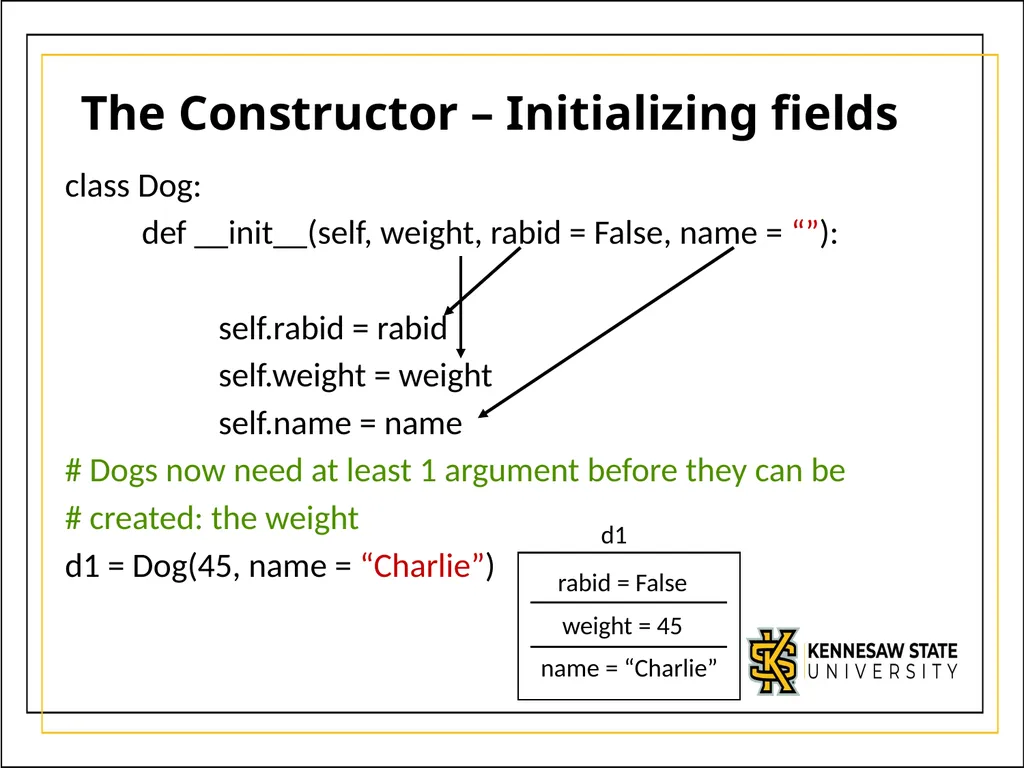
The Constructor – Initializing fields class Dog:
def __init__(self, weight, rabid = False, name = “”):
self.rabid = rabid
self.weight = weight
self.name = name
# Dogs now need at least 1 argument before they can be
# created: the weight
d1 = Dog(45, name = “Charlie”) rabid = False weight = 45 name = “Charlie” d1<br>
def __init__(self, weight, rabid = False, name = “”):
self.rabid = rabid
self.weight = weight
self.name = name
# Dogs now need at least 1 argument before they can be
# created: the weight
d1 = Dog(45, name = “Charlie”) rabid = False weight = 45 name = “Charlie” d1<br>
29
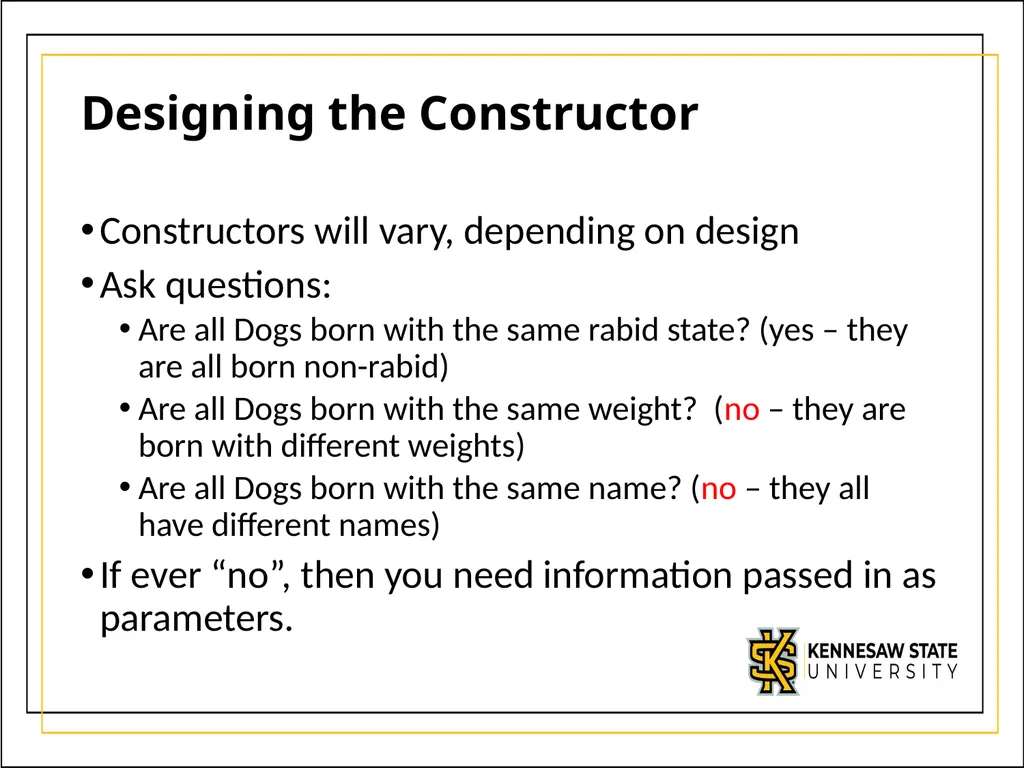
Designing the Constructor Constructors will vary, depending on design
Ask questions:
Are all Dogs born with the same rabid state? (yes – they are all born non-rabid)
Are all Dogs born with the same weight? (no – they are born with different weights)
Are all Dogs born with the same name? (no – they all have different names)
If ever “no”, then you need information passed in as parameters.<br>
Ask questions:
Are all Dogs born with the same rabid state? (yes – they are all born non-rabid)
Are all Dogs born with the same weight? (no – they are born with different weights)
Are all Dogs born with the same name? (no – they all have different names)
If ever “no”, then you need information passed in as parameters.<br>
30
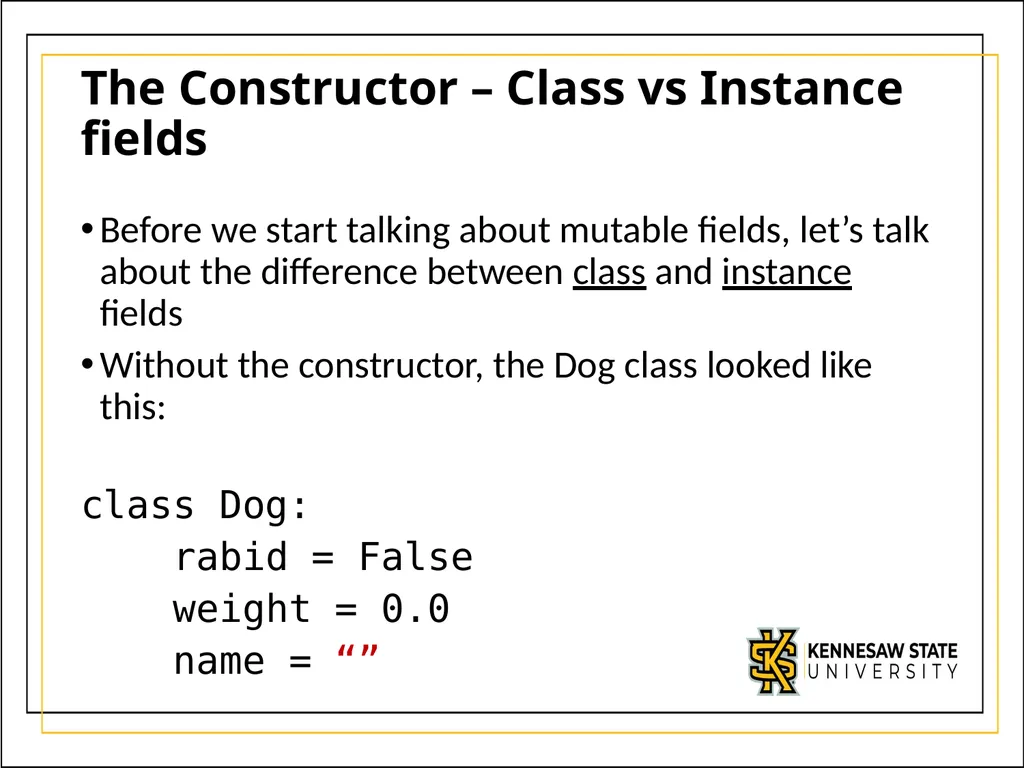
The Constructor – Class vs Instance fields Before we start talking about mutable fields, let’s talk about the difference between class and instance fields
Without the constructor, the Dog class looked like this:
class Dog:
rabid = False
weight = 0.0
name = “”<br>
Without the constructor, the Dog class looked like this:
class Dog:
rabid = False
weight = 0.0
name = “”<br>
31
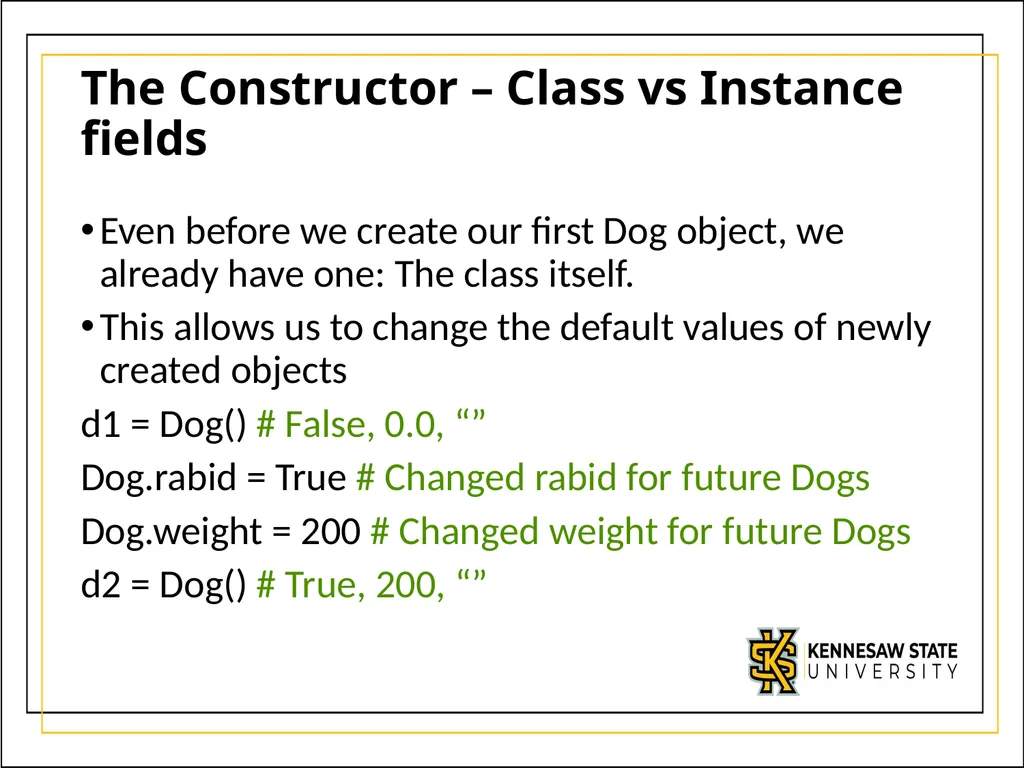
The Constructor – Class vs Instance fields Even before we create our first Dog object, we already have one: The class itself.
This allows us to change the default values of newly created objects
d1 = Dog() # False, 0.0, “”
Dog.rabid = True # Changed rabid for future Dogs
Dog.weight = 200 # Changed weight for future Dogs
d2 = Dog() # True, 200, “”<br>
This allows us to change the default values of newly created objects
d1 = Dog() # False, 0.0, “”
Dog.rabid = True # Changed rabid for future Dogs
Dog.weight = 200 # Changed weight for future Dogs
d2 = Dog() # True, 200, “”<br>
32
The Constructor – Class vs Instance fields When accessing a field using the class name, we say that field belongs to the class
When accessing a field of a specific object, we say that field belongs to that instance (or object)
In practice, what’s actually happening is that a class field is shared across all newly created objects until an assignment is done
After the first assignment operation, the object will have its own copy of the field<br>
When accessing a field of a specific object, we say that field belongs to that instance (or object)
In practice, what’s actually happening is that a class field is shared across all newly created objects until an assignment is done
After the first assignment operation, the object will have its own copy of the field<br>
33
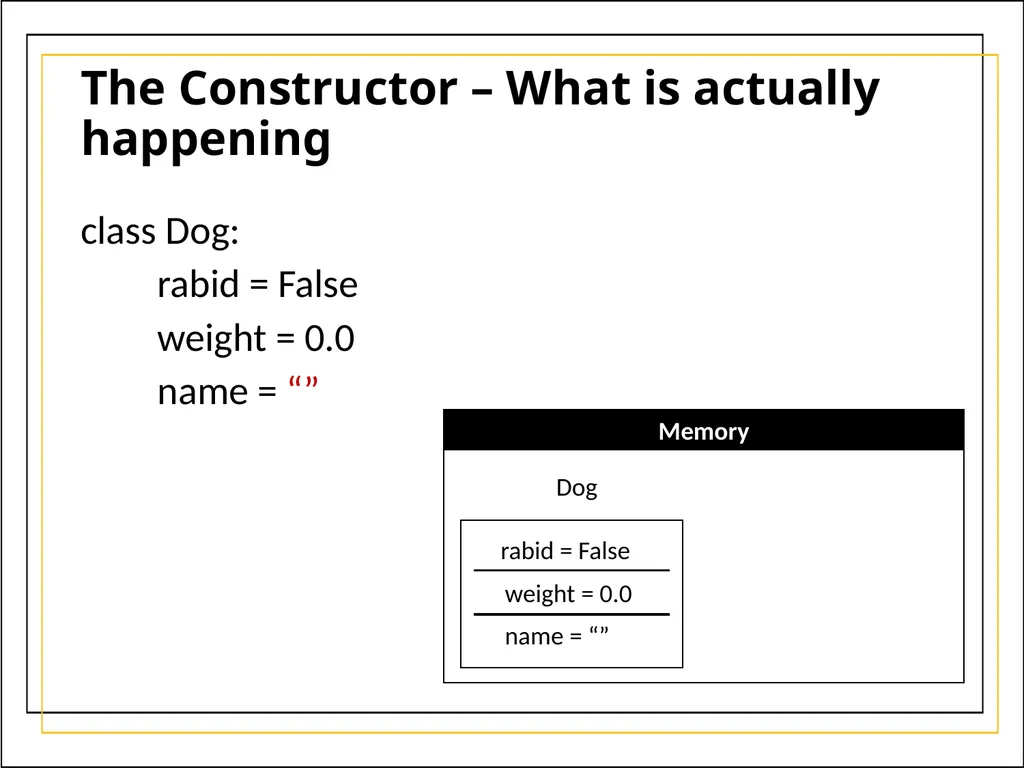
The Constructor – What is actually happening class Dog:
rabid = False
weight = 0.0
name = “” Memory Dog rabid = False weight = 0.0 name = “”<br>
rabid = False
weight = 0.0
name = “” Memory Dog rabid = False weight = 0.0 name = “”<br>
34
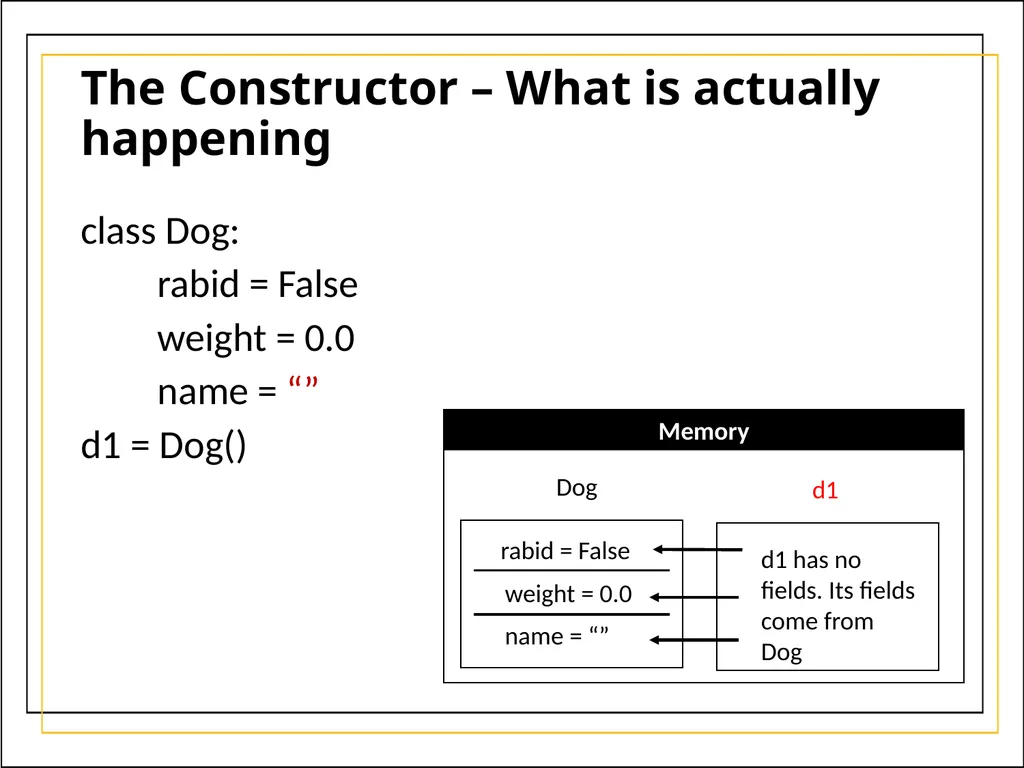
The Constructor – What is actually happening class Dog:
rabid = False
weight = 0.0
name = “”
d1 = Dog() Memory Dog rabid = False weight = 0.0 name = “” d1 d1 has no fields. Its fields come from Dog<br>
rabid = False
weight = 0.0
name = “”
d1 = Dog() Memory Dog rabid = False weight = 0.0 name = “” d1 d1 has no fields. Its fields come from Dog<br>
35
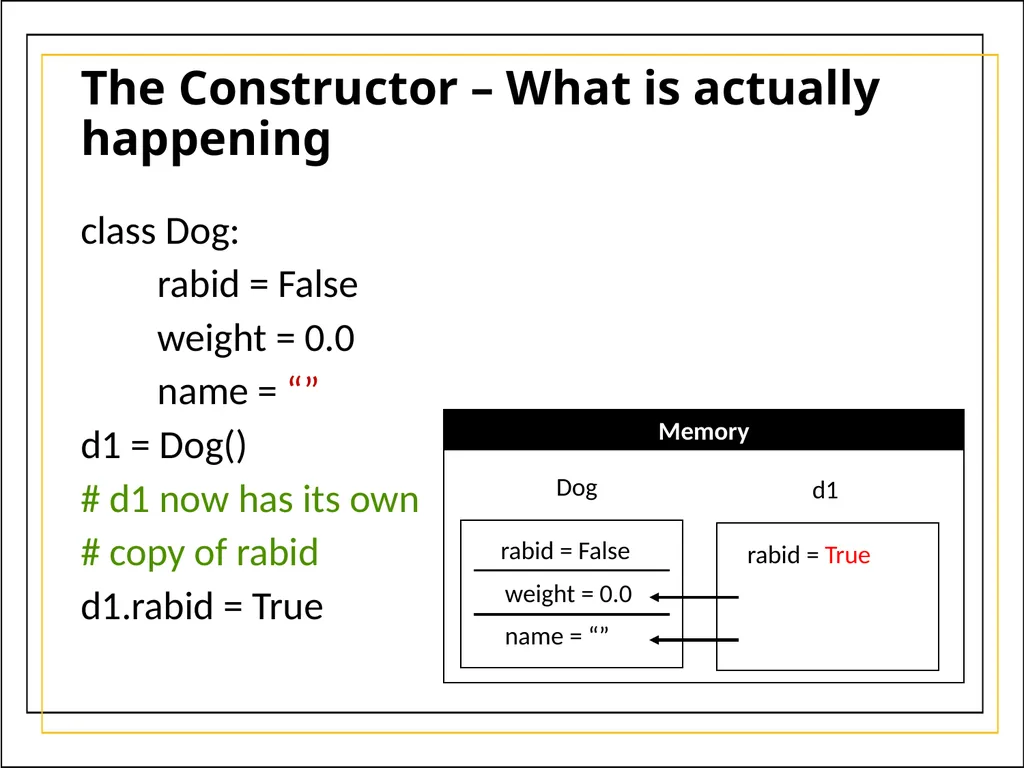
The Constructor – What is actually happening class Dog:
rabid = False
weight = 0.0
name = “”
d1 = Dog()
# d1 now has its own
# copy of rabid
d1.rabid = True Memory Dog rabid = False weight = 0.0 name = “” d1 rabid = True<br>
rabid = False
weight = 0.0
name = “”
d1 = Dog()
# d1 now has its own
# copy of rabid
d1.rabid = True Memory Dog rabid = False weight = 0.0 name = “” d1 rabid = True<br>
36
The Constructor – What is actually happening class Dog:
rabid = False
weight = 0.0
name = “”
d1 = Dog()
d1.rabid = True
print(d1.weight) # prints 0.0
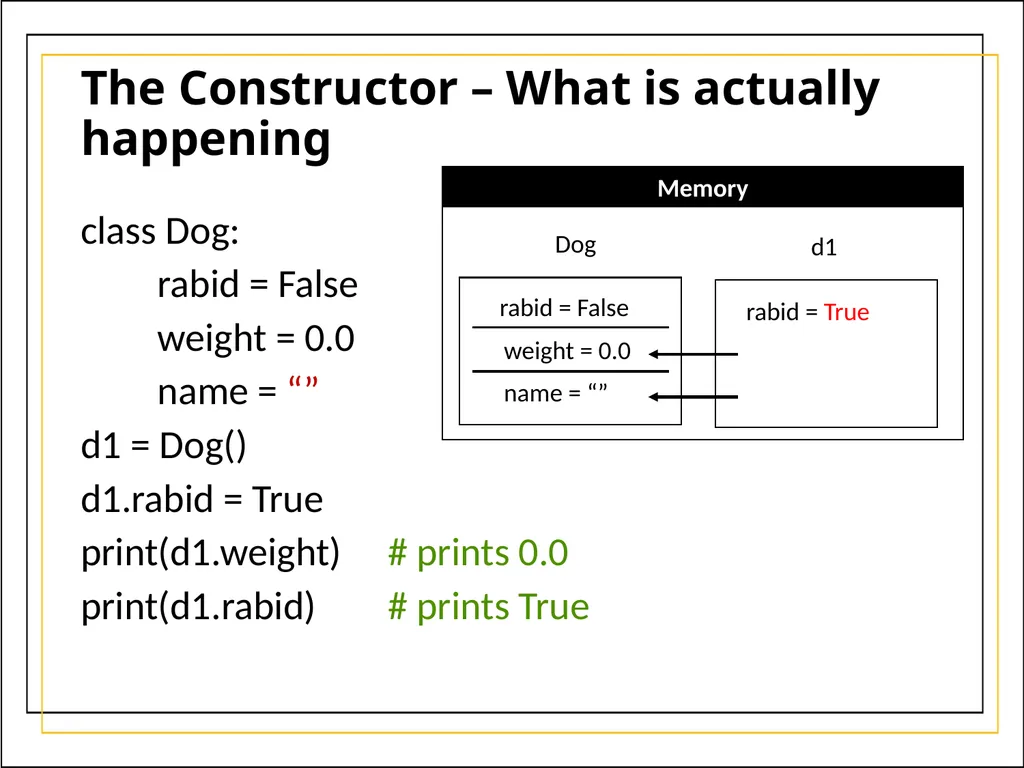
print(d1.rabid) # prints True Memory Dog rabid = False weight = 0.0 name = “” d1 rabid = True<br>
rabid = False
weight = 0.0
name = “”
d1 = Dog()
d1.rabid = True
print(d1.weight) # prints 0.0
print(d1.rabid) # prints True Memory Dog rabid = False weight = 0.0 name = “” d1 rabid = True<br>
37
The Constructor – What is actually happening class Dog:
rabid = False
weight = 0.0
name = “”
d1 = Dog()
d1.rabid = True
print(d1.weight)
print(d1.rabid)
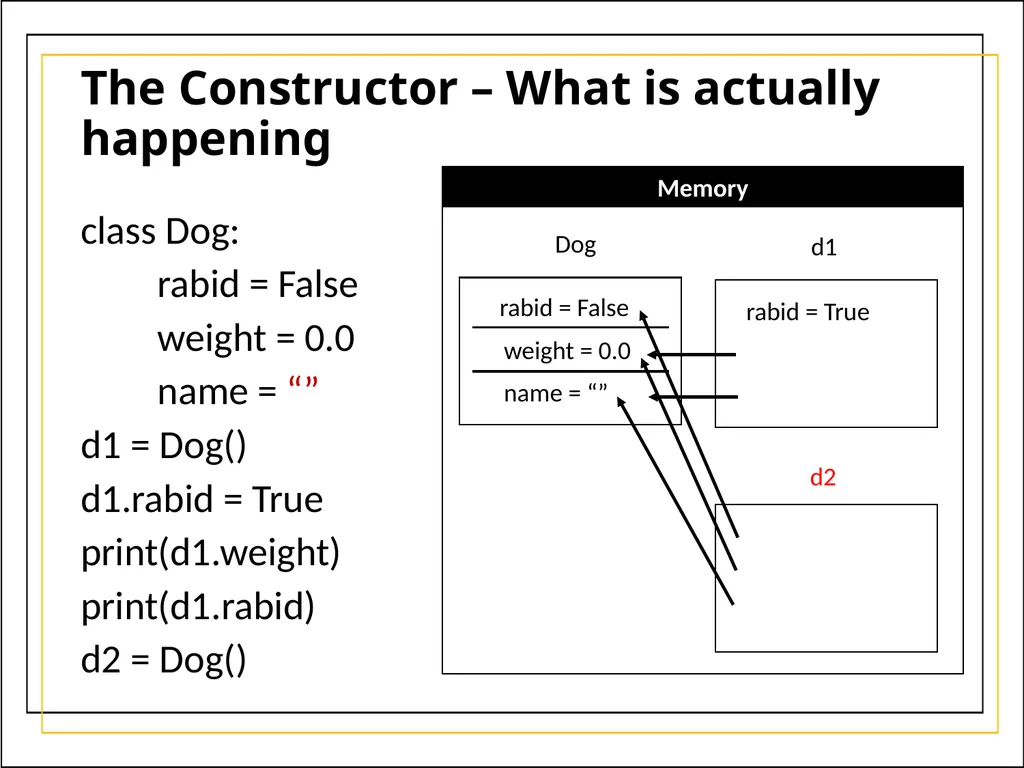
d2 = Dog() Memory Dog rabid = False weight = 0.0 name = “” d1 rabid = True d2<br>
rabid = False
weight = 0.0
name = “”
d1 = Dog()
d1.rabid = True
print(d1.weight)
print(d1.rabid)
d2 = Dog() Memory Dog rabid = False weight = 0.0 name = “” d1 rabid = True d2<br>
38
The Constructor – What is actually happening class Dog:
rabid = False
weight = 0.0
name = “”
d1 = Dog()
d1.rabid = True
print(d1.weight)
print(d1.rabid)
d2 = Dog()
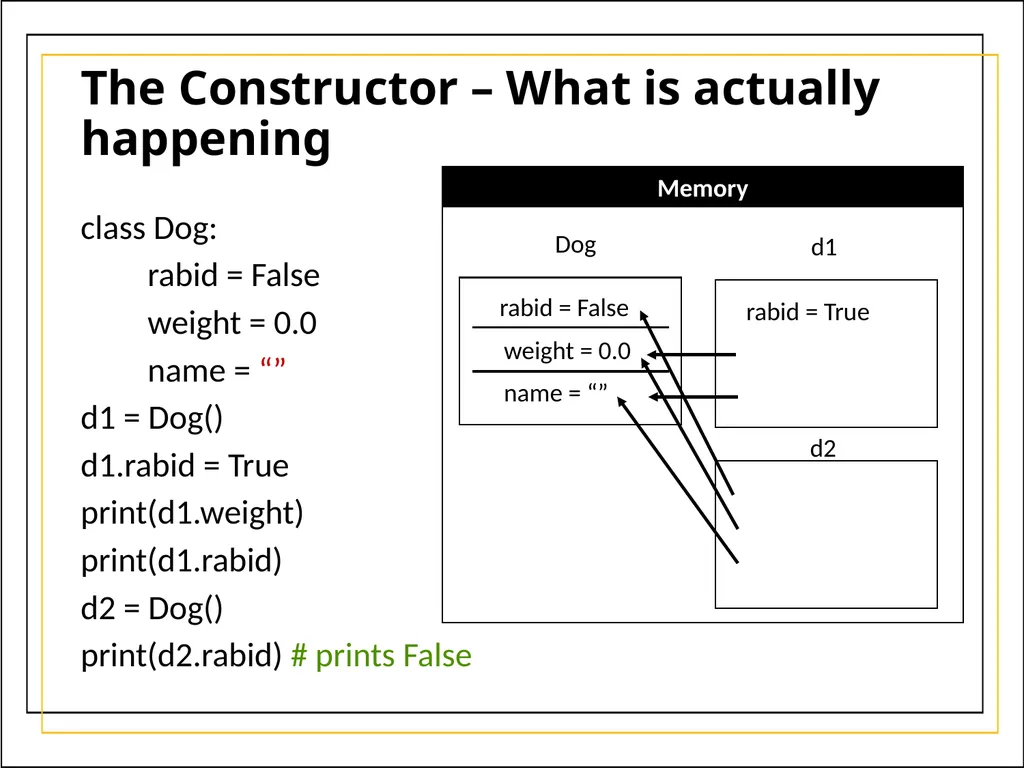
print(d2.rabid) # prints False Memory Dog rabid = False weight = 0.0 name = “” d1 rabid = True d2<br>
rabid = False
weight = 0.0
name = “”
d1 = Dog()
d1.rabid = True
print(d1.weight)
print(d1.rabid)
d2 = Dog()
print(d2.rabid) # prints False Memory Dog rabid = False weight = 0.0 name = “” d1 rabid = True d2<br>
39
The Constructor – What is actually happening class Dog:
rabid = False
weight = 0.0
name = “”
d1 = Dog()
d1.rabid = True
print(d1.weight)
print(d1.rabid)
d2 = Dog()
print(d2.rabid) # prints False
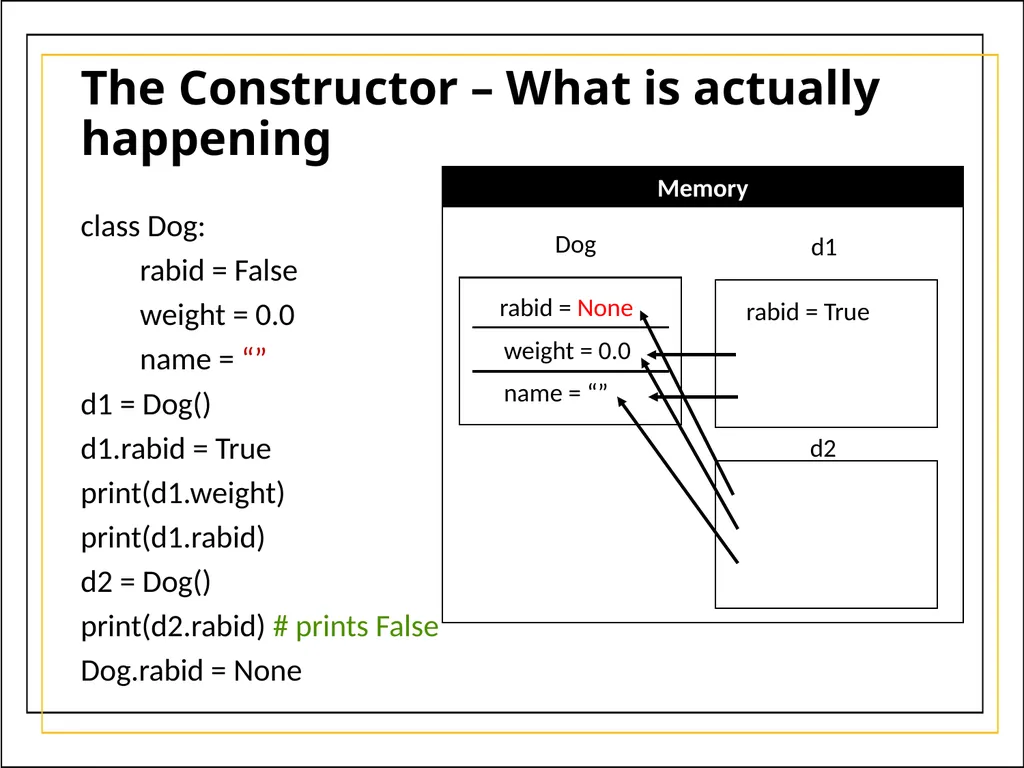
Dog.rabid = None Memory Dog rabid = None weight = 0.0 name = “” d1 rabid = True d2<br>
rabid = False
weight = 0.0
name = “”
d1 = Dog()
d1.rabid = True
print(d1.weight)
print(d1.rabid)
d2 = Dog()
print(d2.rabid) # prints False
Dog.rabid = None Memory Dog rabid = None weight = 0.0 name = “” d1 rabid = True d2<br>
40
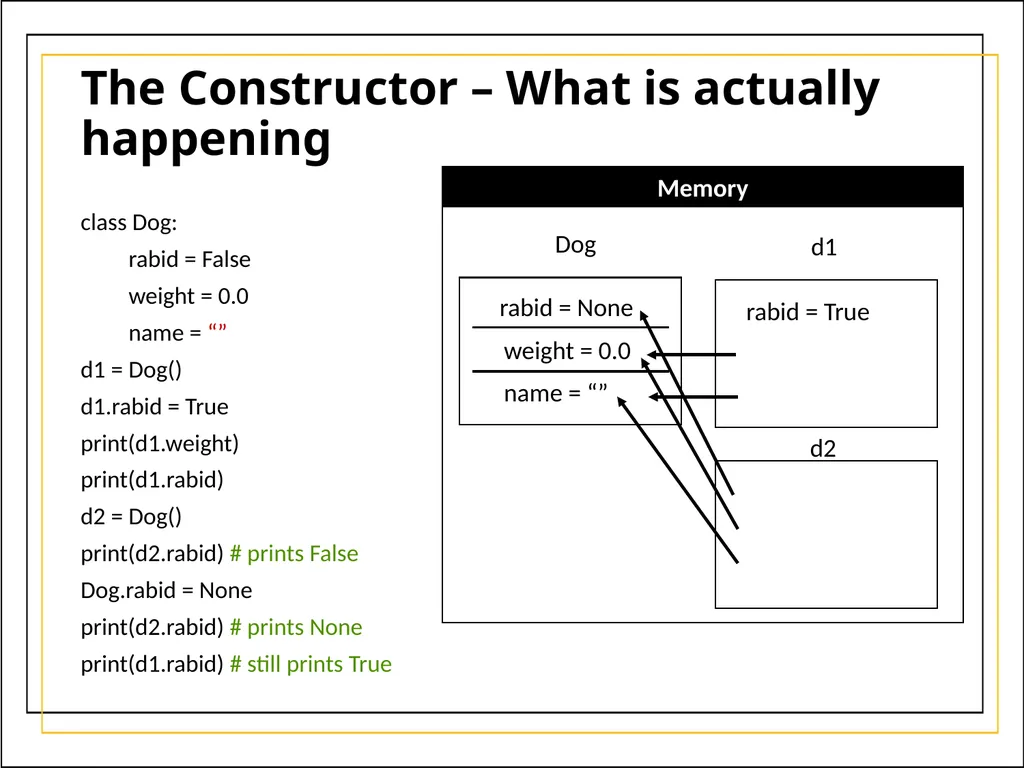
The Constructor – What is actually happening class Dog:
rabid = False
weight = 0.0
name = “”
d1 = Dog()
d1.rabid = True
print(d1.weight)
print(d1.rabid)
d2 = Dog()
print(d2.rabid) # prints False
Dog.rabid = None
print(d2.rabid) # prints None
print(d1.rabid) # still prints True Memory Dog rabid = None weight = 0.0 name = “” d1 rabid = True d2<br>
rabid = False
weight = 0.0
name = “”
d1 = Dog()
d1.rabid = True
print(d1.weight)
print(d1.rabid)
d2 = Dog()
print(d2.rabid) # prints False
Dog.rabid = None
print(d2.rabid) # prints None
print(d1.rabid) # still prints True Memory Dog rabid = None weight = 0.0 name = “” d1 rabid = True d2<br>
41
The Constructor – Class vs Instance fields To reiterate: when an object doesn’t have a field, it will reach up to the Class fields.
You can force an object to have its own fields by:
Doing an assignment operation on the object’s field
d1.name = “Alice”
Initializing the field in the constructor
def __init__(self):
self.name = “Alice”<br>
You can force an object to have its own fields by:
Doing an assignment operation on the object’s field
d1.name = “Alice”
Initializing the field in the constructor
def __init__(self):
self.name = “Alice”<br>
42
The Constructor – Mutable fields Normally, it makes no difference if an object has its own copy of the field or if it is using the classes’ field
This is because the object will have its own copy once an assignment operation is done
But this is a big problem for mutable fields (like lists)<br>
This is because the object will have its own copy once an assignment operation is done
But this is a big problem for mutable fields (like lists)<br>
43
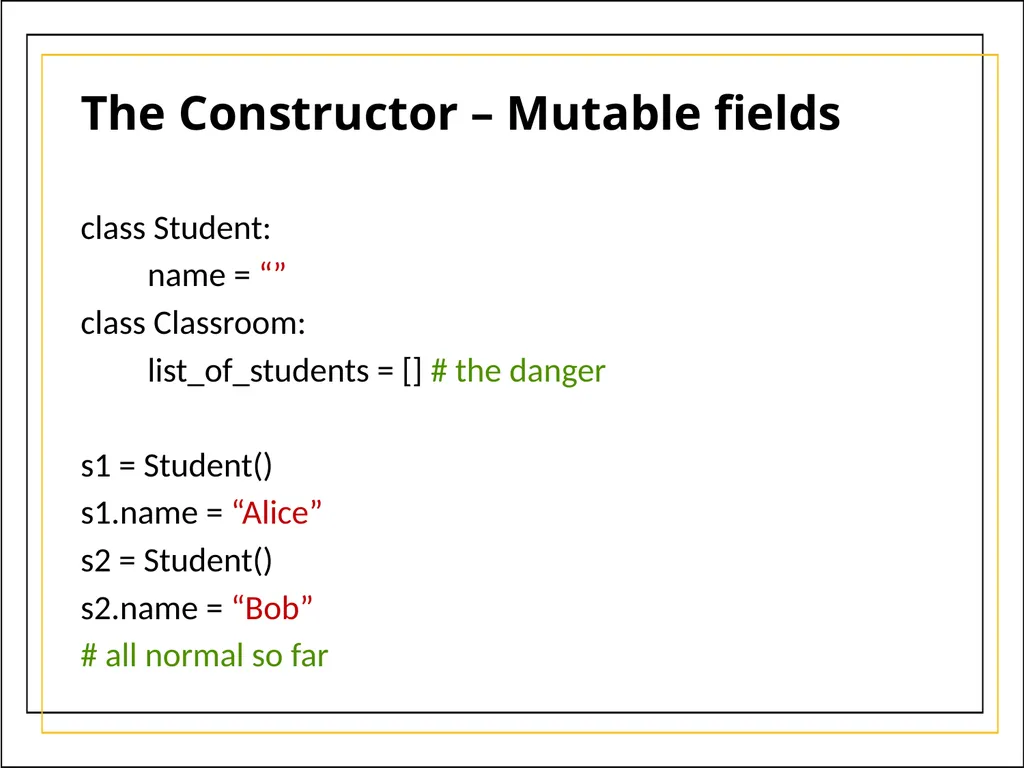
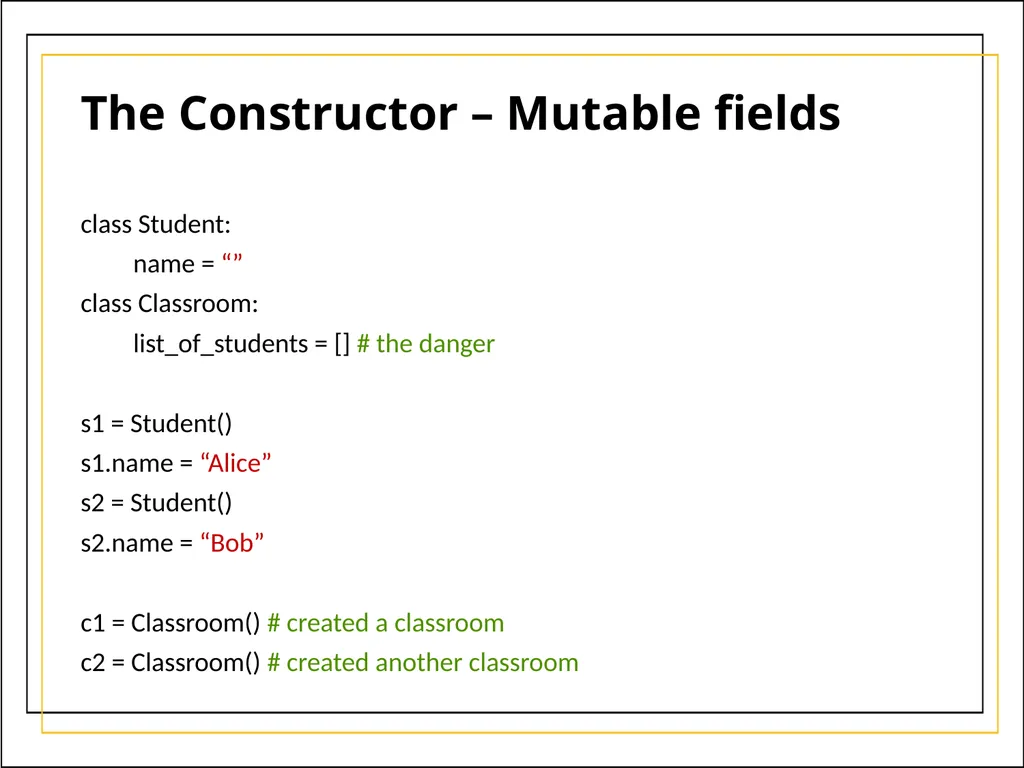
The Constructor – Mutable fields class Student:
name = “”
class Classroom:
list_of_students = [] # the danger
s1 = Student()
s1.name = “Alice”
s2 = Student()
s2.name = “Bob”
# all normal so far<br>
name = “”
class Classroom:
list_of_students = [] # the danger
s1 = Student()
s1.name = “Alice”
s2 = Student()
s2.name = “Bob”
# all normal so far<br>
44
The Constructor – Mutable fields class Student:
name = “”
class Classroom:
list_of_students = [] # the danger
s1 = Student()
s1.name = “Alice”
s2 = Student()
s2.name = “Bob”
c1 = Classroom() # created a classroom
c2 = Classroom() # created another classroom<br>
name = “”
class Classroom:
list_of_students = [] # the danger
s1 = Student()
s1.name = “Alice”
s2 = Student()
s2.name = “Bob”
c1 = Classroom() # created a classroom
c2 = Classroom() # created another classroom<br>
45
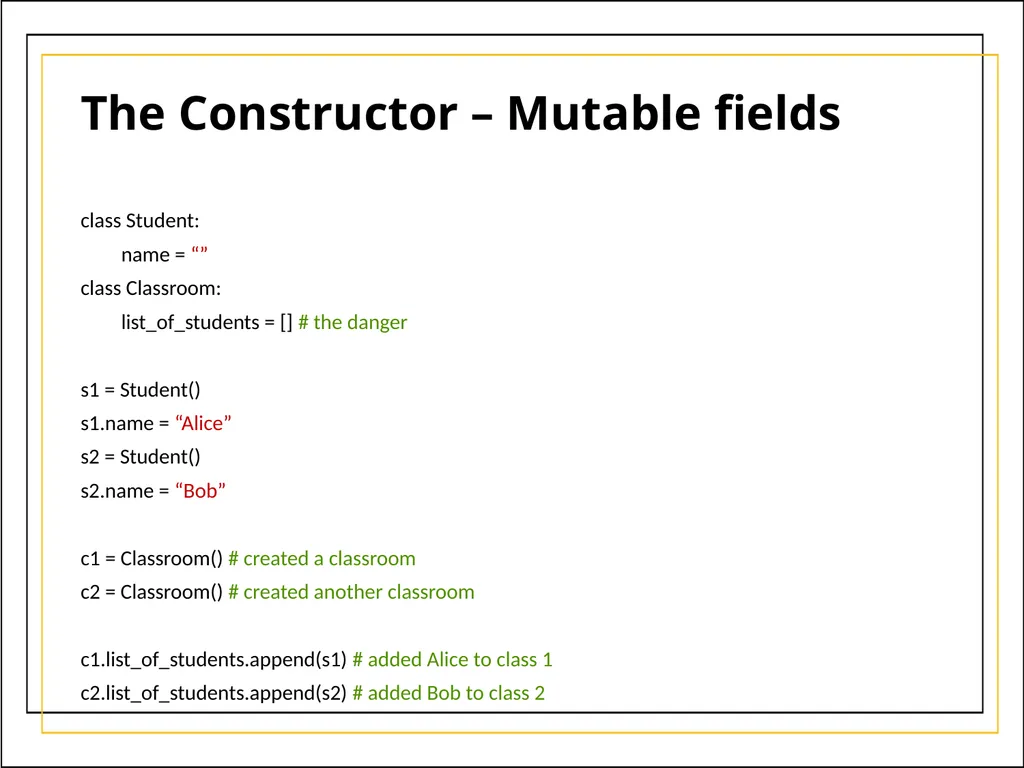
The Constructor – Mutable fields class Student:
name = “”
class Classroom:
list_of_students = [] # the danger
s1 = Student()
s1.name = “Alice”
s2 = Student()
s2.name = “Bob”
c1 = Classroom() # created a classroom
c2 = Classroom() # created another classroom
c1.list_of_students.append(s1) # added Alice to class 1
c2.list_of_students.append(s2) # added Bob to class 2<br>
name = “”
class Classroom:
list_of_students = [] # the danger
s1 = Student()
s1.name = “Alice”
s2 = Student()
s2.name = “Bob”
c1 = Classroom() # created a classroom
c2 = Classroom() # created another classroom
c1.list_of_students.append(s1) # added Alice to class 1
c2.list_of_students.append(s2) # added Bob to class 2<br>
46
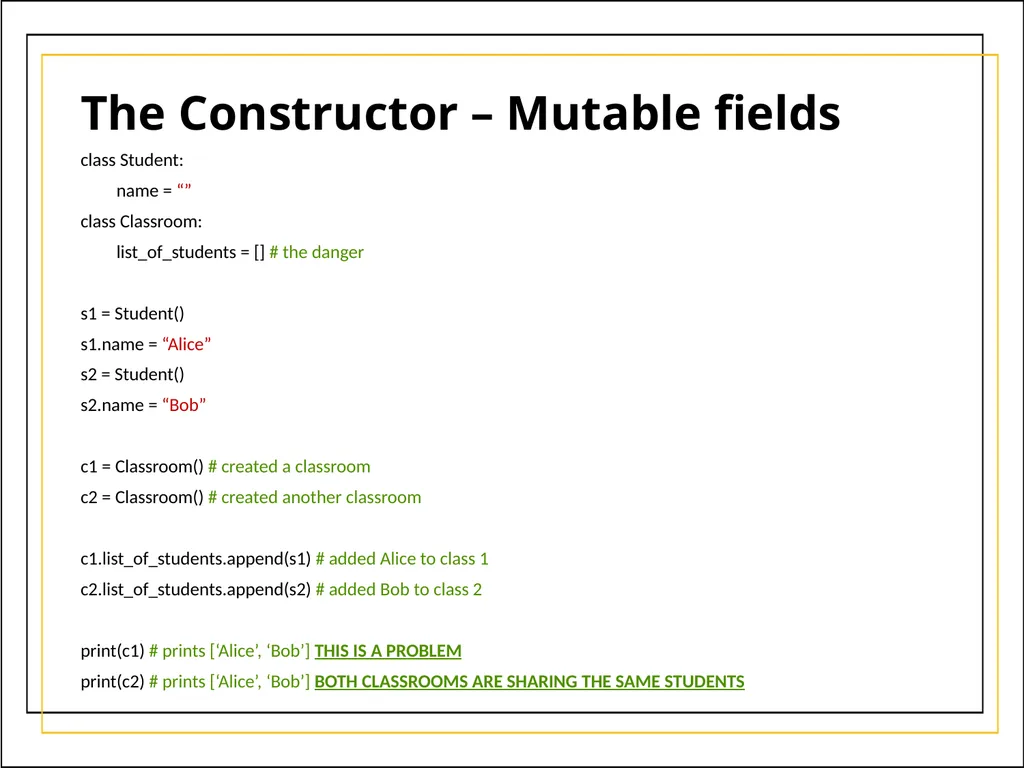
The Constructor – Mutable fields class Student:
name = “”
class Classroom:
list_of_students = [] # the danger
s1 = Student()
s1.name = “Alice”
s2 = Student()
s2.name = “Bob”
c1 = Classroom() # created a classroom
c2 = Classroom() # created another classroom
c1.list_of_students.append(s1) # added Alice to class 1
c2.list_of_students.append(s2) # added Bob to class 2
print(c1) # prints [‘Alice’, ‘Bob’] THIS IS A PROBLEM
print(c2) # prints [‘Alice’, ‘Bob’] BOTH CLASSROOMS ARE SHARING THE SAME STUDENTS<br>
name = “”
class Classroom:
list_of_students = [] # the danger
s1 = Student()
s1.name = “Alice”
s2 = Student()
s2.name = “Bob”
c1 = Classroom() # created a classroom
c2 = Classroom() # created another classroom
c1.list_of_students.append(s1) # added Alice to class 1
c2.list_of_students.append(s2) # added Bob to class 2
print(c1) # prints [‘Alice’, ‘Bob’] THIS IS A PROBLEM
print(c2) # prints [‘Alice’, ‘Bob’] BOTH CLASSROOMS ARE SHARING THE SAME STUDENTS<br>
47
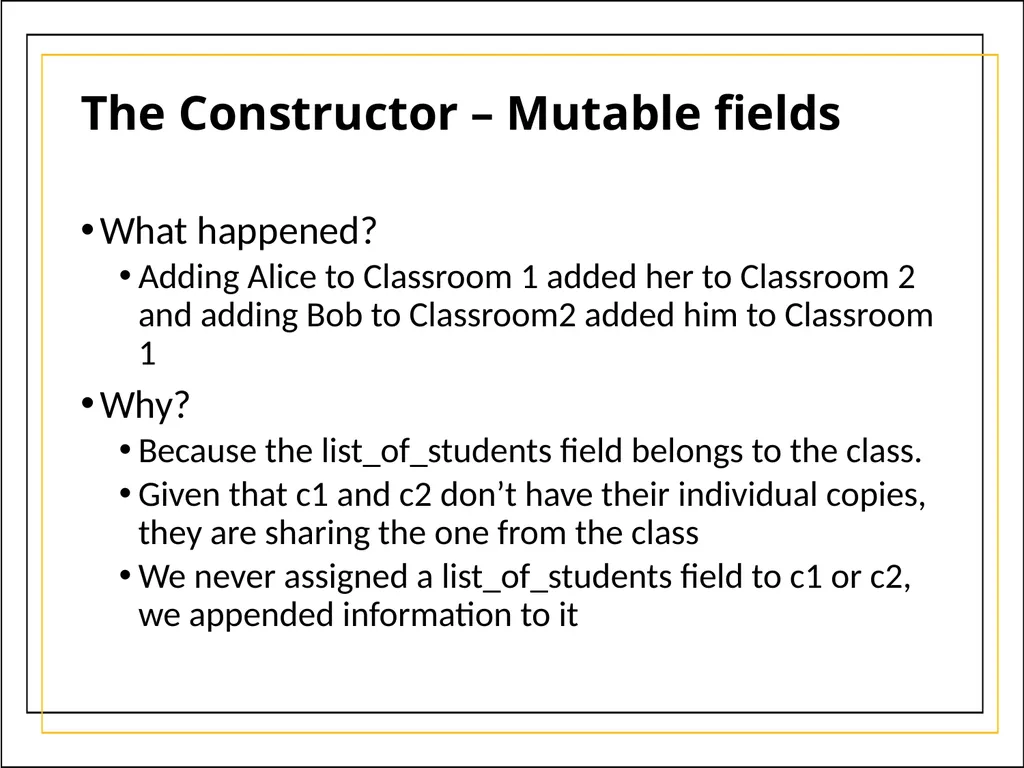
The Constructor – Mutable fields What happened?
Adding Alice to Classroom 1 added her to Classroom 2 and adding Bob to Classroom2 added him to Classroom 1
Why?
Because the list_of_students field belongs to the class.
Given that c1 and c2 don’t have their individual copies, they are sharing the one from the class
We never assigned a list_of_students field to c1 or c2, we appended information to it<br>
Adding Alice to Classroom 1 added her to Classroom 2 and adding Bob to Classroom2 added him to Classroom 1
Why?
Because the list_of_students field belongs to the class.
Given that c1 and c2 don’t have their individual copies, they are sharing the one from the class
We never assigned a list_of_students field to c1 or c2, we appended information to it<br>
48
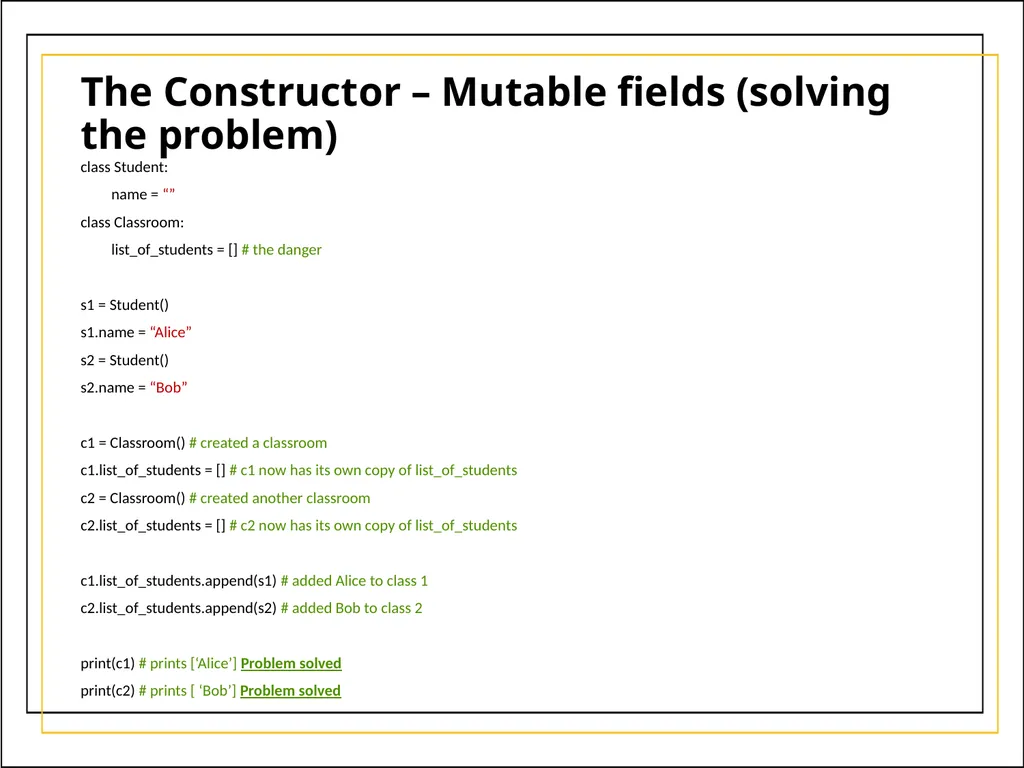
The Constructor – Mutable fields (solving the problem) class Student:
name = “”
class Classroom:
list_of_students = [] # the danger
s1 = Student()
s1.name = “Alice”
s2 = Student()
s2.name = “Bob”
c1 = Classroom() # created a classroom
c1.list_of_students = [] # c1 now has its own copy of list_of_students
c2 = Classroom() # created another classroom
c2.list_of_students = [] # c2 now has its own copy of list_of_students
c1.list_of_students.append(s1) # added Alice to class 1
c2.list_of_students.append(s2) # added Bob to class 2
print(c1) # prints [‘Alice’] Problem solved
print(c2) # prints [ ‘Bob’] Problem solved<br>
name = “”
class Classroom:
list_of_students = [] # the danger
s1 = Student()
s1.name = “Alice”
s2 = Student()
s2.name = “Bob”
c1 = Classroom() # created a classroom
c1.list_of_students = [] # c1 now has its own copy of list_of_students
c2 = Classroom() # created another classroom
c2.list_of_students = [] # c2 now has its own copy of list_of_students
c1.list_of_students.append(s1) # added Alice to class 1
c2.list_of_students.append(s2) # added Bob to class 2
print(c1) # prints [‘Alice’] Problem solved
print(c2) # prints [ ‘Bob’] Problem solved<br>
49
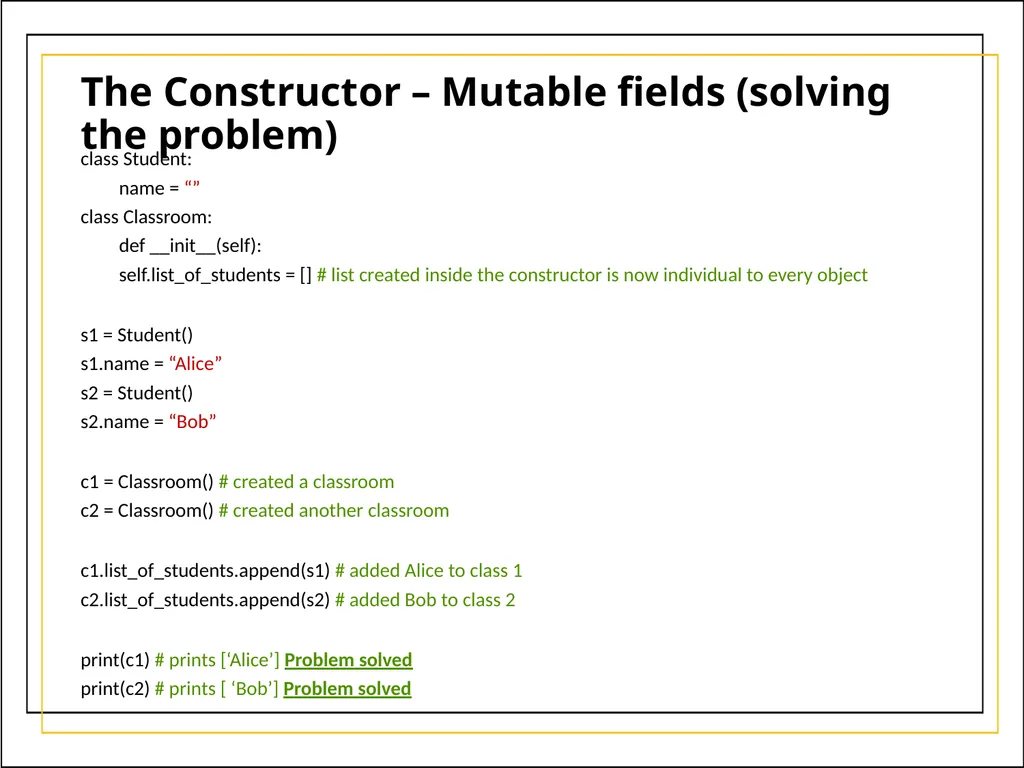
The Constructor – Mutable fields (solving the problem) class Student:
name = “”
class Classroom:
def __init__(self):
self.list_of_students = [] # list created inside the constructor is now individual to every object
s1 = Student()
s1.name = “Alice”
s2 = Student()
s2.name = “Bob”
c1 = Classroom() # created a classroom
c2 = Classroom() # created another classroom
c1.list_of_students.append(s1) # added Alice to class 1
c2.list_of_students.append(s2) # added Bob to class 2
print(c1) # prints [‘Alice’] Problem solved
print(c2) # prints [ ‘Bob’] Problem solved<br>
name = “”
class Classroom:
def __init__(self):
self.list_of_students = [] # list created inside the constructor is now individual to every object
s1 = Student()
s1.name = “Alice”
s2 = Student()
s2.name = “Bob”
c1 = Classroom() # created a classroom
c2 = Classroom() # created another classroom
c1.list_of_students.append(s1) # added Alice to class 1
c2.list_of_students.append(s2) # added Bob to class 2
print(c1) # prints [‘Alice’] Problem solved
print(c2) # prints [ ‘Bob’] Problem solved<br>
50
Summary A class:
has attributes (which are just variables)
has a constructor which is used to initialize attributes
has other methods (like eat and growl)
is a blueprint (template) for creating objects
creates a new data type
An object:
is an instance of a class
has a state (variables) that is independent from others
trying to access a variable that the object doesn’t have prompts the object to reach to the class for that variable
mutable fields at the class level need to be handled with care<br>
has attributes (which are just variables)
has a constructor which is used to initialize attributes
has other methods (like eat and growl)
is a blueprint (template) for creating objects
creates a new data type
An object:
is an instance of a class
has a state (variables) that is independent from others
trying to access a variable that the object doesn’t have prompts the object to reach to the class for that variable
mutable fields at the class level need to be handled with care<br>