
Network attacks
CP
Published · 20 slides · 0 views
1 / 1
Description
Network attacks https:www.hackingloops.comhacking-class-4-scanning-and-attacking-open-ports Why study networks? As we will see in attack models (e.g. Mitre), there is a step called Discovery Discovery. The adversary is trying to
Related Topics
Share
Embed code
Download this presentation From Below
"Network attacks" is the property of its rightful owner. Permission is granted to download and print the materials on this website for personal, non-commercial use only, and to display it on your personal computer provided you do not modify the materials and that you retain all copyright notices contained in the materials. By downloading content from our website, you accept the terms of this agreement.
Presentation Transcript
01
Network attacks https://www.hackingloops.com/hacking-class-4-scanning-and-attacking-open-ports/<br>
02
Why study networks? As we will see in attack models (e.g. Mitre), there is a step called ‘Discovery’
Discovery. The adversary is trying to figure out your environment.
Network scans are the most prevalent method of understanding your environment, with intent to use that information to run exploits
To understand how to protect your system, you have to understand how the system works!<br>
Discovery. The adversary is trying to figure out your environment.
Network scans are the most prevalent method of understanding your environment, with intent to use that information to run exploits
To understand how to protect your system, you have to understand how the system works!<br>
03
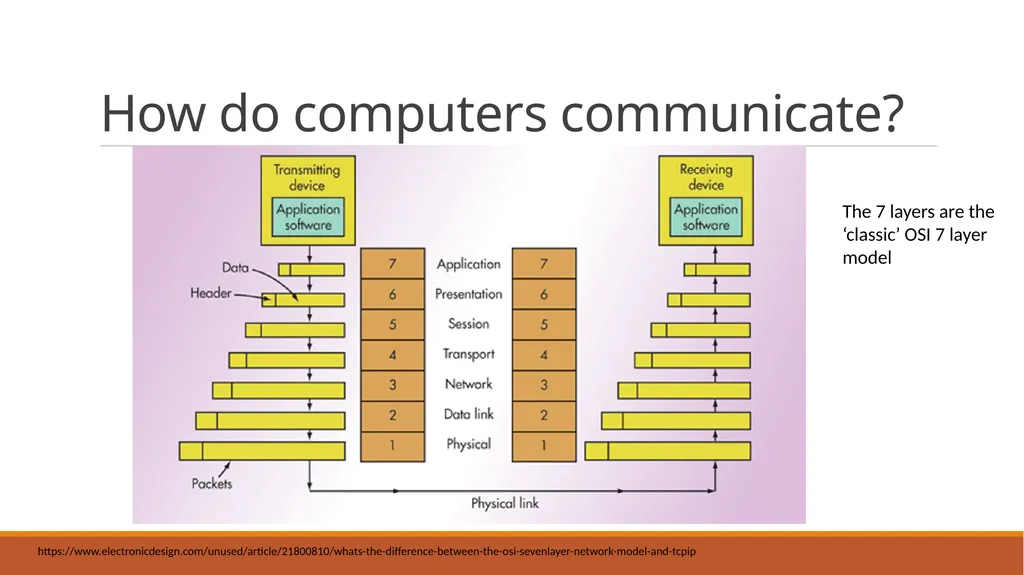
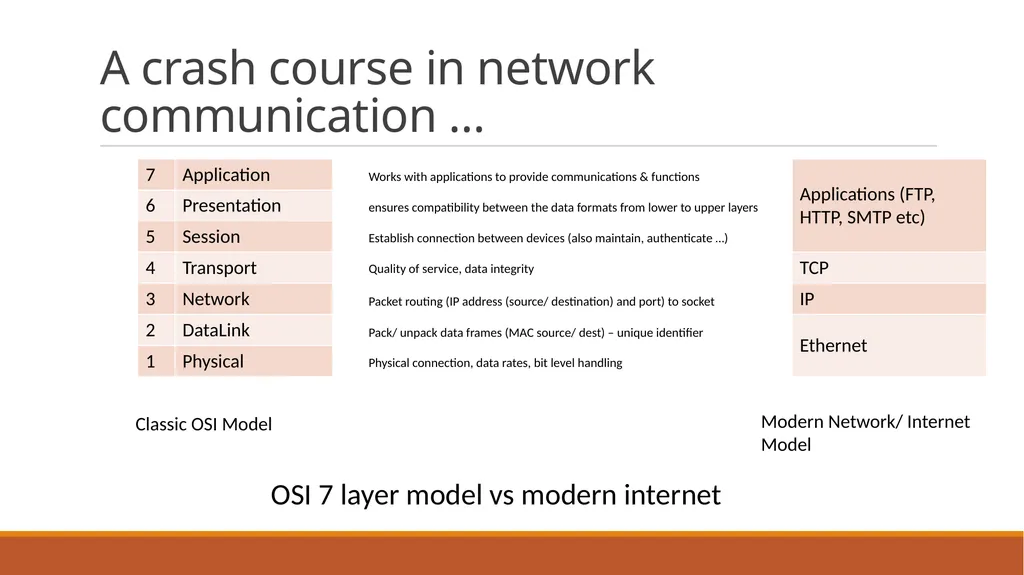
How do computers communicate? The 7 layers are the ‘classic’ OSI 7 layer model https://www.electronicdesign.com/unused/article/21800810/whats-the-difference-between-the-osi-sevenlayer-network-model-and-tcpip<br>
04
A crash course in network communication … Works with applications to provide communications & functions ensures compatibility between the data formats from lower to upper layers Establish connection between devices (also maintain, authenticate …) Quality of service, data integrity Packet routing (IP address (source/ destination) and port) to socket Pack/ unpack data frames (MAC source/ dest) – unique identifier Physical connection, data rates, bit level handling Classic OSI Model Modern Network/ Internet Model OSI 7 layer model vs modern internet<br>
05
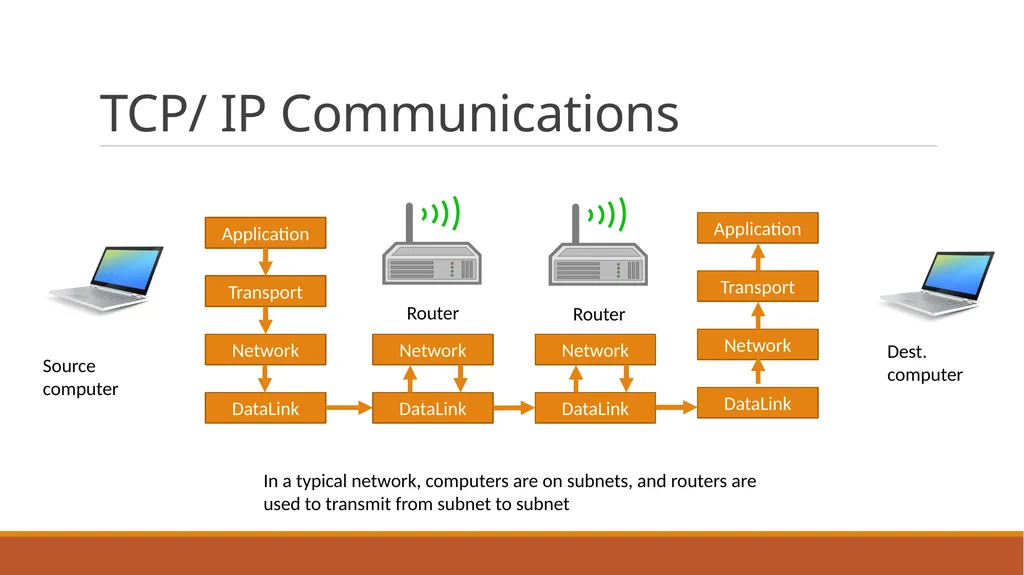
TCP/ IP Communications Application Transport Network DataLink Application Transport Network DataLink Network DataLink Network DataLink Router Router Source computer Dest. computer In a typical network, computers are on subnets, and routers are used to transmit from subnet to subnet<br>
06
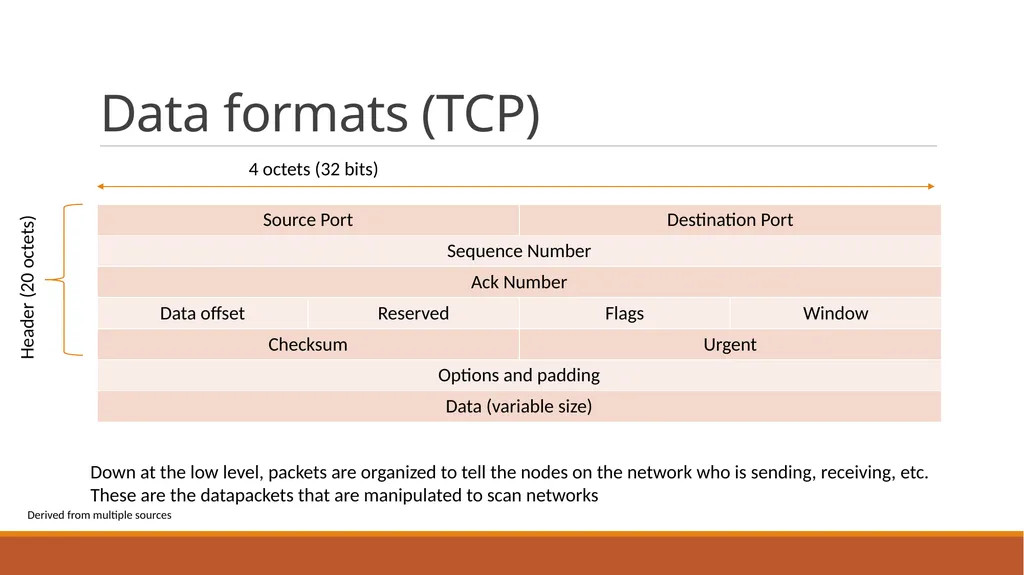
Data formats (TCP) 4 octets (32 bits) Header (20 octets) Derived from multiple sources Down at the low level, packets are organized to tell the nodes on the network who is sending, receiving, etc.
These are the datapackets that are manipulated to scan networks<br>
These are the datapackets that are manipulated to scan networks<br>
07
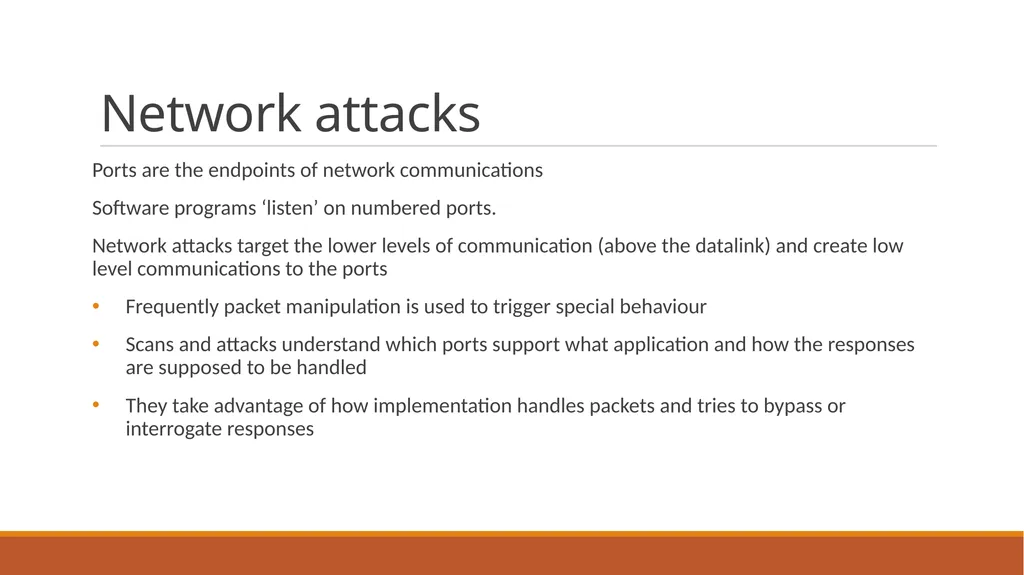
Network attacks Ports are the endpoints of network communications
Software programs ‘listen’ on numbered ports.
Network attacks target the lower levels of communication (above the datalink) and create low level communications to the ports
Frequently packet manipulation is used to trigger special behaviour
Scans and attacks understand which ports support what application and how the responses are supposed to be handled
They take advantage of how implementation handles packets and tries to bypass or interrogate responses<br>
Software programs ‘listen’ on numbered ports.
Network attacks target the lower levels of communication (above the datalink) and create low level communications to the ports
Frequently packet manipulation is used to trigger special behaviour
Scans and attacks understand which ports support what application and how the responses are supposed to be handled
They take advantage of how implementation handles packets and tries to bypass or interrogate responses<br>
08
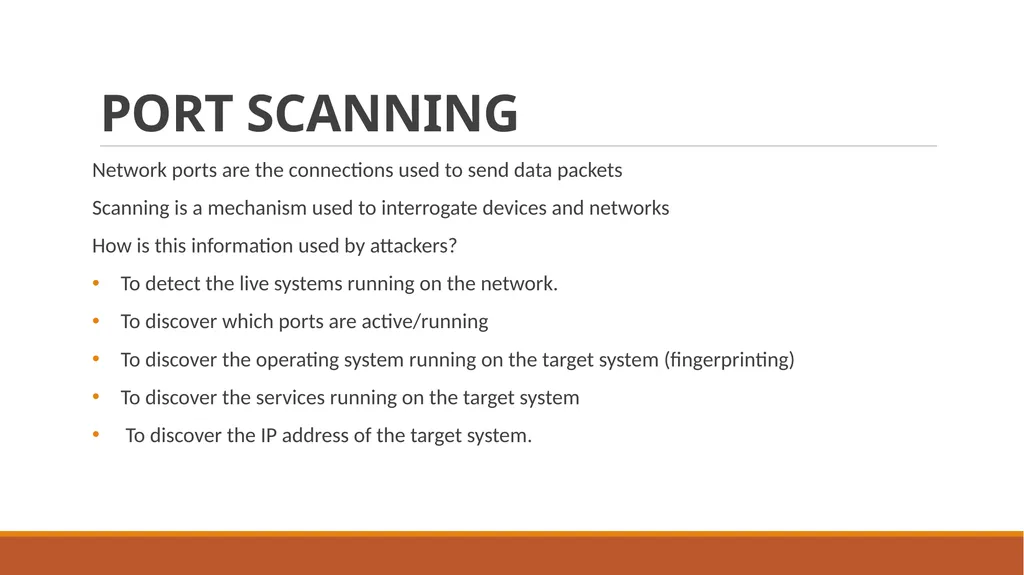
PORT SCANNING Network ports are the connections used to send data packets
Scanning is a mechanism used to interrogate devices and networks
How is this information used by attackers?
To detect the live systems running on the network.
To discover which ports are active/running
To discover the operating system running on the target system (fingerprinting)
To discover the services running on the target system
To discover the IP address of the target system.<br>
Scanning is a mechanism used to interrogate devices and networks
How is this information used by attackers?
To detect the live systems running on the network.
To discover which ports are active/running
To discover the operating system running on the target system (fingerprinting)
To discover the services running on the target system
To discover the IP address of the target system.<br>
09
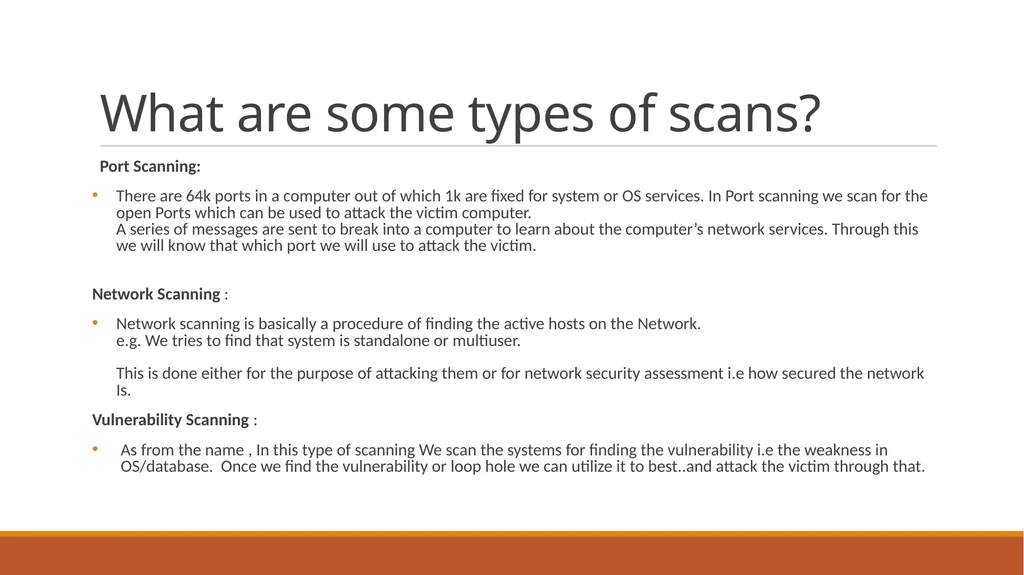
What are some types of scans? Port Scanning:
There are 64k ports in a computer out of which 1k are fixed for system or OS services. In Port scanning we scan for the open Ports which can be used to attack the victim computer. A series of messages are sent to break into a computer to learn about the computer’s network services. Through this we will know that which port we will use to attack the victim.
Network Scanning :
Network scanning is basically a procedure of finding the active hosts on the Network. e.g. We tries to find that system is standalone or multiuser. This is done either for the purpose of attacking them or for network security assessment i.e how secured the network Is.
Vulnerability Scanning :
As from the name , In this type of scanning We scan the systems for finding the vulnerability i.e the weakness in OS/database. Once we find the vulnerability or loop hole we can utilize it to best..and attack the victim through that.<br>
There are 64k ports in a computer out of which 1k are fixed for system or OS services. In Port scanning we scan for the open Ports which can be used to attack the victim computer. A series of messages are sent to break into a computer to learn about the computer’s network services. Through this we will know that which port we will use to attack the victim.
Network Scanning :
Network scanning is basically a procedure of finding the active hosts on the Network. e.g. We tries to find that system is standalone or multiuser. This is done either for the purpose of attacking them or for network security assessment i.e how secured the network Is.
Vulnerability Scanning :
As from the name , In this type of scanning We scan the systems for finding the vulnerability i.e the weakness in OS/database. Once we find the vulnerability or loop hole we can utilize it to best..and attack the victim through that.<br>
10
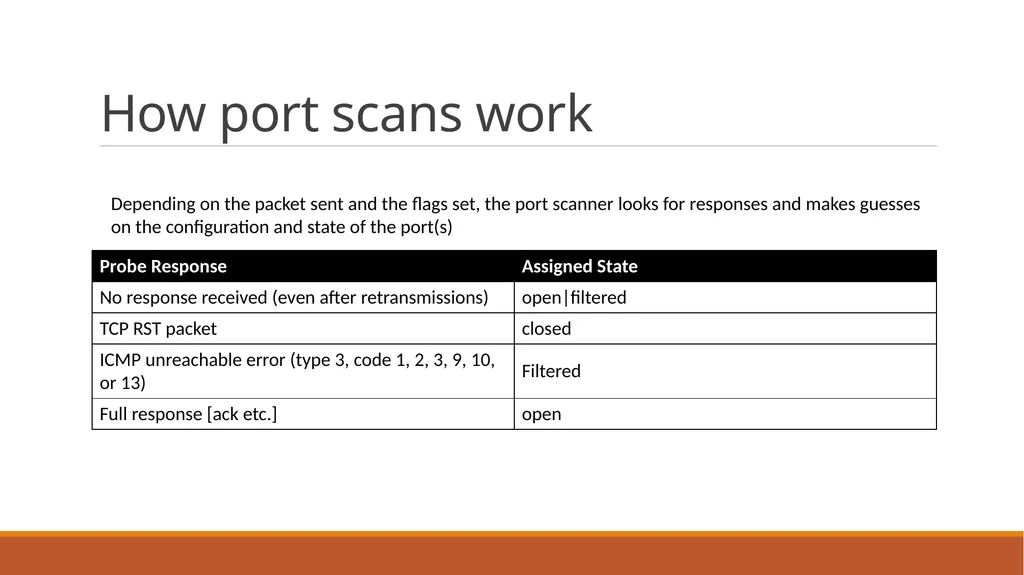
How port scans work Depending on the packet sent and the flags set, the port scanner looks for responses and makes guesses on the configuration and state of the port(s)<br>
11
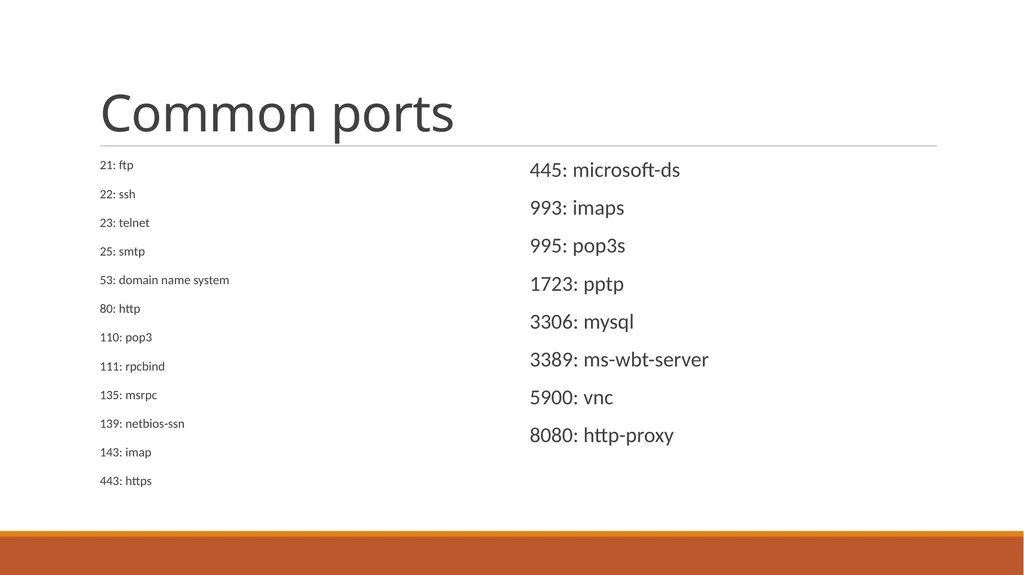
Common ports 21: ftp
22: ssh
23: telnet
25: smtp
53: domain name system
80: http
110: pop3
111: rpcbind
135: msrpc
139: netbios-ssn
143: imap
443: https 445: microsoft-ds
993: imaps
995: pop3s
1723: pptp
3306: mysql
3389: ms-wbt-server
5900: vnc
8080: http-proxy<br>
22: ssh
23: telnet
25: smtp
53: domain name system
80: http
110: pop3
111: rpcbind
135: msrpc
139: netbios-ssn
143: imap
443: https 445: microsoft-ds
993: imaps
995: pop3s
1723: pptp
3306: mysql
3389: ms-wbt-server
5900: vnc
8080: http-proxy<br>
12
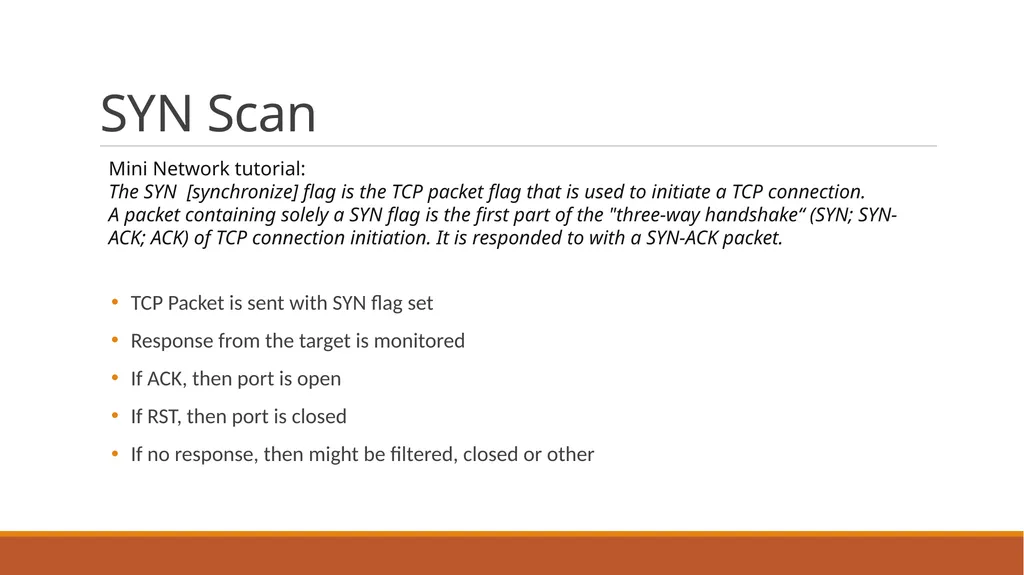
SYN Scan TCP Packet is sent with SYN flag set
Response from the target is monitored
If ACK, then port is open
If RST, then port is closed
If no response, then might be filtered, closed or other Mini Network tutorial:
The SYN [synchronize] flag is the TCP packet flag that is used to initiate a TCP connection.
A packet containing solely a SYN flag is the first part of the "three-way handshake“ (SYN; SYN-ACK; ACK) of TCP connection initiation. It is responded to with a SYN-ACK packet.<br>
Response from the target is monitored
If ACK, then port is open
If RST, then port is closed
If no response, then might be filtered, closed or other Mini Network tutorial:
The SYN [synchronize] flag is the TCP packet flag that is used to initiate a TCP connection.
A packet containing solely a SYN flag is the first part of the "three-way handshake“ (SYN; SYN-ACK; ACK) of TCP connection initiation. It is responded to with a SYN-ACK packet.<br>
13
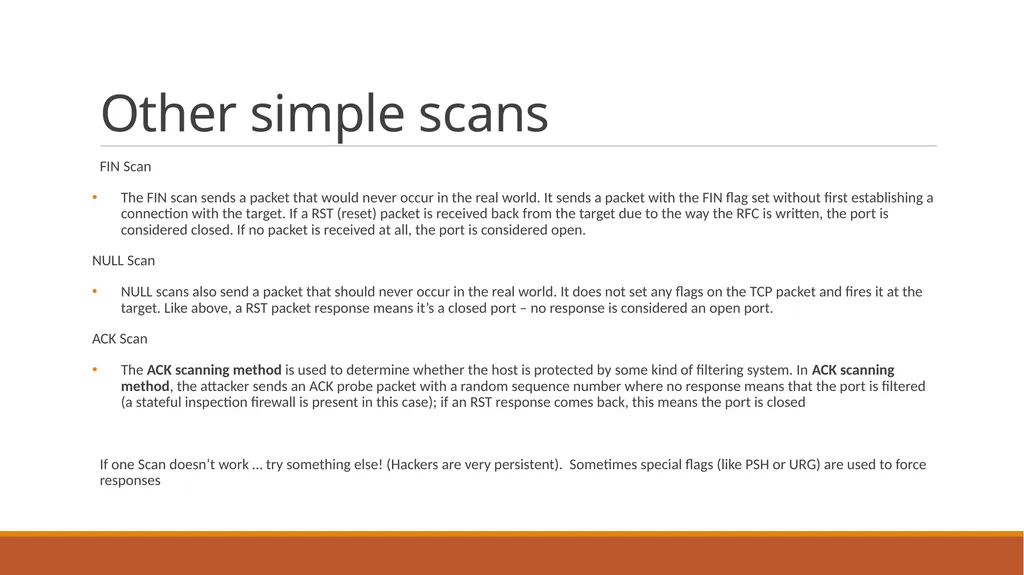
Other simple scans FIN Scan
The FIN scan sends a packet that would never occur in the real world. It sends a packet with the FIN flag set without first establishing a connection with the target. If a RST (reset) packet is received back from the target due to the way the RFC is written, the port is considered closed. If no packet is received at all, the port is considered open.
NULL Scan
NULL scans also send a packet that should never occur in the real world. It does not set any flags on the TCP packet and fires it at the target. Like above, a RST packet response means it’s a closed port – no response is considered an open port.
ACK Scan
The ACK scanning method is used to determine whether the host is protected by some kind of filtering system. In ACK scanning method, the attacker sends an ACK probe packet with a random sequence number where no response means that the port is filtered (a stateful inspection firewall is present in this case); if an RST response comes back, this means the port is closed
If one Scan doesn’t work … try something else! (Hackers are very persistent). Sometimes special flags (like PSH or URG) are used to force responses<br>
The FIN scan sends a packet that would never occur in the real world. It sends a packet with the FIN flag set without first establishing a connection with the target. If a RST (reset) packet is received back from the target due to the way the RFC is written, the port is considered closed. If no packet is received at all, the port is considered open.
NULL Scan
NULL scans also send a packet that should never occur in the real world. It does not set any flags on the TCP packet and fires it at the target. Like above, a RST packet response means it’s a closed port – no response is considered an open port.
ACK Scan
The ACK scanning method is used to determine whether the host is protected by some kind of filtering system. In ACK scanning method, the attacker sends an ACK probe packet with a random sequence number where no response means that the port is filtered (a stateful inspection firewall is present in this case); if an RST response comes back, this means the port is closed
If one Scan doesn’t work … try something else! (Hackers are very persistent). Sometimes special flags (like PSH or URG) are used to force responses<br>
14
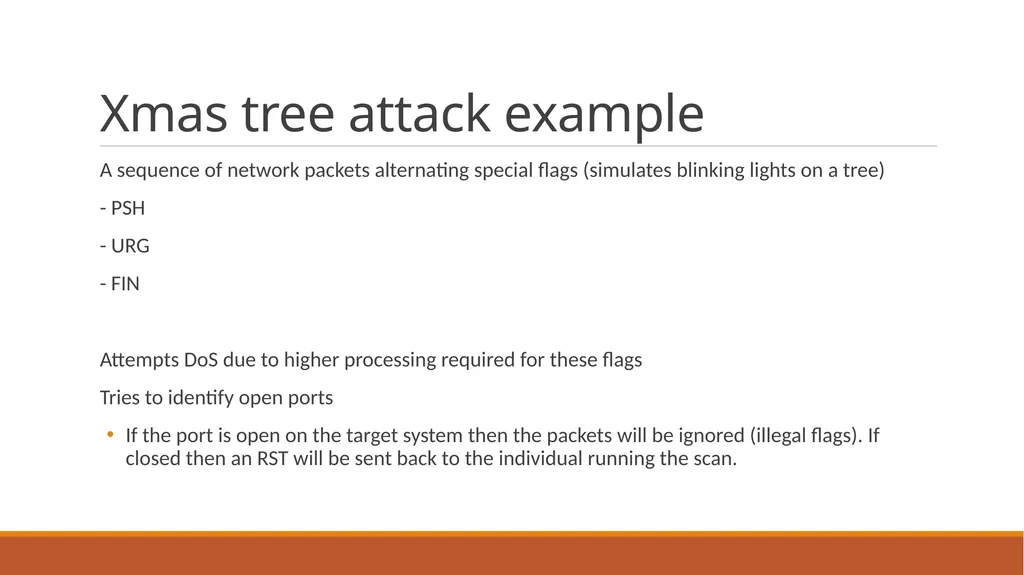
Xmas tree attack example A sequence of network packets alternating special flags (simulates blinking lights on a tree)
- PSH
- URG
- FIN
Attempts DoS due to higher processing required for these flags
Tries to identify open ports
If the port is open on the target system then the packets will be ignored (illegal flags). If closed then an RST will be sent back to the individual running the scan.<br>
- PSH
- URG
- FIN
Attempts DoS due to higher processing required for these flags
Tries to identify open ports
If the port is open on the target system then the packets will be ignored (illegal flags). If closed then an RST will be sent back to the individual running the scan.<br>
15
Wireshark The most widely used network monitoring tool
https://www.wireshark.org/#download
Invaluable for monitoring, investigating networks and network attacks
Exercise: Investigate Network trace and look for clues/ conclusions<br>
https://www.wireshark.org/#download
Invaluable for monitoring, investigating networks and network attacks
Exercise: Investigate Network trace and look for clues/ conclusions<br>
16
Tools Many tools are available to facilitate scanning computers and networks.
One of the longest-lived tools is nmap (http://nmap.org/dist/nmap-5.00-setup.exe) Features of NMAP : Nmap is used to carry out port scanning, OS detection, version detection, ping sweep, and many other techniques
It scans a large number of machines at one time.
It is supported by many operating systems.
It can carry out all types of port scanning techniques.<br>
One of the longest-lived tools is nmap (http://nmap.org/dist/nmap-5.00-setup.exe) Features of NMAP : Nmap is used to carry out port scanning, OS detection, version detection, ping sweep, and many other techniques
It scans a large number of machines at one time.
It is supported by many operating systems.
It can carry out all types of port scanning techniques.<br>
17
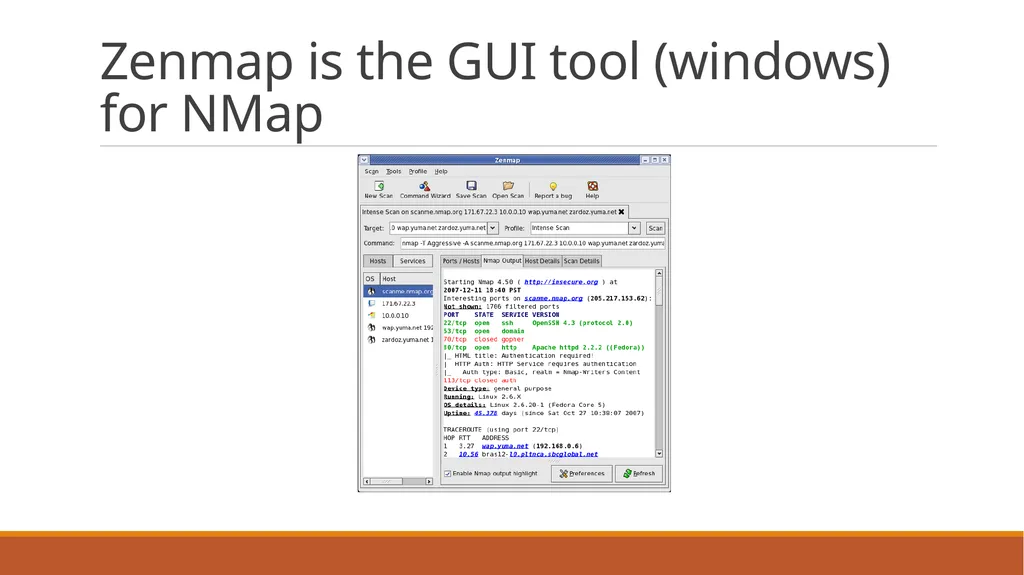
Zenmap is the GUI tool (windows) for NMap<br>
18
Nmap command examples Basic Nmap Scan against IP or host
nmap 1.1.1.1
Scan specific ports or scan entire port ranges on a local or remote server (you can scan multiple addresses, ranges etc) nmap -p 1-65535 localhost This will scan 256 IP addresses from 8.8.8.1 to 8.8.8.256.
Scan the most popular ports Using “–top-ports” parameter along with a specific number lets you scan the top X most common ports for that host, as we can see: nmap --top-ports 20 192.168.1.106
Replace “20” with the desired number. Output example:
Scan + OS and service detection with fast execution
Using the “-A” parameter enables you to perform OS and service detection, and at the same time we are combining this with “-T4” for faster execution. See the example below:
nmap -A -T4 cloudflare.com
Detect service/daemon versions
This can be done by using -sV parameters
nmap -sV localhost https://securitytrails.com/blog/top-15-nmap-commands-to-scan-remote-hosts<br>
Scan specific ports or scan entire port ranges on a local or remote server (you can scan multiple addresses, ranges etc) nmap -p 1-65535 localhost This will scan 256 IP addresses from 8.8.8.1 to 8.8.8.256.
Scan the most popular ports Using “–top-ports” parameter along with a specific number lets you scan the top X most common ports for that host, as we can see: nmap --top-ports 20 192.168.1.106
Replace “20” with the desired number. Output example:
Scan + OS and service detection with fast execution
Using the “-A” parameter enables you to perform OS and service detection, and at the same time we are combining this with “-T4” for faster execution. See the example below:
nmap -A -T4 cloudflare.com
Detect service/daemon versions
This can be done by using -sV parameters
nmap -sV localhost https://securitytrails.com/blog/top-15-nmap-commands-to-scan-remote-hosts<br>
19
Nmap examples (cont’d) CVE detection using Nmap
One of Nmap’s greatest features that not all the network and systems administrators know about is something called “Nmap Scripting Engine” (known as NSE). This scripting engine allows users to use a pre-defined set of scripts, or write their own using Lua programming language.
Using NSE is crucial in order to automate system and vulnerability scans. For example, if you want to run a full vulnerability test against your target, you can use these parameters:
nmap -Pn --script vuln 192.168.1.105
Detecting malware infections on remote hosts
Nmap is able to detect malware and backdoors by running extensive tests on a few popular OS services like on Identd, Proftpd, Vsftpd, IRC, SMB, and SMTP. It also has a module to check for popular malware signs inside remote servers and integrates Google’s Safe Browsing and VirusTotal databases as well.
A common malware scan can be performed by using:
nmap -sV --script=http-malware-host 192.168.1.105
Or using Google’s Malware check:
nmap -p80 --script http-google-malware infectedsite.com
Nmap is one of the most complete and accurate port scanners used by infosec professionals today. With it, you can perform simple port scan tasks or use its powerful scripting engine to launch DOS attacks, detect malware or brute force tests on remote and local servers.<br>
One of Nmap’s greatest features that not all the network and systems administrators know about is something called “Nmap Scripting Engine” (known as NSE). This scripting engine allows users to use a pre-defined set of scripts, or write their own using Lua programming language.
Using NSE is crucial in order to automate system and vulnerability scans. For example, if you want to run a full vulnerability test against your target, you can use these parameters:
nmap -Pn --script vuln 192.168.1.105
Detecting malware infections on remote hosts
Nmap is able to detect malware and backdoors by running extensive tests on a few popular OS services like on Identd, Proftpd, Vsftpd, IRC, SMB, and SMTP. It also has a module to check for popular malware signs inside remote servers and integrates Google’s Safe Browsing and VirusTotal databases as well.
A common malware scan can be performed by using:
nmap -sV --script=http-malware-host 192.168.1.105
Or using Google’s Malware check:
nmap -p80 --script http-google-malware infectedsite.com
Nmap is one of the most complete and accurate port scanners used by infosec professionals today. With it, you can perform simple port scan tasks or use its powerful scripting engine to launch DOS attacks, detect malware or brute force tests on remote and local servers.<br>
20
Sample output of a scan root@kali:~# nmap -O 192.168.5.102
Starting Nmap 7.01 ( https://nmap.org ) at 2016-03-04 21:16 CET
Nmap scan report for 192.168.5.102
Host is up (0.30s latency).
Not shown: 977 closed ports
PORT STATE SERVICE
21/tcp open ftp
53/tcp open domain
80/tcp open http
88/tcp open kerberos-sec
111/tcp open rpcbind
135/tcp open msrpc
139/tcp open netbios-ssn
389/tcp open ldap
445/tcp open microsoft-ds
…
49152/tcp open unknown
49153/tcp open unknown
49154/tcp open unknown
49155/tcp open unknown
49157/tcp open unknown
49158/tcp open unknown
Device type: general purpose
Running: Microsoft Windows 7|2012|XP
OS CPE: cpe:/o:microsoft:windows_7 cpe:/o:microsoft:windows_server_2012 cpe:/o:microsoft:windows_xp::sp3
OS details: Microsoft Windows 7 or Windows Server 2012, Microsoft Windows XP SP3
OS detection performed. Please report any incorrect results at https://nmap.org/submit/ .
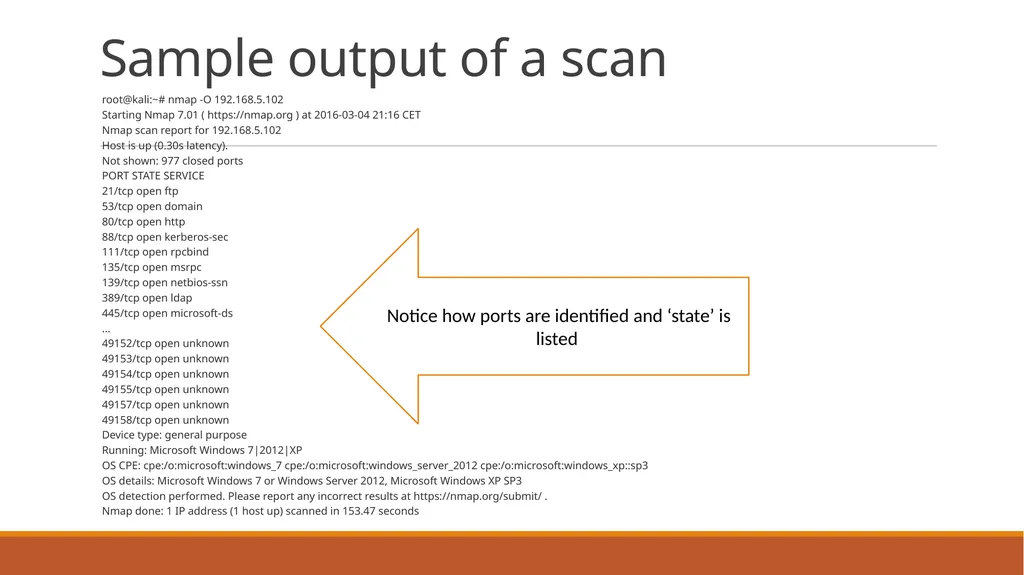
Nmap done: 1 IP address (1 host up) scanned in 153.47 seconds Notice how ports are identified and ‘state’ is listed<br>
Starting Nmap 7.01 ( https://nmap.org ) at 2016-03-04 21:16 CET
Nmap scan report for 192.168.5.102
Host is up (0.30s latency).
Not shown: 977 closed ports
PORT STATE SERVICE
21/tcp open ftp
53/tcp open domain
80/tcp open http
88/tcp open kerberos-sec
111/tcp open rpcbind
135/tcp open msrpc
139/tcp open netbios-ssn
389/tcp open ldap
445/tcp open microsoft-ds
…
49152/tcp open unknown
49153/tcp open unknown
49154/tcp open unknown
49155/tcp open unknown
49157/tcp open unknown
49158/tcp open unknown
Device type: general purpose
Running: Microsoft Windows 7|2012|XP
OS CPE: cpe:/o:microsoft:windows_7 cpe:/o:microsoft:windows_server_2012 cpe:/o:microsoft:windows_xp::sp3
OS details: Microsoft Windows 7 or Windows Server 2012, Microsoft Windows XP SP3
OS detection performed. Please report any incorrect results at https://nmap.org/submit/ .
Nmap done: 1 IP address (1 host up) scanned in 153.47 seconds Notice how ports are identified and ‘state’ is listed<br>