Operating Systems 18. Paging: Introduction 2 Youjip Won Concept of Paging Paging splits up address space into fixed-zed unit called a page. Segmentation: variable size of logical segments(code, stack, heap, etc.) With paging, physical
"Operating Systems 18. Paging: Introduction 2" is the property of its rightful owner. Permission is granted to
download and print the materials on this website for personal, non-commercial use only, and to display it
on your personal computer provided you do not modify the materials and that you retain all copyright
notices contained in the materials. By downloading content from our website, you accept the terms of this
agreement.
Presentation Transcript
01
Operating Systems<br>
02
18. Paging: Introduction 2 Youjip Won<br>
03
Concept of Paging Paging splits up address space into fixed-zed unit called a page.
Segmentation: variable size of logical segments(code, stack, heap, etc.)
With paging, physical memory is also split into some number of pages called a page frame.
Page table per process is needed to translate the virtual address to physical address. 3 Youjip Won<br>
04
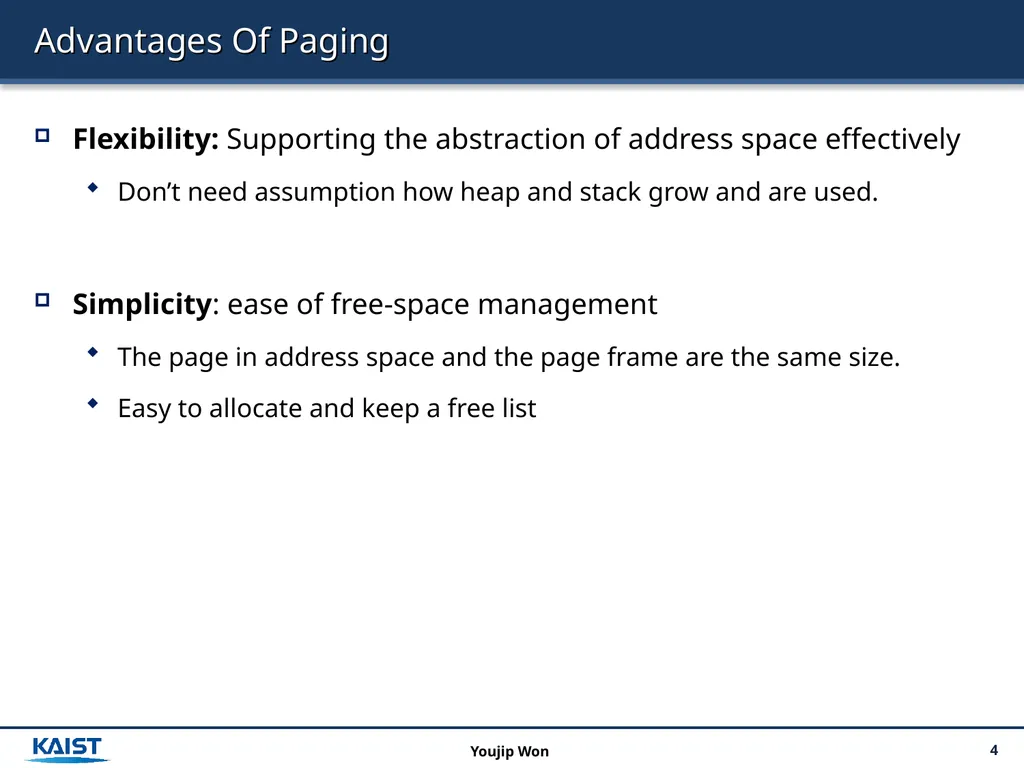
Advantages Of Paging Flexibility: Supporting the abstraction of address space effectively
Don’t need assumption how heap and stack grow and are used.
Simplicity: ease of free-space management
The page in address space and the page frame are the same size.
Easy to allocate and keep a free list 4 Youjip Won<br>
05
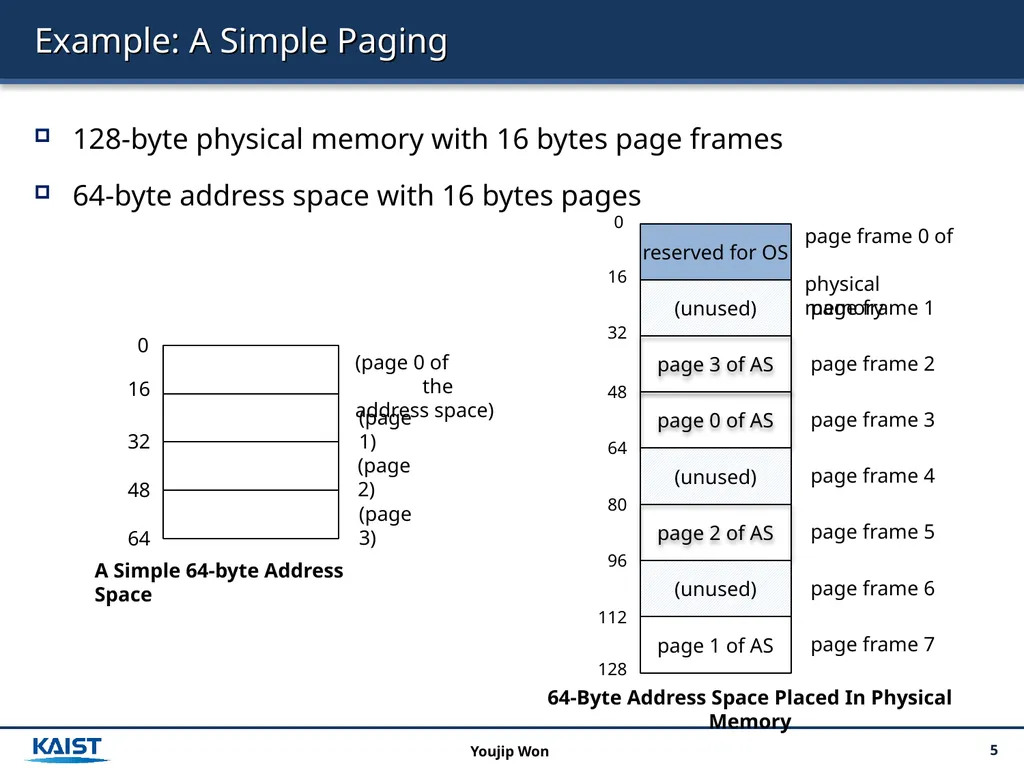
Example: A Simple Paging 128-byte physical memory with 16 bytes page frames
64-byte address space with 16 bytes pages 5 Youjip Won<br>
06
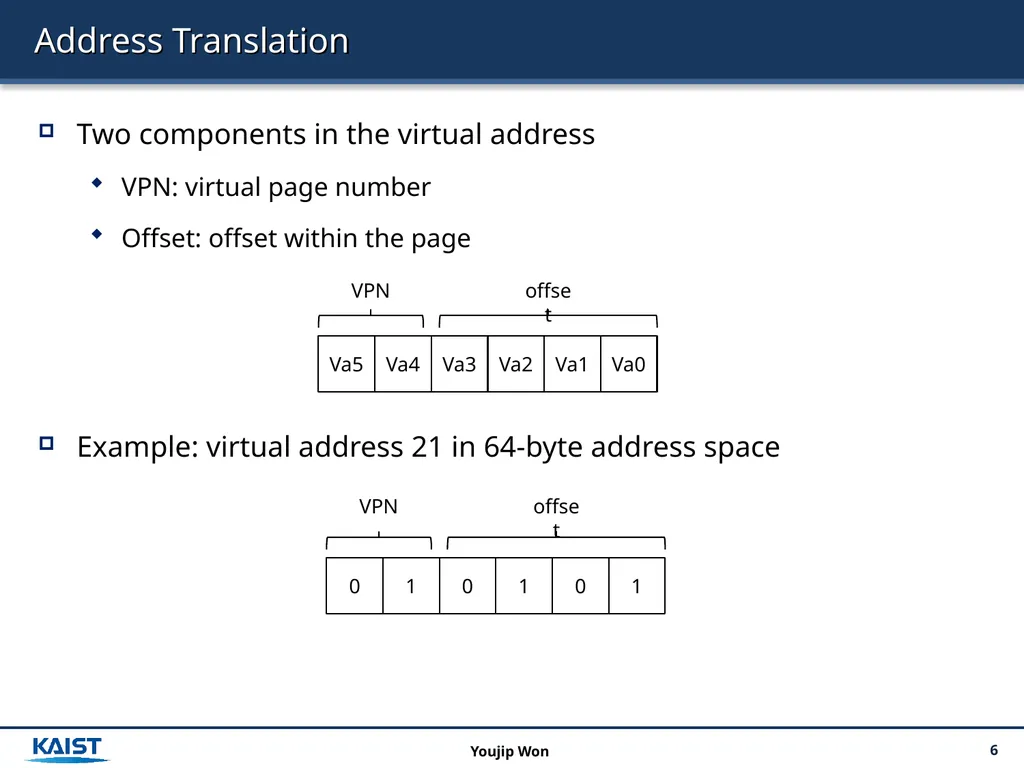
Address Translation Two components in the virtual address
VPN: virtual page number
Offset: offset within the page
Example: virtual address 21 in 64-byte address space 6 Youjip Won 0 1 0 1 0 1 VPN offset<br>
07
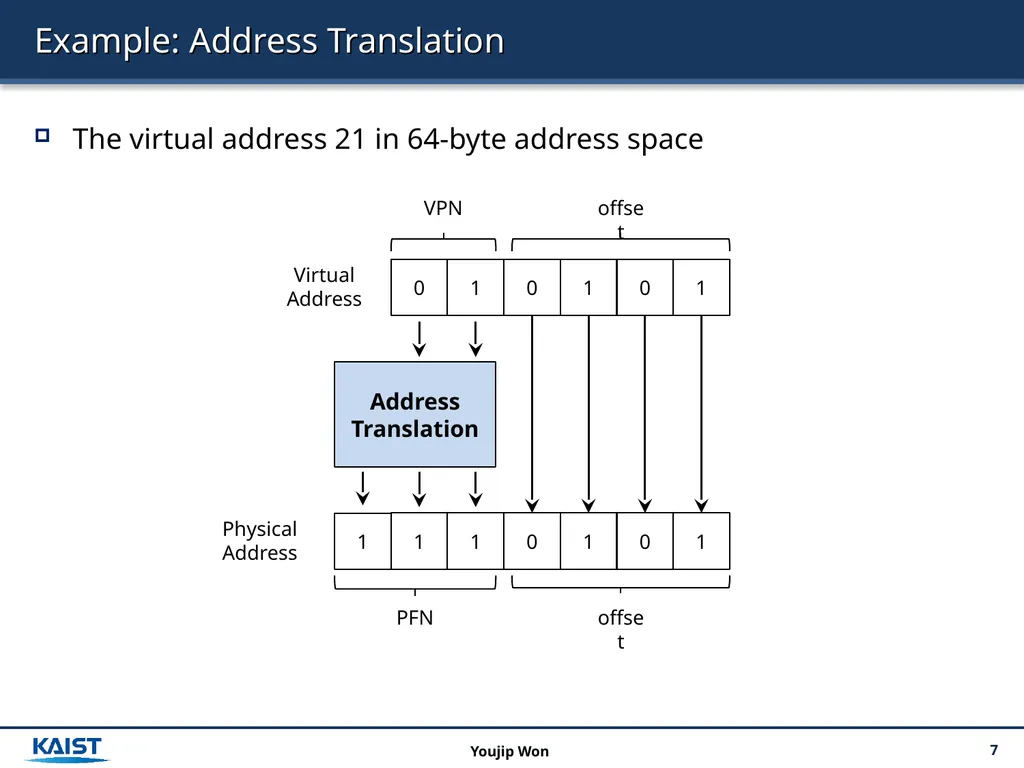
Example: Address Translation The virtual address 21 in 64-byte address space 7 Youjip Won<br>
08
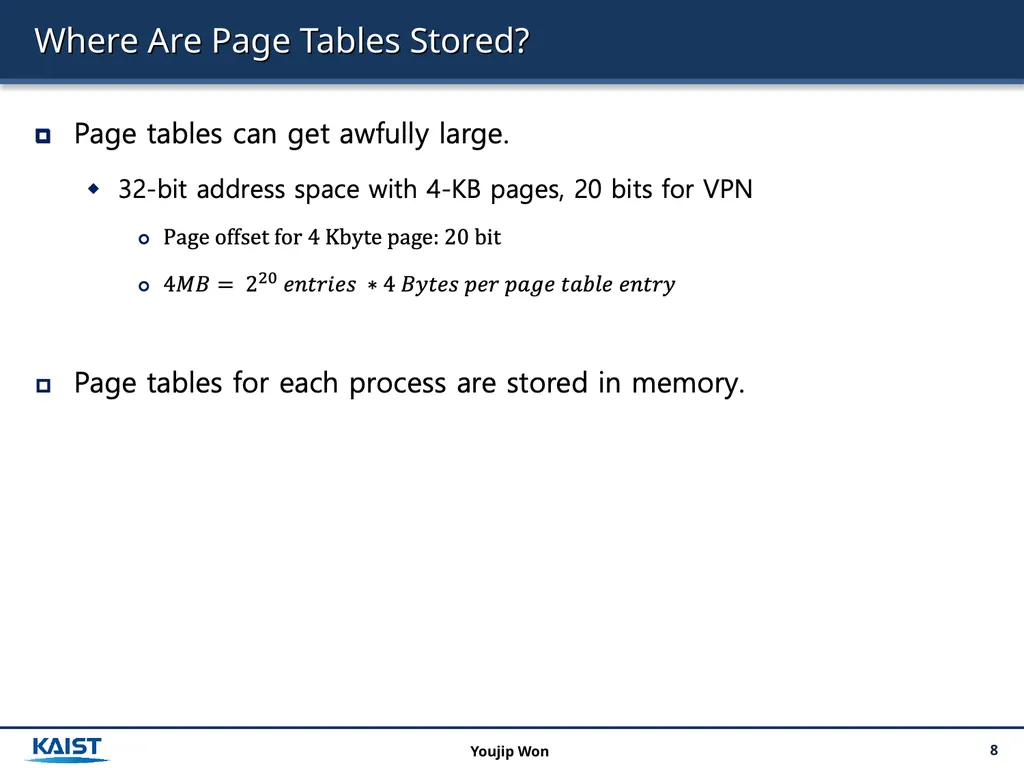
Where Are Page Tables Stored? 8 Youjip Won<br>
09
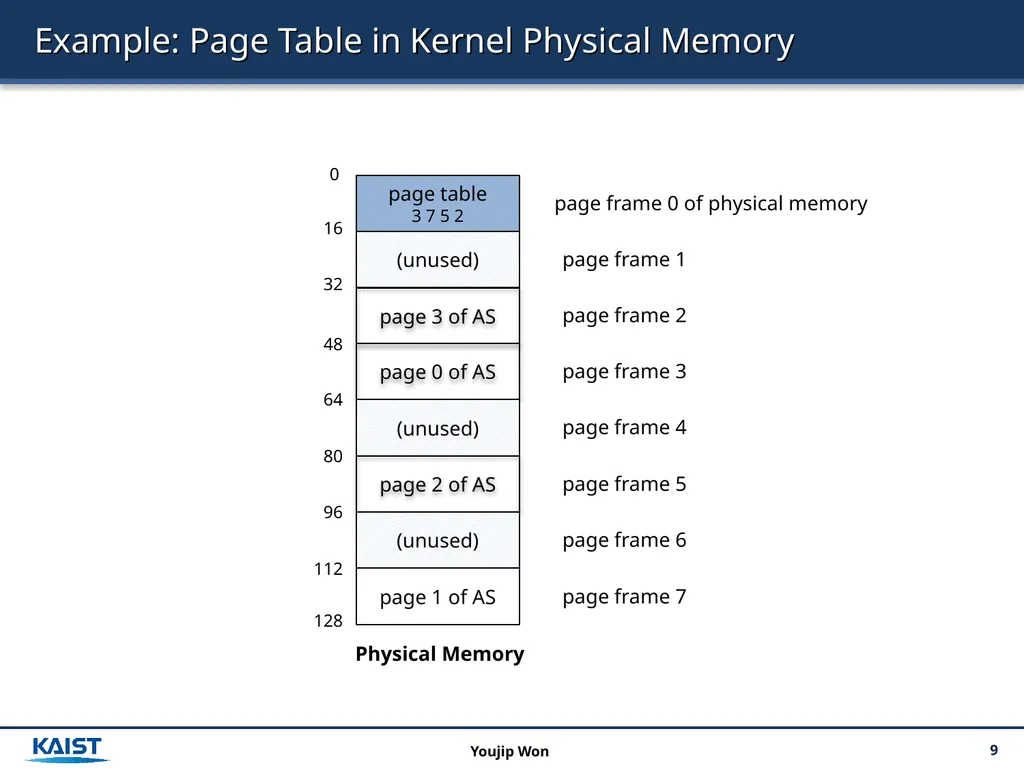
Example: Page Table in Kernel Physical Memory 9 Youjip Won 0 16 page table
3 7 5 2 page 3 of AS (unused) page 0 of AS (unused) page 2 of AS Physical Memory (unused) page 1 of AS 32 48 64 80 96 112 128 page frame 0 of physical memory page frame 1 page frame 2 page frame 3 page frame 4 page frame 5 page frame 6 page frame 7<br>
10
What Is In The Page Table? The page table is a data structure that is used to map the virtual address to physical address.
Simplest form: a linear page table, an array
The OS indexes the array by VPN, and looks up the page-table entry. 10 Youjip Won<br>
11
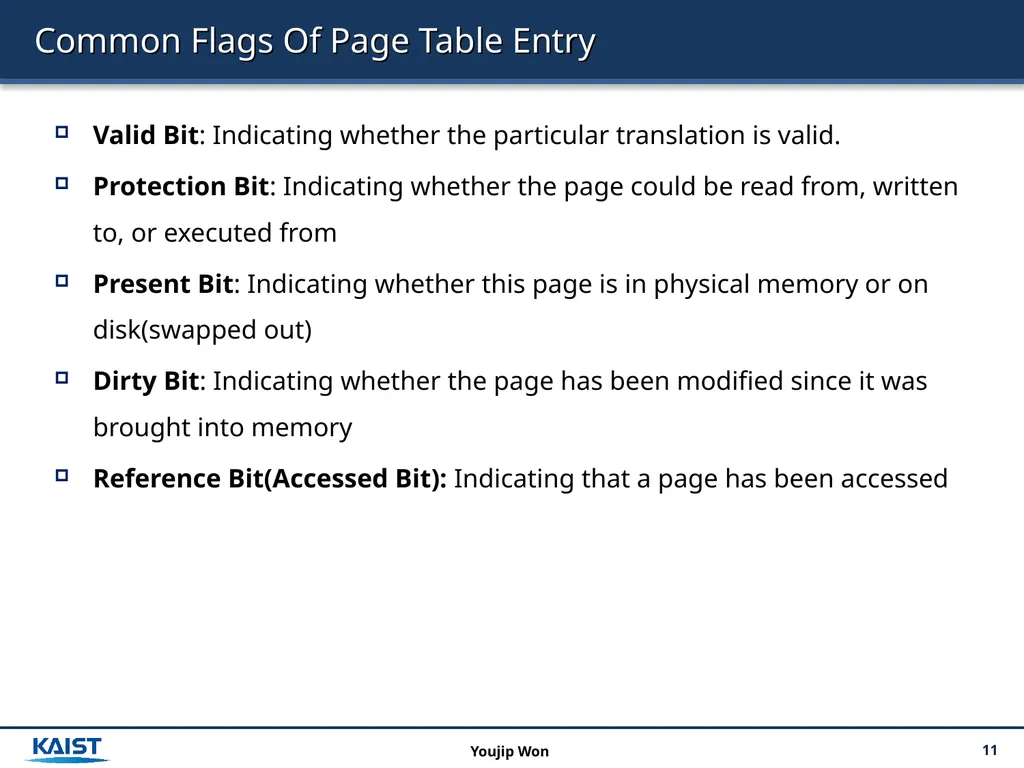
Common Flags Of Page Table Entry Valid Bit: Indicating whether the particular translation is valid.
Protection Bit: Indicating whether the page could be read from, written to, or executed from
Present Bit: Indicating whether this page is in physical memory or on disk(swapped out)
Dirty Bit: Indicating whether the page has been modified since it was brought into memory
Reference Bit(Accessed Bit): Indicating that a page has been accessed 11 Youjip Won<br>
12
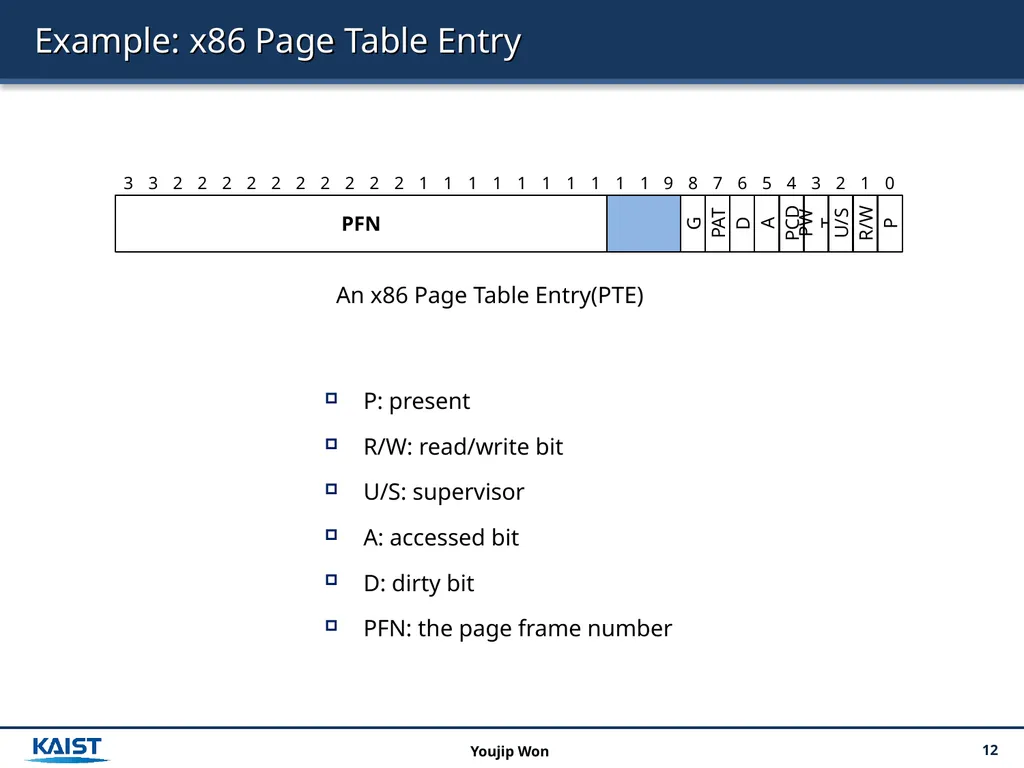
Example: x86 Page Table Entry P: present
R/W: read/write bit
U/S: supervisor
A: accessed bit
D: dirty bit
PFN: the page frame number 12 Youjip Won An x86 Page Table Entry(PTE)<br>
13
Paging: Too Slow To find a location of the desired PTE, the starting location of the page table is needed.
For every memory reference, paging requires the OS to perform one extra memory reference. 13 Youjip Won<br>
14
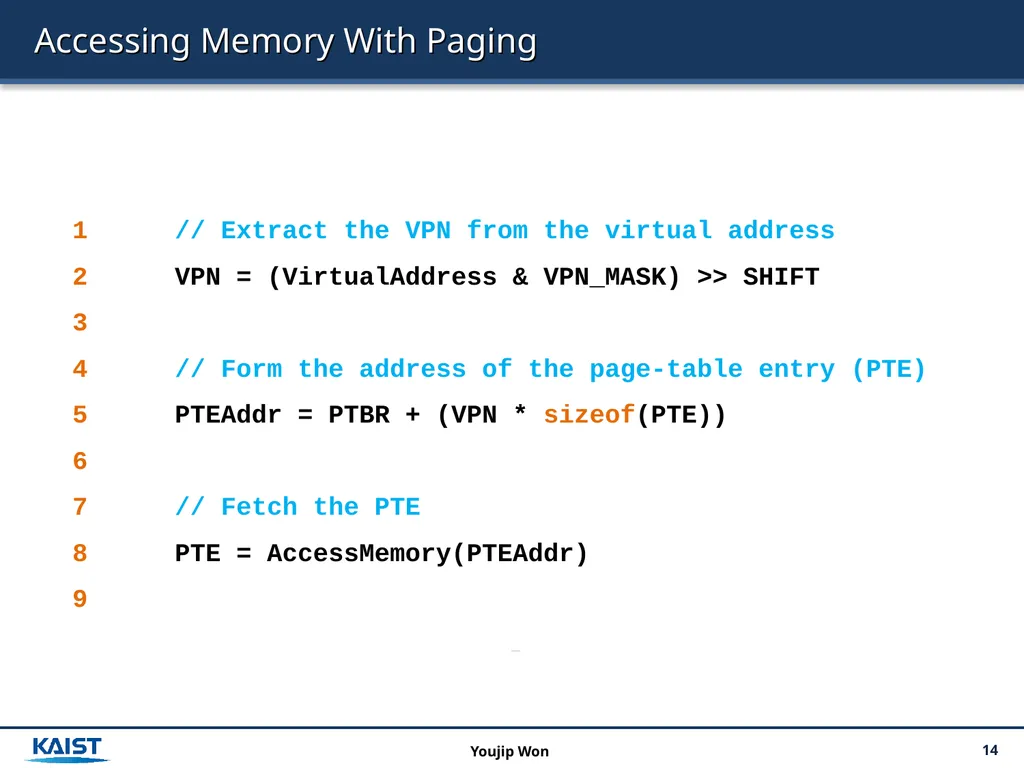
Accessing Memory With Paging 14 Youjip Won 1 // Extract the VPN from the virtual address
2 VPN = (VirtualAddress & VPN_MASK) >> SHIFT
3
4 // Form the address of the page-table entry (PTE)
5 PTEAddr = PTBR + (VPN * sizeof(PTE))
6
7 // Fetch the PTE
8 PTE = AccessMemory(PTEAddr)
9<br>
15
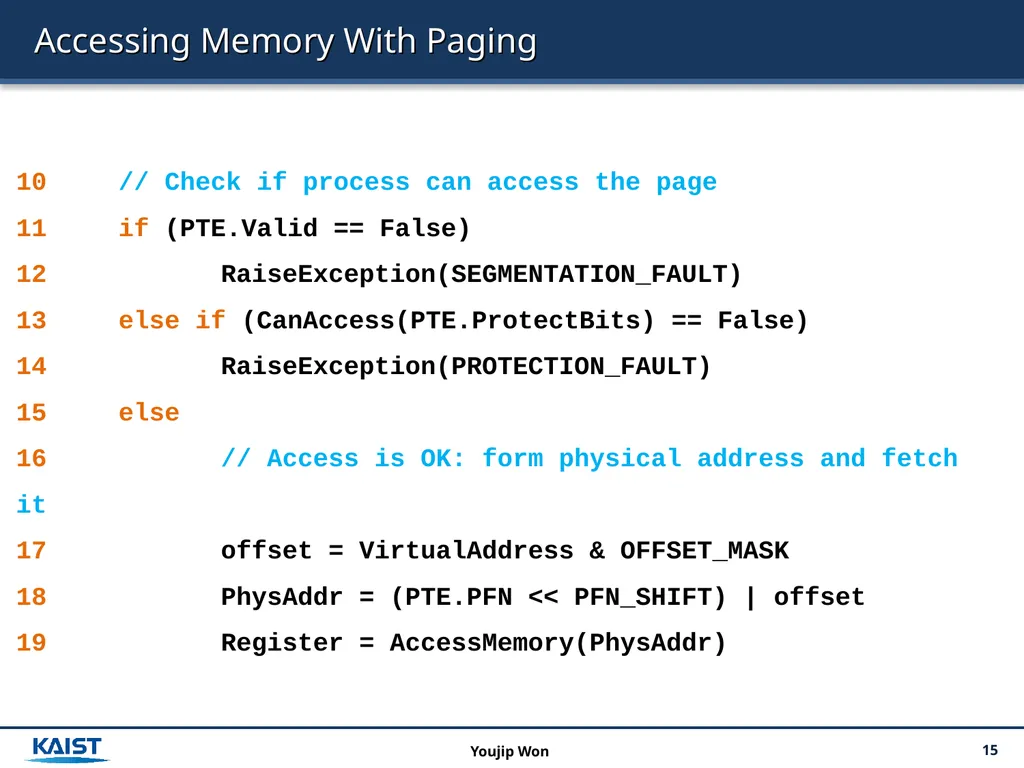
Accessing Memory With Paging 15 Youjip Won 10 // Check if process can access the page
11 if (PTE.Valid == False)
12 RaiseException(SEGMENTATION_FAULT)
13 else if (CanAccess(PTE.ProtectBits) == False)
14 RaiseException(PROTECTION_FAULT)
15 else
16 // Access is OK: form physical address and fetch it
17 offset = VirtualAddress & OFFSET_MASK
18 PhysAddr = (PTE.PFN << PFN_SHIFT) | offset
19 Register = AccessMemory(PhysAddr)<br>
16
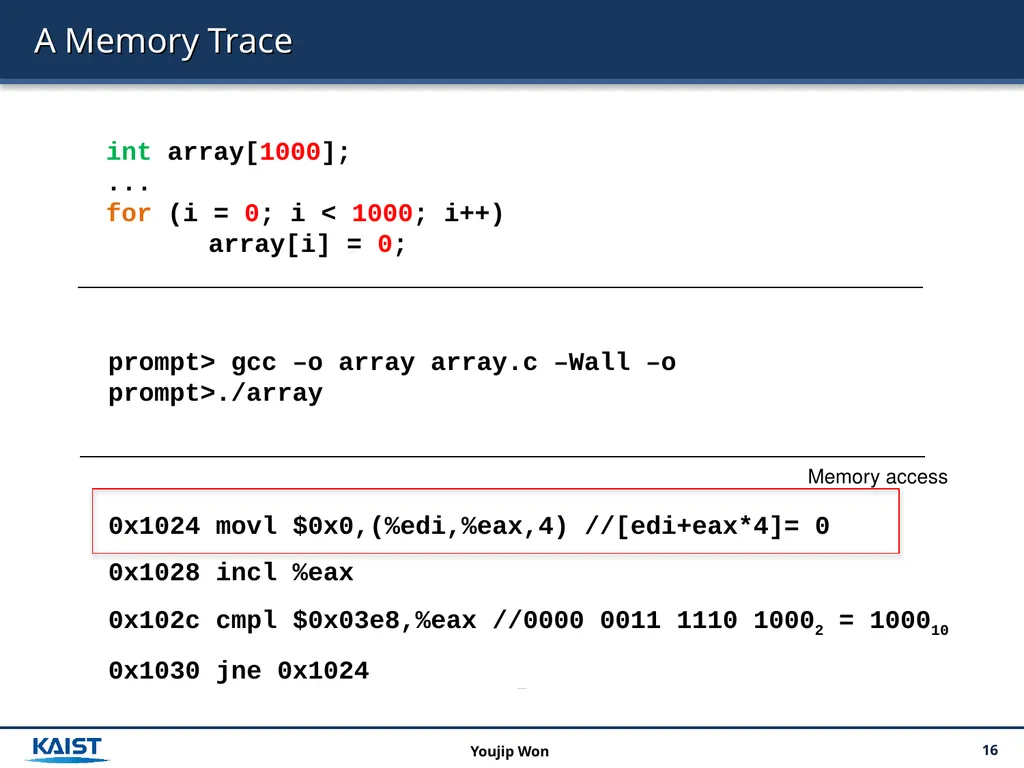
A Memory Trace 16 Youjip Won int array[1000];
...
for (i = 0; i < 1000; i++)
array[i] = 0; prompt> gcc –o array array.c –Wall –o
prompt>./array 0x1024 movl $0x0,(%edi,%eax,4) //[edi+eax*4]= 0
0x1028 incl %eax
0x102c cmpl $0x03e8,%eax //0000 0011 1110 10002 = 100010
0x1030 jne 0x1024 Memory access<br>
17
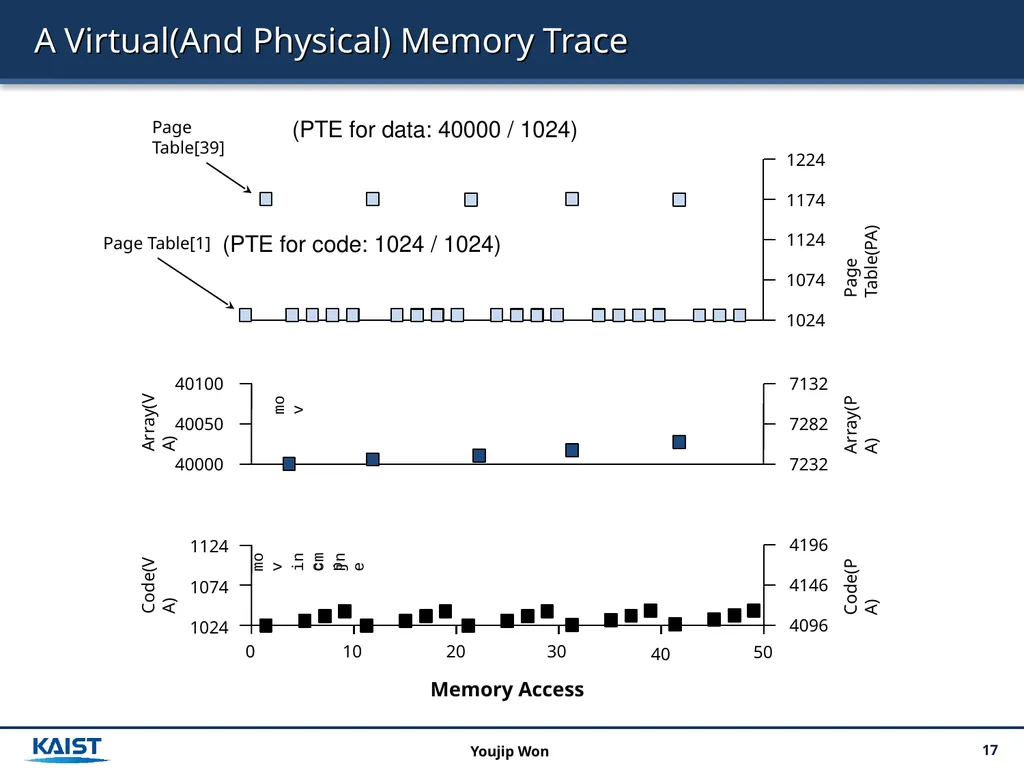
A Virtual(And Physical) Memory Trace 17 Youjip Won mov inc cmp jne Memory Access (PTE for data: 40000 / 1024) (PTE for code: 1024 / 1024)<br>