
Primary and Secondary Interactions for Head up

Primary and Secondary Interactions for Head up
1 / 1
Primary and Secondary Interactions for Head up - slide 1 of 5 Primary and Secondary Interactions for Head up - slide 2 of 5 Primary and Secondary Interactions for Head up - slide 3 of 5 Primary and Secondary Interactions for Head up - slide 4 of 5 Primary and Secondary Interactions for Head up - slide 5 of 5
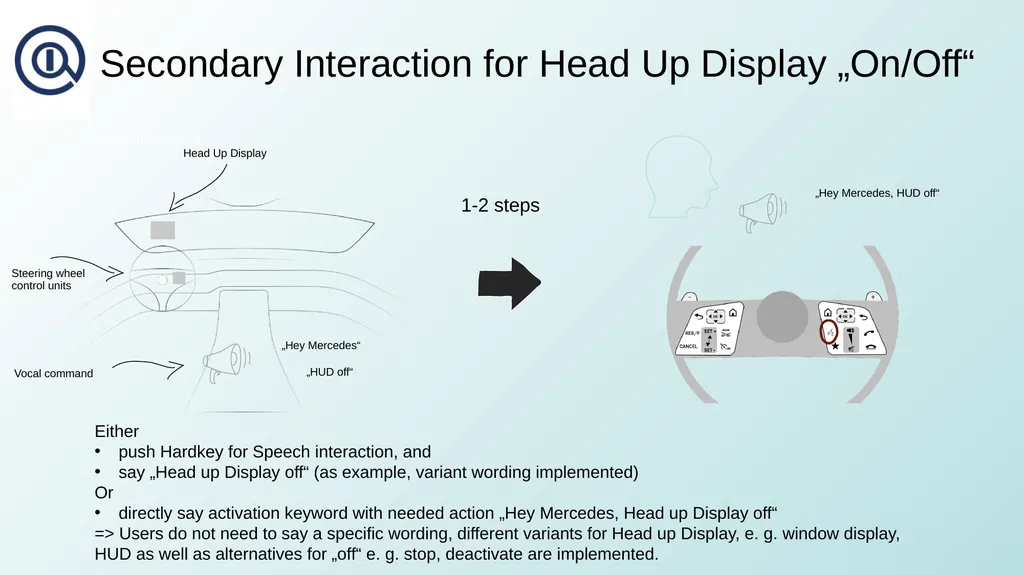
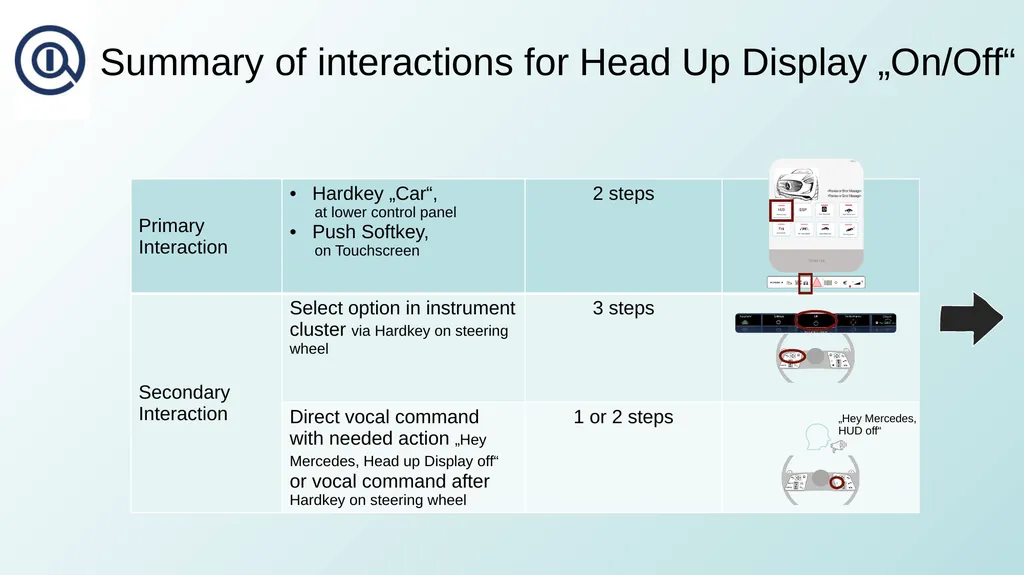
Primary and Secondary Interactions for Head up Display onoff GRSG-FVA-06-03 Field of View Assistant (FVA) Primary Interaction for Head Up Display OnOff Head Up Display Central Display (touchscreen) lower control panel push Hardkey Car

Related Topics

Download this presentation From Below

"Primary and Secondary Interactions for Head up" is the property of its rightful owner. Permission is granted to download and print the materials on this website for personal, non-commercial use only, and to display it on your personal computer provided you do not modify the materials and that you retain all copyright notices contained in the materials. By downloading content from our website, you accept the terms of this agreement.

Presentation Transcript

01
Primary and Secondary Interactions for Head up Display on/off GRSG-FVA-06-03 Field of View Assistant (FVA)<br>
02
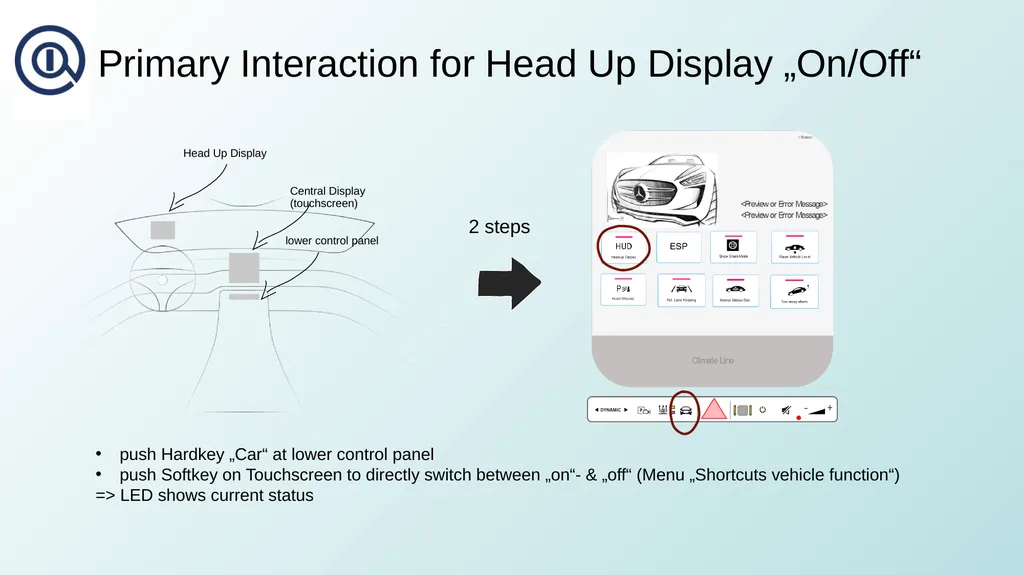
Primary Interaction for Head Up Display „On/Off“ Head Up Display Central Display (touchscreen) lower control panel push Hardkey „Car“ at lower control panel
push Softkey on Touchscreen to directly switch between „on“- & „off“ (Menu „Shortcuts vehicle function“)
=> LED shows current status 2 steps<br>
03
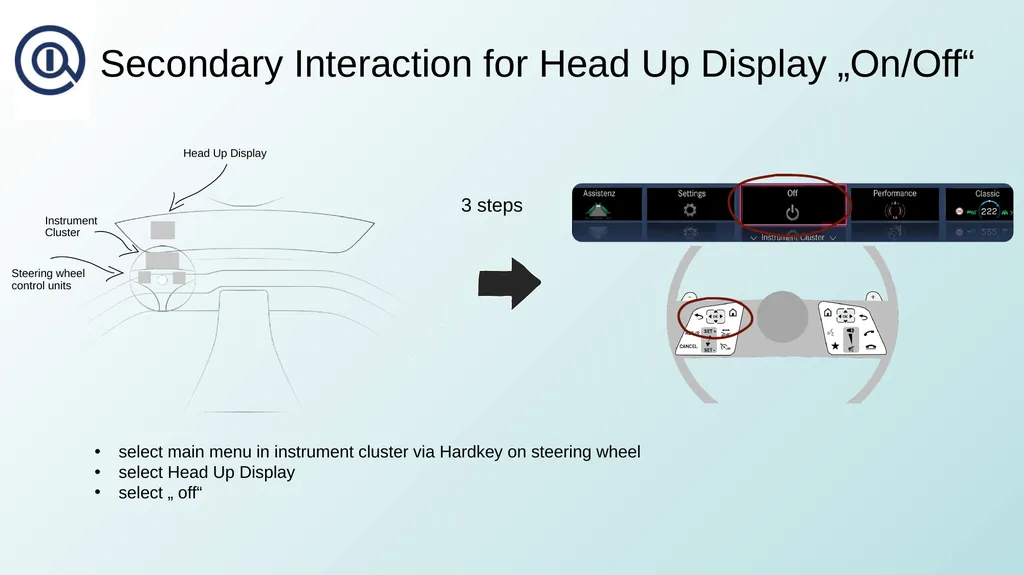
Secondary Interaction for Head Up Display „On/Off“ Head Up Display Instrument Cluster select main menu in instrument cluster via Hardkey on steering wheel
select Head Up Display
select „ off“ Steering wheel control units 3 steps<br>