
Programming Abstractions Cynthia Lee CS106B Topics
DP
Published · 37 slides · 0 views
1 / 1

Description
Programming Abstractions Cynthia Lee CS106B Topics du Jour: Make your own classes! (cont.) Last time we did a BankAccount class (pretty basic) This time we will do something more like the classes you have used from the Stanford libraries
Related Topics
Share
Embed code
Download this presentation From Below
"Programming Abstractions Cynthia Lee CS106B Topics" is the property of its rightful owner. Permission is granted to download and print the materials on this website for personal, non-commercial use only, and to display it on your personal computer provided you do not modify the materials and that you retain all copyright notices contained in the materials. By downloading content from our website, you accept the terms of this agreement.
Presentation Transcript
01
Programming Abstractions Cynthia Lee CS106B<br>
02
Topics du Jour: Make your own classes! (cont.)
Last time we did a BankAccount class (pretty basic)
This time we will do something more like the classes you have used from the Stanford libraries
Arrays in C++
In order to implement our version of a Vector (we’re calling it ArrayList), we will need an array 2<br>
Last time we did a BankAccount class (pretty basic)
This time we will do something more like the classes you have used from the Stanford libraries
Arrays in C++
In order to implement our version of a Vector (we’re calling it ArrayList), we will need an array 2<br>
03
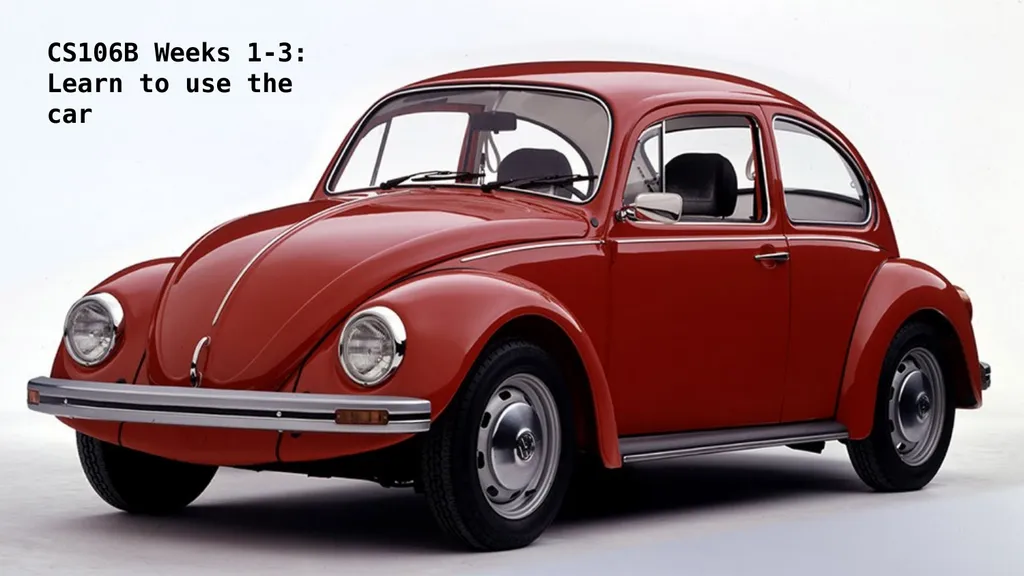
CS106B Weeks 1-3:
Learn to use the car<br>
Learn to use the car<br>
04
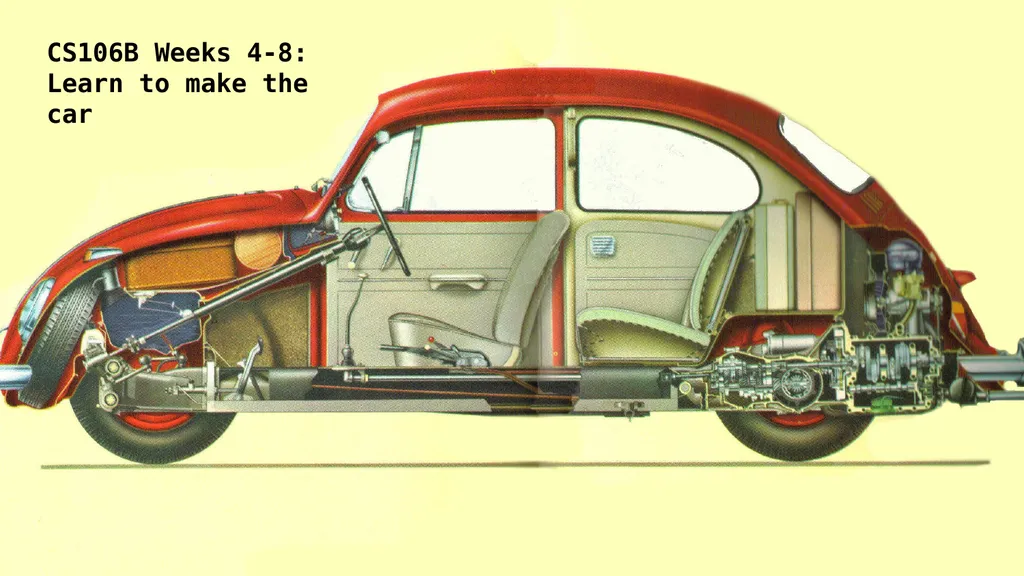
CS106B Weeks 4-8:
Learn to make the car<br>
Learn to make the car<br>
05
Relevant: Trailer to “The Love Bug (Herbie)” (1968) https://www.youtube.com/watch?v=ay3GgrYEa1M<br>
06
Arrays in C++ (we will need one for our ArrayList class)<br>
07
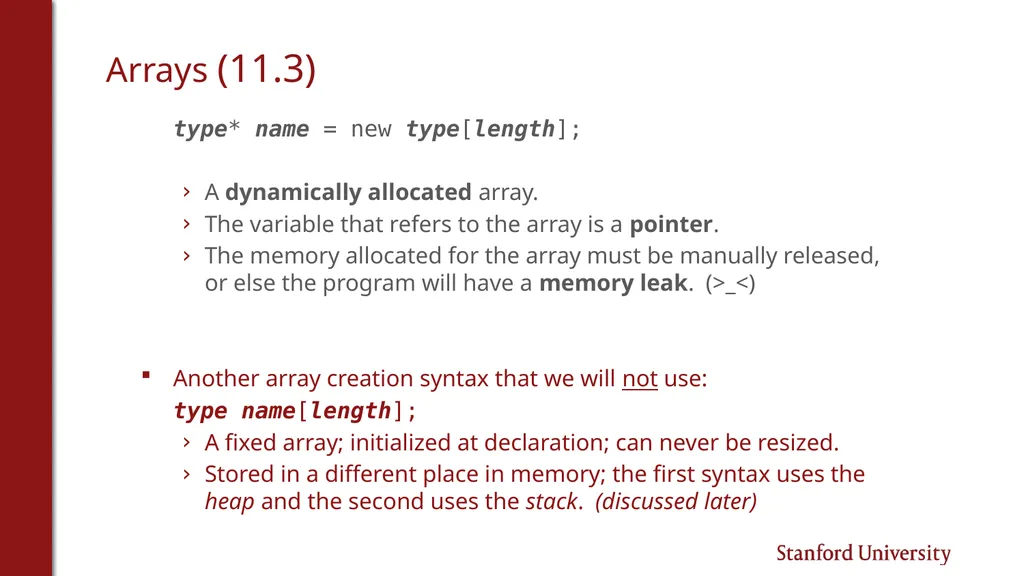
Arrays (11.3) type* name = new type[length];
A dynamically allocated array.
The variable that refers to the array is a pointer.
The memory allocated for the array must be manually released, or else the program will have a memory leak. (>_<)
Another array creation syntax that we will not use:
type name[length];
A fixed array; initialized at declaration; can never be resized.
Stored in a different place in memory; the first syntax uses the heap and the second uses the stack. (discussed later)<br>
A dynamically allocated array.
The variable that refers to the array is a pointer.
The memory allocated for the array must be manually released, or else the program will have a memory leak. (>_<)
Another array creation syntax that we will not use:
type name[length];
A fixed array; initialized at declaration; can never be resized.
Stored in a different place in memory; the first syntax uses the heap and the second uses the stack. (discussed later)<br>
08
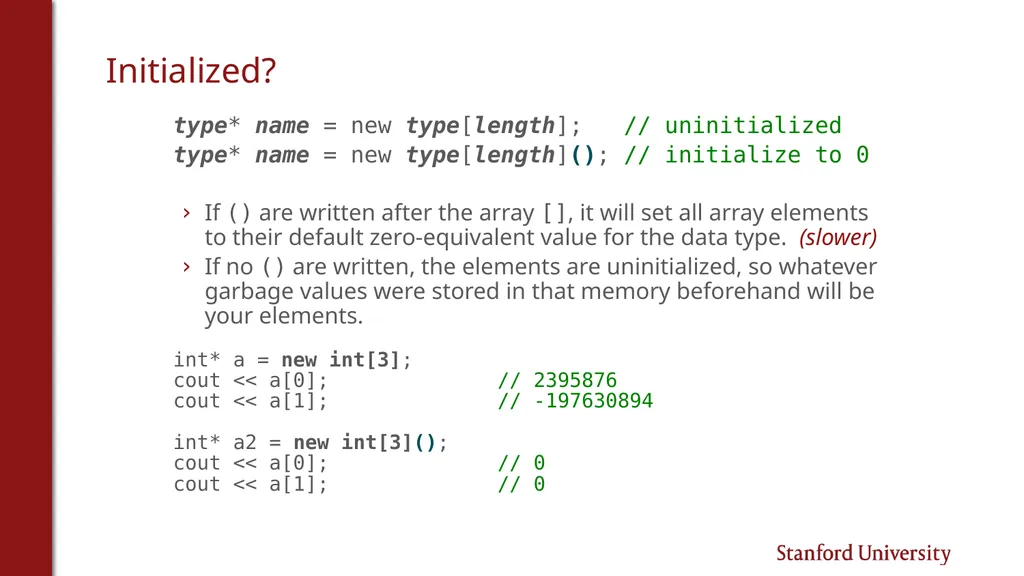
Initialized? type* name = new type[length]; // uninitialized
type* name = new type[length](); // initialize to 0
If () are written after the array [], it will set all array elements to their default zero-equivalent value for the data type. (slower)
If no () are written, the elements are uninitialized, so whatever garbage values were stored in that memory beforehand will be your elements.
int* a = new int[3];
cout << a[0]; // 2395876
cout << a[1]; // -197630894
int* a2 = new int[3]();
cout << a[0]; // 0
cout << a[1]; // 0<br>
type* name = new type[length](); // initialize to 0
If () are written after the array [], it will set all array elements to their default zero-equivalent value for the data type. (slower)
If no () are written, the elements are uninitialized, so whatever garbage values were stored in that memory beforehand will be your elements.
int* a = new int[3];
cout << a[0]; // 2395876
cout << a[1]; // -197630894
int* a2 = new int[3]();
cout << a[0]; // 0
cout << a[1]; // 0<br>
09
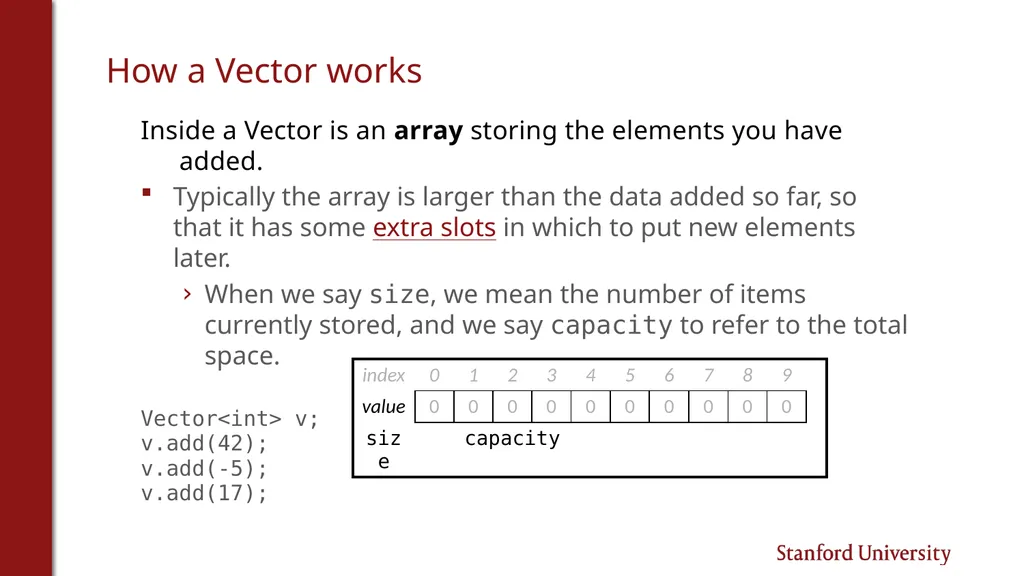
How a Vector works Inside a Vector is an array storing the elements you have added.
Typically the array is larger than the data added so far, so that it has some extra slots in which to put new elements later.
When we say size, we mean the number of items currently stored, and we say capacity to refer to the total space.
Vector<int> v;
v.add(42);
v.add(-5);
v.add(17);<br>
Typically the array is larger than the data added so far, so that it has some extra slots in which to put new elements later.
When we say size, we mean the number of items currently stored, and we say capacity to refer to the total space.
Vector<int> v;
v.add(42);
v.add(-5);
v.add(17);<br>
10
Implementing our ArrayList Making our own container class!<br>
11
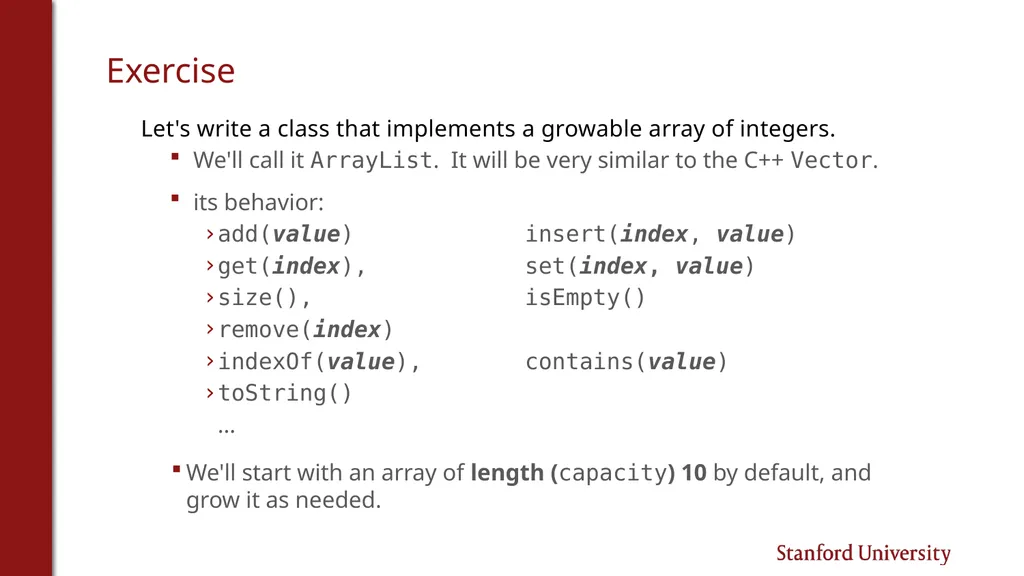
Exercise Let's write a class that implements a growable array of integers.
We'll call it ArrayList. It will be very similar to the C++ Vector.
its behavior:
add(value) insert(index, value)
get(index), set(index, value)
size(), isEmpty()
remove(index)
indexOf(value), contains(value)
toString()
...
We'll start with an array of length (capacity) 10 by default, and grow it as needed.<br>
We'll call it ArrayList. It will be very similar to the C++ Vector.
its behavior:
add(value) insert(index, value)
get(index), set(index, value)
size(), isEmpty()
remove(index)
indexOf(value), contains(value)
toString()
...
We'll start with an array of length (capacity) 10 by default, and grow it as needed.<br>
12
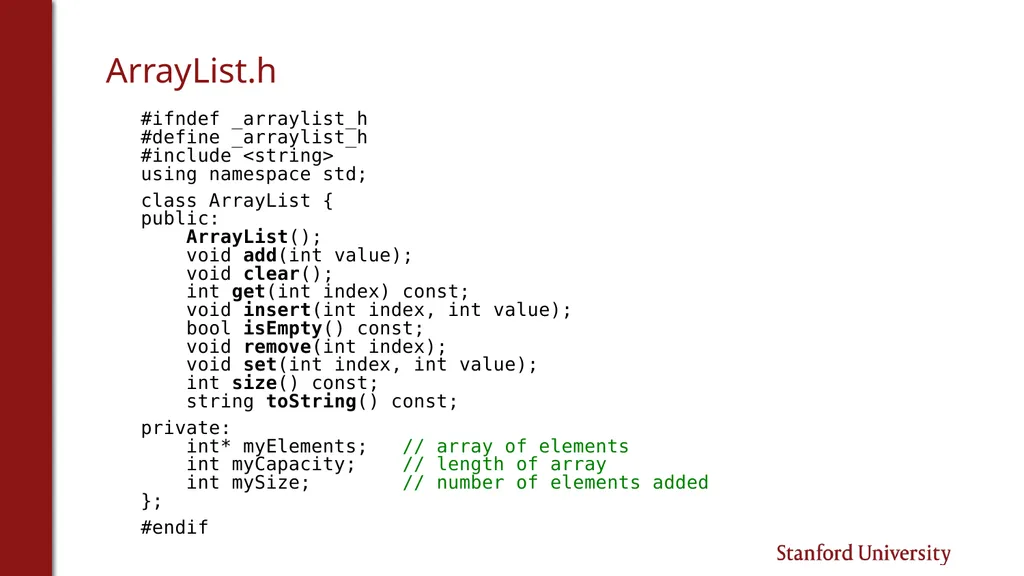
ArrayList.h #ifndef _arraylist_h
#define _arraylist_h
#include <string>
using namespace std;
class ArrayList {
public:
ArrayList();
void add(int value);
void clear();
int get(int index) const;
void insert(int index, int value);
bool isEmpty() const;
void remove(int index);
void set(int index, int value);
int size() const;
string toString() const;
private:
int* myElements; // array of elements
int myCapacity; // length of array
int mySize; // number of elements added
};
#endif<br>
#define _arraylist_h
#include <string>
using namespace std;
class ArrayList {
public:
ArrayList();
void add(int value);
void clear();
int get(int index) const;
void insert(int index, int value);
bool isEmpty() const;
void remove(int index);
void set(int index, int value);
int size() const;
string toString() const;
private:
int* myElements; // array of elements
int myCapacity; // length of array
int mySize; // number of elements added
};
#endif<br>
13
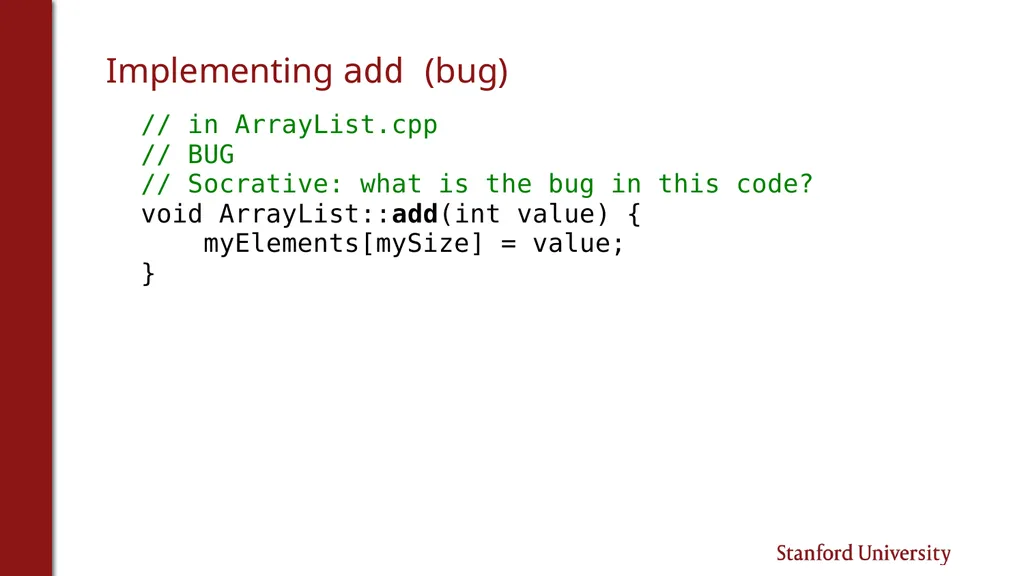
Implementing add (bug) // in ArrayList.cpp
// BUG
// Socrative: what is the bug in this code?
void ArrayList::add(int value) {
myElements[mySize] = value;
}<br>
// BUG
// Socrative: what is the bug in this code?
void ArrayList::add(int value) {
myElements[mySize] = value;
}<br>
14
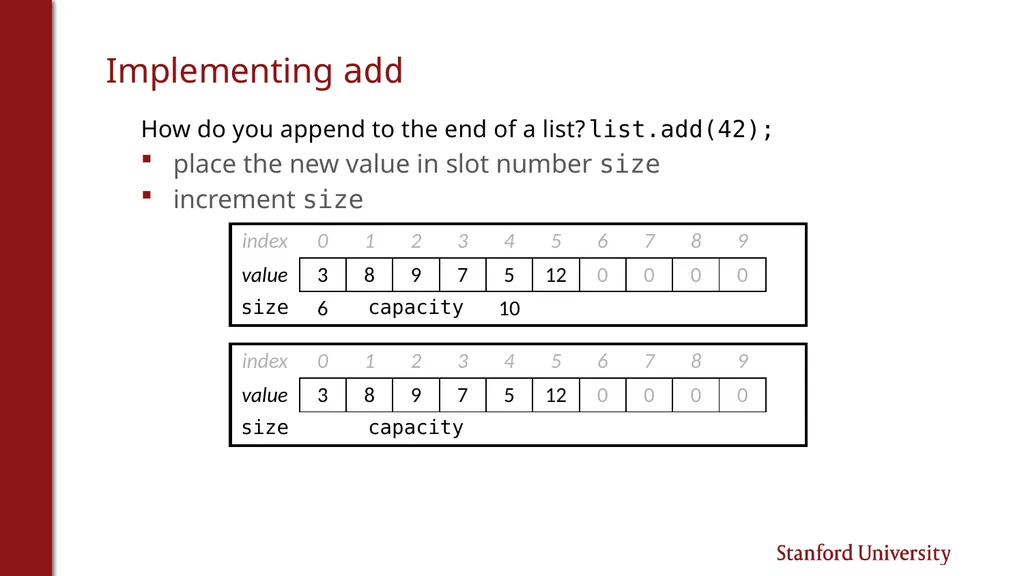
Implementing add How do you append to the end of a list? list.add(42);
place the new value in slot number size
increment size<br>
place the new value in slot number size
increment size<br>
15
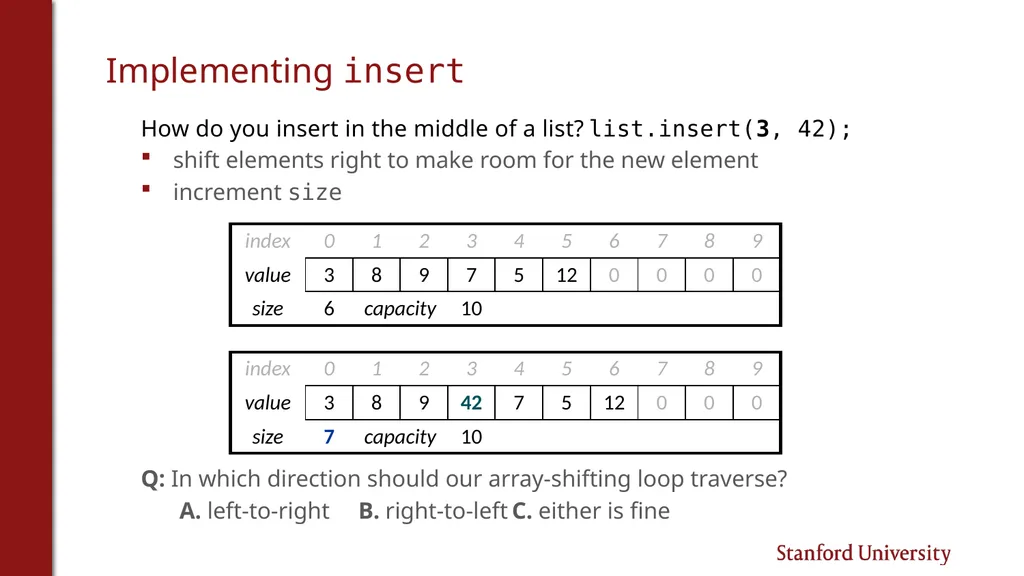
Implementing insert How do you insert in the middle of a list? list.insert(3, 42);
shift elements right to make room for the new element
increment size
Q: In which direction should our array-shifting loop traverse?
A. left-to-right B. right-to-left C. either is fine<br>
shift elements right to make room for the new element
increment size
Q: In which direction should our array-shifting loop traverse?
A. left-to-right B. right-to-left C. either is fine<br>
16
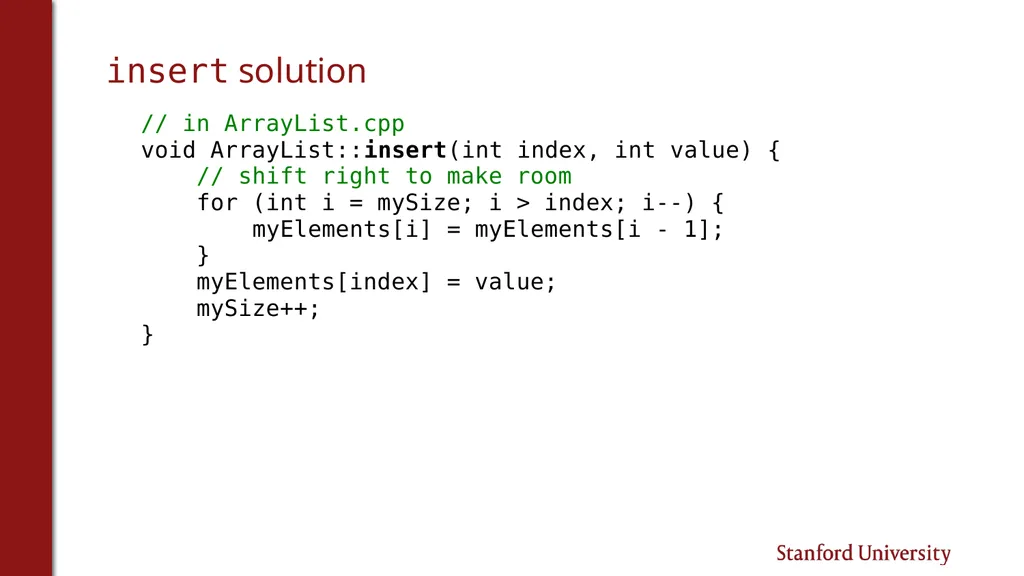
insert solution // in ArrayList.cpp
void ArrayList::insert(int index, int value) {
// shift right to make room
for (int i = mySize; i > index; i--) {
myElements[i] = myElements[i - 1];
}
myElements[index] = value;
mySize++;
}<br>
void ArrayList::insert(int index, int value) {
// shift right to make room
for (int i = mySize; i > index; i--) {
myElements[i] = myElements[i - 1];
}
myElements[index] = value;
mySize++;
}<br>
17
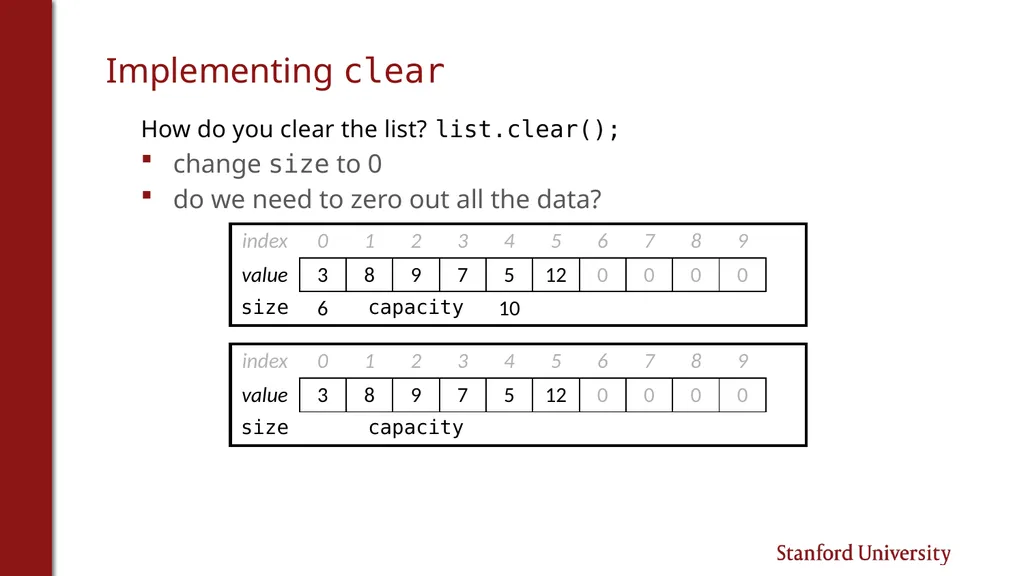
Implementing clear How do you clear the list? list.clear();
change size to 0
do we need to zero out all the data?<br>
change size to 0
do we need to zero out all the data?<br>
18
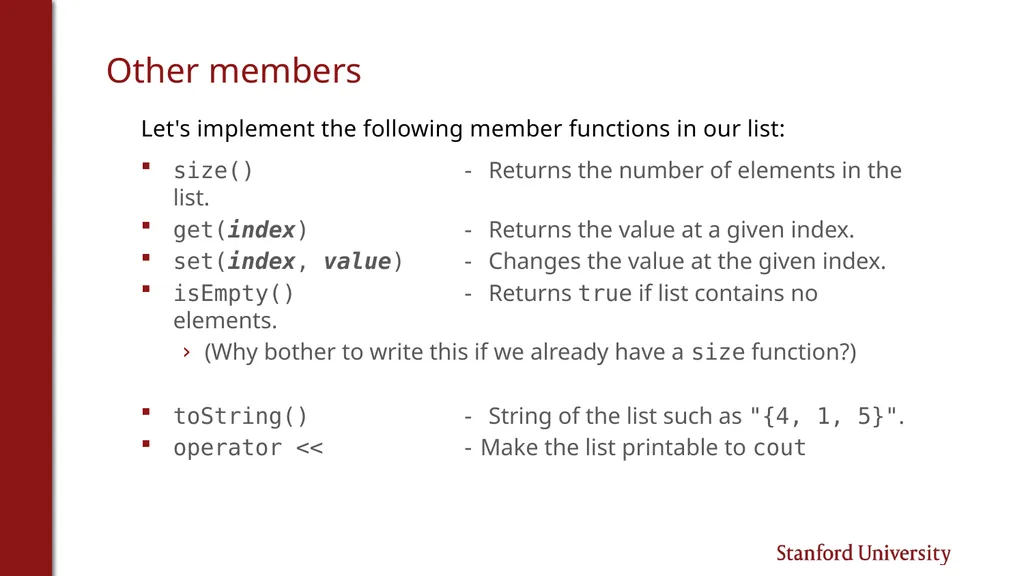
Other members Let's implement the following member functions in our list:
size() - Returns the number of elements in the list.
get(index) - Returns the value at a given index.
set(index, value) - Changes the value at the given index.
isEmpty() - Returns true if list contains no elements.
(Why bother to write this if we already have a size function?)
toString() - String of the list such as "{4, 1, 5}".
operator << - Make the list printable to cout<br>
size() - Returns the number of elements in the list.
get(index) - Returns the value at a given index.
set(index, value) - Changes the value at the given index.
isEmpty() - Returns true if list contains no elements.
(Why bother to write this if we already have a size function?)
toString() - String of the list such as "{4, 1, 5}".
operator << - Make the list printable to cout<br>
19
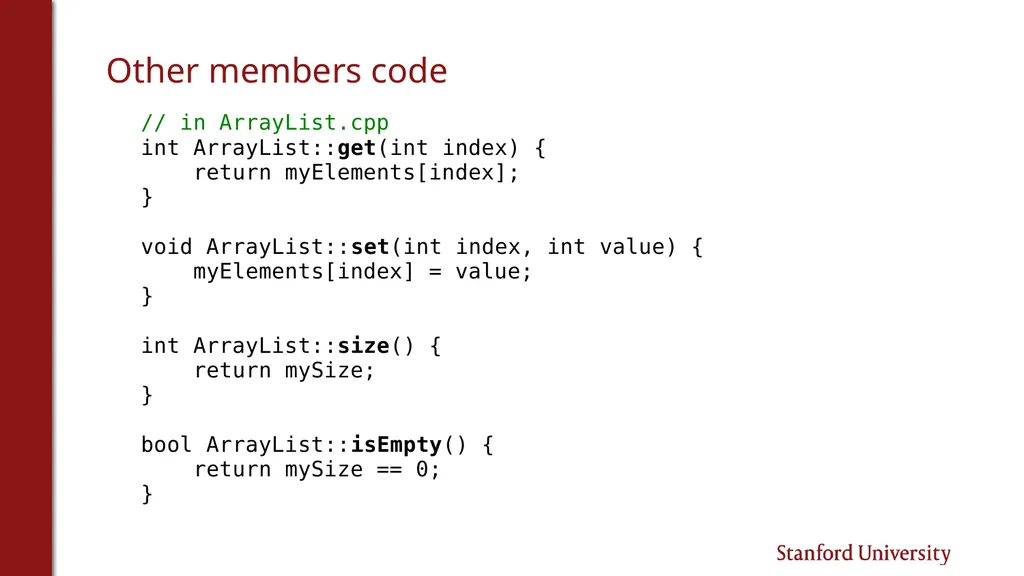
Other members code // in ArrayList.cpp
int ArrayList::get(int index) {
return myElements[index];
}
void ArrayList::set(int index, int value) {
myElements[index] = value;
}
int ArrayList::size() {
return mySize;
}
bool ArrayList::isEmpty() {
return mySize == 0;
}<br>
int ArrayList::get(int index) {
return myElements[index];
}
void ArrayList::set(int index, int value) {
myElements[index] = value;
}
int ArrayList::size() {
return mySize;
}
bool ArrayList::isEmpty() {
return mySize == 0;
}<br>
20
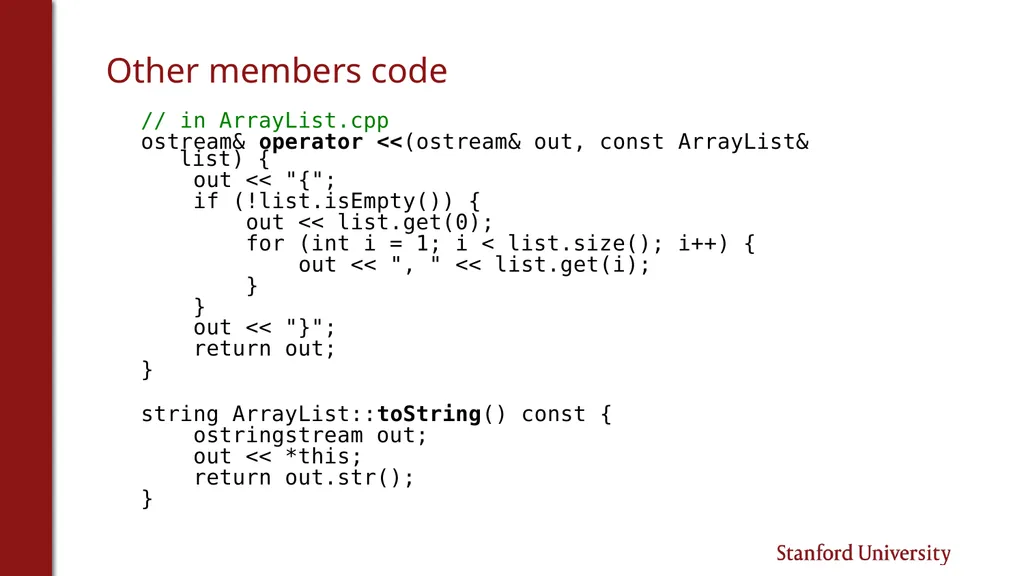
Other members code // in ArrayList.cpp
ostream& operator <<(ostream& out, const ArrayList& list) {
out << "{";
if (!list.isEmpty()) {
out << list.get(0);
for (int i = 1; i < list.size(); i++) {
out << ", " << list.get(i);
}
}
out << "}";
return out;
}
string ArrayList::toString() const {
ostringstream out;
out << *this;
return out.str();
}<br>
ostream& operator <<(ostream& out, const ArrayList& list) {
out << "{";
if (!list.isEmpty()) {
out << list.get(0);
for (int i = 1; i < list.size(); i++) {
out << ", " << list.get(i);
}
}
out << "}";
return out;
}
string ArrayList::toString() const {
ostringstream out;
out << *this;
return out.str();
}<br>
21
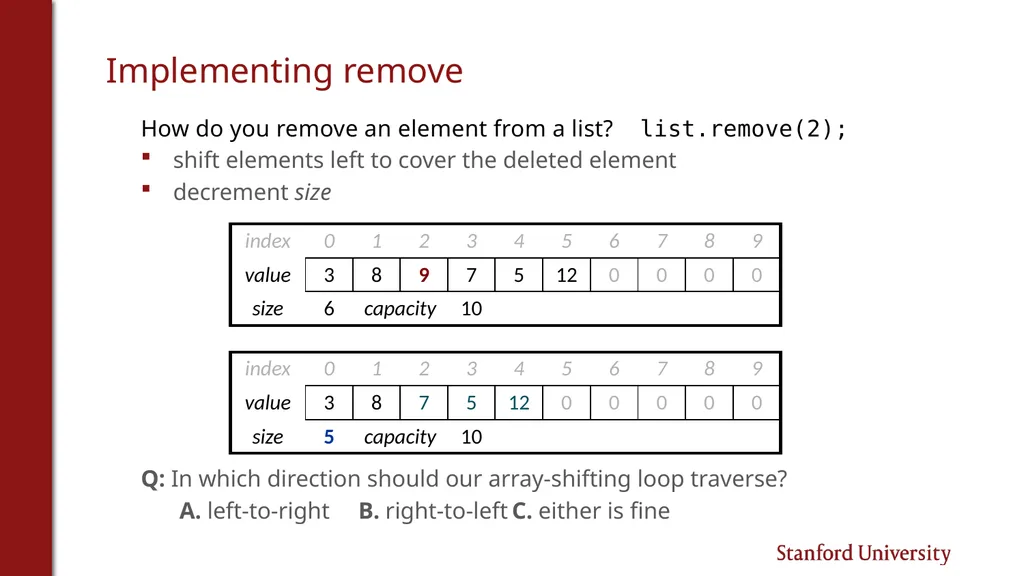
Implementing remove How do you remove an element from a list? list.remove(2);
shift elements left to cover the deleted element
decrement size
Q: In which direction should our array-shifting loop traverse?
A. left-to-right B. right-to-left C. either is fine<br>
shift elements left to cover the deleted element
decrement size
Q: In which direction should our array-shifting loop traverse?
A. left-to-right B. right-to-left C. either is fine<br>
22
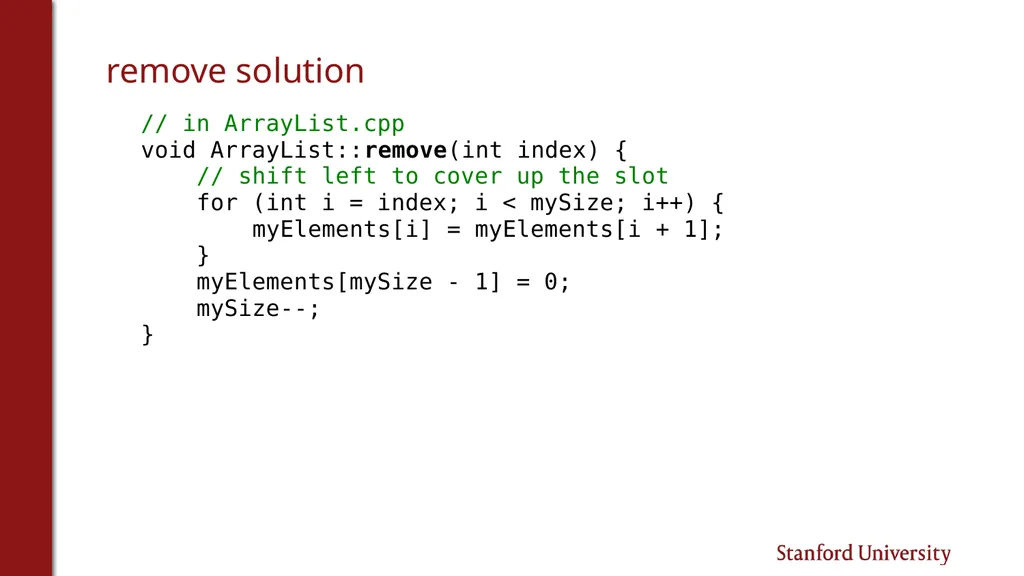
remove solution // in ArrayList.cpp
void ArrayList::remove(int index) {
// shift left to cover up the slot
for (int i = index; i < mySize; i++) {
myElements[i] = myElements[i + 1];
}
myElements[mySize - 1] = 0;
mySize--;
}<br>
void ArrayList::remove(int index) {
// shift left to cover up the slot
for (int i = index; i < mySize; i++) {
myElements[i] = myElements[i + 1];
}
myElements[mySize - 1] = 0;
mySize--;
}<br>
23
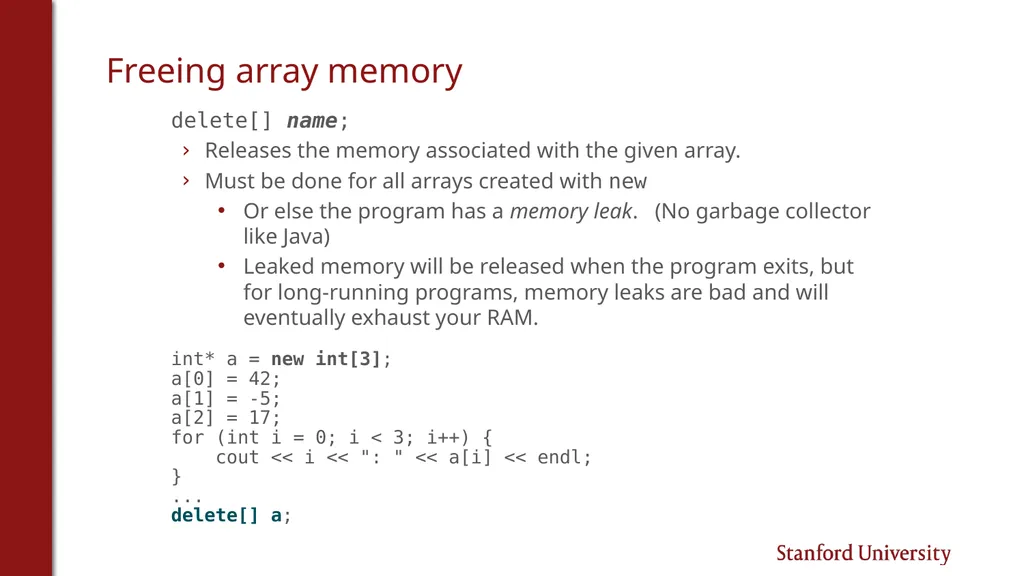
Freeing array memory delete[] name;
Releases the memory associated with the given array.
Must be done for all arrays created with new
Or else the program has a memory leak. (No garbage collector like Java)
Leaked memory will be released when the program exits, but for long-running programs, memory leaks are bad and will eventually exhaust your RAM.
int* a = new int[3];
a[0] = 42;
a[1] = -5;
a[2] = 17;
for (int i = 0; i < 3; i++) {
cout << i << ": " << a[i] << endl;
}
...
delete[] a;<br>
Releases the memory associated with the given array.
Must be done for all arrays created with new
Or else the program has a memory leak. (No garbage collector like Java)
Leaked memory will be released when the program exits, but for long-running programs, memory leaks are bad and will eventually exhaust your RAM.
int* a = new int[3];
a[0] = 42;
a[1] = -5;
a[2] = 17;
for (int i = 0; i < 3; i++) {
cout << i << ": " << a[i] << endl;
}
...
delete[] a;<br>
24
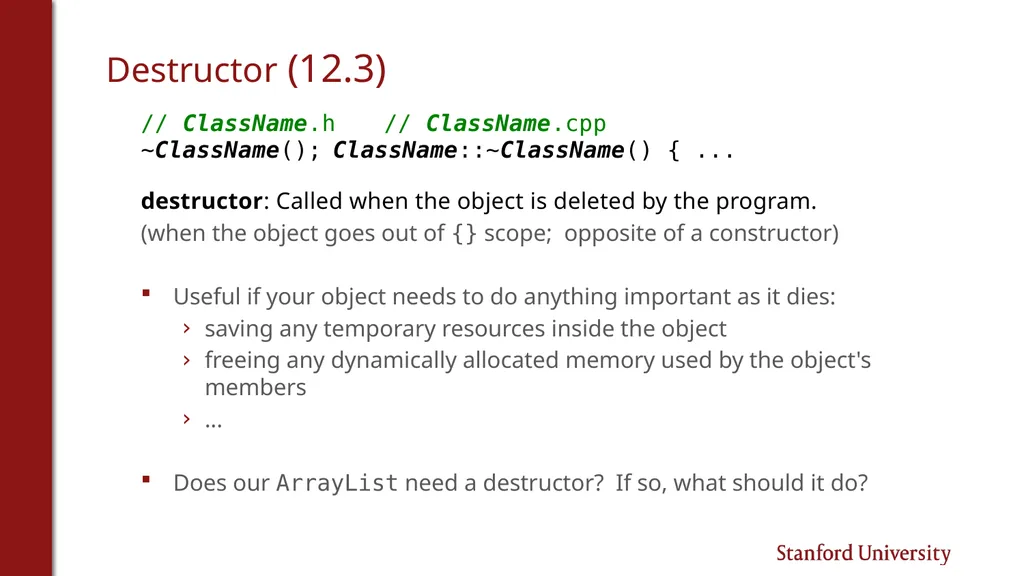
Destructor (12.3) // ClassName.h // ClassName.cpp
~ClassName(); ClassName::~ClassName() { ...
destructor: Called when the object is deleted by the program.
(when the object goes out of {} scope; opposite of a constructor)
Useful if your object needs to do anything important as it dies:
saving any temporary resources inside the object
freeing any dynamically allocated memory used by the object's members
...
Does our ArrayList need a destructor? If so, what should it do?<br>
~ClassName(); ClassName::~ClassName() { ...
destructor: Called when the object is deleted by the program.
(when the object goes out of {} scope; opposite of a constructor)
Useful if your object needs to do anything important as it dies:
saving any temporary resources inside the object
freeing any dynamically allocated memory used by the object's members
...
Does our ArrayList need a destructor? If so, what should it do?<br>
25
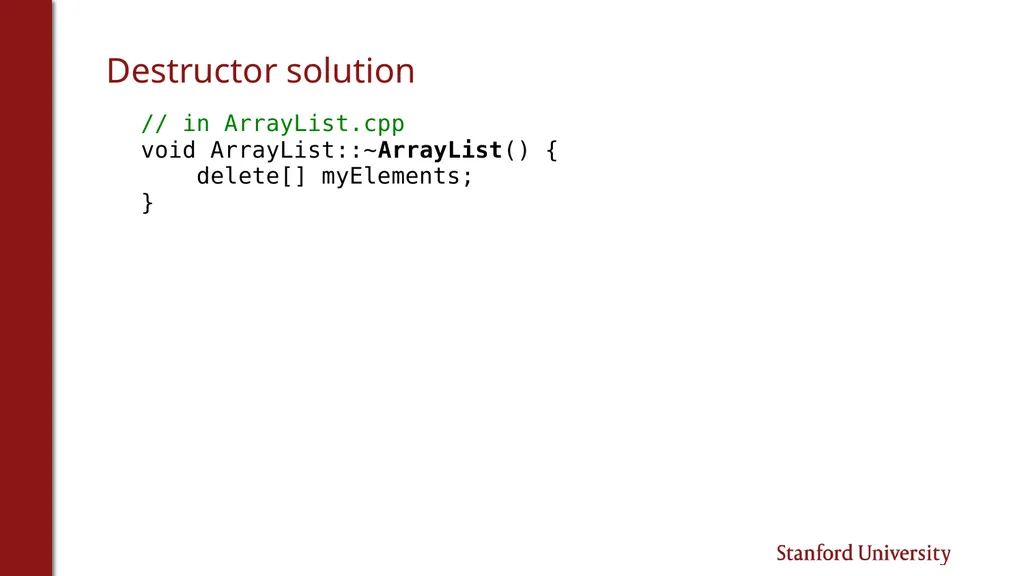
Destructor solution // in ArrayList.cpp
void ArrayList::~ArrayList() {
delete[] myElements;
}<br>
void ArrayList::~ArrayList() {
delete[] myElements;
}<br>
26
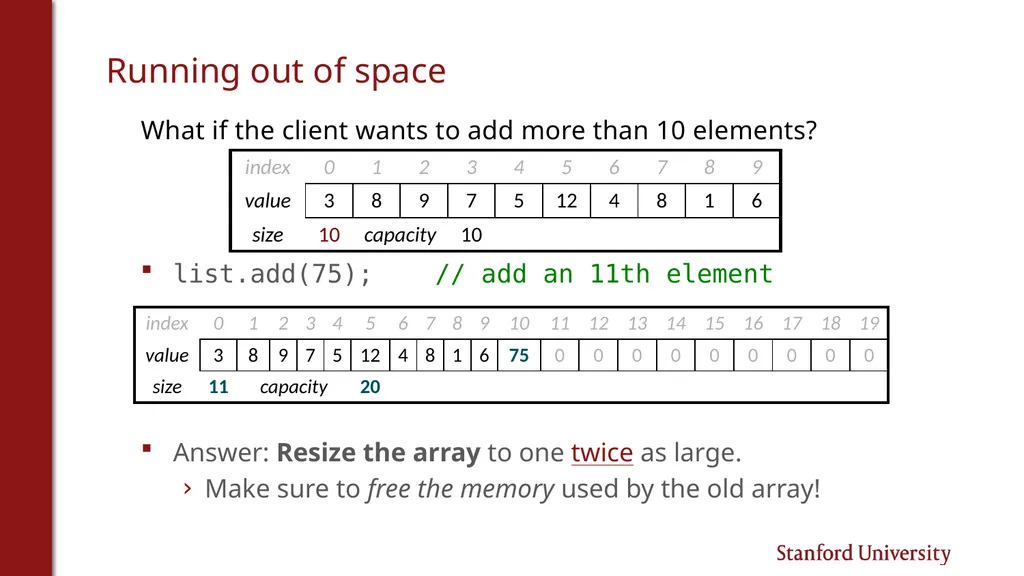
Running out of space What if the client wants to add more than 10 elements?
list.add(75); // add an 11th element
Answer: Resize the array to one twice as large.
Make sure to free the memory used by the old array!<br>
list.add(75); // add an 11th element
Answer: Resize the array to one twice as large.
Make sure to free the memory used by the old array!<br>
27
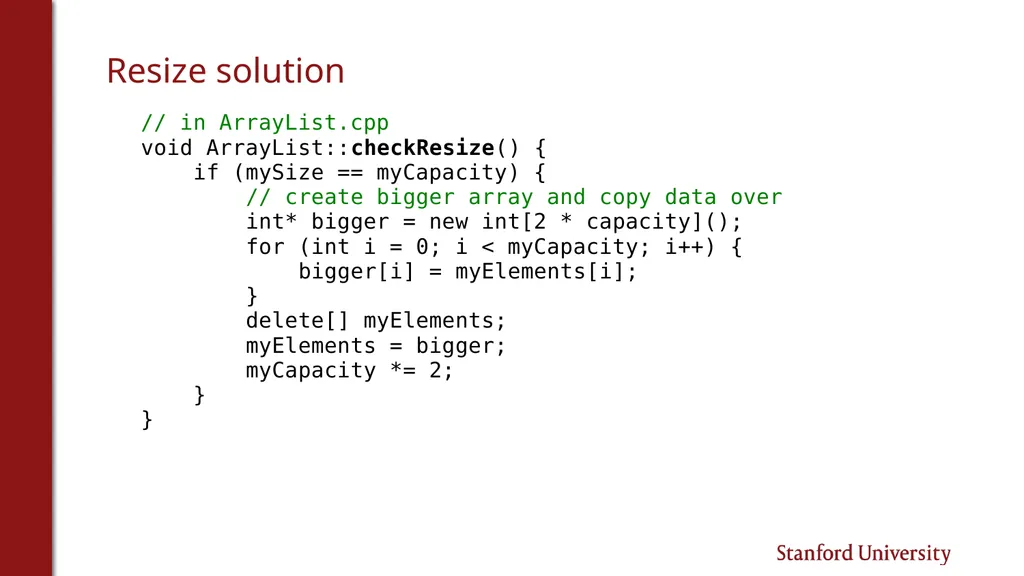
Resize solution // in ArrayList.cpp
void ArrayList::checkResize() {
if (mySize == myCapacity) {
// create bigger array and copy data over
int* bigger = new int[2 * capacity]();
for (int i = 0; i < myCapacity; i++) {
bigger[i] = myElements[i];
}
delete[] myElements;
myElements = bigger;
myCapacity *= 2;
}
}<br>
void ArrayList::checkResize() {
if (mySize == myCapacity) {
// create bigger array and copy data over
int* bigger = new int[2 * capacity]();
for (int i = 0; i < myCapacity; i++) {
bigger[i] = myElements[i];
}
delete[] myElements;
myElements = bigger;
myCapacity *= 2;
}
}<br>
28
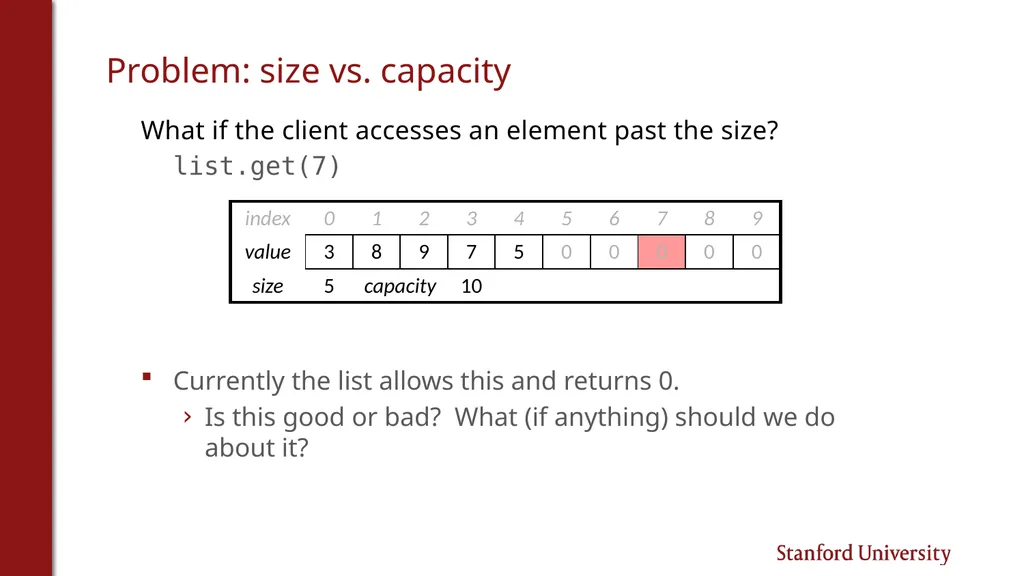
Problem: size vs. capacity What if the client accesses an element past the size?
list.get(7)
Currently the list allows this and returns 0.
Is this good or bad? What (if anything) should we do about it?<br>
list.get(7)
Currently the list allows this and returns 0.
Is this good or bad? What (if anything) should we do about it?<br>
29
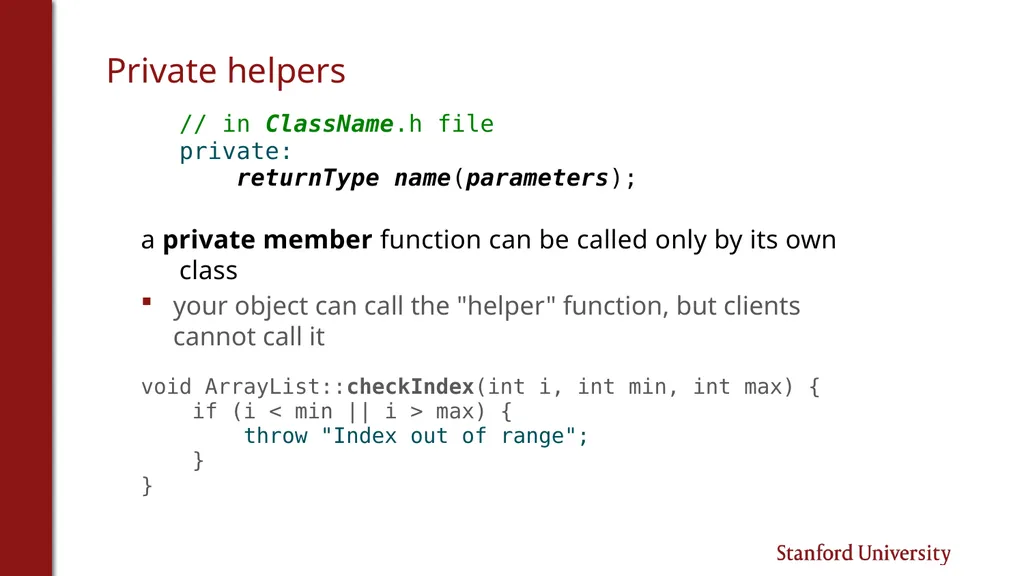
Private helpers // in ClassName.h file
private:
returnType name(parameters);
a private member function can be called only by its own class
your object can call the "helper" function, but clients cannot call it
void ArrayList::checkIndex(int i, int min, int max) {
if (i < min || i > max) {
throw "Index out of range";
}
}<br>
private:
returnType name(parameters);
a private member function can be called only by its own class
your object can call the "helper" function, but clients cannot call it
void ArrayList::checkIndex(int i, int min, int max) {
if (i < min || i > max) {
throw "Index out of range";
}
}<br>
30
Extra topic:
Template classes Something that Stanford library containers have that our ArrayList lacks.<br>
31
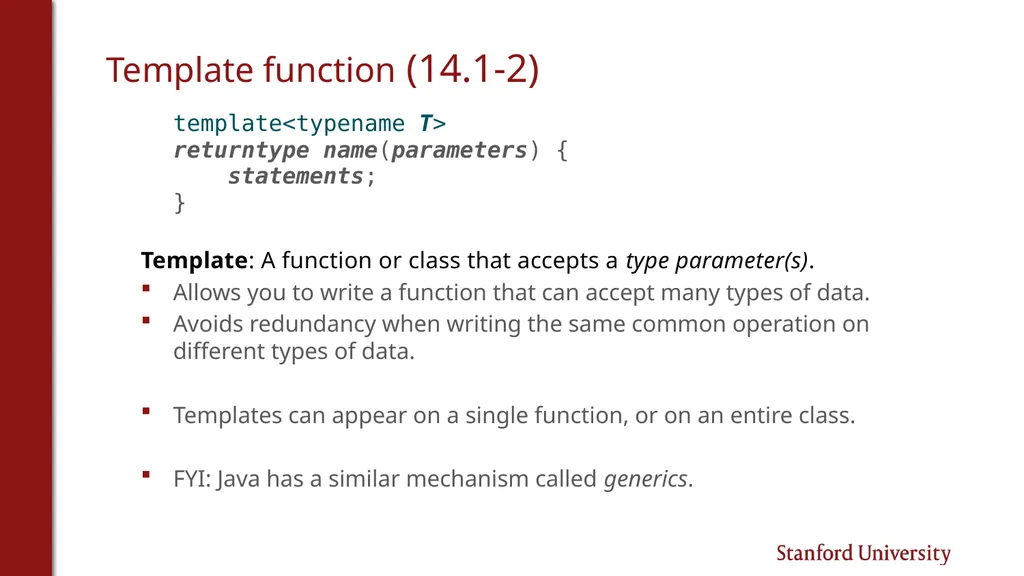
Template function (14.1-2) template<typename T>
returntype name(parameters) {
statements;
}
Template: A function or class that accepts a type parameter(s).
Allows you to write a function that can accept many types of data.
Avoids redundancy when writing the same common operation on different types of data.
Templates can appear on a single function, or on an entire class.
FYI: Java has a similar mechanism called generics.<br>
returntype name(parameters) {
statements;
}
Template: A function or class that accepts a type parameter(s).
Allows you to write a function that can accept many types of data.
Avoids redundancy when writing the same common operation on different types of data.
Templates can appear on a single function, or on an entire class.
FYI: Java has a similar mechanism called generics.<br>
32
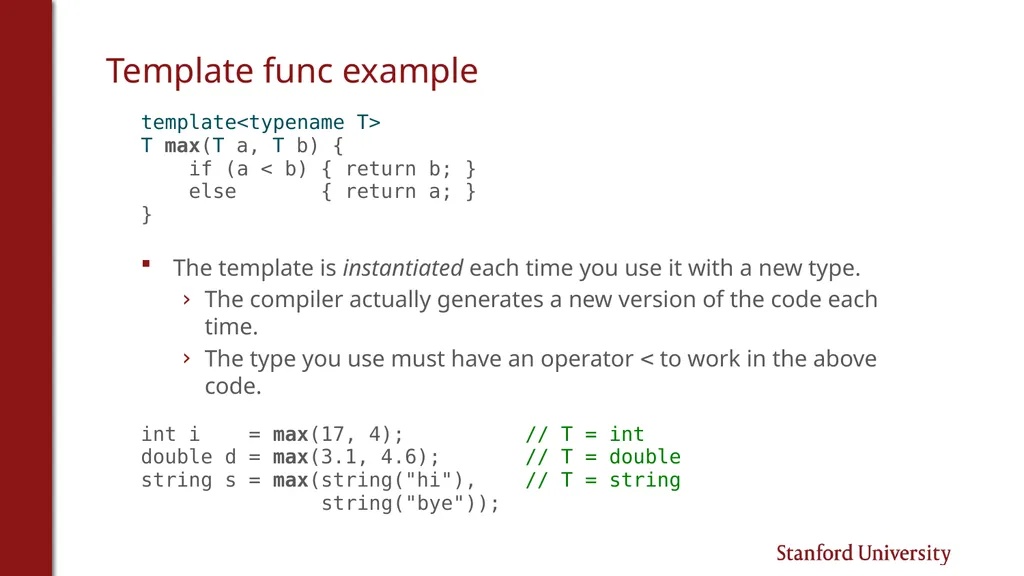
Template func example template<typename T>
T max(T a, T b) {
if (a < b) { return b; }
else { return a; }
}
The template is instantiated each time you use it with a new type.
The compiler actually generates a new version of the code each time.
The type you use must have an operator < to work in the above code.
int i = max(17, 4); // T = int
double d = max(3.1, 4.6); // T = double
string s = max(string("hi"), // T = string
string("bye"));<br>
T max(T a, T b) {
if (a < b) { return b; }
else { return a; }
}
The template is instantiated each time you use it with a new type.
The compiler actually generates a new version of the code each time.
The type you use must have an operator < to work in the above code.
int i = max(17, 4); // T = int
double d = max(3.1, 4.6); // T = double
string s = max(string("hi"), // T = string
string("bye"));<br>
33
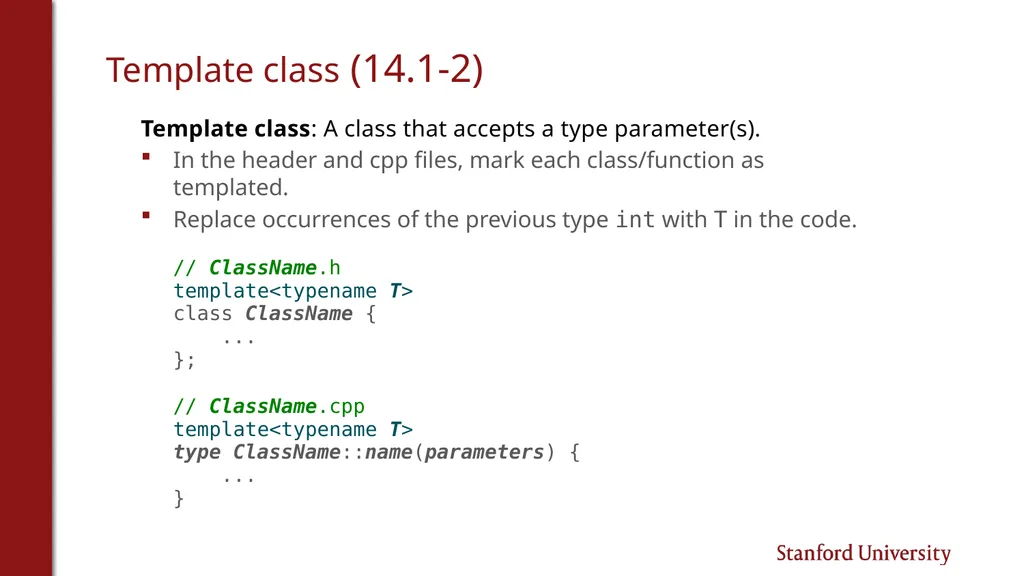
Template class (14.1-2) Template class: A class that accepts a type parameter(s).
In the header and cpp files, mark each class/function as templated.
Replace occurrences of the previous type int with T in the code.
// ClassName.h
template<typename T>
class ClassName {
...
};
// ClassName.cpp
template<typename T>
type ClassName::name(parameters) {
...
}<br>
In the header and cpp files, mark each class/function as templated.
Replace occurrences of the previous type int with T in the code.
// ClassName.h
template<typename T>
class ClassName {
...
};
// ClassName.cpp
template<typename T>
type ClassName::name(parameters) {
...
}<br>
34
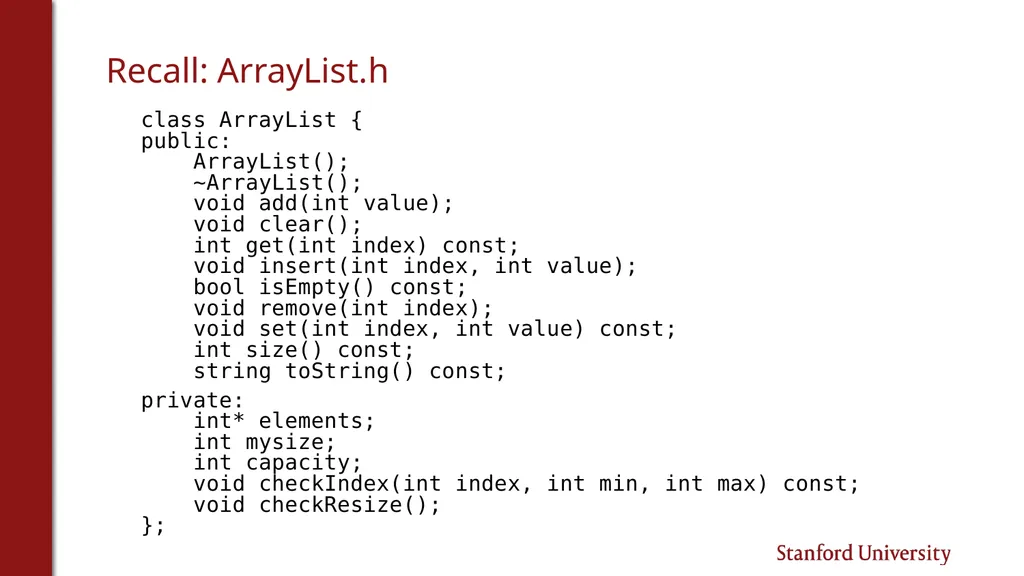
Recall: ArrayList.h class ArrayList {
public:
ArrayList();
~ArrayList();
void add(int value);
void clear();
int get(int index) const;
void insert(int index, int value);
bool isEmpty() const;
void remove(int index);
void set(int index, int value) const;
int size() const;
string toString() const;
private:
int* elements;
int mysize;
int capacity;
void checkIndex(int index, int min, int max) const;
void checkResize();
};<br>
public:
ArrayList();
~ArrayList();
void add(int value);
void clear();
int get(int index) const;
void insert(int index, int value);
bool isEmpty() const;
void remove(int index);
void set(int index, int value) const;
int size() const;
string toString() const;
private:
int* elements;
int mysize;
int capacity;
void checkIndex(int index, int min, int max) const;
void checkResize();
};<br>
35
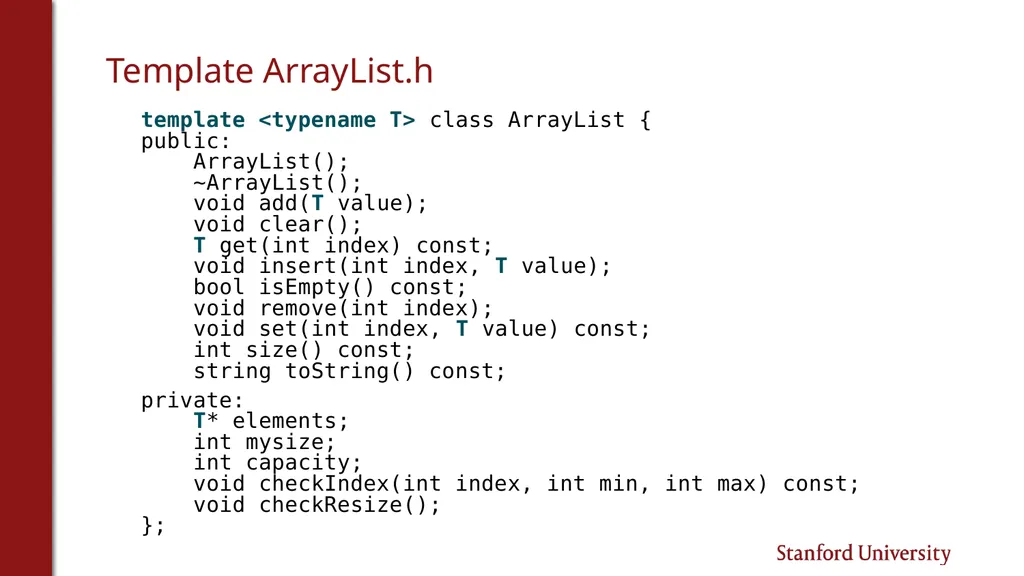
Template ArrayList.h template <typename T> class ArrayList {
public:
ArrayList();
~ArrayList();
void add(T value);
void clear();
T get(int index) const;
void insert(int index, T value);
bool isEmpty() const;
void remove(int index);
void set(int index, T value) const;
int size() const;
string toString() const;
private:
T* elements;
int mysize;
int capacity;
void checkIndex(int index, int min, int max) const;
void checkResize();
};<br>
public:
ArrayList();
~ArrayList();
void add(T value);
void clear();
T get(int index) const;
void insert(int index, T value);
bool isEmpty() const;
void remove(int index);
void set(int index, T value) const;
int size() const;
string toString() const;
private:
T* elements;
int mysize;
int capacity;
void checkIndex(int index, int min, int max) const;
void checkResize();
};<br>
36
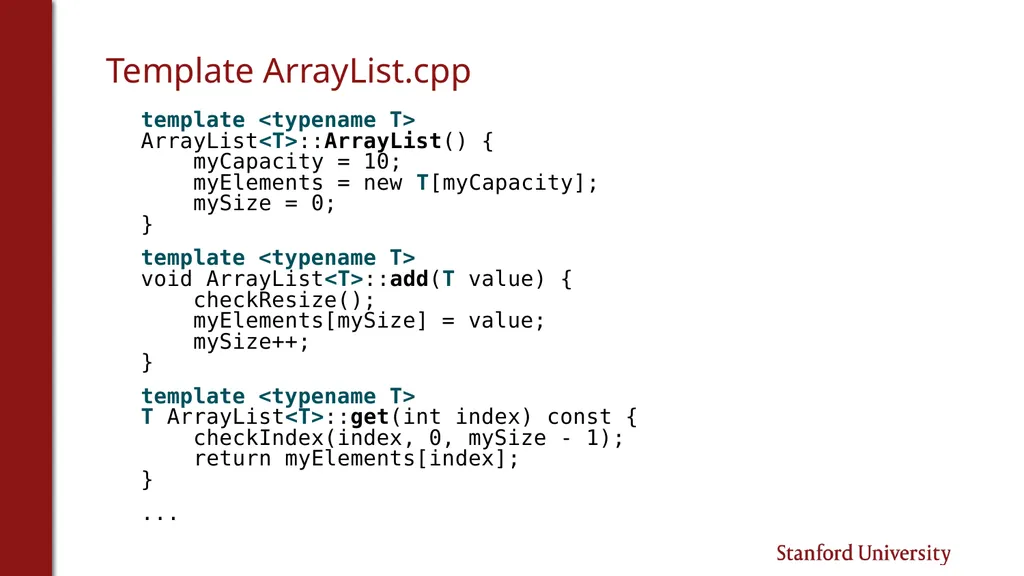
Template ArrayList.cpp template <typename T>
ArrayList<T>::ArrayList() {
myCapacity = 10;
myElements = new T[myCapacity];
mySize = 0;
}
template <typename T>
void ArrayList<T>::add(T value) {
checkResize();
myElements[mySize] = value;
mySize++;
}
template <typename T>
T ArrayList<T>::get(int index) const {
checkIndex(index, 0, mySize - 1);
return myElements[index];
}
...<br>
ArrayList<T>::ArrayList() {
myCapacity = 10;
myElements = new T[myCapacity];
mySize = 0;
}
template <typename T>
void ArrayList<T>::add(T value) {
checkResize();
myElements[mySize] = value;
mySize++;
}
template <typename T>
T ArrayList<T>::get(int index) const {
checkIndex(index, 0, mySize - 1);
return myElements[index];
}
...<br>
37
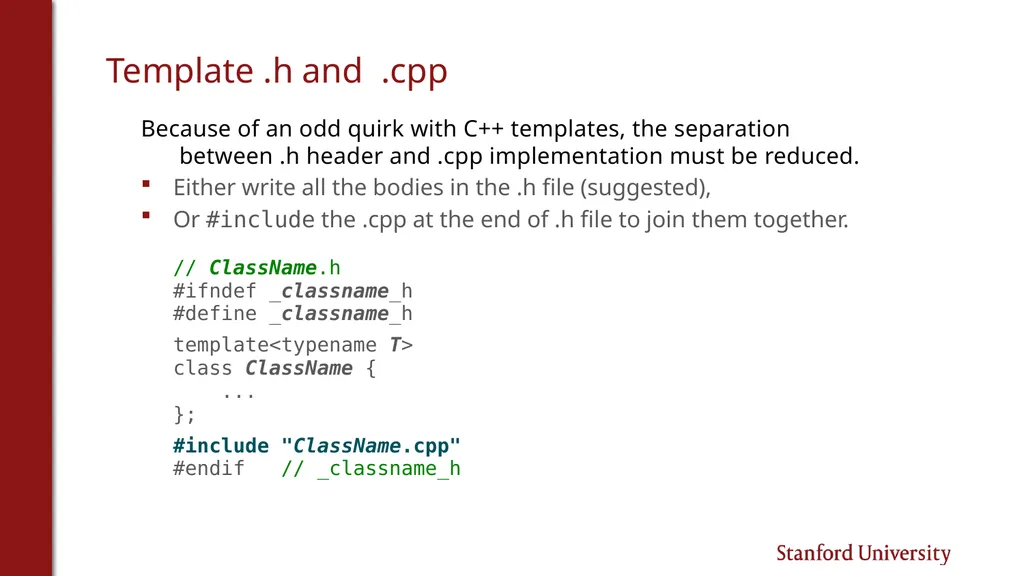
Template .h and .cpp Because of an odd quirk with C++ templates, the separation between .h header and .cpp implementation must be reduced.
Either write all the bodies in the .h file (suggested),
Or #include the .cpp at the end of .h file to join them together.
// ClassName.h
#ifndef _classname_h
#define _classname_h
template<typename T>
class ClassName {
...
};
#include "ClassName.cpp"
#endif // _classname_h<br>
Either write all the bodies in the .h file (suggested),
Or #include the .cpp at the end of .h file to join them together.
// ClassName.h
#ifndef _classname_h
#define _classname_h
template<typename T>
class ClassName {
...
};
#include "ClassName.cpp"
#endif // _classname_h<br>