
Project 4: SEO Audit Part 1 Plan your Audit

Description: Project 4: SEO Audit Part 1 Plan your Audit Marketing Objective KPI Marketing Objective Icrease the organic search on the website 40 from 10 December 2021 to 10 April 2022 KPI Percentage of organic traffic search have been increased
Related Topics
Download Presentation
"Project 4: SEO Audit Part 1 Plan your Audit" is the property of its rightful owner. Permission is granted to download and print the materials on this website for personal, non-commercial use only, and to display it on your personal computer provided you do not modify the materials and that you retain all copyright notices contained in the materials. By downloading content from our website, you accept the terms of this agreement.
Presentation Transcript
slide1. Project 4: SEO Audit<br>
slide2. Part 1
Plan your Audit<br>
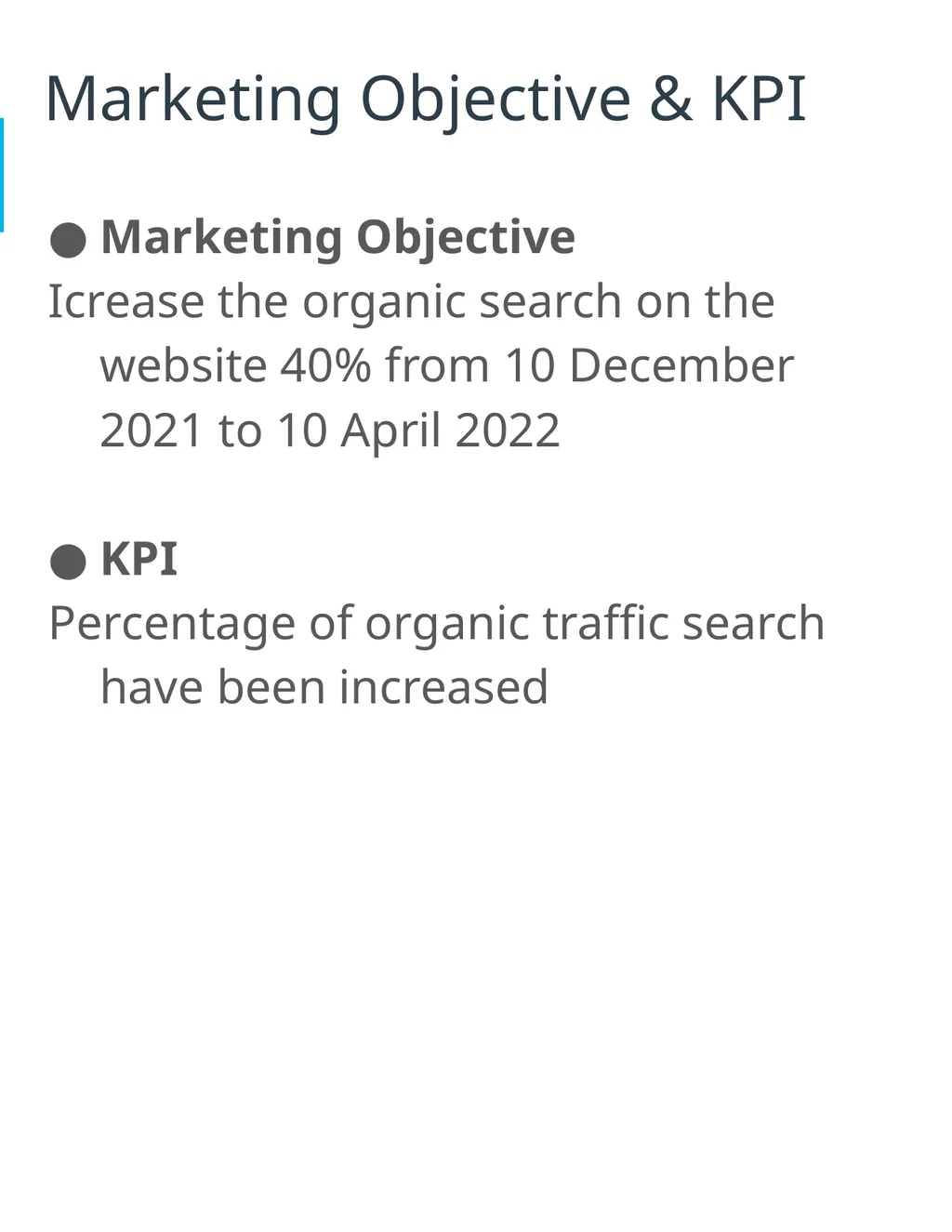
slide3. Marketing Objective & KPI Marketing Objective
Icrease the organic search on the website 40% from 10 December 2021 to 10 April 2022
KPI
Percentage of organic traffic search have been increased<br>
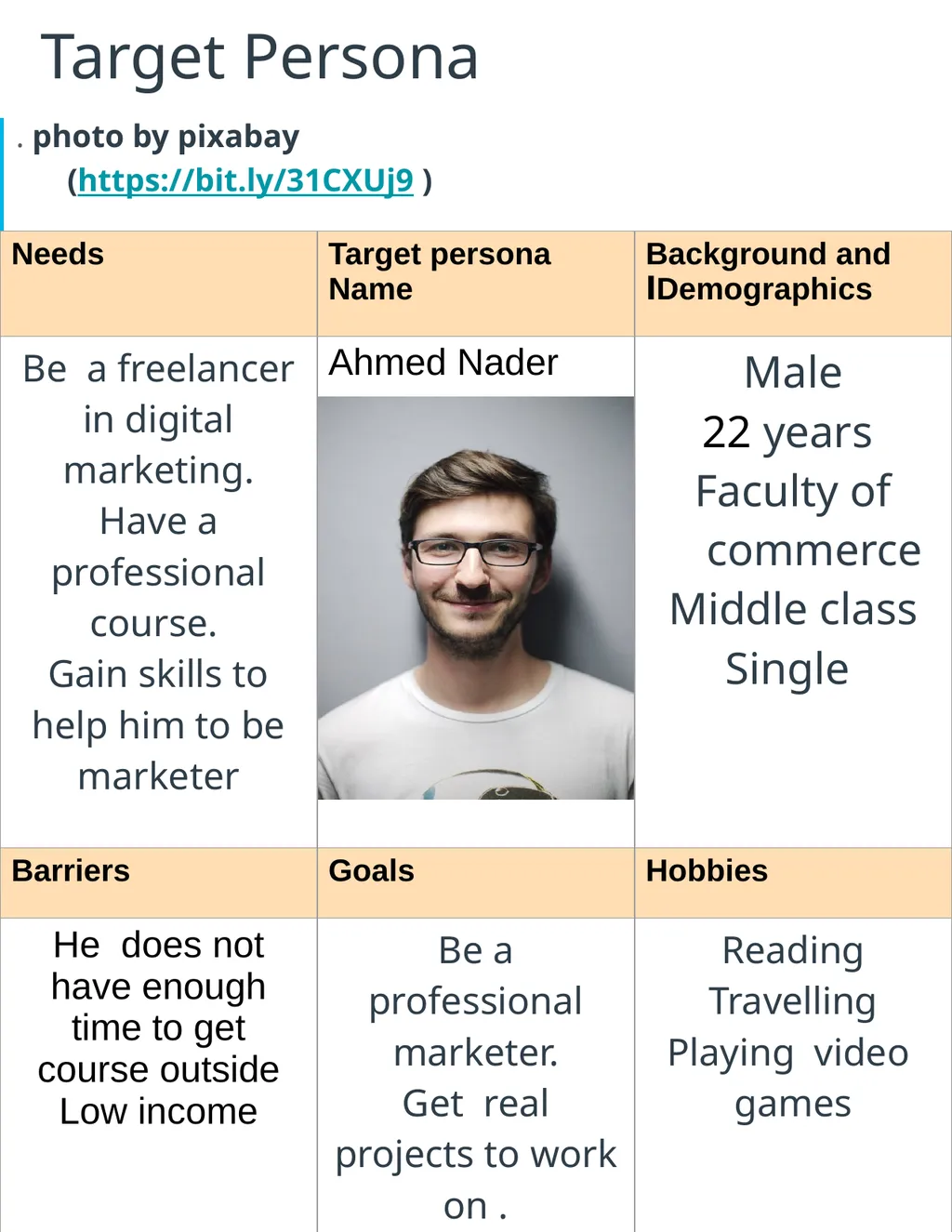
slide4. Target Persona . photo by pixabay (https://bit.ly/31CXUj9 )<br>
slide5. Part 2
On Site SEO
Audit<br>
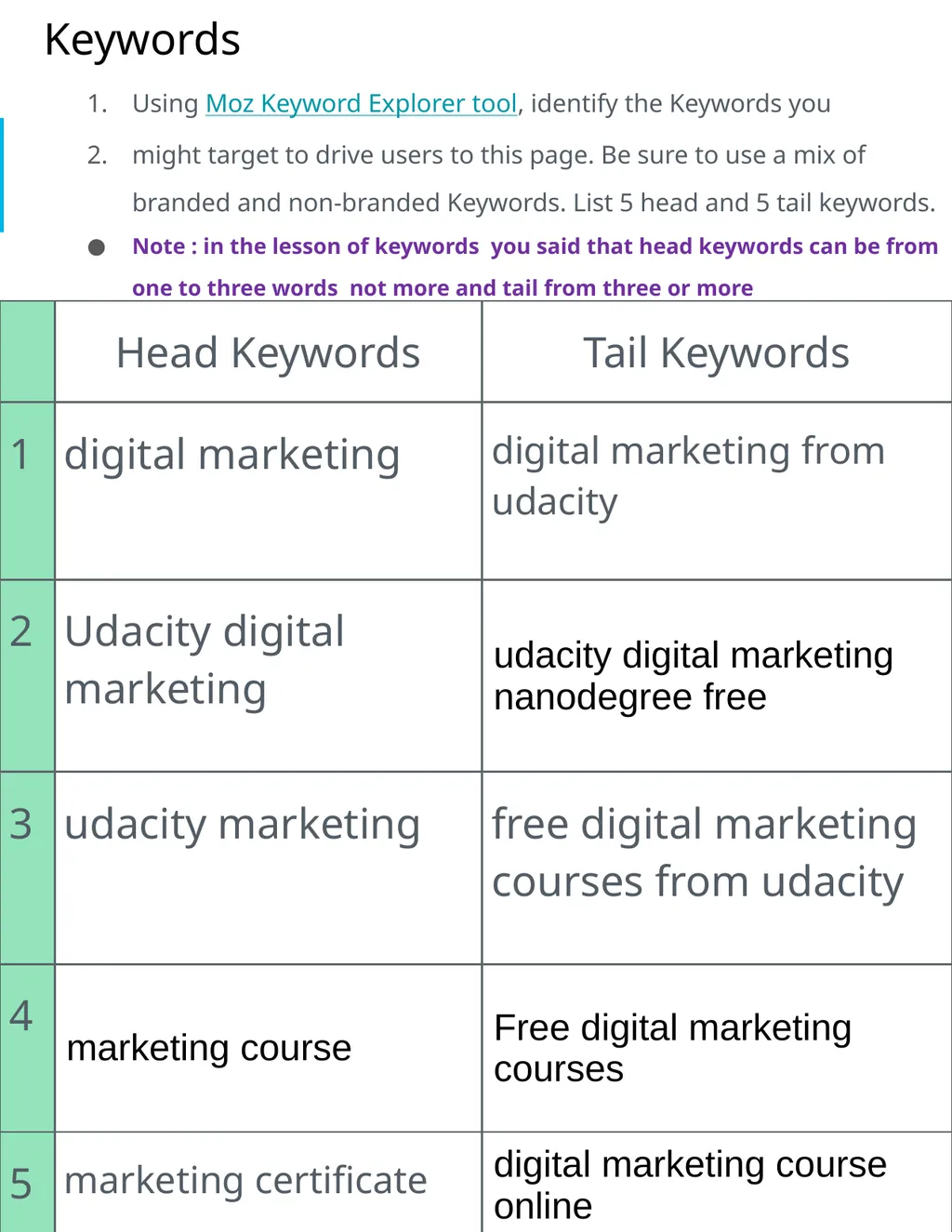
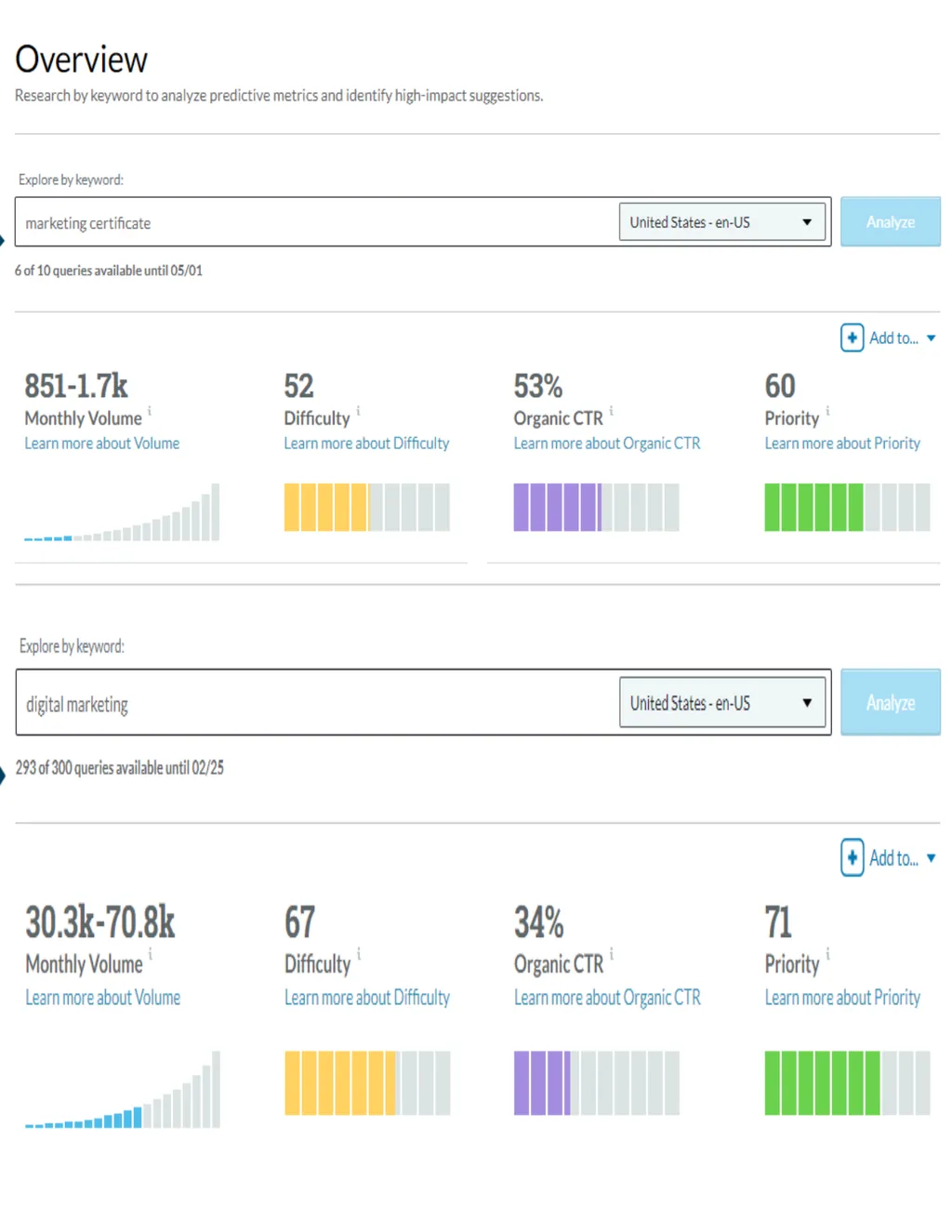
slide6. Keywords Using Moz Keyword Explorer tool, identify the Keywords you
might target to drive users to this page. Be sure to use a mix of branded and non-branded Keywords. List 5 head and 5 tail keywords.
Note : in the lesson of keywords you said that head keywords can be from one to three words not more and tail from three or more<br>
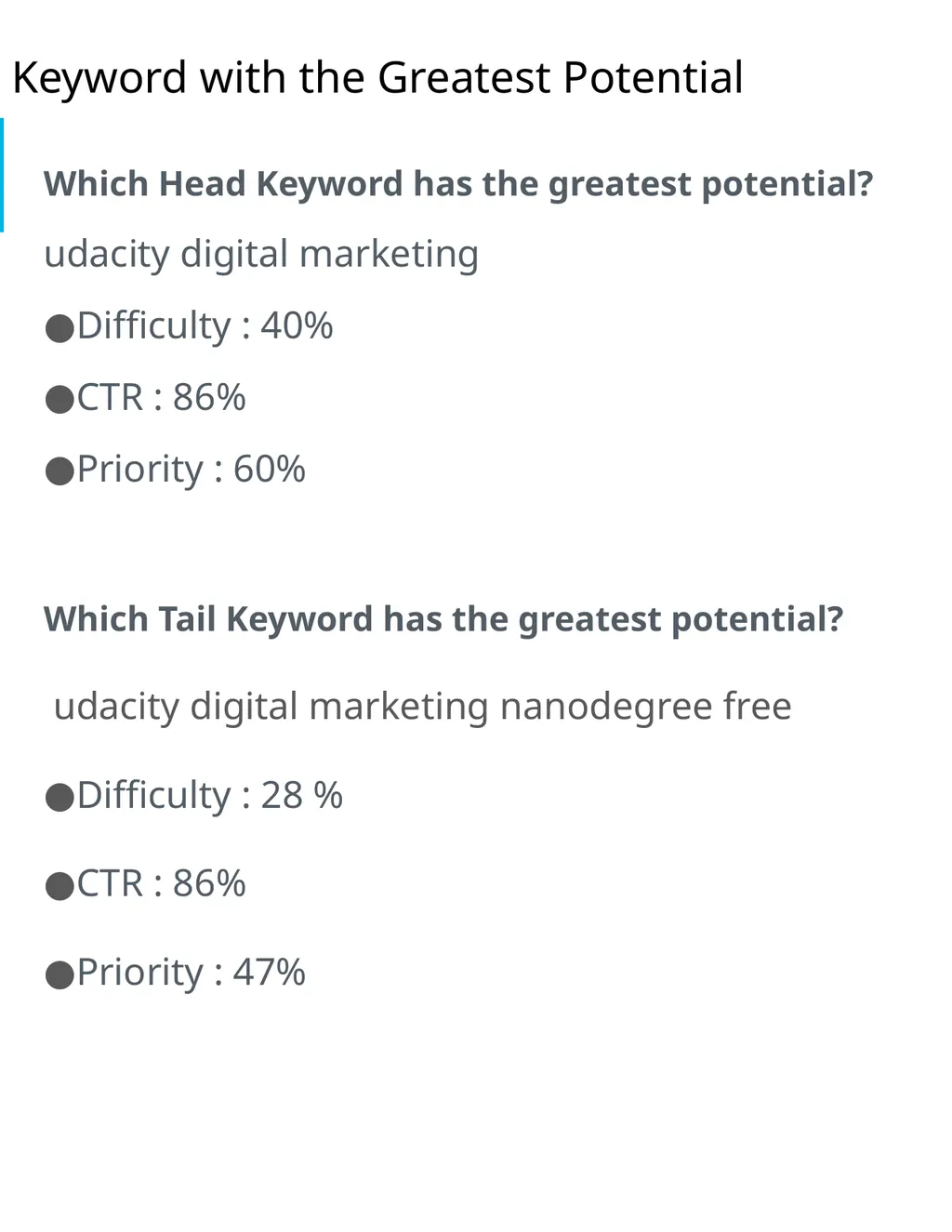
slide7. Keyword with the Greatest Potential Which Head Keyword has the greatest potential?
udacity digital marketing
Difficulty : 40%
CTR : 86%
Priority : 60%
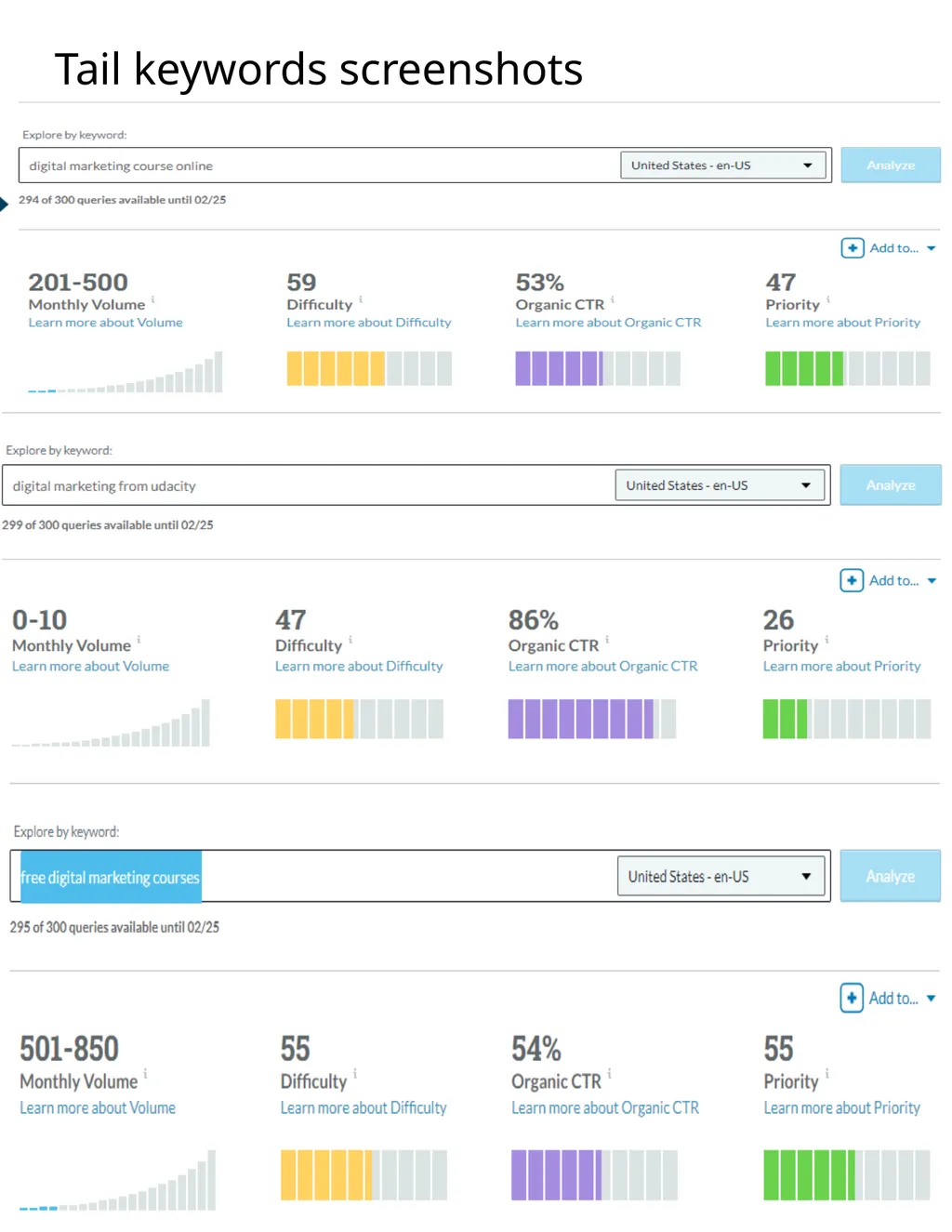
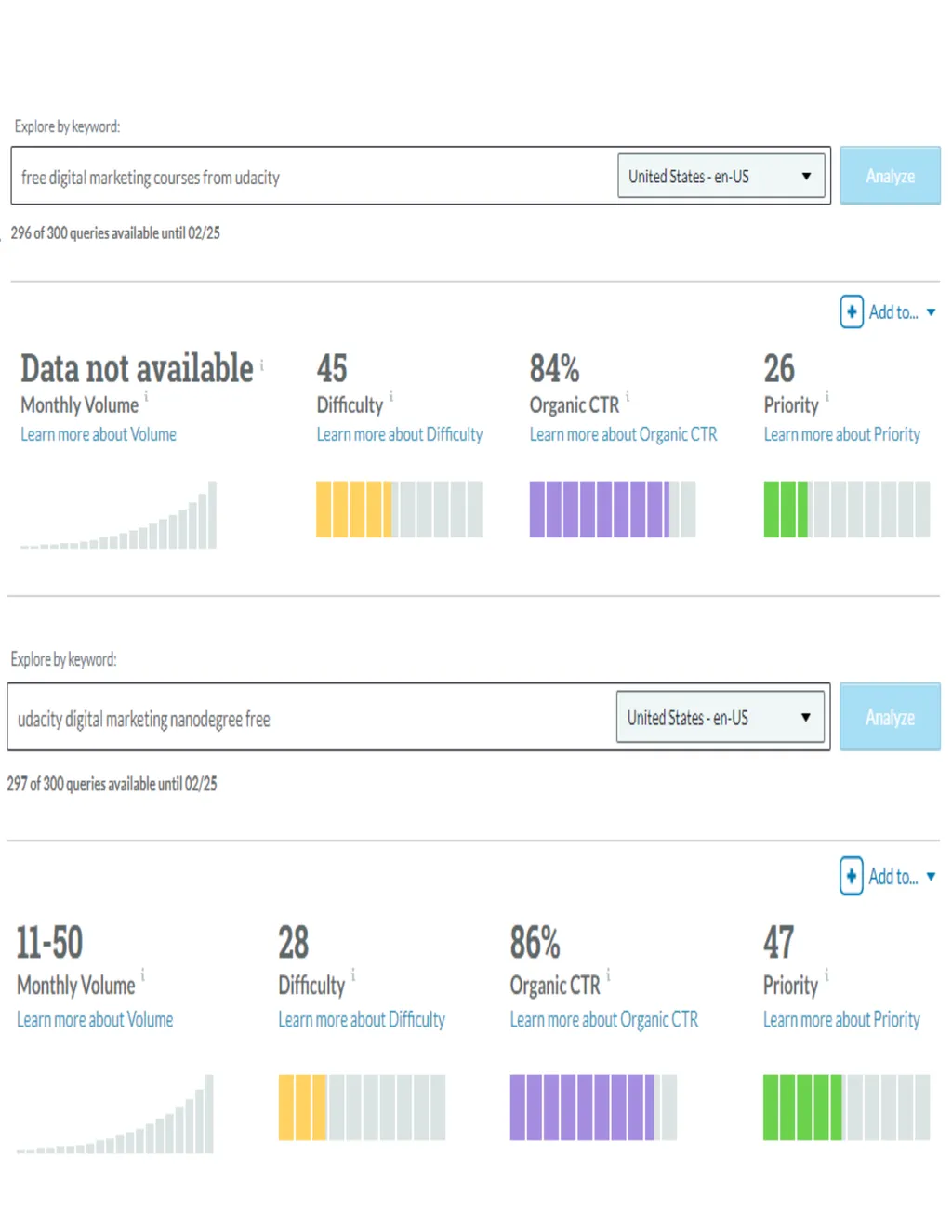
Which Tail Keyword has the greatest potential?
udacity digital marketing nanodegree free
Difficulty : 28 %
CTR : 86%
Priority : 47%<br>
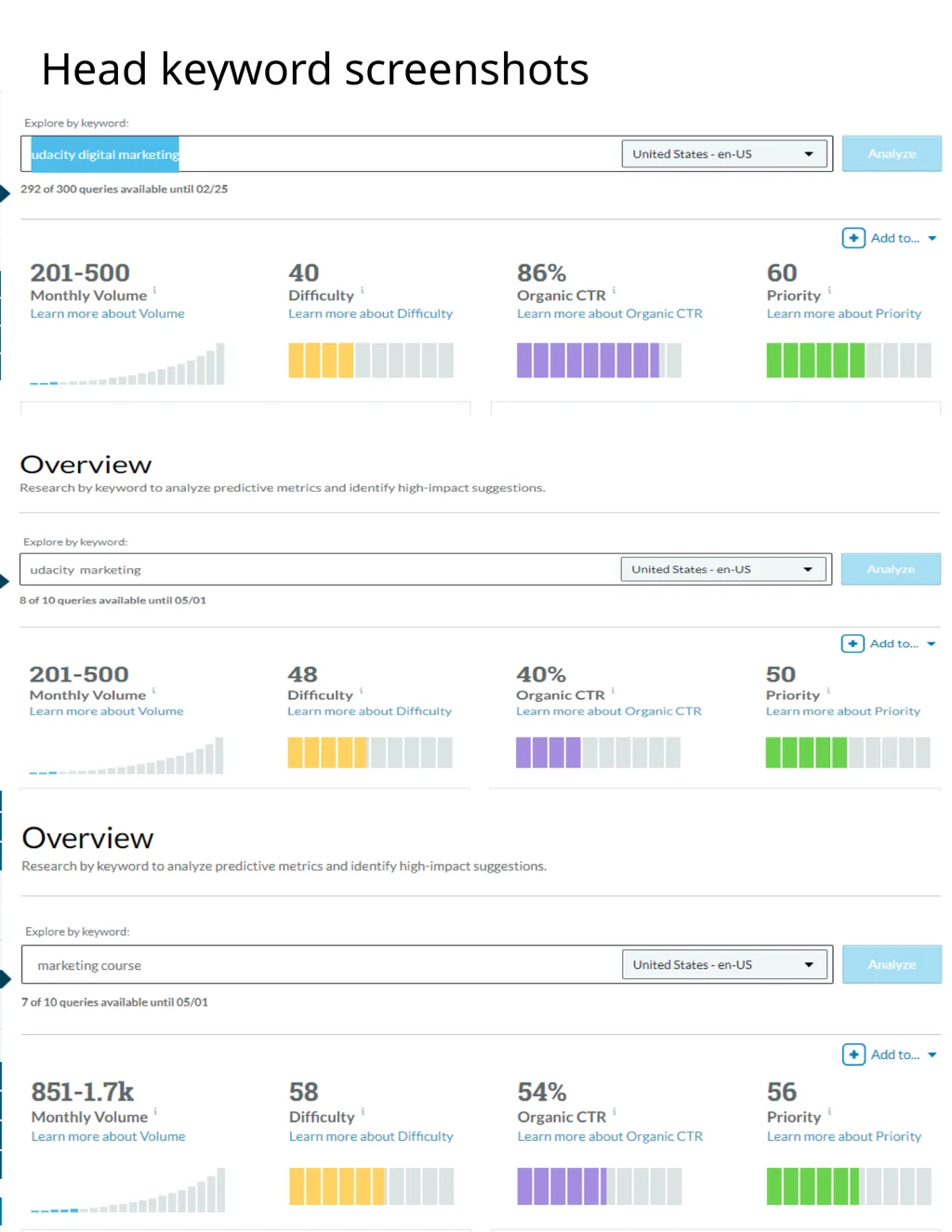
slide8. Head keyword screenshots<br>
slide10. Tail keywords screenshots<br>
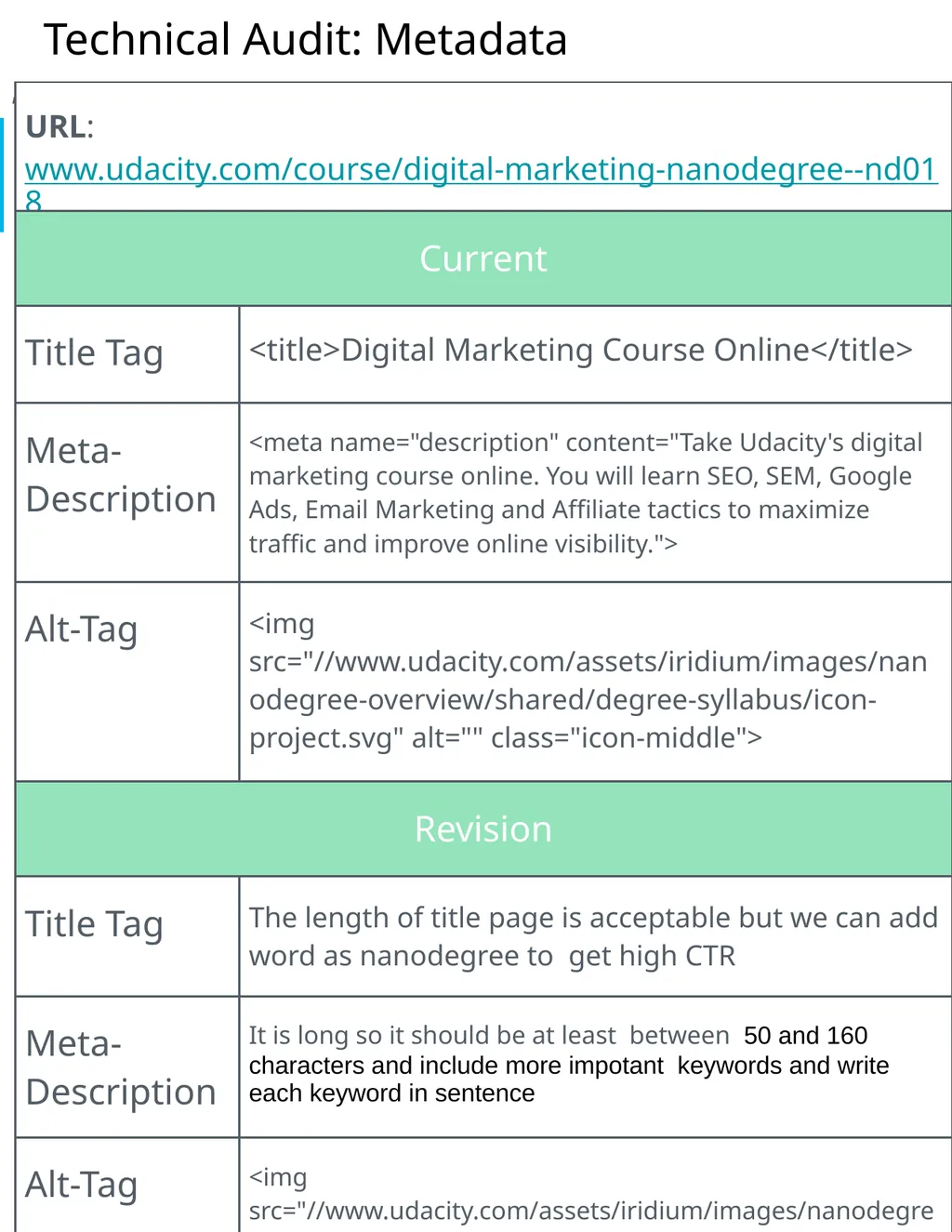
slide12. Technical Audit: Metadata ,<br>
slide13. Technical Audit: Metadata ,<br>
slide14. Technical Audit: Metadata ,<br>
slide15. Technical Audit: Metadata ,<br>
slide16. Technical Audit: Metadata ,<br>
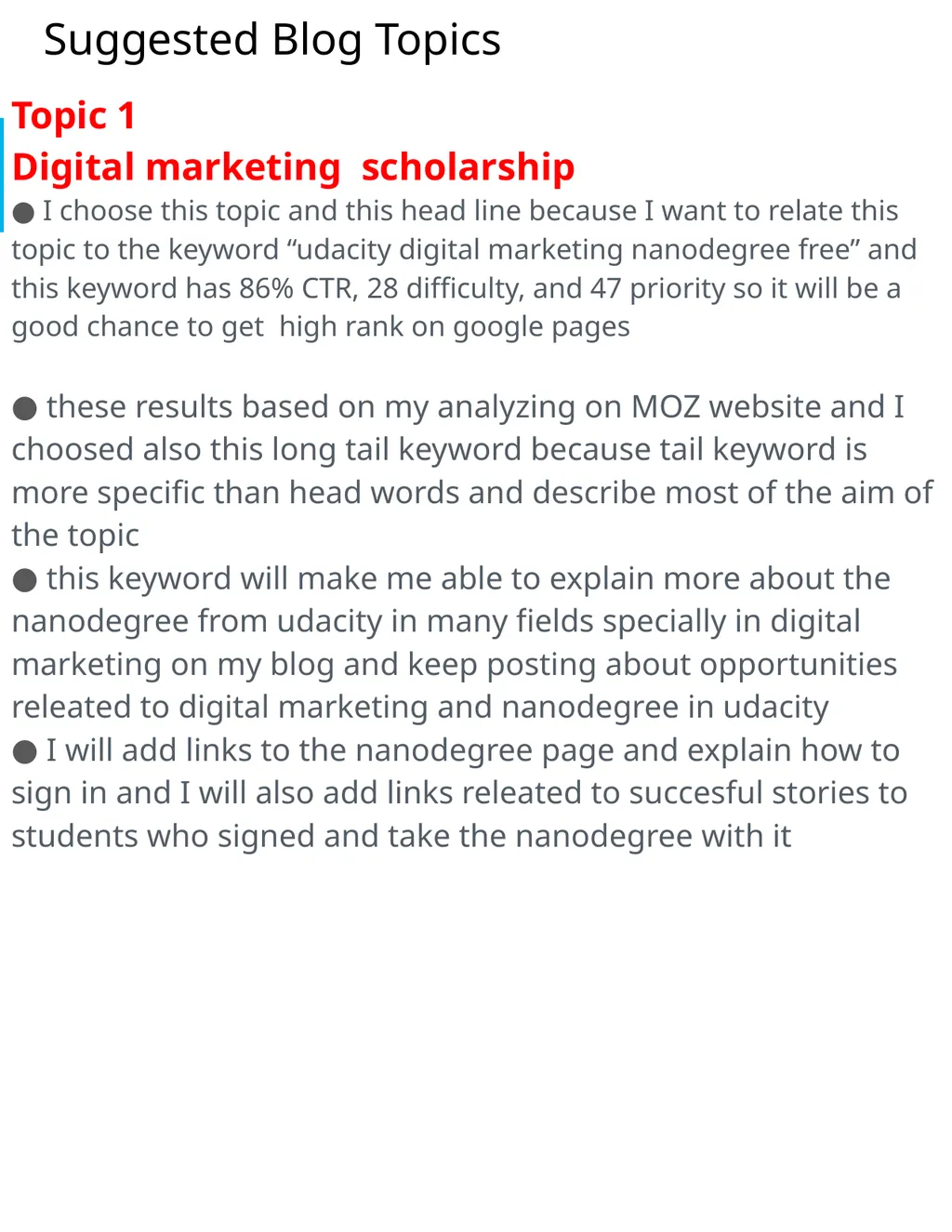
slide17. Suggested Blog Topics Topic 1
Digital marketing scholarship
I choose this topic and this head line because I want to relate this topic to the keyword “udacity digital marketing nanodegree free” and this keyword has 86% CTR, 28 difficulty, and 47 priority so it will be a good chance to get high rank on google pages
these results based on my analyzing on MOZ website and I choosed also this long tail keyword because tail keyword is more specific than head words and describe most of the aim of the topic
this keyword will make me able to explain more about the nanodegree from udacity in many fields specially in digital marketing on my blog and keep posting about opportunities releated to digital marketing and nanodegree in udacity
I will add links to the nanodegree page and explain how to sign in and I will also add links releated to succesful stories to students who signed and take the nanodegree with it<br>
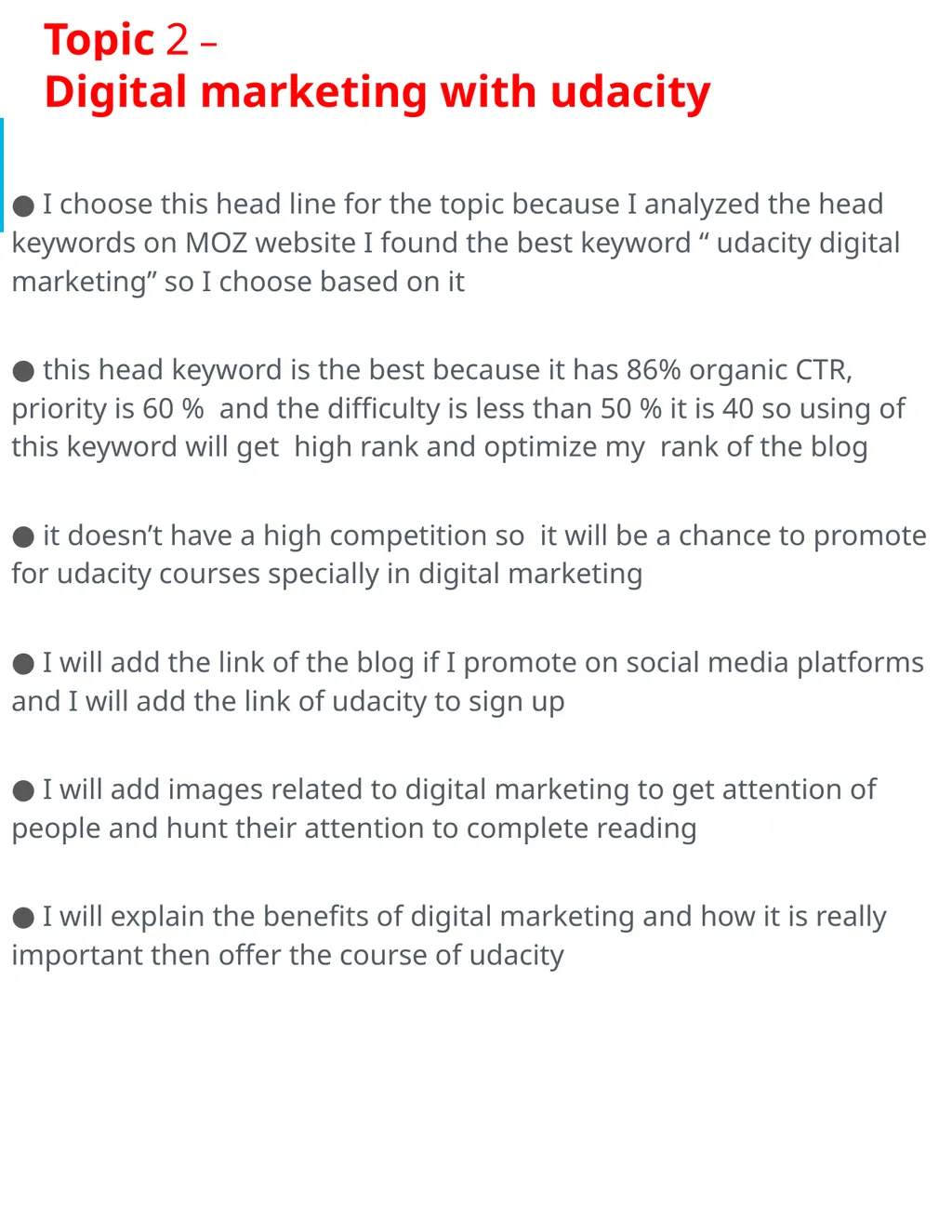
slide18. Topic 2 – Digital marketing with udacity I choose this head line for the topic because I analyzed the head keywords on MOZ website I found the best keyword “ udacity digital marketing” so I choose based on it
this head keyword is the best because it has 86% organic CTR, priority is 60 % and the difficulty is less than 50 % it is 40 so using of this keyword will get high rank and optimize my rank of the blog
it doesn’t have a high competition so it will be a chance to promote for udacity courses specially in digital marketing
I will add the link of the blog if I promote on social media platforms and I will add the link of udacity to sign up
I will add images related to digital marketing to get attention of people and hunt their attention to complete reading
I will explain the benefits of digital marketing and how it is really important then offer the course of udacity<br>
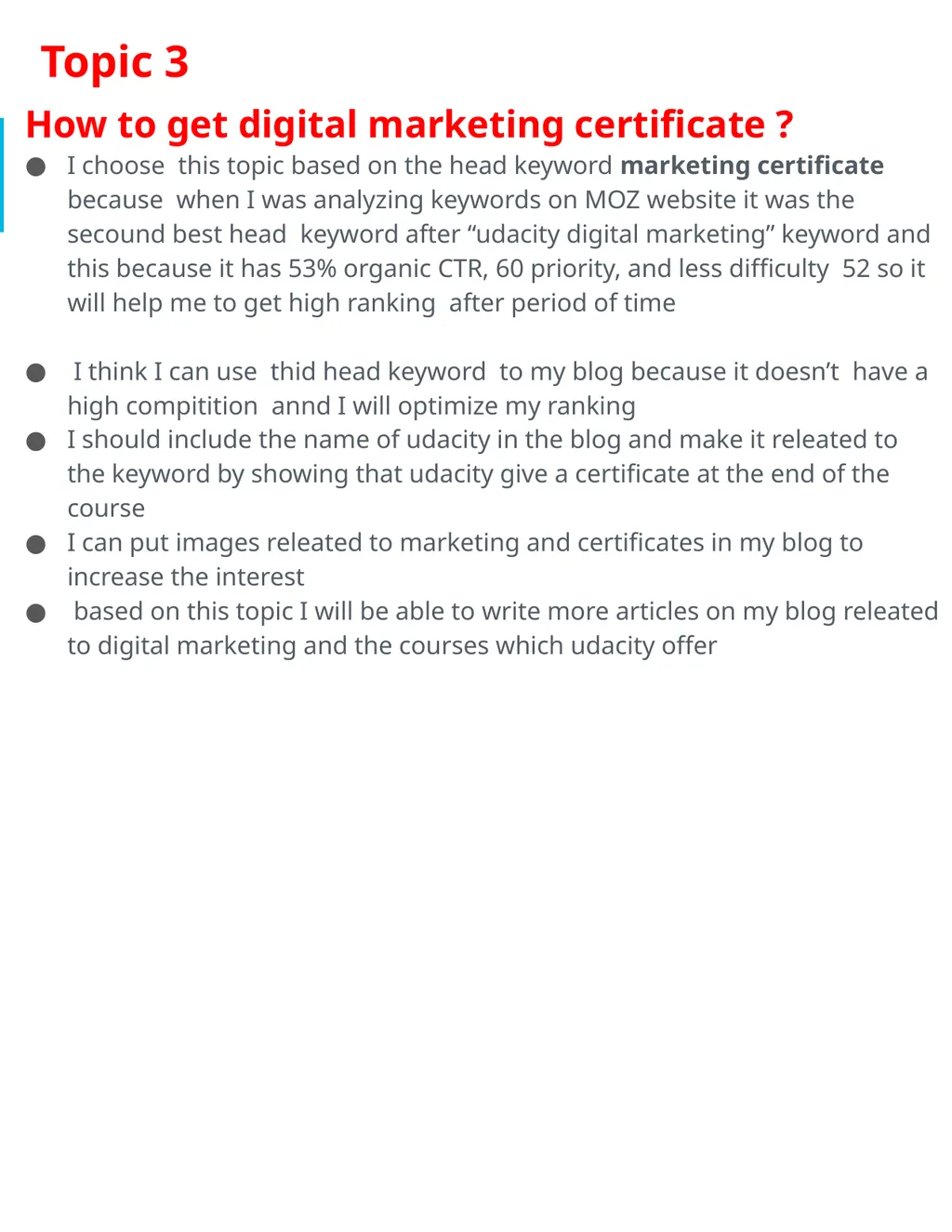
slide19. Topic 3 How to get digital marketing certificate ?
I choose this topic based on the head keyword marketing certificate because when I was analyzing keywords on MOZ website it was the secound best head keyword after “udacity digital marketing” keyword and this because it has 53% organic CTR, 60 priority, and less difficulty 52 so it will help me to get high ranking after period of time
I think I can use thid head keyword to my blog because it doesn’t have a high compitition annd I will optimize my ranking
I should include the name of udacity in the blog and make it releated to the keyword by showing that udacity give a certificate at the end of the course
I can put images releated to marketing and certificates in my blog to increase the interest
based on this topic I will be able to write more articles on my blog releated to digital marketing and the courses which udacity offer<br>
slide20. Part 3
Off-Site SEO<br>
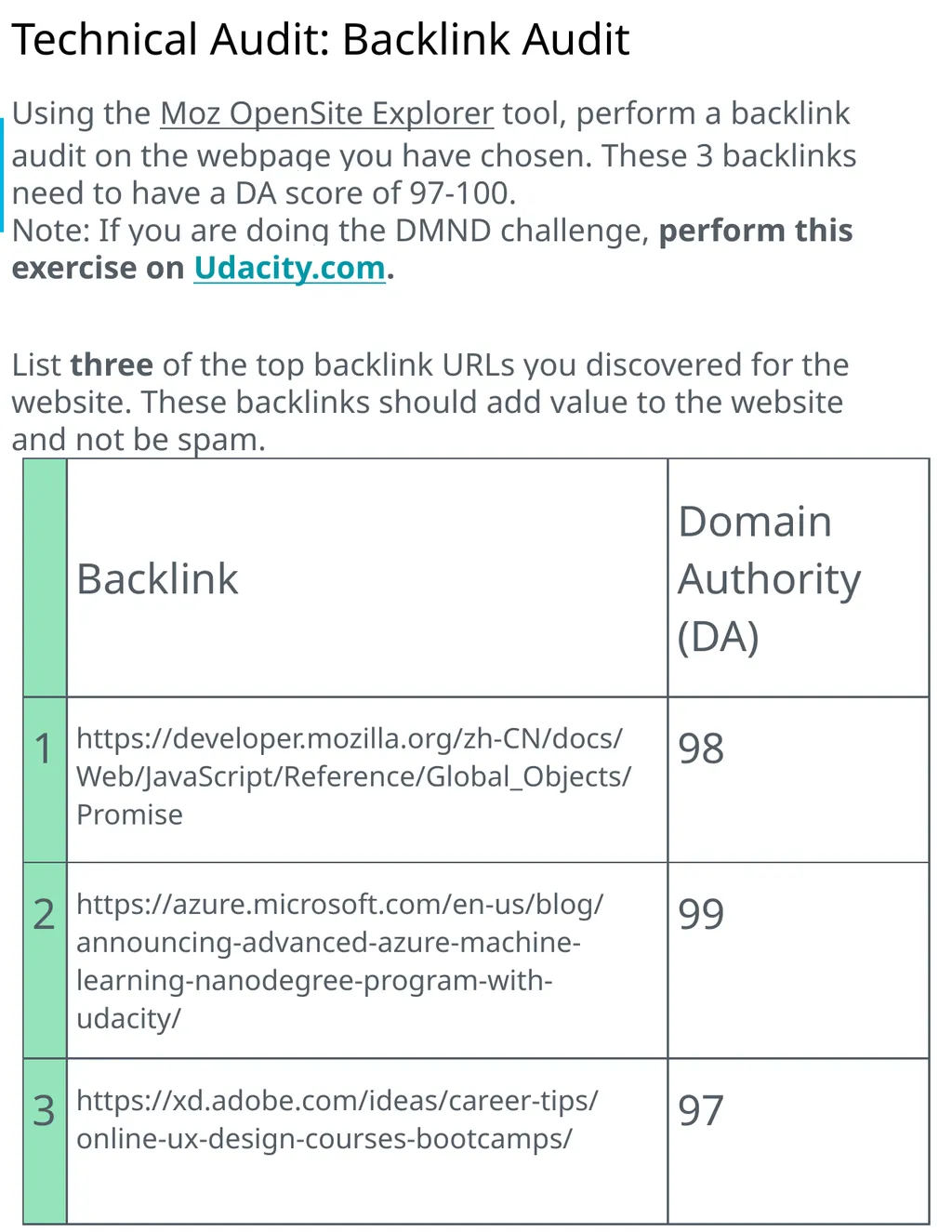
slide21. Technical Audit: Backlink Audit Using the Moz OpenSite Explorer tool, perform a backlink audit on the webpage you have chosen. These 3 backlinks need to have a DA score of 97-100. Note: If you are doing the DMND challenge, perform this exercise on Udacity.com.
List three of the top backlink URLs you discovered for the website. These backlinks should add value to the website and not be spam.<br>
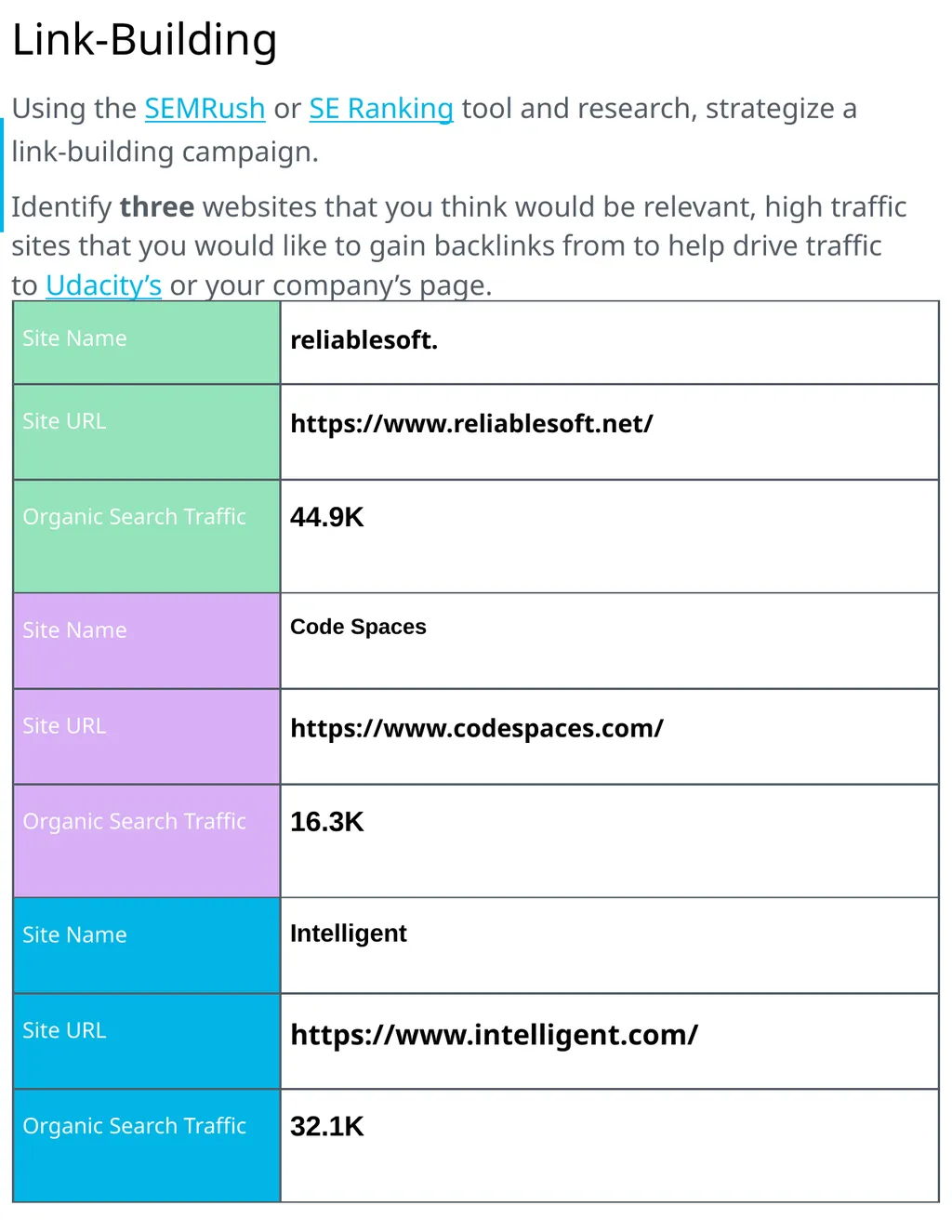
slide22. Link-Building Using the SEMRush or SE Ranking tool and research, strategize a link-building campaign.
Identify three websites that you think would be relevant, high traffic sites that you would like to gain backlinks from to help drive traffic to Udacity’s or your company’s page.<br>
slide23. Part 4
Performance
Testing<br>
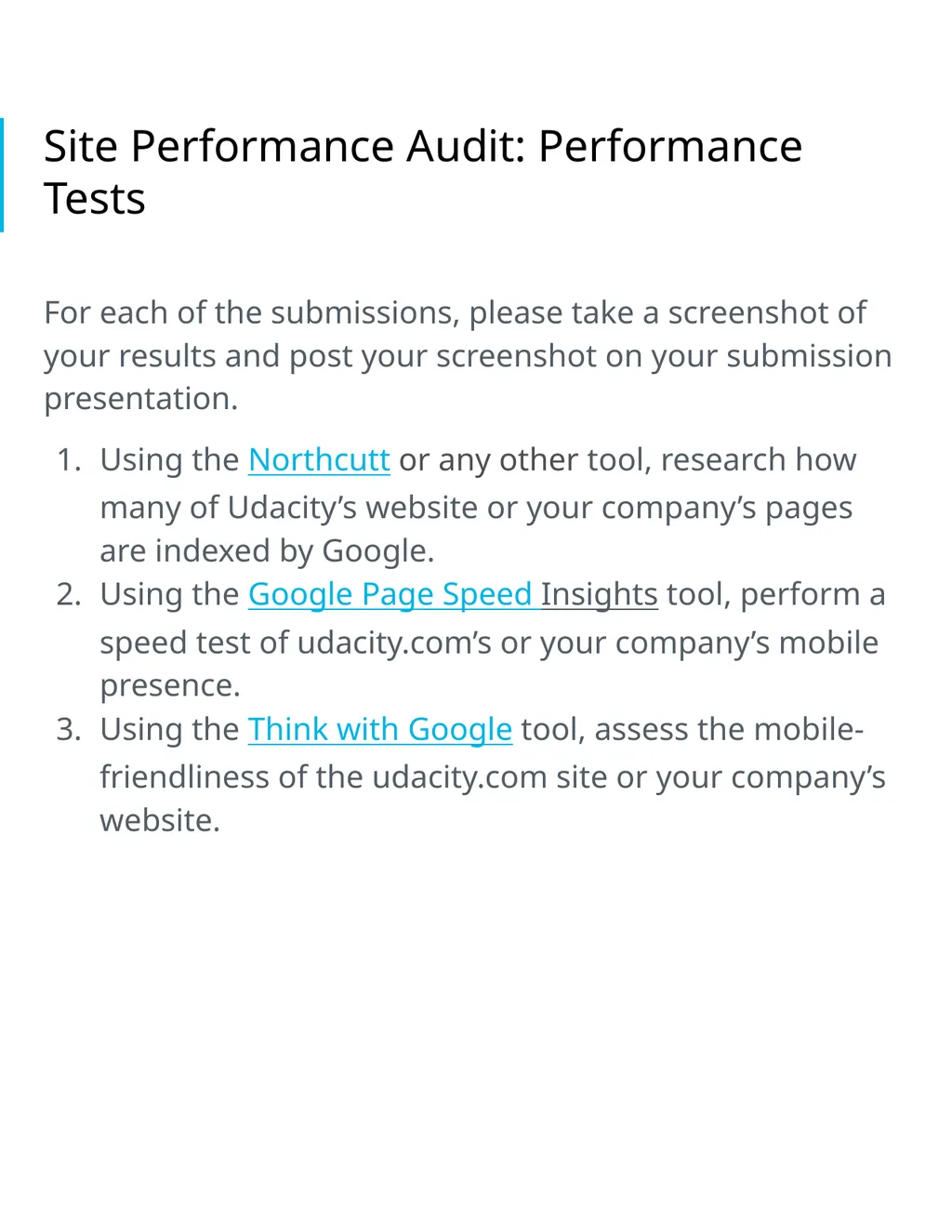
slide24. Site Performance Audit: Performance Tests For each of the submissions, please take a screenshot of your results and post your screenshot on your submission presentation.
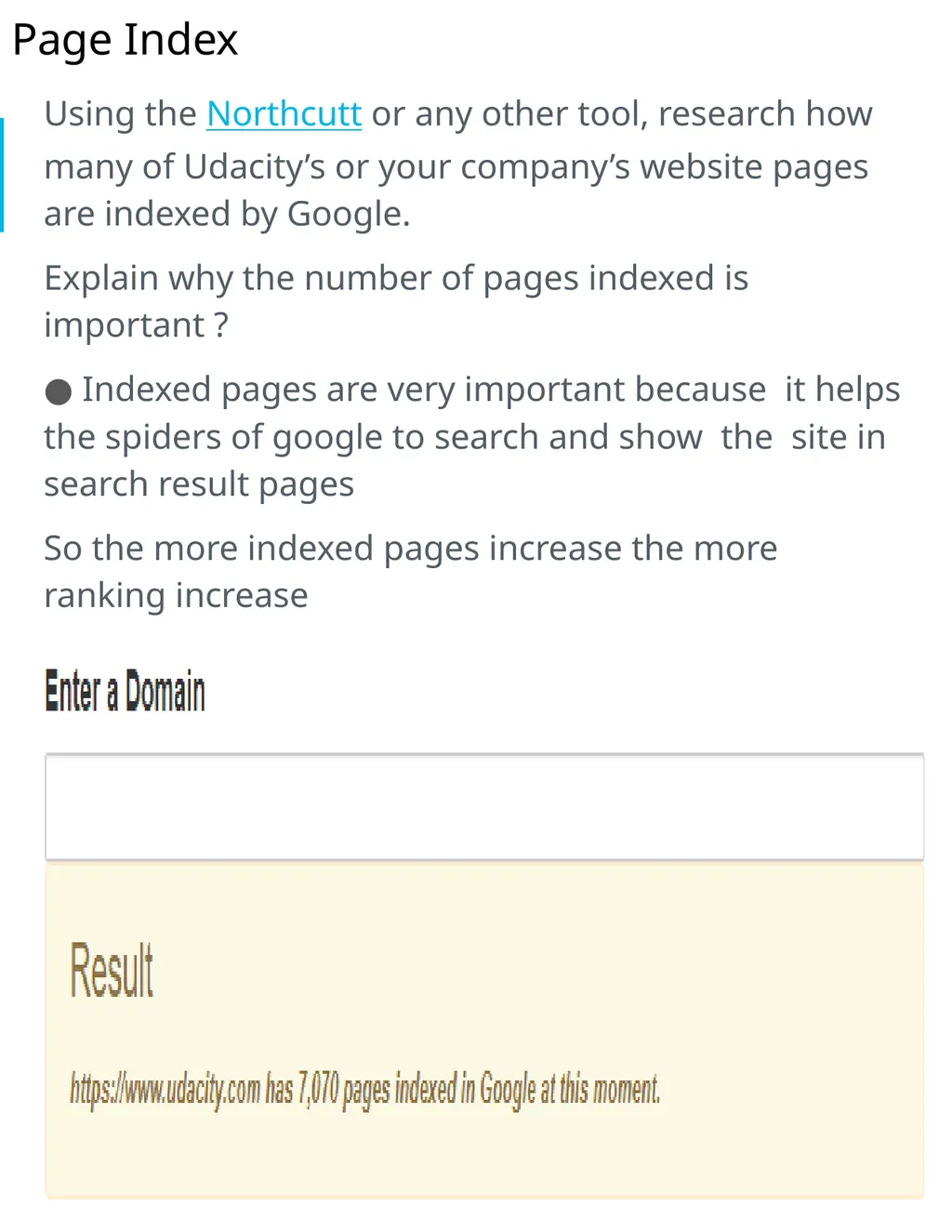
Using the Northcutt or any other tool, research how many of Udacity’s website or your company’s pages are indexed by Google.
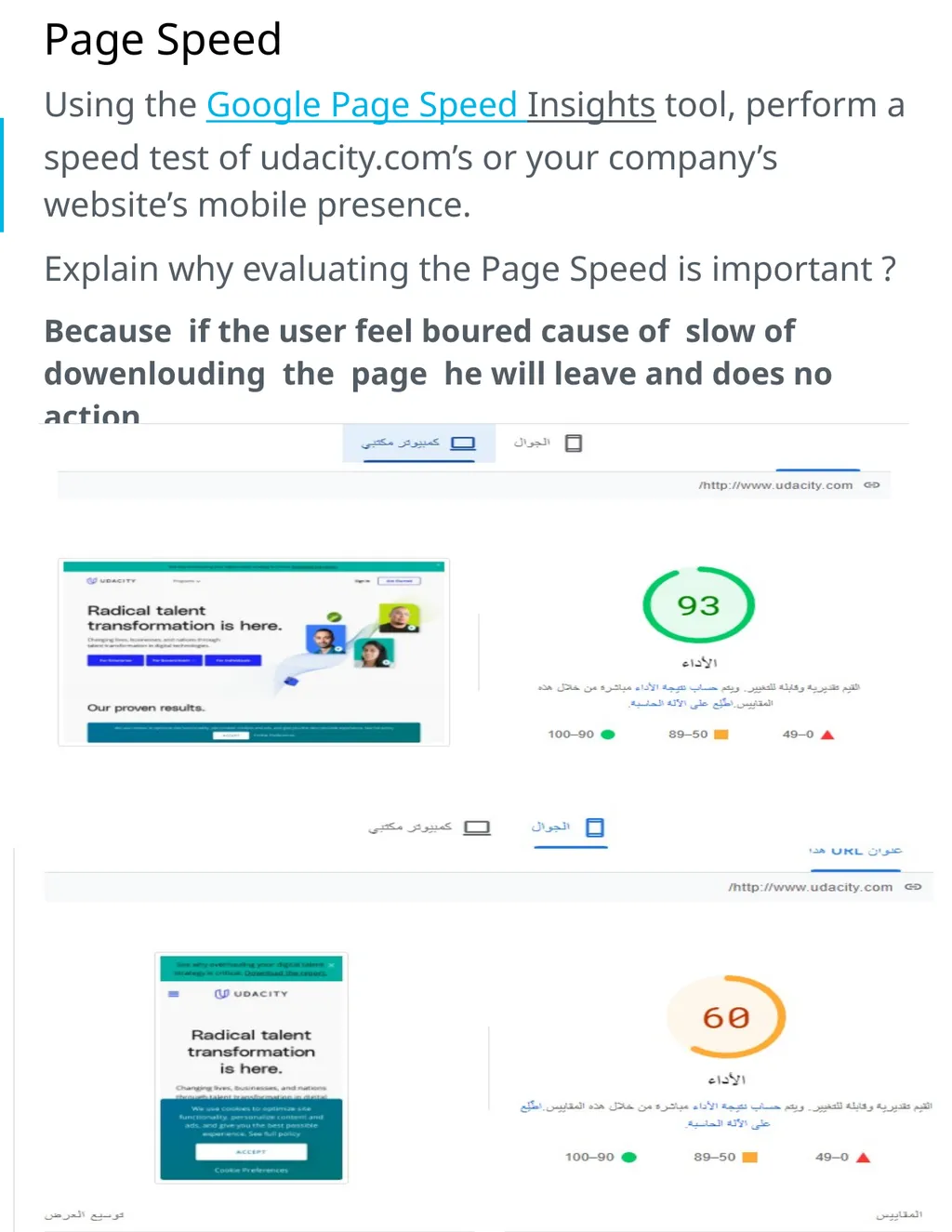
Using the Google Page Speed Insights tool, perform a speed test of udacity.com’s or your company’s mobile presence.
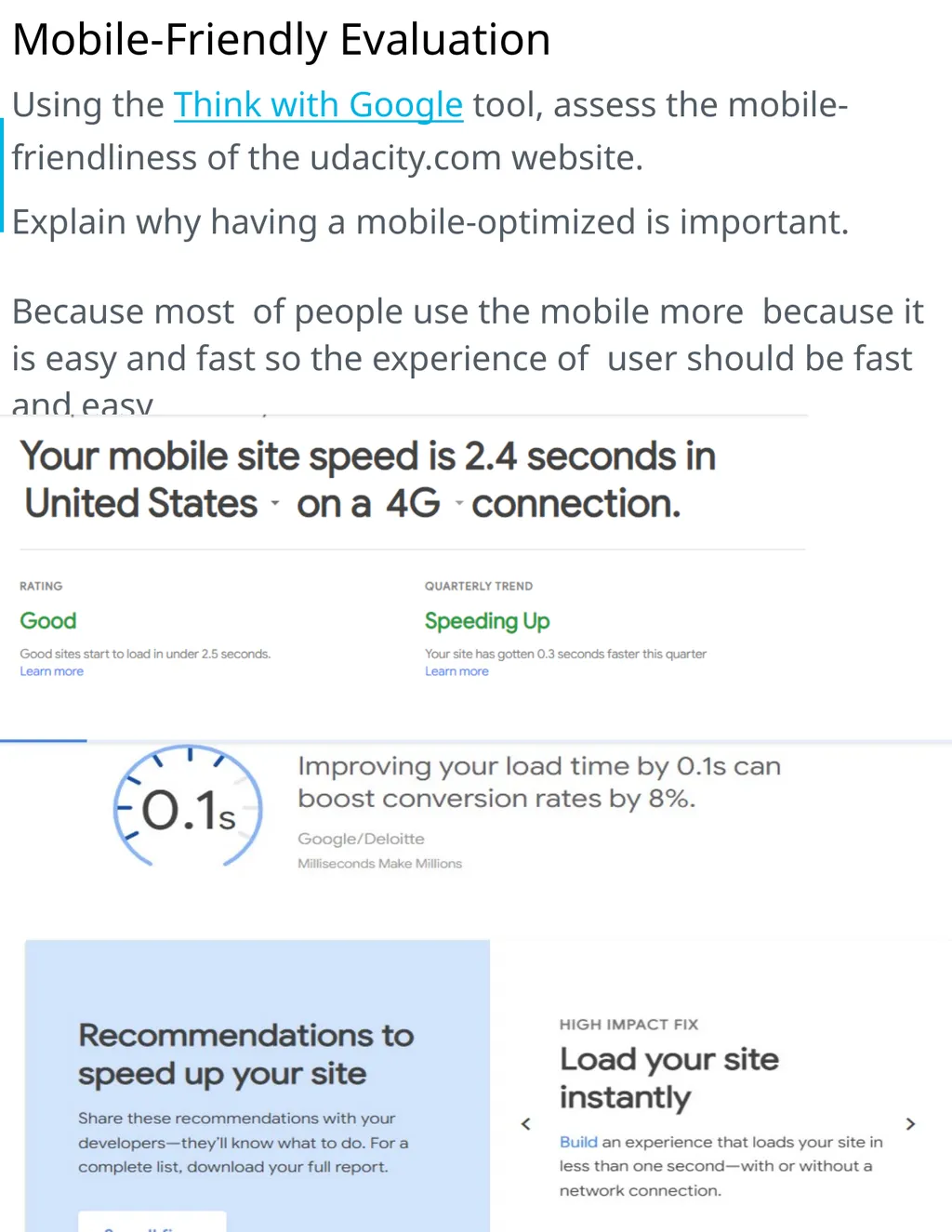
Using the Think with Google tool, assess the mobile-friendliness of the udacity.com site or your company’s website.<br>
slide25. Page Index Using the Northcutt or any other tool, research how many of Udacity’s or your company’s website pages are indexed by Google.
Explain why the number of pages indexed is important ?
Indexed pages are very important because it helps the spiders of google to search and show the site in search result pages
So the more indexed pages increase the more ranking increase<br>
slide26. Page Speed Using the Google Page Speed Insights tool, perform a speed test of udacity.com’s or your company’s website’s mobile presence.
Explain why evaluating the Page Speed is important ?
Because if the user feel boured cause of slow of dowenlouding the page he will leave and does no action<br>
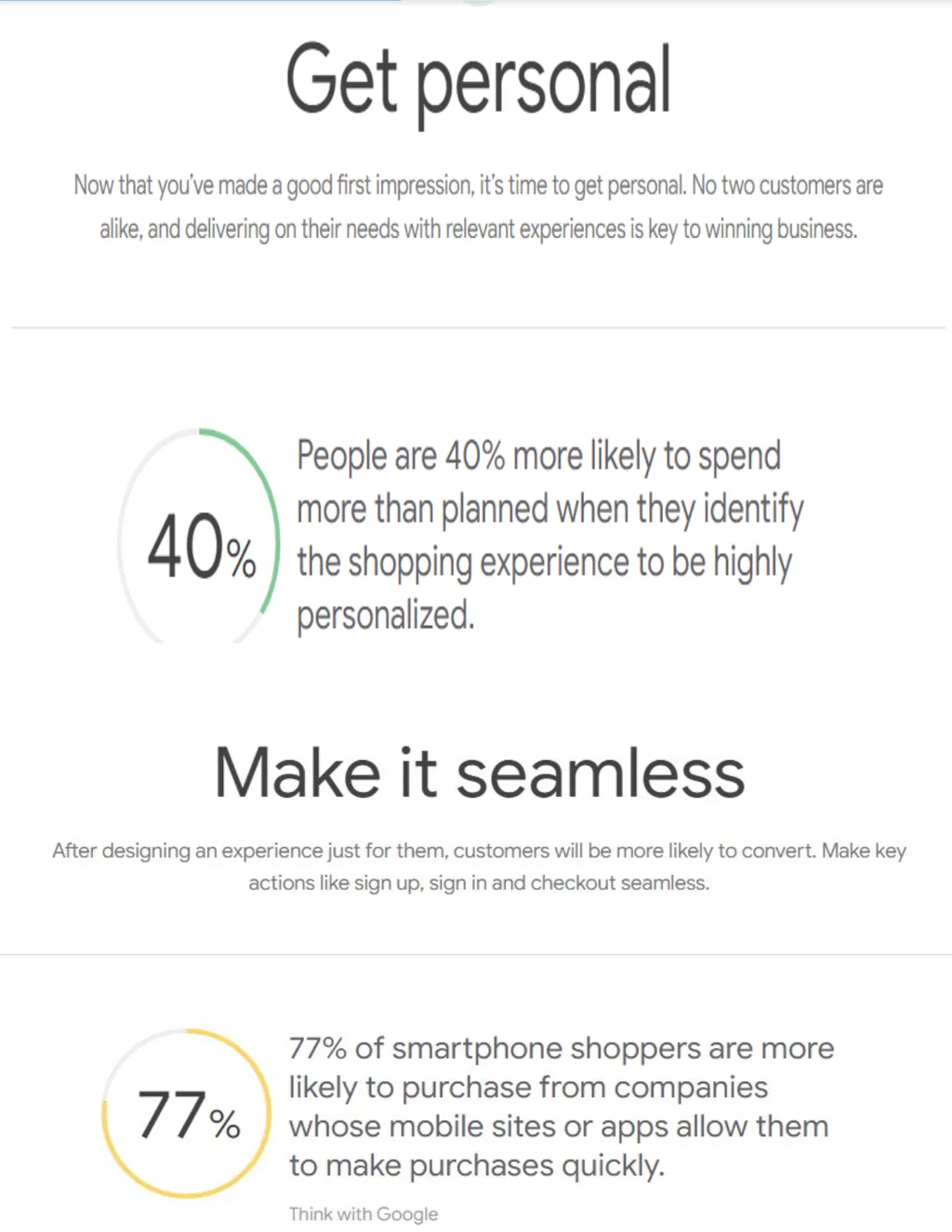
slide27. Mobile-Friendly Evaluation Using the Think with Google tool, assess the mobile-friendliness of the udacity.com website.
Explain why having a mobile-optimized is important.
Because most of people use the mobile more because it is easy and fast so the experience of user should be fast and easy<br>
slide29. Part 5
Recommendations<br>
slide30. Recommendations First
There are some alt tags without real images in the page so I recommend to improve codes thus make alt tags include real images
we need to add an explanation for all photo and videos in the website to help the search engine to read them and that will increase the ranking of the website
use alt tag to help the user in better experience so it should include part of the photo or part of the video text because if they could not load they will show
add code for every photo and every video by using a descriptive file name because it help to show in the same name we have called before and for sure this descriptive file name should describe the photo or the video
another thing we can add as we mentioned in the course we can add a part of video as a transcript or a scheme because it will help the search engine to read the content of video and of course users the choice to watch this video or read the script
as I read in semrush article we should be unique when we use the words which describe the photo or the video and don't use the same main keywords in alt tag description and instead of repeating we can use our specific unique word
all of these steps in alt tag will help the search engine to read the photos and videos to get high rank and improve the overall visibility and optimization of a web page
all of these steps don't need to be hard or difficult they can be easy and describe the content of the video or the image<br>
slide31. Second The page speed in mobile performance should be more fast than that because most of users use mobile more than computer to search easily and fast so should improve the mobile performance for users to avoid boring of customers
make sure the mobile is friendly for the website to make the performance of mobile easier and faster because if the customer feels bored he will leave and take no action
we care about mobile performance and page speed for mobile because most of people use the mobile to search on google so we have to optimize the website for mobile
there are many tools to optimize the performance and to that at first we should know what are the keywords for mobile and keywords for computer then compare them together so we can use website called MOZ to find these keywords
we should put the content in our consider so we can make a concise content to be suitable for the mobile or even the computer
we can help the search engine to read faster by putting the most engaging and useful keywords toward the head of the page to help the page to load faster
take care about landing pages and the main page suit with mobile performance or not
also think with google tool and googl’s mobile friendly test to test the performance before applying
after all these steps and all modifications we can also compare with google analytics to make sure the modifications made a progress or not<br>
slide32. Third the site can get high rank and CTR by using head keywords and tail keywords that have high CTR and high priority as I mentioned in page 7 here like udacity digital marketing for the head keywords and udacity digital marketing nanodegree free for tail keyword as I mentioned in page 6
first of all we should make a map for keywords we will search about to use and we can use MOZ website to help us to know the CTR or priority for each keyword we want to use
use tail keywords more than head keywords and that because tail keywords don’t include high competition like head keywords and they are more specific and they can describe more details
we should mix between the head keywords and tail keywords because we don’t know exactly what will customers search about
use head keywords and tail keywords contain the name of the brand or keywords describe it or close enough to it to increase the awareness of the user about the brand and maybe we can get him as a customer
keywords map or keywords strategy should be related to our marketing objective to achieve the goal
mix between branded and non branded keywords to increase the chance to optimize the SEO ranking and gain right customers
see what are keywords our competitive use these information about the competitive will help us to know what are keywords the competitive focus on to evaluate and compare which keywords get high rank and CTR<br>
slide2. Part 1
Plan your Audit<br>
slide3. Marketing Objective & KPI Marketing Objective
Icrease the organic search on the website 40% from 10 December 2021 to 10 April 2022
KPI
Percentage of organic traffic search have been increased<br>
slide4. Target Persona . photo by pixabay (https://bit.ly/31CXUj9 )<br>
slide5. Part 2
On Site SEO
Audit<br>
slide6. Keywords Using Moz Keyword Explorer tool, identify the Keywords you
might target to drive users to this page. Be sure to use a mix of branded and non-branded Keywords. List 5 head and 5 tail keywords.
Note : in the lesson of keywords you said that head keywords can be from one to three words not more and tail from three or more<br>
slide7. Keyword with the Greatest Potential Which Head Keyword has the greatest potential?
udacity digital marketing
Difficulty : 40%
CTR : 86%
Priority : 60%
Which Tail Keyword has the greatest potential?
udacity digital marketing nanodegree free
Difficulty : 28 %
CTR : 86%
Priority : 47%<br>
slide8. Head keyword screenshots<br>
slide10. Tail keywords screenshots<br>
slide12. Technical Audit: Metadata ,<br>
slide13. Technical Audit: Metadata ,<br>
slide14. Technical Audit: Metadata ,<br>
slide15. Technical Audit: Metadata ,<br>
slide16. Technical Audit: Metadata ,<br>
slide17. Suggested Blog Topics Topic 1
Digital marketing scholarship
I choose this topic and this head line because I want to relate this topic to the keyword “udacity digital marketing nanodegree free” and this keyword has 86% CTR, 28 difficulty, and 47 priority so it will be a good chance to get high rank on google pages
these results based on my analyzing on MOZ website and I choosed also this long tail keyword because tail keyword is more specific than head words and describe most of the aim of the topic
this keyword will make me able to explain more about the nanodegree from udacity in many fields specially in digital marketing on my blog and keep posting about opportunities releated to digital marketing and nanodegree in udacity
I will add links to the nanodegree page and explain how to sign in and I will also add links releated to succesful stories to students who signed and take the nanodegree with it<br>
slide18. Topic 2 – Digital marketing with udacity I choose this head line for the topic because I analyzed the head keywords on MOZ website I found the best keyword “ udacity digital marketing” so I choose based on it
this head keyword is the best because it has 86% organic CTR, priority is 60 % and the difficulty is less than 50 % it is 40 so using of this keyword will get high rank and optimize my rank of the blog
it doesn’t have a high competition so it will be a chance to promote for udacity courses specially in digital marketing
I will add the link of the blog if I promote on social media platforms and I will add the link of udacity to sign up
I will add images related to digital marketing to get attention of people and hunt their attention to complete reading
I will explain the benefits of digital marketing and how it is really important then offer the course of udacity<br>
slide19. Topic 3 How to get digital marketing certificate ?
I choose this topic based on the head keyword marketing certificate because when I was analyzing keywords on MOZ website it was the secound best head keyword after “udacity digital marketing” keyword and this because it has 53% organic CTR, 60 priority, and less difficulty 52 so it will help me to get high ranking after period of time
I think I can use thid head keyword to my blog because it doesn’t have a high compitition annd I will optimize my ranking
I should include the name of udacity in the blog and make it releated to the keyword by showing that udacity give a certificate at the end of the course
I can put images releated to marketing and certificates in my blog to increase the interest
based on this topic I will be able to write more articles on my blog releated to digital marketing and the courses which udacity offer<br>
slide20. Part 3
Off-Site SEO<br>
slide21. Technical Audit: Backlink Audit Using the Moz OpenSite Explorer tool, perform a backlink audit on the webpage you have chosen. These 3 backlinks need to have a DA score of 97-100. Note: If you are doing the DMND challenge, perform this exercise on Udacity.com.
List three of the top backlink URLs you discovered for the website. These backlinks should add value to the website and not be spam.<br>
slide22. Link-Building Using the SEMRush or SE Ranking tool and research, strategize a link-building campaign.
Identify three websites that you think would be relevant, high traffic sites that you would like to gain backlinks from to help drive traffic to Udacity’s or your company’s page.<br>
slide23. Part 4
Performance
Testing<br>
slide24. Site Performance Audit: Performance Tests For each of the submissions, please take a screenshot of your results and post your screenshot on your submission presentation.
Using the Northcutt or any other tool, research how many of Udacity’s website or your company’s pages are indexed by Google.
Using the Google Page Speed Insights tool, perform a speed test of udacity.com’s or your company’s mobile presence.
Using the Think with Google tool, assess the mobile-friendliness of the udacity.com site or your company’s website.<br>
slide25. Page Index Using the Northcutt or any other tool, research how many of Udacity’s or your company’s website pages are indexed by Google.
Explain why the number of pages indexed is important ?
Indexed pages are very important because it helps the spiders of google to search and show the site in search result pages
So the more indexed pages increase the more ranking increase<br>
slide26. Page Speed Using the Google Page Speed Insights tool, perform a speed test of udacity.com’s or your company’s website’s mobile presence.
Explain why evaluating the Page Speed is important ?
Because if the user feel boured cause of slow of dowenlouding the page he will leave and does no action<br>
slide27. Mobile-Friendly Evaluation Using the Think with Google tool, assess the mobile-friendliness of the udacity.com website.
Explain why having a mobile-optimized is important.
Because most of people use the mobile more because it is easy and fast so the experience of user should be fast and easy<br>
slide29. Part 5
Recommendations<br>
slide30. Recommendations First
There are some alt tags without real images in the page so I recommend to improve codes thus make alt tags include real images
we need to add an explanation for all photo and videos in the website to help the search engine to read them and that will increase the ranking of the website
use alt tag to help the user in better experience so it should include part of the photo or part of the video text because if they could not load they will show
add code for every photo and every video by using a descriptive file name because it help to show in the same name we have called before and for sure this descriptive file name should describe the photo or the video
another thing we can add as we mentioned in the course we can add a part of video as a transcript or a scheme because it will help the search engine to read the content of video and of course users the choice to watch this video or read the script
as I read in semrush article we should be unique when we use the words which describe the photo or the video and don't use the same main keywords in alt tag description and instead of repeating we can use our specific unique word
all of these steps in alt tag will help the search engine to read the photos and videos to get high rank and improve the overall visibility and optimization of a web page
all of these steps don't need to be hard or difficult they can be easy and describe the content of the video or the image<br>
slide31. Second The page speed in mobile performance should be more fast than that because most of users use mobile more than computer to search easily and fast so should improve the mobile performance for users to avoid boring of customers
make sure the mobile is friendly for the website to make the performance of mobile easier and faster because if the customer feels bored he will leave and take no action
we care about mobile performance and page speed for mobile because most of people use the mobile to search on google so we have to optimize the website for mobile
there are many tools to optimize the performance and to that at first we should know what are the keywords for mobile and keywords for computer then compare them together so we can use website called MOZ to find these keywords
we should put the content in our consider so we can make a concise content to be suitable for the mobile or even the computer
we can help the search engine to read faster by putting the most engaging and useful keywords toward the head of the page to help the page to load faster
take care about landing pages and the main page suit with mobile performance or not
also think with google tool and googl’s mobile friendly test to test the performance before applying
after all these steps and all modifications we can also compare with google analytics to make sure the modifications made a progress or not<br>
slide32. Third the site can get high rank and CTR by using head keywords and tail keywords that have high CTR and high priority as I mentioned in page 7 here like udacity digital marketing for the head keywords and udacity digital marketing nanodegree free for tail keyword as I mentioned in page 6
first of all we should make a map for keywords we will search about to use and we can use MOZ website to help us to know the CTR or priority for each keyword we want to use
use tail keywords more than head keywords and that because tail keywords don’t include high competition like head keywords and they are more specific and they can describe more details
we should mix between the head keywords and tail keywords because we don’t know exactly what will customers search about
use head keywords and tail keywords contain the name of the brand or keywords describe it or close enough to it to increase the awareness of the user about the brand and maybe we can get him as a customer
keywords map or keywords strategy should be related to our marketing objective to achieve the goal
mix between branded and non branded keywords to increase the chance to optimize the SEO ranking and gain right customers
see what are keywords our competitive use these information about the competitive will help us to know what are keywords the competitive focus on to evaluate and compare which keywords get high rank and CTR<br>