
PYTHON PROGRAMMING UNIT II PROF.AJAY PASHANKAR
TD
Published · 58 slides · 0 views
1 / 1
Description
PYTHON PROGRAMMING UNIT II PROF.AJAY PASHANKAR ASSISTANT PROFESSOR DEPARTMENT OF CS IT K.M.AGRAWAL COLLEGE KALYAN www.profajaypashankar.com 1 Functions In python we have two kinds of functions . First is built in functions . User defined
Related Topics
Share
Embed code
Download this presentation From Below
"PYTHON PROGRAMMING UNIT II PROF.AJAY PASHANKAR" is the property of its rightful owner. Permission is granted to download and print the materials on this website for personal, non-commercial use only, and to display it on your personal computer provided you do not modify the materials and that you retain all copyright notices contained in the materials. By downloading content from our website, you accept the terms of this agreement.
Presentation Transcript
01
PYTHON PROGRAMMING
UNIT II PROF.AJAY PASHANKAR
ASSISTANT PROFESSOR DEPARTMENT OF CS & IT
K.M.AGRAWAL COLLEGE KALYAN
www.profajaypashankar.com 1<br>
ASSISTANT PROFESSOR DEPARTMENT OF CS & IT
K.M.AGRAWAL COLLEGE KALYAN
www.profajaypashankar.com 1<br>
02
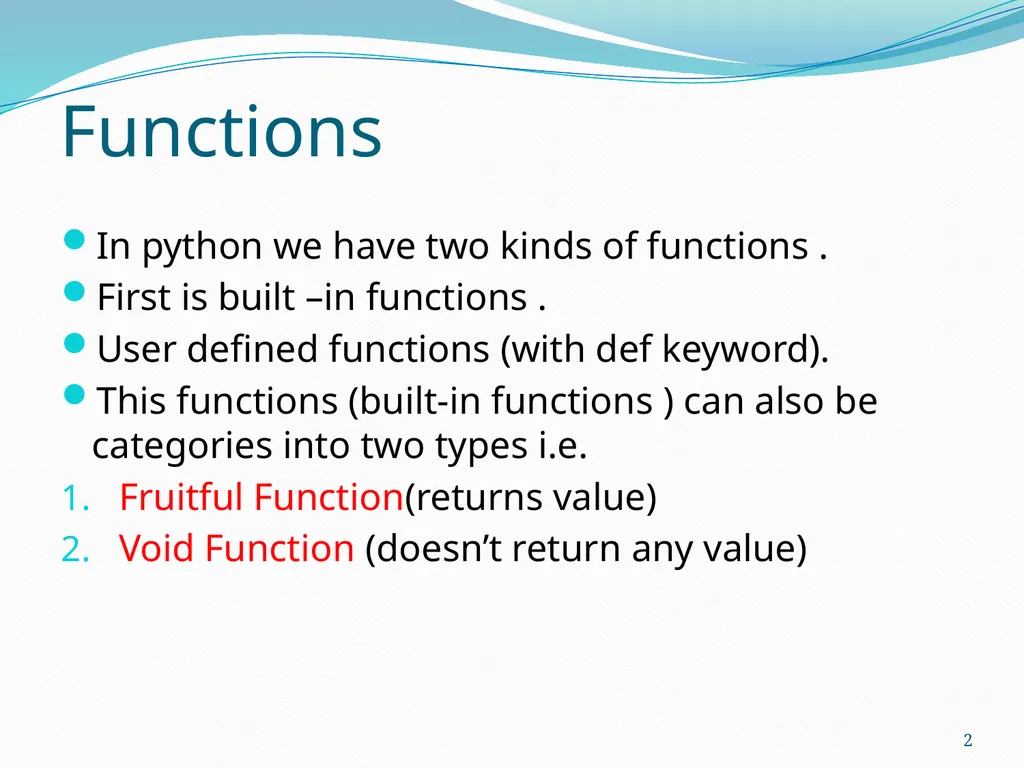
Functions In python we have two kinds of functions .
First is built –in functions .
User defined functions (with def keyword).
This functions (built-in functions ) can also be categories into two types i.e.
Fruitful Function(returns value)
Void Function (doesn’t return any value) 2<br>
First is built –in functions .
User defined functions (with def keyword).
This functions (built-in functions ) can also be categories into two types i.e.
Fruitful Function(returns value)
Void Function (doesn’t return any value) 2<br>
03
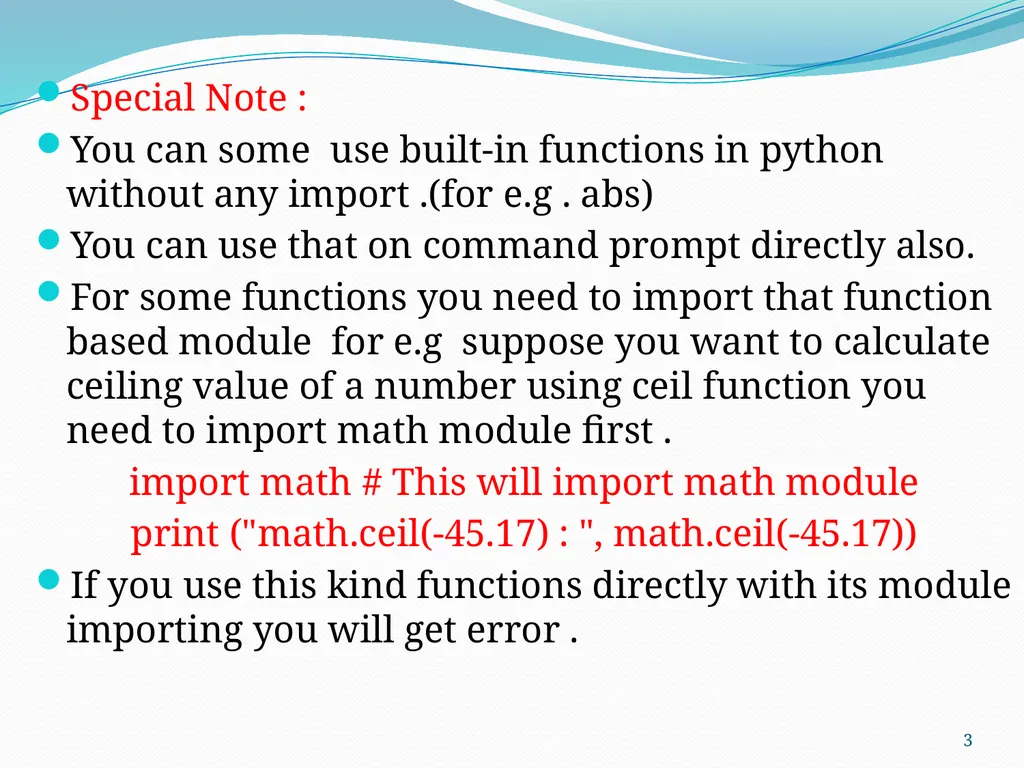
Special Note :
You can some use built-in functions in python without any import .(for e.g . abs)
You can use that on command prompt directly also.
For some functions you need to import that function based module for e.g suppose you want to calculate ceiling value of a number using ceil function you need to import math module first .
import math # This will import math module
print ("math.ceil(-45.17) : ", math.ceil(-45.17))
If you use this kind functions directly with its module importing you will get error . 3<br>
You can some use built-in functions in python without any import .(for e.g . abs)
You can use that on command prompt directly also.
For some functions you need to import that function based module for e.g suppose you want to calculate ceiling value of a number using ceil function you need to import math module first .
import math # This will import math module
print ("math.ceil(-45.17) : ", math.ceil(-45.17))
If you use this kind functions directly with its module importing you will get error . 3<br>
04
The syntax of a function call is simply
FUNCTION NAME(ARGUMENTS)
Not all functions take an argument, and some take more than one (in which case the arguments are separated by commas).
The value or variable, which is called the argument of the function, has to be enclosed in parentheses.
It is common to say that a function “takes” an argument and “returns” a result.
The result is called the return value. 4<br>
FUNCTION NAME(ARGUMENTS)
Not all functions take an argument, and some take more than one (in which case the arguments are separated by commas).
The value or variable, which is called the argument of the function, has to be enclosed in parentheses.
It is common to say that a function “takes” an argument and “returns” a result.
The result is called the return value. 4<br>
05
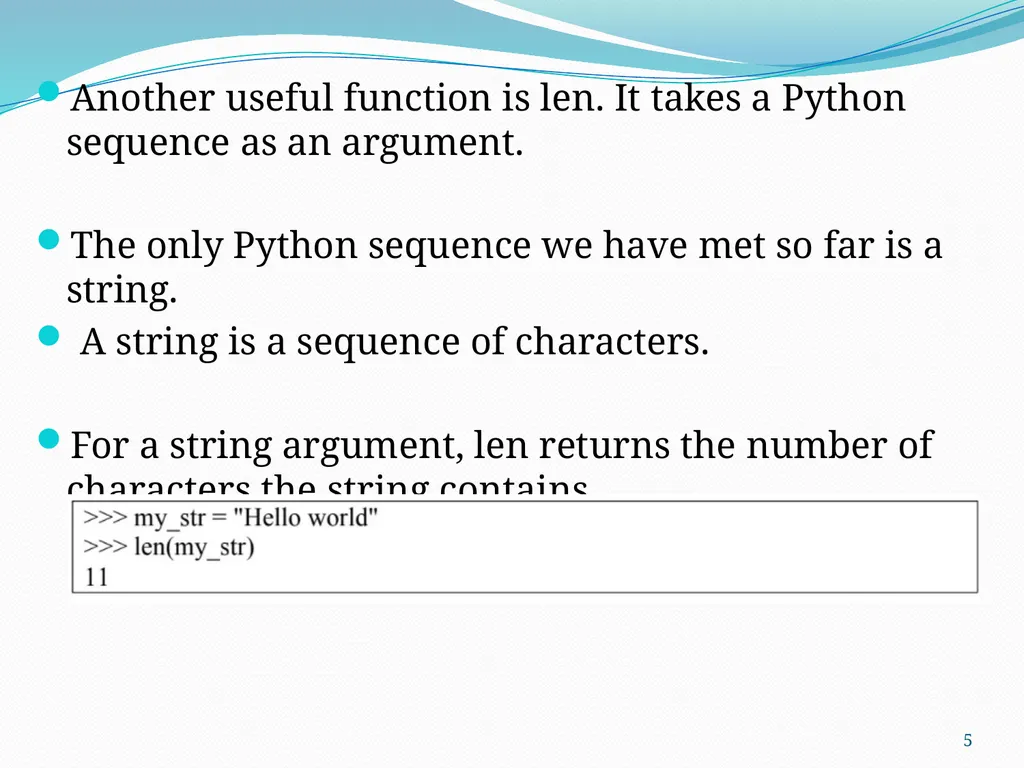
Another useful function is len. It takes a Python sequence as an argument.
The only Python sequence we have met so far is a string.
A string is a sequence of characters.
For a string argument, len returns the number of characters the string contains. 5<br>
The only Python sequence we have met so far is a string.
A string is a sequence of characters.
For a string argument, len returns the number of characters the string contains. 5<br>
06
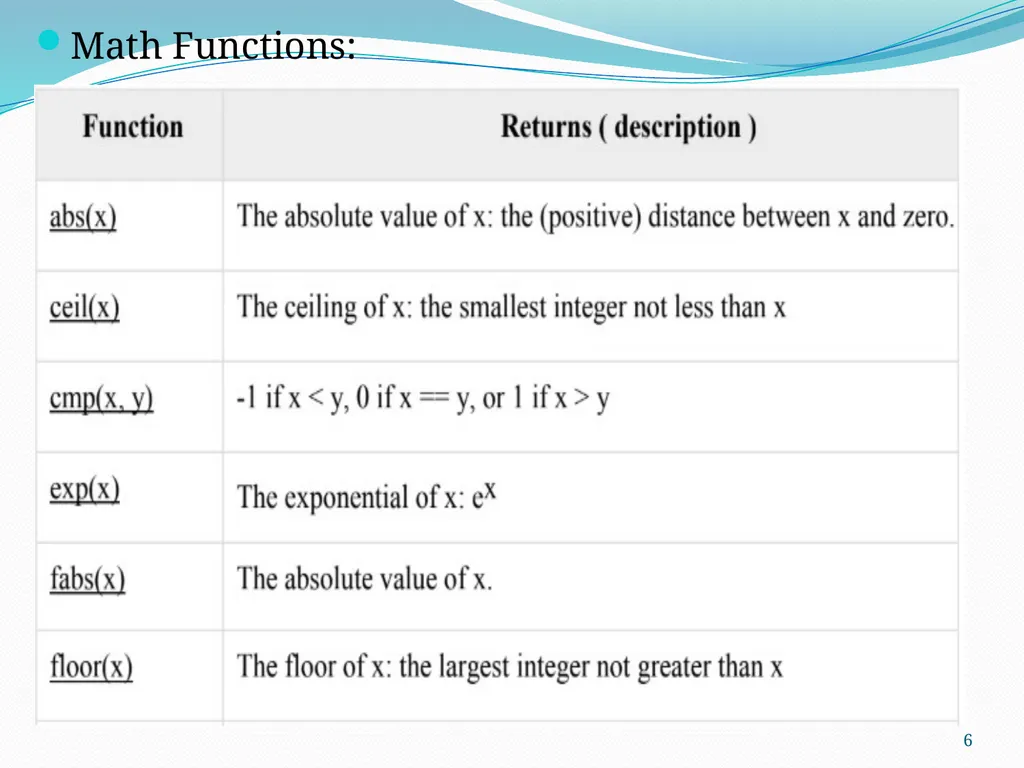
Math Functions: 6<br>
07
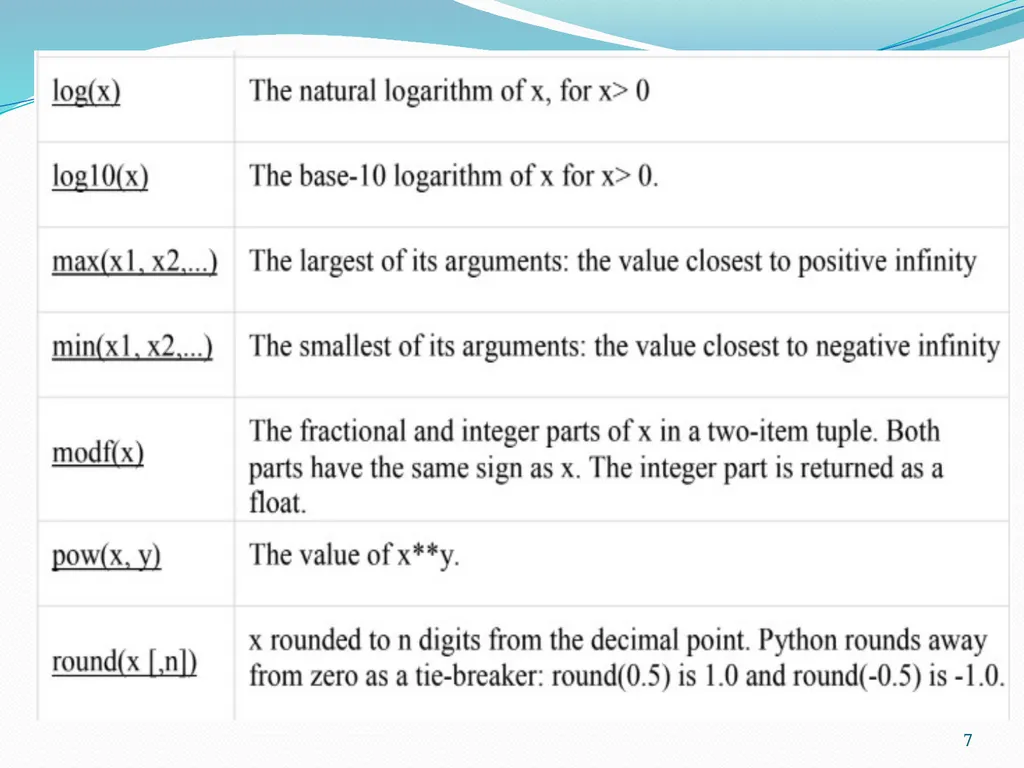
7<br>
08
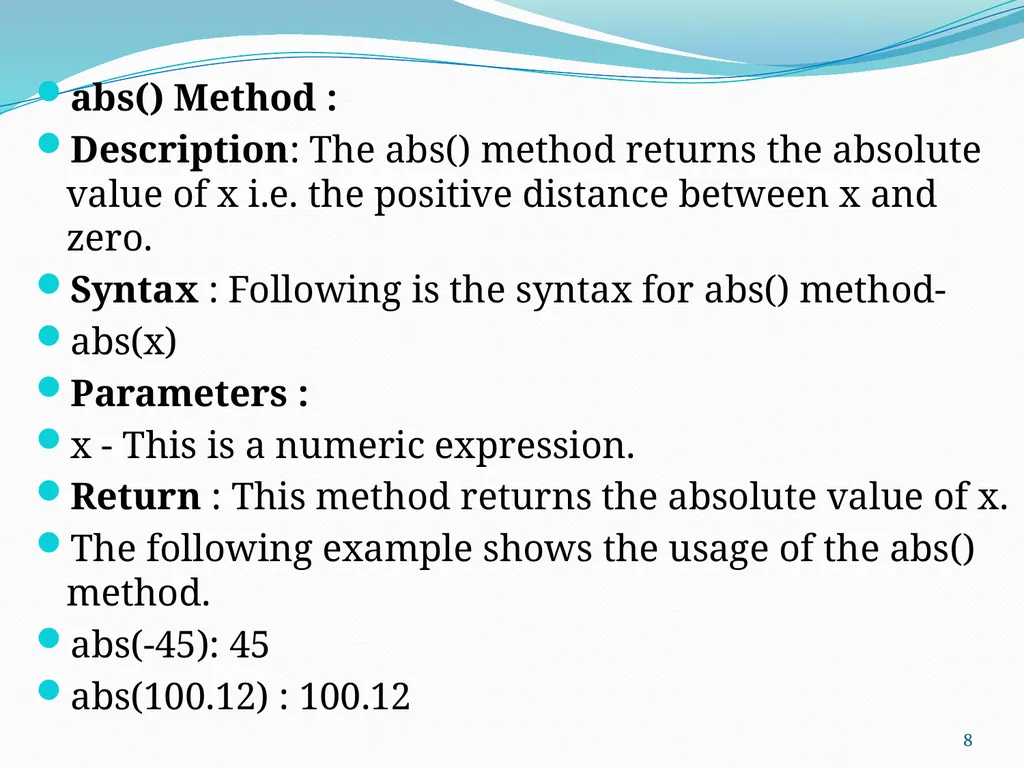
abs() Method :
Description: The abs() method returns the absolute value of x i.e. the positive distance between x and zero.
Syntax : Following is the syntax for abs() method-
abs(x)
Parameters :
x - This is a numeric expression.
Return : This method returns the absolute value of x.
The following example shows the usage of the abs() method.
abs(-45): 45
abs(100.12) : 100.12 8<br>
Description: The abs() method returns the absolute value of x i.e. the positive distance between x and zero.
Syntax : Following is the syntax for abs() method-
abs(x)
Parameters :
x - This is a numeric expression.
Return : This method returns the absolute value of x.
The following example shows the usage of the abs() method.
abs(-45): 45
abs(100.12) : 100.12 8<br>
09
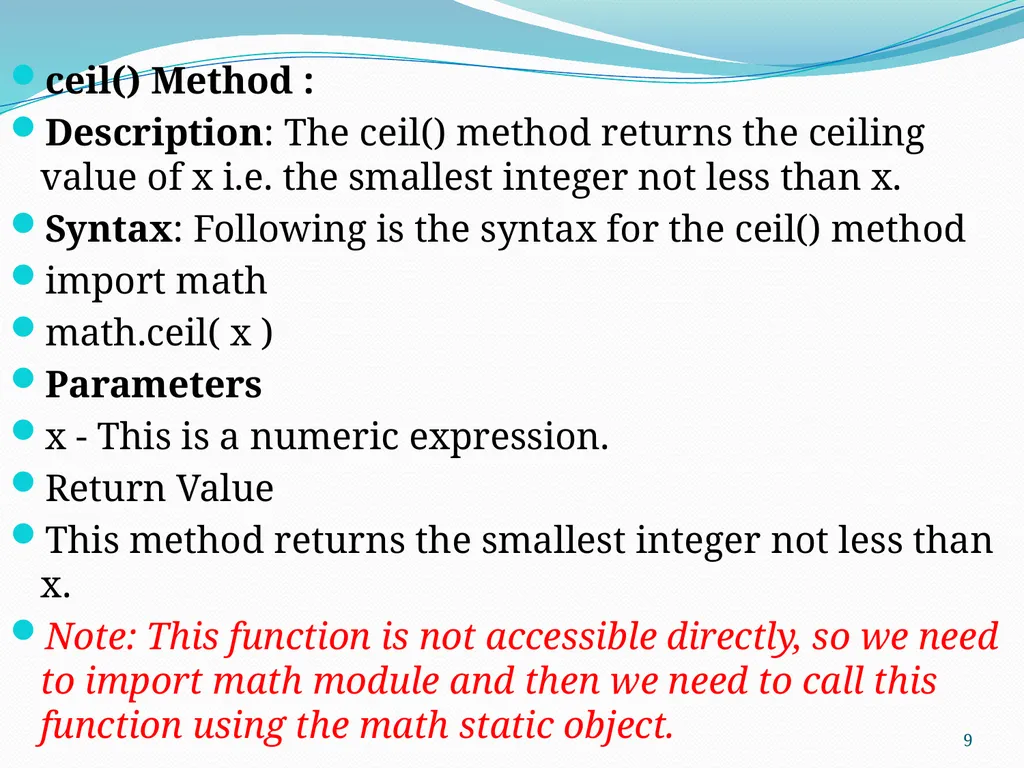
ceil() Method :
Description: The ceil() method returns the ceiling value of x i.e. the smallest integer not less than x.
Syntax: Following is the syntax for the ceil() method
import math
math.ceil( x )
Parameters
x - This is a numeric expression.
Return Value
This method returns the smallest integer not less than x.
Note: This function is not accessible directly, so we need to import math module and then we need to call this function using the math static object. 9<br>
Description: The ceil() method returns the ceiling value of x i.e. the smallest integer not less than x.
Syntax: Following is the syntax for the ceil() method
import math
math.ceil( x )
Parameters
x - This is a numeric expression.
Return Value
This method returns the smallest integer not less than x.
Note: This function is not accessible directly, so we need to import math module and then we need to call this function using the math static object. 9<br>
10
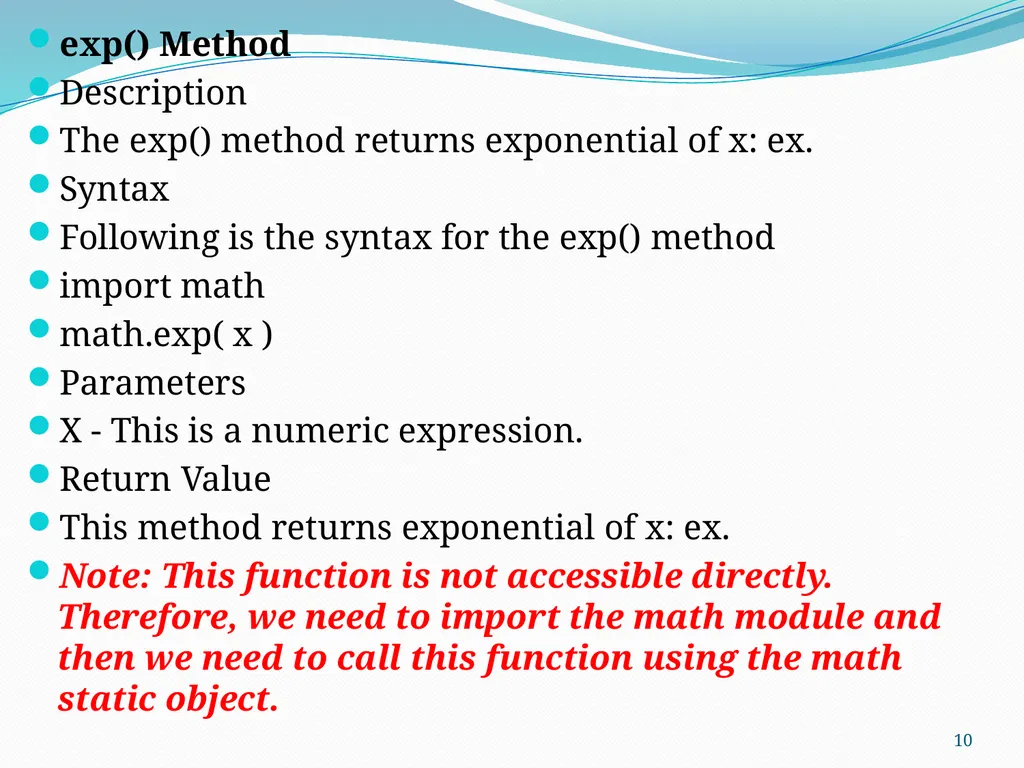
exp() Method
Description
The exp() method returns exponential of x: ex.
Syntax
Following is the syntax for the exp() method
import math
math.exp( x )
Parameters
X - This is a numeric expression.
Return Value
This method returns exponential of x: ex.
Note: This function is not accessible directly. Therefore, we need to import the math module and then we need to call this function using the math static object. 10<br>
Description
The exp() method returns exponential of x: ex.
Syntax
Following is the syntax for the exp() method
import math
math.exp( x )
Parameters
X - This is a numeric expression.
Return Value
This method returns exponential of x: ex.
Note: This function is not accessible directly. Therefore, we need to import the math module and then we need to call this function using the math static object. 10<br>
11
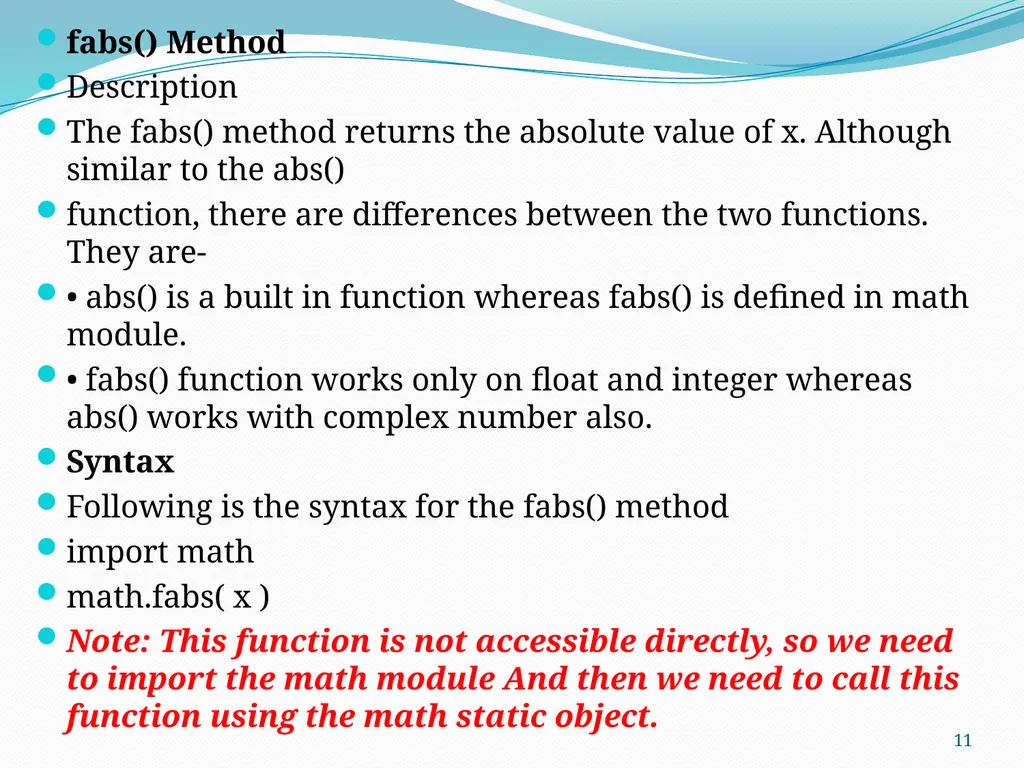
fabs() Method
Description
The fabs() method returns the absolute value of x. Although similar to the abs()
function, there are differences between the two functions. They are-
• abs() is a built in function whereas fabs() is defined in math module.
• fabs() function works only on float and integer whereas abs() works with complex number also.
Syntax
Following is the syntax for the fabs() method
import math
math.fabs( x )
Note: This function is not accessible directly, so we need to import the math module And then we need to call this function using the math static object. 11<br>
Description
The fabs() method returns the absolute value of x. Although similar to the abs()
function, there are differences between the two functions. They are-
• abs() is a built in function whereas fabs() is defined in math module.
• fabs() function works only on float and integer whereas abs() works with complex number also.
Syntax
Following is the syntax for the fabs() method
import math
math.fabs( x )
Note: This function is not accessible directly, so we need to import the math module And then we need to call this function using the math static object. 11<br>
12
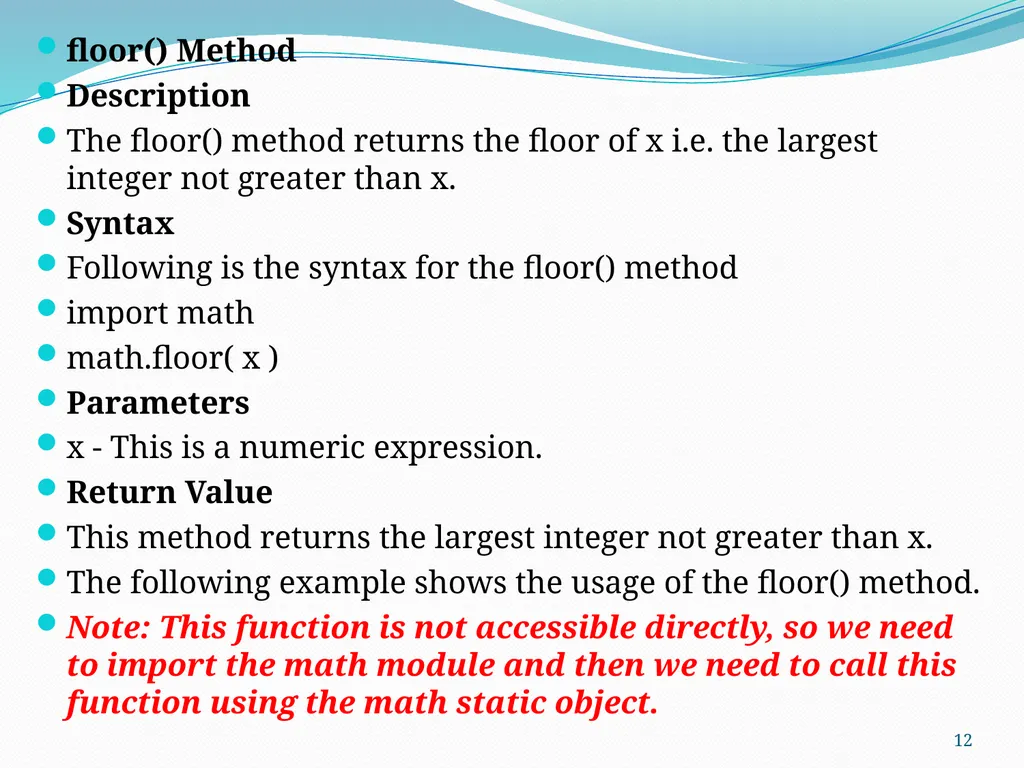
floor() Method
Description
The floor() method returns the floor of x i.e. the largest integer not greater than x.
Syntax
Following is the syntax for the floor() method
import math
math.floor( x )
Parameters
x - This is a numeric expression.
Return Value
This method returns the largest integer not greater than x.
The following example shows the usage of the floor() method.
Note: This function is not accessible directly, so we need to import the math module and then we need to call this function using the math static object. 12<br>
Description
The floor() method returns the floor of x i.e. the largest integer not greater than x.
Syntax
Following is the syntax for the floor() method
import math
math.floor( x )
Parameters
x - This is a numeric expression.
Return Value
This method returns the largest integer not greater than x.
The following example shows the usage of the floor() method.
Note: This function is not accessible directly, so we need to import the math module and then we need to call this function using the math static object. 12<br>
13
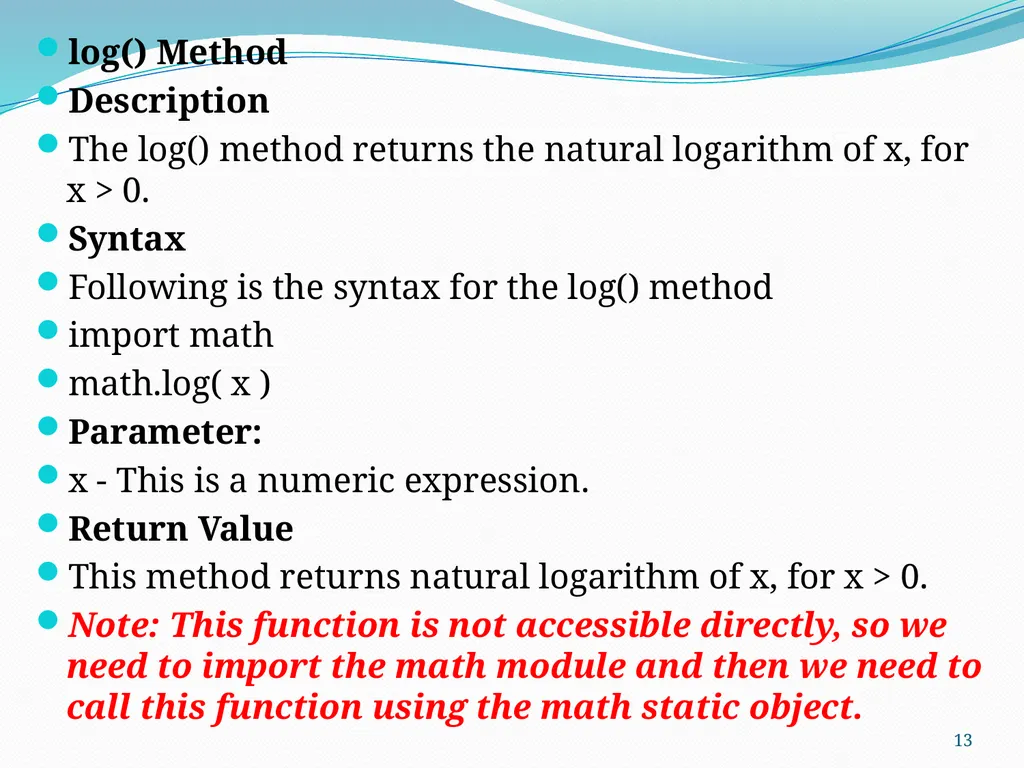
log() Method
Description
The log() method returns the natural logarithm of x, for x > 0.
Syntax
Following is the syntax for the log() method
import math
math.log( x )
Parameter:
x - This is a numeric expression.
Return Value
This method returns natural logarithm of x, for x > 0.
Note: This function is not accessible directly, so we need to import the math module and then we need to call this function using the math static object. 13<br>
Description
The log() method returns the natural logarithm of x, for x > 0.
Syntax
Following is the syntax for the log() method
import math
math.log( x )
Parameter:
x - This is a numeric expression.
Return Value
This method returns natural logarithm of x, for x > 0.
Note: This function is not accessible directly, so we need to import the math module and then we need to call this function using the math static object. 13<br>
14
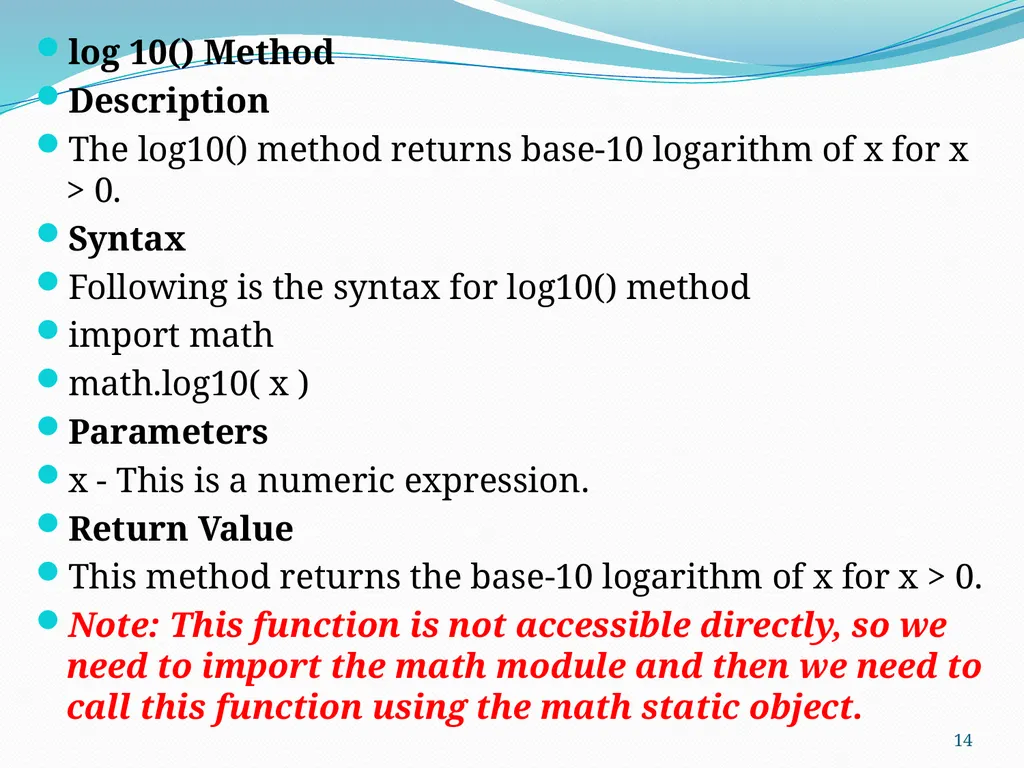
log 10() Method
Description
The log10() method returns base-10 logarithm of x for x > 0.
Syntax
Following is the syntax for log10() method
import math
math.log10( x )
Parameters
x - This is a numeric expression.
Return Value
This method returns the base-10 logarithm of x for x > 0.
Note: This function is not accessible directly, so we need to import the math module and then we need to call this function using the math static object. 14<br>
Description
The log10() method returns base-10 logarithm of x for x > 0.
Syntax
Following is the syntax for log10() method
import math
math.log10( x )
Parameters
x - This is a numeric expression.
Return Value
This method returns the base-10 logarithm of x for x > 0.
Note: This function is not accessible directly, so we need to import the math module and then we need to call this function using the math static object. 14<br>
15
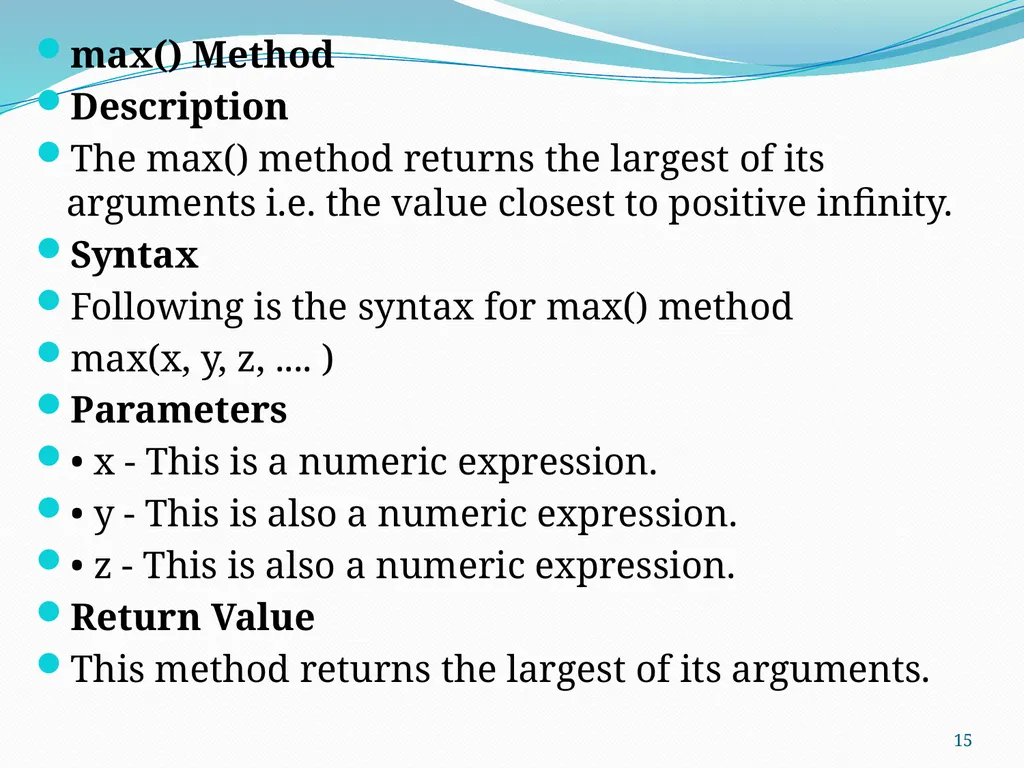
max() Method
Description
The max() method returns the largest of its arguments i.e. the value closest to positive infinity.
Syntax
Following is the syntax for max() method
max(x, y, z, .... )
Parameters
• x - This is a numeric expression.
• y - This is also a numeric expression.
• z - This is also a numeric expression.
Return Value
This method returns the largest of its arguments. 15<br>
Description
The max() method returns the largest of its arguments i.e. the value closest to positive infinity.
Syntax
Following is the syntax for max() method
max(x, y, z, .... )
Parameters
• x - This is a numeric expression.
• y - This is also a numeric expression.
• z - This is also a numeric expression.
Return Value
This method returns the largest of its arguments. 15<br>
16
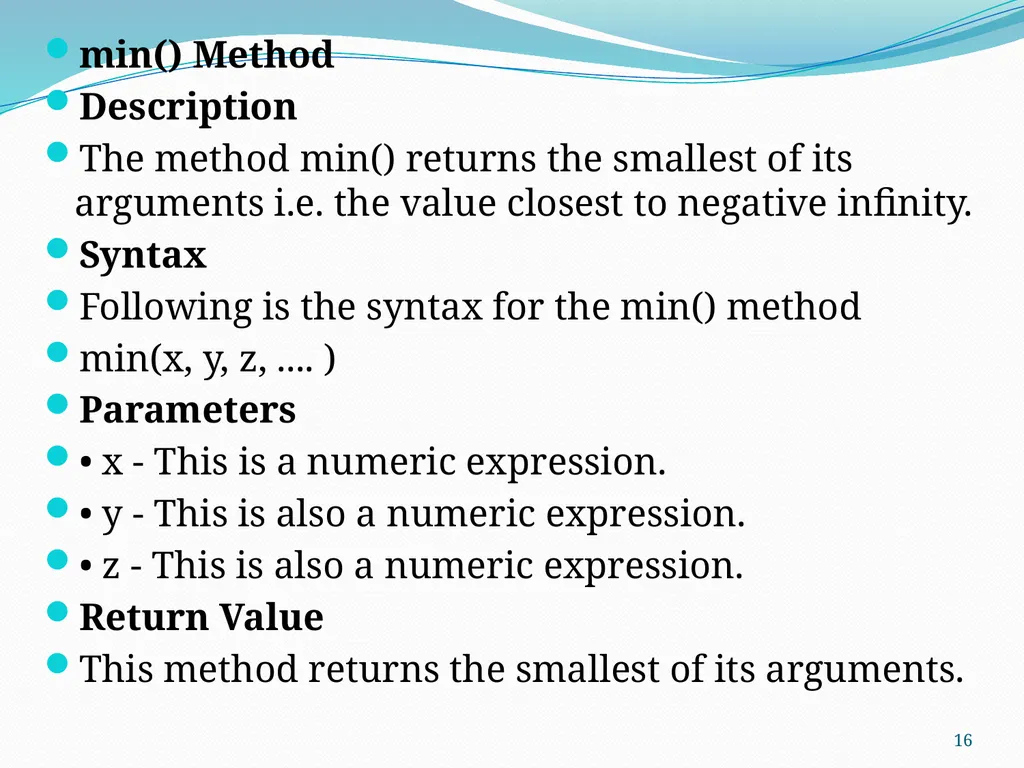
min() Method
Description
The method min() returns the smallest of its arguments i.e. the value closest to negative infinity.
Syntax
Following is the syntax for the min() method
min(x, y, z, .... )
Parameters
• x - This is a numeric expression.
• y - This is also a numeric expression.
• z - This is also a numeric expression.
Return Value
This method returns the smallest of its arguments. 16<br>
Description
The method min() returns the smallest of its arguments i.e. the value closest to negative infinity.
Syntax
Following is the syntax for the min() method
min(x, y, z, .... )
Parameters
• x - This is a numeric expression.
• y - This is also a numeric expression.
• z - This is also a numeric expression.
Return Value
This method returns the smallest of its arguments. 16<br>
17
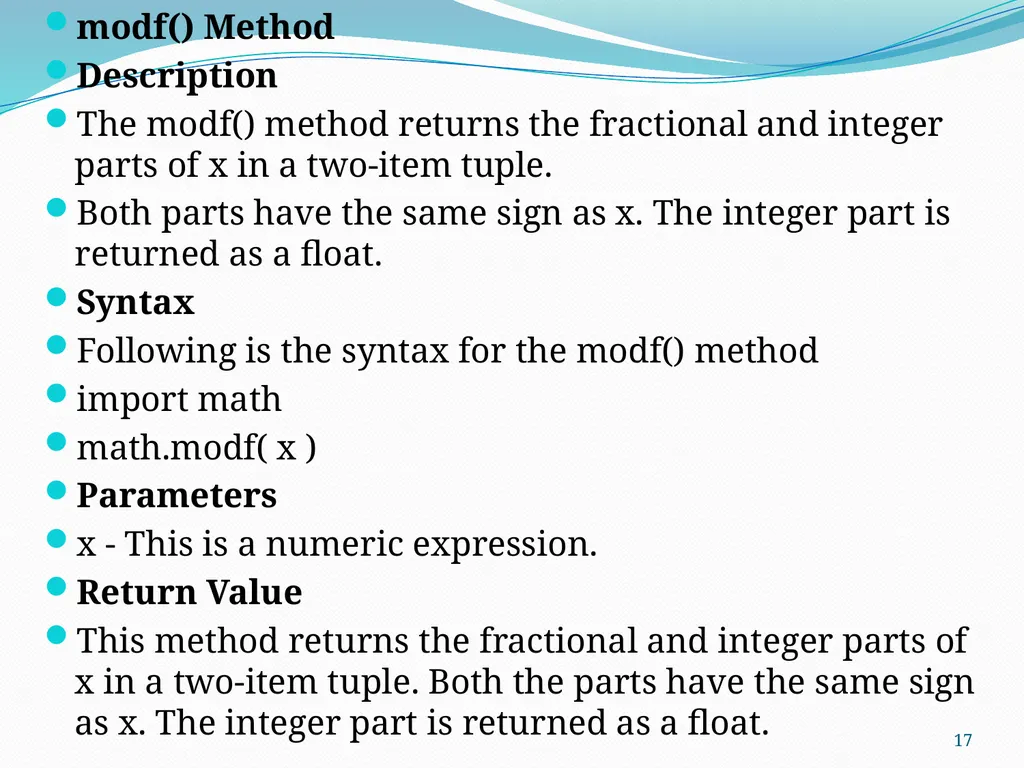
modf() Method
Description
The modf() method returns the fractional and integer parts of x in a two-item tuple.
Both parts have the same sign as x. The integer part is returned as a float.
Syntax
Following is the syntax for the modf() method
import math
math.modf( x )
Parameters
x - This is a numeric expression.
Return Value
This method returns the fractional and integer parts of x in a two-item tuple. Both the parts have the same sign as x. The integer part is returned as a float. 17<br>
Description
The modf() method returns the fractional and integer parts of x in a two-item tuple.
Both parts have the same sign as x. The integer part is returned as a float.
Syntax
Following is the syntax for the modf() method
import math
math.modf( x )
Parameters
x - This is a numeric expression.
Return Value
This method returns the fractional and integer parts of x in a two-item tuple. Both the parts have the same sign as x. The integer part is returned as a float. 17<br>
18
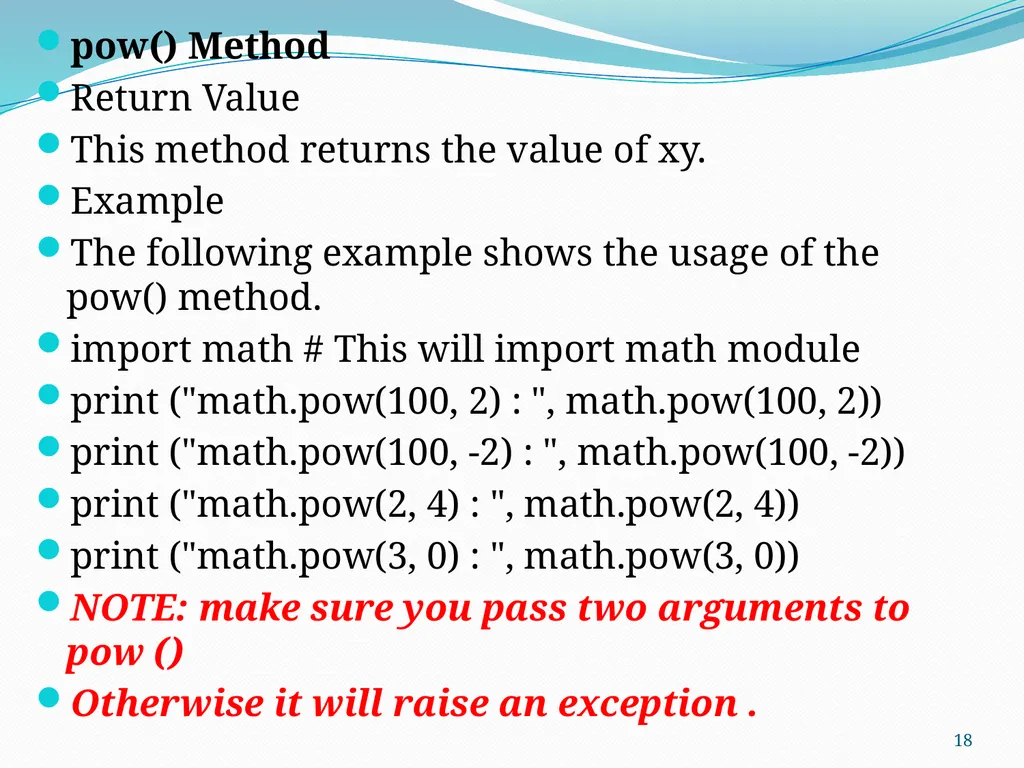
pow() Method
Return Value
This method returns the value of xy.
Example
The following example shows the usage of the pow() method.
import math # This will import math module
print ("math.pow(100, 2) : ", math.pow(100, 2))
print ("math.pow(100, -2) : ", math.pow(100, -2))
print ("math.pow(2, 4) : ", math.pow(2, 4))
print ("math.pow(3, 0) : ", math.pow(3, 0))
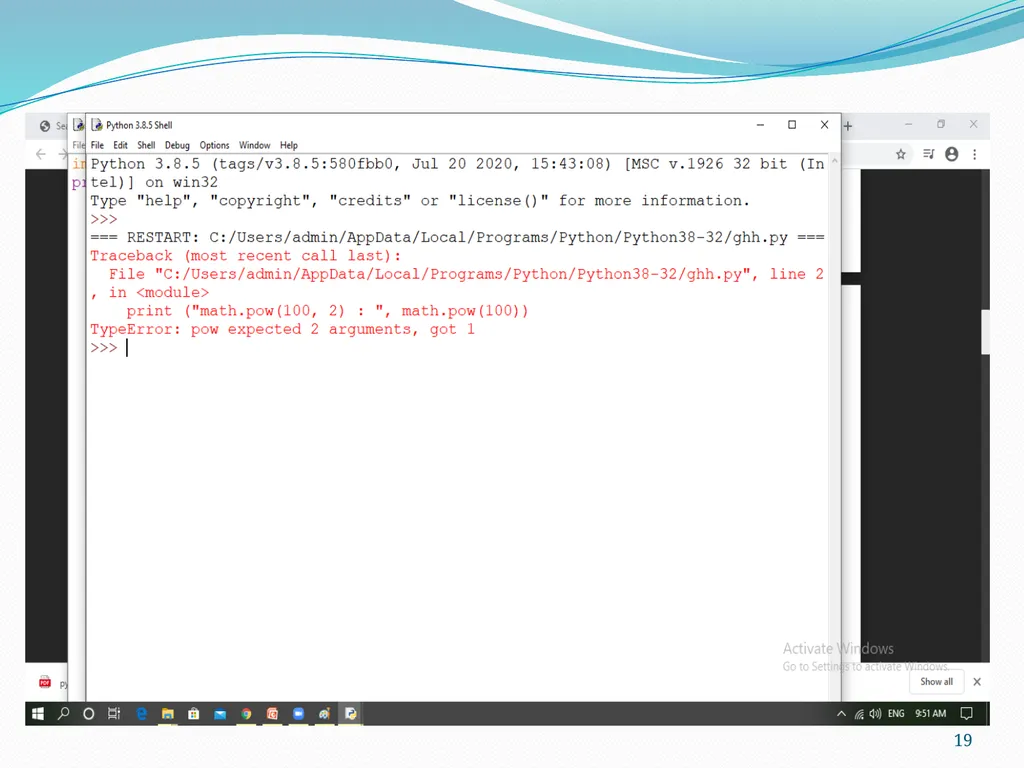
NOTE: make sure you pass two arguments to pow ()
Otherwise it will raise an exception . 18<br>
Return Value
This method returns the value of xy.
Example
The following example shows the usage of the pow() method.
import math # This will import math module
print ("math.pow(100, 2) : ", math.pow(100, 2))
print ("math.pow(100, -2) : ", math.pow(100, -2))
print ("math.pow(2, 4) : ", math.pow(2, 4))
print ("math.pow(3, 0) : ", math.pow(3, 0))
NOTE: make sure you pass two arguments to pow ()
Otherwise it will raise an exception . 18<br>
19
19<br>
20
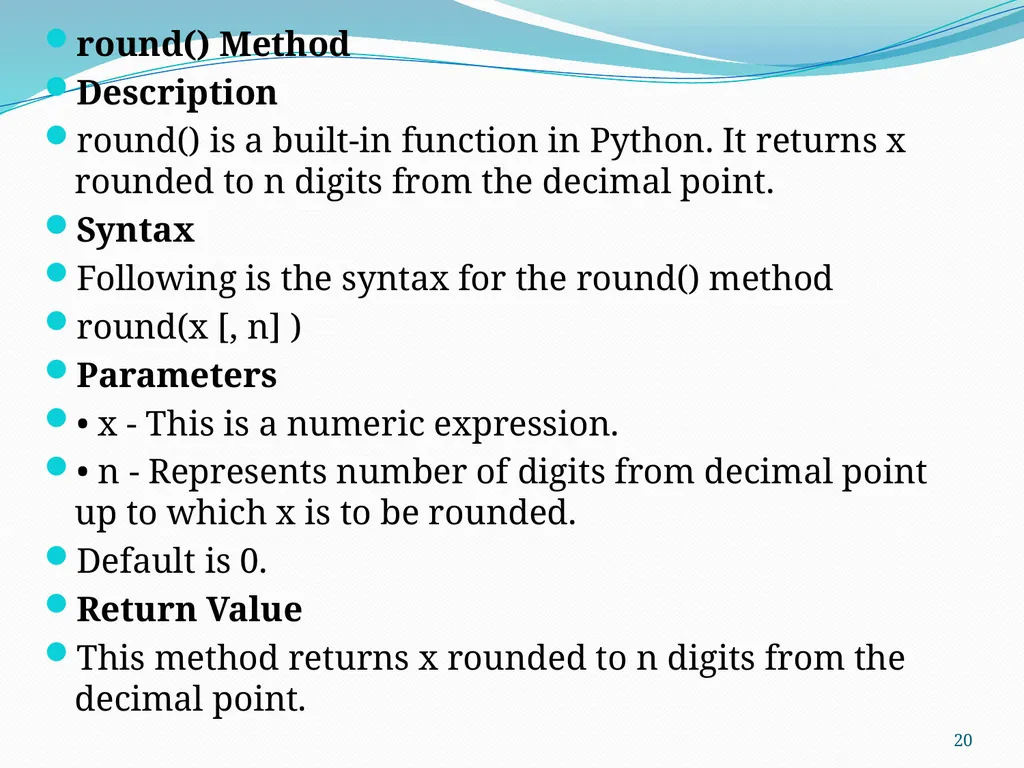
round() Method
Description
round() is a built-in function in Python. It returns x rounded to n digits from the decimal point.
Syntax
Following is the syntax for the round() method
round(x [, n] )
Parameters
• x - This is a numeric expression.
• n - Represents number of digits from decimal point up to which x is to be rounded.
Default is 0.
Return Value
This method returns x rounded to n digits from the decimal point. 20<br>
Description
round() is a built-in function in Python. It returns x rounded to n digits from the decimal point.
Syntax
Following is the syntax for the round() method
round(x [, n] )
Parameters
• x - This is a numeric expression.
• n - Represents number of digits from decimal point up to which x is to be rounded.
Default is 0.
Return Value
This method returns x rounded to n digits from the decimal point. 20<br>
21
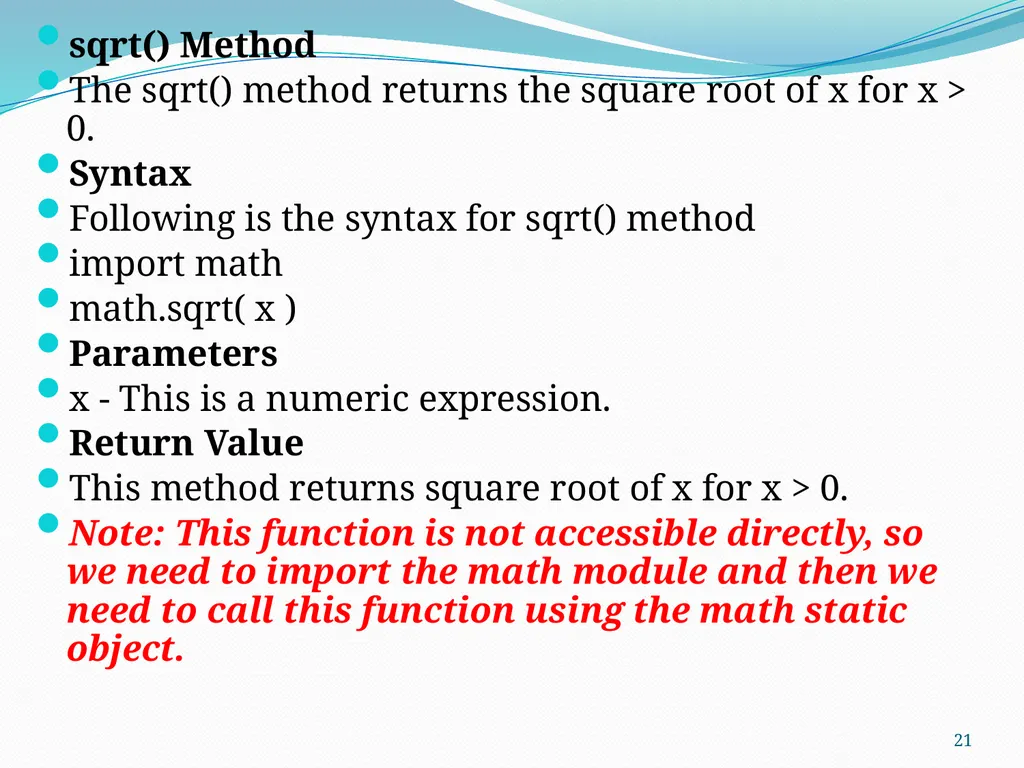
sqrt() Method
The sqrt() method returns the square root of x for x > 0.
Syntax
Following is the syntax for sqrt() method
import math
math.sqrt( x )
Parameters
x - This is a numeric expression.
Return Value
This method returns square root of x for x > 0.
Note: This function is not accessible directly, so we need to import the math module and then we need to call this function using the math static object. 21<br>
The sqrt() method returns the square root of x for x > 0.
Syntax
Following is the syntax for sqrt() method
import math
math.sqrt( x )
Parameters
x - This is a numeric expression.
Return Value
This method returns square root of x for x > 0.
Note: This function is not accessible directly, so we need to import the math module and then we need to call this function using the math static object. 21<br>
22
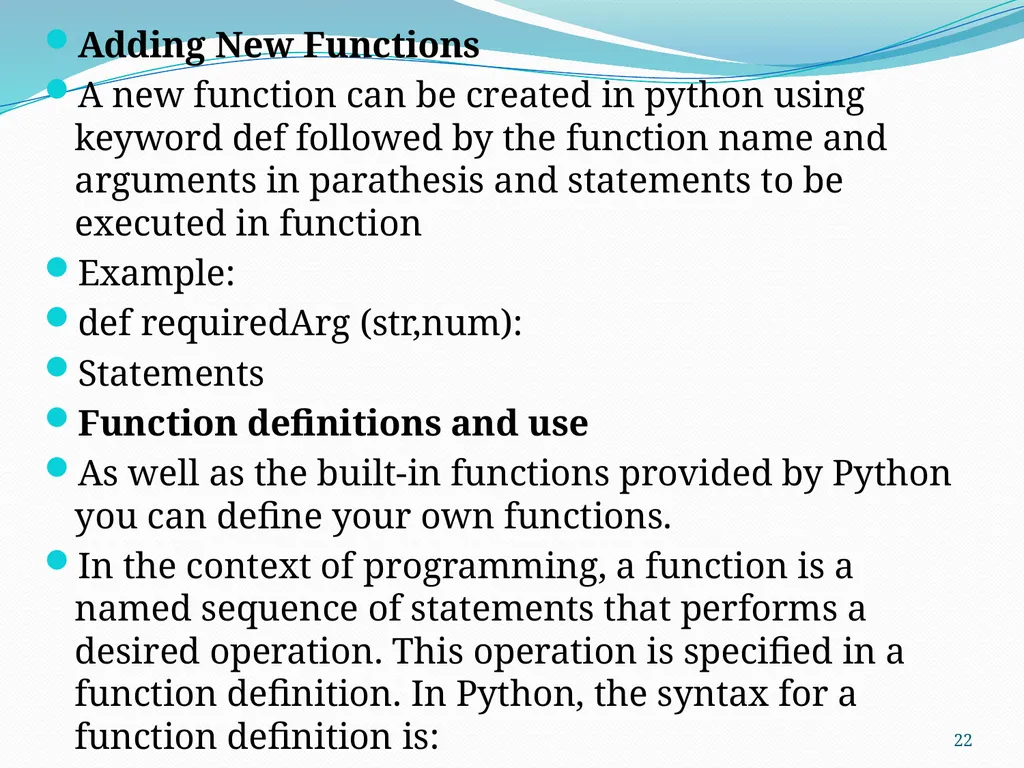
Adding New Functions
A new function can be created in python using keyword def followed by the function name and arguments in parathesis and statements to be executed in function
Example:
def requiredArg (str,num):
Statements
Function definitions and use
As well as the built-in functions provided by Python you can define your own functions.
In the context of programming, a function is a named sequence of statements that performs a desired operation. This operation is specified in a function definition. In Python, the syntax for a function definition is: 22<br>
A new function can be created in python using keyword def followed by the function name and arguments in parathesis and statements to be executed in function
Example:
def requiredArg (str,num):
Statements
Function definitions and use
As well as the built-in functions provided by Python you can define your own functions.
In the context of programming, a function is a named sequence of statements that performs a desired operation. This operation is specified in a function definition. In Python, the syntax for a function definition is: 22<br>
23
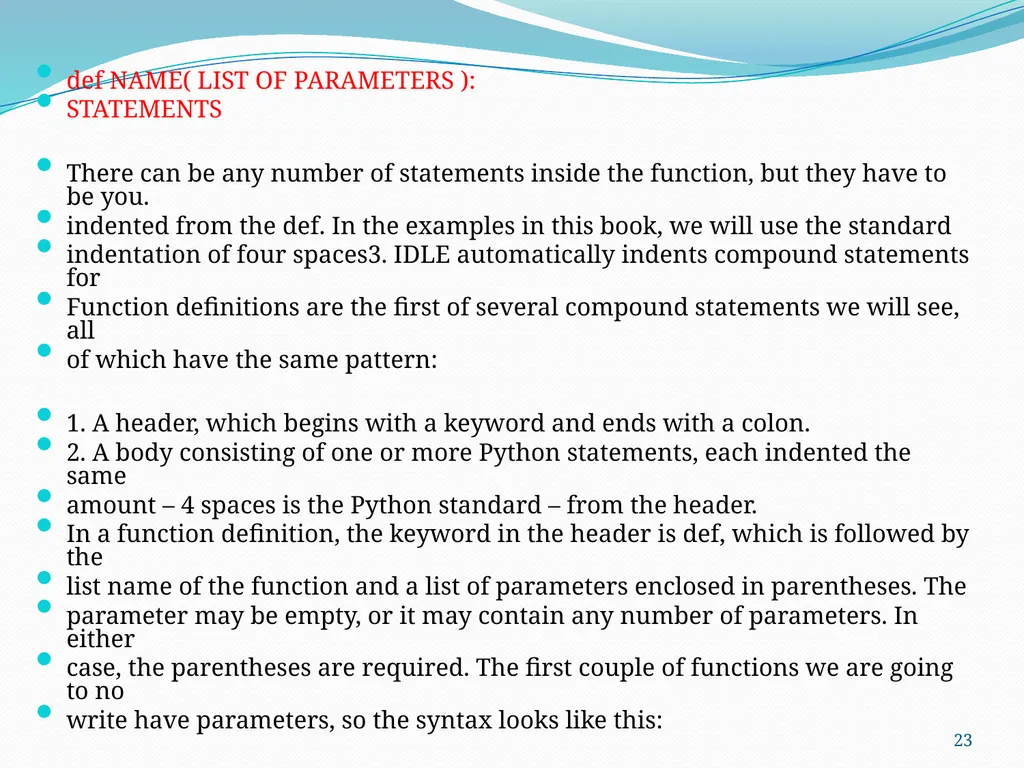
def NAME( LIST OF PARAMETERS ):
STATEMENTS
There can be any number of statements inside the function, but they have to be you.
indented from the def. In the examples in this book, we will use the standard
indentation of four spaces3. IDLE automatically indents compound statements for
Function definitions are the first of several compound statements we will see, all
of which have the same pattern:
1. A header, which begins with a keyword and ends with a colon.
2. A body consisting of one or more Python statements, each indented the same
amount – 4 spaces is the Python standard – from the header.
In a function definition, the keyword in the header is def, which is followed by the
list name of the function and a list of parameters enclosed in parentheses. The
parameter may be empty, or it may contain any number of parameters. In either
case, the parentheses are required. The first couple of functions we are going to no
write have parameters, so the syntax looks like this: 23<br>
STATEMENTS
There can be any number of statements inside the function, but they have to be you.
indented from the def. In the examples in this book, we will use the standard
indentation of four spaces3. IDLE automatically indents compound statements for
Function definitions are the first of several compound statements we will see, all
of which have the same pattern:
1. A header, which begins with a keyword and ends with a colon.
2. A body consisting of one or more Python statements, each indented the same
amount – 4 spaces is the Python standard – from the header.
In a function definition, the keyword in the header is def, which is followed by the
list name of the function and a list of parameters enclosed in parentheses. The
parameter may be empty, or it may contain any number of parameters. In either
case, the parentheses are required. The first couple of functions we are going to no
write have parameters, so the syntax looks like this: 23<br>
24
This function is named new_line. The empty parentheses indicate that it has no which parameters (that is it takes no arguments). Its body contains only a single statement, outputs a newline character. (That’s what happens when you use a print command without any arguments.)
Defining a new function does not make the function run. To do that we need a by a function call. Function calls contain the name of the function to be executed
followed list of values, called arguments, which are assigned to the parameters in the function definition. Our first examples have an empty parameter list, so the do function calls not take any arguments. Notice, however, that the parentheses are required in the function call 24<br>
Defining a new function does not make the function run. To do that we need a by a function call. Function calls contain the name of the function to be executed
followed list of values, called arguments, which are assigned to the parameters in the function definition. Our first examples have an empty parameter list, so the do function calls not take any arguments. Notice, however, that the parentheses are required in the function call 24<br>
25
Flow of Execution:
In order to ensure that a function is defined before its first use, you have to know the order in which statements are executed, which is called the flow of execution.
Execution always begins at the first statement of the program. Statements are executed one at a time, in order from top to bottom.
Function definitions do not alter the flow of execution of the program, but remember that statements inside the function are not executed until the function is called.
Although it is not common, you can define one function inside another. In this case, the inner definition isn’t executed until the outer function is called. 25<br>
In order to ensure that a function is defined before its first use, you have to know the order in which statements are executed, which is called the flow of execution.
Execution always begins at the first statement of the program. Statements are executed one at a time, in order from top to bottom.
Function definitions do not alter the flow of execution of the program, but remember that statements inside the function are not executed until the function is called.
Although it is not common, you can define one function inside another. In this case, the inner definition isn’t executed until the outer function is called. 25<br>
26
Parameters and Arguments:
Most functions require arguments.
Arguments are values that are input to the function and these contain the data that the function works on.
Some functions take more than one argument.
Inside the function, the values that are passed get assigned to variables called parameters. 26<br>
Most functions require arguments.
Arguments are values that are input to the function and these contain the data that the function works on.
Some functions take more than one argument.
Inside the function, the values that are passed get assigned to variables called parameters. 26<br>
27
Fruitful functions and Void functions:
The return statement :
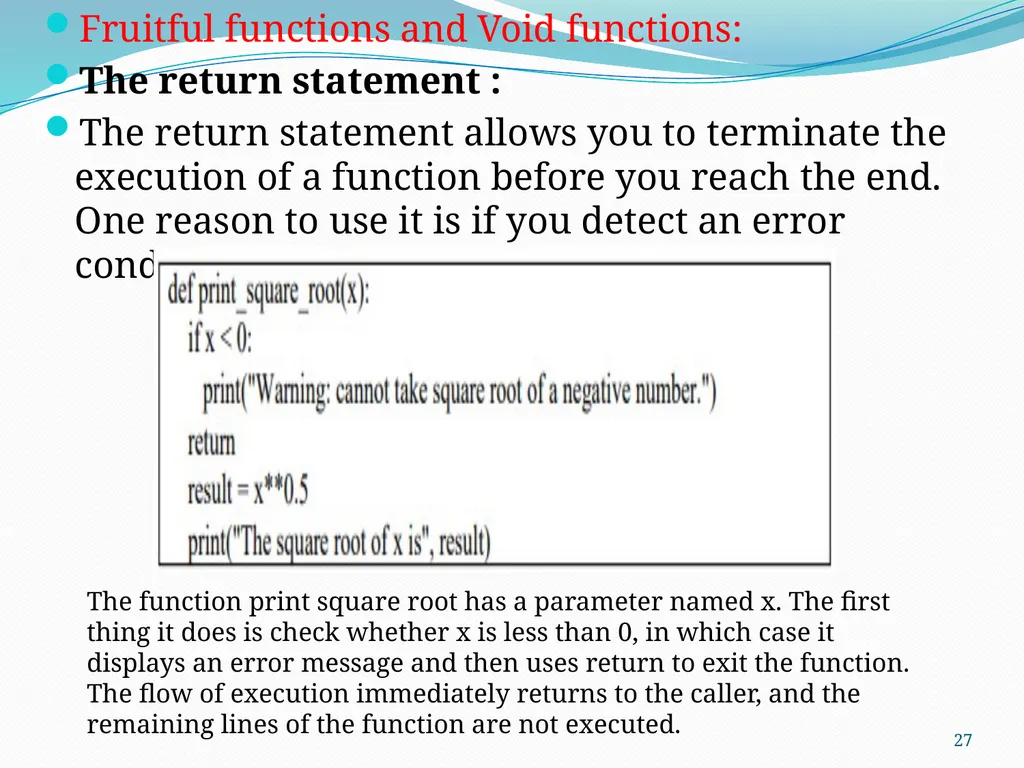
The return statement allows you to terminate the execution of a function before you reach the end. One reason to use it is if you detect an error condition: The function print square root has a parameter named x. The first thing it does is check whether x is less than 0, in which case it displays an error message and then uses return to exit the function. The flow of execution immediately returns to the caller, and the remaining lines of the function are not executed. 27<br>
The return statement :
The return statement allows you to terminate the execution of a function before you reach the end. One reason to use it is if you detect an error condition: The function print square root has a parameter named x. The first thing it does is check whether x is less than 0, in which case it displays an error message and then uses return to exit the function. The flow of execution immediately returns to the caller, and the remaining lines of the function are not executed. 27<br>
28
Fruitful Functions :
The functions that returns some value is known as fruitful functions.
Void Functions :
The functions that don’t return any value is known as Void Functions.
you can call one function from within another. This ability is called composition 28<br>
The functions that returns some value is known as fruitful functions.
Void Functions :
The functions that don’t return any value is known as Void Functions.
you can call one function from within another. This ability is called composition 28<br>
29
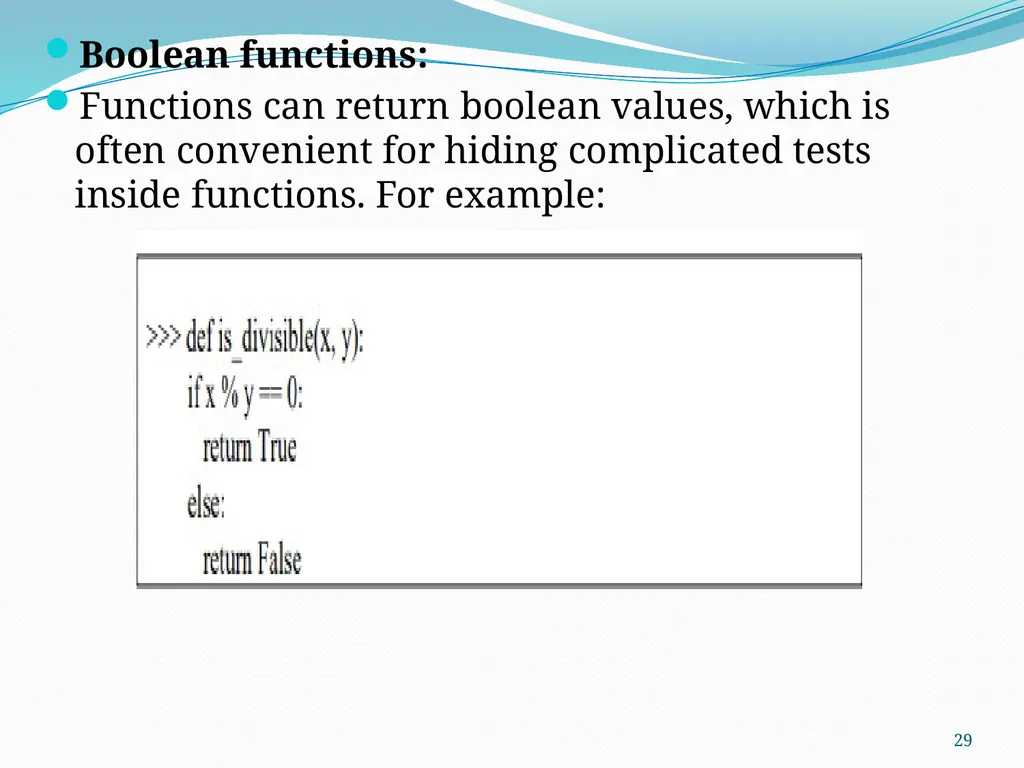
Boolean functions:
Functions can return boolean values, which is often convenient for hiding complicated tests inside functions. For example: 29<br>
Functions can return boolean values, which is often convenient for hiding complicated tests inside functions. For example: 29<br>
30
Void Functions:
Void functions are functions, like ‘print_twice’ (that we defined earlier), that perform an action (either display something on the screen or perform some other action). However, they do not return a value. 30<br>
Void functions are functions, like ‘print_twice’ (that we defined earlier), that perform an action (either display something on the screen or perform some other action). However, they do not return a value. 30<br>
31
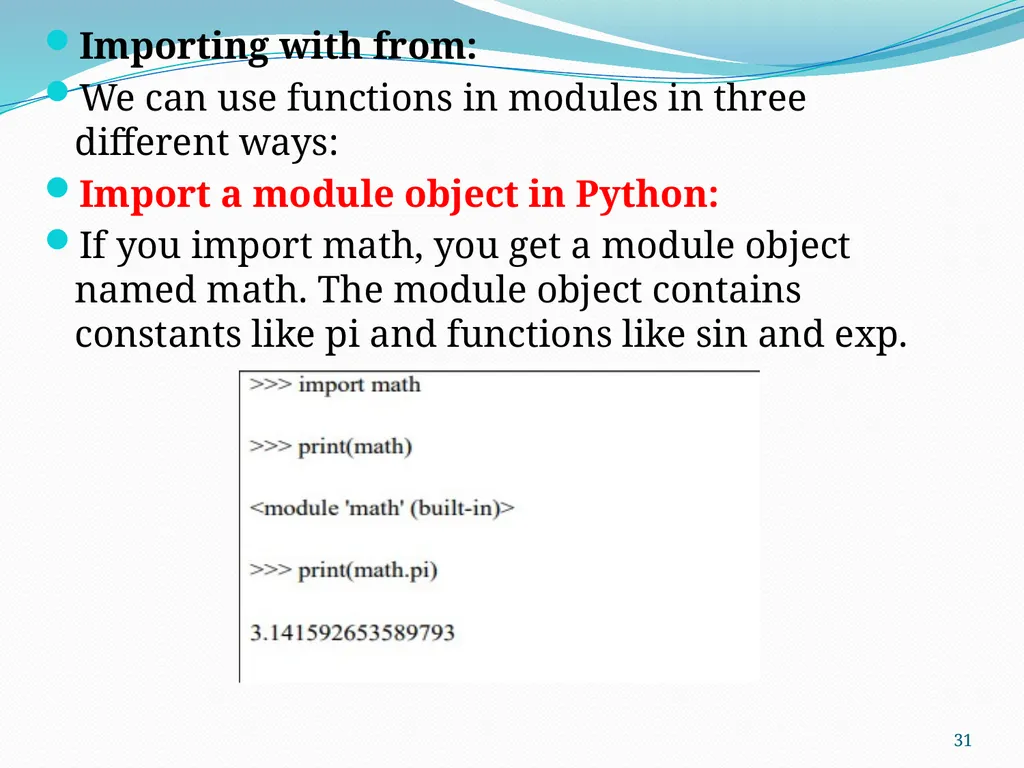
Importing with from:
We can use functions in modules in three different ways:
Import a module object in Python:
If you import math, you get a module object named math. The module object contains constants like pi and functions like sin and exp. 31<br>
We can use functions in modules in three different ways:
Import a module object in Python:
If you import math, you get a module object named math. The module object contains constants like pi and functions like sin and exp. 31<br>
32
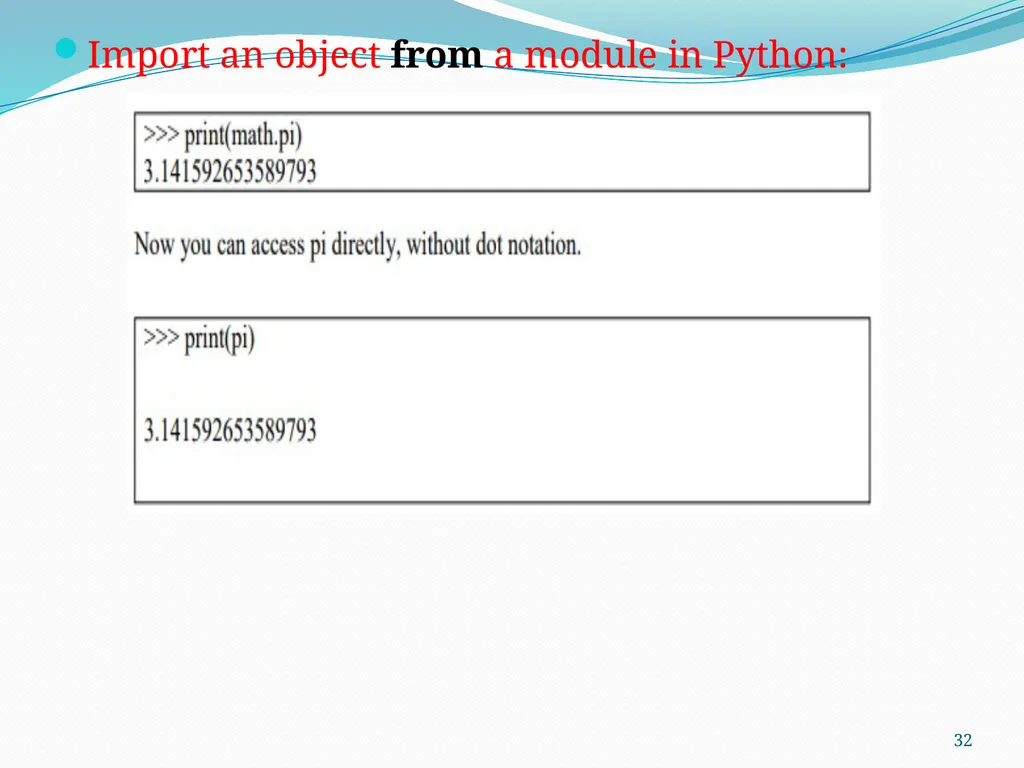
Import an object from a module in Python: 32<br>
33
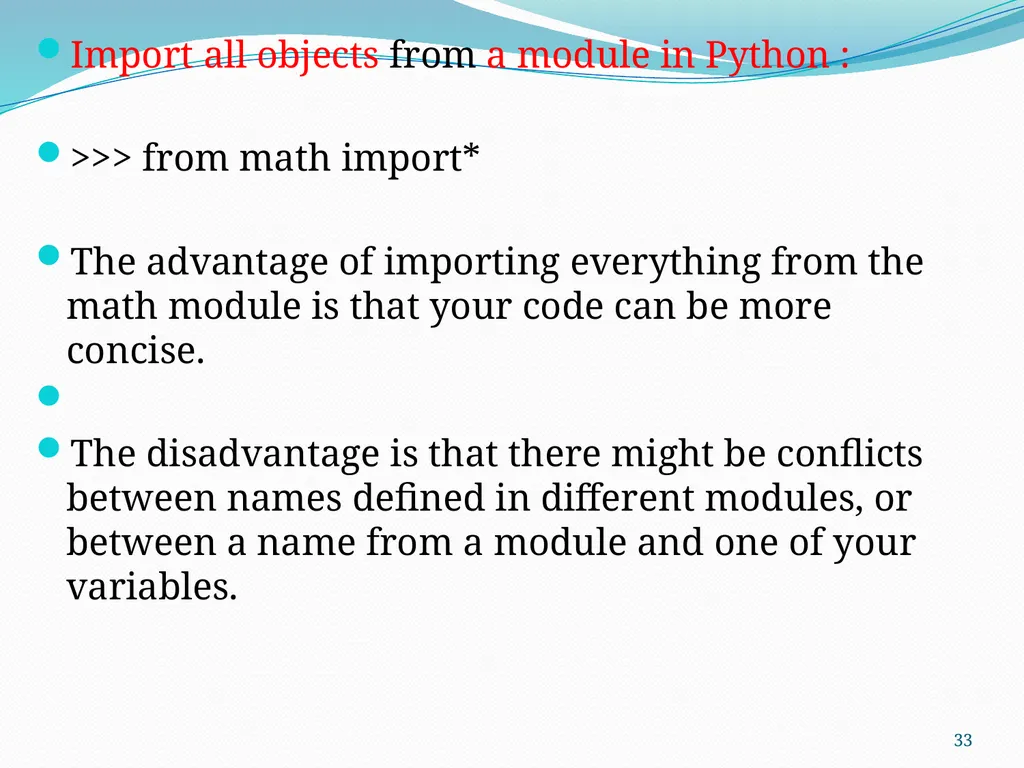
Import all objects from a module in Python :
>>> from math import*
The advantage of importing everything from the math module is that your code can be more concise.
The disadvantage is that there might be conflicts between names defined in different modules, or between a name from a module and one of your variables. 33<br>
>>> from math import*
The advantage of importing everything from the math module is that your code can be more concise.
The disadvantage is that there might be conflicts between names defined in different modules, or between a name from a module and one of your variables. 33<br>
34
Recursion:
Recursion is a way of programming or coding a problem, in which a function calls itself one or more times in its body. Usually, it is returning the return value of this function call. If a function definition fulfils the condition of recursion, we call this function a recursive function.
Termination condition: A recursive function has to terminate to be used in a program.
A recursive function terminates, if with every recursive call the solution of the problem is downsized and moves towards a base case.
A base case is a case, where the problem can be solved without further recursion.
A recursion can lead to an infinite loop, if the base case is not met in the calls. 34<br>
Recursion is a way of programming or coding a problem, in which a function calls itself one or more times in its body. Usually, it is returning the return value of this function call. If a function definition fulfils the condition of recursion, we call this function a recursive function.
Termination condition: A recursive function has to terminate to be used in a program.
A recursive function terminates, if with every recursive call the solution of the problem is downsized and moves towards a base case.
A base case is a case, where the problem can be solved without further recursion.
A recursion can lead to an infinite loop, if the base case is not met in the calls. 34<br>
35
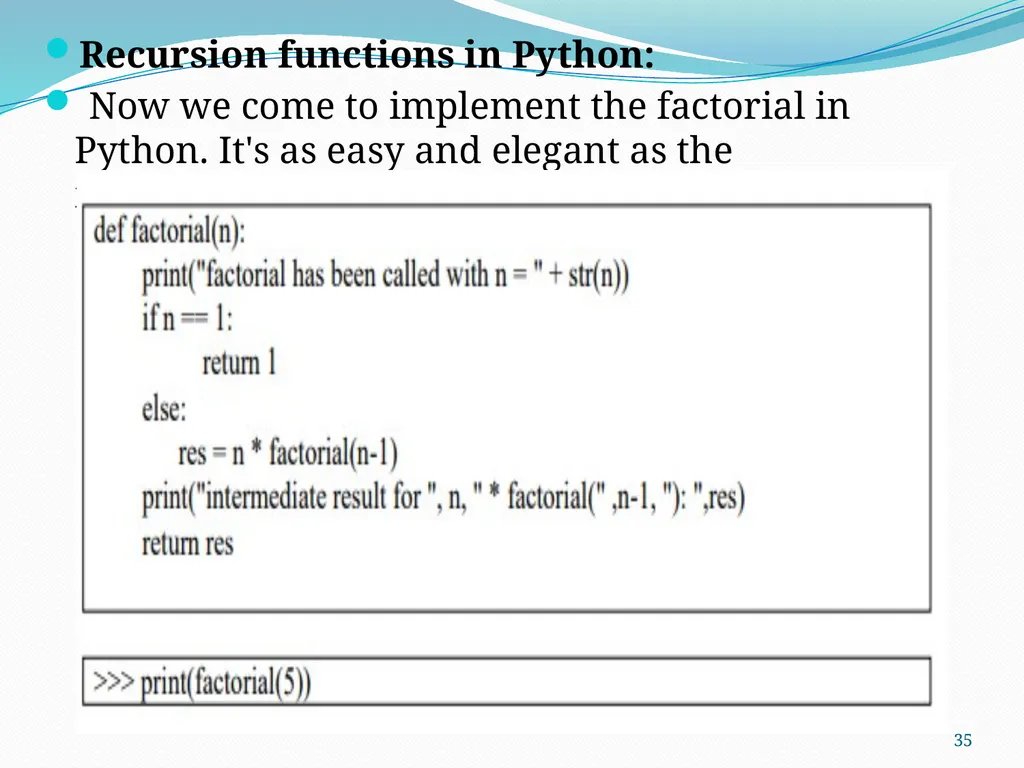
Recursion functions in Python:
Now we come to implement the factorial in Python. It's as easy and elegant as the mathematical definition. 35<br>
Now we come to implement the factorial in Python. It's as easy and elegant as the mathematical definition. 35<br>
36
STRINGS:
A String Is A sequence of Characters Strings in Python are identified as a contiguous set of characters represented in the quotation marks.
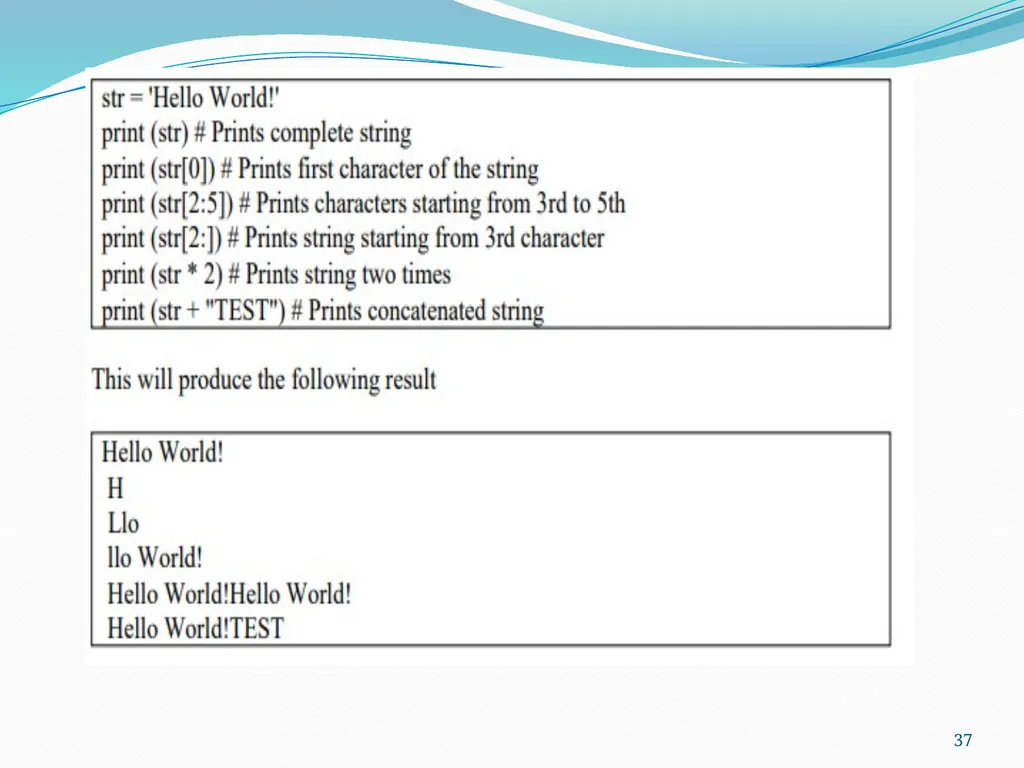
Python allows either pair of single or double quotes. Subsets of strings can be taken using the slice operator ([ ] and [:]) with indexes starting at 0 in the beginning of the string and working their way from -1 to the end.
The plus (+) sign is the string concatenation operator and the asterisk (*) is repetition operator 36<br>
A String Is A sequence of Characters Strings in Python are identified as a contiguous set of characters represented in the quotation marks.
Python allows either pair of single or double quotes. Subsets of strings can be taken using the slice operator ([ ] and [:]) with indexes starting at 0 in the beginning of the string and working their way from -1 to the end.
The plus (+) sign is the string concatenation operator and the asterisk (*) is repetition operator 36<br>
37
37<br>
38
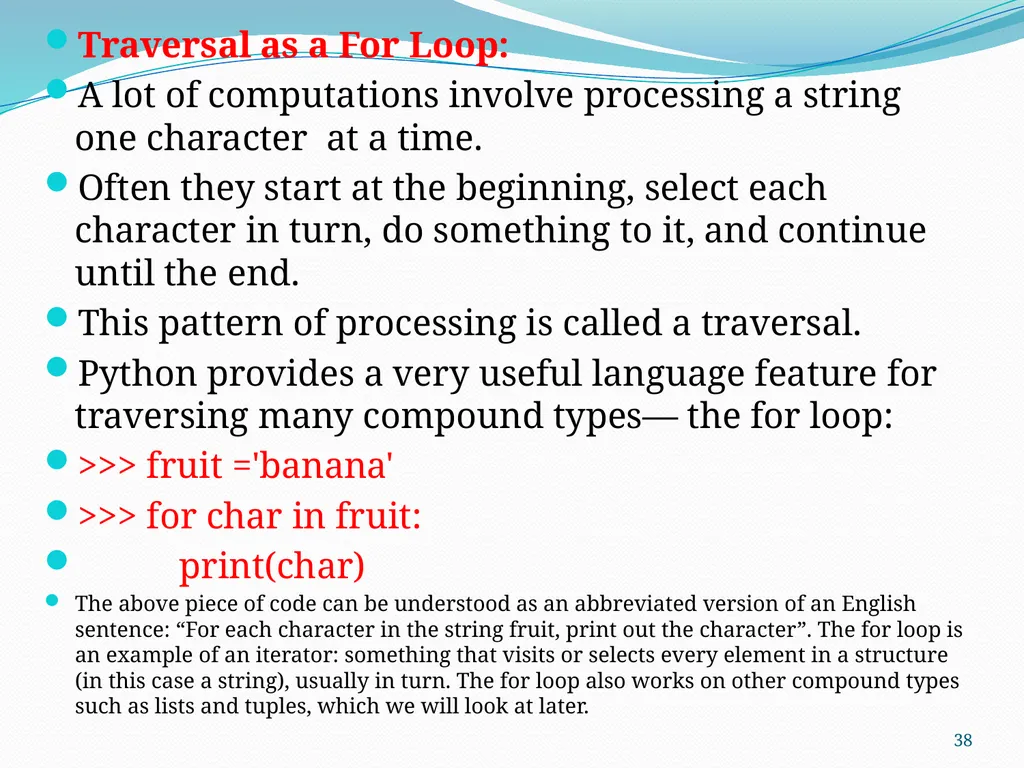
Traversal as a For Loop:
A lot of computations involve processing a string one character at a time.
Often they start at the beginning, select each character in turn, do something to it, and continue until the end.
This pattern of processing is called a traversal.
Python provides a very useful language feature for traversing many compound types— the for loop:
>>> fruit ='banana'
>>> for char in fruit:
print(char)
The above piece of code can be understood as an abbreviated version of an English sentence: “For each character in the string fruit, print out the character”. The for loop is an example of an iterator: something that visits or selects every element in a structure (in this case a string), usually in turn. The for loop also works on other compound types such as lists and tuples, which we will look at later. 38<br>
A lot of computations involve processing a string one character at a time.
Often they start at the beginning, select each character in turn, do something to it, and continue until the end.
This pattern of processing is called a traversal.
Python provides a very useful language feature for traversing many compound types— the for loop:
>>> fruit ='banana'
>>> for char in fruit:
print(char)
The above piece of code can be understood as an abbreviated version of an English sentence: “For each character in the string fruit, print out the character”. The for loop is an example of an iterator: something that visits or selects every element in a structure (in this case a string), usually in turn. The for loop also works on other compound types such as lists and tuples, which we will look at later. 38<br>
39
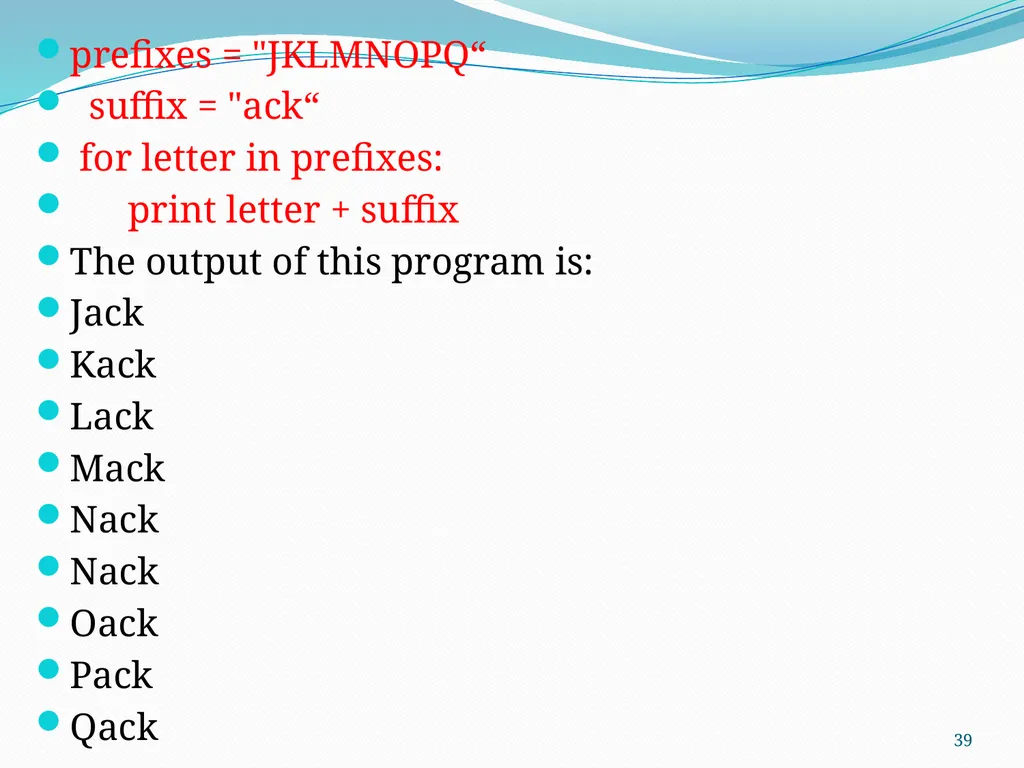
prefixes = "JKLMNOPQ“
suffix = "ack“
for letter in prefixes:
print letter + suffix
The output of this program is:
Jack
Kack
Lack
Mack
Nack
Nack
Oack
Pack
Qack 39<br>
suffix = "ack“
for letter in prefixes:
print letter + suffix
The output of this program is:
Jack
Kack
Lack
Mack
Nack
Nack
Oack
Pack
Qack 39<br>
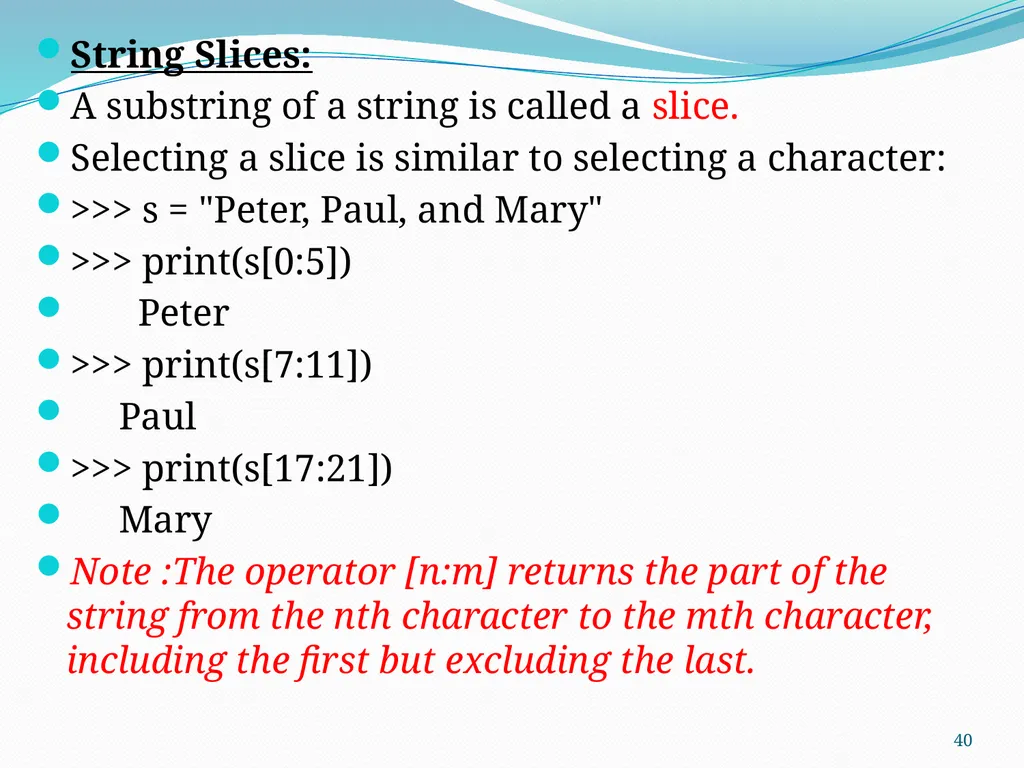
40
String Slices:
A substring of a string is called a slice.
Selecting a slice is similar to selecting a character:
>>> s = "Peter, Paul, and Mary"
>>> print(s[0:5])
Peter
>>> print(s[7:11])
Paul
>>> print(s[17:21])
Mary
Note :The operator [n:m] returns the part of the string from the nth character to the mth character, including the first but excluding the last. 40<br>
A substring of a string is called a slice.
Selecting a slice is similar to selecting a character:
>>> s = "Peter, Paul, and Mary"
>>> print(s[0:5])
Peter
>>> print(s[7:11])
Paul
>>> print(s[17:21])
Mary
Note :The operator [n:m] returns the part of the string from the nth character to the mth character, including the first but excluding the last. 40<br>
41
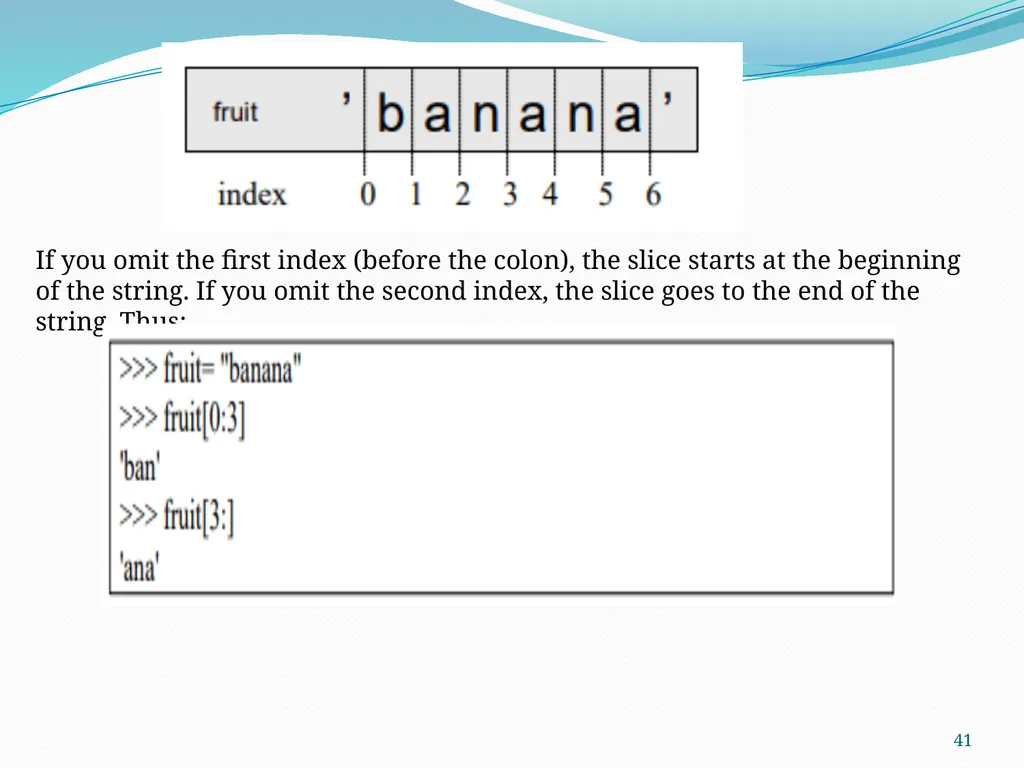
41 If you omit the first index (before the colon), the slice starts at the beginning of the string. If you omit the second index, the slice goes to the end of the string. Thus:<br>
42
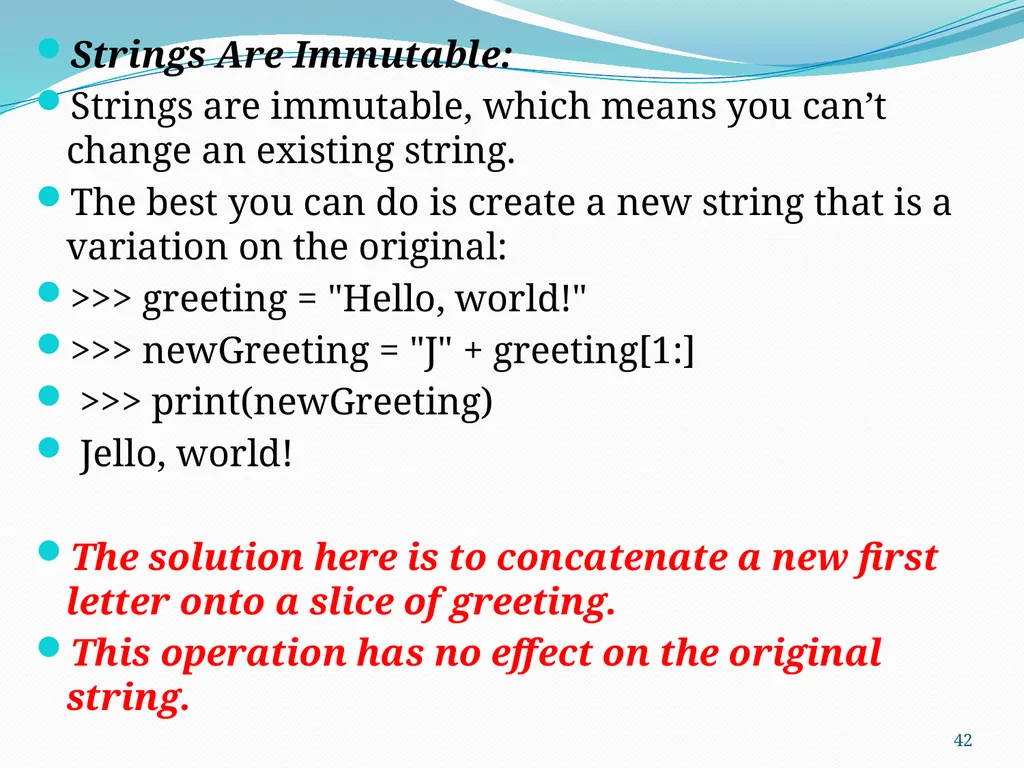
Strings Are Immutable:
Strings are immutable, which means you can’t change an existing string.
The best you can do is create a new string that is a variation on the original:
>>> greeting = "Hello, world!"
>>> newGreeting = "J" + greeting[1:]
>>> print(newGreeting)
Jello, world!
The solution here is to concatenate a new first letter onto a slice of greeting.
This operation has no effect on the original string. 42<br>
Strings are immutable, which means you can’t change an existing string.
The best you can do is create a new string that is a variation on the original:
>>> greeting = "Hello, world!"
>>> newGreeting = "J" + greeting[1:]
>>> print(newGreeting)
Jello, world!
The solution here is to concatenate a new first letter onto a slice of greeting.
This operation has no effect on the original string. 42<br>
43
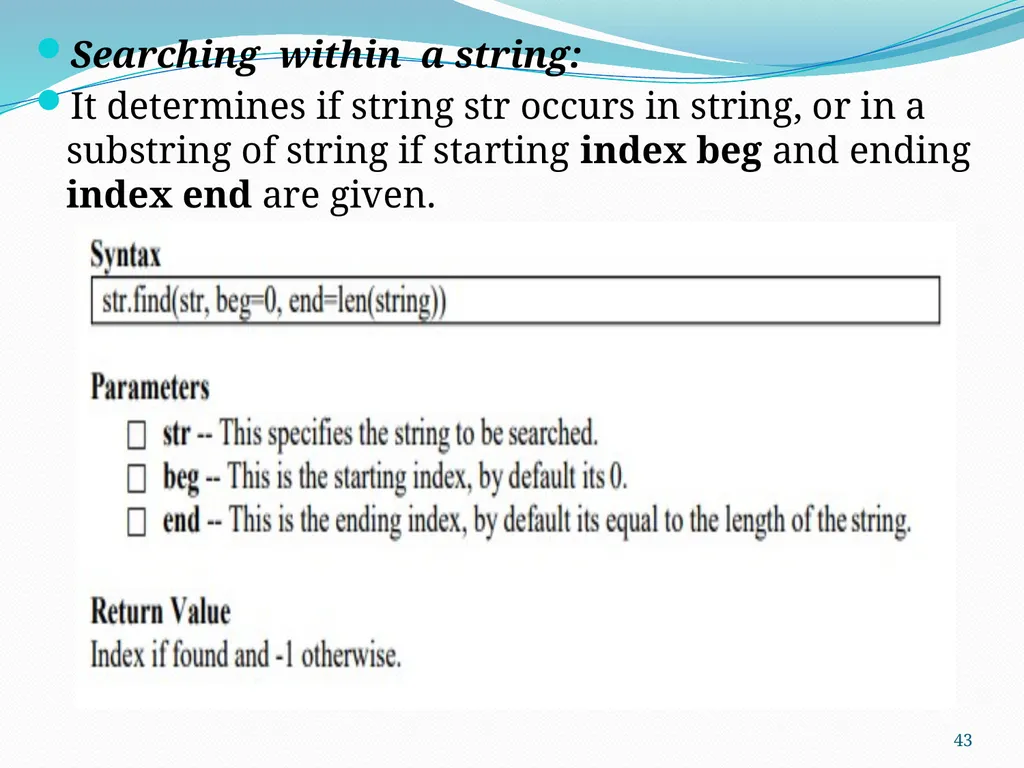
Searching within a string:
It determines if string str occurs in string, or in a substring of string if starting index beg and ending index end are given. 43<br>
It determines if string str occurs in string, or in a substring of string if starting index beg and ending index end are given. 43<br>
44
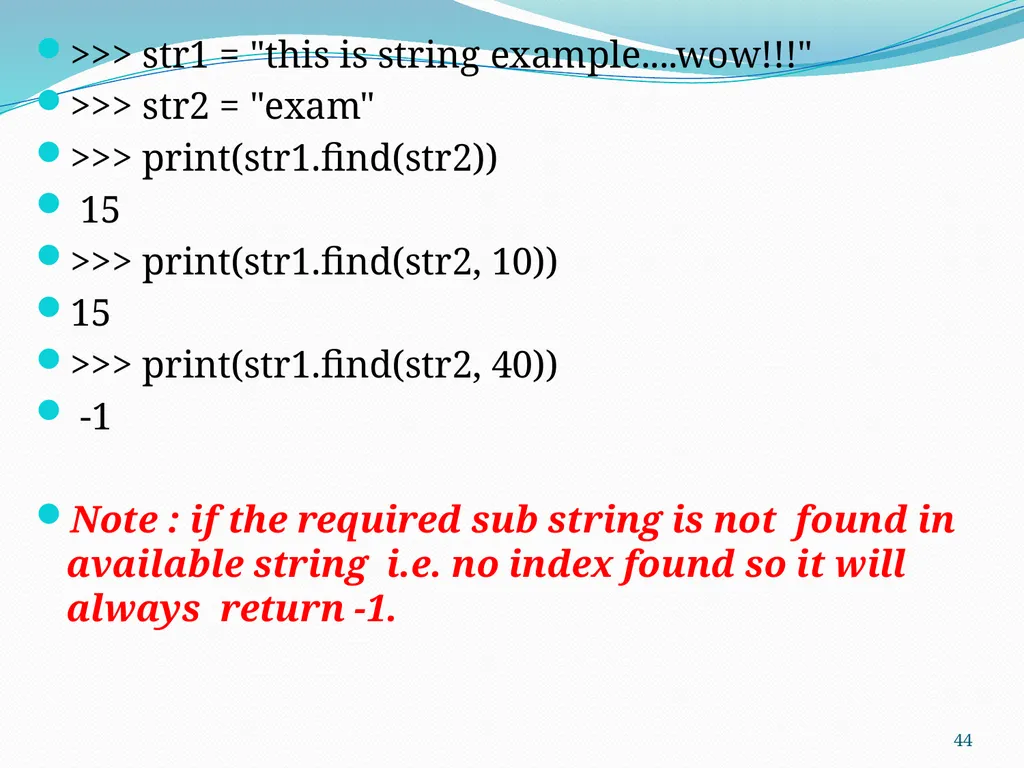
>>> str1 = "this is string example....wow!!!"
>>> str2 = "exam"
>>> print(str1.find(str2))
15
>>> print(str1.find(str2, 10))
15
>>> print(str1.find(str2, 40))
-1
Note : if the required sub string is not found in available string i.e. no index found so it will always return -1. 44<br>
>>> str2 = "exam"
>>> print(str1.find(str2))
15
>>> print(str1.find(str2, 10))
15
>>> print(str1.find(str2, 40))
-1
Note : if the required sub string is not found in available string i.e. no index found so it will always return -1. 44<br>
45
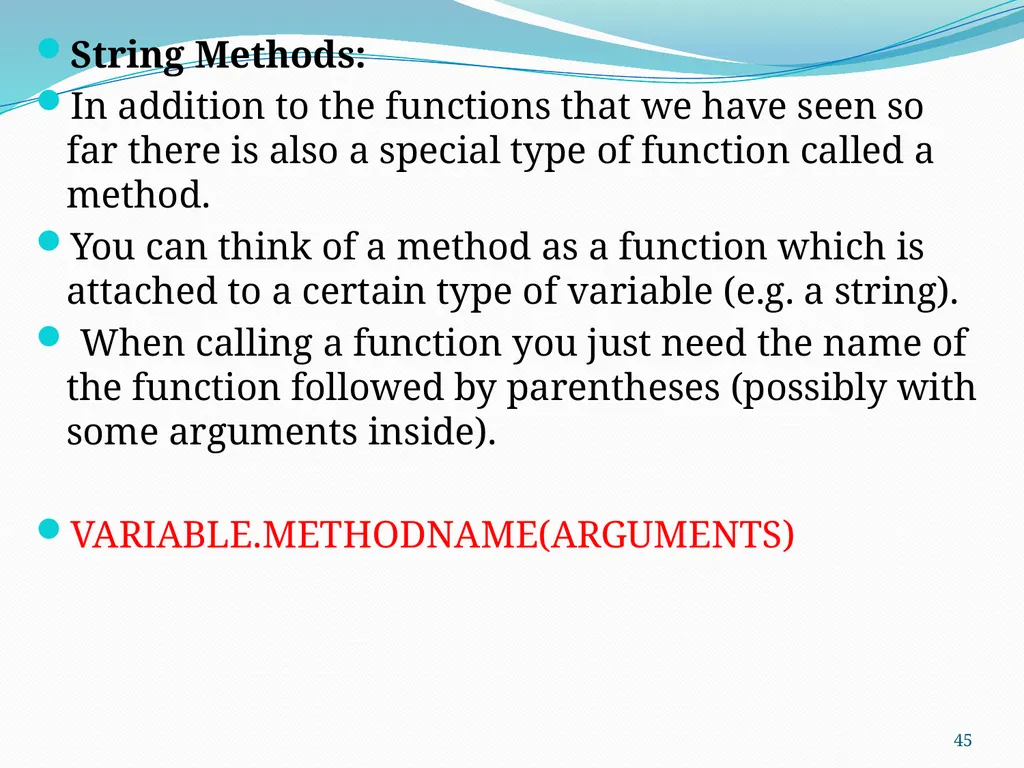
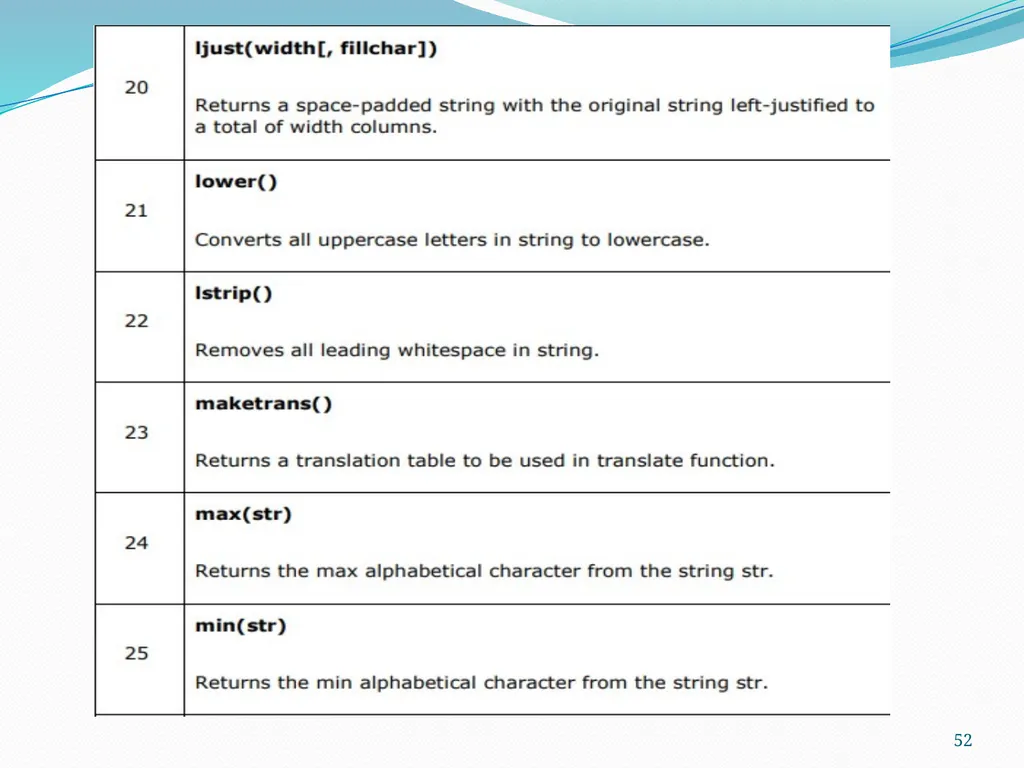
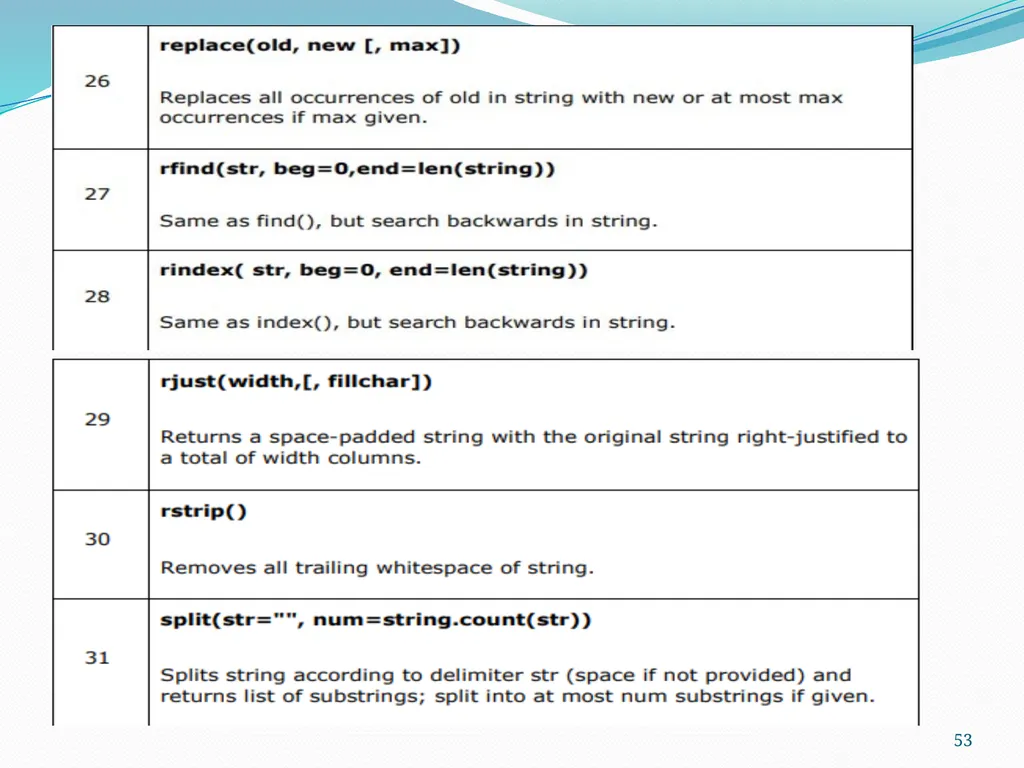
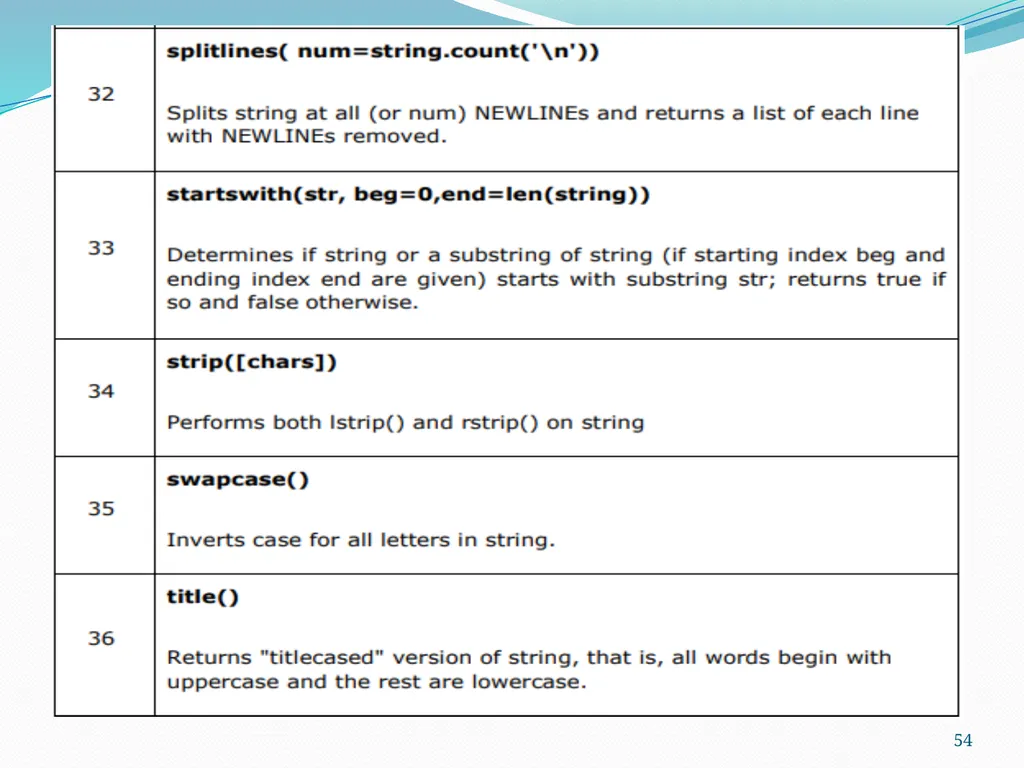
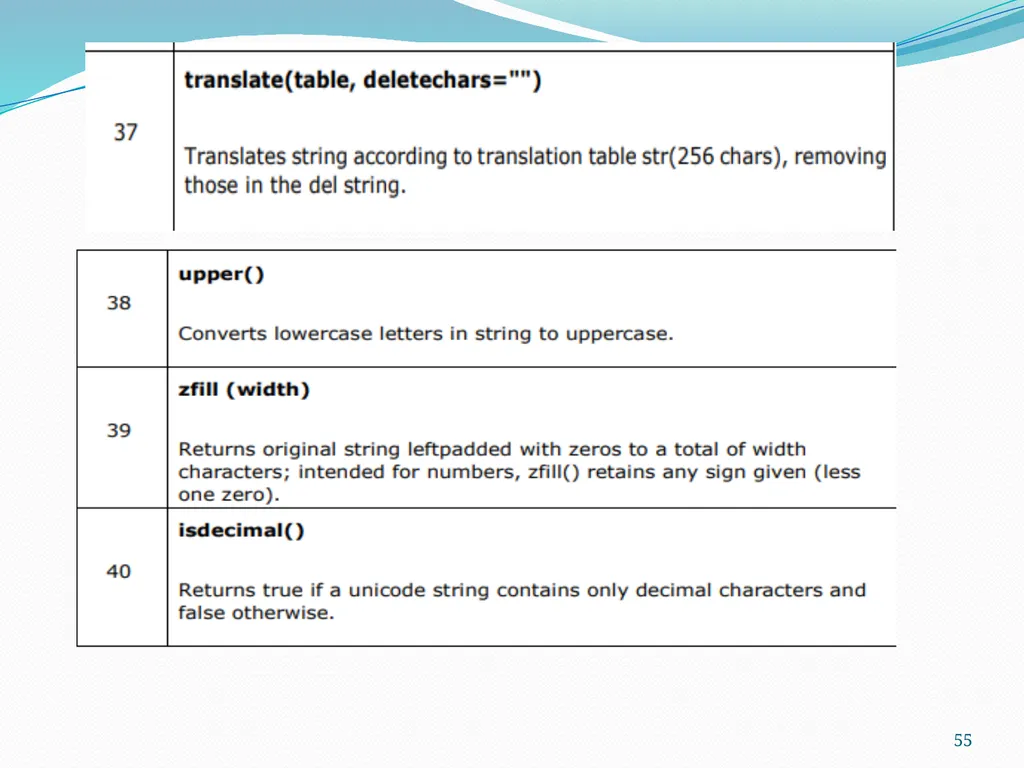
String Methods:
In addition to the functions that we have seen so far there is also a special type of function called a method.
You can think of a method as a function which is attached to a certain type of variable (e.g. a string).
When calling a function you just need the name of the function followed by parentheses (possibly with some arguments inside).
VARIABLE.METHODNAME(ARGUMENTS) 45<br>
In addition to the functions that we have seen so far there is also a special type of function called a method.
You can think of a method as a function which is attached to a certain type of variable (e.g. a string).
When calling a function you just need the name of the function followed by parentheses (possibly with some arguments inside).
VARIABLE.METHODNAME(ARGUMENTS) 45<br>
46
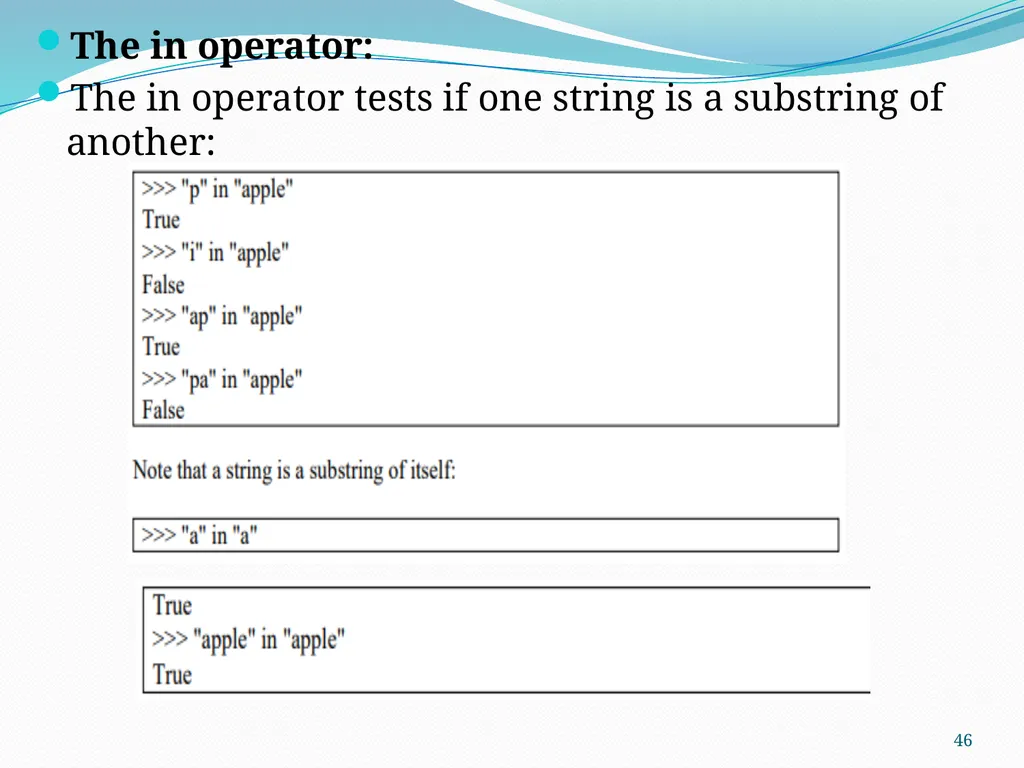
The in operator:
The in operator tests if one string is a substring of another: 46<br>
The in operator tests if one string is a substring of another: 46<br>
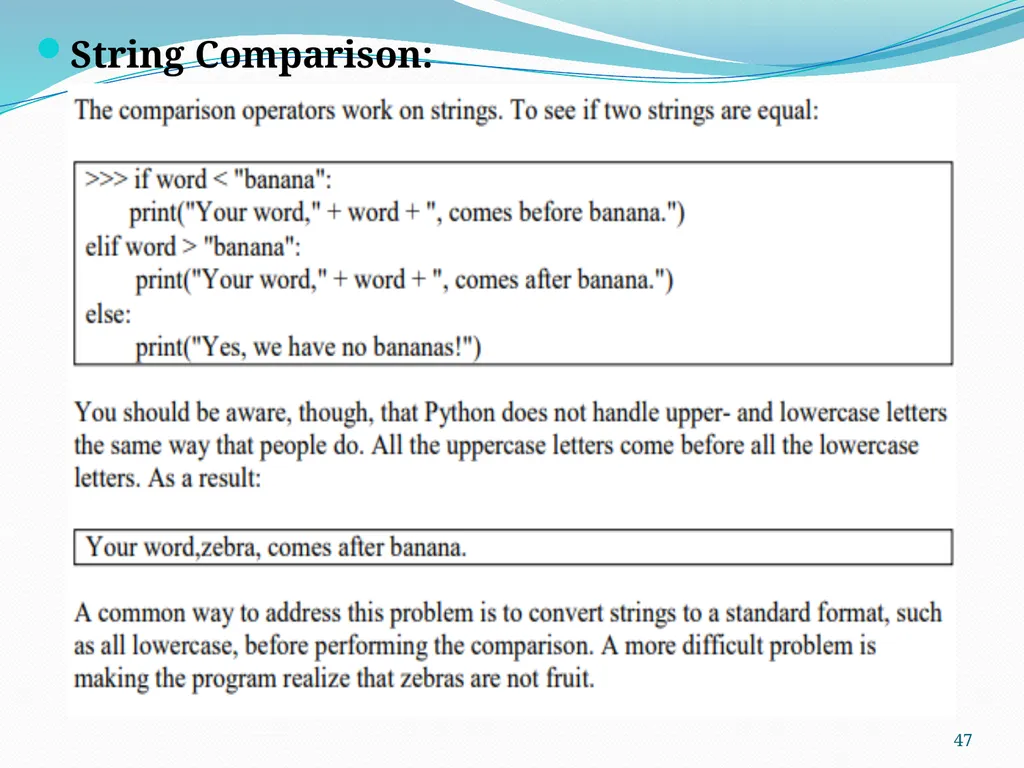
47
String Comparison: 47<br>
48
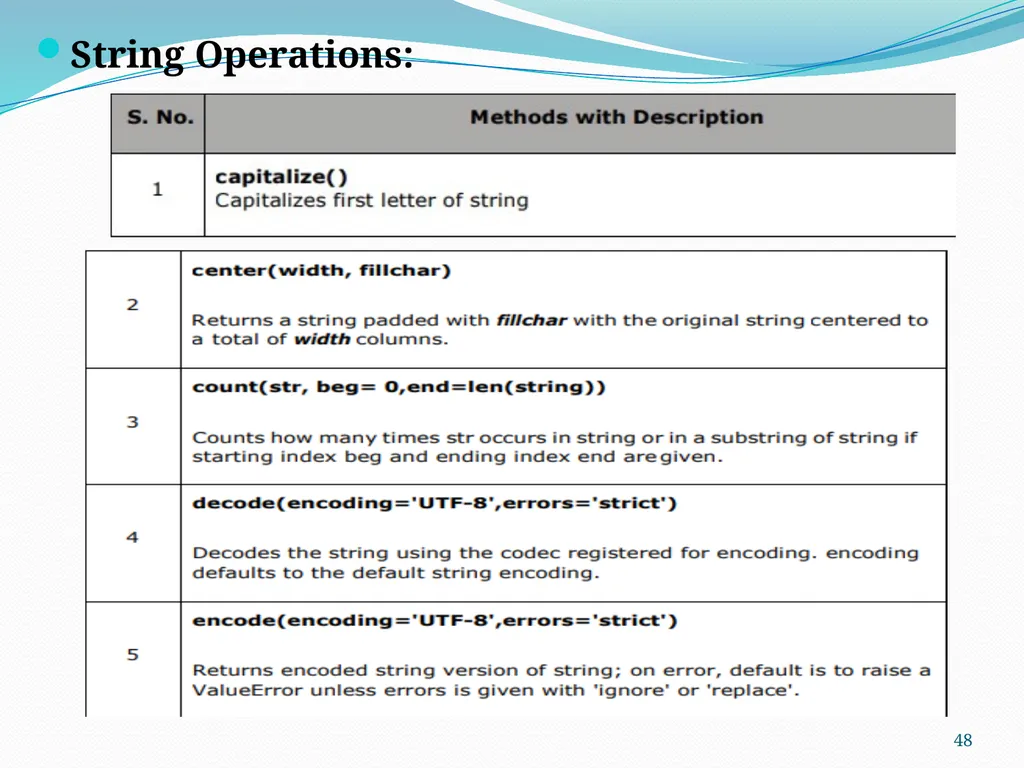
String Operations: 48<br>
49
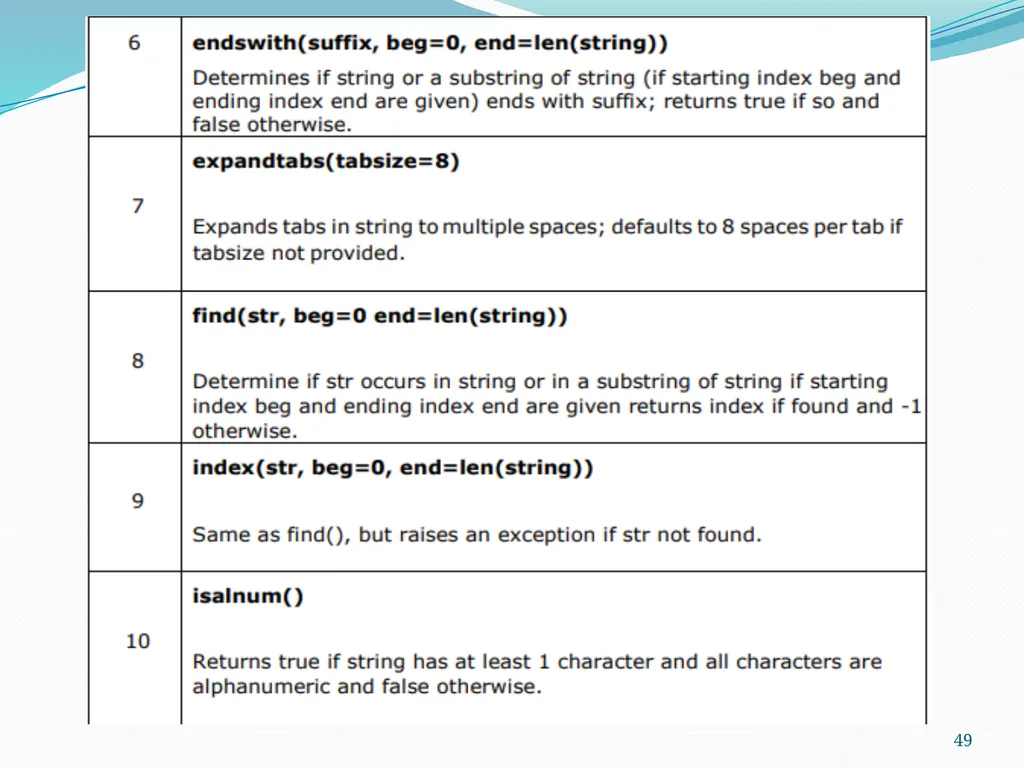
49<br>
50
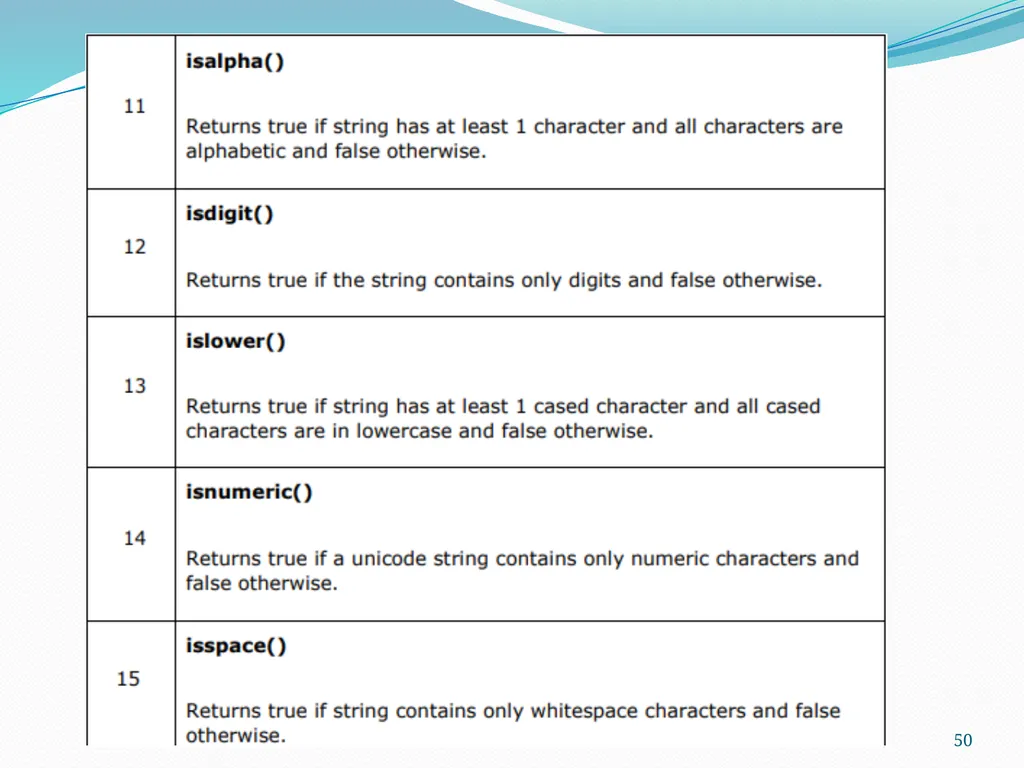
50<br>
51
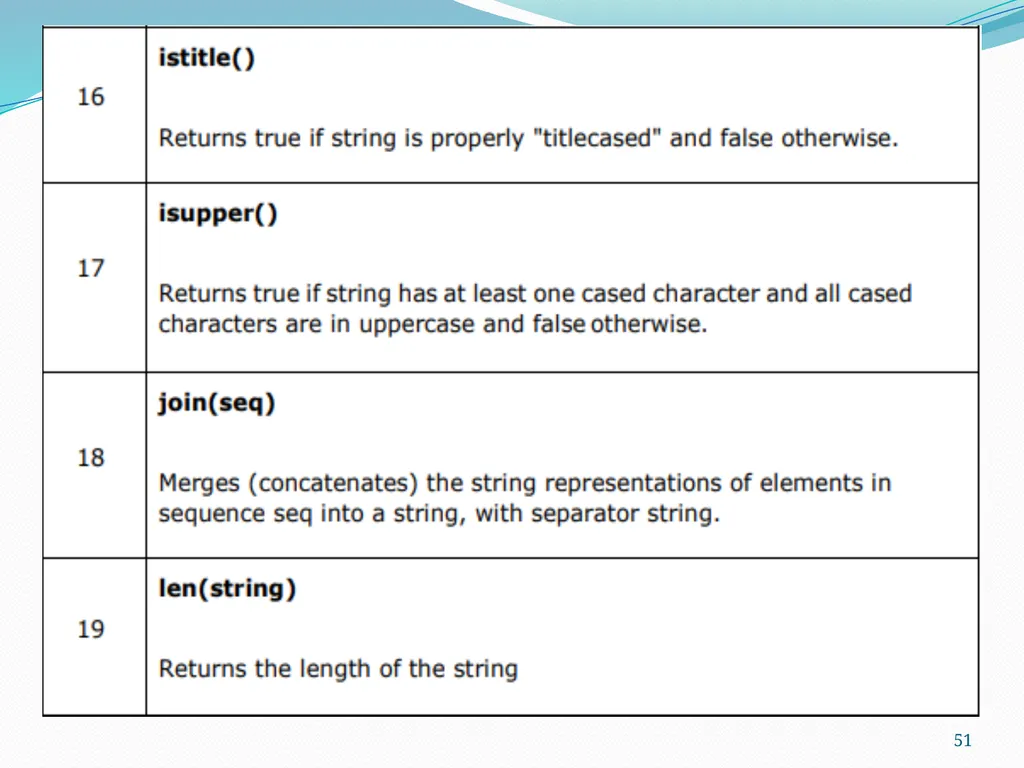
51<br>
52
52<br>
53
53<br>
54
54<br>
55
55<br>
56
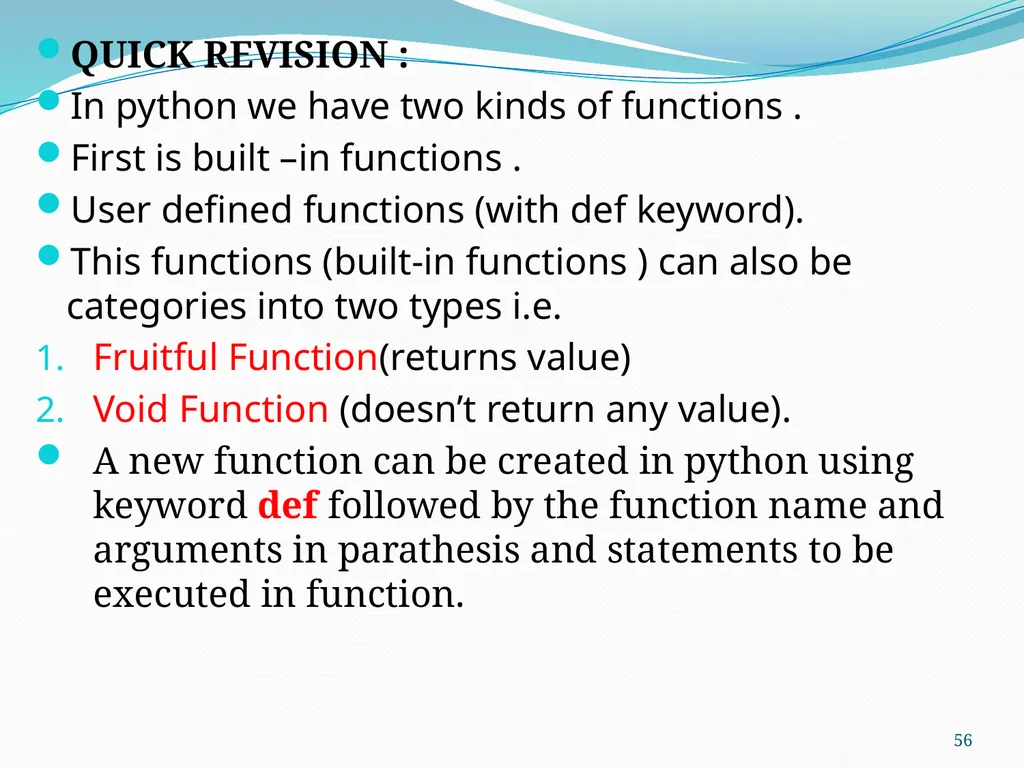
QUICK REVISION :
In python we have two kinds of functions .
First is built –in functions .
User defined functions (with def keyword).
This functions (built-in functions ) can also be categories into two types i.e.
Fruitful Function(returns value)
Void Function (doesn’t return any value).
A new function can be created in python using keyword def followed by the function name and arguments in parathesis and statements to be executed in function. 56<br>
In python we have two kinds of functions .
First is built –in functions .
User defined functions (with def keyword).
This functions (built-in functions ) can also be categories into two types i.e.
Fruitful Function(returns value)
Void Function (doesn’t return any value).
A new function can be created in python using keyword def followed by the function name and arguments in parathesis and statements to be executed in function. 56<br>
57
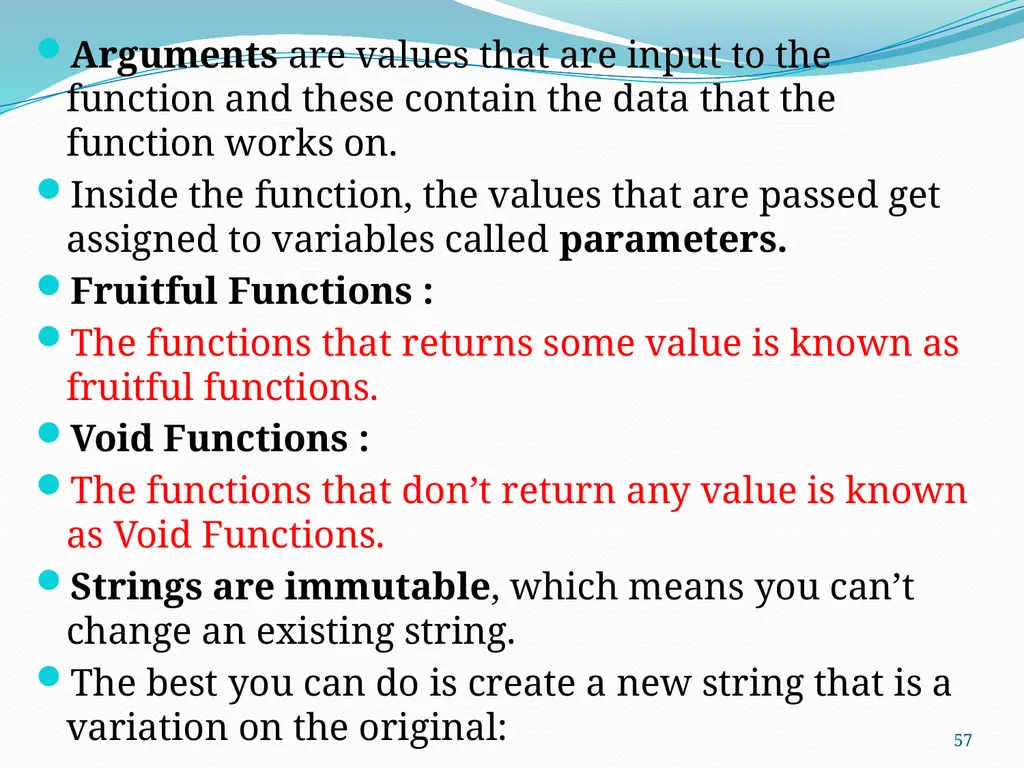
Arguments are values that are input to the function and these contain the data that the function works on.
Inside the function, the values that are passed get assigned to variables called parameters.
Fruitful Functions :
The functions that returns some value is known as fruitful functions.
Void Functions :
The functions that don’t return any value is known as Void Functions.
Strings are immutable, which means you can’t change an existing string.
The best you can do is create a new string that is a variation on the original: 57<br>
Inside the function, the values that are passed get assigned to variables called parameters.
Fruitful Functions :
The functions that returns some value is known as fruitful functions.
Void Functions :
The functions that don’t return any value is known as Void Functions.
Strings are immutable, which means you can’t change an existing string.
The best you can do is create a new string that is a variation on the original: 57<br>
58
VISIT
https://www.profajaypashankar.com
For more study material and notes .
VISIT
https://www.youtube.com/channel/UCu4Bd22zM6RpvHWC9YHBh5Q?view_as=subscriber
For more lectures .
VISIT : FOR PRACTICAL MANUAL
https://www.profajaypashankar.com/python-programming-practical-manual/
Password:STUDYHARD 58<br>
https://www.profajaypashankar.com
For more study material and notes .
VISIT
https://www.youtube.com/channel/UCu4Bd22zM6RpvHWC9YHBh5Q?view_as=subscriber
For more lectures .
VISIT : FOR PRACTICAL MANUAL
https://www.profajaypashankar.com/python-programming-practical-manual/
Password:STUDYHARD 58<br>