September 2024 Teamwork Respect Honesty Pride Aims
Description: September 2024 Teamwork Respect Honesty Pride Aims of the session To understand what Showbie is. To understand how it will be used in school. To learn how to use this as a parent. What is Showbie? A classroom learning resource which is used
Related Topics
Download Presentation
"September 2024 Teamwork Respect Honesty Pride Aims" is the property of its rightful owner. Permission is granted to download and print the materials on this website for personal, non-commercial use only, and to display it on your personal computer provided you do not modify the materials and that you retain all copyright notices contained in the materials. By downloading content from our website, you accept the terms of this agreement.
Presentation Transcript
slide1. September 2024 Teamwork Respect Honesty Pride<br>
slide2. Aims of the session To understand what Showbie is.
To understand how it will be used in school.
To learn how to use this as a parent.<br>
slide3. What is Showbie? A classroom learning resource which is used throughout the school on 1:1 iPads.<br>
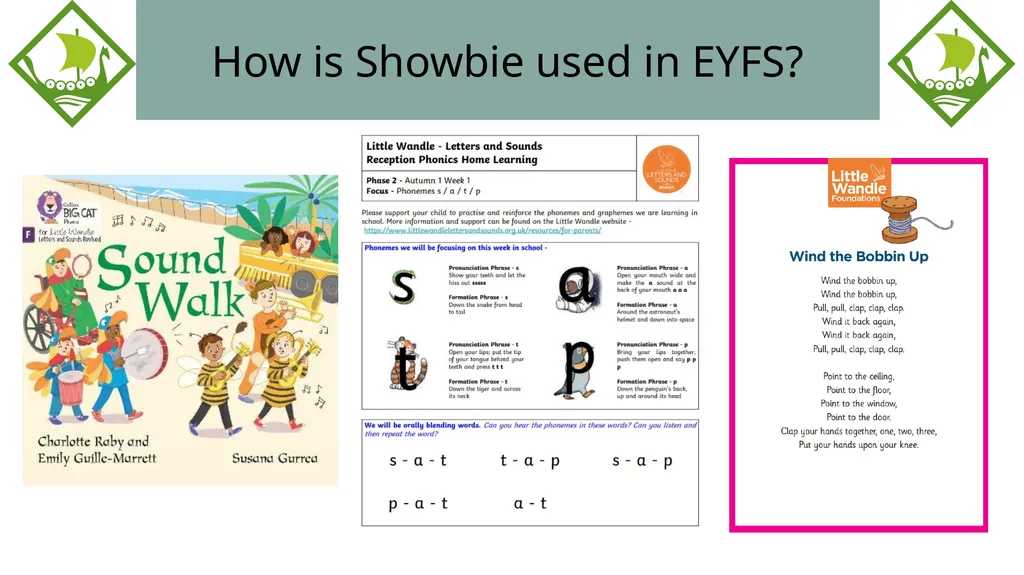
slide4. How is Showbie used in EYFS? As a means of recording the children’s achievements.
To share the story (the core text) of the week with families through videos.
To offer support for phonics and to share resources that can be used at home.<br>
slide5. How is Showbie used in EYFS?<br>
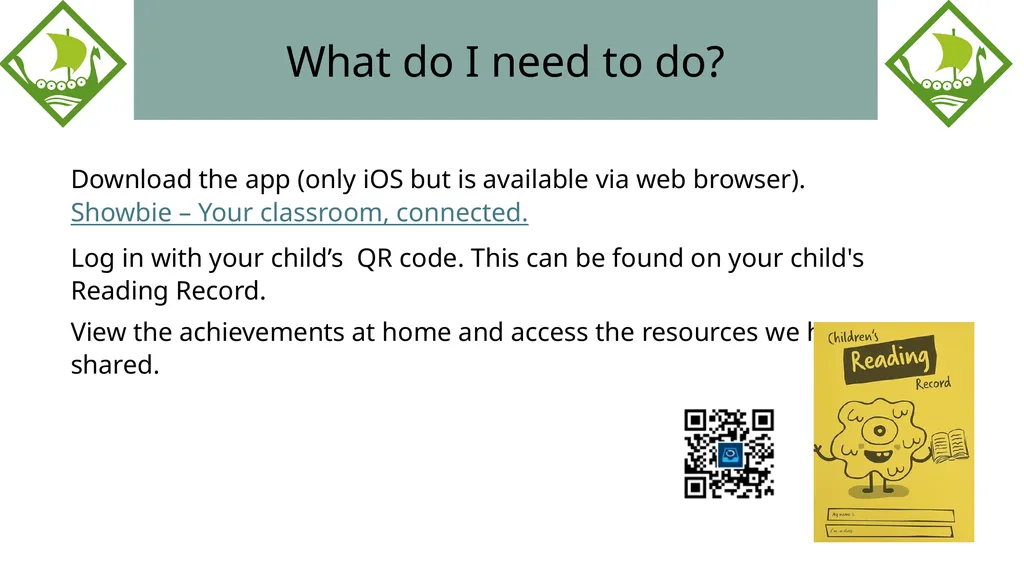
slide6. What do I need to do? Download the app (only iOS but is available via web browser). Showbie – Your classroom, connected.
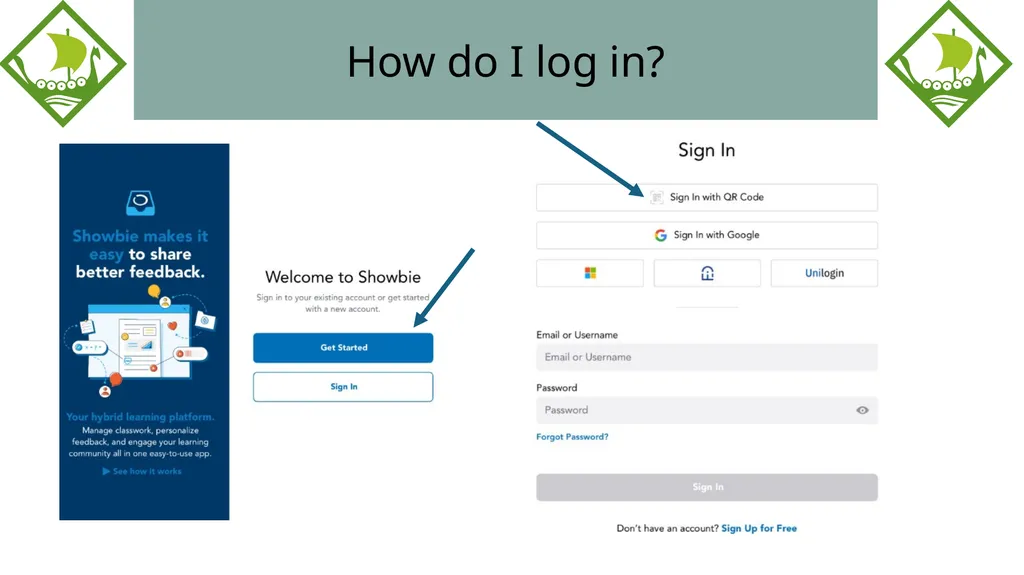
Log in with your child’s QR code. This can be found on your child's Reading Record.
View the achievements at home and access the resources we have shared.<br>
slide7. How do I log in?<br>
slide8. How will Showbie be used at home? Add wow moments to the folder ‘Home celebrations’.
This could be ‘Bob learnt to ride a bike’, Ann can zip up her coat', 'Charlie can use a knife and fork to cut his dinner'.
Do not use this a forum for messaging.<br>
slide9. Arbor and Showbie Please can you ensure that all permissions on Arbor are up to date, especially the Showbie section.
During our learning, we may take pictures of the children with their friends, and this permission ensures that we are following our safeguarding policies.<br>
slide10. Questions?
Thank you for your time.<br>
slide2. Aims of the session To understand what Showbie is.
To understand how it will be used in school.
To learn how to use this as a parent.<br>
slide3. What is Showbie? A classroom learning resource which is used throughout the school on 1:1 iPads.<br>
slide4. How is Showbie used in EYFS? As a means of recording the children’s achievements.
To share the story (the core text) of the week with families through videos.
To offer support for phonics and to share resources that can be used at home.<br>
slide5. How is Showbie used in EYFS?<br>
slide6. What do I need to do? Download the app (only iOS but is available via web browser). Showbie – Your classroom, connected.
Log in with your child’s QR code. This can be found on your child's Reading Record.
View the achievements at home and access the resources we have shared.<br>
slide7. How do I log in?<br>
slide8. How will Showbie be used at home? Add wow moments to the folder ‘Home celebrations’.
This could be ‘Bob learnt to ride a bike’, Ann can zip up her coat', 'Charlie can use a knife and fork to cut his dinner'.
Do not use this a forum for messaging.<br>
slide9. Arbor and Showbie Please can you ensure that all permissions on Arbor are up to date, especially the Showbie section.
During our learning, we may take pictures of the children with their friends, and this permission ensures that we are following our safeguarding policies.<br>
slide10. Questions?
Thank you for your time.<br>