04
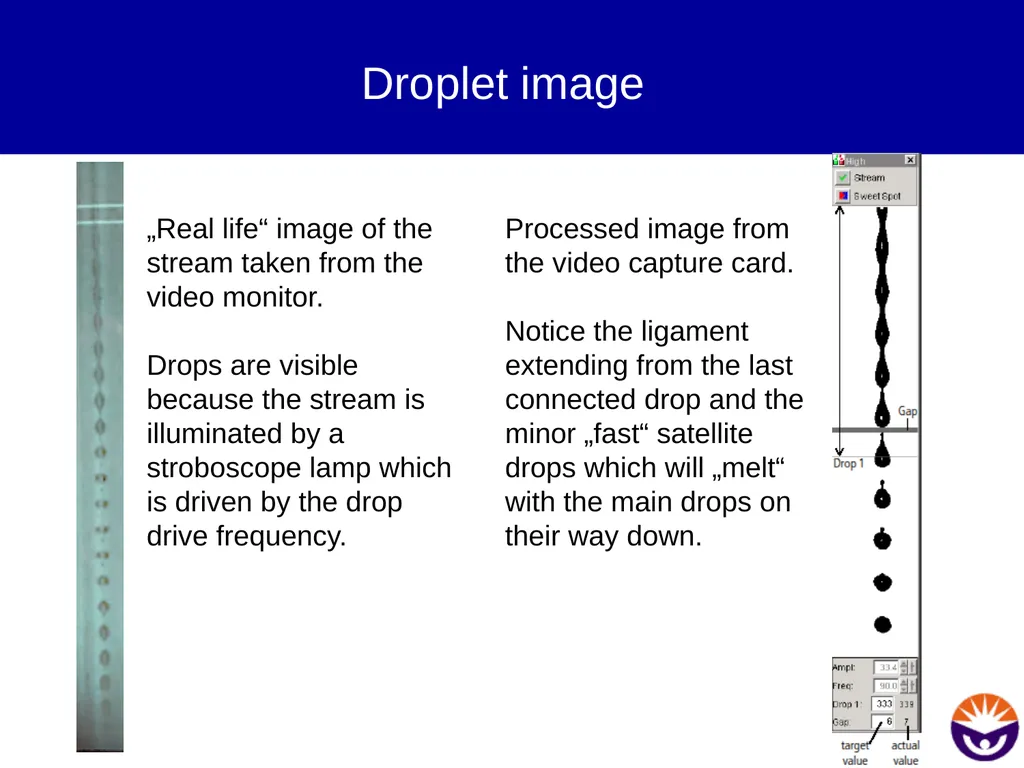
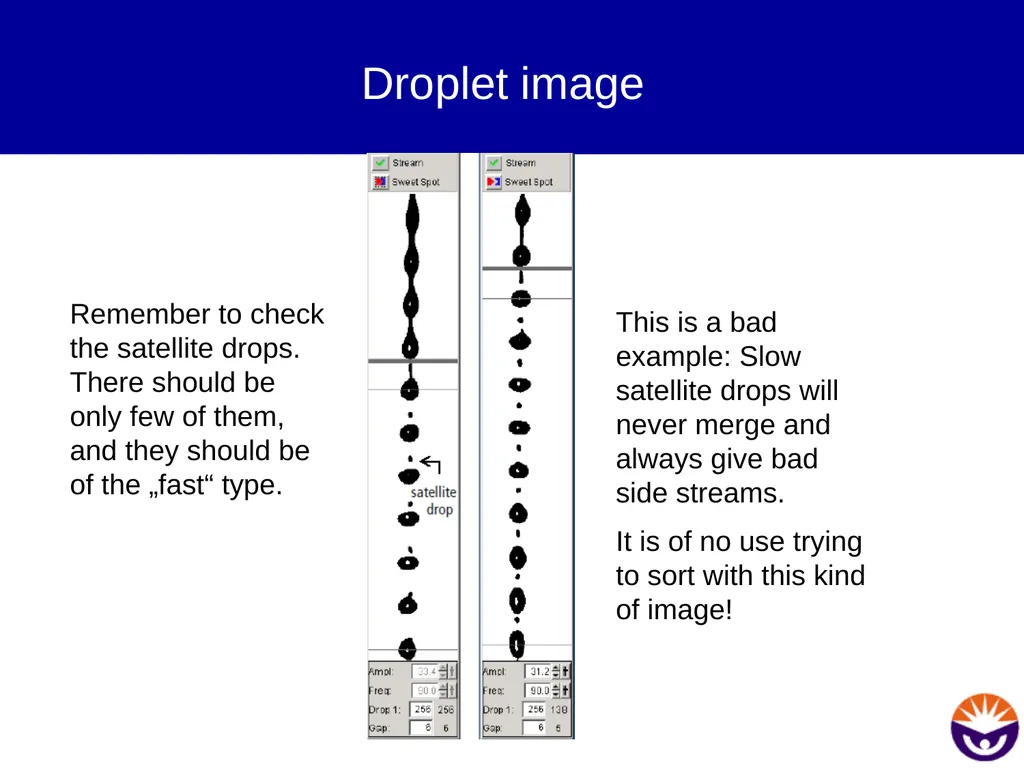
Droplet image „Real life“ image of the stream taken from the video monitor.
Drops are visible because the stream is illuminated by a stroboscope lamp which is driven by the drop drive frequency. Processed image from the video capture card.
Notice the ligament extending from the last connected drop and the minor „fast“ satellite drops which will „melt“ with the main drops on their way down.<br>
05
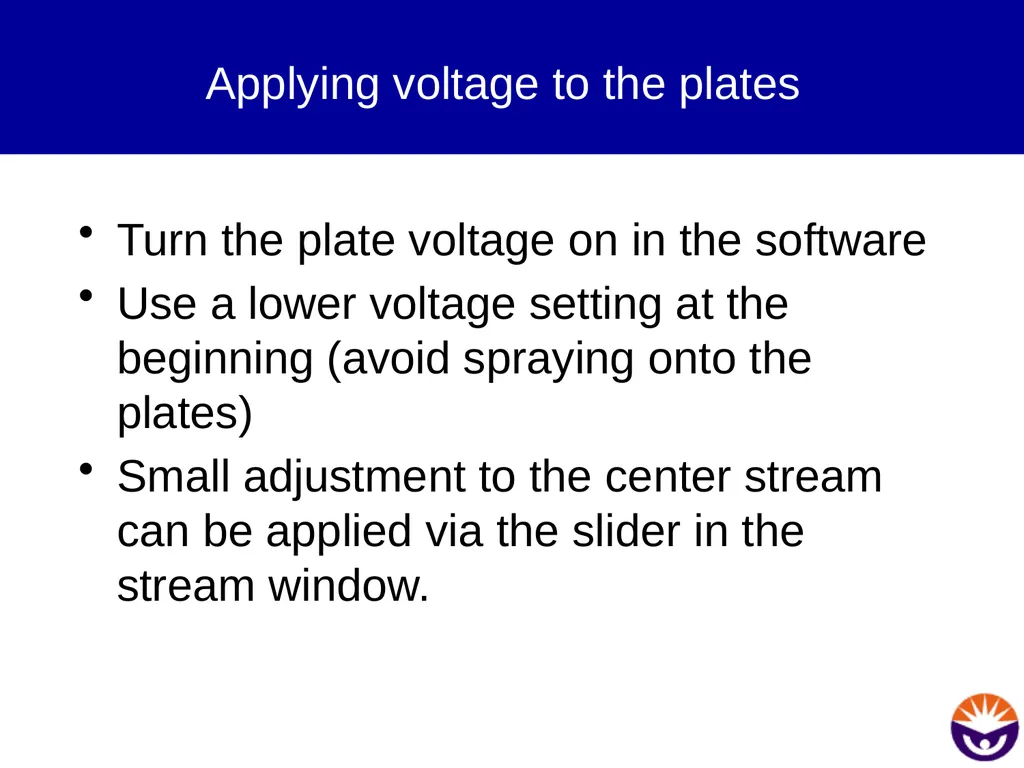
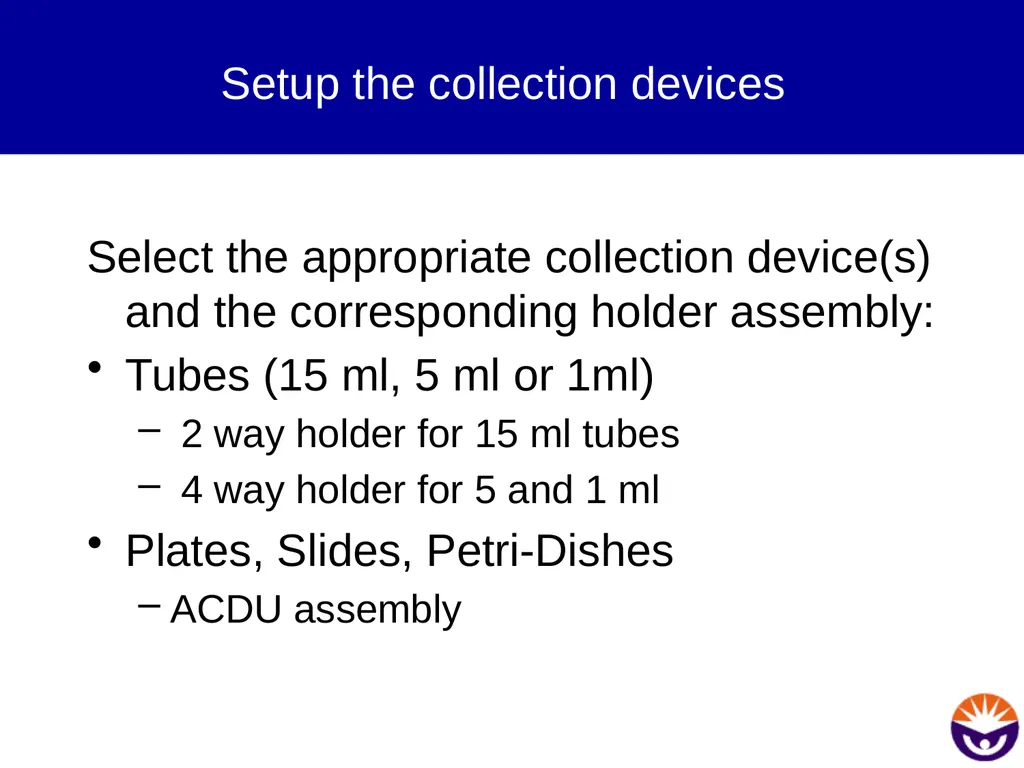
Droplet image Remember to check the satellite drops. There should be only few of them, and they should be of the „fast“ type. This is a bad example: Slow satellite drops will never merge and always give bad side streams.
It is of no use trying to sort with this kind of image!<br>
06
Applying voltage to the plates Turn the plate voltage on in the software
Use a lower voltage setting at the beginning (avoid spraying onto the plates)
Small adjustment to the center stream can be applied via the slider in the stream window.<br>
07
Setup the collection devices Select the appropriate collection device(s) and the corresponding holder assembly:
Tubes (15 ml, 5 ml or 1ml)
2 way holder for 15 ml tubes
4 way holder for 5 and 1 ml
Plates, Slides, Petri-Dishes
ACDU assembly<br>
08
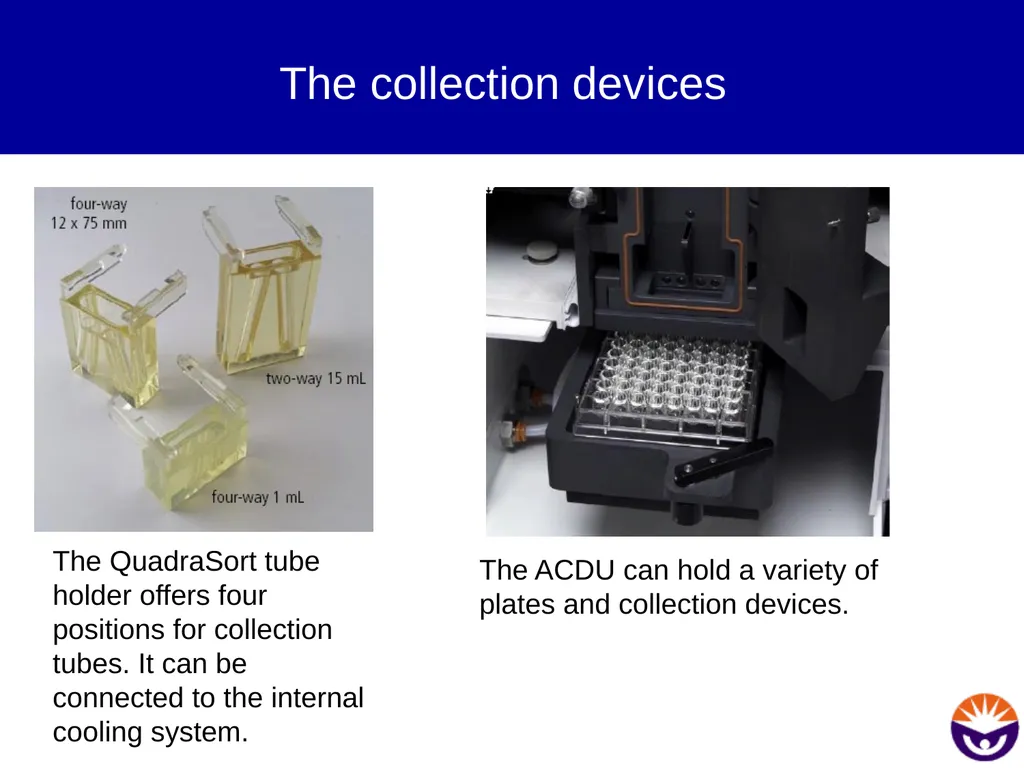
The collection devices The QuadraSort tube holder offers four positions for collection tubes. It can be connected to the internal cooling system. The ACDU can hold a variety of plates and collection devices.<br>
09
Tubes Put the holder assembly into the instrument and place empty tubes into the holder
Adjust Plate Voltage to low
Turn Test Sort on
Inspect the side streams on the AccuDrop monitor
Adjust the plate voltage to separate the streams<br>
10
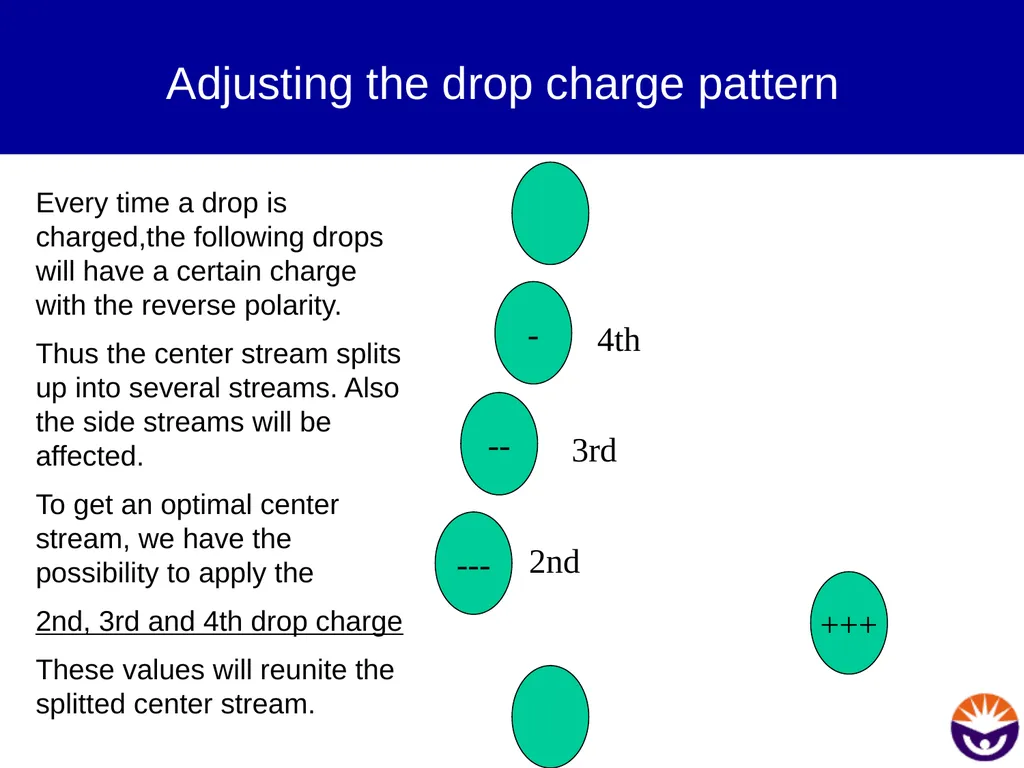
Adjusting the drop charge pattern - +++ -- --- Every time a drop is charged,the following drops will have a certain charge with the reverse polarity.
Thus the center stream splits up into several streams. Also the side streams will be affected.
To get an optimal center stream, we have the possibility to apply the
2nd, 3rd and 4th drop charge
These values will reunite the splitted center stream. 2nd 3rd 4th<br>
11
Adjusting the side streams Deflect the four streams with the slider control in the software. As a rule of thumb, use about 45% deflection for the inner and 90% deflection for the outer streams.
Adjust the Plate Voltage until all streams are well separated and hit the tubes.<br>
12
Stability check If everything looks fine, allow the system to run for at least 30 min.
After this time period, check:
Position of the breakoff point
Image of the stream
Center and side stream quality
If everything is still good, continue with the determination of the drop delay<br>
13
AccuDrop� Fast, easy and reliable determination of the drop delay<br>
14
What is the drop delay? At the very moment when the cell is analysed, it is still quite far away from the droplet formation point.
Thus, somehow the information to charge a drop must be delayed until the cell of interest has reached this „breakoff“ point.<br>
15
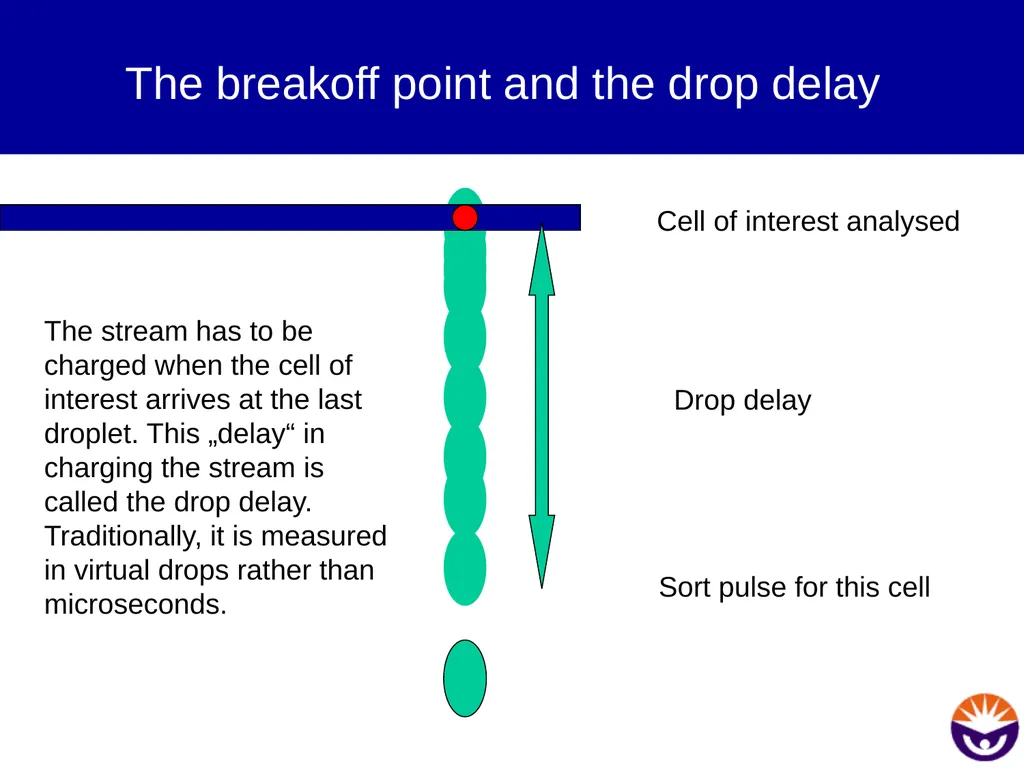
The breakoff point and the drop delay The stream has to be charged when the cell of interest arrives at the last droplet. This „delay“ in charging the stream is called the drop delay. Traditionally, it is measured in virtual drops rather than microseconds. Cell of interest analysed Sort pulse for this cell Drop delay<br>
16
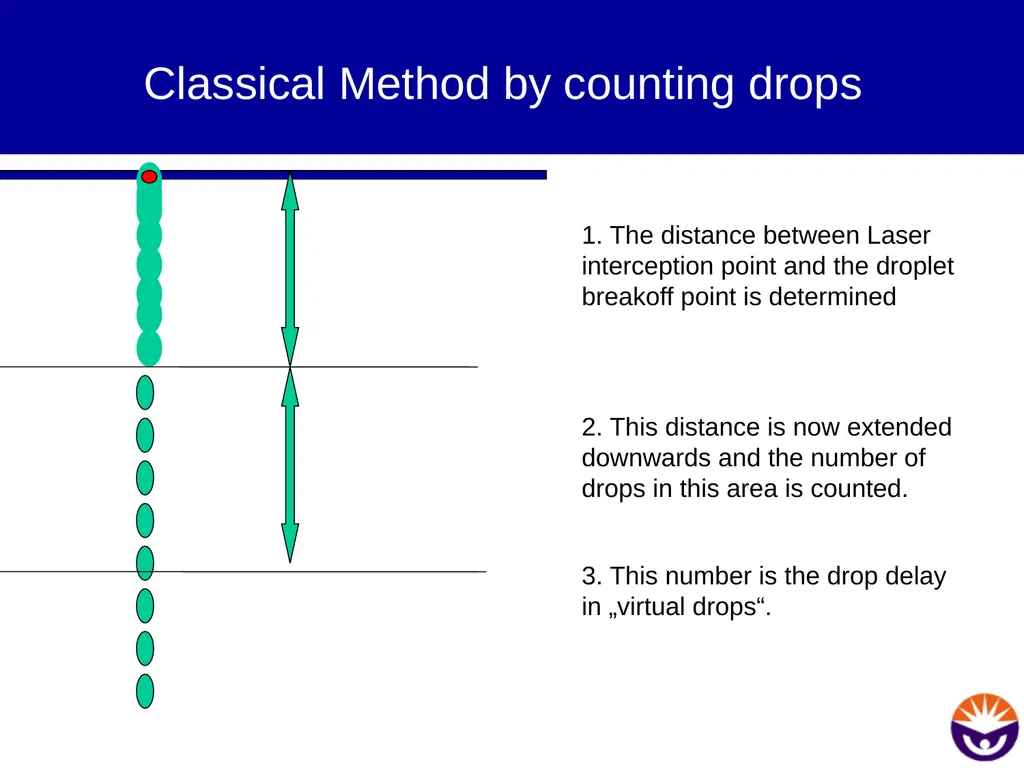
Classical Method by counting drops 1. The distance between Laser interception point and the droplet breakoff point is determined
2. This distance is now extended downwards and the number of drops in this area is counted.
3. This number is the drop delay in „virtual drops“.<br>
17
Expected values for the drop delay The „expected“ drop delay can be mathematically calculated, as it is depending on:
the nozzle size (bigger or smaller drops)
the frequency
the amplitude
sheath pressure
However, the correct value is always determined „live“ on the instrument as it also depends on:
air pressure
air humidity
air temperature<br>
18
BD Accudrop The AccuDrop system consists of a red diode laser for stream illumination, a filter block and a CCD-camera mounted in the back of the sort chamber.
Additionally, BD AccuDrop beads are required for proper function of the AccuDrop system.<br>
19
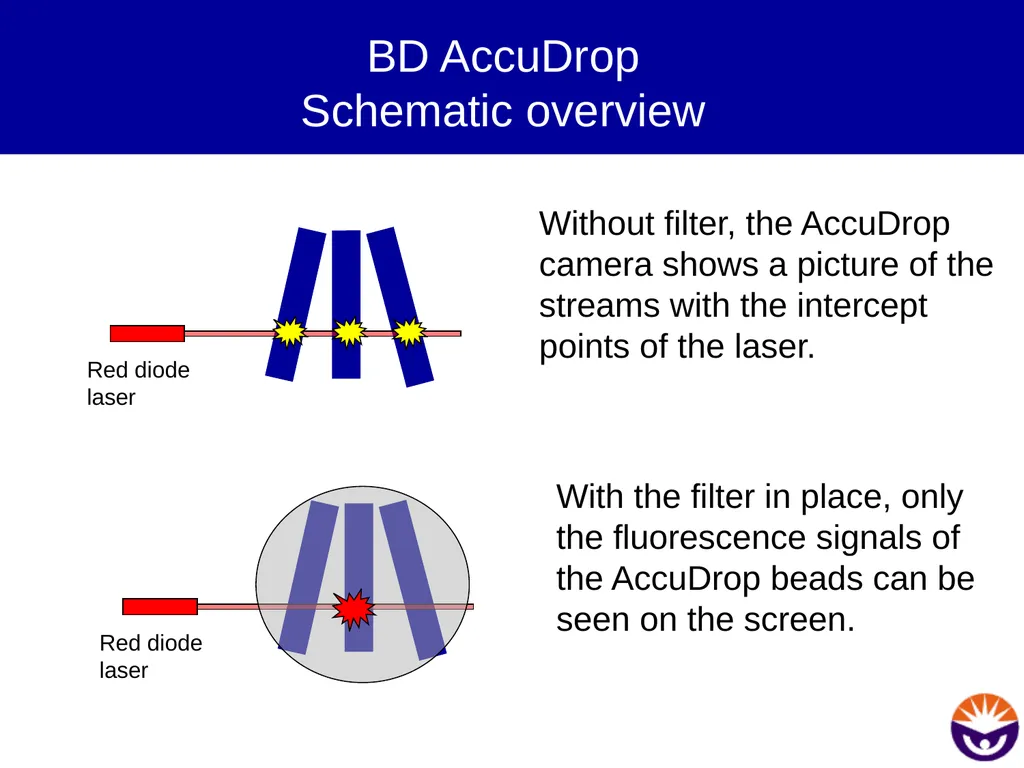
BD AccuDrop�Schematic overview Red diode laser Without filter, the AccuDrop camera shows a picture of the streams with the intercept points of the laser. Red diode laser With the filter in place, only the fluorescence signals of the AccuDrop beads can be seen on the screen.<br>
20
Additional benefits In addition to finding the correct drop delay, AccuDrop allows the easy monitoring of side stream quality and stability during sorting.
Fanning side streams can be easily seen and ineffective setups can be identified prior to sorting valuable cells.<br>
21
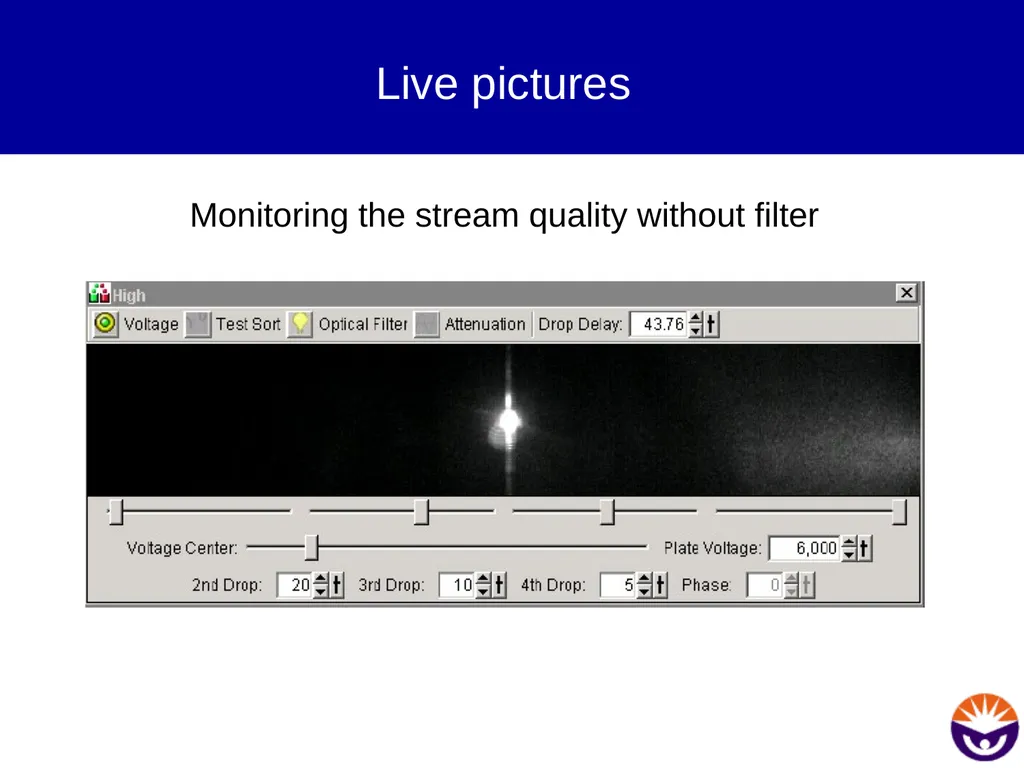
Live pictures Monitoring the stream quality without filter<br>
22
How to use it Set-up Prepare a tube with 1 drop of AccuDrop beads in 2 ml of FACSFlow.
Run the beads on the instrument
Make a dotplot of FSC against SSC
Make a population P1 in the lower right corner of the plot, thereafter invert P1 in the Population Hierarchy.
Make a new Sort Layout
Select 2 or 4 tubes, depending on your desired application
Select „INITIAL“ as sort mode
Start to Sort<br>
23
Sort Drawer and Plate voltage If you receive a warning that the plates are not on and/or the waste drawer is still closed, click CANCEL.
Turn the plates on manually if you have not done so. Leave the waste drawer in the closed position. Otherwise we would sort now AccuDrop beads into our tubes.<br>
24
How to use it - Optimization Adjust the AccuDrop laser so that it illuminates the streams maximally.
Turn the red filter in front of the camera
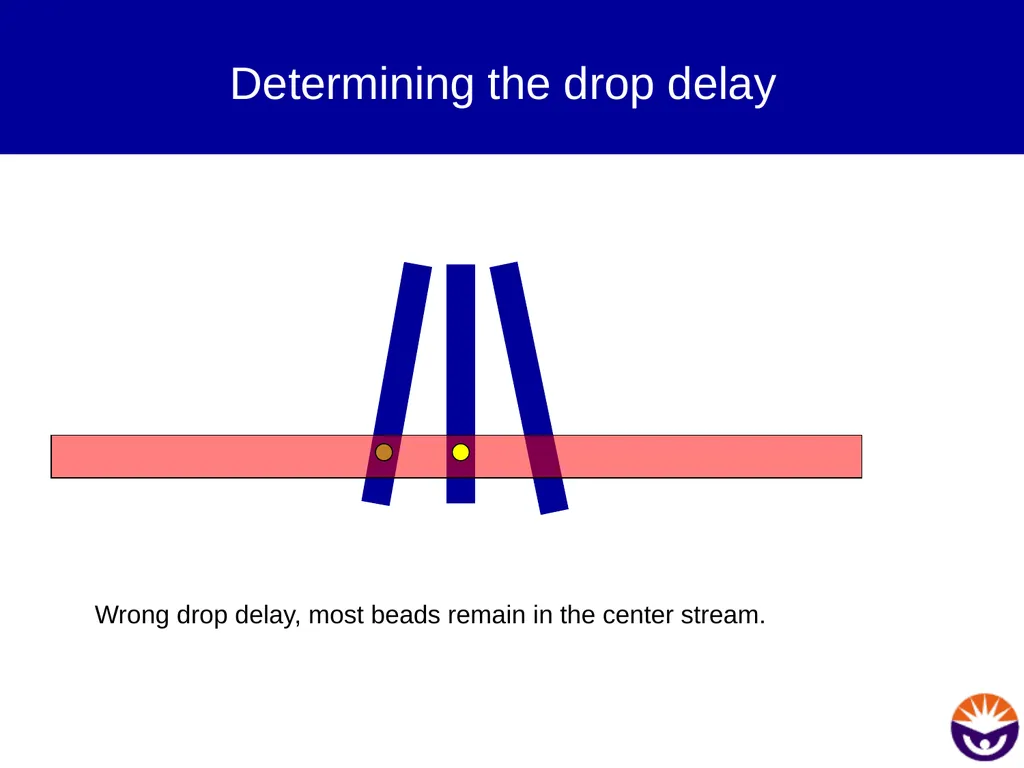
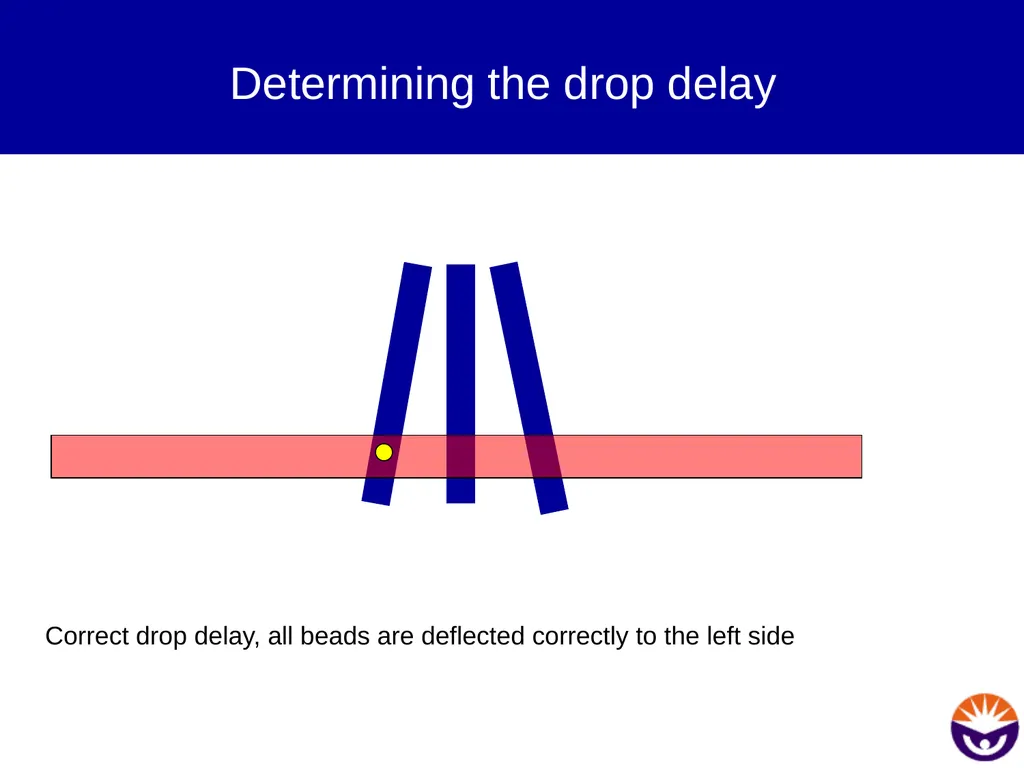
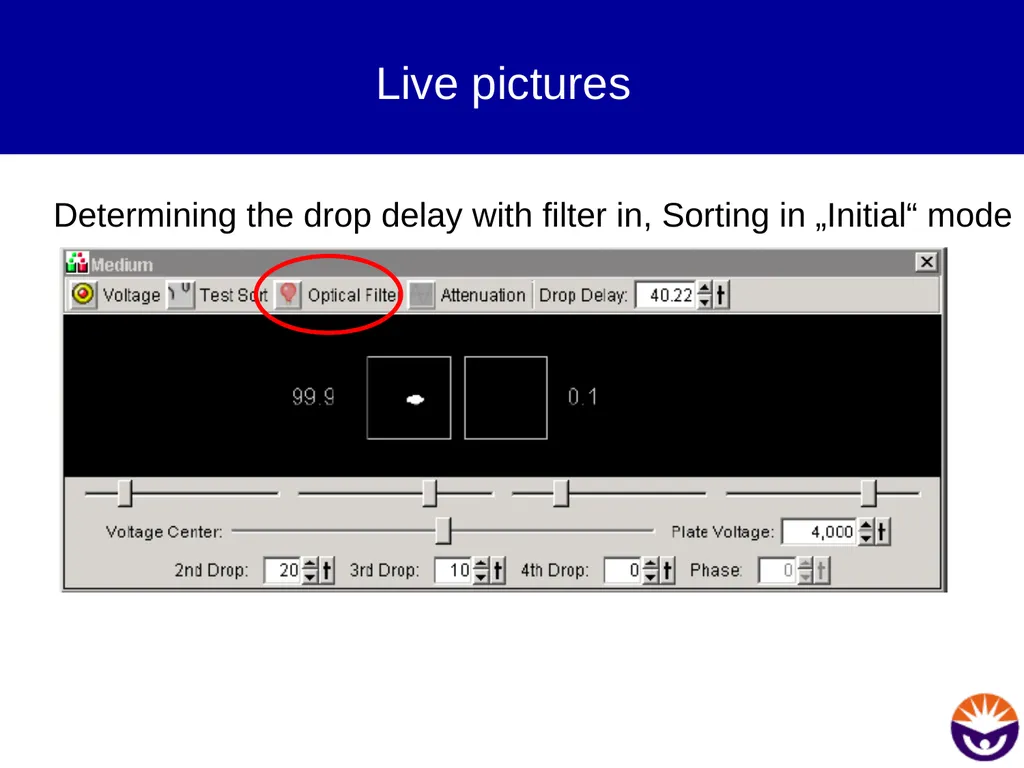
Change the drop delay, until nearly all the beads are deflected and the center stream is virtually empty. The system supports you with two boxes and percentages of events in each box.
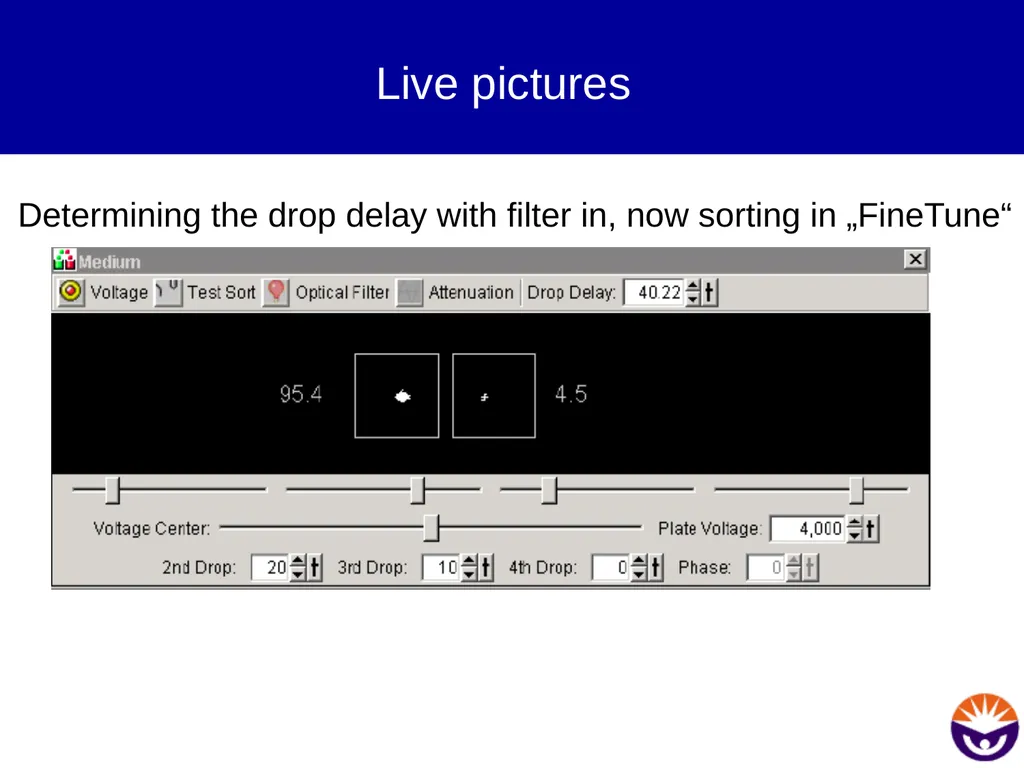
Change the sort mode to FINE TUNE and repeat the optimization.
There should be a narrow bandwith in this mode for the optimal drop delay.<br>
25
Determining the drop delay Wrong drop delay, most beads remain in the center stream.<br>
26
Determining the drop delay Correct drop delay, all beads are deflected correctly to the left side<br>
27
Live pictures Determining the drop delay with filter in, Sorting in „Initial“ mode<br>
28
Live pictures Determining the drop delay with filter in, now sorting in „FineTune“<br>
29
Importance Determining the correct and robust drop delay is one of the most important steps in the machine setup.
With a wrong drop delay, no cells or wrong cells reach your collection tube.<br>
30
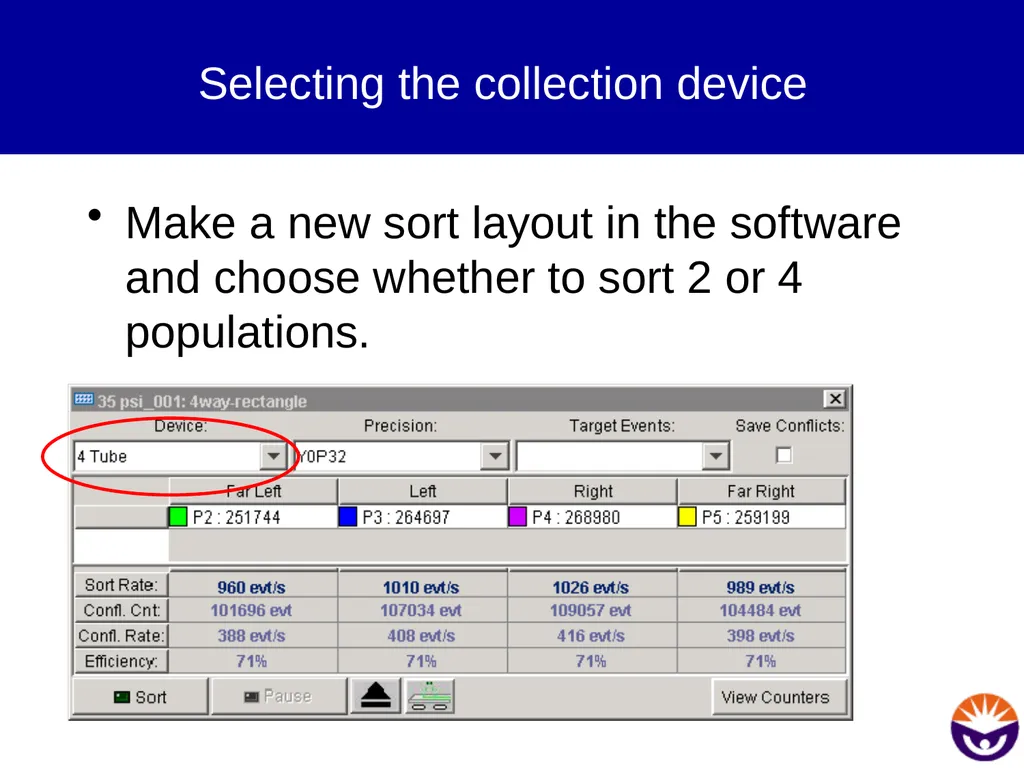
Selecting the collection device Make a new sort layout in the software and choose whether to sort 2 or 4 populations.<br>
31
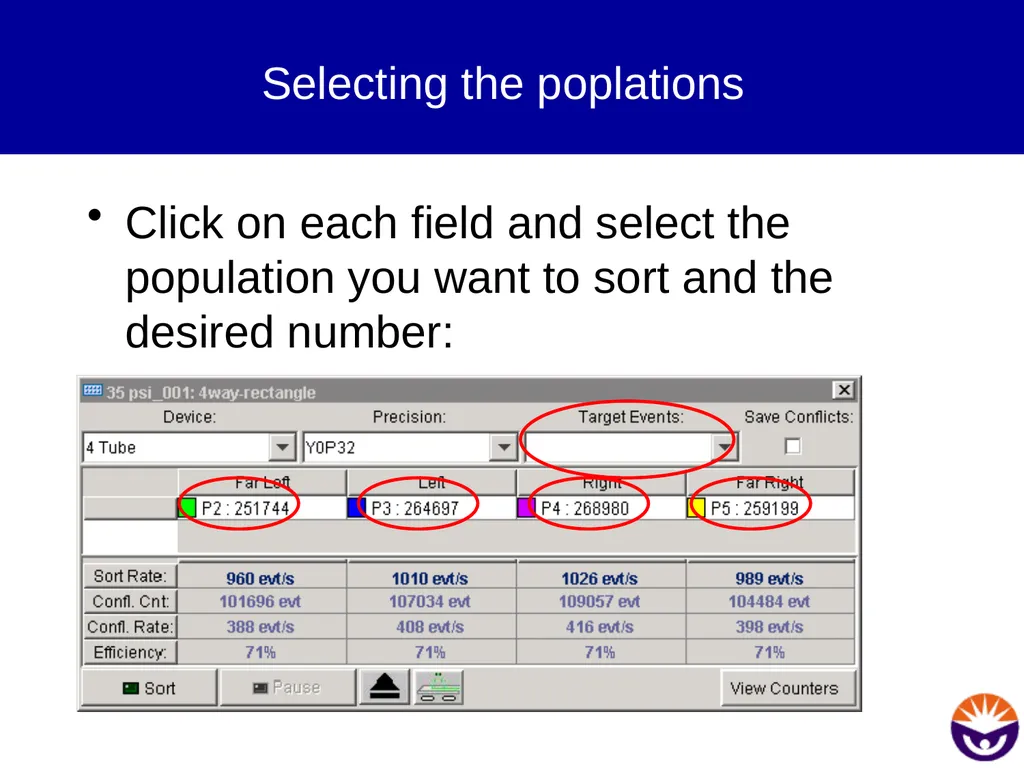
Selecting the poplations Click on each field and select the population you want to sort and the desired number:<br>
32
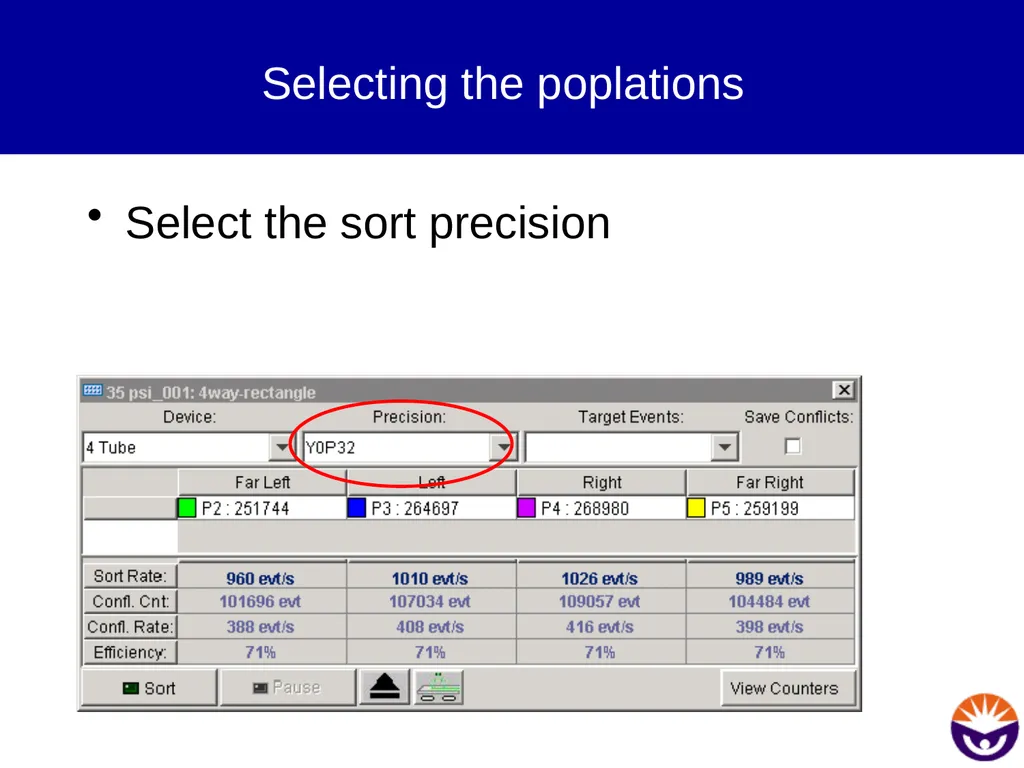
Selecting the poplations Select the sort precision<br>
33
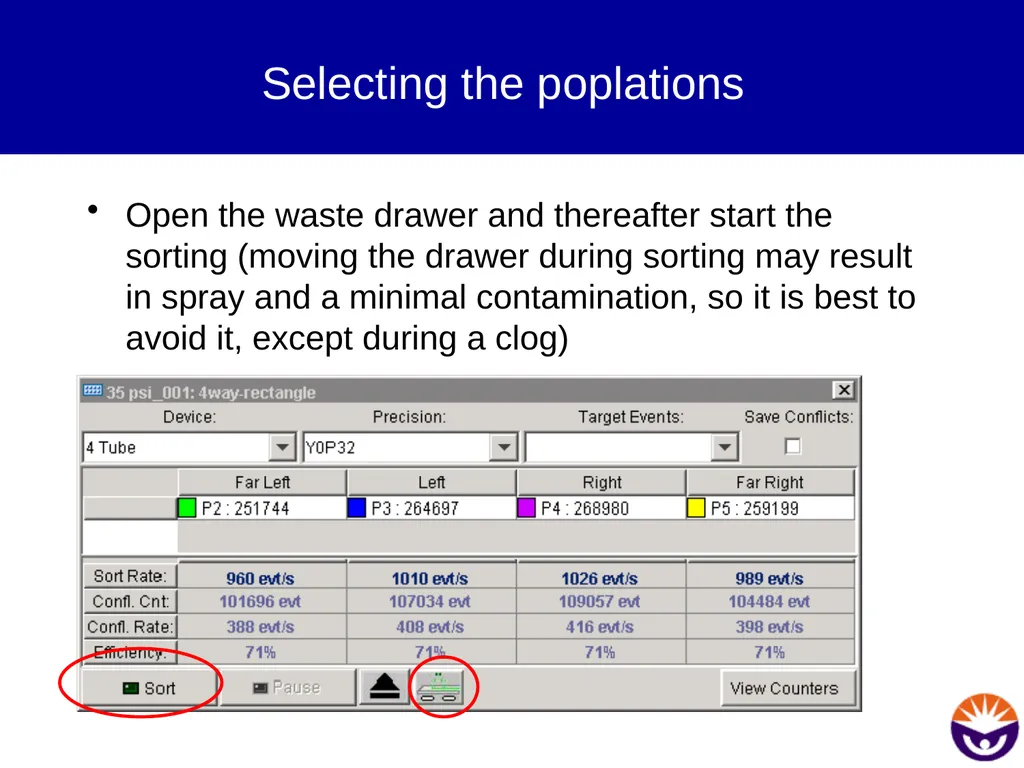
Selecting the poplations Open the waste drawer and thereafter start the sorting (moving the drawer during sorting may result in spray and a minimal contamination, so it is best to avoid it, except during a clog)<br>
34
QuadraSort Although 4-way sorting is by no means more complicated than 2-way sorting, some precautions should be taken:�
During 4-way sorting avoid using a yield mask. With 4 sidestreams it is best to do a one drop sort only. This reduces fanning and possible contaminations.<br>