01
Splashtop Classroom Assist Gives Teachers the Power to Annotate and Share Their Windows 10 Screens with Any Student, Anytime, Anywhere WINDOWS APP BUILDER PROFILE: SPLASHTOP, INC.
Splashtop delivers cross-screen productivity, support, and collaboration experience, bridging smartphones, tablets, computers, televisions, and the cloud. More than 20 million users have downloaded the Splashtop solution for use in homes, schools, and businesses. WHAT WE OFFER WHAT OUR CUSTOMERS ARE SAYING
“The teachers at our school have found Splashtop to be a remarkable tool for improving teaching and classroom management.” – Matt Penner, director of information and instructional technology, Val Verde School District (CA) LEARN MORE
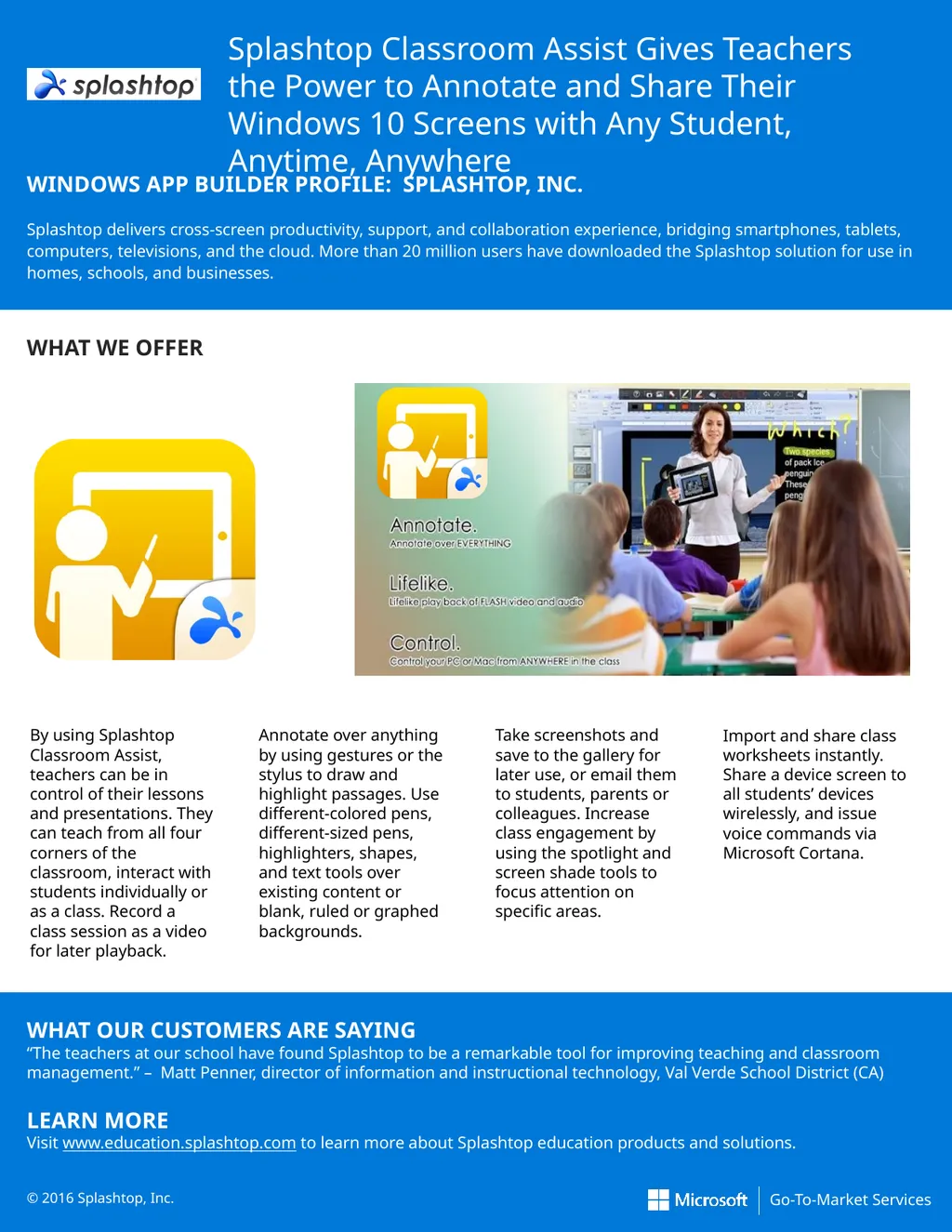
Visit www.education.splashtop.com to learn more about Splashtop education products and solutions. © 2016 Splashtop, Inc. Import and share class worksheets instantly. Share a device screen to all students’ devices wirelessly, and issue voice commands via Microsoft Cortana. By using Splashtop Classroom Assist, teachers can be in control of their lessons and presentations. They can teach from all four corners of the classroom, interact with students individually or as a class. Record a class session as a video for later playback. Annotate over anything by using gestures or the stylus to draw and highlight passages. Use different-colored pens, different-sized pens, highlighters, shapes, and text tools over existing content or blank, ruled or graphed backgrounds. Take screenshots and save to the gallery for later use, or email them to students, parents or colleagues. Increase class engagement by using the spotlight and screen shade tools to focus attention on specific areas.<br>
02
Windows is Microsoft’s premier operating system, designed to help you manage your devices, apps, and identities in a way that scales up or down with your needs, so your business can grow efficiently. KEY USE CASES
MOBILE POINT OF SALE
Windows 10 is the right platform to build the intelligent devices you need. Easily enable a mobile point of sale and create the internet of your things.
SEAMLESS 2-IN-1 EXPERIENCE
Run in desktop or tablet mode on
2-in-1 devices, seamlessly switching between type and touch inputs.
SINGLE SIGN-ON
Need to provide simple access to a multitude of devices? Use a single MDM solution to manage your team’s devices. Or, use one log-in across Windows, OneDrive, and Office 365 with Azure AD join.
COLLABORATE AND SHARE
Windows 10 makes it easy to take notes in Microsoft Edge, and it also enables integration with additional devices. Whether you’re using a virtual whiteboard or a smart TV powered by Windows, you can collaborate and share notes, files, and more. PROTECTION FROM MODERN SECURITY THREATS
Enterprise security threats are on the rise. Windows 10 delivers entirely new ways to protect your systems and data. With features like Windows Hello and Microsoft Passport, we make it easier to adopt biometrics and multi-factor authentication. Windows 10 also has built-in defenses to help protect your critical business information from leaks or theft, while separating corporate from personal files.
CONTINUOUS INNOVATION
Now you can deploy and manage Windows more efficiently, and receive the latest innovations faster. Through the Current Branch for Business deployment schedule and the new Windows Update for Business service, you have the flexibility you’ve been looking for. Together these help reduce management costs, provide controls over update deployment, and offer fast access to security updates from Microsoft on an ongoing basis.
PRODUCTIVITY YOUR TEAM WILL LOVE
Windows 10 is familiar, and better than ever. With welcome similarities to Windows 7, including the Start menu, your team will feel like experts right away. New features like Continuum and Microsoft Edge provide new, innovative productivity experiences only available on Windows 10.
INNOVATIVE DEVICES FOR YOUR BUSINESS
With Windows 10, you can choose from a compelling lineup of business-ready devices, delivering innovations like hardware-based security, touch and pen input, and new, 2-in-1 devices.
Learn more: www.windows.com
© 2016 Microsoft Corporation. All rights reserved.<br>