SQL commands from C and ASP.net SQL commands Microsofts database system is called SQL Server The most popular open source database is called MySQL SQL : Structured Query Language Select From PlantData Where Collection Ivy Select
"SQL commands from C# and ASP.net SQL commands" is the property of its rightful owner. Permission is granted to
download and print the materials on this website for personal, non-commercial use only, and to display it
on your personal computer provided you do not modify the materials and that you retain all copyright
notices contained in the materials. By downloading content from our website, you accept the terms of this
agreement.
Presentation Transcript
01
SQL commands from C# and ASP.net<br>
02
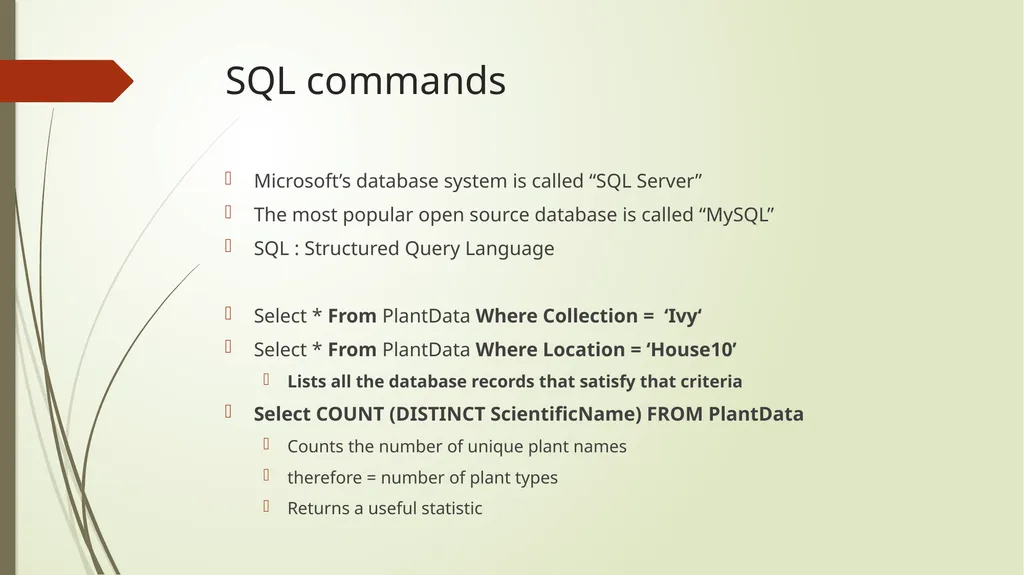
SQL commands Microsoft’s database system is called “SQL Server”
The most popular open source database is called “MySQL”
SQL : Structured Query Language
Select * From PlantData Where Collection = ‘Ivy‘
Select * From PlantData Where Location = ‘House10’
Lists all the database records that satisfy that criteria
Select COUNT (DISTINCT ScientificName) FROM PlantData
Counts the number of unique plant names
therefore = number of plant types
Returns a useful statistic<br>
03
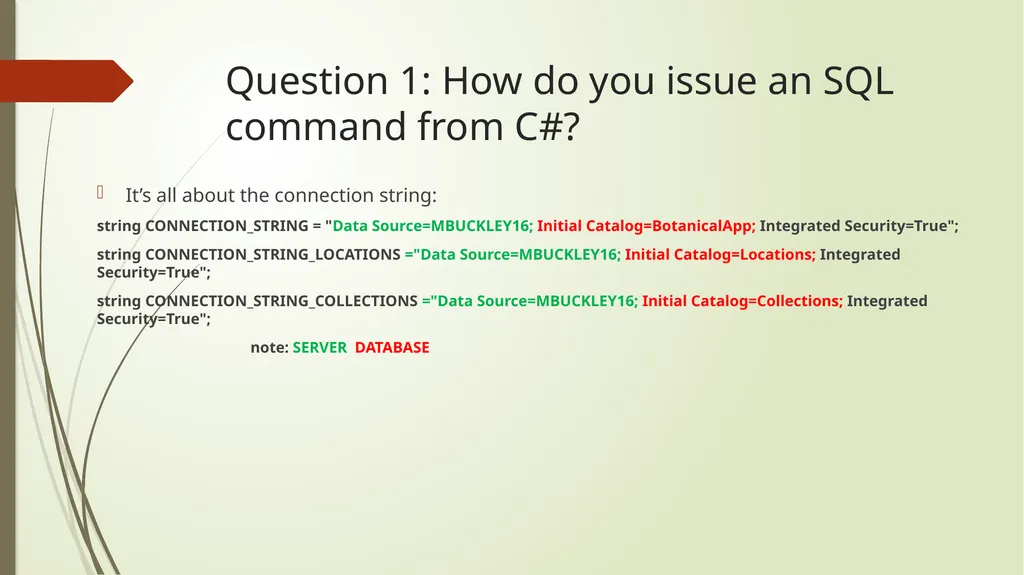
Question 1: How do you issue an SQL command from C#? It’s all about the connection string:
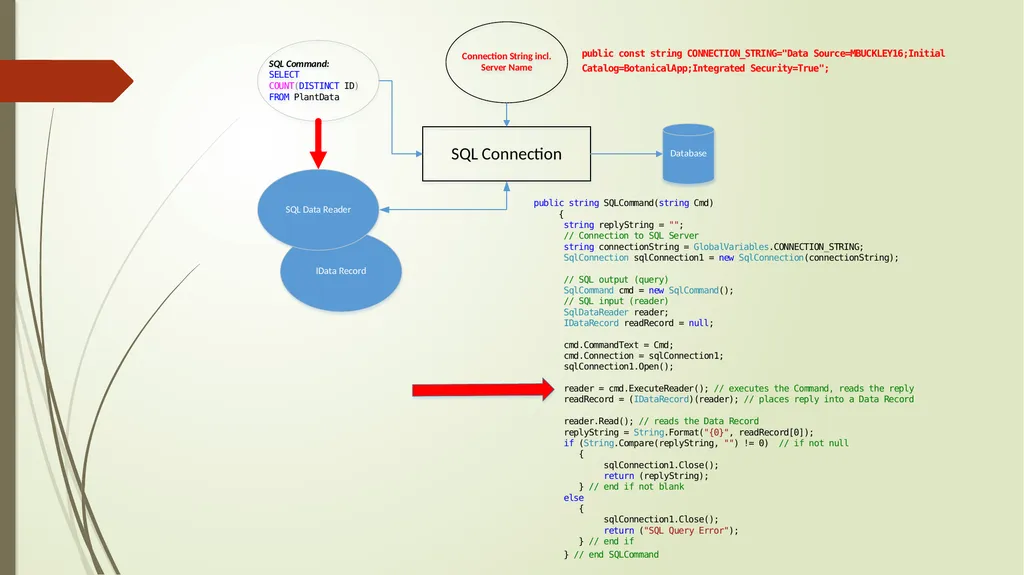
string CONNECTION_STRING = "Data Source=MBUCKLEY16; Initial Catalog=BotanicalApp; Integrated Security=True";
string CONNECTION_STRING_LOCATIONS ="Data Source=MBUCKLEY16; Initial Catalog=Locations; Integrated Security=True";
string CONNECTION_STRING_COLLECTIONS ="Data Source=MBUCKLEY16; Initial Catalog=Collections; Integrated Security=True";
note: SERVER DATABASE<br>
04
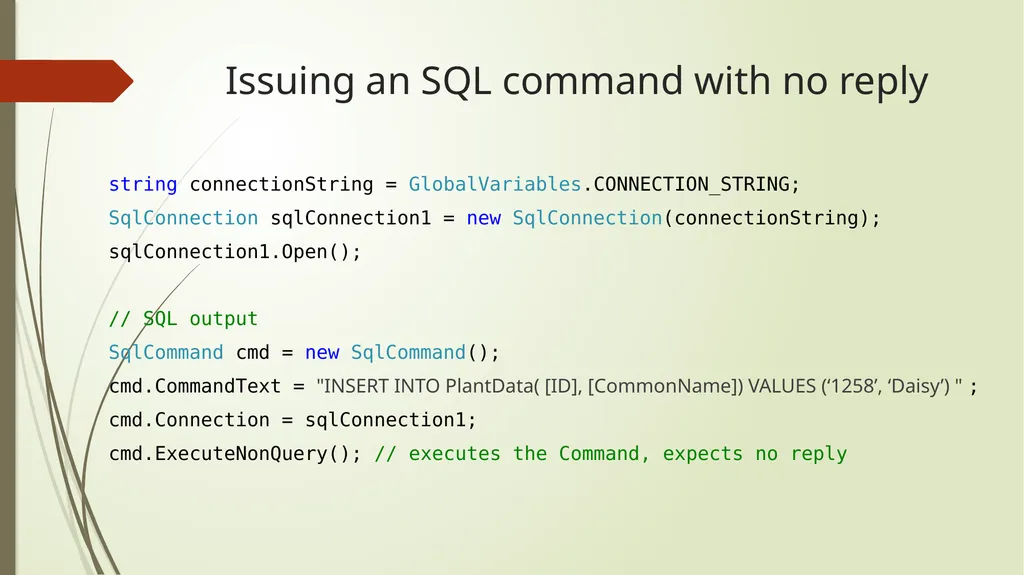
Issuing an SQL command with no reply string connectionString = GlobalVariables.CONNECTION_STRING;
SqlConnection sqlConnection1 = new SqlConnection(connectionString);
sqlConnection1.Open();
// SQL output
SqlCommand cmd = new SqlCommand();
cmd.CommandText = "INSERT INTO PlantData( [ID], [CommonName]) VALUES (‘1258’, ‘Daisy’) " ;
cmd.Connection = sqlConnection1;
cmd.ExecuteNonQuery(); // executes the Command, expects no reply<br>
05
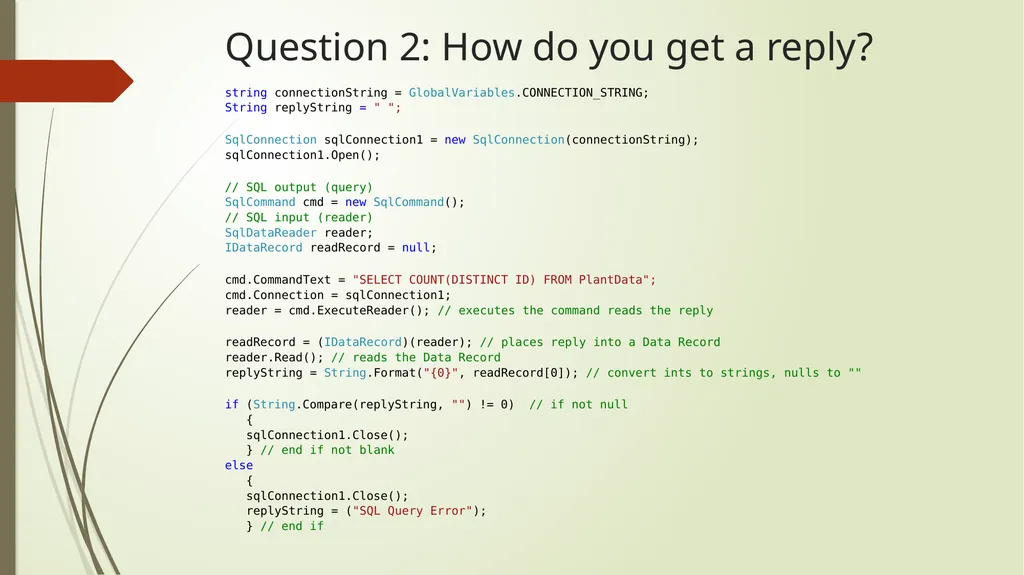
Question 2: How do you get a reply? string connectionString = GlobalVariables.CONNECTION_STRING;
String replyString = " ";
SqlConnection sqlConnection1 = new SqlConnection(connectionString);
sqlConnection1.Open();
cmd.CommandText = "SELECT COUNT(DISTINCT ID) FROM PlantData";
cmd.Connection = sqlConnection1;
reader = cmd.ExecuteReader(); // executes the command reads the reply
readRecord = (IDataRecord)(reader); // places reply into a Data Record
reader.Read(); // reads the Data Record
replyString = String.Format("{0}", readRecord[0]); // convert ints to strings, nulls to ""
if (String.Compare(replyString, "") != 0) // if not null
{
sqlConnection1.Close();
} // end if not blank
else
{
sqlConnection1.Close();
replyString = ("SQL Query Error");
} // end if<br>
06
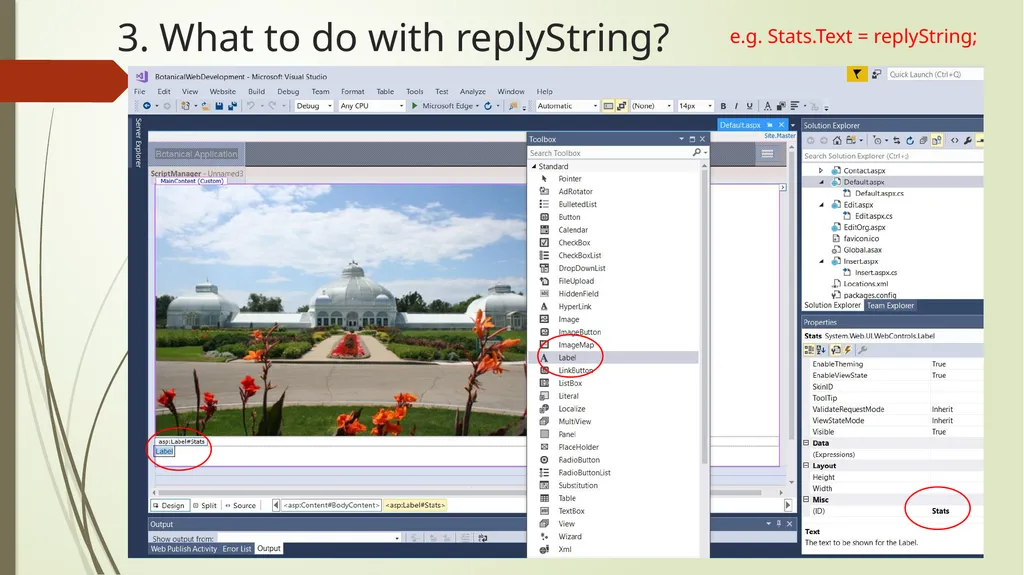
3. What to do with replyString? e.g. Stats.Text = replyString;<br>
07
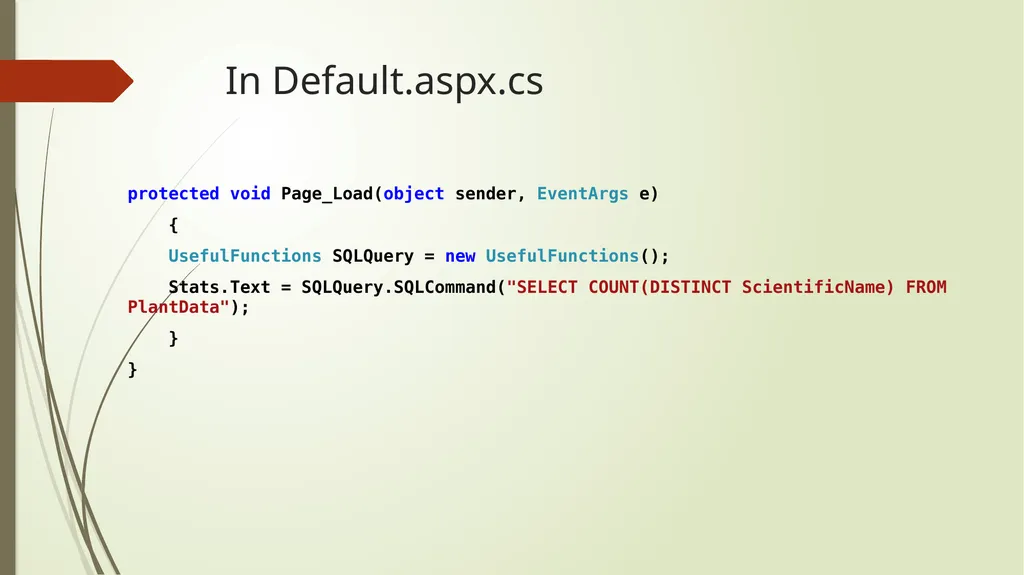
In Default.aspx.cs protected void Page_Load(object sender, EventArgs e)
{
UsefulFunctions SQLQuery = new UsefulFunctions();
Stats.Text = SQLQuery.SQLCommand("SELECT COUNT(DISTINCT ScientificName) FROM PlantData");
}
}<br>