
SQL92 for a Progress DBA Bob Brennan Integrated
SN
Published · 54 slides · 0 views
1 / 1
Description
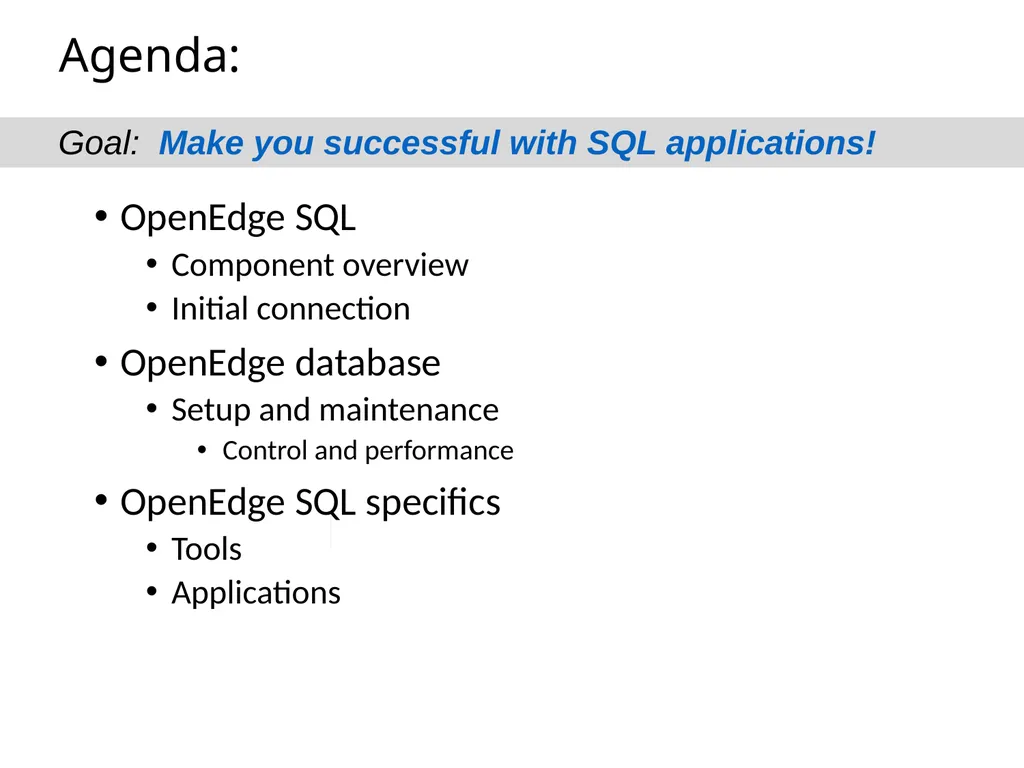
SQL92 for a Progress DBA Bob Brennan Integrated Manufacturing Systems, Inc. Agenda: OpenEdge SQL Component overview Initial connection OpenEdge database Setup and maintenance Control and performance OpenEdge SQL specifics Tools Applications
Related Topics
Share
Embed code
Download this presentation From Below
"SQL92 for a Progress DBA Bob Brennan Integrated" is the property of its rightful owner. Permission is granted to download and print the materials on this website for personal, non-commercial use only, and to display it on your personal computer provided you do not modify the materials and that you retain all copyright notices contained in the materials. By downloading content from our website, you accept the terms of this agreement.
Presentation Transcript
01
SQL92 for a Progress DBA Bob Brennan Integrated Manufacturing Systems, Inc.<br>
02
Agenda: OpenEdge SQL
Component overview
Initial connection
OpenEdge database
Setup and maintenance
Control and performance
OpenEdge SQL specifics
Tools
Applications Goal: Make you successful with SQL applications!<br>
Component overview
Initial connection
OpenEdge database
Setup and maintenance
Control and performance
OpenEdge SQL specifics
Tools
Applications Goal: Make you successful with SQL applications!<br>
03
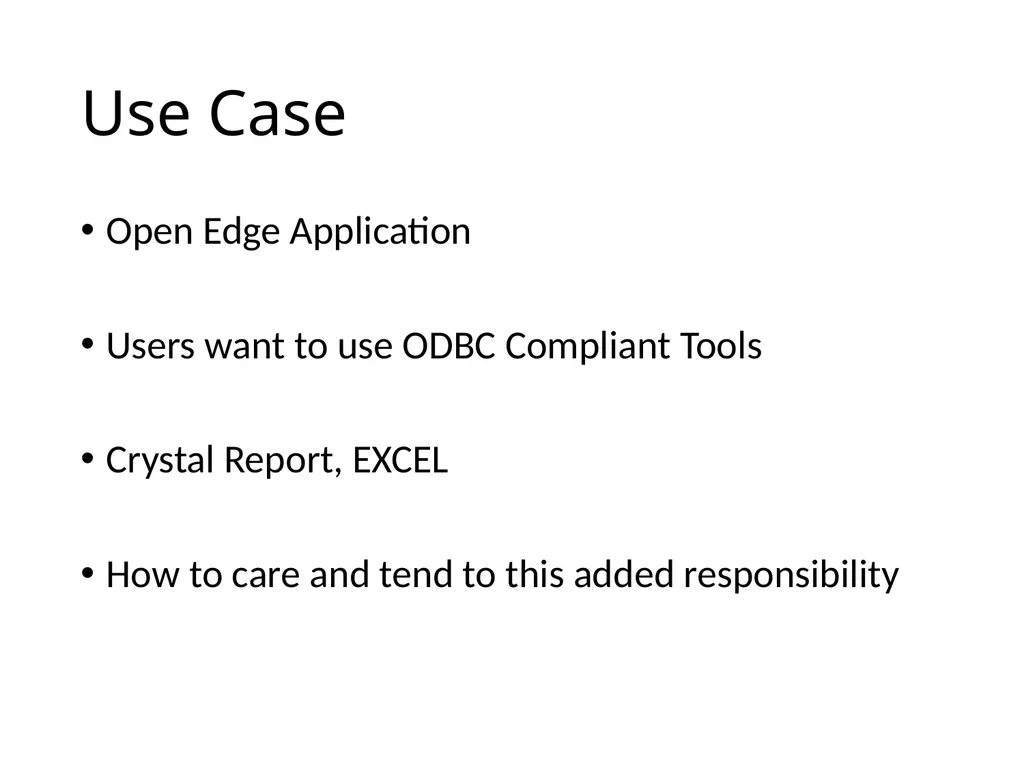
Use Case Open Edge Application
Users want to use ODBC Compliant Tools
Crystal Report, EXCEL
How to care and tend to this added responsibility<br>
Users want to use ODBC Compliant Tools
Crystal Report, EXCEL
How to care and tend to this added responsibility<br>
04
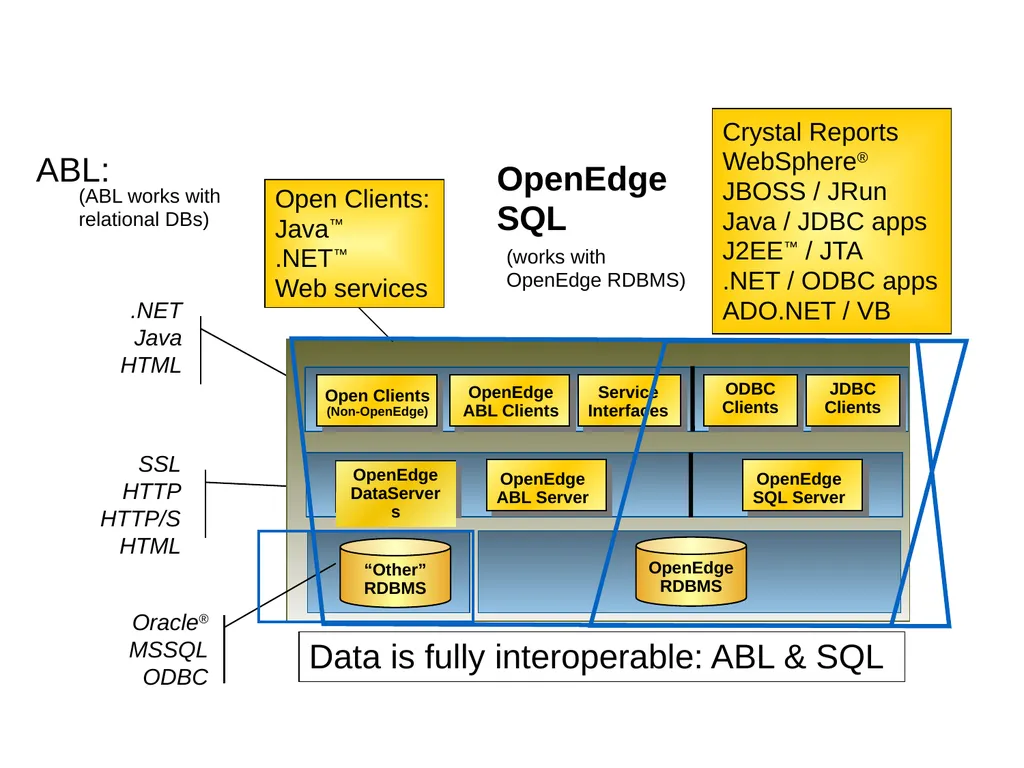
OpenEdge is Open SSL
HTTP
HTTP/S
HTML .NET
Java
HTML Open Clients
(Non-OpenEdge) OpenEdge ABL Clients ODBC
Clients Service Interfaces OpenEdge DataServers OpenEdge ABL Server OpenEdge SQL Server JDBC
Clients Oracle® MSSQL ODBC ABL: Open Clients:
Java™
.NET™
Web services (ABL works with relational DBs) OpenEdge SQL Crystal Reports
WebSphere®
JBOSS / JRun
Java / JDBC apps
J2EE™ / JTA
.NET / ODBC apps
ADO.NET / VB Data is fully interoperable: ABL & SQL (works with OpenEdge RDBMS) OpenEdge RDBMS “Other” RDBMS<br>
Clients Service Interfaces OpenEdge DataServers OpenEdge ABL Server OpenEdge SQL Server JDBC
Clients Oracle® MSSQL ODBC ABL: Open Clients:
Java™
.NET™
Web services (ABL works with relational DBs) OpenEdge SQL Crystal Reports
WebSphere®
JBOSS / JRun
Java / JDBC apps
J2EE™ / JTA
.NET / ODBC apps
ADO.NET / VB Data is fully interoperable: ABL & SQL (works with OpenEdge RDBMS) OpenEdge RDBMS “Other” RDBMS<br>
05
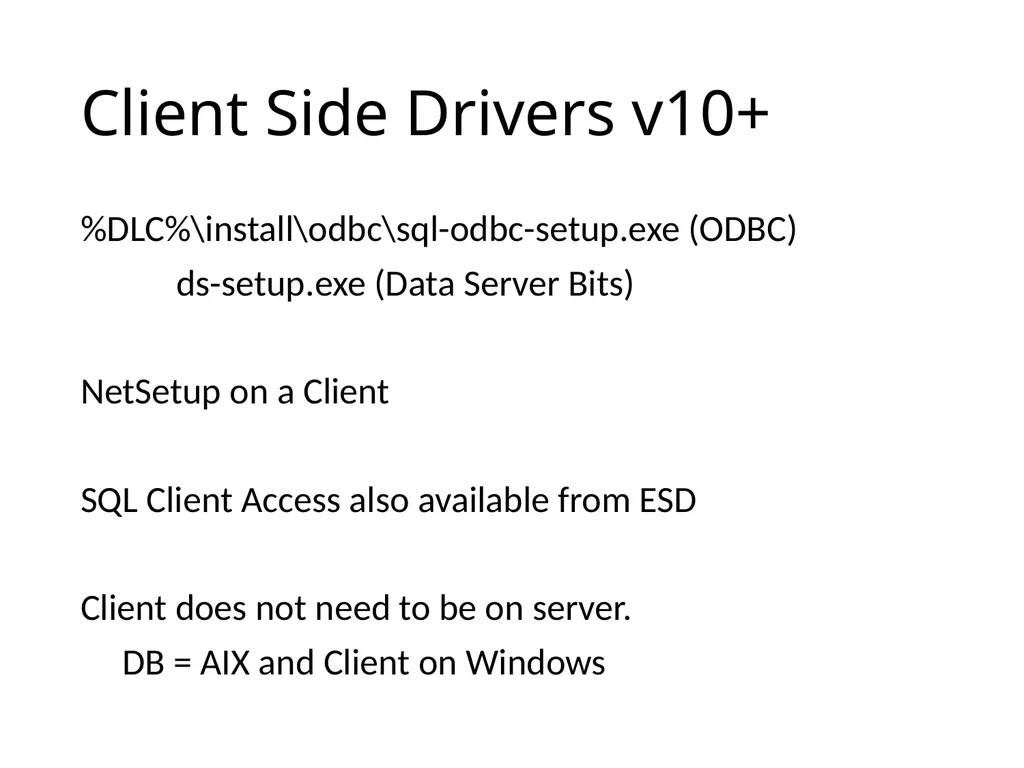
Client Side Drivers v10+ %DLC%\install\odbc\sql-odbc-setup.exe (ODBC)
ds-setup.exe (Data Server Bits)
NetSetup on a Client
SQL Client Access also available from ESD
Client does not need to be on server.
DB = AIX and Client on Windows<br>
ds-setup.exe (Data Server Bits)
NetSetup on a Client
SQL Client Access also available from ESD
Client does not need to be on server.
DB = AIX and Client on Windows<br>
06
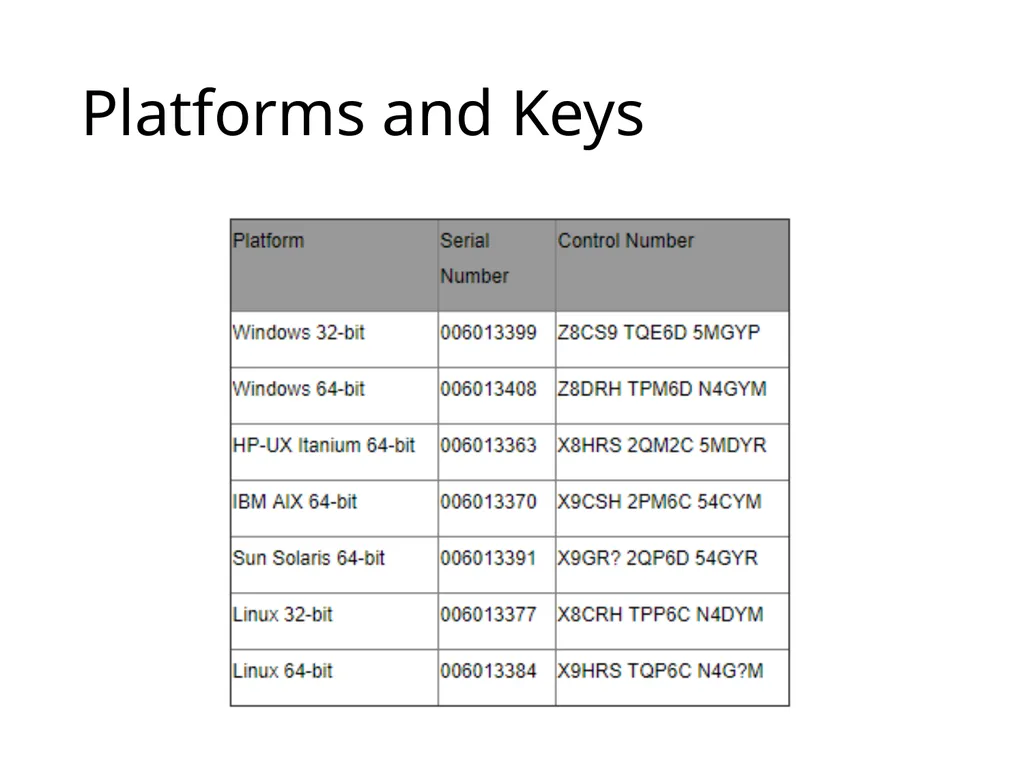
Platforms and Keys<br>
07
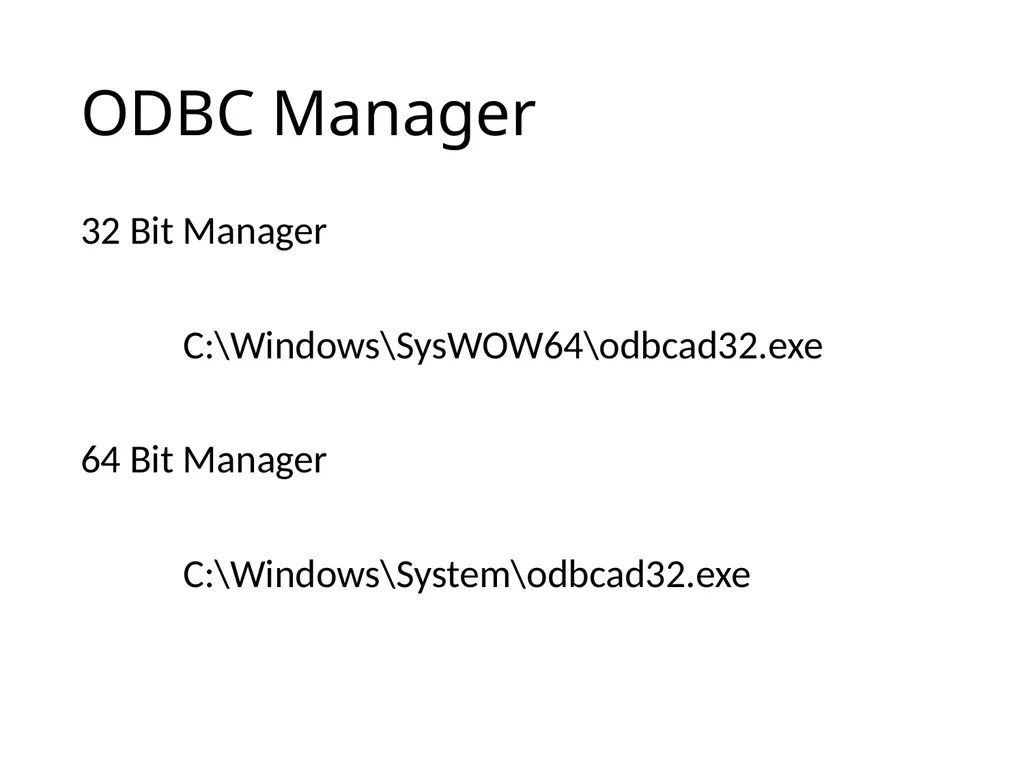
ODBC Manager 32 Bit Manager
C:\Windows\SysWOW64\odbcad32.exe
64 Bit Manager
C:\Windows\System\odbcad32.exe<br>
C:\Windows\SysWOW64\odbcad32.exe
64 Bit Manager
C:\Windows\System\odbcad32.exe<br>
08
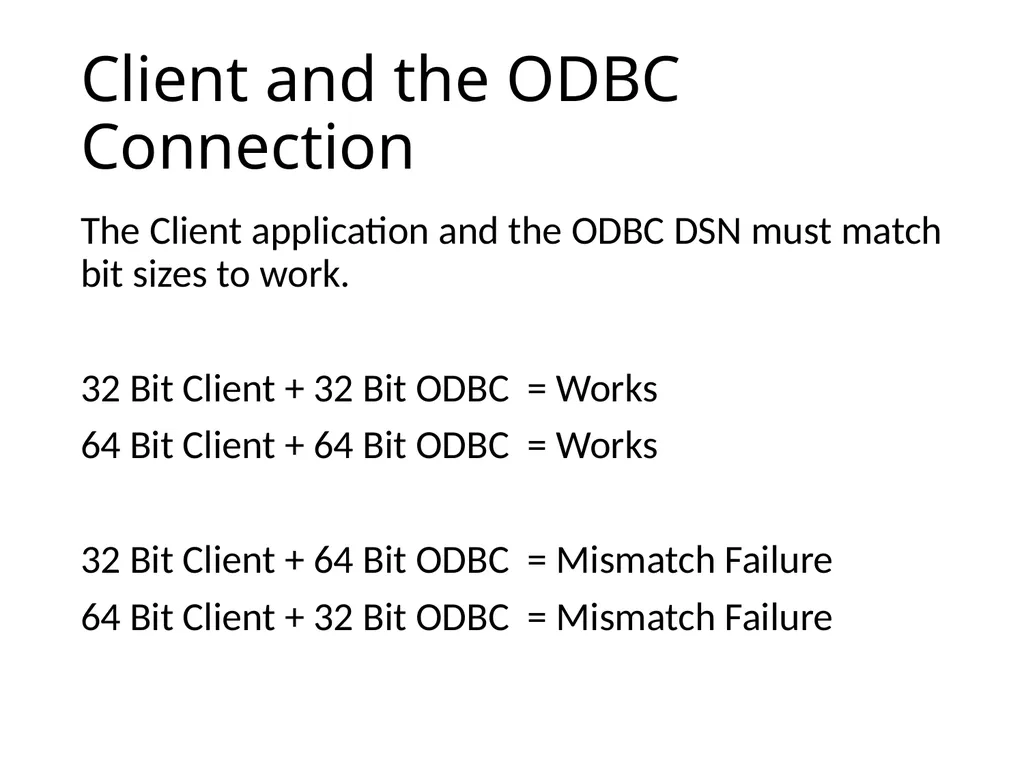
Client and the ODBC Connection The Client application and the ODBC DSN must match bit sizes to work.
32 Bit Client + 32 Bit ODBC = Works
64 Bit Client + 64 Bit ODBC = Works
32 Bit Client + 64 Bit ODBC = Mismatch Failure
64 Bit Client + 32 Bit ODBC = Mismatch Failure<br>
32 Bit Client + 32 Bit ODBC = Works
64 Bit Client + 64 Bit ODBC = Works
32 Bit Client + 64 Bit ODBC = Mismatch Failure
64 Bit Client + 32 Bit ODBC = Mismatch Failure<br>
09
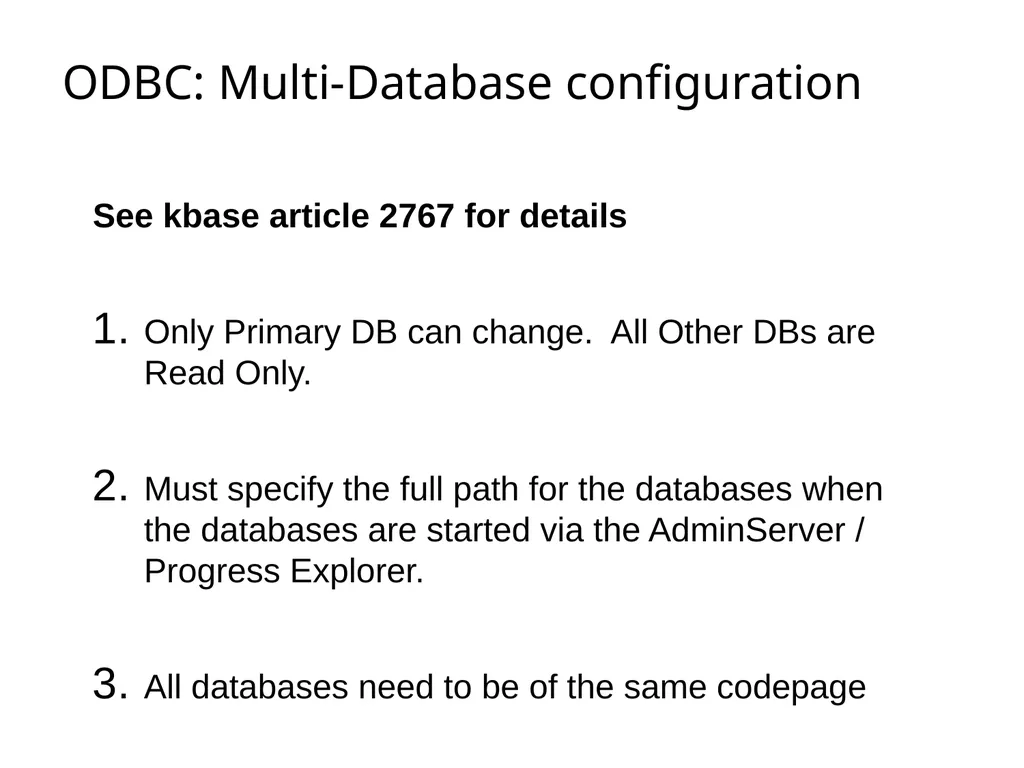
ODBC: Multi-Database configuration See kbase article 2767 for details
Only Primary DB can change. All Other DBs are Read Only.
Must specify the full path for the databases when the databases are started via the AdminServer / Progress Explorer.
All databases need to be of the same codepage<br>
Only Primary DB can change. All Other DBs are Read Only.
Must specify the full path for the databases when the databases are started via the AdminServer / Progress Explorer.
All databases need to be of the same codepage<br>
10
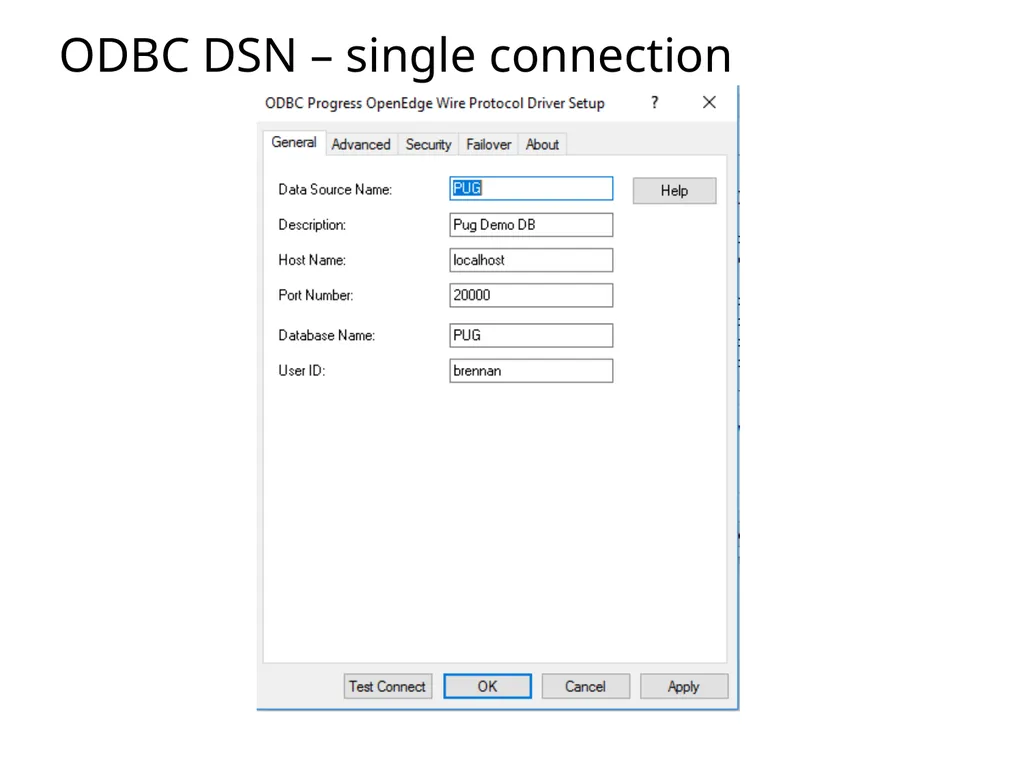
ODBC DSN – single connection<br>
11
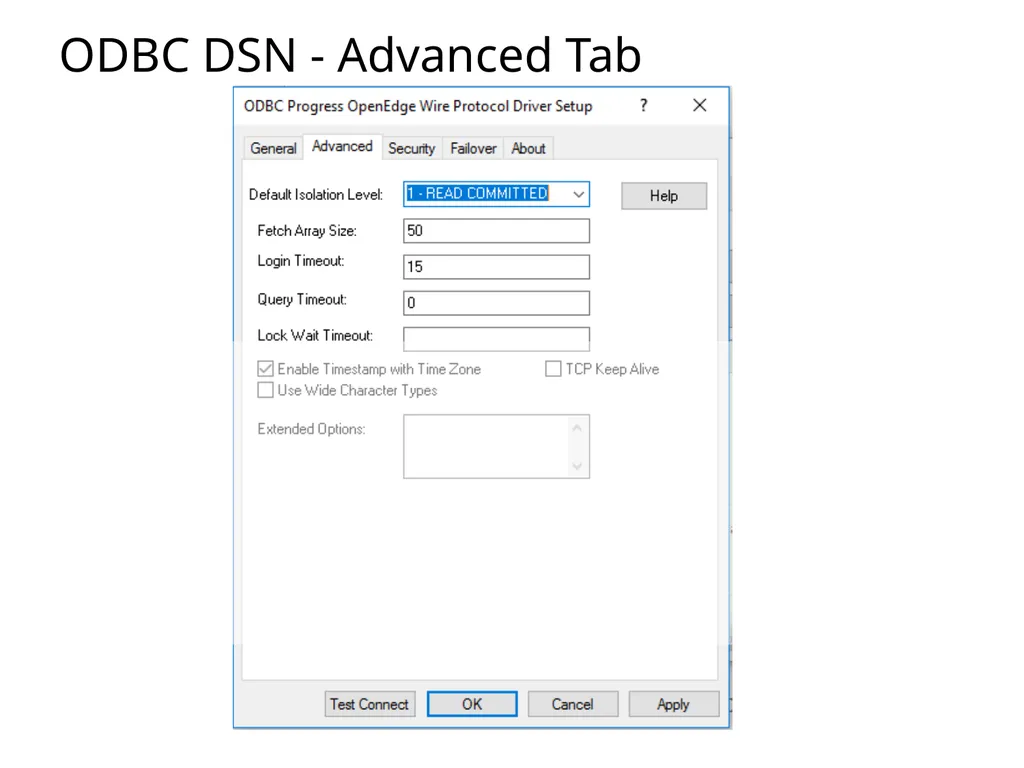
ODBC DSN - Advanced Tab<br>
12
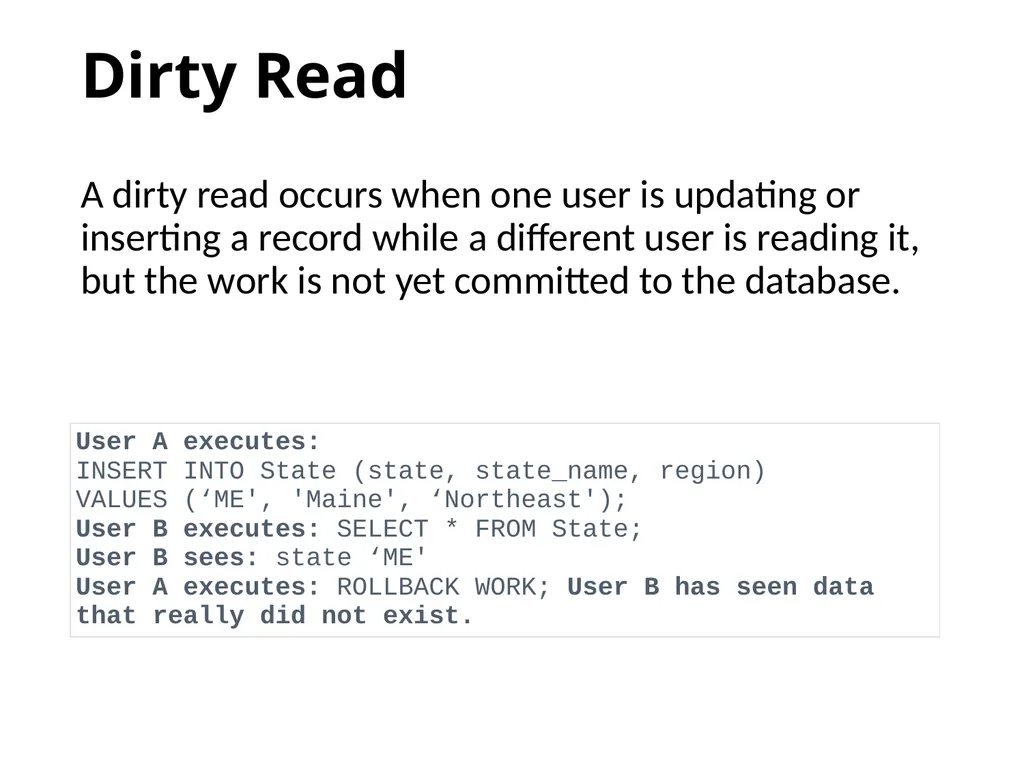
Dirty Read A dirty read occurs when one user is updating or inserting a record while a different user is reading it, but the work is not yet committed to the database.<br>
13
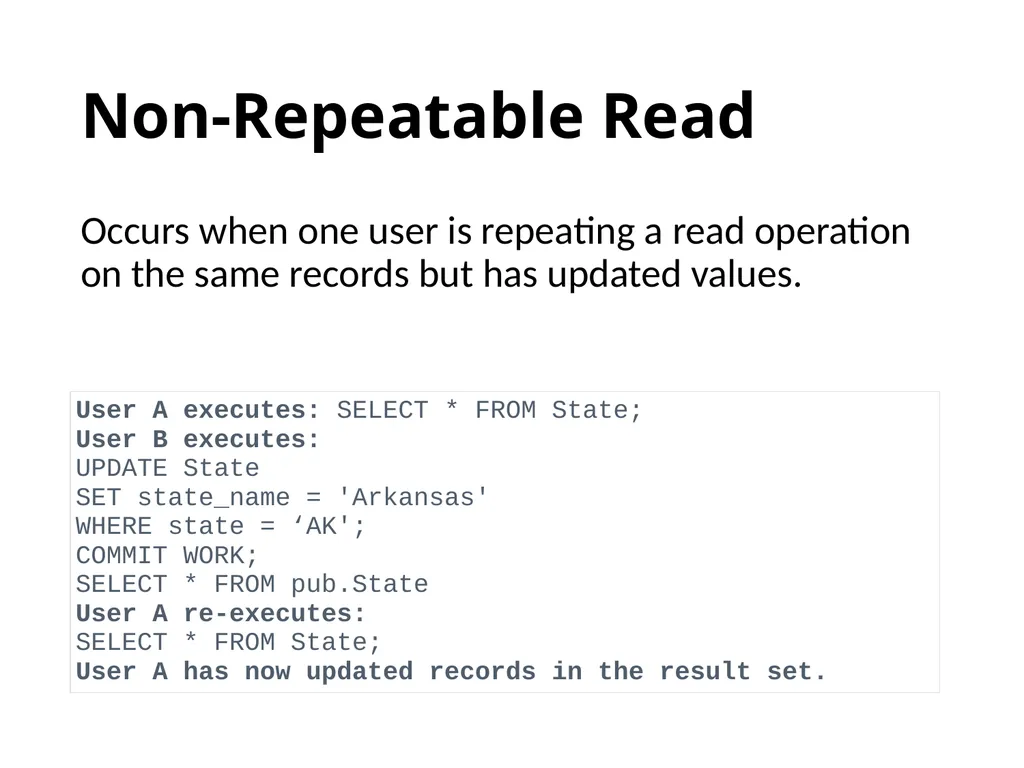
Non-Repeatable Read Occurs when one user is repeating a read operation on the same records but has updated values.<br>
14
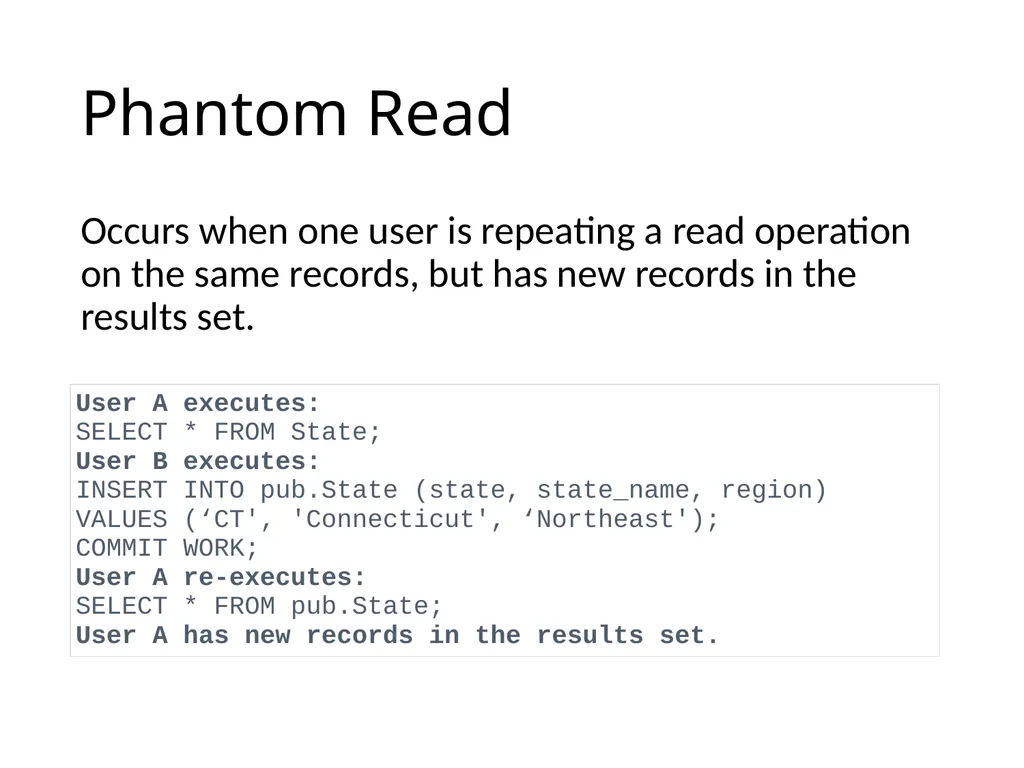
Phantom Read Occurs when one user is repeating a read operation on the same records, but has new records in the results set.<br>
15
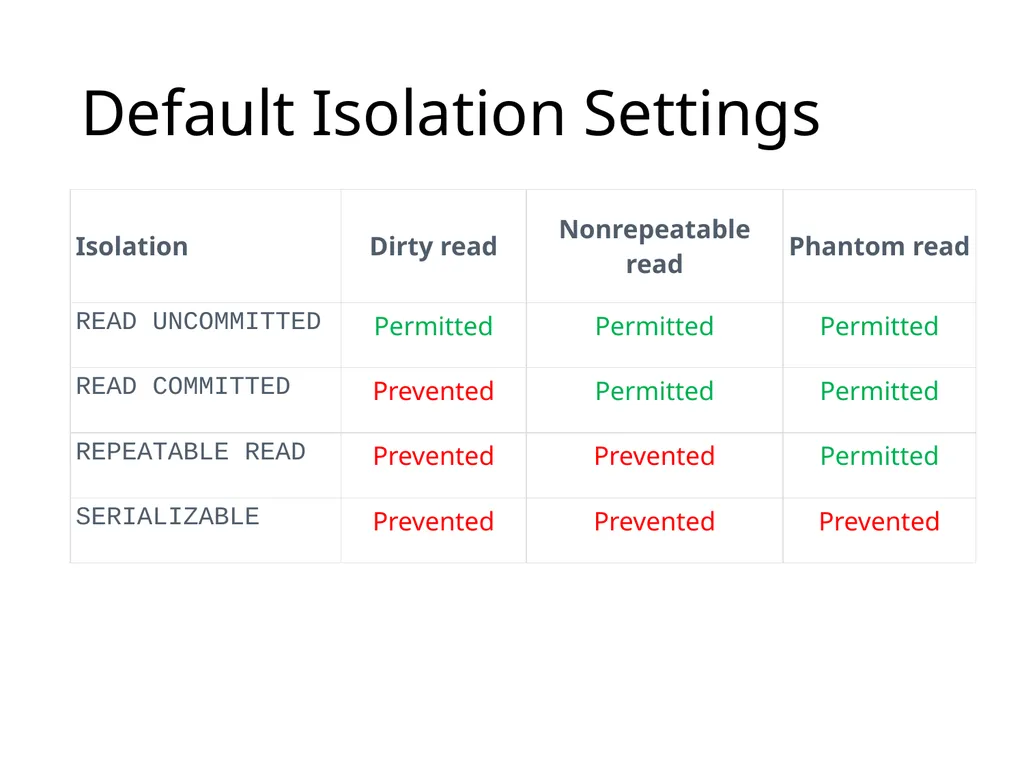
Default Isolation Settings<br>
16
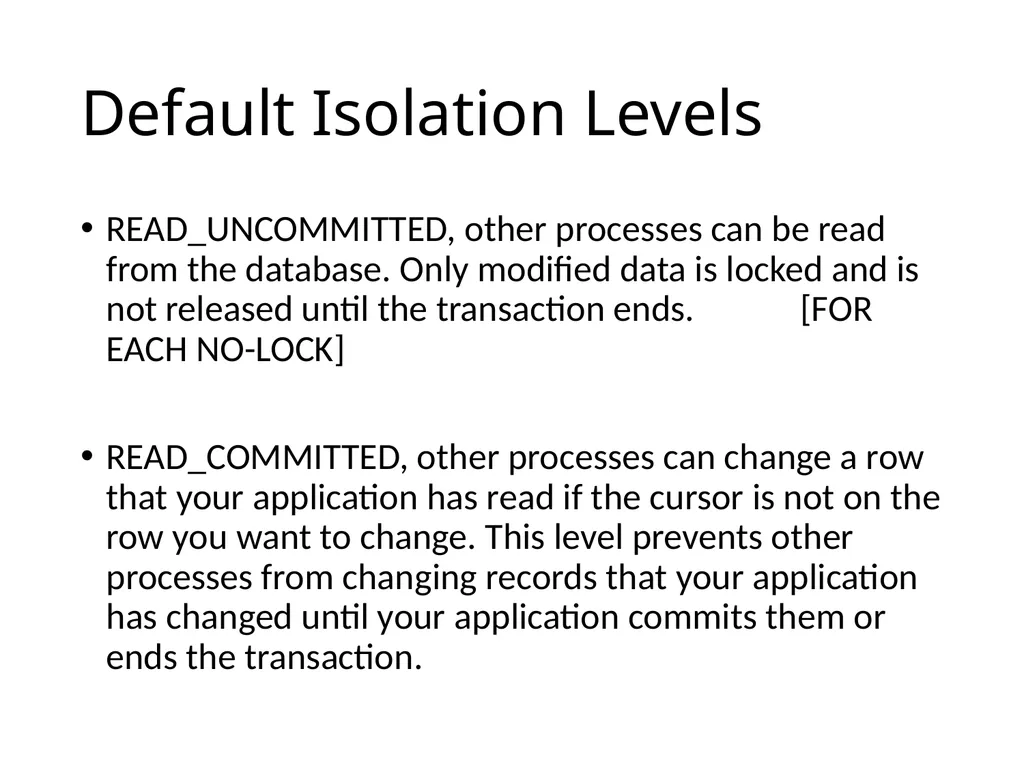
Default Isolation Levels READ_UNCOMMITTED, other processes can be read from the database. Only modified data is locked and is not released until the transaction ends. [FOR EACH NO-LOCK]
READ_COMMITTED, other processes can change a row that your application has read if the cursor is not on the row you want to change. This level prevents other processes from changing records that your application has changed until your application commits them or ends the transaction.<br>
READ_COMMITTED, other processes can change a row that your application has read if the cursor is not on the row you want to change. This level prevents other processes from changing records that your application has changed until your application commits them or ends the transaction.<br>
17
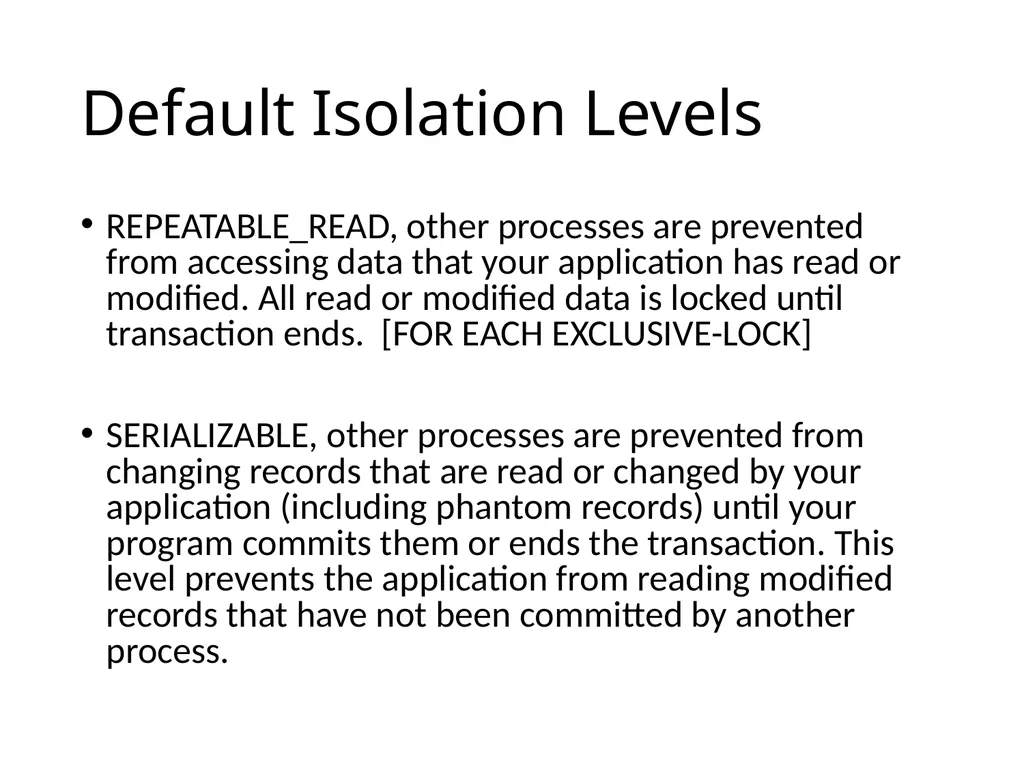
Default Isolation Levels REPEATABLE_READ, other processes are prevented from accessing data that your application has read or modified. All read or modified data is locked until transaction ends. [FOR EACH EXCLUSIVE-LOCK]
SERIALIZABLE, other processes are prevented from changing records that are read or changed by your application (including phantom records) until your program commits them or ends the transaction. This level prevents the application from reading modified records that have not been committed by another process.<br>
SERIALIZABLE, other processes are prevented from changing records that are read or changed by your application (including phantom records) until your program commits them or ends the transaction. This level prevents the application from reading modified records that have not been committed by another process.<br>
18
Connection – server side<br>
19
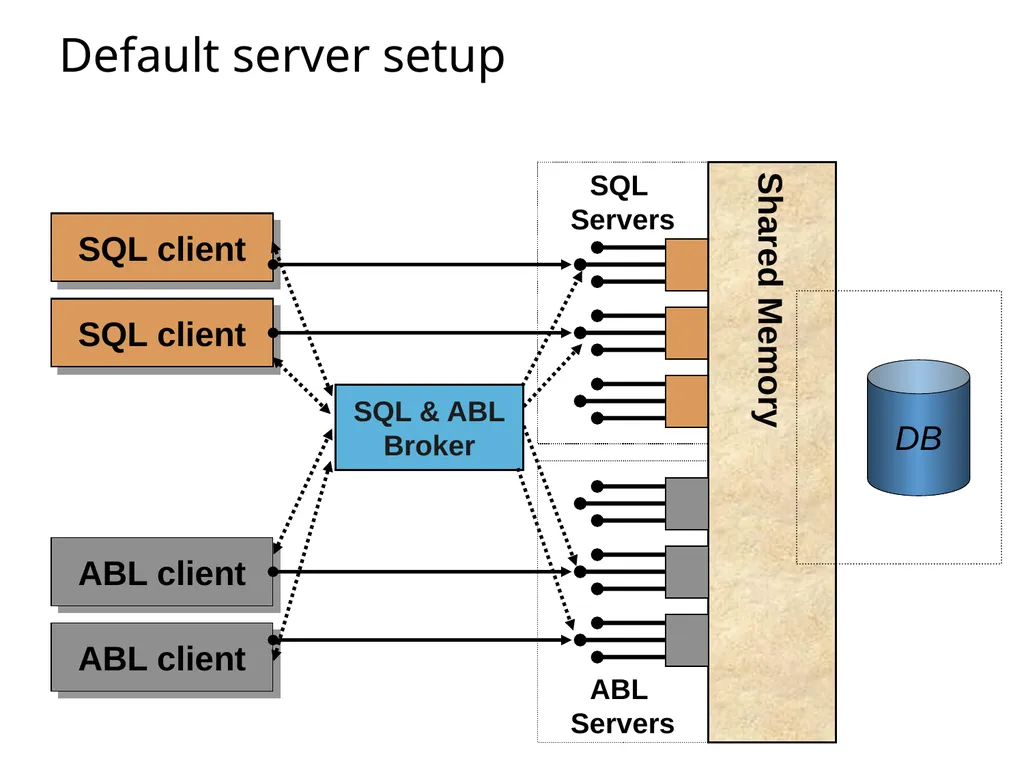
Default server setup SQL
Servers SQL client ABL client SQL client ABL client Shared Memory SQL & ABL
Broker<br>
Servers SQL client ABL client SQL client ABL client Shared Memory SQL & ABL
Broker<br>
20
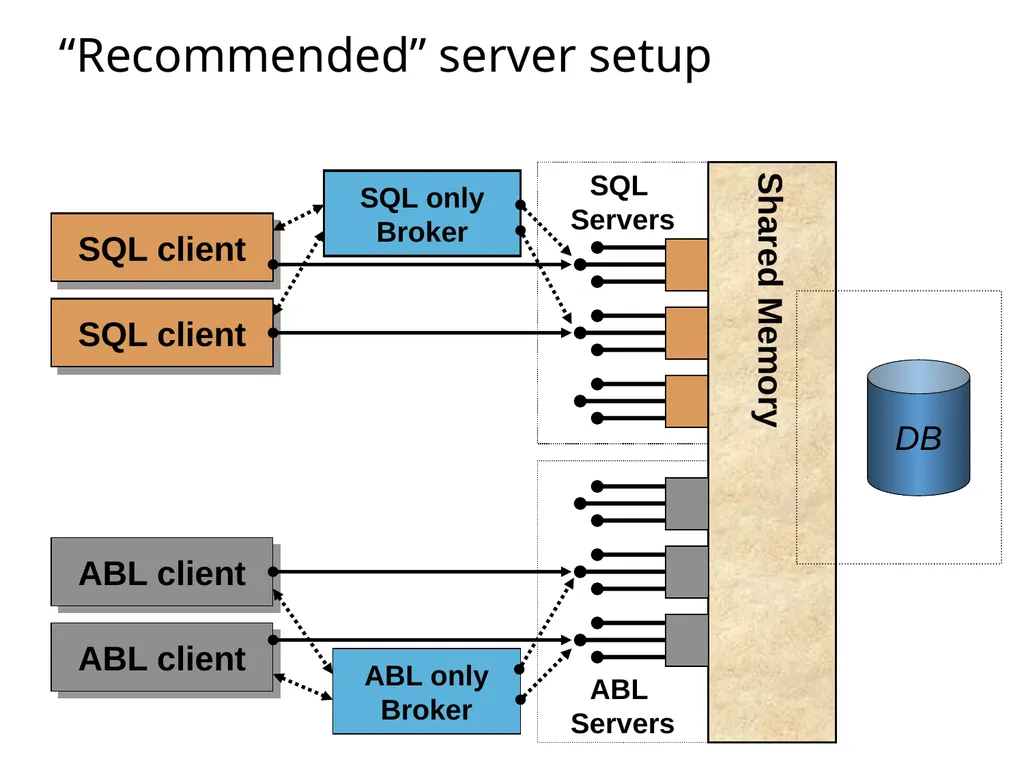
“Recommended” server setup SQL
Servers SQL client ABL client ABL only
Broker SQL only
Broker SQL client ABL client Shared Memory<br>
Servers SQL client ABL client ABL only
Broker SQL only
Broker SQL client ABL client Shared Memory<br>
21
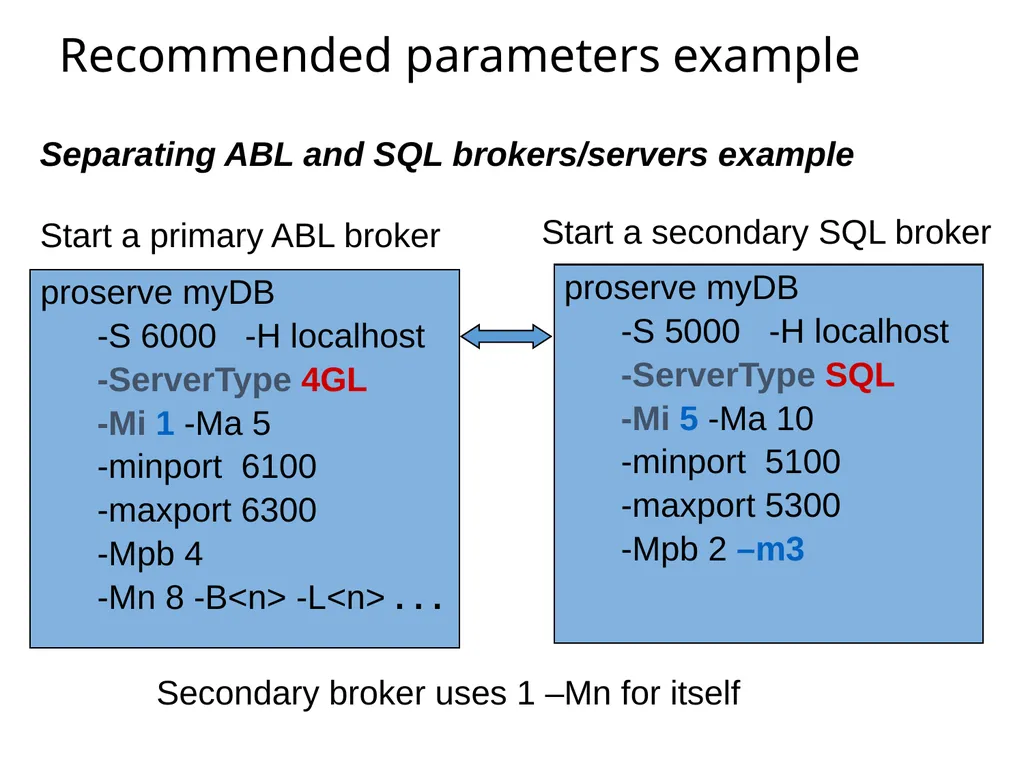
Recommended parameters example Separating ABL and SQL brokers/servers example proserve myDB
-S 6000 -H localhost
-ServerType 4GL
-Mi 1 -Ma 5
-minport 6100
-maxport 6300
-Mpb 4
-Mn 8 -B<n> -L<n> . . . Start a primary ABL broker Start a secondary SQL broker proserve myDB
-S 5000 -H localhost
-ServerType SQL
-Mi 5 -Ma 10
-minport 5100
-maxport 5300
-Mpb 2 –m3 Secondary broker uses 1 –Mn for itself<br>
-S 6000 -H localhost
-ServerType 4GL
-Mi 1 -Ma 5
-minport 6100
-maxport 6300
-Mpb 4
-Mn 8 -B<n> -L<n> . . . Start a primary ABL broker Start a secondary SQL broker proserve myDB
-S 5000 -H localhost
-ServerType SQL
-Mi 5 -Ma 10
-minport 5100
-maxport 5300
-Mpb 2 –m3 Secondary broker uses 1 –Mn for itself<br>
22
Verify the Math SQL92 ODBC Parameter Tool<br>
23
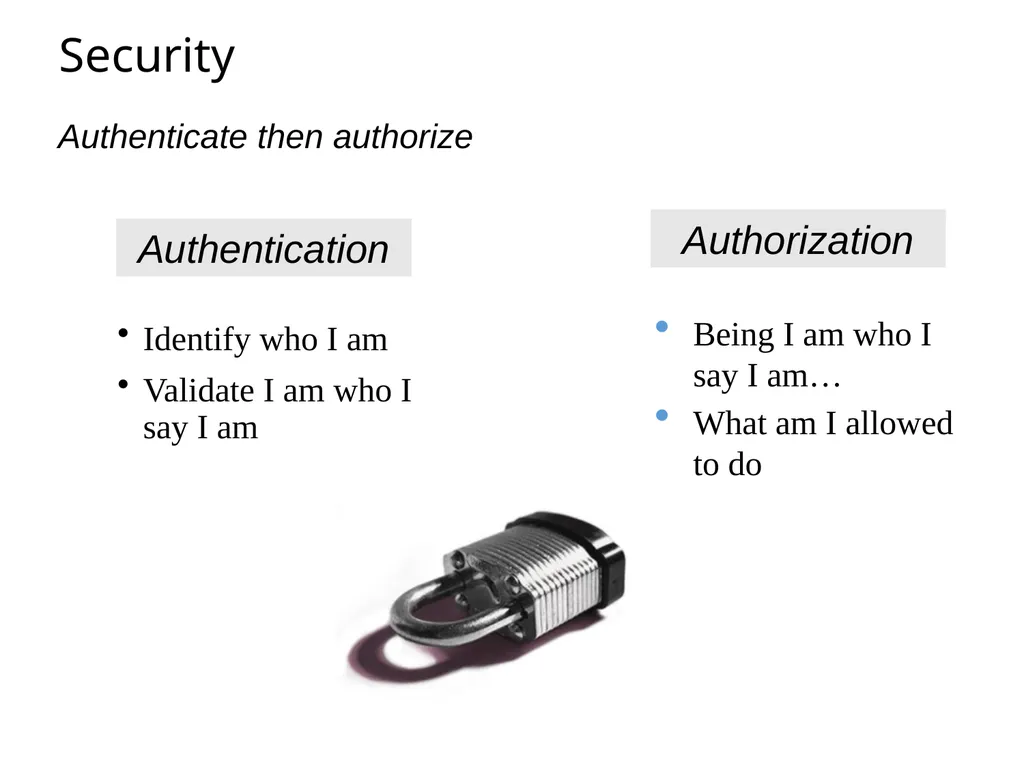
Security Identify who I am
Validate I am who I say I am Authentication Authenticate then authorize<br>
Validate I am who I say I am Authentication Authenticate then authorize<br>
24
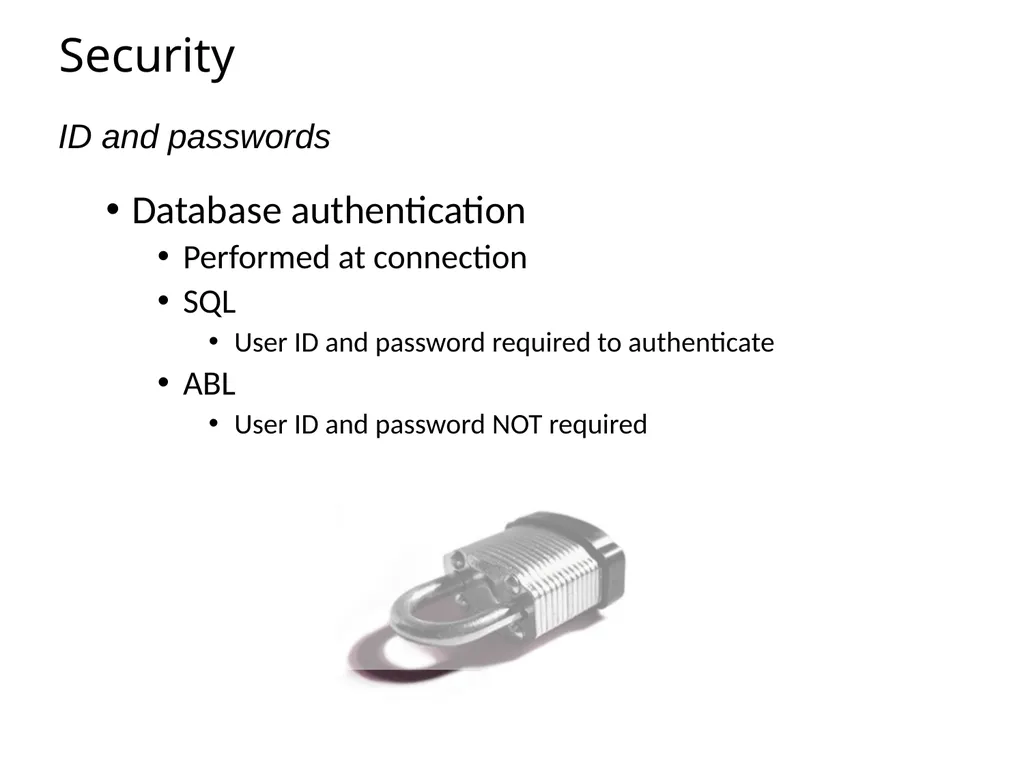
Security Database authentication
Performed at connection
SQL
User ID and password required to authenticate
ABL
User ID and password NOT required ID and passwords<br>
Performed at connection
SQL
User ID and password required to authenticate
ABL
User ID and password NOT required ID and passwords<br>
25
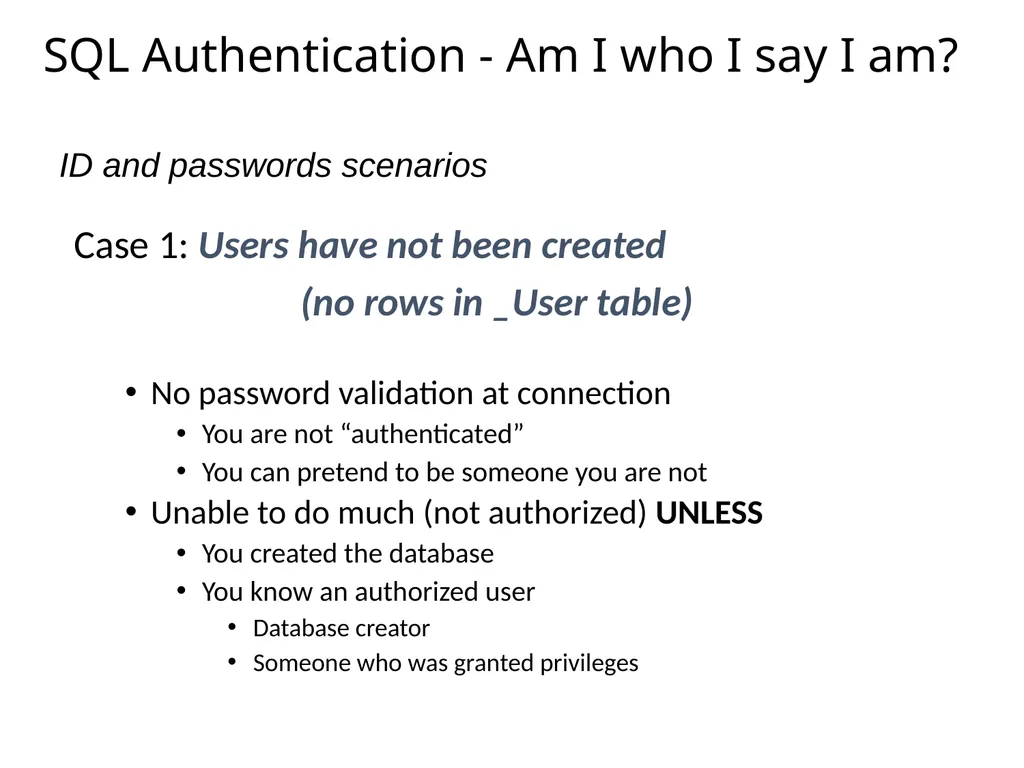
SQL Authentication - Am I who I say I am? Case 1: Users have not been created
(no rows in _User table)
No password validation at connection
You are not “authenticated”
You can pretend to be someone you are not
Unable to do much (not authorized) UNLESS
You created the database
You know an authorized user
Database creator
Someone who was granted privileges ID and passwords scenarios<br>
(no rows in _User table)
No password validation at connection
You are not “authenticated”
You can pretend to be someone you are not
Unable to do much (not authorized) UNLESS
You created the database
You know an authorized user
Database creator
Someone who was granted privileges ID and passwords scenarios<br>
26
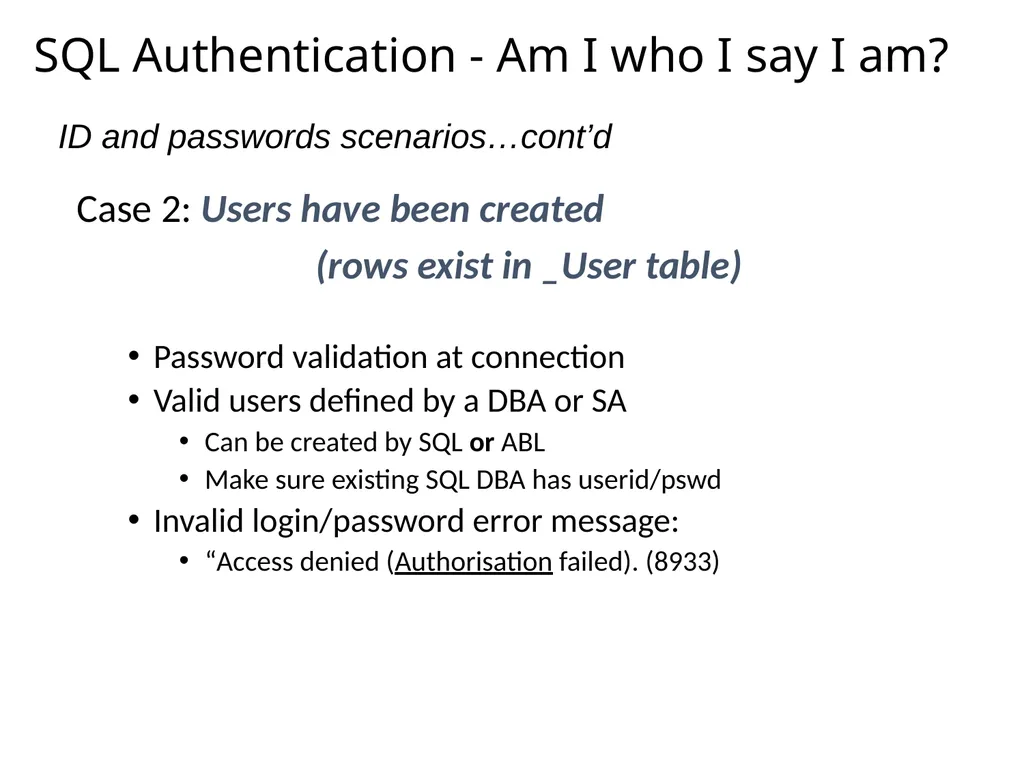
SQL Authentication - Am I who I say I am? Case 2: Users have been created
(rows exist in _User table)
Password validation at connection
Valid users defined by a DBA or SA
Can be created by SQL or ABL
Make sure existing SQL DBA has userid/pswd
Invalid login/password error message:
“Access denied (Authorisation failed). (8933) ID and passwords scenarios…cont’d<br>
(rows exist in _User table)
Password validation at connection
Valid users defined by a DBA or SA
Can be created by SQL or ABL
Make sure existing SQL DBA has userid/pswd
Invalid login/password error message:
“Access denied (Authorisation failed). (8933) ID and passwords scenarios…cont’d<br>
27
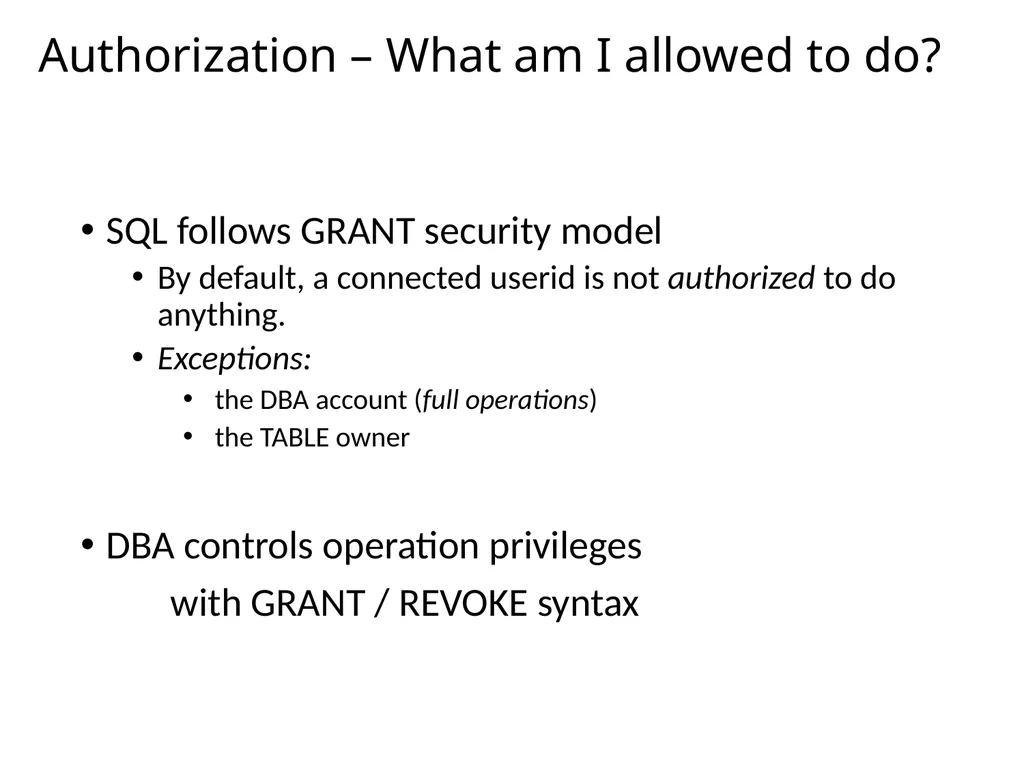
Authorization – What am I allowed to do? SQL follows GRANT security model
By default, a connected userid is not authorized to do anything.
Exceptions:
the DBA account (full operations)
the TABLE owner
DBA controls operation privileges
with GRANT / REVOKE syntax<br>
By default, a connected userid is not authorized to do anything.
Exceptions:
the DBA account (full operations)
the TABLE owner
DBA controls operation privileges
with GRANT / REVOKE syntax<br>
28
Comparing ABL & SQL Security Systems<br>
29
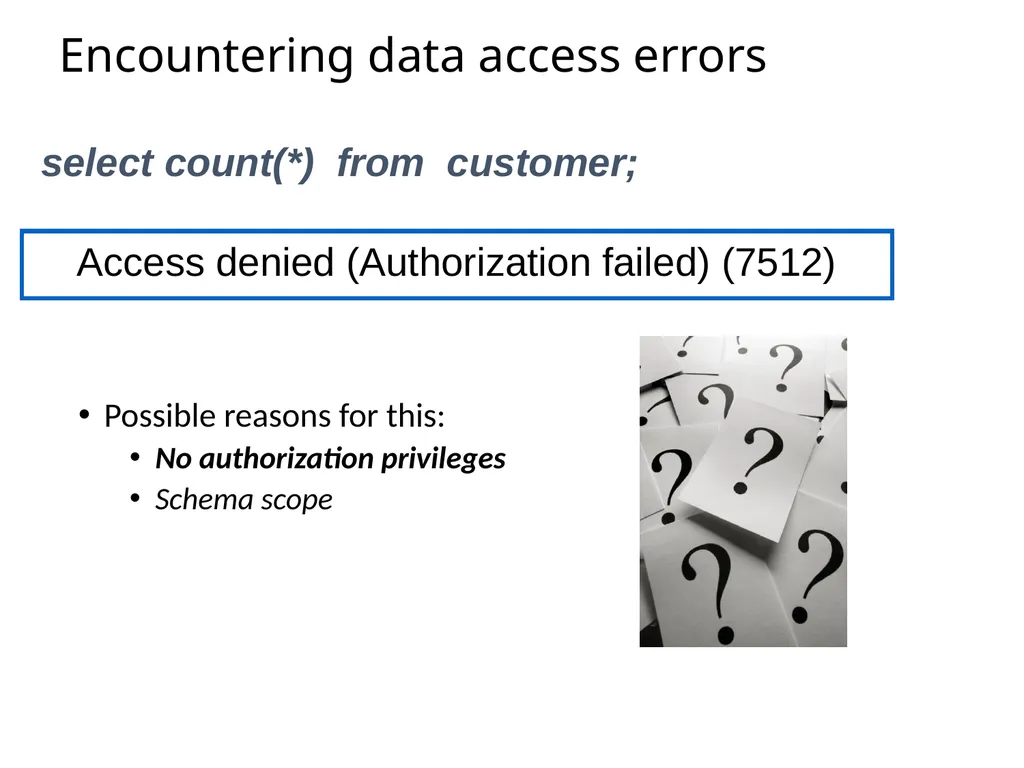
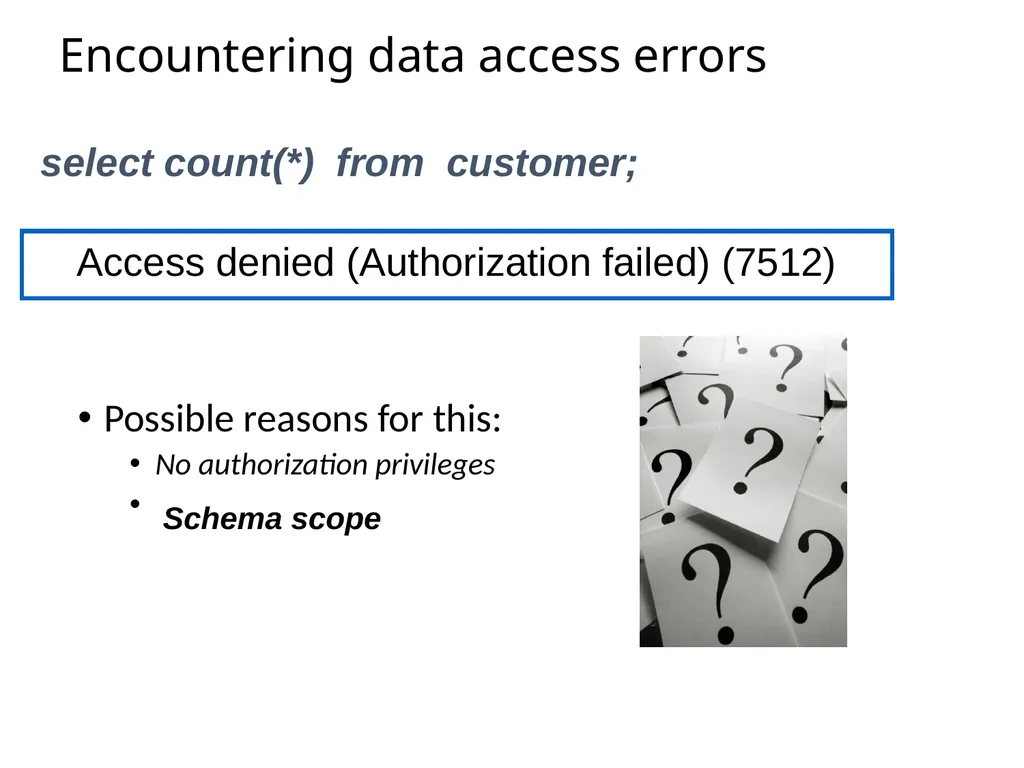
Encountering data access errors Possible reasons for this:
No authorization privileges
Schema scope Access denied (Authorization failed) (7512) select count(*) from customer;<br>
No authorization privileges
Schema scope Access denied (Authorization failed) (7512) select count(*) from customer;<br>
30
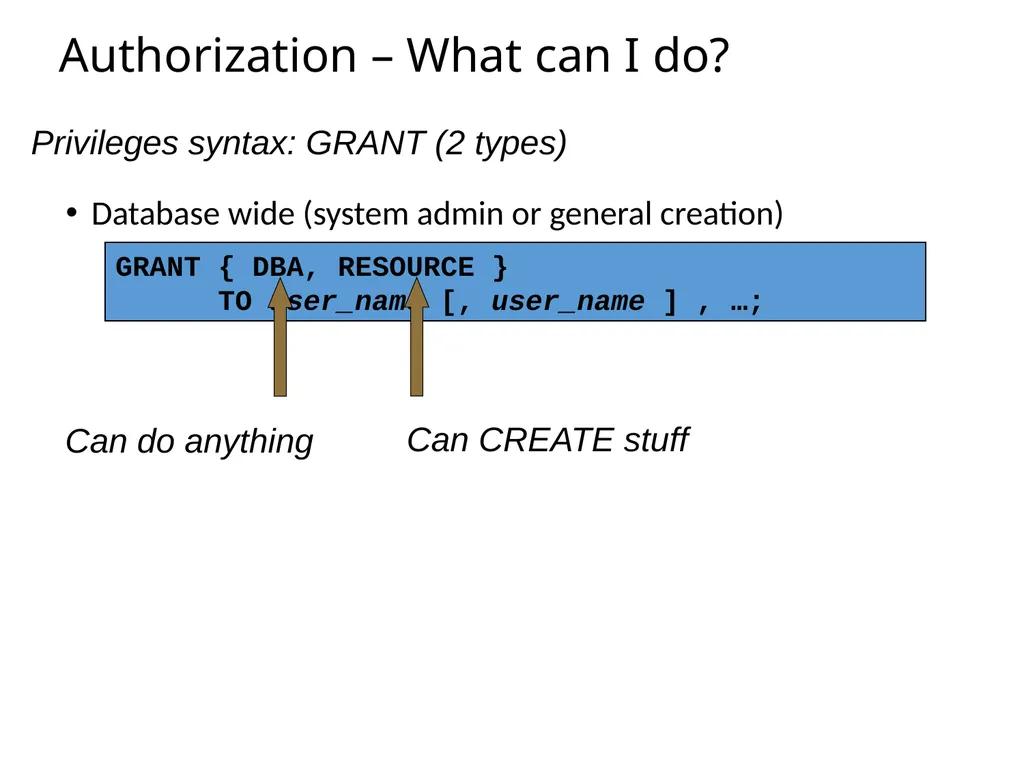
Authorization – What can I do? Database wide (system admin or general creation) GRANT { DBA, RESOURCE }
TO user_name [, user_name ] , …; Privileges syntax: GRANT (2 types) Can do anything Can CREATE stuff<br>
TO user_name [, user_name ] , …; Privileges syntax: GRANT (2 types) Can do anything Can CREATE stuff<br>
31
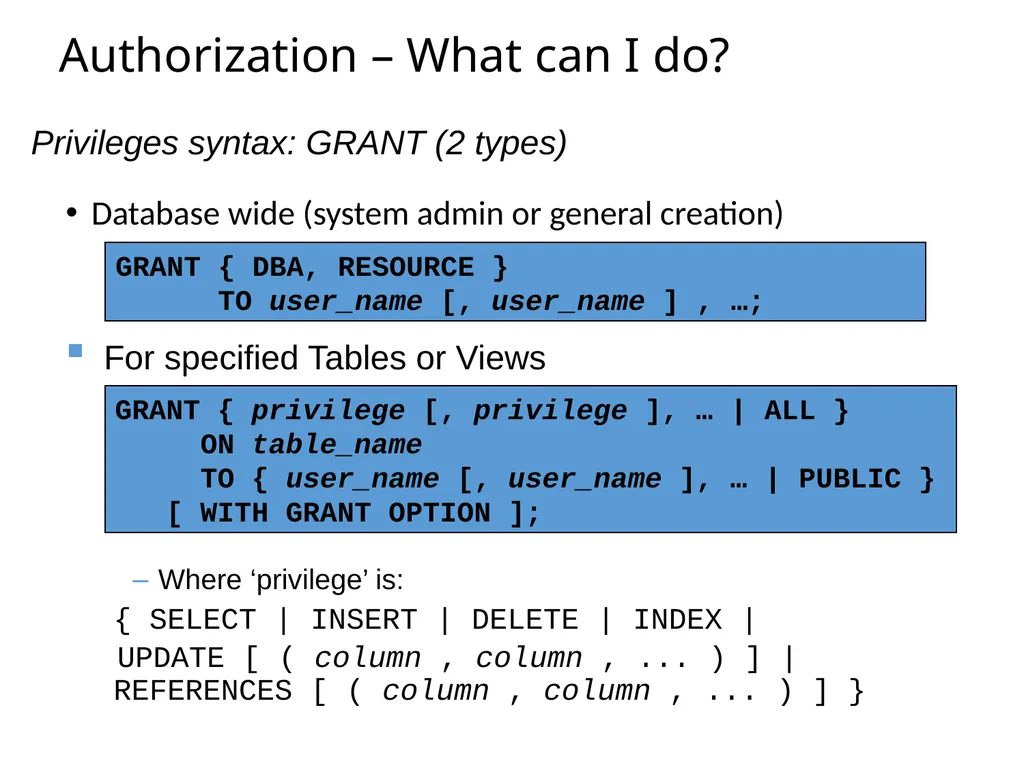
Authorization – What can I do? Database wide (system admin or general creation) GRANT { DBA, RESOURCE }
TO user_name [, user_name ] , …; GRANT { privilege [, privilege ], … | ALL }
ON table_name
TO { user_name [, user_name ], … | PUBLIC }
[ WITH GRANT OPTION ]; Privileges syntax: GRANT (2 types) For specified Tables or Views Where ‘privilege’ is:
{ SELECT | INSERT | DELETE | INDEX |
UPDATE [ ( column , column , ... ) ] | REFERENCES [ ( column , column , ... ) ] }<br>
TO user_name [, user_name ] , …; GRANT { privilege [, privilege ], … | ALL }
ON table_name
TO { user_name [, user_name ], … | PUBLIC }
[ WITH GRANT OPTION ]; Privileges syntax: GRANT (2 types) For specified Tables or Views Where ‘privilege’ is:
{ SELECT | INSERT | DELETE | INDEX |
UPDATE [ ( column , column , ... ) ] | REFERENCES [ ( column , column , ... ) ] }<br>
32
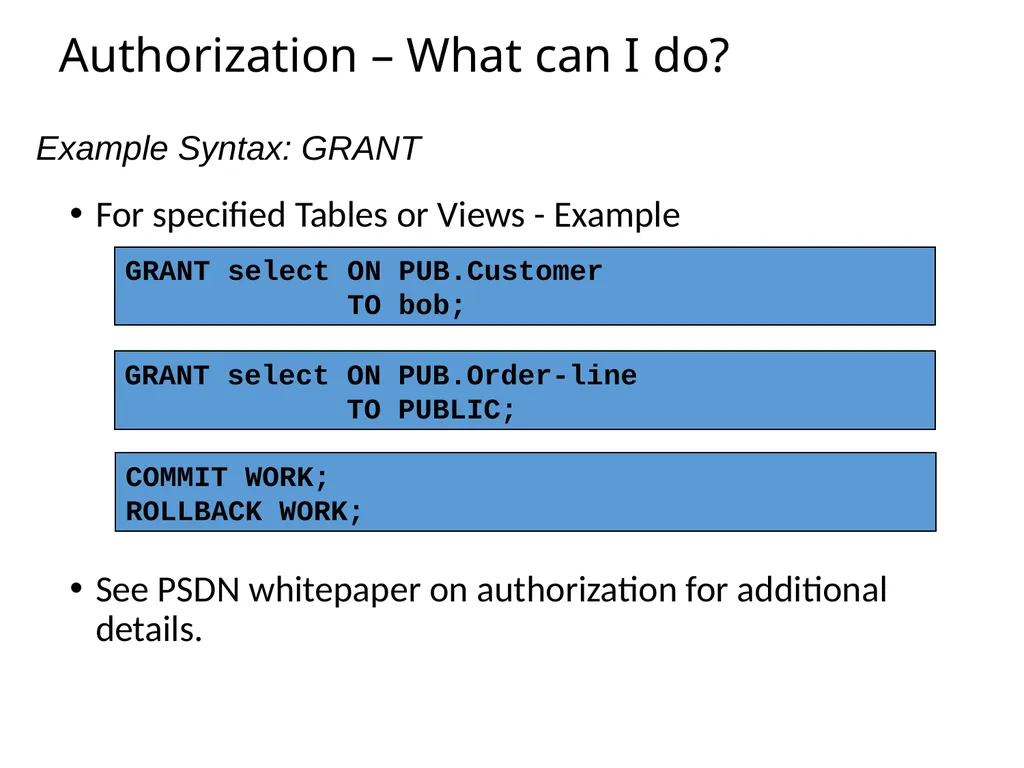
Authorization – What can I do? For specified Tables or Views - Example
See PSDN whitepaper on authorization for additional details. Example Syntax: GRANT GRANT select ON PUB.Customer
TO bob; GRANT select ON PUB.Order-line
TO PUBLIC; COMMIT WORK;
ROLLBACK WORK;<br>
See PSDN whitepaper on authorization for additional details. Example Syntax: GRANT GRANT select ON PUB.Customer
TO bob; GRANT select ON PUB.Order-line
TO PUBLIC; COMMIT WORK;
ROLLBACK WORK;<br>
33
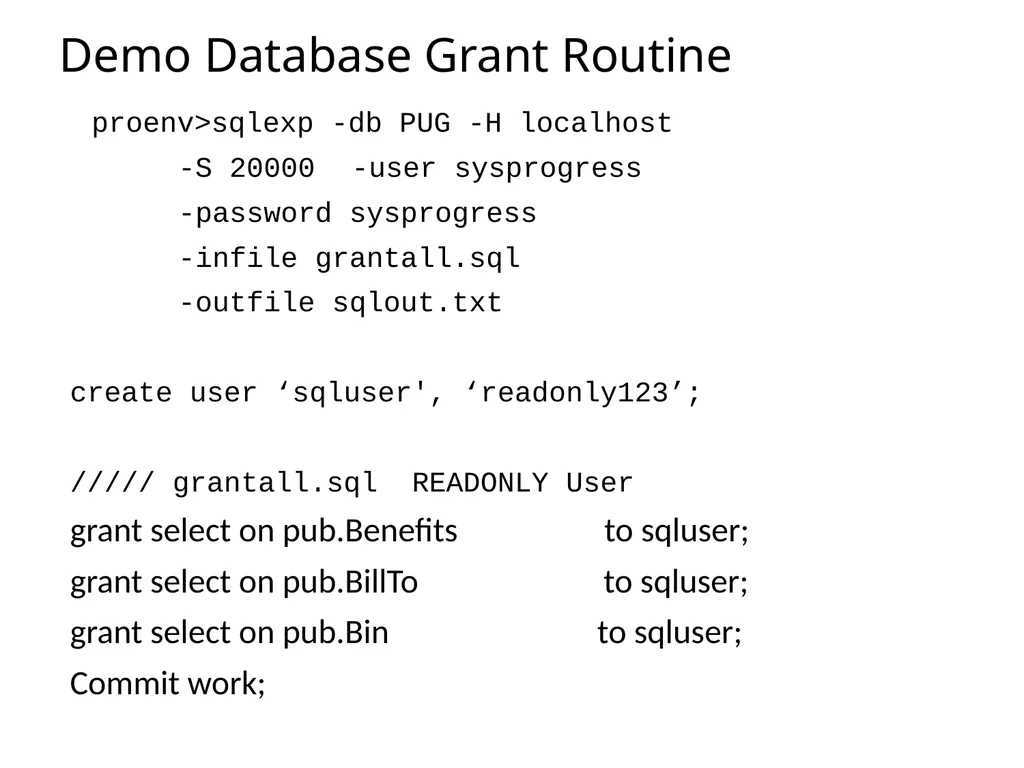
Demo Database Grant Routine proenv>sqlexp -db PUG -H localhost
-S 20000 -user sysprogress
-password sysprogress
-infile grantall.sql
-outfile sqlout.txt
create user ‘sqluser', ‘readonly123’;
///// grantall.sql READONLY User
grant select on pub.Benefits to sqluser;
grant select on pub.BillTo to sqluser;
grant select on pub.Bin to sqluser;
Commit work;<br>
-S 20000 -user sysprogress
-password sysprogress
-infile grantall.sql
-outfile sqlout.txt
create user ‘sqluser', ‘readonly123’;
///// grantall.sql READONLY User
grant select on pub.Benefits to sqluser;
grant select on pub.BillTo to sqluser;
grant select on pub.Bin to sqluser;
Commit work;<br>
34
Encountering data access errors Possible reasons for this:
No authorization privileges
Schema scope Access denied (Authorization failed) (7512) select count(*) from customer; Schema scope<br>
No authorization privileges
Schema scope Access denied (Authorization failed) (7512) select count(*) from customer; Schema scope<br>
35
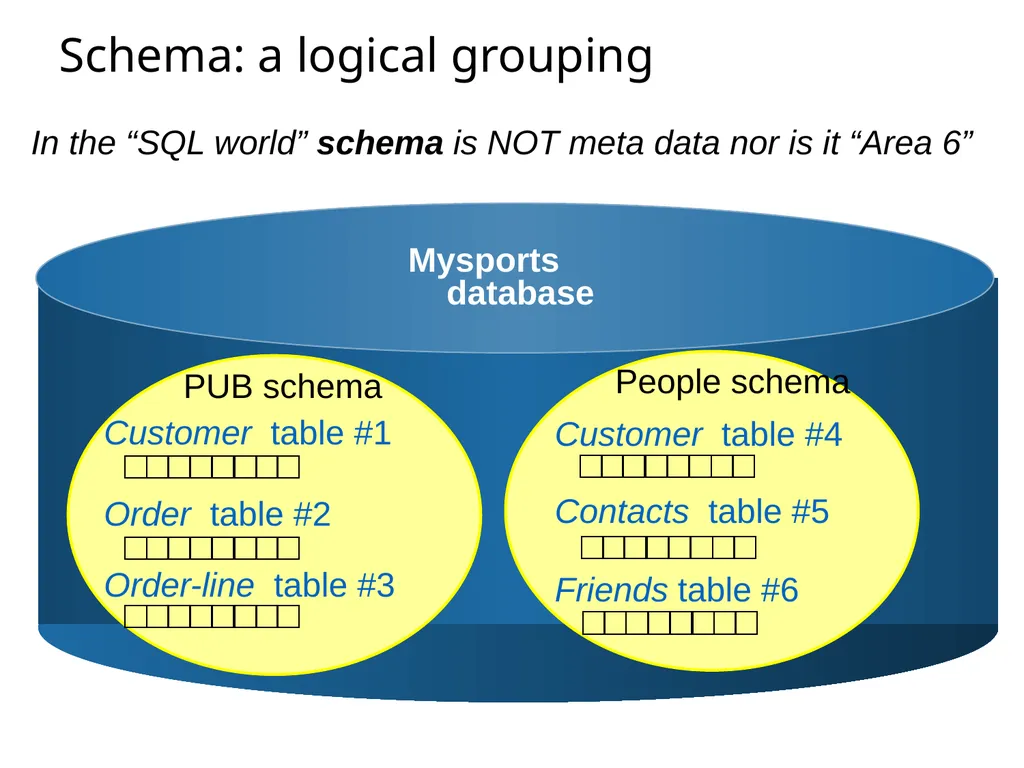
Schema: a logical grouping PUB schema Customer table #1 Mysports database In the “SQL world” schema is NOT meta data nor is it “Area 6” Order table #2 Order-line table #3<br>
36
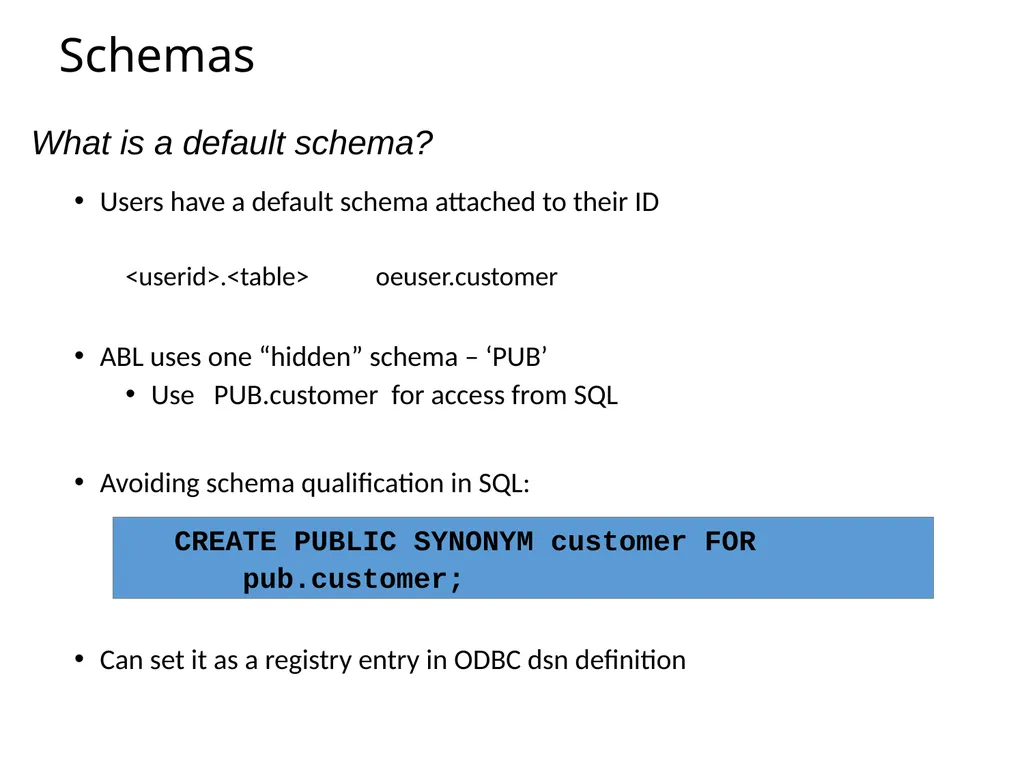
Schemas Users have a default schema attached to their ID
<userid>.<table> oeuser.customer
ABL uses one “hidden” schema – ‘PUB’
Use PUB.customer for access from SQL
Avoiding schema qualification in SQL:
Can set it as a registry entry in ODBC dsn definition CREATE PUBLIC SYNONYM customer FOR
pub.customer; What is a default schema?<br>
<userid>.<table> oeuser.customer
ABL uses one “hidden” schema – ‘PUB’
Use PUB.customer for access from SQL
Avoiding schema qualification in SQL:
Can set it as a registry entry in ODBC dsn definition CREATE PUBLIC SYNONYM customer FOR
pub.customer; What is a default schema?<br>
37
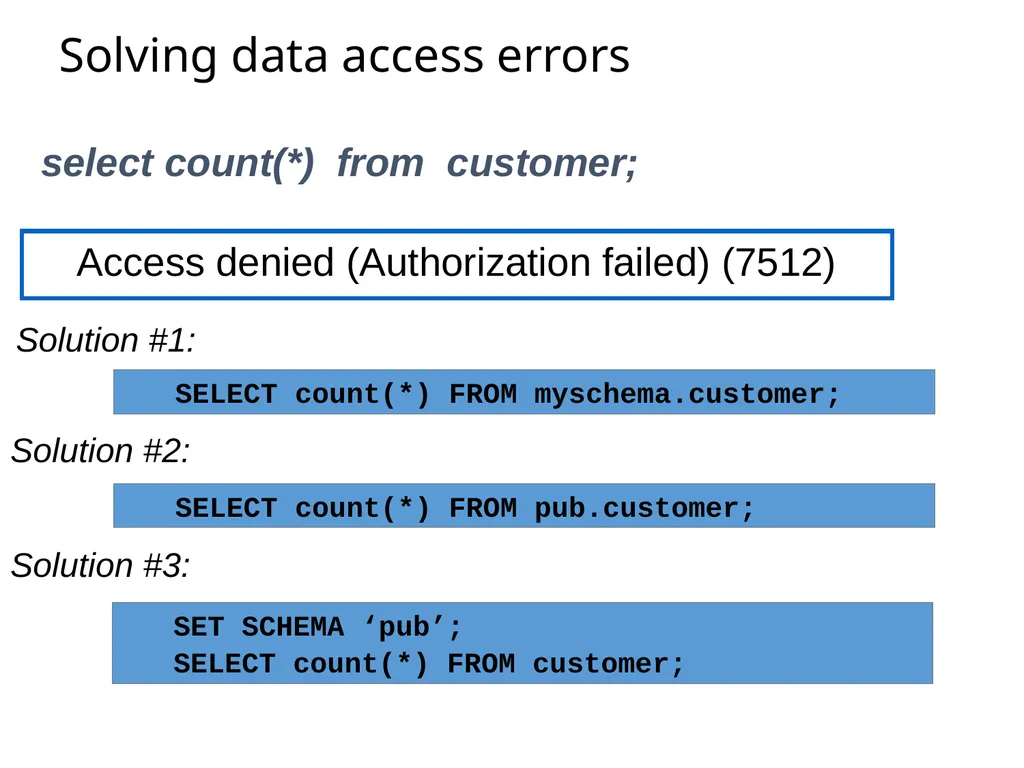
Solving data access errors Access denied (Authorization failed) (7512) select count(*) from customer; SELECT count(*) FROM pub.customer; SET SCHEMA ‘pub’;
SELECT count(*) FROM customer; Solution #1: SELECT count(*) FROM myschema.customer; Solution #2: Solution #3:<br>
SELECT count(*) FROM customer; Solution #1: SELECT count(*) FROM myschema.customer; Solution #2: Solution #3:<br>
38
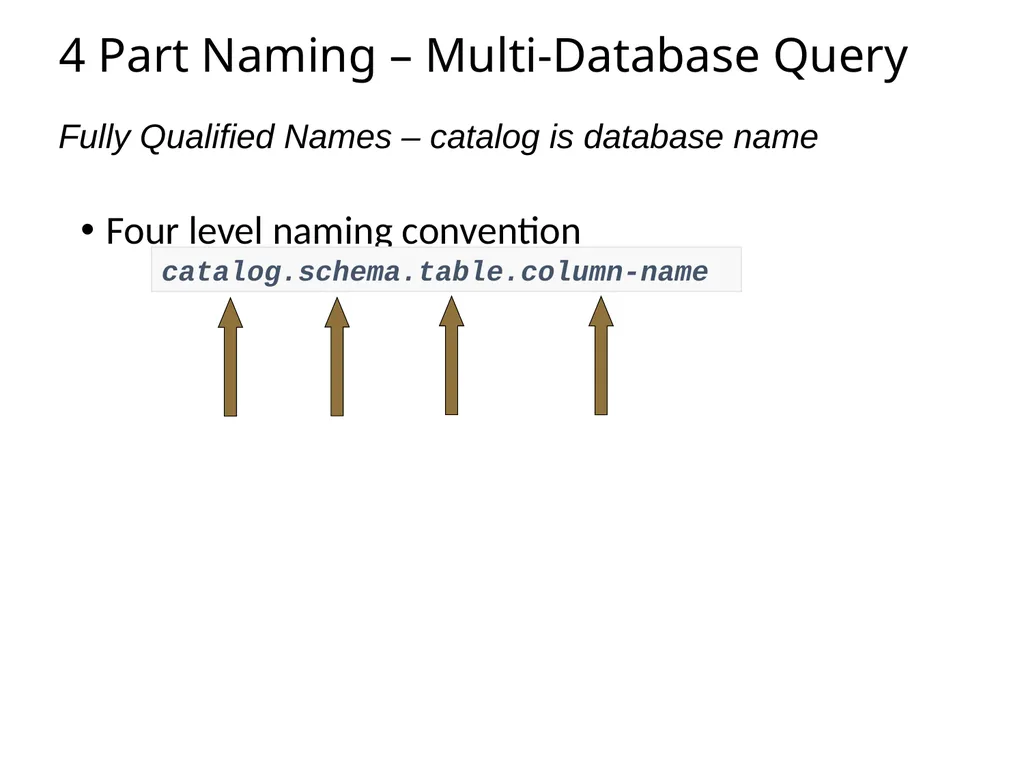
4 Part Naming – Multi-Database Query Four level naming convention Fully Qualified Names – catalog is database name catalog.schema.table.column-name<br>
39
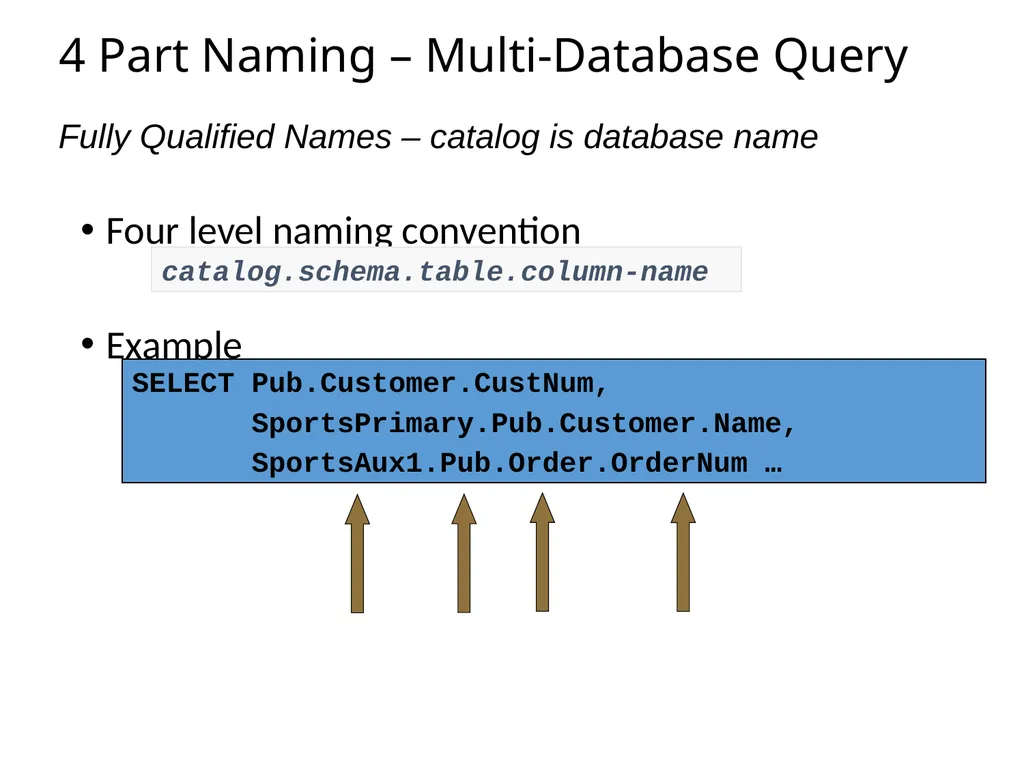
4 Part Naming – Multi-Database Query Four level naming convention
Example Fully Qualified Names – catalog is database name catalog.schema.table.column-name SELECT Pub.Customer.CustNum,
SportsPrimary.Pub.Customer.Name,
SportsAux1.Pub.Order.OrderNum …<br>
Example Fully Qualified Names – catalog is database name catalog.schema.table.column-name SELECT Pub.Customer.CustNum,
SportsPrimary.Pub.Customer.Name,
SportsAux1.Pub.Order.OrderNum …<br>
40
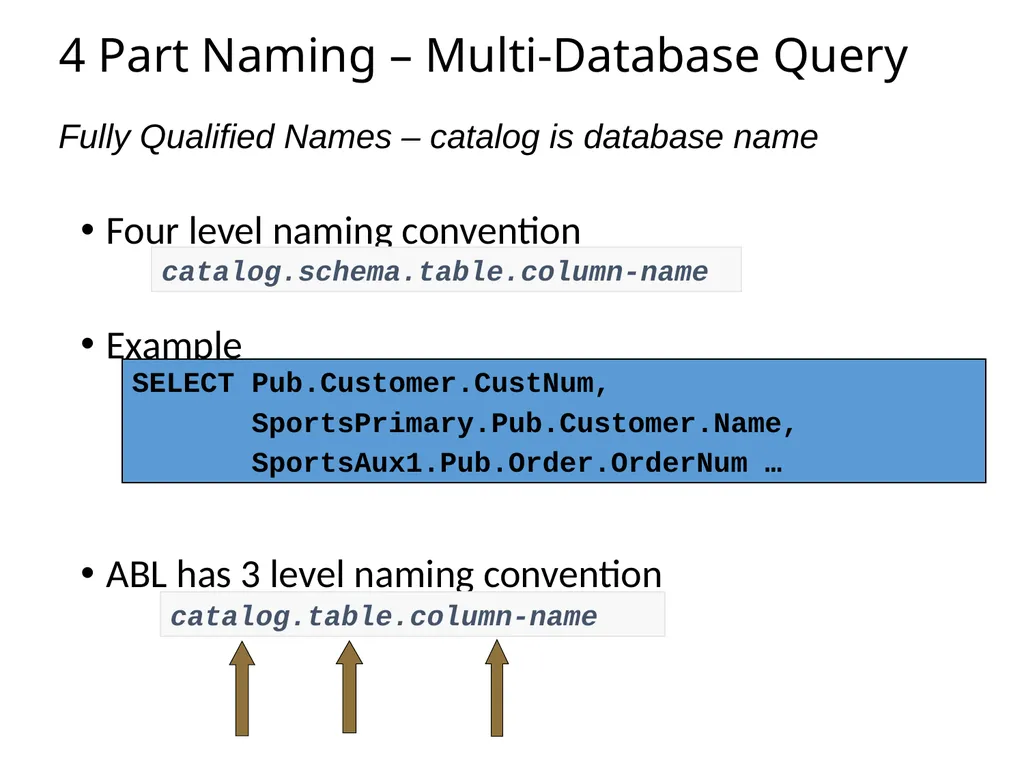
4 Part Naming – Multi-Database Query Four level naming convention
Example
ABL has 3 level naming convention Fully Qualified Names – catalog is database name catalog.schema.table.column-name SELECT Pub.Customer.CustNum,
SportsPrimary.Pub.Customer.Name,
SportsAux1.Pub.Order.OrderNum … catalog.table.column-name<br>
Example
ABL has 3 level naming convention Fully Qualified Names – catalog is database name catalog.schema.table.column-name SELECT Pub.Customer.CustNum,
SportsPrimary.Pub.Customer.Name,
SportsAux1.Pub.Order.OrderNum … catalog.table.column-name<br>
41
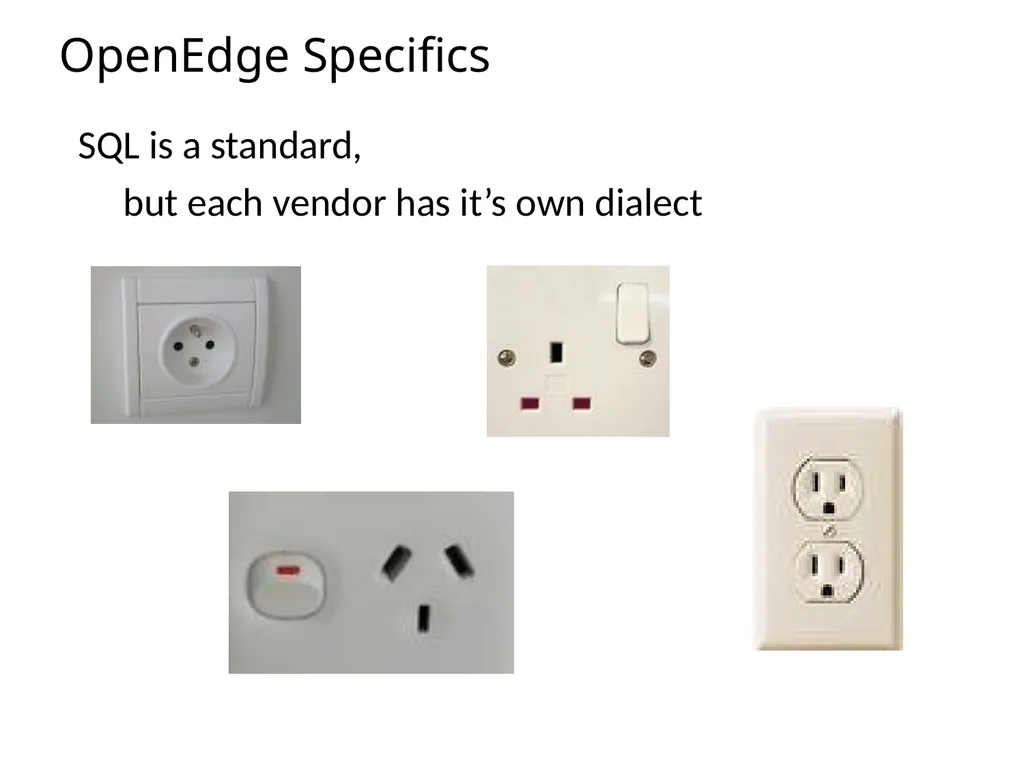
OpenEdge Specifics SQL is a standard,
but each vendor has it’s own dialect<br>
but each vendor has it’s own dialect<br>
42
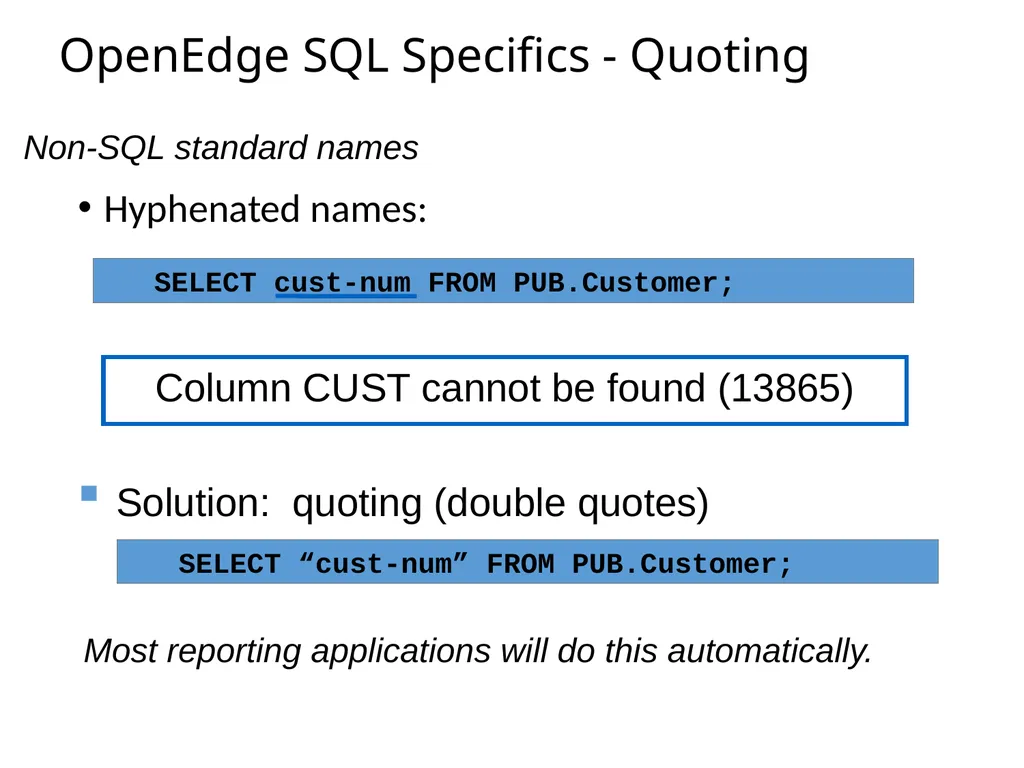
OpenEdge SQL Specifics - Quoting Hyphenated names: Non-SQL standard names SELECT cust-num FROM PUB.Customer; SELECT “cust-num” FROM PUB.Customer; Column CUST cannot be found (13865) Solution: quoting (double quotes) Most reporting applications will do this automatically.<br>
43
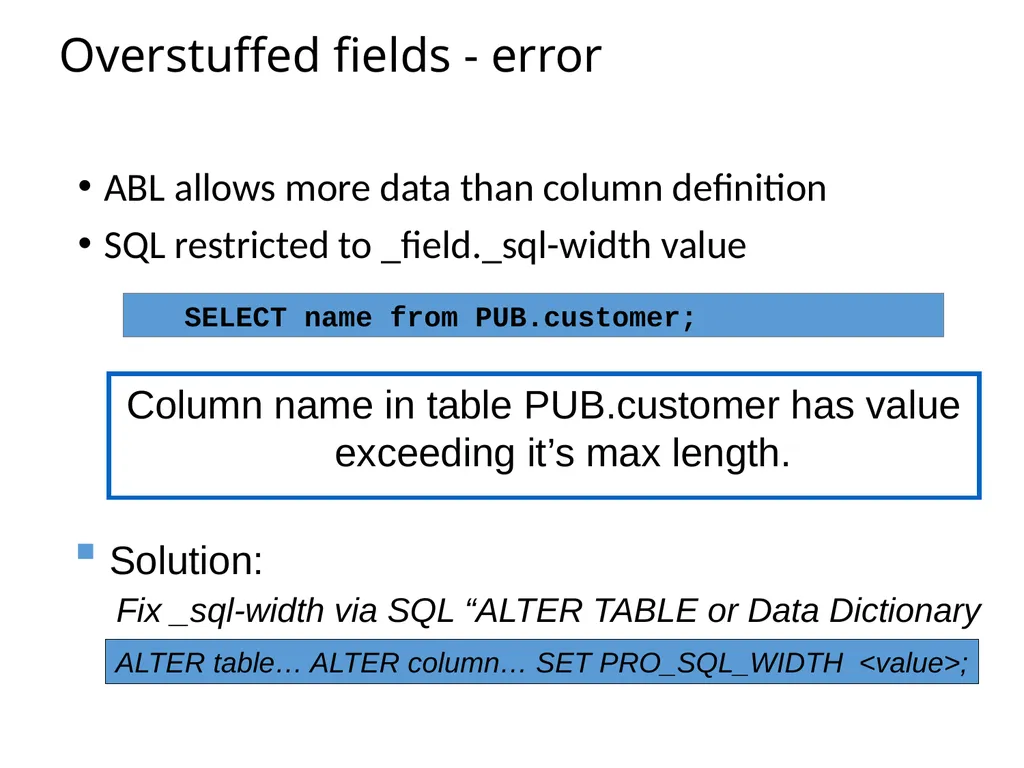
Overstuffed fields - error ABL allows more data than column definition
SQL restricted to _field._sql-width value Column name in table PUB.customer has value exceeding it’s max length. SELECT name from PUB.customer; Solution: ALTER table… ALTER column… SET PRO_SQL_WIDTH <value>; Fix _sql-width via SQL “ALTER TABLE or Data Dictionary<br>
SQL restricted to _field._sql-width value Column name in table PUB.customer has value exceeding it’s max length. SELECT name from PUB.customer; Solution: ALTER table… ALTER column… SET PRO_SQL_WIDTH <value>; Fix _sql-width via SQL “ALTER TABLE or Data Dictionary<br>
44
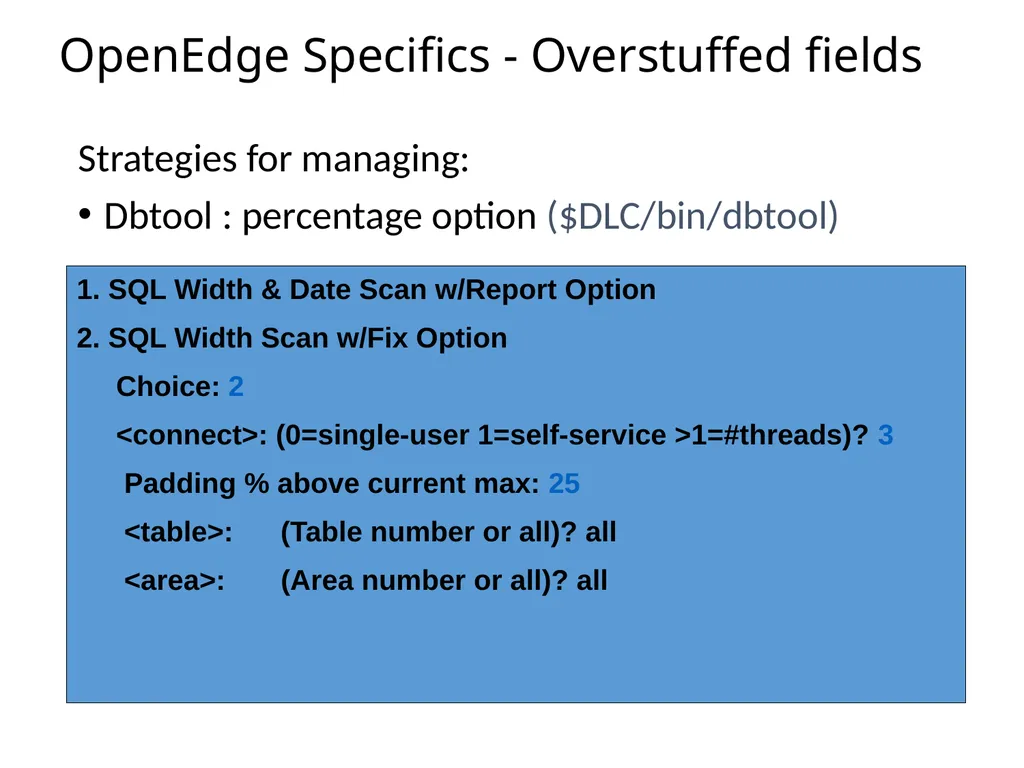
OpenEdge Specifics - Overstuffed fields Strategies for managing:
Dbtool : percentage option ($DLC/bin/dbtool) 1. SQL Width & Date Scan w/Report Option
2. SQL Width Scan w/Fix Option
Choice: 2
<connect>: (0=single-user 1=self-service >1=#threads)? 3
Padding % above current max: 25
<table>: (Table number or all)? all
<area>: (Area number or all)? all<br>
Dbtool : percentage option ($DLC/bin/dbtool) 1. SQL Width & Date Scan w/Report Option
2. SQL Width Scan w/Fix Option
Choice: 2
<connect>: (0=single-user 1=self-service >1=#threads)? 3
Padding % above current max: 25
<table>: (Table number or all)? all
<area>: (Area number or all)? all<br>
45
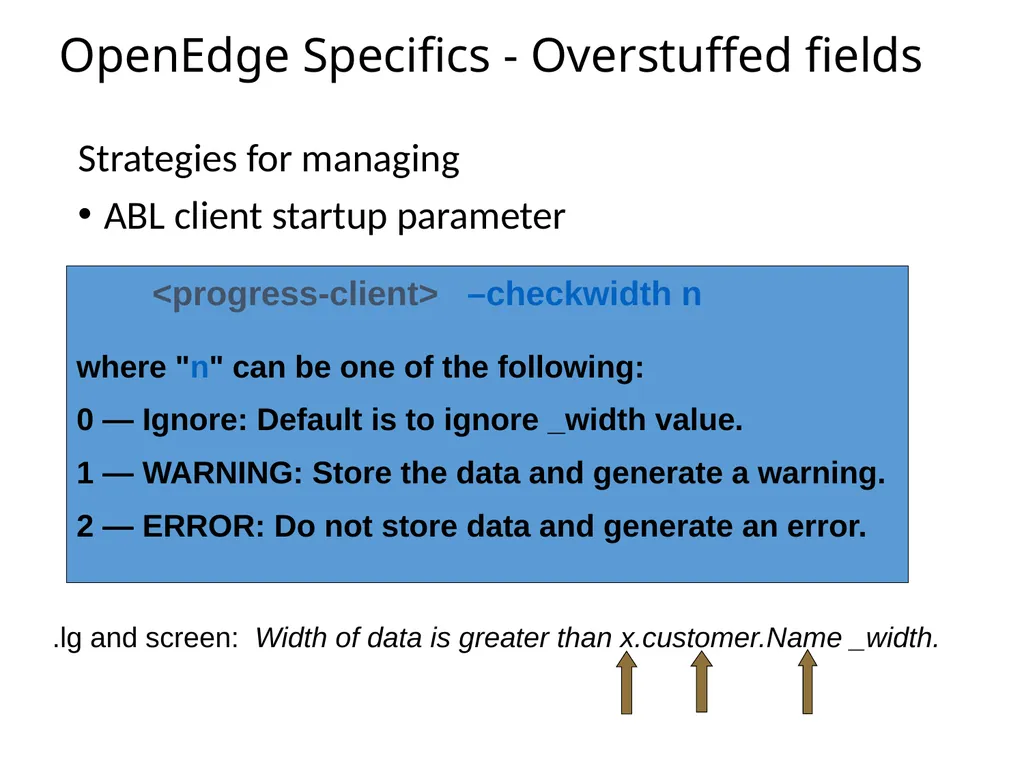
OpenEdge Specifics - Overstuffed fields Strategies for managing
ABL client startup parameter <progress-client> –checkwidth n where "n" can be one of the following:
0 — Ignore: Default is to ignore _width value.
1 — WARNING: Store the data and generate a warning.
2 — ERROR: Do not store data and generate an error. .lg and screen: Width of data is greater than x.customer.Name _width.<br>
ABL client startup parameter <progress-client> –checkwidth n where "n" can be one of the following:
0 — Ignore: Default is to ignore _width value.
1 — WARNING: Store the data and generate a warning.
2 — ERROR: Do not store data and generate an error. .lg and screen: Width of data is greater than x.customer.Name _width.<br>
46
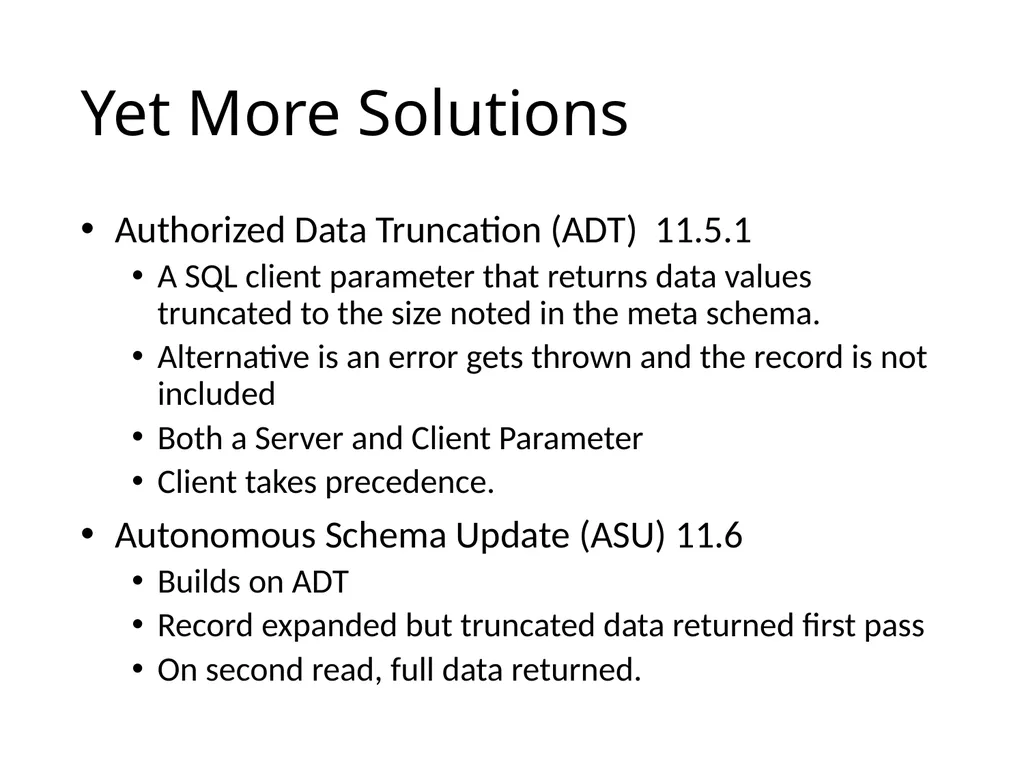
Yet More Solutions Authorized Data Truncation (ADT) 11.5.1
A SQL client parameter that returns data values truncated to the size noted in the meta schema.
Alternative is an error gets thrown and the record is not included
Both a Server and Client Parameter
Client takes precedence.
Autonomous Schema Update (ASU) 11.6
Builds on ADT
Record expanded but truncated data returned first pass
On second read, full data returned.<br>
A SQL client parameter that returns data values truncated to the size noted in the meta schema.
Alternative is an error gets thrown and the record is not included
Both a Server and Client Parameter
Client takes precedence.
Autonomous Schema Update (ASU) 11.6
Builds on ADT
Record expanded but truncated data returned first pass
On second read, full data returned.<br>
47
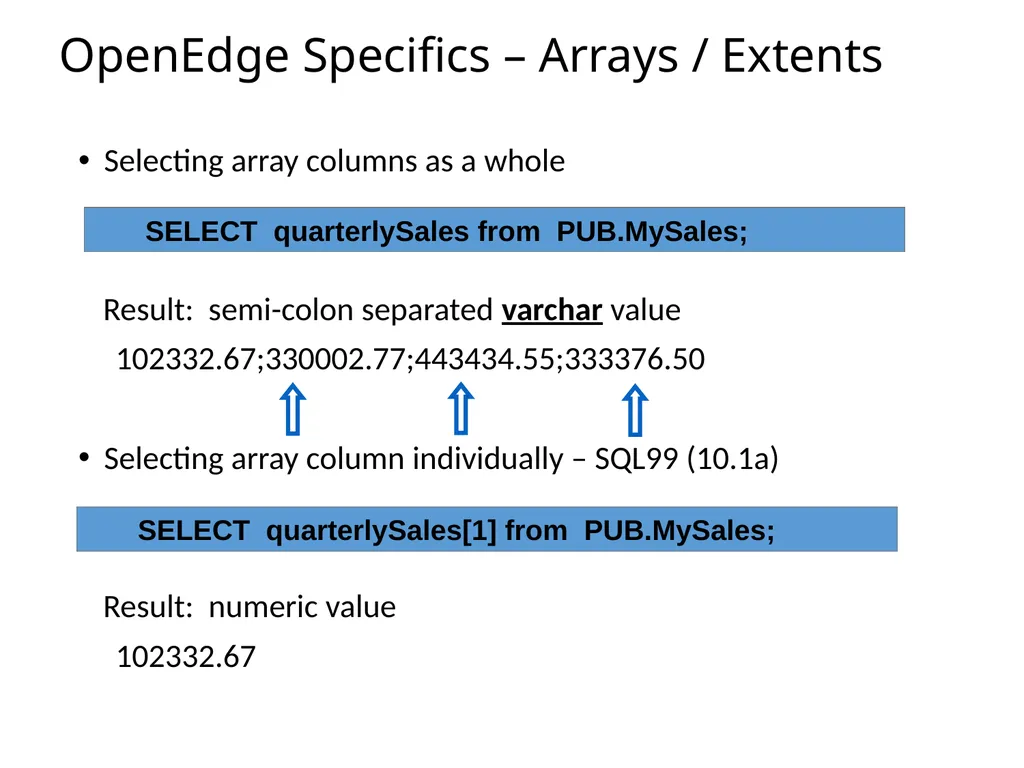
OpenEdge Specifics – Arrays / Extents Selecting array columns as a whole
Result: semi-colon separated varchar value
102332.67;330002.77;443434.55;333376.50
Selecting array column individually – SQL99 (10.1a)
Result: numeric value
102332.67 SELECT quarterlySales from PUB.MySales; SELECT quarterlySales[1] from PUB.MySales;<br>
Result: semi-colon separated varchar value
102332.67;330002.77;443434.55;333376.50
Selecting array column individually – SQL99 (10.1a)
Result: numeric value
102332.67 SELECT quarterlySales from PUB.MySales; SELECT quarterlySales[1] from PUB.MySales;<br>
48
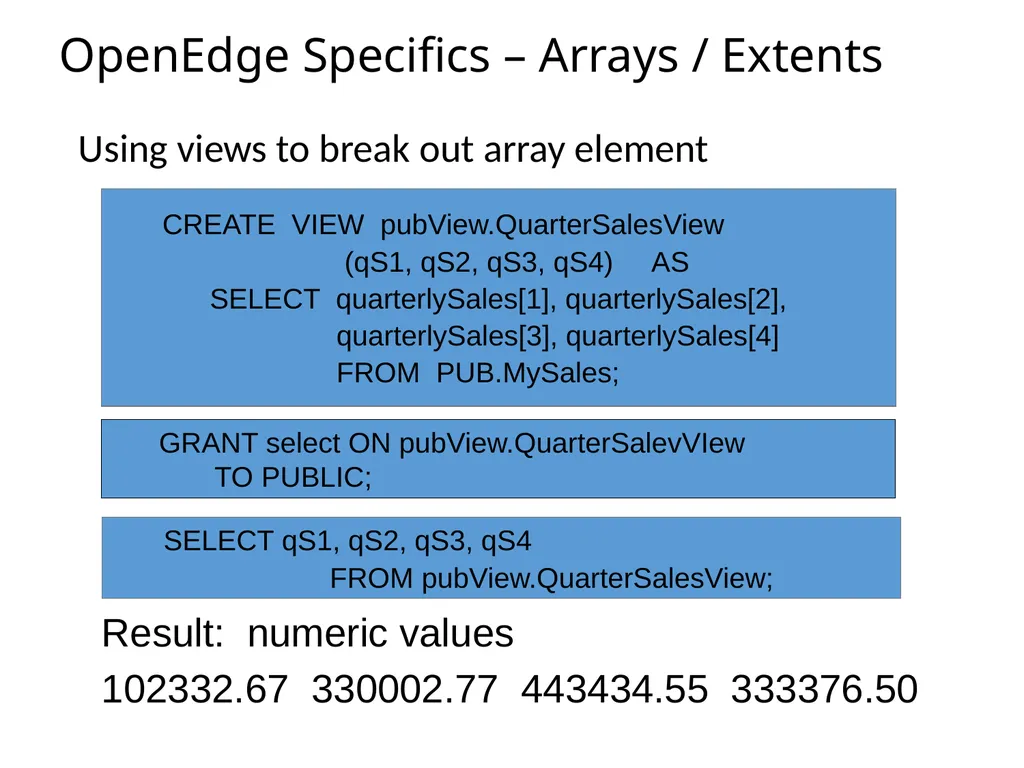
OpenEdge Specifics – Arrays / Extents Using views to break out array element CREATE VIEW pubView.QuarterSalesView
(qS1, qS2, qS3, qS4) AS
SELECT quarterlySales[1], quarterlySales[2],
quarterlySales[3], quarterlySales[4]
FROM PUB.MySales; Result: numeric values
102332.67 330002.77 443434.55 333376.50 SELECT qS1, qS2, qS3, qS4
FROM pubView.QuarterSalesView; GRANT select ON pubView.QuarterSalevVIew
TO PUBLIC;<br>
(qS1, qS2, qS3, qS4) AS
SELECT quarterlySales[1], quarterlySales[2],
quarterlySales[3], quarterlySales[4]
FROM PUB.MySales; Result: numeric values
102332.67 330002.77 443434.55 333376.50 SELECT qS1, qS2, qS3, qS4
FROM pubView.QuarterSalesView; GRANT select ON pubView.QuarterSalevVIew
TO PUBLIC;<br>
49
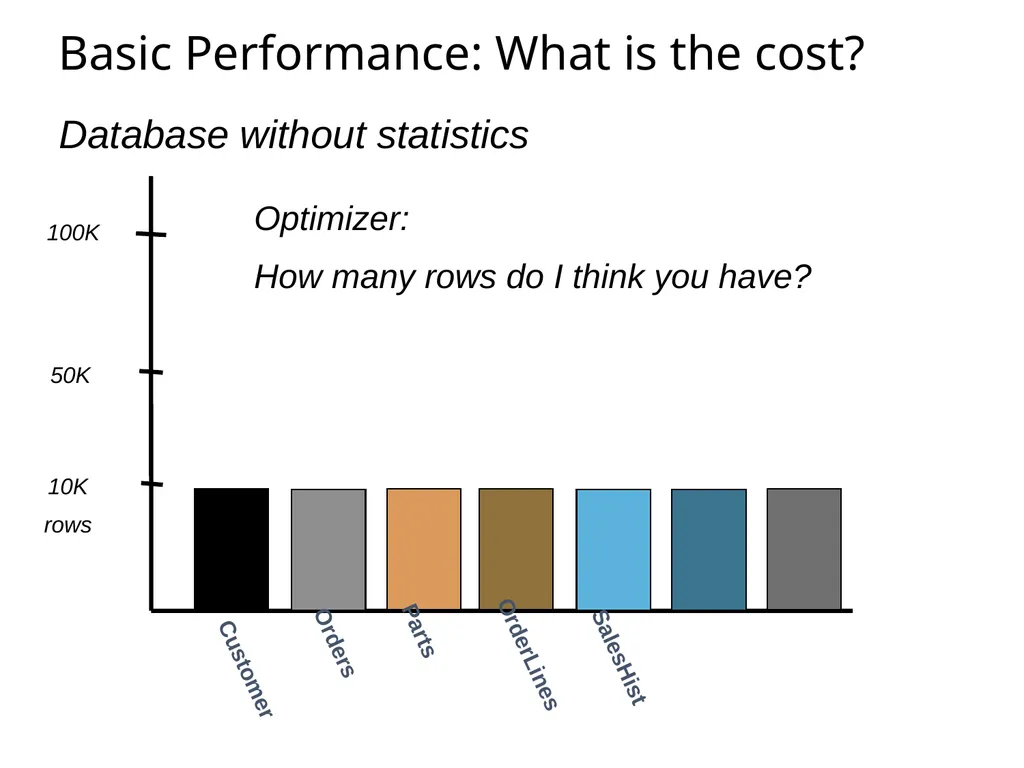
Basic Performance: What is the cost? Database without statistics 10K
rows 50K 100K SalesHist Parts OrderLines Orders Customer Optimizer:
How many rows do I think you have?<br>
rows 50K 100K SalesHist Parts OrderLines Orders Customer Optimizer:
How many rows do I think you have?<br>
50
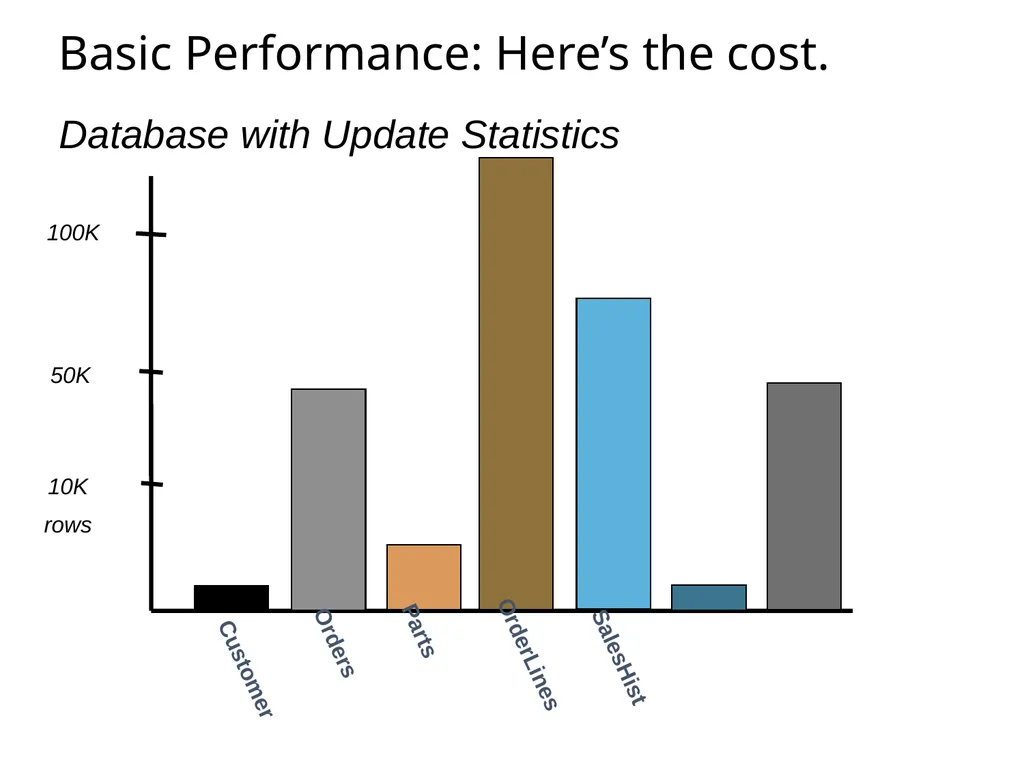
Basic Performance: Here’s the cost. Database with Update Statistics SalesHist Parts OrderLines Orders 10K
rows 50K 100K Customer<br>
rows 50K 100K Customer<br>
51
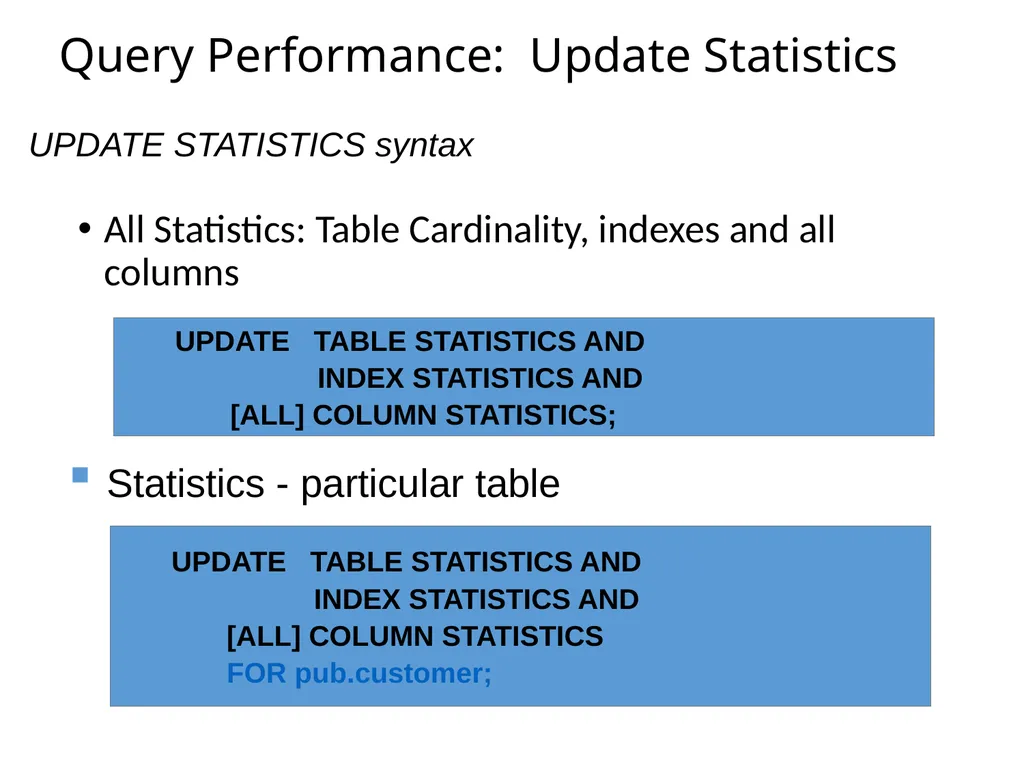
Query Performance: Update Statistics All Statistics: Table Cardinality, indexes and all columns UPDATE TABLE STATISTICS AND
INDEX STATISTICS AND
[ALL] COLUMN STATISTICS; UPDATE STATISTICS syntax UPDATE TABLE STATISTICS AND
INDEX STATISTICS AND
[ALL] COLUMN STATISTICS
FOR pub.customer; Statistics - particular table<br>
INDEX STATISTICS AND
[ALL] COLUMN STATISTICS; UPDATE STATISTICS syntax UPDATE TABLE STATISTICS AND
INDEX STATISTICS AND
[ALL] COLUMN STATISTICS
FOR pub.customer; Statistics - particular table<br>
52
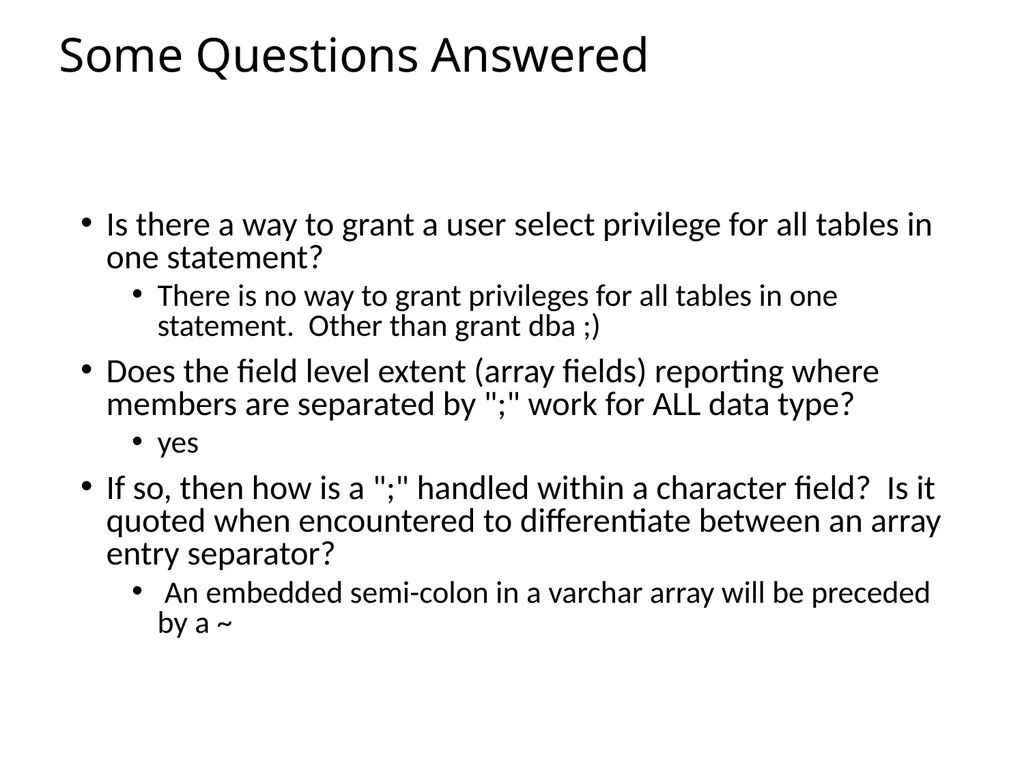
Some Questions Answered Is there a way to grant a user select privilege for all tables in one statement?
There is no way to grant privileges for all tables in one statement. Other than grant dba ;)
Does the field level extent (array fields) reporting where members are separated by ";" work for ALL data type?
yes
If so, then how is a ";" handled within a character field? Is it quoted when encountered to differentiate between an array entry separator?
An embedded semi-colon in a varchar array will be preceded by a ~<br>
There is no way to grant privileges for all tables in one statement. Other than grant dba ;)
Does the field level extent (array fields) reporting where members are separated by ";" work for ALL data type?
yes
If so, then how is a ";" handled within a character field? Is it quoted when encountered to differentiate between an array entry separator?
An embedded semi-colon in a varchar array will be preceded by a ~<br>
53
Extra Topics SQLDUMP /SQLLOAD – Moves data in and out
SQLSCHEMA – Meta data including table definitions, views, stored procedures including related privileges, and triggers
Use Case, some one set up ODBC for reporting a long time ago. New server or upgrade needing a D&L.
Go Live and all of the reporting breaks.<br>
SQLSCHEMA – Meta data including table definitions, views, stored procedures including related privileges, and triggers
Use Case, some one set up ODBC for reporting a long time ago. New server or upgrade needing a D&L.
Go Live and all of the reporting breaks.<br>
54
In Summary Initial SQL connection
Setup and maintenance in OpenEdge database for security and performance
Specifics of OpenEdge with SQL applications<br>
Setup and maintenance in OpenEdge database for security and performance
Specifics of OpenEdge with SQL applications<br>
55
Thank You<br>