SQUADRA TECHNOLOGIES security Removable Media Manager secRMM Security Removable Media Manager (secRMM) secRMM is an Insider Threat ProtectionData Loss Prevention (DLP) Windows security software solution which controls and monitors
"SQUADRA TECHNOLOGIES security Removable Media" is the property of its rightful owner. Permission is granted to
download and print the materials on this website for personal, non-commercial use only, and to display it
on your personal computer provided you do not modify the materials and that you retain all copyright
notices contained in the materials. By downloading content from our website, you accept the terms of this
agreement.
Presentation Transcript
01
SQUADRA TECHNOLOGIES
security Removable Media Manager
secRMM<br>
02
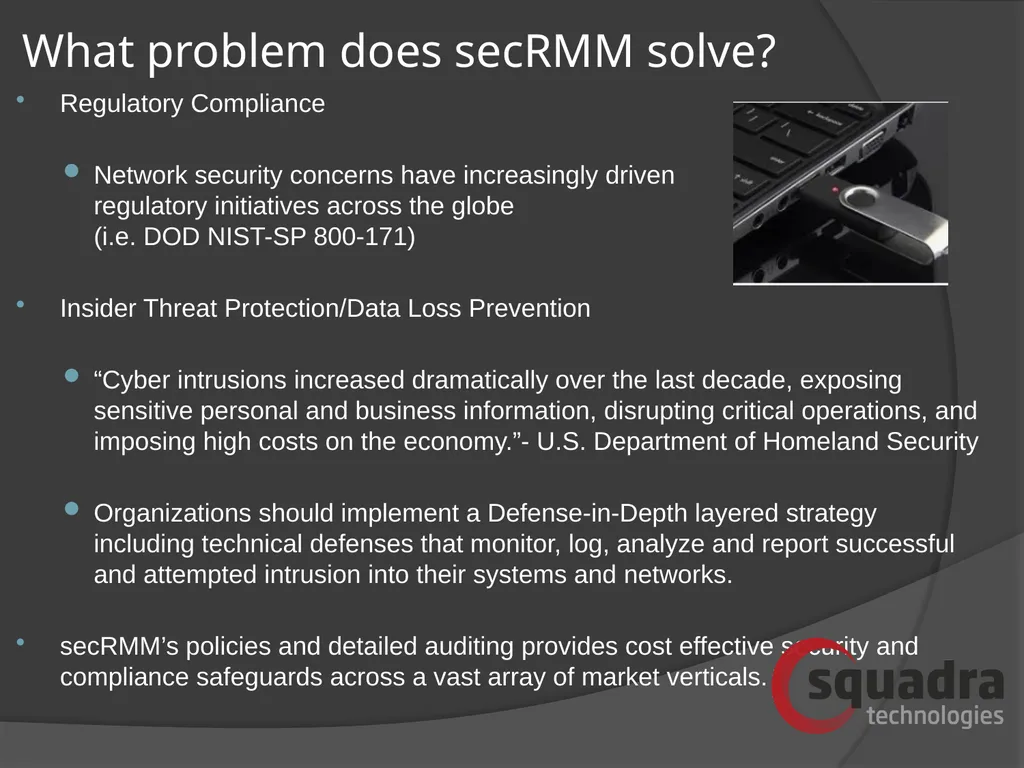
Security Removable Media Manager (“secRMM”) secRMM is an Insider Threat Protection/Data Loss Prevention (“DLP”) Windows security software solution which controls and monitors removable “plug-and-play” storage.
Policies for ALL removable storage including mobile devices, USB, encrypted USB, CD/DVD/Blu-ray, SDCard, etc.
secRMM’s simple policies provide customers with the knowledge and control of who, what, when, where and how file copies are performed or attempted to be performed.<br>
03
Difficult to monitor plug-and-play activity
secRMM provides detailed auditing of all writes to removable media
Difficult to protect sensitive data from leaving the domain/organization
Protect removable media write activity with simple but powerful policies/rules What problem does secRMM solve?<br>
04
What problem does secRMM solve? Regulatory Compliance
Network security concerns have increasingly driven regulatory initiatives across the globe (i.e. DOD NIST-SP 800-171)
Insider Threat Protection/Data Loss Prevention
“Cyber intrusions increased dramatically over the last decade, exposing sensitive personal and business information, disrupting critical operations, and imposing high costs on the economy.”- U.S. Department of Homeland Security
Organizations should implement a Defense-in-Depth layered strategy including technical defenses that monitor, log, analyze and report successful and attempted intrusion into their systems and networks.
secRMM’s policies and detailed auditing provides cost effective security and compliance safeguards across a vast array of market verticals.<br>
05
Unrivaled Security Auditing secRMM delivers unrivaled security auditing by logging the following items:
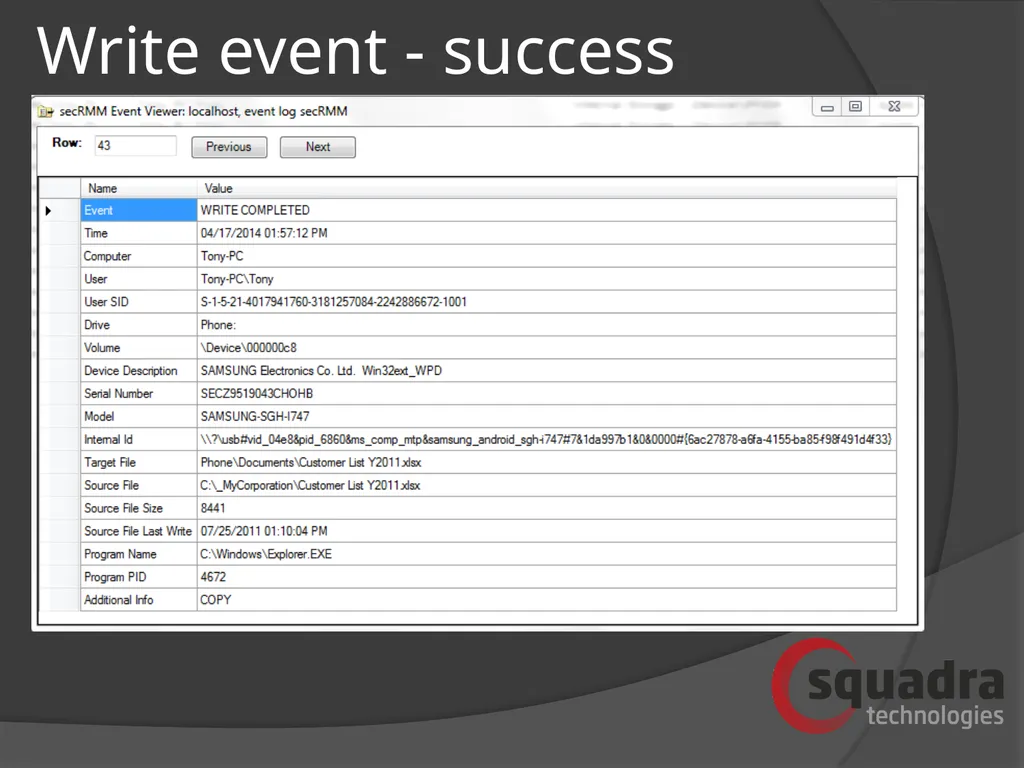
Successful file transfer
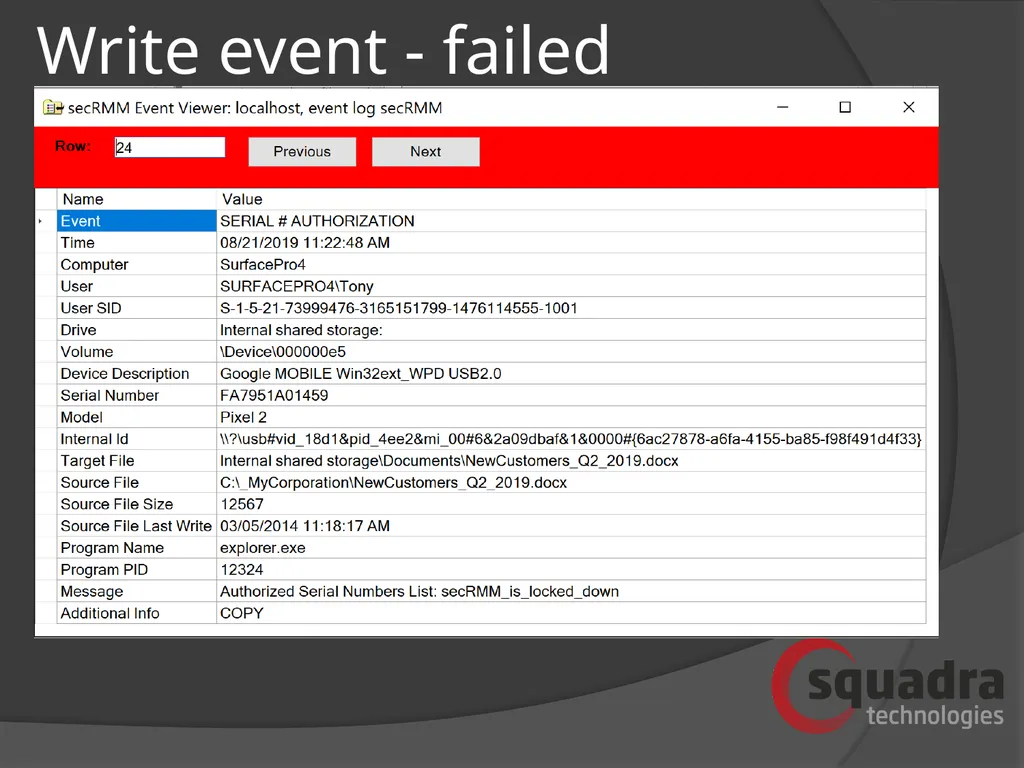
Failed (unauthorized) file transfer
UserID of end-user performing file transfer
ID of removable storage device (serial number, internal id, volume)
“Complete” source file (including drive/path). Also, file size and last modified date
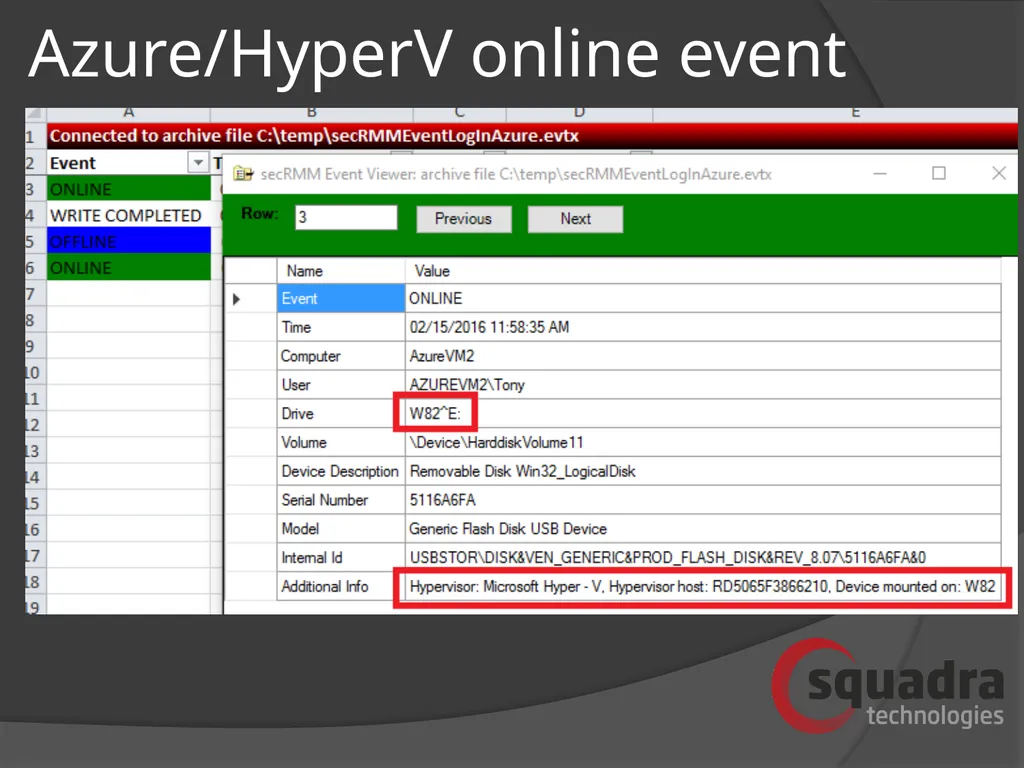
Removable storage devices going on-line and off-line
HyperV/Azure, Vmware, Citrix support - logging removable storage events initiated within virtual machines
Contents of compressed (zip, rar, 7z) files listed out
Time and computer name<br>
06
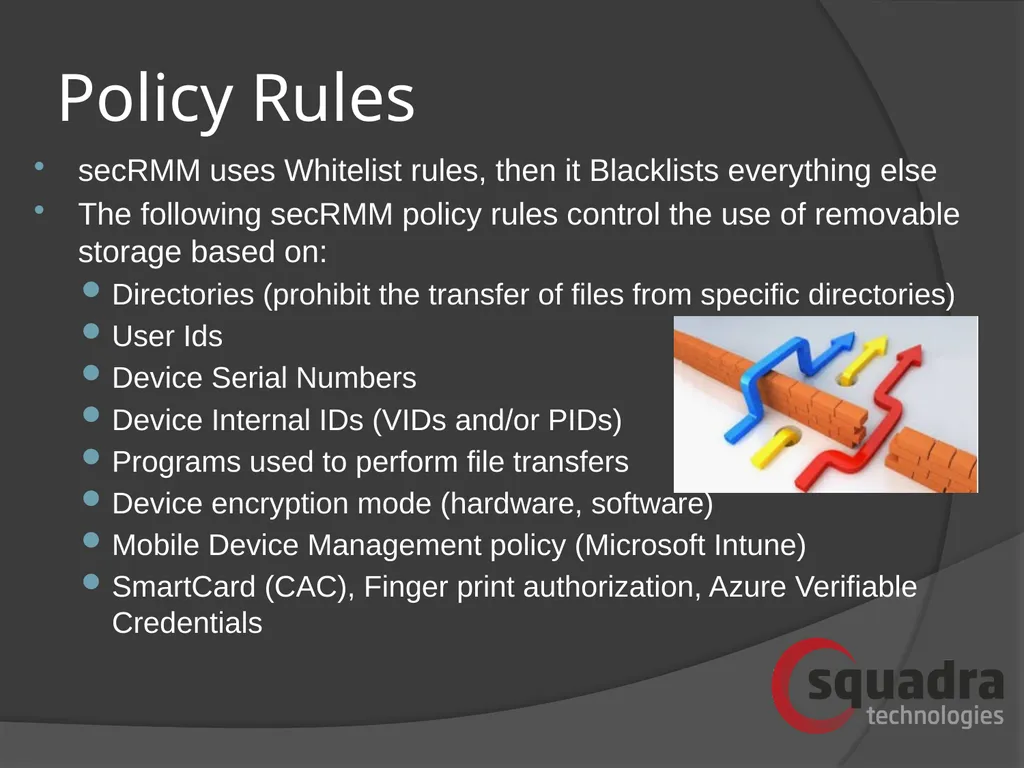
Policy Rules secRMM uses Whitelist rules, then it Blacklists everything else
The following secRMM policy rules control the use of removable storage based on:
Directories (prohibit the transfer of files from specific directories)
User Ids
Device Serial Numbers
Device Internal IDs (VIDs and/or PIDs)
Programs used to perform file transfers
Device encryption mode (hardware, software)
Mobile Device Management policy (Microsoft Intune)
SmartCard (CAC), Finger print authorization, Azure Verifiable Credentials<br>
07
Key Benefits Provides security to prevent the mounting and data transfer to any removable media device including classic USB (thumb drive), Android, Apple, Windows, and Blackberry, CD/DVD, Blu-ray, SDCard.
Captures the complete path of the source file being copied onto any removable media device (i.e. knowledge of the exact file that has been written and where it came from).
Logs failed attempt and successful data transfers through USB providing the who, what, when, where and how of any attempted file transfer.
Policies for both computer and user groups (user policy over-rides computer)
Seamlessly works with hardware/software encryption technologies.
No back-end framework is required
Back-end framework integration with Microsoft Azure, System Center, Active Directory. Also generates SNMP, SYSLOG, EMAIL, Teams, Azure log events
Simple Deployment (standard Windows msi)<br>
08
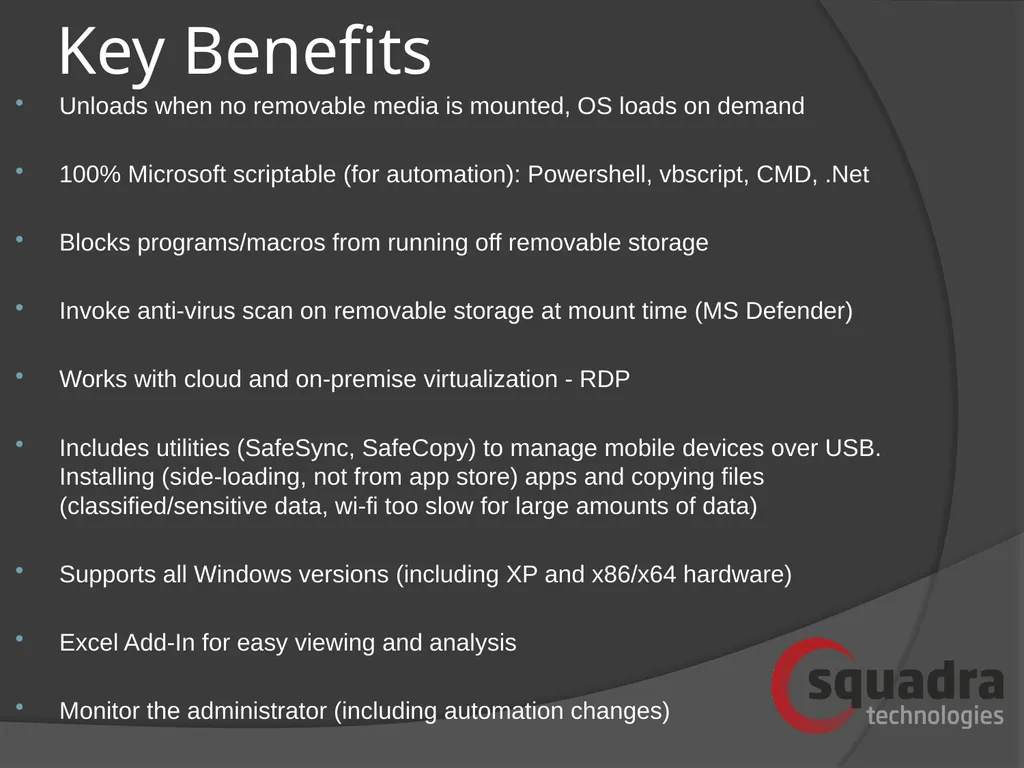
Key Benefits Unloads when no removable media is mounted, OS loads on demand
100% Microsoft scriptable (for automation): Powershell, vbscript, CMD, .Net
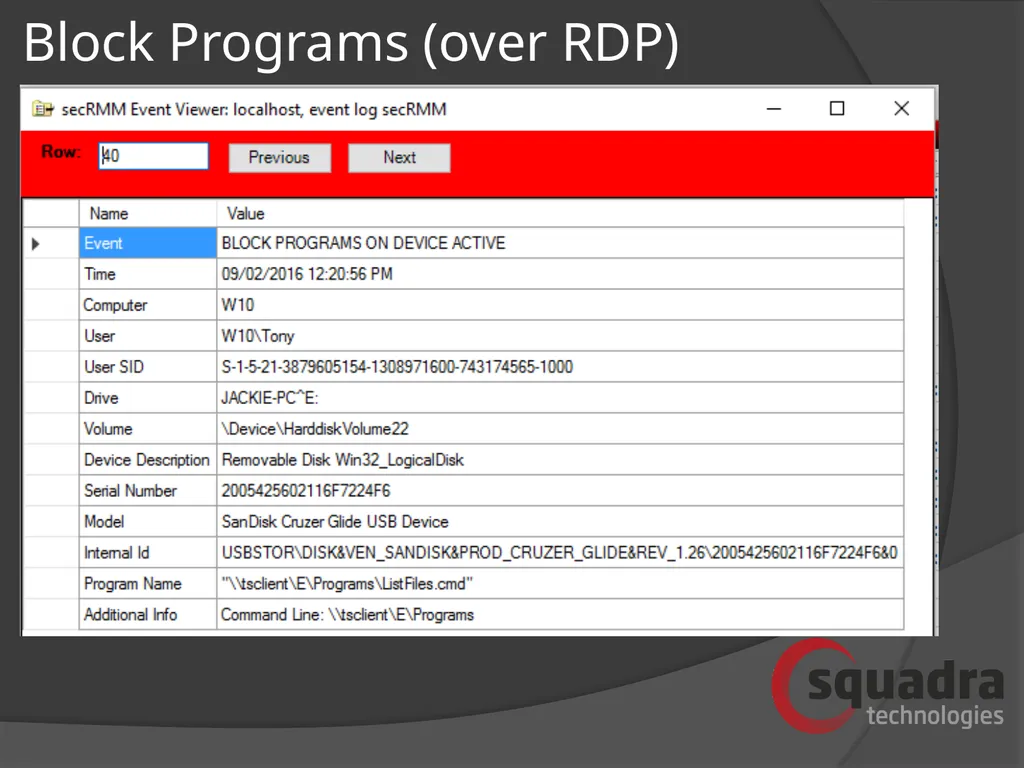
Blocks programs/macros from running off removable storage
Invoke anti-virus scan on removable storage at mount time (MS Defender)
Works with cloud and on-premise virtualization - RDP
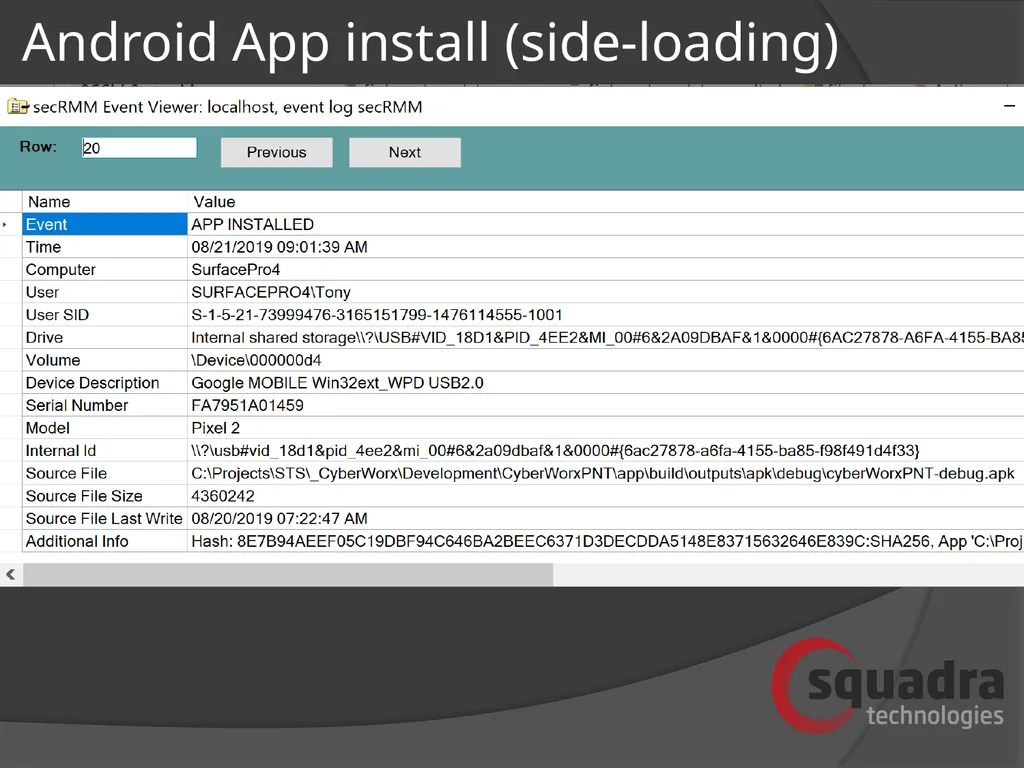
Includes utilities (SafeSync, SafeCopy) to manage mobile devices over USB. Installing (side-loading, not from app store) apps and copying files (classified/sensitive data, wi-fi too slow for large amounts of data)
Supports all Windows versions (including XP and x86/x64 hardware)
Excel Add-In for easy viewing and analysis
Monitor the administrator (including automation changes)<br>
09
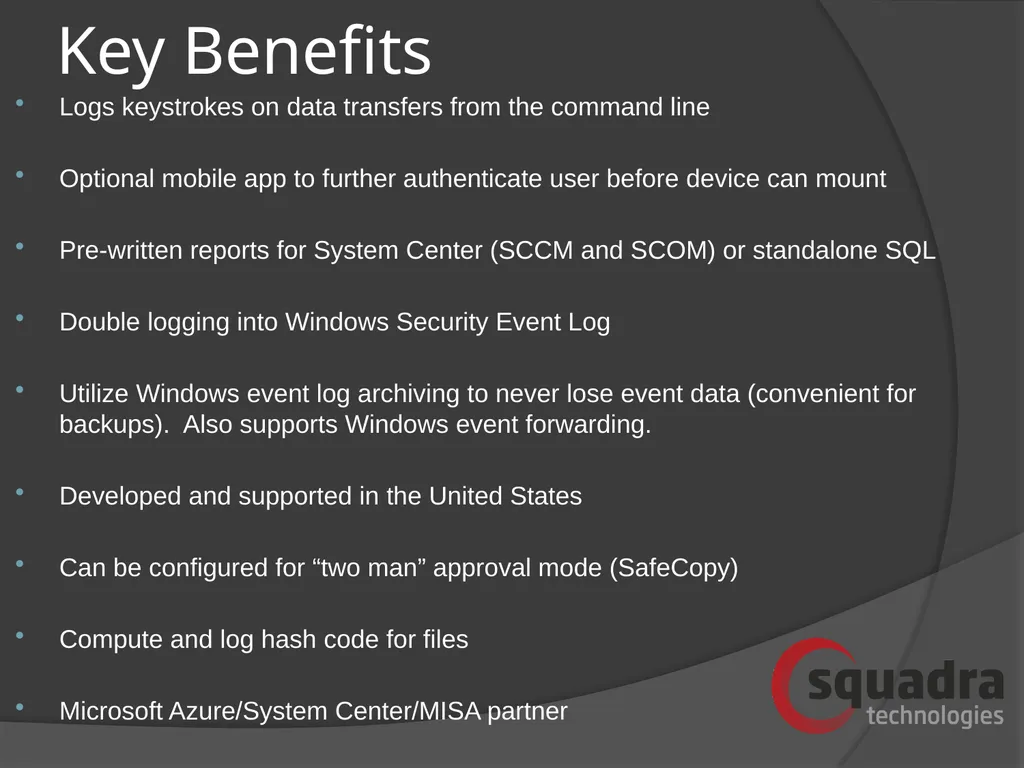
Key Benefits Logs keystrokes on data transfers from the command line
Optional mobile app to further authenticate user before device can mount
Pre-written reports for System Center (SCCM and SCOM) or standalone SQL
Double logging into Windows Security Event Log
Utilize Windows event log archiving to never lose event data (convenient for backups). Also supports Windows event forwarding.
Developed and supported in the United States
Can be configured for “two man” approval mode (SafeCopy)
Compute and log hash code for files
Microsoft Azure/System Center/MISA partner<br>
10
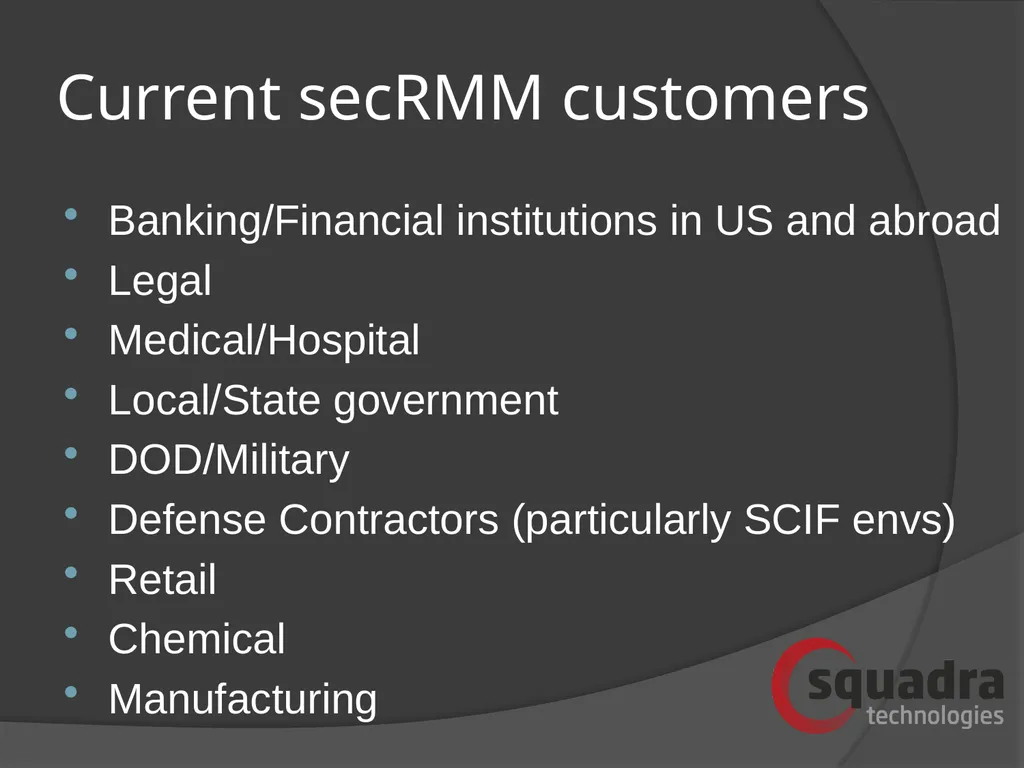
Current secRMM customers Banking/Financial institutions in US and abroad
Legal
Medical/Hospital
Local/State government
DOD/Military
Defense Contractors (particularly SCIF envs)
Retail
Chemical
Manufacturing<br>
11
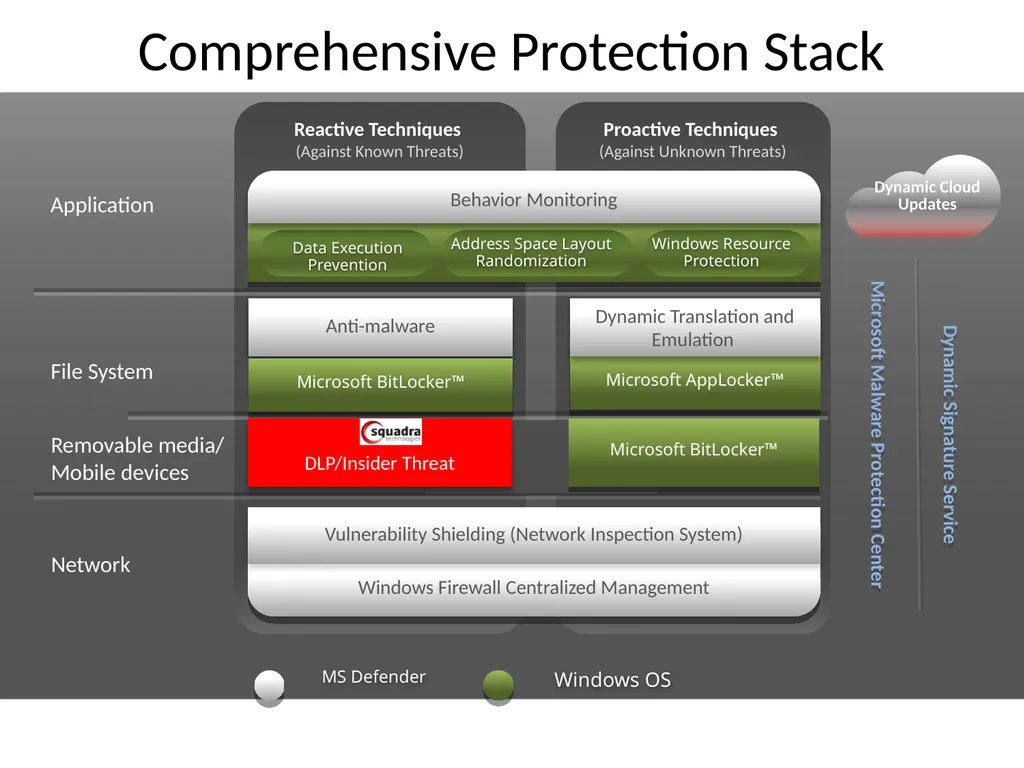
Reactive Techniques (Against Known Threats) Proactive Techniques (Against Unknown Threats) Windows Firewall Centralized Management Comprehensive Protection Stack Network File System Application Microsoft AppLocker™ MS Defender Windows OS Microsoft Malware Protection Center Dynamic Signature Service Vulnerability Shielding (Network Inspection System) Dynamic Cloud Updates Data Execution Prevention Behavior Monitoring Address Space Layout Randomization Windows Resource Protection Anti-malware Dynamic Translation and Emulation DLP/Insider Threat Microsoft BitLocker™ Removable media/ Mobile devices Microsoft BitLocker™<br>
12
Write event - success<br>
13
Write event - failed<br>
14
Azure/HyperV online event<br>
15
Block Programs (over RDP)<br>
16
Android App install (side-loading)<br>
17
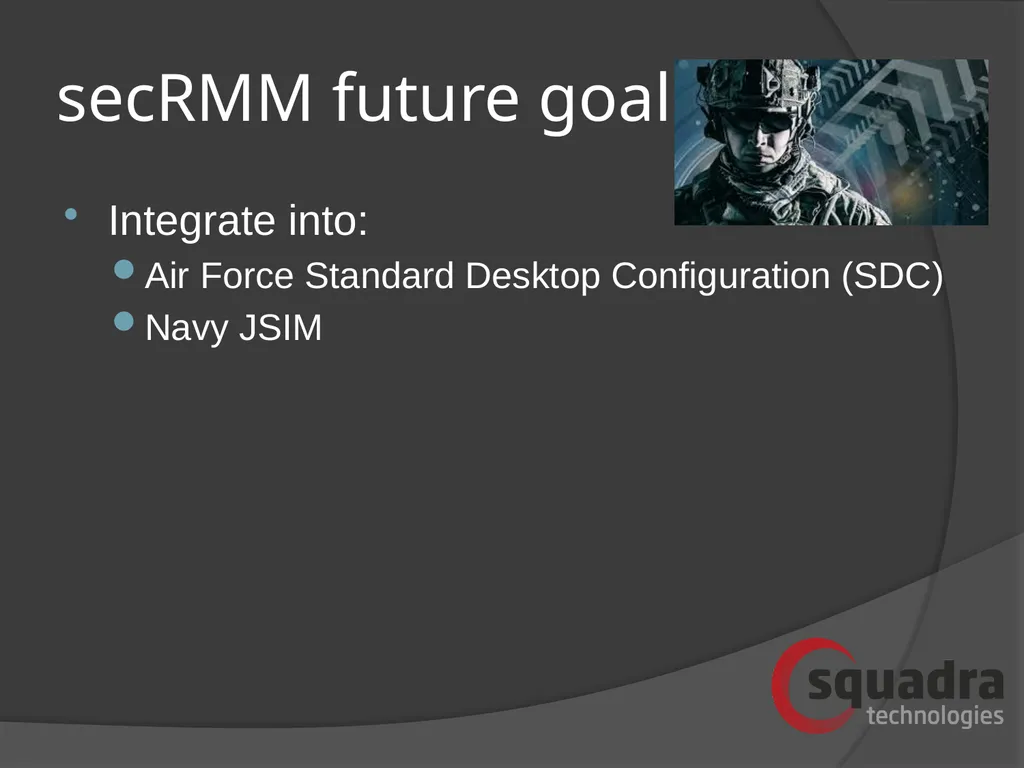
secRMM future goals Integrate into:
Air Force Standard Desktop Configuration (SDC)
Navy JSIM<br>
18
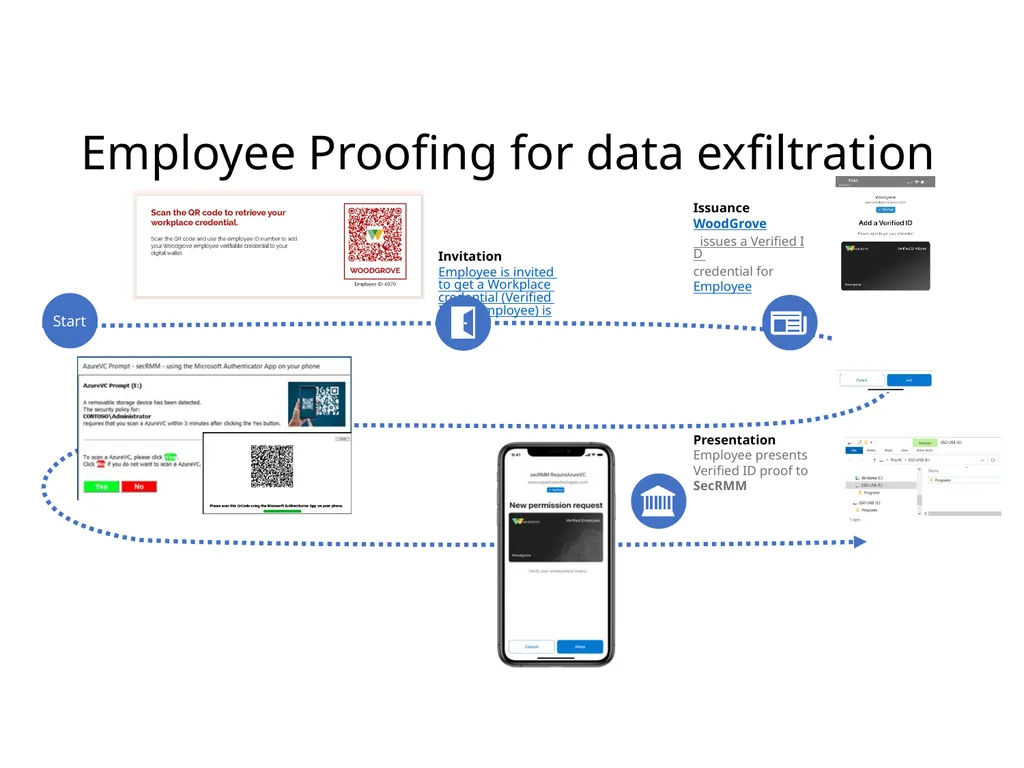
Employee Proofing for data exfiltration Invitation
Employee is invited to get a Workplace credential (Verified ID for Employee) issued. Presentation
Employee presents Verified ID proof to SecRMM Issuance
WoodGrove issues a Verified ID credential for Employee Start<br>