Steve Wisniewski SDS2 Matt Bailey Connected Structural Group Tables Using Report Writer and CSV TABLES Member, Submaterial and Erection View details Sheets and Sheet Outlines Detail Sheets Table DetailSheetMemberLoads Reports Left
"Steve Wisniewski – SDS/2 Matt Bailey – Connected" is the property of its rightful owner. Permission is granted to
download and print the materials on this website for personal, non-commercial use only, and to display it
on your personal computer provided you do not modify the materials and that you retain all copyright
notices contained in the materials. By downloading content from our website, you accept the terms of this
agreement.
Presentation Transcript
01
Steve Wisniewski – SDS/2
Matt Bailey – Connected Structural Group Tables Using Report Writer and CSV<br>
02
TABLES Member, Submaterial and Erection View details
Sheets and Sheet Outlines<br>
03
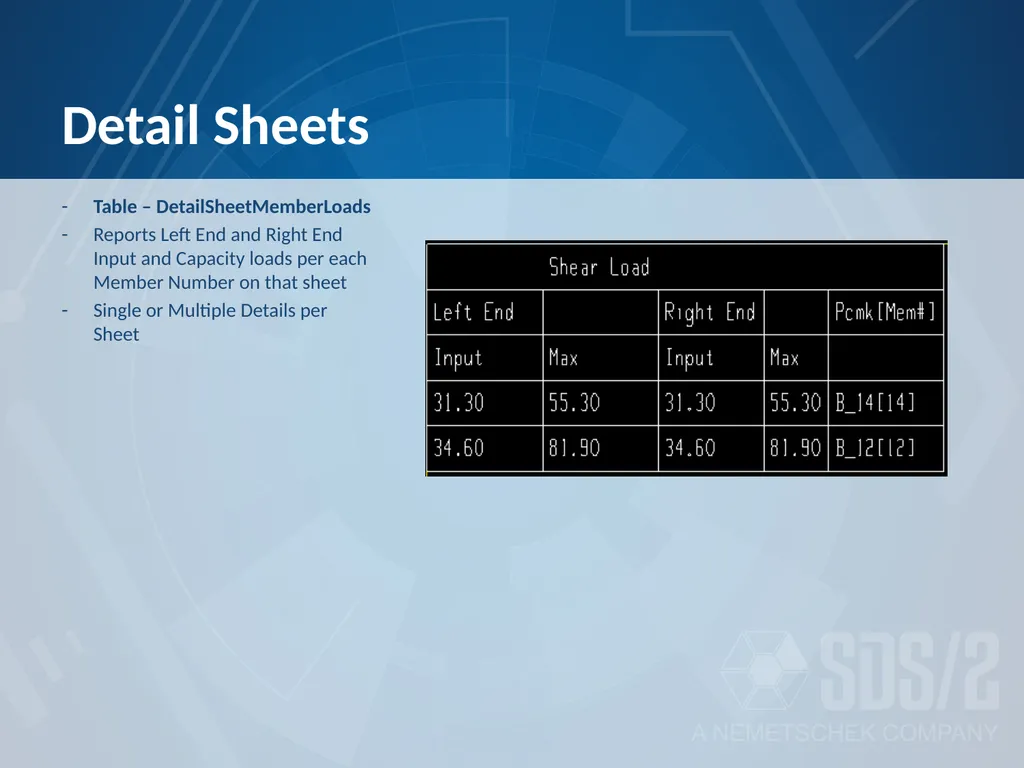
Detail Sheets Table – DetailSheetMemberLoads
Reports Left End and Right End Input and Capacity loads per each Member Number on that sheet
Single or Multiple Details per Sheet<br>
04
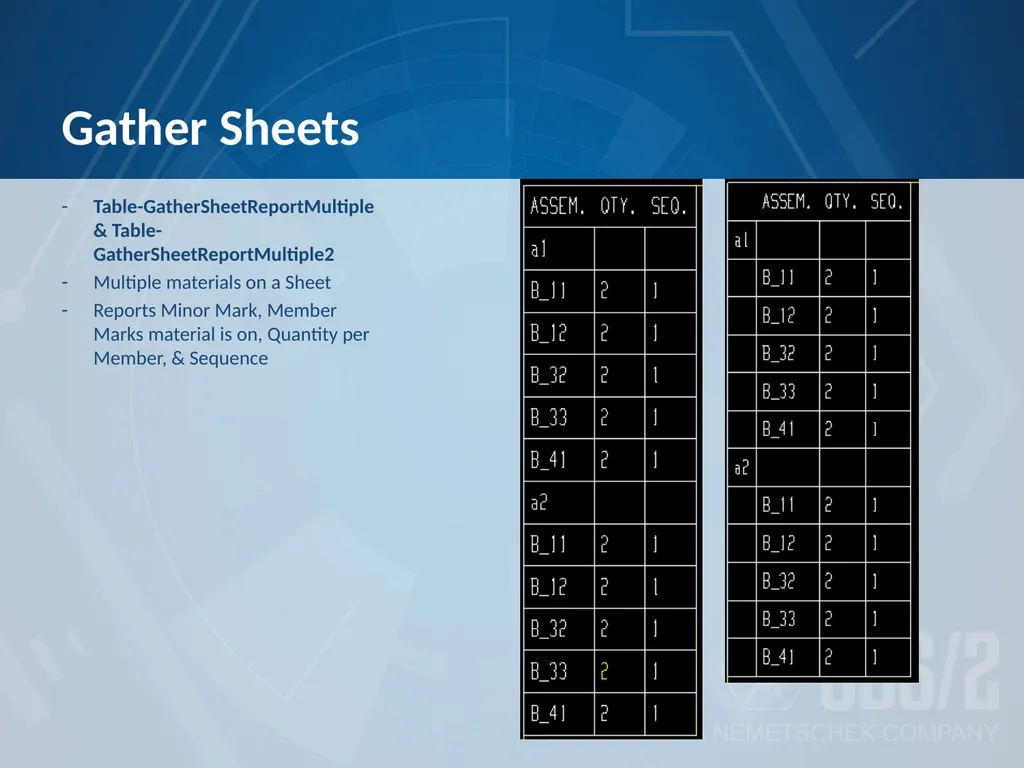
Gather Sheets Table-GatherSheetReportMultiple & Table-GatherSheetReportMultiple2
Multiple materials on a Sheet
Reports Minor Mark, Member Marks material is on, Quantity per Member, & Sequence<br>
05
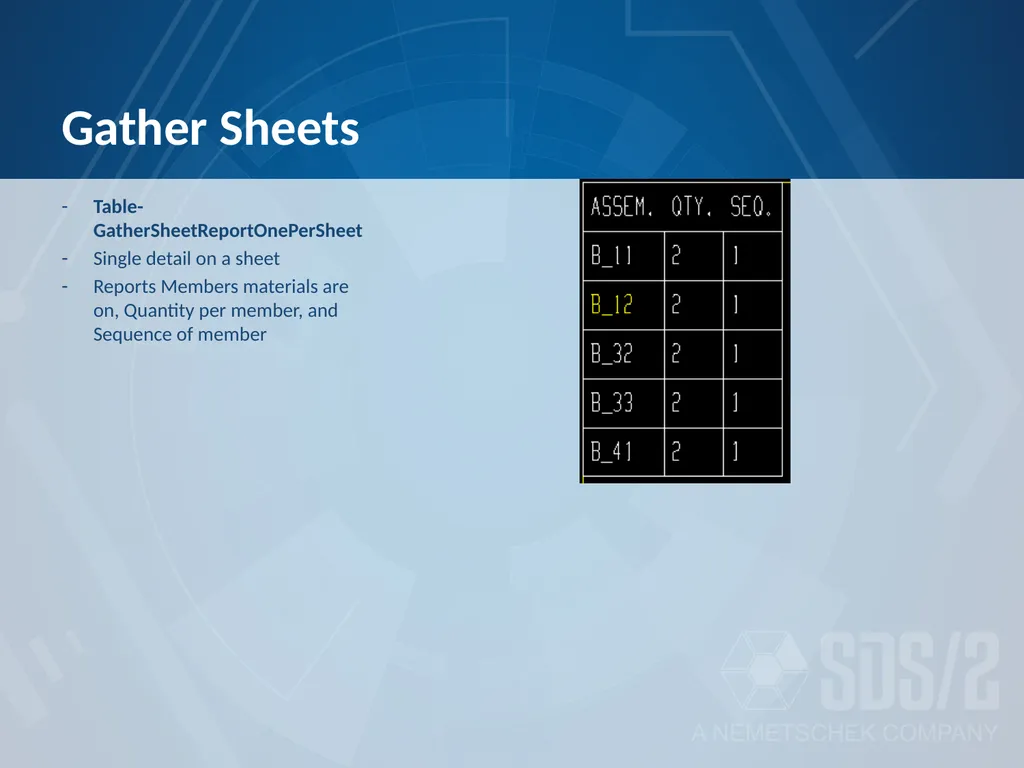
Gather Sheets Table-GatherSheetReportOnePerSheet
Single detail on a sheet
Reports Members materials are on, Quantity per member, and Sequence of member<br>
06
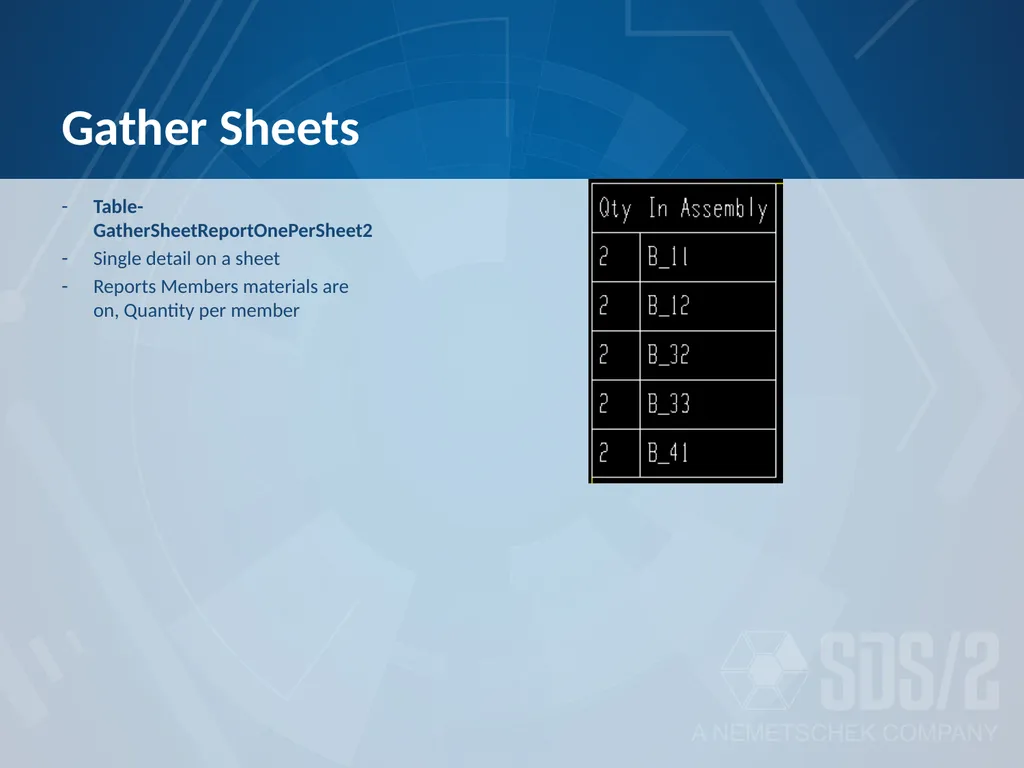
Gather Sheets Table-GatherSheetReportOnePerSheet2
Single detail on a sheet
Reports Members materials are on, Quantity per member<br>
07
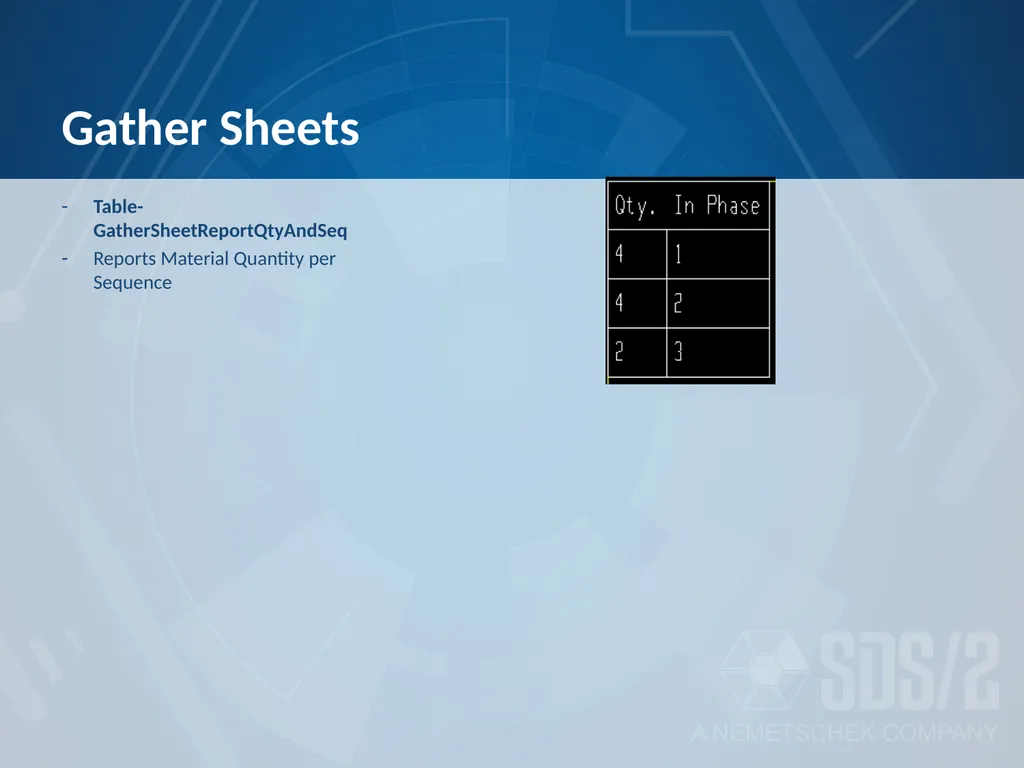
Gather Sheets Table-GatherSheetReportQtyAndSeq
Reports Material Quantity per Sequence<br>
08
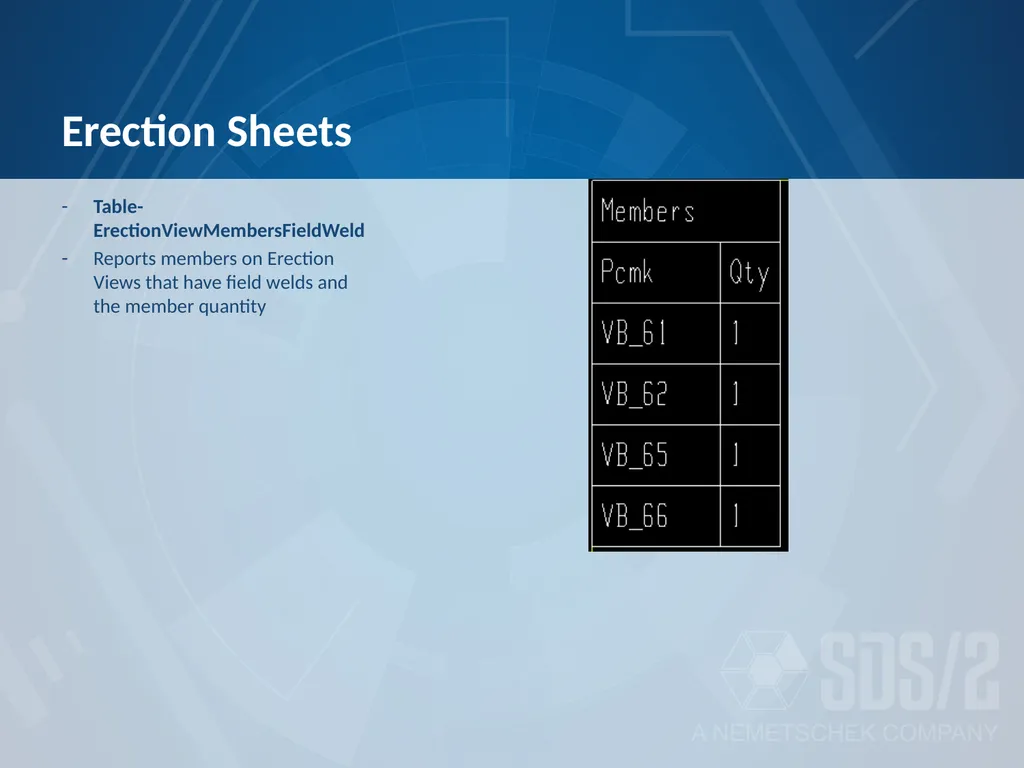
Erection Sheets Table-ErectionViewMembersFieldWeld
Reports members on Erection Views that have field welds and the member quantity<br>
09
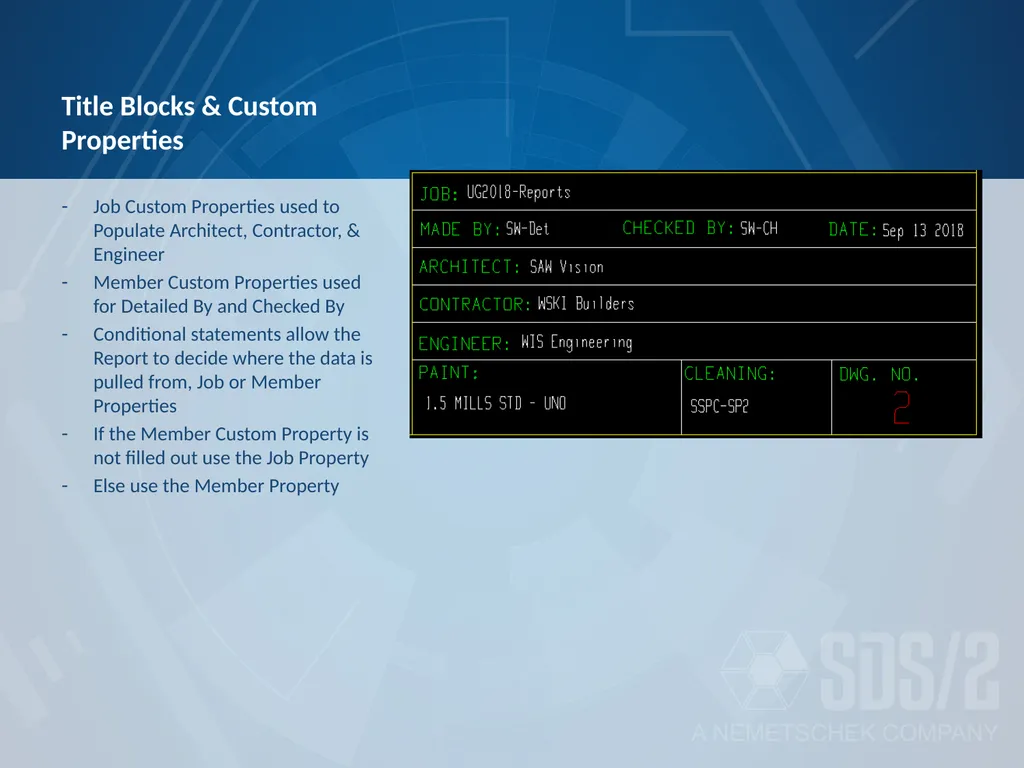
Title Blocks & Custom Properties Job Custom Properties used to Populate Architect, Contractor, & Engineer
Member Custom Properties used for Detailed By and Checked By
Conditional statements allow the Report to decide where the data is pulled from, Job or Member Properties
If the Member Custom Property is not filled out use the Job Property
Else use the Member Property<br>
10
Updating Tables Saving the sheet or detail
Printing the sheet
Editing the table and selecting ‘Refresh’<br>
11
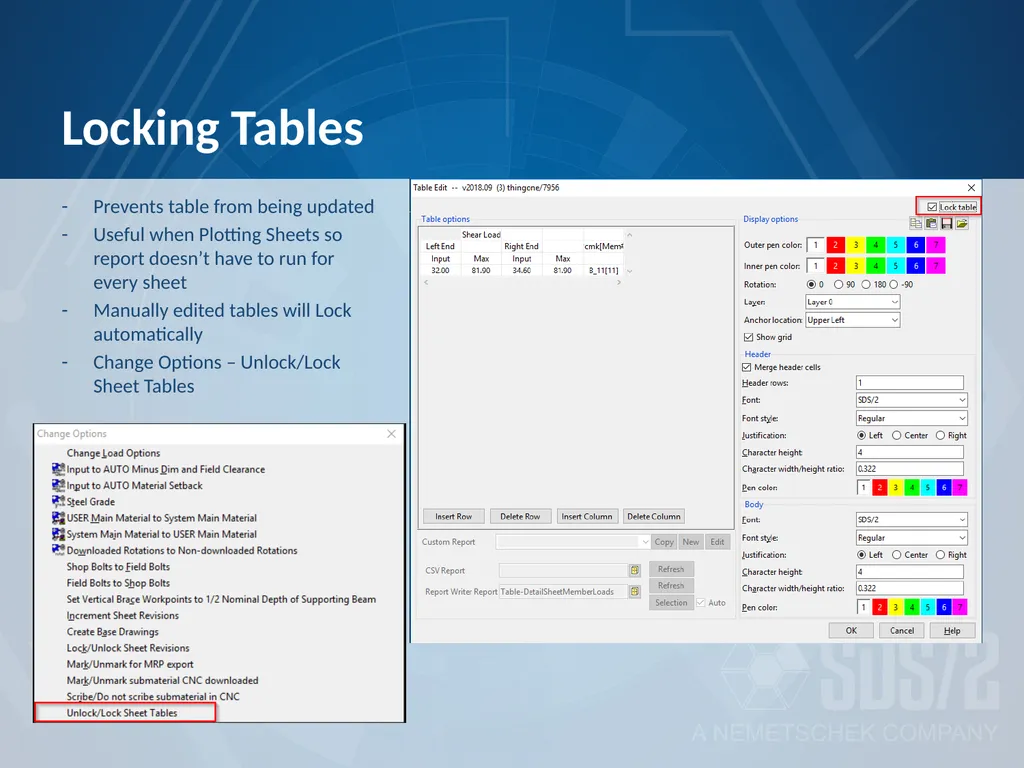
Locking Tables Prevents table from being updated
Useful when Plotting Sheets so report doesn’t have to run for every sheet
Manually edited tables will Lock automatically
Change Options – Unlock/Lock Sheet Tables<br>
12
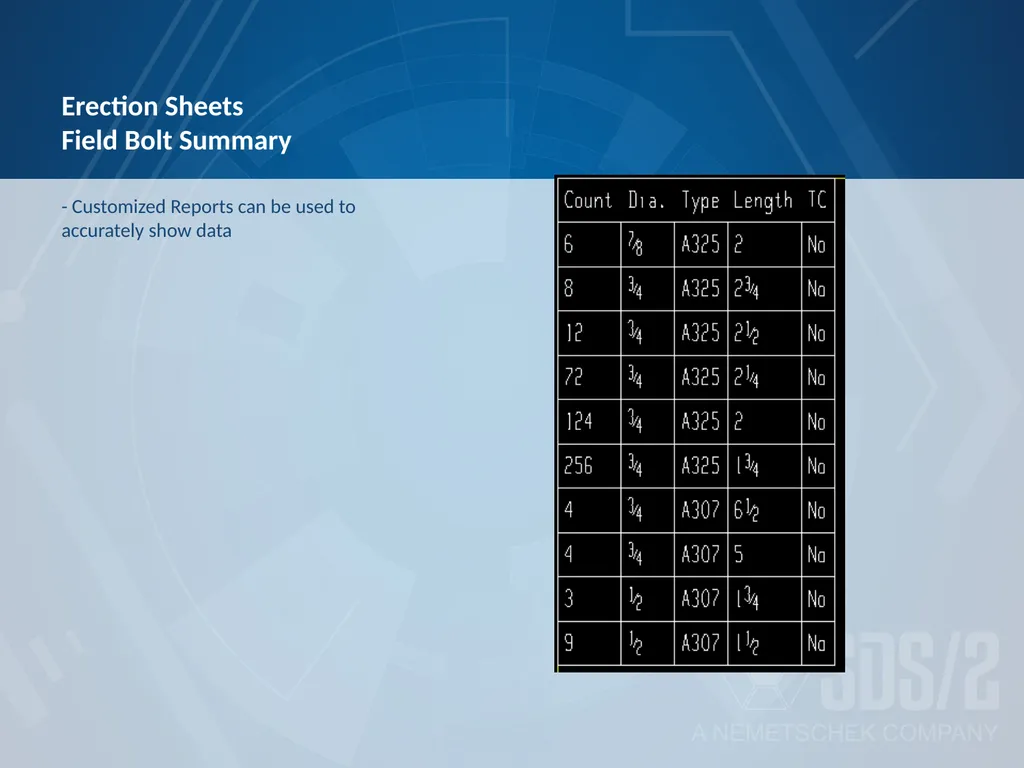
Erection Sheets Field Bolt Summary - Customized Reports can be used to accurately show data<br>
13
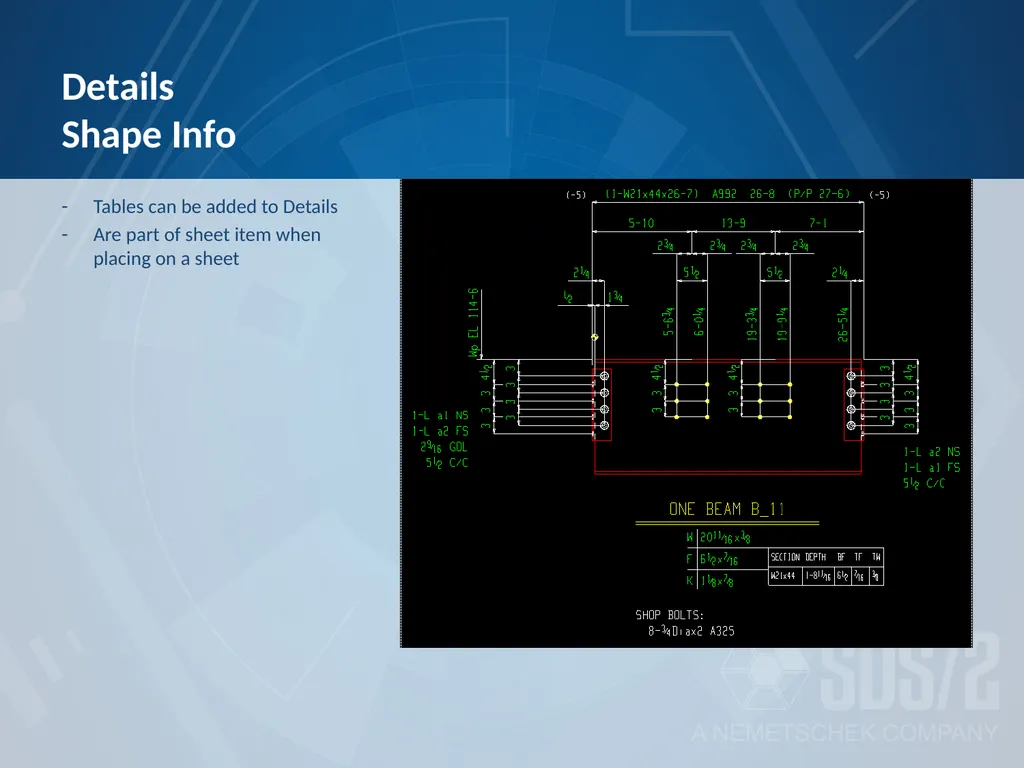
Details Shape Info Tables can be added to Details
Are part of sheet item when placing on a sheet<br>
14
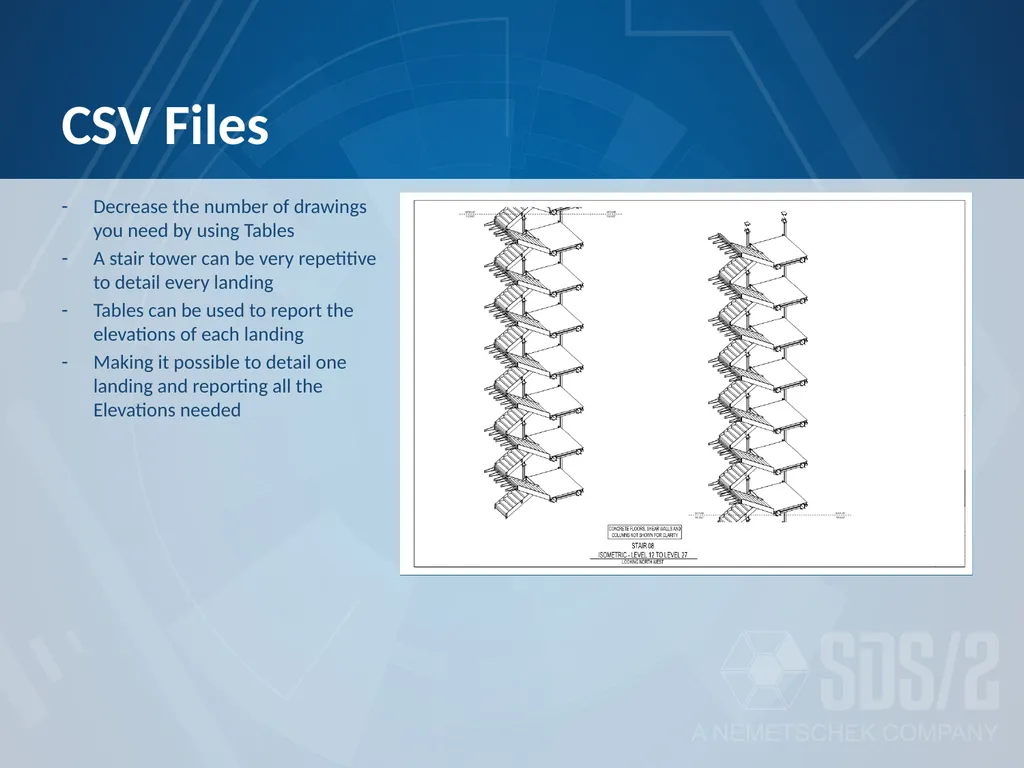
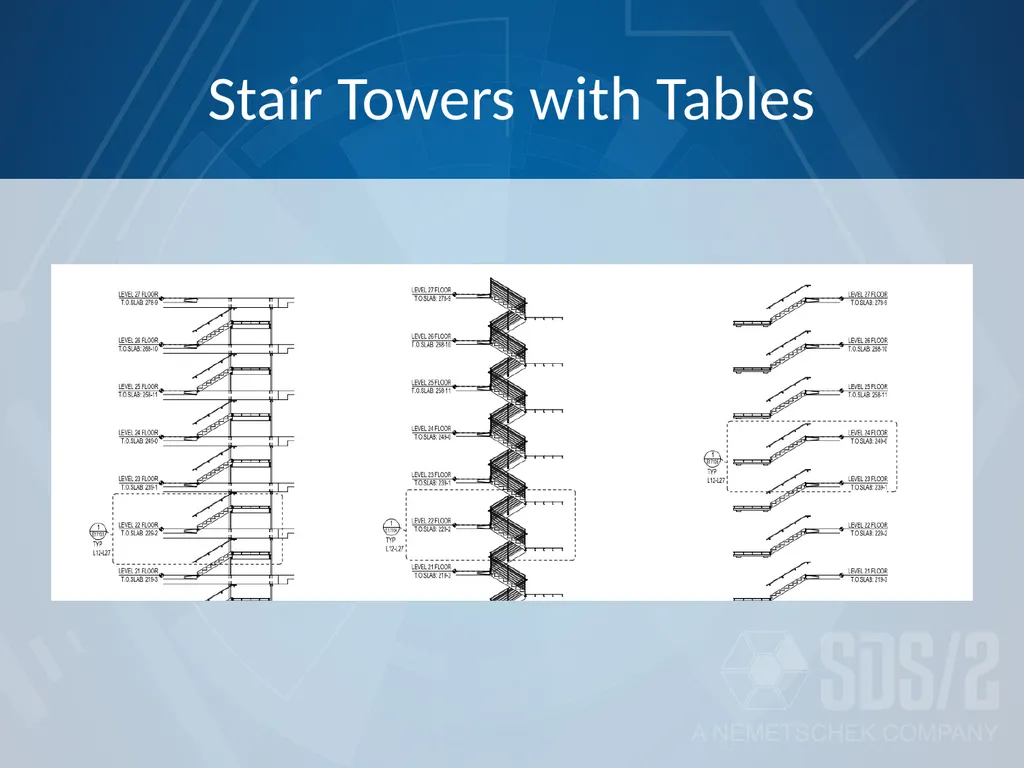
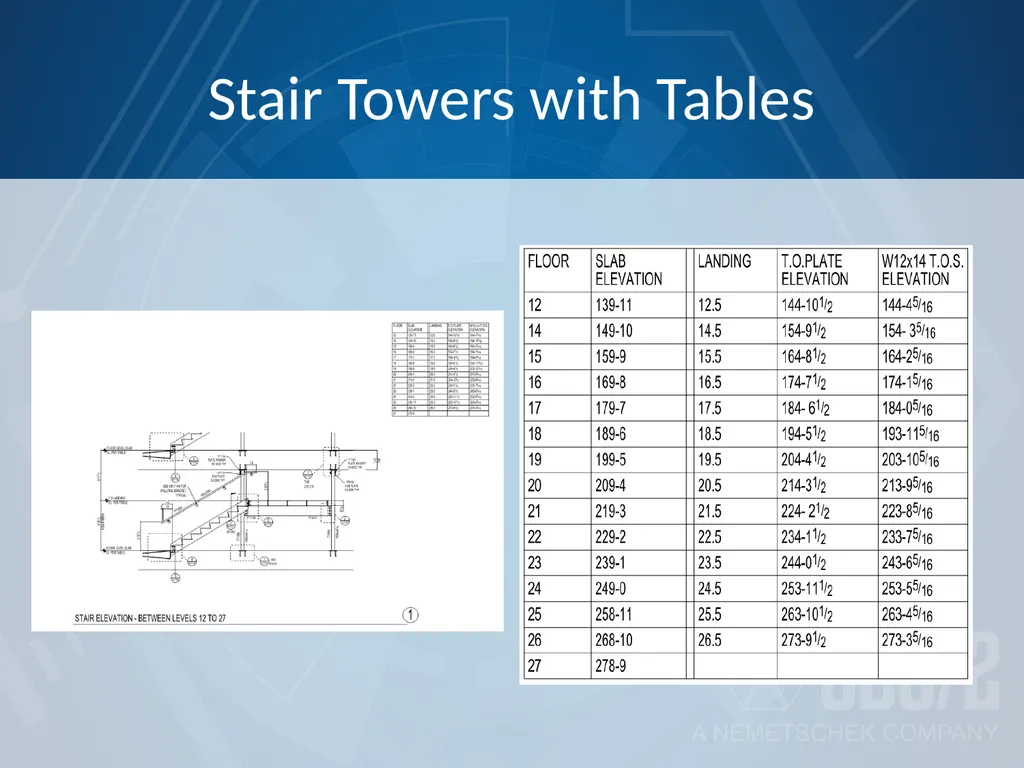
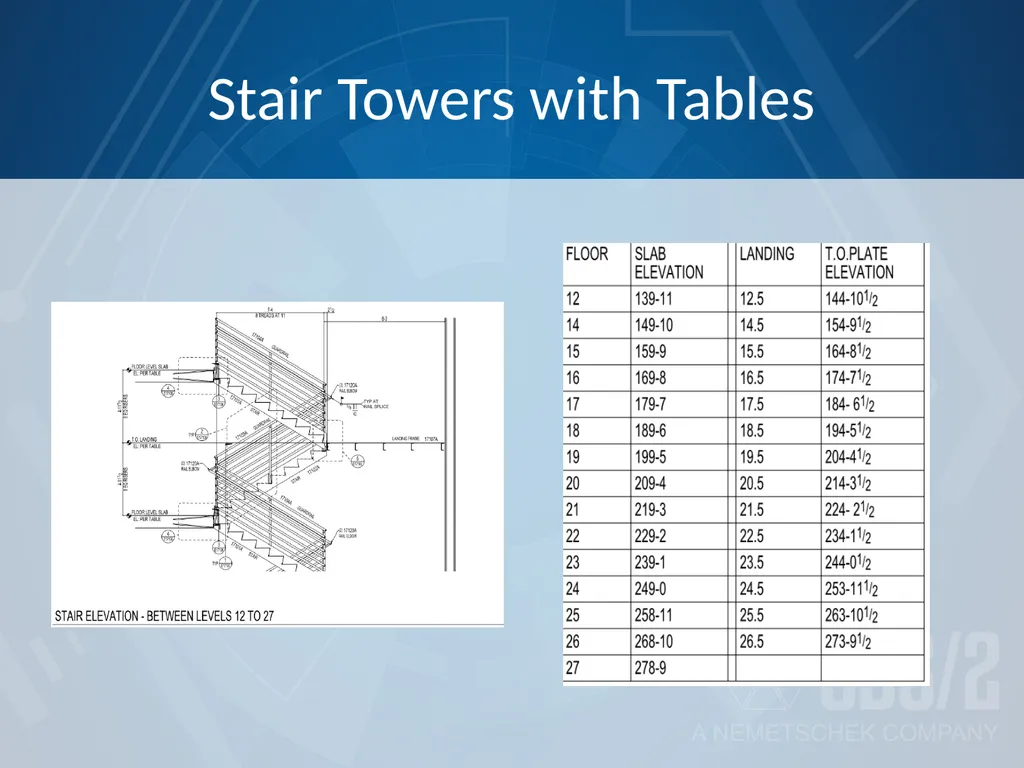
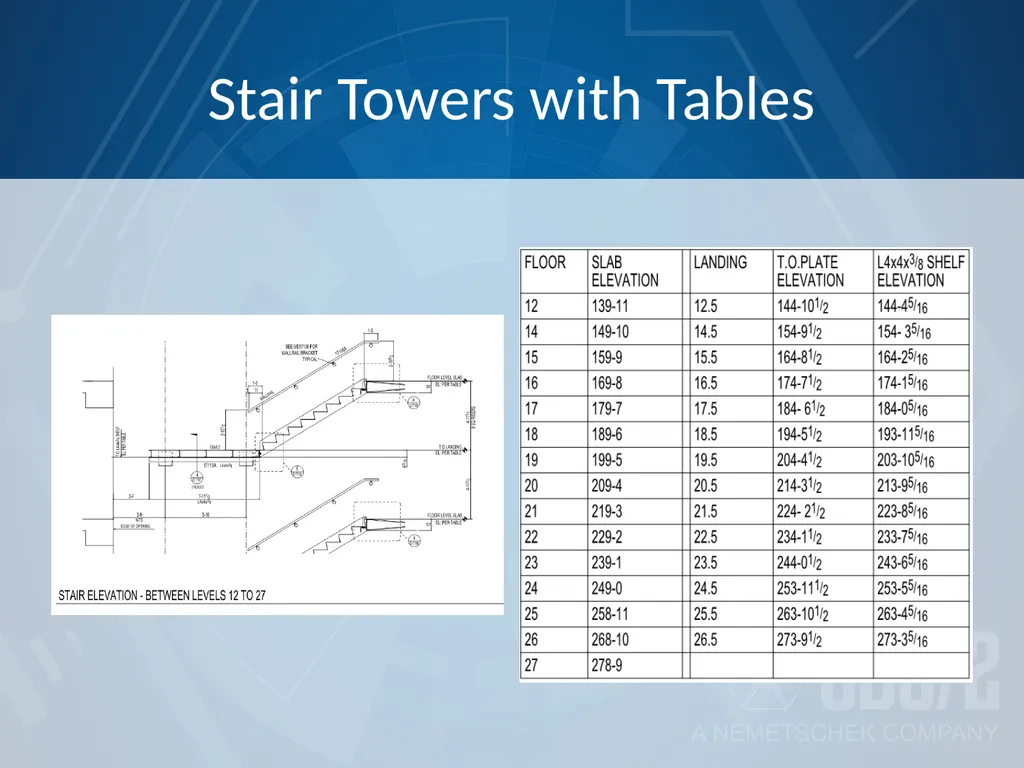
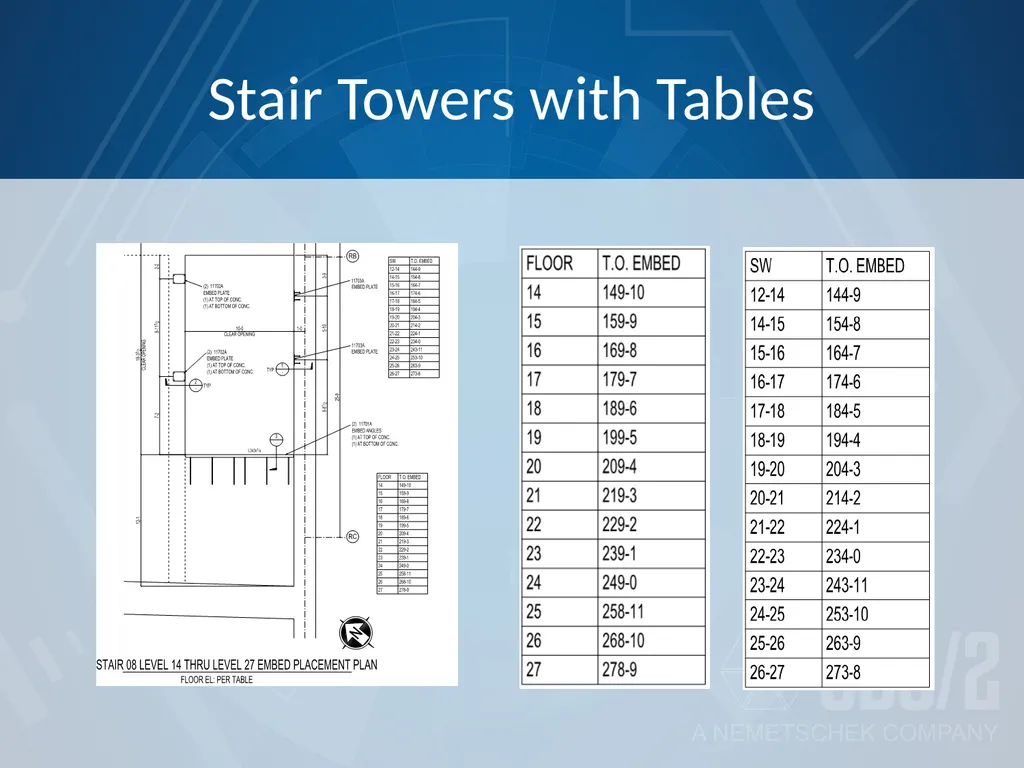
CSV Files Decrease the number of drawings you need by using Tables
A stair tower can be very repetitive to detail every landing
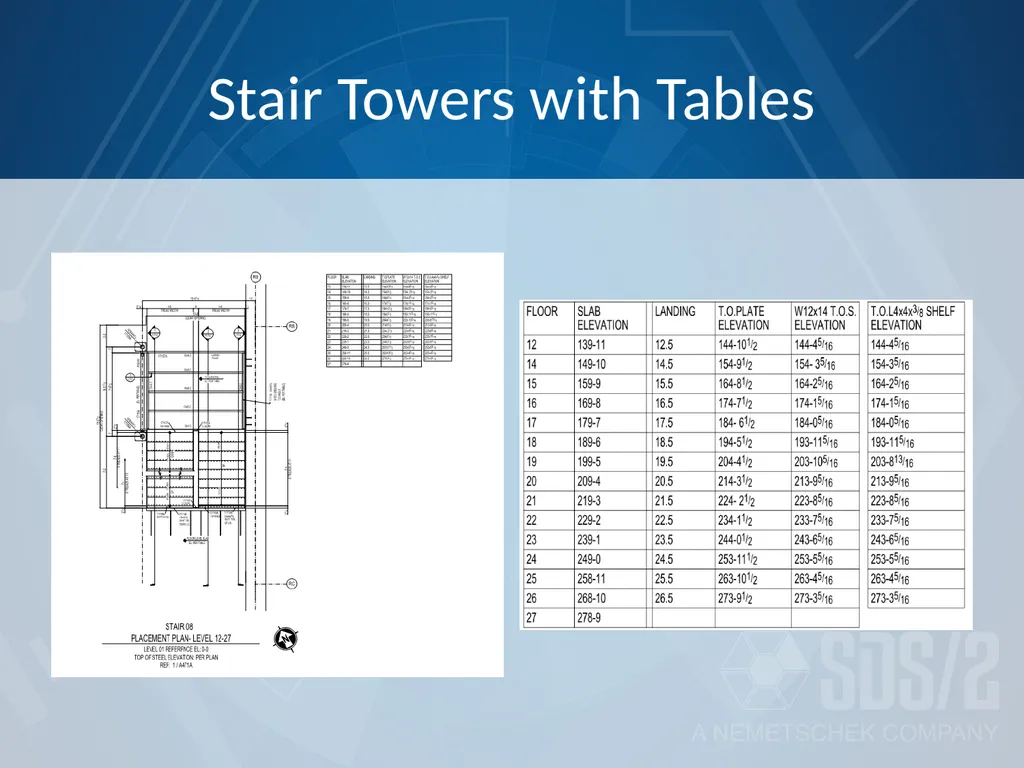
Tables can be used to report the elevations of each landing
Making it possible to detail one landing and reporting all the Elevations needed<br>