
Strings in Python Dr. Varsha Degaonkar Department
LV
Published · 29 slides · 0 views
1 / 1




Description
Strings in Python Dr. Varsha Degaonkar Department of Electronics and Telecommunication Hope Foundations International Institute of Information Technology, I²IT www.isquareit.edu.in Contents: String traversal using indexing Concatenating
Related Topics
Share
Embed code
Download this presentation From Below
"Strings in Python Dr. Varsha Degaonkar Department" is the property of its rightful owner. Permission is granted to download and print the materials on this website for personal, non-commercial use only, and to display it on your personal computer provided you do not modify the materials and that you retain all copyright notices contained in the materials. By downloading content from our website, you accept the terms of this agreement.
Presentation Transcript
01
Strings in Python Dr. Varsha Degaonkar
Department of Electronics and Telecommunication
Hope Foundation’s
International Institute of Information Technology, I²IT
www.isquareit.edu.in<br>
Department of Electronics and Telecommunication
Hope Foundation’s
International Institute of Information Technology, I²IT
www.isquareit.edu.in<br>
02
Contents: String traversal using indexing
Concatenating String
Appending String
Multiplying String
Escape Character
Strings are Immutable
String formatting operator Hope Foundation's International Institute of Information Technology, I²IT, P-14, Rajiv Gandhi Infotech Park, Hinjawadi Phase 1, Pune - 411 057 Phone - +91 20 22933441/2/3 | Website - www.isquareit.edu.in | Email - info@isquareit.edu.in 2<br>
Concatenating String
Appending String
Multiplying String
Escape Character
Strings are Immutable
String formatting operator Hope Foundation's International Institute of Information Technology, I²IT, P-14, Rajiv Gandhi Infotech Park, Hinjawadi Phase 1, Pune - 411 057 Phone - +91 20 22933441/2/3 | Website - www.isquareit.edu.in | Email - info@isquareit.edu.in 2<br>
03
Strings in Python: String is made by 1 or more characters
Character can be a letter, digit, whitespace, or any other symbol.
Strings are enclosed in a single, double or triple quotes.
Python has a built-in string class “str” that has many useful features. Hope Foundation's International Institute of Information Technology, I²IT, P-14, Rajiv Gandhi Infotech Park, Hinjawadi Phase 1, Pune - 411 057 Phone - +91 20 22933441/2/3 | Website - www.isquareit.edu.in | Email - info@isquareit.edu.in 3<br>
Character can be a letter, digit, whitespace, or any other symbol.
Strings are enclosed in a single, double or triple quotes.
Python has a built-in string class “str” that has many useful features. Hope Foundation's International Institute of Information Technology, I²IT, P-14, Rajiv Gandhi Infotech Park, Hinjawadi Phase 1, Pune - 411 057 Phone - +91 20 22933441/2/3 | Website - www.isquareit.edu.in | Email - info@isquareit.edu.in 3<br>
04
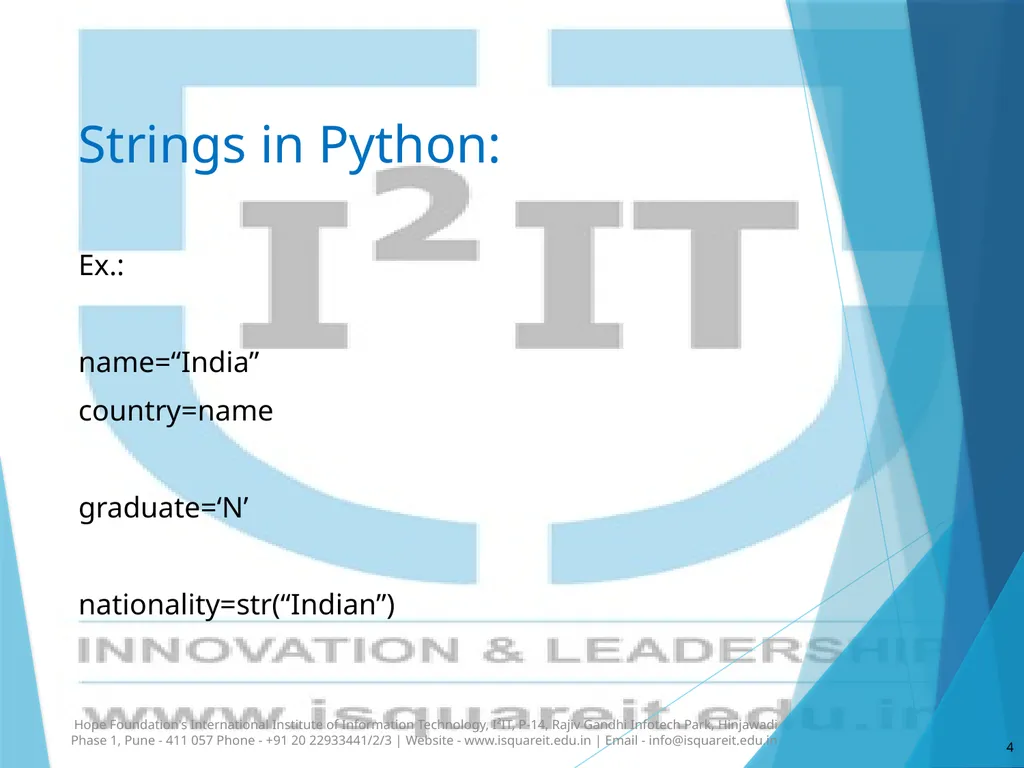
Strings in Python: Ex.:
name=“India”
country=name
graduate=‘N’
nationality=str(“Indian”) Hope Foundation's International Institute of Information Technology, I²IT, P-14, Rajiv Gandhi Infotech Park, Hinjawadi Phase 1, Pune - 411 057 Phone - +91 20 22933441/2/3 | Website - www.isquareit.edu.in | Email - info@isquareit.edu.in 4<br>
name=“India”
country=name
graduate=‘N’
nationality=str(“Indian”) Hope Foundation's International Institute of Information Technology, I²IT, P-14, Rajiv Gandhi Infotech Park, Hinjawadi Phase 1, Pune - 411 057 Phone - +91 20 22933441/2/3 | Website - www.isquareit.edu.in | Email - info@isquareit.edu.in 4<br>
05
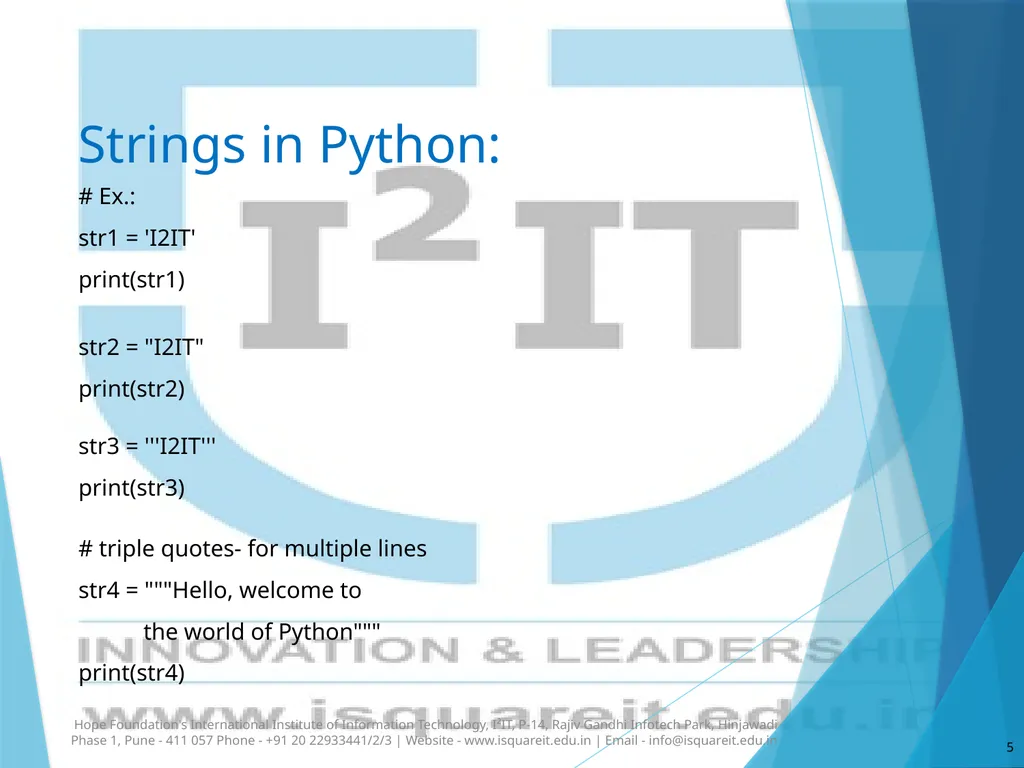
Strings in Python: # Ex.:
str1 = 'I2IT'
print(str1)
str2 = "I2IT"
print(str2)
str3 = '''I2IT'''
print(str3)
# triple quotes- for multiple lines
str4 = """Hello, welcome to
the world of Python"""
print(str4) Hope Foundation's International Institute of Information Technology, I²IT, P-14, Rajiv Gandhi Infotech Park, Hinjawadi Phase 1, Pune - 411 057 Phone - +91 20 22933441/2/3 | Website - www.isquareit.edu.in | Email - info@isquareit.edu.in 5<br>
str1 = 'I2IT'
print(str1)
str2 = "I2IT"
print(str2)
str3 = '''I2IT'''
print(str3)
# triple quotes- for multiple lines
str4 = """Hello, welcome to
the world of Python"""
print(str4) Hope Foundation's International Institute of Information Technology, I²IT, P-14, Rajiv Gandhi Infotech Park, Hinjawadi Phase 1, Pune - 411 057 Phone - +91 20 22933441/2/3 | Website - www.isquareit.edu.in | Email - info@isquareit.edu.in 5<br>
06
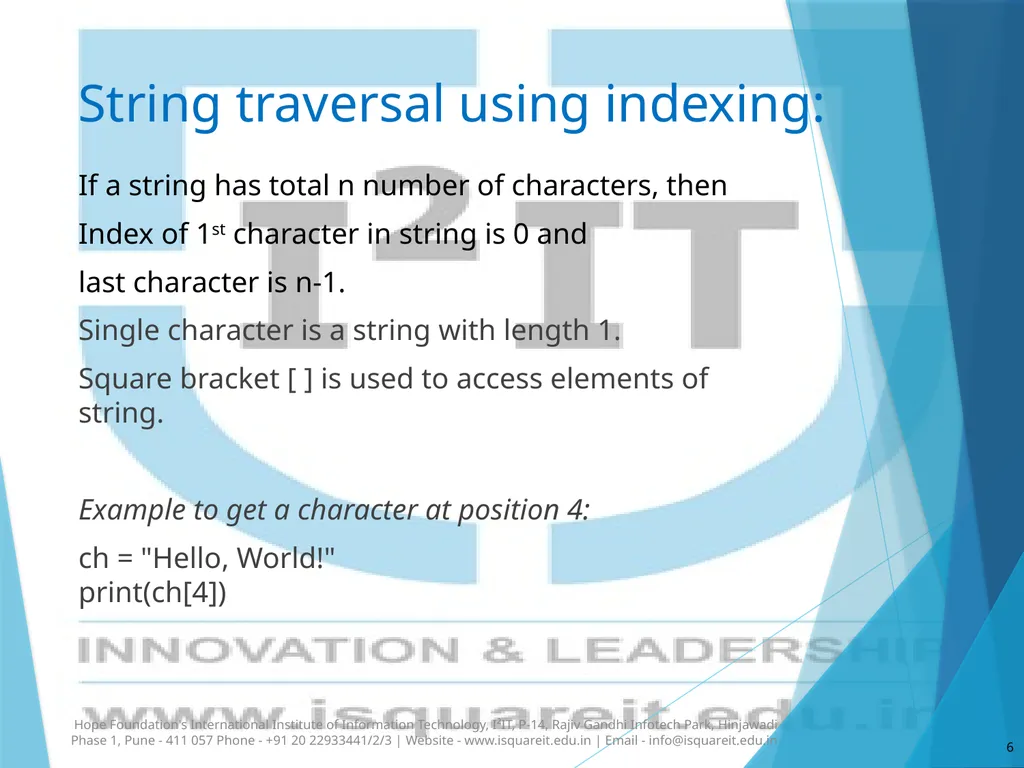
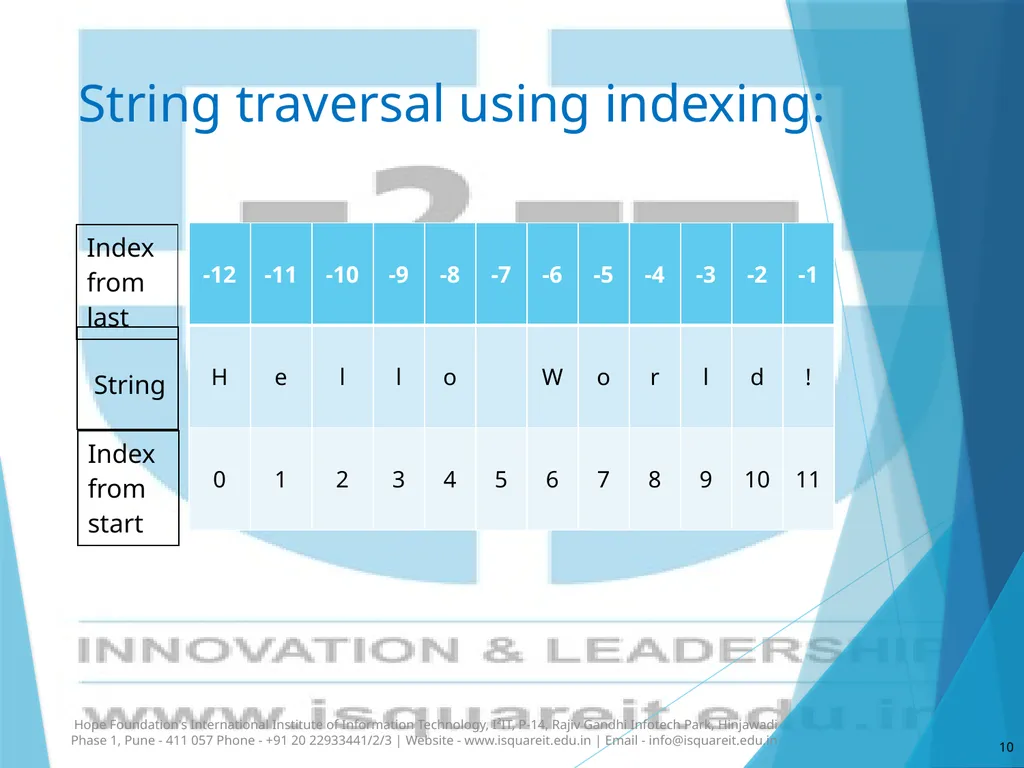
String traversal using indexing: If a string has total n number of characters, then
Index of 1st character in string is 0 and
last character is n-1.
Single character is a string with length 1.
Square bracket [ ] is used to access elements of string.
Example to get a character at position 4:
ch = "Hello, World!" print(ch[4]) Hope Foundation's International Institute of Information Technology, I²IT, P-14, Rajiv Gandhi Infotech Park, Hinjawadi Phase 1, Pune - 411 057 Phone - +91 20 22933441/2/3 | Website - www.isquareit.edu.in | Email - info@isquareit.edu.in 6<br>
Index of 1st character in string is 0 and
last character is n-1.
Single character is a string with length 1.
Square bracket [ ] is used to access elements of string.
Example to get a character at position 4:
ch = "Hello, World!" print(ch[4]) Hope Foundation's International Institute of Information Technology, I²IT, P-14, Rajiv Gandhi Infotech Park, Hinjawadi Phase 1, Pune - 411 057 Phone - +91 20 22933441/2/3 | Website - www.isquareit.edu.in | Email - info@isquareit.edu.in 6<br>
07
String traversal using indexing: #Ex.:
str = "I2IT!"
index = 0
for i in str:
print("str[", index, "] = ", i)
index+=1
#Output:
str[ 0 ] = I
str[ 1 ] = 2
str[ 2 ] = I
str[ 3 ] = T
str[ 4 ] = ! Hope Foundation's International Institute of Information Technology, I²IT, P-14, Rajiv Gandhi Infotech Park, Hinjawadi Phase 1, Pune - 411 057 Phone - +91 20 22933441/2/3 | Website - www.isquareit.edu.in | Email - info@isquareit.edu.in 7<br>
str = "I2IT!"
index = 0
for i in str:
print("str[", index, "] = ", i)
index+=1
#Output:
str[ 0 ] = I
str[ 1 ] = 2
str[ 2 ] = I
str[ 3 ] = T
str[ 4 ] = ! Hope Foundation's International Institute of Information Technology, I²IT, P-14, Rajiv Gandhi Infotech Park, Hinjawadi Phase 1, Pune - 411 057 Phone - +91 20 22933441/2/3 | Website - www.isquareit.edu.in | Email - info@isquareit.edu.in 7<br>
08
String traversal using indexing: #Ex.:
str = "Hello, Welcome to world of Python!"
index = 2
print(str[index])
print(str[index * 3 + 1 ])
Output:
l
W Hope Foundation's International Institute of Information Technology, I²IT, P-14, Rajiv Gandhi Infotech Park, Hinjawadi Phase 1, Pune - 411 057 Phone - +91 20 22933441/2/3 | Website - www.isquareit.edu.in | Email - info@isquareit.edu.in 8<br>
str = "Hello, Welcome to world of Python!"
index = 2
print(str[index])
print(str[index * 3 + 1 ])
Output:
l
W Hope Foundation's International Institute of Information Technology, I²IT, P-14, Rajiv Gandhi Infotech Park, Hinjawadi Phase 1, Pune - 411 057 Phone - +91 20 22933441/2/3 | Website - www.isquareit.edu.in | Email - info@isquareit.edu.in 8<br>
09
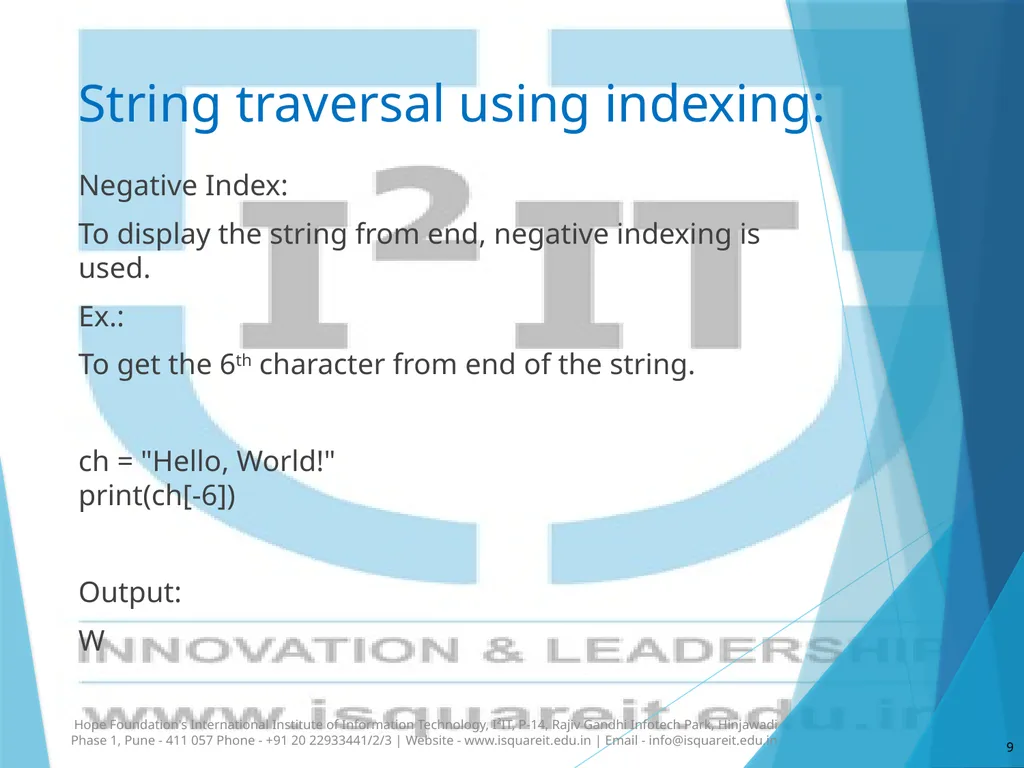
String traversal using indexing: Negative Index:
To display the string from end, negative indexing is used.
Ex.:
To get the 6th character from end of the string.
ch = "Hello, World!" print(ch[-6])
Output:
W Hope Foundation's International Institute of Information Technology, I²IT, P-14, Rajiv Gandhi Infotech Park, Hinjawadi Phase 1, Pune - 411 057 Phone - +91 20 22933441/2/3 | Website - www.isquareit.edu.in | Email - info@isquareit.edu.in 9<br>
To display the string from end, negative indexing is used.
Ex.:
To get the 6th character from end of the string.
ch = "Hello, World!" print(ch[-6])
Output:
W Hope Foundation's International Institute of Information Technology, I²IT, P-14, Rajiv Gandhi Infotech Park, Hinjawadi Phase 1, Pune - 411 057 Phone - +91 20 22933441/2/3 | Website - www.isquareit.edu.in | Email - info@isquareit.edu.in 9<br>
10
String traversal using indexing: Hope Foundation's International Institute of Information Technology, I²IT, P-14, Rajiv Gandhi Infotech Park, Hinjawadi Phase 1, Pune - 411 057 Phone - +91 20 22933441/2/3 | Website - www.isquareit.edu.in | Email - info@isquareit.edu.in 10<br>
11
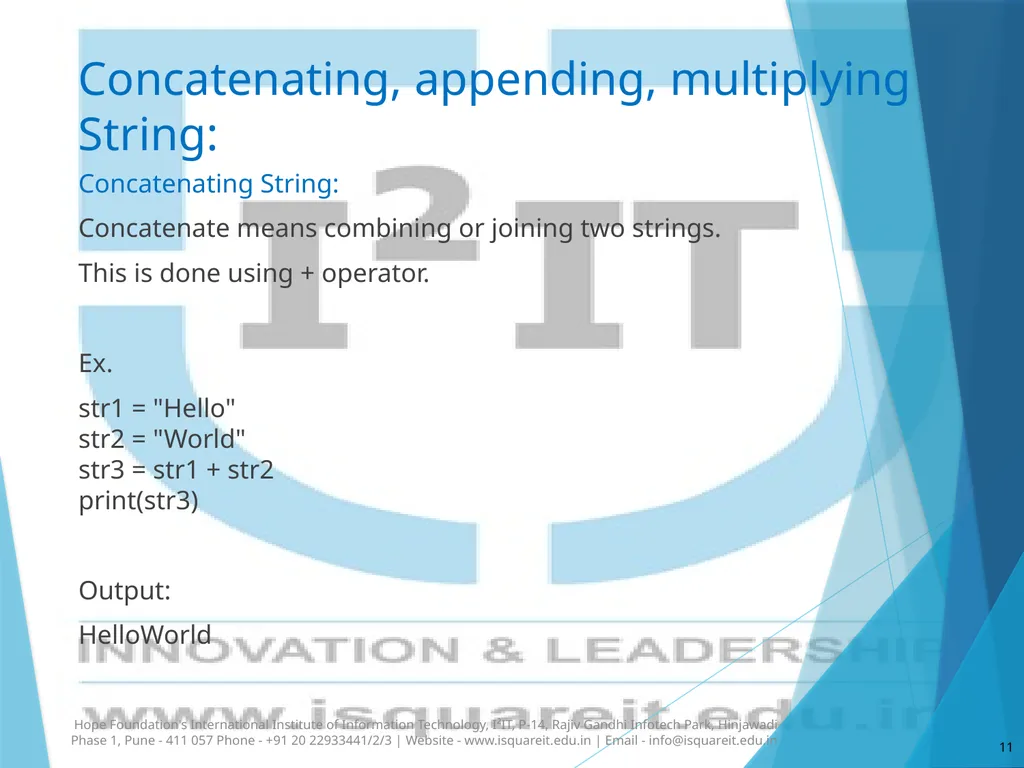
Concatenating, appending, multiplying String: Concatenating String:
Concatenate means combining or joining two strings.
This is done using + operator.
Ex.
str1 = "Hello" str2 = "World" str3 = str1 + str2 print(str3)
Output:
HelloWorld Hope Foundation's International Institute of Information Technology, I²IT, P-14, Rajiv Gandhi Infotech Park, Hinjawadi Phase 1, Pune - 411 057 Phone - +91 20 22933441/2/3 | Website - www.isquareit.edu.in | Email - info@isquareit.edu.in 11<br>
Concatenate means combining or joining two strings.
This is done using + operator.
Ex.
str1 = "Hello" str2 = "World" str3 = str1 + str2 print(str3)
Output:
HelloWorld Hope Foundation's International Institute of Information Technology, I²IT, P-14, Rajiv Gandhi Infotech Park, Hinjawadi Phase 1, Pune - 411 057 Phone - +91 20 22933441/2/3 | Website - www.isquareit.edu.in | Email - info@isquareit.edu.in 11<br>
12
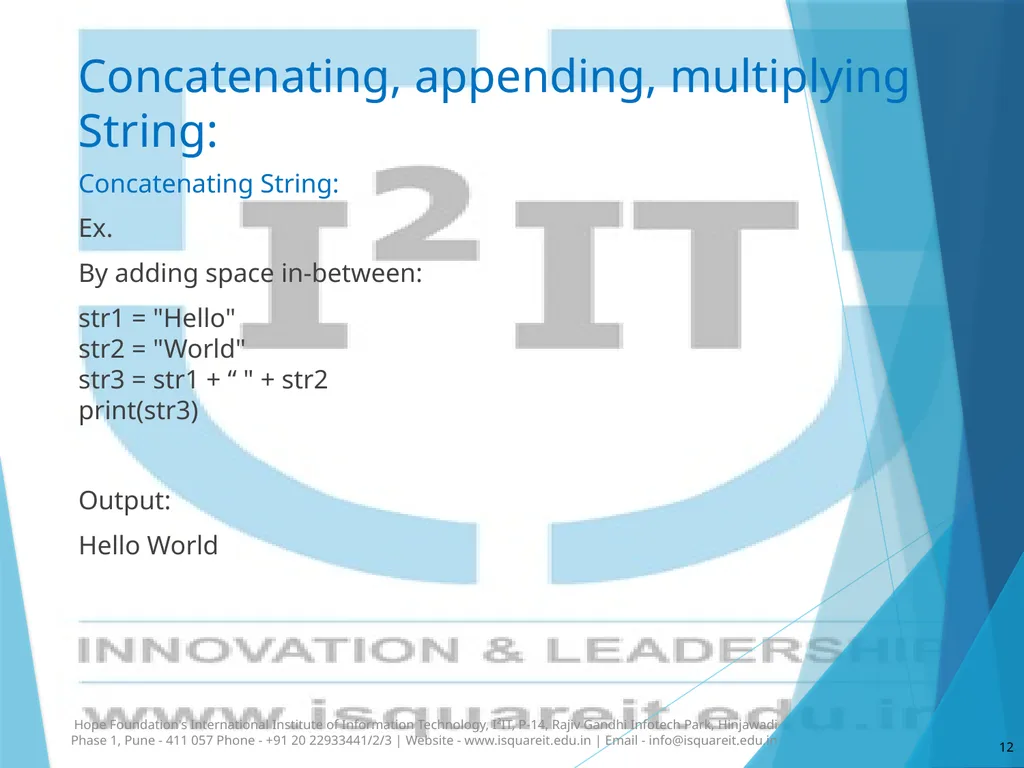
Concatenating, appending, multiplying String: Concatenating String:
Ex.
By adding space in-between:
str1 = "Hello" str2 = "World" str3 = str1 + “ " + str2 print(str3)
Output:
Hello World Hope Foundation's International Institute of Information Technology, I²IT, P-14, Rajiv Gandhi Infotech Park, Hinjawadi Phase 1, Pune - 411 057 Phone - +91 20 22933441/2/3 | Website - www.isquareit.edu.in | Email - info@isquareit.edu.in 12<br>
Ex.
By adding space in-between:
str1 = "Hello" str2 = "World" str3 = str1 + “ " + str2 print(str3)
Output:
Hello World Hope Foundation's International Institute of Information Technology, I²IT, P-14, Rajiv Gandhi Infotech Park, Hinjawadi Phase 1, Pune - 411 057 Phone - +91 20 22933441/2/3 | Website - www.isquareit.edu.in | Email - info@isquareit.edu.in 12<br>
13
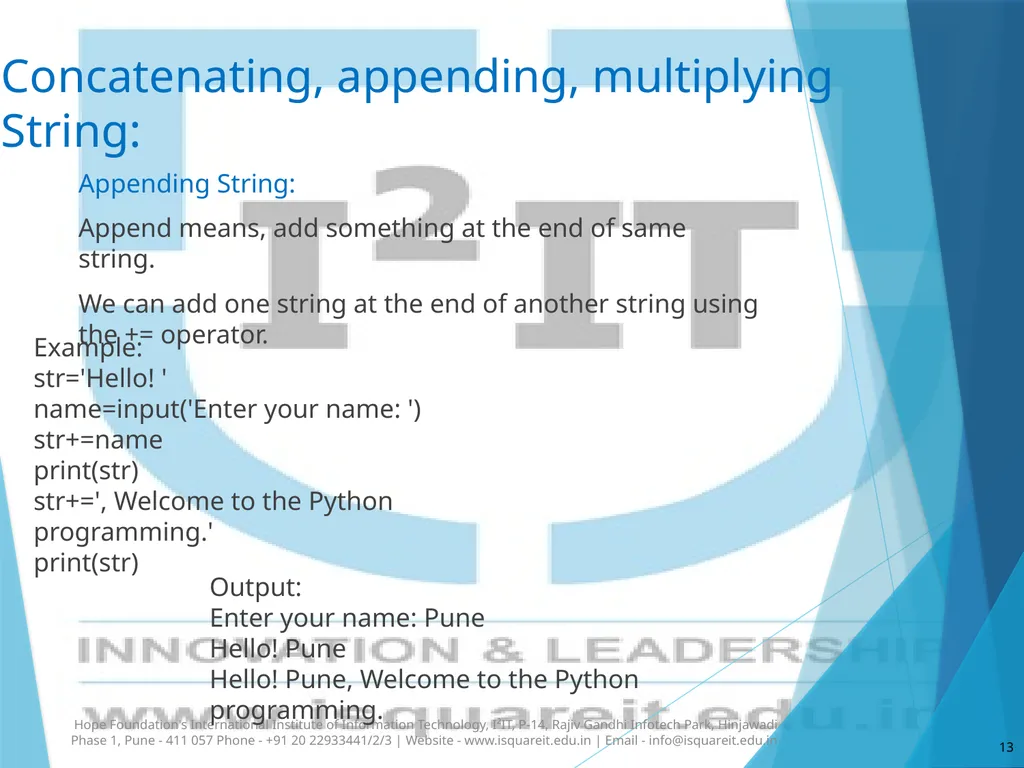
Concatenating, appending, multiplying String: Appending String:
Append means, add something at the end of same string.
We can add one string at the end of another string using the += operator. Hope Foundation's International Institute of Information Technology, I²IT, P-14, Rajiv Gandhi Infotech Park, Hinjawadi Phase 1, Pune - 411 057 Phone - +91 20 22933441/2/3 | Website - www.isquareit.edu.in | Email - info@isquareit.edu.in 13 Example:
str='Hello! '
name=input('Enter your name: ')
str+=name
print(str)
str+=', Welcome to the Python programming.'
print(str) Output:
Enter your name: Pune
Hello! Pune
Hello! Pune, Welcome to the Python programming.<br>
Append means, add something at the end of same string.
We can add one string at the end of another string using the += operator. Hope Foundation's International Institute of Information Technology, I²IT, P-14, Rajiv Gandhi Infotech Park, Hinjawadi Phase 1, Pune - 411 057 Phone - +91 20 22933441/2/3 | Website - www.isquareit.edu.in | Email - info@isquareit.edu.in 13 Example:
str='Hello! '
name=input('Enter your name: ')
str+=name
print(str)
str+=', Welcome to the Python programming.'
print(str) Output:
Enter your name: Pune
Hello! Pune
Hello! Pune, Welcome to the Python programming.<br>
14
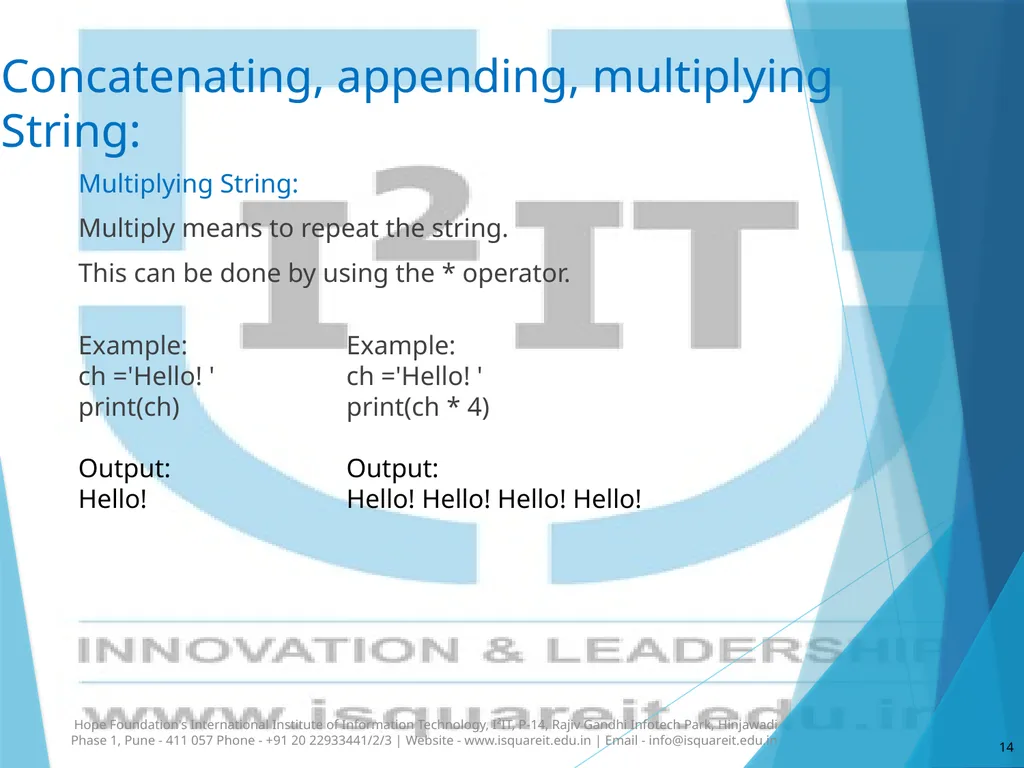
Concatenating, appending, multiplying String: Multiplying String:
Multiply means to repeat the string.
This can be done by using the * operator. Hope Foundation's International Institute of Information Technology, I²IT, P-14, Rajiv Gandhi Infotech Park, Hinjawadi Phase 1, Pune - 411 057 Phone - +91 20 22933441/2/3 | Website - www.isquareit.edu.in | Email - info@isquareit.edu.in 14 Example:
ch ='Hello! '
print(ch * 4)
Output:
Hello! Hello! Hello! Hello! Example:
ch ='Hello! '
print(ch)
Output:
Hello!<br>
Multiply means to repeat the string.
This can be done by using the * operator. Hope Foundation's International Institute of Information Technology, I²IT, P-14, Rajiv Gandhi Infotech Park, Hinjawadi Phase 1, Pune - 411 057 Phone - +91 20 22933441/2/3 | Website - www.isquareit.edu.in | Email - info@isquareit.edu.in 14 Example:
ch ='Hello! '
print(ch * 4)
Output:
Hello! Hello! Hello! Hello! Example:
ch ='Hello! '
print(ch)
Output:
Hello!<br>
15
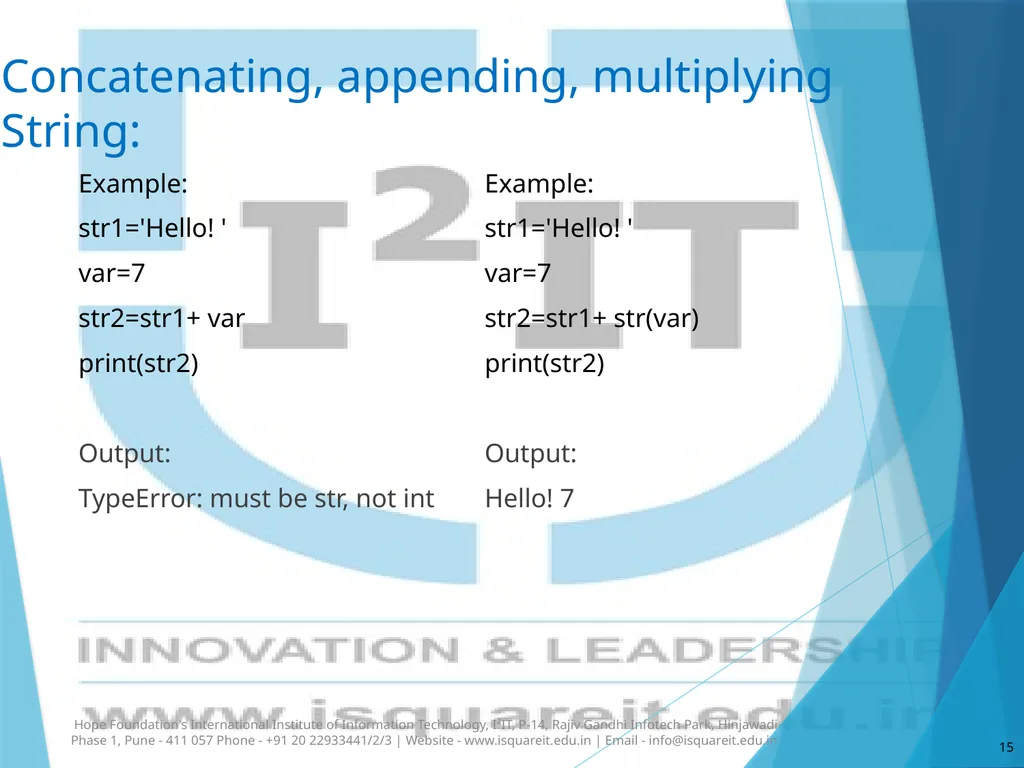
Concatenating, appending, multiplying String: Example:
str1='Hello! '
var=7
str2=str1+ var
print(str2)
Output:
TypeError: must be str, not int Hope Foundation's International Institute of Information Technology, I²IT, P-14, Rajiv Gandhi Infotech Park, Hinjawadi Phase 1, Pune - 411 057 Phone - +91 20 22933441/2/3 | Website - www.isquareit.edu.in | Email - info@isquareit.edu.in 15 Example:
str1='Hello! '
var=7
str2=str1+ str(var)
print(str2)
Output:
Hello! 7<br>
str1='Hello! '
var=7
str2=str1+ var
print(str2)
Output:
TypeError: must be str, not int Hope Foundation's International Institute of Information Technology, I²IT, P-14, Rajiv Gandhi Infotech Park, Hinjawadi Phase 1, Pune - 411 057 Phone - +91 20 22933441/2/3 | Website - www.isquareit.edu.in | Email - info@isquareit.edu.in 15 Example:
str1='Hello! '
var=7
str2=str1+ str(var)
print(str2)
Output:
Hello! 7<br>
16
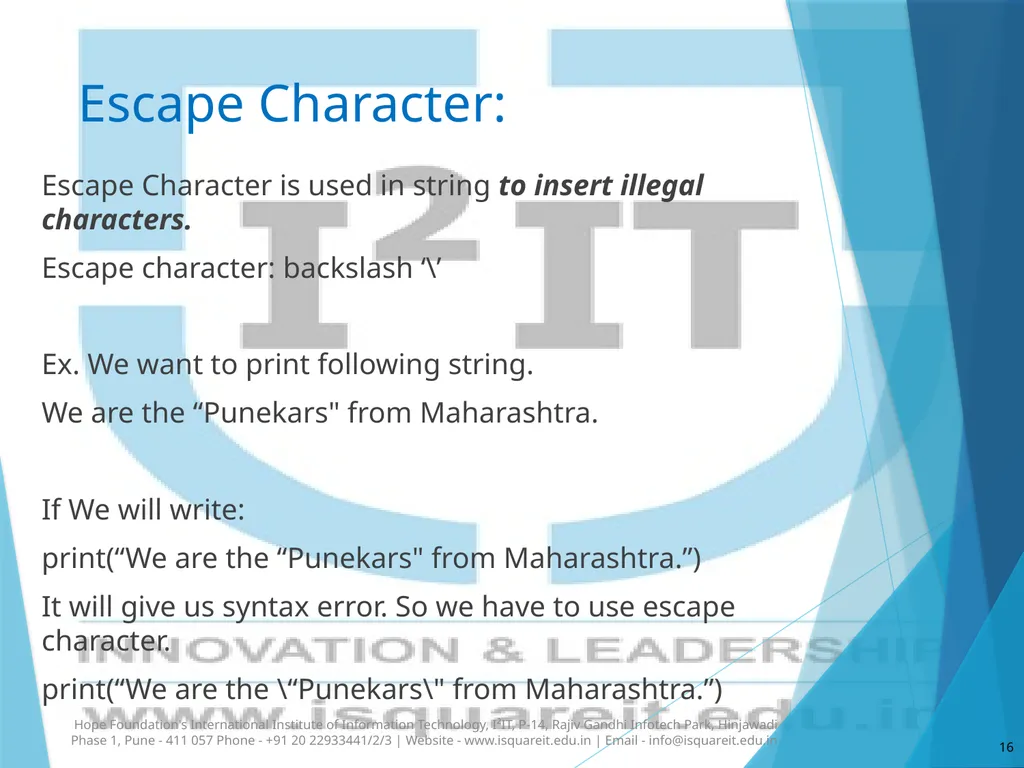
Escape Character: Hope Foundation's International Institute of Information Technology, I²IT, P-14, Rajiv Gandhi Infotech Park, Hinjawadi Phase 1, Pune - 411 057 Phone - +91 20 22933441/2/3 | Website - www.isquareit.edu.in | Email - info@isquareit.edu.in 16 Escape Character is used in string to insert illegal characters.
Escape character: backslash ‘\’
Ex. We want to print following string.
We are the “Punekars" from Maharashtra.
If We will write:
print(“We are the “Punekars" from Maharashtra.”)
It will give us syntax error. So we have to use escape character.
print(“We are the \“Punekars\" from Maharashtra.”)<br>
Escape character: backslash ‘\’
Ex. We want to print following string.
We are the “Punekars" from Maharashtra.
If We will write:
print(“We are the “Punekars" from Maharashtra.”)
It will give us syntax error. So we have to use escape character.
print(“We are the \“Punekars\" from Maharashtra.”)<br>
17
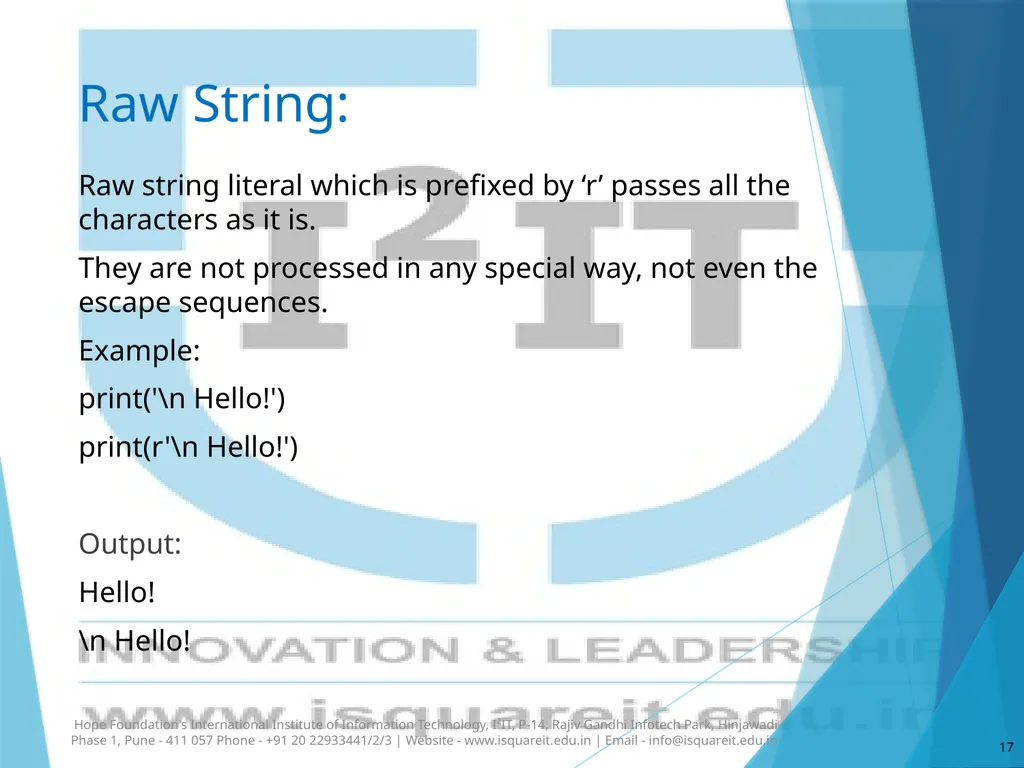
Raw String: Raw string literal which is prefixed by ‘r’ passes all the characters as it is.
They are not processed in any special way, not even the escape sequences.
Example:
print('\n Hello!')
print(r'\n Hello!')
Output:
Hello!
\n Hello! Hope Foundation's International Institute of Information Technology, I²IT, P-14, Rajiv Gandhi Infotech Park, Hinjawadi Phase 1, Pune - 411 057 Phone - +91 20 22933441/2/3 | Website - www.isquareit.edu.in | Email - info@isquareit.edu.in 17<br>
They are not processed in any special way, not even the escape sequences.
Example:
print('\n Hello!')
print(r'\n Hello!')
Output:
Hello!
\n Hello! Hope Foundation's International Institute of Information Technology, I²IT, P-14, Rajiv Gandhi Infotech Park, Hinjawadi Phase 1, Pune - 411 057 Phone - +91 20 22933441/2/3 | Website - www.isquareit.edu.in | Email - info@isquareit.edu.in 17<br>
18
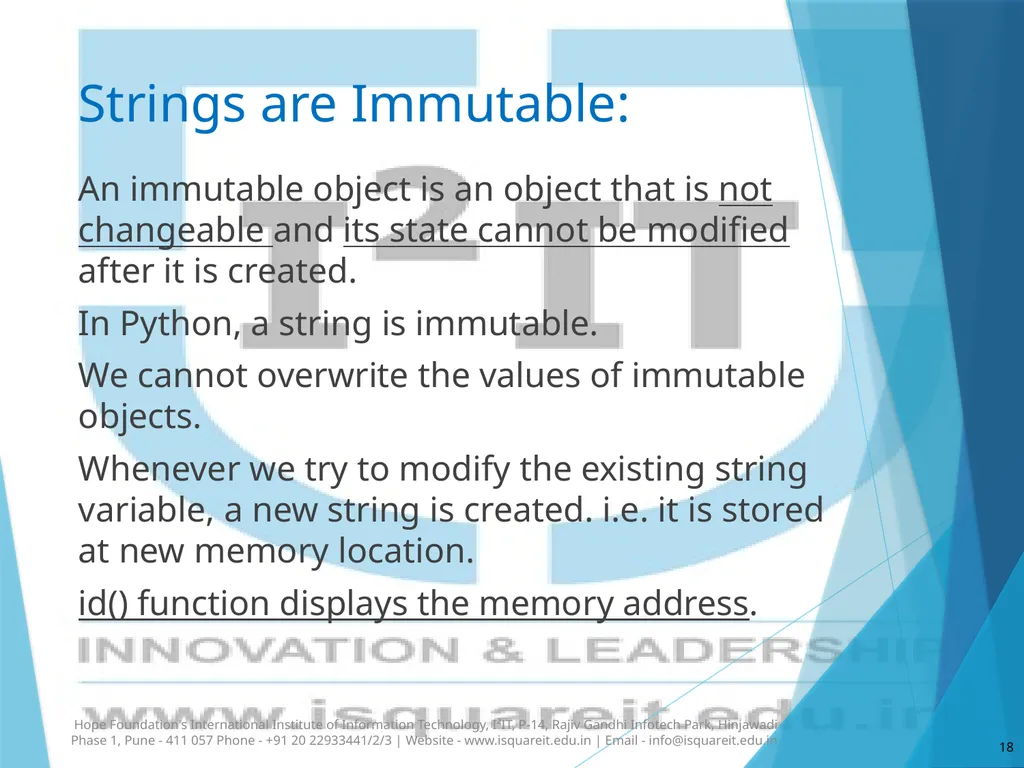
Strings are Immutable: An immutable object is an object that is not changeable and its state cannot be modified after it is created.
In Python, a string is immutable.
We cannot overwrite the values of immutable objects.
Whenever we try to modify the existing string variable, a new string is created. i.e. it is stored at new memory location.
id() function displays the memory address. Hope Foundation's International Institute of Information Technology, I²IT, P-14, Rajiv Gandhi Infotech Park, Hinjawadi Phase 1, Pune - 411 057 Phone - +91 20 22933441/2/3 | Website - www.isquareit.edu.in | Email - info@isquareit.edu.in 18<br>
In Python, a string is immutable.
We cannot overwrite the values of immutable objects.
Whenever we try to modify the existing string variable, a new string is created. i.e. it is stored at new memory location.
id() function displays the memory address. Hope Foundation's International Institute of Information Technology, I²IT, P-14, Rajiv Gandhi Infotech Park, Hinjawadi Phase 1, Pune - 411 057 Phone - +91 20 22933441/2/3 | Website - www.isquareit.edu.in | Email - info@isquareit.edu.in 18<br>
19
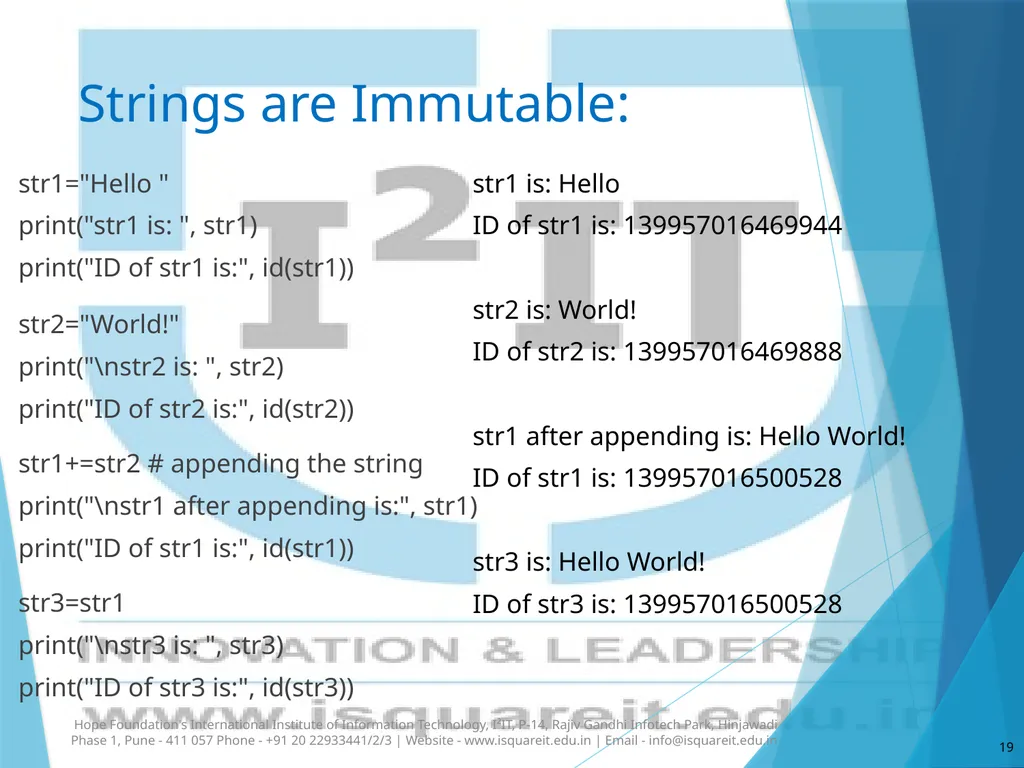
Strings are Immutable: str1="Hello "
print("str1 is: ", str1)
print("ID of str1 is:", id(str1))
str2="World!"
print("\nstr2 is: ", str2)
print("ID of str2 is:", id(str2))
str1+=str2 # appending the string
print("\nstr1 after appending is:", str1)
print("ID of str1 is:", id(str1))
str3=str1
print("\nstr3 is: ", str3)
print("ID of str3 is:", id(str3)) Hope Foundation's International Institute of Information Technology, I²IT, P-14, Rajiv Gandhi Infotech Park, Hinjawadi Phase 1, Pune - 411 057 Phone - +91 20 22933441/2/3 | Website - www.isquareit.edu.in | Email - info@isquareit.edu.in 19 str1 is: Hello
ID of str1 is: 139957016469944
str2 is: World!
ID of str2 is: 139957016469888
str1 after appending is: Hello World!
ID of str1 is: 139957016500528
str3 is: Hello World!
ID of str3 is: 139957016500528<br>
print("str1 is: ", str1)
print("ID of str1 is:", id(str1))
str2="World!"
print("\nstr2 is: ", str2)
print("ID of str2 is:", id(str2))
str1+=str2 # appending the string
print("\nstr1 after appending is:", str1)
print("ID of str1 is:", id(str1))
str3=str1
print("\nstr3 is: ", str3)
print("ID of str3 is:", id(str3)) Hope Foundation's International Institute of Information Technology, I²IT, P-14, Rajiv Gandhi Infotech Park, Hinjawadi Phase 1, Pune - 411 057 Phone - +91 20 22933441/2/3 | Website - www.isquareit.edu.in | Email - info@isquareit.edu.in 19 str1 is: Hello
ID of str1 is: 139957016469944
str2 is: World!
ID of str2 is: 139957016469888
str1 after appending is: Hello World!
ID of str1 is: 139957016500528
str3 is: Hello World!
ID of str3 is: 139957016500528<br>
20
Strings are Immutable: str1="Hello "
print("str1 is: ", str1)
print("ID of str1 is:", id(str1))
str2="World!"
print("\nstr2 is: ", str2)
print("ID of str2 is:", id(str2))
str1+=str2 # appending the string
print("\nstr1 after appending is:", str1)
print("ID of str1 is:", id(str1))
str3=str1
print("\nstr3 is: ", str3)
print("ID of str3 is:", id(str3)) Hope Foundation's International Institute of Information Technology, I²IT, P-14, Rajiv Gandhi Infotech Park, Hinjawadi Phase 1, Pune - 411 057 Phone - +91 20 22933441/2/3 | Website - www.isquareit.edu.in | Email - info@isquareit.edu.in 20 str1 is: Hello
ID of str1 is: 139957016469944
str2 is: World!
ID of str2 is: 139957016469888
str1 after appending is: Hello World!
ID of str1 is: 139957016500528
str3 is: Hello World!
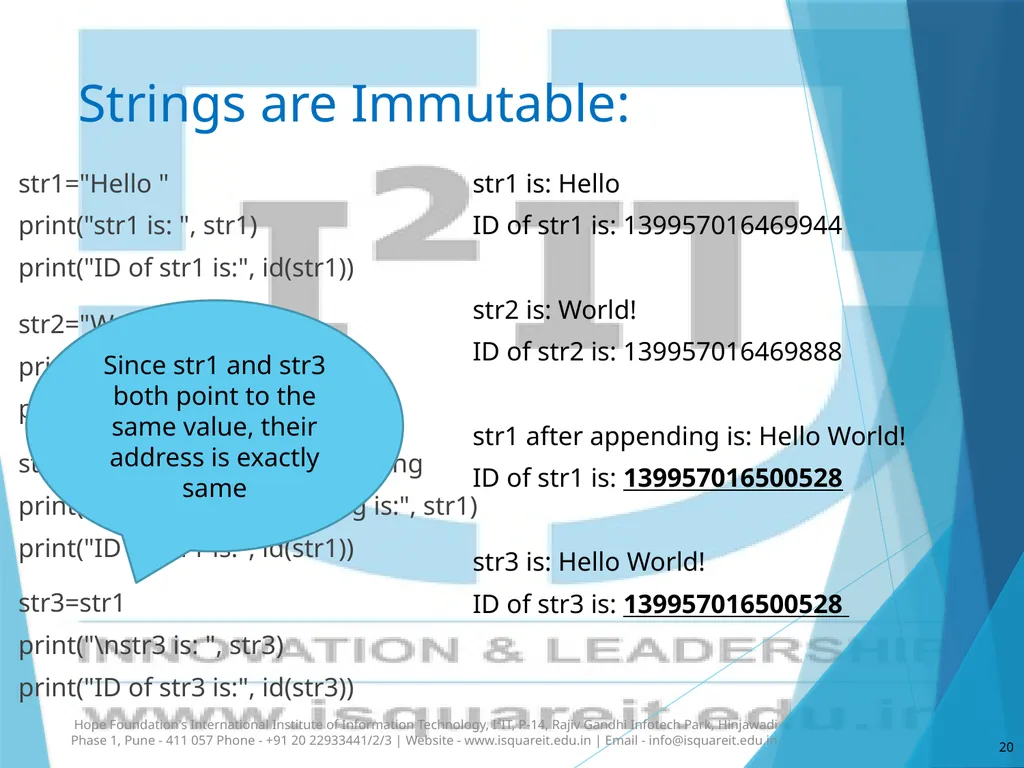
ID of str3 is: 139957016500528 Since str1 and str3 both point to the same value, their address is exactly same<br>
print("str1 is: ", str1)
print("ID of str1 is:", id(str1))
str2="World!"
print("\nstr2 is: ", str2)
print("ID of str2 is:", id(str2))
str1+=str2 # appending the string
print("\nstr1 after appending is:", str1)
print("ID of str1 is:", id(str1))
str3=str1
print("\nstr3 is: ", str3)
print("ID of str3 is:", id(str3)) Hope Foundation's International Institute of Information Technology, I²IT, P-14, Rajiv Gandhi Infotech Park, Hinjawadi Phase 1, Pune - 411 057 Phone - +91 20 22933441/2/3 | Website - www.isquareit.edu.in | Email - info@isquareit.edu.in 20 str1 is: Hello
ID of str1 is: 139957016469944
str2 is: World!
ID of str2 is: 139957016469888
str1 after appending is: Hello World!
ID of str1 is: 139957016500528
str3 is: Hello World!
ID of str3 is: 139957016500528 Since str1 and str3 both point to the same value, their address is exactly same<br>
21
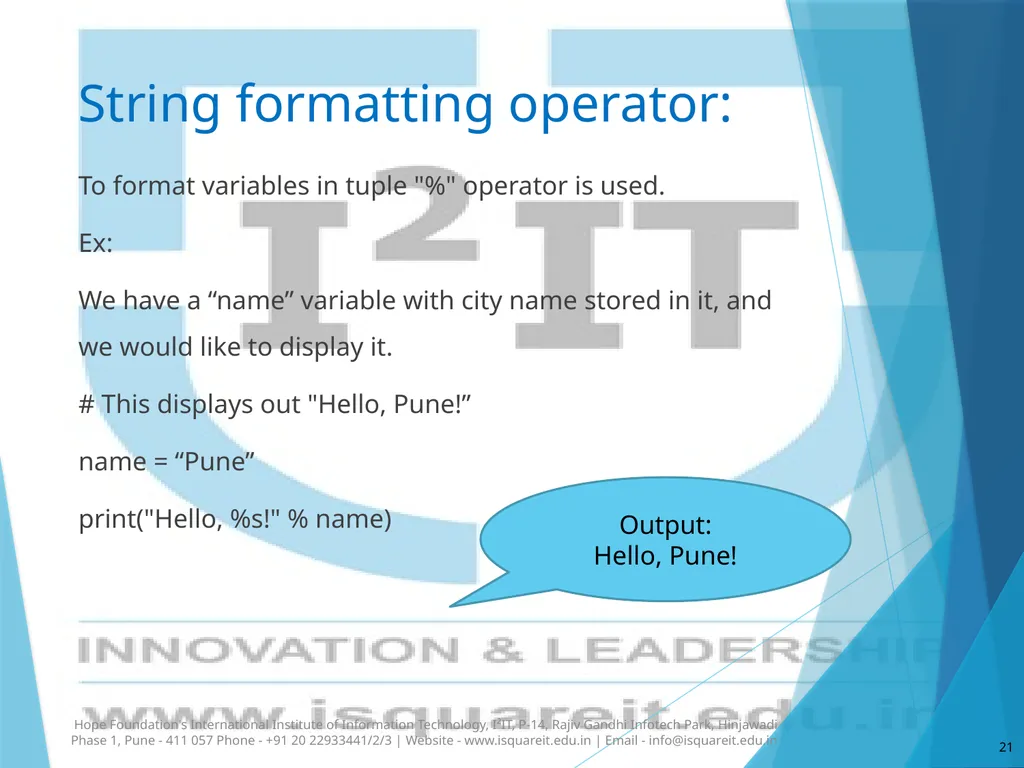
String formatting operator: To format variables in tuple "%" operator is used.
Ex:
We have a “name” variable with city name stored in it, and we would like to display it.
# This displays out "Hello, Pune!”
name = “Pune”
print("Hello, %s!" % name) Hope Foundation's International Institute of Information Technology, I²IT, P-14, Rajiv Gandhi Infotech Park, Hinjawadi Phase 1, Pune - 411 057 Phone - +91 20 22933441/2/3 | Website - www.isquareit.edu.in | Email - info@isquareit.edu.in 21 Output:
Hello, Pune!<br>
Ex:
We have a “name” variable with city name stored in it, and we would like to display it.
# This displays out "Hello, Pune!”
name = “Pune”
print("Hello, %s!" % name) Hope Foundation's International Institute of Information Technology, I²IT, P-14, Rajiv Gandhi Infotech Park, Hinjawadi Phase 1, Pune - 411 057 Phone - +91 20 22933441/2/3 | Website - www.isquareit.edu.in | Email - info@isquareit.edu.in 21 Output:
Hello, Pune!<br>
22
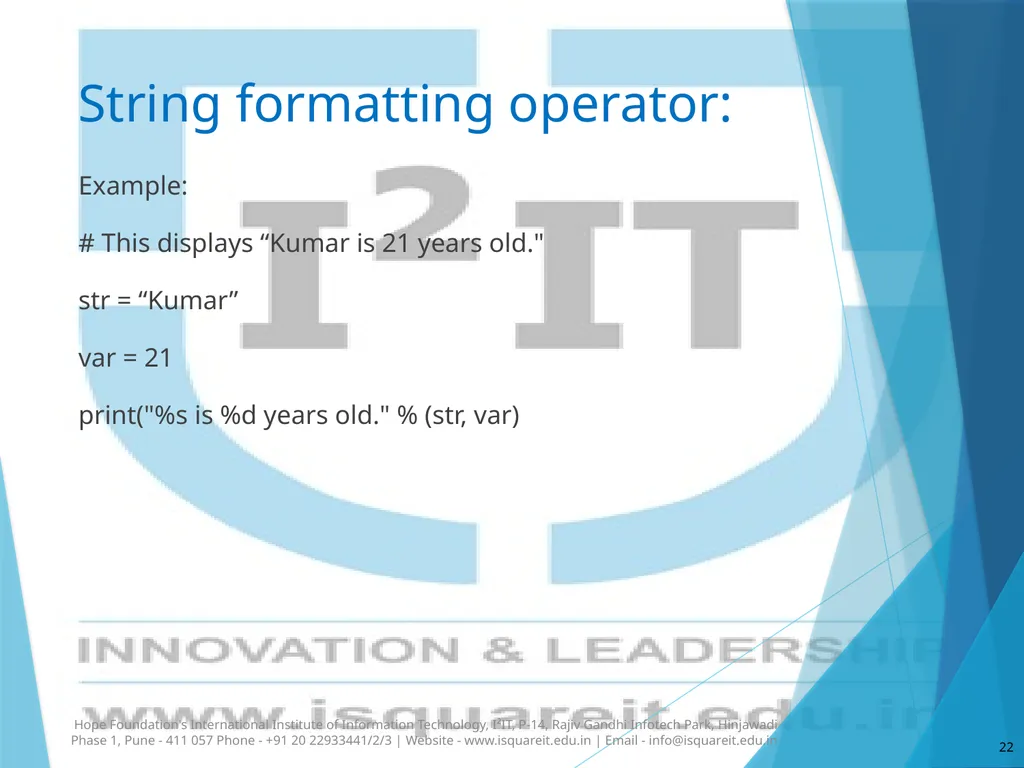
String formatting operator: Example:
# This displays “Kumar is 21 years old."
str = “Kumar”
var = 21
print("%s is %d years old." % (str, var) Hope Foundation's International Institute of Information Technology, I²IT, P-14, Rajiv Gandhi Infotech Park, Hinjawadi Phase 1, Pune - 411 057 Phone - +91 20 22933441/2/3 | Website - www.isquareit.edu.in | Email - info@isquareit.edu.in 22<br>
# This displays “Kumar is 21 years old."
str = “Kumar”
var = 21
print("%s is %d years old." % (str, var) Hope Foundation's International Institute of Information Technology, I²IT, P-14, Rajiv Gandhi Infotech Park, Hinjawadi Phase 1, Pune - 411 057 Phone - +91 20 22933441/2/3 | Website - www.isquareit.edu.in | Email - info@isquareit.edu.in 22<br>
23
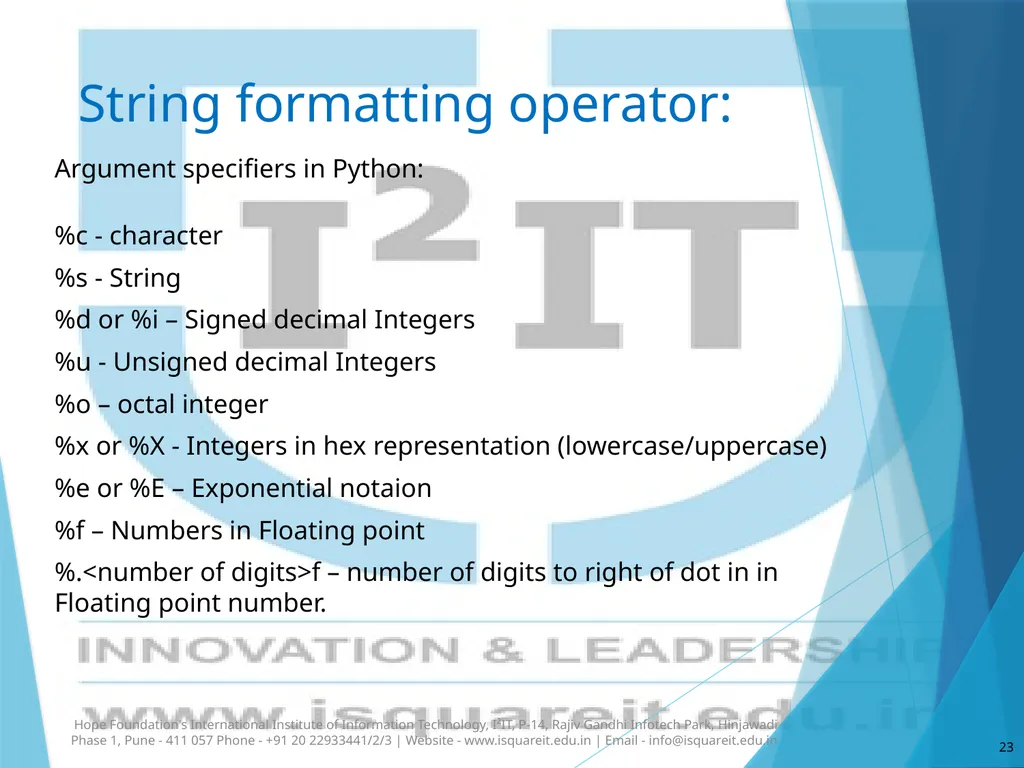
String formatting operator: Argument specifiers in Python:
%c - character
%s - String
%d or %i – Signed decimal Integers
%u - Unsigned decimal Integers
%o – octal integer
%x or %X - Integers in hex representation (lowercase/uppercase)
%e or %E – Exponential notaion
%f – Numbers in Floating point
%.<number of digits>f – number of digits to right of dot in in Floating point number. Hope Foundation's International Institute of Information Technology, I²IT, P-14, Rajiv Gandhi Infotech Park, Hinjawadi Phase 1, Pune - 411 057 Phone - +91 20 22933441/2/3 | Website - www.isquareit.edu.in | Email - info@isquareit.edu.in 23<br>
%c - character
%s - String
%d or %i – Signed decimal Integers
%u - Unsigned decimal Integers
%o – octal integer
%x or %X - Integers in hex representation (lowercase/uppercase)
%e or %E – Exponential notaion
%f – Numbers in Floating point
%.<number of digits>f – number of digits to right of dot in in Floating point number. Hope Foundation's International Institute of Information Technology, I²IT, P-14, Rajiv Gandhi Infotech Park, Hinjawadi Phase 1, Pune - 411 057 Phone - +91 20 22933441/2/3 | Website - www.isquareit.edu.in | Email - info@isquareit.edu.in 23<br>
24
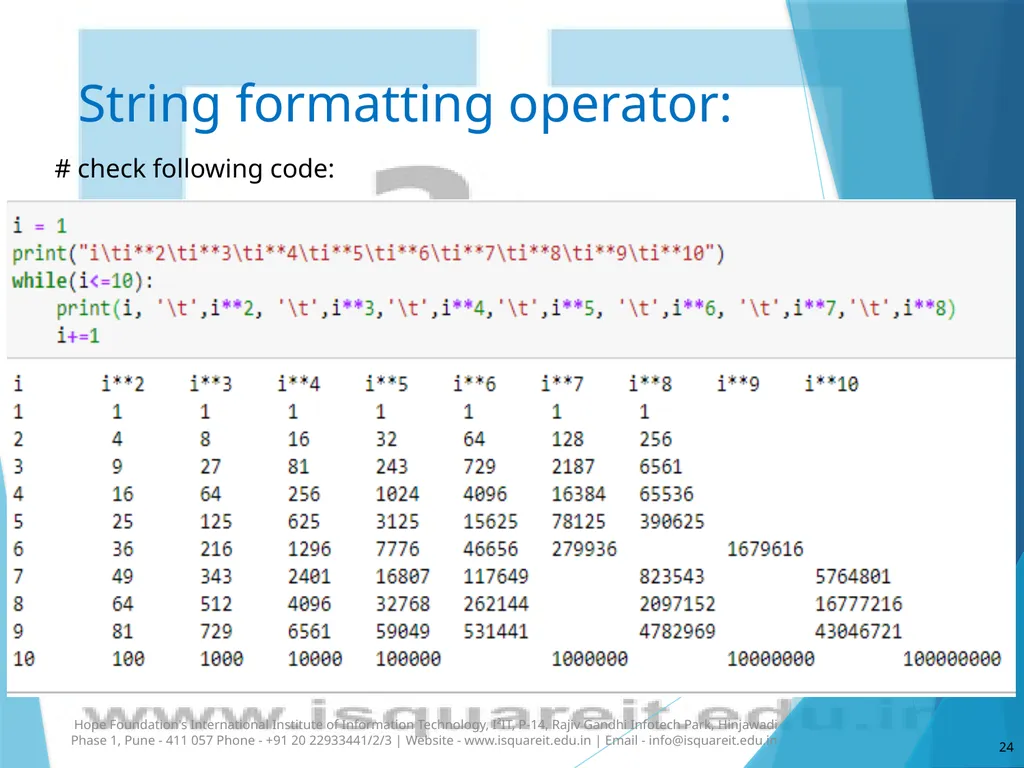
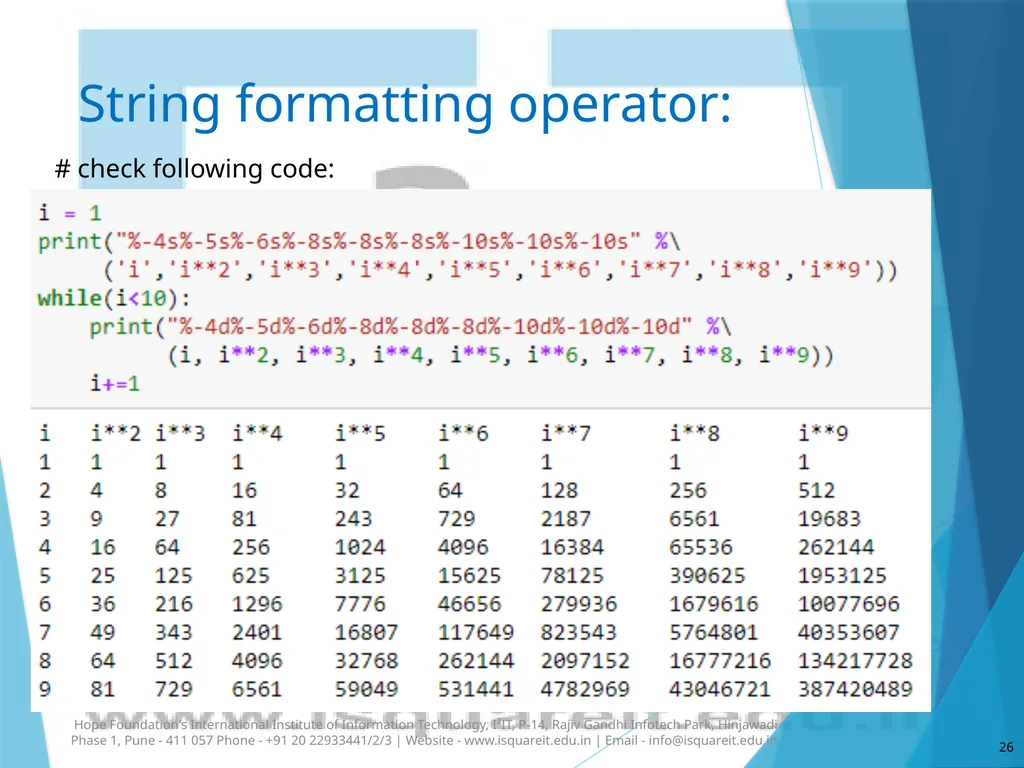
String formatting operator: # check following code: Hope Foundation's International Institute of Information Technology, I²IT, P-14, Rajiv Gandhi Infotech Park, Hinjawadi Phase 1, Pune - 411 057 Phone - +91 20 22933441/2/3 | Website - www.isquareit.edu.in | Email - info@isquareit.edu.in 24<br>
25
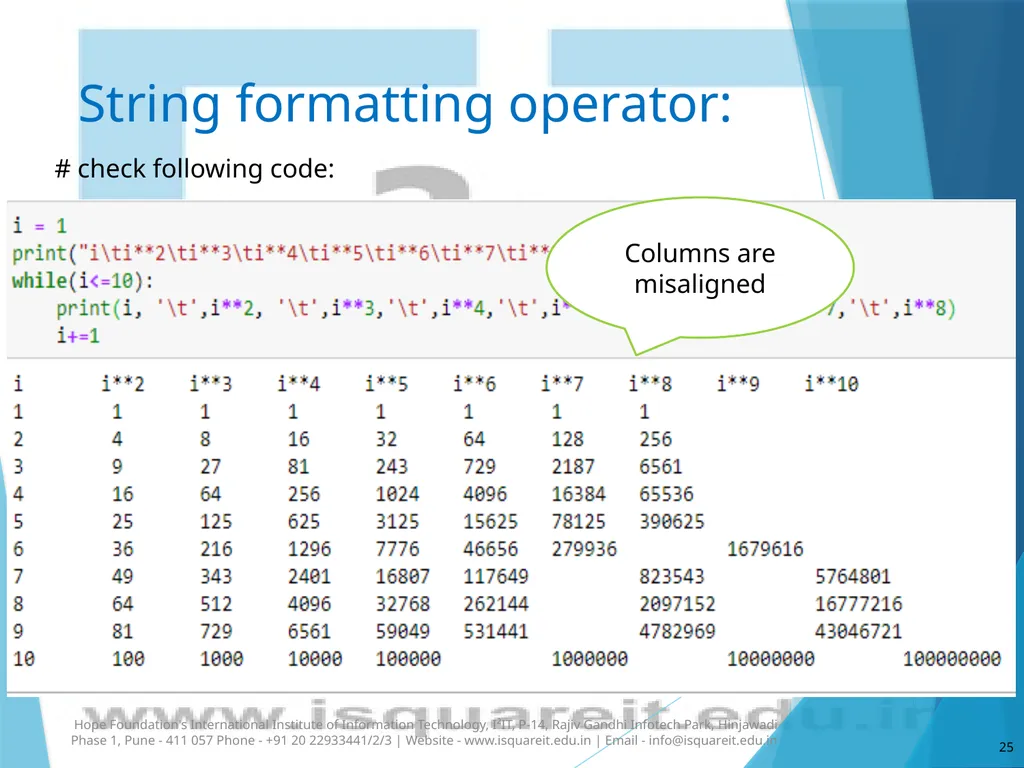
String formatting operator: # check following code: Hope Foundation's International Institute of Information Technology, I²IT, P-14, Rajiv Gandhi Infotech Park, Hinjawadi Phase 1, Pune - 411 057 Phone - +91 20 22933441/2/3 | Website - www.isquareit.edu.in | Email - info@isquareit.edu.in 25 Columns are misaligned<br>
26
String formatting operator: # check following code: Hope Foundation's International Institute of Information Technology, I²IT, P-14, Rajiv Gandhi Infotech Park, Hinjawadi Phase 1, Pune - 411 057 Phone - +91 20 22933441/2/3 | Website - www.isquareit.edu.in | Email - info@isquareit.edu.in 26<br>
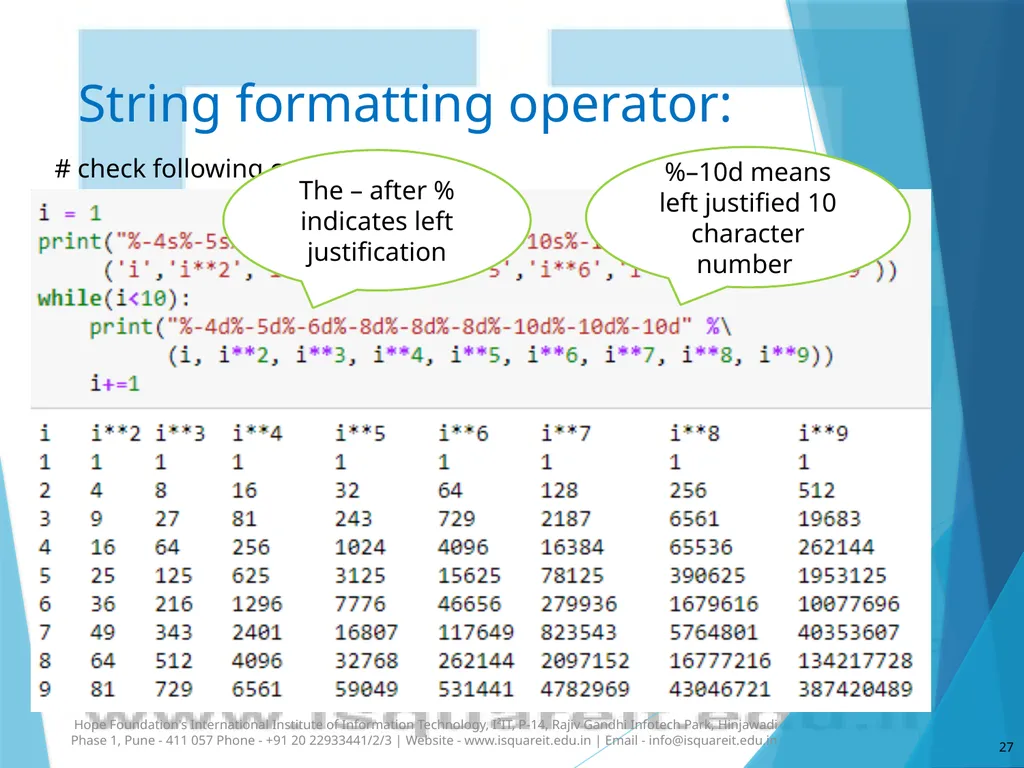
27
String formatting operator: # check following code: Hope Foundation's International Institute of Information Technology, I²IT, P-14, Rajiv Gandhi Infotech Park, Hinjawadi Phase 1, Pune - 411 057 Phone - +91 20 22933441/2/3 | Website - www.isquareit.edu.in | Email - info@isquareit.edu.in 27 The – after % indicates left justification %–10d means left justified 10 character number<br>
28
References:
“Python Programming using Problem Solving Approach”, by Reema Thareja, Oxford University Pres. 28 Hope Foundation's International Institute of Information Technology, I²IT, P-14, Rajiv Gandhi Infotech Park, Hinjawadi Phase 1, Pune - 411 057 Phone - +91 20 22933441/2/3 | Website - www.isquareit.edu.in | Email - info@isquareit.edu.in<br>
“Python Programming using Problem Solving Approach”, by Reema Thareja, Oxford University Pres. 28 Hope Foundation's International Institute of Information Technology, I²IT, P-14, Rajiv Gandhi Infotech Park, Hinjawadi Phase 1, Pune - 411 057 Phone - +91 20 22933441/2/3 | Website - www.isquareit.edu.in | Email - info@isquareit.edu.in<br>
29
Thank you!! 29 Hope Foundation's International Institute of Information Technology, I²IT, P-14, Rajiv Gandhi Infotech Park, Hinjawadi Phase 1, Pune - 411 057 Phone - +91 20 22933441/2/3 | Website - www.isquareit.edu.in | Email - info@isquareit.edu.in<br>