Surviving Wi-Fi Interference in Low Power ZigBee Networks Chieh-Jan Mike Liang, Nissanka Bodhi Priyantha, Jie Liu, Andreas Terzis Johns Hopkins University, Microsoft Research Sensys 2010 Presenter: SY Outline Introduction WiFi and Zigbee
"Surviving Wi-Fi Interference in Low Power ZigBee" is the property of its rightful owner. Permission is granted to
download and print the materials on this website for personal, non-commercial use only, and to display it
on your personal computer provided you do not modify the materials and that you retain all copyright
notices contained in the materials. By downloading content from our website, you accept the terms of this
agreement.
Presentation Transcript
01
Surviving Wi-Fi Interference in Low Power ZigBee Networks Chieh-Jan Mike Liang, Nissanka Bodhi Priyantha, Jie Liu, Andreas Terzis
Johns Hopkins University, Microsoft Research
Sensys 2010
Presenter: SY<br>
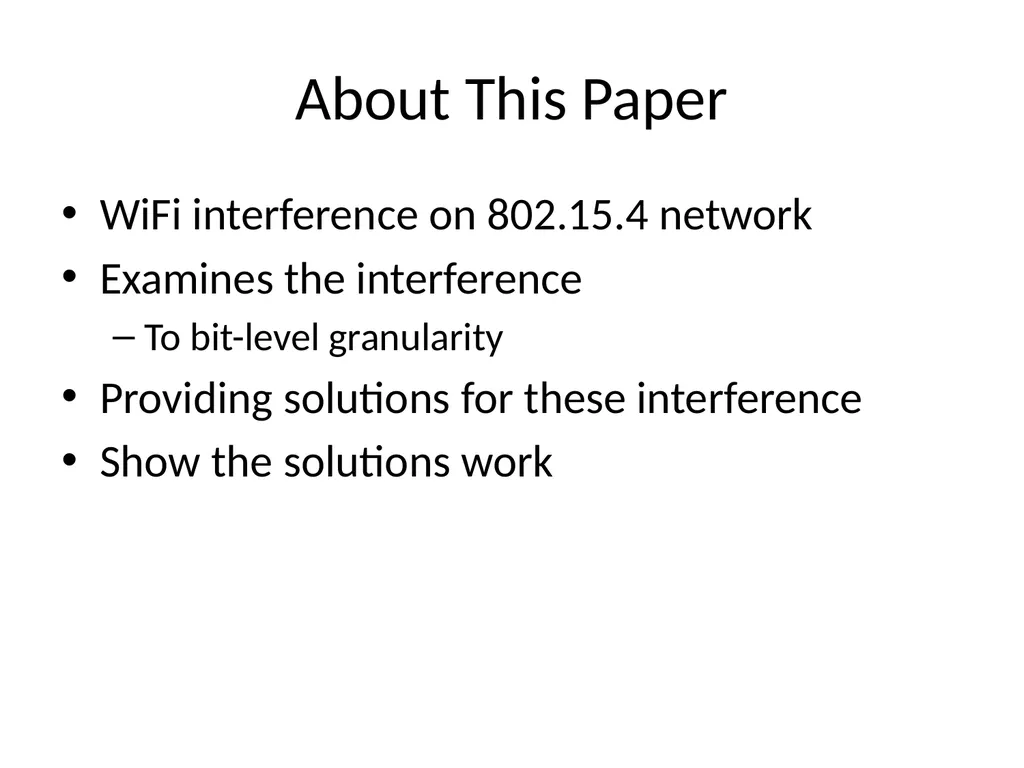
About This Paper WiFi interference on 802.15.4 network
Examines the interference
To bit-level granularity
Providing solutions for these interference
Show the solutions work<br>
04
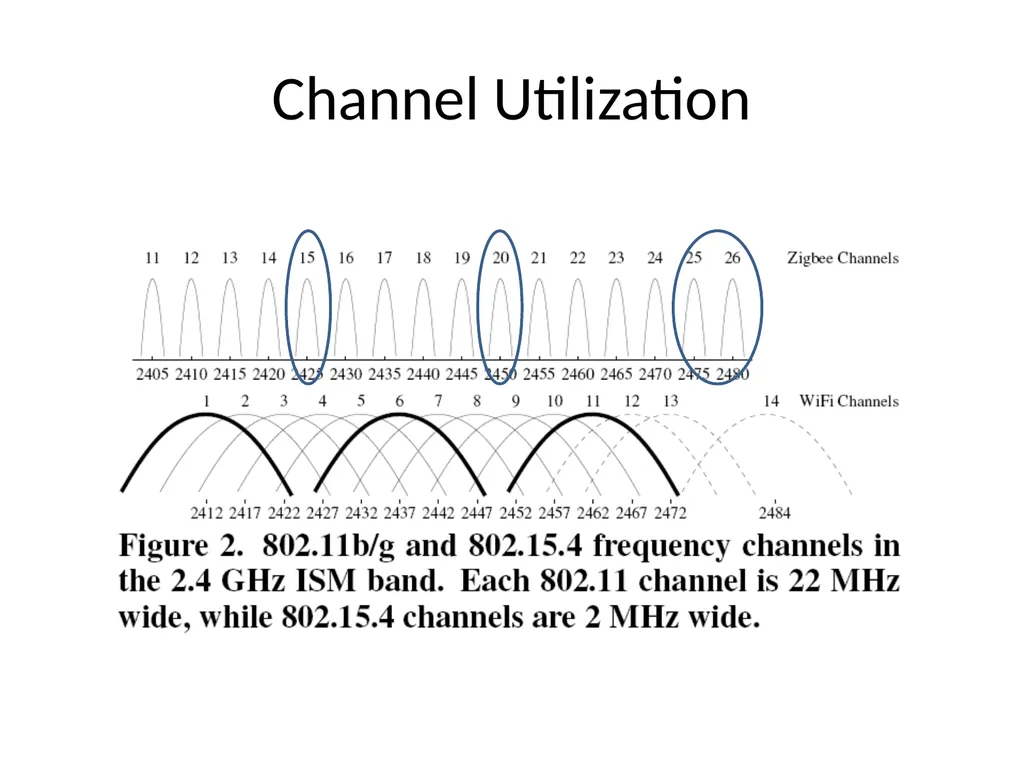
Channel Utilization<br>
05
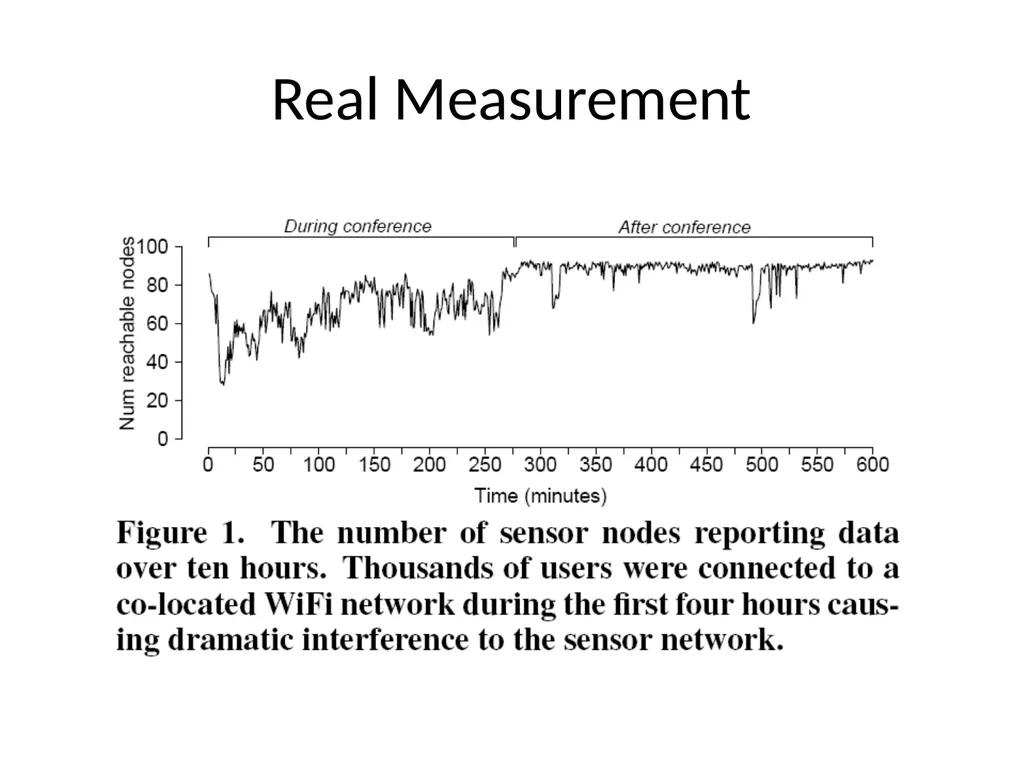
Real Measurement<br>
06
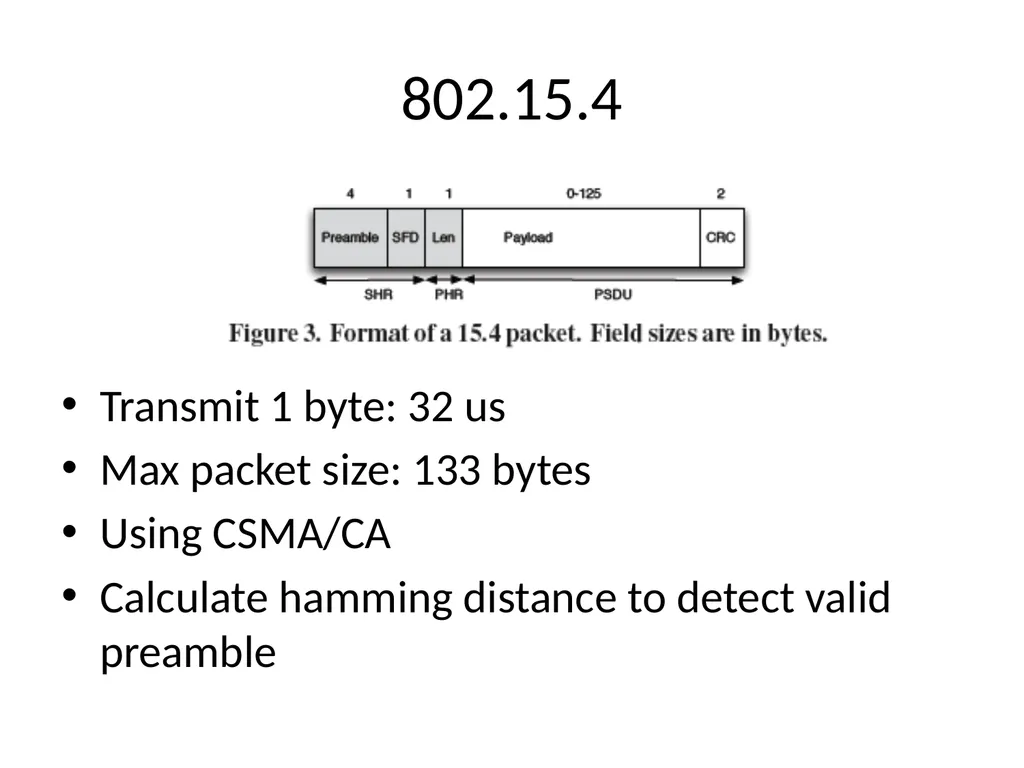
802.15.4 Transmit 1 byte: 32 us
Max packet size: 133 bytes
Using CSMA/CA
Calculate hamming distance to detect valid preamble<br>
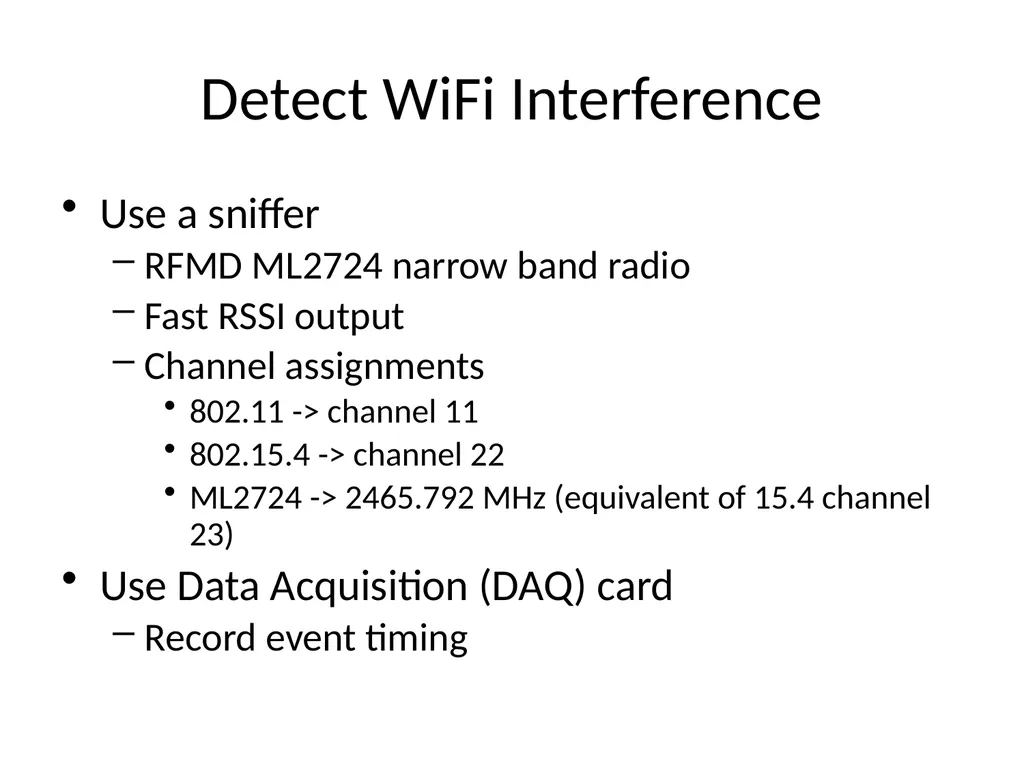
Detect WiFi Interference Use a sniffer
RFMD ML2724 narrow band radio
Fast RSSI output
Channel assignments
802.11 -> channel 11
802.15.4 -> channel 22
ML2724 -> 2465.792 MHz (equivalent of 15.4 channel 23)
Use Data Acquisition (DAQ) card
Record event timing<br>
10
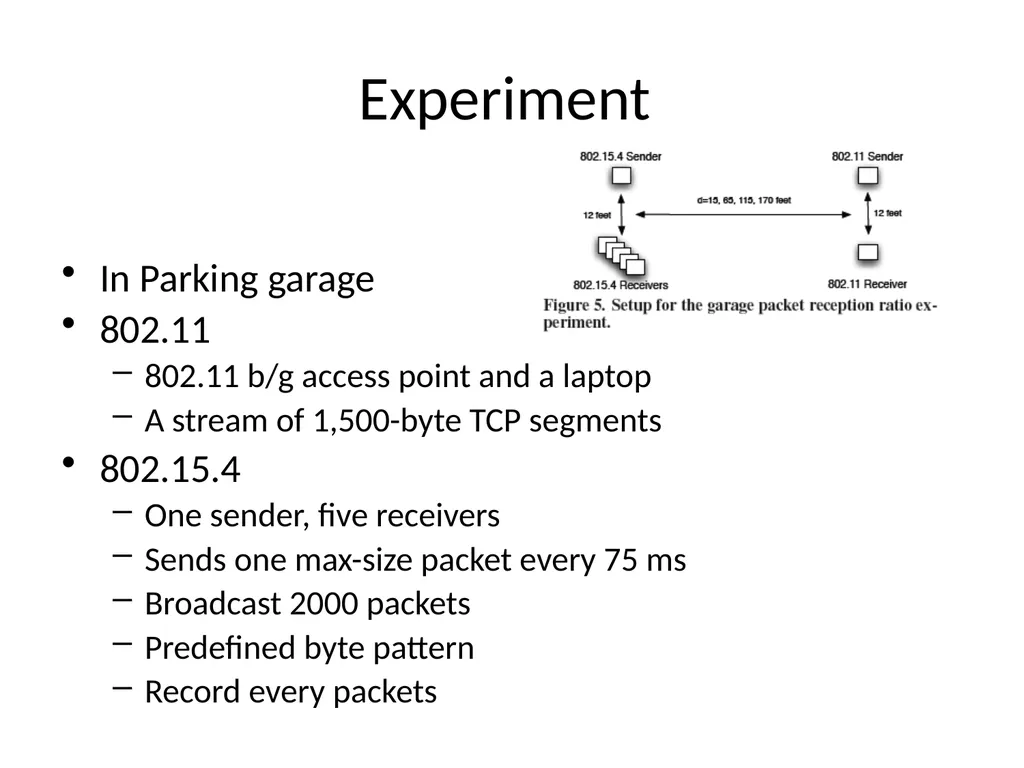
Experiment In Parking garage
802.11
802.11 b/g access point and a laptop
A stream of 1,500-byte TCP segments
802.15.4
One sender, five receivers
Sends one max-size packet every 75 ms
Broadcast 2000 packets
Predefined byte pattern
Record every packets<br>
11
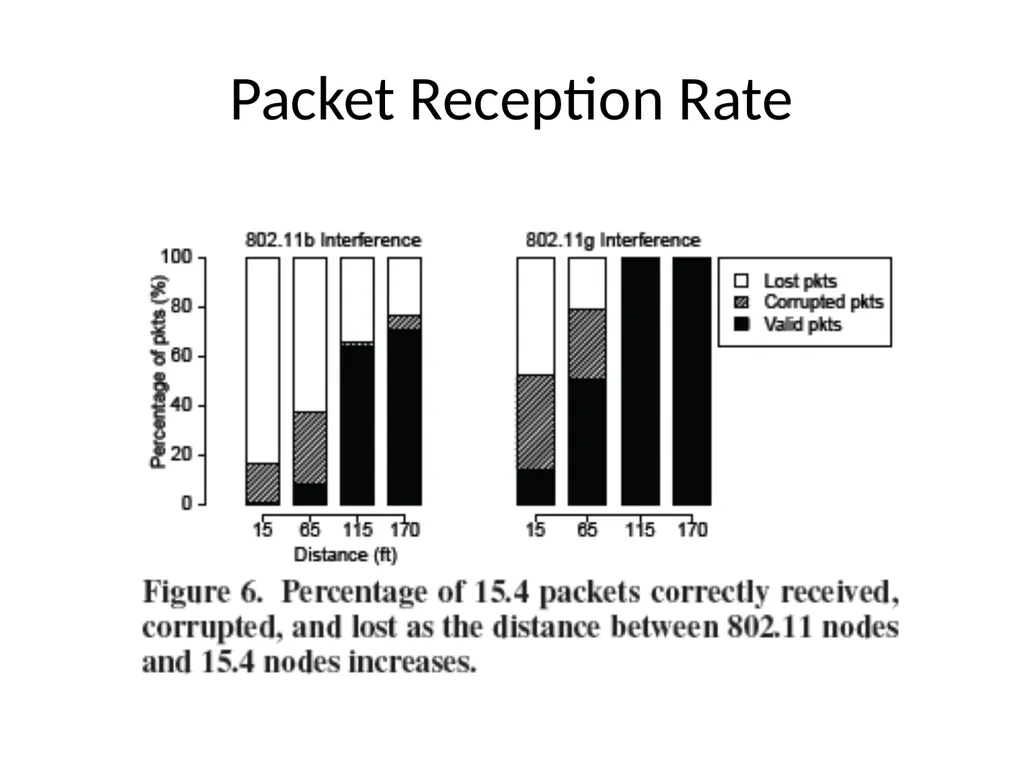
Packet Reception Rate<br>
12
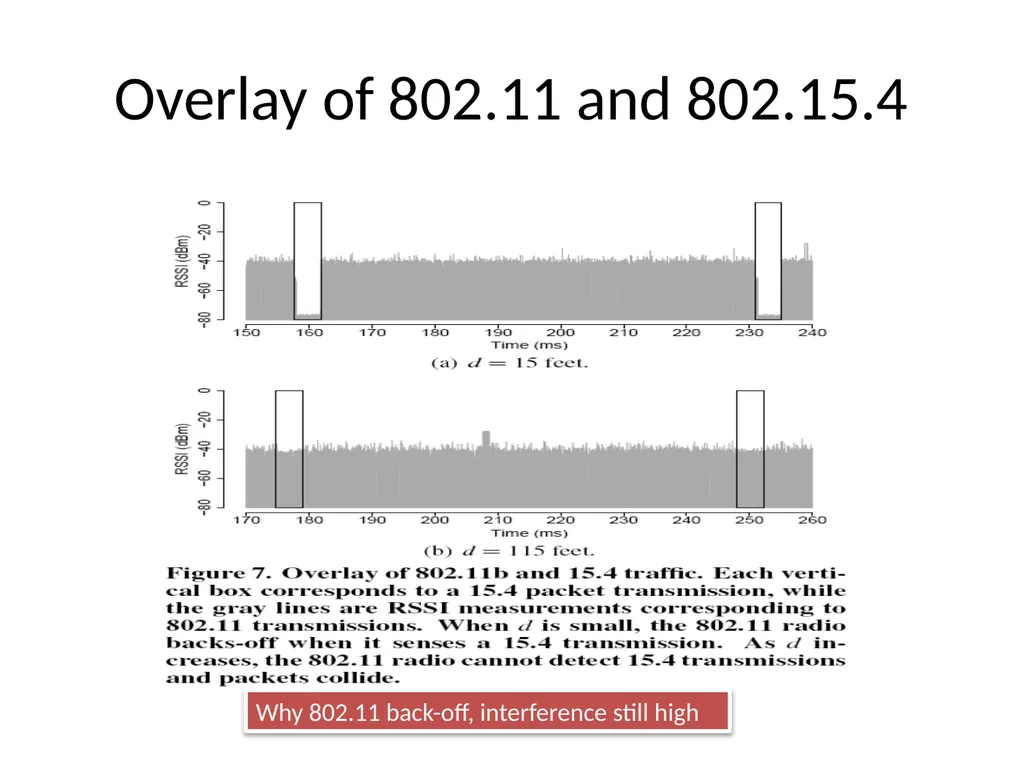
Overlay of 802.11 and 802.15.4 Why 802.11 back-off, interference still high<br>
13
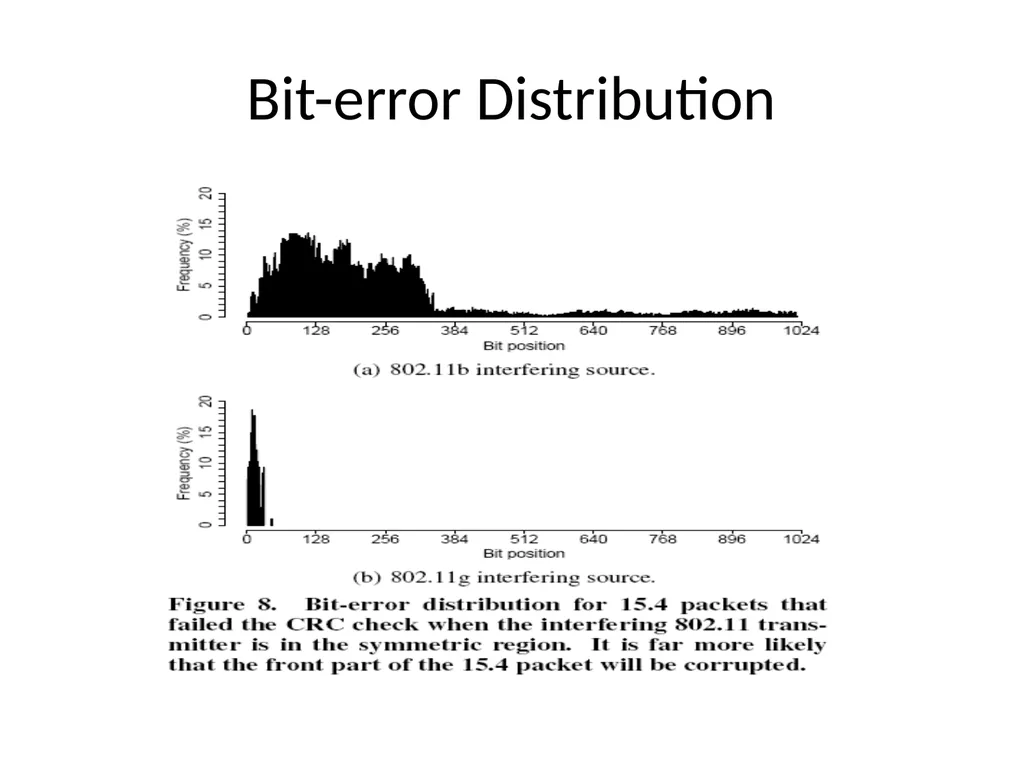
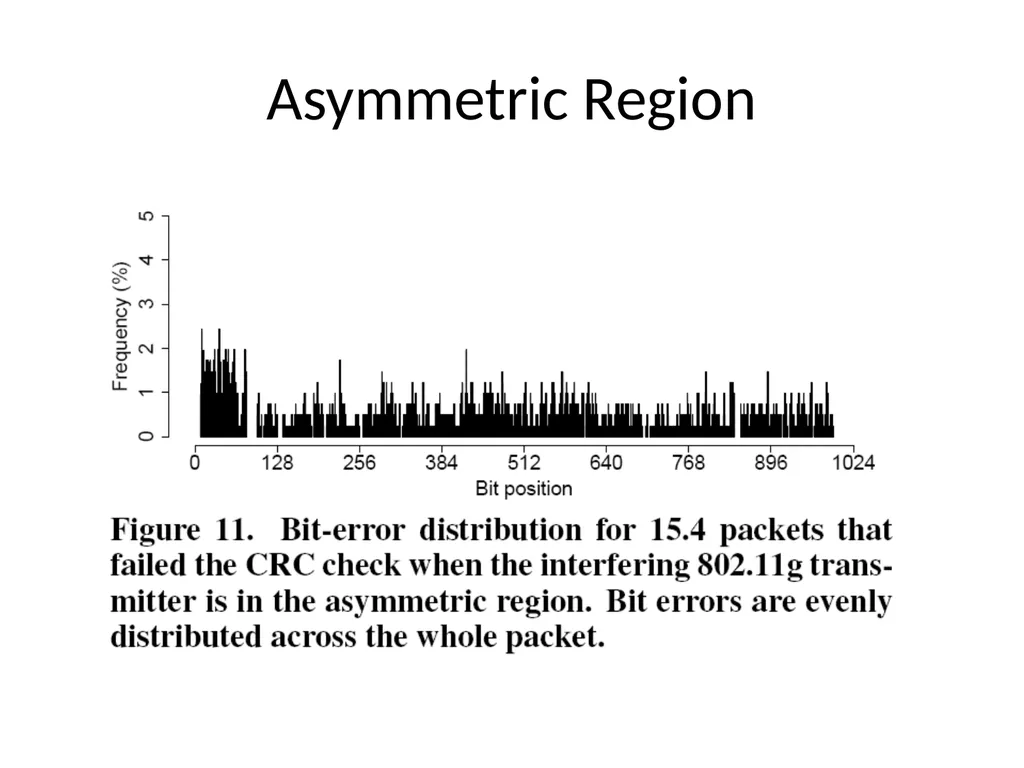
Bit-error Distribution<br>
14
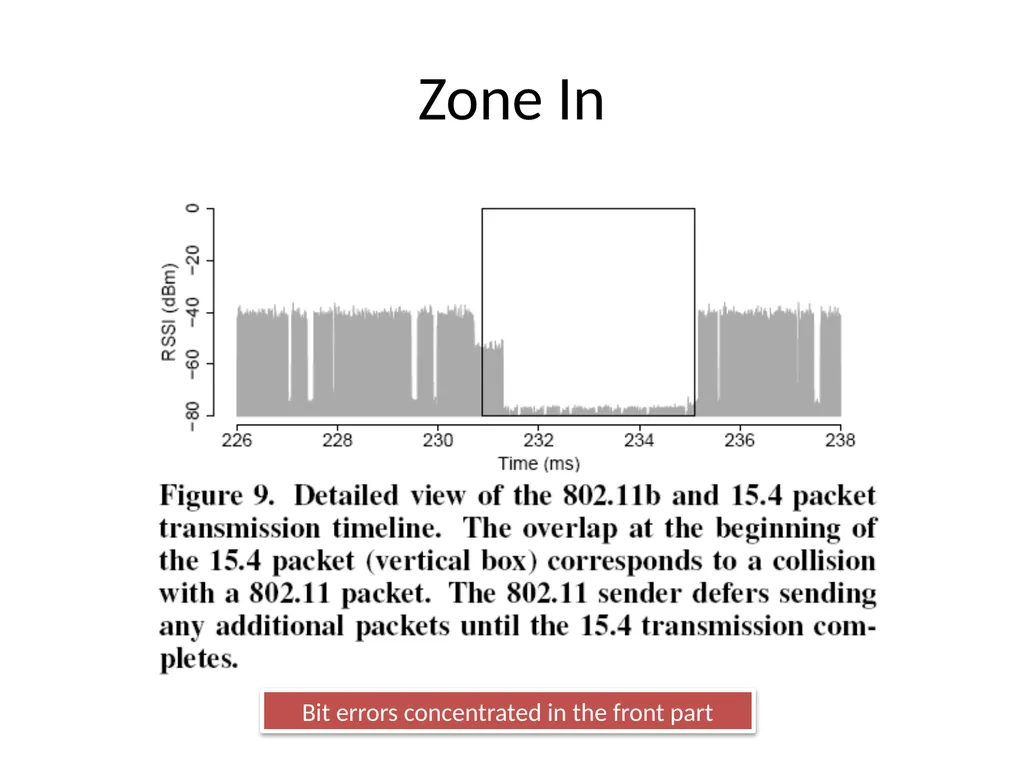
Zone In Bit errors concentrated in the front part<br>
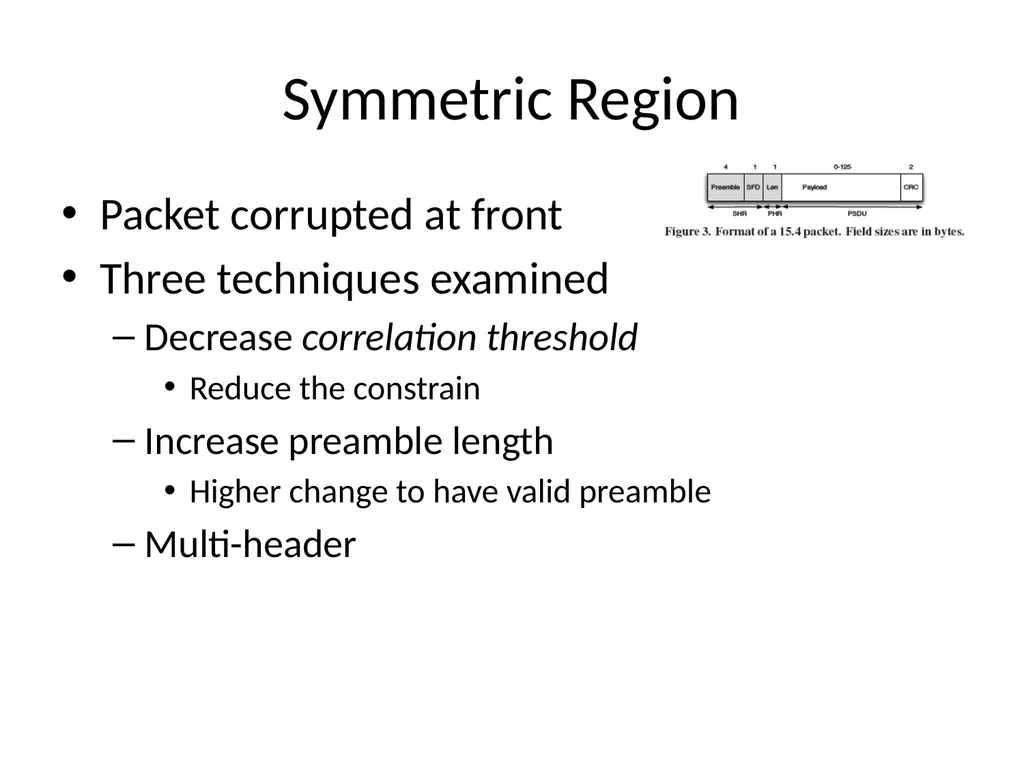
Symmetric Region Packet corrupted at front
Three techniques examined
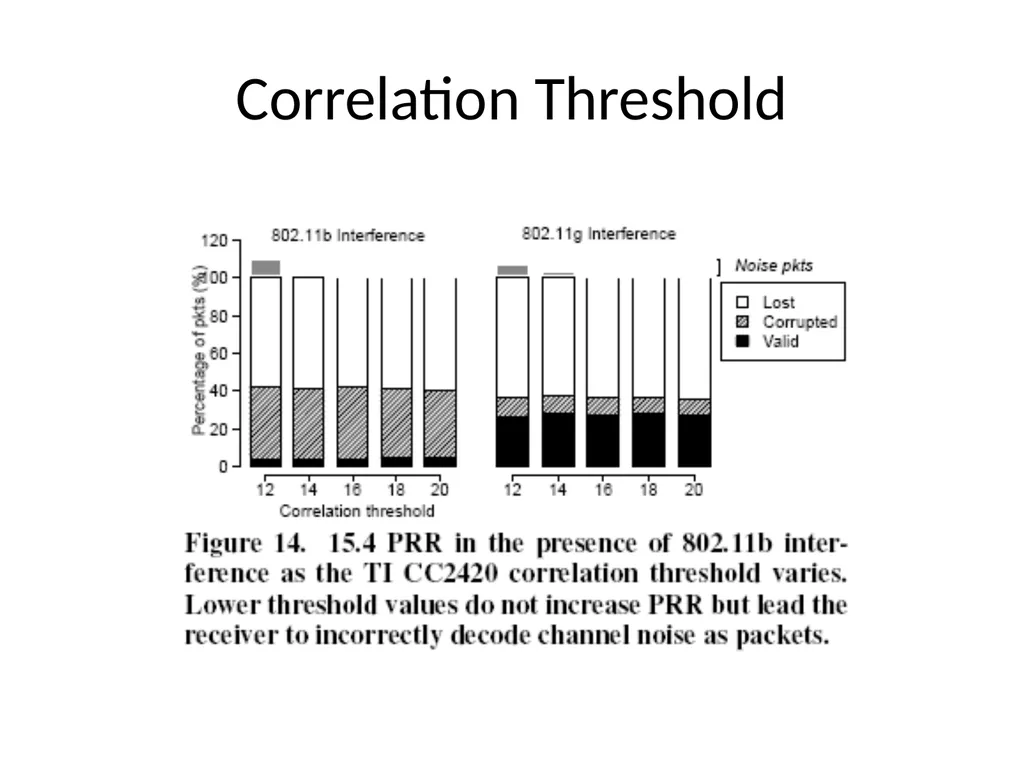
Decrease correlation threshold
Reduce the constrain
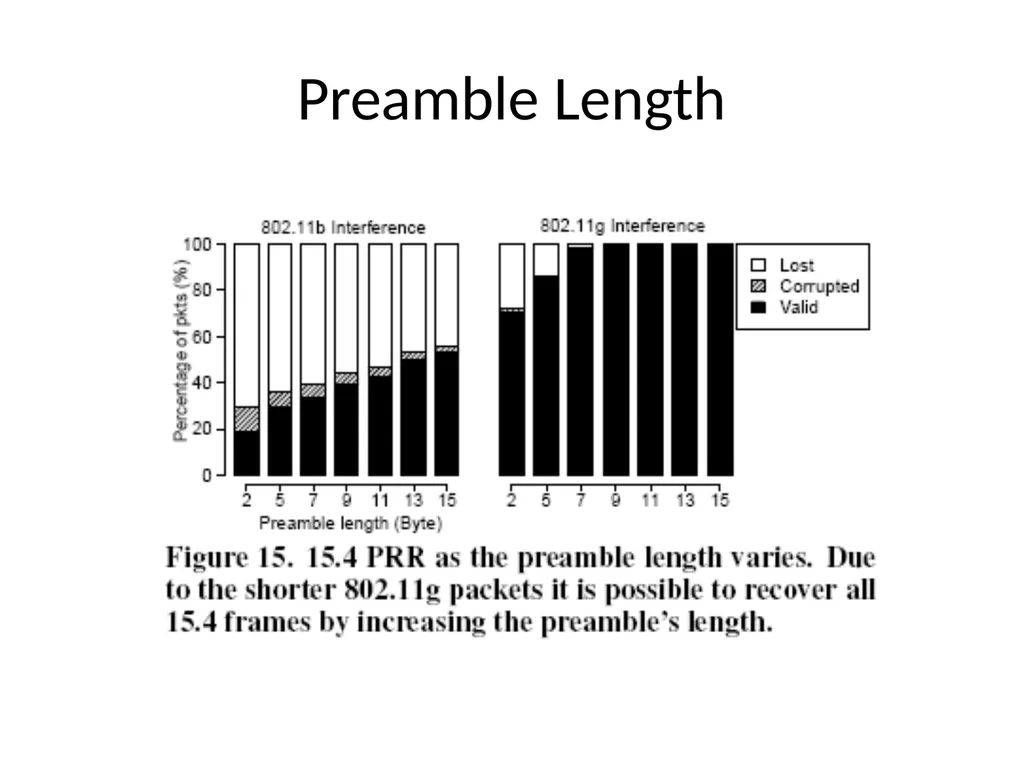
Increase preamble length
Higher change to have valid preamble
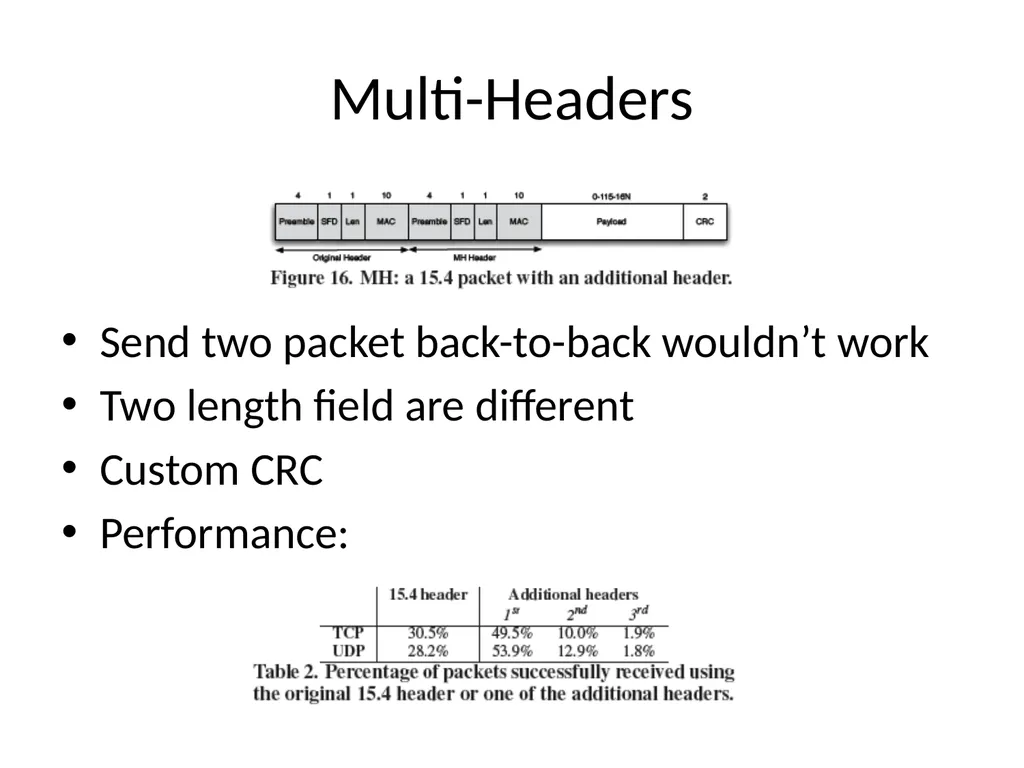
Multi-header<br>
19
Correlation Threshold<br>
20
Preamble Length<br>
21
Multi-Headers Send two packet back-to-back wouldn’t work
Two length field are different
Custom CRC
Performance:<br>
22
Asymmetric Region Forward error correction (FEC)
Apply error-correction code (ECC)
Two ECCs
Hamming code
Adding extra parity bits
Can detect up to two bit errors and correct one bit error
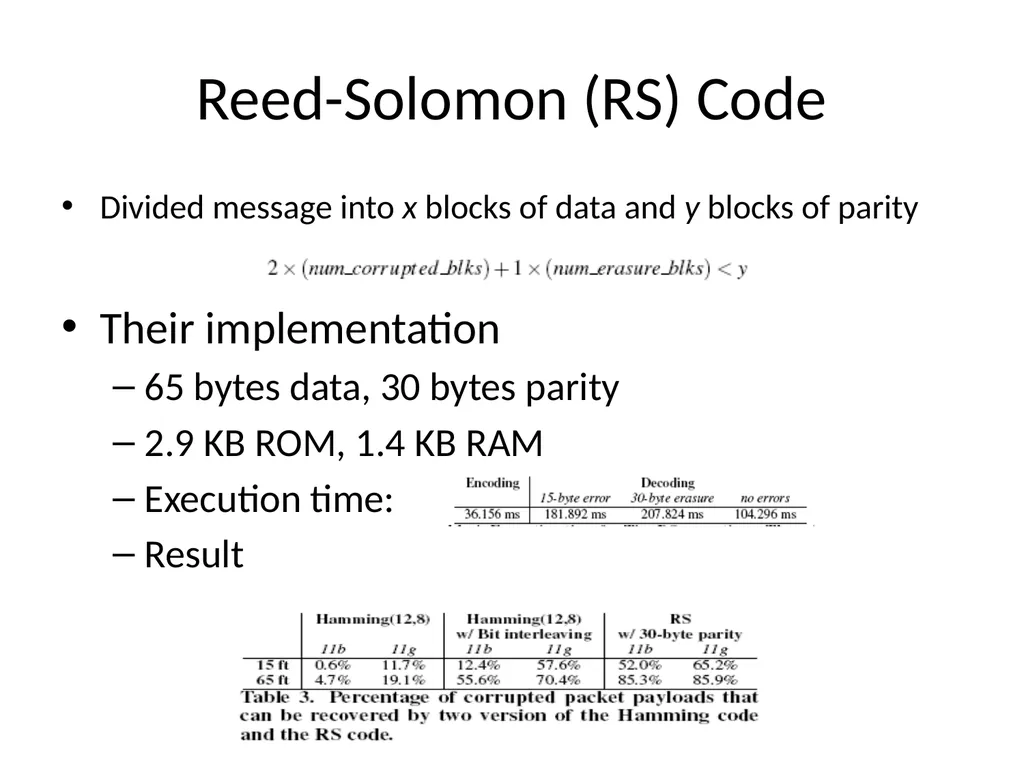
Reed-Solomon Code
Block-based error-correction code
Divided message into x blocks of data and y blocks of parity<br>
23
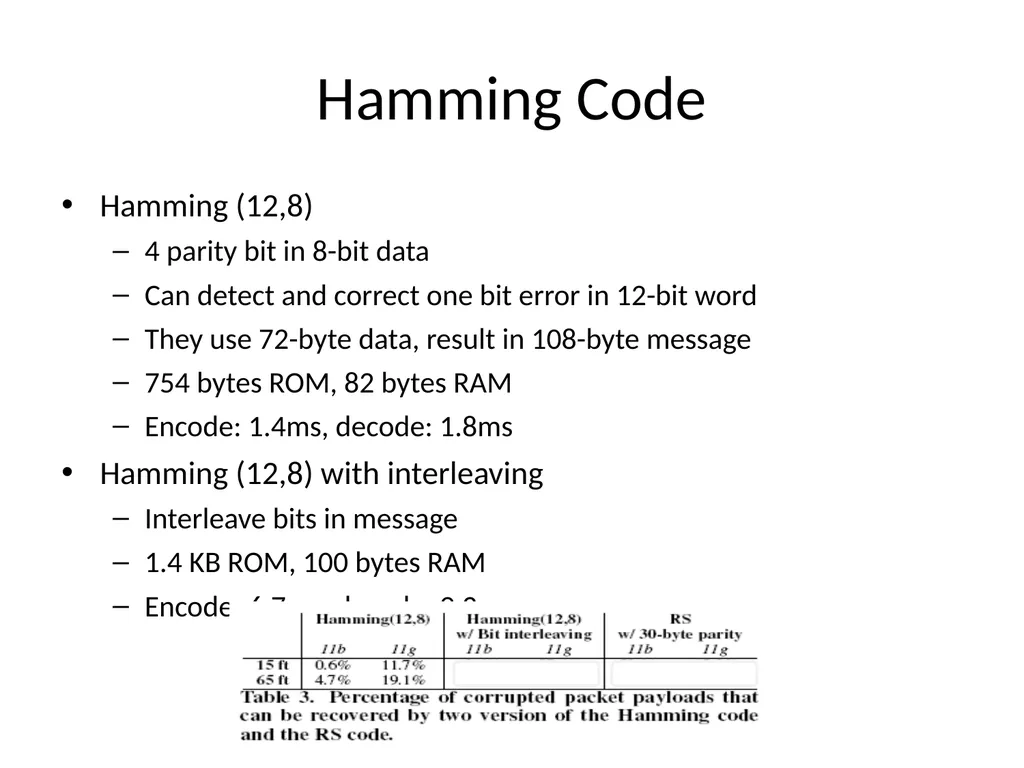
Hamming Code Hamming (12,8)
4 parity bit in 8-bit data
Can detect and correct one bit error in 12-bit word
They use 72-byte data, result in 108-byte message
754 bytes ROM, 82 bytes RAM
Encode: 1.4ms, decode: 1.8ms
Hamming (12,8) with interleaving
Interleave bits in message
1.4 KB ROM, 100 bytes RAM
Encode: 6.7ms, decode: 9.2ms<br>
24
Reed-Solomon (RS) Code Divided message into x blocks of data and y blocks of parity
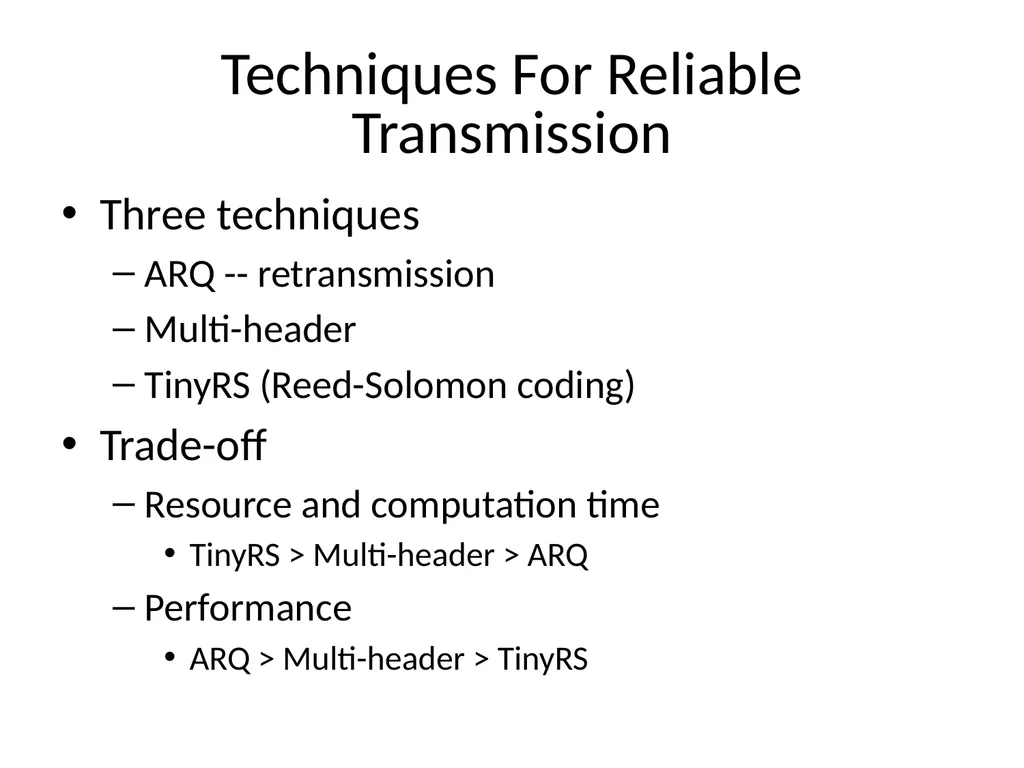
Techniques For Reliable Transmission Three techniques
ARQ -- retransmission
Multi-header
TinyRS (Reed-Solomon coding)
Trade-off
Resource and computation time
TinyRS > Multi-header > ARQ
Performance
ARQ > Multi-header > TinyRS<br>
28
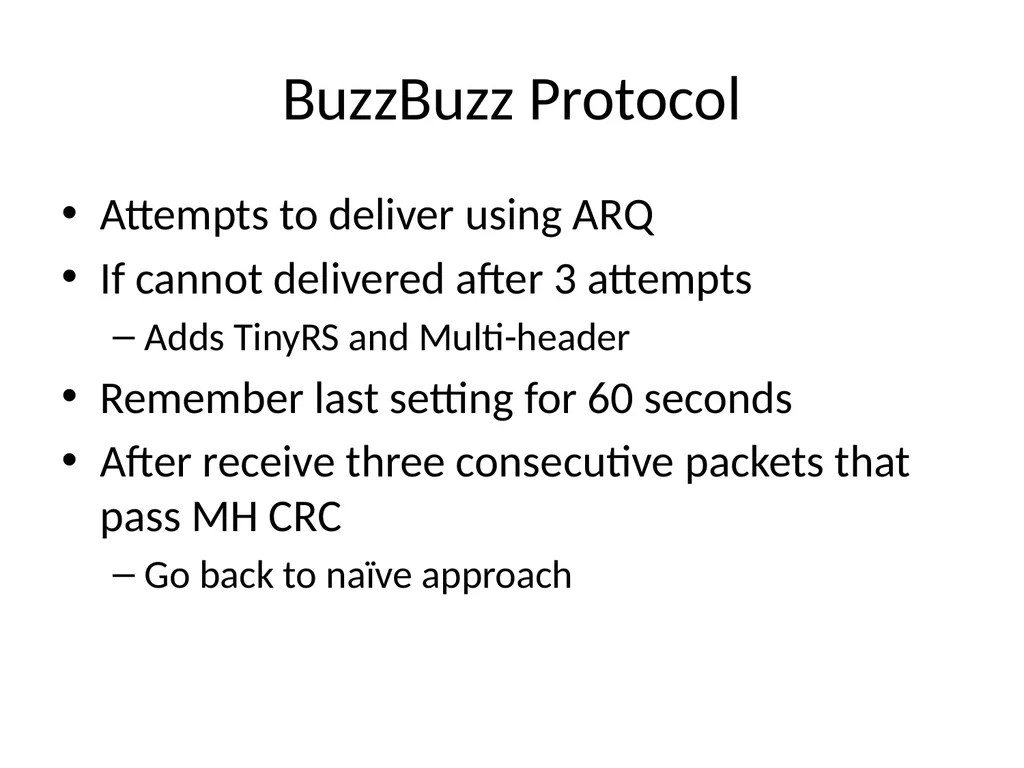
BuzzBuzz Protocol Attempts to deliver using ARQ
If cannot delivered after 3 attempts
Adds TinyRS and Multi-header
Remember last setting for 60 seconds
After receive three consecutive packets that pass MH CRC
Go back to naïve approach<br>
29
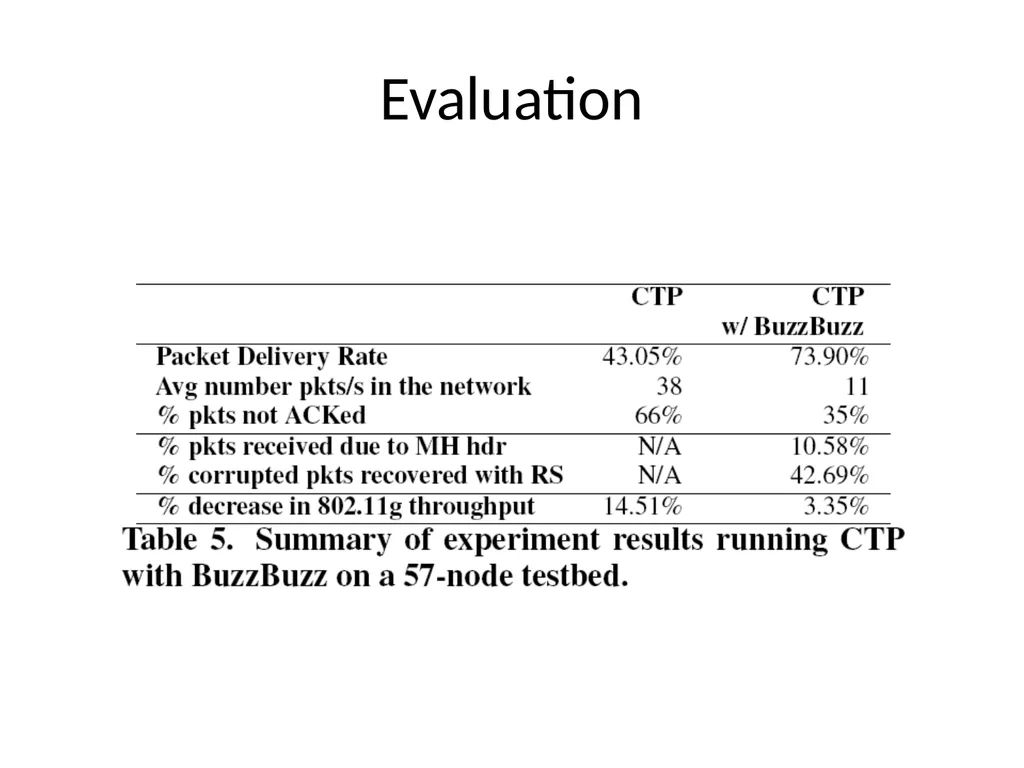
Evaluation<br>
30
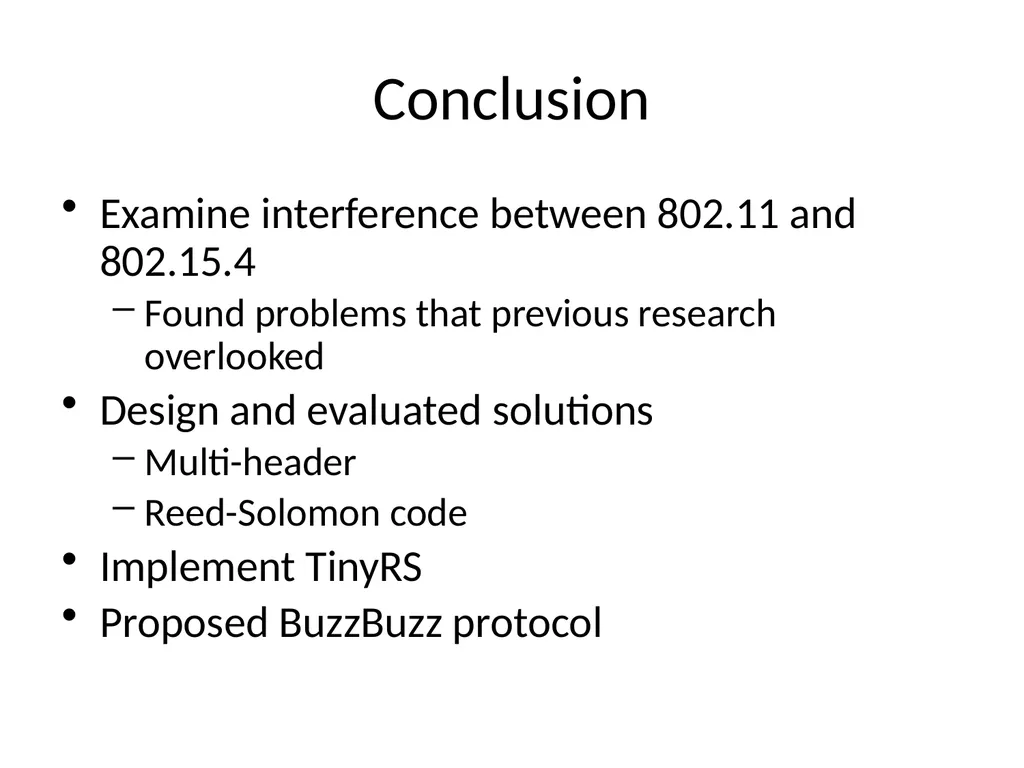
Conclusion Examine interference between 802.11 and 802.15.4
Found problems that previous research overlooked
Design and evaluated solutions
Multi-header
Reed-Solomon code
Implement TinyRS
Proposed BuzzBuzz protocol<br>