Tango Distribution Outline Tango Source
Description: Tango Distribution Outline Tango Source Distribution Windows installer Debian packages RPM packages Conda packages PyTango wheels macOS and PyTango demo Micromamba demo 2 Tango Source Distribution Easy way to install a collection of various
Related Topics
Download Presentation
"Tango Distribution Outline Tango Source" is the property of its rightful owner. Permission is granted to download and print the materials on this website for personal, non-commercial use only, and to display it on your personal computer provided you do not modify the materials and that you retain all copyright notices contained in the materials. By downloading content from our website, you accept the terms of this agreement.
Presentation Transcript
slide1. Tango Distribution<br>
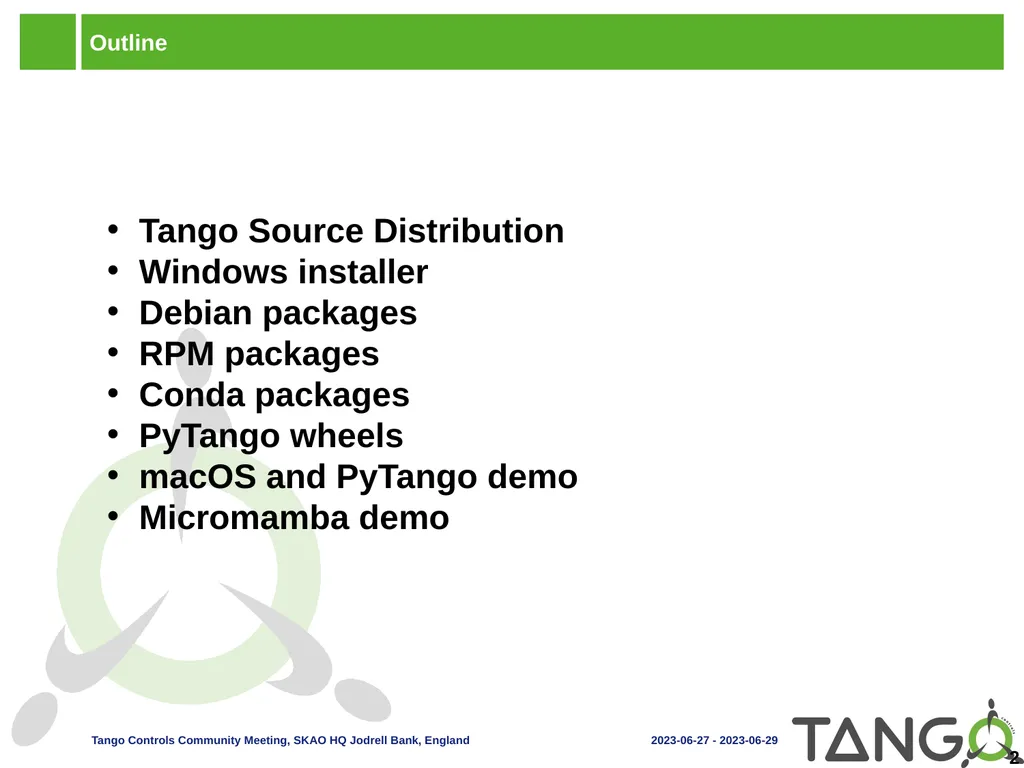
slide2. Outline Tango Source Distribution
Windows installer
Debian packages
RPM packages
Conda packages
PyTango wheels
macOS and PyTango demo
Micromamba demo 2<br>
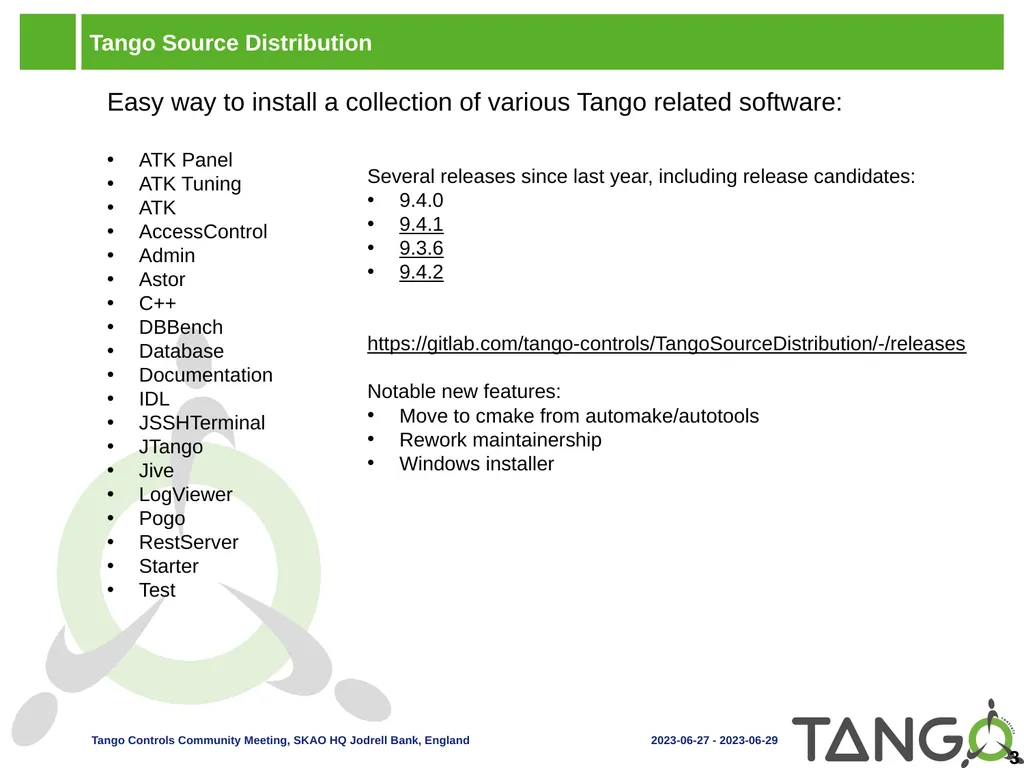
slide3. Tango Source Distribution Easy way to install a collection of various Tango related software:
ATK Panel
ATK Tuning
ATK
AccessControl
Admin
Astor
C++
DBBench
Database
Documentation
IDL
JSSHTerminal
JTango
Jive
LogViewer
Pogo
RestServer
Starter
Test 3 Several releases since last year, including release candidates:
9.4.0
9.4.1
9.3.6
9.4.2
https://gitlab.com/tango-controls/TangoSourceDistribution/-/releases
Notable new features:
Move to cmake from automake/autotools
Rework maintainership
Windows installer<br>
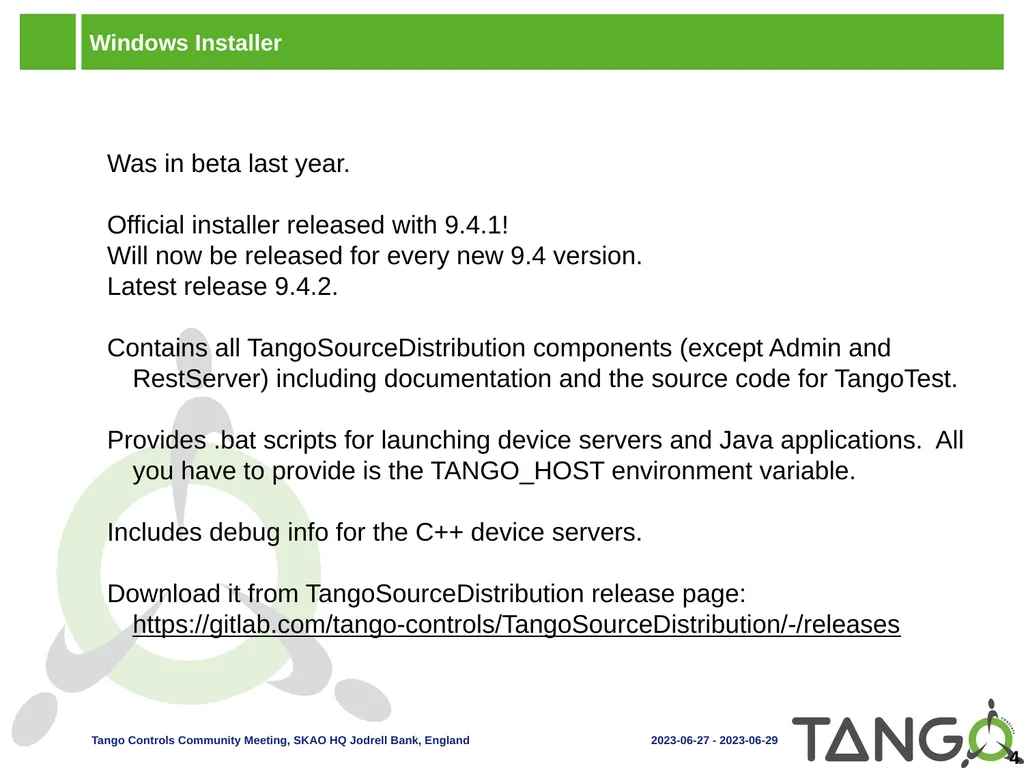
slide4. Windows Installer Was in beta last year.
Official installer released with 9.4.1!
Will now be released for every new 9.4 version.
Latest release 9.4.2.
Contains all TangoSourceDistribution components (except Admin and RestServer) including documentation and the source code for TangoTest.
Provides .bat scripts for launching device servers and Java applications. All you have to provide is the TANGO_HOST environment variable.
Includes debug info for the C++ device servers.
Download it from TangoSourceDistribution release page: https://gitlab.com/tango-controls/TangoSourceDistribution/-/releases 4<br>
slide5. Debian Debian packages have been updated!
TangoSourceDistribution 9.3.4 and pytango 9.3.6 available
TangoSourceDistribution 9.4.2-rc2 and pytango 9.4.1 in debian experimental 5<br>
slide6. RPM RPMs are built using Copr from the TangoSourceDistribution
Spec files can be found under https://gitlab.com/tango-controls/RPM
Install from copr:
yum install -y epel-release yum-plugin-copr
yum copr -y enable @tango-controls/tango
Or the MAX IV repo: http://pubrepo.maxiv.lu.se/rpm/el7/x86_64/ (http://pubrepo.maxiv.lu.se/rpm/el8/x86_64/)
9.3.6 available but no 9.4 yet 6<br>
slide7. Conda More packages and more platforms available on conda-forge! 7 Package, dependency and environment management for any language—Python, R, Ruby, Lua, Scala, Java, JavaScript, C/ C++, Fortran, and more<br>
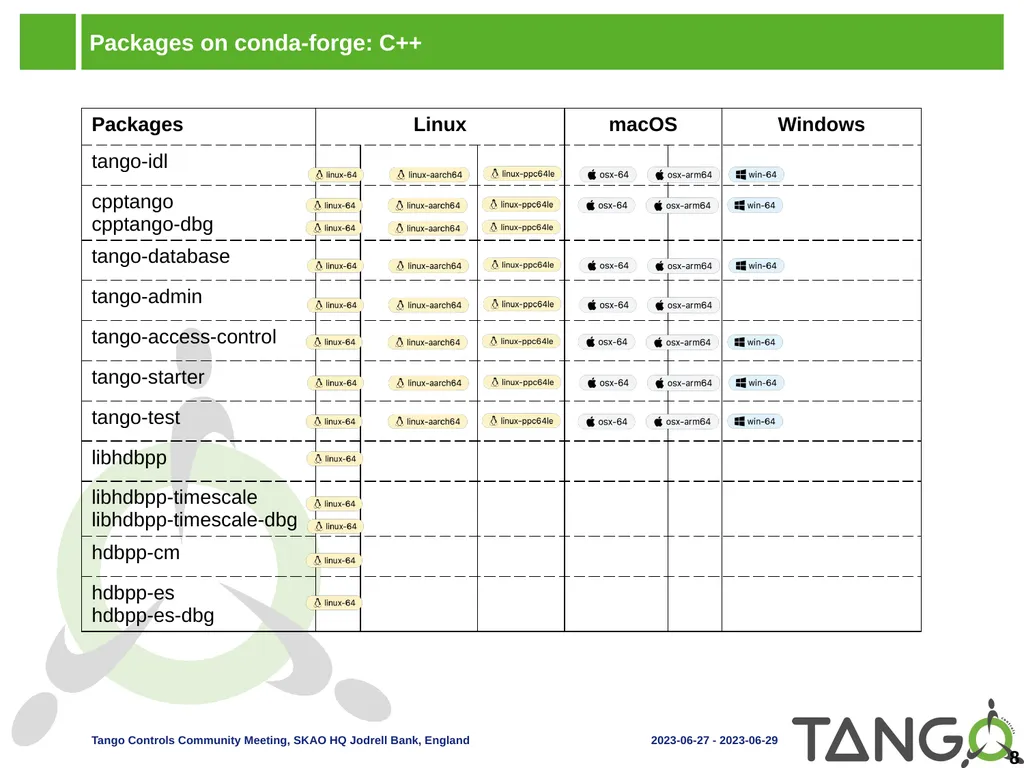
slide8. Packages on conda-forge: C++ 8<br>
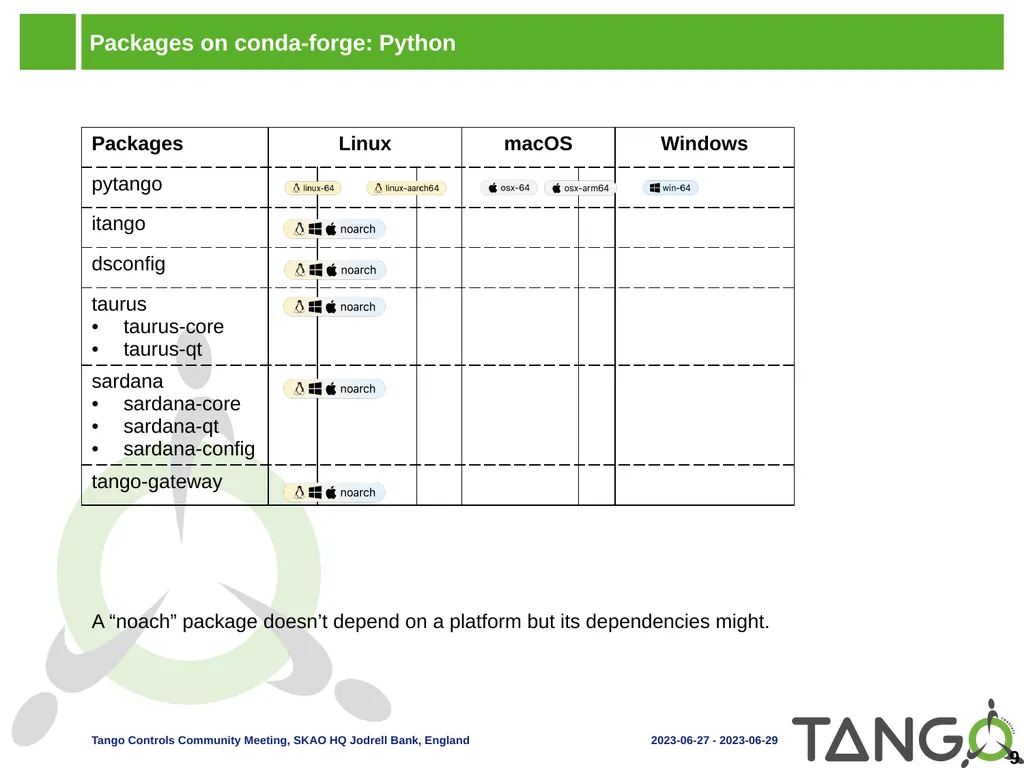
slide9. Packages on conda-forge: Python 9 A “noach” package doesn’t depend on a platform but its dependencies might.<br>
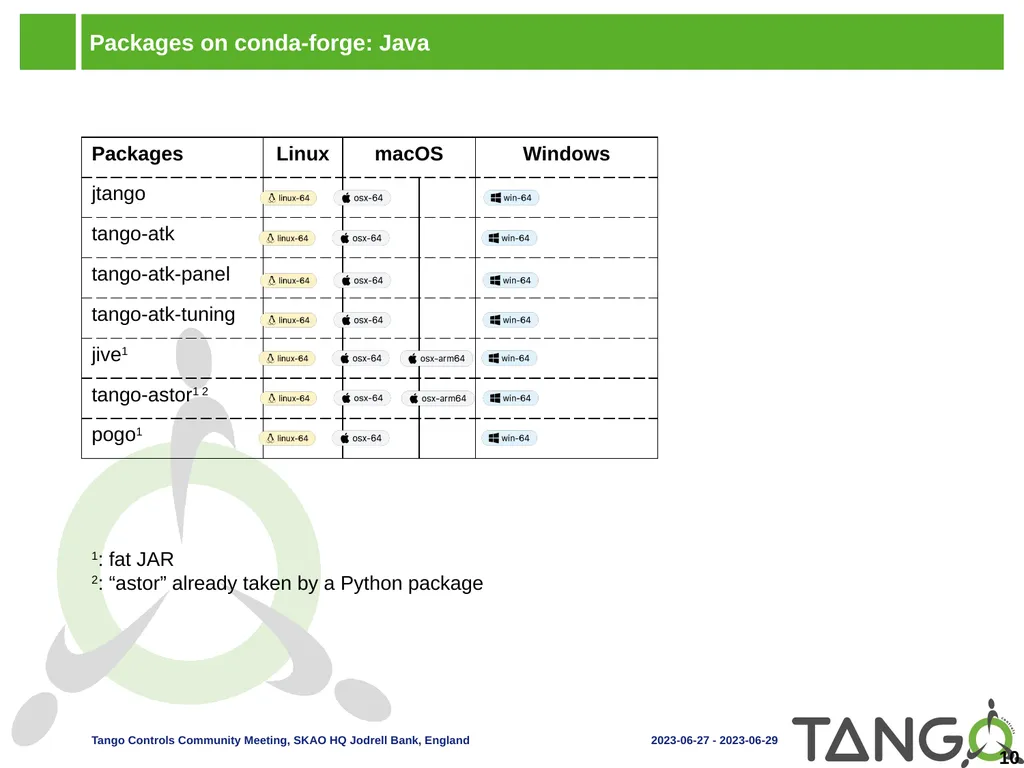
slide10. Packages on conda-forge: Java 10 1: fat JAR
2: “astor” already taken by a Python package<br>
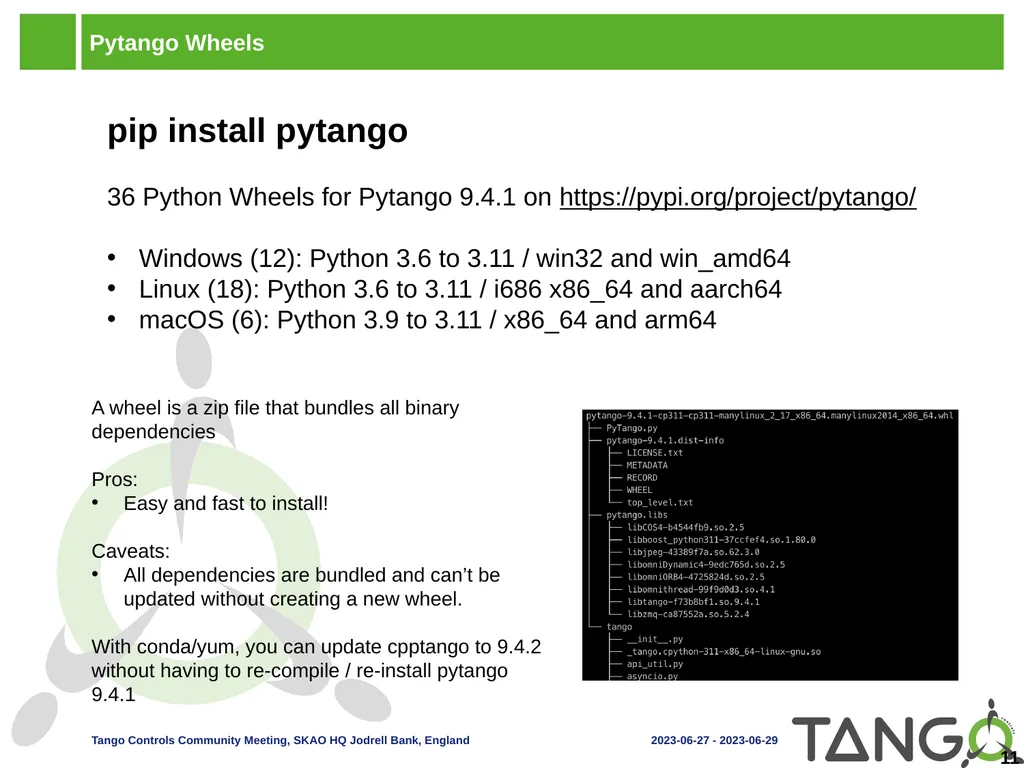
slide11. Pytango Wheels pip install pytango
36 Python Wheels for Pytango 9.4.1 on https://pypi.org/project/pytango/
Windows (12): Python 3.6 to 3.11 / win32 and win_amd64
Linux (18): Python 3.6 to 3.11 / i686 x86_64 and aarch64
macOS (6): Python 3.9 to 3.11 / x86_64 and arm64 11 A wheel is a zip file that bundles all binary dependencies
Pros:
Easy and fast to install!
Caveats:
All dependencies are bundled and can’t be updated without creating a new wheel.
With conda/yum, you can update cpptango to 9.4.2 without having to re-compile / re-install pytango 9.4.1<br>
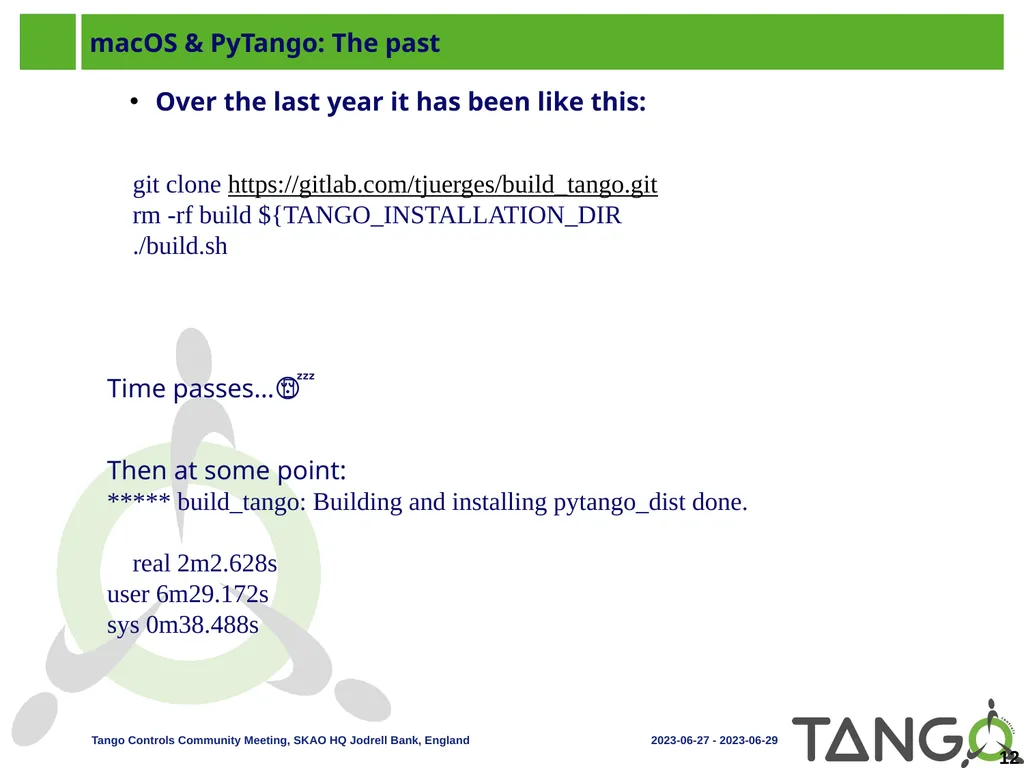
slide12. macOS & PyTango: The past Over the last year it has been like this:
git clone https://gitlab.com/tjuerges/build_tango.gitrm -rf build ${TANGO_INSTALLATION_DIR./build.sh
Time passes…🥱 😴
Then at some point:
***** build_tango: Building and installing pytango_dist done.
real 2m2.628s
user 6m29.172s
sys 0m38.488s 12<br>
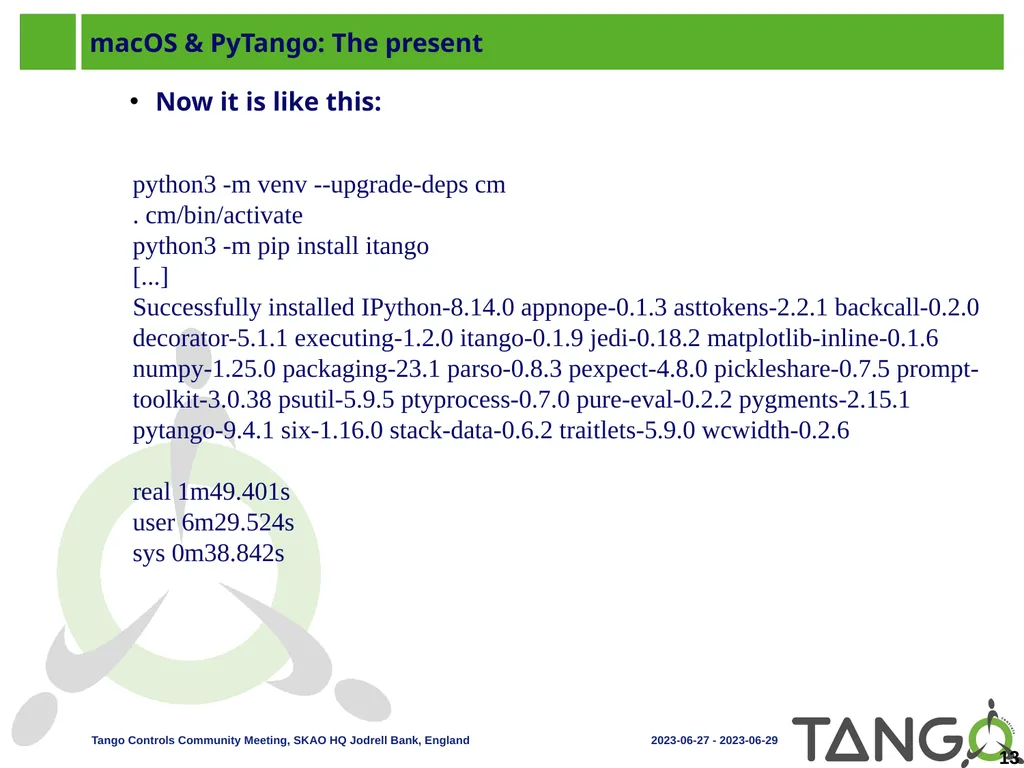
slide13. macOS & PyTango: The present Now it is like this:
python3 -m venv --upgrade-deps cm. cm/bin/activatepython3 -m pip install itango[...]Successfully installed IPython-8.14.0 appnope-0.1.3 asttokens-2.2.1 backcall-0.2.0 decorator-5.1.1 executing-1.2.0 itango-0.1.9 jedi-0.18.2 matplotlib-inline-0.1.6 numpy-1.25.0 packaging-23.1 parso-0.8.3 pexpect-4.8.0 pickleshare-0.7.5 prompt-toolkit-3.0.38 psutil-5.9.5 ptyprocess-0.7.0 pure-eval-0.2.2 pygments-2.15.1 pytango-9.4.1 six-1.16.0 stack-data-0.6.2 traitlets-5.9.0 wcwidth-0.2.6
real 1m49.401s
user 6m29.524s
sys 0m38.842s 13<br>
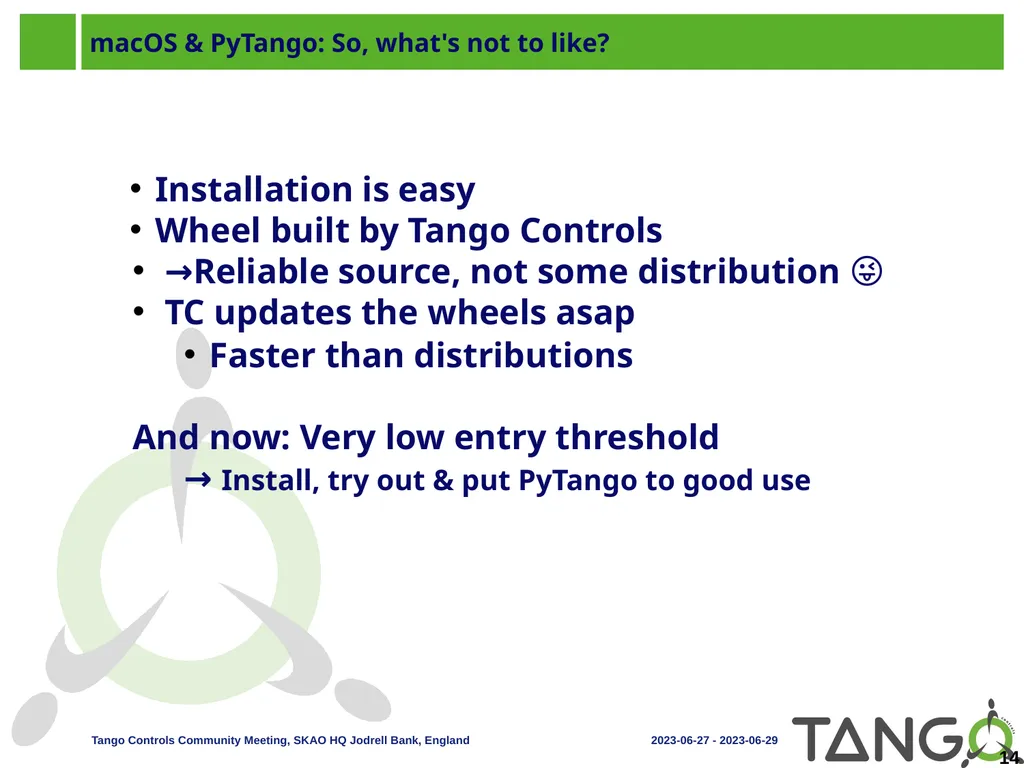
slide14. macOS & PyTango: So, what's not to like? Installation is easy
Wheel built by Tango Controls
→Reliable source, not some distribution 😜
TC updates the wheels asap
Faster than distributions
And now: Very low entry threshold
→ Install, try out & put PyTango to good use 14<br>
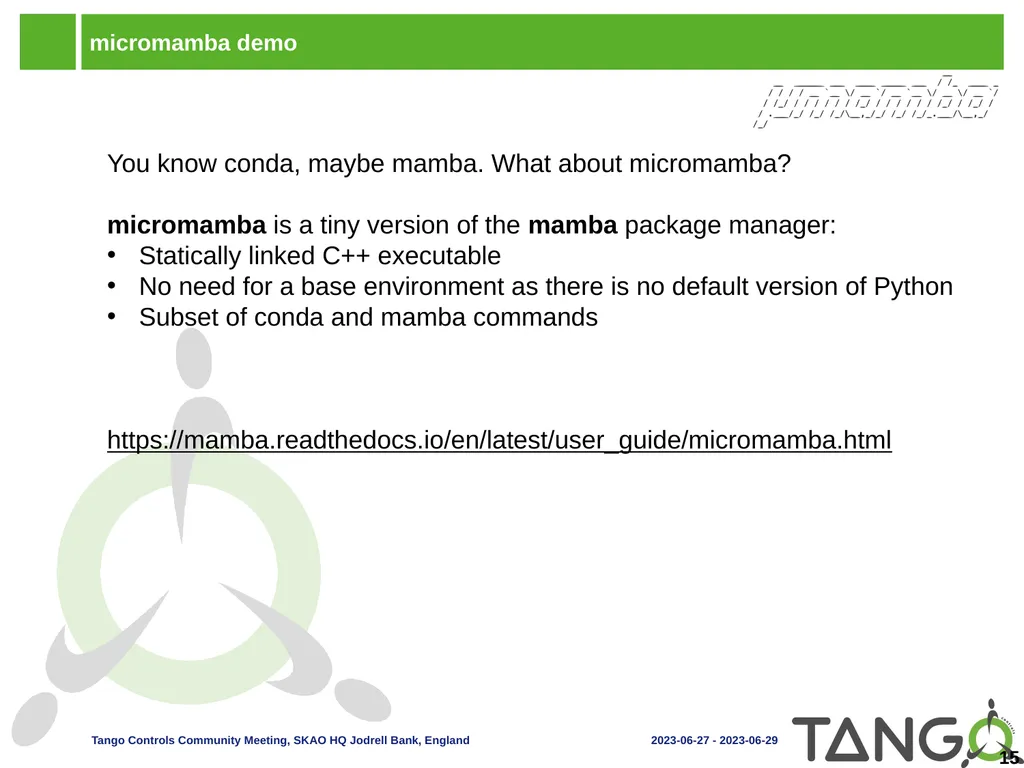
slide15. micromamba demo You know conda, maybe mamba. What about micromamba?
micromamba is a tiny version of the mamba package manager:
Statically linked C++ executable
No need for a base environment as there is no default version of Python
Subset of conda and mamba commands

https://mamba.readthedocs.io/en/latest/user_guide/micromamba.html 15<br>
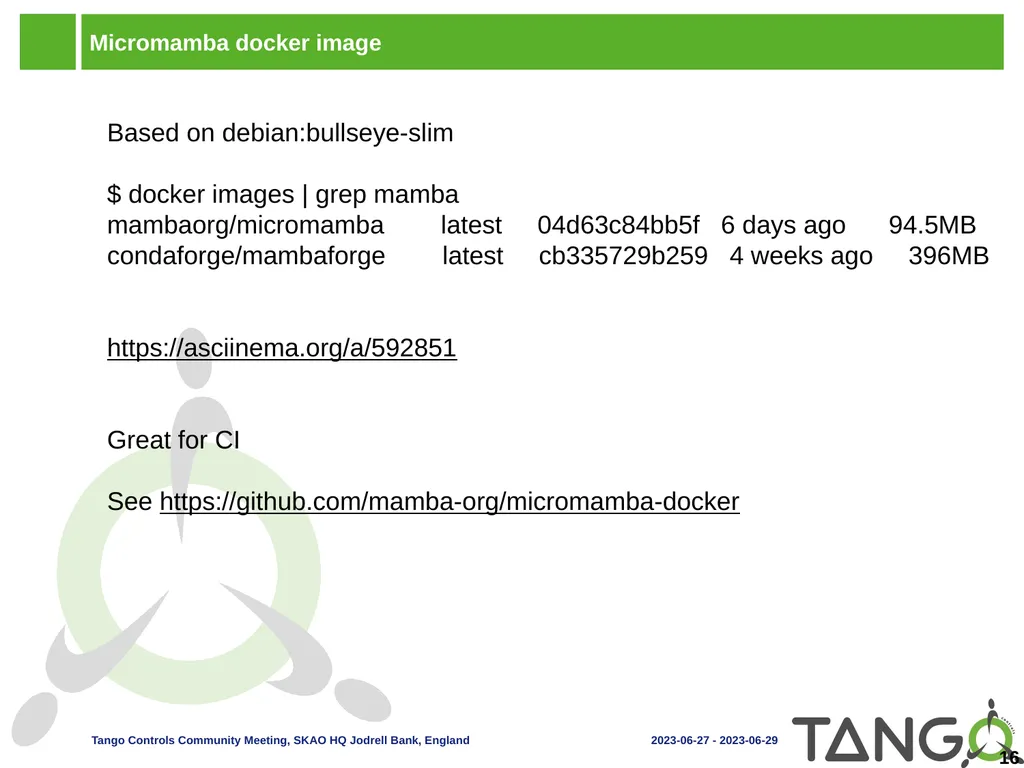
slide16. Micromamba docker image Based on debian:bullseye-slim
$ docker images | grep mamba
mambaorg/micromamba latest 04d63c84bb5f 6 days ago 94.5MB
condaforge/mambaforge latest cb335729b259 4 weeks ago 396MB
https://asciinema.org/a/592851
Great for CI
See https://github.com/mamba-org/micromamba-docker 16<br>
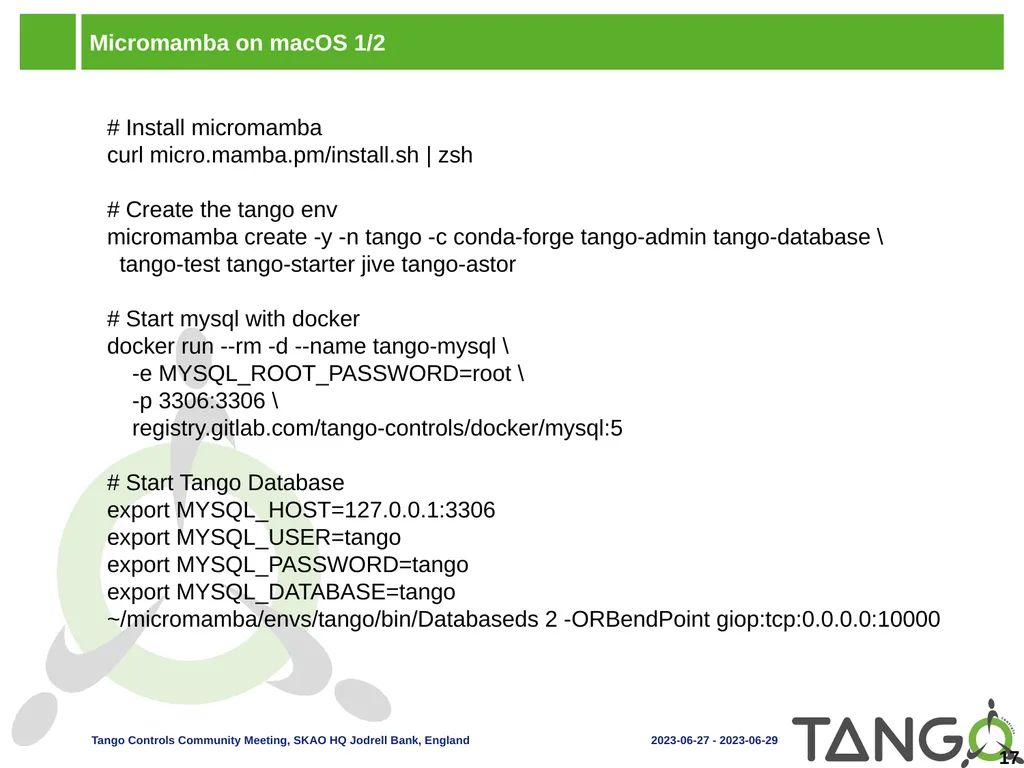
slide17. Micromamba on macOS 1/2 # Install micromamba
curl micro.mamba.pm/install.sh | zsh
# Create the tango env
micromamba create -y -n tango -c conda-forge tango-admin tango-database \
tango-test tango-starter jive tango-astor
# Start mysql with docker
docker run --rm -d --name tango-mysql \
-e MYSQL_ROOT_PASSWORD=root \
-p 3306:3306 \
registry.gitlab.com/tango-controls/docker/mysql:5
# Start Tango Database
export MYSQL_HOST=127.0.0.1:3306
export MYSQL_USER=tango
export MYSQL_PASSWORD=tango
export MYSQL_DATABASE=tango
~/micromamba/envs/tango/bin/Databaseds 2 -ORBendPoint giop:tcp:0.0.0.0:10000 17<br>
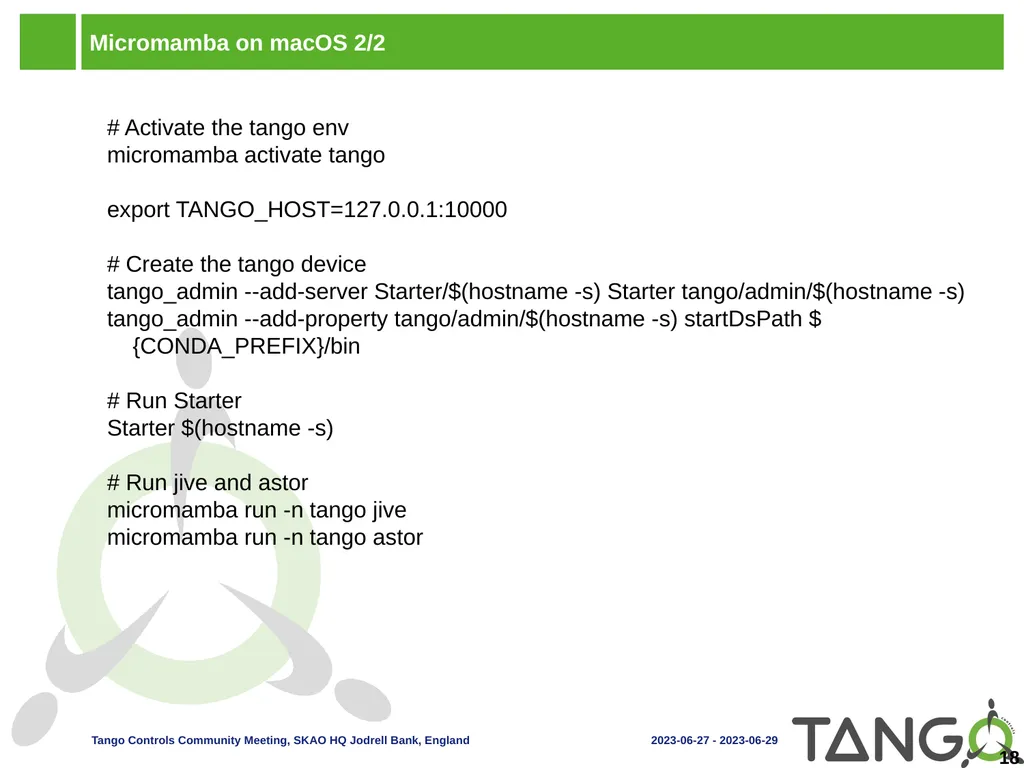
slide18. Micromamba on macOS 2/2 # Activate the tango env
micromamba activate tango
export TANGO_HOST=127.0.0.1:10000
# Create the tango device
tango_admin --add-server Starter/$(hostname -s) Starter tango/admin/$(hostname -s)
tango_admin --add-property tango/admin/$(hostname -s) startDsPath ${CONDA_PREFIX}/bin
# Run Starter
Starter $(hostname -s)
# Run jive and astor
micromamba run -n tango jive
micromamba run -n tango astor 18<br>
slide2. Outline Tango Source Distribution
Windows installer
Debian packages
RPM packages
Conda packages
PyTango wheels
macOS and PyTango demo
Micromamba demo 2<br>
slide3. Tango Source Distribution Easy way to install a collection of various Tango related software:
ATK Panel
ATK Tuning
ATK
AccessControl
Admin
Astor
C++
DBBench
Database
Documentation
IDL
JSSHTerminal
JTango
Jive
LogViewer
Pogo
RestServer
Starter
Test 3 Several releases since last year, including release candidates:
9.4.0
9.4.1
9.3.6
9.4.2
https://gitlab.com/tango-controls/TangoSourceDistribution/-/releases
Notable new features:
Move to cmake from automake/autotools
Rework maintainership
Windows installer<br>
slide4. Windows Installer Was in beta last year.
Official installer released with 9.4.1!
Will now be released for every new 9.4 version.
Latest release 9.4.2.
Contains all TangoSourceDistribution components (except Admin and RestServer) including documentation and the source code for TangoTest.
Provides .bat scripts for launching device servers and Java applications. All you have to provide is the TANGO_HOST environment variable.
Includes debug info for the C++ device servers.
Download it from TangoSourceDistribution release page: https://gitlab.com/tango-controls/TangoSourceDistribution/-/releases 4<br>
slide5. Debian Debian packages have been updated!
TangoSourceDistribution 9.3.4 and pytango 9.3.6 available
TangoSourceDistribution 9.4.2-rc2 and pytango 9.4.1 in debian experimental 5<br>
slide6. RPM RPMs are built using Copr from the TangoSourceDistribution
Spec files can be found under https://gitlab.com/tango-controls/RPM
Install from copr:
yum install -y epel-release yum-plugin-copr
yum copr -y enable @tango-controls/tango
Or the MAX IV repo: http://pubrepo.maxiv.lu.se/rpm/el7/x86_64/ (http://pubrepo.maxiv.lu.se/rpm/el8/x86_64/)
9.3.6 available but no 9.4 yet 6<br>
slide7. Conda More packages and more platforms available on conda-forge! 7 Package, dependency and environment management for any language—Python, R, Ruby, Lua, Scala, Java, JavaScript, C/ C++, Fortran, and more<br>
slide8. Packages on conda-forge: C++ 8<br>
slide9. Packages on conda-forge: Python 9 A “noach” package doesn’t depend on a platform but its dependencies might.<br>
slide10. Packages on conda-forge: Java 10 1: fat JAR
2: “astor” already taken by a Python package<br>
slide11. Pytango Wheels pip install pytango
36 Python Wheels for Pytango 9.4.1 on https://pypi.org/project/pytango/
Windows (12): Python 3.6 to 3.11 / win32 and win_amd64
Linux (18): Python 3.6 to 3.11 / i686 x86_64 and aarch64
macOS (6): Python 3.9 to 3.11 / x86_64 and arm64 11 A wheel is a zip file that bundles all binary dependencies
Pros:
Easy and fast to install!
Caveats:
All dependencies are bundled and can’t be updated without creating a new wheel.
With conda/yum, you can update cpptango to 9.4.2 without having to re-compile / re-install pytango 9.4.1<br>
slide12. macOS & PyTango: The past Over the last year it has been like this:
git clone https://gitlab.com/tjuerges/build_tango.gitrm -rf build ${TANGO_INSTALLATION_DIR./build.sh
Time passes…🥱 😴
Then at some point:
***** build_tango: Building and installing pytango_dist done.
real 2m2.628s
user 6m29.172s
sys 0m38.488s 12<br>
slide13. macOS & PyTango: The present Now it is like this:
python3 -m venv --upgrade-deps cm. cm/bin/activatepython3 -m pip install itango[...]Successfully installed IPython-8.14.0 appnope-0.1.3 asttokens-2.2.1 backcall-0.2.0 decorator-5.1.1 executing-1.2.0 itango-0.1.9 jedi-0.18.2 matplotlib-inline-0.1.6 numpy-1.25.0 packaging-23.1 parso-0.8.3 pexpect-4.8.0 pickleshare-0.7.5 prompt-toolkit-3.0.38 psutil-5.9.5 ptyprocess-0.7.0 pure-eval-0.2.2 pygments-2.15.1 pytango-9.4.1 six-1.16.0 stack-data-0.6.2 traitlets-5.9.0 wcwidth-0.2.6
real 1m49.401s
user 6m29.524s
sys 0m38.842s 13<br>
slide14. macOS & PyTango: So, what's not to like? Installation is easy
Wheel built by Tango Controls
→Reliable source, not some distribution 😜
TC updates the wheels asap
Faster than distributions
And now: Very low entry threshold
→ Install, try out & put PyTango to good use 14<br>
slide15. micromamba demo You know conda, maybe mamba. What about micromamba?
micromamba is a tiny version of the mamba package manager:
Statically linked C++ executable
No need for a base environment as there is no default version of Python
Subset of conda and mamba commands
https://mamba.readthedocs.io/en/latest/user_guide/micromamba.html 15<br>
slide16. Micromamba docker image Based on debian:bullseye-slim
$ docker images | grep mamba
mambaorg/micromamba latest 04d63c84bb5f 6 days ago 94.5MB
condaforge/mambaforge latest cb335729b259 4 weeks ago 396MB
https://asciinema.org/a/592851
Great for CI
See https://github.com/mamba-org/micromamba-docker 16<br>
slide17. Micromamba on macOS 1/2 # Install micromamba
curl micro.mamba.pm/install.sh | zsh
# Create the tango env
micromamba create -y -n tango -c conda-forge tango-admin tango-database \
tango-test tango-starter jive tango-astor
# Start mysql with docker
docker run --rm -d --name tango-mysql \
-e MYSQL_ROOT_PASSWORD=root \
-p 3306:3306 \
registry.gitlab.com/tango-controls/docker/mysql:5
# Start Tango Database
export MYSQL_HOST=127.0.0.1:3306
export MYSQL_USER=tango
export MYSQL_PASSWORD=tango
export MYSQL_DATABASE=tango
~/micromamba/envs/tango/bin/Databaseds 2 -ORBendPoint giop:tcp:0.0.0.0:10000 17<br>
slide18. Micromamba on macOS 2/2 # Activate the tango env
micromamba activate tango
export TANGO_HOST=127.0.0.1:10000
# Create the tango device
tango_admin --add-server Starter/$(hostname -s) Starter tango/admin/$(hostname -s)
tango_admin --add-property tango/admin/$(hostname -s) startDsPath ${CONDA_PREFIX}/bin
# Run Starter
Starter $(hostname -s)
# Run jive and astor
micromamba run -n tango jive
micromamba run -n tango astor 18<br>