The Accumulator Pattern Summing: Add up (accumulate), e.g. 12 plus 22 plus 32 plus plus 10002 Variation: Form a product (instead of sum), e.g. 1 2 3 ... 1000 Counting: Count, e.g. how many integers from 1 to 1000 have a positive
"The Accumulator Pattern Summing: Add up" is the property of its rightful owner. Permission is granted to
download and print the materials on this website for personal, non-commercial use only, and to display it
on your personal computer provided you do not modify the materials and that you retain all copyright
notices contained in the materials. By downloading content from our website, you accept the terms of this
agreement.
Presentation Transcript
01
The Accumulator Pattern
Summing: Add up (“accumulate”), e.g.
12 plus 22 plus 32 plus … plus 10002
Variation: Form a product (instead of sum), e.g.
1 × 2 × 3 × ... × 1000
Counting: Count, e.g.
how many integers from 1 to 1000 have a positive cosine
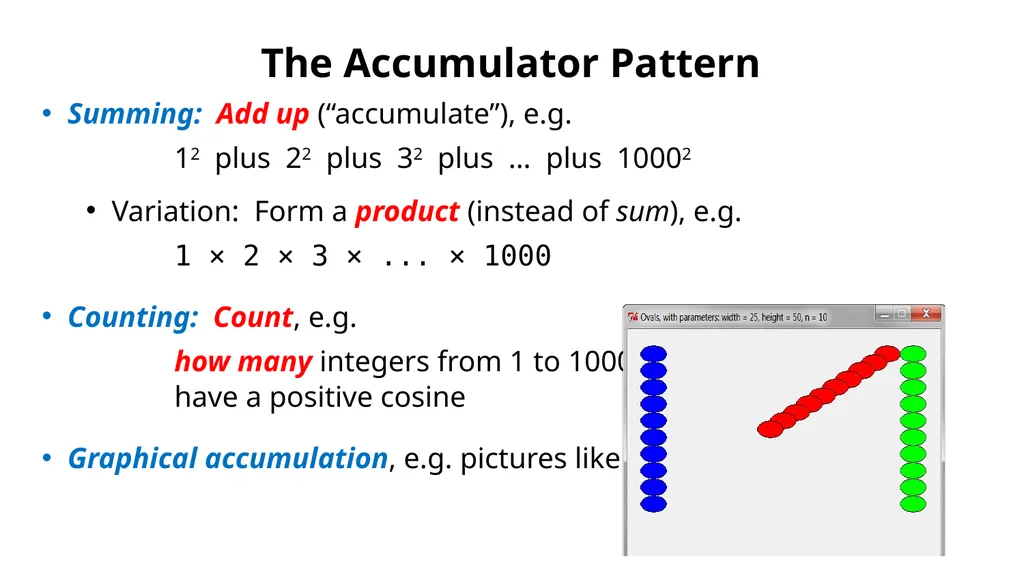
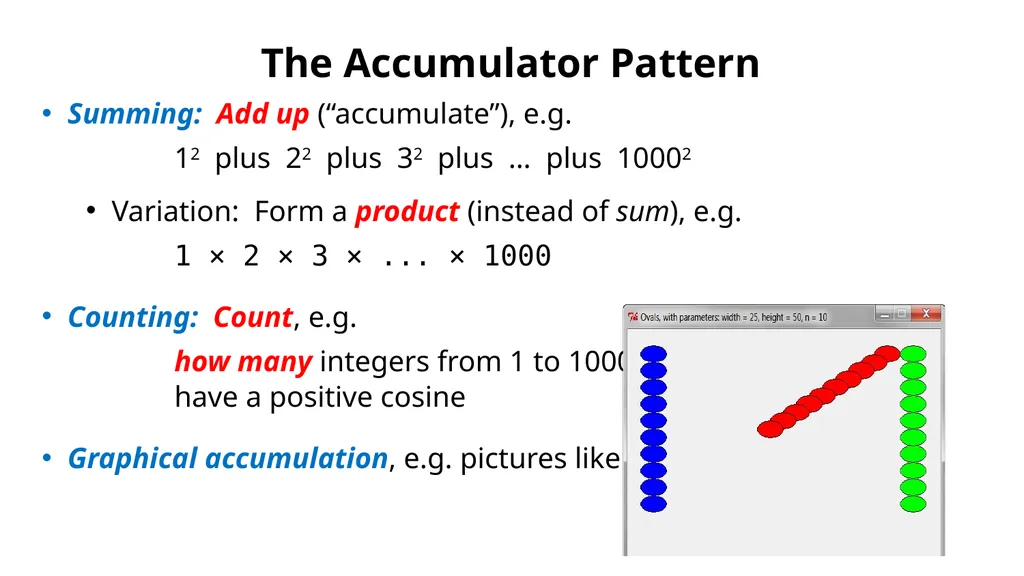
Graphical accumulation, e.g. pictures like these:<br>
02
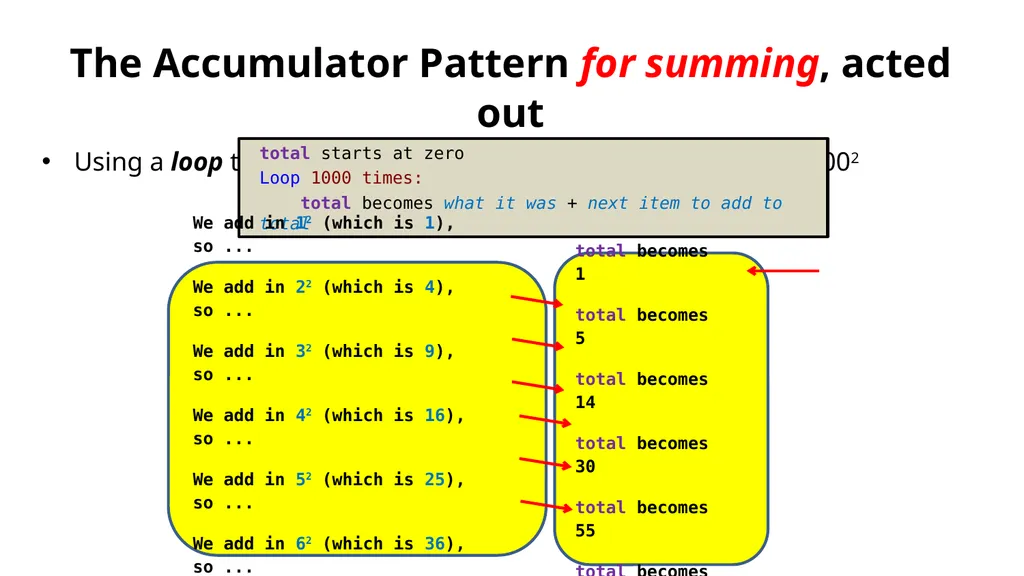
The Accumulator Pattern for summing, acted out
Using a loop to compute 12 plus 22 plus 32 plus … plus 10002 total starts at 0
total becomes 1
total becomes 5
total becomes 14
total becomes 30
total becomes 55
total becomes 91
... total starts at zero
Loop 1000 times:
total becomes what it was + next item to add to total We add in 12 (which is 1), so ...
We add in 22 (which is 4), so ...
We add in 32 (which is 9), so ...
We add in 42 (which is 16), so ...
We add in 52 (which is 25), so ...
We add in 62 (which is 36), so ...
and so forth<br>
03
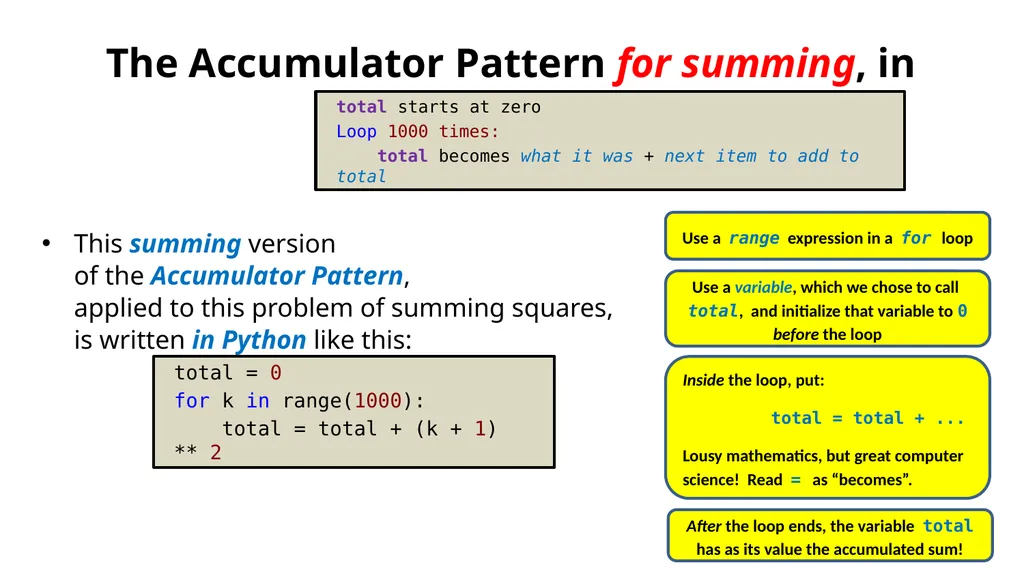
The Accumulator Pattern for summing, in Python
This summing version of the Accumulator Pattern, applied to this problem of summing squares, is written in Python like this: total = 0
for k in range(1000):
total = total + (k + 1) ** 2 total starts at zero
Loop 1000 times:
total becomes what it was + next item to add to total Inside the loop, put:
total = total + ...
Lousy mathematics, but great computer science! Read = as “becomes”. Use a variable, which we chose to call total, and initialize that variable to 0 before the loop Use a range expression in a for loop After the loop ends, the variable total has as its value the accumulated sum!<br>
04
The Accumulator Pattern – for Counting
Motivating Example:
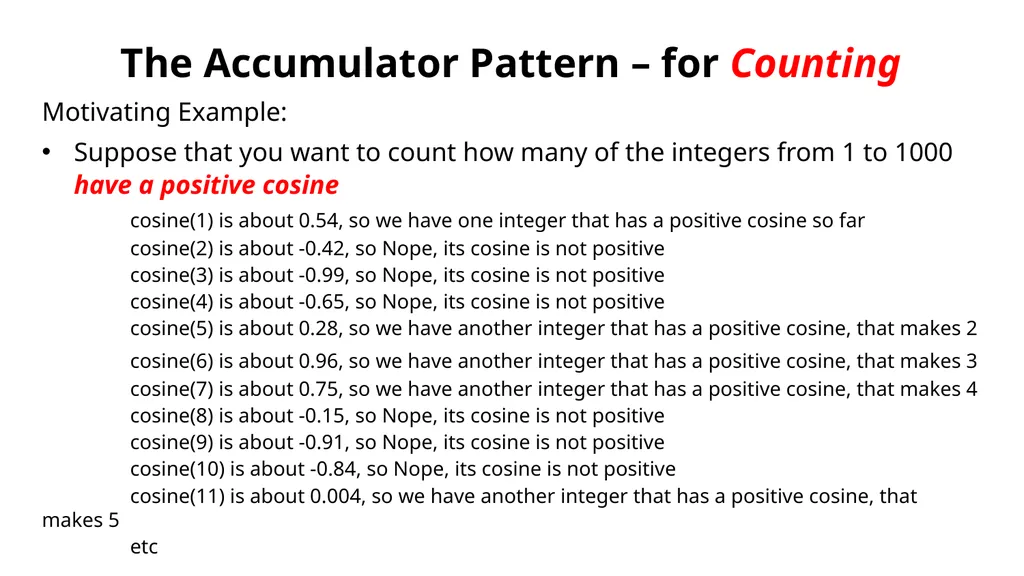
Suppose that you want to count how many of the integers from 1 to 1000 have a positive cosine
cosine(1) is about 0.54, so we have one integer that has a positive cosine so far
cosine(2) is about -0.42, so Nope, its cosine is not positive
cosine(3) is about -0.99, so Nope, its cosine is not positive
cosine(4) is about -0.65, so Nope, its cosine is not positive
cosine(5) is about 0.28, so we have another integer that has a positive cosine, that makes 2
cosine(6) is about 0.96, so we have another integer that has a positive cosine, that makes 3
cosine(7) is about 0.75, so we have another integer that has a positive cosine, that makes 4
cosine(8) is about -0.15, so Nope, its cosine is not positive
cosine(9) is about -0.91, so Nope, its cosine is not positive
cosine(10) is about -0.84, so Nope, its cosine is not positive
cosine(11) is about 0.004, so we have another integer that has a positive cosine, that makes 5
etc<br>
05
The Accumulator Pattern – for Counting
Motivating Example:
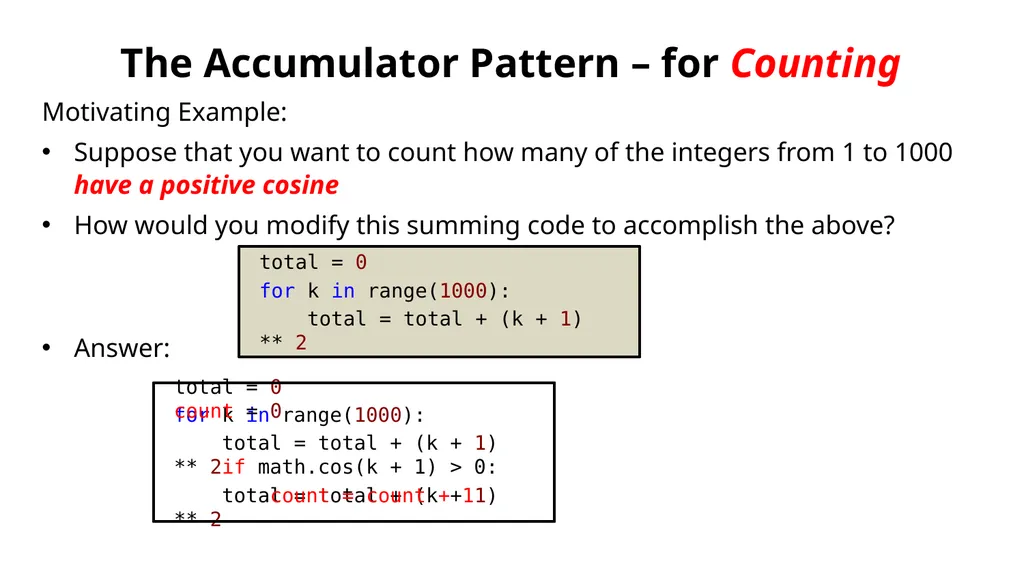
Suppose that you want to count how many of the integers from 1 to 1000 have a positive cosine
How would you modify this summing code to accomplish the above?
Answer: total = 0
for k in range(1000):
total = total + (k + 1) ** 2 total = 0
for k in range(1000):
total = total + (k + 1) ** 2
total = total + (k + 1) ** 2 count = 0
if math.cos(k + 1) > 0:
count = count + 1<br>
06
The Accumulator Pattern for summing/counting, in Python
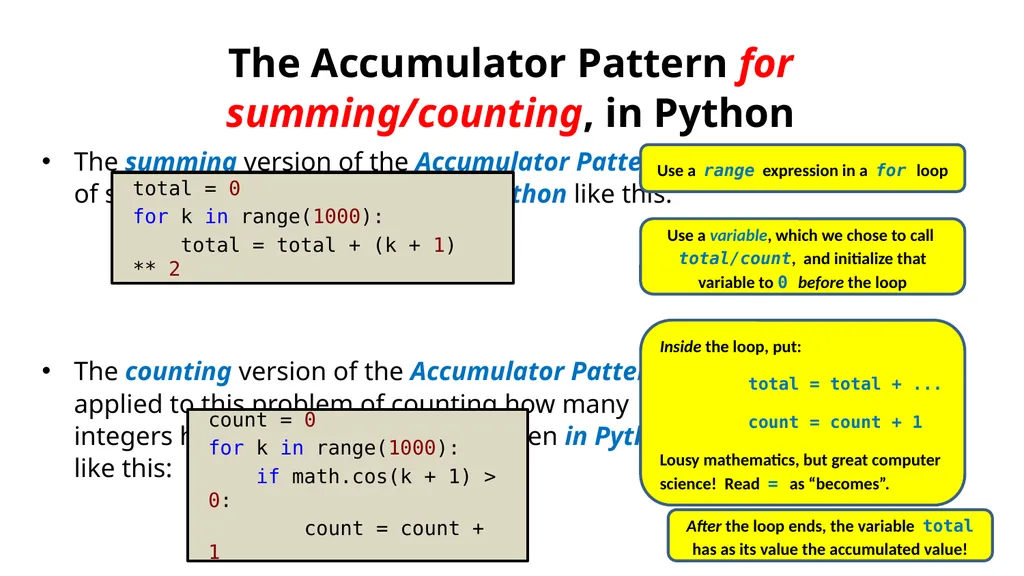
The summing version of the Accumulator Pattern, applied to this problem of summing squares, is written in Python like this:
The counting version of the Accumulator Pattern, applied to this problem of counting how many integers have positive cosines, is written in Python like this: total = 0
for k in range(1000):
total = total + (k + 1) ** 2 Inside the loop, put:
total = total + ...
count = count + 1
Lousy mathematics, but great computer science! Read = as “becomes”. Use a variable, which we chose to call total/count, and initialize that variable to 0 before the loop Use a range expression in a for loop After the loop ends, the variable total has as its value the accumulated value! count = 0
for k in range(1000):
if math.cos(k + 1) > 0:
count = count + 1<br>
07
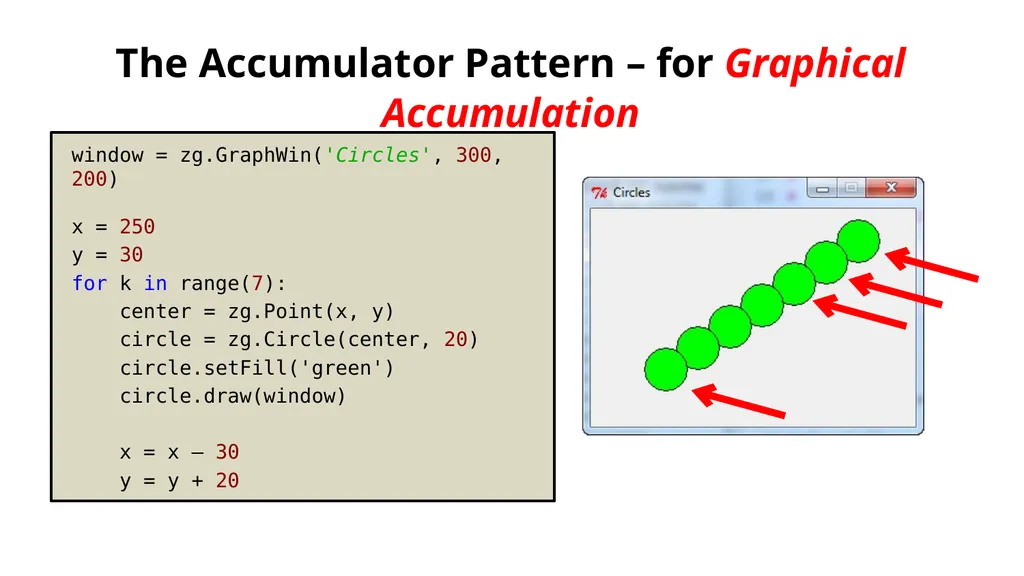
The Accumulator Pattern – for Graphical Accumulation window = zg.GraphWin('Circles', 300, 200)
x = 250
y = 30
for k in range(7):
center = zg.Point(x, y)
circle = zg.Circle(center, 20)
circle.setFill('green')
circle.draw(window)
x = x – 30
y = y + 20<br>
08
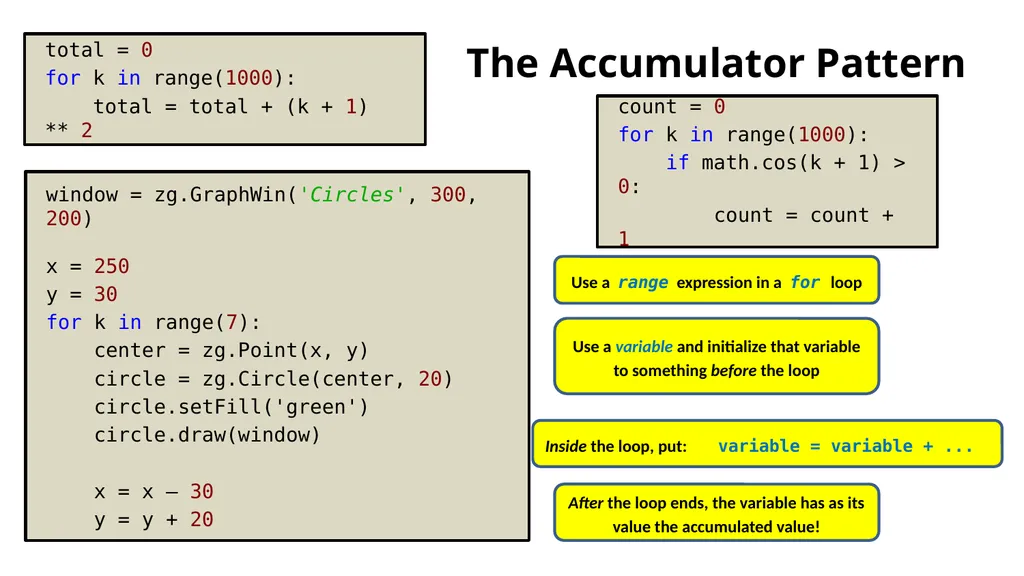
The Accumulator Pattern total = 0
for k in range(1000):
total = total + (k + 1) ** 2 Inside the loop, put: variable = variable + ... Use a variable and initialize that variable to something before the loop Use a range expression in a for loop After the loop ends, the variable has as its value the accumulated value! count = 0
for k in range(1000):
if math.cos(k + 1) > 0:
count = count + 1 window = zg.GraphWin('Circles', 300, 200)
x = 250
y = 30
for k in range(7):
center = zg.Point(x, y)
circle = zg.Circle(center, 20)
circle.setFill('green')
circle.draw(window)