
Training Tips October 18, 2022 Bi- Weekly
MY
Published · 34 slides · 0 views
1 / 1
Description
Training Tips October 18, 2022 Bi- Weekly Transactions: Thurs. October 27 3pm BW - PayPath Deadline: Today 1018 5pm Blackout Ends: Friday 1021 6am Monthly Transactions: Today October 18 3pm MO - Pay Path Deadline: Friday 1021
Related Topics
Share
Embed code
Download this presentation From Below
"Training Tips October 18, 2022 Bi- Weekly" is the property of its rightful owner. Permission is granted to download and print the materials on this website for personal, non-commercial use only, and to display it on your personal computer provided you do not modify the materials and that you retain all copyright notices contained in the materials. By downloading content from our website, you accept the terms of this agreement.
Presentation Transcript
01
Training Tips
October 18, 2022<br>
02
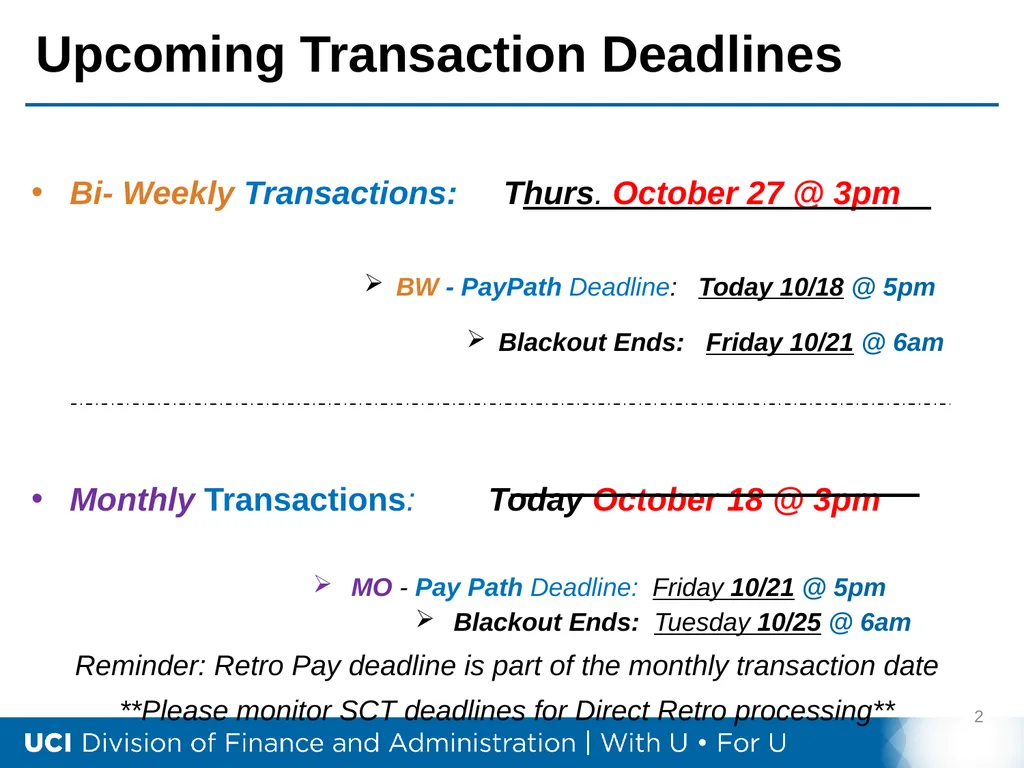
Bi- Weekly Transactions: Thurs. October 27 @ 3pm
BW - PayPath Deadline: Today 10/18 @ 5pm
Blackout Ends: Friday 10/21 @ 6am
Monthly Transactions: Today October 18 @ 3pm
MO - Pay Path Deadline: Friday 10/21 @ 5pm
Blackout Ends: Tuesday 10/25 @ 6am
Reminder: Retro Pay deadline is part of the monthly transaction date
**Please monitor SCT deadlines for Direct Retro processing** Upcoming Transaction Deadlines 2<br>
BW - PayPath Deadline: Today 10/18 @ 5pm
Blackout Ends: Friday 10/21 @ 6am
Monthly Transactions: Today October 18 @ 3pm
MO - Pay Path Deadline: Friday 10/21 @ 5pm
Blackout Ends: Tuesday 10/25 @ 6am
Reminder: Retro Pay deadline is part of the monthly transaction date
**Please monitor SCT deadlines for Direct Retro processing** Upcoming Transaction Deadlines 2<br>
03
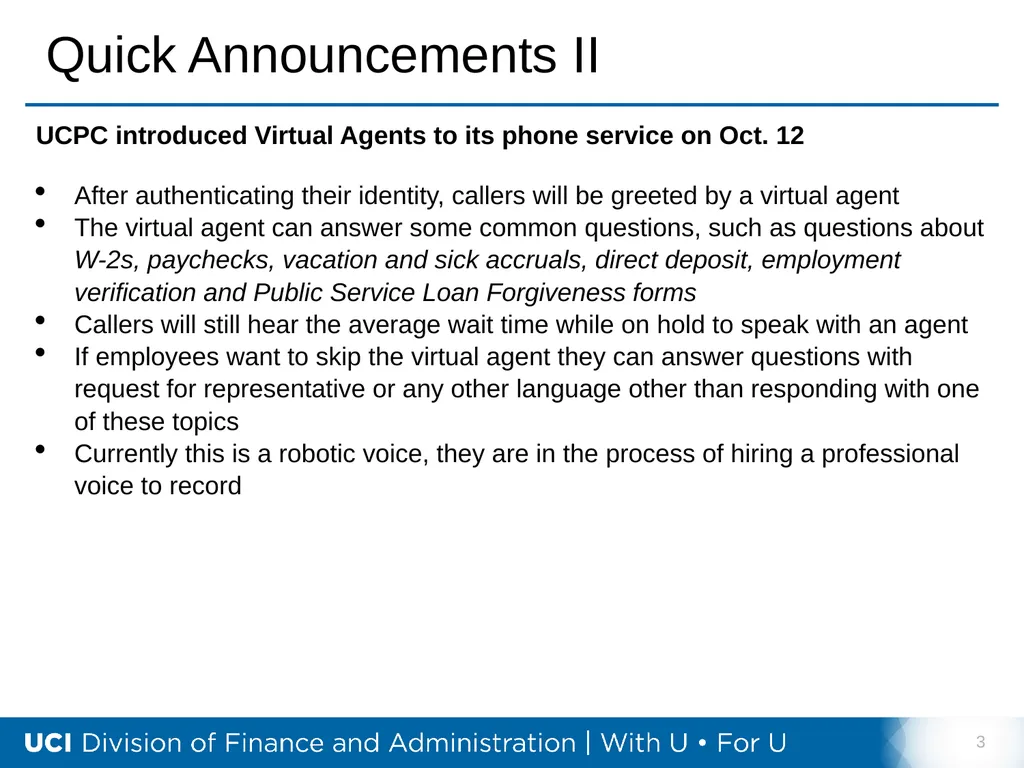
Quick Announcements II 3 UCPC introduced Virtual Agents to its phone service on Oct. 12
After authenticating their identity, callers will be greeted by a virtual agent
The virtual agent can answer some common questions, such as questions about W-2s, paychecks, vacation and sick accruals, direct deposit, employment verification and Public Service Loan Forgiveness forms
Callers will still hear the average wait time while on hold to speak with an agent
If employees want to skip the virtual agent they can answer questions with request for representative or any other language other than responding with one of these topics
Currently this is a robotic voice, they are in the process of hiring a professional voice to record<br>
After authenticating their identity, callers will be greeted by a virtual agent
The virtual agent can answer some common questions, such as questions about W-2s, paychecks, vacation and sick accruals, direct deposit, employment verification and Public Service Loan Forgiveness forms
Callers will still hear the average wait time while on hold to speak with an agent
If employees want to skip the virtual agent they can answer questions with request for representative or any other language other than responding with one of these topics
Currently this is a robotic voice, they are in the process of hiring a professional voice to record<br>
04
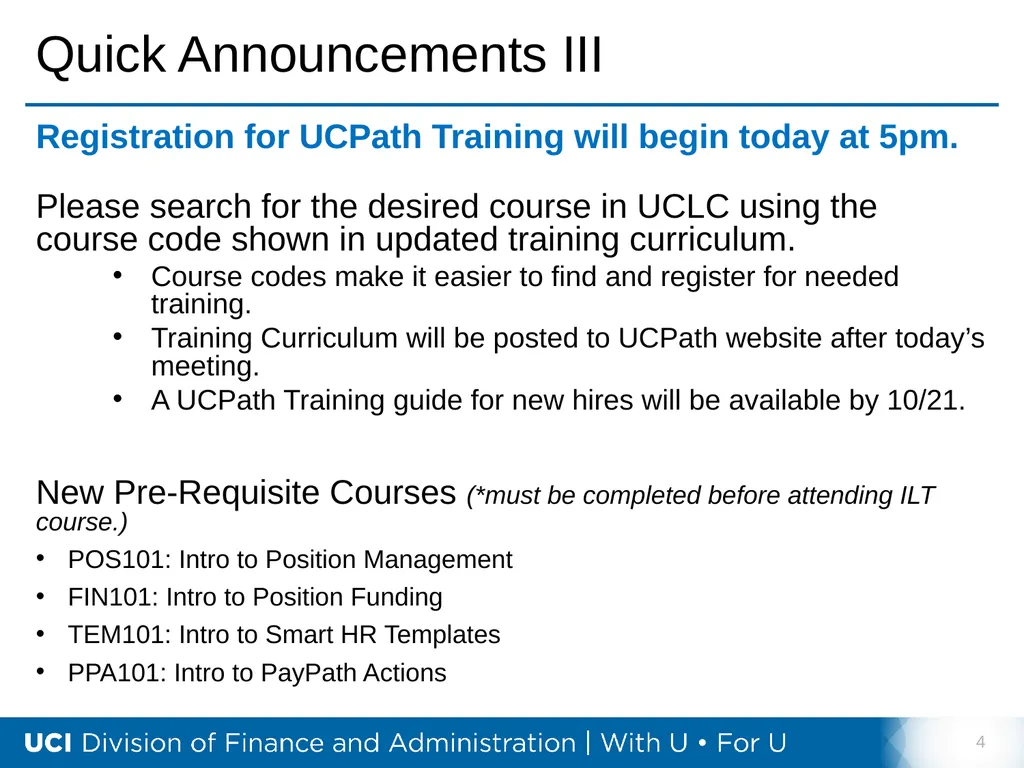
Quick Announcements III 4 Registration for UCPath Training will begin today at 5pm.
Please search for the desired course in UCLC using the course code shown in updated training curriculum.
Course codes make it easier to find and register for needed training.
Training Curriculum will be posted to UCPath website after today’s meeting.
A UCPath Training guide for new hires will be available by 10/21.
New Pre-Requisite Courses (*must be completed before attending ILT course.)
POS101: Intro to Position Management
FIN101: Intro to Position Funding
TEM101: Intro to Smart HR Templates
PPA101: Intro to PayPath Actions<br>
Please search for the desired course in UCLC using the course code shown in updated training curriculum.
Course codes make it easier to find and register for needed training.
Training Curriculum will be posted to UCPath website after today’s meeting.
A UCPath Training guide for new hires will be available by 10/21.
New Pre-Requisite Courses (*must be completed before attending ILT course.)
POS101: Intro to Position Management
FIN101: Intro to Position Funding
TEM101: Intro to Smart HR Templates
PPA101: Intro to PayPath Actions<br>
05
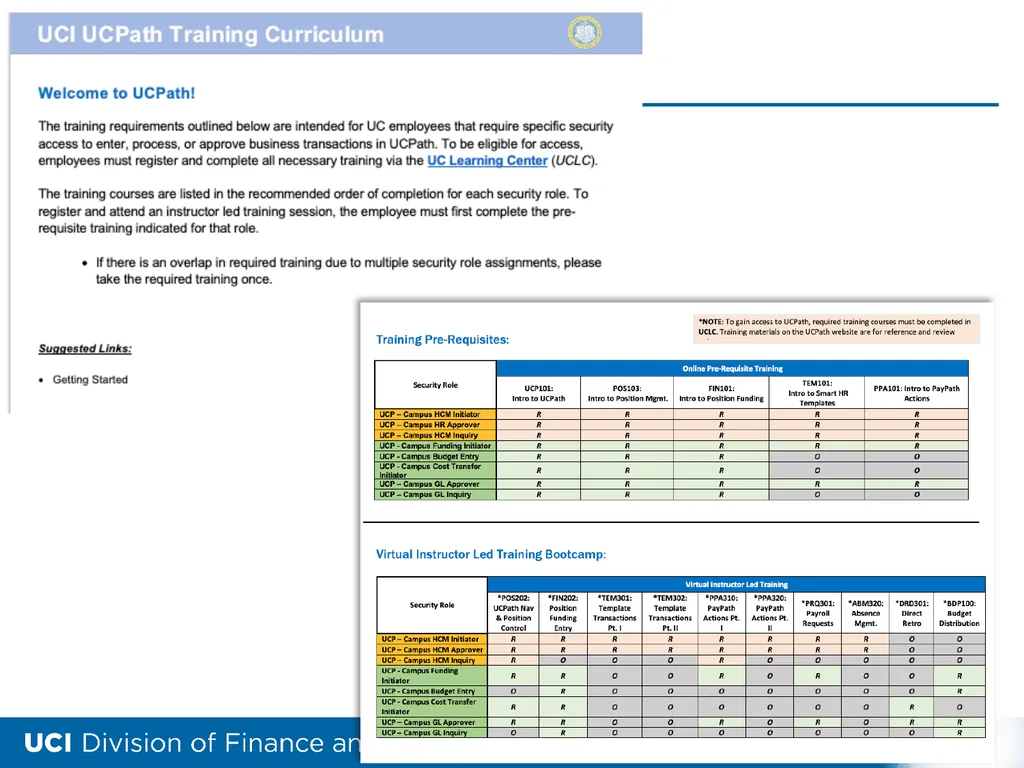
Training Curriculum 5<br>
06
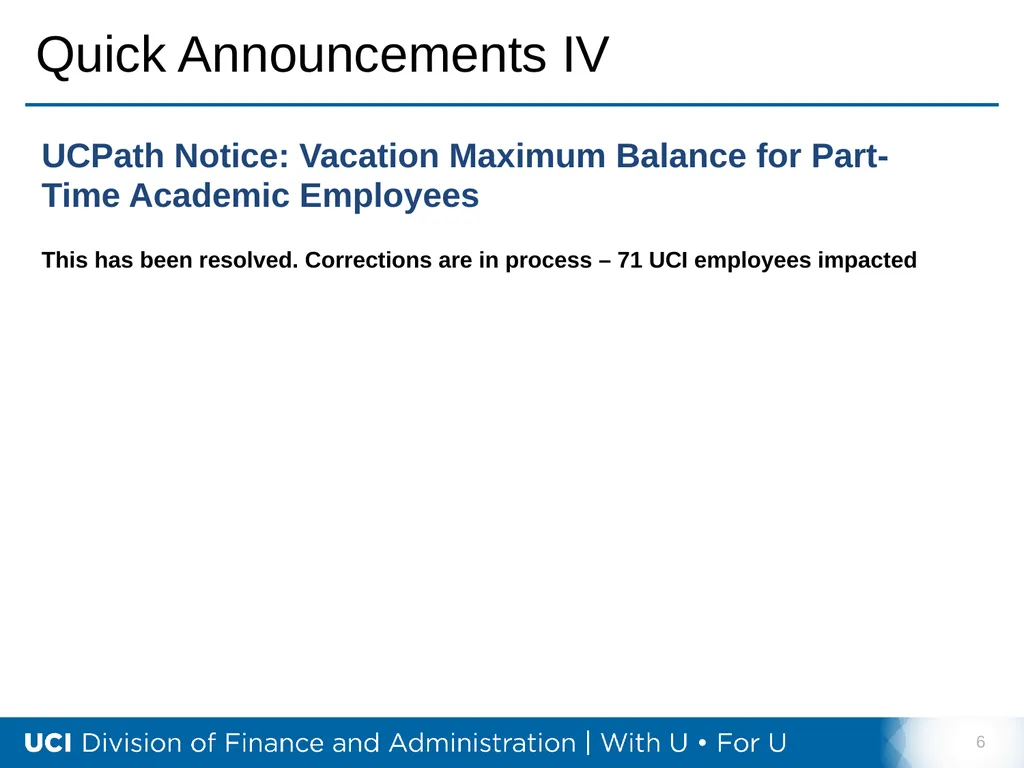
Quick Announcements IV 6<br>
07
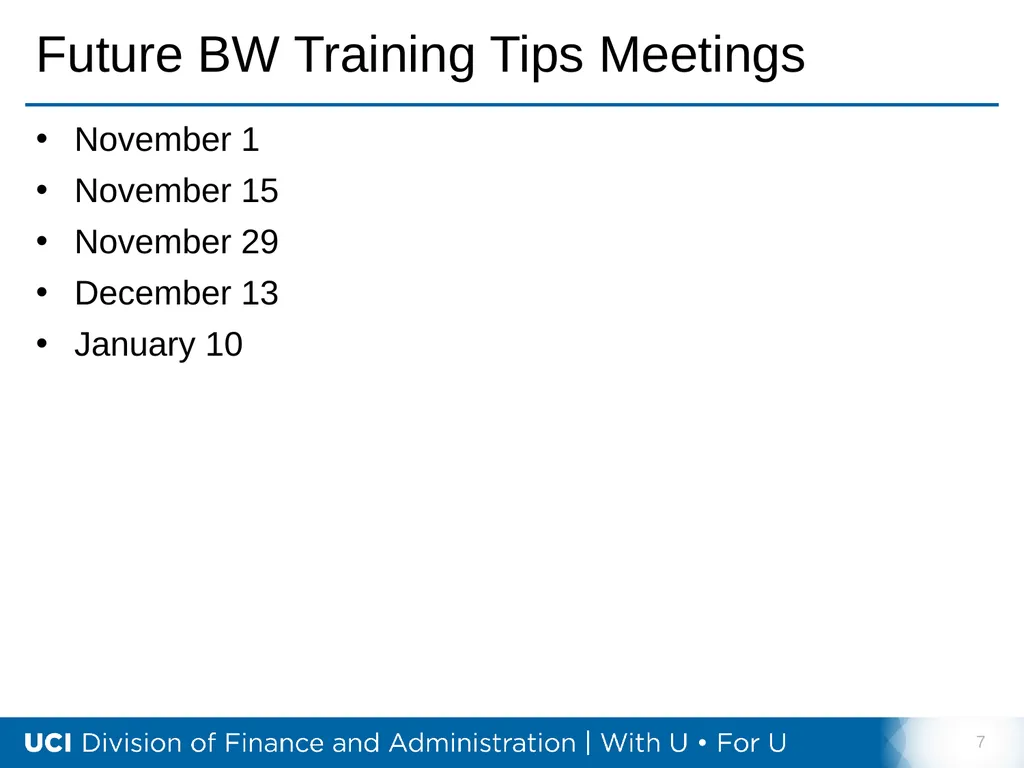
Future BW Training Tips Meetings November 1
November 15
November 29
December 13
January 10 7<br>
November 15
November 29
December 13
January 10 7<br>
08
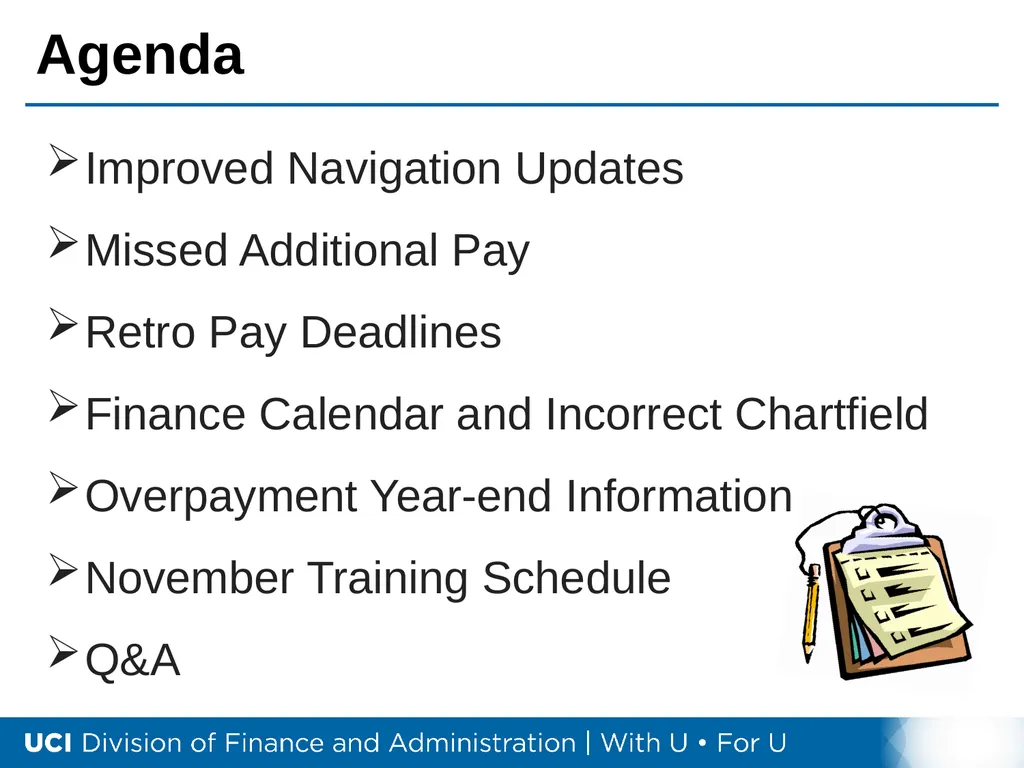
Agenda Improved Navigation Updates
Missed Additional Pay
Retro Pay Deadlines
Finance Calendar and Incorrect Chartfield
Overpayment Year-end Information
November Training Schedule
Q&A<br>
Missed Additional Pay
Retro Pay Deadlines
Finance Calendar and Incorrect Chartfield
Overpayment Year-end Information
November Training Schedule
Q&A<br>
09
9 Improved Navigation<br>
10
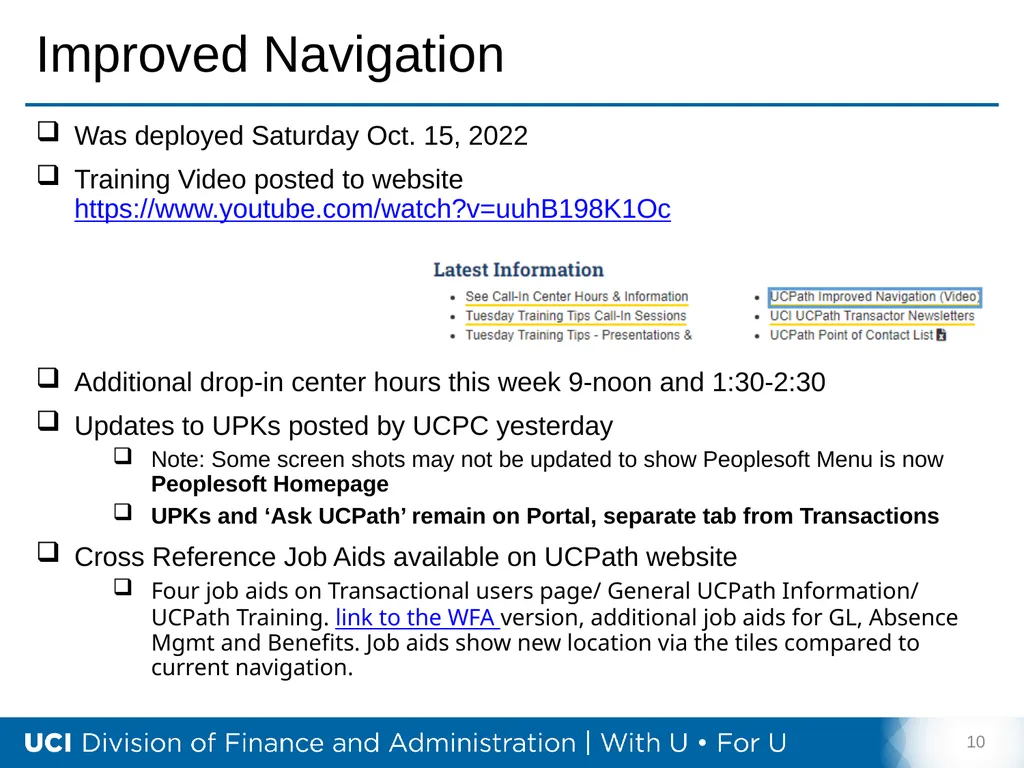
Improved Navigation Was deployed Saturday Oct. 15, 2022
Training Video posted to website https://www.youtube.com/watch?v=uuhB198K1Oc
Additional drop-in center hours this week 9-noon and 1:30-2:30
Updates to UPKs posted by UCPC yesterday
Note: Some screen shots may not be updated to show Peoplesoft Menu is now Peoplesoft Homepage
UPKs and ‘Ask UCPath’ remain on Portal, separate tab from Transactions
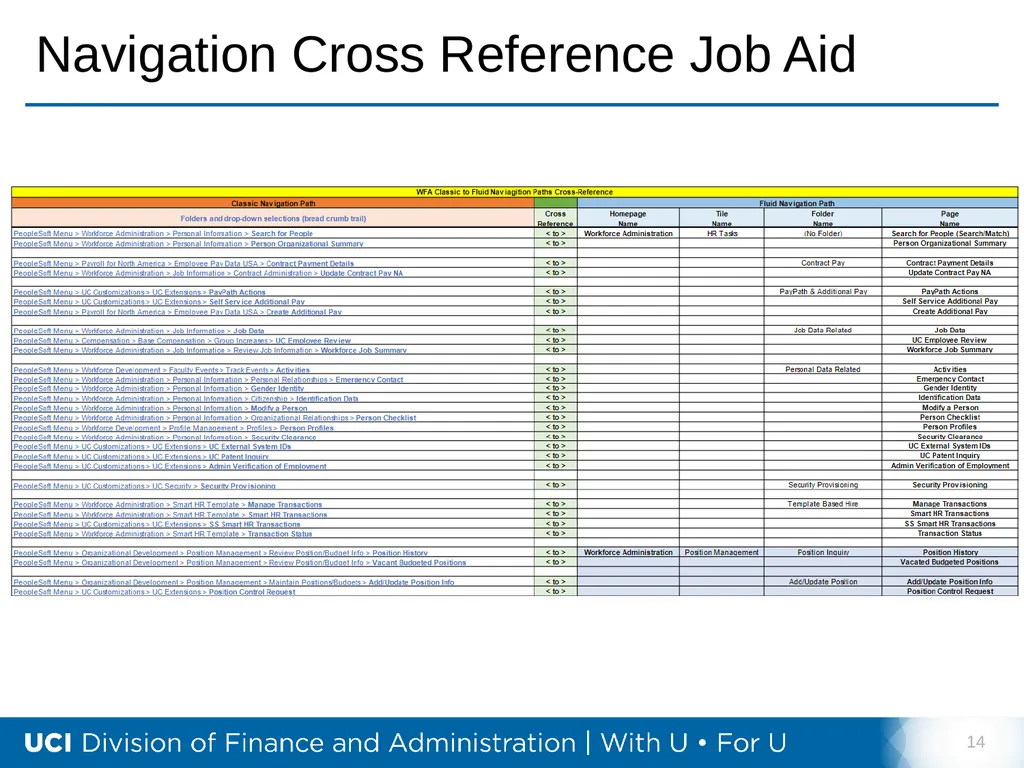
Cross Reference Job Aids available on UCPath website
Four job aids on Transactional users page/ General UCPath Information/ UCPath Training. link to the WFA version, additional job aids for GL, Absence Mgmt and Benefits. Job aids show new location via the tiles compared to current navigation. 10<br>
Training Video posted to website https://www.youtube.com/watch?v=uuhB198K1Oc
Additional drop-in center hours this week 9-noon and 1:30-2:30
Updates to UPKs posted by UCPC yesterday
Note: Some screen shots may not be updated to show Peoplesoft Menu is now Peoplesoft Homepage
UPKs and ‘Ask UCPath’ remain on Portal, separate tab from Transactions
Cross Reference Job Aids available on UCPath website
Four job aids on Transactional users page/ General UCPath Information/ UCPath Training. link to the WFA version, additional job aids for GL, Absence Mgmt and Benefits. Job aids show new location via the tiles compared to current navigation. 10<br>
11
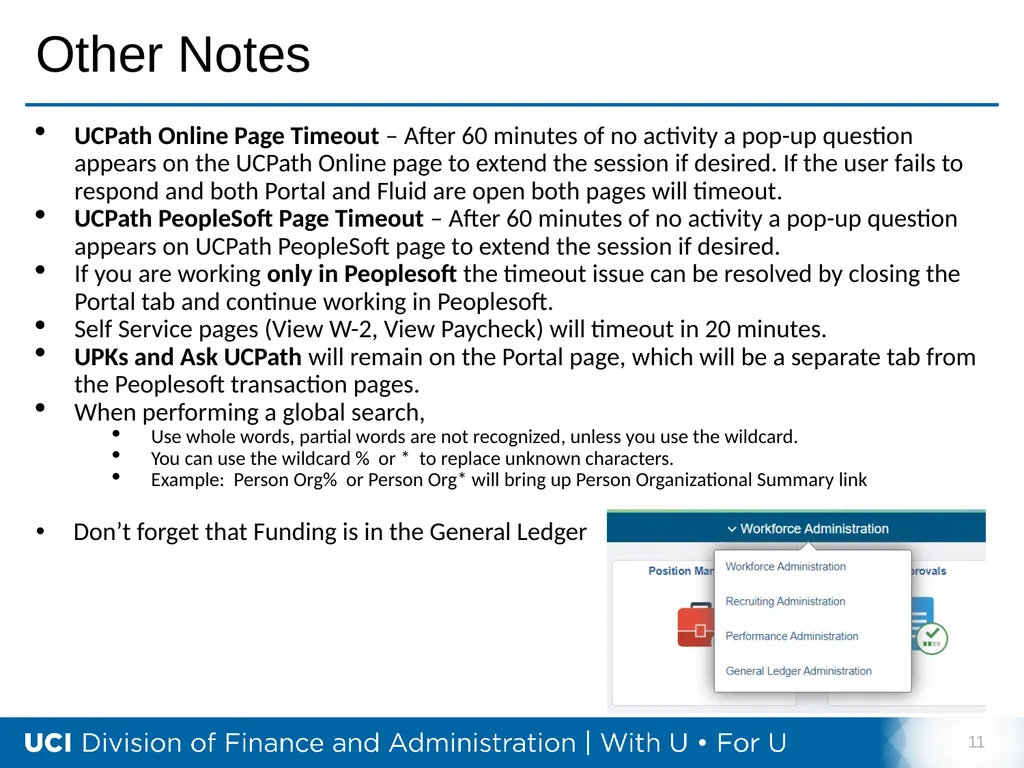
Other Notes UCPath Online Page Timeout – After 60 minutes of no activity a pop-up question appears on the UCPath Online page to extend the session if desired. If the user fails to respond and both Portal and Fluid are open both pages will timeout.
UCPath PeopleSoft Page Timeout – After 60 minutes of no activity a pop-up question appears on UCPath PeopleSoft page to extend the session if desired.
If you are working only in Peoplesoft the timeout issue can be resolved by closing the Portal tab and continue working in Peoplesoft.
Self Service pages (View W-2, View Paycheck) will timeout in 20 minutes.
UPKs and Ask UCPath will remain on the Portal page, which will be a separate tab from the Peoplesoft transaction pages.
When performing a global search,
Use whole words, partial words are not recognized, unless you use the wildcard.
You can use the wildcard % or * to replace unknown characters.
Example: Person Org% or Person Org* will bring up Person Organizational Summary link
Don’t forget that Funding is in the General Ledger 11<br>
UCPath PeopleSoft Page Timeout – After 60 minutes of no activity a pop-up question appears on UCPath PeopleSoft page to extend the session if desired.
If you are working only in Peoplesoft the timeout issue can be resolved by closing the Portal tab and continue working in Peoplesoft.
Self Service pages (View W-2, View Paycheck) will timeout in 20 minutes.
UPKs and Ask UCPath will remain on the Portal page, which will be a separate tab from the Peoplesoft transaction pages.
When performing a global search,
Use whole words, partial words are not recognized, unless you use the wildcard.
You can use the wildcard % or * to replace unknown characters.
Example: Person Org% or Person Org* will bring up Person Organizational Summary link
Don’t forget that Funding is in the General Ledger 11<br>
12
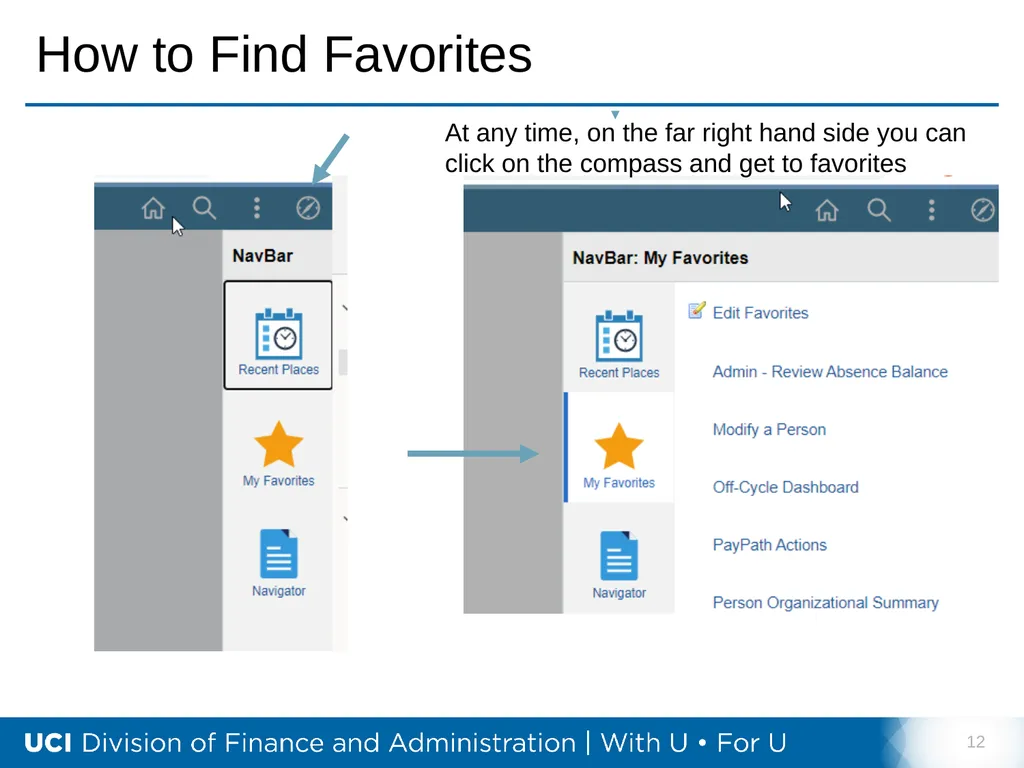
How to Find Favorites 12 At any time, on the far right hand side you can click on the compass and get to favorites<br>
13
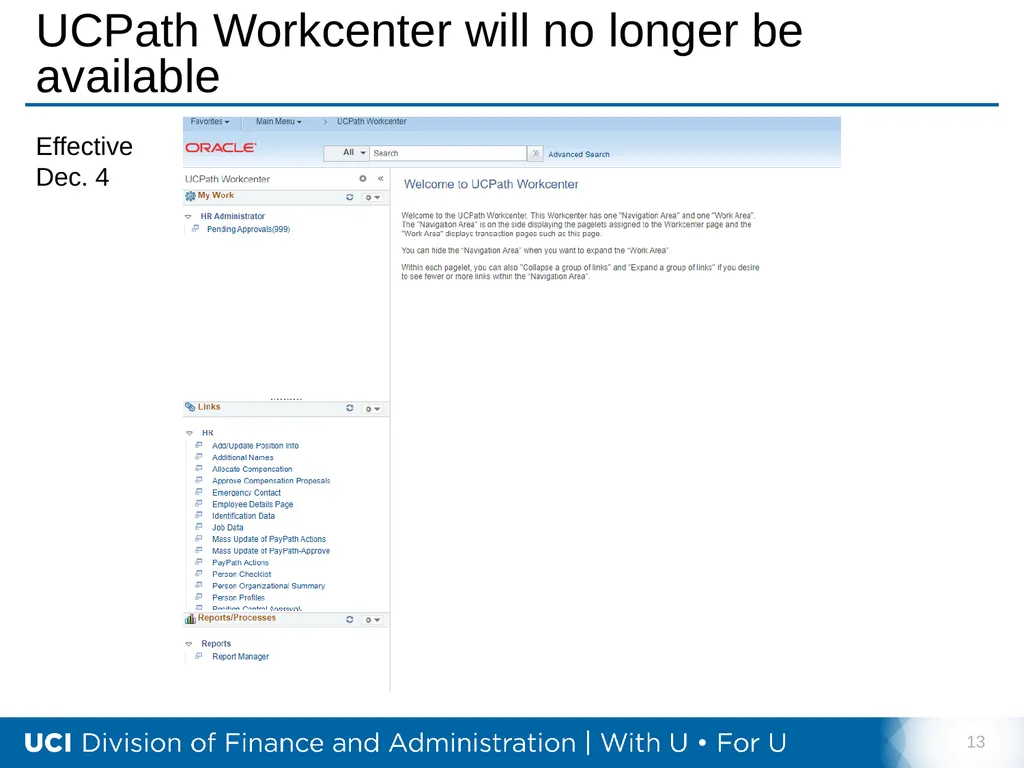
UCPath Workcenter will no longer be available 13 Effective Dec. 4<br>
14
Navigation Cross Reference Job Aid 14<br>
15
15 Missed Additional Pay<br>
16
Additional Pay & Payroll Requests Payroll Requests: Off-Cycle or Missed Pay
These transactions are intended to pay employees for money owed from their BASE pay in UCPath, in which their FTE is tied to.
Additional Pay is NOT considered part of an employee’s base pay, therefore cannot be submitted as an off-cycle or Missed Pay type of Payroll request. 16<br>
These transactions are intended to pay employees for money owed from their BASE pay in UCPath, in which their FTE is tied to.
Additional Pay is NOT considered part of an employee’s base pay, therefore cannot be submitted as an off-cycle or Missed Pay type of Payroll request. 16<br>
17
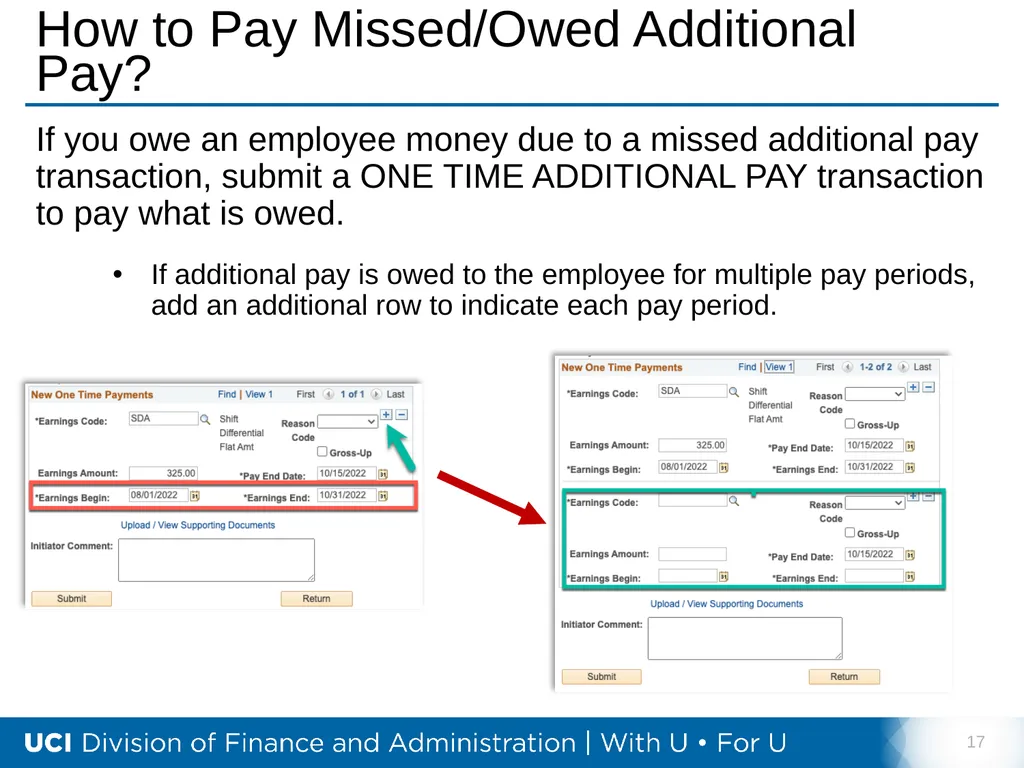
How to Pay Missed/Owed Additional Pay? If you owe an employee money due to a missed additional pay transaction, submit a ONE TIME ADDITIONAL PAY transaction to pay what is owed.
If additional pay is owed to the employee for multiple pay periods, add an additional row to indicate each pay period. 17<br>
If additional pay is owed to the employee for multiple pay periods, add an additional row to indicate each pay period. 17<br>
18
18 Retro Pay Deadlines<br>
19
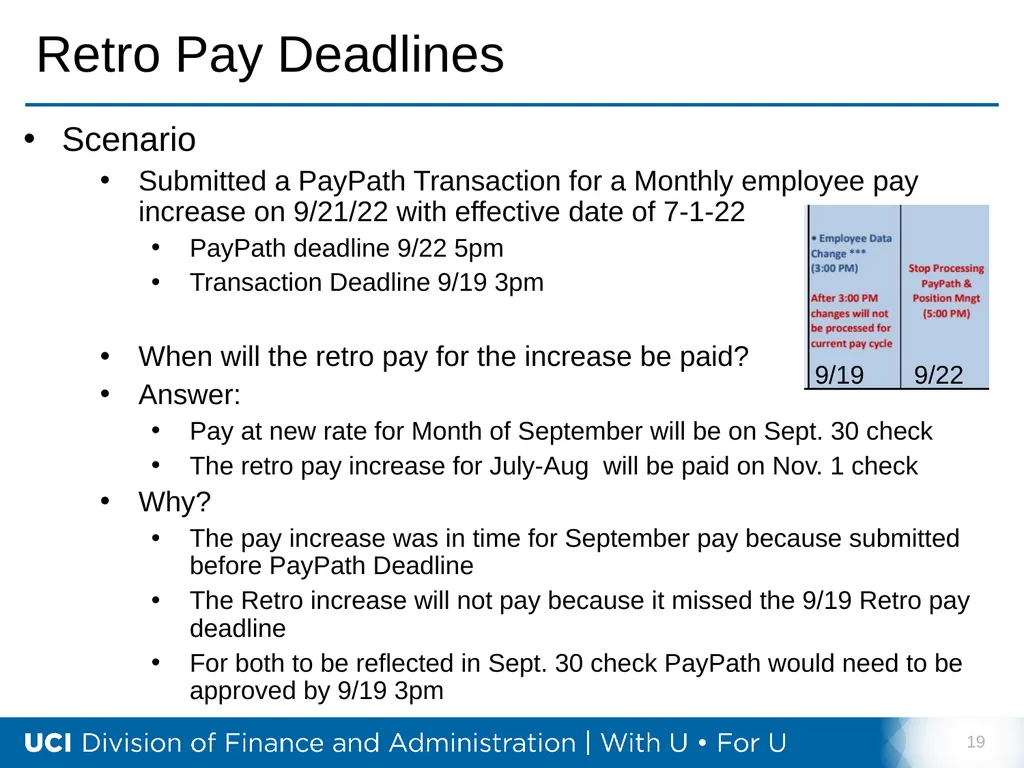
Retro Pay Deadlines Scenario
Submitted a PayPath Transaction for a Monthly employee pay increase on 9/21/22 with effective date of 7-1-22
PayPath deadline 9/22 5pm
Transaction Deadline 9/19 3pm
When will the retro pay for the increase be paid?
Answer:
Pay at new rate for Month of September will be on Sept. 30 check
The retro pay increase for July-Aug will be paid on Nov. 1 check
Why?
The pay increase was in time for September pay because submitted before PayPath Deadline
The Retro increase will not pay because it missed the 9/19 Retro pay deadline
For both to be reflected in Sept. 30 check PayPath would need to be approved by 9/19 3pm 19 9/19 9/22<br>
Submitted a PayPath Transaction for a Monthly employee pay increase on 9/21/22 with effective date of 7-1-22
PayPath deadline 9/22 5pm
Transaction Deadline 9/19 3pm
When will the retro pay for the increase be paid?
Answer:
Pay at new rate for Month of September will be on Sept. 30 check
The retro pay increase for July-Aug will be paid on Nov. 1 check
Why?
The pay increase was in time for September pay because submitted before PayPath Deadline
The Retro increase will not pay because it missed the 9/19 Retro pay deadline
For both to be reflected in Sept. 30 check PayPath would need to be approved by 9/19 3pm 19 9/19 9/22<br>
20
20 Finance Related
Calendar / Schedule<br>
21
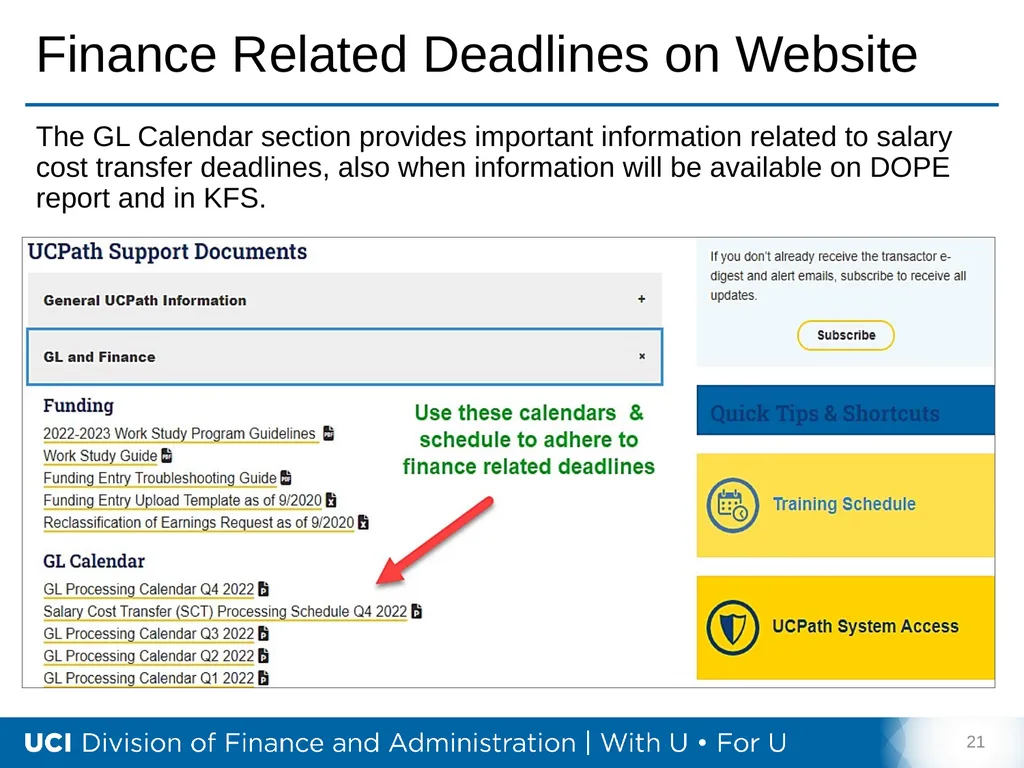
Finance Related Deadlines on Website 21 The GL Calendar section provides important information related to salary cost transfer deadlines, also when information will be available on DOPE report and in KFS.<br>
22
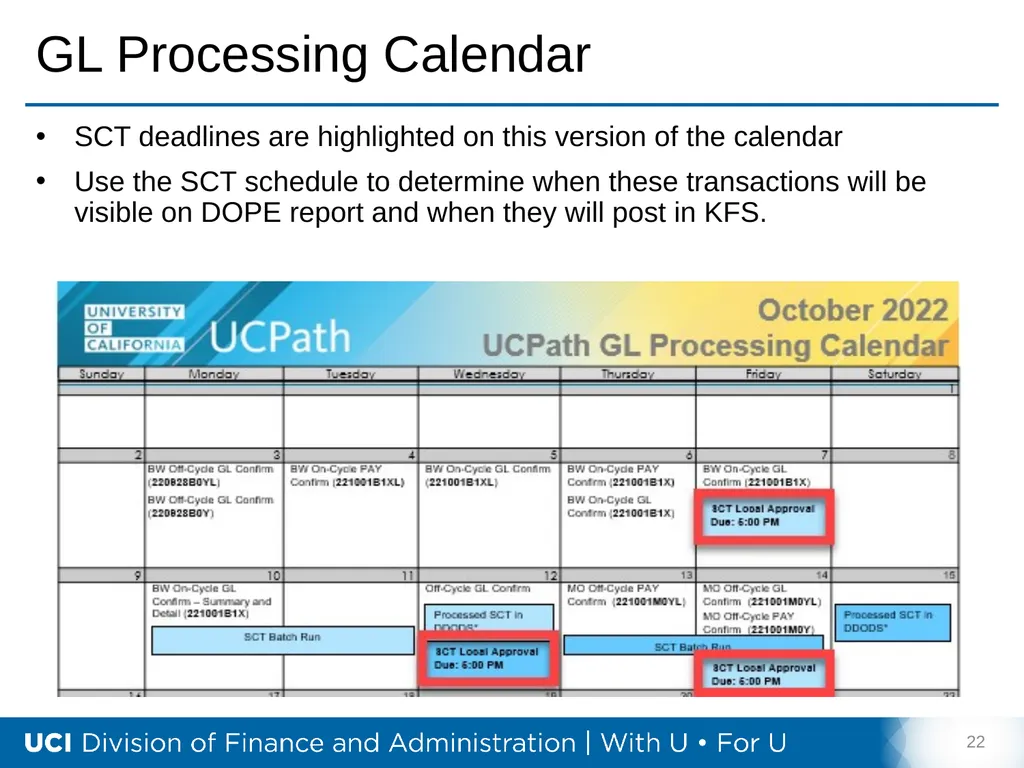
GL Processing Calendar 22 SCT deadlines are highlighted on this version of the calendar
Use the SCT schedule to determine when these transactions will be visible on DOPE report and when they will post in KFS.<br>
Use the SCT schedule to determine when these transactions will be visible on DOPE report and when they will post in KFS.<br>
23
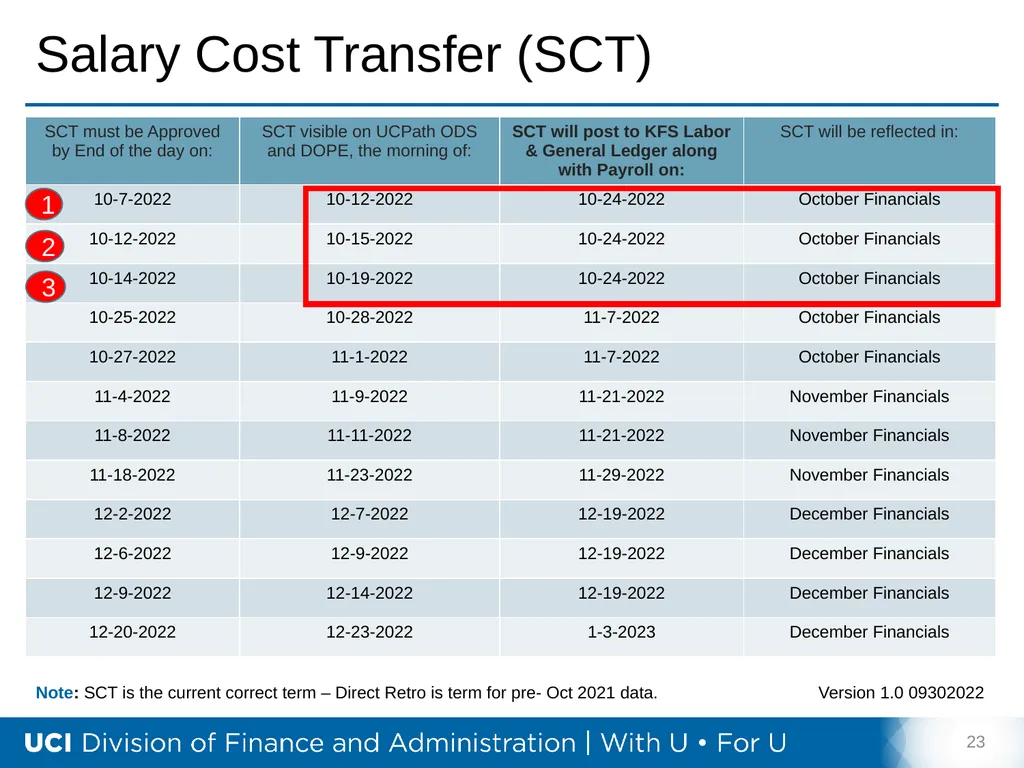
Salary Cost Transfer (SCT) 23 Note: SCT is the current correct term – Direct Retro is term for pre- Oct 2021 data. Version 1.0 09302022 1 2 3<br>
24
24 Incorrect ChartField
in UCPATH<br>
25
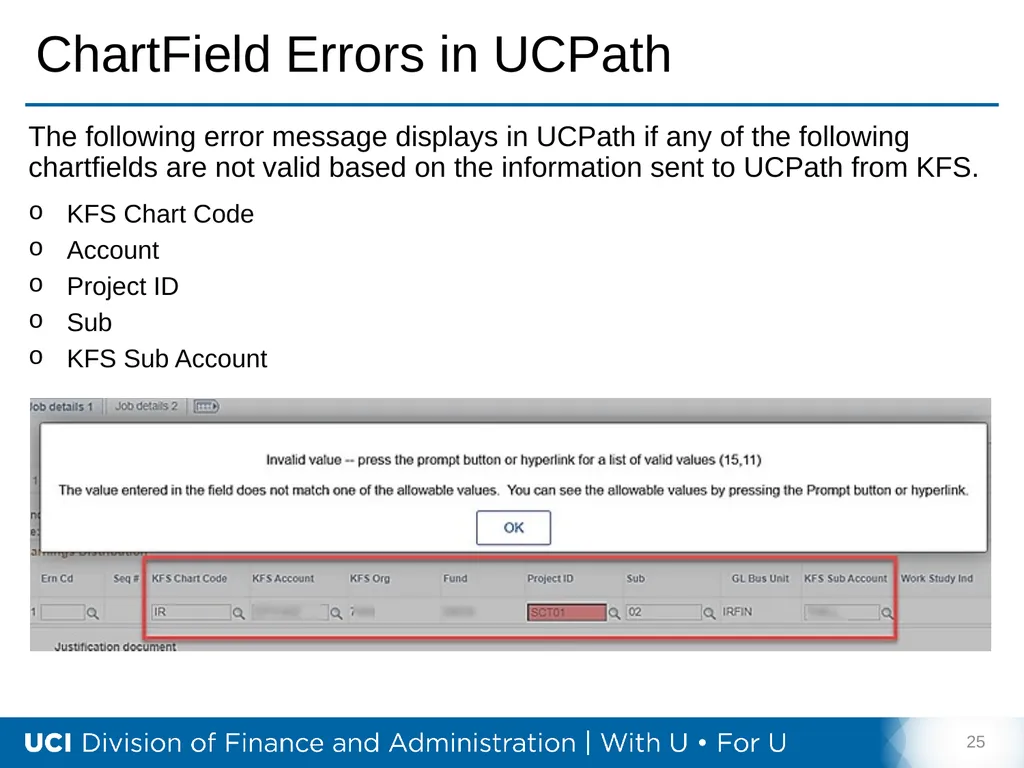
ChartField Errors in UCPath 25 The following error message displays in UCPath if any of the following chartfields are not valid based on the information sent to UCPath from KFS.
KFS Chart Code
Account
Project ID
Sub
KFS Sub Account<br>
KFS Chart Code
Account
Project ID
Sub
KFS Sub Account<br>
26
Error Resolution Process 26 If the error message on the previous page is encountered, follow the steps for resolution.
Steps:
Verify you entered the ChartField information correctly.
If you entered the ChartField correctly, follow up with the financial analyst in your department to ensure the information is correct.
If the financial analyst verifies the information is correct; take a full-page screenshot showing the error message, the page you are on and your entire ChartField String (all the KFS values).
Send an email to Accounting at kfs@uci.edu.<br>
Steps:
Verify you entered the ChartField information correctly.
If you entered the ChartField correctly, follow up with the financial analyst in your department to ensure the information is correct.
If the financial analyst verifies the information is correct; take a full-page screenshot showing the error message, the page you are on and your entire ChartField String (all the KFS values).
Send an email to Accounting at kfs@uci.edu.<br>
27
27 Overpayment Information<br>
28
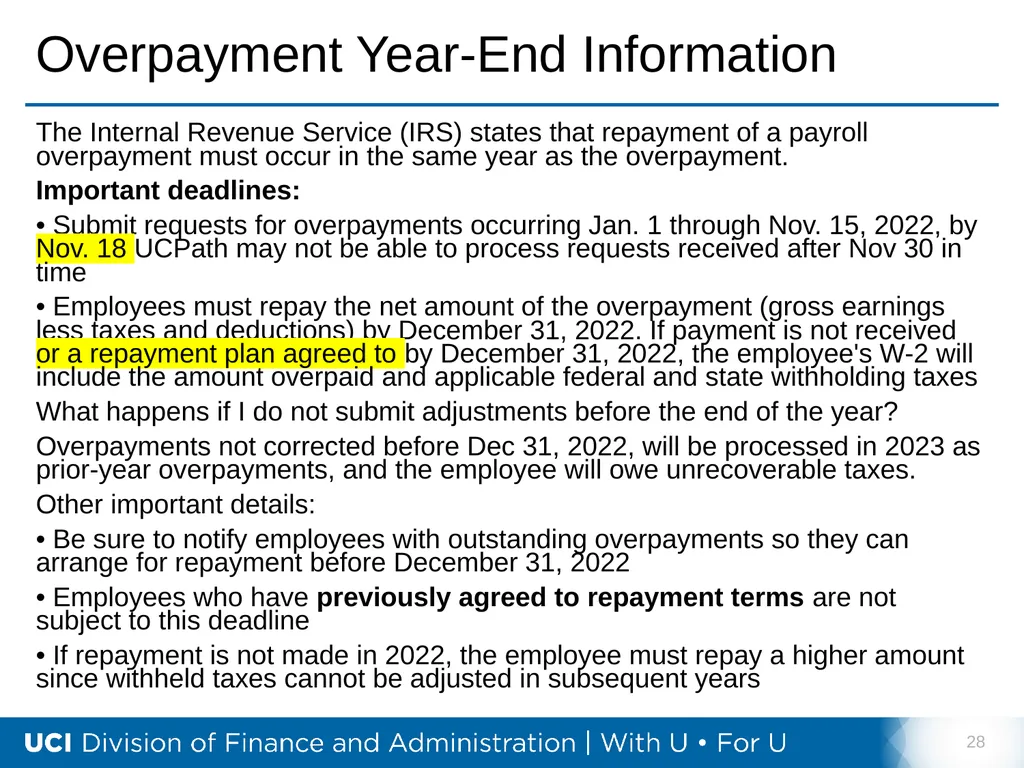
Overpayment Year-End Information The Internal Revenue Service (IRS) states that repayment of a payroll overpayment must occur in the same year as the overpayment.
Important deadlines:
• Submit requests for overpayments occurring Jan. 1 through Nov. 15, 2022, by Nov. 18 UCPath may not be able to process requests received after Nov 30 in time
• Employees must repay the net amount of the overpayment (gross earnings less taxes and deductions) by December 31, 2022. If payment is not received or a repayment plan agreed to by December 31, 2022, the employee's W-2 will include the amount overpaid and applicable federal and state withholding taxes
What happens if I do not submit adjustments before the end of the year?
Overpayments not corrected before Dec 31, 2022, will be processed in 2023 as prior-year overpayments, and the employee will owe unrecoverable taxes.
Other important details:
• Be sure to notify employees with outstanding overpayments so they can arrange for repayment before December 31, 2022
• Employees who have previously agreed to repayment terms are not subject to this deadline
• If repayment is not made in 2022, the employee must repay a higher amount since withheld taxes cannot be adjusted in subsequent years 28<br>
Important deadlines:
• Submit requests for overpayments occurring Jan. 1 through Nov. 15, 2022, by Nov. 18 UCPath may not be able to process requests received after Nov 30 in time
• Employees must repay the net amount of the overpayment (gross earnings less taxes and deductions) by December 31, 2022. If payment is not received or a repayment plan agreed to by December 31, 2022, the employee's W-2 will include the amount overpaid and applicable federal and state withholding taxes
What happens if I do not submit adjustments before the end of the year?
Overpayments not corrected before Dec 31, 2022, will be processed in 2023 as prior-year overpayments, and the employee will owe unrecoverable taxes.
Other important details:
• Be sure to notify employees with outstanding overpayments so they can arrange for repayment before December 31, 2022
• Employees who have previously agreed to repayment terms are not subject to this deadline
• If repayment is not made in 2022, the employee must repay a higher amount since withheld taxes cannot be adjusted in subsequent years 28<br>
29
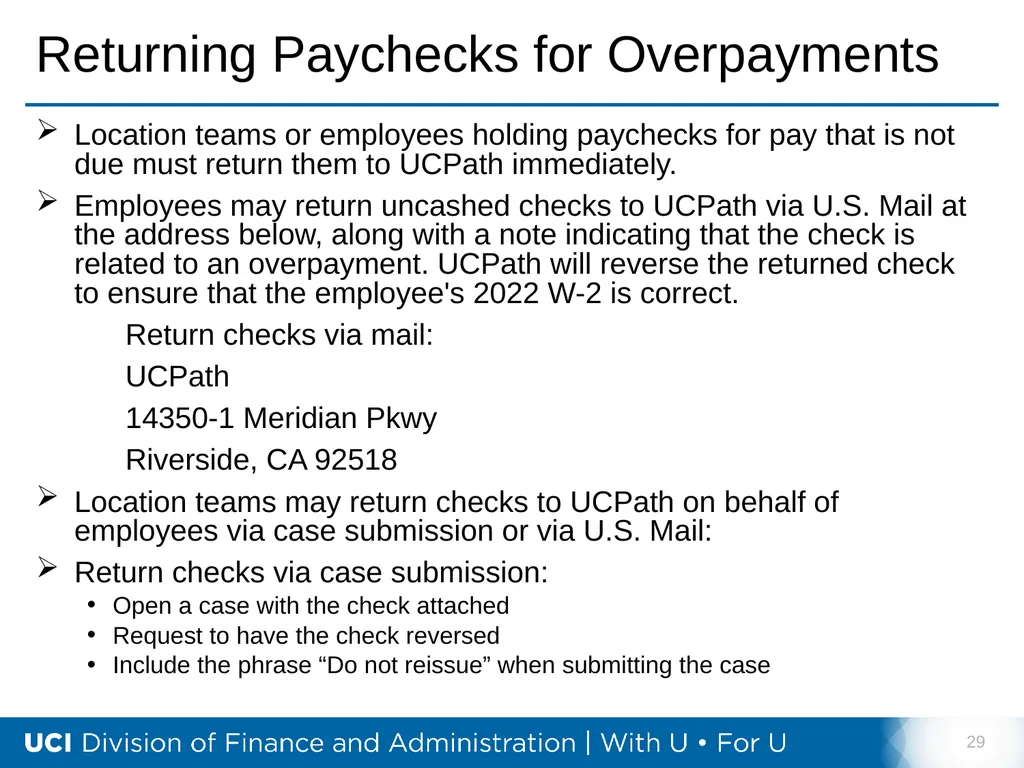
Returning Paychecks for Overpayments Location teams or employees holding paychecks for pay that is not due must return them to UCPath immediately.
Employees may return uncashed checks to UCPath via U.S. Mail at the address below, along with a note indicating that the check is related to an overpayment. UCPath will reverse the returned check to ensure that the employee's 2022 W-2 is correct.
Return checks via mail:
UCPath
14350-1 Meridian Pkwy
Riverside, CA 92518
Location teams may return checks to UCPath on behalf of employees via case submission or via U.S. Mail:
Return checks via case submission:
Open a case with the check attached
Request to have the check reversed
Include the phrase “Do not reissue” when submitting the case 29<br>
Employees may return uncashed checks to UCPath via U.S. Mail at the address below, along with a note indicating that the check is related to an overpayment. UCPath will reverse the returned check to ensure that the employee's 2022 W-2 is correct.
Return checks via mail:
UCPath
14350-1 Meridian Pkwy
Riverside, CA 92518
Location teams may return checks to UCPath on behalf of employees via case submission or via U.S. Mail:
Return checks via case submission:
Open a case with the check attached
Request to have the check reversed
Include the phrase “Do not reissue” when submitting the case 29<br>
30
30 Training Schedule<br>
31
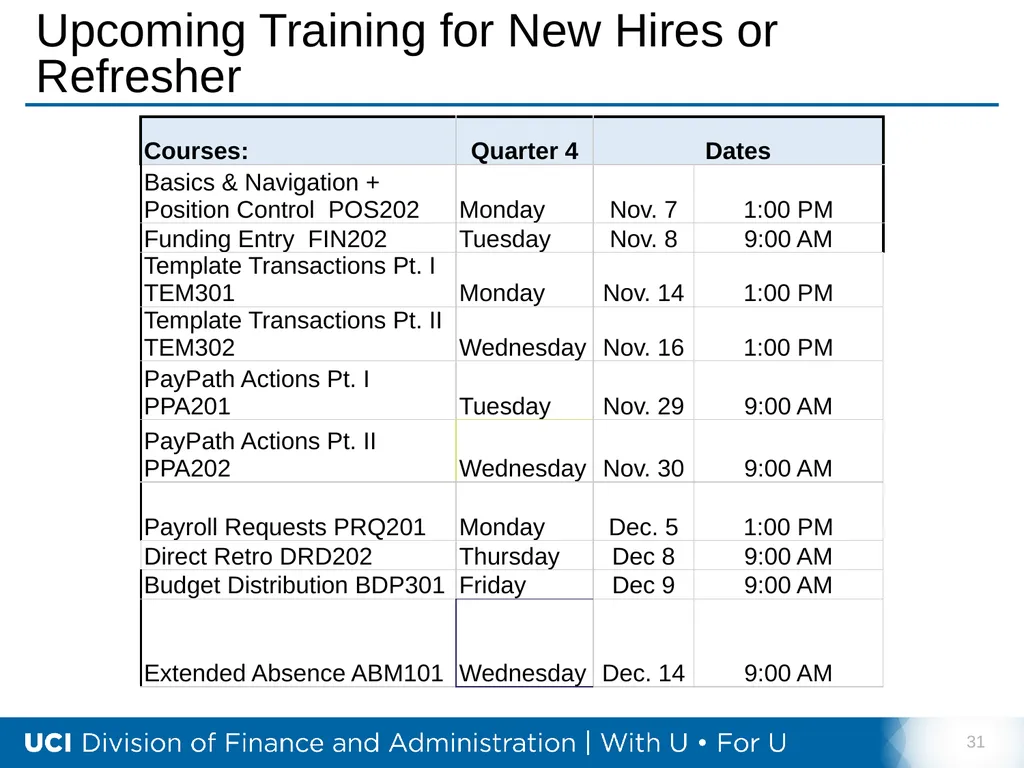
Upcoming Training for New Hires or Refresher 31<br>
32
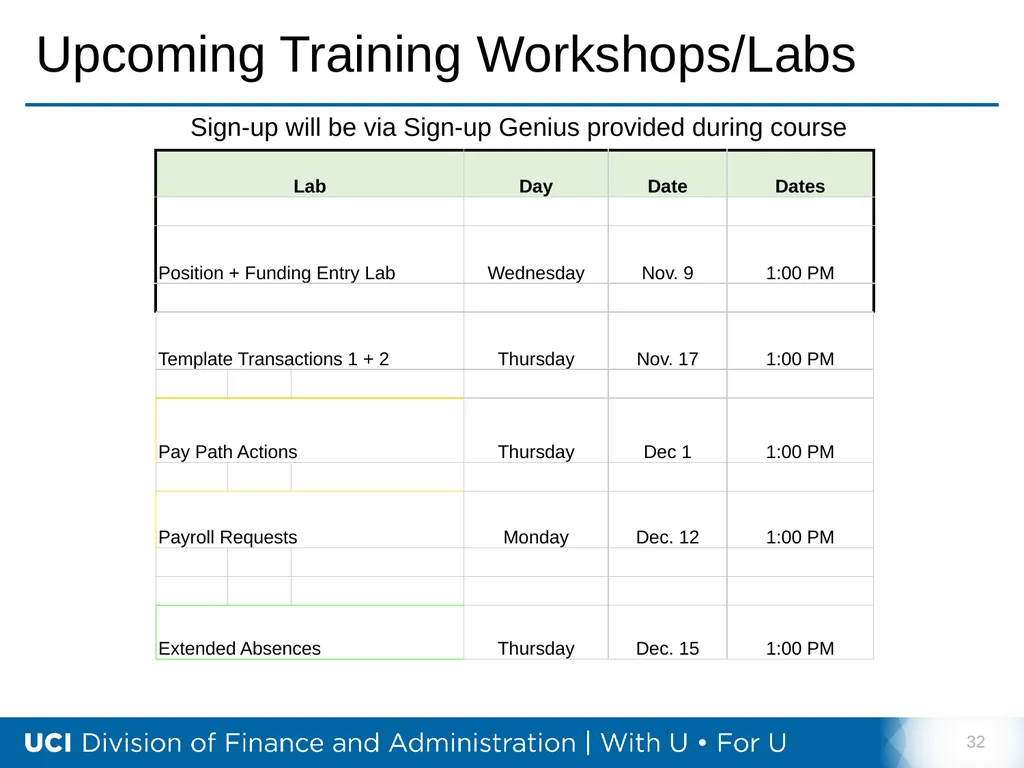
Upcoming Training Workshops/Labs 32 Sign-up will be via Sign-up Genius provided during course<br>
33
33 Did You Know?<br>
34
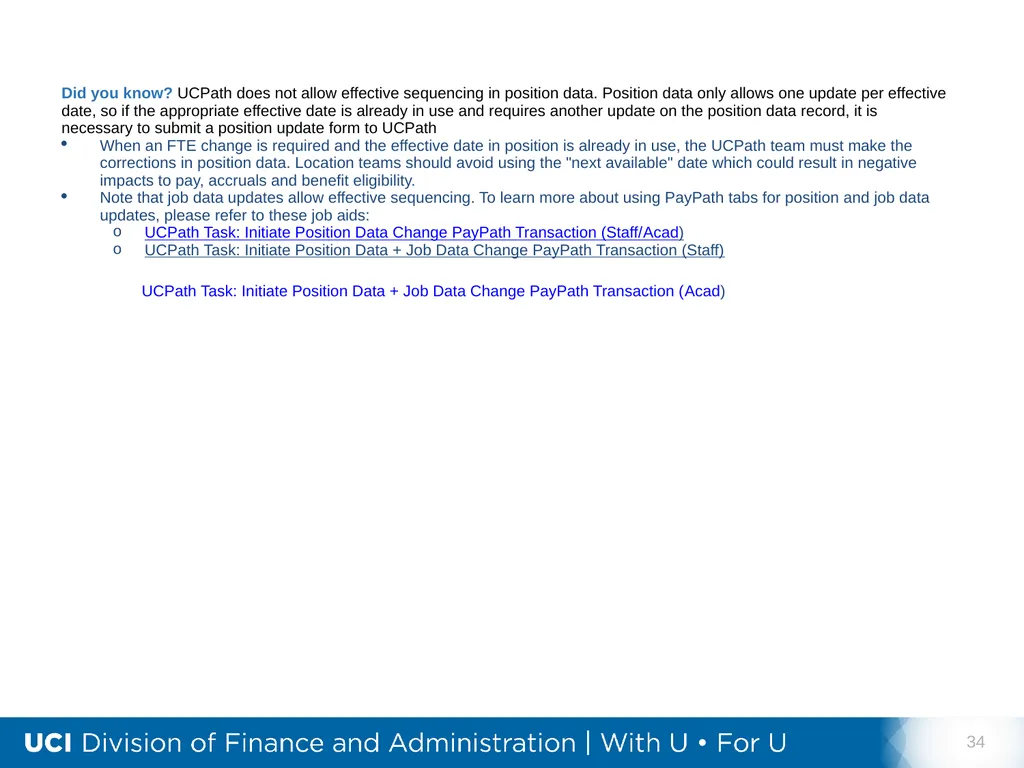
34 UCPath Task: Initiate Position Data + Job Data Change PayPath Transaction (Acad)<br>