
Troubleshooting Your Jobs Brian Lin OSG Software
MJ
Published · 31 slides · 0 views

1 / 1








Description
Troubleshooting Your Jobs Brian Lin OSG Software Team University of Wisconsin - Madison The grid is your oyster! The grid is your oyster! ...if your jobs arent broken. Photo by brentleimenstoll CC BY-SA Keys to Troubleshooting
Related Topics
Share
Embed code
Download this presentation From Below
"Troubleshooting Your Jobs Brian Lin OSG Software" is the property of its rightful owner. Permission is granted to download and print the materials on this website for personal, non-commercial use only, and to display it on your personal computer provided you do not modify the materials and that you retain all copyright notices contained in the materials. By downloading content from our website, you accept the terms of this agreement.
Presentation Transcript
01
Troubleshooting Your Jobs Brian Lin
OSG Software Team
University of Wisconsin - Madison<br>
OSG Software Team
University of Wisconsin - Madison<br>
02
The grid is your oyster! ‹#›<br>
03
The grid is your oyster! ‹#› ...if your jobs aren’t broken. Photo by brentleimenstoll CC BY-SA<br>
04
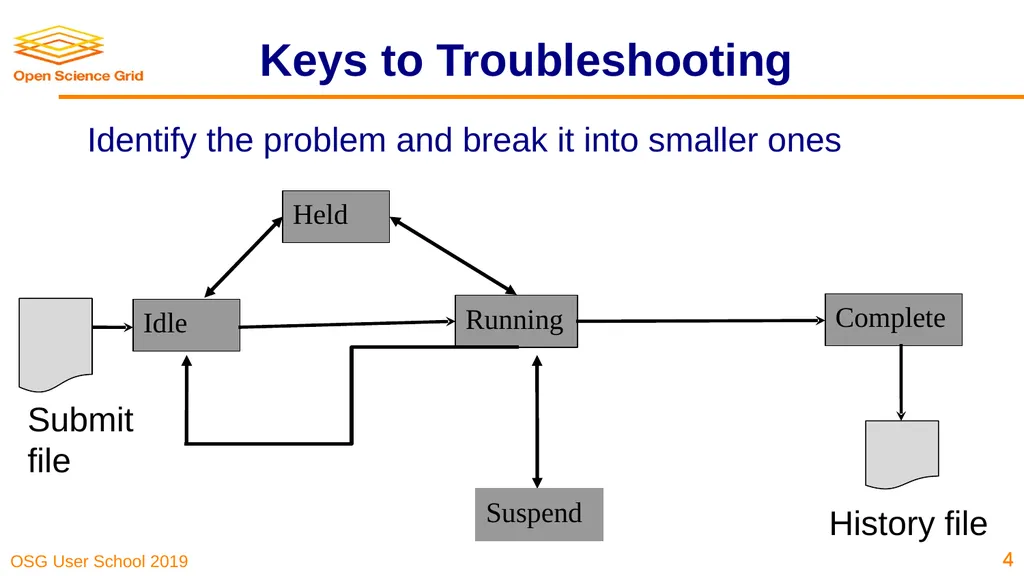
‹#› Keys to Troubleshooting ‹#› Identify the problem and break it into smaller ones<br>
05
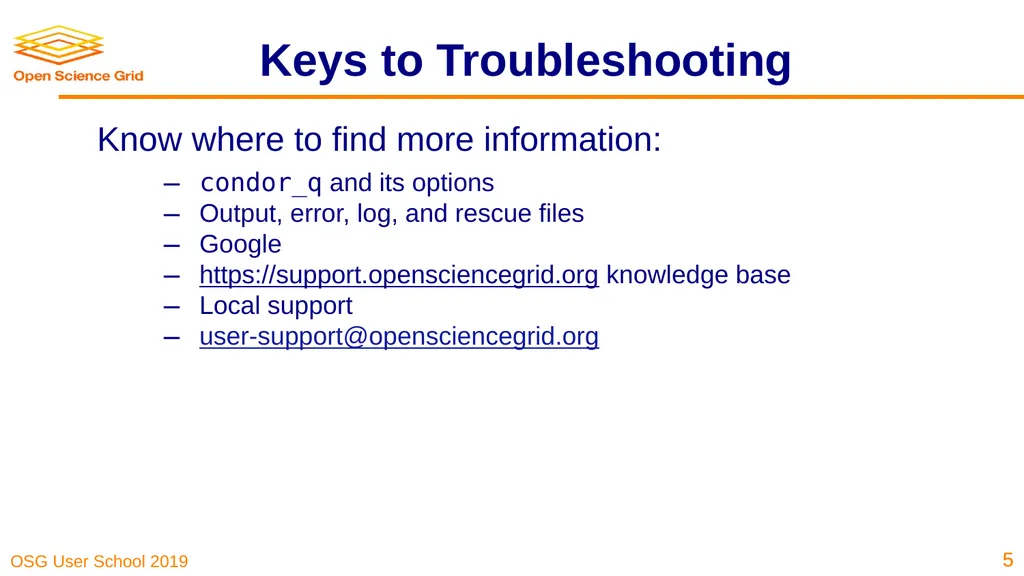
Know where to find more information:
condor_q and its options
Output, error, log, and rescue files
Google
https://support.opensciencegrid.org knowledge base
Local support
user-support@opensciencegrid.org Keys to Troubleshooting ‹#› ‹#›<br>
condor_q and its options
Output, error, log, and rescue files
https://support.opensciencegrid.org knowledge base
Local support
user-support@opensciencegrid.org Keys to Troubleshooting ‹#› ‹#›<br>
06
‹#› Common Issues<br>
07
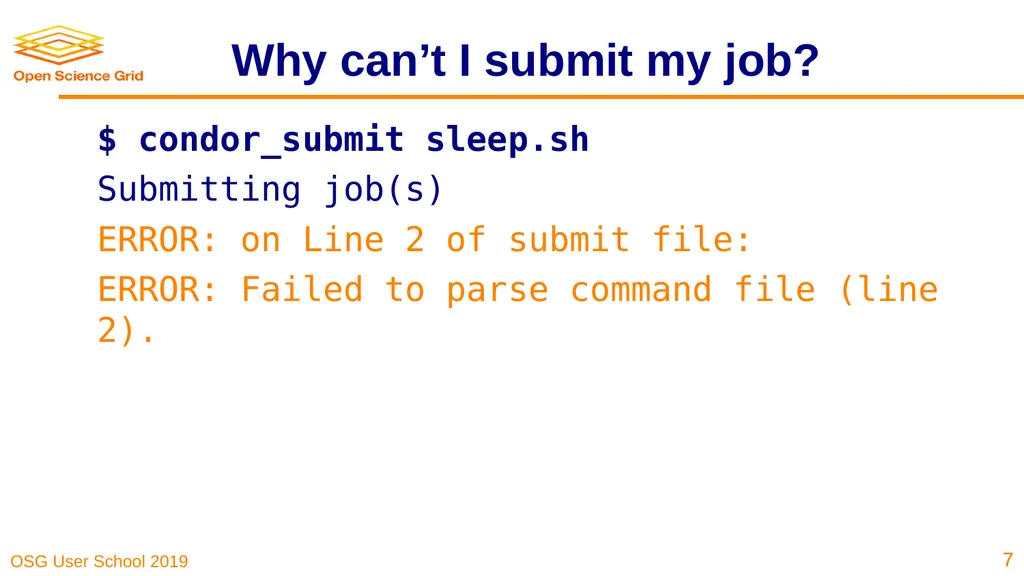
Why can’t I submit my job? $ condor_submit sleep.sh
Submitting job(s)
ERROR: on Line 2 of submit file:
ERROR: Failed to parse command file (line 2). ‹#› ‹#›<br>
Submitting job(s)
ERROR: on Line 2 of submit file:
ERROR: Failed to parse command file (line 2). ‹#› ‹#›<br>
08
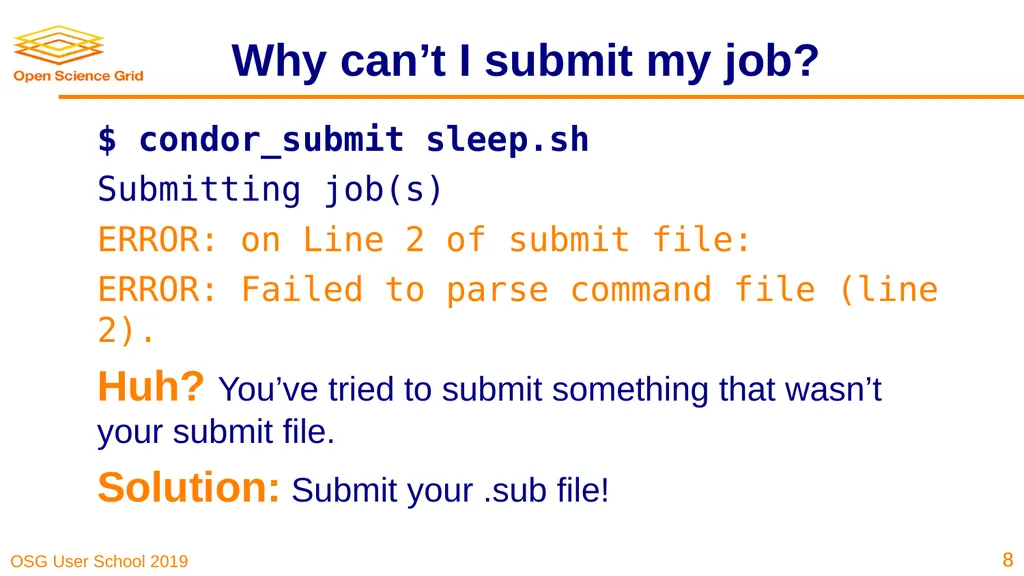
Why can’t I submit my job? $ condor_submit sleep.sh
Submitting job(s)
ERROR: on Line 2 of submit file:
ERROR: Failed to parse command file (line 2).
Huh? You’ve tried to submit something that wasn’t your submit file.
Solution: Submit your .sub file! ‹#› ‹#›<br>
Submitting job(s)
ERROR: on Line 2 of submit file:
ERROR: Failed to parse command file (line 2).
Huh? You’ve tried to submit something that wasn’t your submit file.
Solution: Submit your .sub file! ‹#› ‹#›<br>
09
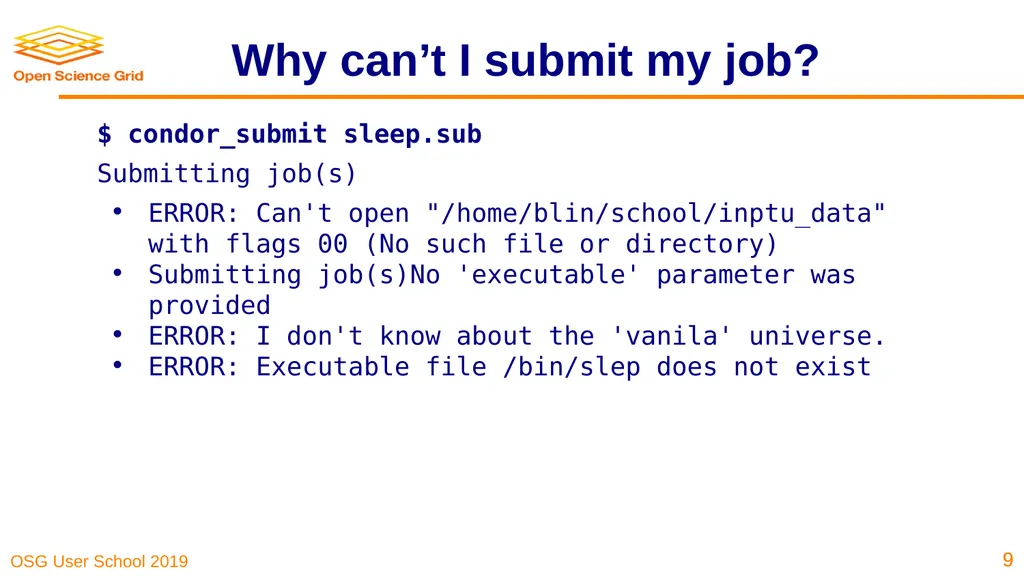
Why can’t I submit my job? $ condor_submit sleep.sub
Submitting job(s)
ERROR: Can't open "/home/blin/school/inptu_data" with flags 00 (No such file or directory)
Submitting job(s)No 'executable' parameter was provided
ERROR: I don't know about the 'vanila' universe.
ERROR: Executable file /bin/slep does not exist ‹#› ‹#›<br>
Submitting job(s)
ERROR: Can't open "/home/blin/school/inptu_data" with flags 00 (No such file or directory)
Submitting job(s)No 'executable' parameter was provided
ERROR: I don't know about the 'vanila' universe.
ERROR: Executable file /bin/slep does not exist ‹#› ‹#›<br>
10
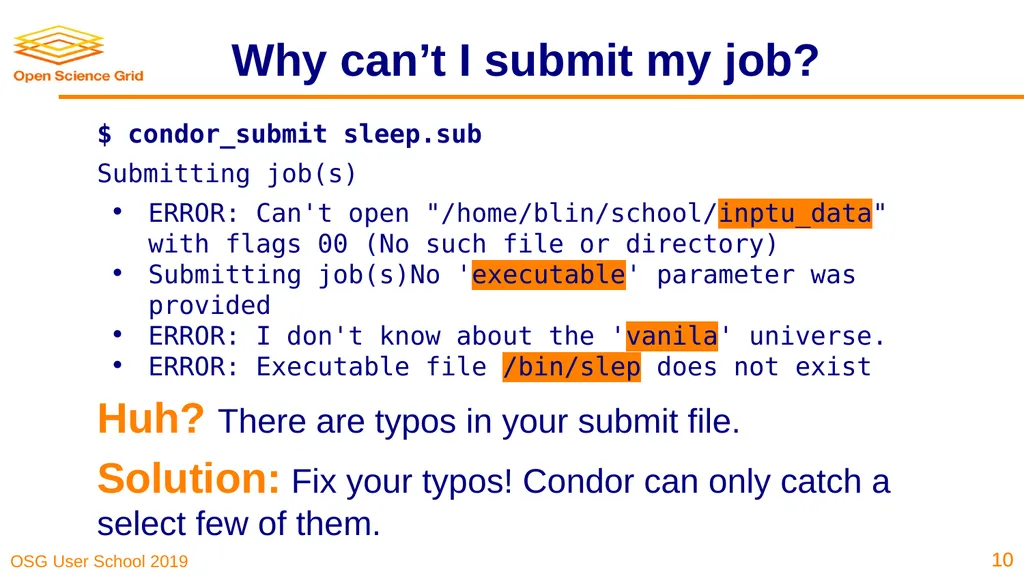
Why can’t I submit my job? $ condor_submit sleep.sub
Submitting job(s)
ERROR: Can't open "/home/blin/school/inptu_data" with flags 00 (No such file or directory)
Submitting job(s)No 'executable' parameter was provided
ERROR: I don't know about the 'vanila' universe.
ERROR: Executable file /bin/slep does not exist
Huh? There are typos in your submit file.
Solution: Fix your typos! Condor can only catch a select few of them. ‹#› ‹#›<br>
Submitting job(s)
ERROR: Can't open "/home/blin/school/inptu_data" with flags 00 (No such file or directory)
Submitting job(s)No 'executable' parameter was provided
ERROR: I don't know about the 'vanila' universe.
ERROR: Executable file /bin/slep does not exist
Huh? There are typos in your submit file.
Solution: Fix your typos! Condor can only catch a select few of them. ‹#› ‹#›<br>
11
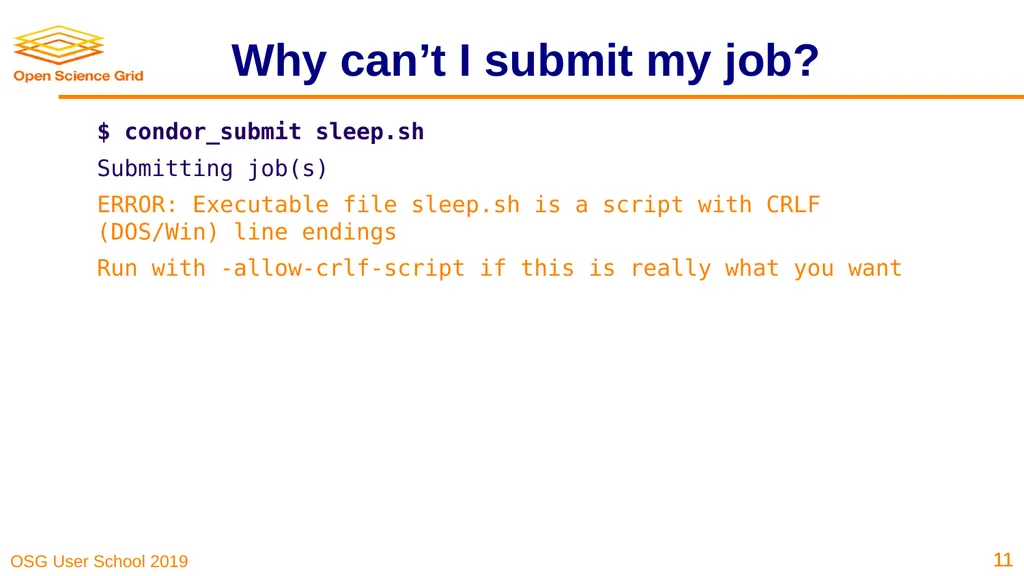
Why can’t I submit my job? $ condor_submit sleep.sh
Submitting job(s)
ERROR: Executable file sleep.sh is a script with CRLF (DOS/Win) line endings
Run with -allow-crlf-script if this is really what you want ‹#› ‹#›<br>
Submitting job(s)
ERROR: Executable file sleep.sh is a script with CRLF (DOS/Win) line endings
Run with -allow-crlf-script if this is really what you want ‹#› ‹#›<br>
12
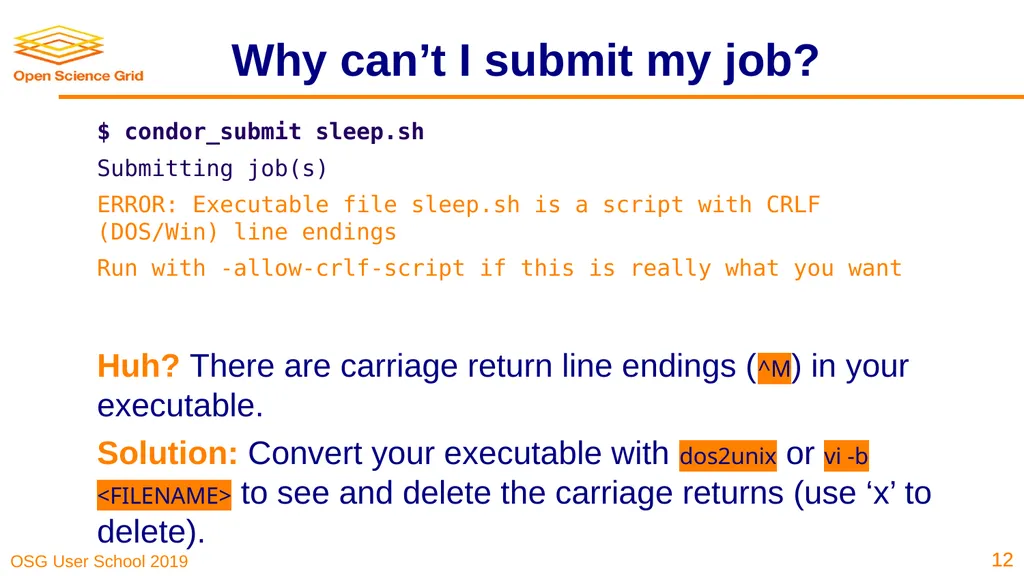
Why can’t I submit my job? $ condor_submit sleep.sh
Submitting job(s)
ERROR: Executable file sleep.sh is a script with CRLF (DOS/Win) line endings
Run with -allow-crlf-script if this is really what you want
Huh? There are carriage return line endings (^M) in your executable.
Solution: Convert your executable with dos2unix or vi -b <FILENAME> to see and delete the carriage returns (use ‘x’ to delete). ‹#› ‹#›<br>
Submitting job(s)
ERROR: Executable file sleep.sh is a script with CRLF (DOS/Win) line endings
Run with -allow-crlf-script if this is really what you want
Huh? There are carriage return line endings (^M) in your executable.
Solution: Convert your executable with dos2unix or vi -b <FILENAME> to see and delete the carriage returns (use ‘x’ to delete). ‹#› ‹#›<br>
13
What are my jobs up to? $ condor_q -help status
JobStatus codes:
1 I IDLE
2 R RUNNING
3 X REMOVED
4 C COMPLETED
5 H HELD
6 > TRANSFERRING_OUTPUT
7 S SUSPENDED ‹#› ‹#›<br>
JobStatus codes:
1 I IDLE
2 R RUNNING
3 X REMOVED
4 C COMPLETED
5 H HELD
6 > TRANSFERRING_OUTPUT
7 S SUSPENDED ‹#› ‹#›<br>
14
Why are my jobs idle? $ condor_q -better 29486
[...]
The Requirements expression for job 29486.000 reduces to these conditions:
Slots
Step Matched Condition
----- -------- ---------
[1] 8348 Target.OpSysMajorVer == 6
[7] 10841 TARGET.Disk >= RequestDisk
[9] 1 TARGET.Memory >= RequestMemory
[11] 10852 TARGET.HasFileTransfer ‹#› ‹#›<br>
[...]
The Requirements expression for job 29486.000 reduces to these conditions:
Slots
Step Matched Condition
----- -------- ---------
[1] 8348 Target.OpSysMajorVer == 6
[7] 10841 TARGET.Disk >= RequestDisk
[9] 1 TARGET.Memory >= RequestMemory
[11] 10852 TARGET.HasFileTransfer ‹#› ‹#›<br>
15
Why are my jobs still running? $ condor_q -nobatch
-- Schedd: learn.chtc.wisc.edu : <128.104.100.43:9618?...
ID OWNER SUBMITTED RUN_TIME ST PRI SIZE CMD
14665.0 blin 7/25 18:19 0+23:00:03 R 0 0.3 sleep.sh
Solution: Use condor_ssh_to_job <JOB ID> to open an SSH session to the worker node running your job. Non-OSG jobs only! ‹#› ‹#›<br>
-- Schedd: learn.chtc.wisc.edu : <128.104.100.43:9618?...
ID OWNER SUBMITTED RUN_TIME ST PRI SIZE CMD
14665.0 blin 7/25 18:19 0+23:00:03 R 0 0.3 sleep.sh
Solution: Use condor_ssh_to_job <JOB ID> to open an SSH session to the worker node running your job. Non-OSG jobs only! ‹#› ‹#›<br>
16
Why are my jobs held? $ condor_q -held
-- Schedd: learn.chtc.wisc.edu : <128.104.100.43:9618?... @ 07/18/17 15:13:42
ID OWNER HELD_SINCE HOLD_REASON
14662.0 blin 7/25 18:05 Error from slot1_12@e163.chtc.wisc.edu: Failed to execute '/var/lib/condor/execute/slot1/dir_3090825/condor_exec.exe': (errno=8: 'Exec format error') ‹#› ‹#›<br>
-- Schedd: learn.chtc.wisc.edu : <128.104.100.43:9618?... @ 07/18/17 15:13:42
ID OWNER HELD_SINCE HOLD_REASON
14662.0 blin 7/25 18:05 Error from slot1_12@e163.chtc.wisc.edu: Failed to execute '/var/lib/condor/execute/slot1/dir_3090825/condor_exec.exe': (errno=8: 'Exec format error') ‹#› ‹#›<br>
17
Why are my jobs held? $ condor_q -held
-- Schedd: learn.chtc.wisc.edu : <128.104.100.43:9618?... @ 07/18/17 15:13:42
ID OWNER HELD_SINCE HOLD_REASON
14662.0 blin 7/25 18:05 Error from slot1_12@e163.chtc.wisc.edu: Failed to execute '/var/lib/condor/execute/slot1/dir_3090825/condor_exec.exe': (errno=8: 'Exec format error')
Huh? Condor couldn’t run your executable.
Solution: Add the missing ‘shebang’ line at the top of the executable, e.g. #!/bin/bash. ‹#› ‹#›<br>
-- Schedd: learn.chtc.wisc.edu : <128.104.100.43:9618?... @ 07/18/17 15:13:42
ID OWNER HELD_SINCE HOLD_REASON
14662.0 blin 7/25 18:05 Error from slot1_12@e163.chtc.wisc.edu: Failed to execute '/var/lib/condor/execute/slot1/dir_3090825/condor_exec.exe': (errno=8: 'Exec format error')
Huh? Condor couldn’t run your executable.
Solution: Add the missing ‘shebang’ line at the top of the executable, e.g. #!/bin/bash. ‹#› ‹#›<br>
18
Why are my jobs held? $ condor_q -held
-- Schedd: learn.chtc.wisc.edu : <128.104.100.43:9618?... @ 07/18/17 15:13:42
ID OWNER HELD_SINCE HOLD_REASON
29494.0 blin 7/16 17:31 Failed to initialize user log to /home/blin/foo/bar/test-000.log or /dev/null ‹#› ‹#›<br>
-- Schedd: learn.chtc.wisc.edu : <128.104.100.43:9618?... @ 07/18/17 15:13:42
ID OWNER HELD_SINCE HOLD_REASON
29494.0 blin 7/16 17:31 Failed to initialize user log to /home/blin/foo/bar/test-000.log or /dev/null ‹#› ‹#›<br>
19
Why are my jobs held? $ condor_q -held
-- Schedd: learn.chtc.wisc.edu : <128.104.100.43:9618?... @ 07/18/17 15:13:42
ID OWNER HELD_SINCE HOLD_REASON
29494.0 blin 7/16 17:31 Failed to initialize user log to /home/blin/foo/bar/test-000.log or /dev/null
Huh? Condor couldn’t write the job log files
Solution: On the submit server, ensure existence and write permissions for each folder in the specified path or choose a new location for your files! ‹#› ‹#›<br>
-- Schedd: learn.chtc.wisc.edu : <128.104.100.43:9618?... @ 07/18/17 15:13:42
ID OWNER HELD_SINCE HOLD_REASON
29494.0 blin 7/16 17:31 Failed to initialize user log to /home/blin/foo/bar/test-000.log or /dev/null
Huh? Condor couldn’t write the job log files
Solution: On the submit server, ensure existence and write permissions for each folder in the specified path or choose a new location for your files! ‹#› ‹#›<br>
20
Why are my jobs held? $ condor_q -held
-- Schedd: learn.chtc.wisc.edu : <128.104.100.43:9618?... @ 07/18/17 15:13:42
ID OWNER HELD_SINCE HOLD_REASON 19.0 blin 7/14 15:07 Error from slot1_1@e026.chtc.wisc.edu: Job has gone over memory limit of 100 megabytes. Peak usage: 500 megabytes. ‹#› ‹#›<br>
-- Schedd: learn.chtc.wisc.edu : <128.104.100.43:9618?... @ 07/18/17 15:13:42
ID OWNER HELD_SINCE HOLD_REASON 19.0 blin 7/14 15:07 Error from slot1_1@e026.chtc.wisc.edu: Job has gone over memory limit of 100 megabytes. Peak usage: 500 megabytes. ‹#› ‹#›<br>
21
Why are my jobs held? $ condor_q -held
-- Schedd: learn.chtc.wisc.edu : <128.104.100.43:9618?... @ 07/18/17 15:13:42
ID OWNER HELD_SINCE HOLD_REASON 19.0 blin 7/14 15:07 Error from slot1_1@e026.chtc.wisc.edu: Job has gone over memory limit of 100 megabytes. Peak usage: 100 megabytes.
Huh? You’ve used too many resources.
Solution: Request more! 1GB of memory is a good place to start. If your max memory footprint per job is approaching 10GB, consult OSG staff ‹#› ‹#›<br>
-- Schedd: learn.chtc.wisc.edu : <128.104.100.43:9618?... @ 07/18/17 15:13:42
ID OWNER HELD_SINCE HOLD_REASON 19.0 blin 7/14 15:07 Error from slot1_1@e026.chtc.wisc.edu: Job has gone over memory limit of 100 megabytes. Peak usage: 100 megabytes.
Huh? You’ve used too many resources.
Solution: Request more! 1GB of memory is a good place to start. If your max memory footprint per job is approaching 10GB, consult OSG staff ‹#› ‹#›<br>
22
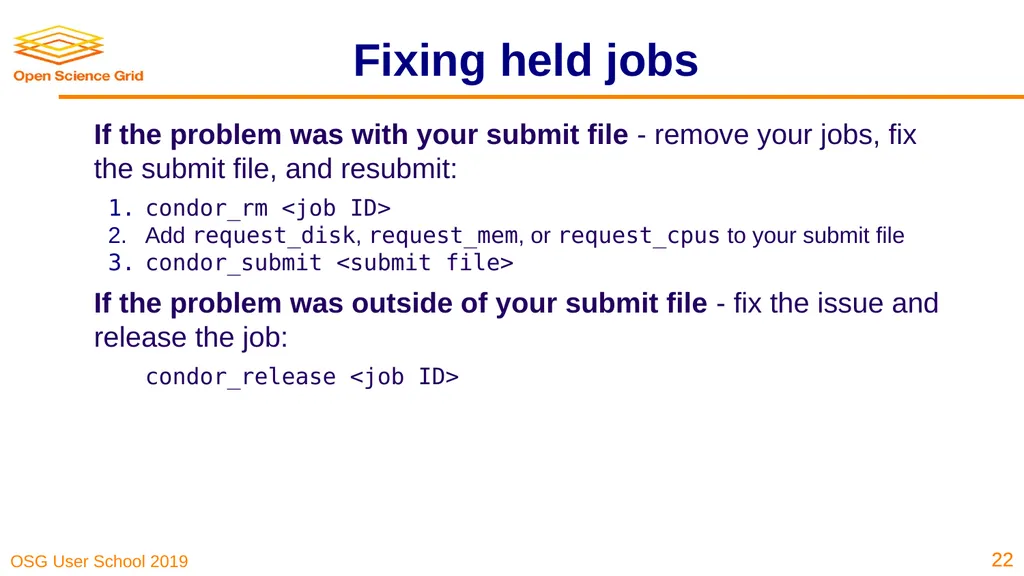
Fixing held jobs If the problem was with your submit file - remove your jobs, fix the submit file, and resubmit:
condor_rm <job ID>
Add request_disk, request_mem, or request_cpus to your submit file
condor_submit <submit file>
If the problem was outside of your submit file - fix the issue and release the job:
condor_release <job ID> ‹#› ‹#›<br>
condor_rm <job ID>
Add request_disk, request_mem, or request_cpus to your submit file
condor_submit <submit file>
If the problem was outside of your submit file - fix the issue and release the job:
condor_release <job ID> ‹#› ‹#›<br>
23
Why are my jobs held? $ condor_q -held
-- Schedd: learn.chtc.wisc.edu : <128.104.100.43:9618?... @ 07/18/17 15:13:42
24.0 blin 7/14 16:12 Error from learn.chtc.wisc.edu: STARTER at 128.104.100.52 failed to send file(s) to <128.104.100.43:64130>: error reading from /var/lib/condor/execute/dir_24823/bar: (errno 2) No such file or directory; SHADOW failed to receive file(s) from <128.104.100.52:10507> ‹#› ‹#›<br>
-- Schedd: learn.chtc.wisc.edu : <128.104.100.43:9618?... @ 07/18/17 15:13:42
24.0 blin 7/14 16:12 Error from learn.chtc.wisc.edu: STARTER at 128.104.100.52 failed to send file(s) to <128.104.100.43:64130>: error reading from /var/lib/condor/execute/dir_24823/bar: (errno 2) No such file or directory; SHADOW failed to receive file(s) from <128.104.100.52:10507> ‹#› ‹#›<br>
24
Why are my jobs held? ‹#› ‹#› Submit Node SHADOW Execute Node STARTER Output Input<br>
25
Why are my jobs held? $ condor_q -held
-- Schedd: learn.chtc.wisc.edu : <128.104.100.43:9618?... @ 07/18/17 15:13:42
24.0 blin 7/14 16:12 Error from learn.chtc.wisc.edu: STARTER at 128.104.100.52 failed to send file(s) to <128.104.100.43:64130>: error reading from /var/lib/condor/execute/dir_24823/bar: (errno 2) No such file or directory; SHADOW failed to receive file(s) from <128.104.100.52:10507>
Huh? Your job did not create the files that you specified in transfer_output_files.
Solution: Check for typos in transfer_output_files, suspiciously quick jobs, add debugging information to your code. ‹#› ‹#›<br>
-- Schedd: learn.chtc.wisc.edu : <128.104.100.43:9618?... @ 07/18/17 15:13:42
24.0 blin 7/14 16:12 Error from learn.chtc.wisc.edu: STARTER at 128.104.100.52 failed to send file(s) to <128.104.100.43:64130>: error reading from /var/lib/condor/execute/dir_24823/bar: (errno 2) No such file or directory; SHADOW failed to receive file(s) from <128.104.100.52:10507>
Huh? Your job did not create the files that you specified in transfer_output_files.
Solution: Check for typos in transfer_output_files, suspiciously quick jobs, add debugging information to your code. ‹#› ‹#›<br>
26
Why are my jobs held? $ condor_q -af holdreason
Error from slot1_1@glidein_90499_320684397@node022.local: STARTER at 192.168.1.22 failed to send file(s) to <128.104.100.31:9618>; SHADOW at 128.104.100.31 failed to write to file /home/blin/location/output/location.5164.0.out: (errno 2) No such file or directory ‹#› ‹#›<br>
Error from slot1_1@glidein_90499_320684397@node022.local: STARTER at 192.168.1.22 failed to send file(s) to <128.104.100.31:9618>; SHADOW at 128.104.100.31 failed to write to file /home/blin/location/output/location.5164.0.out: (errno 2) No such file or directory ‹#› ‹#›<br>
27
Why are my jobs held? $ condor_q -af holdreason
Error from slot1_1@glidein_90499_320684397@node022.local: STARTER at 192.168.1.22 failed to send file(s) to <128.104.100.31:9618>; SHADOW at 128.104.100.31 failed to write to file /home/blin/location/output/location.5164.0.out: (errno 2) No such file or directory
Huh? HTCondor couldn’t write the output files to the submit server
Solution: On the submit server, make sure that the directories exist and can be written to ‹#› ‹#›<br>
Error from slot1_1@glidein_90499_320684397@node022.local: STARTER at 192.168.1.22 failed to send file(s) to <128.104.100.31:9618>; SHADOW at 128.104.100.31 failed to write to file /home/blin/location/output/location.5164.0.out: (errno 2) No such file or directory
Huh? HTCondor couldn’t write the output files to the submit server
Solution: On the submit server, make sure that the directories exist and can be written to ‹#› ‹#›<br>
28
Why are my jobs held? ‹#› ‹#›<br>
29
My jobs completed but... The output is wrong:
Check *.log files for return codes or unexpected behavior: short runtimes, using too many or too few resources
Check *.err and *.out for error messages from your executable
Submit an interactive job: condor_submit -i <SUBMIT FILE> and run the executable manually.
If it succeeds, does your submit file have the correct args? If yes, try adding GET_ENV = True to your submit file.
If it fails, there is an issue with your code or your invocation! ‹#› ‹#›<br>
Check *.log files for return codes or unexpected behavior: short runtimes, using too many or too few resources
Check *.err and *.out for error messages from your executable
Submit an interactive job: condor_submit -i <SUBMIT FILE> and run the executable manually.
If it succeeds, does your submit file have the correct args? If yes, try adding GET_ENV = True to your submit file.
If it fails, there is an issue with your code or your invocation! ‹#› ‹#›<br>
30
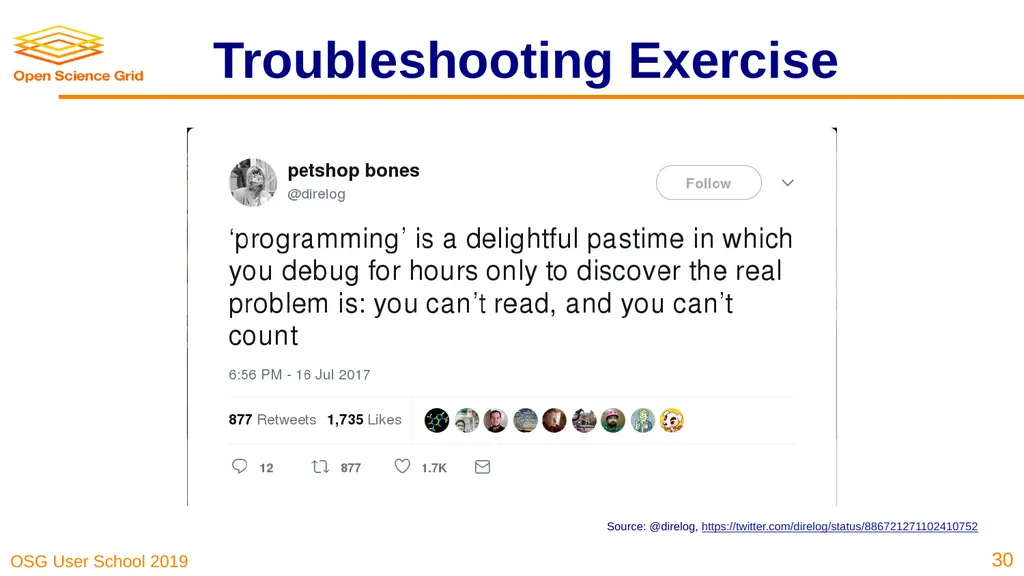
Troubleshooting Exercise Source: @direlog, https://twitter.com/direlog/status/886721271102410752 ‹#›<br>
31
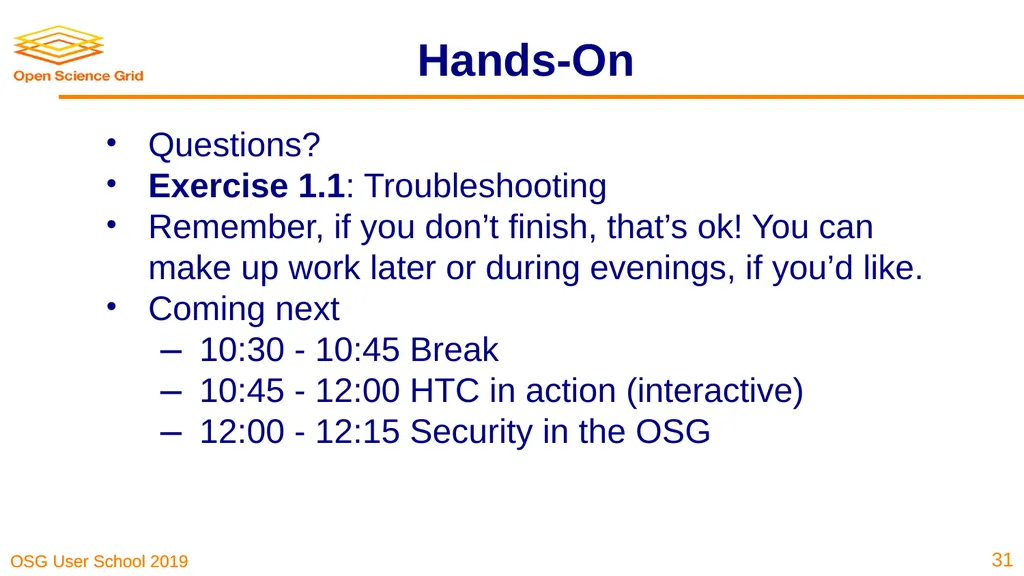
Hands-On Questions?
Exercise 1.1: Troubleshooting
Remember, if you don’t finish, that’s ok! You can make up work later or during evenings, if you’d like.
Coming next
10:30 - 10:45 Break
10:45 - 12:00 HTC in action (interactive)
12:00 - 12:15 Security in the OSG ‹#›<br>
Exercise 1.1: Troubleshooting
Remember, if you don’t finish, that’s ok! You can make up work later or during evenings, if you’d like.
Coming next
10:30 - 10:45 Break
10:45 - 12:00 HTC in action (interactive)
12:00 - 12:15 Security in the OSG ‹#›<br>