
Unit 3 – Levels of testing The need for levers


Description: Unit 3 Levels of testing The need for levers of testing Unit Testing: In this type of testing, errors are detected individually from every component or unit by individually testing the components or units of software to ensure that they
Related Topics
Download Presentation
"Unit 3 – Levels of testing The need for levers" is the property of its rightful owner. Permission is granted to download and print the materials on this website for personal, non-commercial use only, and to display it on your personal computer provided you do not modify the materials and that you retain all copyright notices contained in the materials. By downloading content from our website, you accept the terms of this agreement.
Presentation Transcript
slide1. Unit 3 – Levels of testing<br>
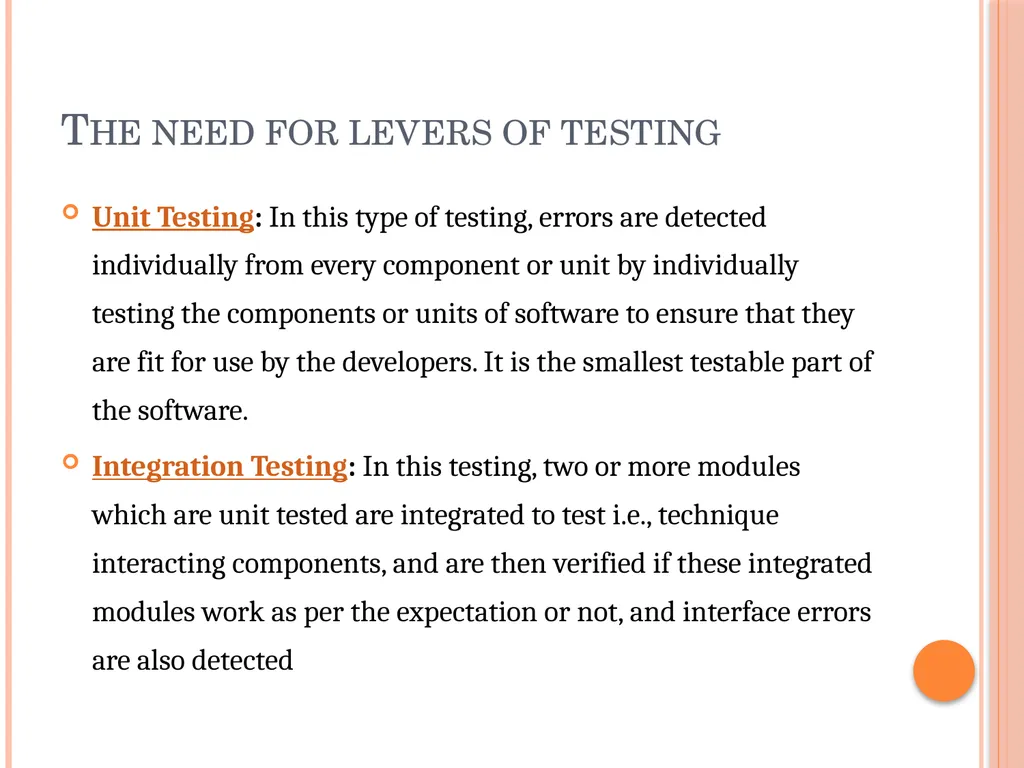
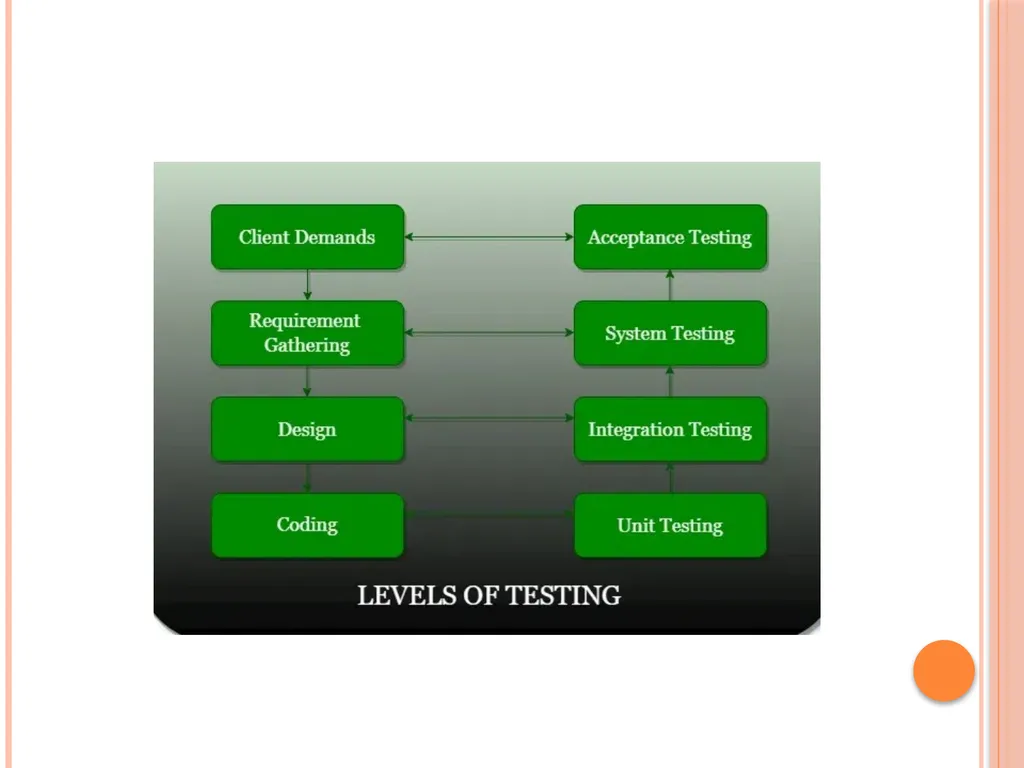
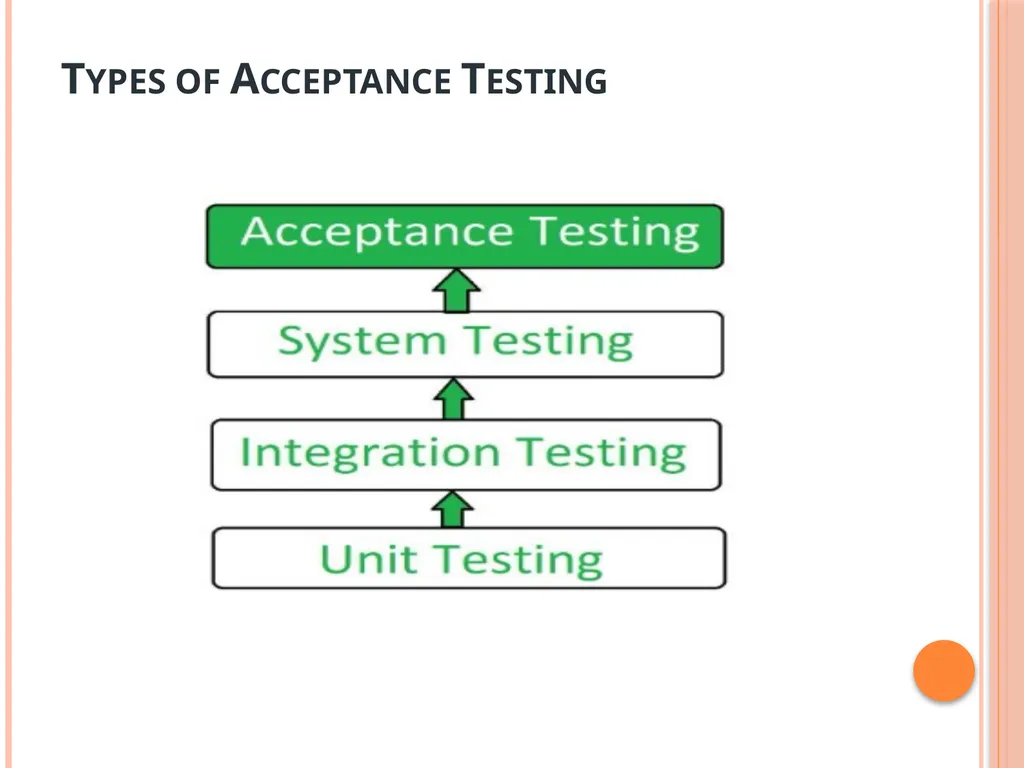
slide2. The need for levers of testing Unit Testing: In this type of testing, errors are detected individually from every component or unit by individually testing the components or units of software to ensure that they are fit for use by the developers. It is the smallest testable part of the software.
Integration Testing: In this testing, two or more modules which are unit tested are integrated to test i.e., technique interacting components, and are then verified if these integrated modules work as per the expectation or not, and interface errors are also detected<br>
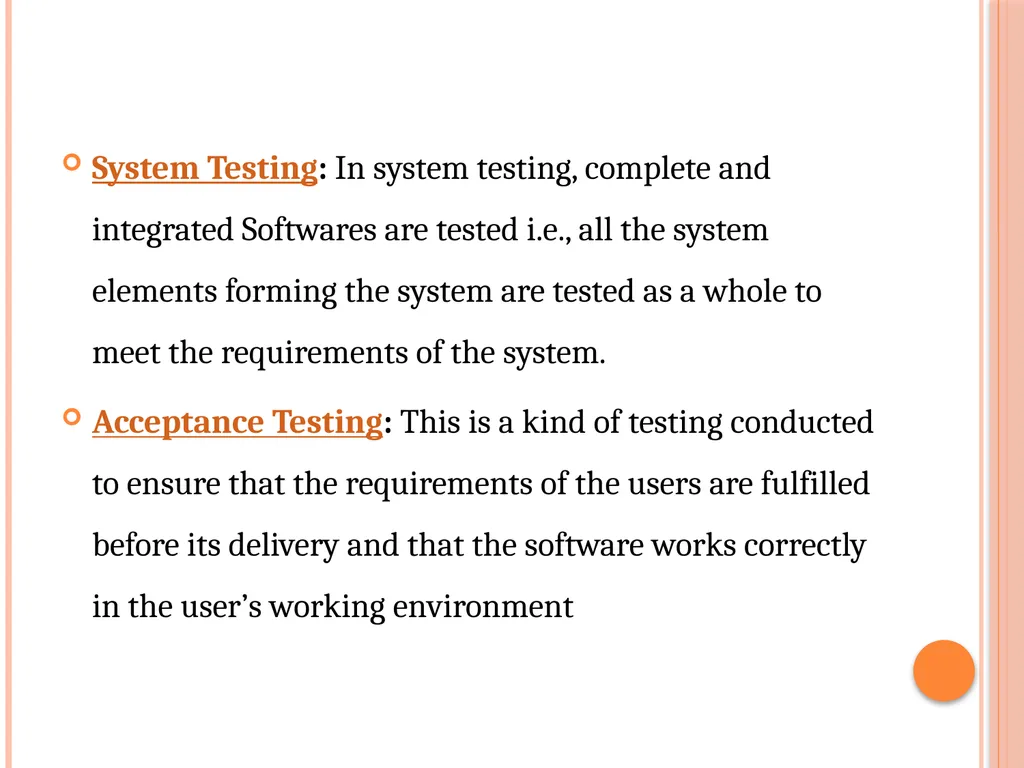
slide3. System Testing: In system testing, complete and integrated Softwares are tested i.e., all the system elements forming the system are tested as a whole to meet the requirements of the system.
Acceptance Testing: This is a kind of testing conducted to ensure that the requirements of the users are fulfilled before its delivery and that the software works correctly in the user’s working environment<br>
slide5. Unit testing is a type of software testing that focuses on individual units or components of a software system. The purpose of unit testing is to validate that each unit of the software works as intended and meets the requirements. Unit testing is typically performed by developers, and it is performed early in the development process before the code is integrated and tested as a whole system.<br>
slide6. Unit test planning A general unit test plan should be prepared. It may be prepared as a component of the master test plan or as a stand-alone plan. It should be developed in conjunction with the master test plan and the project plan for each project.
phase 1: Describe Unit Test Approach and Risks
In this phase of unit testing planning the general approach to unit testing is outlined. The test planner:
(i) identifies test risks;
(ii) describes techniques to be used for designing the test cases for the units;<br>
slide7. (iii)describes techniques to be used for data validation and recording of test results;
(iv) describes the requirements for test harnesses and other software that interfaces with the units to be tested, for example, any special objects needed for testing object- oriented units.<br>
slide8. Phase 2: Identify Unit Features to be Tested
This phase requires information from the unit specification and detailed design description. The planner determines which features of each unit will be tested, for example: functions, performance requirements, states, and state transitions, control structures, messages, and data flow patterns. If some features will not be covered by the tests, they should be mentioned and the risks of not testing them be assessed. Input/output characteristics associated with each unit should also be identified, such as variables with an allowed ranges of values and performance at a certain level<br>
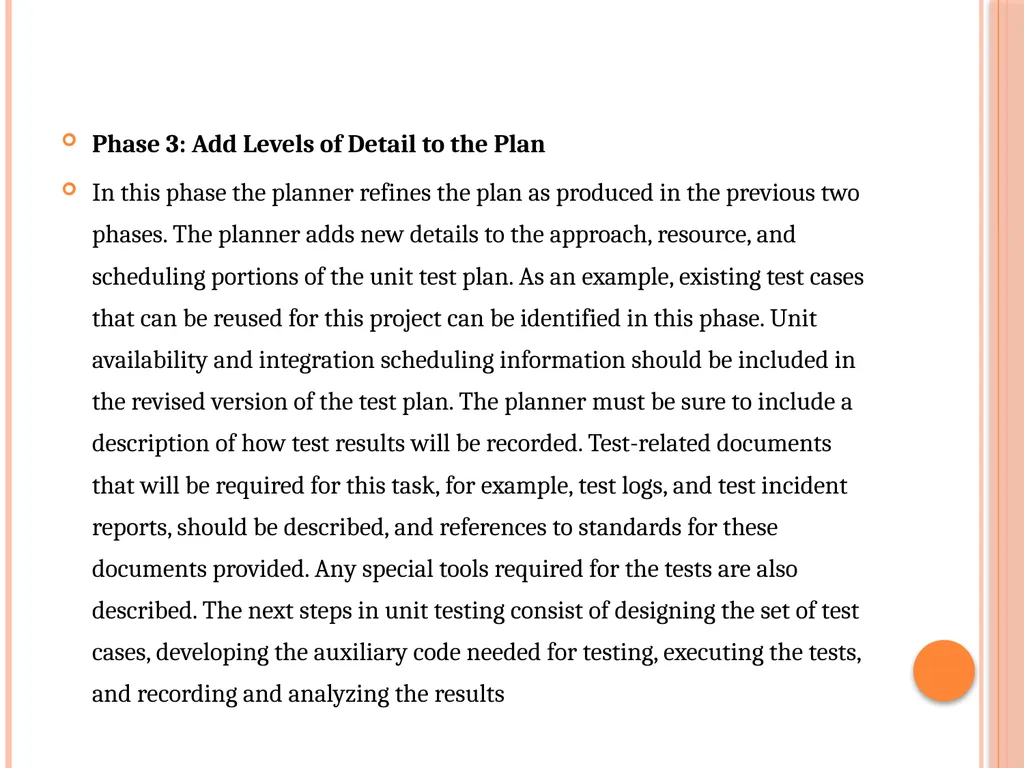
slide9. Phase 3: Add Levels of Detail to the Plan
In this phase the planner refines the plan as produced in the previous two phases. The planner adds new details to the approach, resource, and scheduling portions of the unit test plan. As an example, existing test cases that can be reused for this project can be identified in this phase. Unit availability and integration scheduling information should be included in the revised version of the test plan. The planner must be sure to include a description of how test results will be recorded. Test-related documents that will be required for this task, for example, test logs, and test incident reports, should be described, and references to standards for these documents provided. Any special tools required for the tests are also described. The next steps in unit testing consist of designing the set of test cases, developing the auxiliary code needed for testing, executing the tests, and recording and analyzing the results<br>
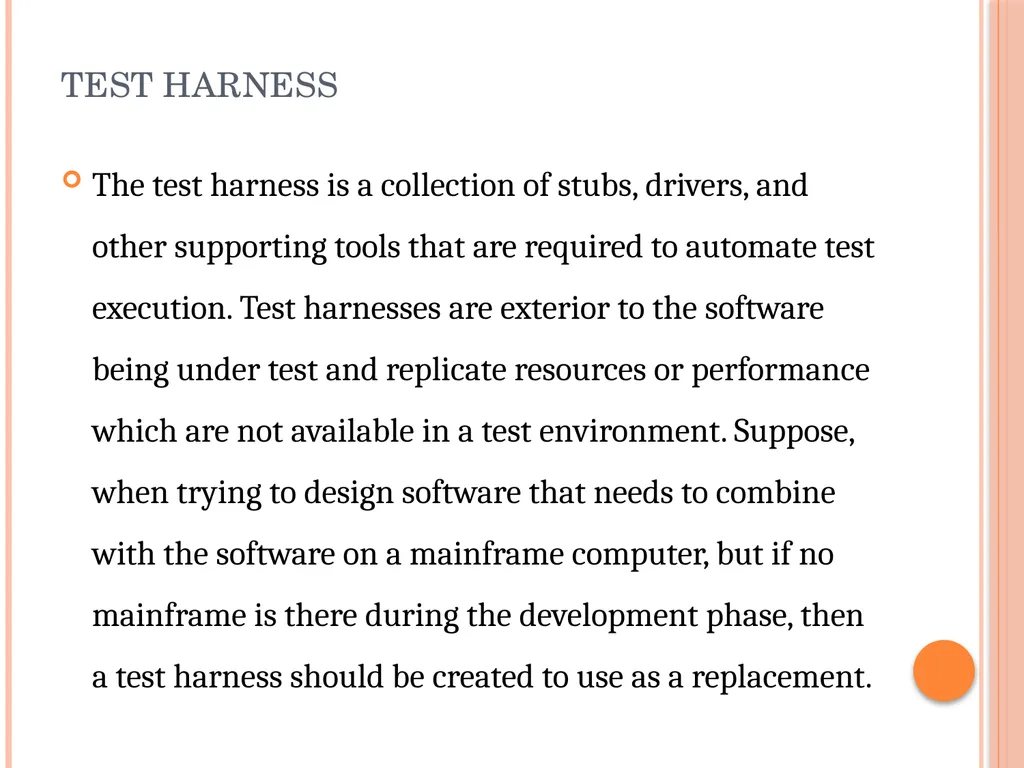
slide10. test harness The test harness is a collection of stubs, drivers, and other supporting tools that are required to automate test execution. Test harnesses are exterior to the software being under test and replicate resources or performance which are not available in a test environment. Suppose, when trying to design software that needs to combine with the software on a mainframe computer, but if no mainframe is there during the development phase, then a test harness should be created to use as a replacement.<br>
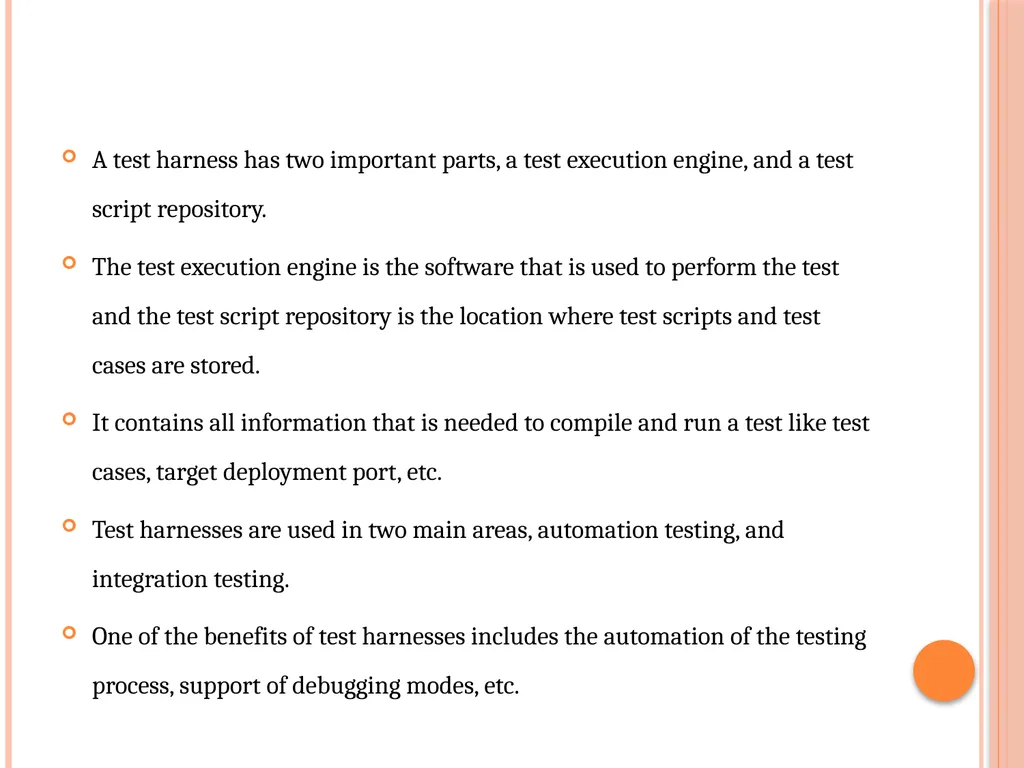
slide11. A test harness has two important parts, a test execution engine, and a test script repository.
The test execution engine is the software that is used to perform the test and the test script repository is the location where test scripts and test cases are stored.
It contains all information that is needed to compile and run a test like test cases, target deployment port, etc.
Test harnesses are used in two main areas, automation testing, and integration testing.
One of the benefits of test harnesses includes the automation of the testing process, support of debugging modes, etc.<br>
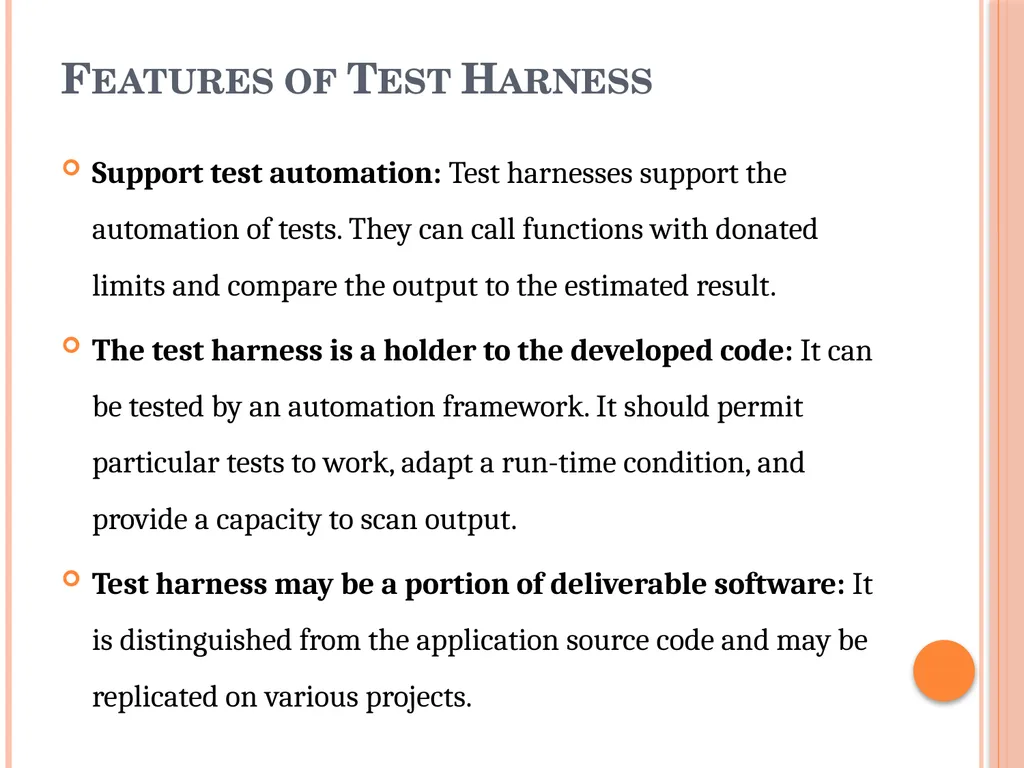
slide12. Features of Test Harness Support test automation: Test harnesses support the automation of tests. They can call functions with donated limits and compare the output to the estimated result.
The test harness is a holder to the developed code: It can be tested by an automation framework. It should permit particular tests to work, adapt a run-time condition, and provide a capacity to scan output.
Test harness may be a portion of deliverable software: It is distinguished from the application source code and may be replicated on various projects.<br>
slide13. Test harness replicates software operation: It will not have awareness of test suites, test cases, or test reports. Those things are given by a testing framework and corresponding automated testing tools. The test harness task is to arrange the right test matches.
Integrate test harness for composite frameworks: The test harness will normally be particular to a development environment like Java. But, integration test harnesses have been developed for use in more composite frameworks.<br>
slide14. Why Use Test Harness Automate testing process: Test Harness helps automate the testing procedures and thus increases the productivity of the system through automation.
Execute test suites: Test cases and test suites execution.
Print test results: The test harness is useful in generating test reports.
Helps to measure code coverage: It helps developers to measure the cove coverage at a code level.
Helps to simulate complex conditions: It helps to simulate and handle complex conditions that testers find difficult to handle.<br>
slide15. Support debugging: Test harness helps to support debugging activities.
Analyze test results: A test harness helps to analyze test results.
Enhance software quality: It helps to enhance the quality of the software components and applications.
Increased productivity: Test harness helps to increase productivity through automation<br>
slide16. Running the unit tests and recording results Unit tests can begin when
(i) the units becomes available from the developers (an estimation of availability is part of the test plan), (ii) the test cases have been designed and reviewed, and
(iii) the test harness, and any other supplemental supporting tools, are available.<br>
slide17. Integration Testing is the process of testing the interface between two software units or modules. It focuses on determining the correctness of the interface. The purpose of integration testing is to expose faults in the interaction between integrated units. Once all the modules have been unit-tested, integration testing is performed.
is a software testing technique that focuses on verifying the interactions and data exchange between different components or modules of a software application. The goal of integration testing is to identify any problems or bugs that arise when different components are combined and interact with each other<br>
slide18. Integration test approaches – There are four types of integration testing approaches. Those approaches are the following:
Big-Bang Integration Testing – It is the simplest integration testing approach, where all the modules are combined and the functionality is verified after the completion of individual module testing. In simple words, all the modules of the system are simply put together and tested. This approach is practicable only for very small systems. If an error is found during the integration testing, it is very difficult to localize the error as the error may potentially belong to any of the modules being integrated. So, debugging errors reported during Big Bang integration testing is very expensive to fix.<br>
slide19. Big-bang integration testing is a software testing approach in which all components or modules of a software application are combined and tested at once. This approach is typically used when the software components have a low degree of interdependence or when there are constraints in the development environment that prevent testing individual components. The goal of big-bang integration testing is to verify the overall functionality of the system and to identify any integration problems that arise when the components are combined. While big-bang integration testing can be useful in some situations, it can also be a high-risk approach, as the complexity of the system and the number of interactions between components can make it difficult to identify and diagnose problems.<br>
slide20. Advantages:
It is convenient for small systems.
Simple and straightforward approach.
Can be completed quickly.
Does not require a lot of planning or coordination.
May be suitable for small systems or projects with a low degree of interdependence between components.<br>
slide21. Disadvantages:
There will be quite a lot of delay because you would have to wait for all the modules to be integrated.
High-risk critical modules are not isolated and tested on priority since all modules are tested at once.
Not Good for long projects.
High risk of integration problems that are difficult to identify and diagnose.
This can result in long and complex debugging and troubleshooting efforts.
This can lead to system downtime and increased development costs.<br>
slide22. Advantages:
In bottom-up testing, no stubs are required.
A principal advantage of this integration testing is that several disjoint subsystems can be tested simultaneously.
It is easy to create the test conditions.
Best for applications that uses bottom up design approach.
It is Easy to observe the test results.
Disadvantages:
Driver modules must be produced.
In this testing, the complexity that occurs when the system is made up of a large number of small subsystems.
As Far modules have been created, there is no working model can be represented.<br>
slide23. Top-Down Integration Testing –
Top-down integration testing technique is used in order to simulate the behaviour of the lower-level modules that are not yet integrated. In this integration testing, testing takes place from top to bottom. First, high-level modules are tested and then low-level modules and finally integrating the low-level modules to a high level to ensure the system is working as intended.<br>
slide24. Advantages:
Separately debugged module.
Few or no drivers needed.
It is more stable and accurate at the aggregate level.
Easier isolation of interface errors.
In this, design defects can be found in the early stages.
Disadvantages:
Needs many Stubs.
Modules at lower level are tested inadequately.
It is difficult to observe the test output.
It is difficult to stub design.<br>
slide25. Mixed Integration Testing – A mixed integration testing is also called sandwiched integration testing. A mixed integration testing follows a combination of top down and bottom-up testing approaches. In top-down approach, testing can start only after the top-level module have been coded and unit tested. In bottom-up approach, testing can start only after the bottom level modules are ready. This sandwich or mixed approach overcomes this shortcoming of the top-down and bottom-up approaches. It is also called the hybrid integration testing. also, stubs and drivers are used in mixed integration testing.<br>
slide26. Advantages:
Mixed approach is useful for very large projects having several sub projects.
This Sandwich approach overcomes this shortcoming of the top-down and bottom-up approaches.
Parallel test can be performed in top and bottom layer tests.
Disadvantages:
For mixed integration testing, it requires very high cost because one part has a Top-down approach while another part has a bottom-up approach.
This integration testing cannot be used for smaller systems with huge interdependence between different modules.<br>
slide27. Applications:
Identify the components: Identify the individual components of your application that need to be integrated. This could include the frontend, backend, database, and any third-party services.
Create a test plan: Develop a test plan that outlines the scenarios and test cases that need to be executed to validate the integration points between the different components. This could include testing data flow, communication protocols, and error handling.
Set up test environment: Set up a test environment that mirrors the production environment as closely as possible. This will help ensure that the results of your integration tests are accurate and reliable.
Execute the tests: Execute the tests outlined in your test plan, starting with the most critical and complex scenarios. Be sure to log any defects or issues that you encounter during testing.<br>
slide28. Designing integration tests Integration tests for procedural software can be designed using a black or white box approach. Both are recommended. Some unit tests can be reused. Since many errors occur at module interfaces, test designers need to focus on exercising all input/output parameter pairs, and all calling relationships.
The tester needs to insure the parameters are of the correct type and in the correct order. The author has had the personal experience of spending many hours trying to locate a fault that was due to an incorrect ordering of parameters in the calling routine. The tester must also insure that once the parameters are passed to a routine they are used correctly.<br>
slide29. Integration test planning Testing takes place throughout the software life cycle.
Testing can apply to:
design;
source code;
manuals; and
tests themselves (choice of test data, etc.). Integration test planning is carried out during the design stage. An integration test plan is a collection of integration tests that focus on functionality.<br>
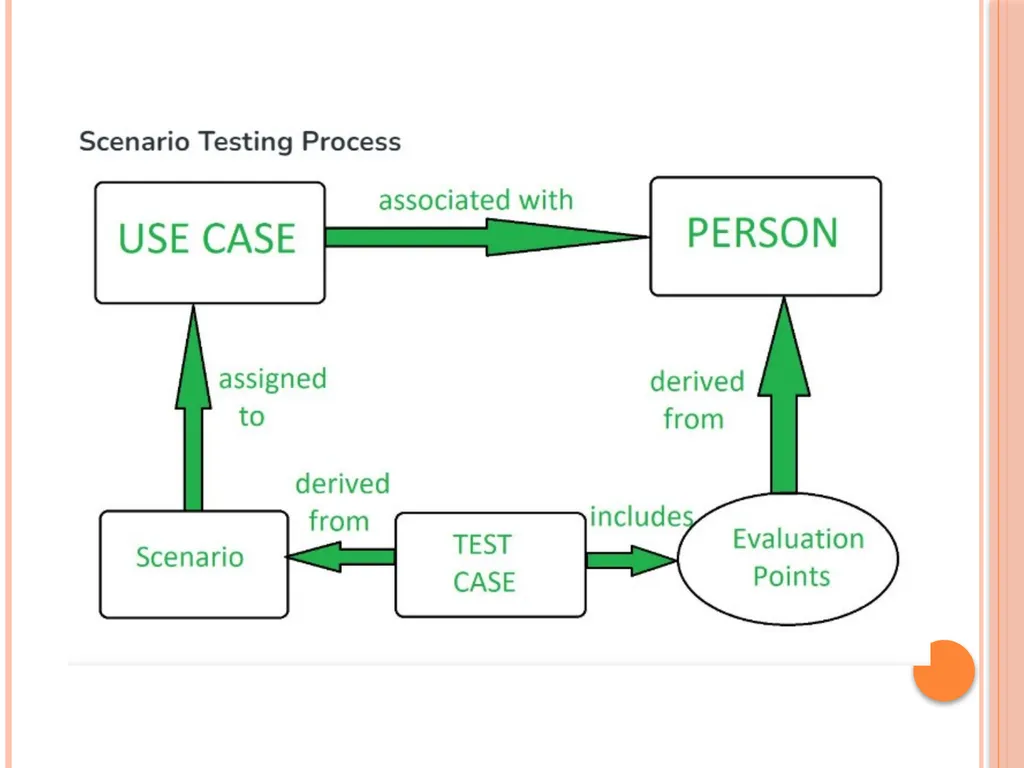
slide30. Scenario Testing Scenario Testing is a Software Testing Technique that uses scenarios i.e. speculative stories to help the tester work through a complicated problem or test system.
The ideal scenario test is a reliable, complicated, convincing or motivating story the outcome of which is easy to assess. It is performed to ensure that the end to end functioning of software and all the process flow of the software are working properly.<br>
slide31. In scenario testing:
The testers assume themselves to be the end users and find the real world scenarios or use cases which can be carried out on the software by the end user.
The testers take help from clients, stakeholders and developers to create test scenarios. A test scenario is a story which describes the usage of the software by an end user<br>
slide33. Methods in Scenario Testing System scenarios: Scenario tests used in this method are only those sets of realistic, user activities that cover various components in the system.
Use-case and role-based scenarios In the use-case and role-based scenario method the focus is specifically on how the system is used by a user with different roles and environment.
Recovery Scenarios: Test scenarios for data backup, restoration and recovery are called recovery scenarios. Additionally, it assesses how the system would function in the case of a server or component failure.<br>
slide34. Positive Scenarios: Examining the system in conditions that are common and expected.
Negative Scenarios: Assessing the way the system responds to incorrect or unexpected inputs and circumstances.
Boundary Scenarios: Testing the system at the boundaries of its inputs and outputs is known as boundary scenario.
Error scenarios: These involve generating error scenarios and testing that the system reacts correctly.<br>
slide35. Defect bash elimination System Testing A defect bash is an ad hoc testing ,done by people performing different roles in the same time duration during the integration testing phase , to bring out all types of defects that may have been left out by planned testing
The testing by all the participants during defect bash is not based on written test cases. What is to be tested is left to individual’s decision All the activities in the defect bash are planned activities, except for what to be tested<br>
slide36. It involve several steps
1. Choosing the frequency and duration of defect bash
2. Selecting the right product build
3. Communicating the objective of each defect bash to everyone
4. Setting up and monitoring the lab for defect bash
5. Taking actions and fixing issues
6. Optimizing the effort involved in defect bash<br>
slide37. Acceptance Testing Acceptance Testing is a method of software testing where a system is tested for acceptability. The major aim of this test is to evaluate the compliance of the system with the business requirements and assess whether it is acceptable for delivery or not.
Standard Definition of Acceptance Testing
It is formal testing according to user needs, requirements, and business processes conducted to determine whether a system satisfies the acceptance criteria or not and to enable the users, customers, or other authorized entities to determine whether to accept the system or not.<br>
slide38. Types of Acceptance Testing<br>
slide39. User Acceptance Testing (UAT)
User acceptance testing is used to determine whether the product is working for the user correctly. Specific requirements which are quite often used by the customers are primarily picked for testing purposes. This is also termed as End-User Testing.
2. Business Acceptance Testing (BAT)
BAT is used to determine whether the product meets the business goals and purposes or not. BAT mainly focuses on business profits which are quite challenging due to the changing market conditions and new technologies, so the current implementation may have to being changed which results in extra budgets.<br>
slide40. Contract Acceptance Testing (CAT)
CAT is a contract that specifies that once the product goes live, within a predetermined period, the acceptance test must be performed, and it should pass all the acceptance use cases.
Here is a contract termed a Service Level Agreement (SLA), which includes the terms where the payment will be made only if the Product services are in-line with all the requirements, which means the contract is fulfilled.
Sometimes, this contract happens before the product goes live. There should be a well-defined contract in terms of the period of testing, areas of testing, conditions on issues encountered at later stages, payments, etc.<br>
slide41. Regulations Acceptance Testing (RAT)
RAT is used to determine whether the product violates the rules and regulations that are defined by the government of the country where it is being released. This may be unintentional but will impact negatively on the business.
Generally, the product or application that is to be released in the market, has to go under RAT, as different countries or regions have different rules and regulations defined by its governing bodies. If any rules and regulations are violated for any country then that country or the specific region then the product will not be released in that country or region.
If the product is released even though there is a violation then only the vendors of the product will be directly responsible.<br>
slide42. Operational Acceptance Testing (OAT)
OAT is used to determine the operational readiness of the product and is non-functional testing. It mainly includes testing of recovery, compatibility, maintainability, reliability, etc. OAT assures the stability of the product before it is released to production.
6. Alpha Testing
Alpha testing is used to determine the product in the development testing environment by a specialized testers team usually called alpha testers.<br>
slide43. Beta Testing
Beta testing is used to assess the product by exposing it to the real end-users, typically called beta testers in their environment. Feedback is collected from the users and the defects are fixed. Also, this helps in enhancing the product to give a rich user experience.
Use of Acceptance Testing
To find the defects missed during the functional testing phase.
How well the product is developed.
A product is what actually the customers need.
Feedback help in improving the product performance and user experience.
Minimize or eliminate the issues arising from the production<br>
slide44. Advantages of Acceptance Testing
This testing helps the project team to know the further requirements from the users directly as it involves the users for testing.
Automated test execution.
It brings confidence and satisfaction to the clients as they are directly involved in the testing process.
It is easier for the user to describe their requirement.
It covers only the Black-Box testing process and hence the entire functionality of the product will be tested.<br>
slide45. Disadvantages of Acceptance Testing
Users should have basic knowledge about the product or application.
Sometimes, users don’t want to participate in the testing process.
The feedback for the testing takes a long time as it involves many users and the opinions may differ from one user to another user.
Development team is not participated in this testing process.<br>
slide46. Performance Testing is a type of software testing that ensures software applications perform properly under their expected workload. It is a testing technique carried out to determine system performance in terms of sensitivity, reactivity, and stability under a particular workload.
that focuses on evaluating the performance and scalability of a system or application. The goal of performance testing is to identify bottlenecks, measure system performance under various loads and conditions, and ensure that the system can handle the expected number of users or transactions<br>
slide47. types of performance testing Load testing: Load testing simulates a real-world load on the system to see how it performs under stress. It helps identify bottlenecks and determine the maximum number of users or transactions the system can handle.
Stress testing: Stress testing is a type of load testing that tests the system’s ability to handle a high load above normal usage levels. It helps identify the breaking point of the system and any potential issues that may occur under heavy load conditions.
Spike testing: Spike testing is a type of load testing that tests the system’s ability to handle sudden spikes in traffic. It helps identify any issues that may occur when the system is suddenly hit with a high number of requests.<br>
slide48. Soak testing: Soak testing is a type of load testing that tests the system’s ability to handle a sustained load over a prolonged period. It helps identify any issues that may occur after prolonged usage of the system.
Endurance testing: This type of testing is similar to soak testing, but it focuses on the long-term behaviour of the system under a constant load.
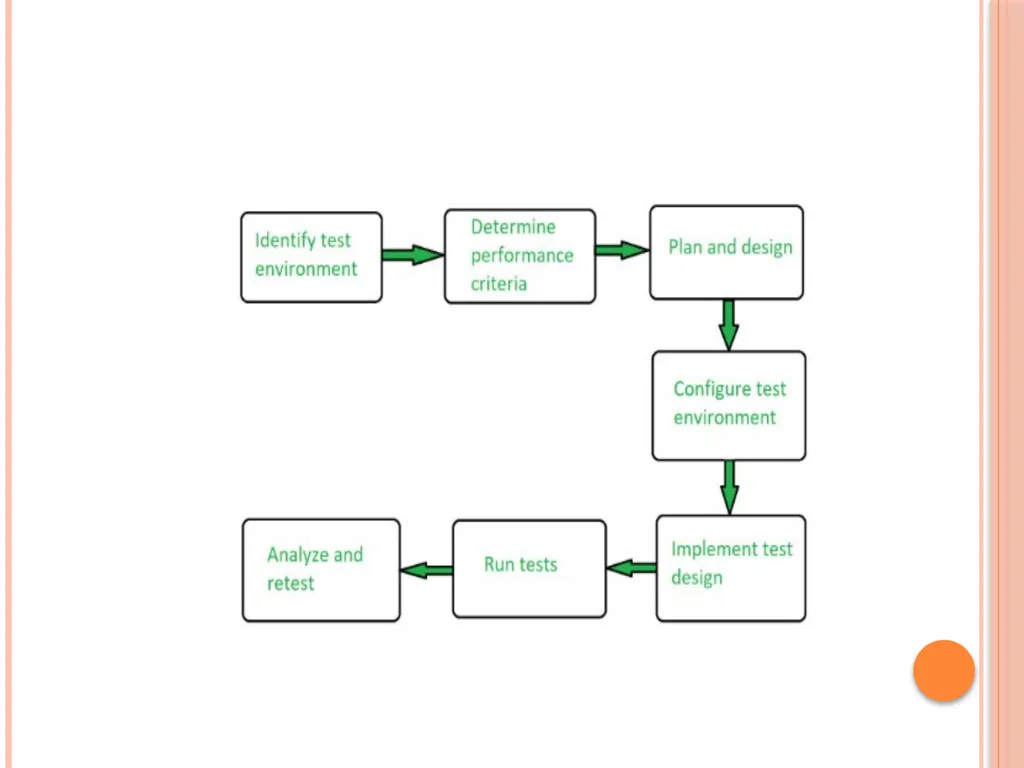
Performance Testing is the process of analysing the quality and capability of a product. It is a testing method performed to determine the system’s performance in terms of speed, reliability, and stability under varying workloads. Performance testing is also known as Perf Testing.<br>
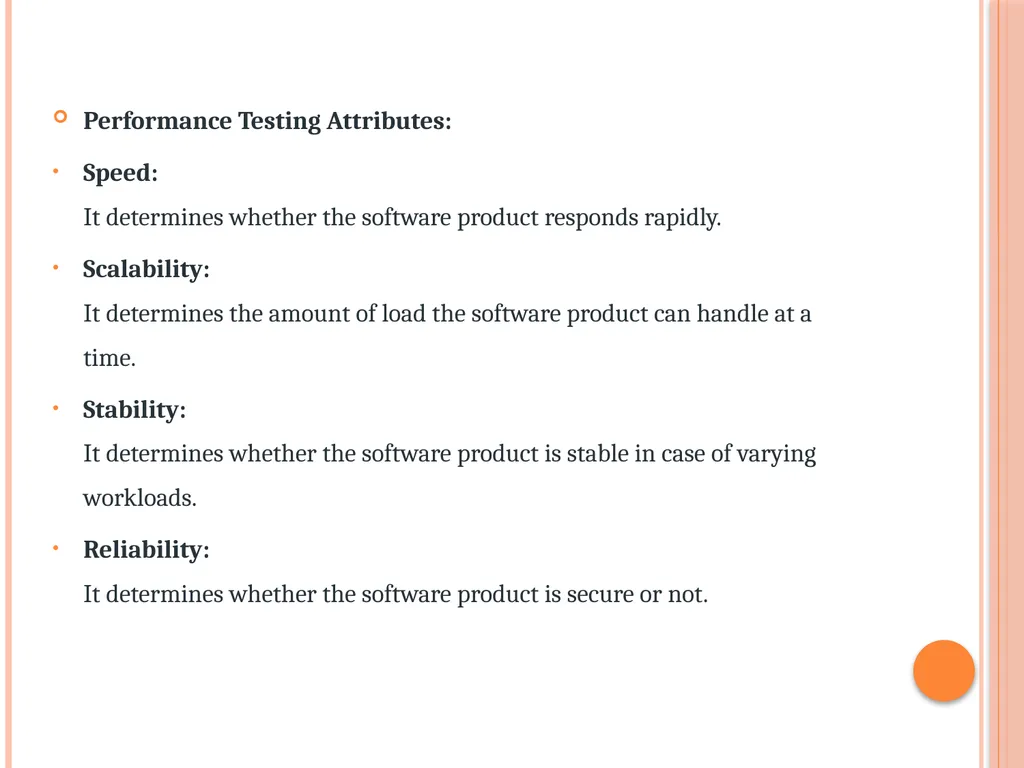
slide49. Performance Testing Attributes:
Speed: It determines whether the software product responds rapidly.
Scalability: It determines the amount of load the software product can handle at a time.
Stability: It determines whether the software product is stable in case of varying workloads.
Reliability: It determines whether the software product is secure or not.<br>
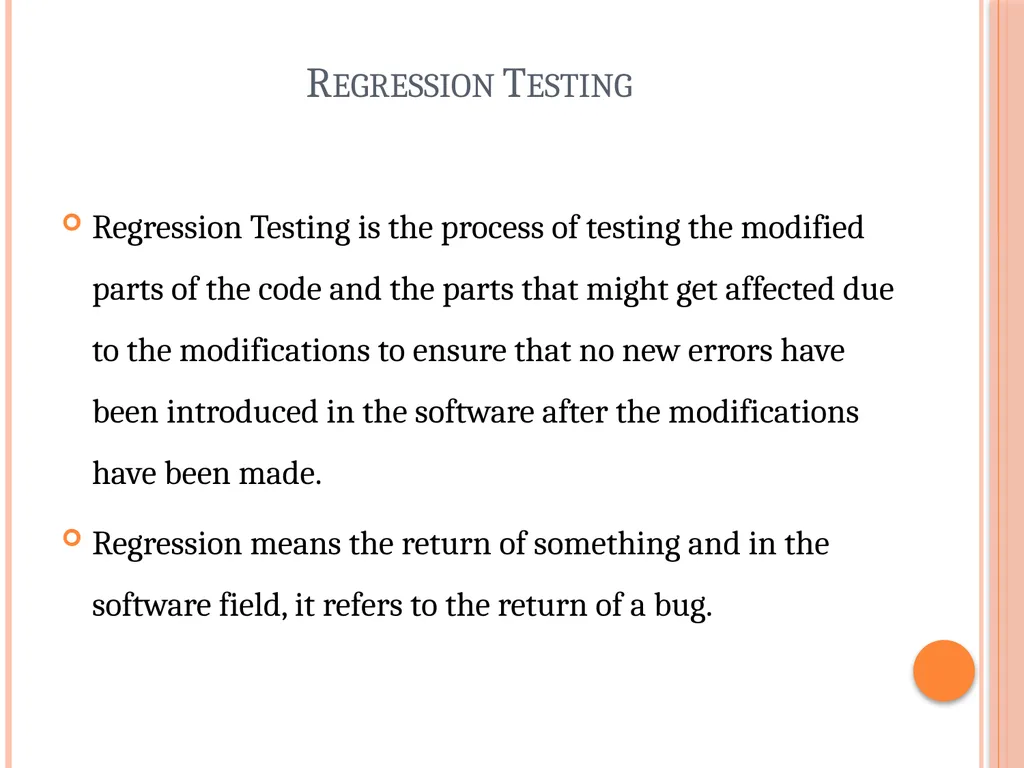
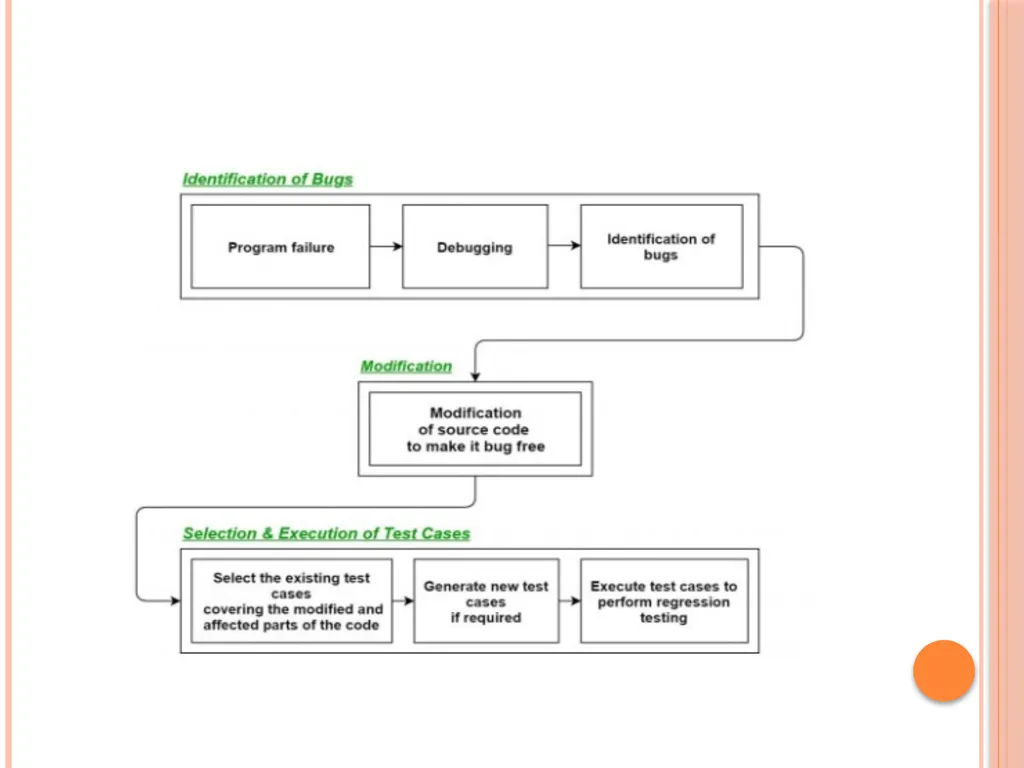
slide51. Regression Testing Regression Testing is the process of testing the modified parts of the code and the parts that might get affected due to the modifications to ensure that no new errors have been introduced in the software after the modifications have been made.
Regression means the return of something and in the software field, it refers to the return of a bug.<br>
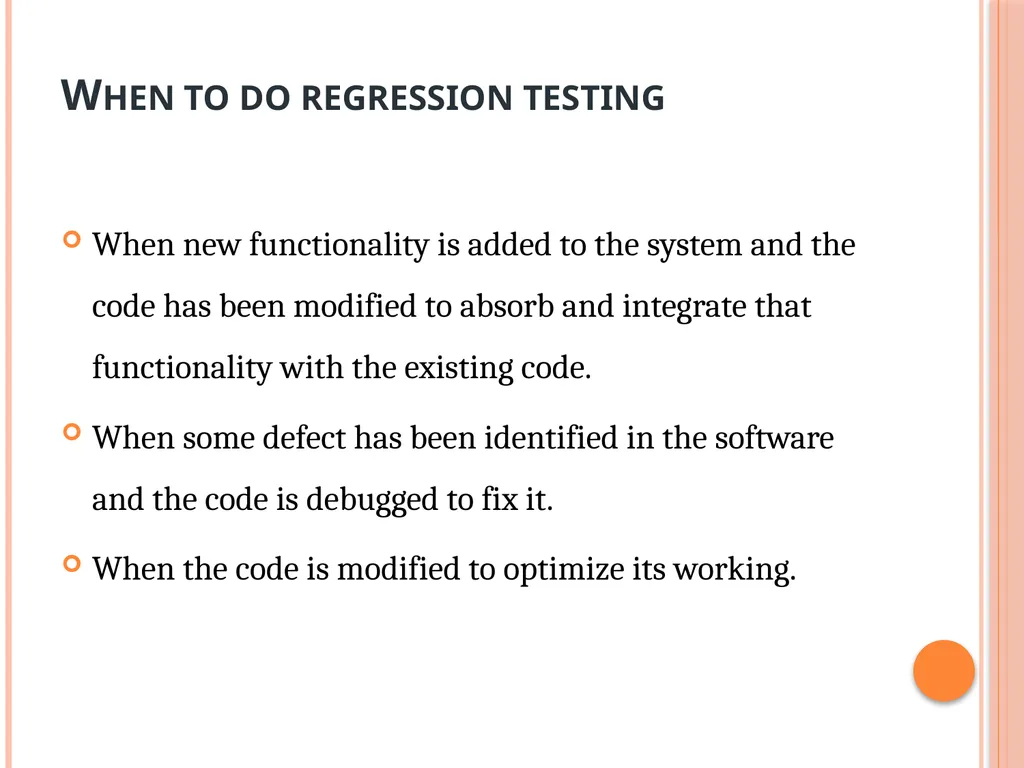
slide52. When to do regression testing When new functionality is added to the system and the code has been modified to absorb and integrate that functionality with the existing code.
When some defect has been identified in the software and the code is debugged to fix it.
When the code is modified to optimize its working.<br>
slide54. Internationalization testing Internationalization testing is a process of ensuring the adaptability of software to different cultures and languages around the world without any modifications in source code.
It is also shortly known as i18n, in which 18 represents the number of characters in between I & N in the word Internationalization. Internationalization simply makes applications ready for localization.<br>
slide55. example :
Just imagine, your native language is Hindi and you are more comfortable with it than English. And you are opening the Amazon application for buying a brand new mobile. There you select Hindi as your preferred language since you are comfortable with it the most. Then the content and user interface will be adapted to the language “Hindi”.
After that, the functionality and the responses of the application are not going to change. The words and visual representations are customized to your language. Along with that, you will get recommendations depending on special occasions and specific festivals in your culture and region. This customization for a specific language and region is made possible with the process of localization.<br>
slide56. the Amazon application now supports several languages including seven popular Indian languages. If you prefer any of the languages, the entire page will be customized in just seconds based on the language selected. This process of designing an application for the localization to any given international language and region is called Internationalization.<br>
slide57. Why is internationalization testing done?
To ensure the proper encoding of characters when a language is converted to another language.
To check, if the search query or string is not supported with the targeted language then the software will not crash or malfunction.
To attract audiences globally by providing convenience in using the application in their preferred languages.
To make sure that the look and feel of the font and font size are rendered accordingly.<br>
slide58. Ad hoc Testing Adhoc testing is a type of software testing that is performed informally and randomly after the formal testing is completed to find any loophole in the system.
For this reason, it is also known as Random or Monkey testing. Adhoc testing is not performed in a structured way so it is not based on any methodological approach<br>
slide59. Adhoc testing has –
No Documentation.
No Test cases.
No Test Design.
Adhoc testing saves a lot of time and one great example of Adhoc testing can be when the client needs the product by today 6 PM but the product development will be completed at 4 PM the same day. So in hand only limited time i.e. 2 hours only, within that 2hrs the developer and tester team can test the system as a whole by taking some random inputs and can check for any errors.<br>
slide60. Types of Adhoc Testing Buddy Testing – Buddy testing is a type of Adhoc testing where two bodies will be involved one is from the Developer team and one from the tester team. So that after completing one module and after completing Unit testing the tester can test by giving random inputs and the developer can fix the issues too early based on the currently designed test cases.<br>
slide61. Pair Testing – Pair testing is a type of Adhoc testing where two bodies from the testing team can be involved to test the same module. When one tester can perform the random test another tester can maintain the record of findings. So when two testers get paired they exchange their ideas, opinions, and knowledge so good testing is performed on the module.<br>
slide62. Monkey Testing – Monkey testing is a type of Adhoc testing in which the system is tested based on random inputs without any test cases the behavior of the system is tracked and all the functionalities of the system are working or not is monitored. As the randomness approach is followed there is no constraint on inputs so it is called Monkey testing.<br>
slide63. Characteristics of Adhoc Testing Adhoc testing is performed randomly.
Based on no documentation, no test cases, and no test designs.
It is done after formal testing.
It follows an unstructured way of testing.
It takes comparatively less time than other testing techniques.<br>
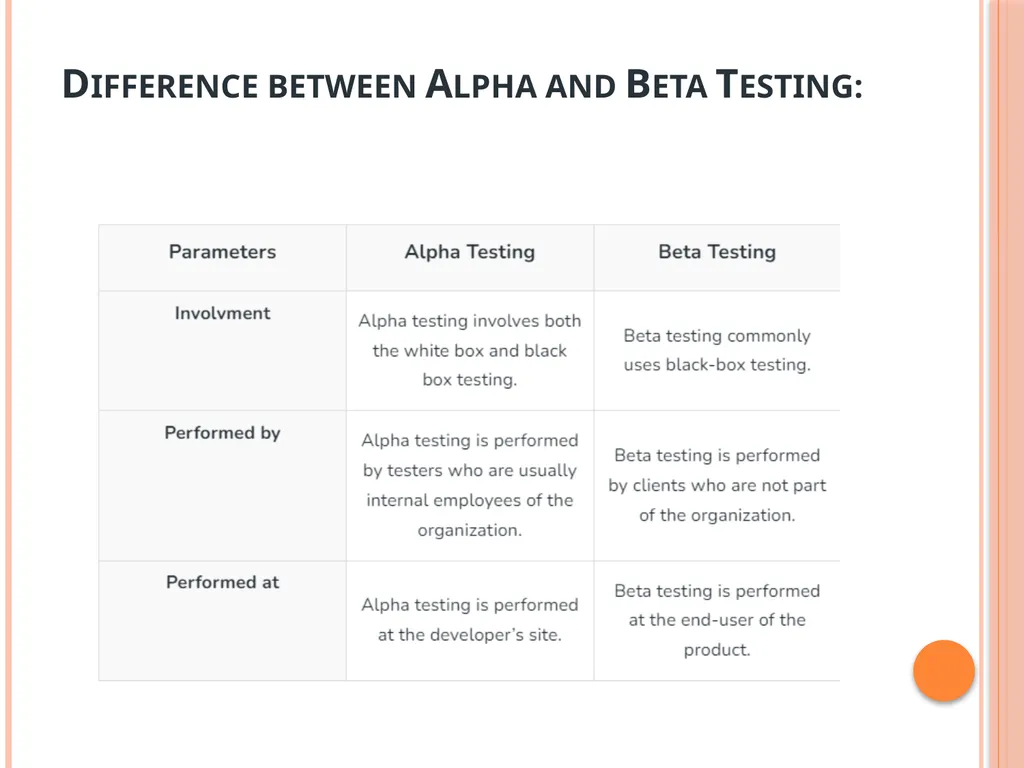
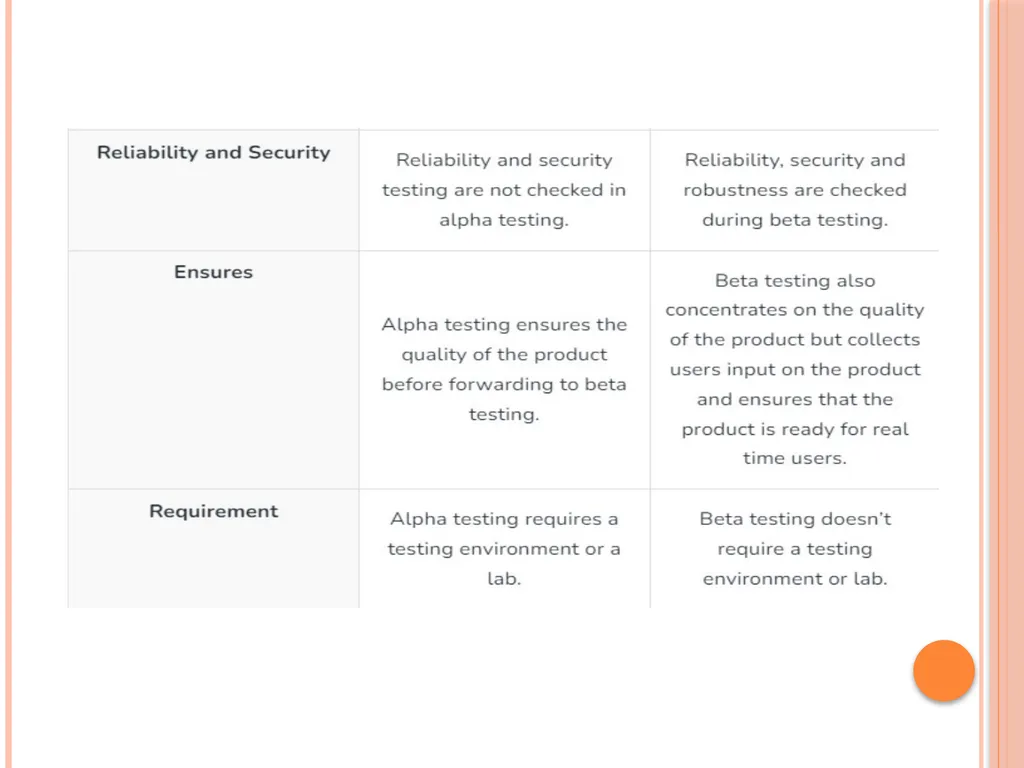
slide64. Alpha Testing is a type of software testing performed to identify bugs before releasing the product to real users or to the public. Alpha Testing is one of the user acceptance tests. It is the first stage of software testing, during which the internal development team tests the program before making it available to clients or people outside the company.<br>
slide65. Beta Testing is performed by real users of the software application in a real environment. Beta testing is one type of User Acceptance Testing. A pre-release version of the product is made available for testing to a chosen set of external users or customers during the second phase of software testing.<br>
slide66. Difference between Alpha and Beta Testing:<br>
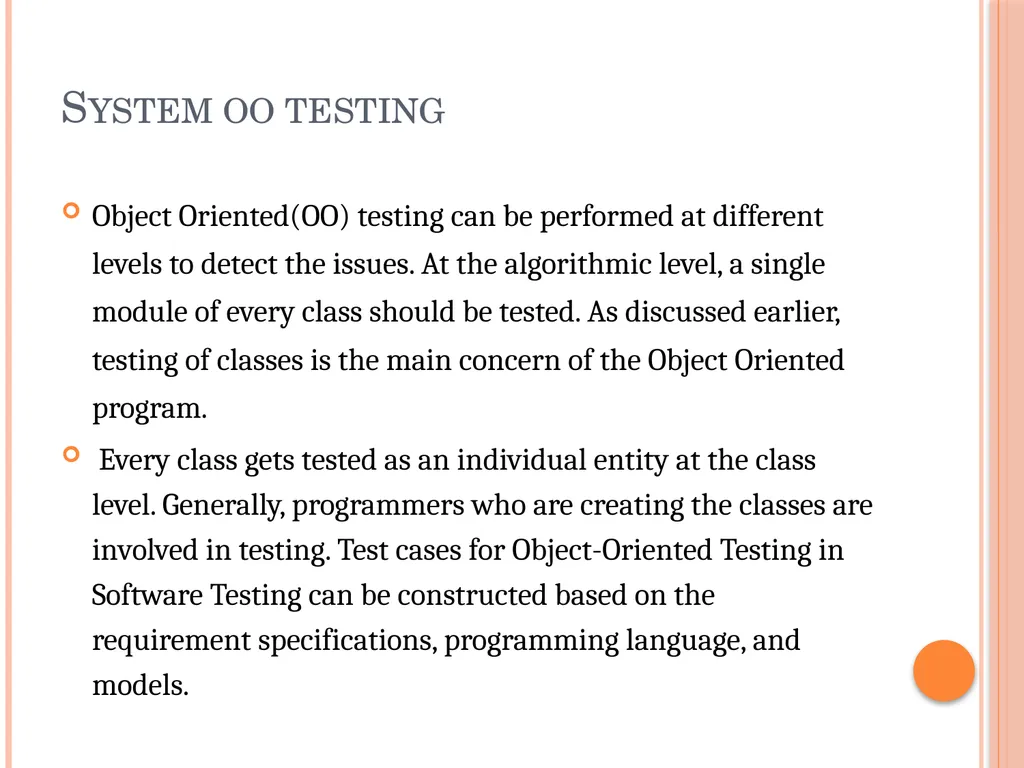
slide68. System oo testing Object Oriented(OO) testing can be performed at different levels to detect the issues. At the algorithmic level, a single module of every class should be tested. As discussed earlier, testing of classes is the main concern of the Object Oriented program.
Every class gets tested as an individual entity at the class level. Generally, programmers who are creating the classes are involved in testing. Test cases for Object-Oriented Testing in Software Testing can be constructed based on the requirement specifications, programming language, and models.<br>
slide70. Developing Test Cases in Object-oriented Testing Conventional methods can be used to design test cases in OO testing. However, these test cases can be redeveloped with some special features so that they can use for object-oriented environments. The following points should be considered while creating test cases for object-oriented environments.
Which class is going to be tested should be mentioned properly within the test cases.
What is the purpose of using particular test cases?
What external pre-condition needs to be conducted while performing the test case?
All the states should be specified for testing.<br>
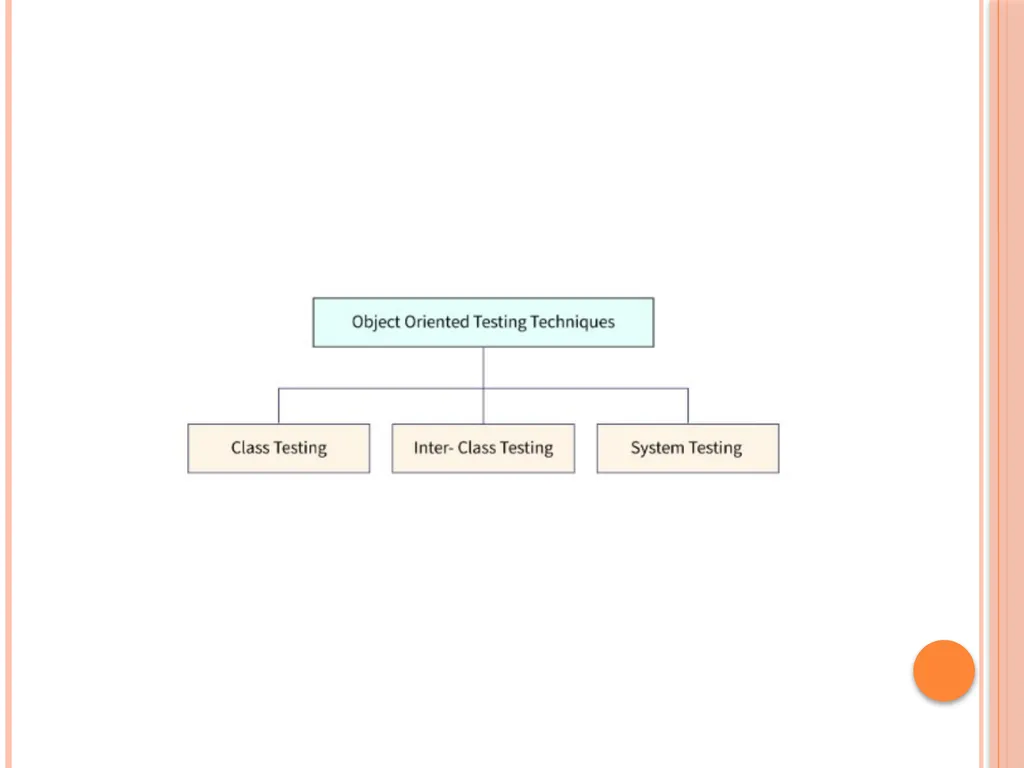
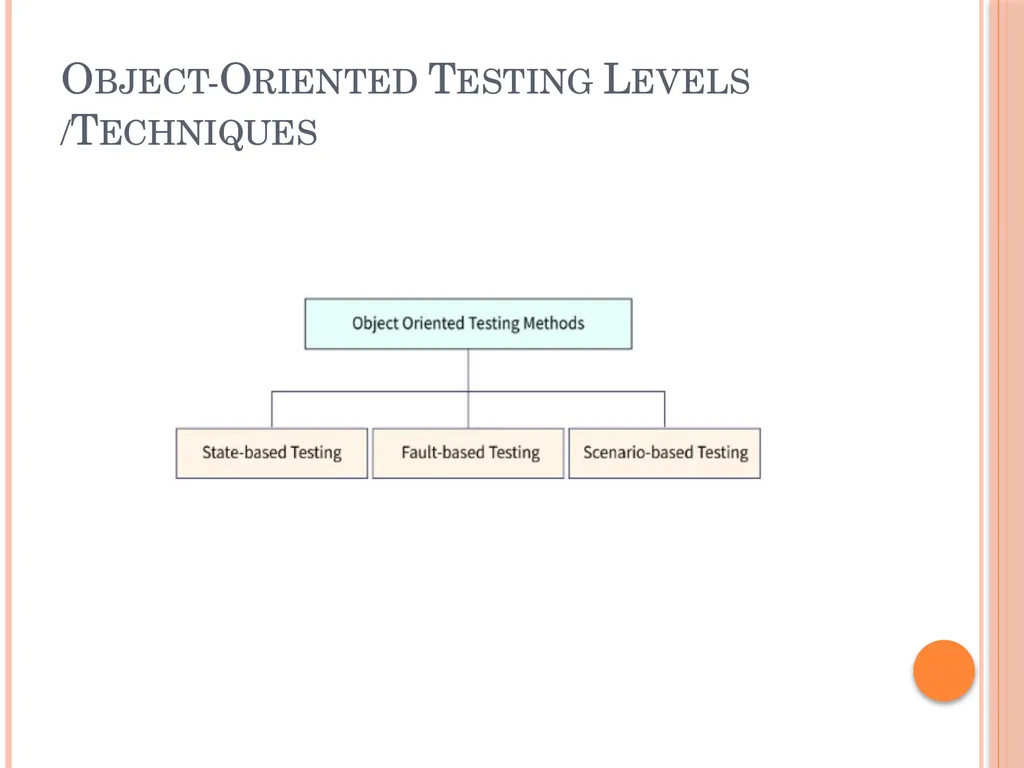
slide71. Object-Oriented Testing Levels /Techniques<br>
slide72. Fault-based testing: The main focus of fault-based testing is based on consumer specifications or code or both. Test cases are created in a way to identify all possible faults and flush them all. This technique finds all the defects that include incorrect specification and interface errors. In the traditional testing model, these types of errors can be detected through functional testing. While Object Oriented Testing in Software Testing will require scenario-based testing.<br>
slide73. Scenario-based testing: This testing technique is useful to detect issues due to wrong specifications and improper interaction among the classes. Incorrect interactions lead to incorrect output which can cause the malfunctioning of some segments sometimes. Scenario-based testing focuses on how the end user will perform the task in a specific environment. These scenarios are more detailed and created concerning the user’s requirements rather than product-specific.<br>
slide74. Class Testing based on the method testing: This Object Oriented Testing in Software Testing can be considered the most simple and common approach. Each method of the class performs a proper cohesive function so that methods can be involved once during the testing.
To minimize the variety of operations, random sequence testing gets performed. It is less time-consuming and effective as well. Partition Testing: Inputs and outputs of the category get divided to minimize the number of test cases.<br>
slide75. Challenges in Testing Object-oriented Programs Dynamic testing of classes is not possible in an OO program because it allows instances of classes to be tested. Therefore, additional testing techniques are required to test the interconnection between classes.
In object-oriented programs, control flow can be monitored with message passing between objects. It changes from one object to another with intercommunication. To test these sequential flows different types of testing approaches will be required.
Inheritance of objects is an important part of the OO program. In a larger system, it is difficult to test the subclass and detect errors in one class.
The state associated with a particular object influences the methods, execution, and communication between classes. Therefore, the state plays a vital role in object-oriented testing in software testing.<br>
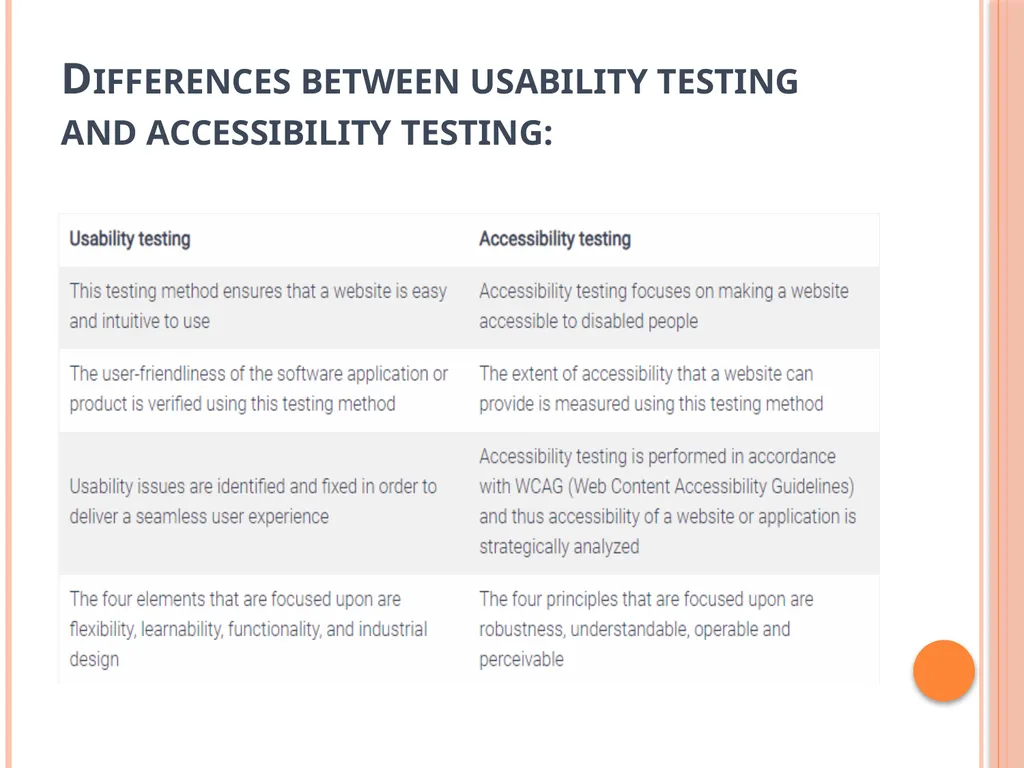
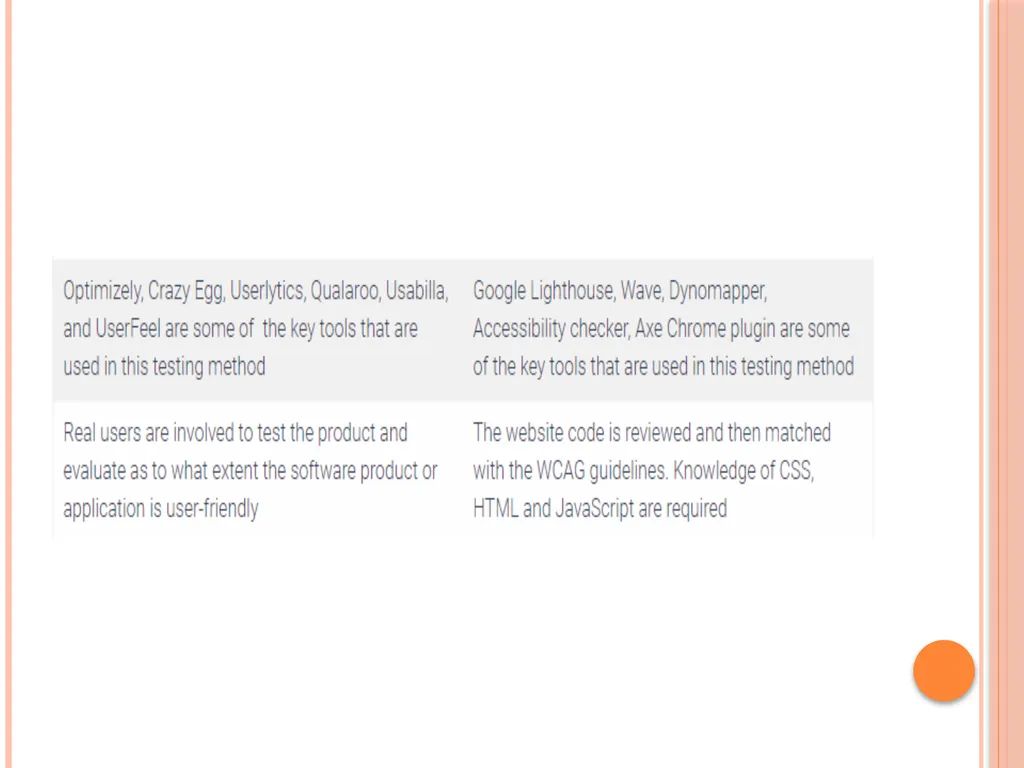
slide76. Differences between usability testing and accessibility testing:<br>
slide78. Compatibility Testing in Software Engineering Compatibility testing is software testing which comes under the non functional testing category, and it is performed on an application to check its compatibility (running capability) on different platform/environments.
This testing is done only when the application becomes stable. Means simply this compatibility test aims to check the developed software application functionality on various software, hardware platforms, network and browser etc.
This compatibility testing is very important in product production and implementation point of view as it is performed to avoid future issues regarding compatibility.<br>
slide79. Types of Compatibility Testing : 1. Software :
Testing the compatibility of an application with an Operating System like Linux, Mac, Windows
Testing compatibility on Database like Oracle SQL server, MongoDB server.
Testing compatibility on different devices like in mobile phones, computers.<br>
slide80. Types based on Version Testing : There are two types of compatibility testing based on version testing
Forward compatibility testing : When the behavior and compatibility of a software or hardware is checked with its newer version then it is called as forward compatibility testing.
Backward compatibility testing : When the behavior and compatibility of a software or hardware is checked with its older version then it is called as backward compatibility testing.<br>
slide81. Hardware :
Checking compatibility with a particular size of
RAM
ROM
Hard Disk
Memory Cards
Processor
Graphics Card<br>
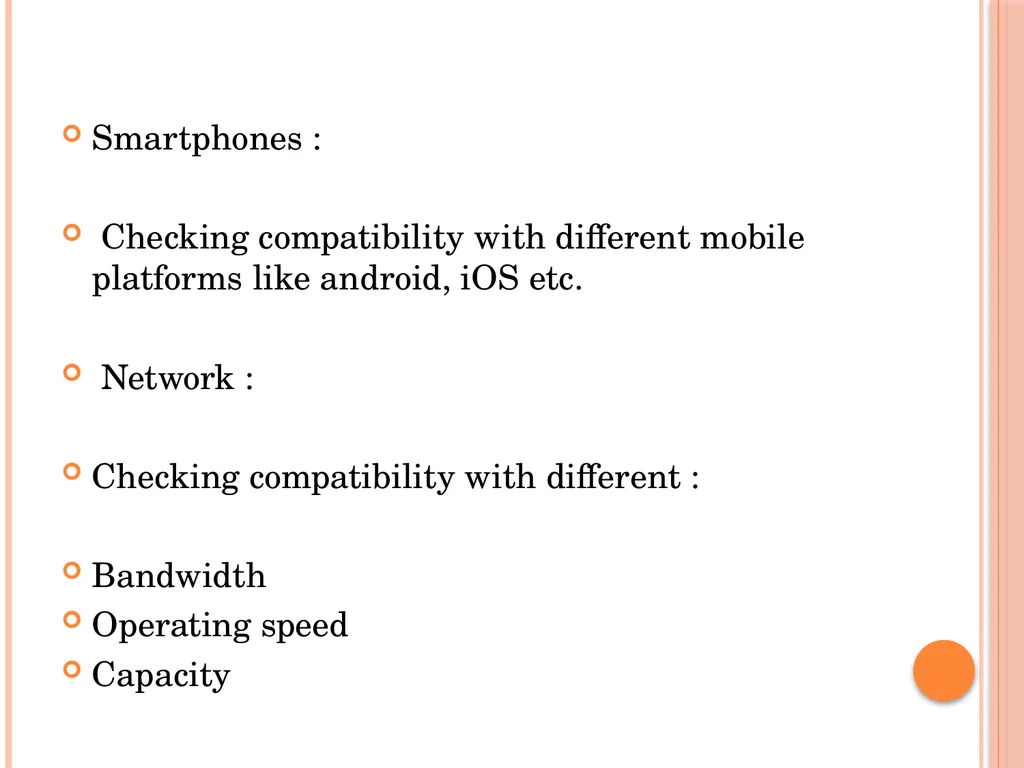
slide82. Smartphones :
Checking compatibility with different mobile platforms like android, iOS etc.
Network :
Checking compatibility with different :
Bandwidth
Operating speed
Capacity<br>
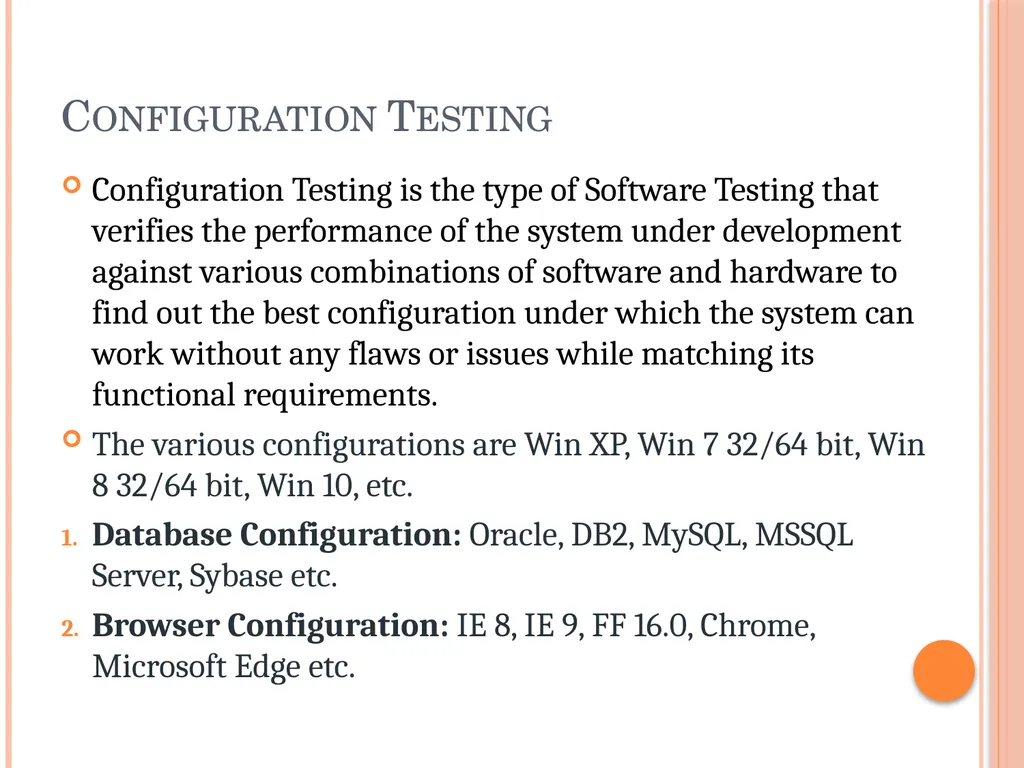
slide83. Configuration Testing Configuration Testing is the type of Software Testing that verifies the performance of the system under development against various combinations of software and hardware to find out the best configuration under which the system can work without any flaws or issues while matching its functional requirements.
The various configurations are Win XP, Win 7 32/64 bit, Win 8 32/64 bit, Win 10, etc.
Database Configuration: Oracle, DB2, MySQL, MSSQL Server, Sybase etc.
Browser Configuration: IE 8, IE 9, FF 16.0, Chrome, Microsoft Edge etc.<br>
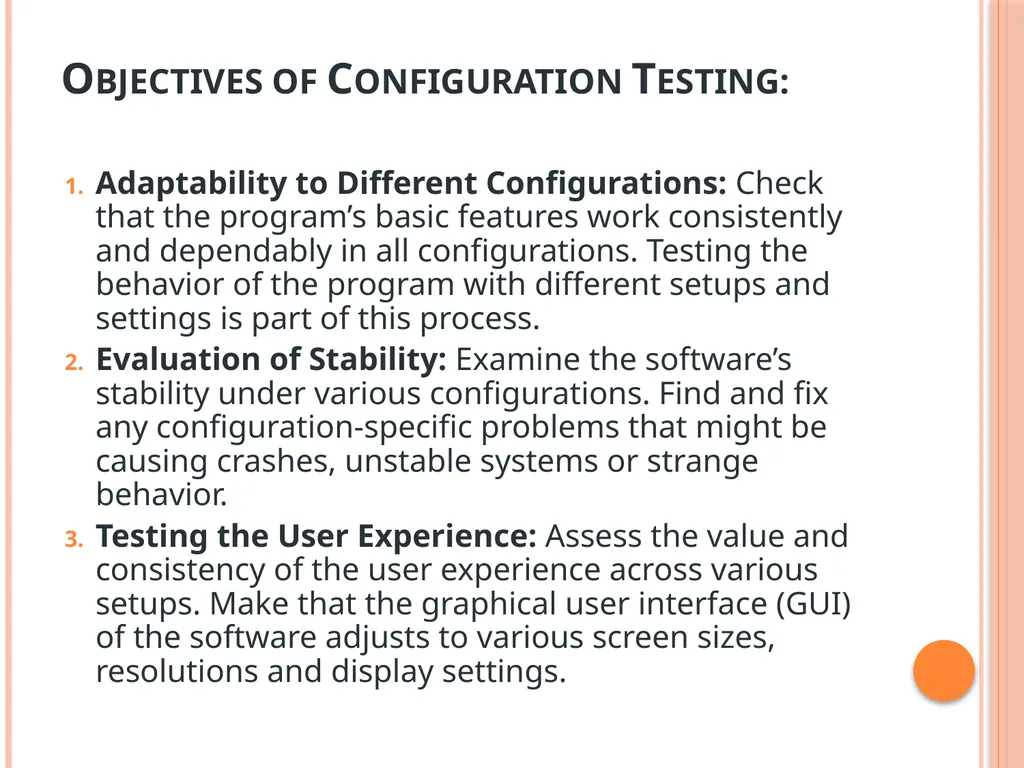
slide84. Objectives of Configuration Testing: Adaptability to Different Configurations: Check that the program’s basic features work consistently and dependably in all configurations. Testing the behavior of the program with different setups and settings is part of this process.
Evaluation of Stability: Examine the software’s stability under various configurations. Find and fix any configuration-specific problems that might be causing crashes, unstable systems or strange behavior.
Testing the User Experience: Assess the value and consistency of the user experience across various setups. Make that the graphical user interface (GUI) of the software adjusts to various screen sizes, resolutions and display settings.<br>
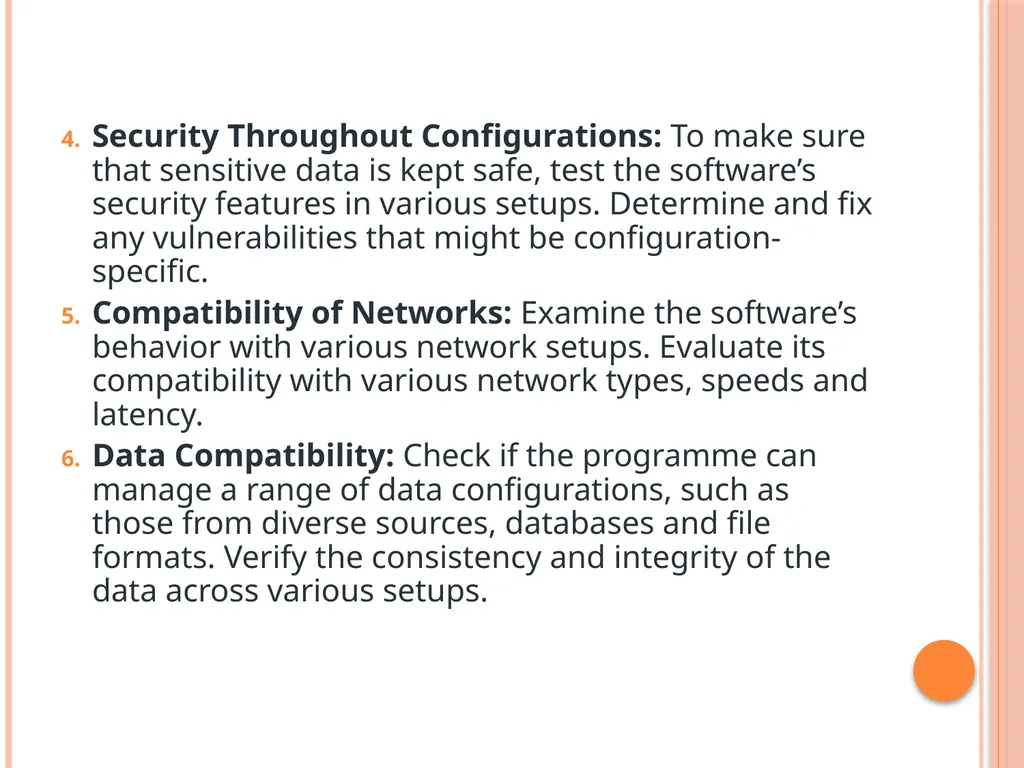
slide85. Security Throughout Configurations: To make sure that sensitive data is kept safe, test the software’s security features in various setups. Determine and fix any vulnerabilities that might be configuration-specific.
Compatibility of Networks: Examine the software’s behavior with various network setups. Evaluate its compatibility with various network types, speeds and latency.
Data Compatibility: Check if the programme can manage a range of data configurations, such as those from diverse sources, databases and file formats. Verify the consistency and integrity of the data across various setups.<br>
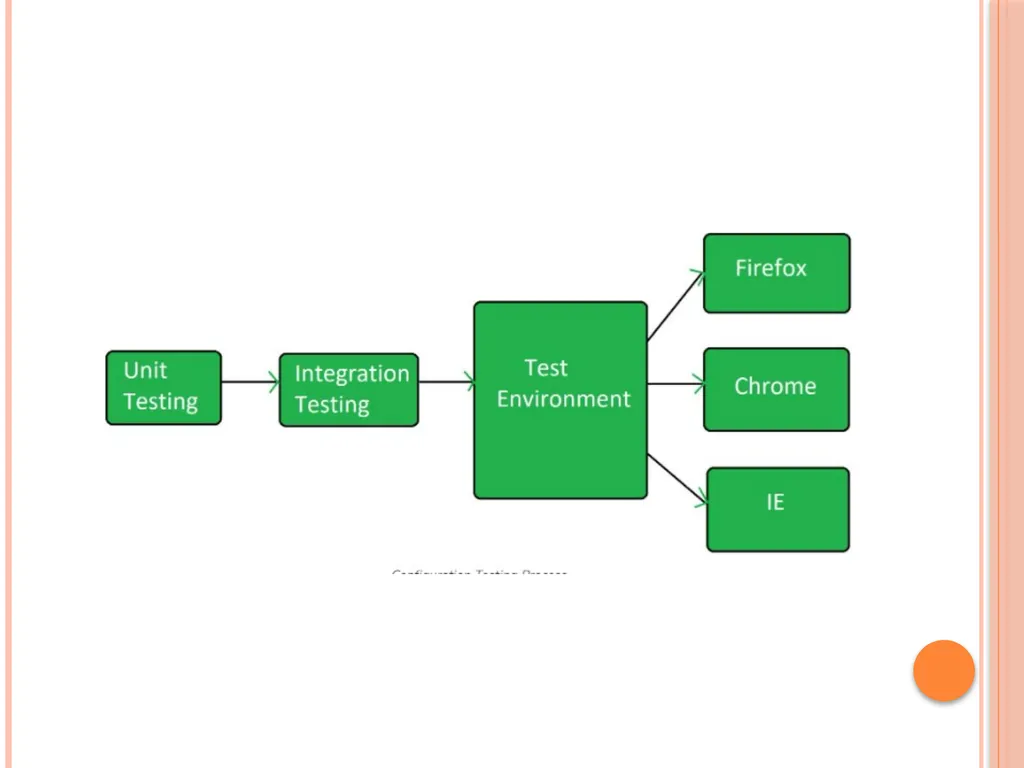
slide87. Types of Configuration Testing: Software Configuration Testing: Software configuration testing is done over the Application Under Test with various operating system versions and various browser versions etc. It is a time-consuming testing as it takes long time to install and uninstall the various software which are to be used for testing. When the build is released, software configuration begins after passing through the unit test and integration test.<br>
slide88. Hardware Configuration Testing: Hardware configuration testing is typically performed in labs where physical machines are used with various hardware connected to them.
When a build is released, the software is installed in all the physical machines to which the hardware is attached and the test is carried out on each and every machine to confirm that the application is working fine.
While doing hardware configuration test, the kind of hardware to be tested is spelled out and there are several computer hardware and peripherals which make it next to impossible to execute all the tests.<br>
slide89. Configuration Testing can also be classified into following 2 types:
Client level testing: Client level testing is associated with the usability and functionality testing. This testing is done from the point of view of its direct interest of the users.
Server level Testing: Server level testing is carried out to determine the communication between the software and the external environment when it is planned to be integrated after the release.<br>
slide90. Testing Documentation Before Testing:
Since testing begins with the generation of the test cases. The following documents are required for reference –
SRS document – Functional Requirements document.
Test Policy document – It means the product must be tested far before release.
Test Strategy document – It mentions detailed aspects of test the team, responsibility matrix, and rights/responsibilities of the test manager and test engineer.
Traceability Matrix document – This is SDLC document, that is related to the requirements-gathering process. As new requirements come, they are added to this matrix. They can be traced forward and backward. These matrices help testers know the source of the requirement.<br>
slide91. 2. During Testing: While testing is started and is being done, the following documents may be required.
Test Case document – It contains the list of to-be tests. It includes various testing like Unit test plan, Integration test plan, System test plan and Acceptance test plan.
Test description – It is a detailed description of all test cases and procedures for executing them.
Test case report – It contains a test case report resulting from the test.
Test logs – It contains test logs for every test case report.<br>
slide92. After Testing:
After testing, only the test summary remains which is a collective analysis of all test reports and logs. The software is released under the version control system if it is ready to launch. It summarizes and concludes whether the software is ready to launch.
Master Software Testing and Automation in an efficient and time-bound manner by mentors with real-time industry experience. Join our Software Automation Course and embark on an exciting journey, mastering the skill set with ease!<br>
slide93. Web Based Testing Web testing is a software testing technique to test web applications or websites for finding errors and bugs. A web application must be tested properly before it goes to the end-users. Also, testing a web application does not only mean finding common bugs or errors but also testing the quality-related risks associated with the application. Software Testing should be done with proper tools and resources and should be done effectively. We should know the architecture and key areas of a web application to effectively plan and execute the testing.<br>
slide94. Testing a web application is very common while testing any other application like testing functionality, configuration, or compatibility, etc. Testing a web application includes the analysis of the web fault compared to the general software faults. Web applications are required to be tested on different browsers and platforms so that we can identify the areas that need special focus while testing a web application.<br>
slide95. Types of Web Testing: Static Website Testing: A static website is a type of website in which the content shown or displayed is exactly the same as it is stored in the server. This type of website has great UI but does not have any dynamic feature that a user or visitor can use. In static testing, we generally focus on testing things like UI as it is the most important part of a static website. We check things font size, color, spacing, etc. testing also includes checking the contact us form, verifying URLs or links that are used in the website, etc.<br>
slide96. Dynamic Website Testing: A dynamic website is a type of website that consists of both a frontend i.e, UI, and the backend of the website like a database, etc. This type of website gets updated or change regularly as per the user’s requirements. In this website, there are a lot of functionalities involved like what a button will do if it is pressed, are error messages are shown properly at their defined time, etc. We check if the backend is working properly or not, like does enter the data or information in the GUI or frontend gets updated in the databases or not.<br>
slide97. E-Commerce Website Testing: An e-commerce website is very difficult in maintaining as it consists of different pages and functionalities, etc. In this testing, the tester or developer has to check various things like checking if the shopping cart is working as per the requirements or not, are user registration or login functionality is also working properly or not, etc. The most important thing in this testing is that does a user can successfully do payment or not and if the website is secured. And there are a lot of things that a tester needs to test apart from the given things.<br>
slide98. Mobile-Based Web Testing: In this testing, the developer or tester basically checks the website compatibility on different devices and generally on mobile devices because many of the users open the website on their mobile devices. So, keeping that thing in mind, we must check that the site is responsive on all devices or platforms.<br>
slide2. The need for levers of testing Unit Testing: In this type of testing, errors are detected individually from every component or unit by individually testing the components or units of software to ensure that they are fit for use by the developers. It is the smallest testable part of the software.
Integration Testing: In this testing, two or more modules which are unit tested are integrated to test i.e., technique interacting components, and are then verified if these integrated modules work as per the expectation or not, and interface errors are also detected<br>
slide3. System Testing: In system testing, complete and integrated Softwares are tested i.e., all the system elements forming the system are tested as a whole to meet the requirements of the system.
Acceptance Testing: This is a kind of testing conducted to ensure that the requirements of the users are fulfilled before its delivery and that the software works correctly in the user’s working environment<br>
slide5. Unit testing is a type of software testing that focuses on individual units or components of a software system. The purpose of unit testing is to validate that each unit of the software works as intended and meets the requirements. Unit testing is typically performed by developers, and it is performed early in the development process before the code is integrated and tested as a whole system.<br>
slide6. Unit test planning A general unit test plan should be prepared. It may be prepared as a component of the master test plan or as a stand-alone plan. It should be developed in conjunction with the master test plan and the project plan for each project.
phase 1: Describe Unit Test Approach and Risks
In this phase of unit testing planning the general approach to unit testing is outlined. The test planner:
(i) identifies test risks;
(ii) describes techniques to be used for designing the test cases for the units;<br>
slide7. (iii)describes techniques to be used for data validation and recording of test results;
(iv) describes the requirements for test harnesses and other software that interfaces with the units to be tested, for example, any special objects needed for testing object- oriented units.<br>
slide8. Phase 2: Identify Unit Features to be Tested
This phase requires information from the unit specification and detailed design description. The planner determines which features of each unit will be tested, for example: functions, performance requirements, states, and state transitions, control structures, messages, and data flow patterns. If some features will not be covered by the tests, they should be mentioned and the risks of not testing them be assessed. Input/output characteristics associated with each unit should also be identified, such as variables with an allowed ranges of values and performance at a certain level<br>
slide9. Phase 3: Add Levels of Detail to the Plan
In this phase the planner refines the plan as produced in the previous two phases. The planner adds new details to the approach, resource, and scheduling portions of the unit test plan. As an example, existing test cases that can be reused for this project can be identified in this phase. Unit availability and integration scheduling information should be included in the revised version of the test plan. The planner must be sure to include a description of how test results will be recorded. Test-related documents that will be required for this task, for example, test logs, and test incident reports, should be described, and references to standards for these documents provided. Any special tools required for the tests are also described. The next steps in unit testing consist of designing the set of test cases, developing the auxiliary code needed for testing, executing the tests, and recording and analyzing the results<br>
slide10. test harness The test harness is a collection of stubs, drivers, and other supporting tools that are required to automate test execution. Test harnesses are exterior to the software being under test and replicate resources or performance which are not available in a test environment. Suppose, when trying to design software that needs to combine with the software on a mainframe computer, but if no mainframe is there during the development phase, then a test harness should be created to use as a replacement.<br>
slide11. A test harness has two important parts, a test execution engine, and a test script repository.
The test execution engine is the software that is used to perform the test and the test script repository is the location where test scripts and test cases are stored.
It contains all information that is needed to compile and run a test like test cases, target deployment port, etc.
Test harnesses are used in two main areas, automation testing, and integration testing.
One of the benefits of test harnesses includes the automation of the testing process, support of debugging modes, etc.<br>
slide12. Features of Test Harness Support test automation: Test harnesses support the automation of tests. They can call functions with donated limits and compare the output to the estimated result.
The test harness is a holder to the developed code: It can be tested by an automation framework. It should permit particular tests to work, adapt a run-time condition, and provide a capacity to scan output.
Test harness may be a portion of deliverable software: It is distinguished from the application source code and may be replicated on various projects.<br>
slide13. Test harness replicates software operation: It will not have awareness of test suites, test cases, or test reports. Those things are given by a testing framework and corresponding automated testing tools. The test harness task is to arrange the right test matches.
Integrate test harness for composite frameworks: The test harness will normally be particular to a development environment like Java. But, integration test harnesses have been developed for use in more composite frameworks.<br>
slide14. Why Use Test Harness Automate testing process: Test Harness helps automate the testing procedures and thus increases the productivity of the system through automation.
Execute test suites: Test cases and test suites execution.
Print test results: The test harness is useful in generating test reports.
Helps to measure code coverage: It helps developers to measure the cove coverage at a code level.
Helps to simulate complex conditions: It helps to simulate and handle complex conditions that testers find difficult to handle.<br>
slide15. Support debugging: Test harness helps to support debugging activities.
Analyze test results: A test harness helps to analyze test results.
Enhance software quality: It helps to enhance the quality of the software components and applications.
Increased productivity: Test harness helps to increase productivity through automation<br>
slide16. Running the unit tests and recording results Unit tests can begin when
(i) the units becomes available from the developers (an estimation of availability is part of the test plan), (ii) the test cases have been designed and reviewed, and
(iii) the test harness, and any other supplemental supporting tools, are available.<br>
slide17. Integration Testing is the process of testing the interface between two software units or modules. It focuses on determining the correctness of the interface. The purpose of integration testing is to expose faults in the interaction between integrated units. Once all the modules have been unit-tested, integration testing is performed.
is a software testing technique that focuses on verifying the interactions and data exchange between different components or modules of a software application. The goal of integration testing is to identify any problems or bugs that arise when different components are combined and interact with each other<br>
slide18. Integration test approaches – There are four types of integration testing approaches. Those approaches are the following:
Big-Bang Integration Testing – It is the simplest integration testing approach, where all the modules are combined and the functionality is verified after the completion of individual module testing. In simple words, all the modules of the system are simply put together and tested. This approach is practicable only for very small systems. If an error is found during the integration testing, it is very difficult to localize the error as the error may potentially belong to any of the modules being integrated. So, debugging errors reported during Big Bang integration testing is very expensive to fix.<br>
slide19. Big-bang integration testing is a software testing approach in which all components or modules of a software application are combined and tested at once. This approach is typically used when the software components have a low degree of interdependence or when there are constraints in the development environment that prevent testing individual components. The goal of big-bang integration testing is to verify the overall functionality of the system and to identify any integration problems that arise when the components are combined. While big-bang integration testing can be useful in some situations, it can also be a high-risk approach, as the complexity of the system and the number of interactions between components can make it difficult to identify and diagnose problems.<br>
slide20. Advantages:
It is convenient for small systems.
Simple and straightforward approach.
Can be completed quickly.
Does not require a lot of planning or coordination.
May be suitable for small systems or projects with a low degree of interdependence between components.<br>
slide21. Disadvantages:
There will be quite a lot of delay because you would have to wait for all the modules to be integrated.
High-risk critical modules are not isolated and tested on priority since all modules are tested at once.
Not Good for long projects.
High risk of integration problems that are difficult to identify and diagnose.
This can result in long and complex debugging and troubleshooting efforts.
This can lead to system downtime and increased development costs.<br>
slide22. Advantages:
In bottom-up testing, no stubs are required.
A principal advantage of this integration testing is that several disjoint subsystems can be tested simultaneously.
It is easy to create the test conditions.
Best for applications that uses bottom up design approach.
It is Easy to observe the test results.
Disadvantages:
Driver modules must be produced.
In this testing, the complexity that occurs when the system is made up of a large number of small subsystems.
As Far modules have been created, there is no working model can be represented.<br>
slide23. Top-Down Integration Testing –
Top-down integration testing technique is used in order to simulate the behaviour of the lower-level modules that are not yet integrated. In this integration testing, testing takes place from top to bottom. First, high-level modules are tested and then low-level modules and finally integrating the low-level modules to a high level to ensure the system is working as intended.<br>
slide24. Advantages:
Separately debugged module.
Few or no drivers needed.
It is more stable and accurate at the aggregate level.
Easier isolation of interface errors.
In this, design defects can be found in the early stages.
Disadvantages:
Needs many Stubs.
Modules at lower level are tested inadequately.
It is difficult to observe the test output.
It is difficult to stub design.<br>
slide25. Mixed Integration Testing – A mixed integration testing is also called sandwiched integration testing. A mixed integration testing follows a combination of top down and bottom-up testing approaches. In top-down approach, testing can start only after the top-level module have been coded and unit tested. In bottom-up approach, testing can start only after the bottom level modules are ready. This sandwich or mixed approach overcomes this shortcoming of the top-down and bottom-up approaches. It is also called the hybrid integration testing. also, stubs and drivers are used in mixed integration testing.<br>
slide26. Advantages:
Mixed approach is useful for very large projects having several sub projects.
This Sandwich approach overcomes this shortcoming of the top-down and bottom-up approaches.
Parallel test can be performed in top and bottom layer tests.
Disadvantages:
For mixed integration testing, it requires very high cost because one part has a Top-down approach while another part has a bottom-up approach.
This integration testing cannot be used for smaller systems with huge interdependence between different modules.<br>
slide27. Applications:
Identify the components: Identify the individual components of your application that need to be integrated. This could include the frontend, backend, database, and any third-party services.
Create a test plan: Develop a test plan that outlines the scenarios and test cases that need to be executed to validate the integration points between the different components. This could include testing data flow, communication protocols, and error handling.
Set up test environment: Set up a test environment that mirrors the production environment as closely as possible. This will help ensure that the results of your integration tests are accurate and reliable.
Execute the tests: Execute the tests outlined in your test plan, starting with the most critical and complex scenarios. Be sure to log any defects or issues that you encounter during testing.<br>
slide28. Designing integration tests Integration tests for procedural software can be designed using a black or white box approach. Both are recommended. Some unit tests can be reused. Since many errors occur at module interfaces, test designers need to focus on exercising all input/output parameter pairs, and all calling relationships.
The tester needs to insure the parameters are of the correct type and in the correct order. The author has had the personal experience of spending many hours trying to locate a fault that was due to an incorrect ordering of parameters in the calling routine. The tester must also insure that once the parameters are passed to a routine they are used correctly.<br>
slide29. Integration test planning Testing takes place throughout the software life cycle.
Testing can apply to:
design;
source code;
manuals; and
tests themselves (choice of test data, etc.). Integration test planning is carried out during the design stage. An integration test plan is a collection of integration tests that focus on functionality.<br>
slide30. Scenario Testing Scenario Testing is a Software Testing Technique that uses scenarios i.e. speculative stories to help the tester work through a complicated problem or test system.
The ideal scenario test is a reliable, complicated, convincing or motivating story the outcome of which is easy to assess. It is performed to ensure that the end to end functioning of software and all the process flow of the software are working properly.<br>
slide31. In scenario testing:
The testers assume themselves to be the end users and find the real world scenarios or use cases which can be carried out on the software by the end user.
The testers take help from clients, stakeholders and developers to create test scenarios. A test scenario is a story which describes the usage of the software by an end user<br>
slide33. Methods in Scenario Testing System scenarios: Scenario tests used in this method are only those sets of realistic, user activities that cover various components in the system.
Use-case and role-based scenarios In the use-case and role-based scenario method the focus is specifically on how the system is used by a user with different roles and environment.
Recovery Scenarios: Test scenarios for data backup, restoration and recovery are called recovery scenarios. Additionally, it assesses how the system would function in the case of a server or component failure.<br>
slide34. Positive Scenarios: Examining the system in conditions that are common and expected.
Negative Scenarios: Assessing the way the system responds to incorrect or unexpected inputs and circumstances.
Boundary Scenarios: Testing the system at the boundaries of its inputs and outputs is known as boundary scenario.
Error scenarios: These involve generating error scenarios and testing that the system reacts correctly.<br>
slide35. Defect bash elimination System Testing A defect bash is an ad hoc testing ,done by people performing different roles in the same time duration during the integration testing phase , to bring out all types of defects that may have been left out by planned testing
The testing by all the participants during defect bash is not based on written test cases. What is to be tested is left to individual’s decision All the activities in the defect bash are planned activities, except for what to be tested<br>
slide36. It involve several steps
1. Choosing the frequency and duration of defect bash
2. Selecting the right product build
3. Communicating the objective of each defect bash to everyone
4. Setting up and monitoring the lab for defect bash
5. Taking actions and fixing issues
6. Optimizing the effort involved in defect bash<br>
slide37. Acceptance Testing Acceptance Testing is a method of software testing where a system is tested for acceptability. The major aim of this test is to evaluate the compliance of the system with the business requirements and assess whether it is acceptable for delivery or not.
Standard Definition of Acceptance Testing
It is formal testing according to user needs, requirements, and business processes conducted to determine whether a system satisfies the acceptance criteria or not and to enable the users, customers, or other authorized entities to determine whether to accept the system or not.<br>
slide38. Types of Acceptance Testing<br>
slide39. User Acceptance Testing (UAT)
User acceptance testing is used to determine whether the product is working for the user correctly. Specific requirements which are quite often used by the customers are primarily picked for testing purposes. This is also termed as End-User Testing.
2. Business Acceptance Testing (BAT)
BAT is used to determine whether the product meets the business goals and purposes or not. BAT mainly focuses on business profits which are quite challenging due to the changing market conditions and new technologies, so the current implementation may have to being changed which results in extra budgets.<br>
slide40. Contract Acceptance Testing (CAT)
CAT is a contract that specifies that once the product goes live, within a predetermined period, the acceptance test must be performed, and it should pass all the acceptance use cases.
Here is a contract termed a Service Level Agreement (SLA), which includes the terms where the payment will be made only if the Product services are in-line with all the requirements, which means the contract is fulfilled.
Sometimes, this contract happens before the product goes live. There should be a well-defined contract in terms of the period of testing, areas of testing, conditions on issues encountered at later stages, payments, etc.<br>
slide41. Regulations Acceptance Testing (RAT)
RAT is used to determine whether the product violates the rules and regulations that are defined by the government of the country where it is being released. This may be unintentional but will impact negatively on the business.
Generally, the product or application that is to be released in the market, has to go under RAT, as different countries or regions have different rules and regulations defined by its governing bodies. If any rules and regulations are violated for any country then that country or the specific region then the product will not be released in that country or region.
If the product is released even though there is a violation then only the vendors of the product will be directly responsible.<br>
slide42. Operational Acceptance Testing (OAT)
OAT is used to determine the operational readiness of the product and is non-functional testing. It mainly includes testing of recovery, compatibility, maintainability, reliability, etc. OAT assures the stability of the product before it is released to production.
6. Alpha Testing
Alpha testing is used to determine the product in the development testing environment by a specialized testers team usually called alpha testers.<br>
slide43. Beta Testing
Beta testing is used to assess the product by exposing it to the real end-users, typically called beta testers in their environment. Feedback is collected from the users and the defects are fixed. Also, this helps in enhancing the product to give a rich user experience.
Use of Acceptance Testing
To find the defects missed during the functional testing phase.
How well the product is developed.
A product is what actually the customers need.
Feedback help in improving the product performance and user experience.
Minimize or eliminate the issues arising from the production<br>
slide44. Advantages of Acceptance Testing
This testing helps the project team to know the further requirements from the users directly as it involves the users for testing.
Automated test execution.
It brings confidence and satisfaction to the clients as they are directly involved in the testing process.
It is easier for the user to describe their requirement.
It covers only the Black-Box testing process and hence the entire functionality of the product will be tested.<br>
slide45. Disadvantages of Acceptance Testing
Users should have basic knowledge about the product or application.
Sometimes, users don’t want to participate in the testing process.
The feedback for the testing takes a long time as it involves many users and the opinions may differ from one user to another user.
Development team is not participated in this testing process.<br>
slide46. Performance Testing is a type of software testing that ensures software applications perform properly under their expected workload. It is a testing technique carried out to determine system performance in terms of sensitivity, reactivity, and stability under a particular workload.
that focuses on evaluating the performance and scalability of a system or application. The goal of performance testing is to identify bottlenecks, measure system performance under various loads and conditions, and ensure that the system can handle the expected number of users or transactions<br>
slide47. types of performance testing Load testing: Load testing simulates a real-world load on the system to see how it performs under stress. It helps identify bottlenecks and determine the maximum number of users or transactions the system can handle.
Stress testing: Stress testing is a type of load testing that tests the system’s ability to handle a high load above normal usage levels. It helps identify the breaking point of the system and any potential issues that may occur under heavy load conditions.
Spike testing: Spike testing is a type of load testing that tests the system’s ability to handle sudden spikes in traffic. It helps identify any issues that may occur when the system is suddenly hit with a high number of requests.<br>
slide48. Soak testing: Soak testing is a type of load testing that tests the system’s ability to handle a sustained load over a prolonged period. It helps identify any issues that may occur after prolonged usage of the system.
Endurance testing: This type of testing is similar to soak testing, but it focuses on the long-term behaviour of the system under a constant load.
Performance Testing is the process of analysing the quality and capability of a product. It is a testing method performed to determine the system’s performance in terms of speed, reliability, and stability under varying workloads. Performance testing is also known as Perf Testing.<br>
slide49. Performance Testing Attributes:
Speed: It determines whether the software product responds rapidly.
Scalability: It determines the amount of load the software product can handle at a time.
Stability: It determines whether the software product is stable in case of varying workloads.
Reliability: It determines whether the software product is secure or not.<br>
slide51. Regression Testing Regression Testing is the process of testing the modified parts of the code and the parts that might get affected due to the modifications to ensure that no new errors have been introduced in the software after the modifications have been made.
Regression means the return of something and in the software field, it refers to the return of a bug.<br>
slide52. When to do regression testing When new functionality is added to the system and the code has been modified to absorb and integrate that functionality with the existing code.
When some defect has been identified in the software and the code is debugged to fix it.
When the code is modified to optimize its working.<br>
slide54. Internationalization testing Internationalization testing is a process of ensuring the adaptability of software to different cultures and languages around the world without any modifications in source code.
It is also shortly known as i18n, in which 18 represents the number of characters in between I & N in the word Internationalization. Internationalization simply makes applications ready for localization.<br>
slide55. example :
Just imagine, your native language is Hindi and you are more comfortable with it than English. And you are opening the Amazon application for buying a brand new mobile. There you select Hindi as your preferred language since you are comfortable with it the most. Then the content and user interface will be adapted to the language “Hindi”.
After that, the functionality and the responses of the application are not going to change. The words and visual representations are customized to your language. Along with that, you will get recommendations depending on special occasions and specific festivals in your culture and region. This customization for a specific language and region is made possible with the process of localization.<br>
slide56. the Amazon application now supports several languages including seven popular Indian languages. If you prefer any of the languages, the entire page will be customized in just seconds based on the language selected. This process of designing an application for the localization to any given international language and region is called Internationalization.<br>
slide57. Why is internationalization testing done?
To ensure the proper encoding of characters when a language is converted to another language.
To check, if the search query or string is not supported with the targeted language then the software will not crash or malfunction.
To attract audiences globally by providing convenience in using the application in their preferred languages.
To make sure that the look and feel of the font and font size are rendered accordingly.<br>
slide58. Ad hoc Testing Adhoc testing is a type of software testing that is performed informally and randomly after the formal testing is completed to find any loophole in the system.
For this reason, it is also known as Random or Monkey testing. Adhoc testing is not performed in a structured way so it is not based on any methodological approach<br>
slide59. Adhoc testing has –
No Documentation.
No Test cases.
No Test Design.
Adhoc testing saves a lot of time and one great example of Adhoc testing can be when the client needs the product by today 6 PM but the product development will be completed at 4 PM the same day. So in hand only limited time i.e. 2 hours only, within that 2hrs the developer and tester team can test the system as a whole by taking some random inputs and can check for any errors.<br>
slide60. Types of Adhoc Testing Buddy Testing – Buddy testing is a type of Adhoc testing where two bodies will be involved one is from the Developer team and one from the tester team. So that after completing one module and after completing Unit testing the tester can test by giving random inputs and the developer can fix the issues too early based on the currently designed test cases.<br>
slide61. Pair Testing – Pair testing is a type of Adhoc testing where two bodies from the testing team can be involved to test the same module. When one tester can perform the random test another tester can maintain the record of findings. So when two testers get paired they exchange their ideas, opinions, and knowledge so good testing is performed on the module.<br>
slide62. Monkey Testing – Monkey testing is a type of Adhoc testing in which the system is tested based on random inputs without any test cases the behavior of the system is tracked and all the functionalities of the system are working or not is monitored. As the randomness approach is followed there is no constraint on inputs so it is called Monkey testing.<br>
slide63. Characteristics of Adhoc Testing Adhoc testing is performed randomly.
Based on no documentation, no test cases, and no test designs.
It is done after formal testing.
It follows an unstructured way of testing.
It takes comparatively less time than other testing techniques.<br>
slide64. Alpha Testing is a type of software testing performed to identify bugs before releasing the product to real users or to the public. Alpha Testing is one of the user acceptance tests. It is the first stage of software testing, during which the internal development team tests the program before making it available to clients or people outside the company.<br>
slide65. Beta Testing is performed by real users of the software application in a real environment. Beta testing is one type of User Acceptance Testing. A pre-release version of the product is made available for testing to a chosen set of external users or customers during the second phase of software testing.<br>
slide66. Difference between Alpha and Beta Testing:<br>
slide68. System oo testing Object Oriented(OO) testing can be performed at different levels to detect the issues. At the algorithmic level, a single module of every class should be tested. As discussed earlier, testing of classes is the main concern of the Object Oriented program.
Every class gets tested as an individual entity at the class level. Generally, programmers who are creating the classes are involved in testing. Test cases for Object-Oriented Testing in Software Testing can be constructed based on the requirement specifications, programming language, and models.<br>
slide70. Developing Test Cases in Object-oriented Testing Conventional methods can be used to design test cases in OO testing. However, these test cases can be redeveloped with some special features so that they can use for object-oriented environments. The following points should be considered while creating test cases for object-oriented environments.
Which class is going to be tested should be mentioned properly within the test cases.
What is the purpose of using particular test cases?
What external pre-condition needs to be conducted while performing the test case?
All the states should be specified for testing.<br>
slide71. Object-Oriented Testing Levels /Techniques<br>
slide72. Fault-based testing: The main focus of fault-based testing is based on consumer specifications or code or both. Test cases are created in a way to identify all possible faults and flush them all. This technique finds all the defects that include incorrect specification and interface errors. In the traditional testing model, these types of errors can be detected through functional testing. While Object Oriented Testing in Software Testing will require scenario-based testing.<br>
slide73. Scenario-based testing: This testing technique is useful to detect issues due to wrong specifications and improper interaction among the classes. Incorrect interactions lead to incorrect output which can cause the malfunctioning of some segments sometimes. Scenario-based testing focuses on how the end user will perform the task in a specific environment. These scenarios are more detailed and created concerning the user’s requirements rather than product-specific.<br>
slide74. Class Testing based on the method testing: This Object Oriented Testing in Software Testing can be considered the most simple and common approach. Each method of the class performs a proper cohesive function so that methods can be involved once during the testing.
To minimize the variety of operations, random sequence testing gets performed. It is less time-consuming and effective as well. Partition Testing: Inputs and outputs of the category get divided to minimize the number of test cases.<br>
slide75. Challenges in Testing Object-oriented Programs Dynamic testing of classes is not possible in an OO program because it allows instances of classes to be tested. Therefore, additional testing techniques are required to test the interconnection between classes.
In object-oriented programs, control flow can be monitored with message passing between objects. It changes from one object to another with intercommunication. To test these sequential flows different types of testing approaches will be required.
Inheritance of objects is an important part of the OO program. In a larger system, it is difficult to test the subclass and detect errors in one class.
The state associated with a particular object influences the methods, execution, and communication between classes. Therefore, the state plays a vital role in object-oriented testing in software testing.<br>
slide76. Differences between usability testing and accessibility testing:<br>
slide78. Compatibility Testing in Software Engineering Compatibility testing is software testing which comes under the non functional testing category, and it is performed on an application to check its compatibility (running capability) on different platform/environments.
This testing is done only when the application becomes stable. Means simply this compatibility test aims to check the developed software application functionality on various software, hardware platforms, network and browser etc.
This compatibility testing is very important in product production and implementation point of view as it is performed to avoid future issues regarding compatibility.<br>
slide79. Types of Compatibility Testing : 1. Software :
Testing the compatibility of an application with an Operating System like Linux, Mac, Windows
Testing compatibility on Database like Oracle SQL server, MongoDB server.
Testing compatibility on different devices like in mobile phones, computers.<br>
slide80. Types based on Version Testing : There are two types of compatibility testing based on version testing
Forward compatibility testing : When the behavior and compatibility of a software or hardware is checked with its newer version then it is called as forward compatibility testing.
Backward compatibility testing : When the behavior and compatibility of a software or hardware is checked with its older version then it is called as backward compatibility testing.<br>
slide81. Hardware :
Checking compatibility with a particular size of
RAM
ROM
Hard Disk
Memory Cards
Processor
Graphics Card<br>
slide82. Smartphones :
Checking compatibility with different mobile platforms like android, iOS etc.
Network :
Checking compatibility with different :
Bandwidth
Operating speed
Capacity<br>
slide83. Configuration Testing Configuration Testing is the type of Software Testing that verifies the performance of the system under development against various combinations of software and hardware to find out the best configuration under which the system can work without any flaws or issues while matching its functional requirements.
The various configurations are Win XP, Win 7 32/64 bit, Win 8 32/64 bit, Win 10, etc.
Database Configuration: Oracle, DB2, MySQL, MSSQL Server, Sybase etc.
Browser Configuration: IE 8, IE 9, FF 16.0, Chrome, Microsoft Edge etc.<br>
slide84. Objectives of Configuration Testing: Adaptability to Different Configurations: Check that the program’s basic features work consistently and dependably in all configurations. Testing the behavior of the program with different setups and settings is part of this process.
Evaluation of Stability: Examine the software’s stability under various configurations. Find and fix any configuration-specific problems that might be causing crashes, unstable systems or strange behavior.
Testing the User Experience: Assess the value and consistency of the user experience across various setups. Make that the graphical user interface (GUI) of the software adjusts to various screen sizes, resolutions and display settings.<br>
slide85. Security Throughout Configurations: To make sure that sensitive data is kept safe, test the software’s security features in various setups. Determine and fix any vulnerabilities that might be configuration-specific.
Compatibility of Networks: Examine the software’s behavior with various network setups. Evaluate its compatibility with various network types, speeds and latency.
Data Compatibility: Check if the programme can manage a range of data configurations, such as those from diverse sources, databases and file formats. Verify the consistency and integrity of the data across various setups.<br>
slide87. Types of Configuration Testing: Software Configuration Testing: Software configuration testing is done over the Application Under Test with various operating system versions and various browser versions etc. It is a time-consuming testing as it takes long time to install and uninstall the various software which are to be used for testing. When the build is released, software configuration begins after passing through the unit test and integration test.<br>
slide88. Hardware Configuration Testing: Hardware configuration testing is typically performed in labs where physical machines are used with various hardware connected to them.
When a build is released, the software is installed in all the physical machines to which the hardware is attached and the test is carried out on each and every machine to confirm that the application is working fine.
While doing hardware configuration test, the kind of hardware to be tested is spelled out and there are several computer hardware and peripherals which make it next to impossible to execute all the tests.<br>
slide89. Configuration Testing can also be classified into following 2 types:
Client level testing: Client level testing is associated with the usability and functionality testing. This testing is done from the point of view of its direct interest of the users.
Server level Testing: Server level testing is carried out to determine the communication between the software and the external environment when it is planned to be integrated after the release.<br>
slide90. Testing Documentation Before Testing:
Since testing begins with the generation of the test cases. The following documents are required for reference –
SRS document – Functional Requirements document.
Test Policy document – It means the product must be tested far before release.
Test Strategy document – It mentions detailed aspects of test the team, responsibility matrix, and rights/responsibilities of the test manager and test engineer.
Traceability Matrix document – This is SDLC document, that is related to the requirements-gathering process. As new requirements come, they are added to this matrix. They can be traced forward and backward. These matrices help testers know the source of the requirement.<br>
slide91. 2. During Testing: While testing is started and is being done, the following documents may be required.
Test Case document – It contains the list of to-be tests. It includes various testing like Unit test plan, Integration test plan, System test plan and Acceptance test plan.
Test description – It is a detailed description of all test cases and procedures for executing them.
Test case report – It contains a test case report resulting from the test.
Test logs – It contains test logs for every test case report.<br>
slide92. After Testing:
After testing, only the test summary remains which is a collective analysis of all test reports and logs. The software is released under the version control system if it is ready to launch. It summarizes and concludes whether the software is ready to launch.
Master Software Testing and Automation in an efficient and time-bound manner by mentors with real-time industry experience. Join our Software Automation Course and embark on an exciting journey, mastering the skill set with ease!<br>
slide93. Web Based Testing Web testing is a software testing technique to test web applications or websites for finding errors and bugs. A web application must be tested properly before it goes to the end-users. Also, testing a web application does not only mean finding common bugs or errors but also testing the quality-related risks associated with the application. Software Testing should be done with proper tools and resources and should be done effectively. We should know the architecture and key areas of a web application to effectively plan and execute the testing.<br>
slide94. Testing a web application is very common while testing any other application like testing functionality, configuration, or compatibility, etc. Testing a web application includes the analysis of the web fault compared to the general software faults. Web applications are required to be tested on different browsers and platforms so that we can identify the areas that need special focus while testing a web application.<br>
slide95. Types of Web Testing: Static Website Testing: A static website is a type of website in which the content shown or displayed is exactly the same as it is stored in the server. This type of website has great UI but does not have any dynamic feature that a user or visitor can use. In static testing, we generally focus on testing things like UI as it is the most important part of a static website. We check things font size, color, spacing, etc. testing also includes checking the contact us form, verifying URLs or links that are used in the website, etc.<br>
slide96. Dynamic Website Testing: A dynamic website is a type of website that consists of both a frontend i.e, UI, and the backend of the website like a database, etc. This type of website gets updated or change regularly as per the user’s requirements. In this website, there are a lot of functionalities involved like what a button will do if it is pressed, are error messages are shown properly at their defined time, etc. We check if the backend is working properly or not, like does enter the data or information in the GUI or frontend gets updated in the databases or not.<br>
slide97. E-Commerce Website Testing: An e-commerce website is very difficult in maintaining as it consists of different pages and functionalities, etc. In this testing, the tester or developer has to check various things like checking if the shopping cart is working as per the requirements or not, are user registration or login functionality is also working properly or not, etc. The most important thing in this testing is that does a user can successfully do payment or not and if the website is secured. And there are a lot of things that a tester needs to test apart from the given things.<br>
slide98. Mobile-Based Web Testing: In this testing, the developer or tester basically checks the website compatibility on different devices and generally on mobile devices because many of the users open the website on their mobile devices. So, keeping that thing in mind, we must check that the site is responsive on all devices or platforms.<br>