
Wading Through the Web Conducting Research on the
LV
Published · 38 slides · 0 views
1 / 1

Description
Wading Through the Web Conducting Research on the Internet Domain Types Wading Through the Web 1. Different Types of Search Engines 2. How to Search on the Internet 3. How to cite your sources This presentation will teach you about: Wading
Related Topics
Share
Embed code
Download this presentation From Below
"Wading Through the Web Conducting Research on the" is the property of its rightful owner. Permission is granted to download and print the materials on this website for personal, non-commercial use only, and to display it on your personal computer provided you do not modify the materials and that you retain all copyright notices contained in the materials. By downloading content from our website, you accept the terms of this agreement.
Presentation Transcript
01
Wading Through the Web
Conducting Research on the Internet<br>
02
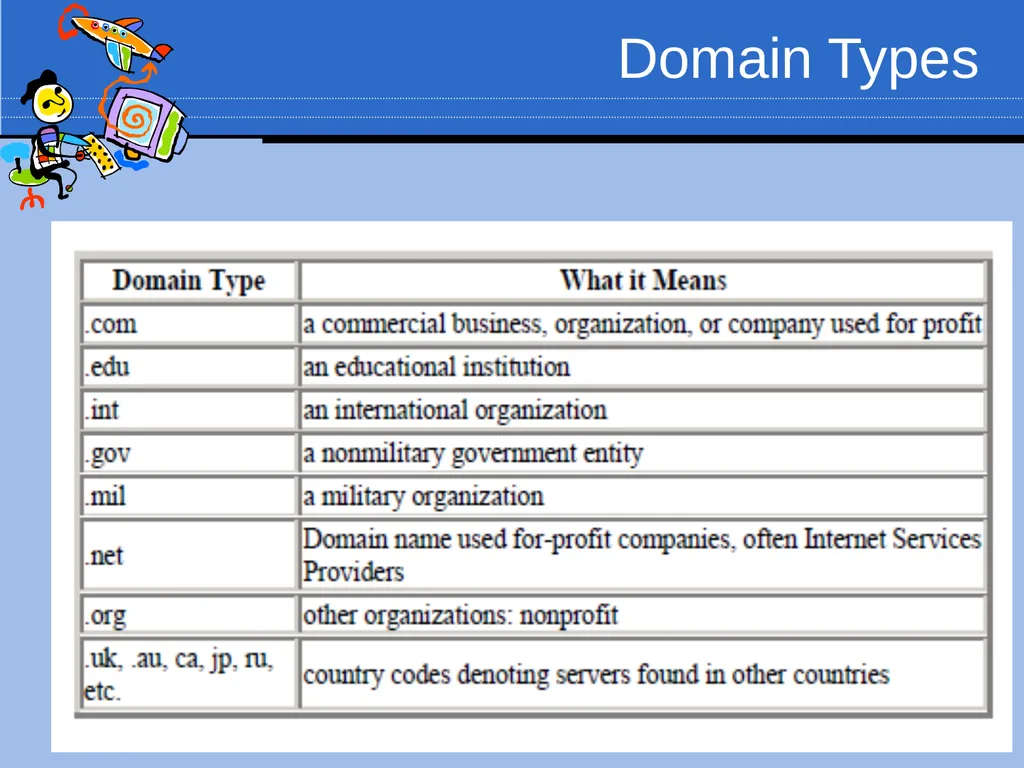
Domain Types<br>
03
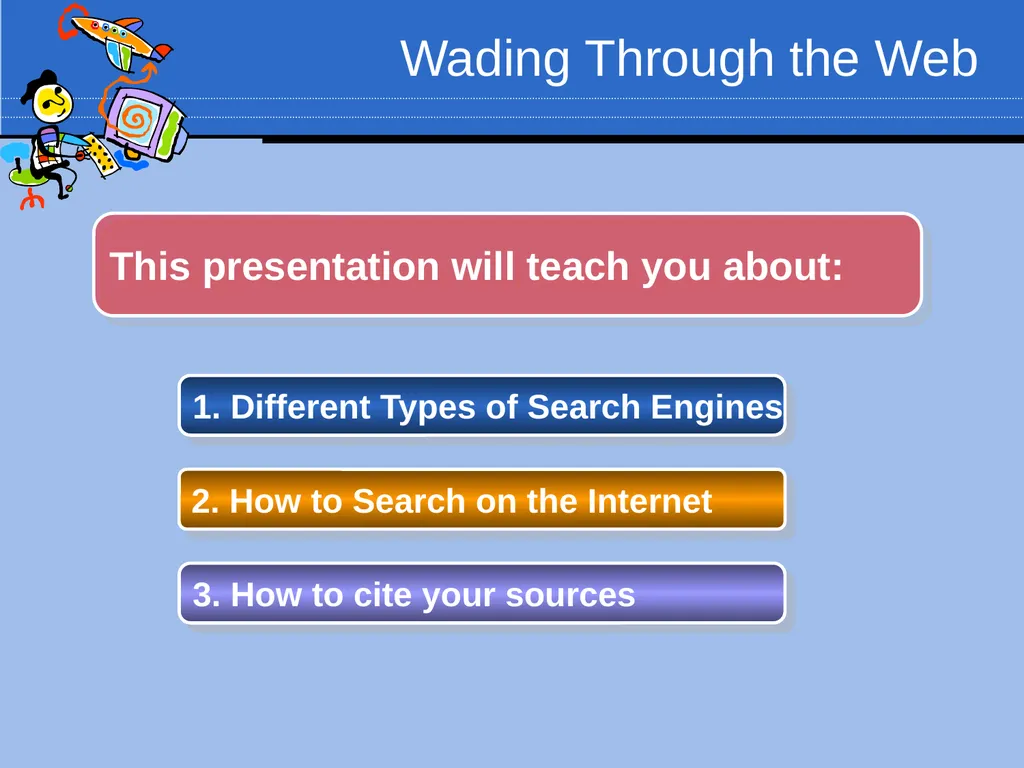
Wading Through the Web 1. Different Types of Search Engines 2. How to Search on the Internet 3. How to cite your sources This presentation will teach you about:<br>
04
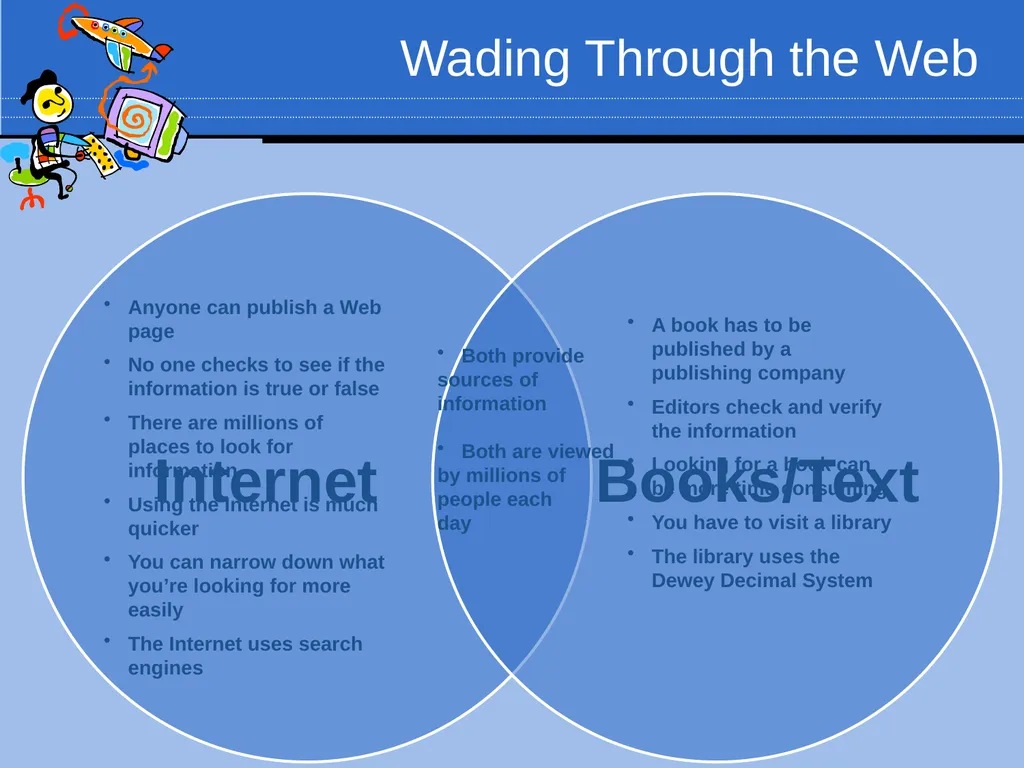
Wading Through the Web Anyone can publish a Web page
No one checks to see if the information is true or false
There are millions of places to look for information
Using the Internet is much quicker
You can narrow down what you’re looking for more easily
The Internet uses search engines Both provide
sources of
information
Both are viewed
by millions of
people each
day A book has to be published by a publishing company
Editors check and verify the information
Looking for a book can be more time consuming
You have to visit a library
The library uses the Dewey Decimal System<br>
No one checks to see if the information is true or false
There are millions of places to look for information
Using the Internet is much quicker
You can narrow down what you’re looking for more easily
The Internet uses search engines Both provide
sources of
information
Both are viewed
by millions of
people each
day A book has to be published by a publishing company
Editors check and verify the information
Looking for a book can be more time consuming
You have to visit a library
The library uses the Dewey Decimal System<br>
05
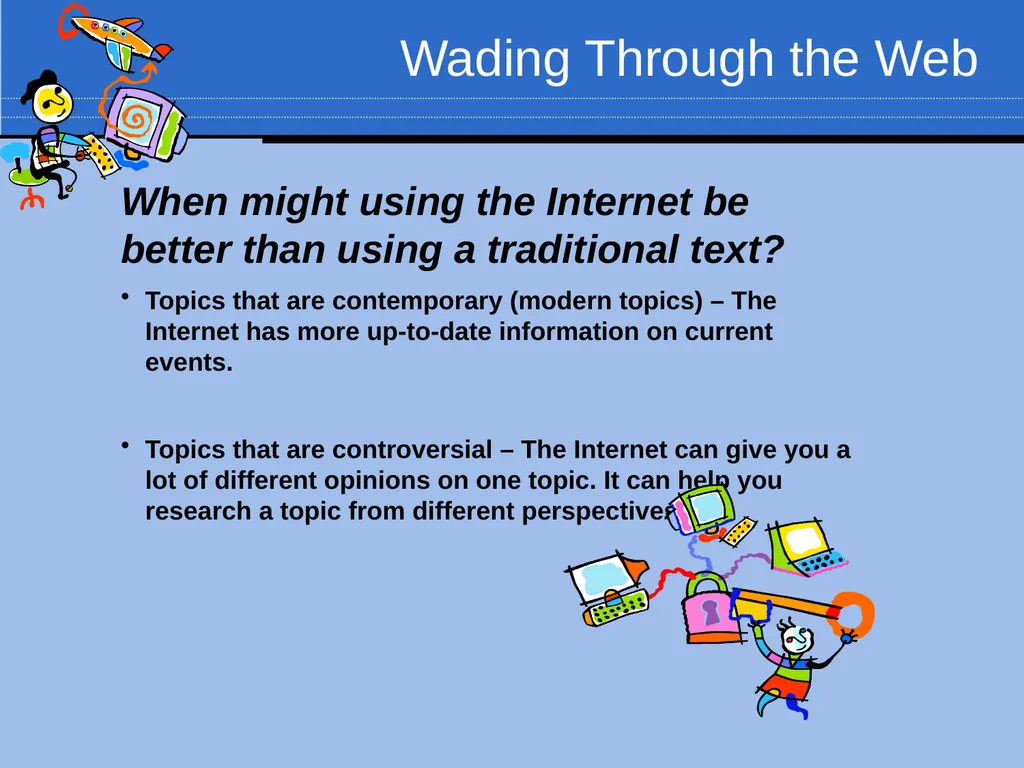
Wading Through the Web When might using the Internet be better than using a traditional text?
Topics that are contemporary (modern topics) – The Internet has more up-to-date information on current events.
Topics that are controversial – The Internet can give you a lot of different opinions on one topic. It can help you research a topic from different perspectives.<br>
Topics that are contemporary (modern topics) – The Internet has more up-to-date information on current events.
Topics that are controversial – The Internet can give you a lot of different opinions on one topic. It can help you research a topic from different perspectives.<br>
06
Session 1: Different Types of Search Engines<br>
07
Wading Through the Web Different Types of Search Engines A Search Engine is a program that allows you to search the Internet for information. There are many search engines on the World Wide Web.
You might have heard of search engines like Google, Yahoo!, or MSN. These are the most popular search engines.
There are lots of other excellent search engines on the Internet that you may never have heard of!
Let’s look at the different types of search engines available on the Internet.<br>
You might have heard of search engines like Google, Yahoo!, or MSN. These are the most popular search engines.
There are lots of other excellent search engines on the Internet that you may never have heard of!
Let’s look at the different types of search engines available on the Internet.<br>
08
Wading Through the Web Different Types of Search Engines Regular Search Engines vs. Metasearch Engines
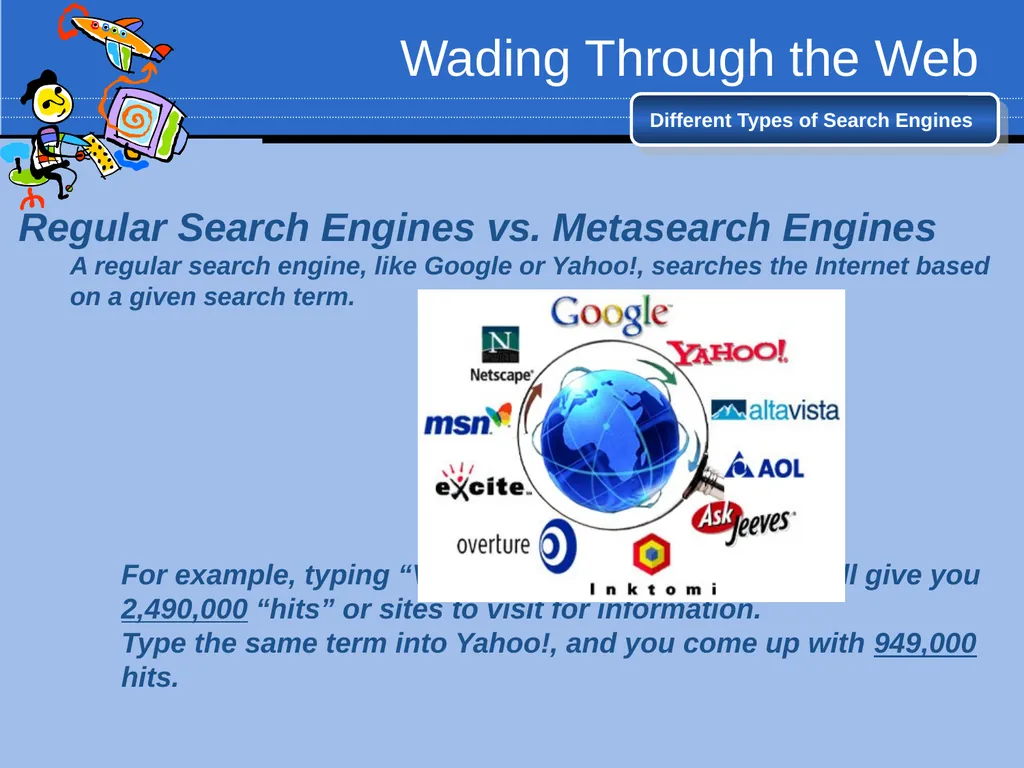
A regular search engine, like Google or Yahoo!, searches the Internet based on a given search term.
For example, typing “Vasco da Gama” into Google will give you 2,490,000 “hits” or sites to visit for information.
Type the same term into Yahoo!, and you come up with 949,000 hits.<br>
A regular search engine, like Google or Yahoo!, searches the Internet based on a given search term.
For example, typing “Vasco da Gama” into Google will give you 2,490,000 “hits” or sites to visit for information.
Type the same term into Yahoo!, and you come up with 949,000 hits.<br>
09
Wading Through the Web Different Types of Search Engines Why do Google and Yahoo! display different sites for the same word?
This is because of the way the engine searches!
Google and Yahoo! use different search methods. While many of the sites they show you are the same, some are different.
A regular search engine, like Google or Yahoo!, searches the Internet based on a given search term.
A Metasearch can streamline your search.
A Metasearch has the ability to search several search engines.<br>
This is because of the way the engine searches!
Google and Yahoo! use different search methods. While many of the sites they show you are the same, some are different.
A regular search engine, like Google or Yahoo!, searches the Internet based on a given search term.
A Metasearch can streamline your search.
A Metasearch has the ability to search several search engines.<br>
10
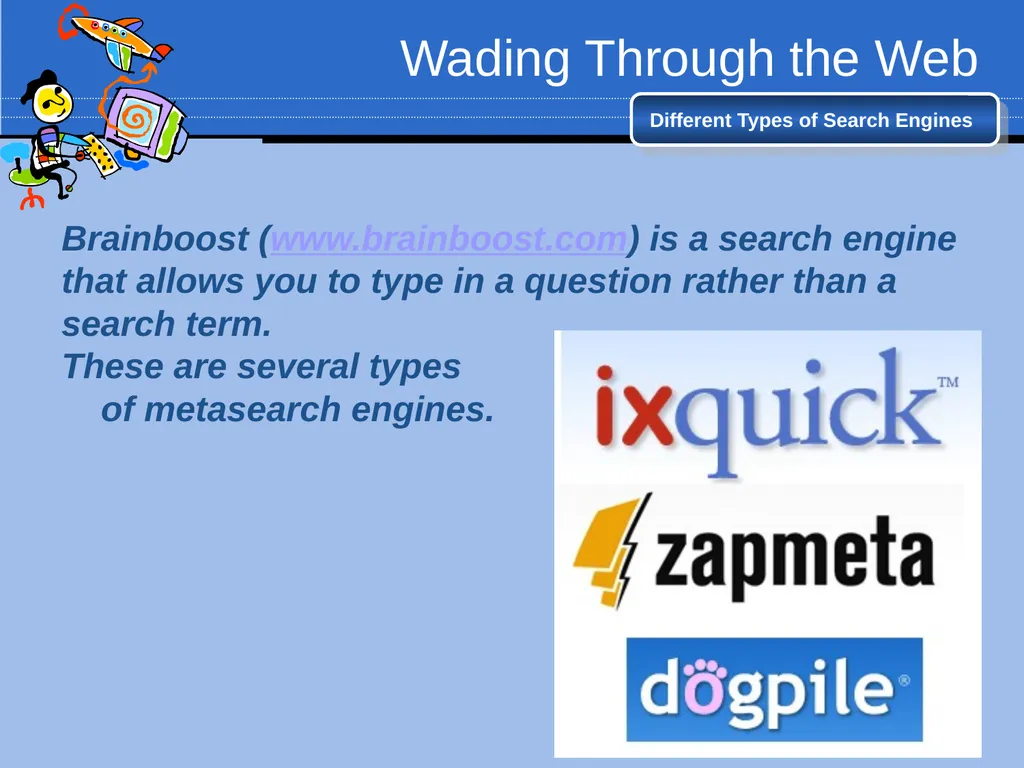
Wading Through the Web Different Types of Search Engines Brainboost (www.brainboost.com) is a search engine that allows you to type in a question rather than a search term.
These are several types
of metasearch engines.<br>
These are several types
of metasearch engines.<br>
11
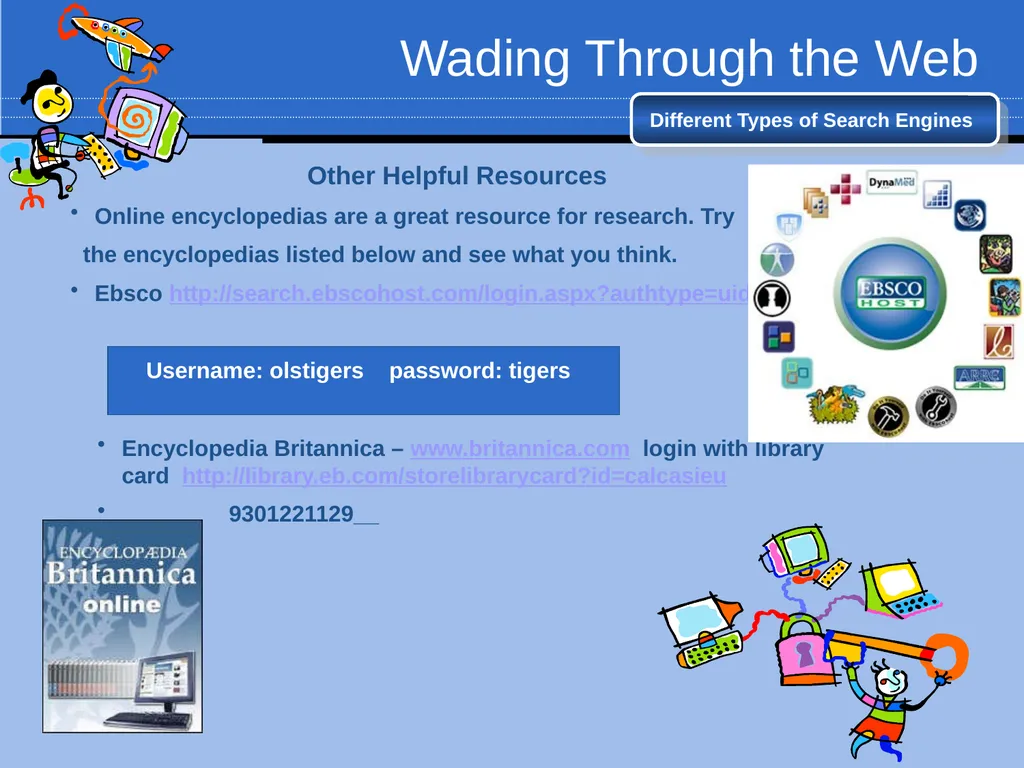
Wading Through the Web Different Types of Search Engines Other Helpful Resources
Online encyclopedias are a great resource for research. Try
the encyclopedias listed below and see what you think.
Ebsco http://search.ebscohost.com/login.aspx?authtype=uid
Username: olstigers password: tigers
Encyclopedia Britannica – www.britannica.com login with library card http://library.eb.com/storelibrarycard?id=calcasieu
9301221129__<br>
Online encyclopedias are a great resource for research. Try
the encyclopedias listed below and see what you think.
Ebsco http://search.ebscohost.com/login.aspx?authtype=uid
Username: olstigers password: tigers
Encyclopedia Britannica – www.britannica.com login with library card http://library.eb.com/storelibrarycard?id=calcasieu
9301221129__<br>
12
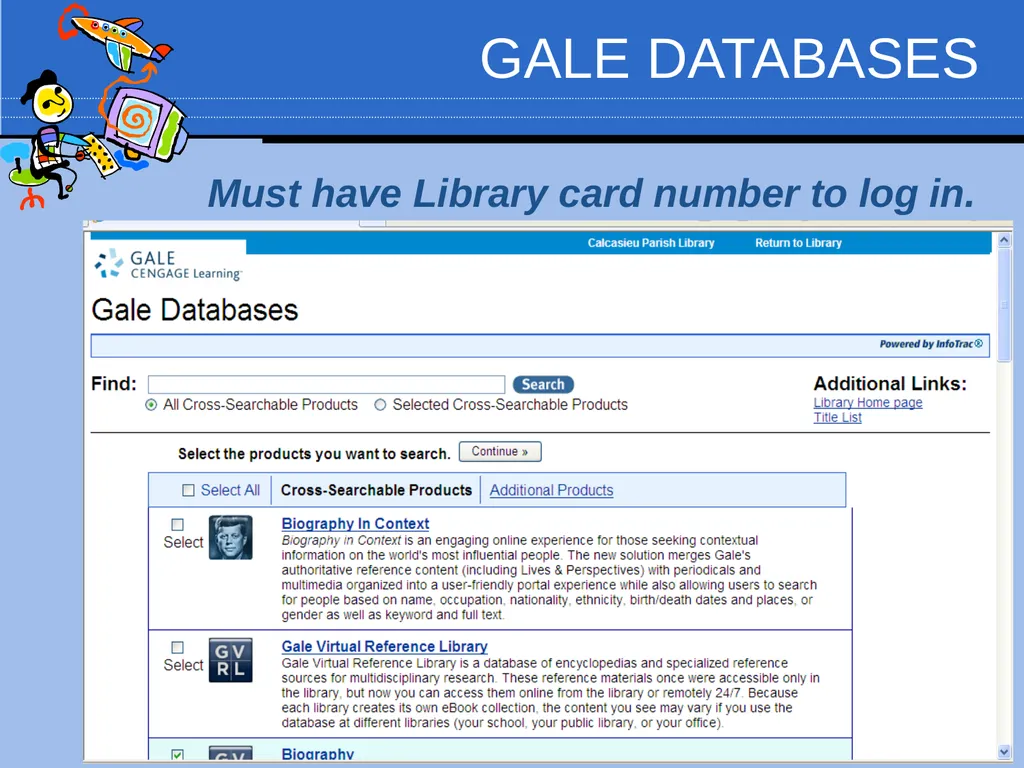
GALE DATABASES Must have Library card number to log in.<br>
13
Wading Through the Web Other Helpful Resources http://lalibcon.state.lib.la.us/ Louisiana Library
Louisiana Library Includes test prep
Encarta – www.encarta.msn.com
Worldbook-www.worldbookonline.com
username: tiger01 password: tigers
In world book use Advanced Search and create a folder, pathfinders are folders others have created and are sharing.
Libraries are another place to find lots of useful information. Take a look at these sites!
Calcasieu Parish Public Library’s database – http://calcasieulibrary.org/
You will need a library card to use some of the linked websites, so also check the webpage of your local library.<br>
Louisiana Library Includes test prep
Encarta – www.encarta.msn.com
Worldbook-www.worldbookonline.com
username: tiger01 password: tigers
In world book use Advanced Search and create a folder, pathfinders are folders others have created and are sharing.
Libraries are another place to find lots of useful information. Take a look at these sites!
Calcasieu Parish Public Library’s database – http://calcasieulibrary.org/
You will need a library card to use some of the linked websites, so also check the webpage of your local library.<br>
14
Public Library Libraries are another place to find lots of useful information. Take a look at these sites!
Calcasieu Parish Public Library’s database – http://calcasieulibrary.org/
You will need a library card to use some of the linked websites, so also check the webpage of your local library. Must get a login Pin
from Library to download
From OverDrive site.<br>
Calcasieu Parish Public Library’s database – http://calcasieulibrary.org/
You will need a library card to use some of the linked websites, so also check the webpage of your local library. Must get a login Pin
from Library to download
From OverDrive site.<br>
15
Session 2: How to Search on the Internet<br>
16
Wading Through the Web 2. How to Search on the Internet Now that we have looked at different types of search engines, we need to learn how to make the most of your search!
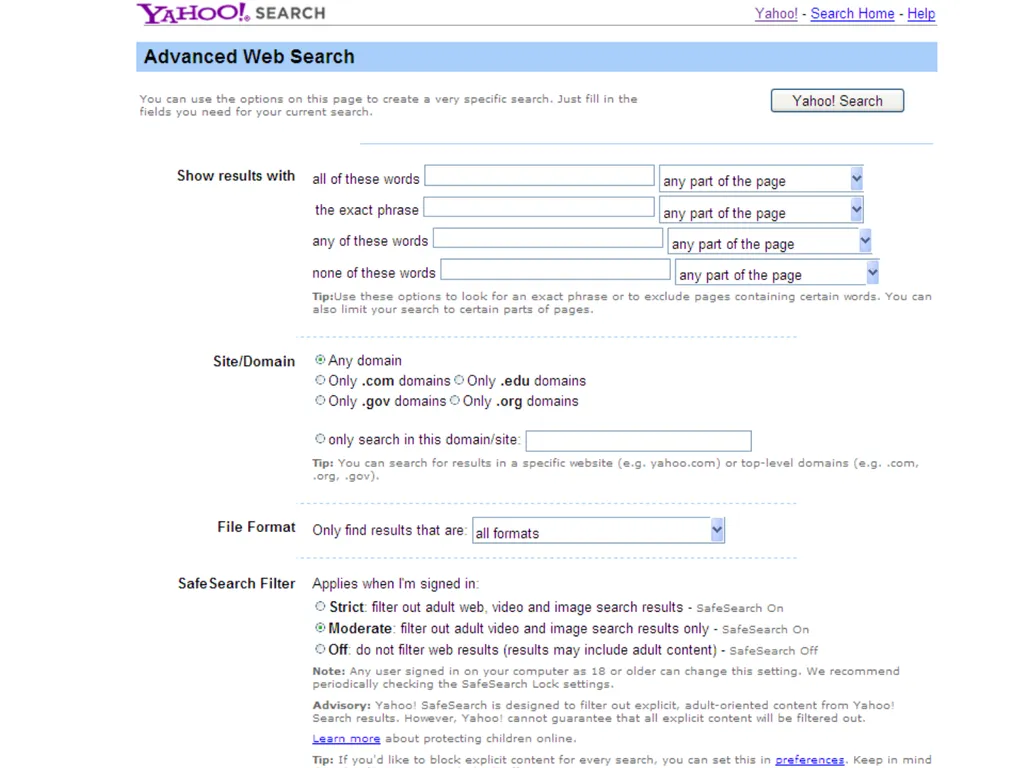
Most search engines have something called an Advanced Search. An advanced search allows you to be more specific about what type of information you are looking for.
When you visit a search engine, the Advanced Search page is a great place to start!<br>
Most search engines have something called an Advanced Search. An advanced search allows you to be more specific about what type of information you are looking for.
When you visit a search engine, the Advanced Search page is a great place to start!<br>
17
ADVANCED SEARCH TECHNIQUES – There are several types of advanced search techniques:
Truncation, Boolean operators, and Phrase Searching. We will look at each one separately.
TRUNCATION is used to expand results by instructing the computer to look for the root of the word and all alternate word endings. When you truncate a search you will get more hits usually.
Star* Searches for stars, starring, starred, etc.
Life* Searches for Life, lives, lived, living, etc.
Truncation symbols may differ depending on the database or search engine you are using. Common truncation symbols are * (an asterisk), ? (question mark), or # (the pound sign).
OR – use this when you can accept a couple of words. For example, “Vasco da Gama OR European explorers”
Use OR to gather references that contain similar terms or synonyms. This will increase search results.
Star magnitude OR star life span http://www.brainpop.com/english/studyandreadingskills/internetsearch<br>
Truncation, Boolean operators, and Phrase Searching. We will look at each one separately.
TRUNCATION is used to expand results by instructing the computer to look for the root of the word and all alternate word endings. When you truncate a search you will get more hits usually.
Star* Searches for stars, starring, starred, etc.
Life* Searches for Life, lives, lived, living, etc.
Truncation symbols may differ depending on the database or search engine you are using. Common truncation symbols are * (an asterisk), ? (question mark), or # (the pound sign).
OR – use this when you can accept a couple of words. For example, “Vasco da Gama OR European explorers”
Use OR to gather references that contain similar terms or synonyms. This will increase search results.
Star magnitude OR star life span http://www.brainpop.com/english/studyandreadingskills/internetsearch<br>
18
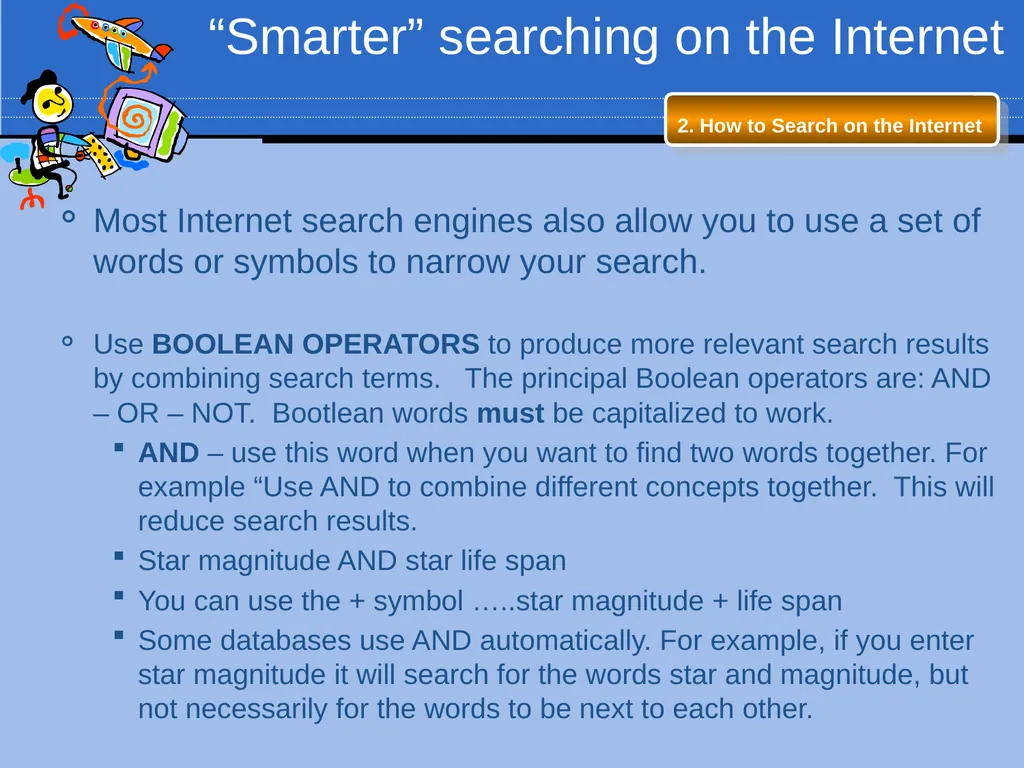
“Smarter” searching on the Internet 2. How to Search on the Internet Most Internet search engines also allow you to use a set of words or symbols to narrow your search.
Use BOOLEAN OPERATORS to produce more relevant search results by combining search terms. The principal Boolean operators are: AND – OR – NOT. Bootlean words must be capitalized to work.
AND – use this word when you want to find two words together. For example “Use AND to combine different concepts together. This will reduce search results.
Star magnitude AND star life span
You can use the + symbol …..star magnitude + life span
Some databases use AND automatically. For example, if you enter star magnitude it will search for the words star and magnitude, but not necessarily for the words to be next to each other.<br>
Use BOOLEAN OPERATORS to produce more relevant search results by combining search terms. The principal Boolean operators are: AND – OR – NOT. Bootlean words must be capitalized to work.
AND – use this word when you want to find two words together. For example “Use AND to combine different concepts together. This will reduce search results.
Star magnitude AND star life span
You can use the + symbol …..star magnitude + life span
Some databases use AND automatically. For example, if you enter star magnitude it will search for the words star and magnitude, but not necessarily for the words to be next to each other.<br>
19
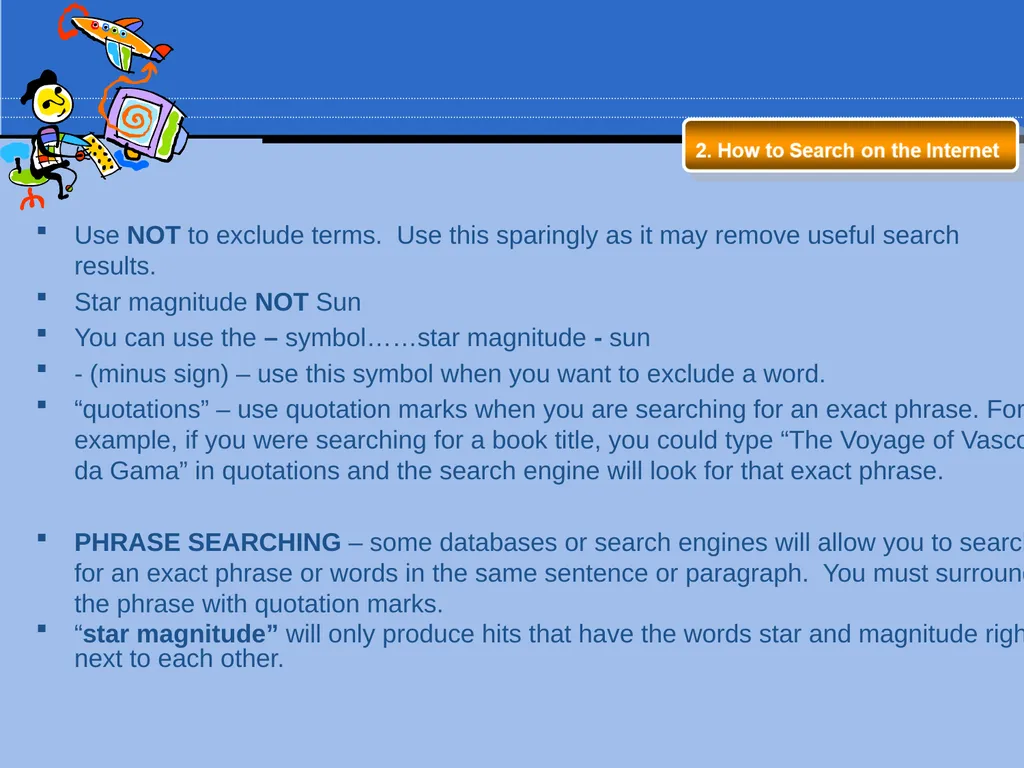
Use NOT to exclude terms. Use this sparingly as it may remove useful search results.
Star magnitude NOT Sun
You can use the – symbol……star magnitude - sun
- (minus sign) – use this symbol when you want to exclude a word.
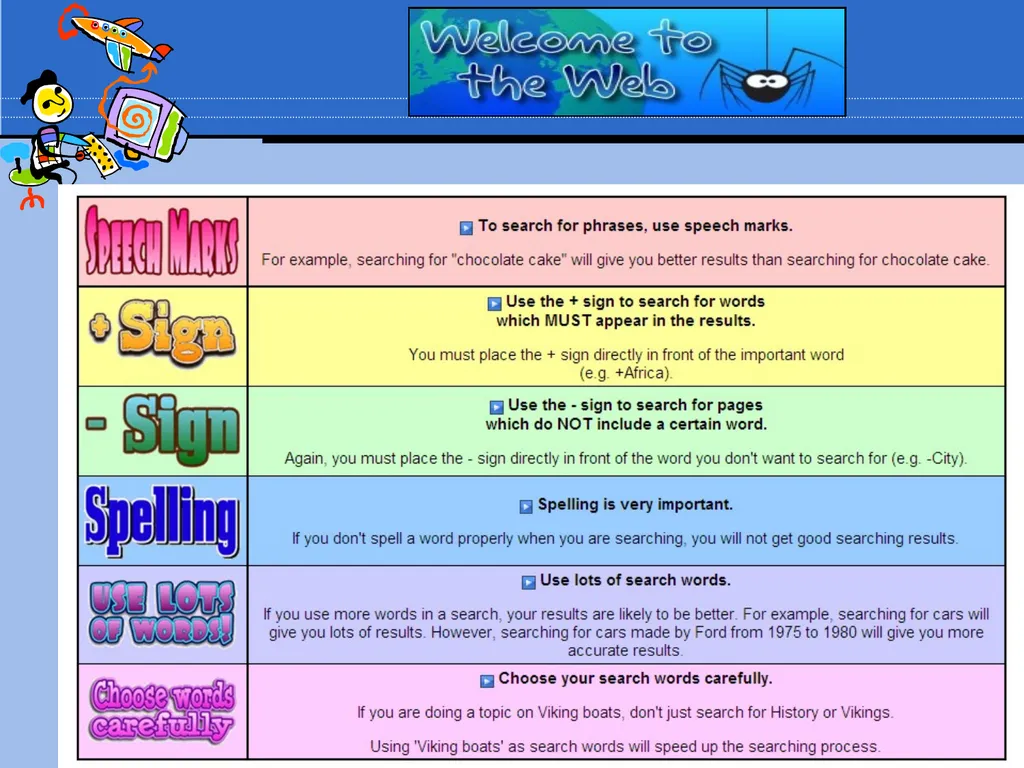
“quotations” – use quotation marks when you are searching for an exact phrase. For example, if you were searching for a book title, you could type “The Voyage of Vasco da Gama” in quotations and the search engine will look for that exact phrase.
PHRASE SEARCHING – some databases or search engines will allow you to search for an exact phrase or words in the same sentence or paragraph. You must surround the phrase with quotation marks.
“star magnitude” will only produce hits that have the words star and magnitude right next to each other.<br>
Star magnitude NOT Sun
You can use the – symbol……star magnitude - sun
- (minus sign) – use this symbol when you want to exclude a word.
“quotations” – use quotation marks when you are searching for an exact phrase. For example, if you were searching for a book title, you could type “The Voyage of Vasco da Gama” in quotations and the search engine will look for that exact phrase.
PHRASE SEARCHING – some databases or search engines will allow you to search for an exact phrase or words in the same sentence or paragraph. You must surround the phrase with quotation marks.
“star magnitude” will only produce hits that have the words star and magnitude right next to each other.<br>
20
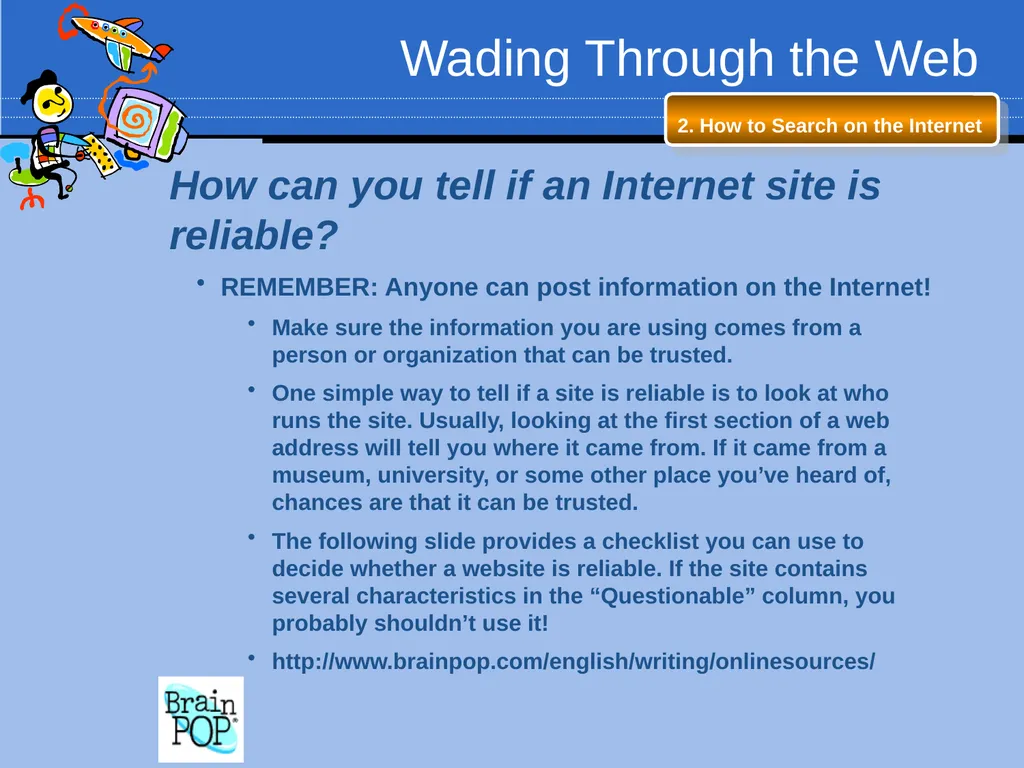
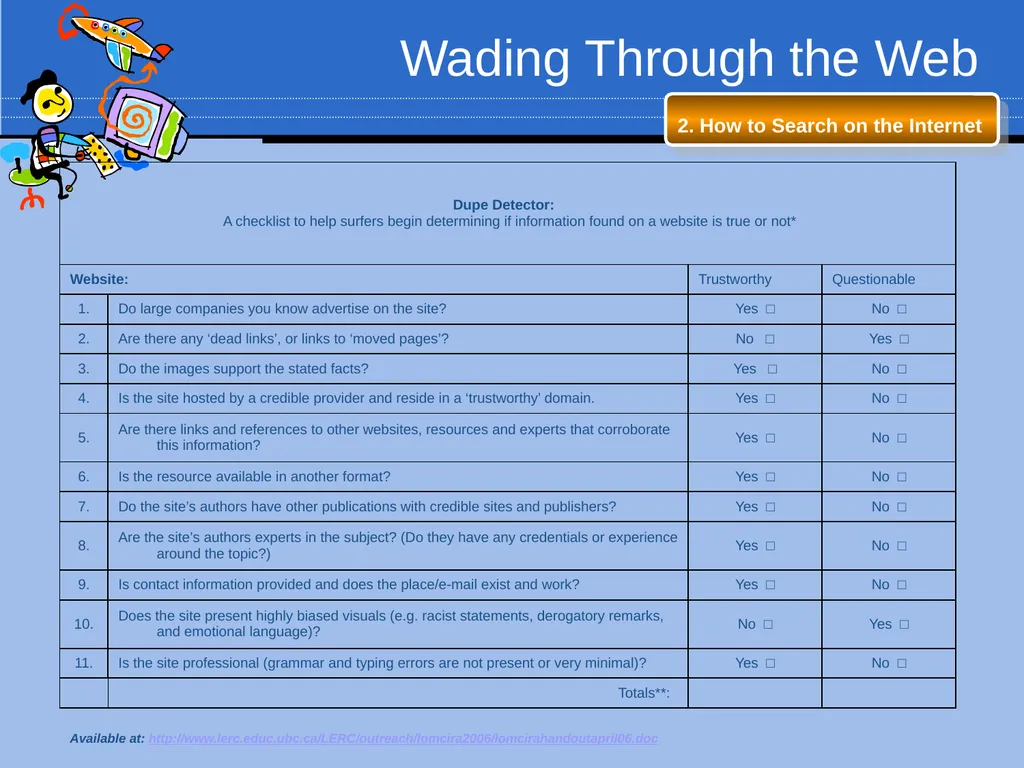
Wading Through the Web 2. How to Search on the Internet How can you tell if an Internet site is reliable?
REMEMBER: Anyone can post information on the Internet!
Make sure the information you are using comes from a person or organization that can be trusted.
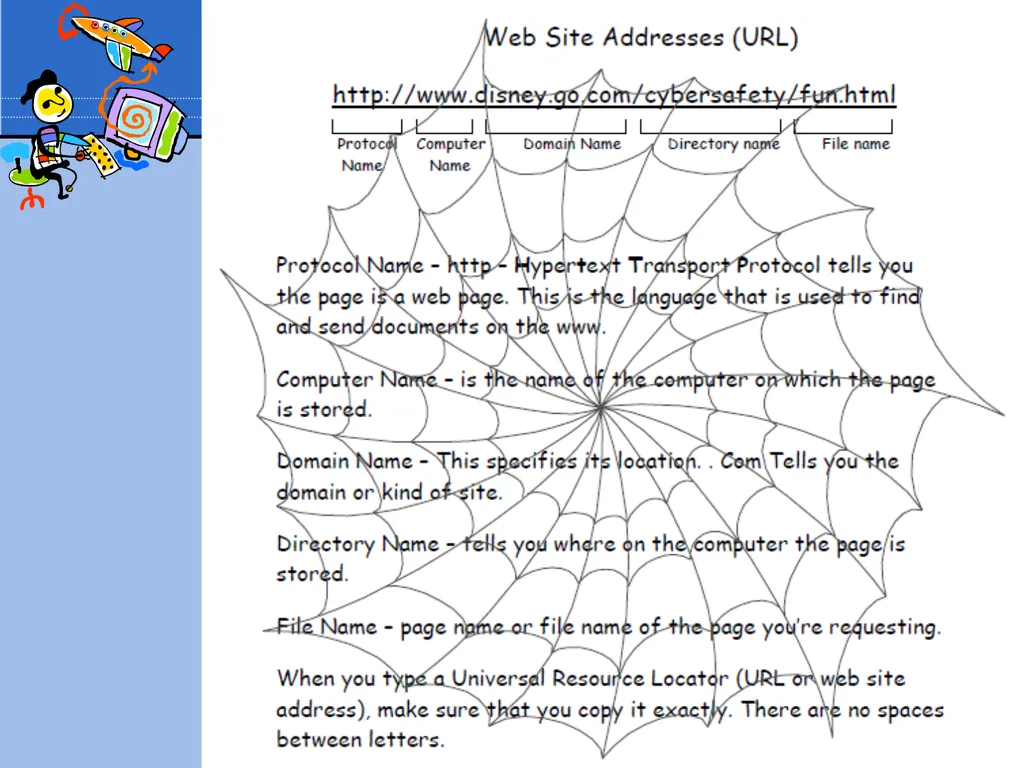
One simple way to tell if a site is reliable is to look at who runs the site. Usually, looking at the first section of a web address will tell you where it came from. If it came from a museum, university, or some other place you’ve heard of, chances are that it can be trusted.
The following slide provides a checklist you can use to decide whether a website is reliable. If the site contains several characteristics in the “Questionable” column, you probably shouldn’t use it!
http://www.brainpop.com/english/writing/onlinesources/<br>
REMEMBER: Anyone can post information on the Internet!
Make sure the information you are using comes from a person or organization that can be trusted.
One simple way to tell if a site is reliable is to look at who runs the site. Usually, looking at the first section of a web address will tell you where it came from. If it came from a museum, university, or some other place you’ve heard of, chances are that it can be trusted.
The following slide provides a checklist you can use to decide whether a website is reliable. If the site contains several characteristics in the “Questionable” column, you probably shouldn’t use it!
http://www.brainpop.com/english/writing/onlinesources/<br>
21
Wading Through the Web 2. How to Search on the Internet Available at: http://www.lerc.educ.ubc.ca/LERC/outreach/lomcira2006/lomcirahandoutapril06.doc<br>
22
Session 3: How to Cite Internet Sources<br>
23
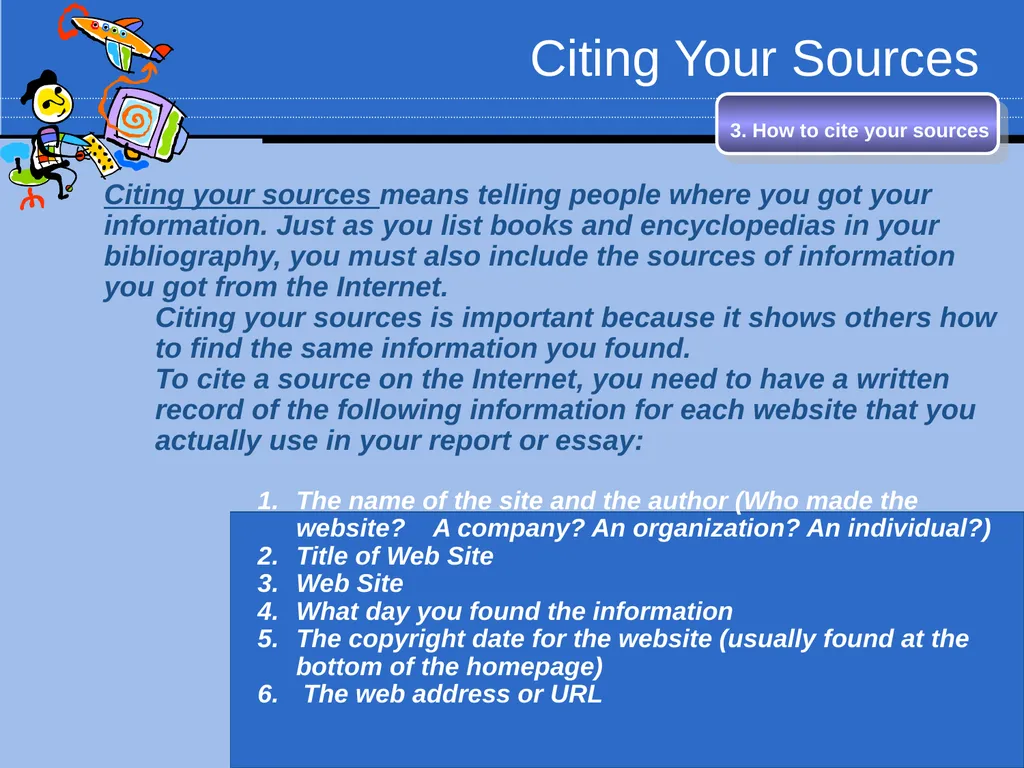
Citing Your Sources 3. How to cite your sources Citing your sources means telling people where you got your information. Just as you list books and encyclopedias in your bibliography, you must also include the sources of information you got from the Internet.
Citing your sources is important because it shows others how to find the same information you found.
To cite a source on the Internet, you need to have a written record of the following information for each website that you actually use in your report or essay:
The name of the site and the author (Who made the website? A company? An organization? An individual?)
Title of Web Site
Web Site
What day you found the information
The copyright date for the website (usually found at the bottom of the homepage)
The web address or URL<br>
Citing your sources is important because it shows others how to find the same information you found.
To cite a source on the Internet, you need to have a written record of the following information for each website that you actually use in your report or essay:
The name of the site and the author (Who made the website? A company? An organization? An individual?)
Title of Web Site
Web Site
What day you found the information
The copyright date for the website (usually found at the bottom of the homepage)
The web address or URL<br>
24
Wading Through the Web 3. How to cite your sources Citing Your Sources
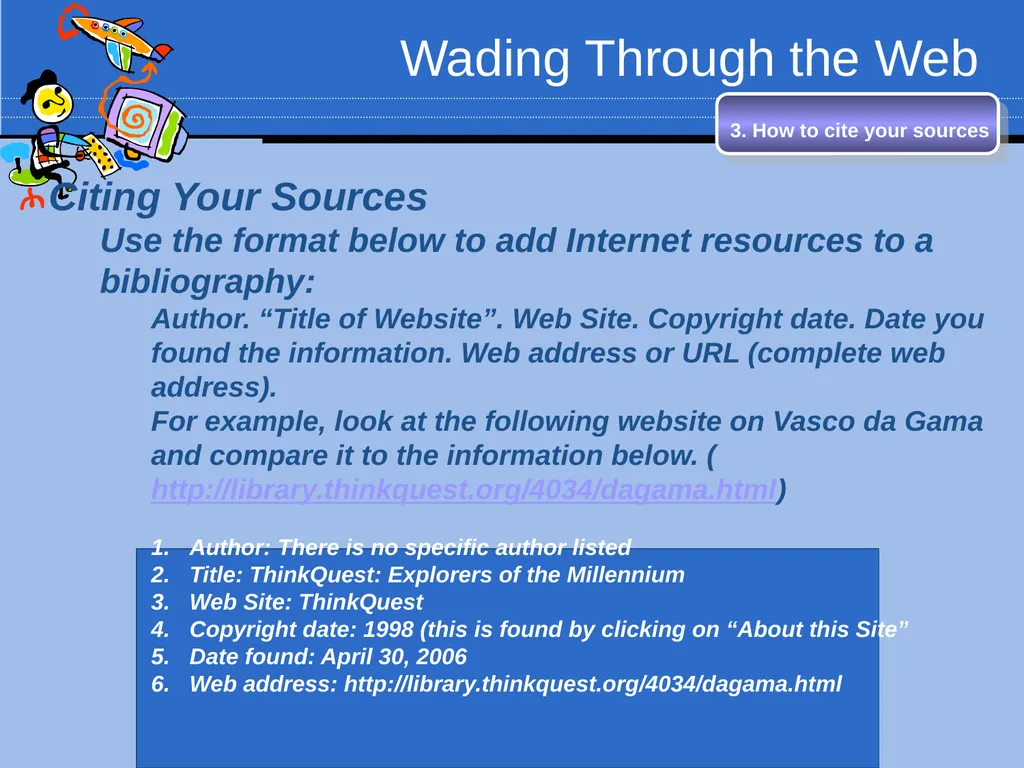
Use the format below to add Internet resources to a bibliography:
Author. “Title of Website”. Web Site. Copyright date. Date you found the information. Web address or URL (complete web address).
For example, look at the following website on Vasco da Gama and compare it to the information below. (http://library.thinkquest.org/4034/dagama.html)
Author: There is no specific author listed
Title: ThinkQuest: Explorers of the Millennium
Web Site: ThinkQuest
Copyright date: 1998 (this is found by clicking on “About this Site”
Date found: April 30, 2006
Web address: http://library.thinkquest.org/4034/dagama.html<br>
Use the format below to add Internet resources to a bibliography:
Author. “Title of Website”. Web Site. Copyright date. Date you found the information. Web address or URL (complete web address).
For example, look at the following website on Vasco da Gama and compare it to the information below. (http://library.thinkquest.org/4034/dagama.html)
Author: There is no specific author listed
Title: ThinkQuest: Explorers of the Millennium
Web Site: ThinkQuest
Copyright date: 1998 (this is found by clicking on “About this Site”
Date found: April 30, 2006
Web address: http://library.thinkquest.org/4034/dagama.html<br>
25
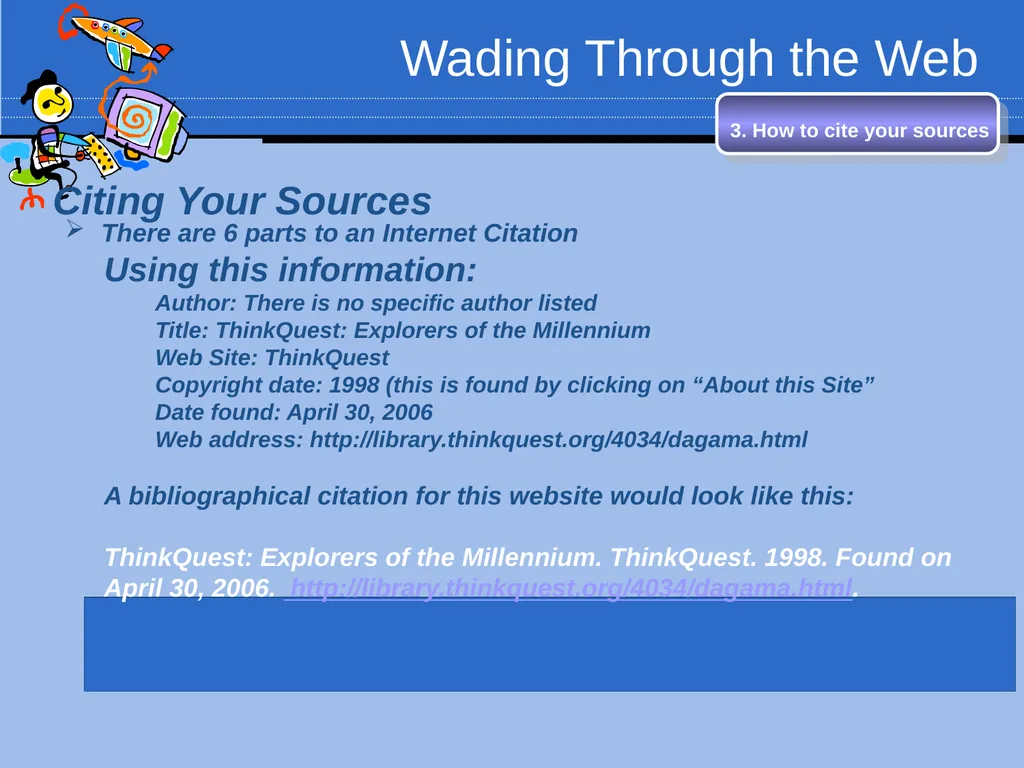
Wading Through the Web 3. How to cite your sources Citing Your Sources
There are 6 parts to an Internet Citation
Using this information:
Author: There is no specific author listed
Title: ThinkQuest: Explorers of the Millennium
Web Site: ThinkQuest
Copyright date: 1998 (this is found by clicking on “About this Site”
Date found: April 30, 2006
Web address: http://library.thinkquest.org/4034/dagama.html
A bibliographical citation for this website would look like this:
ThinkQuest: Explorers of the Millennium. ThinkQuest. 1998. Found on April 30, 2006. http://library.thinkquest.org/4034/dagama.html.<br>
There are 6 parts to an Internet Citation
Using this information:
Author: There is no specific author listed
Title: ThinkQuest: Explorers of the Millennium
Web Site: ThinkQuest
Copyright date: 1998 (this is found by clicking on “About this Site”
Date found: April 30, 2006
Web address: http://library.thinkquest.org/4034/dagama.html
A bibliographical citation for this website would look like this:
ThinkQuest: Explorers of the Millennium. ThinkQuest. 1998. Found on April 30, 2006. http://library.thinkquest.org/4034/dagama.html.<br>
26
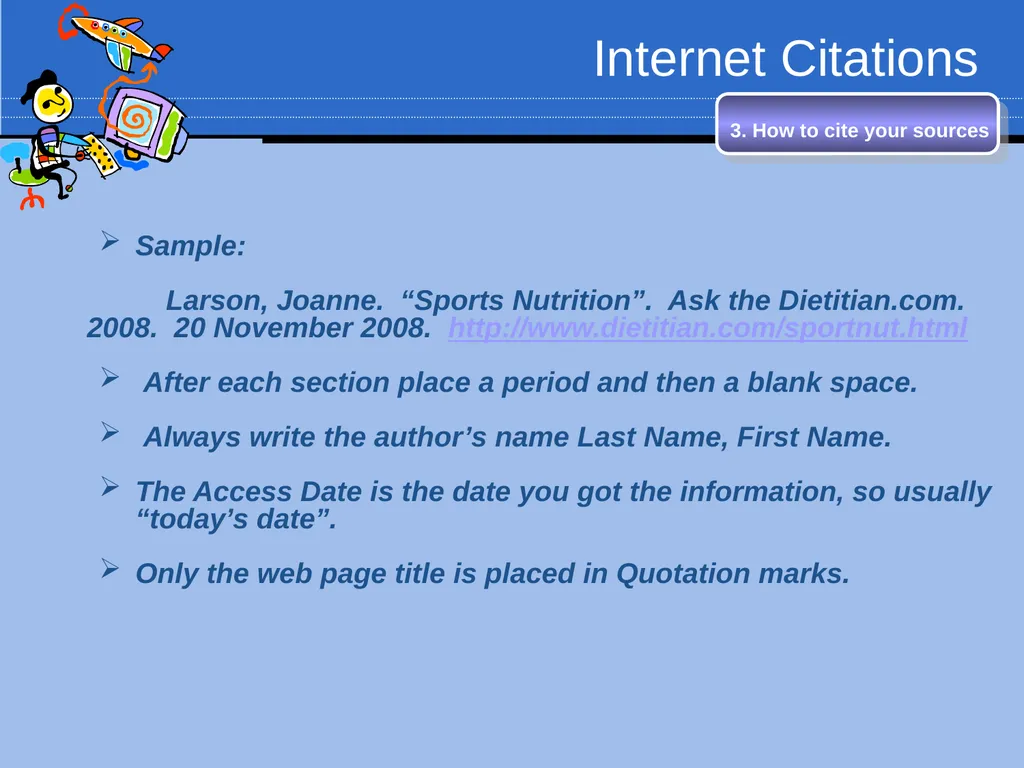
Internet Citations Sample:
Larson, Joanne. “Sports Nutrition”. Ask the Dietitian.com. 2008. 20 November 2008. http://www.dietitian.com/sportnut.html
After each section place a period and then a blank space.
Always write the author’s name Last Name, First Name.
The Access Date is the date you got the information, so usually “today’s date”.
Only the web page title is placed in Quotation marks. 3. How to cite your sources<br>
Larson, Joanne. “Sports Nutrition”. Ask the Dietitian.com. 2008. 20 November 2008. http://www.dietitian.com/sportnut.html
After each section place a period and then a blank space.
Always write the author’s name Last Name, First Name.
The Access Date is the date you got the information, so usually “today’s date”.
Only the web page title is placed in Quotation marks. 3. How to cite your sources<br>
27
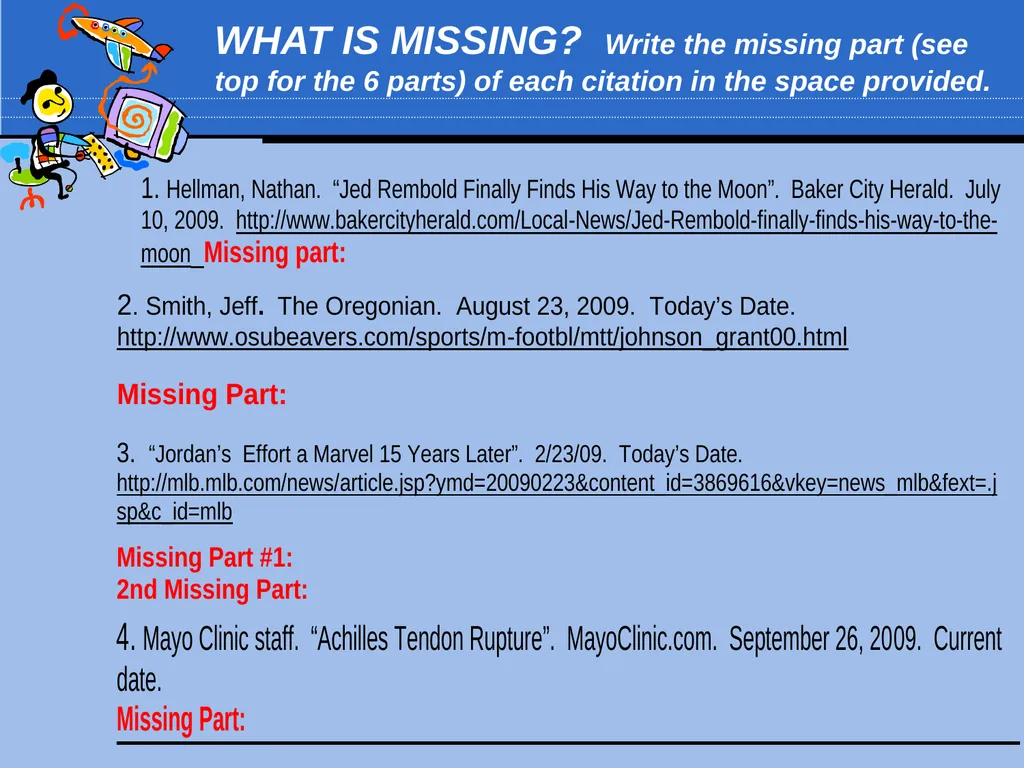
WHAT IS MISSING? Write the missing part (see top for the 6 parts) of each citation in the space provided.<br>
28
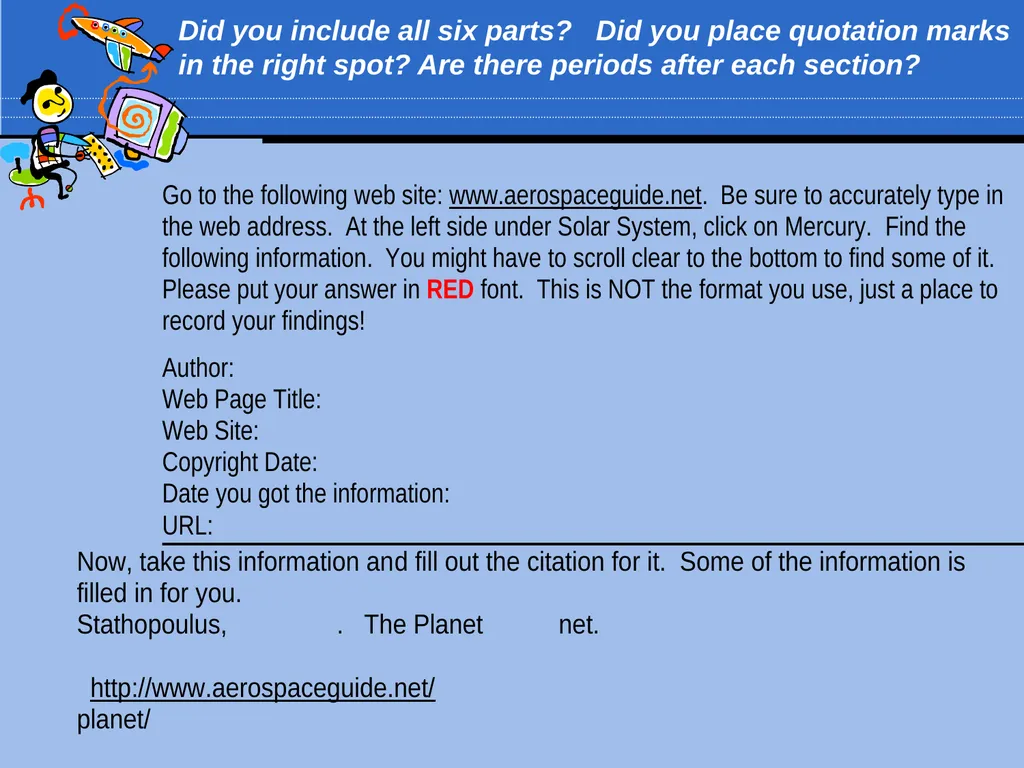
Did you include all six parts? Did you place quotation marks in the right spot? Are there periods after each section?<br>
29
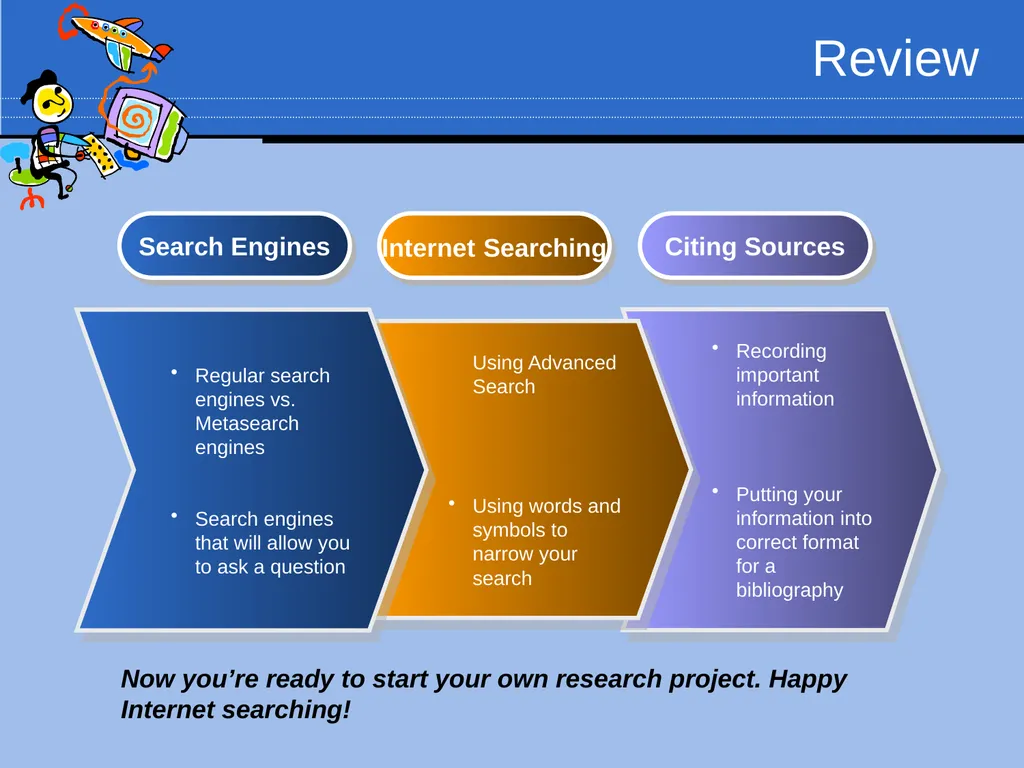
Review Recording important information
Putting your information into correct format for a bibliography Using Advanced Search
Using words and symbols to narrow your search Regular search engines vs. Metasearch engines
Search engines that will allow you to ask a question Search Engines Internet Searching Citing Sources Now you’re ready to start your own research project. Happy Internet searching!<br>
Putting your information into correct format for a bibliography Using Advanced Search
Using words and symbols to narrow your search Regular search engines vs. Metasearch engines
Search engines that will allow you to ask a question Search Engines Internet Searching Citing Sources Now you’re ready to start your own research project. Happy Internet searching!<br>
30
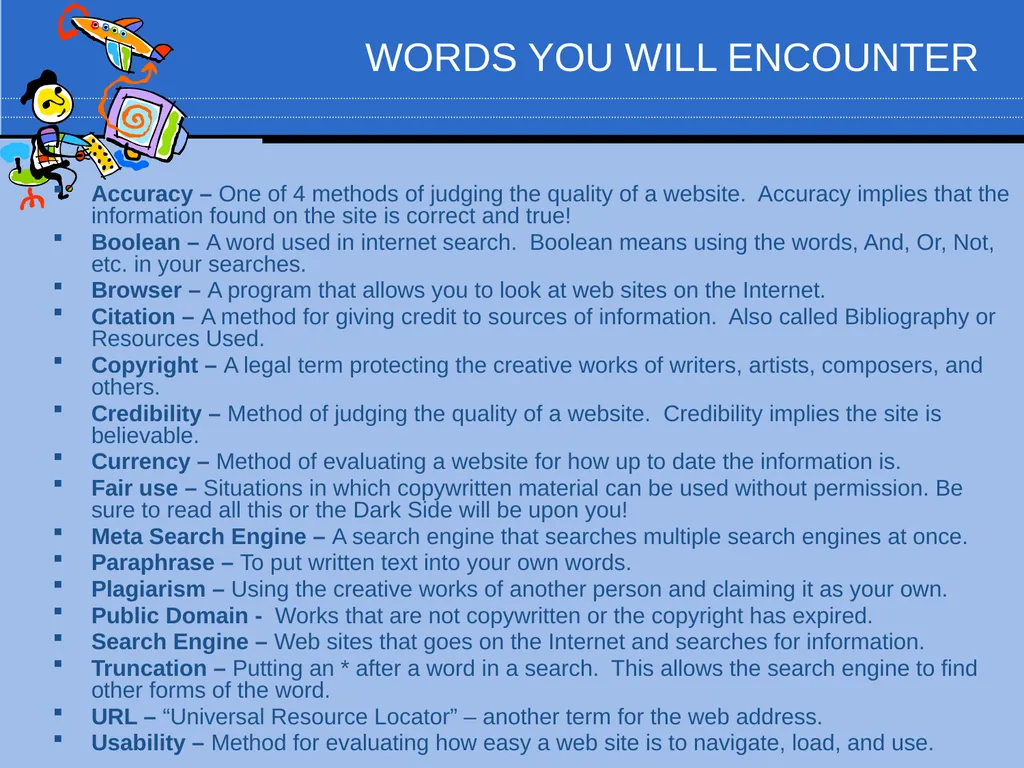
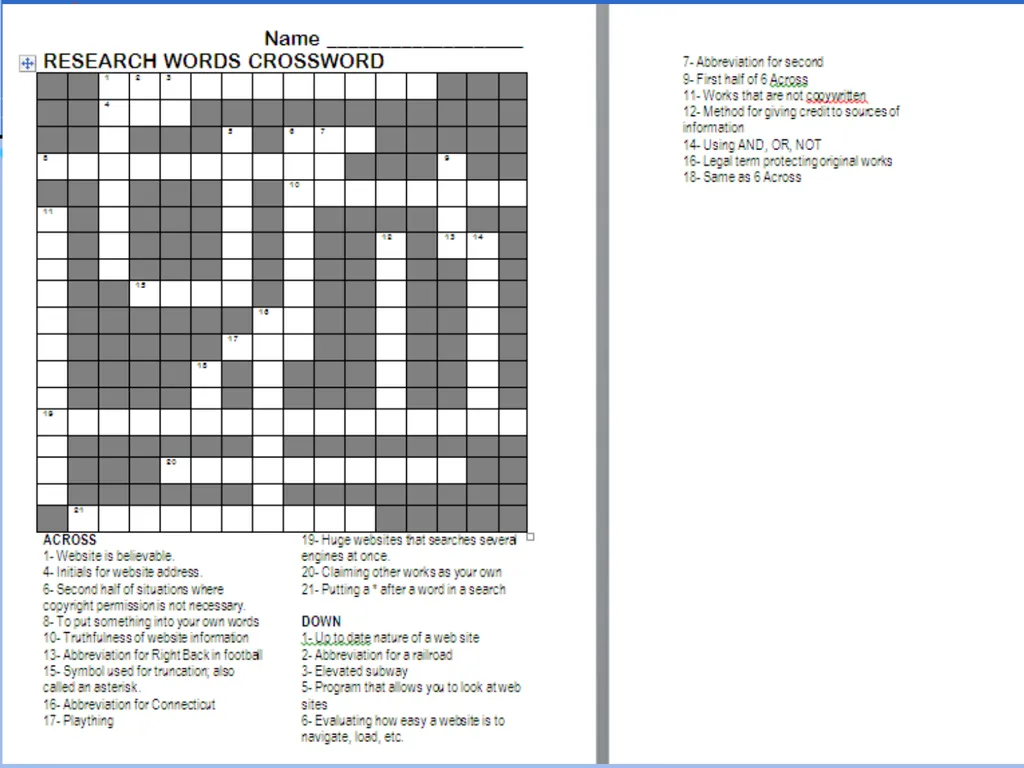
WORDS YOU WILL ENCOUNTER Accuracy – One of 4 methods of judging the quality of a website. Accuracy implies that the information found on the site is correct and true!
Boolean – A word used in internet search. Boolean means using the words, And, Or, Not, etc. in your searches.
Browser – A program that allows you to look at web sites on the Internet.
Citation – A method for giving credit to sources of information. Also called Bibliography or Resources Used.
Copyright – A legal term protecting the creative works of writers, artists, composers, and others.
Credibility – Method of judging the quality of a website. Credibility implies the site is believable.
Currency – Method of evaluating a website for how up to date the information is.
Fair use – Situations in which copywritten material can be used without permission. Be sure to read all this or the Dark Side will be upon you!
Meta Search Engine – A search engine that searches multiple search engines at once.
Paraphrase – To put written text into your own words.
Plagiarism – Using the creative works of another person and claiming it as your own.
Public Domain - Works that are not copywritten or the copyright has expired.
Search Engine – Web sites that goes on the Internet and searches for information.
Truncation – Putting an * after a word in a search. This allows the search engine to find other forms of the word.
URL – “Universal Resource Locator” – another term for the web address.
Usability – Method for evaluating how easy a web site is to navigate, load, and use.<br>
Boolean – A word used in internet search. Boolean means using the words, And, Or, Not, etc. in your searches.
Browser – A program that allows you to look at web sites on the Internet.
Citation – A method for giving credit to sources of information. Also called Bibliography or Resources Used.
Copyright – A legal term protecting the creative works of writers, artists, composers, and others.
Credibility – Method of judging the quality of a website. Credibility implies the site is believable.
Currency – Method of evaluating a website for how up to date the information is.
Fair use – Situations in which copywritten material can be used without permission. Be sure to read all this or the Dark Side will be upon you!
Meta Search Engine – A search engine that searches multiple search engines at once.
Paraphrase – To put written text into your own words.
Plagiarism – Using the creative works of another person and claiming it as your own.
Public Domain - Works that are not copywritten or the copyright has expired.
Search Engine – Web sites that goes on the Internet and searches for information.
Truncation – Putting an * after a word in a search. This allows the search engine to find other forms of the word.
URL – “Universal Resource Locator” – another term for the web address.
Usability – Method for evaluating how easy a web site is to navigate, load, and use.<br>
31
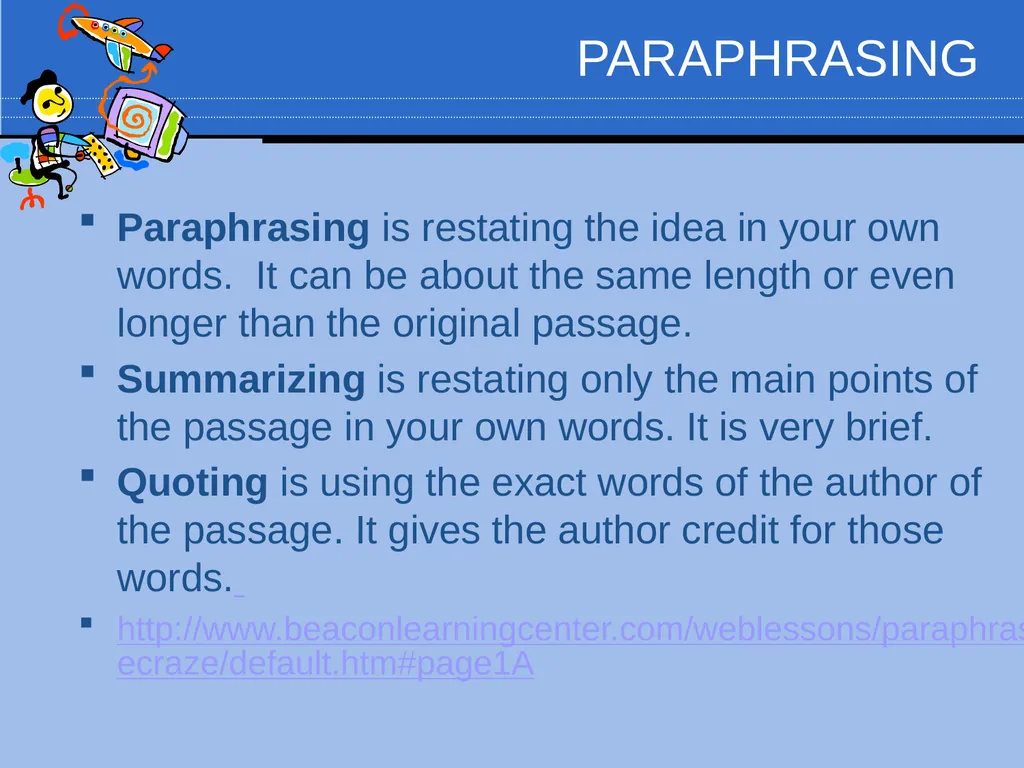
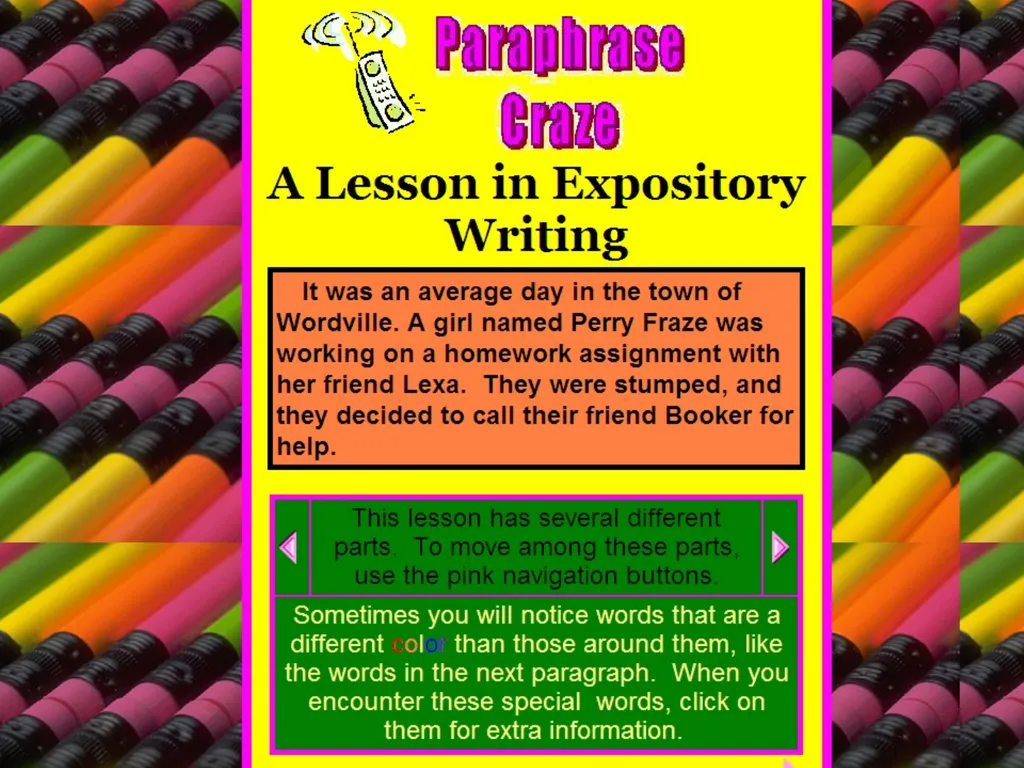
PARAPHRASING Paraphrasing is restating the idea in your own words. It can be about the same length or even longer than the original passage.
Summarizing is restating only the main points of the passage in your own words. It is very brief.
Quoting is using the exact words of the author of the passage. It gives the author credit for those words.
http://www.beaconlearningcenter.com/weblessons/paraphrasecraze/default.htm#page1A<br>
Summarizing is restating only the main points of the passage in your own words. It is very brief.
Quoting is using the exact words of the author of the passage. It gives the author credit for those words.
http://www.beaconlearningcenter.com/weblessons/paraphrasecraze/default.htm#page1A<br>
32
"I kept quite still and said nothing. For a whole hour I did not move a muscle, and in the meantime I did not hear him lie down. He was still sitting up in the bed listening, --just as I have done, night after night, hearkening to the death watches in the wall."
-example of QUOTATION
For an hour, I kept very still and never heard him lie down. He was listening to the deathwatch beetles in the wall as I have done before.
-example of SUMMARY
For the whole hour, I was completely still. I never heard him lie down. He was sitting up listening to the sounds in the wall that made him feel as if something was terribly wrong. I have done this myself many times before.
-example of PARAPPRASING<br>
-example of QUOTATION
For an hour, I kept very still and never heard him lie down. He was listening to the deathwatch beetles in the wall as I have done before.
-example of SUMMARY
For the whole hour, I was completely still. I never heard him lie down. He was sitting up listening to the sounds in the wall that made him feel as if something was terribly wrong. I have done this myself many times before.
-example of PARAPPRASING<br>
33
EVALUATING ONLINE INFORMATION Homework #1 Homework #2<br>