
Waitlist Registration Process Overview Students
CM
Published · 23 slides · 0 views
1 / 1

Description
Waitlist Registration Process Overview Students sign up to be on a waitlist for full courses through the registration function in My.NMU. Waitlists will be available from the first day of registration until approximately three weeks before
Related Topics
Share
Embed code
Download this presentation From Below
"Waitlist Registration Process Overview Students" is the property of its rightful owner. Permission is granted to download and print the materials on this website for personal, non-commercial use only, and to display it on your personal computer provided you do not modify the materials and that you retain all copyright notices contained in the materials. By downloading content from our website, you accept the terms of this agreement.
Presentation Transcript
01
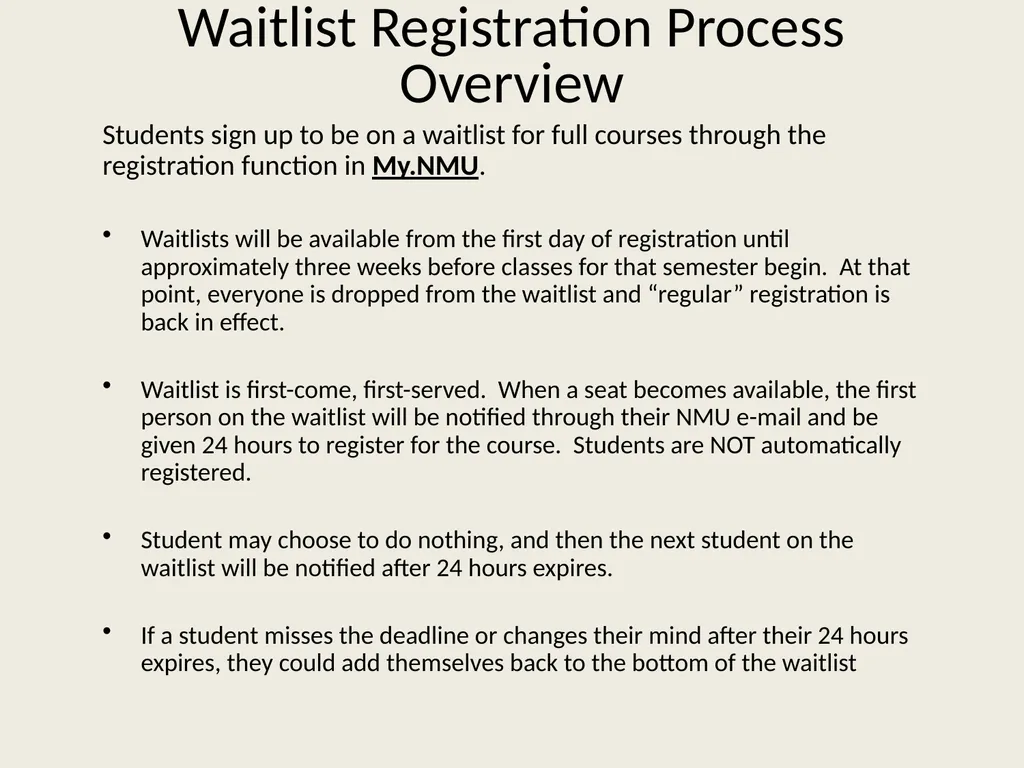
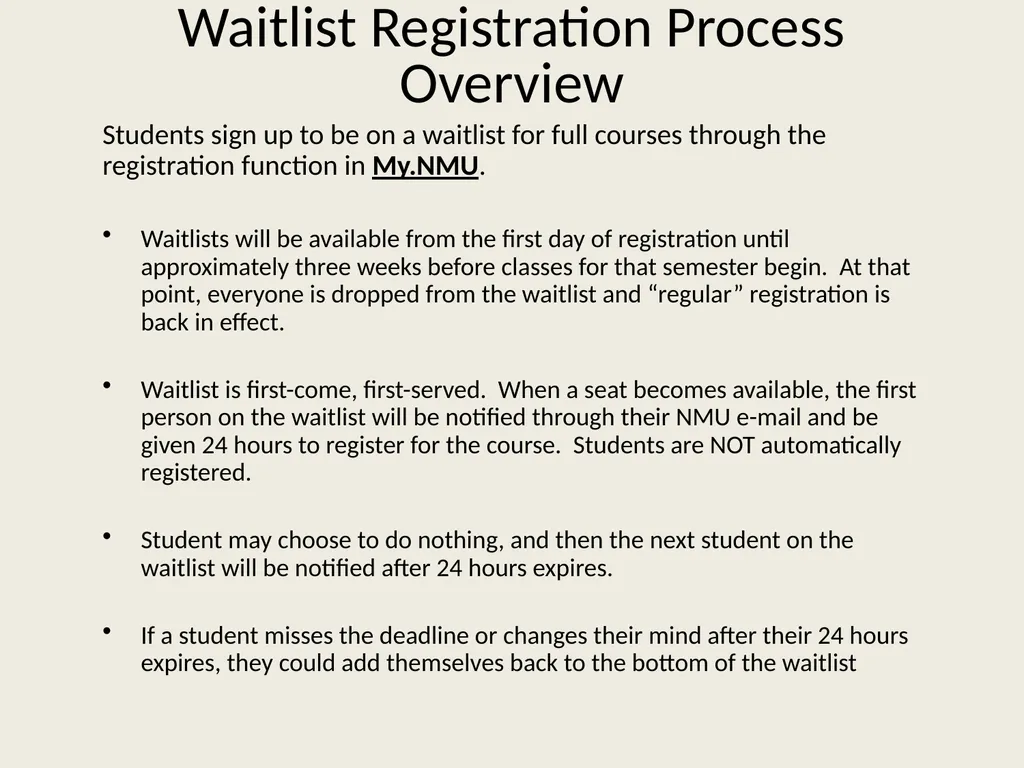
Waitlist Registration Process Overview Students sign up to be on a waitlist for full courses through the registration function in My.NMU.
Waitlists will be available from the first day of registration until approximately three weeks before classes for that semester begin. At that point, everyone is dropped from the waitlist and “regular” registration is back in effect.
Waitlist is first-come, first-served. When a seat becomes available, the first person on the waitlist will be notified through their NMU e-mail and be given 24 hours to register for the course. Students are NOT automatically registered.
Student may choose to do nothing, and then the next student on the waitlist will be notified after 24 hours expires.
If a student misses the deadline or changes their mind after their 24 hours expires, they could add themselves back to the bottom of the waitlist<br>
Waitlists will be available from the first day of registration until approximately three weeks before classes for that semester begin. At that point, everyone is dropped from the waitlist and “regular” registration is back in effect.
Waitlist is first-come, first-served. When a seat becomes available, the first person on the waitlist will be notified through their NMU e-mail and be given 24 hours to register for the course. Students are NOT automatically registered.
Student may choose to do nothing, and then the next student on the waitlist will be notified after 24 hours expires.
If a student misses the deadline or changes their mind after their 24 hours expires, they could add themselves back to the bottom of the waitlist<br>
02
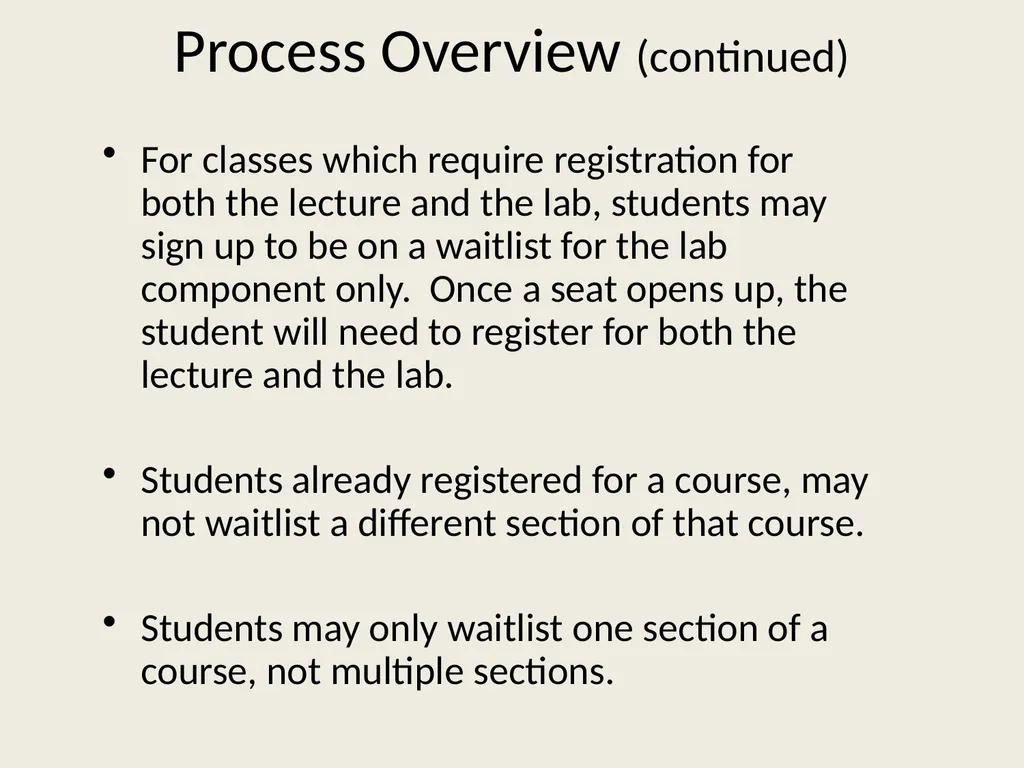
Process Overview (continued) For classes which require registration for both the lecture and the lab, students may sign up to be on a waitlist for the lab component only. Once a seat opens up, the student will need to register for both the lecture and the lab.
Students already registered for a course, may not waitlist a different section of that course.
Students may only waitlist one section of a course, not multiple sections.<br>
Students already registered for a course, may not waitlist a different section of that course.
Students may only waitlist one section of a course, not multiple sections.<br>
03
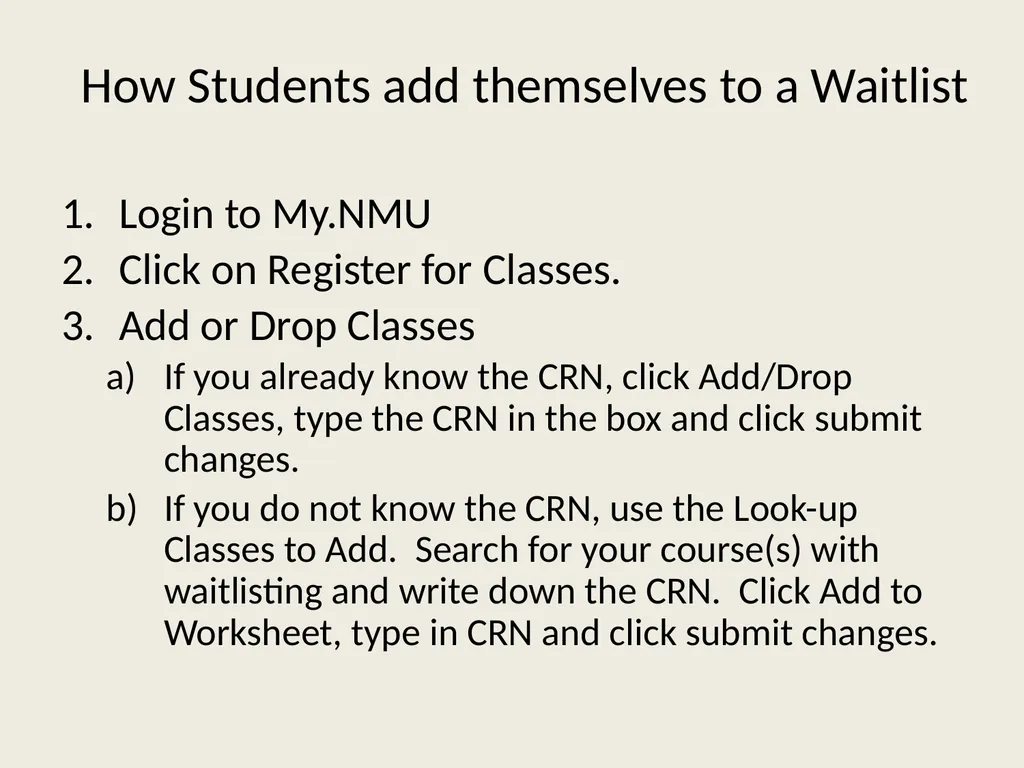
How Students add themselves to a Waitlist Login to My.NMU
Click on Register for Classes.
Add or Drop Classes
If you already know the CRN, click Add/Drop Classes, type the CRN in the box and click submit changes.
If you do not know the CRN, use the Look-up Classes to Add. Search for your course(s) with waitlisting and write down the CRN. Click Add to Worksheet, type in CRN and click submit changes.<br>
Click on Register for Classes.
Add or Drop Classes
If you already know the CRN, click Add/Drop Classes, type the CRN in the box and click submit changes.
If you do not know the CRN, use the Look-up Classes to Add. Search for your course(s) with waitlisting and write down the CRN. Click Add to Worksheet, type in CRN and click submit changes.<br>
04
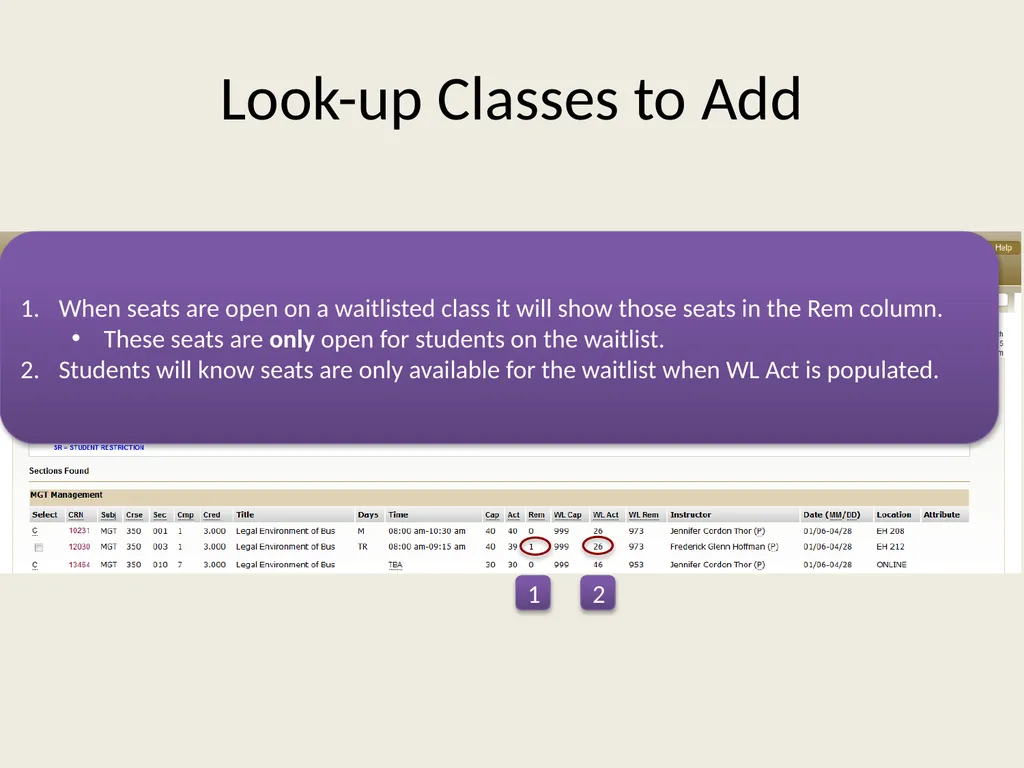
Look-up Classes to Add When seats are open on a waitlisted class it will show those seats in the Rem column.
These seats are only open for students on the waitlist.
Students will know seats are only available for the waitlist when WL Act is populated. 1 2<br>
These seats are only open for students on the waitlist.
Students will know seats are only available for the waitlist when WL Act is populated. 1 2<br>
05
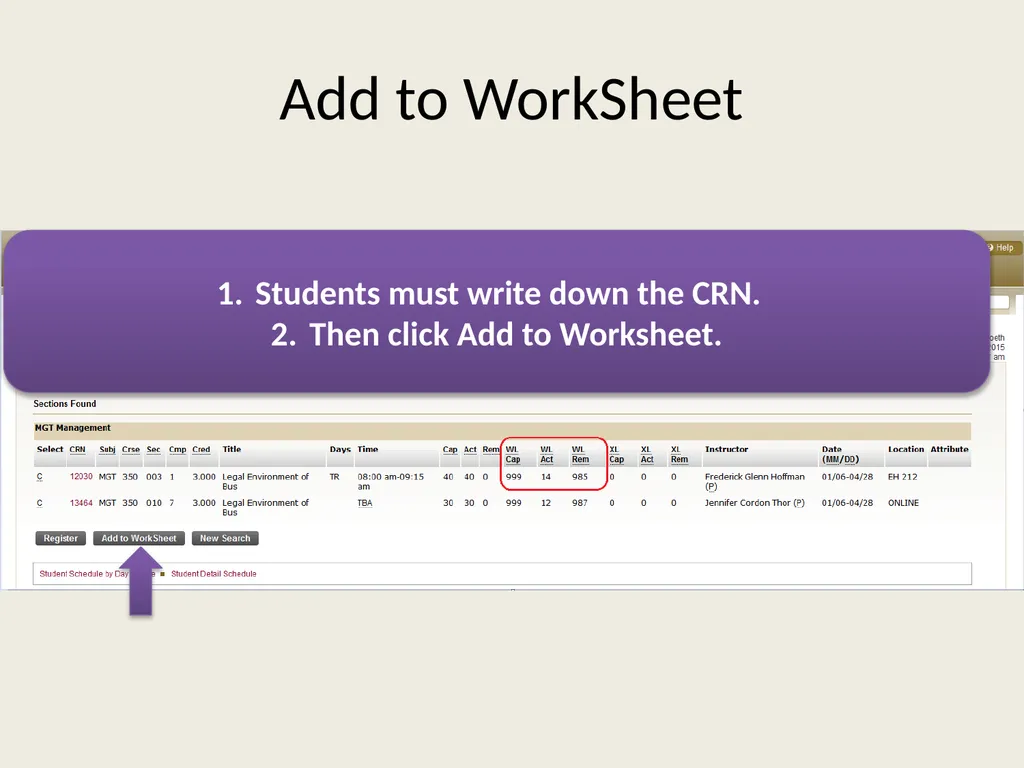
Add to WorkSheet Students must write down the CRN.
Then click Add to Worksheet.<br>
Then click Add to Worksheet.<br>
06
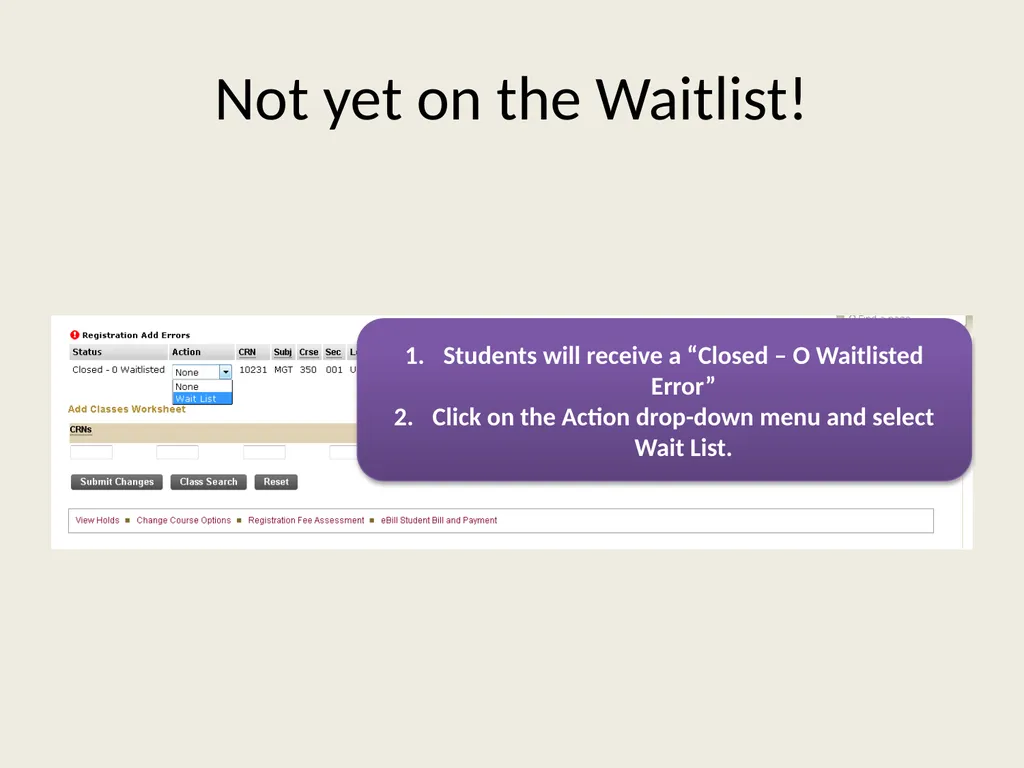
Not yet on the Waitlist! Students will receive a “Closed – O Waitlisted Error”
Click on the Action drop-down menu and select Wait List.<br>
Click on the Action drop-down menu and select Wait List.<br>
07
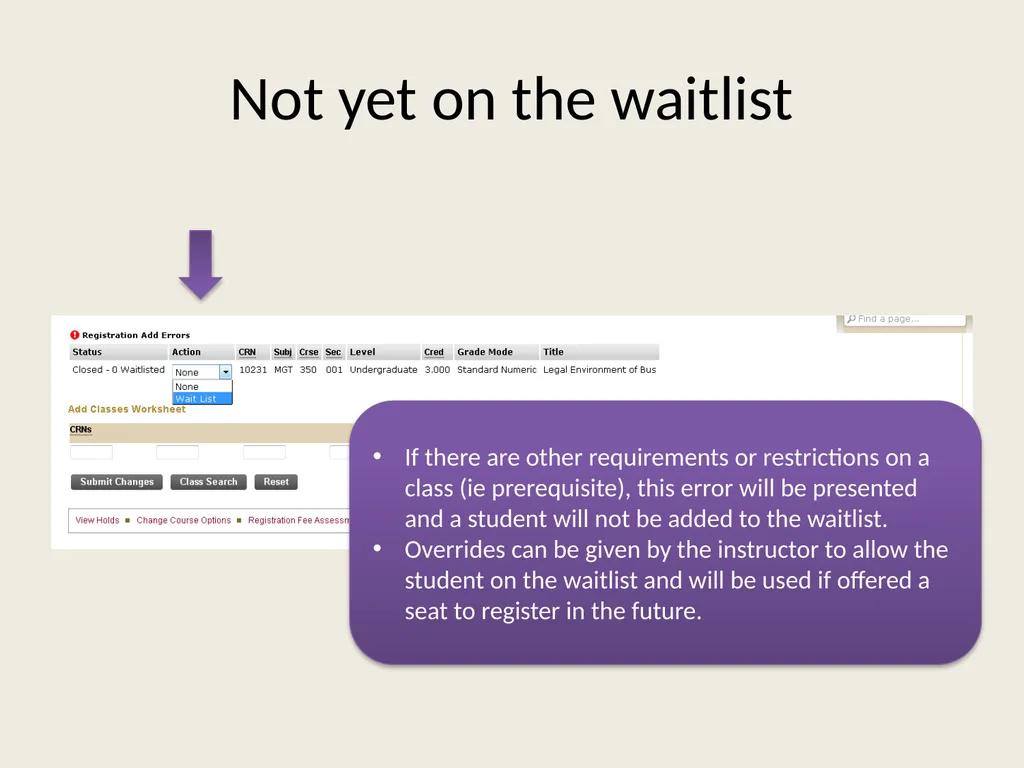
Not yet on the waitlist If there are other requirements or restrictions on a class (ie prerequisite), this error will be presented and a student will not be added to the waitlist.
Overrides can be given by the instructor to allow the student on the waitlist and will be used if offered a seat to register in the future.<br>
Overrides can be given by the instructor to allow the student on the waitlist and will be used if offered a seat to register in the future.<br>
08
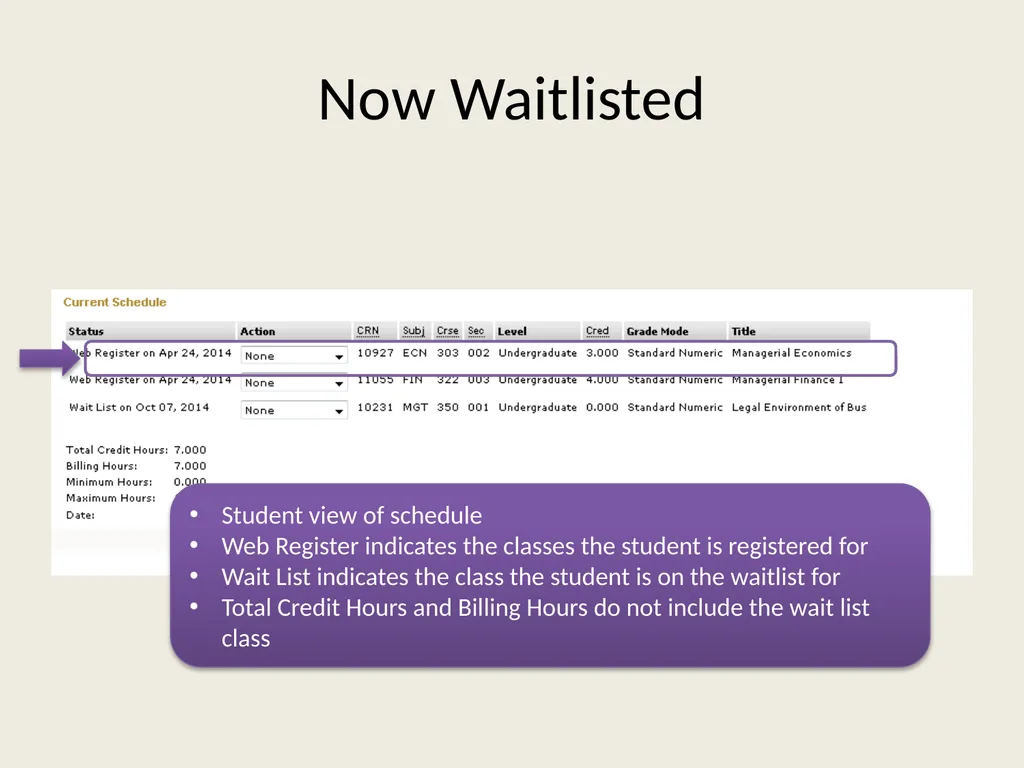
Now Waitlisted Student view of schedule
Web Register indicates the classes the student is registered for
Wait List indicates the class the student is on the waitlist for
Total Credit Hours and Billing Hours do not include the wait list class<br>
Web Register indicates the classes the student is registered for
Wait List indicates the class the student is on the waitlist for
Total Credit Hours and Billing Hours do not include the wait list class<br>
09
Student Automatic Notification<br>
10
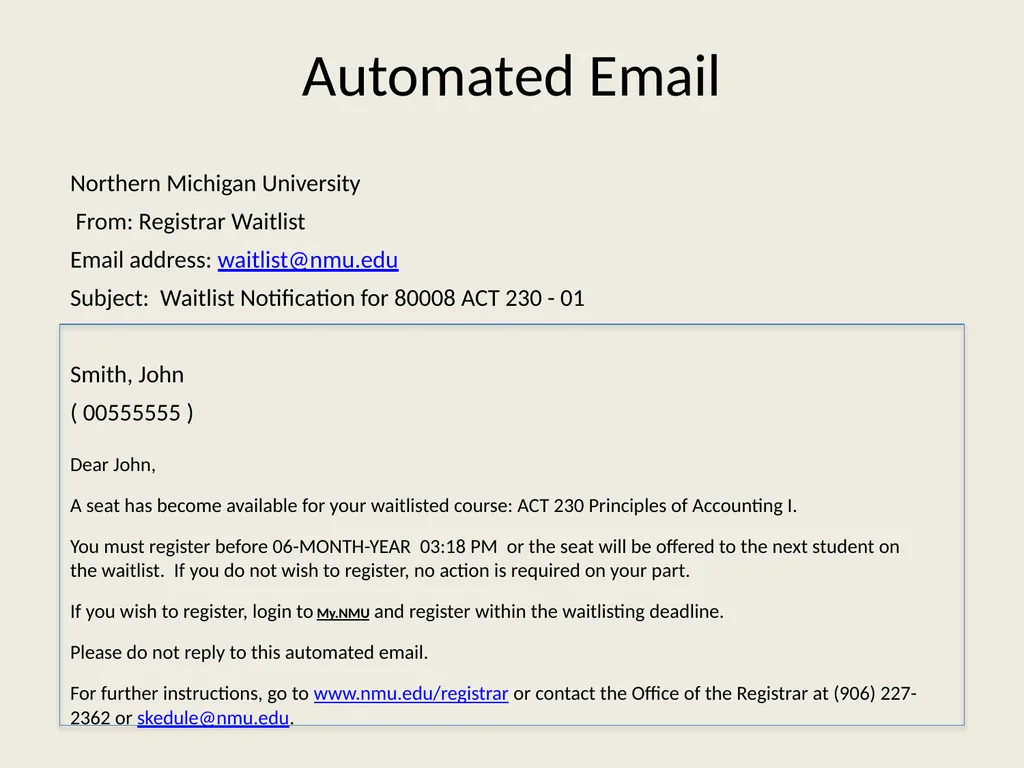
Automated Email Northern Michigan University
From: Registrar Waitlist
Email address: waitlist@nmu.edu
Subject: Waitlist Notification for 80008 ACT 230 - 01
Smith, John
( 00555555 )
Dear John,
A seat has become available for your waitlisted course: ACT 230 Principles of Accounting I.
You must register before 06-MONTH-YEAR 03:18 PM or the seat will be offered to the next student on the waitlist. If you do not wish to register, no action is required on your part.
If you wish to register, login to My.NMU and register within the waitlisting deadline.
Please do not reply to this automated email.
For further instructions, go to www.nmu.edu/registrar or contact the Office of the Registrar at (906) 227-2362 or skedule@nmu.edu.<br>
From: Registrar Waitlist
Email address: waitlist@nmu.edu
Subject: Waitlist Notification for 80008 ACT 230 - 01
Smith, John
( 00555555 )
Dear John,
A seat has become available for your waitlisted course: ACT 230 Principles of Accounting I.
You must register before 06-MONTH-YEAR 03:18 PM or the seat will be offered to the next student on the waitlist. If you do not wish to register, no action is required on your part.
If you wish to register, login to My.NMU and register within the waitlisting deadline.
Please do not reply to this automated email.
For further instructions, go to www.nmu.edu/registrar or contact the Office of the Registrar at (906) 227-2362 or skedule@nmu.edu.<br>
11
Faculty information and instructions<br>
12
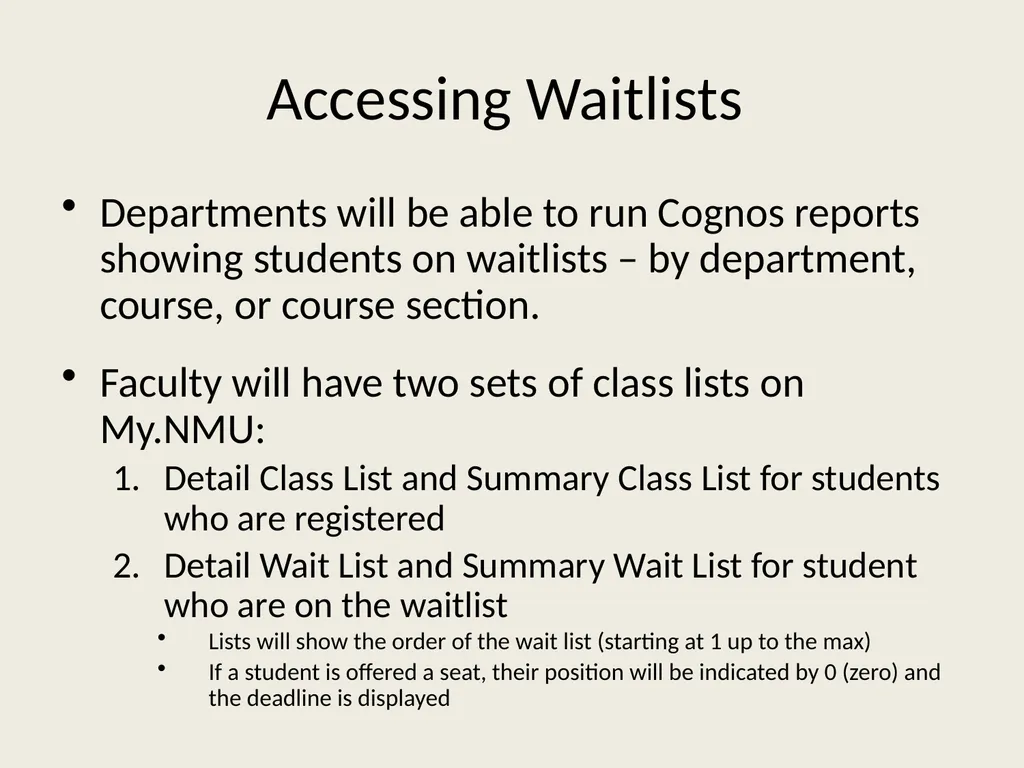
Accessing Waitlists Departments will be able to run Cognos reports showing students on waitlists – by department, course, or course section.
Faculty will have two sets of class lists on My.NMU:
Detail Class List and Summary Class List for students who are registered
Detail Wait List and Summary Wait List for student who are on the waitlist
Lists will show the order of the wait list (starting at 1 up to the max)
If a student is offered a seat, their position will be indicated by 0 (zero) and the deadline is displayed<br>
Faculty will have two sets of class lists on My.NMU:
Detail Class List and Summary Class List for students who are registered
Detail Wait List and Summary Wait List for student who are on the waitlist
Lists will show the order of the wait list (starting at 1 up to the max)
If a student is offered a seat, their position will be indicated by 0 (zero) and the deadline is displayed<br>
13
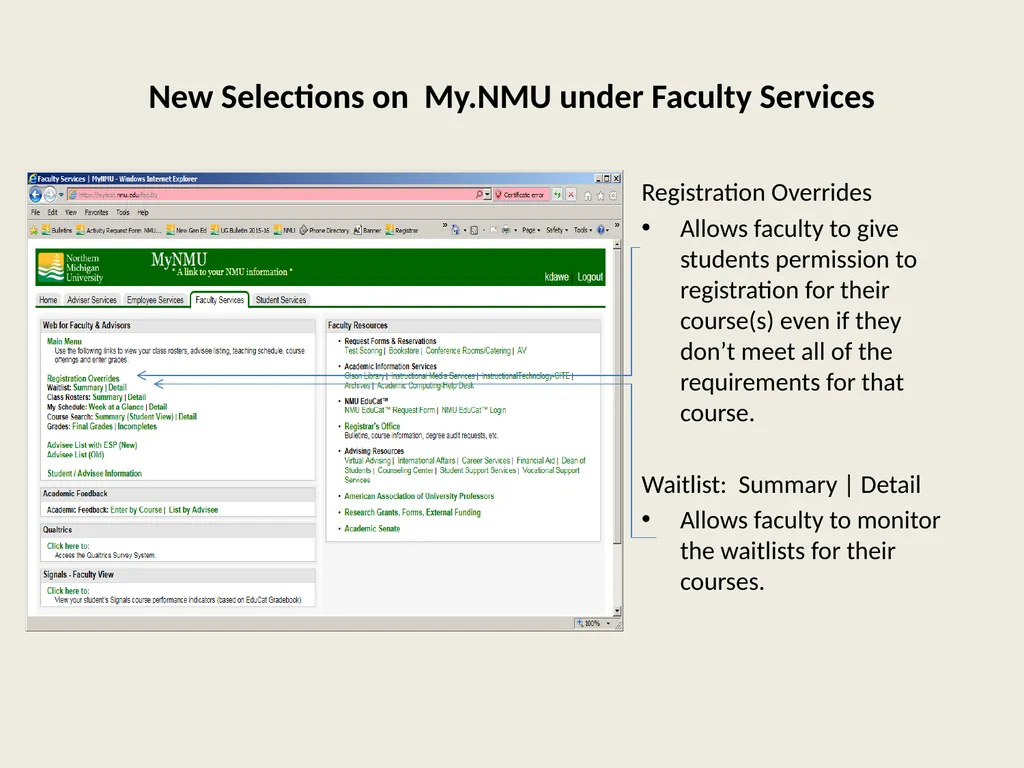
New Selections on My.NMU under Faculty Services Registration Overrides
Allows faculty to give students permission to registration for their course(s) even if they don’t meet all of the requirements for that course.
Waitlist: Summary | Detail
Allows faculty to monitor the waitlists for their courses.<br>
Allows faculty to give students permission to registration for their course(s) even if they don’t meet all of the requirements for that course.
Waitlist: Summary | Detail
Allows faculty to monitor the waitlists for their courses.<br>
14
Registration Overrides Faculty will be able to enter registration overrides through My.NMU for the following:
Prerequisite errors
Time conflicts
Capacity overrides (only when waitlist function has been turned off – approximately 3 weeks before the start of the semester)
Students then register themselves for the course via My.NMU
If the student has a pre-req or time conflict override and the class is full, the student will be able to register for the waitlist and then register for the open seat if one is offered to them via waitlisting.
Add cards will still be accepted for courses that do not have a waitlisting option. However, faculty can enter overrides on My.NMU for these as well (including capacity overrides after the waitlist is turned off).<br>
Prerequisite errors
Time conflicts
Capacity overrides (only when waitlist function has been turned off – approximately 3 weeks before the start of the semester)
Students then register themselves for the course via My.NMU
If the student has a pre-req or time conflict override and the class is full, the student will be able to register for the waitlist and then register for the open seat if one is offered to them via waitlisting.
Add cards will still be accepted for courses that do not have a waitlisting option. However, faculty can enter overrides on My.NMU for these as well (including capacity overrides after the waitlist is turned off).<br>
15
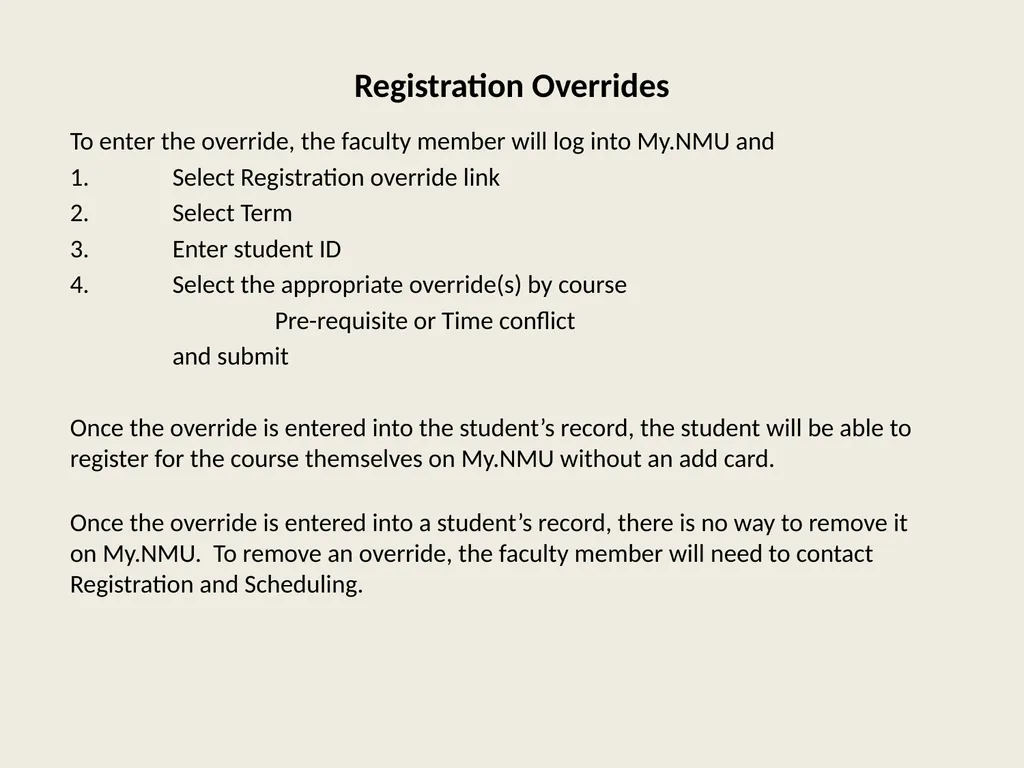
Registration Overrides To enter the override, the faculty member will log into My.NMU and
1. Select Registration override link
2. Select Term
3. Enter student ID
4. Select the appropriate override(s) by course
Pre-requisite or Time conflict
and submit
Once the override is entered into the student’s record, the student will be able to register for the course themselves on My.NMU without an add card.
Once the override is entered into a student’s record, there is no way to remove it on My.NMU. To remove an override, the faculty member will need to contact Registration and Scheduling.<br>
1. Select Registration override link
2. Select Term
3. Enter student ID
4. Select the appropriate override(s) by course
Pre-requisite or Time conflict
and submit
Once the override is entered into the student’s record, the student will be able to register for the course themselves on My.NMU without an add card.
Once the override is entered into a student’s record, there is no way to remove it on My.NMU. To remove an override, the faculty member will need to contact Registration and Scheduling.<br>
16
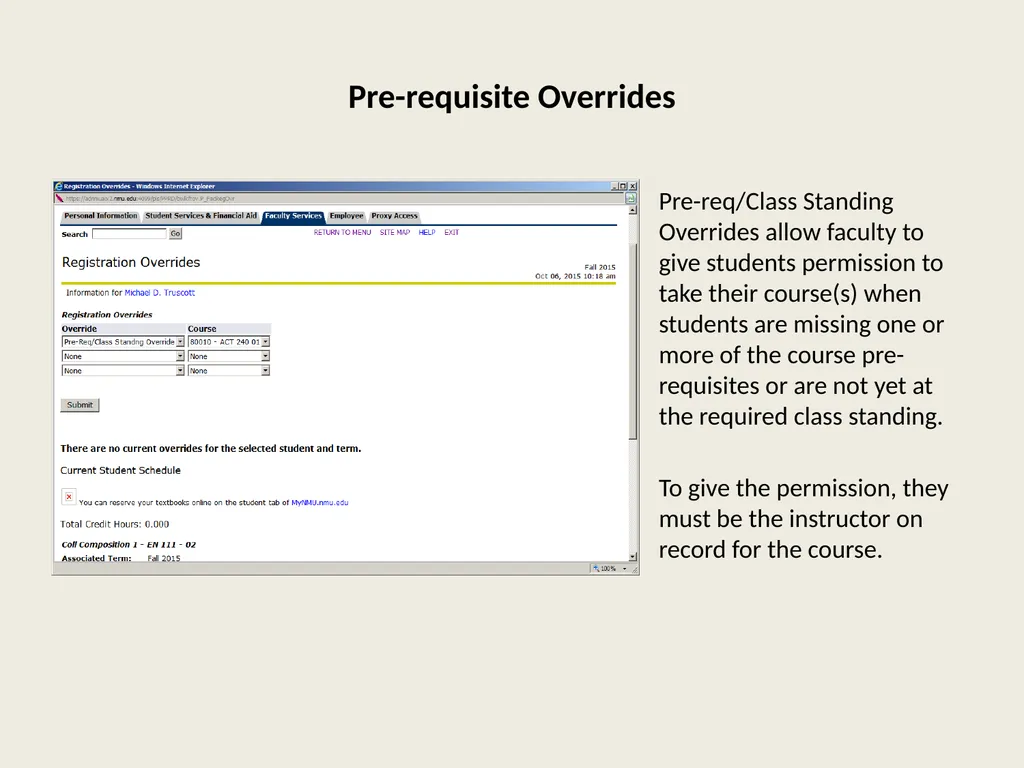
Pre-requisite Overrides Pre-req/Class Standing Overrides allow faculty to give students permission to take their course(s) when students are missing one or more of the course pre-requisites or are not yet at the required class standing.
To give the permission, they must be the instructor on record for the course.<br>
To give the permission, they must be the instructor on record for the course.<br>
17
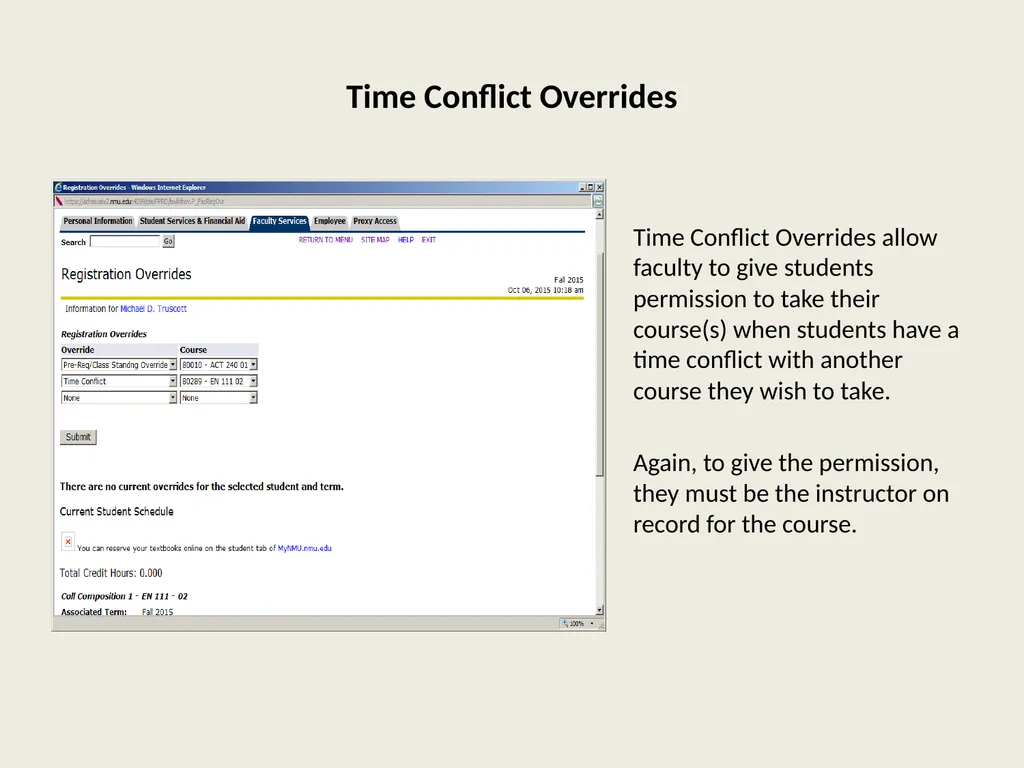
Time Conflict Overrides Time Conflict Overrides allow faculty to give students permission to take their course(s) when students have a time conflict with another course they wish to take.
Again, to give the permission, they must be the instructor on record for the course.<br>
Again, to give the permission, they must be the instructor on record for the course.<br>
18
Registration Overrides
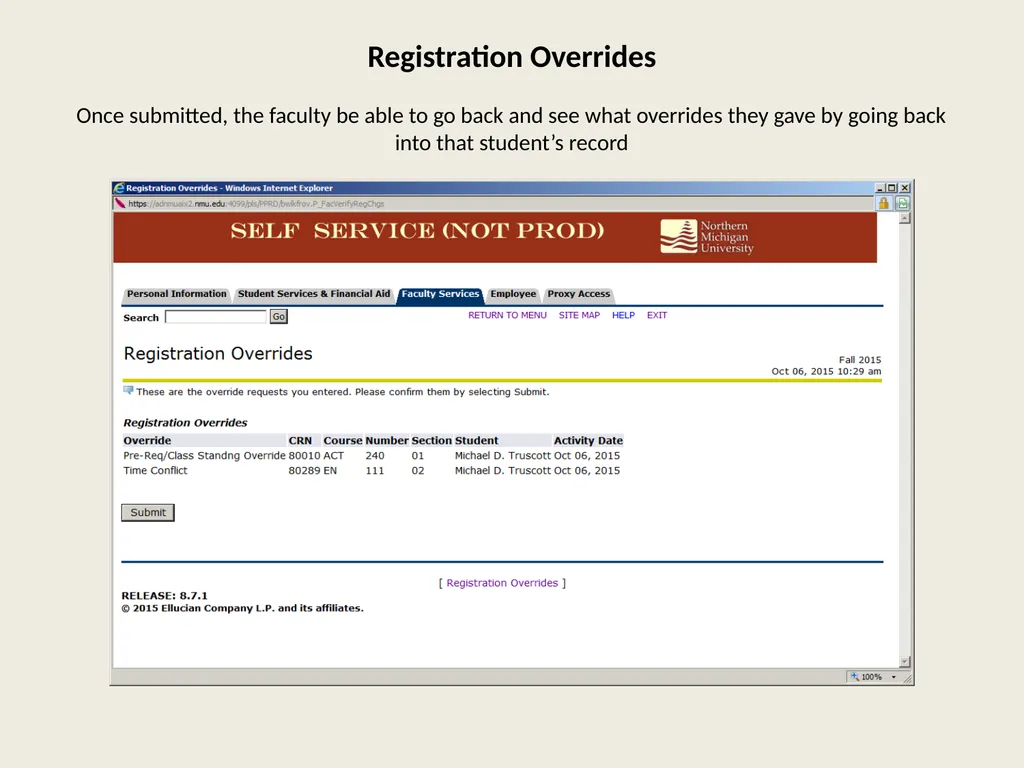
Once submitted, the faculty be able to go back and see what overrides they gave by going back into that student’s record<br>
19
Wait Lists Instructors will have access to 2 different wait lists on My.NMU to help them monitor who and how many students are trying to get into their course(s).
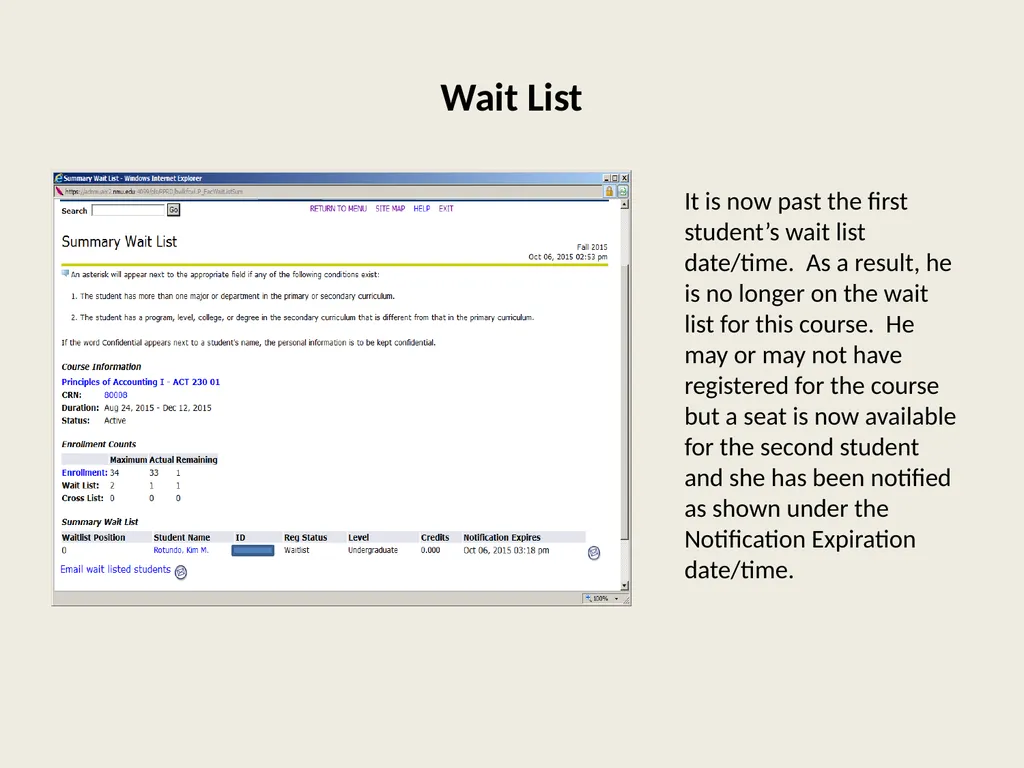
Summary Wait List - The Summary Wait List is a roster of all students who are on a waitlist for a specific course. It is a quick reference to see who and how many students are waitlisted for a specific course. It is real time and will change as notifications expire.
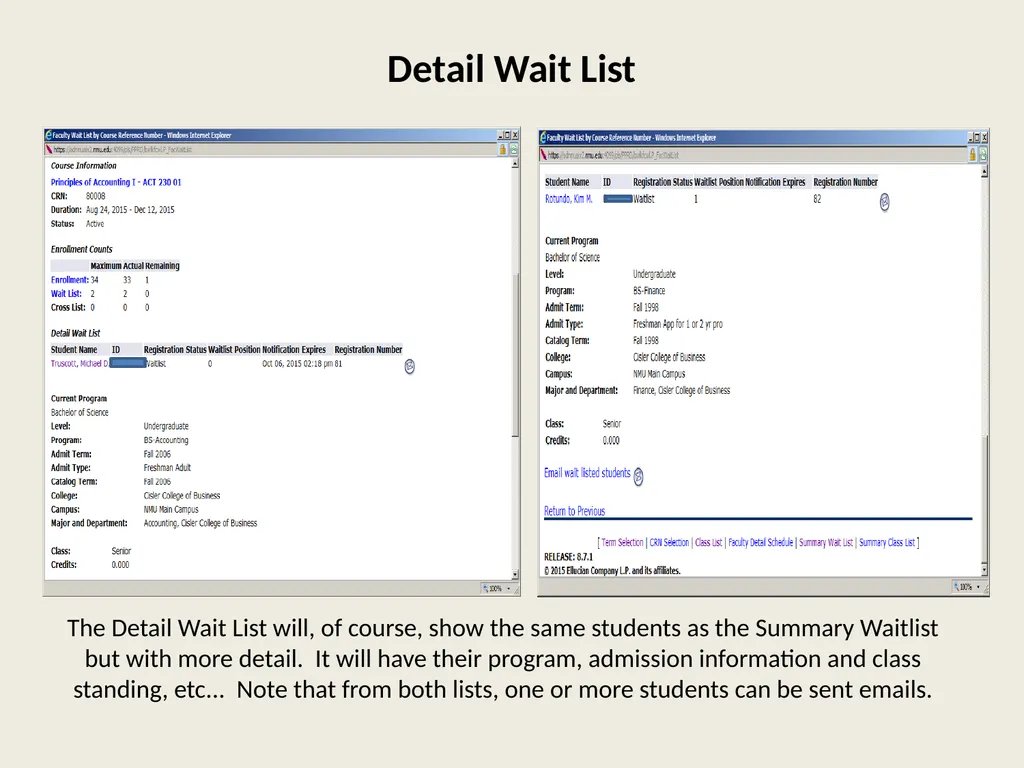
Detail Wait List - This list shows all students who are on the wait list for a specific course along with their waitlist status. It also shows detail about each student, including such information as major and class standing.<br>
Summary Wait List - The Summary Wait List is a roster of all students who are on a waitlist for a specific course. It is a quick reference to see who and how many students are waitlisted for a specific course. It is real time and will change as notifications expire.
Detail Wait List - This list shows all students who are on the wait list for a specific course along with their waitlist status. It also shows detail about each student, including such information as major and class standing.<br>
20
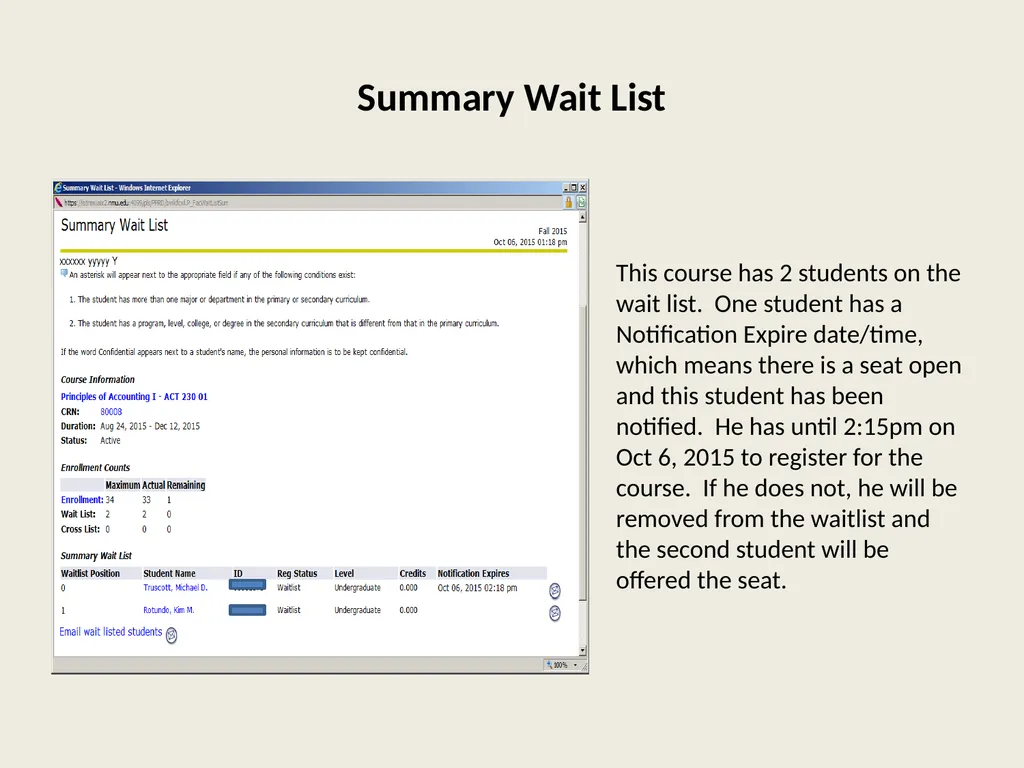
Summary Wait List This course has 2 students on the wait list. One student has a Notification Expire date/time, which means there is a seat open and this student has been notified. He has until 2:15pm on Oct 6, 2015 to register for the course. If he does not, he will be removed from the waitlist and the second student will be offered the seat.<br>
21
Detail Wait List The Detail Wait List will, of course, show the same students as the Summary Waitlist but with more detail. It will have their program, admission information and class standing, etc... Note that from both lists, one or more students can be sent emails.<br>
22
Wait List It is now past the first student’s wait list date/time. As a result, he is no longer on the wait list for this course. He may or may not have registered for the course but a seat is now available for the second student and she has been notified as shown under the Notification Expiration date/time.<br>
23
Questions & Troubleshooting Mike Truscott
Assistant Registrar
mtruscot@nmu.edu
X1062
Kathy Dawe
Assistant Registrar
kdawe@nmu.edu
X2434<br>
Assistant Registrar
mtruscot@nmu.edu
X1062
Kathy Dawe
Assistant Registrar
kdawe@nmu.edu
X2434<br>