
Web Technologies Basics WWW, HTTP, GET, POST,


Description: Web Technologies Basics WWW, HTTP, GET, POST, Cookies Svetlin Nakov Telerik Corporation www.telerik.com Table of Contents WWW and the HTTP protocol The HTTP protocol The request-response model GET vs. POST methods HTTP Response Codes
Related Topics
Download Presentation
"Web Technologies Basics WWW, HTTP, GET, POST," is the property of its rightful owner. Permission is granted to download and print the materials on this website for personal, non-commercial use only, and to display it on your personal computer provided you do not modify the materials and that you retain all copyright notices contained in the materials. By downloading content from our website, you accept the terms of this agreement.
Presentation Transcript
slide1. Web Technologies Basics WWW, HTTP, GET, POST, Cookies Svetlin Nakov Telerik Corporation www.telerik.com<br>
slide2. Table of Contents WWW and the HTTP protocol
The HTTP protocol
The request-response model
GET vs. POST methods
HTTP Response Codes
Cookies
Web Development Tools 2<br>
slide3. WWW and HTTP HTTP Protocol: the Heart of the WWW<br>
slide4. What is WWW? WWW = World Wide Web = Web
Global distributed information system in Internet
A service in Internet (like E-mail, DNS, ...)
Consists of set of documents (and other resources) located on different Internet servers
Accessed through standard protocols like HTTP, HTTPS and FTP by their URL
Web servers provide Web content
Web browsers display the Web content 4<br>
slide5. WWW Components Structural components
Internet – provides data transfer channels over the TCP and HTTP protocols
Clients (Web browsers) – display Web content
Web servers – IIS, Apache, Tomcat, GWS, etc.
Semantic components
Hyper Text Transfer Protocol (HTTP)
Hyper Text Markup Language (HTML)
Uniform Resource Locator (URL)
Uniform Resource Identifiers (URIs) 5<br>
slide6. WWW Infrastructure Clients use Web browser application to request resources from the Web servers via HTTP
Resources have unique URL address
Servers send the requested resource as a response
Or reply with an error message
Web pages are resources in WWW
HTML text, graphics, animations and other files
Web sites
Web sites are sets of Web pages in WWW 6<br>
slide7. WWW Infrastructure (2) Client’s browser renders Web pages returned by the Web servers
Pages are in HTML (Hyper Text Markup Language)
Browsers shows the text, graphics, sounds, etc.
HTML pages contain hyperlinks to other pages
The entire WWW system runs over standard networking protocols
TCP, DNS, HTTP, FTP, …
The HTTP protocol is fundamental for WWW 7<br>
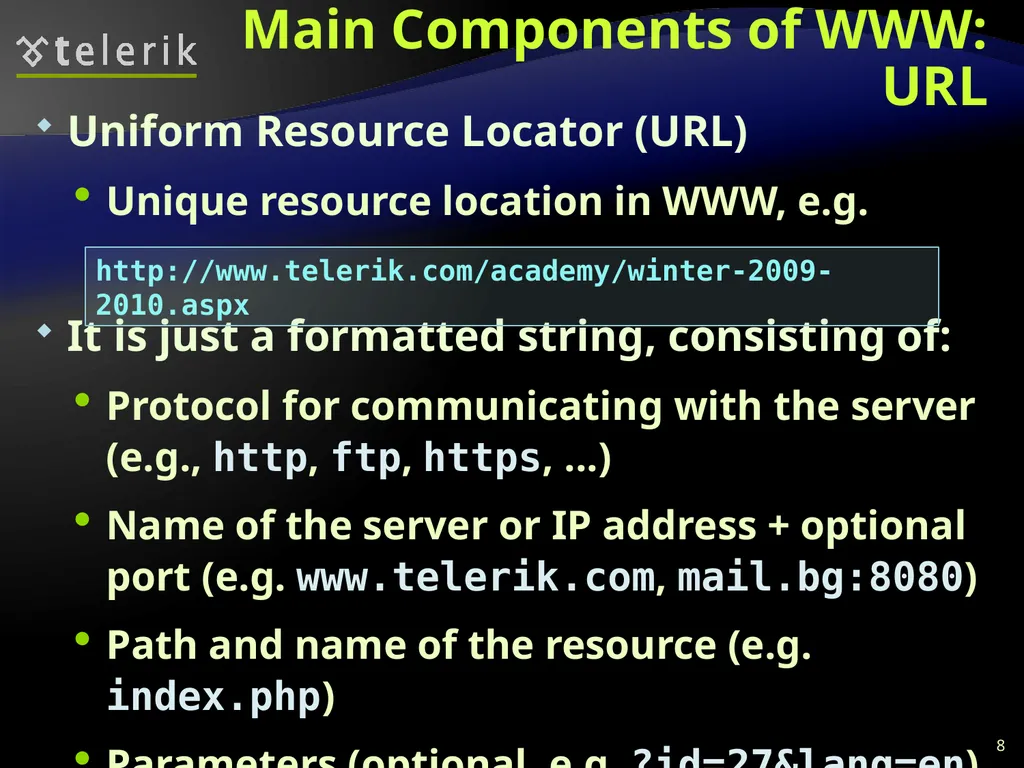
slide8. Main Components of WWW: URL Uniform Resource Locator (URL)
Unique resource location in WWW, e.g.
It is just a formatted string, consisting of:
Protocol for communicating with the server (e.g., http, ftp, https, ...)
Name of the server or IP address + optional port (e.g. www.telerik.com, mail.bg:8080)
Path and name of the resource (e.g. index.php)
Parameters (optional, e.g. ?id=27&lang=en) 8 http://www.telerik.com/academy/winter-2009-2010.aspx<br>
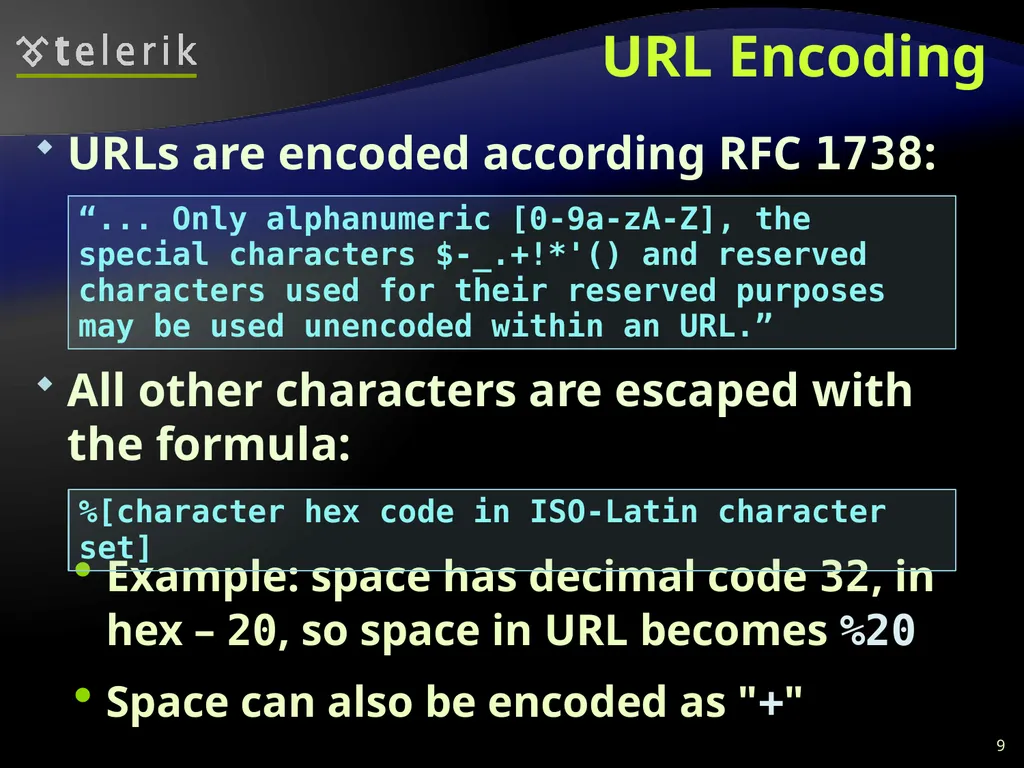
slide9. URL Encoding URLs are encoded according RFC 1738:
All other characters are escaped with the formula:
Example: space has decimal code 32, in hex – 20, so space in URL becomes %20
Space can also be encoded as "+" 9 “... Only alphanumeric [0-9a-zA-Z], the special characters $-_.+!*'() and reserved characters used for their reserved purposes may be used unencoded within an URL.” %[character hex code in ISO-Latin character set]<br>
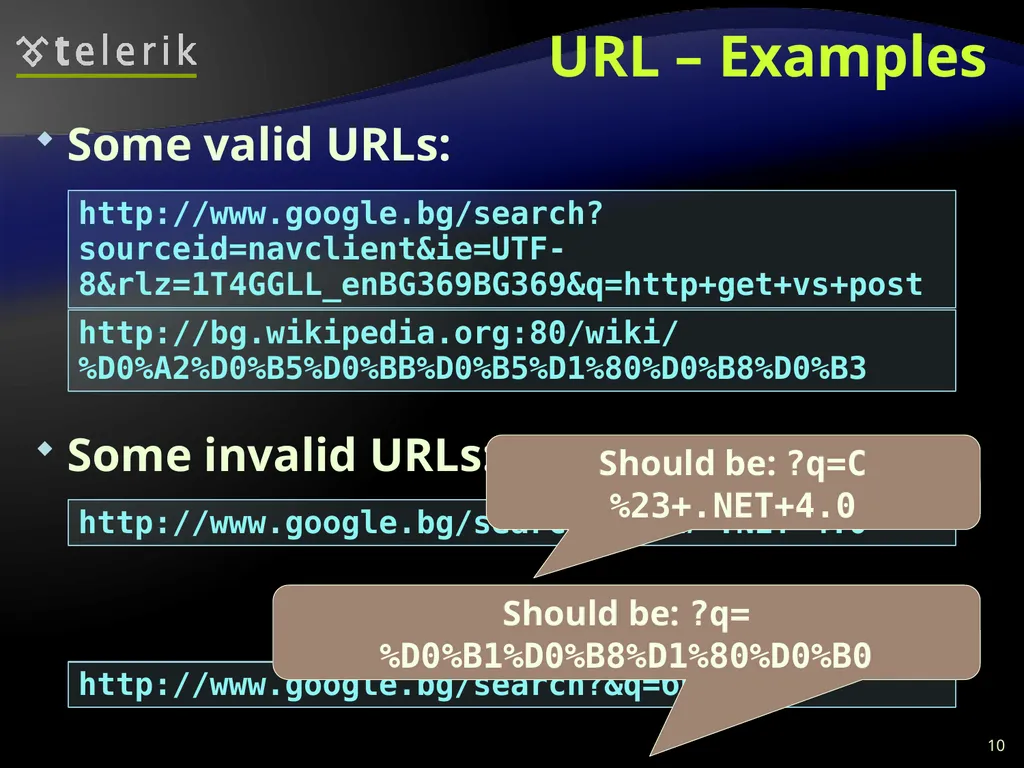
slide10. URL – Examples Some valid URLs:
Some invalid URLs: 10 http://www.google.bg/search?sourceid=navclient&ie=UTF-8&rlz=1T4GGLL_enBG369BG369&q=http+get+vs+post http://bg.wikipedia.org:80/wiki/%D0%A2%D0%B5%D0%BB%D0%B5%D1%80%D0%B8%D0%B3 http://www.google.bg/search?&q=C# .NET 4.0 Should be: ?q=C%23+.NET+4.0 http://www.google.bg/search?&q=бира Should be: ?q=%D0%B1%D0%B8%D1%80%D0%B0<br>
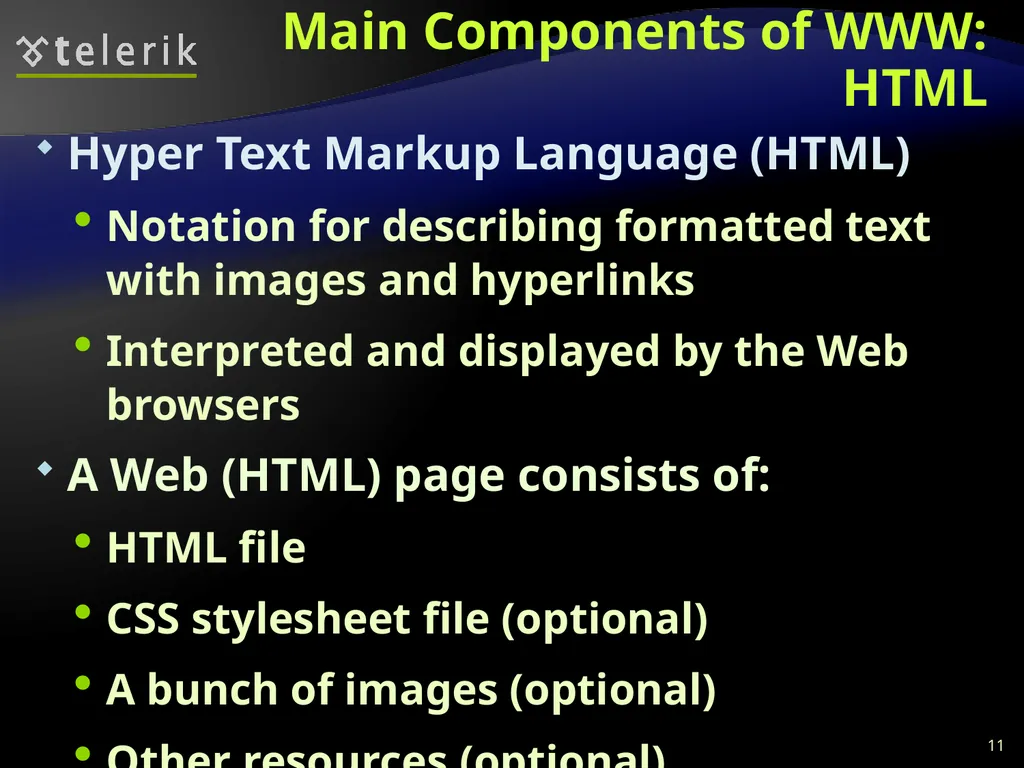
slide11. Main Components of WWW: HTML Hyper Text Markup Language (HTML)
Notation for describing formatted text with images and hyperlinks
Interpreted and displayed by the Web browsers
A Web (HTML) page consists of:
HTML file
CSS stylesheet file (optional)
A bunch of images (optional)
Other resources (optional) 11<br>
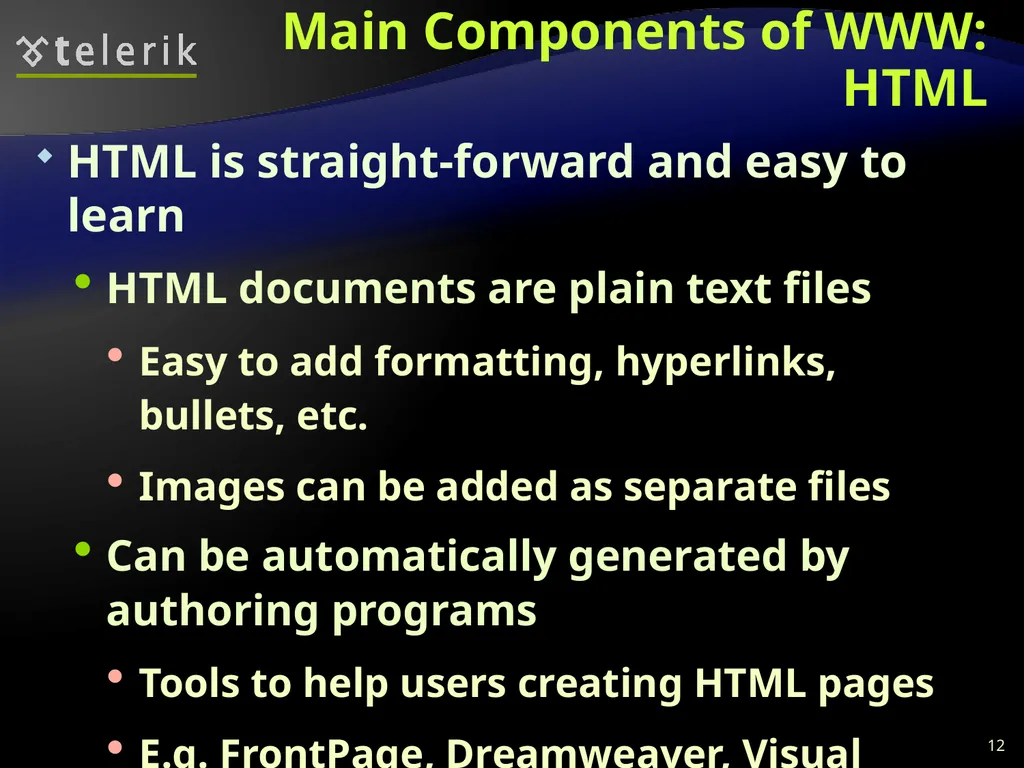
slide12. Main Components of WWW: HTML HTML is straight-forward and easy to learn
HTML documents are plain text files
Easy to add formatting, hyperlinks, bullets, etc.
Images can be added as separate files
Can be automatically generated by authoring programs
Tools to help users creating HTML pages
E.g. FrontPage, Dreamweaver, Visual Studio
WYSIWYG HTML editors 12<br>
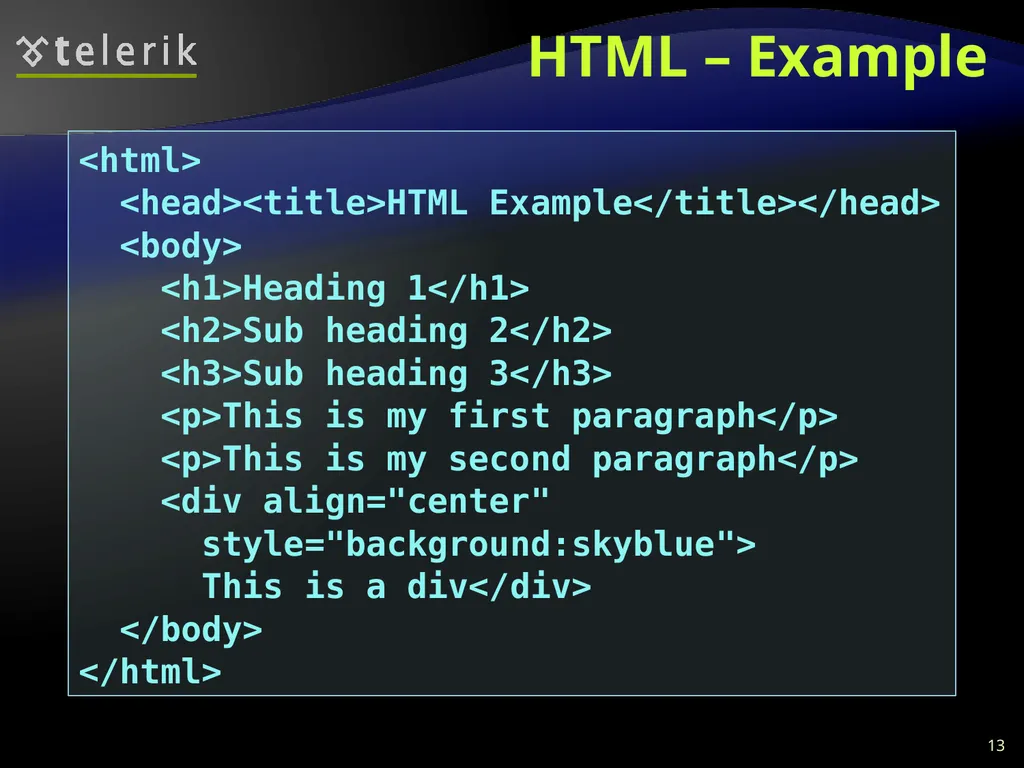
slide13. HTML – Example 13 <html>
<head><title>HTML Example</title></head>
<body>
<h1>Heading 1</h1>
<h2>Sub heading 2</h2>
<h3>Sub heading 3</h3>
<p>This is my first paragraph</p>
<p>This is my second paragraph</p>
<div align="center"
style="background:skyblue">
This is a div</div>
</body>
</html><br>
slide14. Main Components of WWW: HTTP Hyper Text Transfer Protocol (HTTP)
Client-server protocol for transferring Web resources (HTML files, images, styles, etc.)
Important properties of HTTP
Request-response model
Text-based format
Relies on a unique resource URLs
Provides resource metadata (e.g. encoding)
Stateless (cookies can overcome this) 14<br>
slide15. The HTTP Protocol How HTTP Works? HTTP<br>
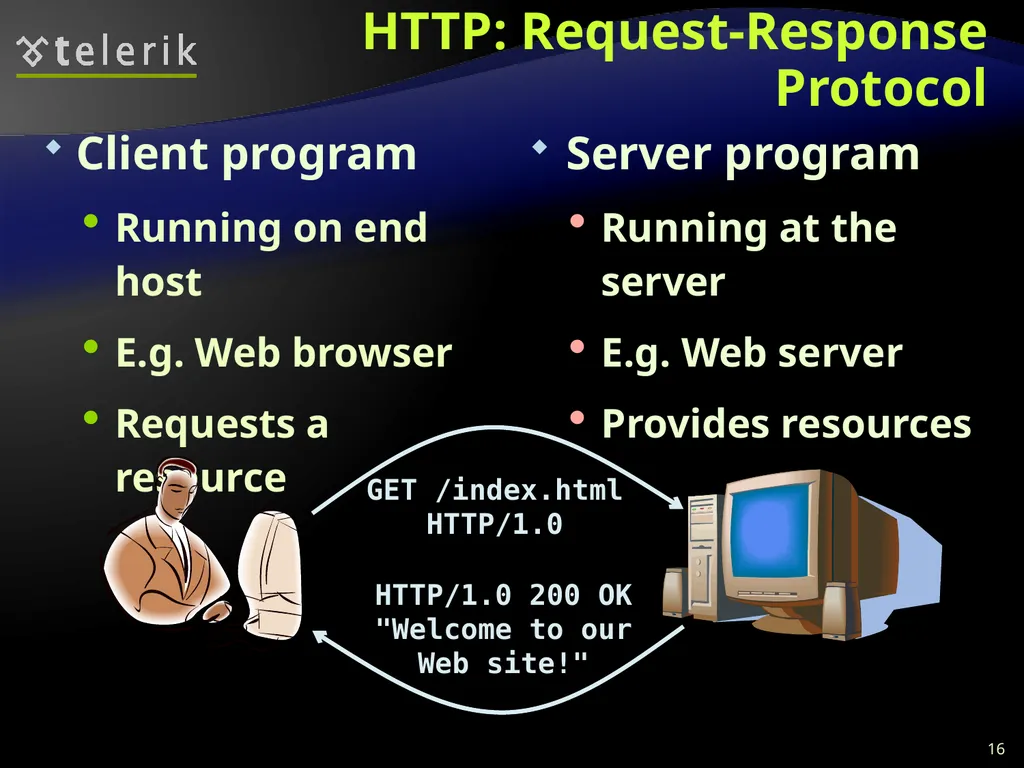
slide16. HTTP: Request-Response Protocol Client program
Running on end host
E.g. Web browser
Requests a resource Server program
Running at the server
E.g. Web server
Provides resources GET /index.html
HTTP/1.0 HTTP/1.0 200 OK
"Welcome to our
Web site!" 16<br>
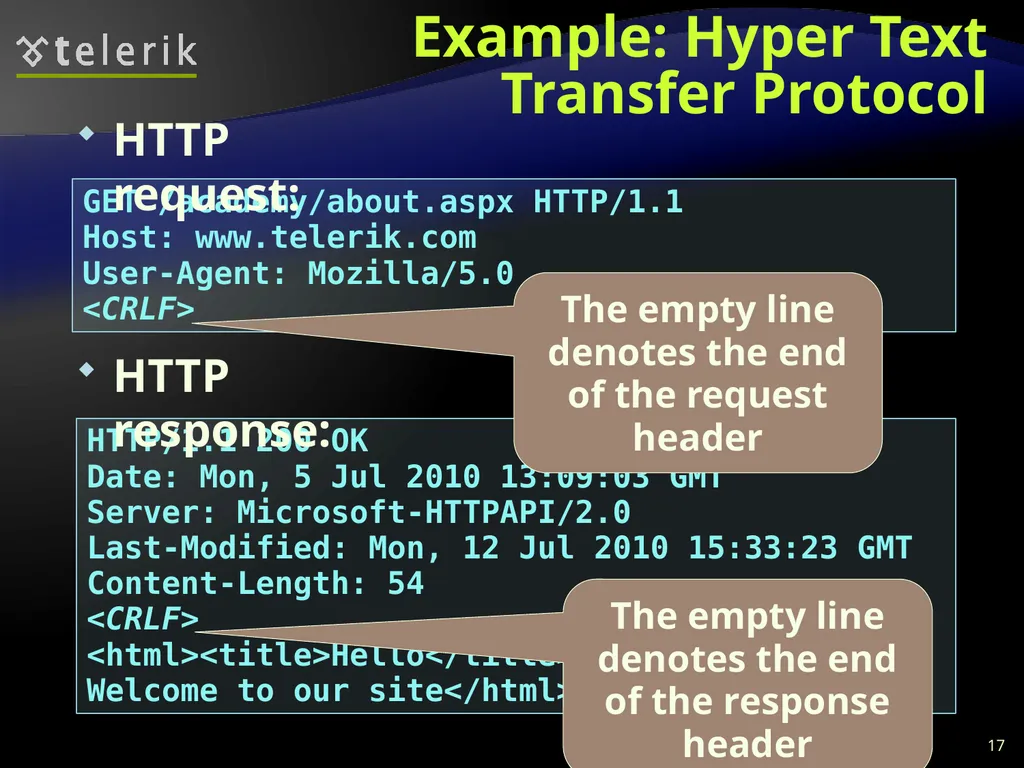
slide17. GET /academy/about.aspx HTTP/1.1
Host: www.telerik.com
User-Agent: Mozilla/5.0
<CRLF> Example: Hyper Text Transfer Protocol 17 HTTP/1.1 200 OK
Date: Mon, 5 Jul 2010 13:09:03 GMT
Server: Microsoft-HTTPAPI/2.0
Last-Modified: Mon, 12 Jul 2010 15:33:23 GMT
Content-Length: 54
<CRLF>
<html><title>Hello</title>
Welcome to our site</html> HTTP request: The empty line denotes the end of the request header The empty line denotes the end of the response header HTTP response:<br>
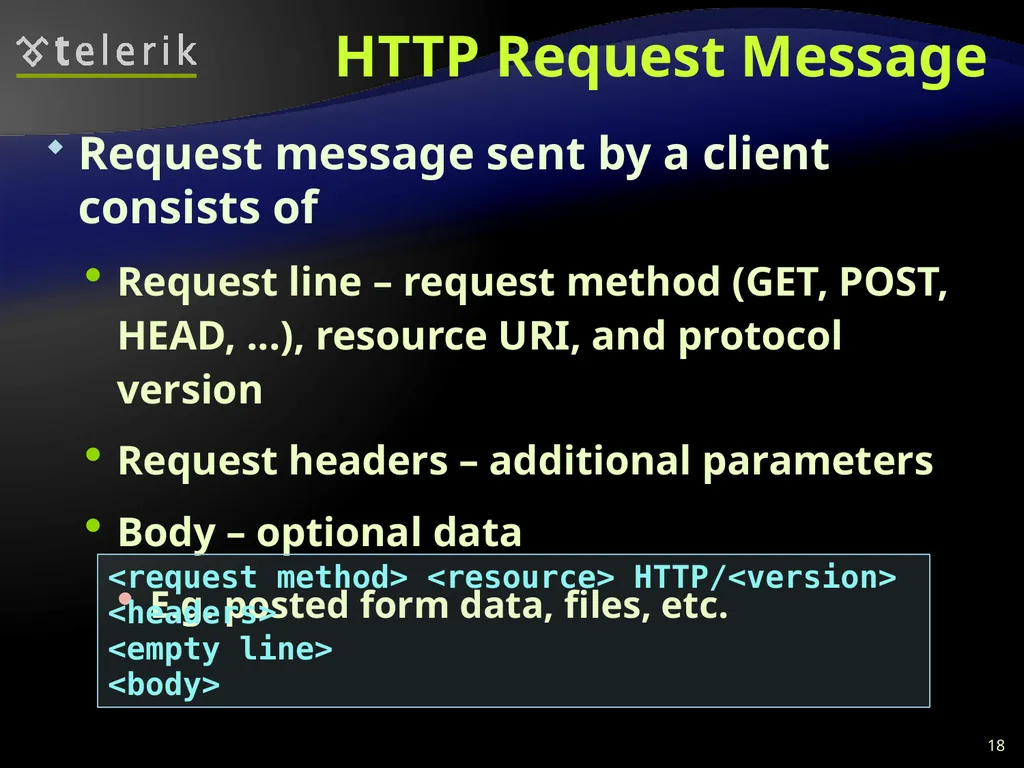
slide18. HTTP Request Message Request message sent by a client consists of
Request line – request method (GET, POST, HEAD, ...), resource URI, and protocol version
Request headers – additional parameters
Body – optional data
E.g. posted form data, files, etc. 18 <request method> <resource> HTTP/<version>
<headers>
<empty line>
<body><br>
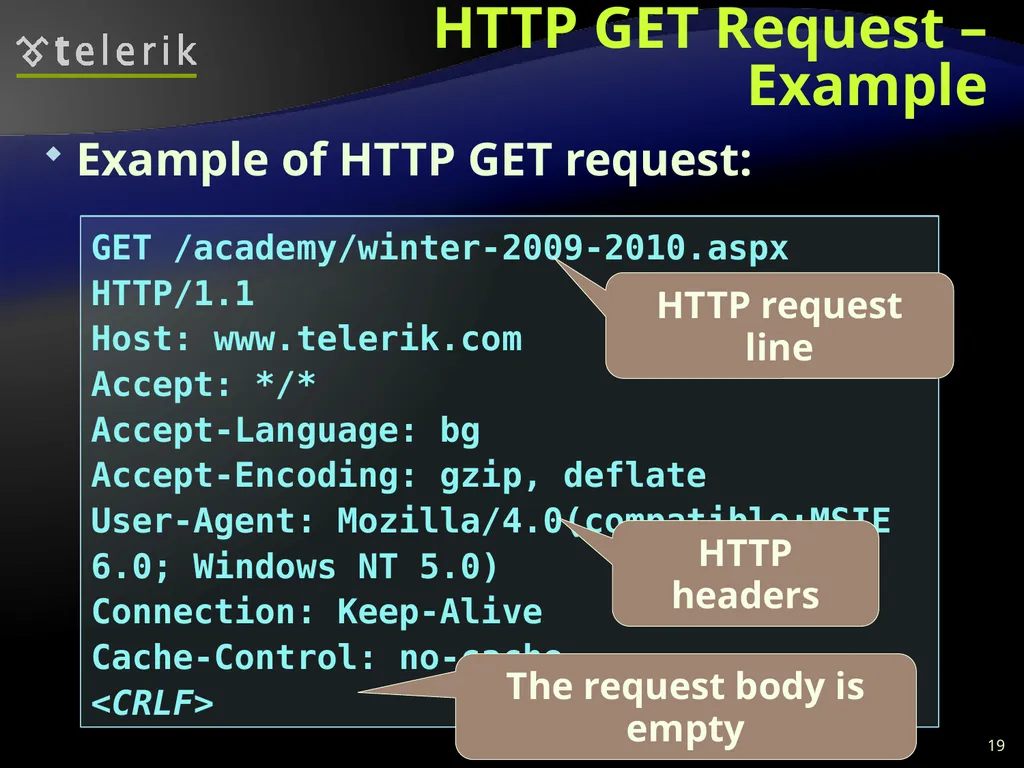
slide19. HTTP GET Request – Example 19 GET /academy/winter-2009-2010.aspx HTTP/1.1
Host: www.telerik.com
Accept: */*
Accept-Language: bg
Accept-Encoding: gzip, deflate
User-Agent: Mozilla/4.0(compatible;MSIE 6.0; Windows NT 5.0)
Connection: Keep-Alive
Cache-Control: no-cache
<CRLF> Example of HTTP GET request: HTTP request line HTTP headers The request body is empty<br>
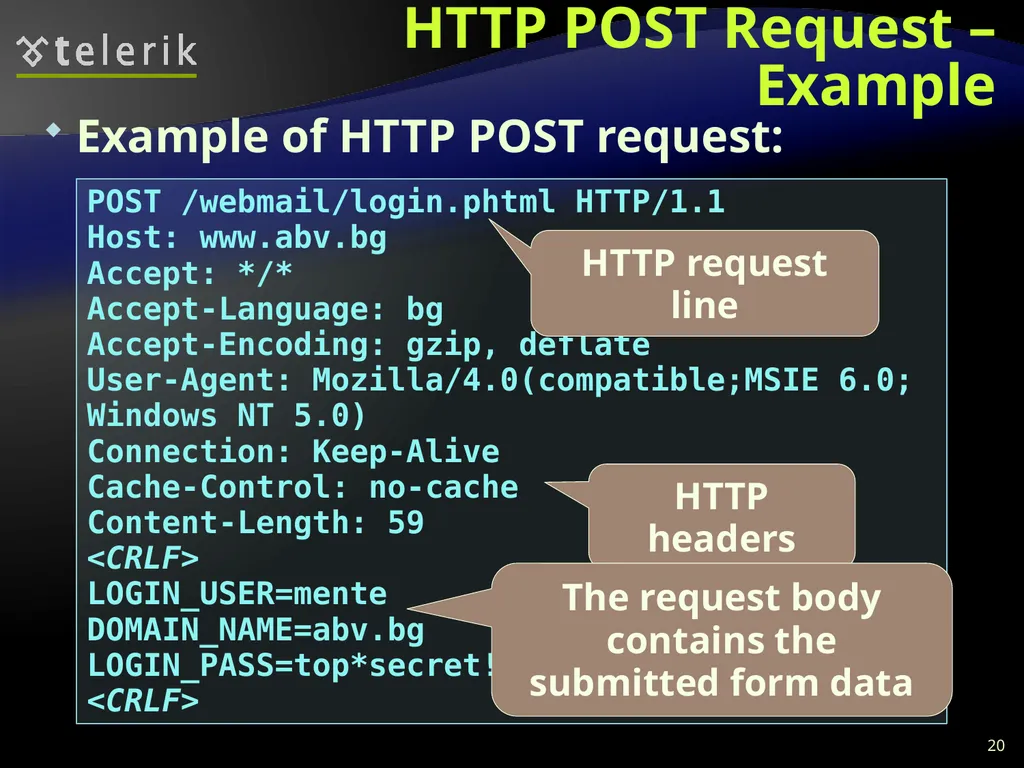
slide20. HTTP POST Request – Example 20 POST /webmail/login.phtml HTTP/1.1
Host: www.abv.bg
Accept: */*
Accept-Language: bg
Accept-Encoding: gzip, deflate
User-Agent: Mozilla/4.0(compatible;MSIE 6.0; Windows NT 5.0)
Connection: Keep-Alive
Cache-Control: no-cache
Content-Length: 59
<CRLF>
LOGIN_USER=mente
DOMAIN_NAME=abv.bg
LOGIN_PASS=top*secret!
<CRLF> Example of HTTP POST request: HTTP request line HTTP headers The request body contains the submitted form data<br>
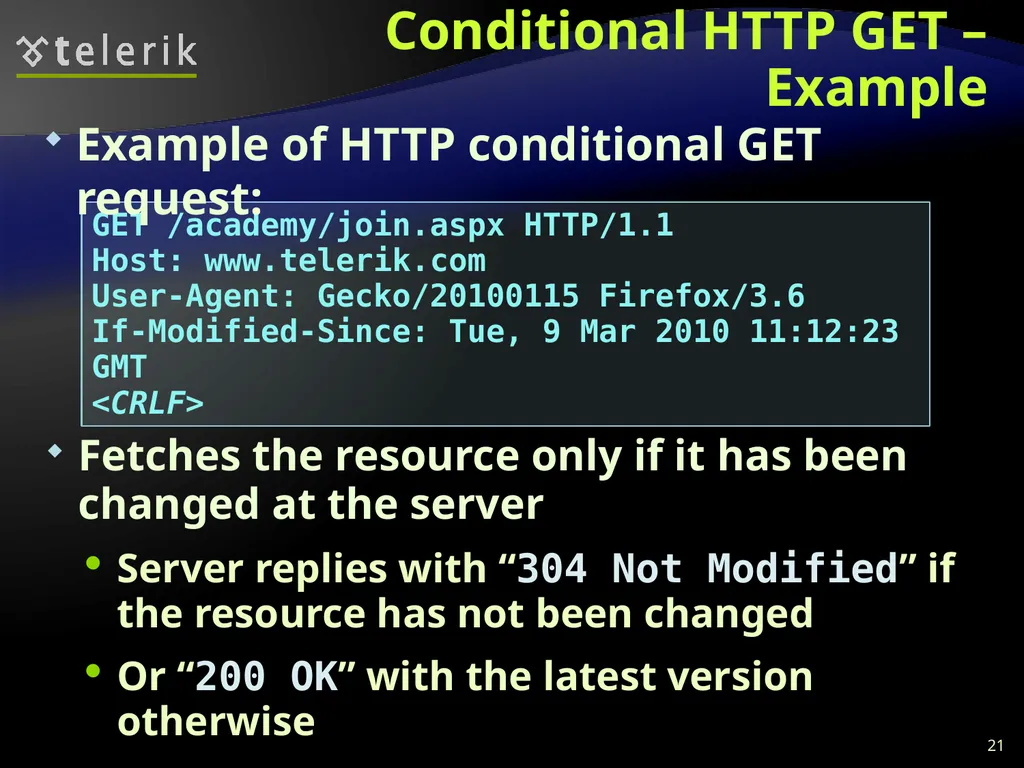
slide21. Conditional HTTP GET – Example Fetches the resource only if it has been changed at the server
Server replies with “304 Not Modified” if the resource has not been changed
Or “200 OK” with the latest version otherwise 21 GET /academy/join.aspx HTTP/1.1
Host: www.telerik.com
User-Agent: Gecko/20100115 Firefox/3.6
If-Modified-Since: Tue, 9 Mar 2010 11:12:23 GMT
<CRLF> Example of HTTP conditional GET request:<br>
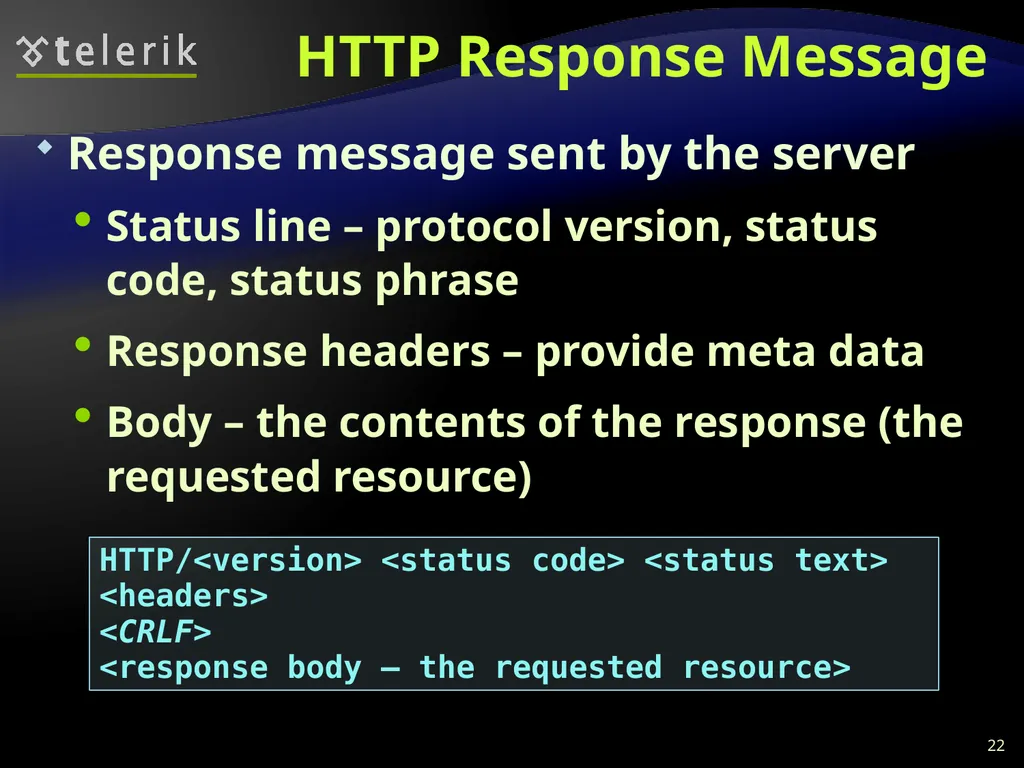
slide22. HTTP Response Message Response message sent by the server
Status line – protocol version, status code, status phrase
Response headers – provide meta data
Body – the contents of the response (the requested resource) 22 HTTP/<version> <status code> <status text>
<headers>
<CRLF>
<response body – the requested resource><br>
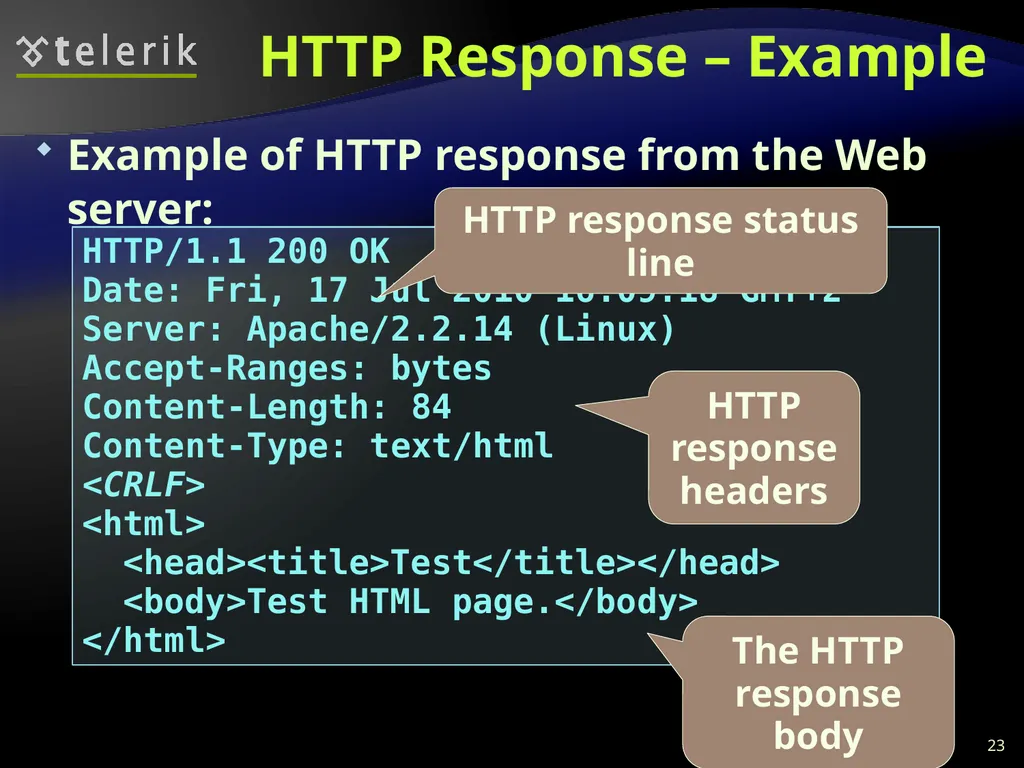
slide23. Example of HTTP response from the Web server: HTTP Response – Example 23 HTTP/1.1 200 OK
Date: Fri, 17 Jul 2010 16:09:18 GMT+2
Server: Apache/2.2.14 (Linux)
Accept-Ranges: bytes
Content-Length: 84
Content-Type: text/html
<CRLF>
<html>
<head><title>Test</title></head>
<body>Test HTML page.</body>
</html> HTTP response status line HTTP response headers The HTTP response body<br>
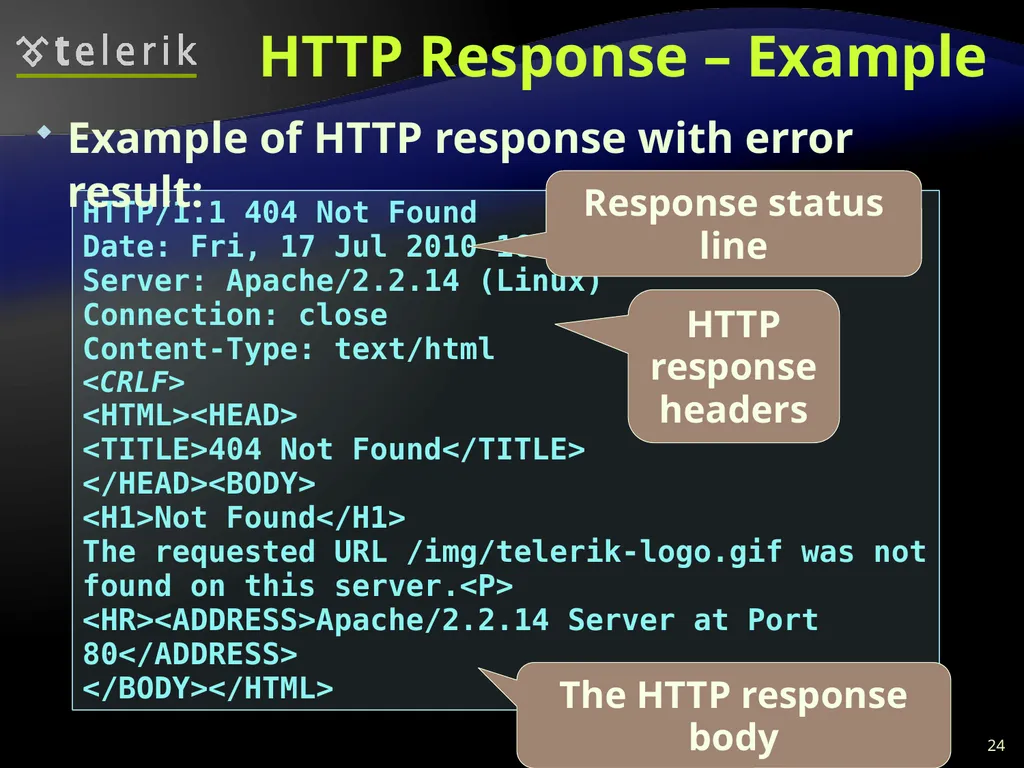
slide24. HTTP Response – Example 24 HTTP/1.1 404 Not Found
Date: Fri, 17 Jul 2010 16:09:18 GMT+2
Server: Apache/2.2.14 (Linux)
Connection: close
Content-Type: text/html
<CRLF>
<HTML><HEAD>
<TITLE>404 Not Found</TITLE>
</HEAD><BODY>
<H1>Not Found</H1>
The requested URL /img/telerik-logo.gif was not found on this server.<P>
<HR><ADDRESS>Apache/2.2.14 Server at Port 80</ADDRESS>
</BODY></HTML> Example of HTTP response with error result: Response status line HTTP response headers The HTTP response body<br>
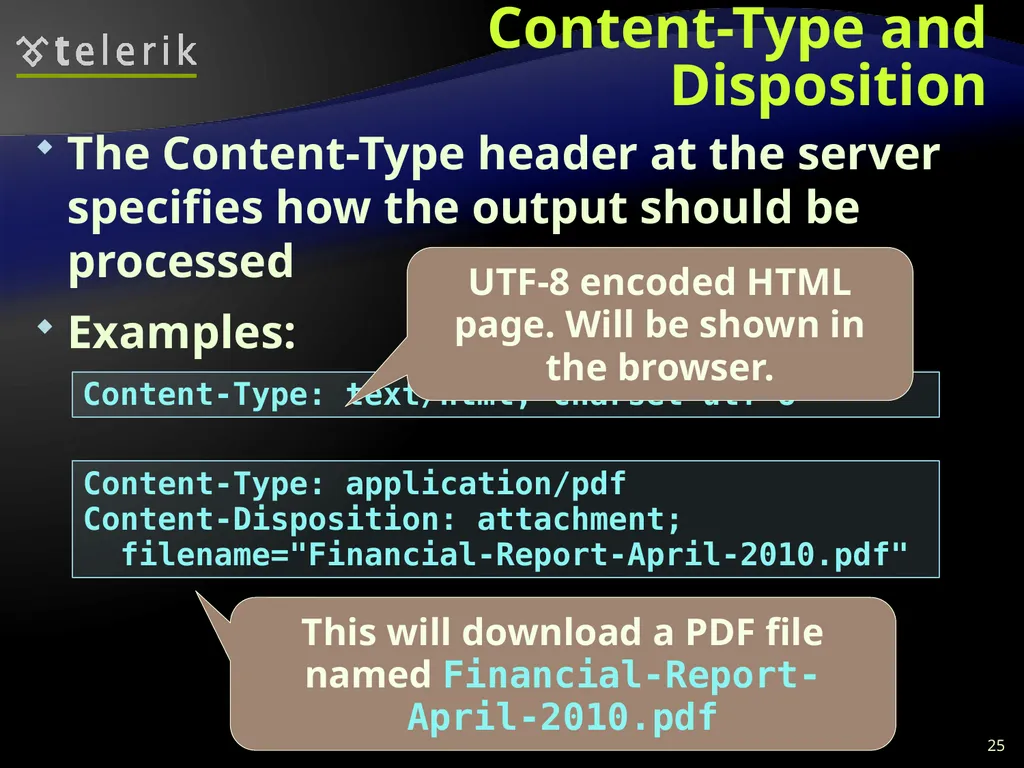
slide25. Content-Type and Disposition The Content-Type header at the server specifies how the output should be processed
Examples: 25 Content-Type: text/html; charset=utf-8 UTF-8 encoded HTML page. Will be shown in the browser. Content-Type: application/pdf
Content-Disposition: attachment;
filename="Financial-Report-April-2010.pdf" This will download a PDF file named Financial-Report-April-2010.pdf<br>
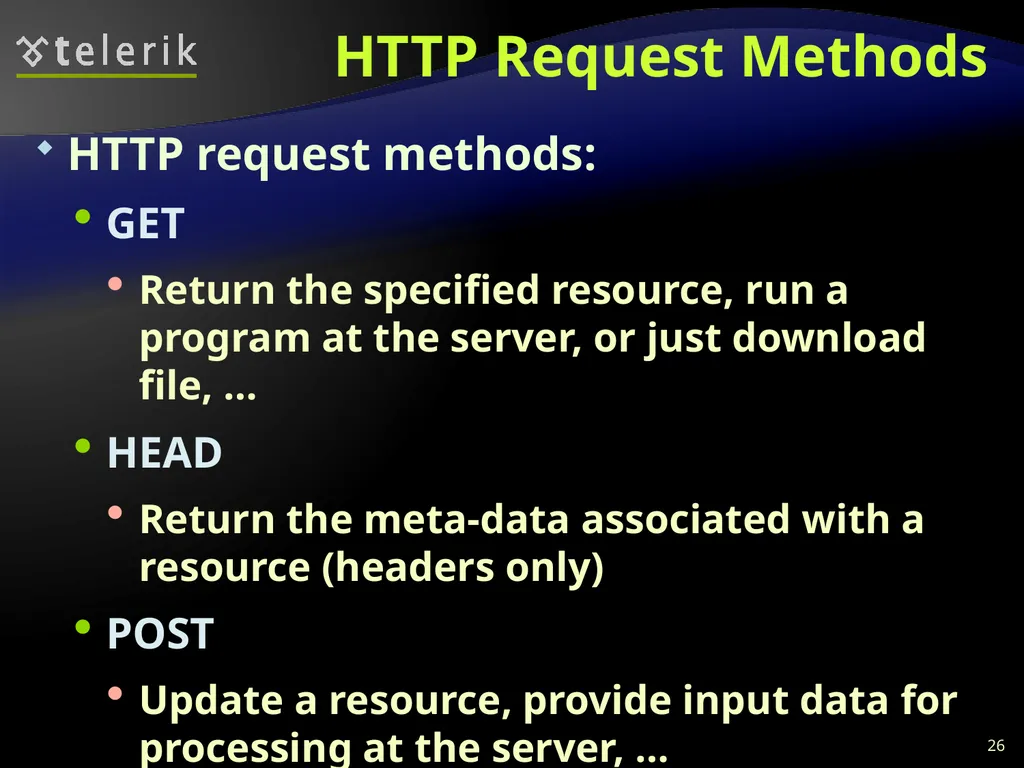
slide26. HTTP Request Methods HTTP request methods:
GET
Return the specified resource, run a program at the server, or just download file, …
HEAD
Return the meta-data associated with a resource (headers only)
POST
Update a resource, provide input data for processing at the server, … 26<br>
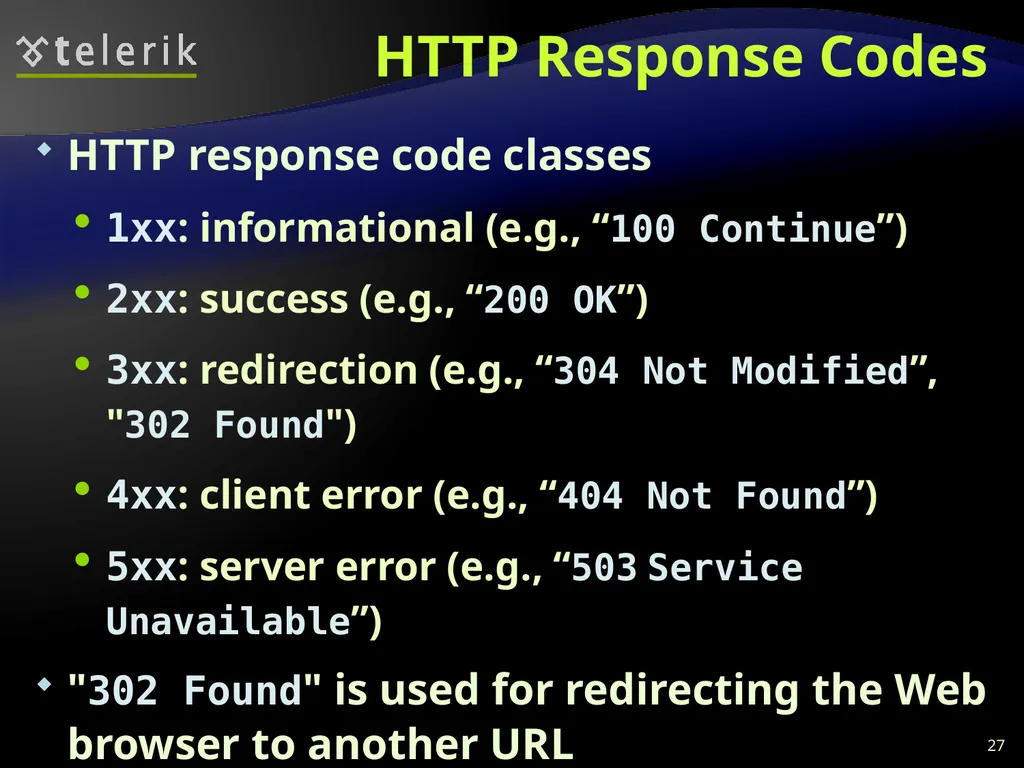
slide27. HTTP Response Codes HTTP response code classes
1xx: informational (e.g., “100 Continue”)
2xx: success (e.g., “200 OK”)
3xx: redirection (e.g., “304 Not Modified”, "302 Found")
4xx: client error (e.g., “404 Not Found”)
5xx: server error (e.g., “503 Service Unavailable”)
"302 Found" is used for redirecting the Web browser to another URL 27<br>
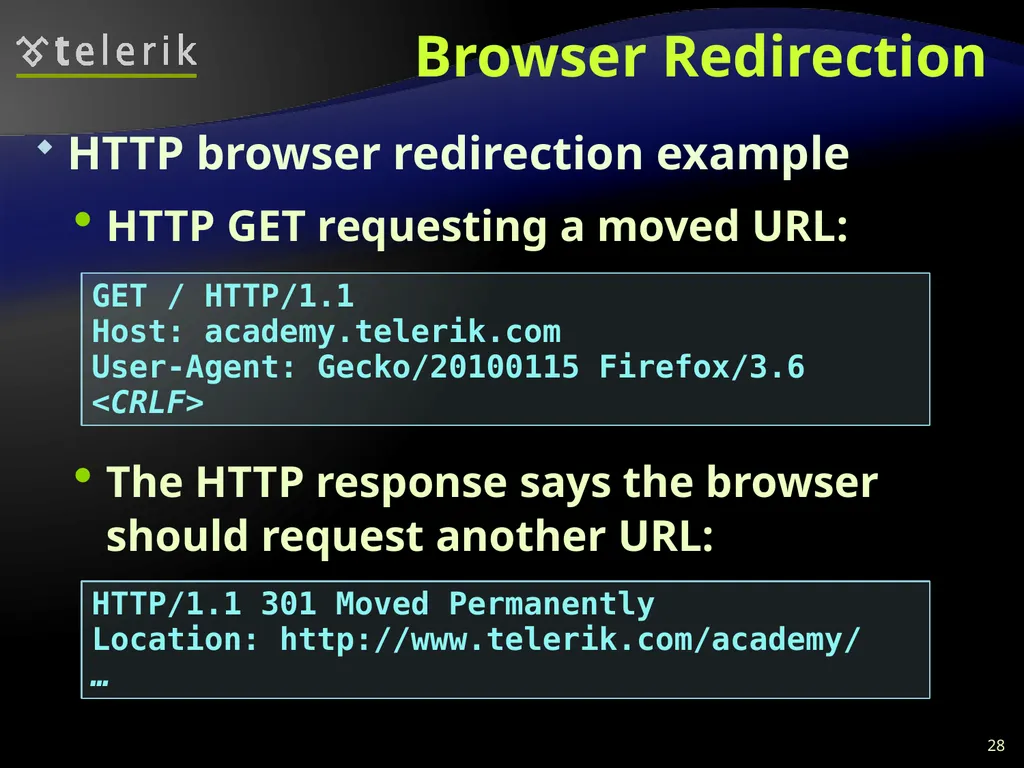
slide28. Browser Redirection HTTP browser redirection example
HTTP GET requesting a moved URL:
The HTTP response says the browser should request another URL: 28 GET / HTTP/1.1
Host: academy.telerik.com
User-Agent: Gecko/20100115 Firefox/3.6
<CRLF> HTTP/1.1 301 Moved Permanently
Location: http://www.telerik.com/academy/
…<br>
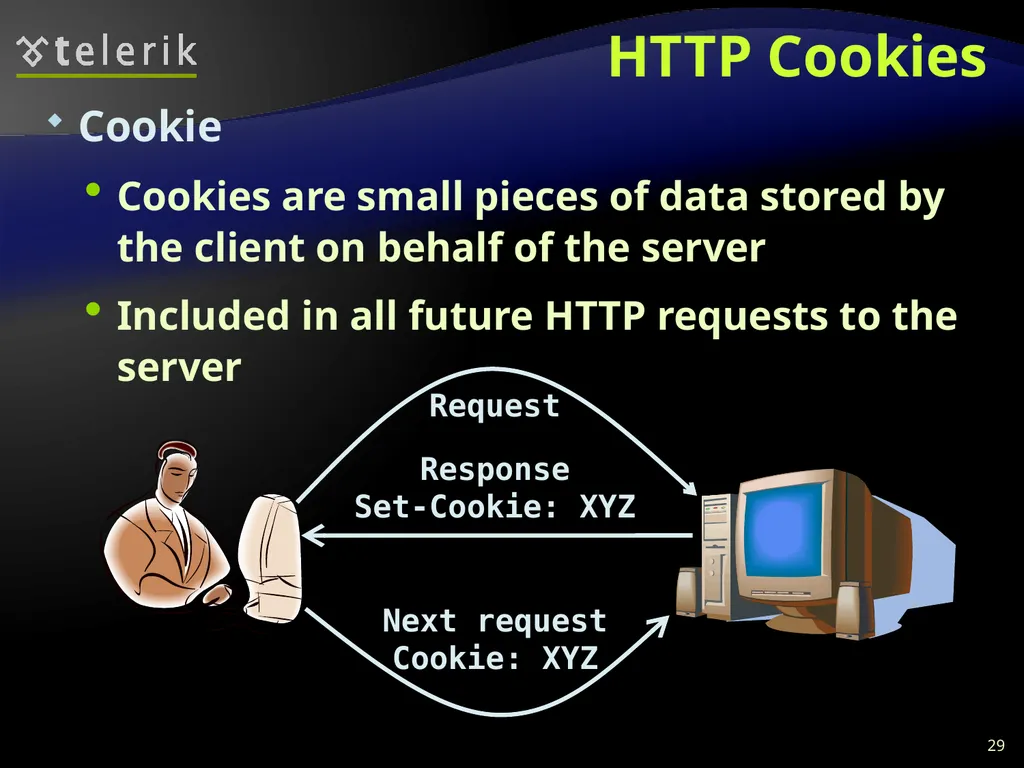
slide29. HTTP Cookies Cookie
Cookies are small pieces of data stored by the client on behalf of the server
Included in all future HTTP requests to the server 29 Request Response
Set-Cookie: XYZ Next request
Cookie: XYZ<br>
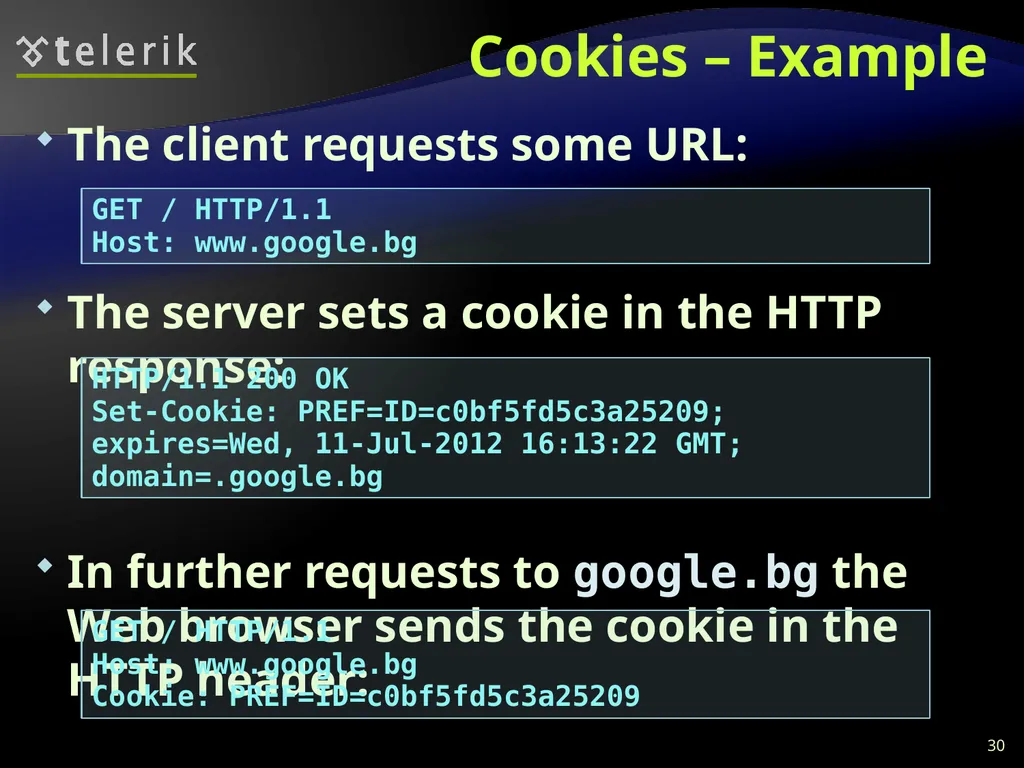
slide30. Cookies – Example The client requests some URL:
The server sets a cookie in the HTTP response:
In further requests to google.bg the Web browser sends the cookie in the HTTP header: 30 GET / HTTP/1.1
Host: www.google.bg HTTP/1.1 200 OK
Set-Cookie: PREF=ID=c0bf5fd5c3a25209; expires=Wed, 11-Jul-2012 16:13:22 GMT; domain=.google.bg GET / HTTP/1.1
Host: www.google.bg
Cookie: PREF=ID=c0bf5fd5c3a25209<br>
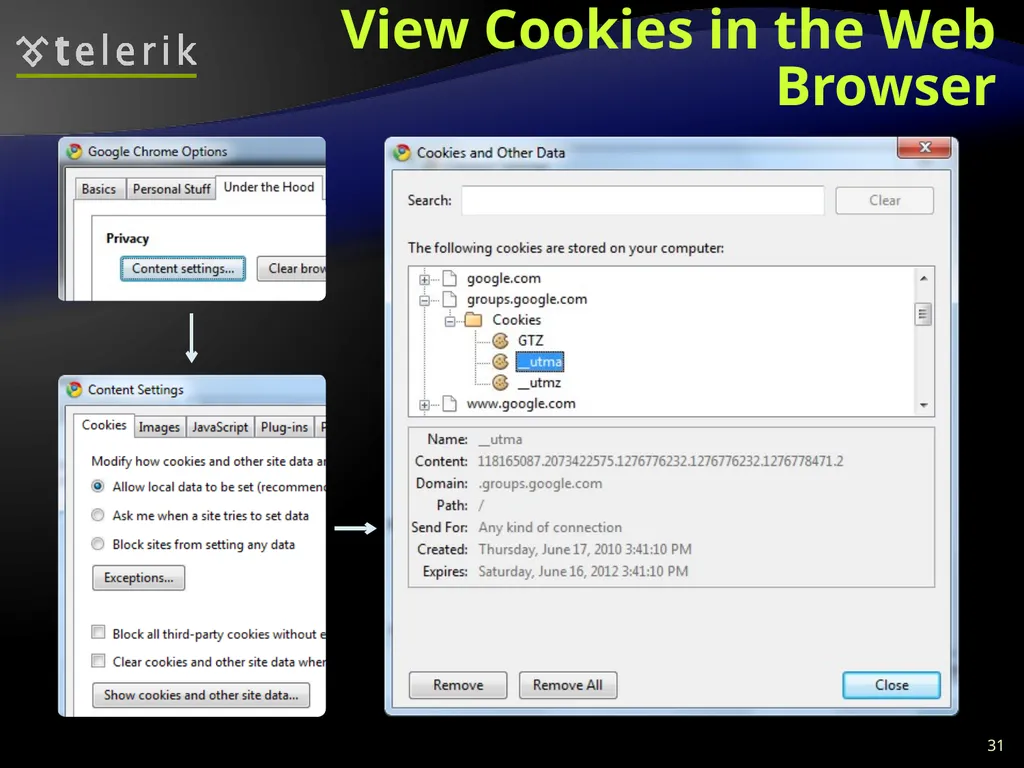
slide31. View Cookies in the Web Browser 31<br>
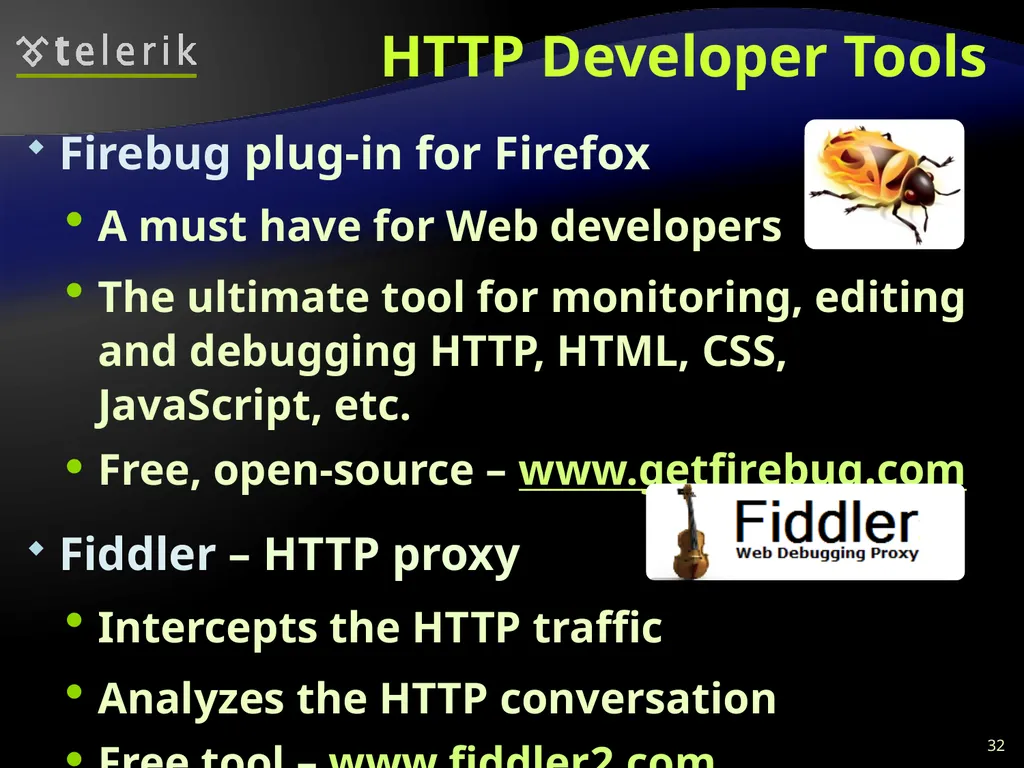
slide32. HTTP Developer Tools Firebug plug-in for Firefox
A must have for Web developers
The ultimate tool for monitoring, editing and debugging HTTP, HTML, CSS, JavaScript, etc.
Free, open-source – www.getfirebug.com
Fiddler – HTTP proxy
Intercepts the HTTP traffic
Analyzes the HTTP conversation
Free tool – www.fiddler2.com 32<br>
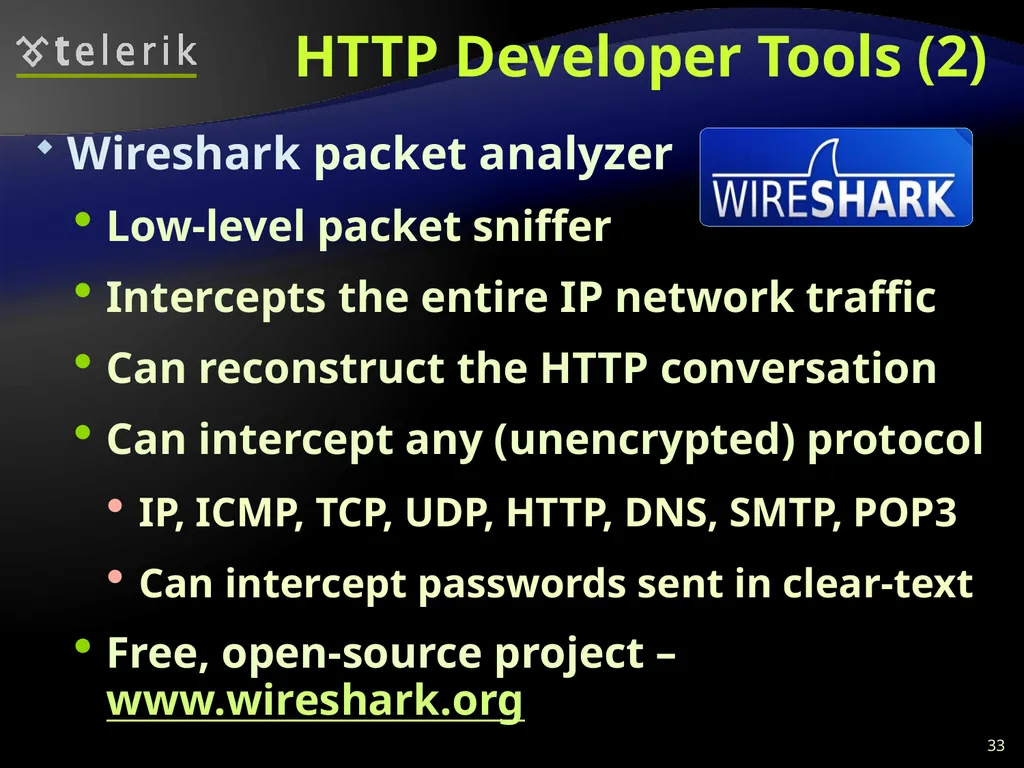
slide33. HTTP Developer Tools (2) Wireshark packet analyzer
Low-level packet sniffer
Intercepts the entire IP network traffic
Can reconstruct the HTTP conversation
Can intercept any (unencrypted) protocol
IP, ICMP, TCP, UDP, HTTP, DNS, SMTP, POP3
Can intercept passwords sent in clear-text
Free, open-source project – www.wireshark.org 33<br>
slide34. Web Technologies Basics Questions? ? ? ? ? ? ? ? ? ? ? http://academy.telerik.com<br>
slide35. Exercises Describe the infrastructure of WWW. What is URL? What is HTML? What is HTTP?
Describe the HTTP protocol in details: HTTP requests, HTTP responses, request methods and status codes.
What is the difference between GET and POST methods in the HTTP requests?
What is a "cookie" and how does it work?
Install Fiddler, Firebug and WireShark and play with them. Try to inspect how Facebook works.<br>
slide2. Table of Contents WWW and the HTTP protocol
The HTTP protocol
The request-response model
GET vs. POST methods
HTTP Response Codes
Cookies
Web Development Tools 2<br>
slide3. WWW and HTTP HTTP Protocol: the Heart of the WWW<br>
slide4. What is WWW? WWW = World Wide Web = Web
Global distributed information system in Internet
A service in Internet (like E-mail, DNS, ...)
Consists of set of documents (and other resources) located on different Internet servers
Accessed through standard protocols like HTTP, HTTPS and FTP by their URL
Web servers provide Web content
Web browsers display the Web content 4<br>
slide5. WWW Components Structural components
Internet – provides data transfer channels over the TCP and HTTP protocols
Clients (Web browsers) – display Web content
Web servers – IIS, Apache, Tomcat, GWS, etc.
Semantic components
Hyper Text Transfer Protocol (HTTP)
Hyper Text Markup Language (HTML)
Uniform Resource Locator (URL)
Uniform Resource Identifiers (URIs) 5<br>
slide6. WWW Infrastructure Clients use Web browser application to request resources from the Web servers via HTTP
Resources have unique URL address
Servers send the requested resource as a response
Or reply with an error message
Web pages are resources in WWW
HTML text, graphics, animations and other files
Web sites
Web sites are sets of Web pages in WWW 6<br>
slide7. WWW Infrastructure (2) Client’s browser renders Web pages returned by the Web servers
Pages are in HTML (Hyper Text Markup Language)
Browsers shows the text, graphics, sounds, etc.
HTML pages contain hyperlinks to other pages
The entire WWW system runs over standard networking protocols
TCP, DNS, HTTP, FTP, …
The HTTP protocol is fundamental for WWW 7<br>
slide8. Main Components of WWW: URL Uniform Resource Locator (URL)
Unique resource location in WWW, e.g.
It is just a formatted string, consisting of:
Protocol for communicating with the server (e.g., http, ftp, https, ...)
Name of the server or IP address + optional port (e.g. www.telerik.com, mail.bg:8080)
Path and name of the resource (e.g. index.php)
Parameters (optional, e.g. ?id=27&lang=en) 8 http://www.telerik.com/academy/winter-2009-2010.aspx<br>
slide9. URL Encoding URLs are encoded according RFC 1738:
All other characters are escaped with the formula:
Example: space has decimal code 32, in hex – 20, so space in URL becomes %20
Space can also be encoded as "+" 9 “... Only alphanumeric [0-9a-zA-Z], the special characters $-_.+!*'() and reserved characters used for their reserved purposes may be used unencoded within an URL.” %[character hex code in ISO-Latin character set]<br>
slide10. URL – Examples Some valid URLs:
Some invalid URLs: 10 http://www.google.bg/search?sourceid=navclient&ie=UTF-8&rlz=1T4GGLL_enBG369BG369&q=http+get+vs+post http://bg.wikipedia.org:80/wiki/%D0%A2%D0%B5%D0%BB%D0%B5%D1%80%D0%B8%D0%B3 http://www.google.bg/search?&q=C# .NET 4.0 Should be: ?q=C%23+.NET+4.0 http://www.google.bg/search?&q=бира Should be: ?q=%D0%B1%D0%B8%D1%80%D0%B0<br>
slide11. Main Components of WWW: HTML Hyper Text Markup Language (HTML)
Notation for describing formatted text with images and hyperlinks
Interpreted and displayed by the Web browsers
A Web (HTML) page consists of:
HTML file
CSS stylesheet file (optional)
A bunch of images (optional)
Other resources (optional) 11<br>
slide12. Main Components of WWW: HTML HTML is straight-forward and easy to learn
HTML documents are plain text files
Easy to add formatting, hyperlinks, bullets, etc.
Images can be added as separate files
Can be automatically generated by authoring programs
Tools to help users creating HTML pages
E.g. FrontPage, Dreamweaver, Visual Studio
WYSIWYG HTML editors 12<br>
slide13. HTML – Example 13 <html>
<head><title>HTML Example</title></head>
<body>
<h1>Heading 1</h1>
<h2>Sub heading 2</h2>
<h3>Sub heading 3</h3>
<p>This is my first paragraph</p>
<p>This is my second paragraph</p>
<div align="center"
style="background:skyblue">
This is a div</div>
</body>
</html><br>
slide14. Main Components of WWW: HTTP Hyper Text Transfer Protocol (HTTP)
Client-server protocol for transferring Web resources (HTML files, images, styles, etc.)
Important properties of HTTP
Request-response model
Text-based format
Relies on a unique resource URLs
Provides resource metadata (e.g. encoding)
Stateless (cookies can overcome this) 14<br>
slide15. The HTTP Protocol How HTTP Works? HTTP<br>
slide16. HTTP: Request-Response Protocol Client program
Running on end host
E.g. Web browser
Requests a resource Server program
Running at the server
E.g. Web server
Provides resources GET /index.html
HTTP/1.0 HTTP/1.0 200 OK
"Welcome to our
Web site!" 16<br>
slide17. GET /academy/about.aspx HTTP/1.1
Host: www.telerik.com
User-Agent: Mozilla/5.0
<CRLF> Example: Hyper Text Transfer Protocol 17 HTTP/1.1 200 OK
Date: Mon, 5 Jul 2010 13:09:03 GMT
Server: Microsoft-HTTPAPI/2.0
Last-Modified: Mon, 12 Jul 2010 15:33:23 GMT
Content-Length: 54
<CRLF>
<html><title>Hello</title>
Welcome to our site</html> HTTP request: The empty line denotes the end of the request header The empty line denotes the end of the response header HTTP response:<br>
slide18. HTTP Request Message Request message sent by a client consists of
Request line – request method (GET, POST, HEAD, ...), resource URI, and protocol version
Request headers – additional parameters
Body – optional data
E.g. posted form data, files, etc. 18 <request method> <resource> HTTP/<version>
<headers>
<empty line>
<body><br>
slide19. HTTP GET Request – Example 19 GET /academy/winter-2009-2010.aspx HTTP/1.1
Host: www.telerik.com
Accept: */*
Accept-Language: bg
Accept-Encoding: gzip, deflate
User-Agent: Mozilla/4.0(compatible;MSIE 6.0; Windows NT 5.0)
Connection: Keep-Alive
Cache-Control: no-cache
<CRLF> Example of HTTP GET request: HTTP request line HTTP headers The request body is empty<br>
slide20. HTTP POST Request – Example 20 POST /webmail/login.phtml HTTP/1.1
Host: www.abv.bg
Accept: */*
Accept-Language: bg
Accept-Encoding: gzip, deflate
User-Agent: Mozilla/4.0(compatible;MSIE 6.0; Windows NT 5.0)
Connection: Keep-Alive
Cache-Control: no-cache
Content-Length: 59
<CRLF>
LOGIN_USER=mente
DOMAIN_NAME=abv.bg
LOGIN_PASS=top*secret!
<CRLF> Example of HTTP POST request: HTTP request line HTTP headers The request body contains the submitted form data<br>
slide21. Conditional HTTP GET – Example Fetches the resource only if it has been changed at the server
Server replies with “304 Not Modified” if the resource has not been changed
Or “200 OK” with the latest version otherwise 21 GET /academy/join.aspx HTTP/1.1
Host: www.telerik.com
User-Agent: Gecko/20100115 Firefox/3.6
If-Modified-Since: Tue, 9 Mar 2010 11:12:23 GMT
<CRLF> Example of HTTP conditional GET request:<br>
slide22. HTTP Response Message Response message sent by the server
Status line – protocol version, status code, status phrase
Response headers – provide meta data
Body – the contents of the response (the requested resource) 22 HTTP/<version> <status code> <status text>
<headers>
<CRLF>
<response body – the requested resource><br>
slide23. Example of HTTP response from the Web server: HTTP Response – Example 23 HTTP/1.1 200 OK
Date: Fri, 17 Jul 2010 16:09:18 GMT+2
Server: Apache/2.2.14 (Linux)
Accept-Ranges: bytes
Content-Length: 84
Content-Type: text/html
<CRLF>
<html>
<head><title>Test</title></head>
<body>Test HTML page.</body>
</html> HTTP response status line HTTP response headers The HTTP response body<br>
slide24. HTTP Response – Example 24 HTTP/1.1 404 Not Found
Date: Fri, 17 Jul 2010 16:09:18 GMT+2
Server: Apache/2.2.14 (Linux)
Connection: close
Content-Type: text/html
<CRLF>
<HTML><HEAD>
<TITLE>404 Not Found</TITLE>
</HEAD><BODY>
<H1>Not Found</H1>
The requested URL /img/telerik-logo.gif was not found on this server.<P>
<HR><ADDRESS>Apache/2.2.14 Server at Port 80</ADDRESS>
</BODY></HTML> Example of HTTP response with error result: Response status line HTTP response headers The HTTP response body<br>
slide25. Content-Type and Disposition The Content-Type header at the server specifies how the output should be processed
Examples: 25 Content-Type: text/html; charset=utf-8 UTF-8 encoded HTML page. Will be shown in the browser. Content-Type: application/pdf
Content-Disposition: attachment;
filename="Financial-Report-April-2010.pdf" This will download a PDF file named Financial-Report-April-2010.pdf<br>
slide26. HTTP Request Methods HTTP request methods:
GET
Return the specified resource, run a program at the server, or just download file, …
HEAD
Return the meta-data associated with a resource (headers only)
POST
Update a resource, provide input data for processing at the server, … 26<br>
slide27. HTTP Response Codes HTTP response code classes
1xx: informational (e.g., “100 Continue”)
2xx: success (e.g., “200 OK”)
3xx: redirection (e.g., “304 Not Modified”, "302 Found")
4xx: client error (e.g., “404 Not Found”)
5xx: server error (e.g., “503 Service Unavailable”)
"302 Found" is used for redirecting the Web browser to another URL 27<br>
slide28. Browser Redirection HTTP browser redirection example
HTTP GET requesting a moved URL:
The HTTP response says the browser should request another URL: 28 GET / HTTP/1.1
Host: academy.telerik.com
User-Agent: Gecko/20100115 Firefox/3.6
<CRLF> HTTP/1.1 301 Moved Permanently
Location: http://www.telerik.com/academy/
…<br>
slide29. HTTP Cookies Cookie
Cookies are small pieces of data stored by the client on behalf of the server
Included in all future HTTP requests to the server 29 Request Response
Set-Cookie: XYZ Next request
Cookie: XYZ<br>
slide30. Cookies – Example The client requests some URL:
The server sets a cookie in the HTTP response:
In further requests to google.bg the Web browser sends the cookie in the HTTP header: 30 GET / HTTP/1.1
Host: www.google.bg HTTP/1.1 200 OK
Set-Cookie: PREF=ID=c0bf5fd5c3a25209; expires=Wed, 11-Jul-2012 16:13:22 GMT; domain=.google.bg GET / HTTP/1.1
Host: www.google.bg
Cookie: PREF=ID=c0bf5fd5c3a25209<br>
slide31. View Cookies in the Web Browser 31<br>
slide32. HTTP Developer Tools Firebug plug-in for Firefox
A must have for Web developers
The ultimate tool for monitoring, editing and debugging HTTP, HTML, CSS, JavaScript, etc.
Free, open-source – www.getfirebug.com
Fiddler – HTTP proxy
Intercepts the HTTP traffic
Analyzes the HTTP conversation
Free tool – www.fiddler2.com 32<br>
slide33. HTTP Developer Tools (2) Wireshark packet analyzer
Low-level packet sniffer
Intercepts the entire IP network traffic
Can reconstruct the HTTP conversation
Can intercept any (unencrypted) protocol
IP, ICMP, TCP, UDP, HTTP, DNS, SMTP, POP3
Can intercept passwords sent in clear-text
Free, open-source project – www.wireshark.org 33<br>
slide34. Web Technologies Basics Questions? ? ? ? ? ? ? ? ? ? ? http://academy.telerik.com<br>
slide35. Exercises Describe the infrastructure of WWW. What is URL? What is HTML? What is HTTP?
Describe the HTTP protocol in details: HTTP requests, HTTP responses, request methods and status codes.
What is the difference between GET and POST methods in the HTTP requests?
What is a "cookie" and how does it work?
Install Fiddler, Firebug and WireShark and play with them. Try to inspect how Facebook works.<br>