What is an API? Application Programming Interface
Description: What is an API? Application Programming Interface Application Programming Interface API Client Server Application Programming Interface API Client Server HTML CSS JavaScript Java Python PHP Application Programming Interface API Expedia.com
Related Topics
Download Presentation
"What is an API? Application Programming Interface" is the property of its rightful owner. Permission is granted to download and print the materials on this website for personal, non-commercial use only, and to display it on your personal computer provided you do not modify the materials and that you retain all copyright notices contained in the materials. By downloading content from our website, you accept the terms of this agreement.
Presentation Transcript
slide1. What is an API?<br>
slide2. Application Programming Interface<br>
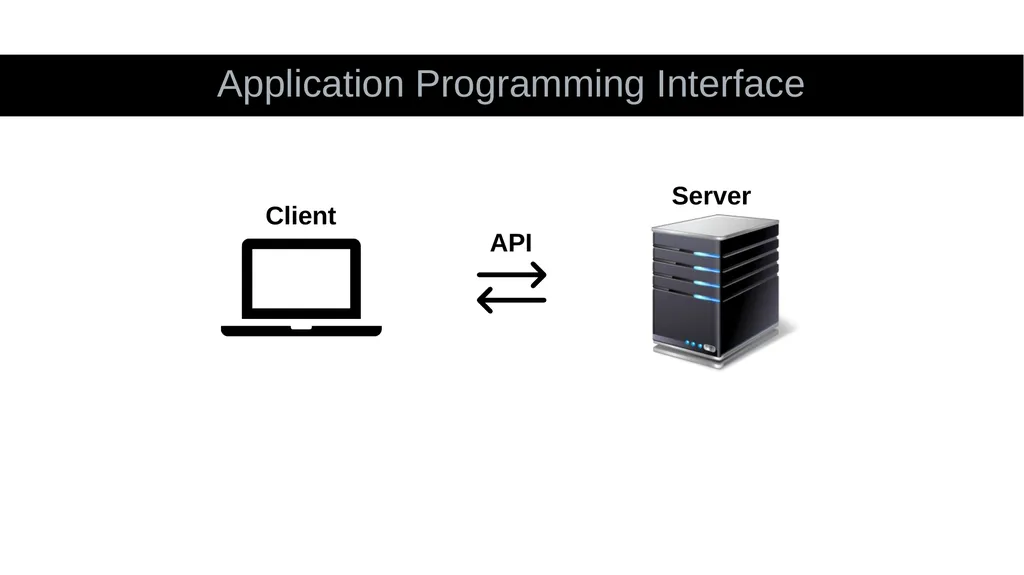
slide3. Application Programming Interface API Client Server<br>
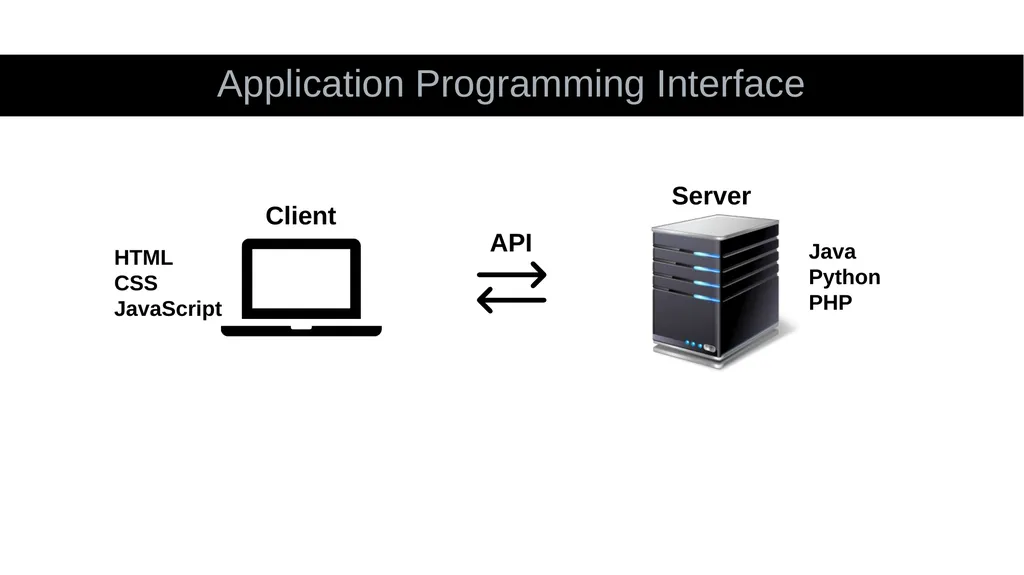
slide5. Application Programming Interface API Client Server HTML
CSS
JavaScript Java
Python
PHP<br>
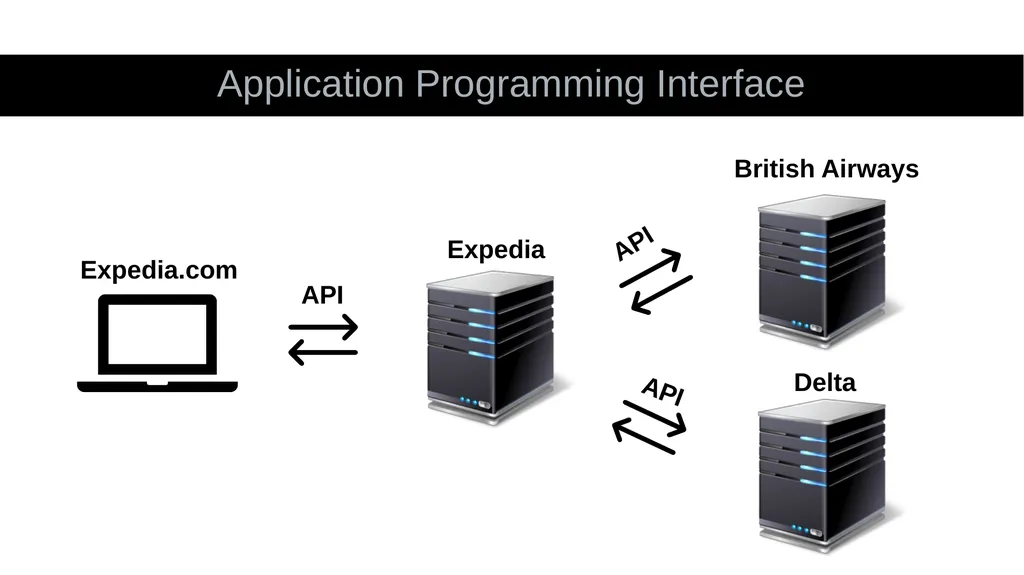
slide6. Application Programming Interface API Expedia.com Expedia British Airways Delta API API<br>
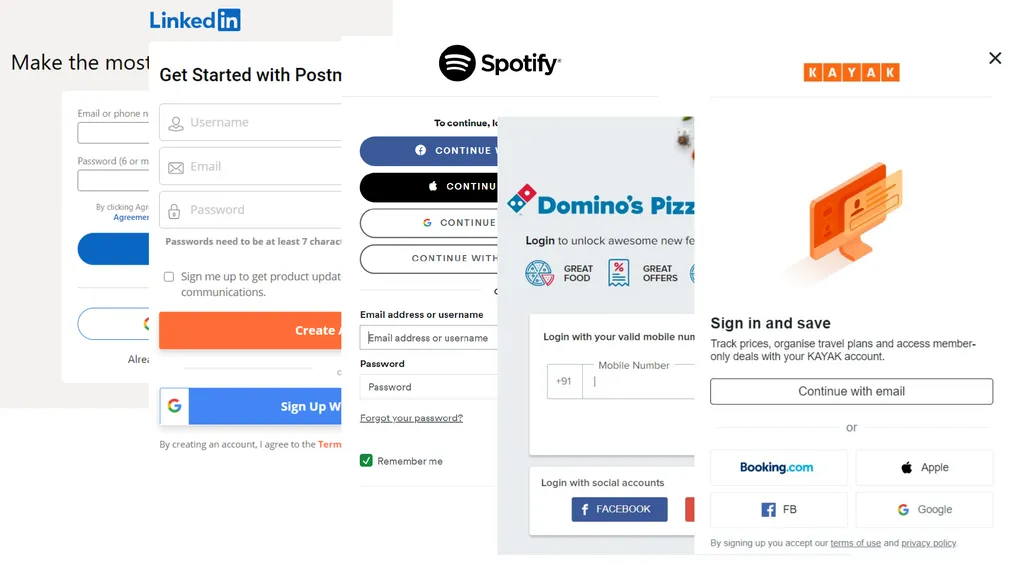
slide7. Social Login<br>
slide9. What is REST API?<br>
slide10. Representational State Transfer<br>
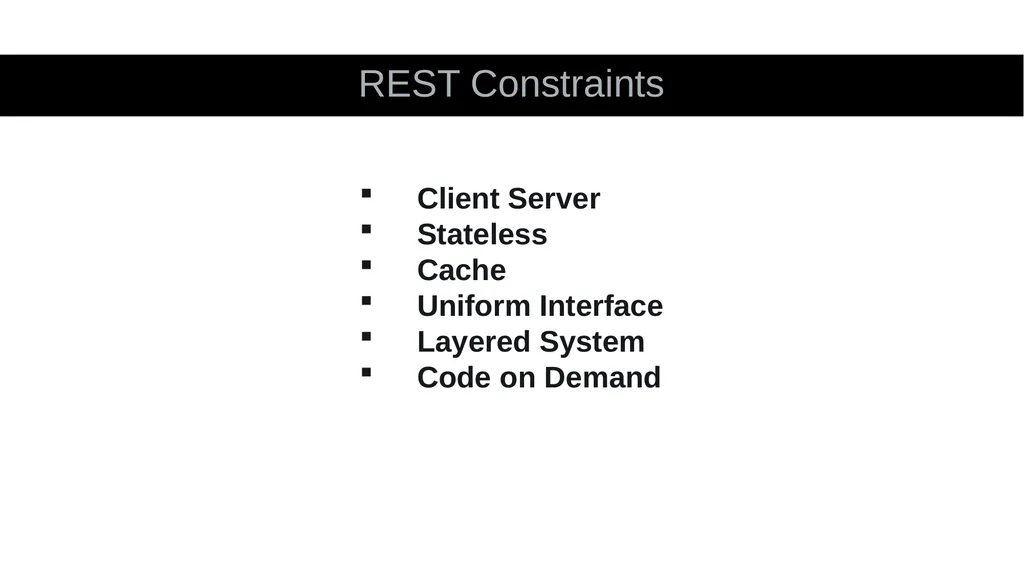
slide11. REST Constraints Client Server
Stateless
Cache
Uniform Interface
Layered System
Code on Demand<br>
slide12. What is JSON?<br>
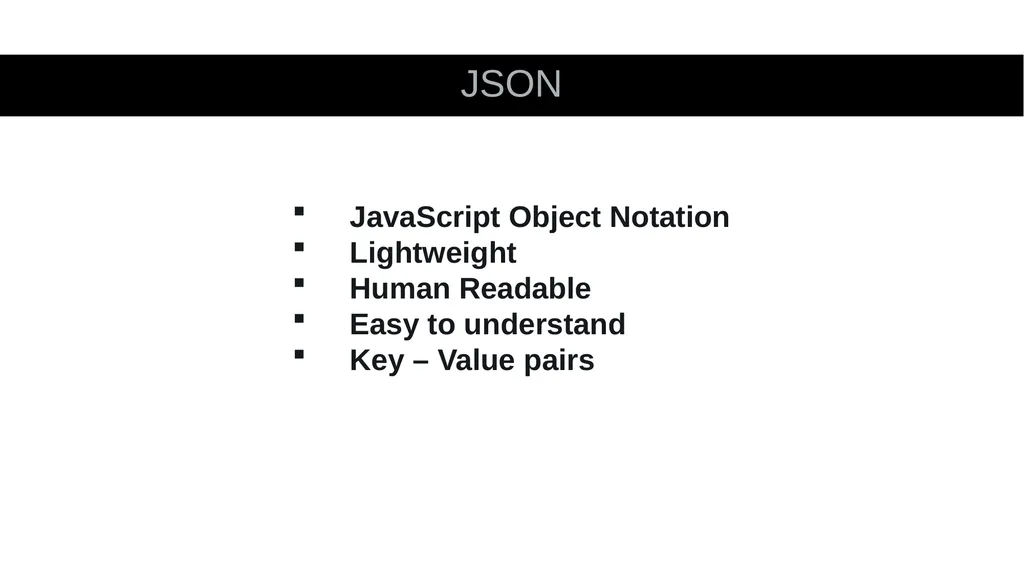
slide13. JSON JavaScript Object Notation
Lightweight
Human Readable
Easy to understand
Key – Value pairs<br>
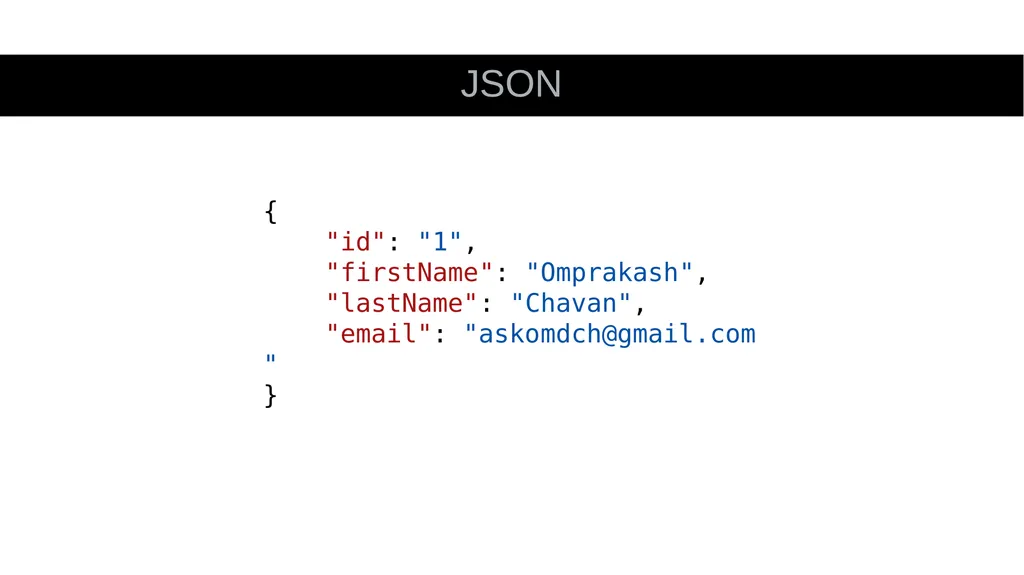
slide14. JSON {
"id": "1",
"firstName": "Omprakash",
"lastName": "Chavan",
"email": "askomdch@gmail.com"
}<br>
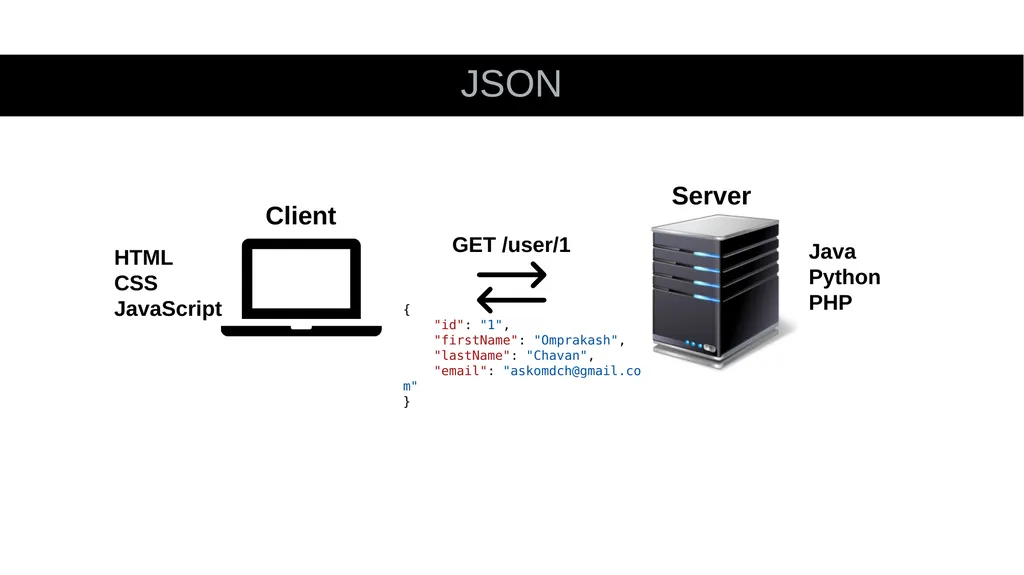
slide15. JSON {
"id": "1",
"firstName": "Omprakash",
"lastName": "Chavan",
"email": "askomdch@gmail.com"
} GET /user/1 HTML
CSS
JavaScript Java
Python
PHP Client Server<br>
slide16. HTTP Vs REST<br>
slide17. Hypertext Transfer Protocol<br>
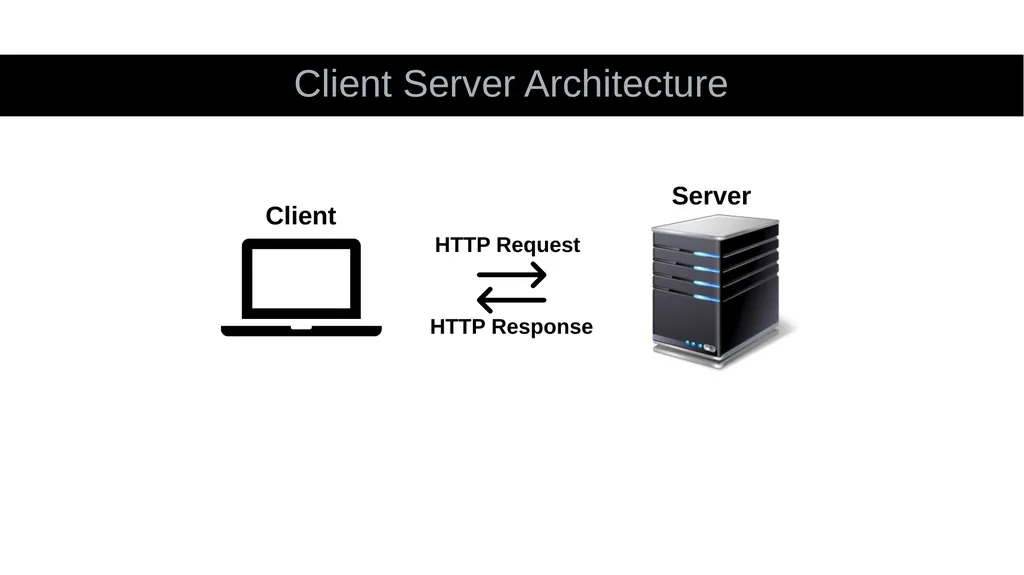
slide18. Client Server Architecture HTTP Request HTTP Response Client Server<br>
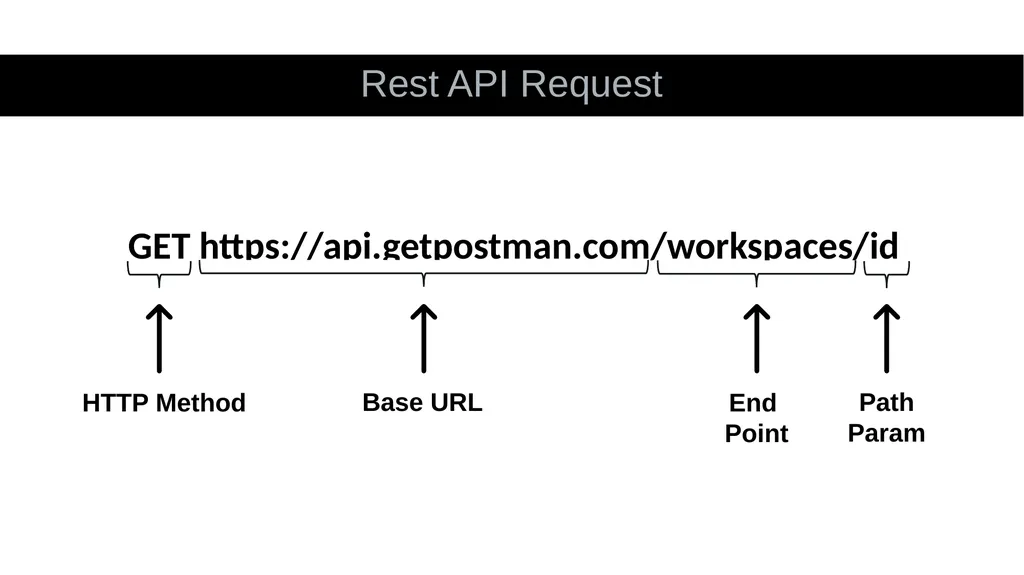
slide19. Rest API Request HTTP Method Base URL GET https://api.getpostman.com/workspaces/id End
Point Path
Param<br>
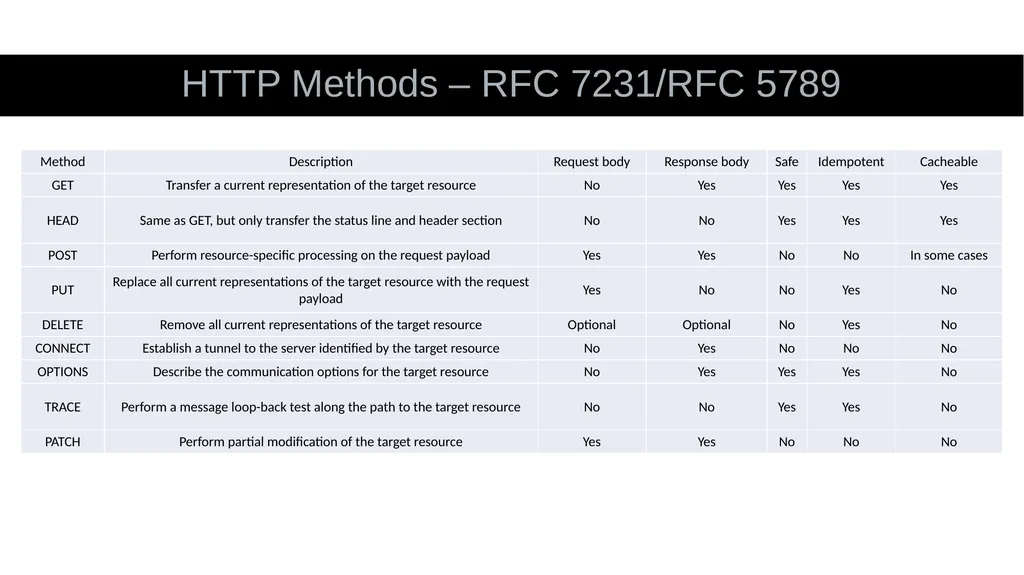
slide20. HTTP Methods – RFC 7231/RFC 5789<br>
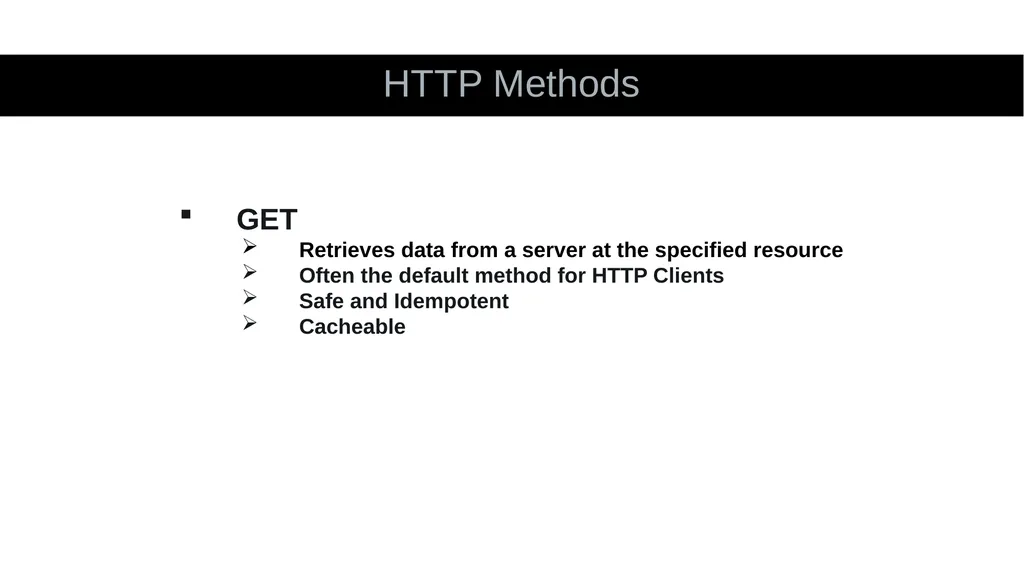
slide21. HTTP Methods GET
Retrieves data from a server at the specified resource
Often the default method for HTTP Clients
Safe and Idempotent
Cacheable<br>
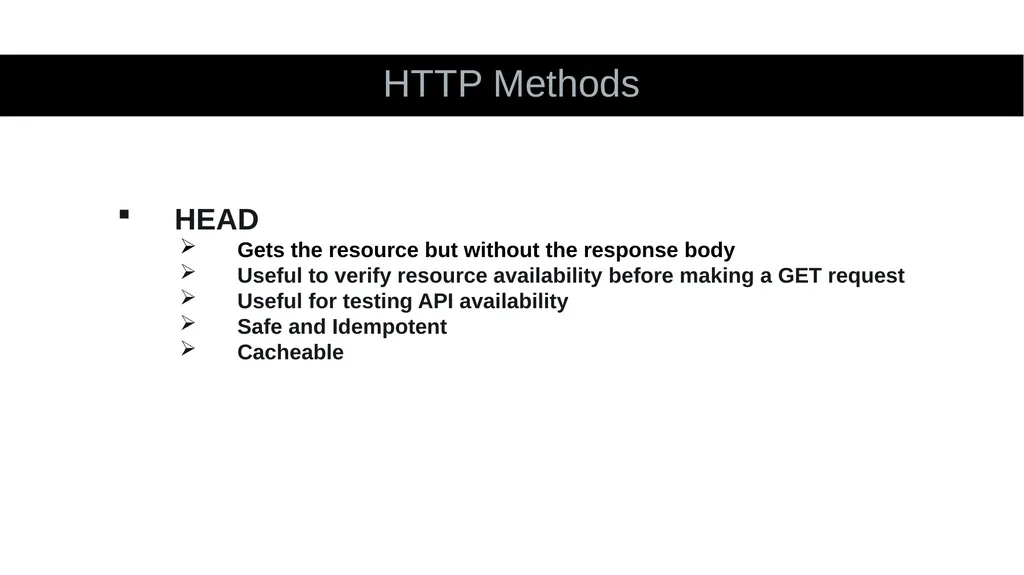
slide22. HTTP Methods HEAD
Gets the resource but without the response body
Useful to verify resource availability before making a GET request
Useful for testing API availability
Safe and Idempotent
Cacheable<br>
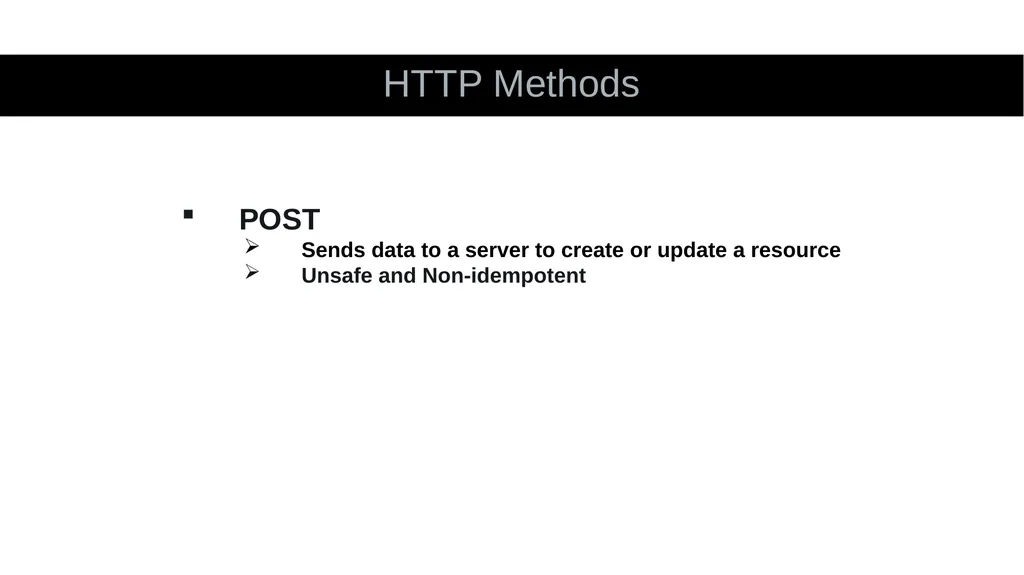
slide23. HTTP Methods POST
Sends data to a server to create or update a resource
Unsafe and Non-idempotent<br>
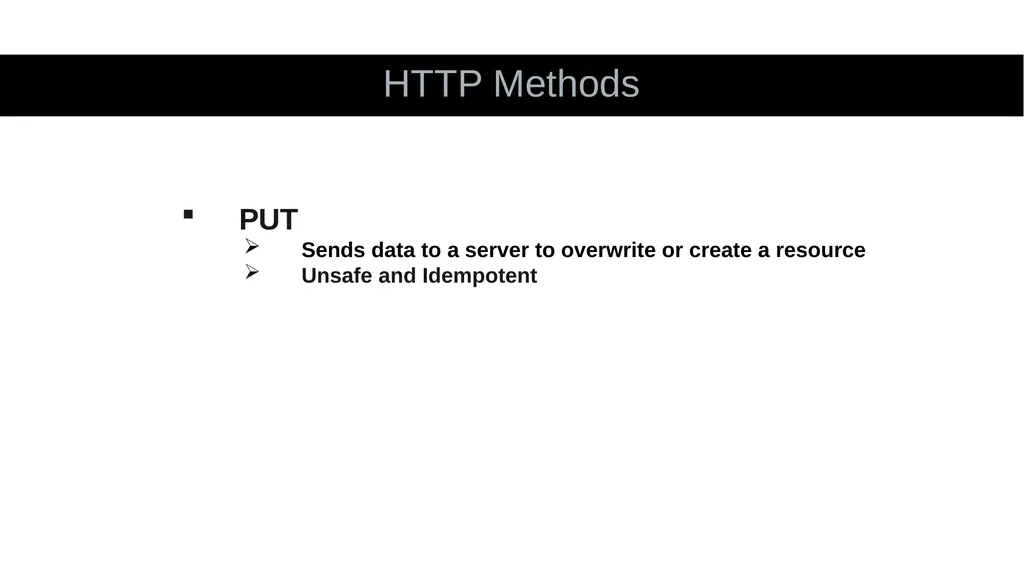
slide24. HTTP Methods PUT
Sends data to a server to overwrite or create a resource
Unsafe and Idempotent<br>
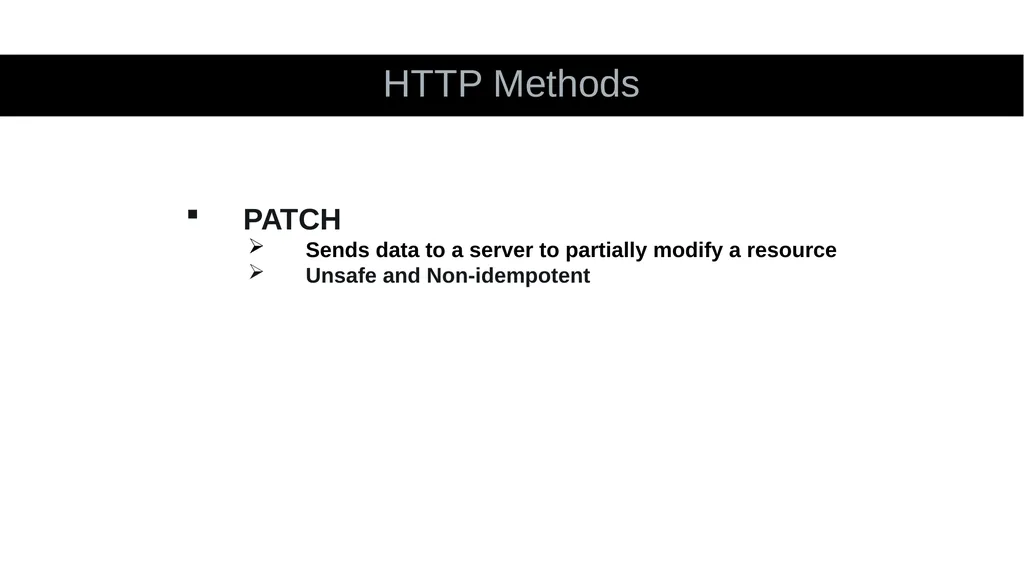
slide25. HTTP Methods PATCH
Sends data to a server to partially modify a resource
Unsafe and Non-idempotent<br>
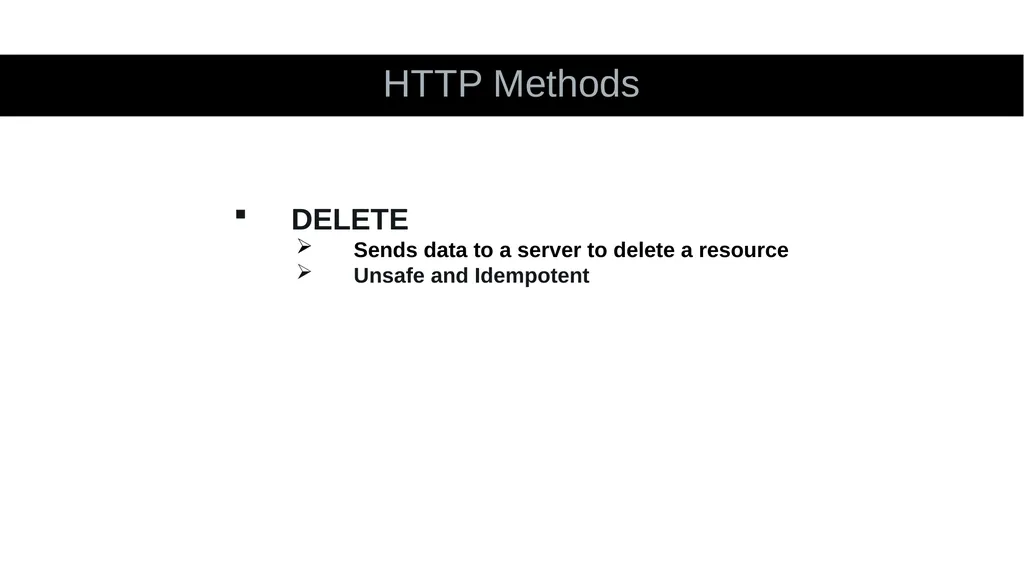
slide26. HTTP Methods DELETE
Sends data to a server to delete a resource
Unsafe and Idempotent<br>
slide27. HTTP Methods OPTIONS
Returns the HTTP methods supported by a server for a given URL
Safe and Idempotent<br>
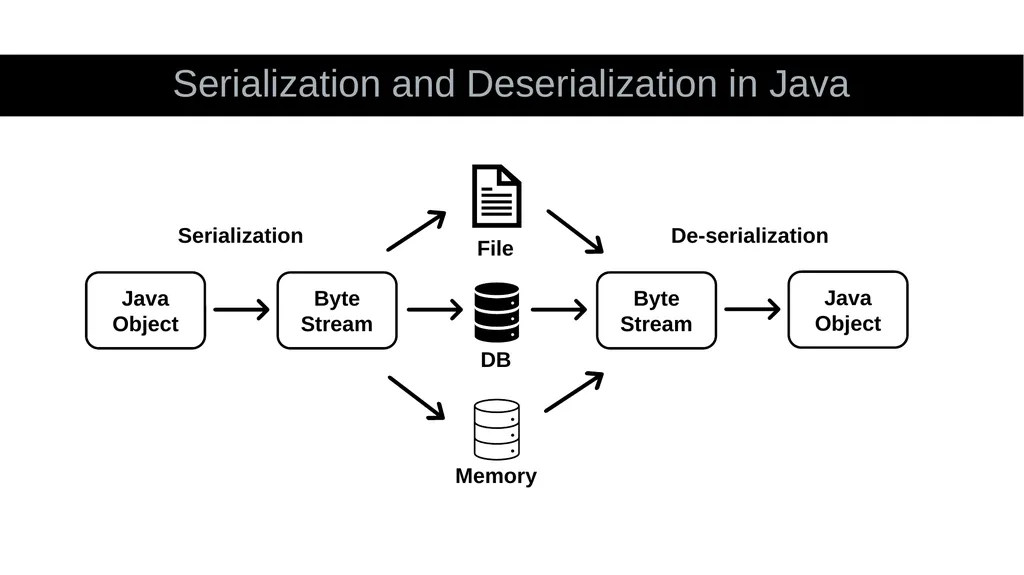
slide28. Serialization and Deserialization in Java Memory Java Object Byte Stream Byte Stream Java Object DB File Serialization De-serialization<br>
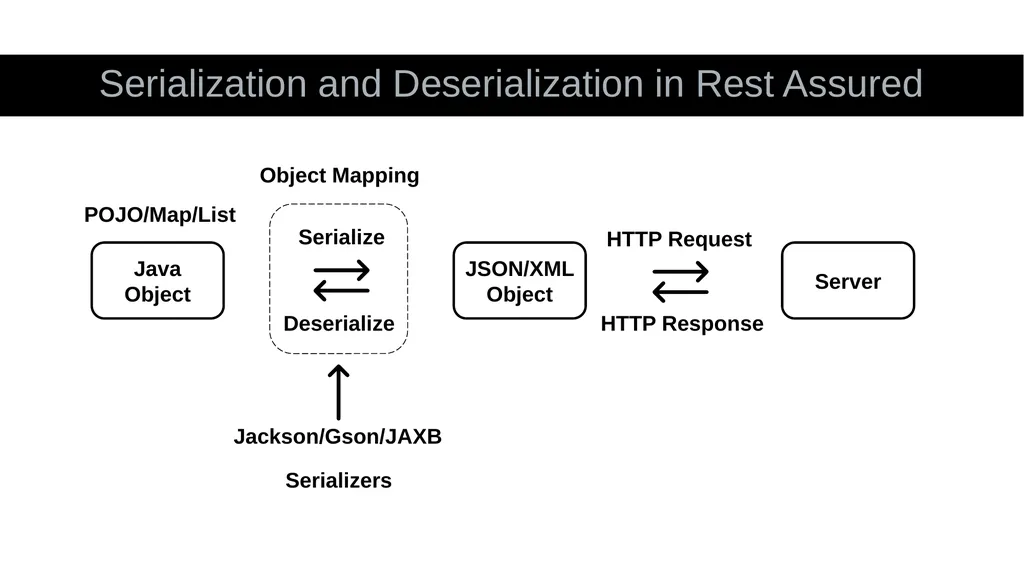
slide29. Serialization and Deserialization in Rest Assured Java Object JSON/XML Object Server Jackson/Gson/JAXB POJO/Map/List HTTP Request HTTP Response Serialize Deserialize Object Mapping Serializers<br>
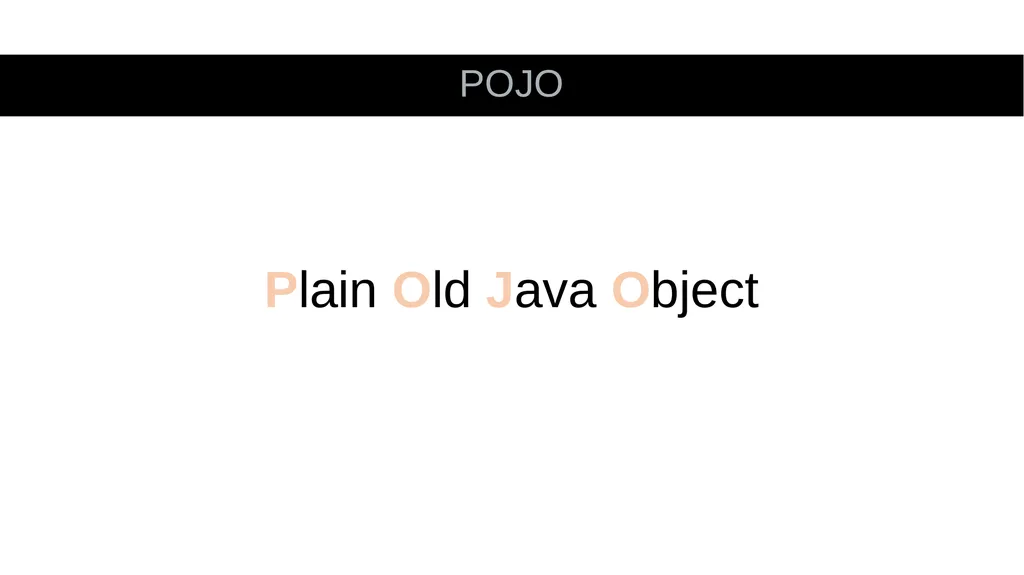
slide30. POJO Plain Old Java Object<br>
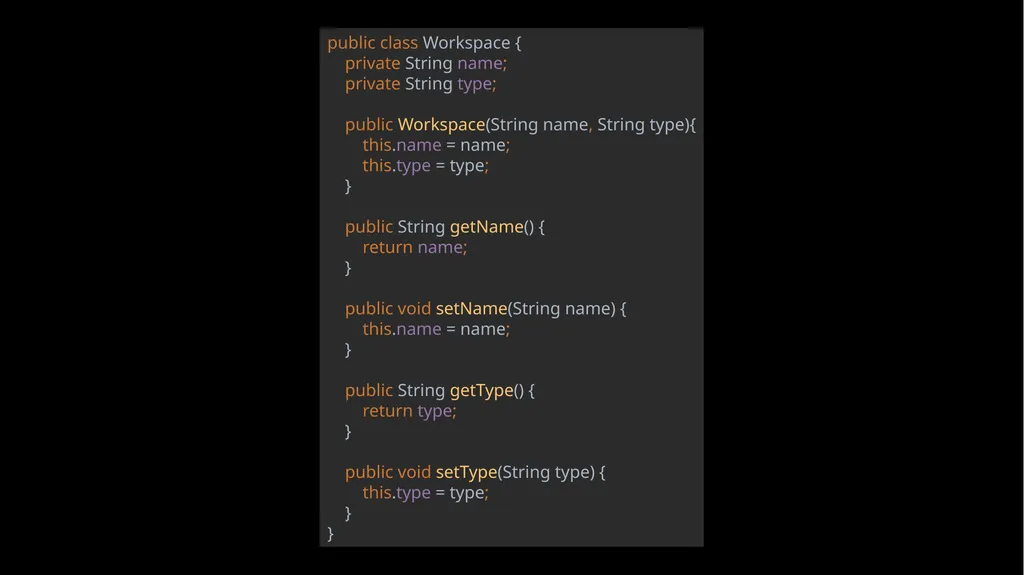
slide31. public class Workspace { private String name; private String type; public Workspace(String name, String type){ this.name = name; this.type = type; } public String getName() { return name; } public void setName(String name) { this.name = name; } public String getType() { return type; } public void setType(String type) { this.type = type; }}<br>
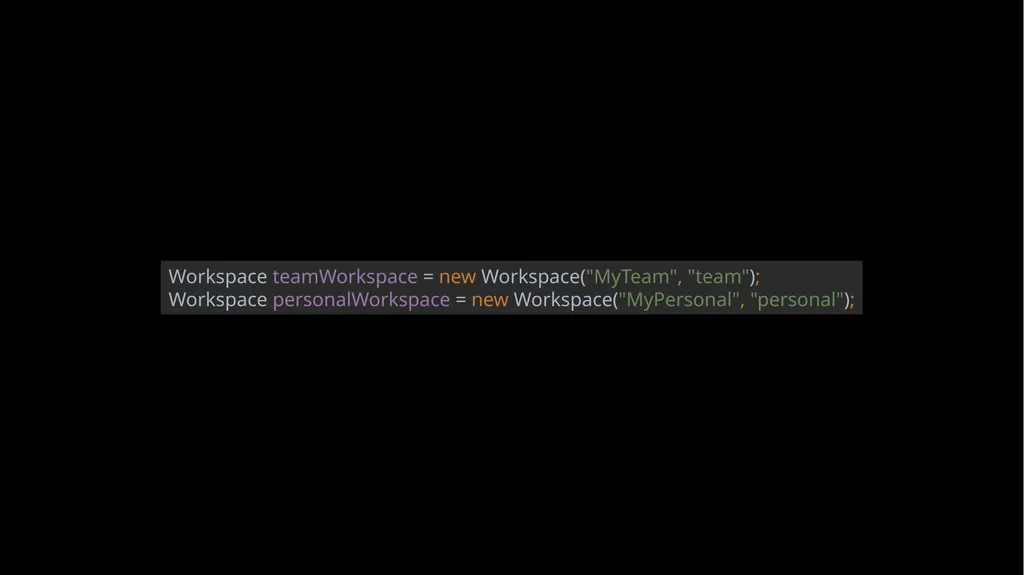
slide32. Workspace teamWorkspace = new Workspace("MyTeam", "team");Workspace personalWorkspace = new Workspace("MyPersonal", "personal");<br>
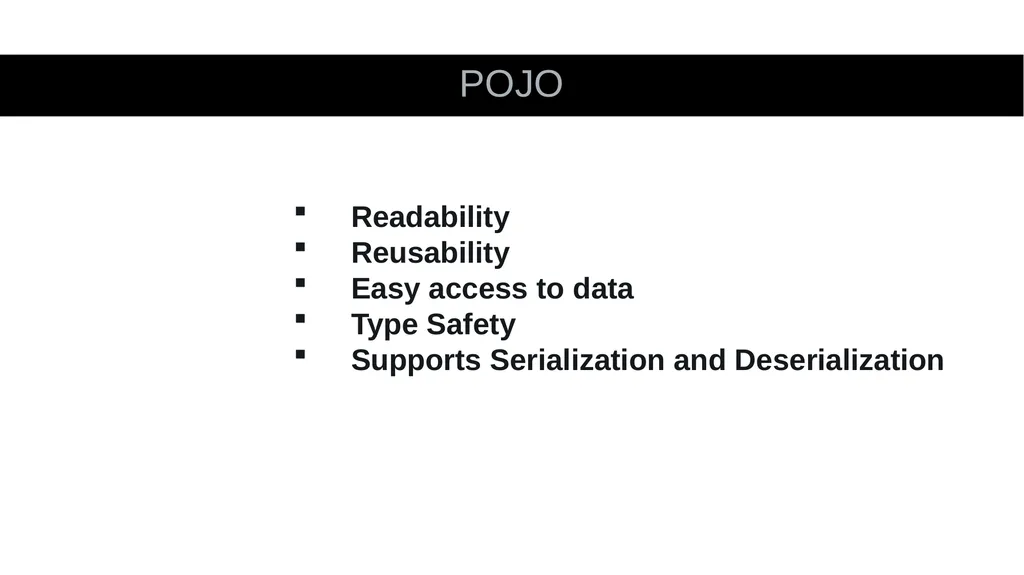
slide33. POJO Readability
Reusability
Easy access to data
Type Safety
Supports Serialization and Deserialization<br>
slide34. POJO Unnecessary code
Can be an overkill<br>
slide35. Challenges Different data type for “url” field in payload and response
Not asserting the “url” field<br>
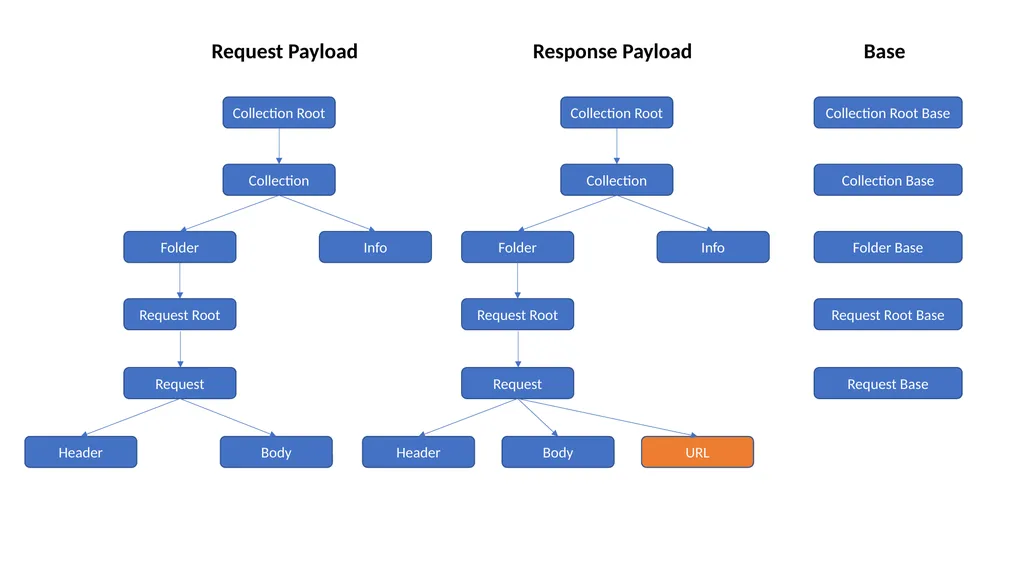
slide36. Collection Info Collection Root Folder Request Root Request Header Body Collection Info Collection Root Folder Request Root Request Header Body URL Collection Root Base Collection Base Folder Base Request Root Base Request Base Request Payload Response Payload Base<br>
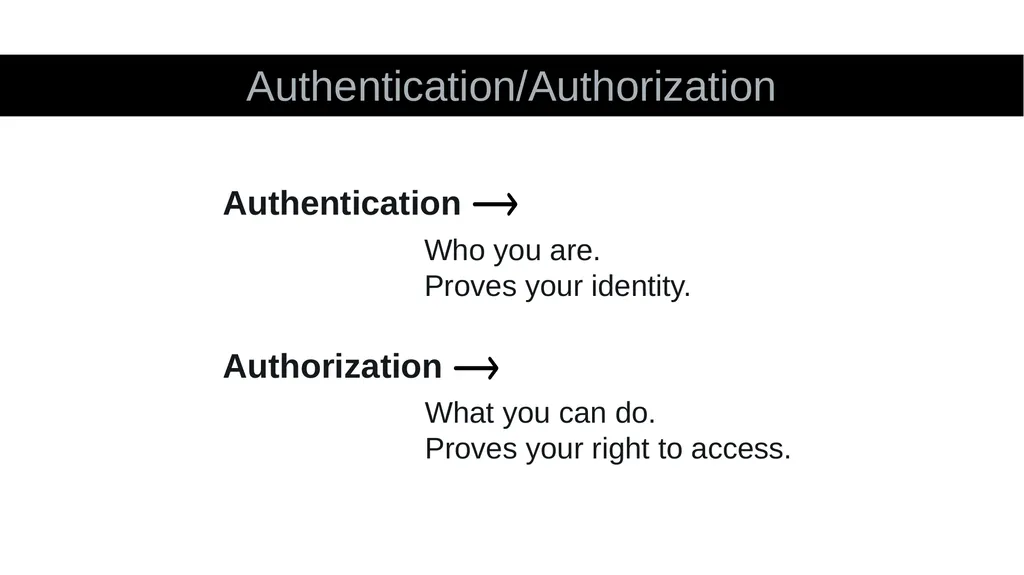
slide37. Authentication/Authorization Who you are.
Proves your identity. Authentication What you can do.
Proves your right to access. Authorization<br>
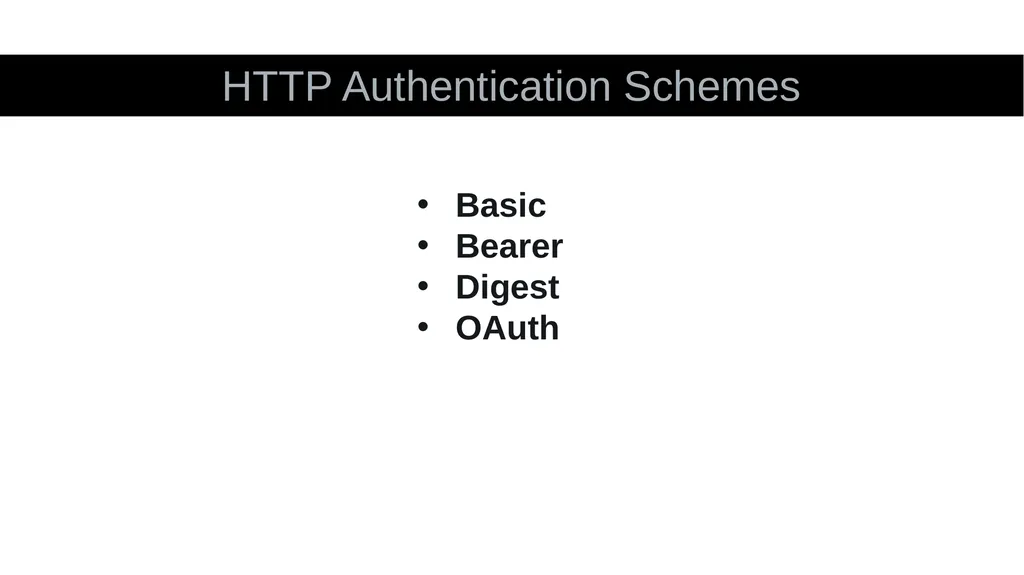
slide38. HTTP Authentication Schemes Basic
Bearer
Digest
OAuth<br>
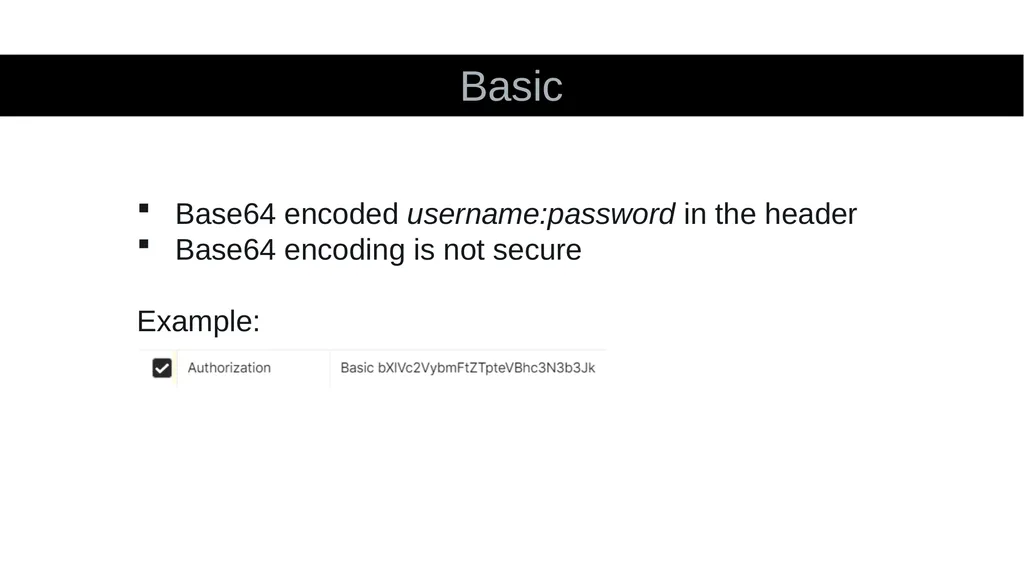
slide39. Basic Base64 encoded username:password in the header
Base64 encoding is not secure
Example:<br>
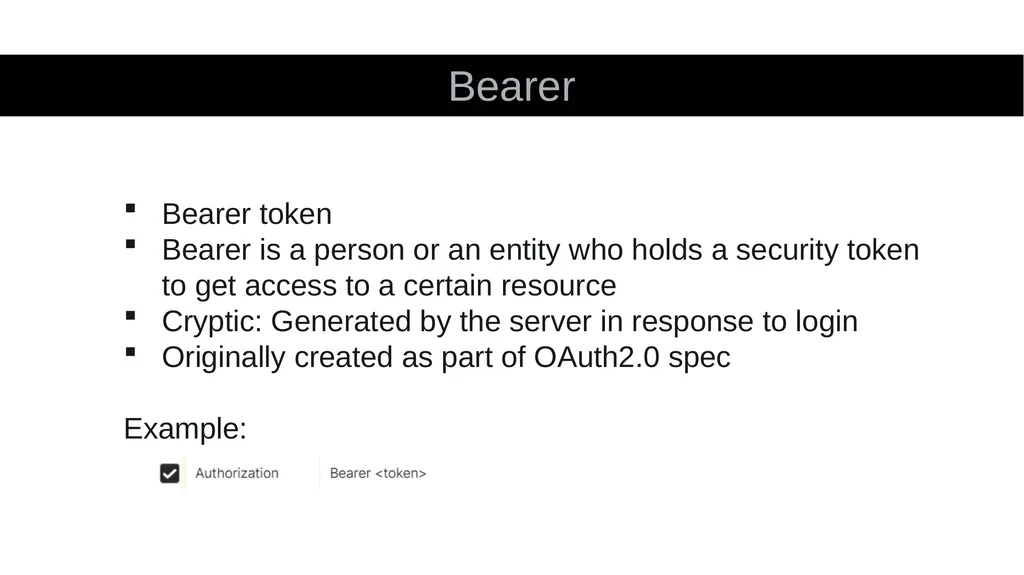
slide40. Bearer Bearer token
Bearer is a person or an entity who holds a security token to get access to a certain resource
Cryptic: Generated by the server in response to login
Originally created as part of OAuth2.0 spec
Example:<br>
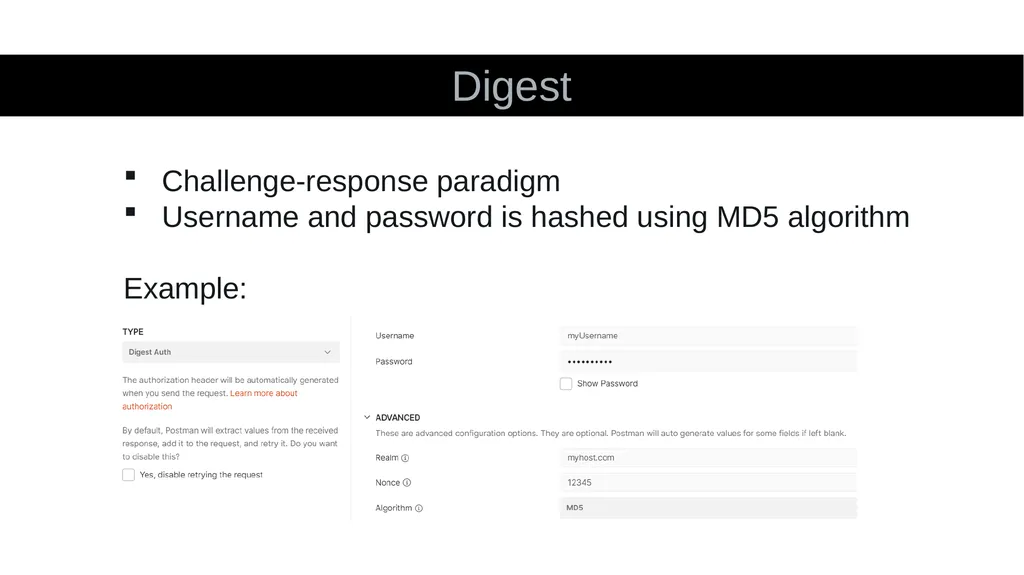
slide41. Digest Challenge-response paradigm
Username and password is hashed using MD5 algorithm
Example:<br>
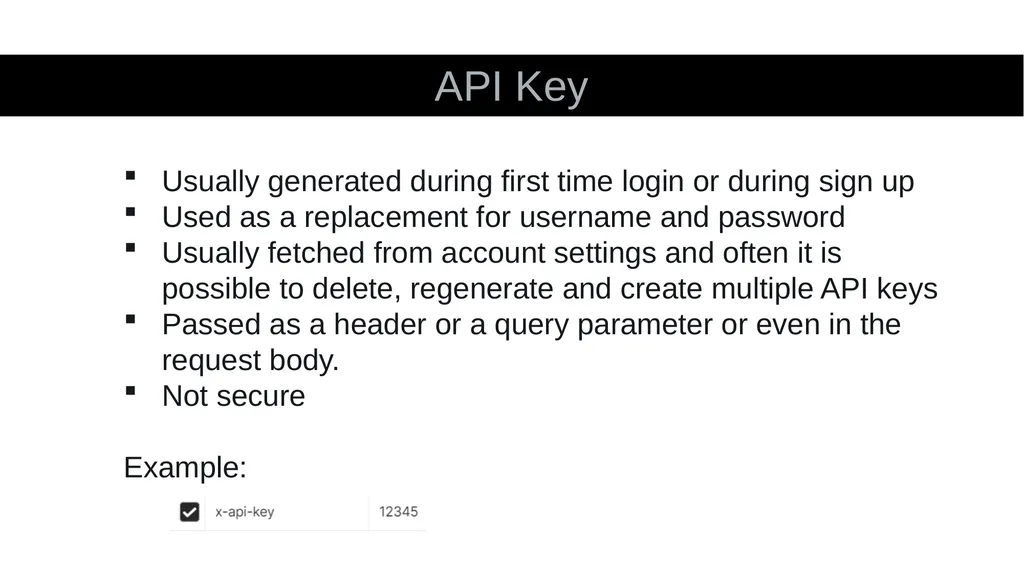
slide42. API Key Usually generated during first time login or during sign up
Used as a replacement for username and password
Usually fetched from account settings and often it is possible to delete, regenerate and create multiple API keys
Passed as a header or a query parameter or even in the request body.
Not secure
Example:<br>
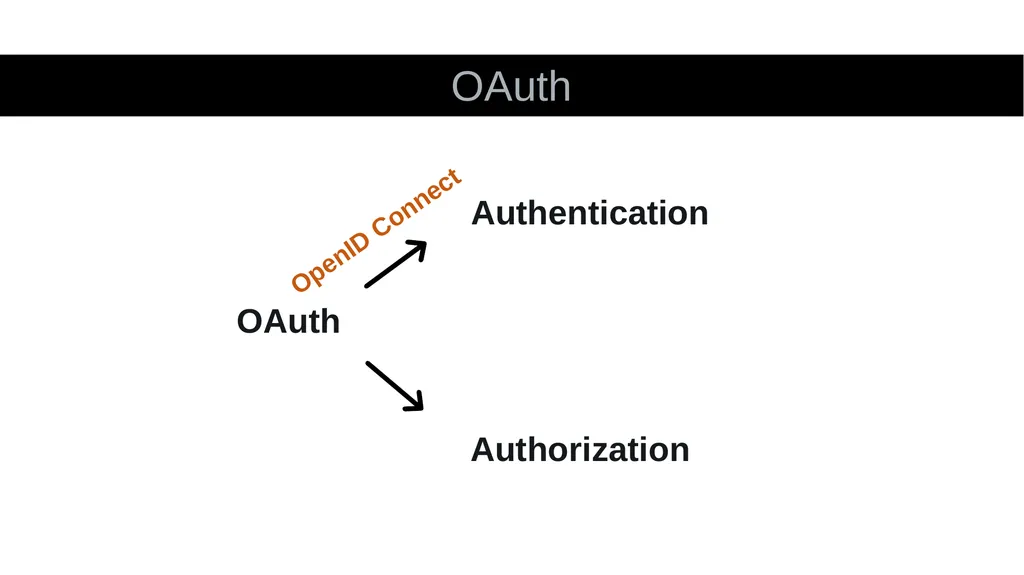
slide43. OAuth OAuth Authentication Authorization OpenID Connect<br>
slide44. OAuth Why do we need OAuth?<br>
slide45. OAuth Delegated Authorization<br>
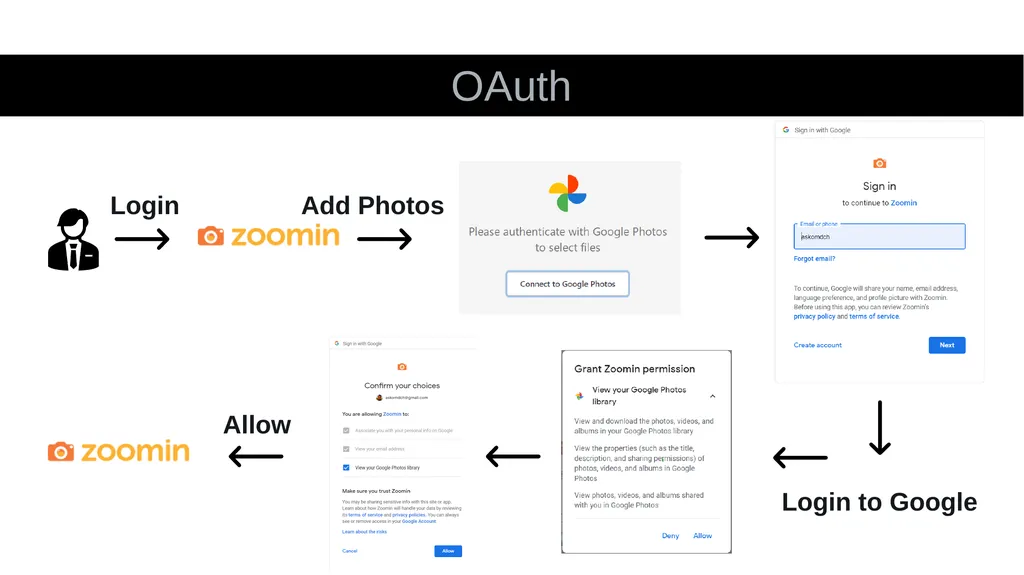
slide46. OAuth Login Add Photos Login to Google Allow<br>
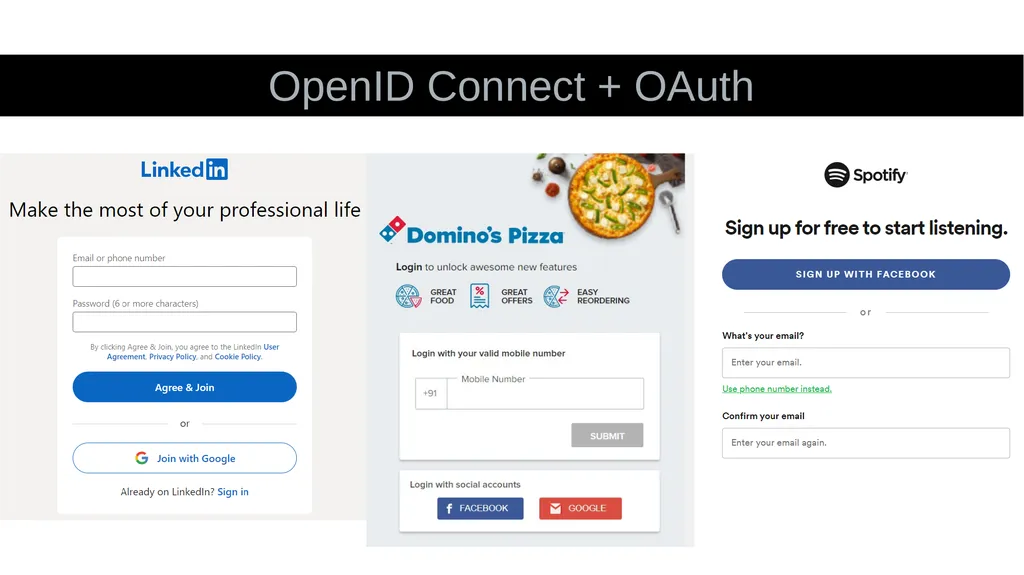
slide47. OpenID Connect + OAuth<br>
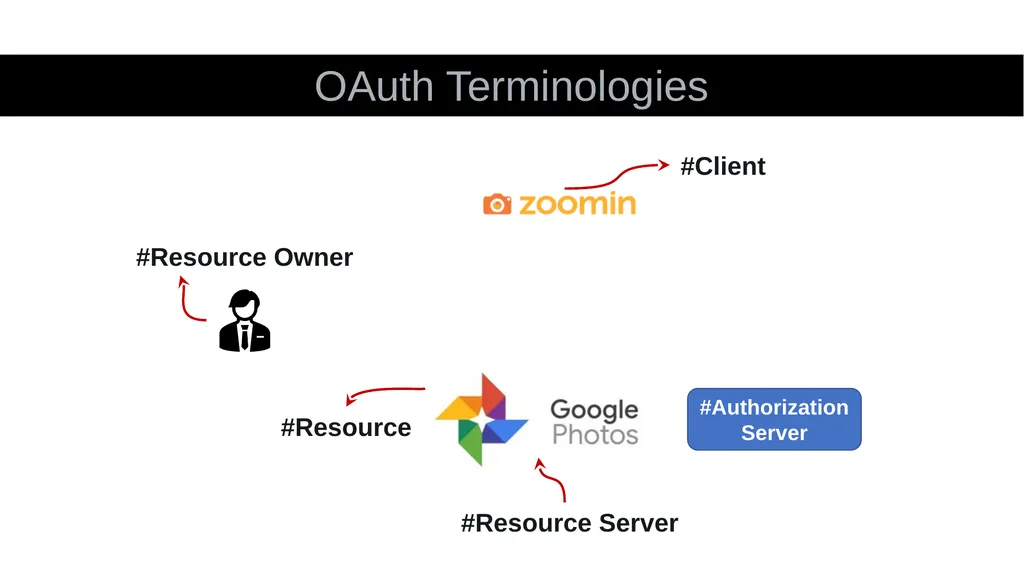
slide48. OAuth Terminologies #Resource #Resource Owner #Resource Server #Client #Authorization Server<br>
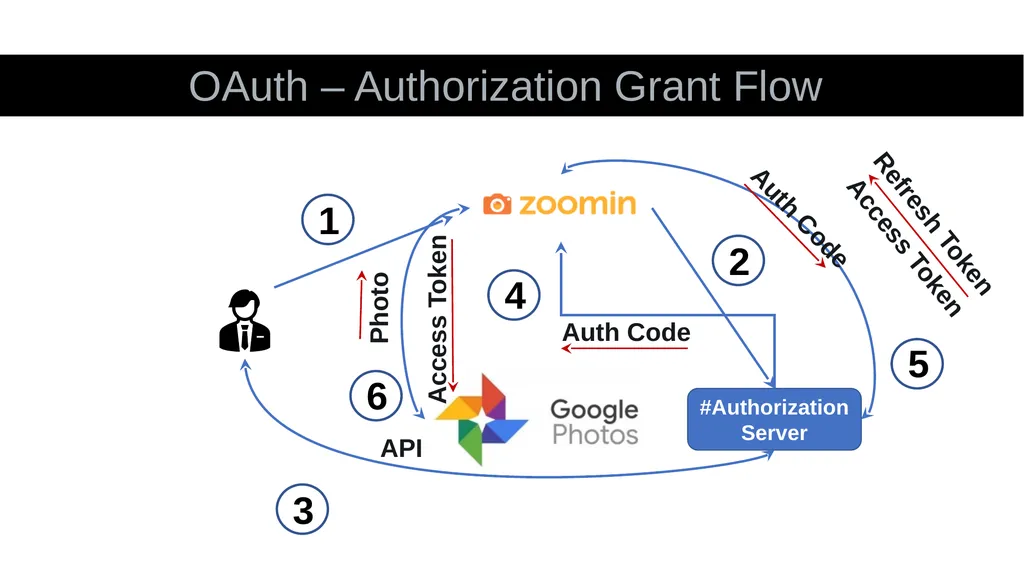
slide49. OAuth – Authorization Grant Flow #Authorization Server 1 2 3 4 Auth Code 5 Access Token Auth Code 6 Access Token API Photo Refresh Token<br>
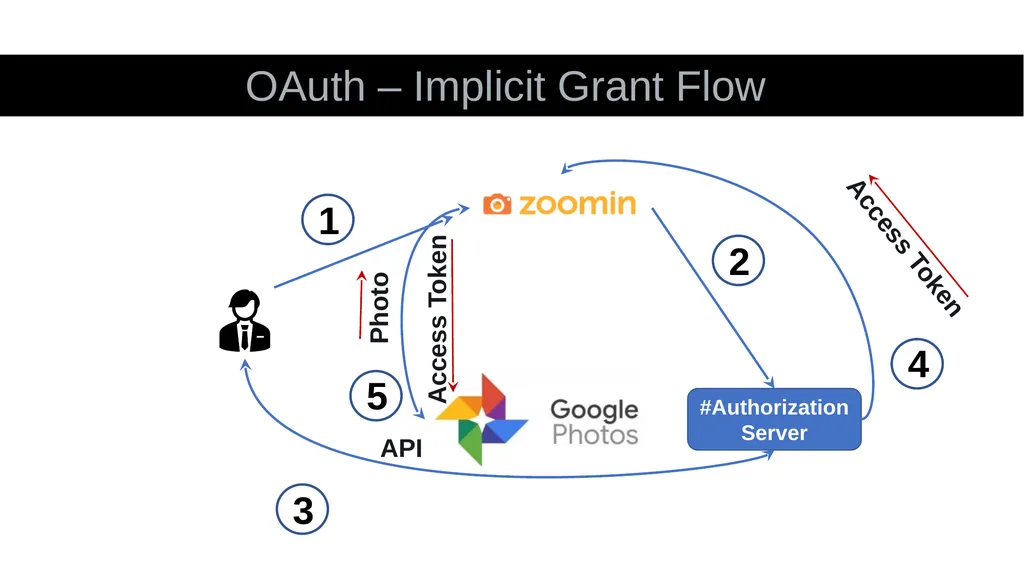
slide50. OAuth – Implicit Grant Flow #Authorization Server 1 2 3 4 Access Token 5 Access Token API Photo<br>
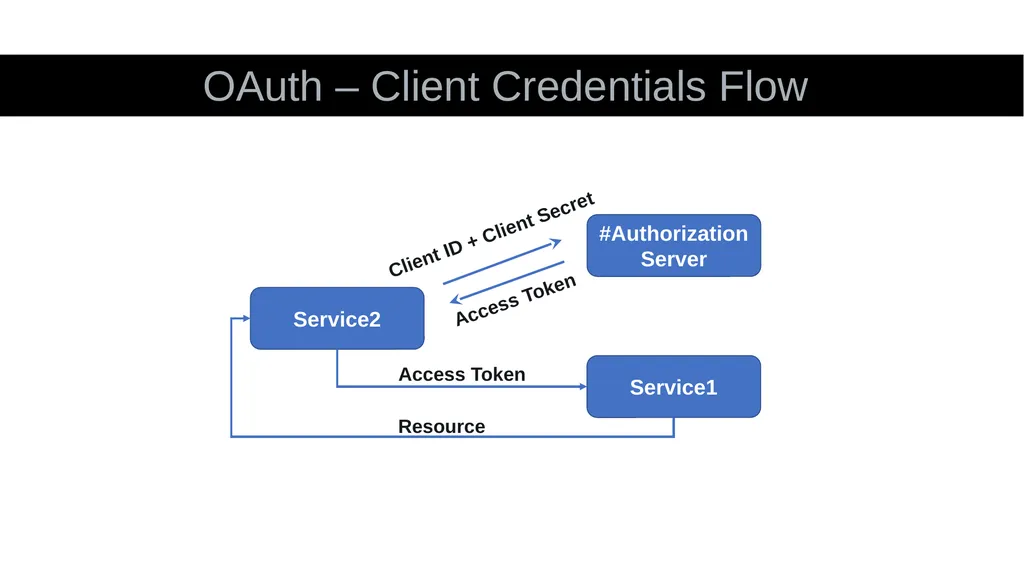
slide51. OAuth – Client Credentials Flow #Authorization Server Service1 Service2 Client ID + Client Secret Access Token Access Token Resource<br>
slide52. Rest Assured
TestNG
Java
Allure Reports
Hamcrest
Jackson API
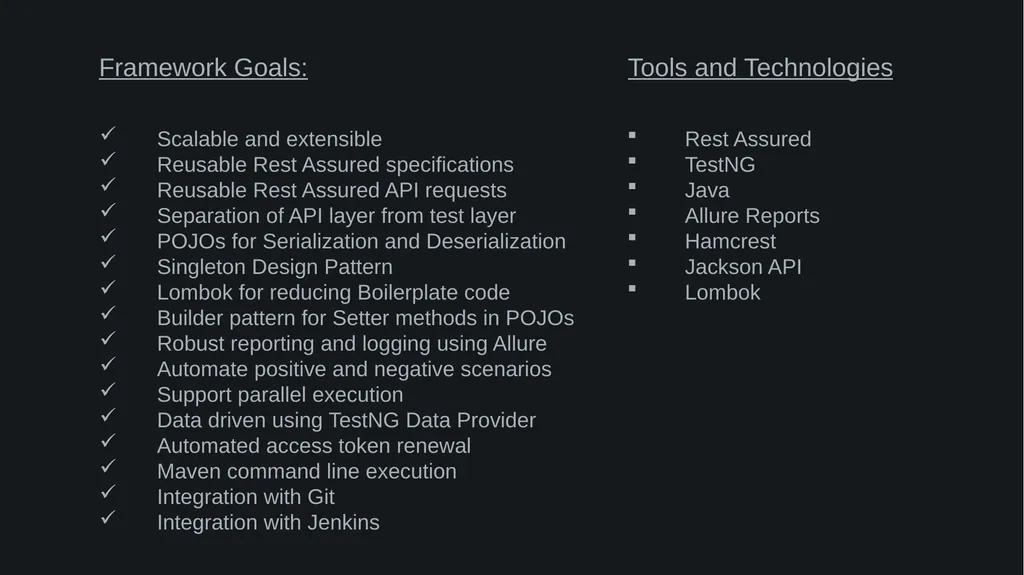
Lombok Scalable and extensible
Reusable Rest Assured specifications
Reusable Rest Assured API requests
Separation of API layer from test layer
POJOs for Serialization and Deserialization
Singleton Design Pattern
Lombok for reducing Boilerplate code
Builder pattern for Setter methods in POJOs
Robust reporting and logging using Allure
Automate positive and negative scenarios
Support parallel execution
Data driven using TestNG Data Provider
Automated access token renewal
Maven command line execution
Integration with Git
Integration with Jenkins Framework Goals: Tools and Technologies<br>
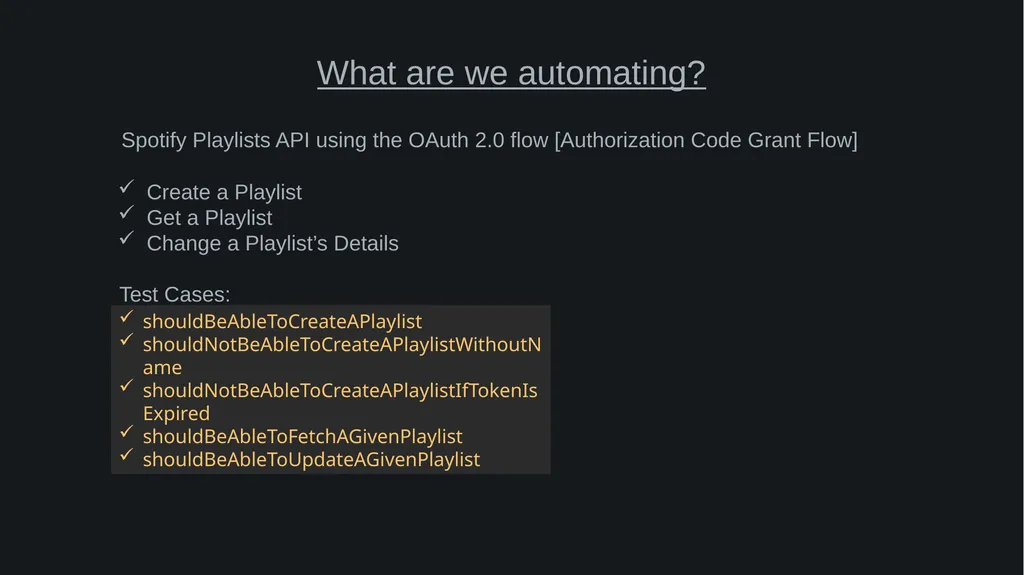
slide53. Spotify Playlists API using the OAuth 2.0 flow [Authorization Code Grant Flow] What are we automating? Create a Playlist
Get a Playlist
Change a Playlist’s Details shouldBeAbleToCreateAPlaylist
shouldNotBeAbleToCreateAPlaylistWithoutName
shouldNotBeAbleToCreateAPlaylistIfTokenIsExpired
shouldBeAbleToFetchAGivenPlaylist
shouldBeAbleToUpdateAGivenPlaylist Test Cases:<br>
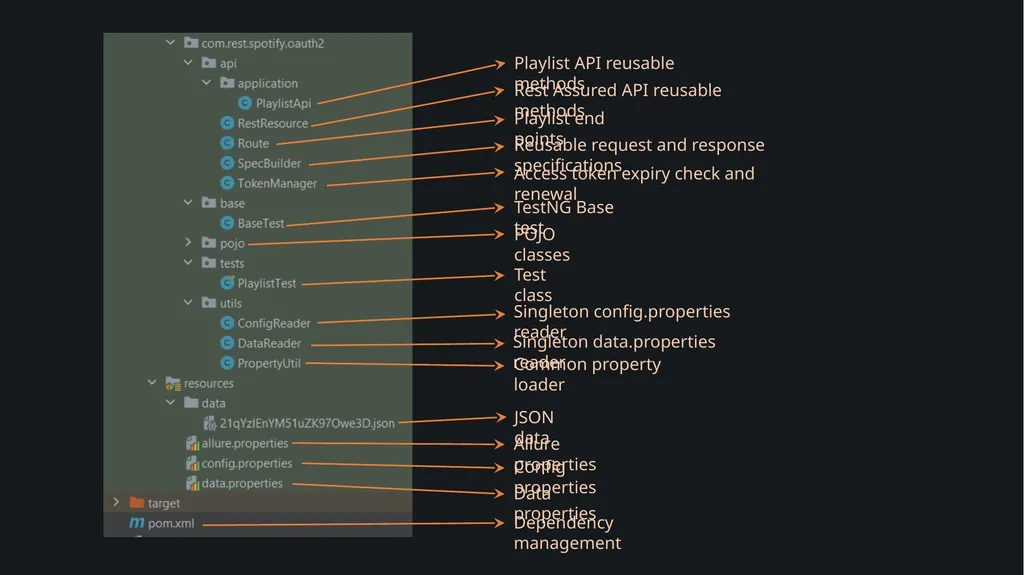
slide54. Playlist API reusable methods Rest Assured API reusable methods Playlist end points Reusable request and response specifications Access token expiry check and renewal TestNG Base test POJO classes Test class Singleton config.properties reader Singleton data.properties reader Common property loader Allure properties Config properties Data properties Dependency management JSON data<br>
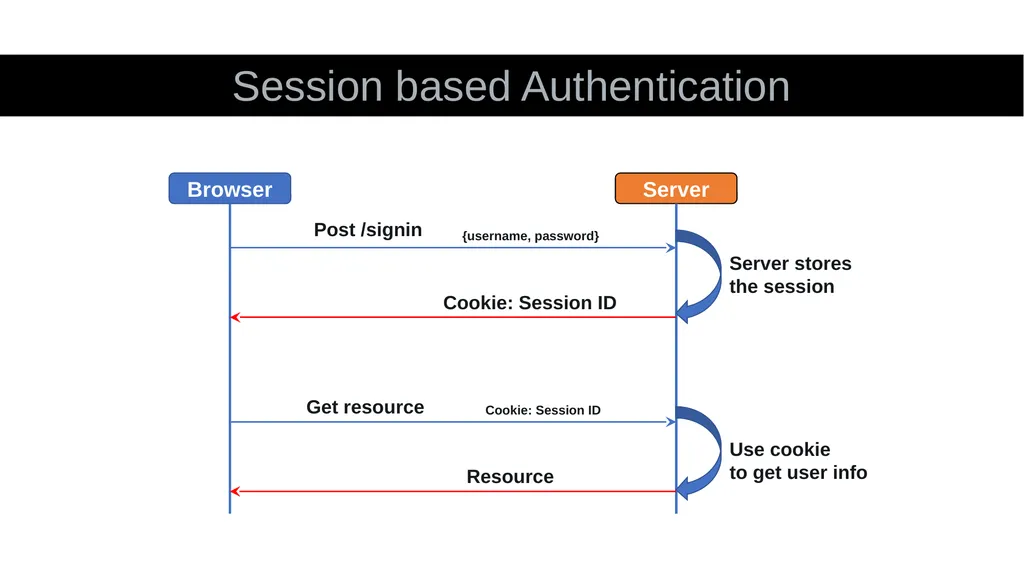
slide55. Session based Authentication Post /signin Server Browser {username, password} Server stores
the session Cookie: Session ID Get resource Cookie: Session ID Resource Use cookie
to get user info<br>
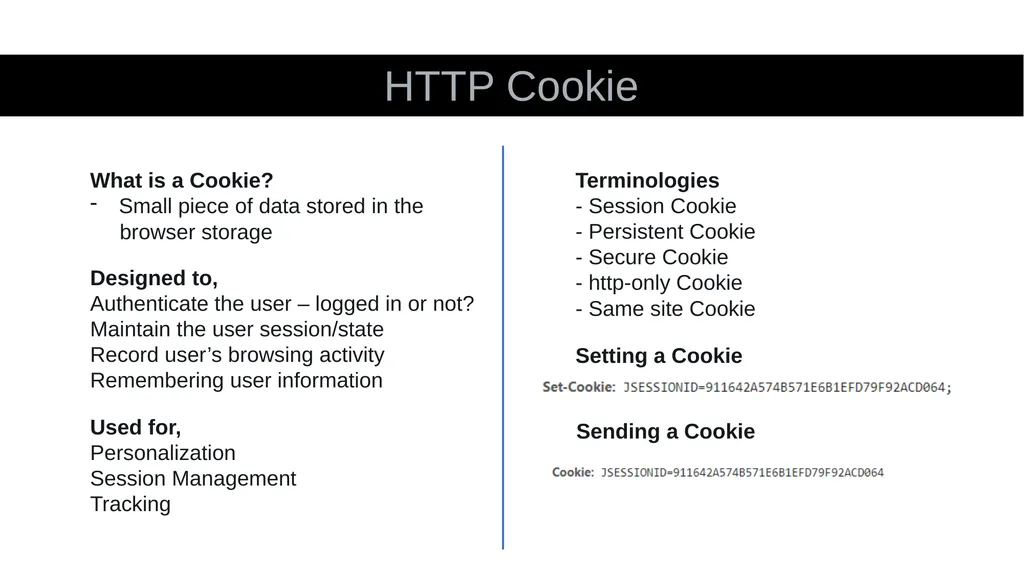
slide56. HTTP Cookie What is a Cookie?
Small piece of data stored in the
browser storage Designed to,
Authenticate the user – logged in or not?
Maintain the user session/state
Record user’s browsing activity
Remembering user information Used for,
Personalization
Session Management
Tracking Terminologies
- Session Cookie
- Persistent Cookie
- Secure Cookie
- http-only Cookie
- Same site Cookie Setting a Cookie Sending a Cookie<br>

slide2. Application Programming Interface<br>
slide3. Application Programming Interface API Client Server<br>
slide5. Application Programming Interface API Client Server HTML
CSS
JavaScript Java
Python
PHP<br>
slide6. Application Programming Interface API Expedia.com Expedia British Airways Delta API API<br>
slide7. Social Login<br>
slide9. What is REST API?<br>
slide10. Representational State Transfer<br>
slide11. REST Constraints Client Server
Stateless
Cache
Uniform Interface
Layered System
Code on Demand<br>
slide12. What is JSON?<br>
slide13. JSON JavaScript Object Notation
Lightweight
Human Readable
Easy to understand
Key – Value pairs<br>
slide14. JSON {
"id": "1",
"firstName": "Omprakash",
"lastName": "Chavan",
"email": "askomdch@gmail.com"
}<br>
slide15. JSON {
"id": "1",
"firstName": "Omprakash",
"lastName": "Chavan",
"email": "askomdch@gmail.com"
} GET /user/1 HTML
CSS
JavaScript Java
Python
PHP Client Server<br>
slide16. HTTP Vs REST<br>
slide17. Hypertext Transfer Protocol<br>
slide18. Client Server Architecture HTTP Request HTTP Response Client Server<br>
slide19. Rest API Request HTTP Method Base URL GET https://api.getpostman.com/workspaces/id End
Point Path
Param<br>
slide20. HTTP Methods – RFC 7231/RFC 5789<br>
slide21. HTTP Methods GET
Retrieves data from a server at the specified resource
Often the default method for HTTP Clients
Safe and Idempotent
Cacheable<br>
slide22. HTTP Methods HEAD
Gets the resource but without the response body
Useful to verify resource availability before making a GET request
Useful for testing API availability
Safe and Idempotent
Cacheable<br>
slide23. HTTP Methods POST
Sends data to a server to create or update a resource
Unsafe and Non-idempotent<br>
slide24. HTTP Methods PUT
Sends data to a server to overwrite or create a resource
Unsafe and Idempotent<br>
slide25. HTTP Methods PATCH
Sends data to a server to partially modify a resource
Unsafe and Non-idempotent<br>
slide26. HTTP Methods DELETE
Sends data to a server to delete a resource
Unsafe and Idempotent<br>
slide27. HTTP Methods OPTIONS
Returns the HTTP methods supported by a server for a given URL
Safe and Idempotent<br>
slide28. Serialization and Deserialization in Java Memory Java Object Byte Stream Byte Stream Java Object DB File Serialization De-serialization<br>
slide29. Serialization and Deserialization in Rest Assured Java Object JSON/XML Object Server Jackson/Gson/JAXB POJO/Map/List HTTP Request HTTP Response Serialize Deserialize Object Mapping Serializers<br>
slide30. POJO Plain Old Java Object<br>
slide31. public class Workspace { private String name; private String type; public Workspace(String name, String type){ this.name = name; this.type = type; } public String getName() { return name; } public void setName(String name) { this.name = name; } public String getType() { return type; } public void setType(String type) { this.type = type; }}<br>
slide32. Workspace teamWorkspace = new Workspace("MyTeam", "team");Workspace personalWorkspace = new Workspace("MyPersonal", "personal");<br>
slide33. POJO Readability
Reusability
Easy access to data
Type Safety
Supports Serialization and Deserialization<br>
slide34. POJO Unnecessary code
Can be an overkill<br>
slide35. Challenges Different data type for “url” field in payload and response
Not asserting the “url” field<br>
slide36. Collection Info Collection Root Folder Request Root Request Header Body Collection Info Collection Root Folder Request Root Request Header Body URL Collection Root Base Collection Base Folder Base Request Root Base Request Base Request Payload Response Payload Base<br>
slide37. Authentication/Authorization Who you are.
Proves your identity. Authentication What you can do.
Proves your right to access. Authorization<br>
slide38. HTTP Authentication Schemes Basic
Bearer
Digest
OAuth<br>
slide39. Basic Base64 encoded username:password in the header
Base64 encoding is not secure
Example:<br>
slide40. Bearer Bearer token
Bearer is a person or an entity who holds a security token to get access to a certain resource
Cryptic: Generated by the server in response to login
Originally created as part of OAuth2.0 spec
Example:<br>
slide41. Digest Challenge-response paradigm
Username and password is hashed using MD5 algorithm
Example:<br>
slide42. API Key Usually generated during first time login or during sign up
Used as a replacement for username and password
Usually fetched from account settings and often it is possible to delete, regenerate and create multiple API keys
Passed as a header or a query parameter or even in the request body.
Not secure
Example:<br>
slide43. OAuth OAuth Authentication Authorization OpenID Connect<br>
slide44. OAuth Why do we need OAuth?<br>
slide45. OAuth Delegated Authorization<br>
slide46. OAuth Login Add Photos Login to Google Allow<br>
slide47. OpenID Connect + OAuth<br>
slide48. OAuth Terminologies #Resource #Resource Owner #Resource Server #Client #Authorization Server<br>
slide49. OAuth – Authorization Grant Flow #Authorization Server 1 2 3 4 Auth Code 5 Access Token Auth Code 6 Access Token API Photo Refresh Token<br>
slide50. OAuth – Implicit Grant Flow #Authorization Server 1 2 3 4 Access Token 5 Access Token API Photo<br>
slide51. OAuth – Client Credentials Flow #Authorization Server Service1 Service2 Client ID + Client Secret Access Token Access Token Resource<br>
slide52. Rest Assured
TestNG
Java
Allure Reports
Hamcrest
Jackson API
Lombok Scalable and extensible
Reusable Rest Assured specifications
Reusable Rest Assured API requests
Separation of API layer from test layer
POJOs for Serialization and Deserialization
Singleton Design Pattern
Lombok for reducing Boilerplate code
Builder pattern for Setter methods in POJOs
Robust reporting and logging using Allure
Automate positive and negative scenarios
Support parallel execution
Data driven using TestNG Data Provider
Automated access token renewal
Maven command line execution
Integration with Git
Integration with Jenkins Framework Goals: Tools and Technologies<br>
slide53. Spotify Playlists API using the OAuth 2.0 flow [Authorization Code Grant Flow] What are we automating? Create a Playlist
Get a Playlist
Change a Playlist’s Details shouldBeAbleToCreateAPlaylist
shouldNotBeAbleToCreateAPlaylistWithoutName
shouldNotBeAbleToCreateAPlaylistIfTokenIsExpired
shouldBeAbleToFetchAGivenPlaylist
shouldBeAbleToUpdateAGivenPlaylist Test Cases:<br>
slide54. Playlist API reusable methods Rest Assured API reusable methods Playlist end points Reusable request and response specifications Access token expiry check and renewal TestNG Base test POJO classes Test class Singleton config.properties reader Singleton data.properties reader Common property loader Allure properties Config properties Data properties Dependency management JSON data<br>
slide55. Session based Authentication Post /signin Server Browser {username, password} Server stores
the session Cookie: Session ID Get resource Cookie: Session ID Resource Use cookie
to get user info<br>
slide56. HTTP Cookie What is a Cookie?
Small piece of data stored in the
browser storage Designed to,
Authenticate the user – logged in or not?
Maintain the user session/state
Record user’s browsing activity
Remembering user information Used for,
Personalization
Session Management
Tracking Terminologies
- Session Cookie
- Persistent Cookie
- Secure Cookie
- http-only Cookie
- Same site Cookie Setting a Cookie Sending a Cookie<br>