04
CSV: one size does not fit all No single format of CSV document would be suitable for all types of XBRL Report
xBRL-CSV makes it possible to define the layout of CSV files (tables) using JSON metadata
JSON metadata file groups a set of CSV files, and defines the layout of each table and its mapping to XBRL
Metadata file uses & extends the W3C Tabular Metadata standard<br>
05
xBRL-CSV: BUILDING A FACT Fact = Value + Aspects
Aspects:
Concept
Period
Unit
Entity
Dimensions Aspects can be defined on:
Columns (e.g. column of values for “Profit” concept)
Report (e.g. all facts have the same entity)
Table (e.g. facts for a particular dimension value)
Another cell in the same row
Aspects inherit and can be overridden (e.g. a default unit for all facts)<br>
06
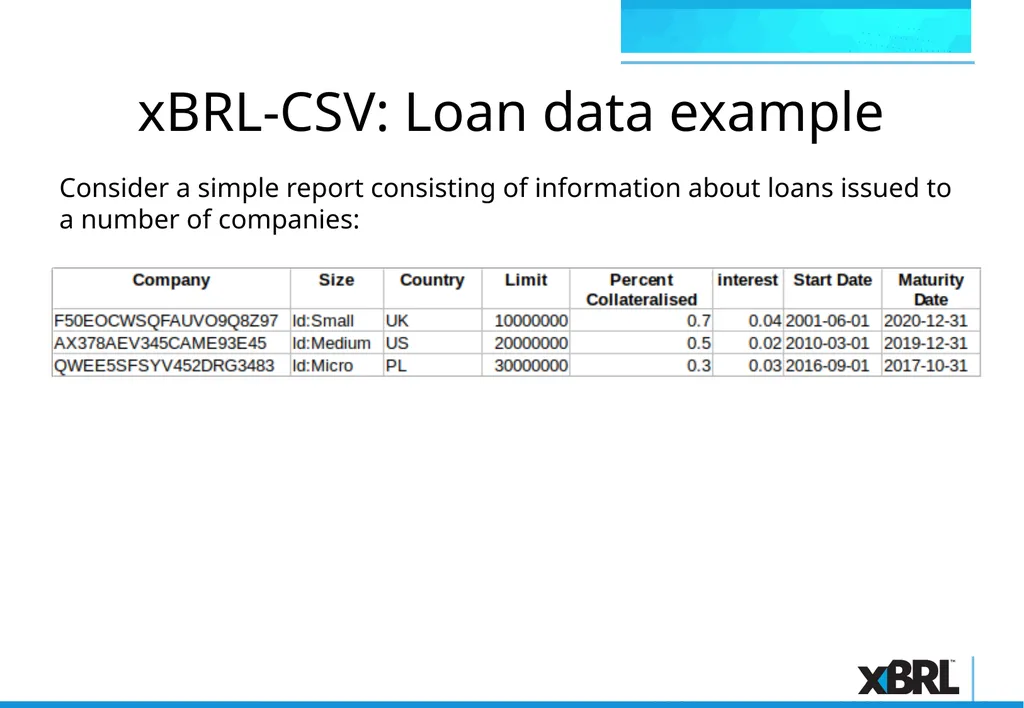
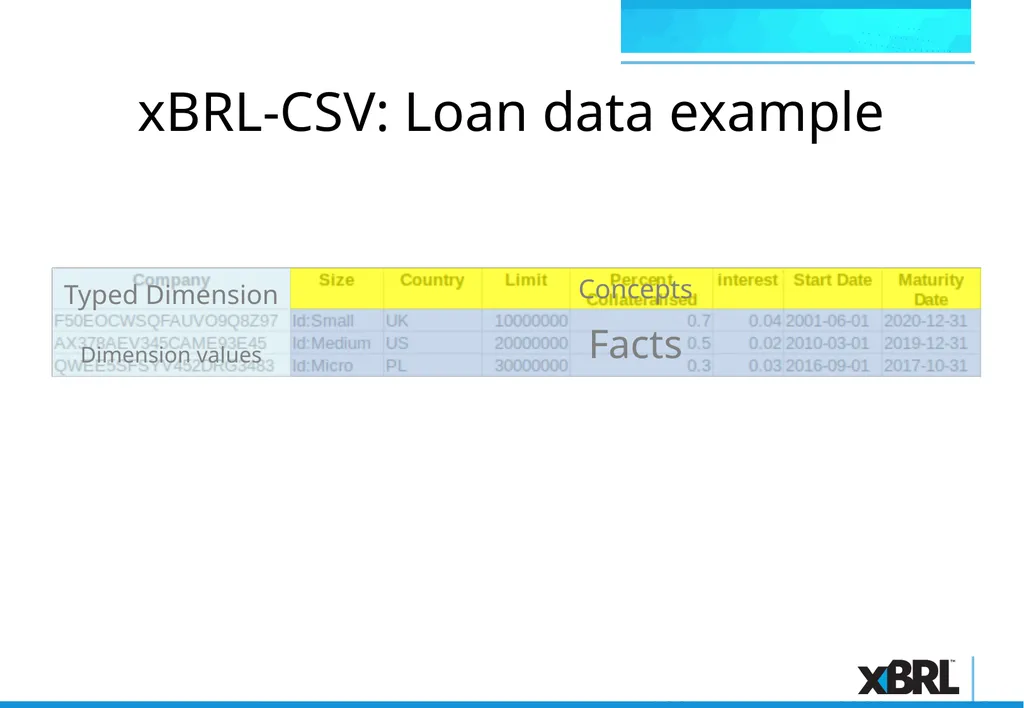
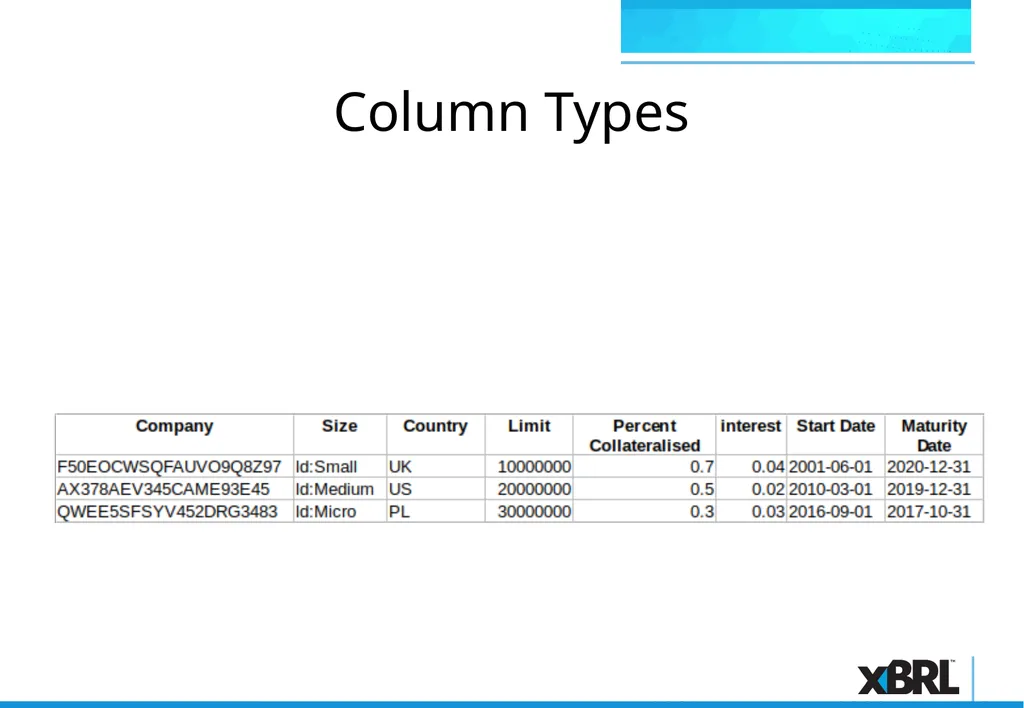
xBRL-CSV: Loan data example Consider a simple report consisting of information about loans issued to a number of companies:<br>
07
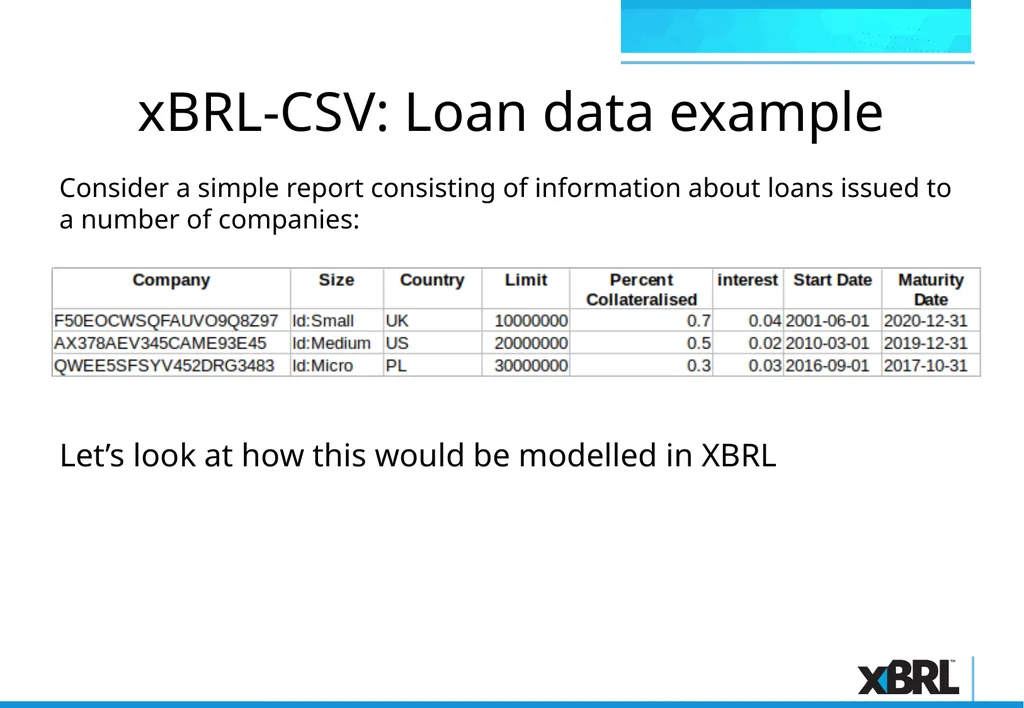
xBRL-CSV: Loan data example Let’s look at how this would be modelled in XBRL Consider a simple report consisting of information about loans issued to a number of companies:<br>
08
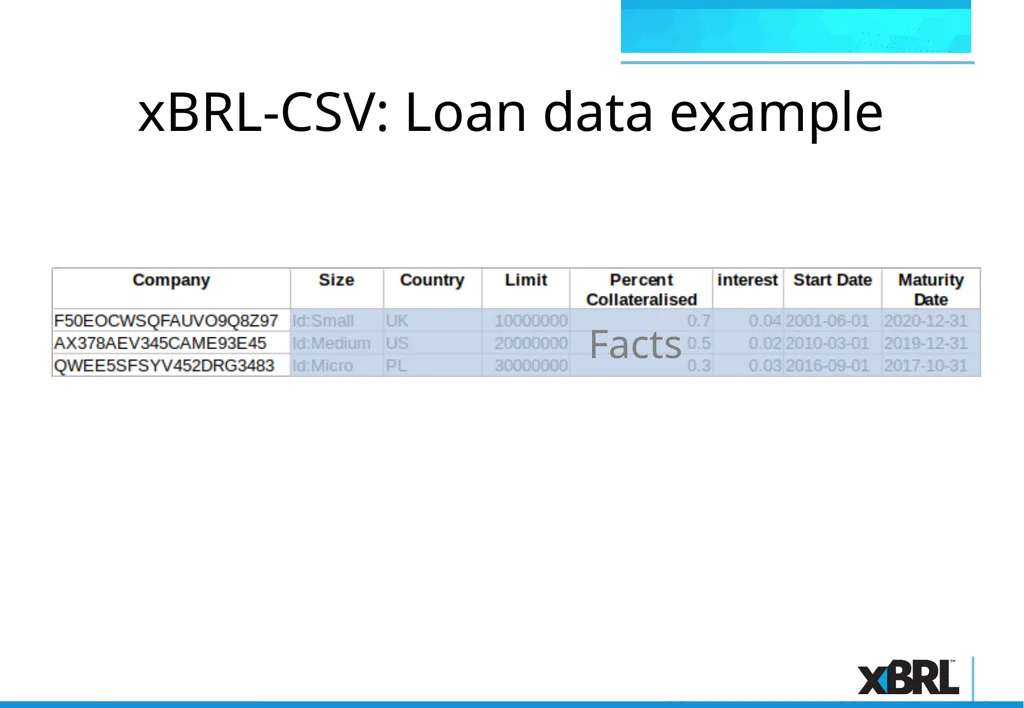
xBRL-CSV: Loan data example Facts<br>
09
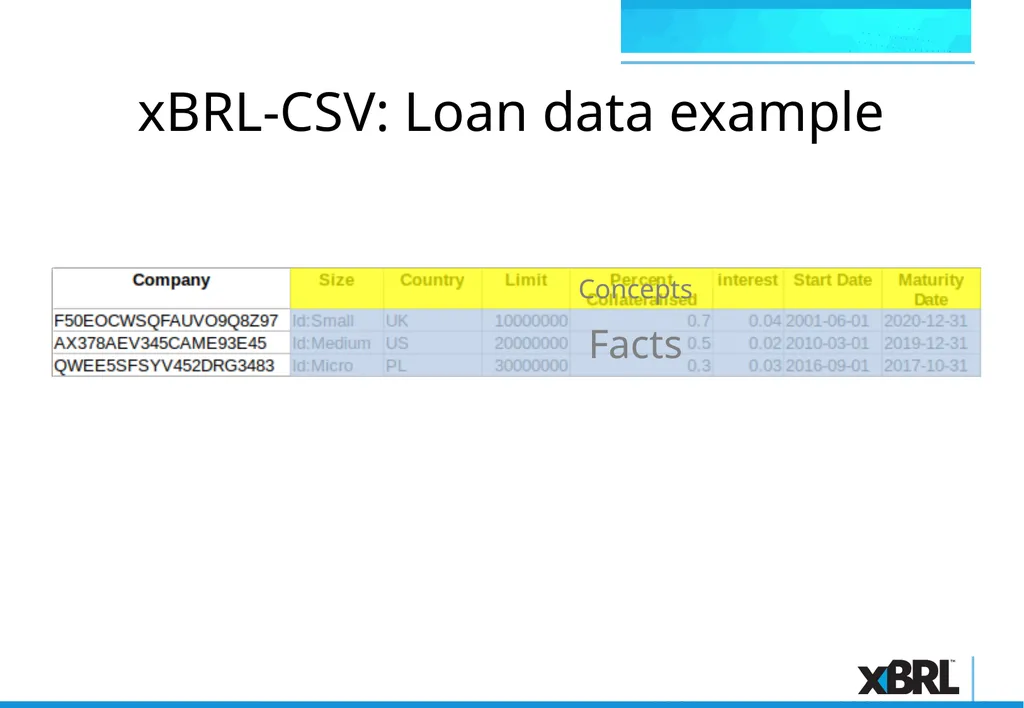
xBRL-CSV: Loan data example Facts Concepts<br>
10
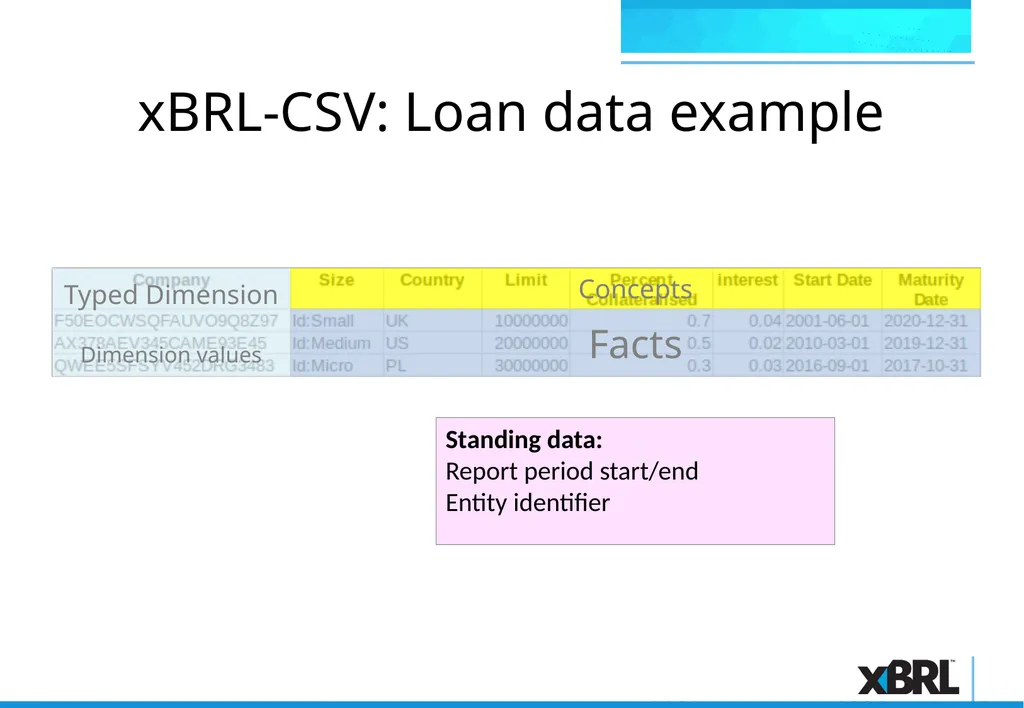
xBRL-CSV: Loan data example Facts Concepts Typed Dimension
Dimension values<br>
11
xBRL-CSV: Loan data example Facts Concepts Typed Dimension
Dimension values Standing data:
Report period start/end
Entity identifier<br>
12
xBRL-CSV: Loan data example Let’s look at the JSON metadata file needed to capture this using xBRL-CSV…<br>
13
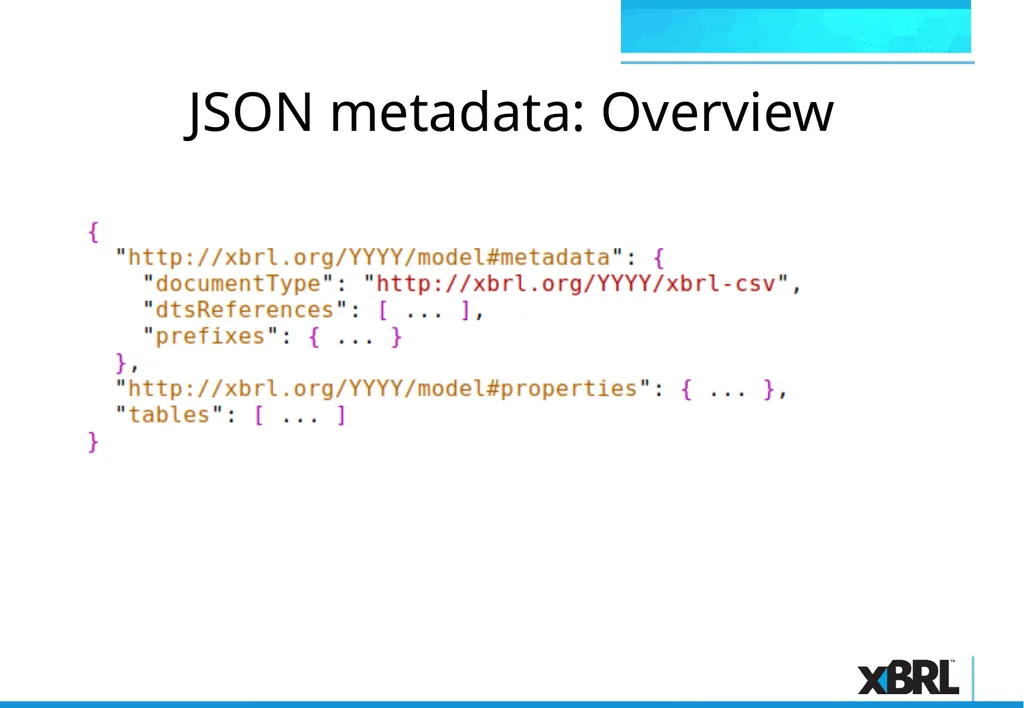
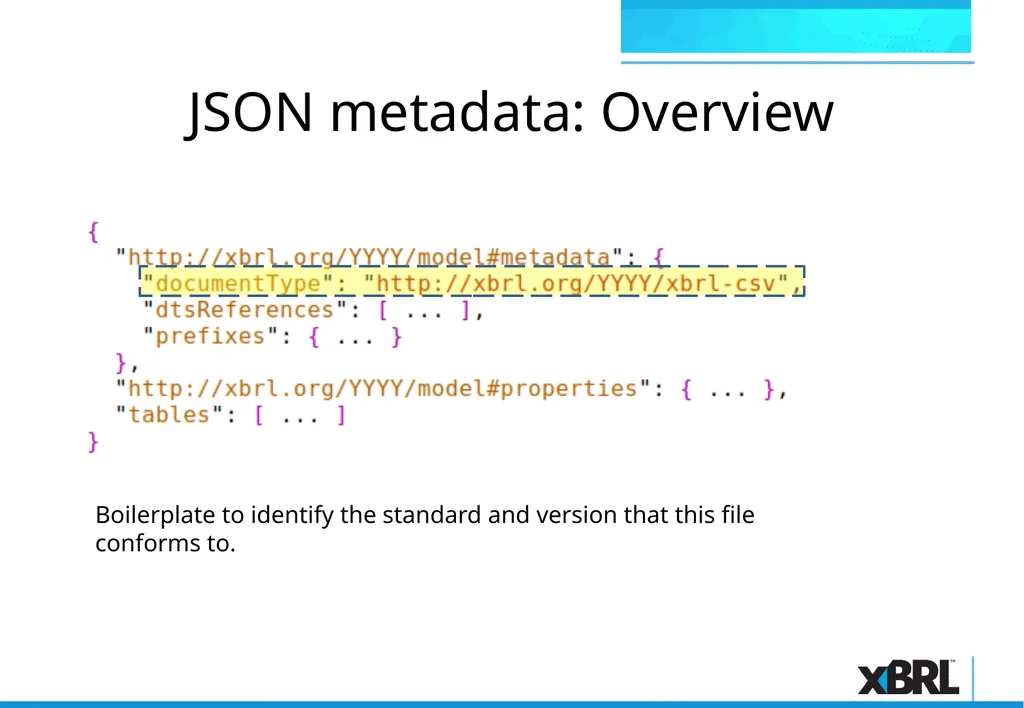
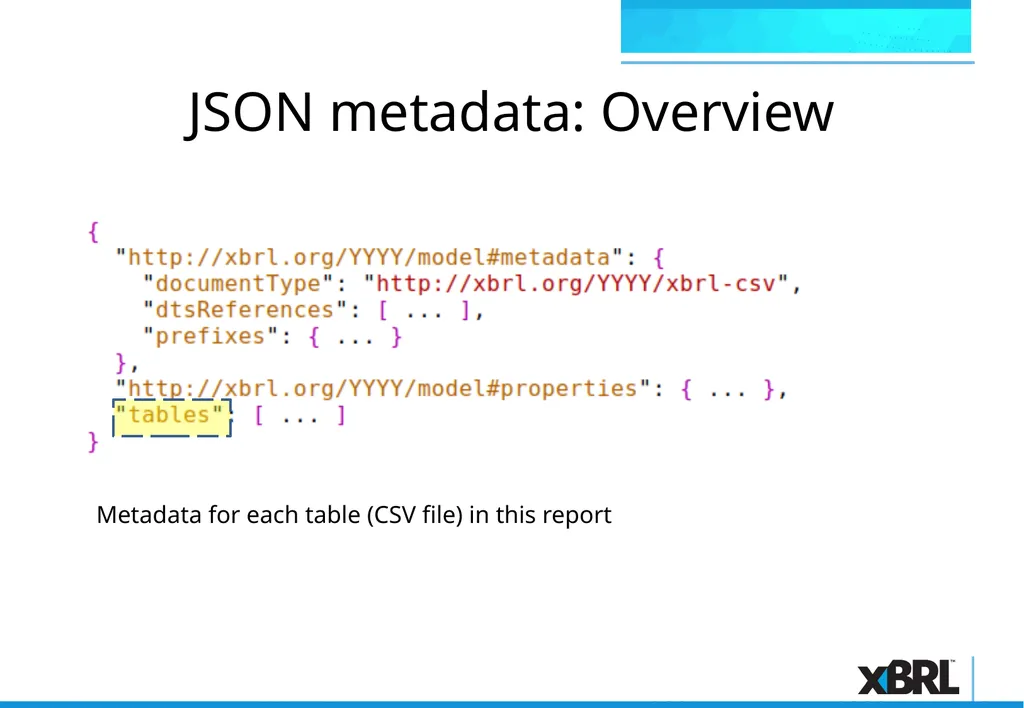
JSON metadata: Overview<br>
14
JSON metadata: Overview Boilerplate to identify the standard and version that this file conforms to.<br>
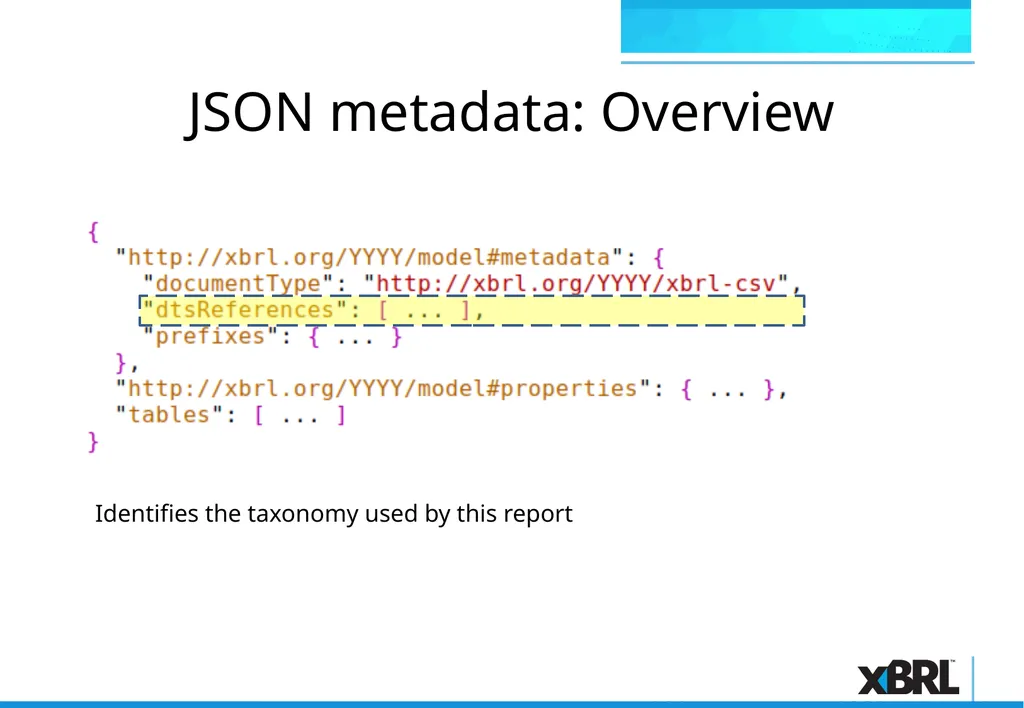
15
JSON metadata: Overview Identifies the taxonomy used by this report<br>
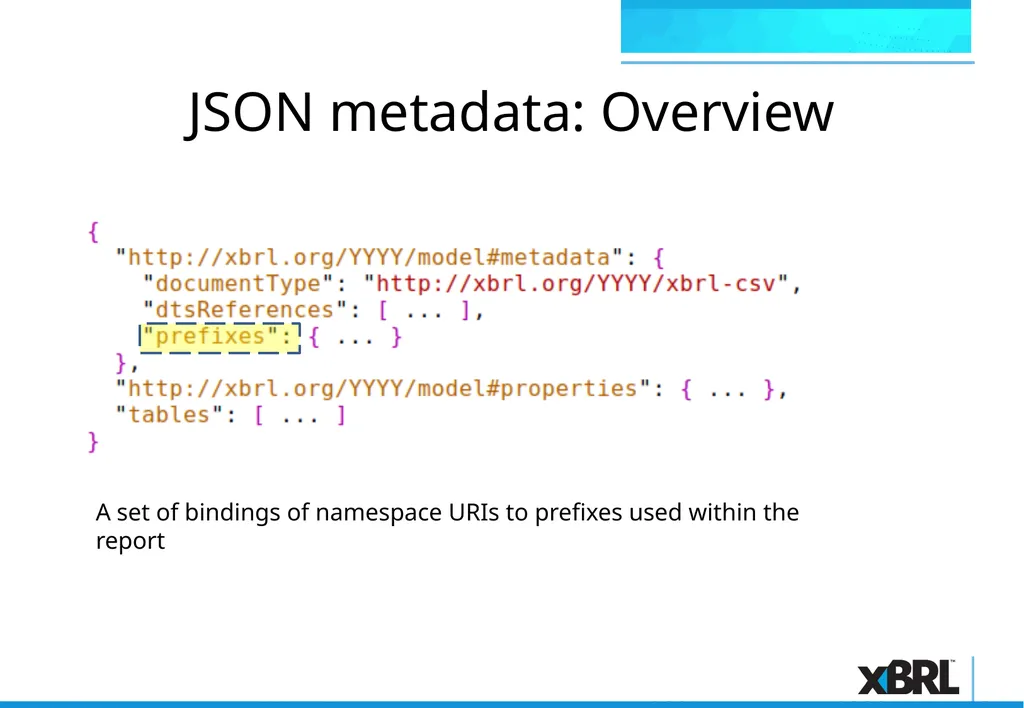
16
JSON metadata: Overview A set of bindings of namespace URIs to prefixes used within the report<br>
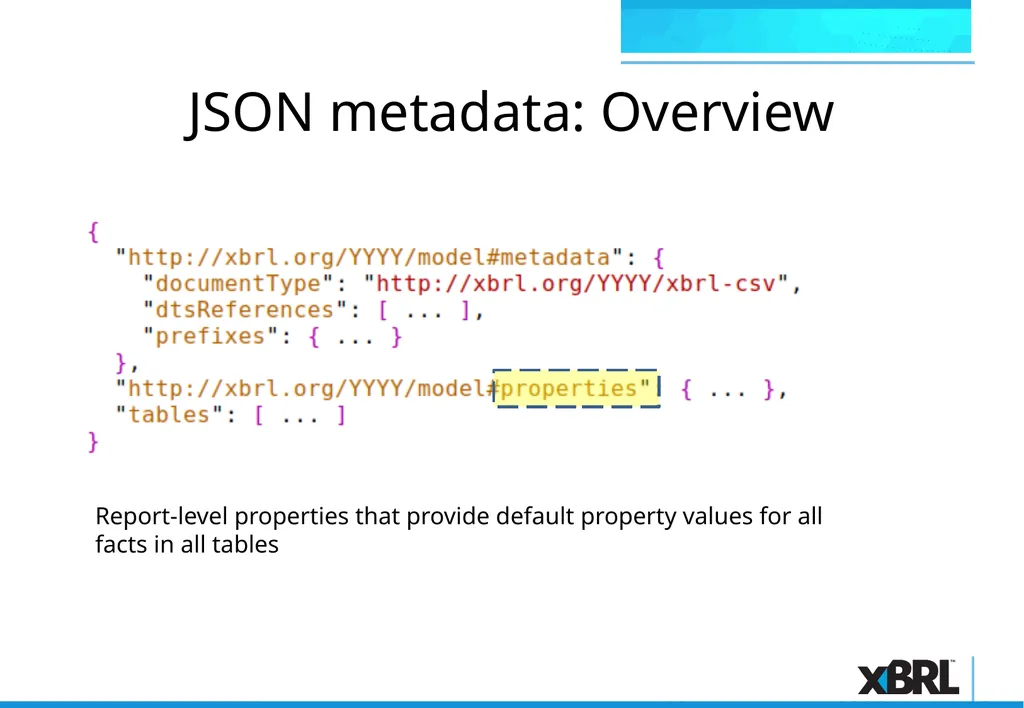
17
JSON metadata: Overview Report-level properties that provide default property values for all facts in all tables<br>
18
JSON metadata: Overview Metadata for each table (CSV file) in this report<br>
19
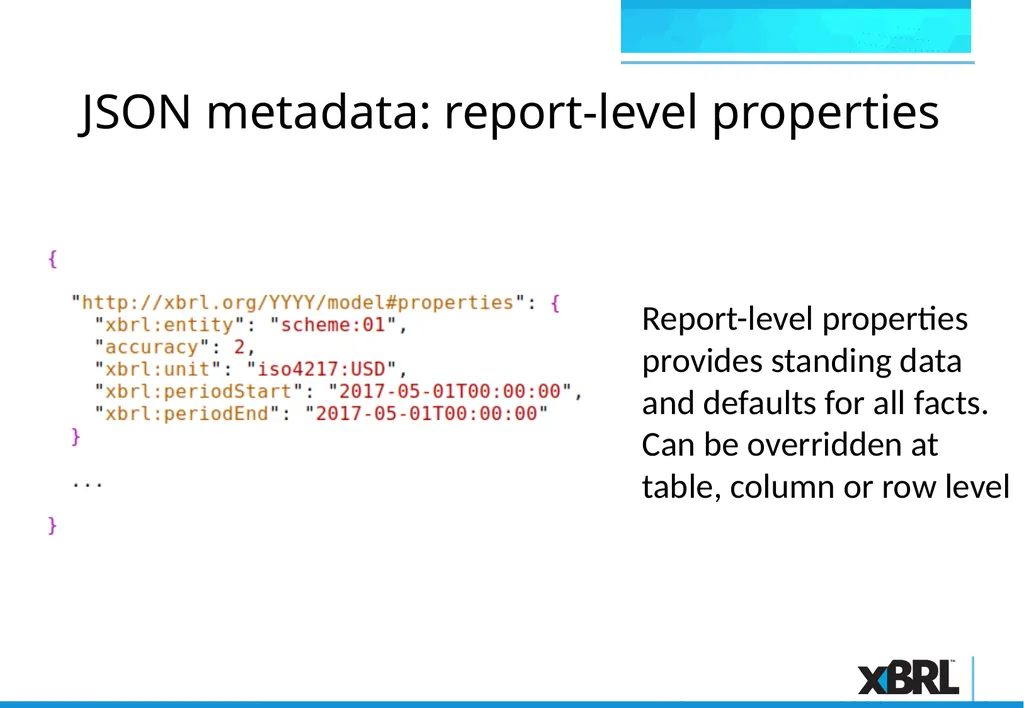
JSON metadata: report-level properties Report-level properties provides standing data and defaults for all facts. Can be overridden at table, column or row level<br>
20
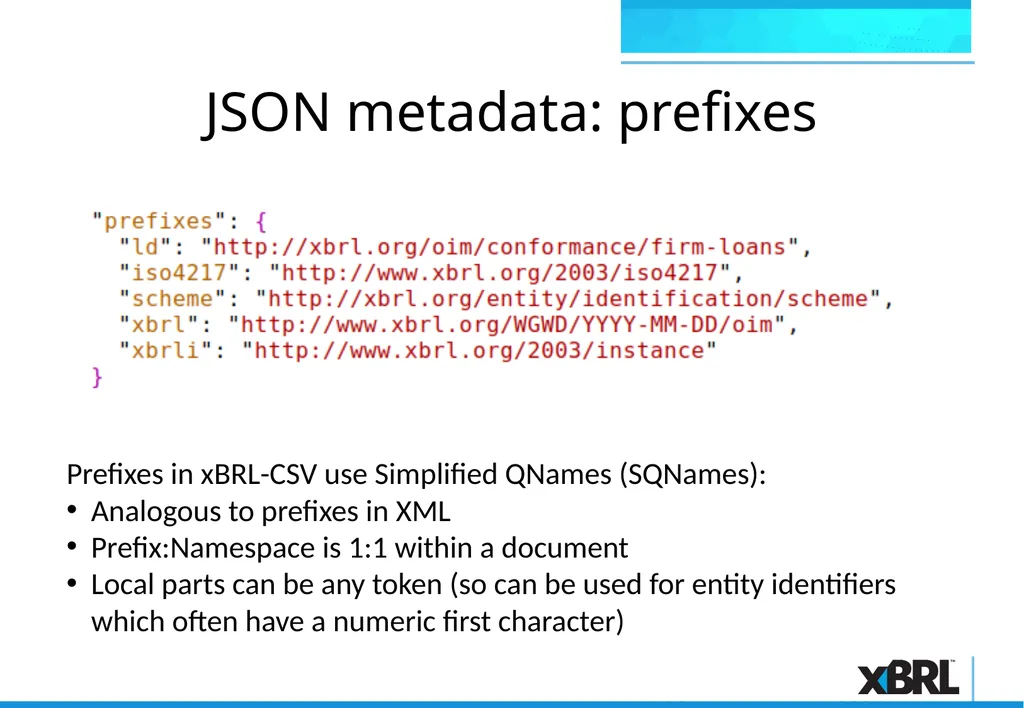
JSON metadata: prefixes Prefixes in xBRL-CSV use Simplified QNames (SQNames):
Analogous to prefixes in XML
Prefix:Namespace is 1:1 within a document
Local parts can be any token (so can be used for entity identifiers which often have a numeric first character)<br>
21
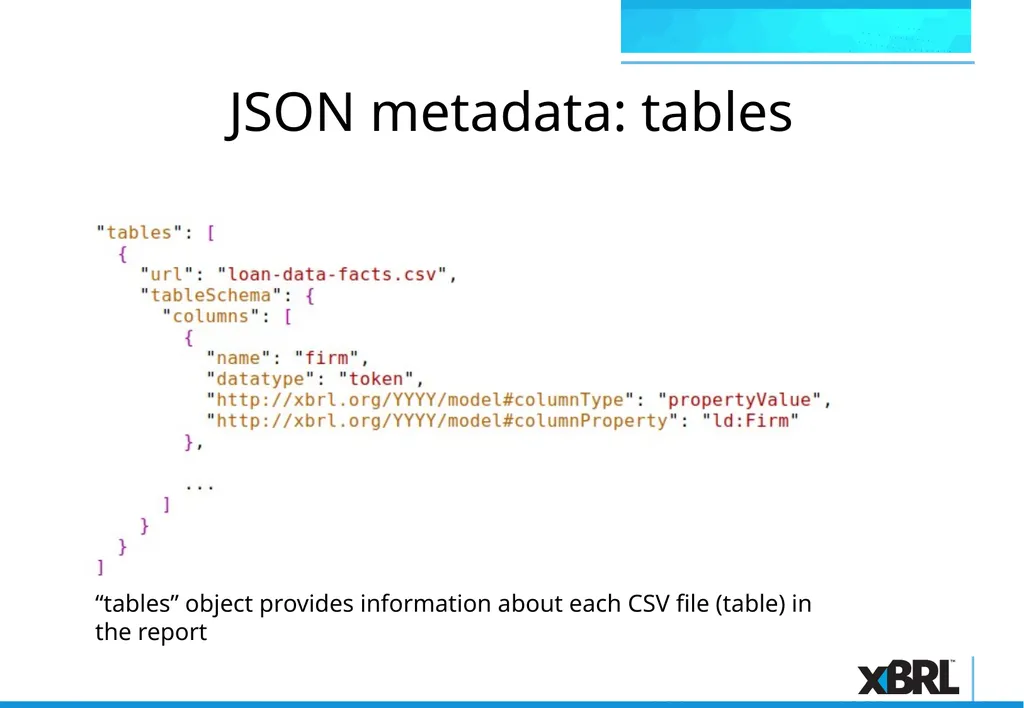
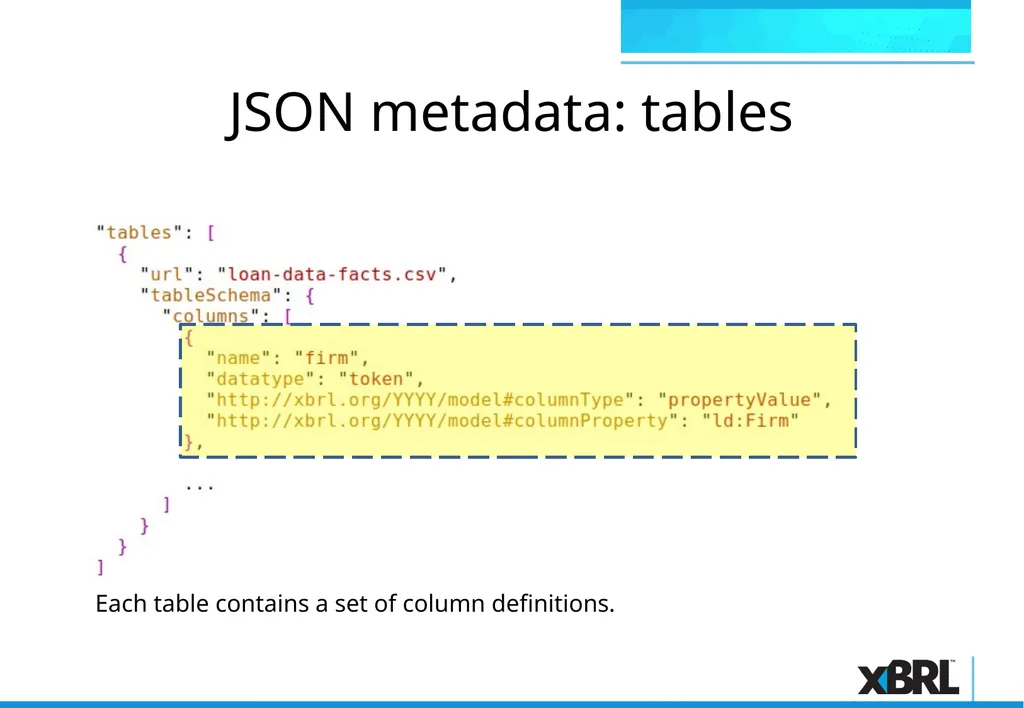
JSON metadata: tables “tables” object provides information about each CSV file (table) in the report<br>
22
JSON metadata: tables Each table contains a set of column definitions.<br>
23
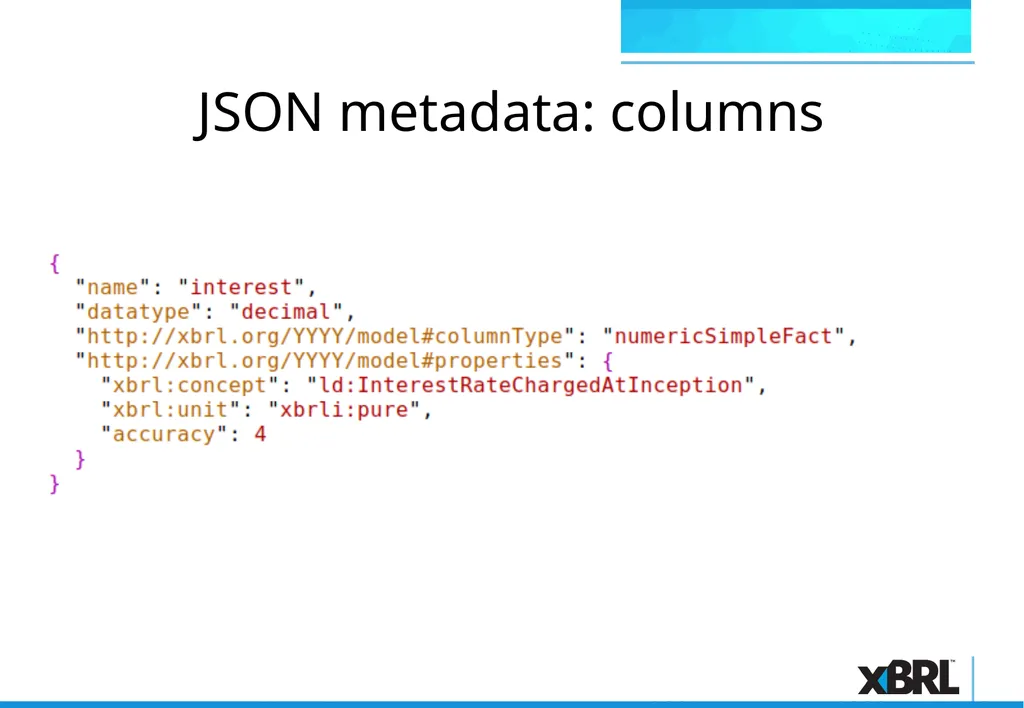
JSON metadata: columns<br>
24
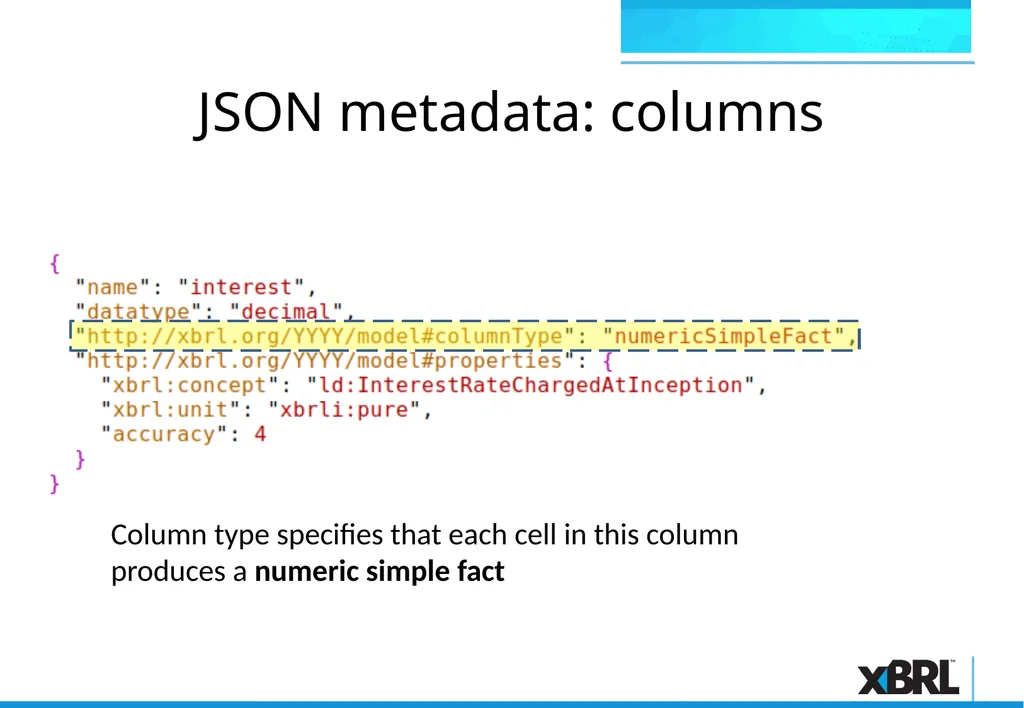
JSON metadata: columns Column type specifies that each cell in this column produces a numeric simple fact<br>
25
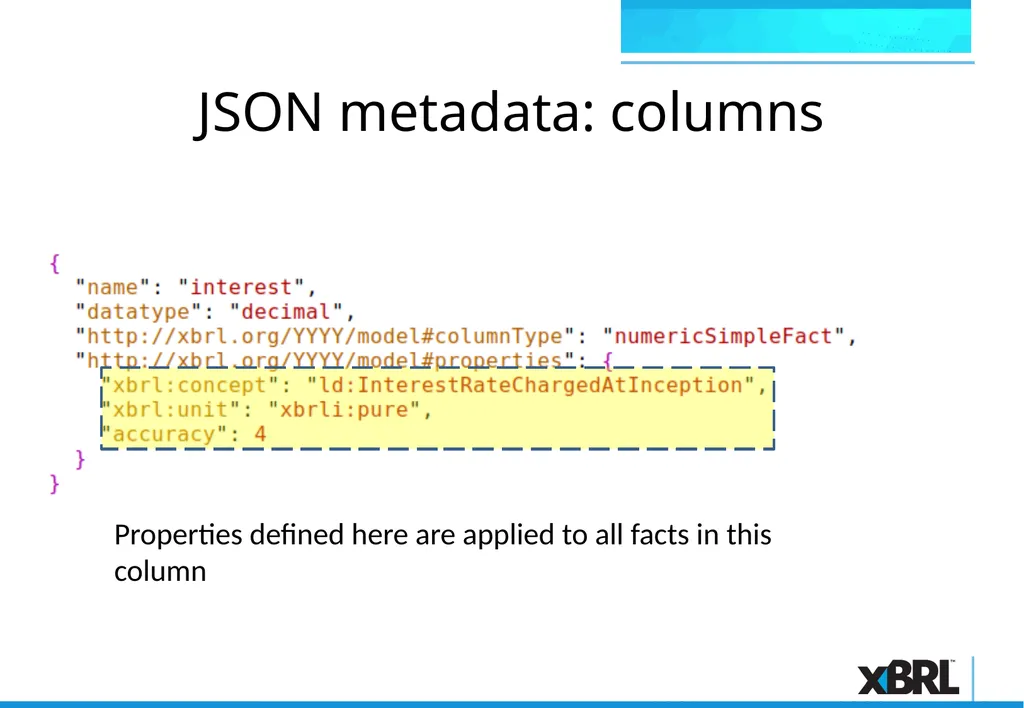
JSON metadata: columns Properties defined here are applied to all facts in this column<br>
27
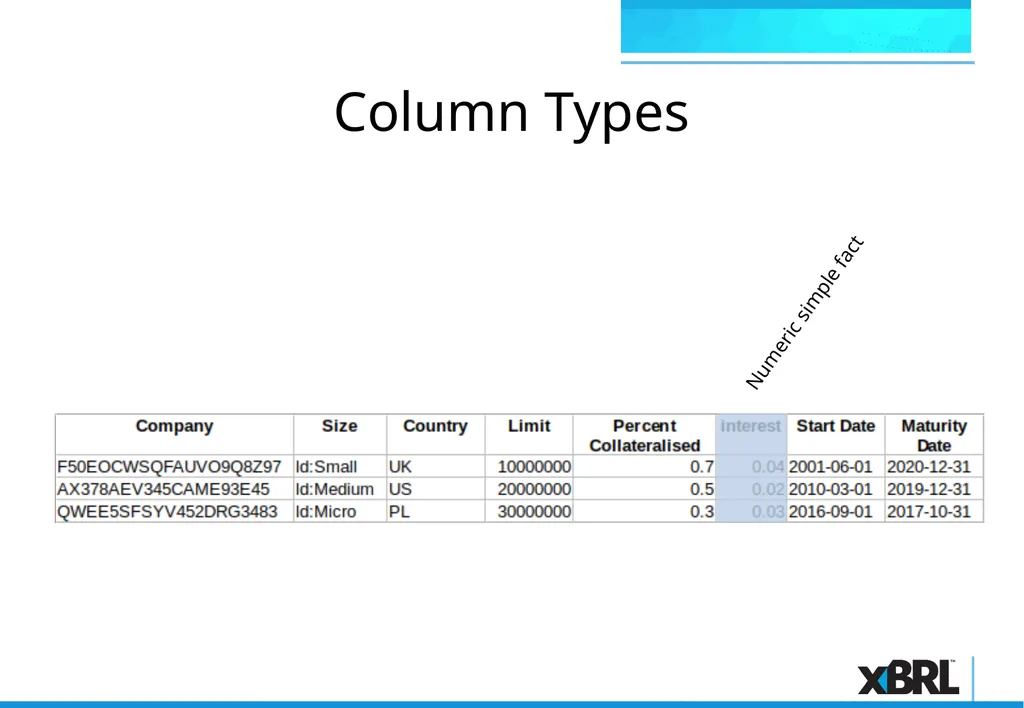
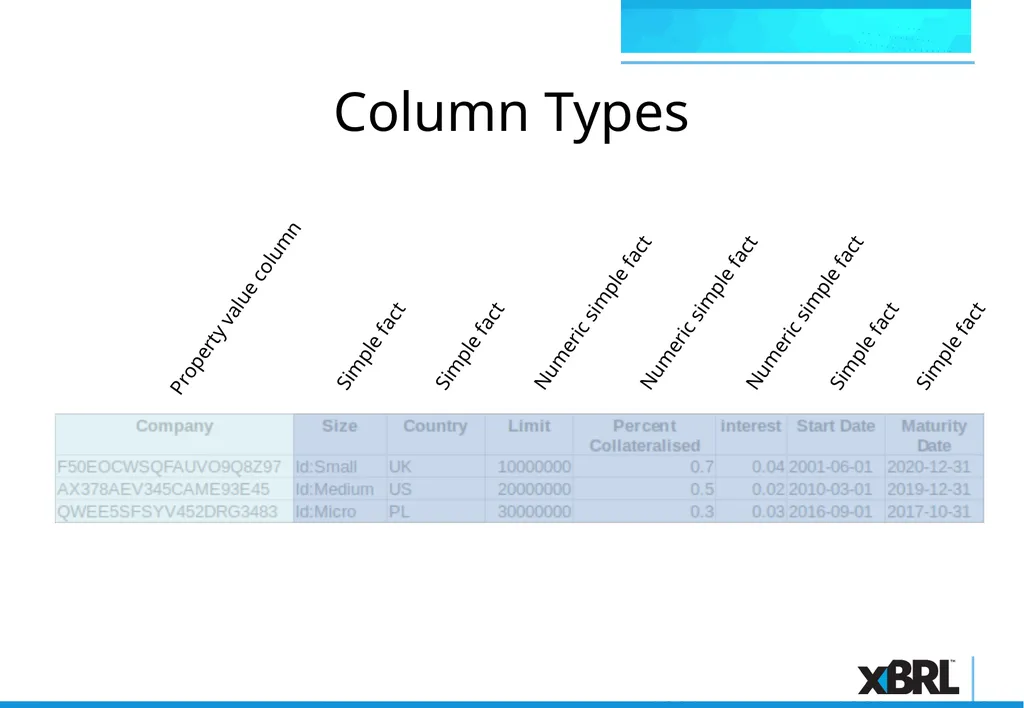
Column Types Numeric simple fact<br>
28
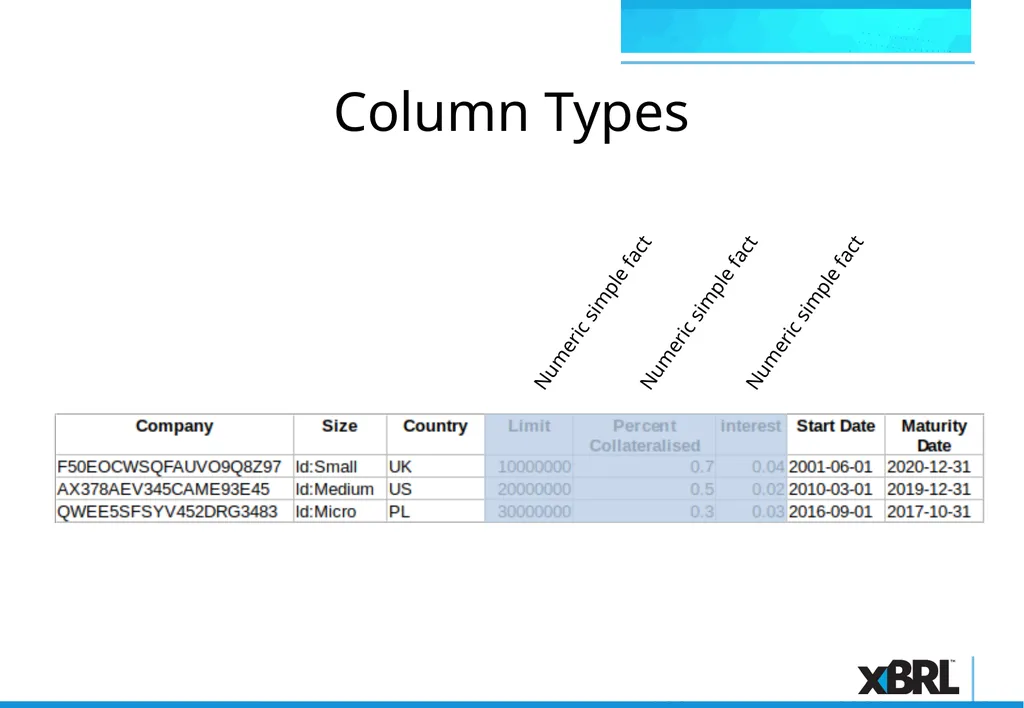
Column Types Numeric simple fact Numeric simple fact Numeric simple fact<br>
29
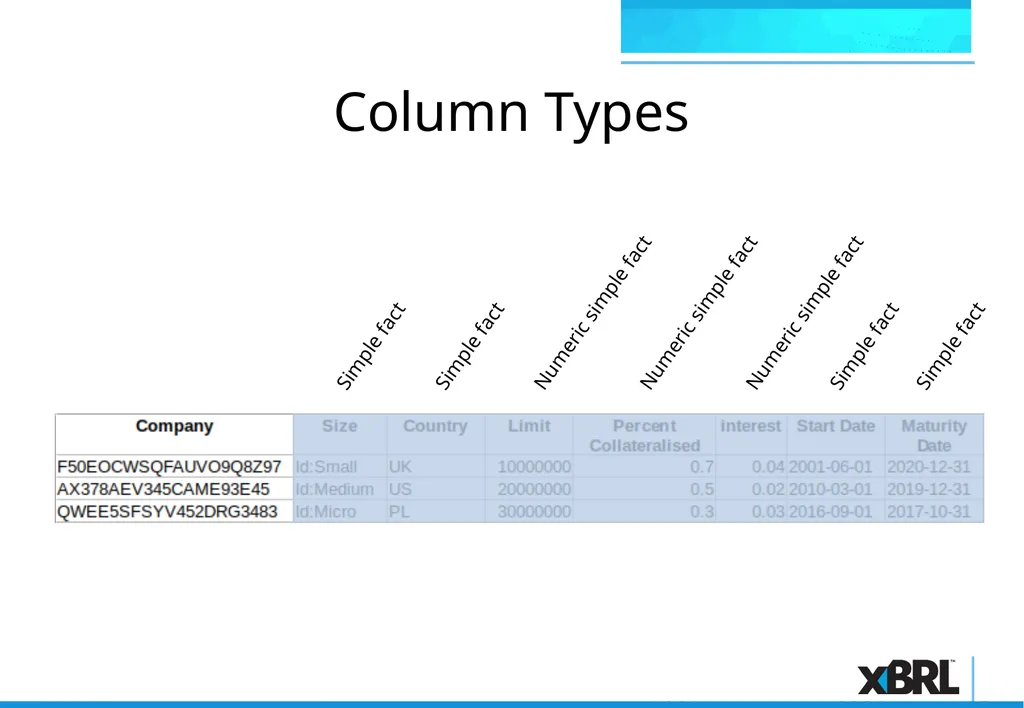
Column Types Numeric simple fact Numeric simple fact Numeric simple fact Simple fact Simple fact Simple fact Simple fact<br>
30
Column Types Numeric simple fact Numeric simple fact Numeric simple fact Simple fact Simple fact Simple fact Simple fact Property value column<br>
31
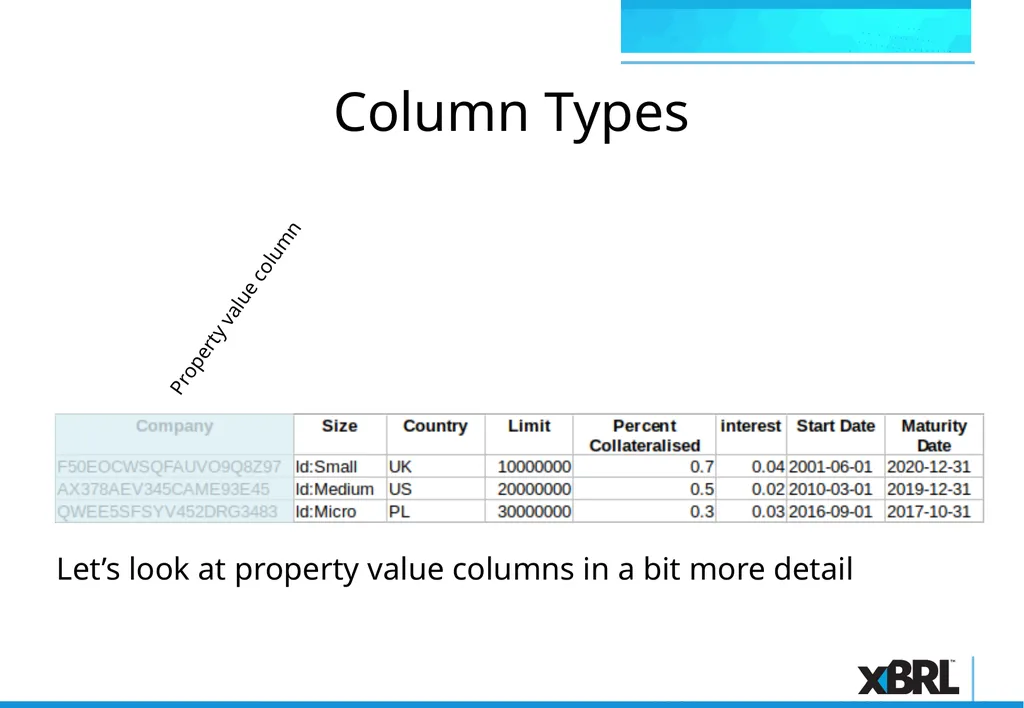
Column Types Property value column Let’s look at property value columns in a bit more detail<br>
32
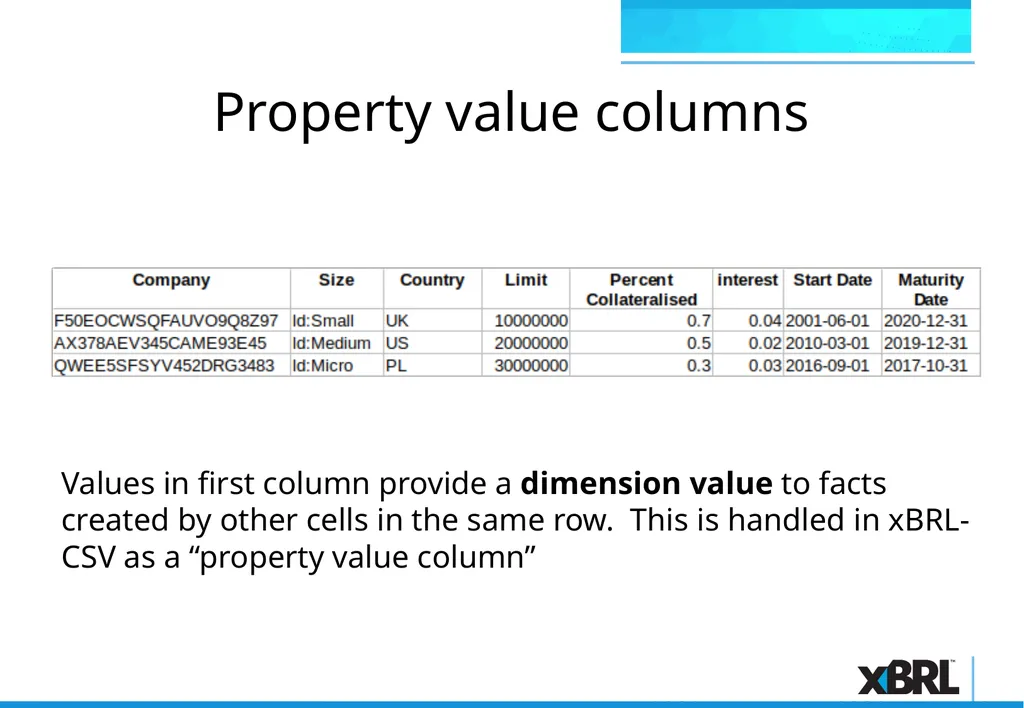
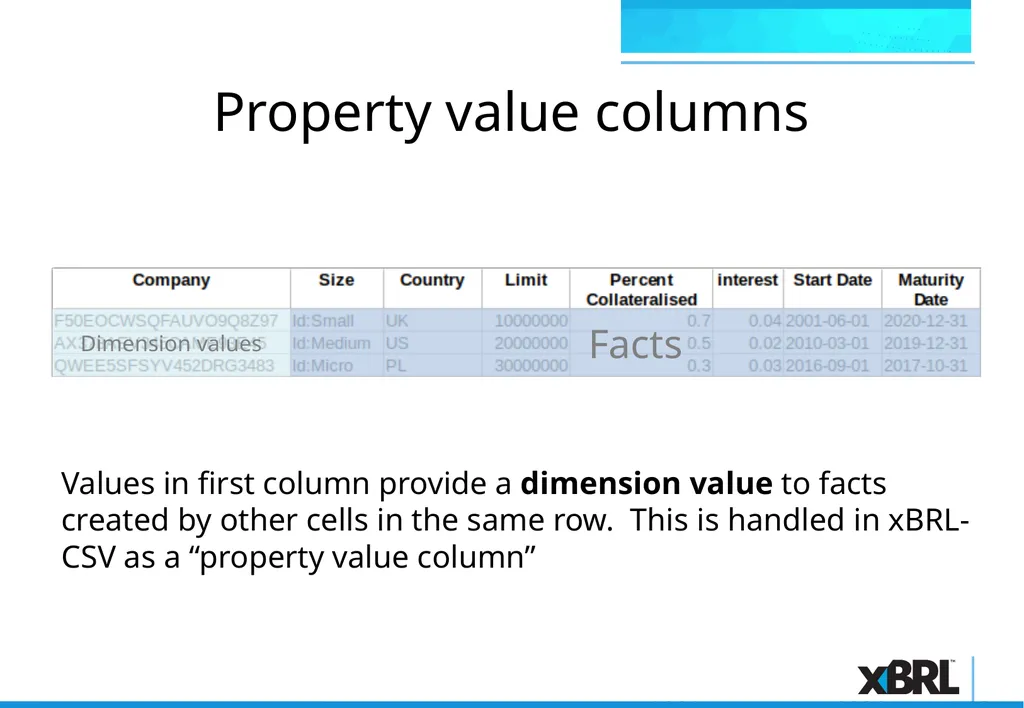
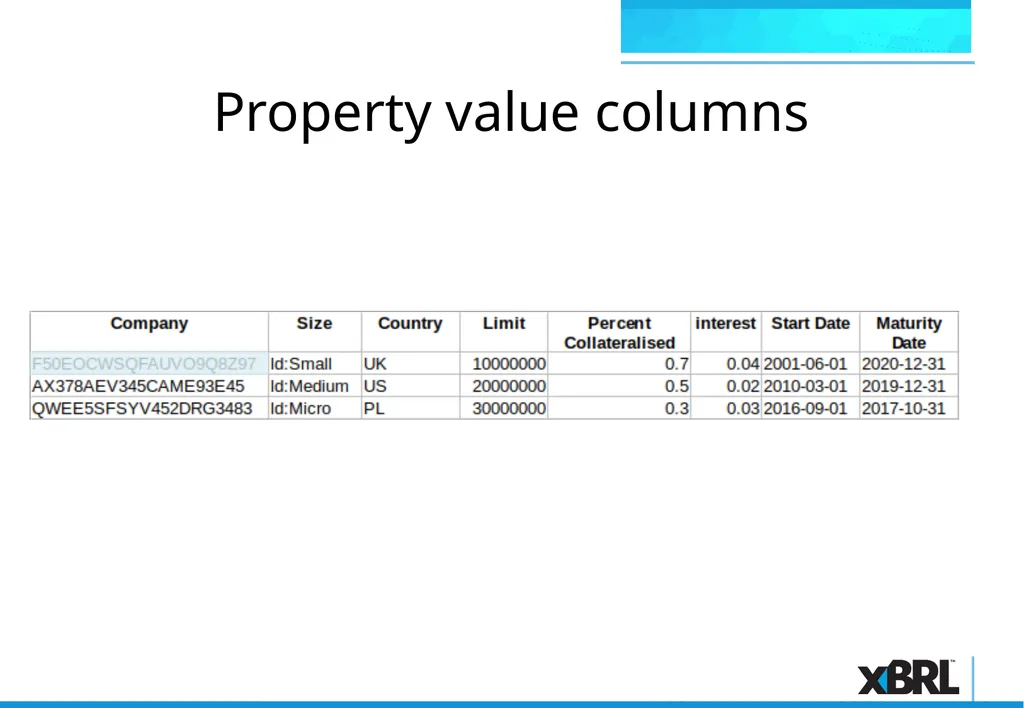
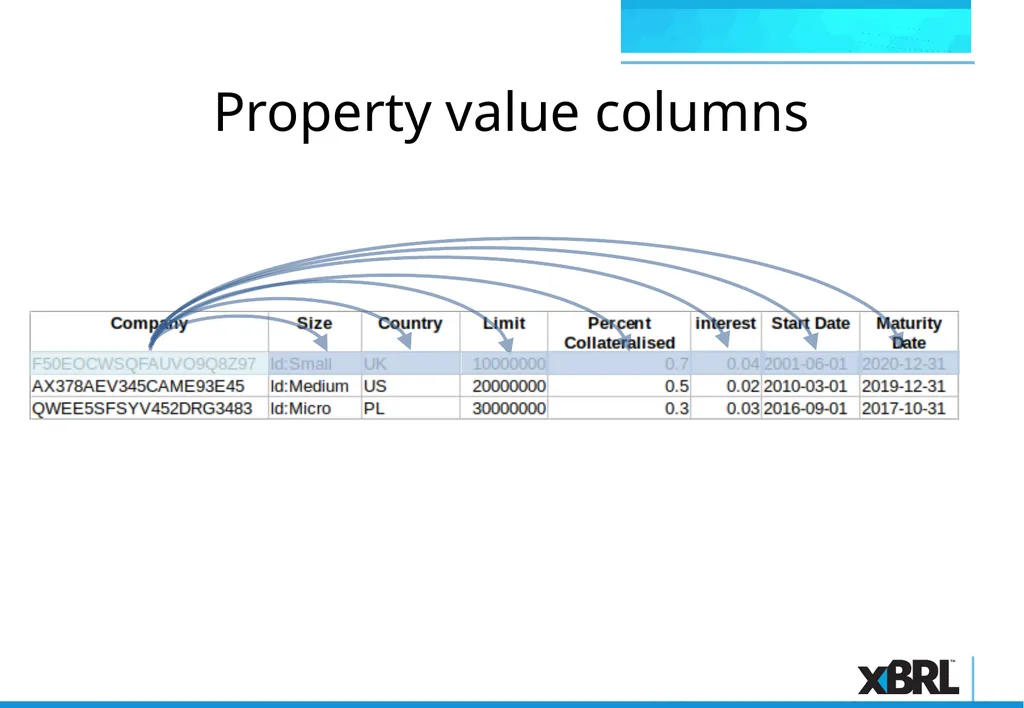
Property value columns Values in first column provide a dimension value to facts created by other cells in the same row. This is handled in xBRL-CSV as a “property value column”<br>
33
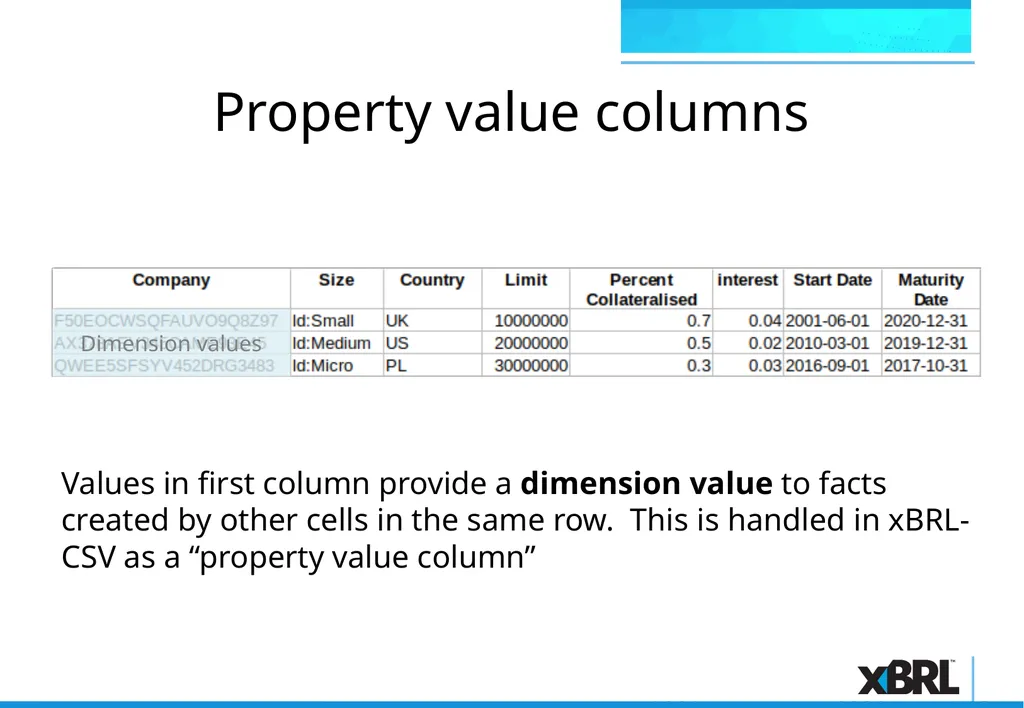
Property value columns Dimension values Values in first column provide a dimension value to facts created by other cells in the same row. This is handled in xBRL-CSV as a “property value column”<br>
34
Property value columns Dimension values Facts Values in first column provide a dimension value to facts created by other cells in the same row. This is handled in xBRL-CSV as a “property value column”<br>
35
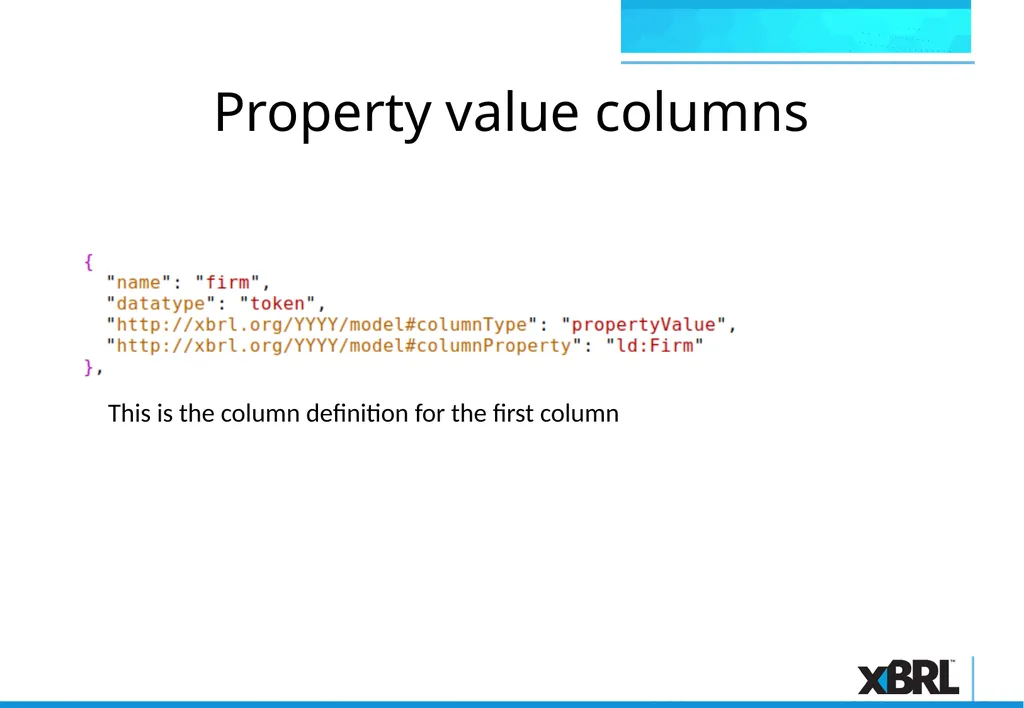
Property value columns This is the column definition for the first column<br>
36
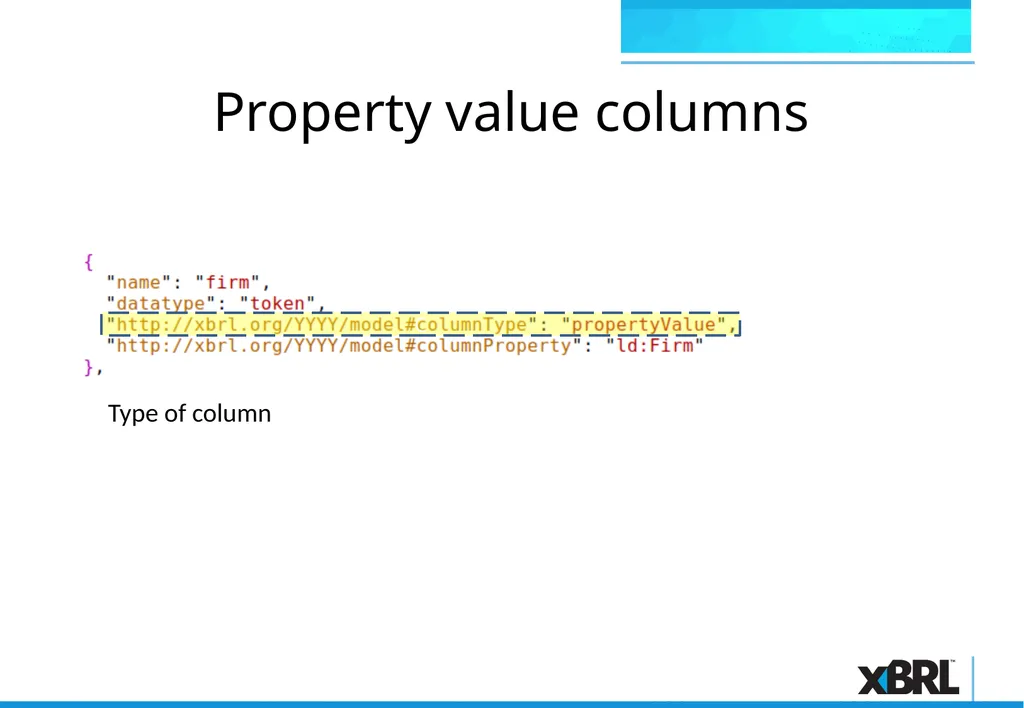
Property value columns C Type of column<br>
37
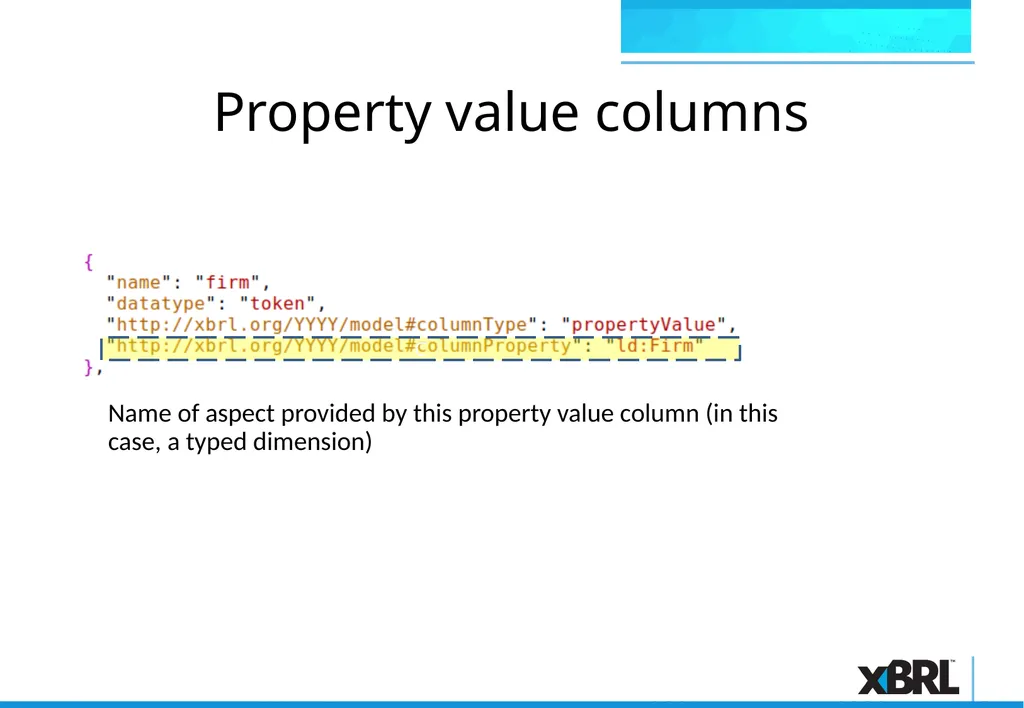
Property value columns C Name of aspect provided by this property value column (in this case, a typed dimension)<br>
38
Property value columns<br>
39
Property value columns<br>
40
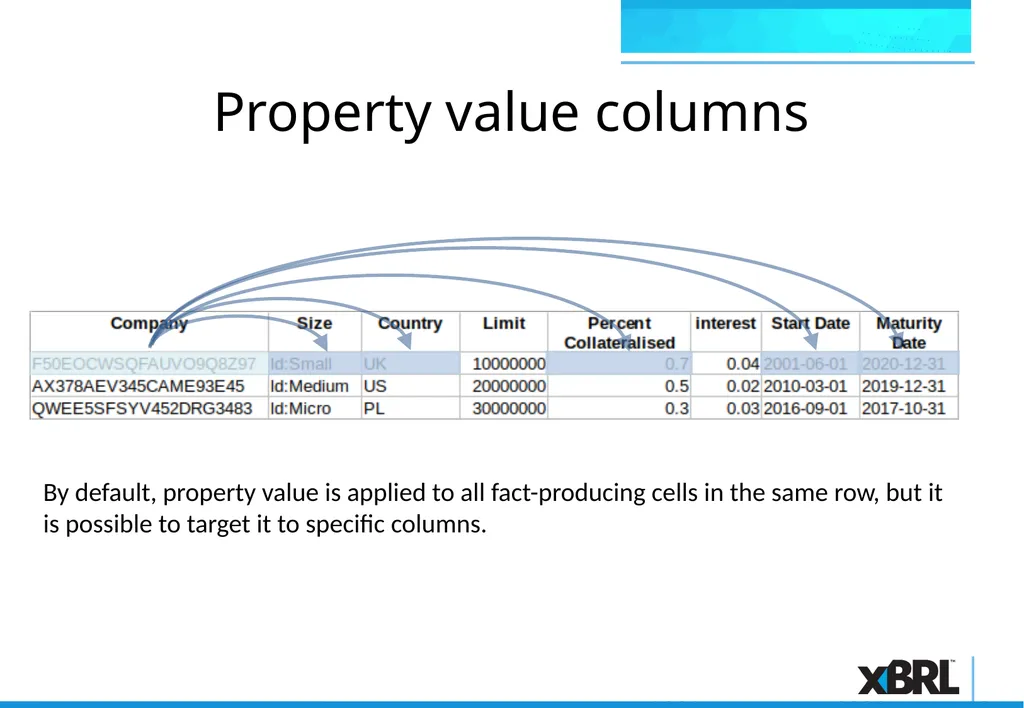
By default, property value is applied to all fact-producing cells in the same row, but it is possible to target it to specific columns. Property value columns<br>
41
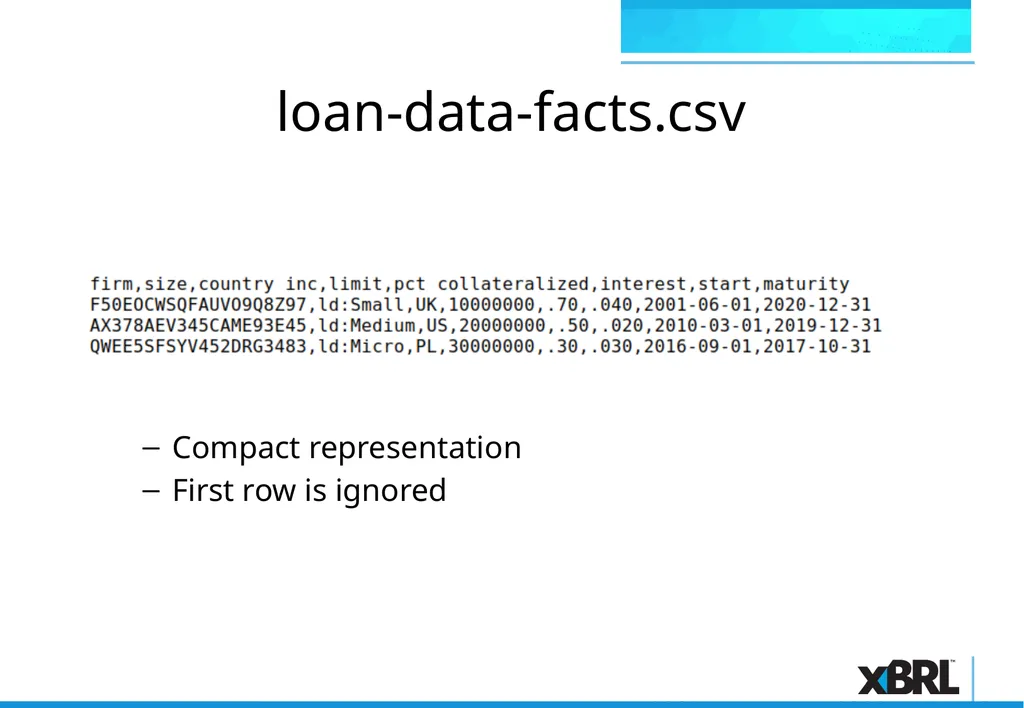
loan-data-facts.csv Compact representation
First row is ignored<br>
42
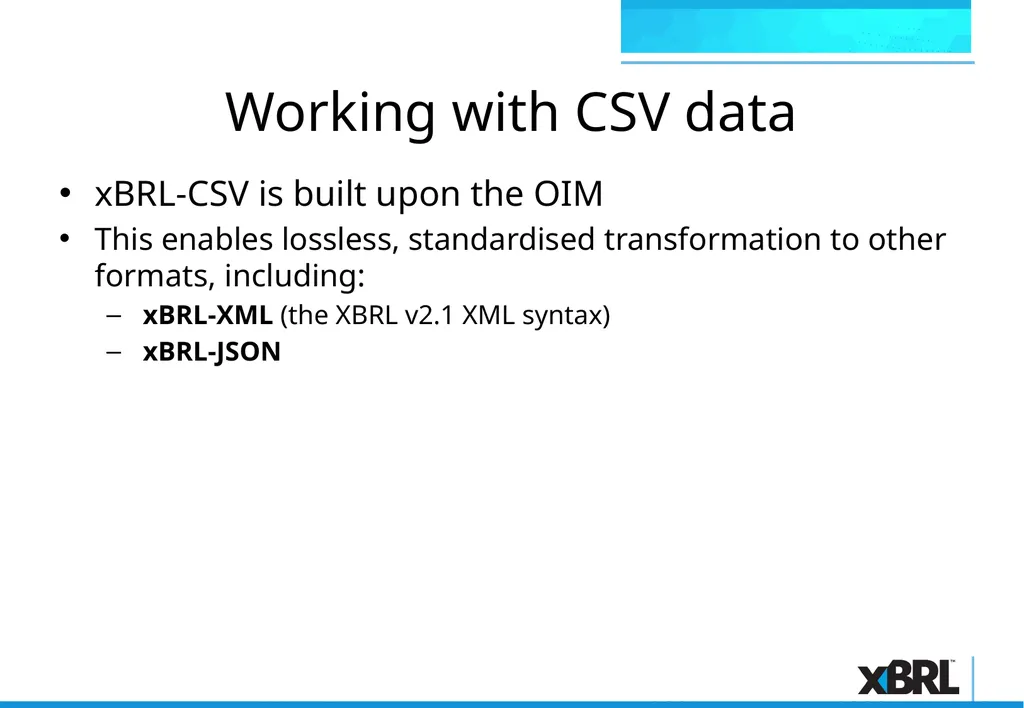
Working with CSV data xBRL-CSV is built upon the OIM
This enables lossless, standardised transformation to other formats, including:
xBRL-XML (the XBRL v2.1 XML syntax)
xBRL-JSON<br>
43
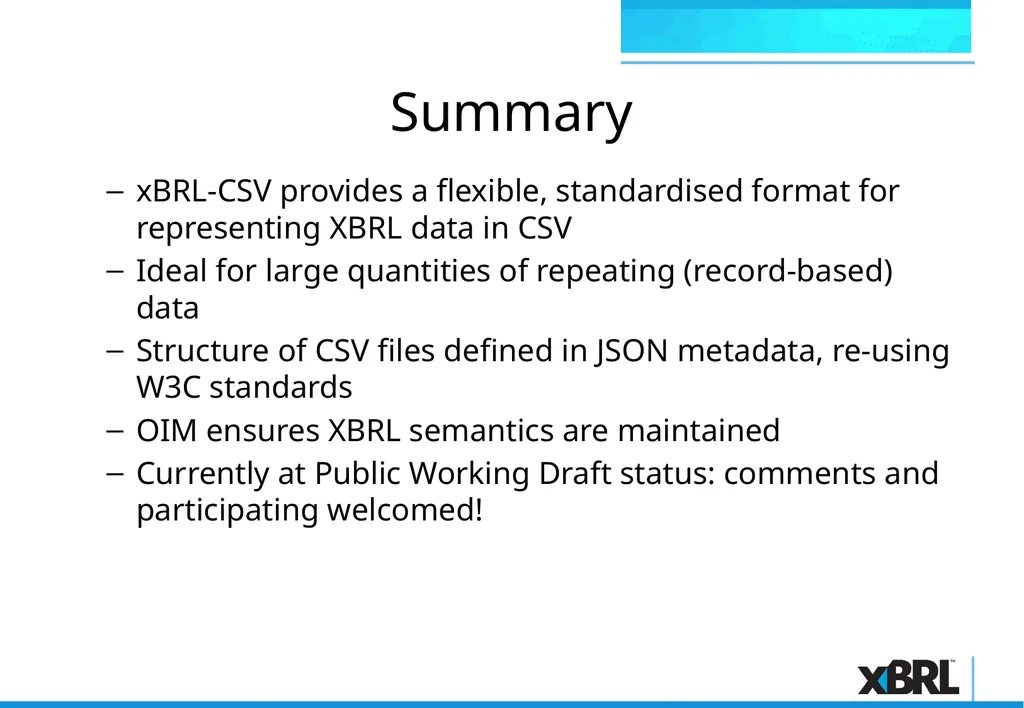
Summary xBRL-CSV provides a flexible, standardised format for representing XBRL data in CSV
Ideal for large quantities of repeating (record-based) data
Structure of CSV files defined in JSON metadata, re-using W3C standards
OIM ensures XBRL semantics are maintained
Currently at Public Working Draft status: comments and participating welcomed!<br>