
Year End Close FY 2024-2025 Districtwide Training:
OM
Published · 58 slides · 0 views

1 / 1
Description
Year End Close FY 2024-2025 Districtwide Training: Merritt College April 28, 2025 (1:00 pm 4:00 pm) Berkeley City College April 29, 2025 (9:00 am 12:00 pm) District Service Center April 30, 2025 (9:00 am 12:00 pm) Laney College
Related Topics
Share
Embed code
Download this presentation From Below
"Year End Close FY 2024-2025 Districtwide Training:" is the property of its rightful owner. Permission is granted to download and print the materials on this website for personal, non-commercial use only, and to display it on your personal computer provided you do not modify the materials and that you retain all copyright notices contained in the materials. By downloading content from our website, you accept the terms of this agreement.
Presentation Transcript
01
Year End Close
FY 2024-2025 Districtwide Training:
Merritt College – April 28, 2025 (1:00 pm – 4:00 pm)
Berkeley City College – April 29, 2025 (9:00 am – 12:00 pm)
District Service Center – April 30, 2025 (9:00 am – 12:00 pm)
Laney College – May 1, 2025 (9:00 am – 12:00 pm)
College of Alameda – May 6, 2025 (1:00pm – 4:00pm)<br>
Merritt College – April 28, 2025 (1:00 pm – 4:00 pm)
Berkeley City College – April 29, 2025 (9:00 am – 12:00 pm)
District Service Center – April 30, 2025 (9:00 am – 12:00 pm)
Laney College – May 1, 2025 (9:00 am – 12:00 pm)
College of Alameda – May 6, 2025 (1:00pm – 4:00pm)<br>
02
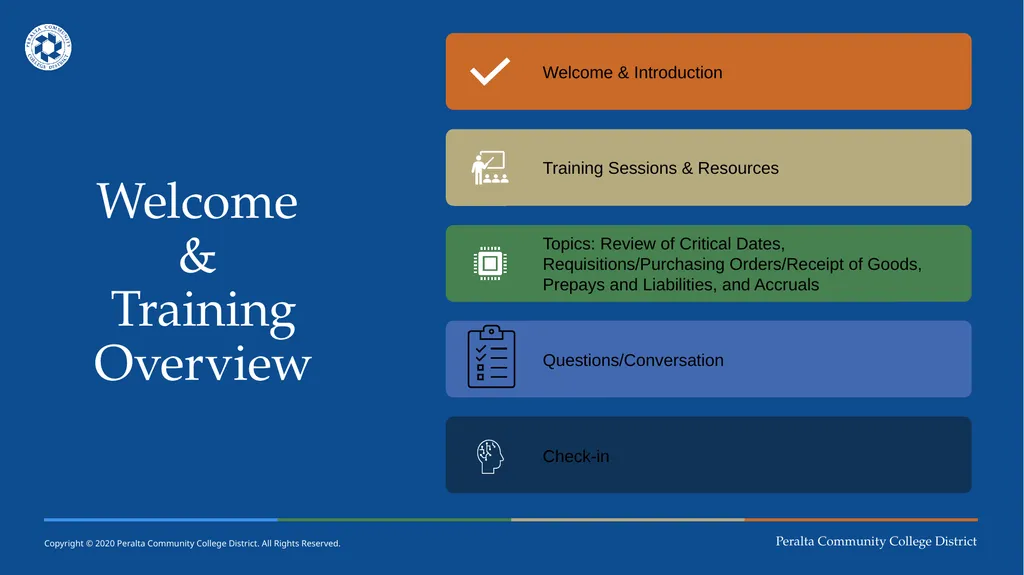
Welcome
&
Training Overview<br>
03
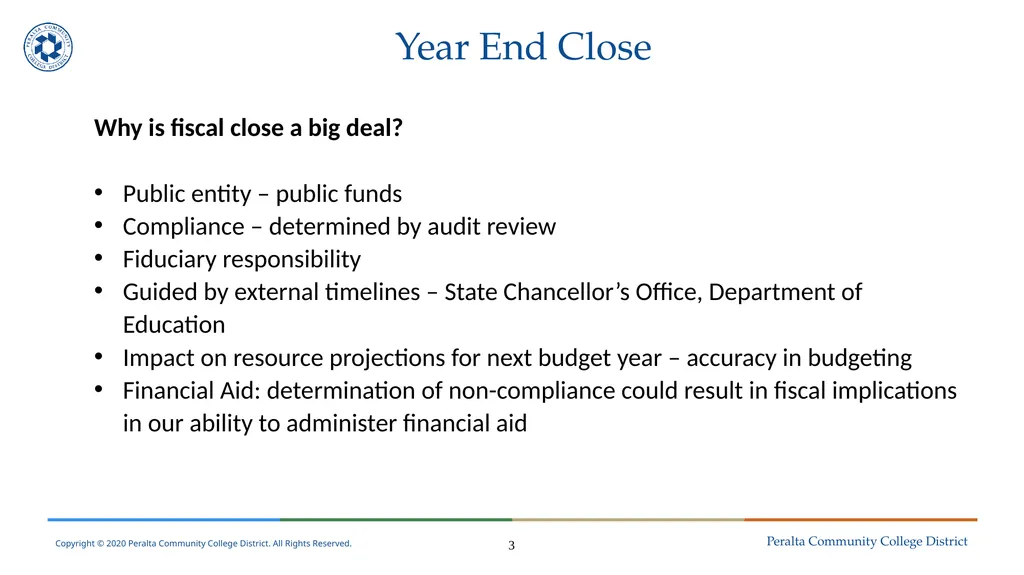
Year End Close Why is fiscal close a big deal?
Public entity – public funds
Compliance – determined by audit review
Fiduciary responsibility
Guided by external timelines – State Chancellor’s Office, Department of Education
Impact on resource projections for next budget year – accuracy in budgeting
Financial Aid: determination of non-compliance could result in fiscal implications in our ability to administer financial aid 3<br>
Public entity – public funds
Compliance – determined by audit review
Fiduciary responsibility
Guided by external timelines – State Chancellor’s Office, Department of Education
Impact on resource projections for next budget year – accuracy in budgeting
Financial Aid: determination of non-compliance could result in fiscal implications in our ability to administer financial aid 3<br>
04
Year End Close 4<br>
05
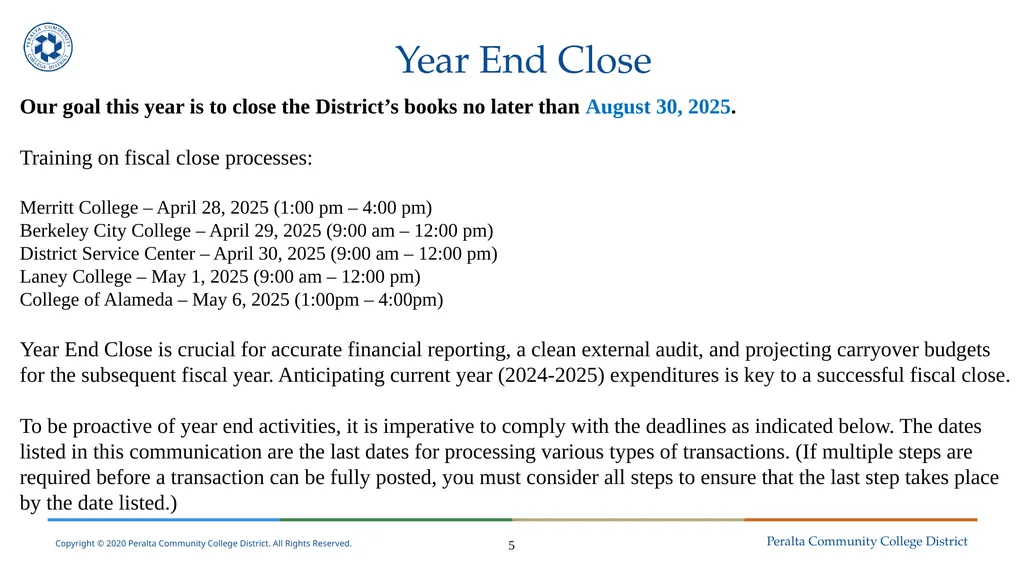
Year End Close Our goal this year is to close the District’s books no later than August 30, 2025.
Training on fiscal close processes:
Merritt College – April 28, 2025 (1:00 pm – 4:00 pm)
Berkeley City College – April 29, 2025 (9:00 am – 12:00 pm)
District Service Center – April 30, 2025 (9:00 am – 12:00 pm)
Laney College – May 1, 2025 (9:00 am – 12:00 pm)
College of Alameda – May 6, 2025 (1:00pm – 4:00pm)
Year End Close is crucial for accurate financial reporting, a clean external audit, and projecting carryover budgets for the subsequent fiscal year. Anticipating current year (2024-2025) expenditures is key to a successful fiscal close.
To be proactive of year end activities, it is imperative to comply with the deadlines as indicated below. The dates listed in this communication are the last dates for processing various types of transactions. (If multiple steps are required before a transaction can be fully posted, you must consider all steps to ensure that the last step takes place by the date listed.) 5<br>
Training on fiscal close processes:
Merritt College – April 28, 2025 (1:00 pm – 4:00 pm)
Berkeley City College – April 29, 2025 (9:00 am – 12:00 pm)
District Service Center – April 30, 2025 (9:00 am – 12:00 pm)
Laney College – May 1, 2025 (9:00 am – 12:00 pm)
College of Alameda – May 6, 2025 (1:00pm – 4:00pm)
Year End Close is crucial for accurate financial reporting, a clean external audit, and projecting carryover budgets for the subsequent fiscal year. Anticipating current year (2024-2025) expenditures is key to a successful fiscal close.
To be proactive of year end activities, it is imperative to comply with the deadlines as indicated below. The dates listed in this communication are the last dates for processing various types of transactions. (If multiple steps are required before a transaction can be fully posted, you must consider all steps to ensure that the last step takes place by the date listed.) 5<br>
06
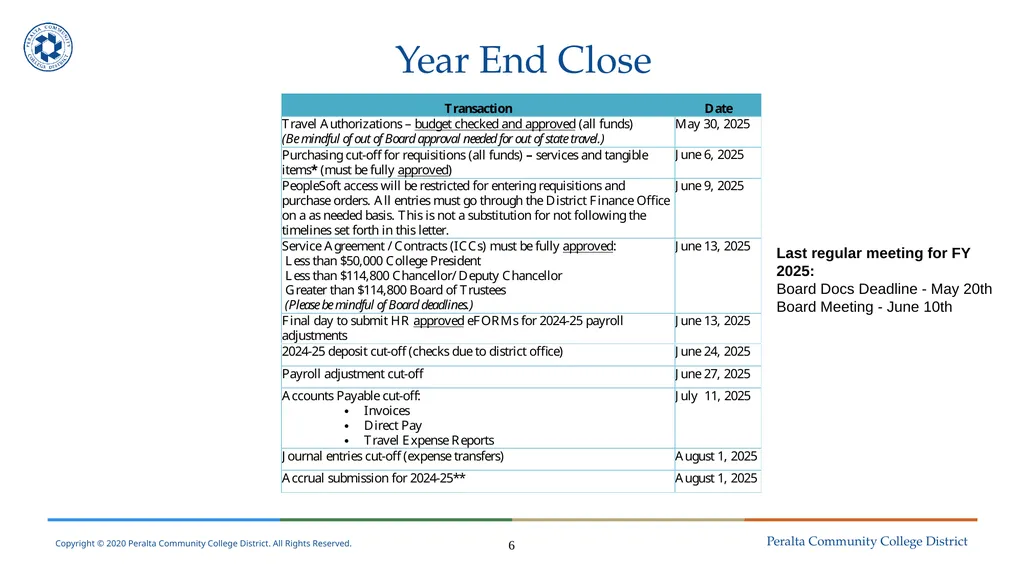
Year End Close 6 Last regular meeting for FY 2025:
Board Docs Deadline - May 20th
Board Meeting - June 10th<br>
Board Docs Deadline - May 20th
Board Meeting - June 10th<br>
07
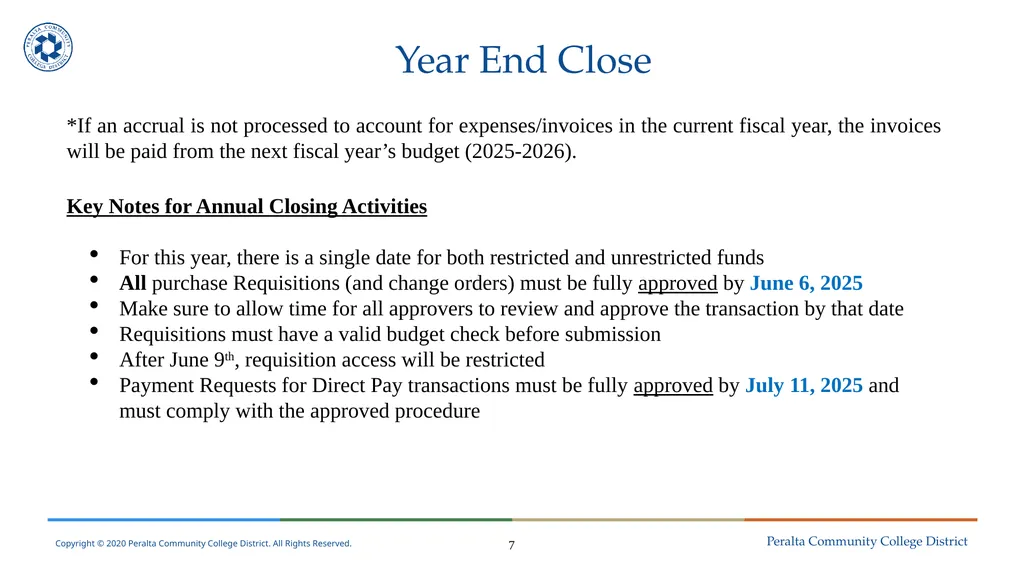
Year End Close *If an accrual is not processed to account for expenses/invoices in the current fiscal year, the invoices will be paid from the next fiscal year’s budget (2025-2026).
Key Notes for Annual Closing Activities
For this year, there is a single date for both restricted and unrestricted funds
All purchase Requisitions (and change orders) must be fully approved by June 6, 2025
Make sure to allow time for all approvers to review and approve the transaction by that date
Requisitions must have a valid budget check before submission
After June 9th, requisition access will be restricted
Payment Requests for Direct Pay transactions must be fully approved by July 11, 2025 and must comply with the approved procedure 7<br>
Key Notes for Annual Closing Activities
For this year, there is a single date for both restricted and unrestricted funds
All purchase Requisitions (and change orders) must be fully approved by June 6, 2025
Make sure to allow time for all approvers to review and approve the transaction by that date
Requisitions must have a valid budget check before submission
After June 9th, requisition access will be restricted
Payment Requests for Direct Pay transactions must be fully approved by July 11, 2025 and must comply with the approved procedure 7<br>
08
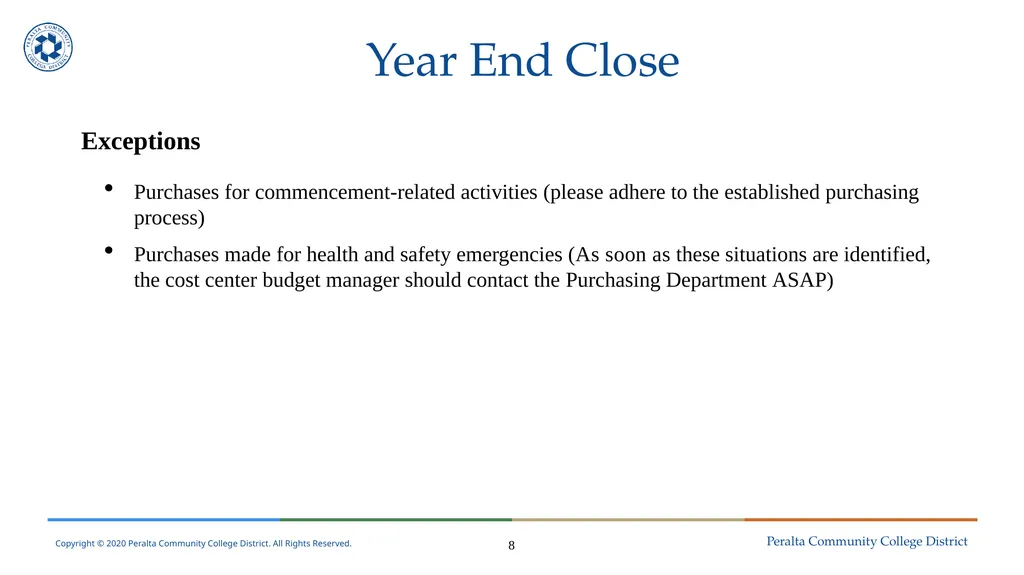
Year End Close Exceptions
Purchases for commencement-related activities (please adhere to the established purchasing process)
Purchases made for health and safety emergencies (As soon as these situations are identified, the cost center budget manager should contact the Purchasing Department ASAP) 8<br>
Purchases for commencement-related activities (please adhere to the established purchasing process)
Purchases made for health and safety emergencies (As soon as these situations are identified, the cost center budget manager should contact the Purchasing Department ASAP) 8<br>
09
Year End Close Purchase Orders
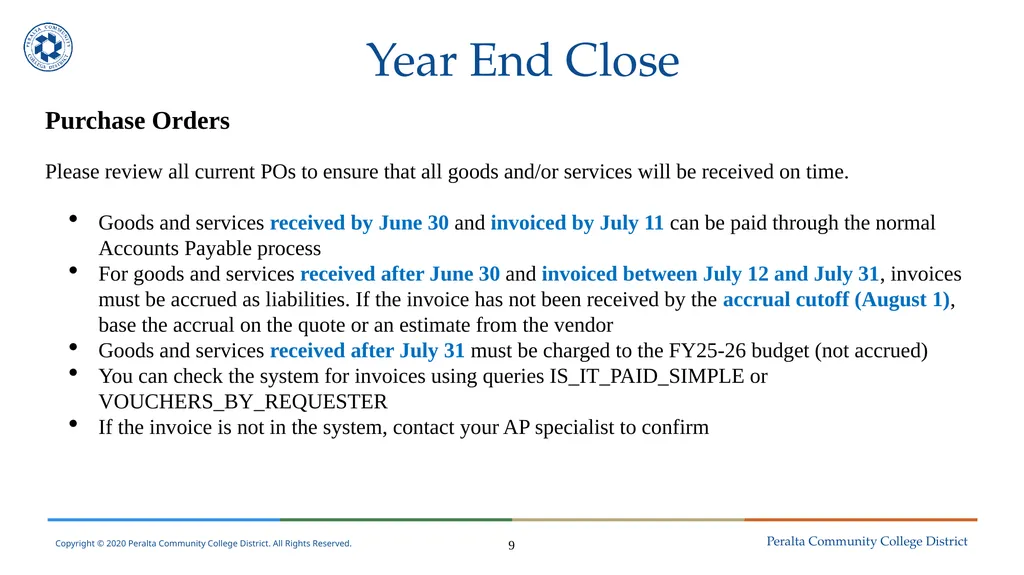
Please review all current POs to ensure that all goods and/or services will be received on time.
Goods and services received by June 30 and invoiced by July 11 can be paid through the normal Accounts Payable process
For goods and services received after June 30 and invoiced between July 12 and July 31, invoices must be accrued as liabilities. If the invoice has not been received by the accrual cutoff (August 1), base the accrual on the quote or an estimate from the vendor
Goods and services received after July 31 must be charged to the FY25-26 budget (not accrued)
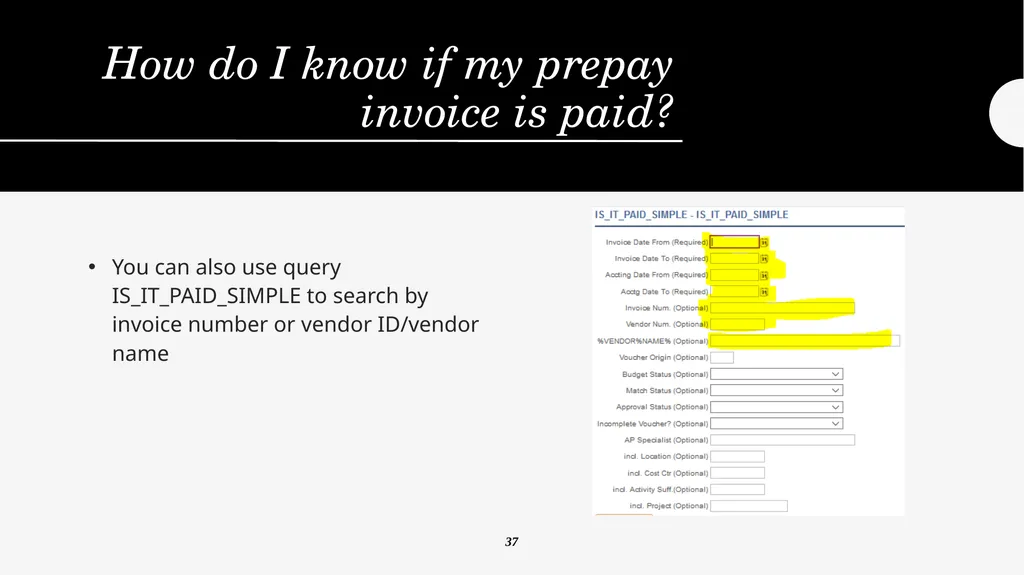
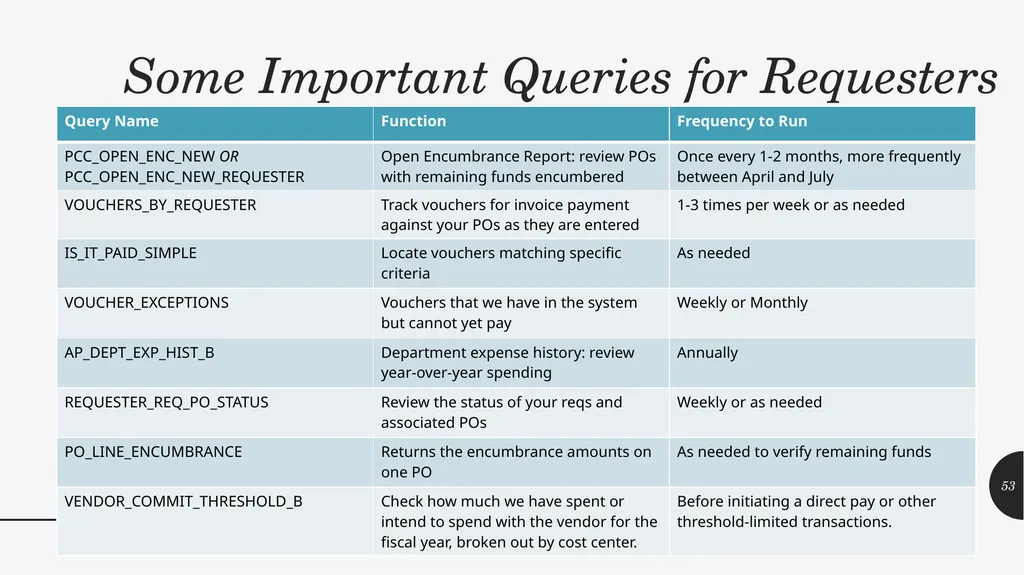
You can check the system for invoices using queries IS_IT_PAID_SIMPLE or VOUCHERS_BY_REQUESTER
If the invoice is not in the system, contact your AP specialist to confirm 9<br>
Please review all current POs to ensure that all goods and/or services will be received on time.
Goods and services received by June 30 and invoiced by July 11 can be paid through the normal Accounts Payable process
For goods and services received after June 30 and invoiced between July 12 and July 31, invoices must be accrued as liabilities. If the invoice has not been received by the accrual cutoff (August 1), base the accrual on the quote or an estimate from the vendor
Goods and services received after July 31 must be charged to the FY25-26 budget (not accrued)
You can check the system for invoices using queries IS_IT_PAID_SIMPLE or VOUCHERS_BY_REQUESTER
If the invoice is not in the system, contact your AP specialist to confirm 9<br>
10
Year End Close Yearend Accrual
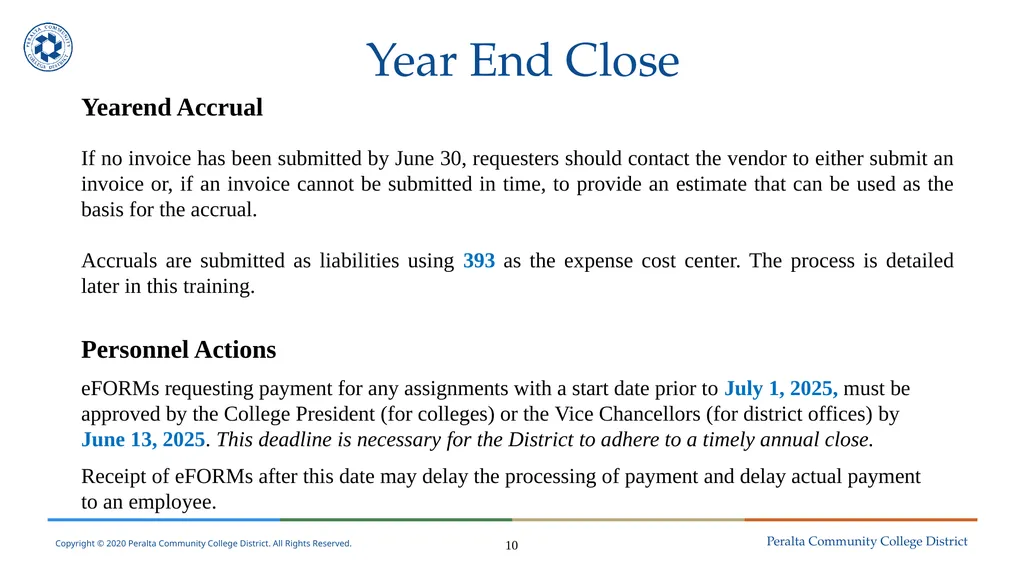
If no invoice has been submitted by June 30, requesters should contact the vendor to either submit an invoice or, if an invoice cannot be submitted in time, to provide an estimate that can be used as the basis for the accrual.
Accruals are submitted as liabilities using 393 as the expense cost center. The process is detailed later in this training.
Personnel Actions
eFORMs requesting payment for any assignments with a start date prior to July 1, 2025, must be approved by the College President (for colleges) or the Vice Chancellors (for district offices) by June 13, 2025. This deadline is necessary for the District to adhere to a timely annual close.
Receipt of eFORMs after this date may delay the processing of payment and delay actual payment to an employee. 10<br>
If no invoice has been submitted by June 30, requesters should contact the vendor to either submit an invoice or, if an invoice cannot be submitted in time, to provide an estimate that can be used as the basis for the accrual.
Accruals are submitted as liabilities using 393 as the expense cost center. The process is detailed later in this training.
Personnel Actions
eFORMs requesting payment for any assignments with a start date prior to July 1, 2025, must be approved by the College President (for colleges) or the Vice Chancellors (for district offices) by June 13, 2025. This deadline is necessary for the District to adhere to a timely annual close.
Receipt of eFORMs after this date may delay the processing of payment and delay actual payment to an employee. 10<br>
11
Year End Close Payroll Transactions
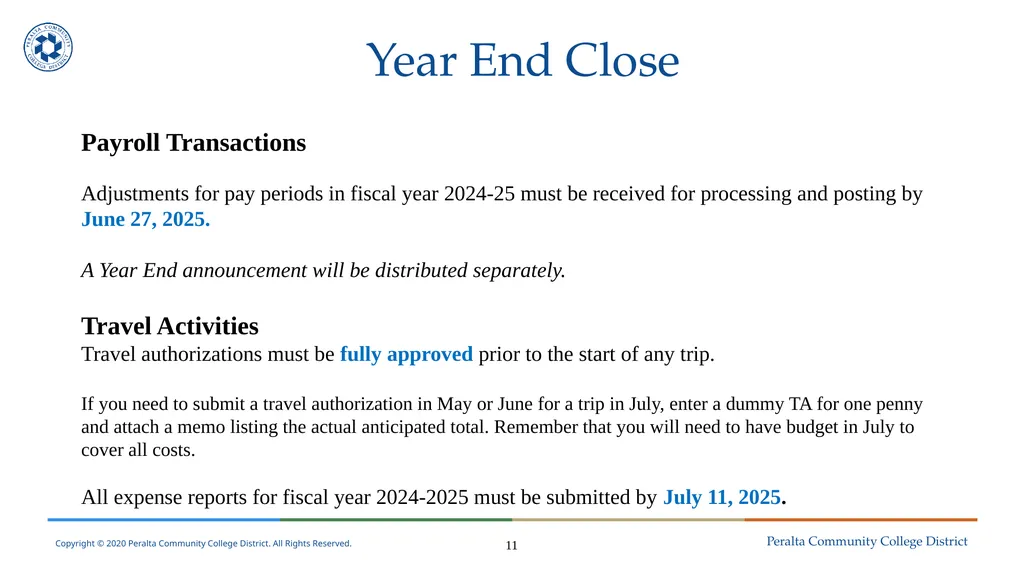
Adjustments for pay periods in fiscal year 2024-25 must be received for processing and posting by June 27, 2025.
A Year End announcement will be distributed separately.
Travel Activities
Travel authorizations must be fully approved prior to the start of any trip.
If you need to submit a travel authorization in May or June for a trip in July, enter a dummy TA for one penny and attach a memo listing the actual anticipated total. Remember that you will need to have budget in July to cover all costs.
All expense reports for fiscal year 2024-2025 must be submitted by July 11, 2025. 11<br>
Adjustments for pay periods in fiscal year 2024-25 must be received for processing and posting by June 27, 2025.
A Year End announcement will be distributed separately.
Travel Activities
Travel authorizations must be fully approved prior to the start of any trip.
If you need to submit a travel authorization in May or June for a trip in July, enter a dummy TA for one penny and attach a memo listing the actual anticipated total. Remember that you will need to have budget in July to cover all costs.
All expense reports for fiscal year 2024-2025 must be submitted by July 11, 2025. 11<br>
12
Year End Close Receiving Items
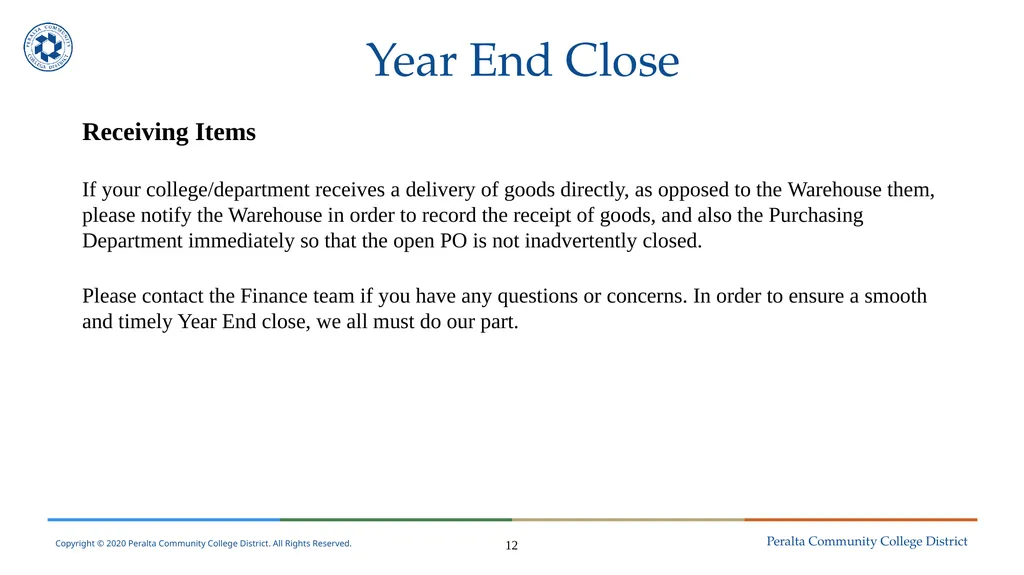
If your college/department receives a delivery of goods directly, as opposed to the Warehouse them, please notify the Warehouse in order to record the receipt of goods, and also the Purchasing Department immediately so that the open PO is not inadvertently closed.
Please contact the Finance team if you have any questions or concerns. In order to ensure a smooth and timely Year End close, we all must do our part. 12<br>
If your college/department receives a delivery of goods directly, as opposed to the Warehouse them, please notify the Warehouse in order to record the receipt of goods, and also the Purchasing Department immediately so that the open PO is not inadvertently closed.
Please contact the Finance team if you have any questions or concerns. In order to ensure a smooth and timely Year End close, we all must do our part. 12<br>
13
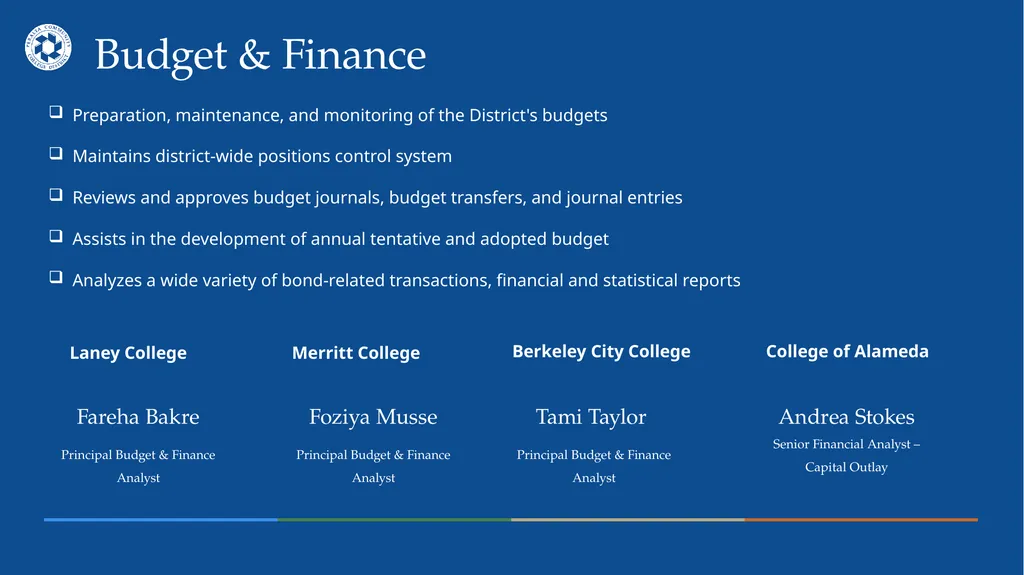
Berkeley City College Budget & Finance Laney College Merritt College College of Alameda Fareha Bakre
Principal Budget & Finance Analyst Tami Taylor
Principal Budget & Finance Analyst Foziya Musse
Principal Budget & Finance Analyst Andrea Stokes Senior Financial Analyst – Capital Outlay Preparation, maintenance, and monitoring of the District's budgets
Maintains district-wide positions control system
Reviews and approves budget journals, budget transfers, and journal entries
Assists in the development of annual tentative and adopted budget
Analyzes a wide variety of bond-related transactions, financial and statistical reports<br>
Principal Budget & Finance Analyst Tami Taylor
Principal Budget & Finance Analyst Foziya Musse
Principal Budget & Finance Analyst Andrea Stokes Senior Financial Analyst – Capital Outlay Preparation, maintenance, and monitoring of the District's budgets
Maintains district-wide positions control system
Reviews and approves budget journals, budget transfers, and journal entries
Assists in the development of annual tentative and adopted budget
Analyzes a wide variety of bond-related transactions, financial and statistical reports<br>
14
Questions?<br>
15
Purchasing Presenters:
Nicanor Custodio
John Heibert
Myisha Lewis
Seraphine Nzomo<br>
Nicanor Custodio
John Heibert
Myisha Lewis
Seraphine Nzomo<br>
16
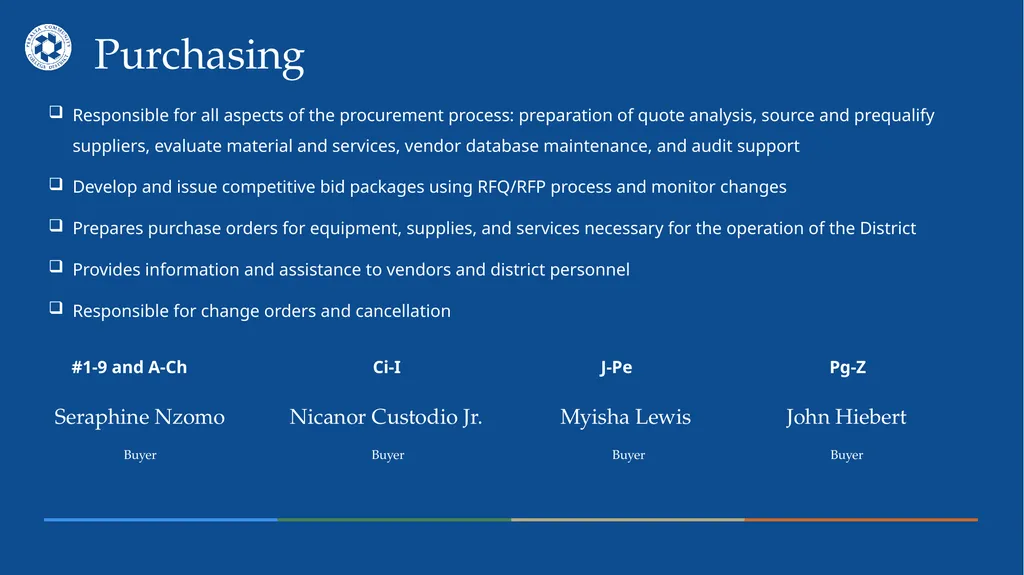
J-Pe Purchasing #1-9 and A-Ch Ci-I Pg-Z Seraphine Nzomo
Buyer Myisha Lewis
Buyer Nicanor Custodio Jr.
Buyer John Hiebert
Buyer Responsible for all aspects of the procurement process: preparation of quote analysis, source and prequalify suppliers, evaluate material and services, vendor database maintenance, and audit support
Develop and issue competitive bid packages using RFQ/RFP process and monitor changes
Prepares purchase orders for equipment, supplies, and services necessary for the operation of the District
Provides information and assistance to vendors and district personnel
Responsible for change orders and cancellation<br>
Buyer Myisha Lewis
Buyer Nicanor Custodio Jr.
Buyer John Hiebert
Buyer Responsible for all aspects of the procurement process: preparation of quote analysis, source and prequalify suppliers, evaluate material and services, vendor database maintenance, and audit support
Develop and issue competitive bid packages using RFQ/RFP process and monitor changes
Prepares purchase orders for equipment, supplies, and services necessary for the operation of the District
Provides information and assistance to vendors and district personnel
Responsible for change orders and cancellation<br>
17
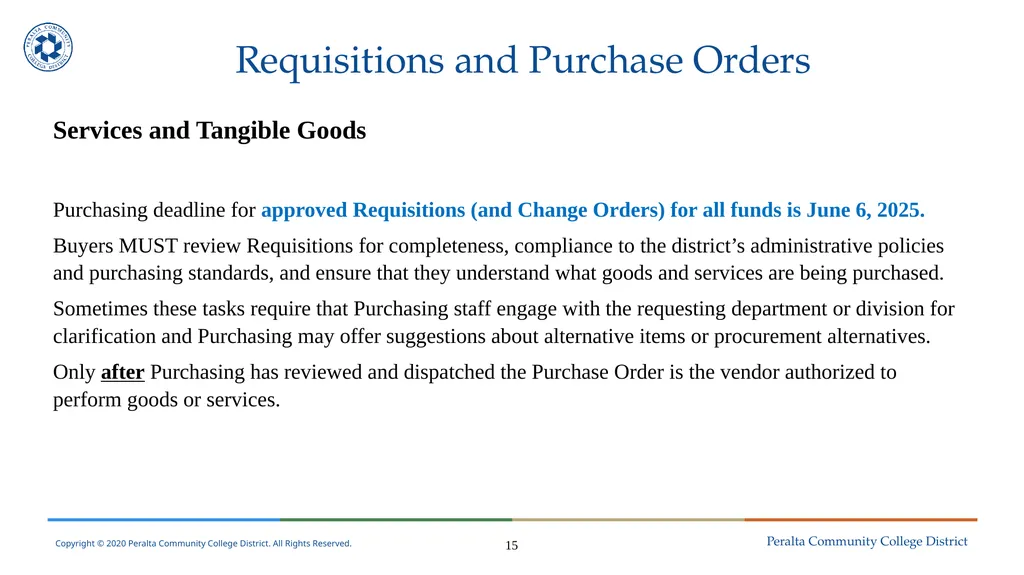
Requisitions and Purchase Orders Services and Tangible Goods
Purchasing deadline for approved Requisitions (and Change Orders) for all funds is June 6, 2025.
Buyers MUST review Requisitions for completeness, compliance to the district’s administrative policies and purchasing standards, and ensure that they understand what goods and services are being purchased.
Sometimes these tasks require that Purchasing staff engage with the requesting department or division for clarification and Purchasing may offer suggestions about alternative items or procurement alternatives.
Only after Purchasing has reviewed and dispatched the Purchase Order is the vendor authorized to perform goods or services. 15<br>
Purchasing deadline for approved Requisitions (and Change Orders) for all funds is June 6, 2025.
Buyers MUST review Requisitions for completeness, compliance to the district’s administrative policies and purchasing standards, and ensure that they understand what goods and services are being purchased.
Sometimes these tasks require that Purchasing staff engage with the requesting department or division for clarification and Purchasing may offer suggestions about alternative items or procurement alternatives.
Only after Purchasing has reviewed and dispatched the Purchase Order is the vendor authorized to perform goods or services. 15<br>
18
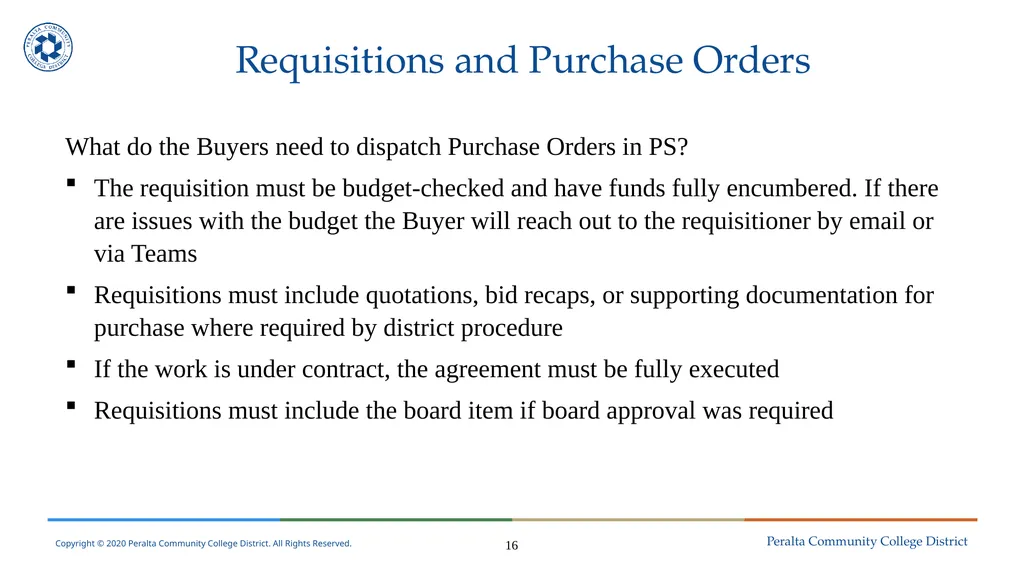
Requisitions and Purchase Orders What do the Buyers need to dispatch Purchase Orders in PS?
The requisition must be budget-checked and have funds fully encumbered. If there are issues with the budget the Buyer will reach out to the requisitioner by email or via Teams
Requisitions must include quotations, bid recaps, or supporting documentation for purchase where required by district procedure
If the work is under contract, the agreement must be fully executed
Requisitions must include the board item if board approval was required 16<br>
The requisition must be budget-checked and have funds fully encumbered. If there are issues with the budget the Buyer will reach out to the requisitioner by email or via Teams
Requisitions must include quotations, bid recaps, or supporting documentation for purchase where required by district procedure
If the work is under contract, the agreement must be fully executed
Requisitions must include the board item if board approval was required 16<br>
19
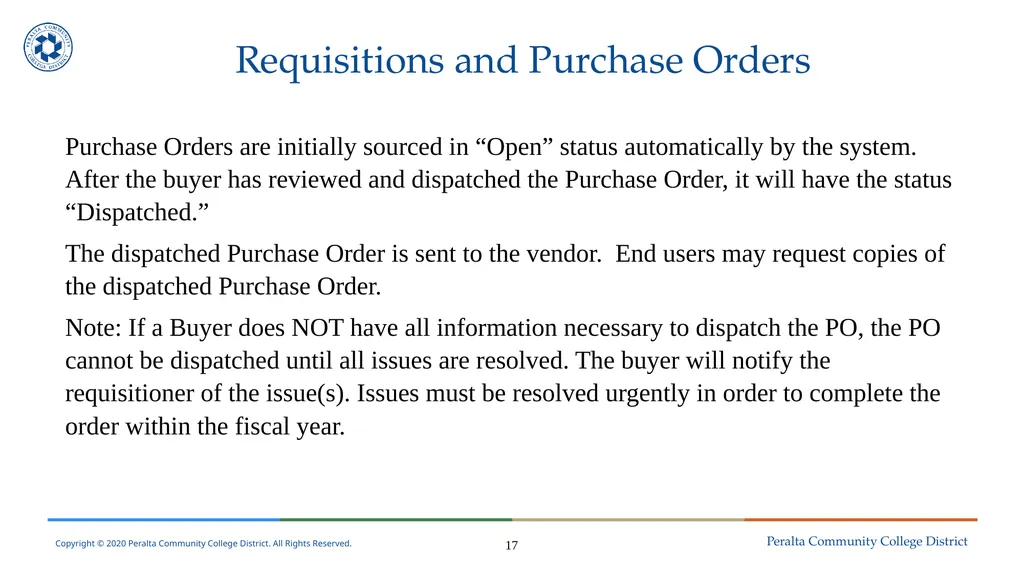
Requisitions and Purchase Orders Purchase Orders are initially sourced in “Open” status automatically by the system. After the buyer has reviewed and dispatched the Purchase Order, it will have the status “Dispatched.”
The dispatched Purchase Order is sent to the vendor. End users may request copies of the dispatched Purchase Order.
Note: If a Buyer does NOT have all information necessary to dispatch the PO, the PO cannot be dispatched until all issues are resolved. The buyer will notify the requisitioner of the issue(s). Issues must be resolved urgently in order to complete the order within the fiscal year. 17<br>
The dispatched Purchase Order is sent to the vendor. End users may request copies of the dispatched Purchase Order.
Note: If a Buyer does NOT have all information necessary to dispatch the PO, the PO cannot be dispatched until all issues are resolved. The buyer will notify the requisitioner of the issue(s). Issues must be resolved urgently in order to complete the order within the fiscal year. 17<br>
20
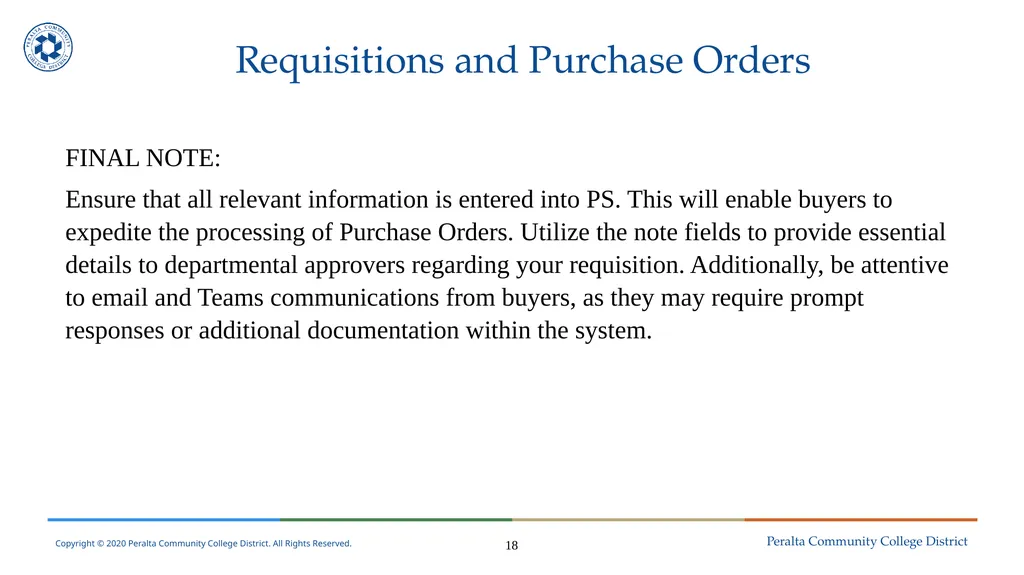
Requisitions and Purchase Orders FINAL NOTE:
Ensure that all relevant information is entered into PS. This will enable buyers to expedite the processing of Purchase Orders. Utilize the note fields to provide essential details to departmental approvers regarding your requisition. Additionally, be attentive to email and Teams communications from buyers, as they may require prompt responses or additional documentation within the system. 18<br>
Ensure that all relevant information is entered into PS. This will enable buyers to expedite the processing of Purchase Orders. Utilize the note fields to provide essential details to departmental approvers regarding your requisition. Additionally, be attentive to email and Teams communications from buyers, as they may require prompt responses or additional documentation within the system. 18<br>
21
Warehouse Presenters:
Shawnee Martinez<br>
Shawnee Martinez<br>
22
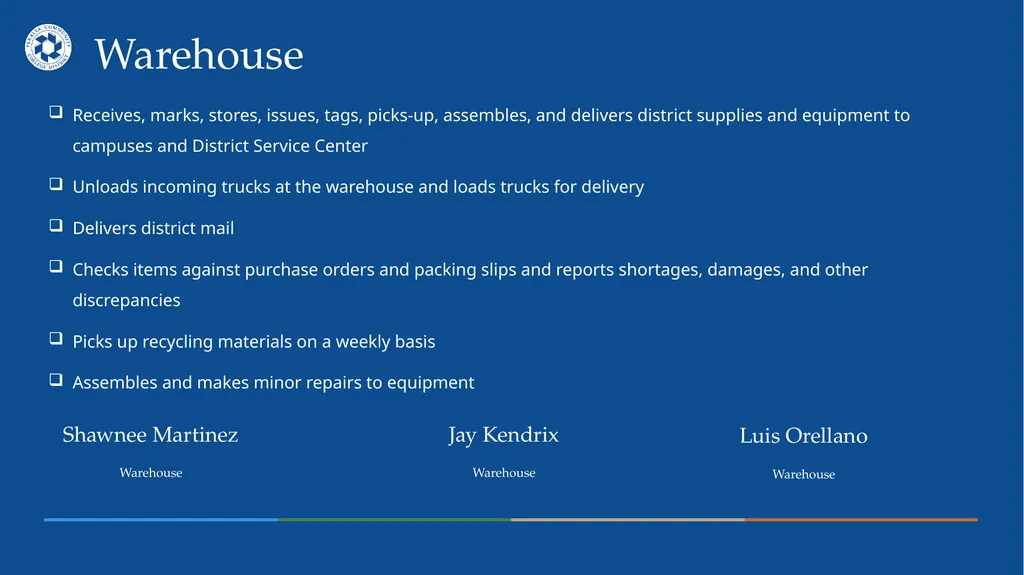
Warehouse Shawnee Martinez
Warehouse Jay Kendrix
Warehouse Receives, marks, stores, issues, tags, picks-up, assembles, and delivers district supplies and equipment to campuses and District Service Center
Unloads incoming trucks at the warehouse and loads trucks for delivery
Delivers district mail
Checks items against purchase orders and packing slips and reports shortages, damages, and other discrepancies
Picks up recycling materials on a weekly basis
Assembles and makes minor repairs to equipment Luis Orellano
Warehouse<br>
Warehouse Jay Kendrix
Warehouse Receives, marks, stores, issues, tags, picks-up, assembles, and delivers district supplies and equipment to campuses and District Service Center
Unloads incoming trucks at the warehouse and loads trucks for delivery
Delivers district mail
Checks items against purchase orders and packing slips and reports shortages, damages, and other discrepancies
Picks up recycling materials on a weekly basis
Assembles and makes minor repairs to equipment Luis Orellano
Warehouse<br>
23
Warehouse: Delivery, Receiving & Storing The Cutoff for warehouse staff to receive and receipt goods delivered to the district is June 30, 2025 for FY 2024-2025 purchases.
The Warehouse staff plays a critical role in procurement. They collaborate with departments and divisions to optimize warehouse operations, maintain an organized environment, and ensure efficient distribution of goods and supplies. 20<br>
The Warehouse staff plays a critical role in procurement. They collaborate with departments and divisions to optimize warehouse operations, maintain an organized environment, and ensure efficient distribution of goods and supplies. 20<br>
24
Warehouse: Delivery, Receiving & Storing What happens when goods arrive at the District Warehouse?
Staff interacts with couriers and delivery personnel handling items that can be hand-carried, moved using dollies, or transported by forklift.
Staff must reconcile packing slips, delivery receipts or bills of lading with the associated Purchase Order in the system. They have to reconcile any discrepancies or issues that may arise.
Warehouse staff will reach out to end users if there are potential items for return due to damages.
Warehouse staff will reach out to end users if items appear to be leaking, odorous, or otherwise considered unsafe to move out of warehouse. 21<br>
Staff interacts with couriers and delivery personnel handling items that can be hand-carried, moved using dollies, or transported by forklift.
Staff must reconcile packing slips, delivery receipts or bills of lading with the associated Purchase Order in the system. They have to reconcile any discrepancies or issues that may arise.
Warehouse staff will reach out to end users if there are potential items for return due to damages.
Warehouse staff will reach out to end users if items appear to be leaking, odorous, or otherwise considered unsafe to move out of warehouse. 21<br>
25
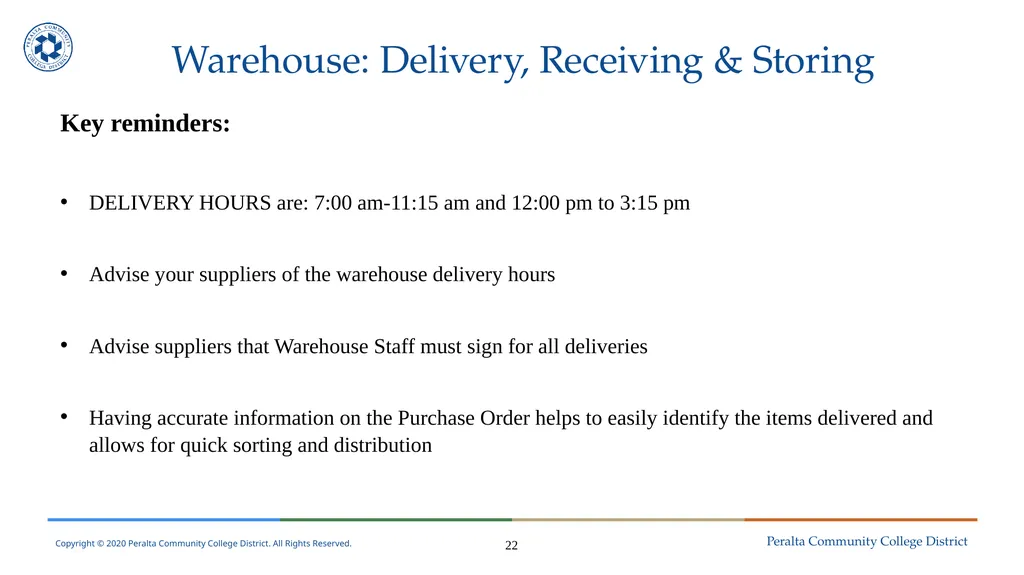
Warehouse: Delivery, Receiving & Storing Key reminders:
DELIVERY HOURS are: 7:00 am-11:15 am and 12:00 pm to 3:15 pm
Advise your suppliers of the warehouse delivery hours
Advise suppliers that Warehouse Staff must sign for all deliveries
Having accurate information on the Purchase Order helps to easily identify the items delivered and allows for quick sorting and distribution 22<br>
DELIVERY HOURS are: 7:00 am-11:15 am and 12:00 pm to 3:15 pm
Advise your suppliers of the warehouse delivery hours
Advise suppliers that Warehouse Staff must sign for all deliveries
Having accurate information on the Purchase Order helps to easily identify the items delivered and allows for quick sorting and distribution 22<br>
26
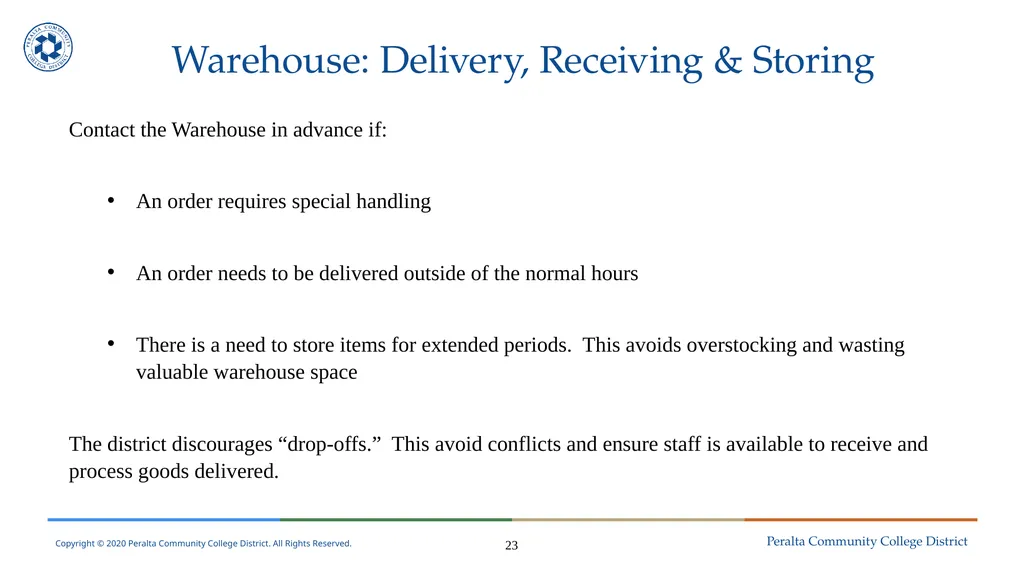
Warehouse: Delivery, Receiving & Storing Contact the Warehouse in advance if:
An order requires special handling
An order needs to be delivered outside of the normal hours
There is a need to store items for extended periods. This avoids overstocking and wasting valuable warehouse space
The district discourages “drop-offs.” This avoid conflicts and ensure staff is available to receive and process goods delivered. 23<br>
An order requires special handling
An order needs to be delivered outside of the normal hours
There is a need to store items for extended periods. This avoids overstocking and wasting valuable warehouse space
The district discourages “drop-offs.” This avoid conflicts and ensure staff is available to receive and process goods delivered. 23<br>
27
Questions?<br>
28
BREAK 25<br>
29
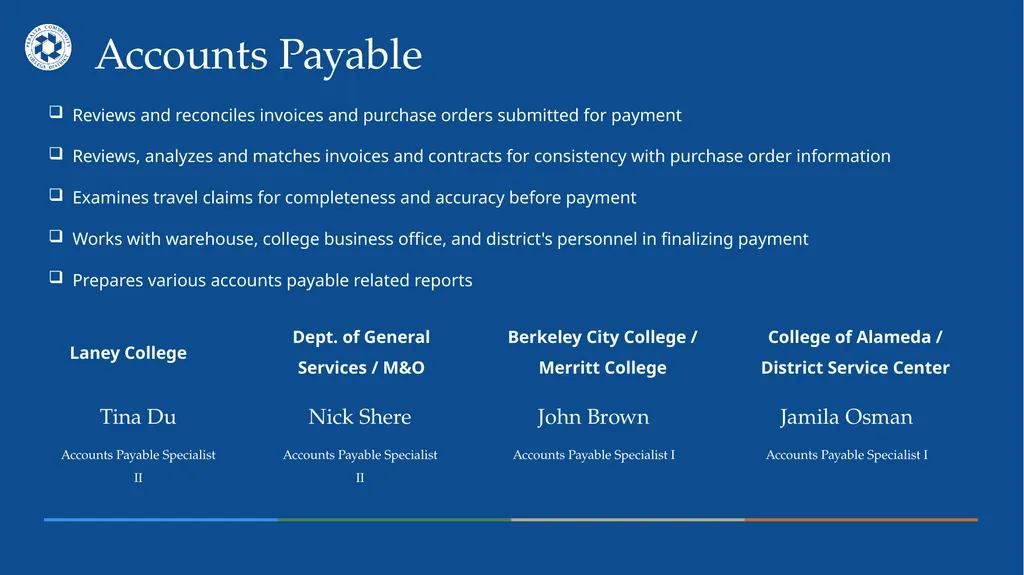
Berkeley City College / Merritt College Accounts Payable Laney College Dept. of General Services / M&O College of Alameda / District Service Center Tina Du
Accounts Payable Specialist II John Brown
Accounts Payable Specialist I Nick Shere
Accounts Payable Specialist II Jamila Osman
Accounts Payable Specialist I Reviews and reconciles invoices and purchase orders submitted for payment
Reviews, analyzes and matches invoices and contracts for consistency with purchase order information
Examines travel claims for completeness and accuracy before payment
Works with warehouse, college business office, and district's personnel in finalizing payment
Prepares various accounts payable related reports<br>
Accounts Payable Specialist II John Brown
Accounts Payable Specialist I Nick Shere
Accounts Payable Specialist II Jamila Osman
Accounts Payable Specialist I Reviews and reconciles invoices and purchase orders submitted for payment
Reviews, analyzes and matches invoices and contracts for consistency with purchase order information
Examines travel claims for completeness and accuracy before payment
Works with warehouse, college business office, and district's personnel in finalizing payment
Prepares various accounts payable related reports<br>
30
Prepays and Liabilities Presenter:
Nick Shere<br>
Nick Shere<br>
31
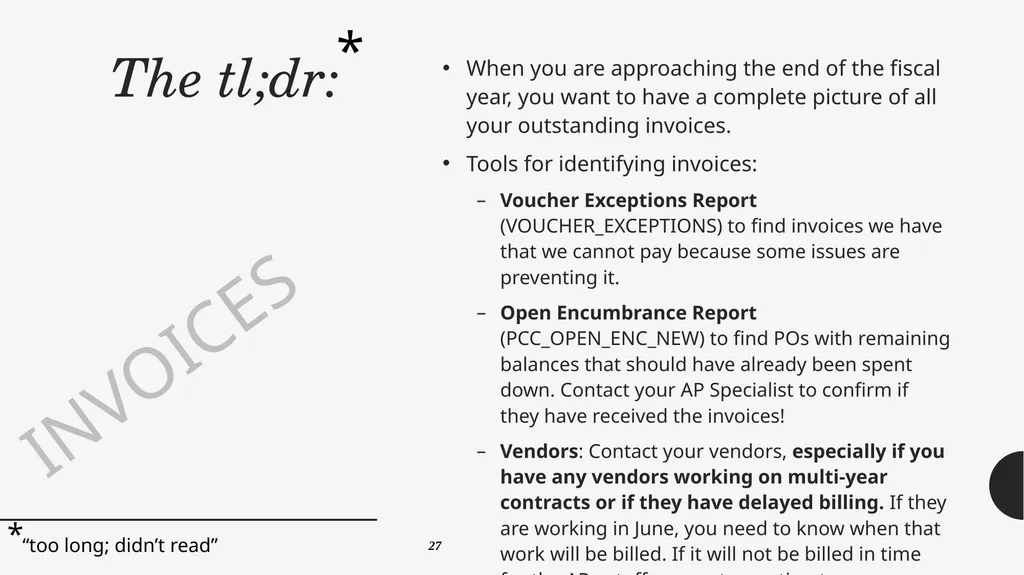
The tl;dr: When you are approaching the end of the fiscal year, you want to have a complete picture of all your outstanding invoices.
Tools for identifying invoices:
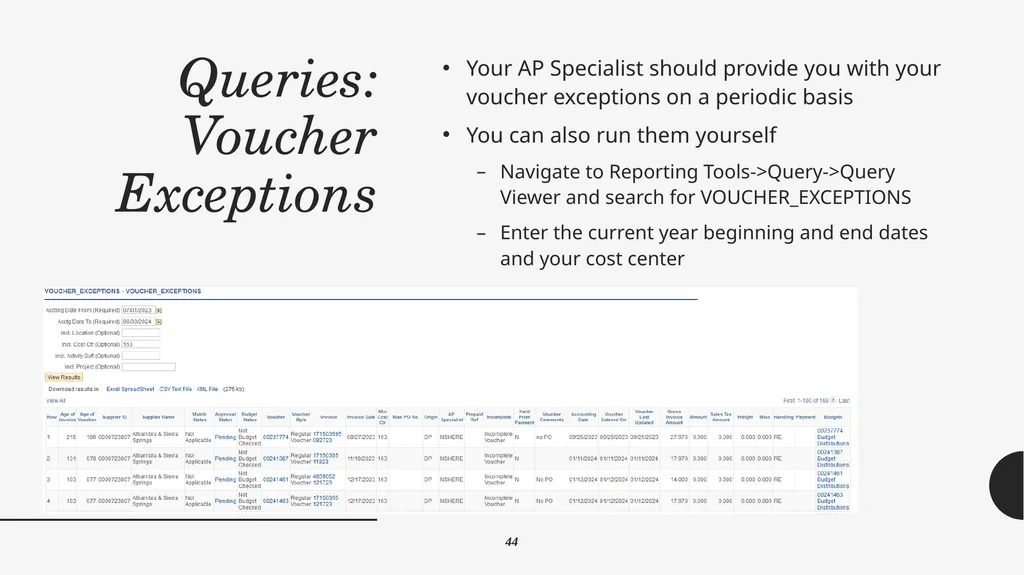
Voucher Exceptions Report (VOUCHER_EXCEPTIONS) to find invoices we have that we cannot pay because some issues are preventing it.
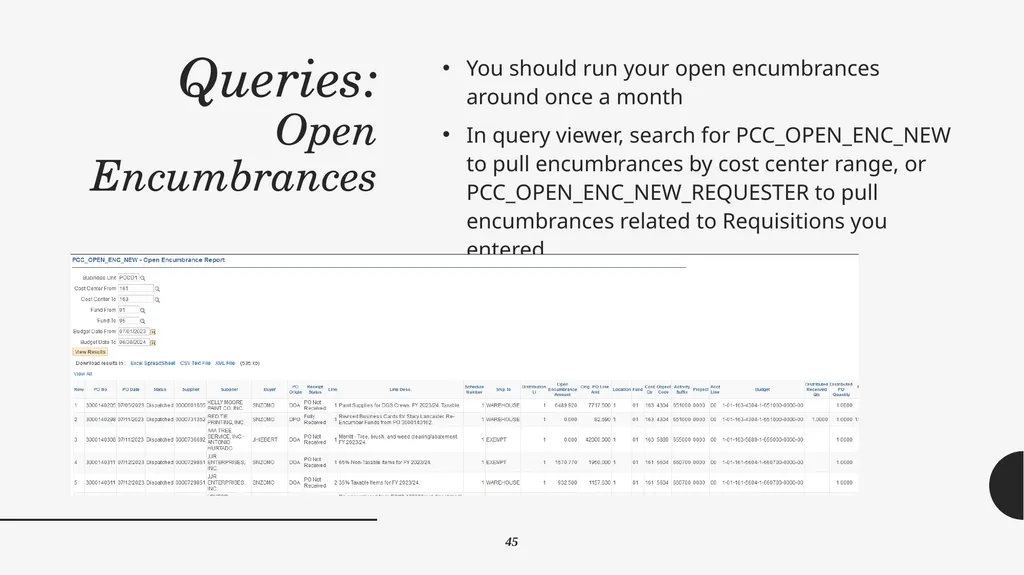
Open Encumbrance Report (PCC_OPEN_ENC_NEW) to find POs with remaining balances that should have already been spent down. Contact your AP Specialist to confirm if they have received the invoices!
Vendors: Contact your vendors, especially if you have any vendors working on multi-year contracts or if they have delayed billing. If they are working in June, you need to know when that work will be billed. If it will not be billed in time for the AP cutoff, request an estimate. * * “too long; didn’t read” INVOICES 27<br>
Tools for identifying invoices:
Voucher Exceptions Report (VOUCHER_EXCEPTIONS) to find invoices we have that we cannot pay because some issues are preventing it.
Open Encumbrance Report (PCC_OPEN_ENC_NEW) to find POs with remaining balances that should have already been spent down. Contact your AP Specialist to confirm if they have received the invoices!
Vendors: Contact your vendors, especially if you have any vendors working on multi-year contracts or if they have delayed billing. If they are working in June, you need to know when that work will be billed. If it will not be billed in time for the AP cutoff, request an estimate. * * “too long; didn’t read” INVOICES 27<br>
32
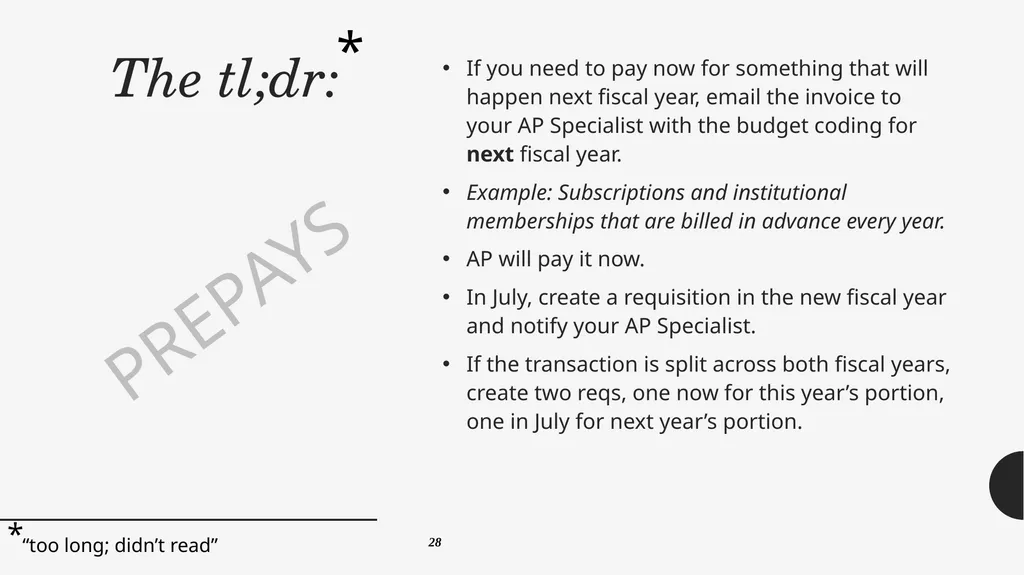
The tl;dr: If you need to pay now for something that will happen next fiscal year, email the invoice to your AP Specialist with the budget coding for next fiscal year.
Example: Subscriptions and institutional memberships that are billed in advance every year.
AP will pay it now.
In July, create a requisition in the new fiscal year and notify your AP Specialist.
If the transaction is split across both fiscal years, create two reqs, one now for this year’s portion, one in July for next year’s portion. * * “too long; didn’t read” PREPAYS 28<br>
Example: Subscriptions and institutional memberships that are billed in advance every year.
AP will pay it now.
In July, create a requisition in the new fiscal year and notify your AP Specialist.
If the transaction is split across both fiscal years, create two reqs, one now for this year’s portion, one in July for next year’s portion. * * “too long; didn’t read” PREPAYS 28<br>
33
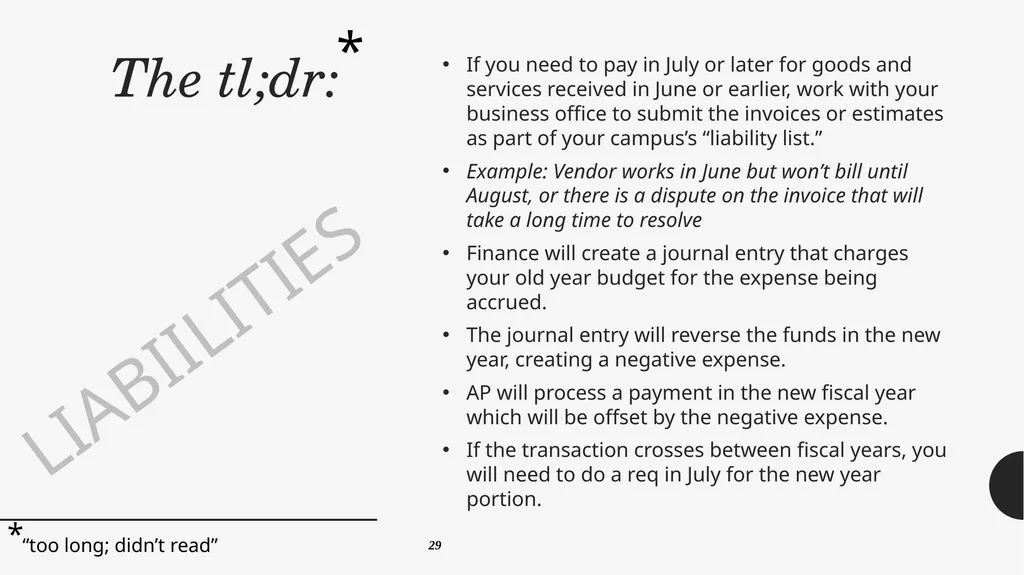
The tl;dr: If you need to pay in July or later for goods and services received in June or earlier, work with your business office to submit the invoices or estimates as part of your campus’s “liability list.”
Example: Vendor works in June but won’t bill until August, or there is a dispute on the invoice that will take a long time to resolve
Finance will create a journal entry that charges your old year budget for the expense being accrued.
The journal entry will reverse the funds in the new year, creating a negative expense.
AP will process a payment in the new fiscal year which will be offset by the negative expense.
If the transaction crosses between fiscal years, you will need to do a req in July for the new year portion. * * “too long; didn’t read” LIABIILITIES 29<br>
Example: Vendor works in June but won’t bill until August, or there is a dispute on the invoice that will take a long time to resolve
Finance will create a journal entry that charges your old year budget for the expense being accrued.
The journal entry will reverse the funds in the new year, creating a negative expense.
AP will process a payment in the new fiscal year which will be offset by the negative expense.
If the transaction crosses between fiscal years, you will need to do a req in July for the new year portion. * * “too long; didn’t read” LIABIILITIES 29<br>
34
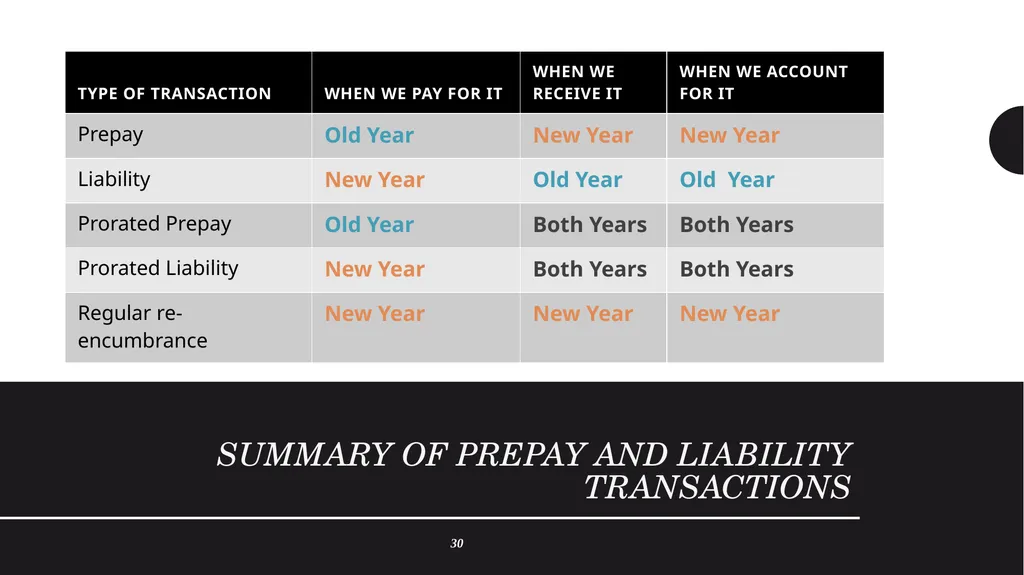
Summary of Prepay and Liability Transactions 30<br>
35
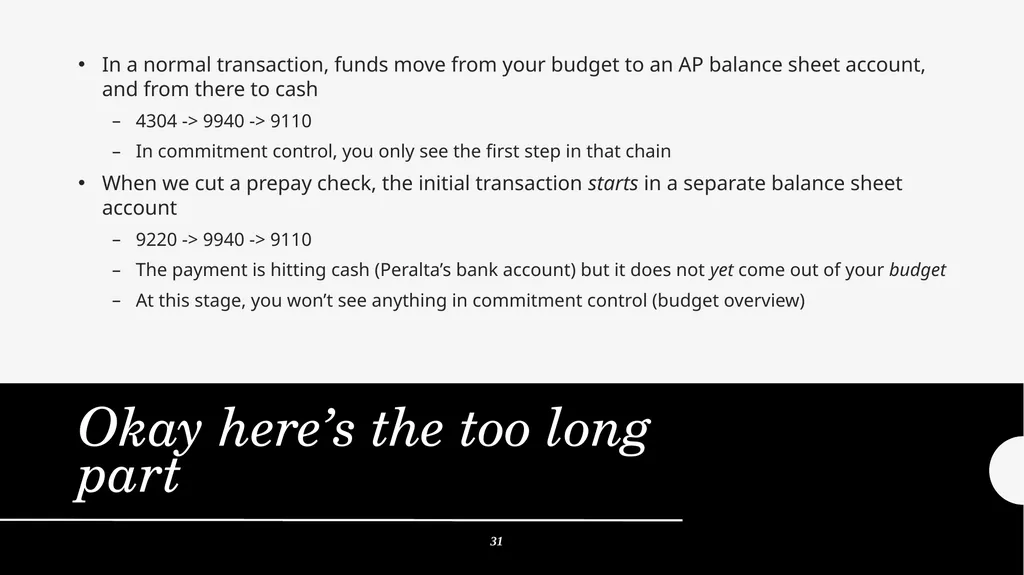
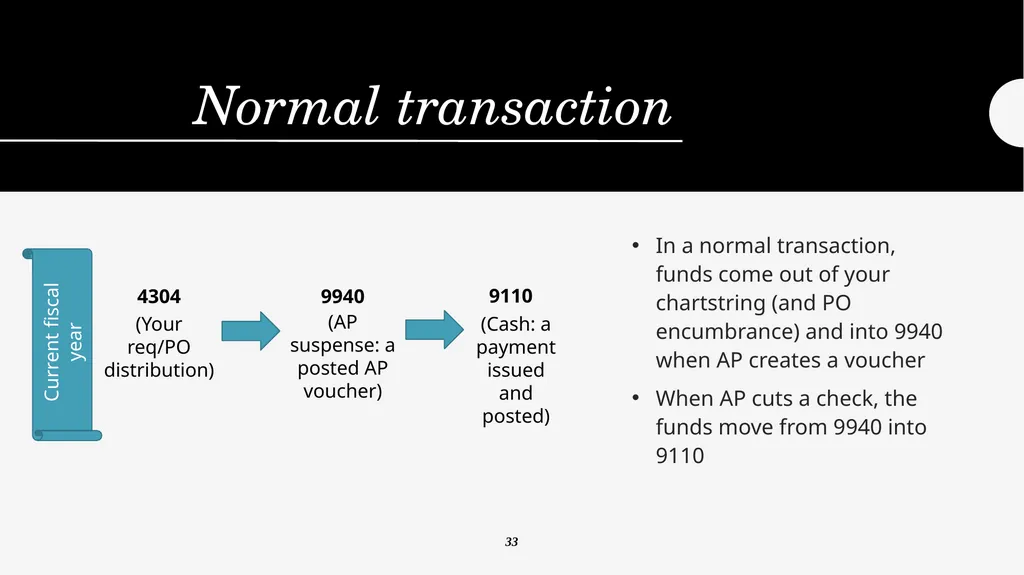
In a normal transaction, funds move from your budget to an AP balance sheet account, and from there to cash
4304 -> 9940 -> 9110
In commitment control, you only see the first step in that chain
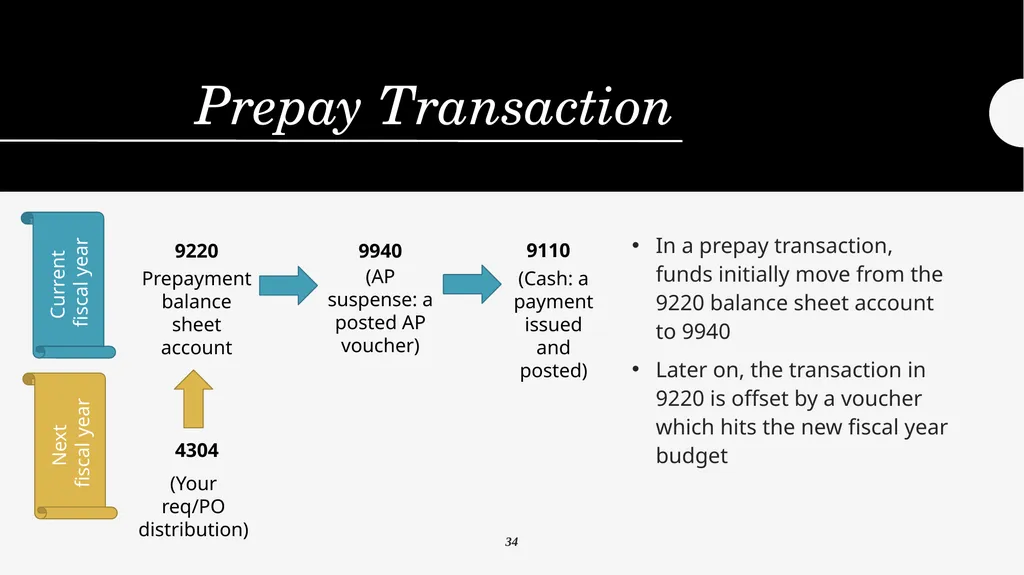
When we cut a prepay check, the initial transaction starts in a separate balance sheet account
9220 -> 9940 -> 9110
The payment is hitting cash (Peralta’s bank account) but it does not yet come out of your budget
At this stage, you won’t see anything in commitment control (budget overview) Okay here’s the too long part 31<br>
4304 -> 9940 -> 9110
In commitment control, you only see the first step in that chain
When we cut a prepay check, the initial transaction starts in a separate balance sheet account
9220 -> 9940 -> 9110
The payment is hitting cash (Peralta’s bank account) but it does not yet come out of your budget
At this stage, you won’t see anything in commitment control (budget overview) Okay here’s the too long part 31<br>
36
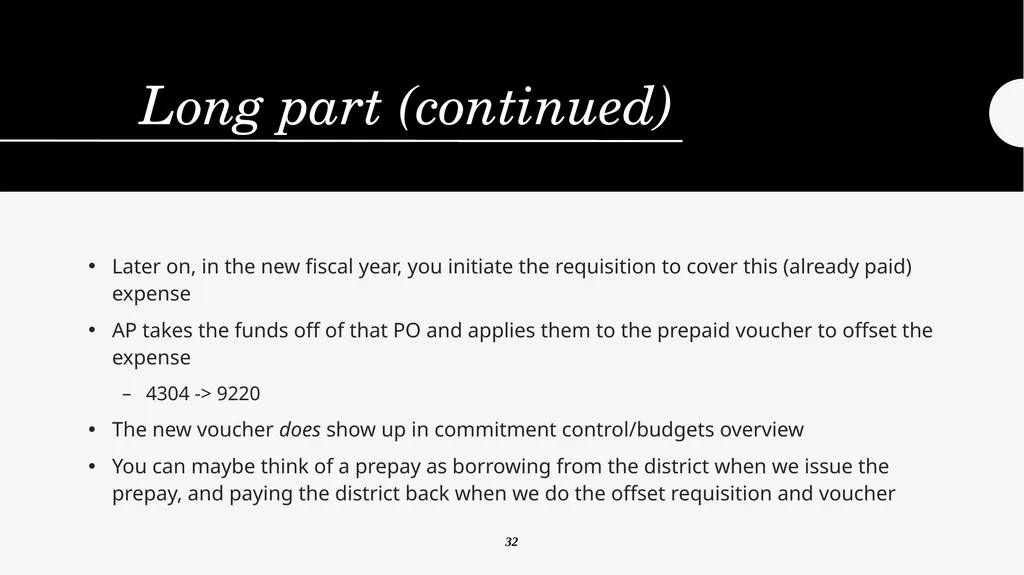
Long part (continued) Later on, in the new fiscal year, you initiate the requisition to cover this (already paid) expense
AP takes the funds off of that PO and applies them to the prepaid voucher to offset the expense
4304 -> 9220
The new voucher does show up in commitment control/budgets overview
You can maybe think of a prepay as borrowing from the district when we issue the prepay, and paying the district back when we do the offset requisition and voucher 32<br>
AP takes the funds off of that PO and applies them to the prepaid voucher to offset the expense
4304 -> 9220
The new voucher does show up in commitment control/budgets overview
You can maybe think of a prepay as borrowing from the district when we issue the prepay, and paying the district back when we do the offset requisition and voucher 32<br>
37
Normal transaction In a normal transaction, funds come out of your chartstring (and PO encumbrance) and into 9940 when AP creates a voucher
When AP cuts a check, the funds move from 9940 into 9110 (Your req/PO distribution) (AP suspense: a posted AP voucher) (Cash: a payment issued and posted) 9110 9940 4304 Current fiscal year 33<br>
When AP cuts a check, the funds move from 9940 into 9110 (Your req/PO distribution) (AP suspense: a posted AP voucher) (Cash: a payment issued and posted) 9110 9940 4304 Current fiscal year 33<br>
38
Prepay Transaction In a prepay transaction, funds initially move from the 9220 balance sheet account to 9940
Later on, the transaction in 9220 is offset by a voucher which hits the new fiscal year budget (Your req/PO distribution) 4304 Current
fiscal year Next
fiscal year Prepayment balance sheet account (AP suspense: a posted AP voucher) (Cash: a payment issued and posted) 9110 9940 9220 34<br>
Later on, the transaction in 9220 is offset by a voucher which hits the new fiscal year budget (Your req/PO distribution) 4304 Current
fiscal year Next
fiscal year Prepayment balance sheet account (AP suspense: a posted AP voucher) (Cash: a payment issued and posted) 9110 9940 9220 34<br>
39
Prorated (Split)
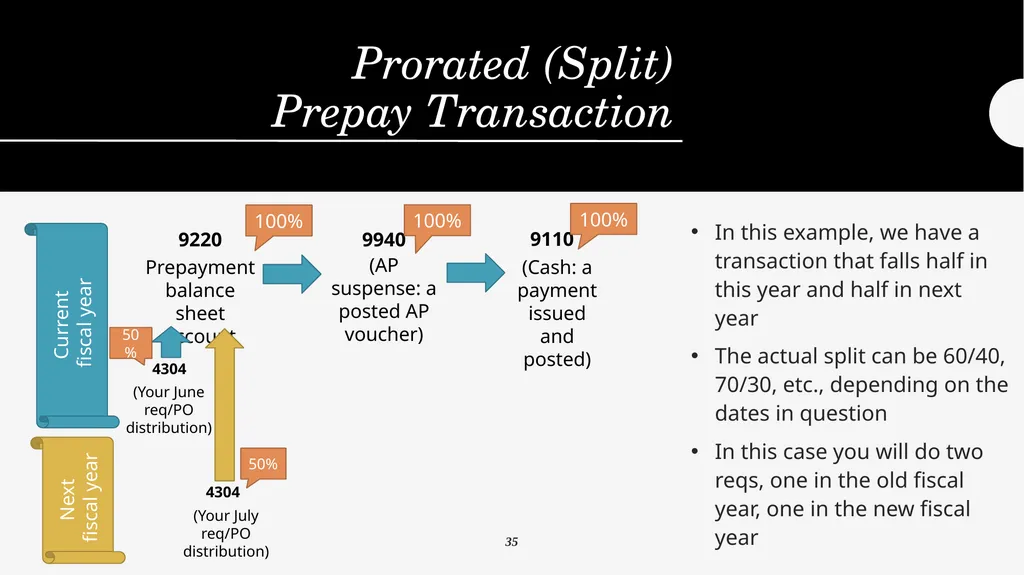
Prepay Transaction In this example, we have a transaction that falls half in this year and half in next year
The actual split can be 60/40, 70/30, etc., depending on the dates in question
In this case you will do two reqs, one in the old fiscal year, one in the new fiscal year Current
fiscal year Next
fiscal year Prepayment balance sheet account (AP suspense: a posted AP voucher) (Cash: a payment issued and posted) 9110 9940 9220 100% 100% 100% (Your June
req/PO distribution) 4304 (Your July req/PO distribution) 4304 50% 50% 35<br>
The actual split can be 60/40, 70/30, etc., depending on the dates in question
In this case you will do two reqs, one in the old fiscal year, one in the new fiscal year Current
fiscal year Next
fiscal year Prepayment balance sheet account (AP suspense: a posted AP voucher) (Cash: a payment issued and posted) 9110 9940 9220 100% 100% 100% (Your June
req/PO distribution) 4304 (Your July req/PO distribution) 4304 50% 50% 35<br>
40
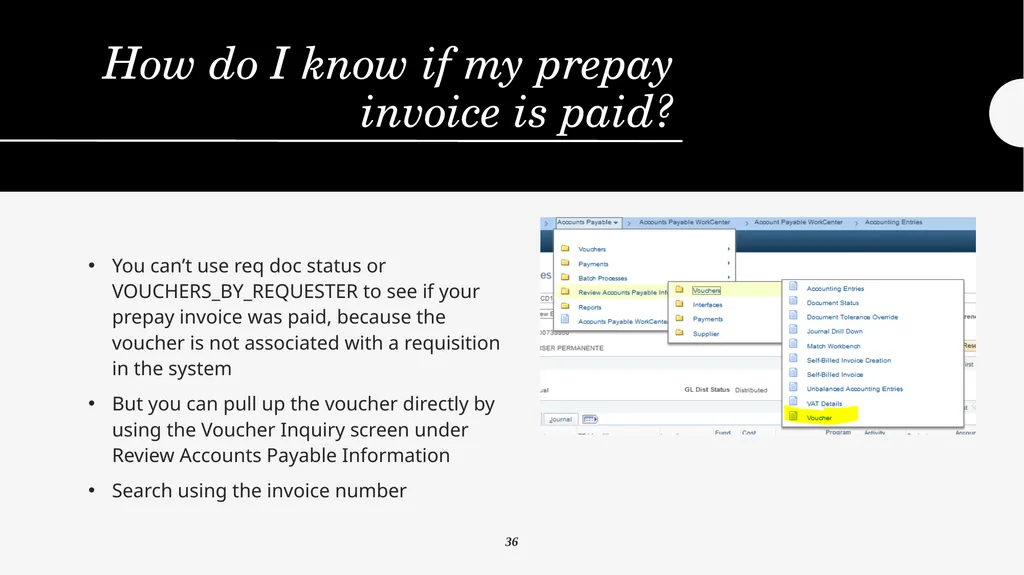
How do I know if my prepay invoice is paid? You can’t use req doc status or VOUCHERS_BY_REQUESTER to see if your prepay invoice was paid, because the voucher is not associated with a requisition in the system
But you can pull up the voucher directly by using the Voucher Inquiry screen under Review Accounts Payable Information
Search using the invoice number 36<br>
But you can pull up the voucher directly by using the Voucher Inquiry screen under Review Accounts Payable Information
Search using the invoice number 36<br>
41
How do I know if my prepay invoice is paid? You can also use query IS_IT_PAID_SIMPLE to search by invoice number or vendor ID/vendor name 37<br>
42
How does this relate to “liability lists” When we talk about “liability lists” we’re referring the accrual of invoices from the prior fiscal year for payment in the new fiscal year
So, basically the opposite of a prepay
In the liability list process, you make a list of invoices you know are outstanding but which for some reason can’t be paid by the AP cutoff in July
That list of invoices is used to create a journal entry to record the expense in the old year while allowing us to pay it in the new year
For example, a vendor has completed work but they fail to invoice us in a timely manner. We accrue the funds so we can pay them once we do get the invoice 38<br>
So, basically the opposite of a prepay
In the liability list process, you make a list of invoices you know are outstanding but which for some reason can’t be paid by the AP cutoff in July
That list of invoices is used to create a journal entry to record the expense in the old year while allowing us to pay it in the new year
For example, a vendor has completed work but they fail to invoice us in a timely manner. We accrue the funds so we can pay them once we do get the invoice 38<br>
43
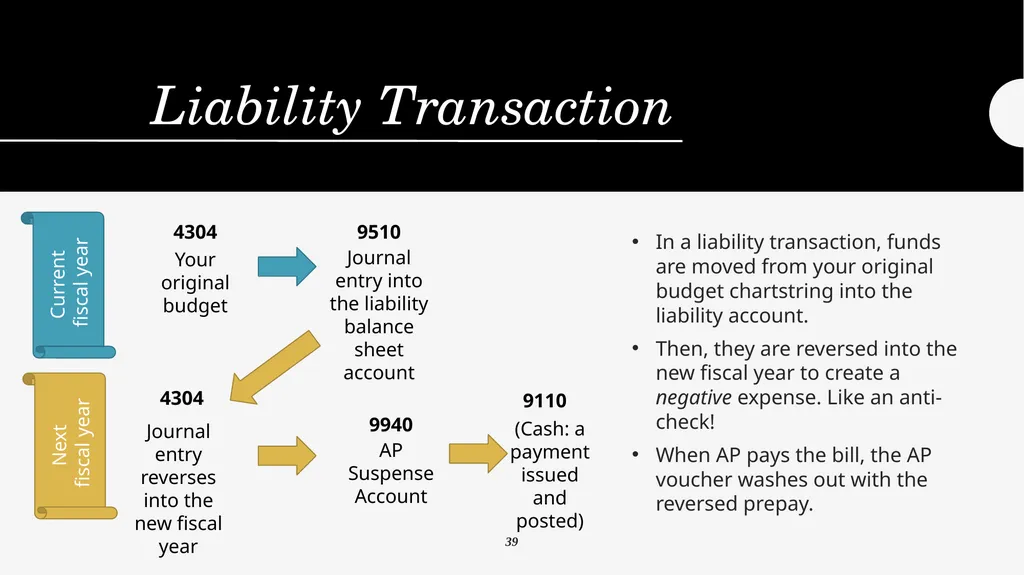
Liability Transaction In a liability transaction, funds are moved from your original budget chartstring into the liability account.
Then, they are reversed into the new fiscal year to create a negative expense. Like an anti-check!
When AP pays the bill, the AP voucher washes out with the reversed prepay. Current
fiscal year Next
fiscal year Your original budget Journal entry into the liability balance sheet account 9510 4304 Journal entry reverses into the new fiscal year 4304 AP Suspense Account 9940 (Cash: a payment issued and posted) 9110 39<br>
Then, they are reversed into the new fiscal year to create a negative expense. Like an anti-check!
When AP pays the bill, the AP voucher washes out with the reversed prepay. Current
fiscal year Next
fiscal year Your original budget Journal entry into the liability balance sheet account 9510 4304 Journal entry reverses into the new fiscal year 4304 AP Suspense Account 9940 (Cash: a payment issued and posted) 9110 39<br>
44
Prorated (Split)
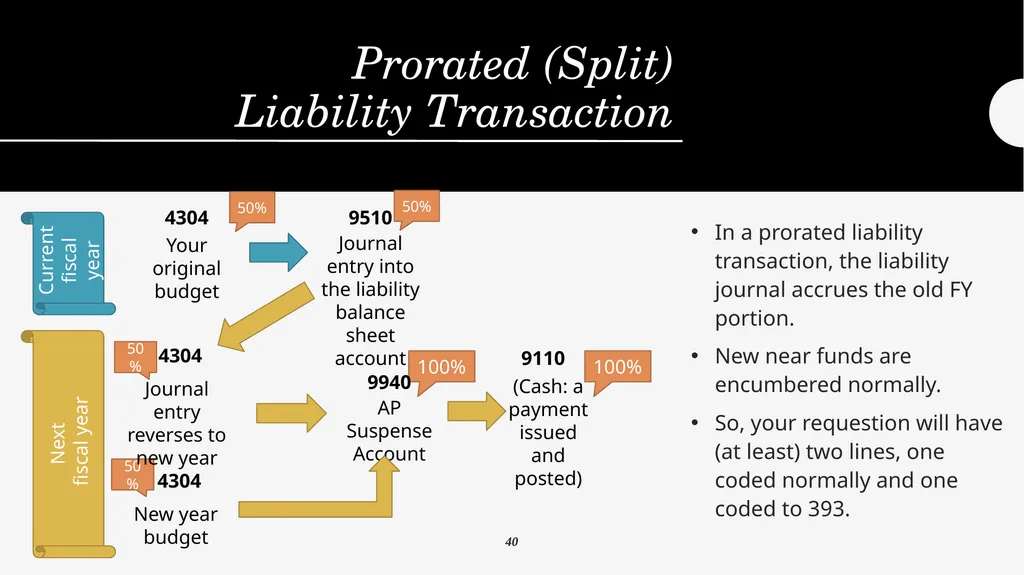
Liability Transaction In a prorated liability transaction, the liability journal accrues the old FY portion.
New near funds are encumbered normally.
So, your requestion will have (at least) two lines, one coded normally and one coded to 393. 100% 50% 50% Current
fiscal year Next
fiscal year Your original budget Journal entry into the liability balance sheet account 9510 4304 Journal entry reverses to new year 4304 AP Suspense Account 9940 (Cash: a payment issued and posted) 9110 50% New year budget 4304 50% 100% 40<br>
New near funds are encumbered normally.
So, your requestion will have (at least) two lines, one coded normally and one coded to 393. 100% 50% 50% Current
fiscal year Next
fiscal year Your original budget Journal entry into the liability balance sheet account 9510 4304 Journal entry reverses to new year 4304 AP Suspense Account 9940 (Cash: a payment issued and posted) 9110 50% New year budget 4304 50% 100% 40<br>
45
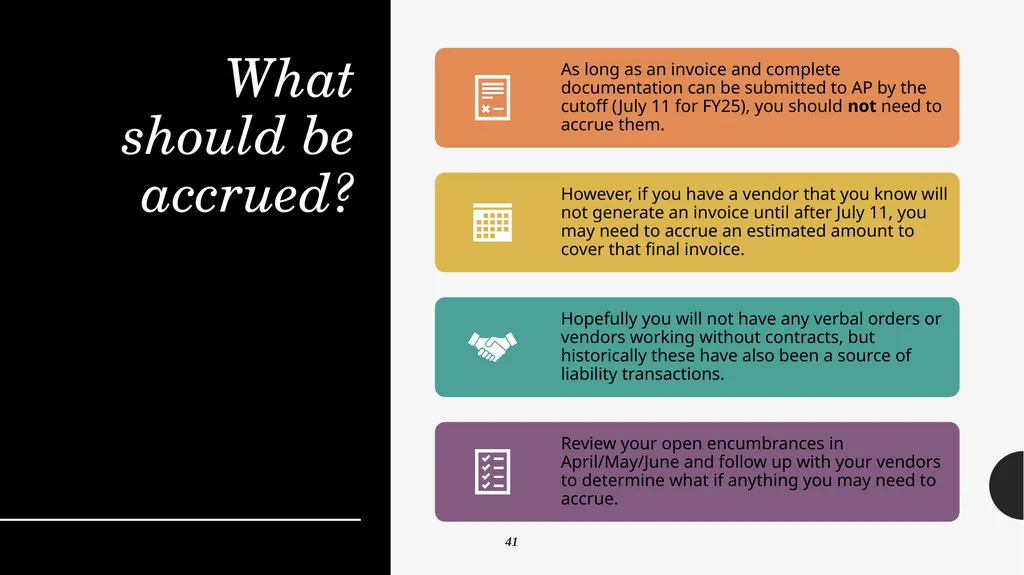
What should be accrued? 41<br>
46
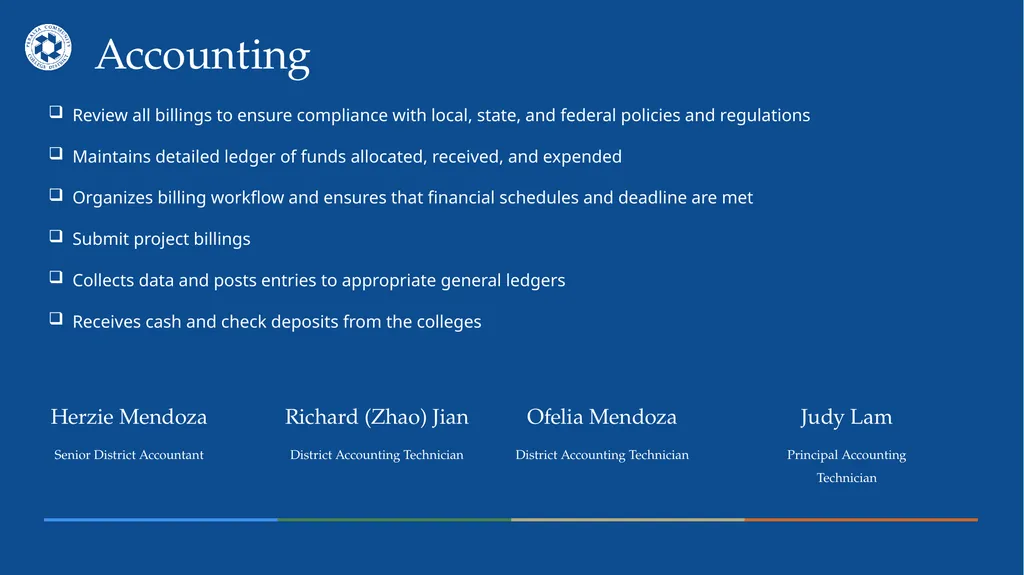
Accounting Herzie Mendoza
Senior District Accountant Ofelia Mendoza
District Accounting Technician Richard (Zhao) Jian
District Accounting Technician Judy Lam
Principal Accounting Technician Review all billings to ensure compliance with local, state, and federal policies and regulations
Maintains detailed ledger of funds allocated, received, and expended
Organizes billing workflow and ensures that financial schedules and deadline are met
Submit project billings
Collects data and posts entries to appropriate general ledgers
Receives cash and check deposits from the colleges<br>
Senior District Accountant Ofelia Mendoza
District Accounting Technician Richard (Zhao) Jian
District Accounting Technician Judy Lam
Principal Accounting Technician Review all billings to ensure compliance with local, state, and federal policies and regulations
Maintains detailed ledger of funds allocated, received, and expended
Organizes billing workflow and ensures that financial schedules and deadline are met
Submit project billings
Collects data and posts entries to appropriate general ledgers
Receives cash and check deposits from the colleges<br>
47
Accruals Presenter:
Herzie Mendoza<br>
Herzie Mendoza<br>
48
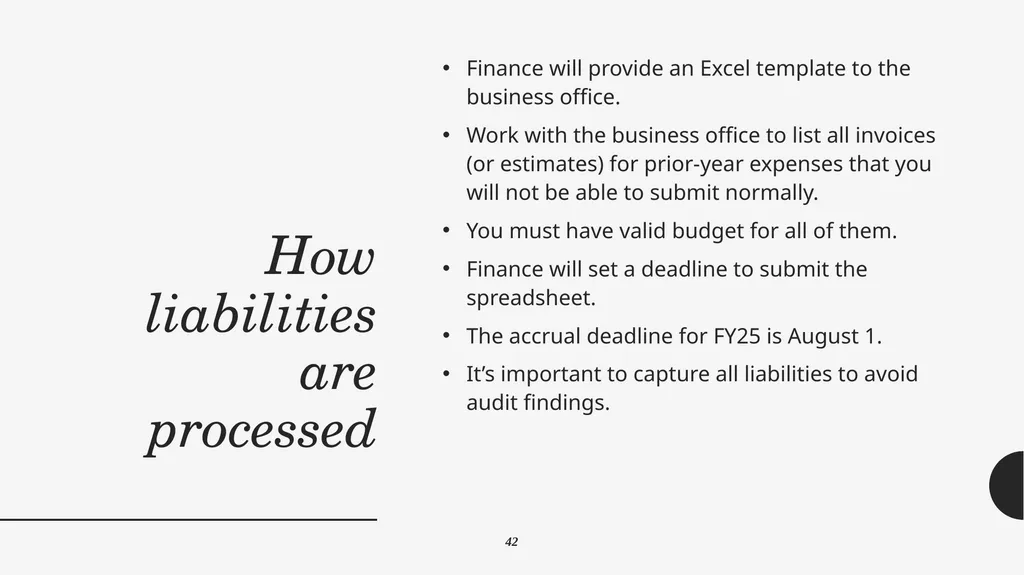
How liabilities are processed Finance will provide an Excel template to the business office.
Work with the business office to list all invoices (or estimates) for prior-year expenses that you will not be able to submit normally.
You must have valid budget for all of them.
Finance will set a deadline to submit the spreadsheet.
The accrual deadline for FY25 is August 1.
It’s important to capture all liabilities to avoid audit findings. 42<br>
Work with the business office to list all invoices (or estimates) for prior-year expenses that you will not be able to submit normally.
You must have valid budget for all of them.
Finance will set a deadline to submit the spreadsheet.
The accrual deadline for FY25 is August 1.
It’s important to capture all liabilities to avoid audit findings. 42<br>
49
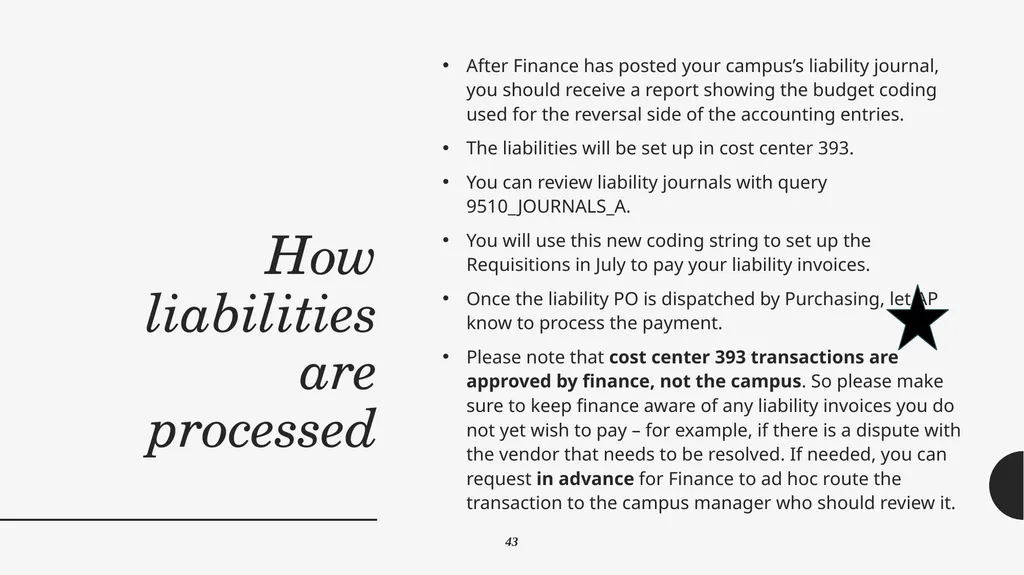
How liabilities are processed After Finance has posted your campus’s liability journal, you should receive a report showing the budget coding used for the reversal side of the accounting entries.
The liabilities will be set up in cost center 393.
You can review liability journals with query 9510_JOURNALS_A.
You will use this new coding string to set up the Requisitions in July to pay your liability invoices.
Once the liability PO is dispatched by Purchasing, let AP know to process the payment.
Please note that cost center 393 transactions are approved by finance, not the campus. So please make sure to keep finance aware of any liability invoices you do not yet wish to pay – for example, if there is a dispute with the vendor that needs to be resolved. If needed, you can request in advance for Finance to ad hoc route the transaction to the campus manager who should review it. 43<br>
The liabilities will be set up in cost center 393.
You can review liability journals with query 9510_JOURNALS_A.
You will use this new coding string to set up the Requisitions in July to pay your liability invoices.
Once the liability PO is dispatched by Purchasing, let AP know to process the payment.
Please note that cost center 393 transactions are approved by finance, not the campus. So please make sure to keep finance aware of any liability invoices you do not yet wish to pay – for example, if there is a dispute with the vendor that needs to be resolved. If needed, you can request in advance for Finance to ad hoc route the transaction to the campus manager who should review it. 43<br>
50
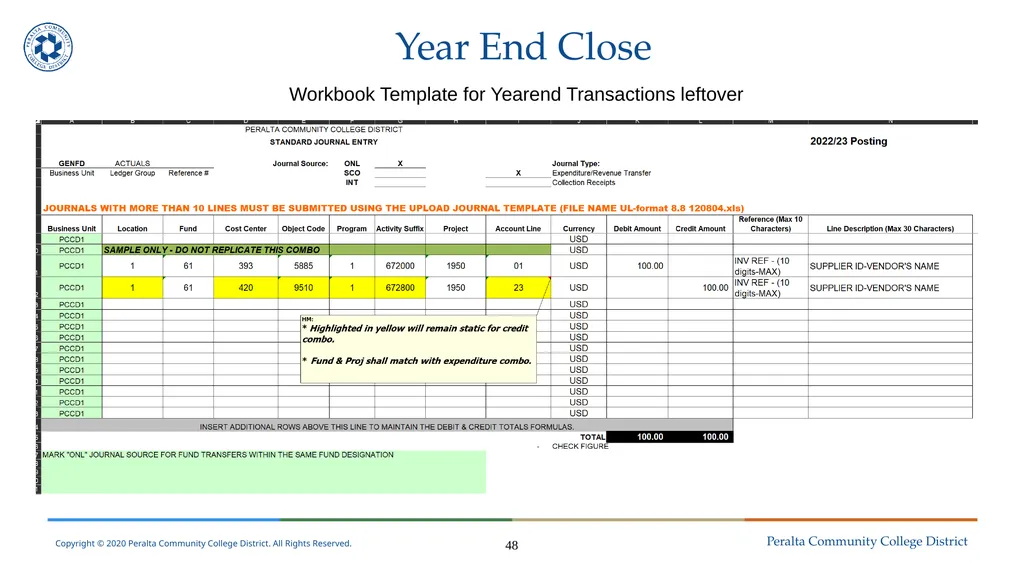
Year End Close Workbook Template for Yearend Transactions leftover 48<br>
51
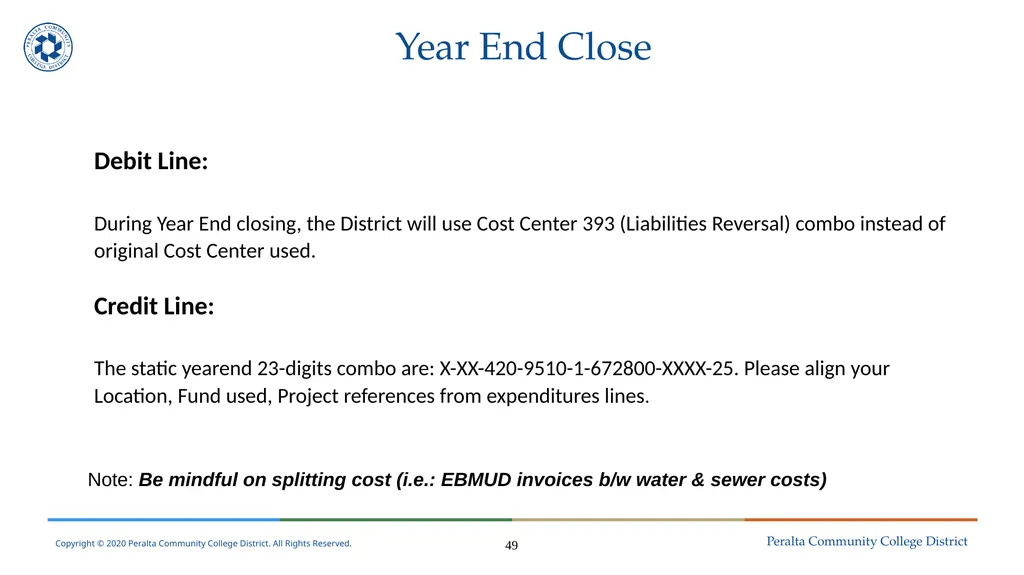
Year End Close Debit Line:
During Year End closing, the District will use Cost Center 393 (Liabilities Reversal) combo instead of original Cost Center used.
Credit Line:
The static yearend 23-digits combo are: X-XX-420-9510-1-672800-XXXX-25. Please align your Location, Fund used, Project references from expenditures lines. Note: Be mindful on splitting cost (i.e.: EBMUD invoices b/w water & sewer costs) 49<br>
During Year End closing, the District will use Cost Center 393 (Liabilities Reversal) combo instead of original Cost Center used.
Credit Line:
The static yearend 23-digits combo are: X-XX-420-9510-1-672800-XXXX-25. Please align your Location, Fund used, Project references from expenditures lines. Note: Be mindful on splitting cost (i.e.: EBMUD invoices b/w water & sewer costs) 49<br>
52
Helpful Queries Presenter:
Nick Sheres<br>
Nick Sheres<br>
53
Some Important Queries for Requesters 53<br>
54
Queries: Voucher Exceptions Your AP Specialist should provide you with your voucher exceptions on a periodic basis
You can also run them yourself
Navigate to Reporting Tools->Query->Query Viewer and search for VOUCHER_EXCEPTIONS
Enter the current year beginning and end dates and your cost center 44<br>
You can also run them yourself
Navigate to Reporting Tools->Query->Query Viewer and search for VOUCHER_EXCEPTIONS
Enter the current year beginning and end dates and your cost center 44<br>
55
Queries:
Open Encumbrances You should run your open encumbrances around once a month
In query viewer, search for PCC_OPEN_ENC_NEW to pull encumbrances by cost center range, or PCC_OPEN_ENC_NEW_REQUESTER to pull encumbrances related to Requisitions you entered 45<br>
In query viewer, search for PCC_OPEN_ENC_NEW to pull encumbrances by cost center range, or PCC_OPEN_ENC_NEW_REQUESTER to pull encumbrances related to Requisitions you entered 45<br>
56
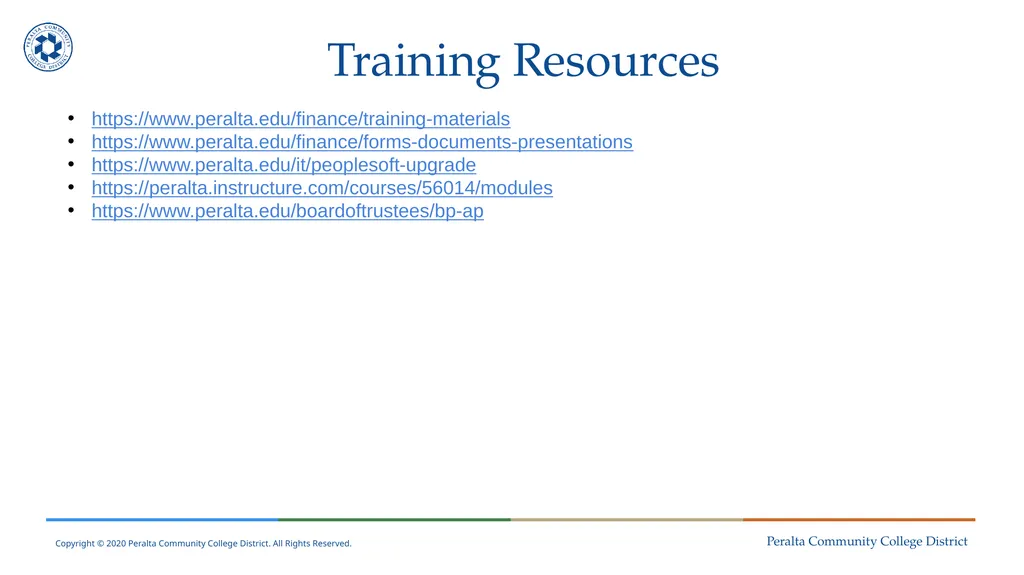
Training Resources https://www.peralta.edu/finance/training-materials
https://www.peralta.edu/finance/forms-documents-presentations
https://www.peralta.edu/it/peoplesoft-upgrade
https://peralta.instructure.com/courses/56014/modules
https://www.peralta.edu/boardoftrustees/bp-ap<br>
https://www.peralta.edu/finance/forms-documents-presentations
https://www.peralta.edu/it/peoplesoft-upgrade
https://peralta.instructure.com/courses/56014/modules
https://www.peralta.edu/boardoftrustees/bp-ap<br>
57
Questions?<br>
58
Thank You!<br>