
PDF-Automatic Replies
Page 1
of 2
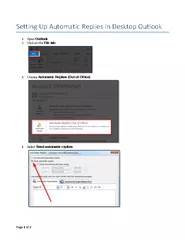
Setting Up in Desktop Outlook
1
Open Outlook
2
Click on the File tab
3
Choose Automatic Replies O
ut of Office
4
Sel
ect Send automatic replies
Setting
Download Presentation
Download Note : "Automatic Replies" is the property of its rightful owner. Permission is granted to download and print materials on this website for personal, non-commercial use only, provided you retain all copyright notices. By downloading content from our website, you accept the terms of this agreement.
Presentation Transcript
Transcript not available.