
Achieving High Availability with DB2 HADR and




Description: Achieving High Availability with DB2 HADR and TSAMP Philip K. Gunning Gunning Technology Solutions, LLC What is HADR? High Availability Disaster Recovery (HADR) Introduced in DB2 V8.2 Log based replication using existing network
Related Topics
Download Presentation
"Achieving High Availability with DB2 HADR and" is the property of its rightful owner. Permission is granted to download and print the materials on this website for personal, non-commercial use only, and to display it on your personal computer provided you do not modify the materials and that you retain all copyright notices contained in the materials. By downloading content from our website, you accept the terms of this agreement.
Presentation Transcript
slide1. Achieving High Availability with DB2 HADR and TSAMP Philip K. Gunning
Gunning Technology Solutions, LLC<br>
slide2. What is HADR? High Availability Disaster Recovery (HADR)
Introduced in DB2 V8.2
Log based replication using existing network infrastructure
Ported from Informix after acquired by IBM
Provides for High Availability (HA) in same data center or Disaster Recovery (DR) at remote data center
Many improvements over the years based on customer feedback and technology improvements<br>
slide3. HADR Bundled with all versions of DB2 except DB2 Express-C
Easy to setup and monitor
Provides additional flexibility for report only databases while providing a degree of high availability
Multiple synchronous modes to choose some
Synchronization mode should be chosen based on BUSINESS REQUIREMENTS
Many times the business doesn’t know there requirements
That’s where you provide recommendations based on analysis of application requirements<br>
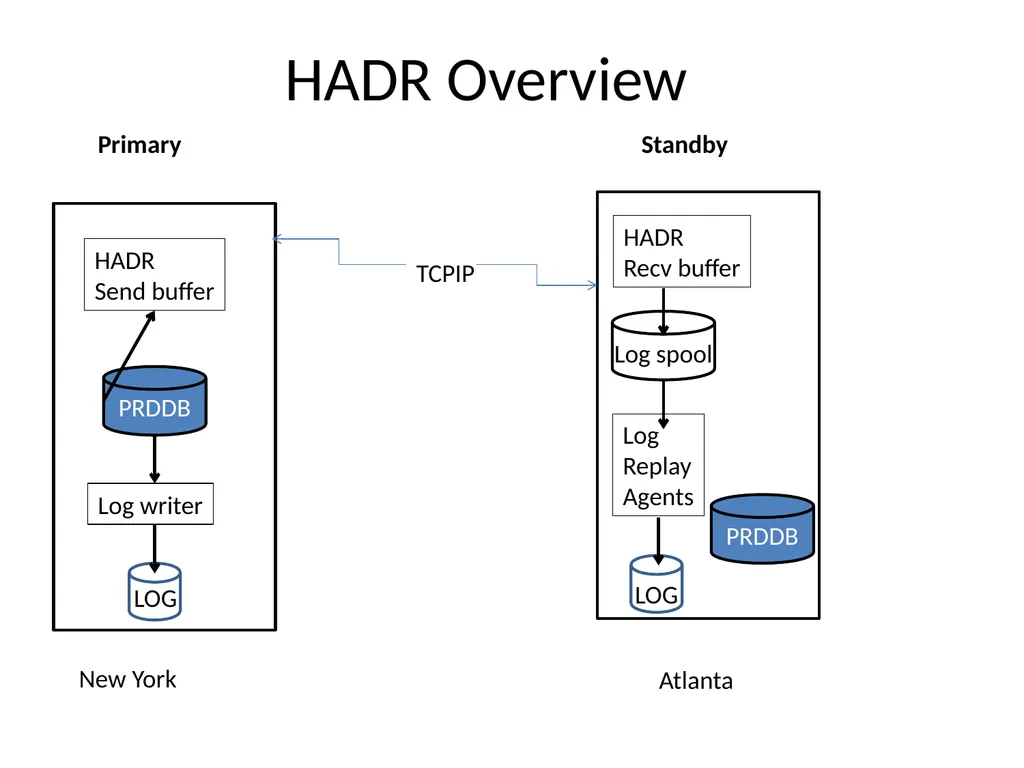
slide4. HADR Overview Primary Standby New York Atlanta TCPIP PRDDB PRDDB HADR
Send buffer HADR
Recv buffer Log writer Log
Replay
Agents Log spool LOG LOG LOG<br>
slide5. Configuring Databases for HADR Before you can use HADR you have to determine the SYNC mode you will use and then create a template of ports, service names, and IP addresses you will use
You normally need to coordinate this with network support personnel or server ADMINS
Properly size the STANDBY server or servers
The primary STANDBY should have same amount of RAM and CPU as the primary in the event of a failover or takeover (for takeover purposes and log replay agents)
It is recommended that the hardware be identical<br>
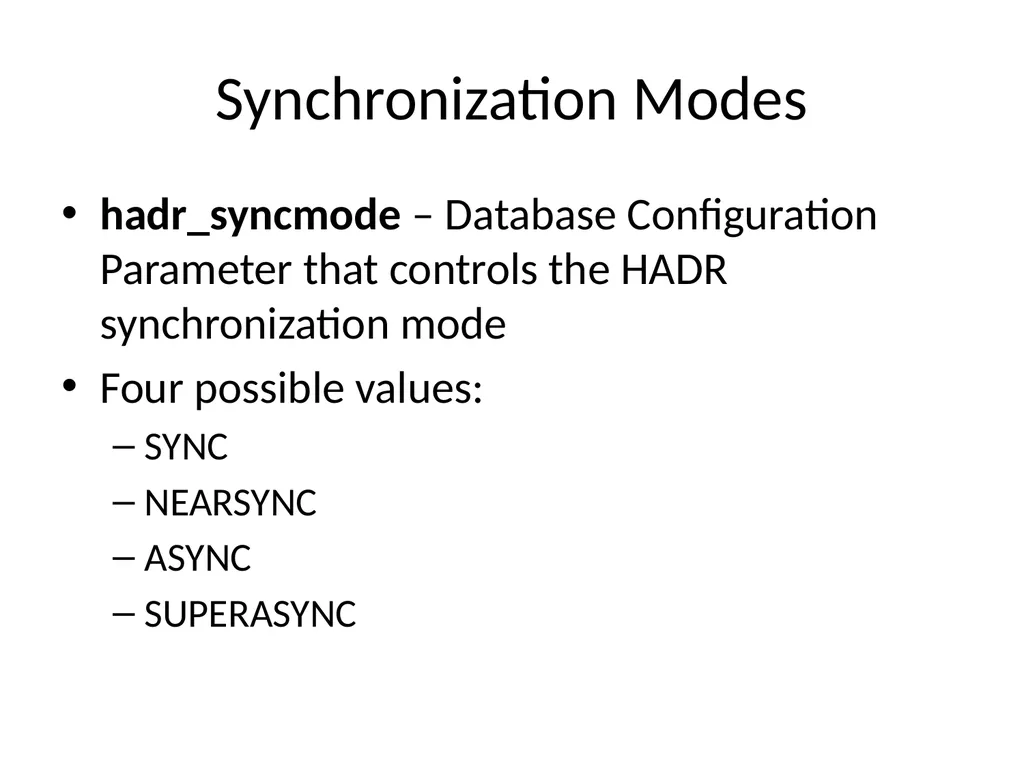
slide6. Synchronization Modes hadr_syncmode – Database Configuration Parameter that controls the HADR synchronization mode
Four possible values:
SYNC
NEARSYNC
ASYNC
SUPERASYNC<br>
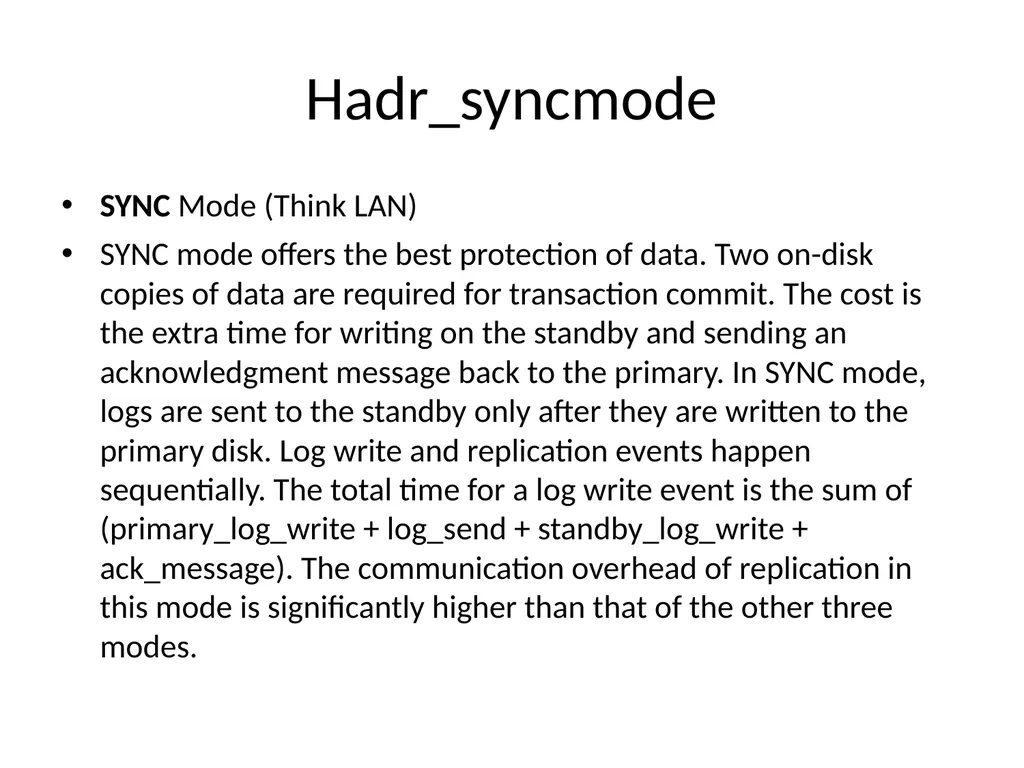
slide7. Hadr_syncmode SYNC Mode (Think LAN)
SYNC mode offers the best protection of data. Two on-disk copies of data are required for transaction commit. The cost is the extra time for writing on the standby and sending an acknowledgment message back to the primary. In SYNC mode, logs are sent to the standby only after they are written to the primary disk. Log write and replication events happen sequentially. The total time for a log write event is the sum of (primary_log_write + log_send + standby_log_write + ack_message). The communication overhead of replication in this mode is significantly higher than that of the other three modes.<br>
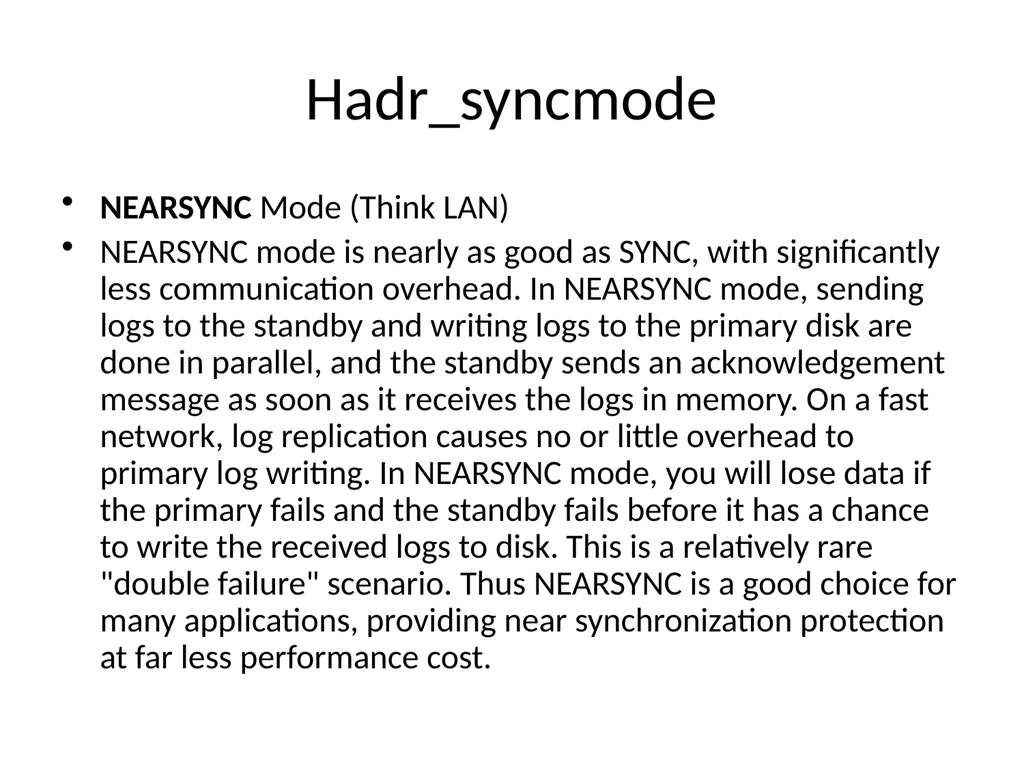
slide8. Hadr_syncmode NEARSYNC Mode (Think LAN)
NEARSYNC mode is nearly as good as SYNC, with significantly less communication overhead. In NEARSYNC mode, sending logs to the standby and writing logs to the primary disk are done in parallel, and the standby sends an acknowledgement message as soon as it receives the logs in memory. On a fast network, log replication causes no or little overhead to primary log writing. In NEARSYNC mode, you will lose data if the primary fails and the standby fails before it has a chance to write the received logs to disk. This is a relatively rare "double failure" scenario. Thus NEARSYNC is a good choice for many applications, providing near synchronization protection at far less performance cost.<br>
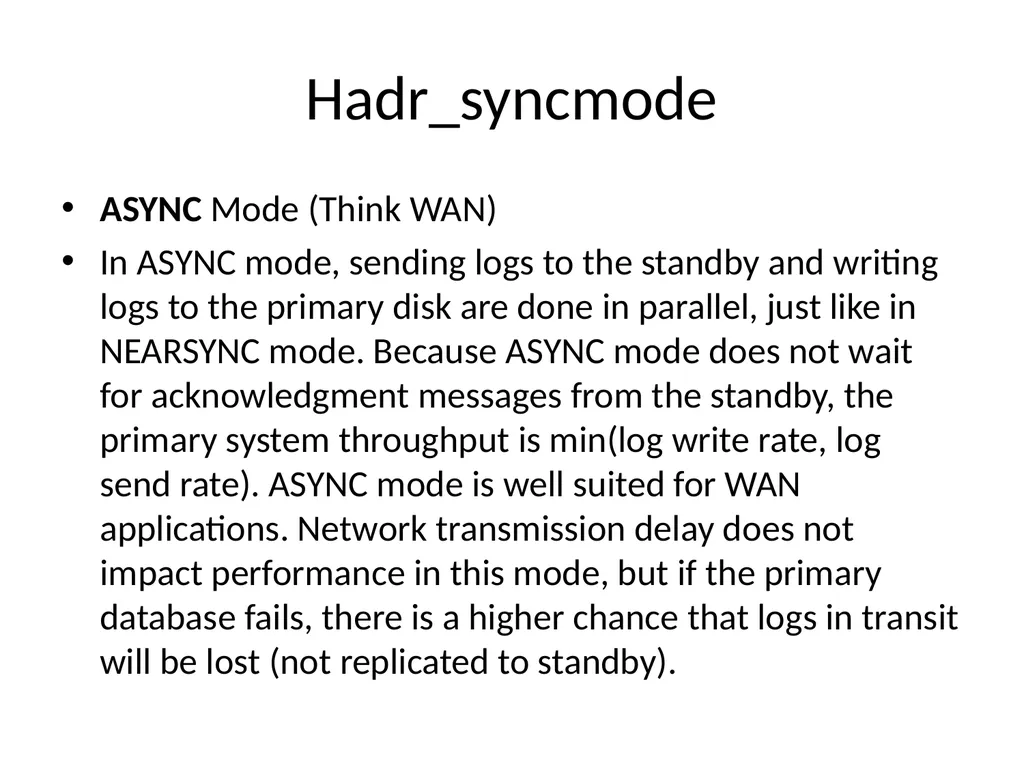
slide9. Hadr_syncmode ASYNC Mode (Think WAN)
In ASYNC mode, sending logs to the standby and writing logs to the primary disk are done in parallel, just like in NEARSYNC mode. Because ASYNC mode does not wait for acknowledgment messages from the standby, the primary system throughput is min(log write rate, log send rate). ASYNC mode is well suited for WAN applications. Network transmission delay does not impact performance in this mode, but if the primary database fails, there is a higher chance that logs in transit will be lost (not replicated to standby).<br>
slide10. Hadr_syncmode SUPERASYNC Mode (Think WAN)
This mode has the shortest transaction response time of all synchronization modes but has also the highest probability of transaction losses if the primary system fails. The primary system throughput is only affected by the time needed to write the transaction to the local disk. This mode is useful when you do not want transactions to be blocked or experience elongated response times due to network interruptions or congestion. SUPERASYNC mode is well suited for WAN applications. Since the transaction commit operations on the primary database are not affected by the relative slowness of the HADR network or the standby HADR server, the log gap between the primary database and the standby database might continue to increase. It is important to monitor the log gap in this mode as it is an indirect measure of the potential number of transactions that might be lost should a true disaster occur on the primary system.<br>
slide11. Hadr_syncmode Summary SYNC: Log Write on primary requires replication to the persistent storage on the standby (Think LAN)
NEARSYNC: Log write on primary requires replication to the memory on the standby (Think LAN)
ASYNC: Log write on primary requires a successful send to standby (receive is not guaranteed) (Think WAN)
SUPERASYNC: Log Write on primary has no dependency on replication to standby (Think WAN)<br>
slide12. Configuring Databases for HADR Setup separate dedicated NETWORK for HADR PRIMARY to SECONDARY connection
Open HADR ports in Firewalls else HADR will fail and can be difficult to diagnose!<br>
slide13. HADR Design RECAP Before you can use HADR you have to determine the SYNC mode you will use and then create a template of ports, service names, and IP addresses you will use
Create a diagram of the proposed architecture, so all involved have a common picture of the setup
Helps to avoid confusion and misconceptions!<br>
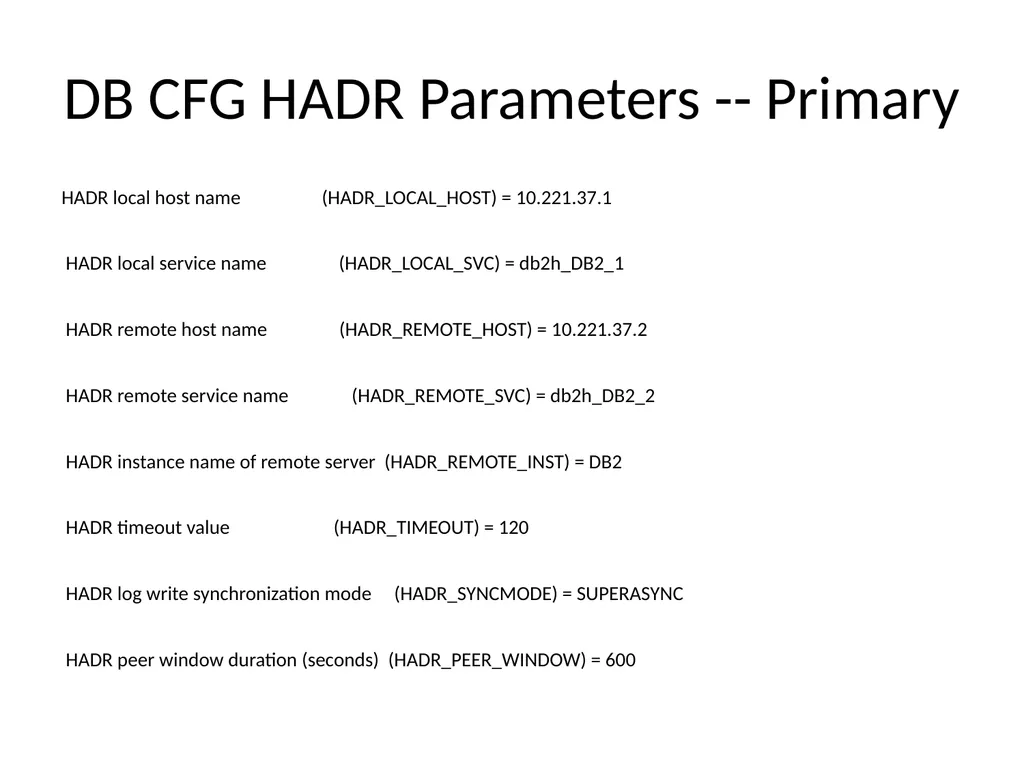
slide14. DB CFG HADR Parameters -- Primary HADR local host name (HADR_LOCAL_HOST) = 10.221.37.1
HADR local service name (HADR_LOCAL_SVC) = db2h_DB2_1
HADR remote host name (HADR_REMOTE_HOST) = 10.221.37.2
HADR remote service name (HADR_REMOTE_SVC) = db2h_DB2_2
HADR instance name of remote server (HADR_REMOTE_INST) = DB2
HADR timeout value (HADR_TIMEOUT) = 120
HADR log write synchronization mode (HADR_SYNCMODE) = SUPERASYNC
HADR peer window duration (seconds) (HADR_PEER_WINDOW) = 600<br>
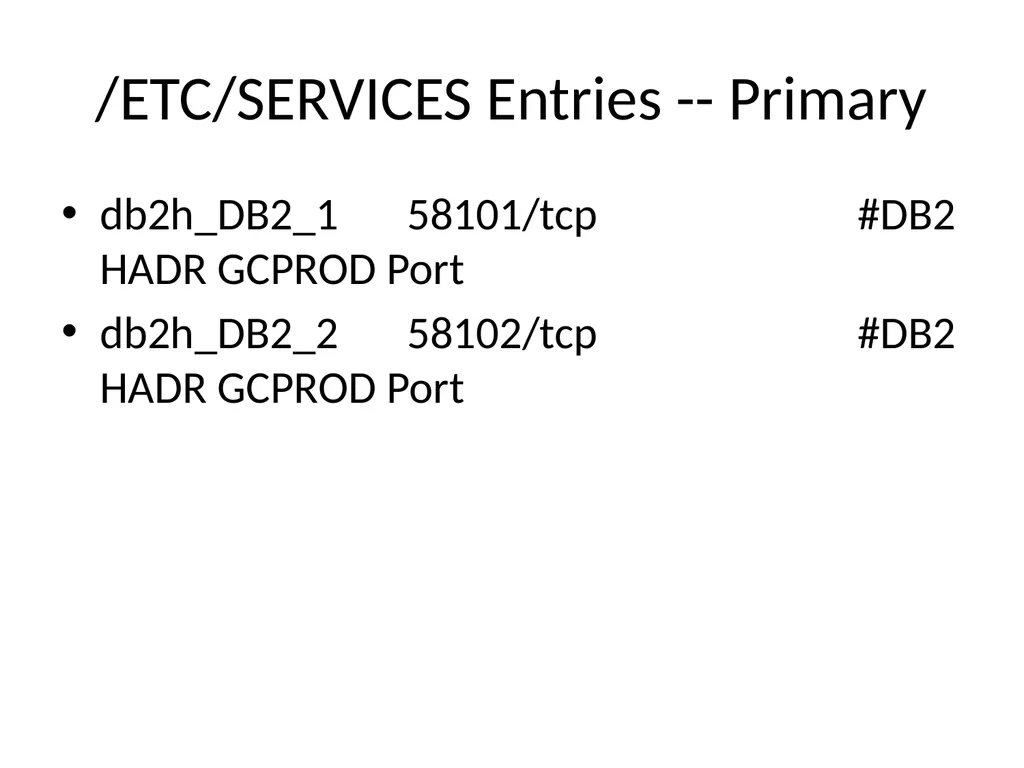
slide15. /ETC/SERVICES Entries -- Primary db2h_DB2_1 58101/tcp #DB2 HADR GCPROD Port
db2h_DB2_2 58102/tcp #DB2 HADR GCPROD Port<br>
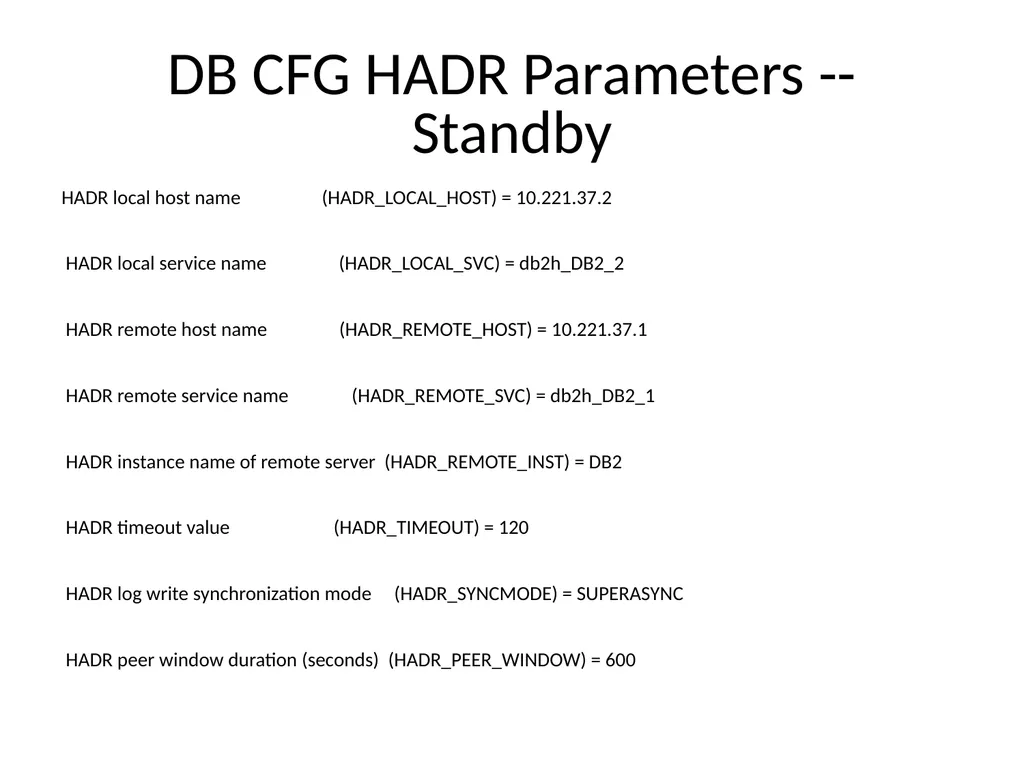
slide16. DB CFG HADR Parameters -- Standby HADR local host name (HADR_LOCAL_HOST) = 10.221.37.2
HADR local service name (HADR_LOCAL_SVC) = db2h_DB2_2
HADR remote host name (HADR_REMOTE_HOST) = 10.221.37.1
HADR remote service name (HADR_REMOTE_SVC) = db2h_DB2_1
HADR instance name of remote server (HADR_REMOTE_INST) = DB2
HADR timeout value (HADR_TIMEOUT) = 120
HADR log write synchronization mode (HADR_SYNCMODE) = SUPERASYNC
HADR peer window duration (seconds) (HADR_PEER_WINDOW) = 600<br>
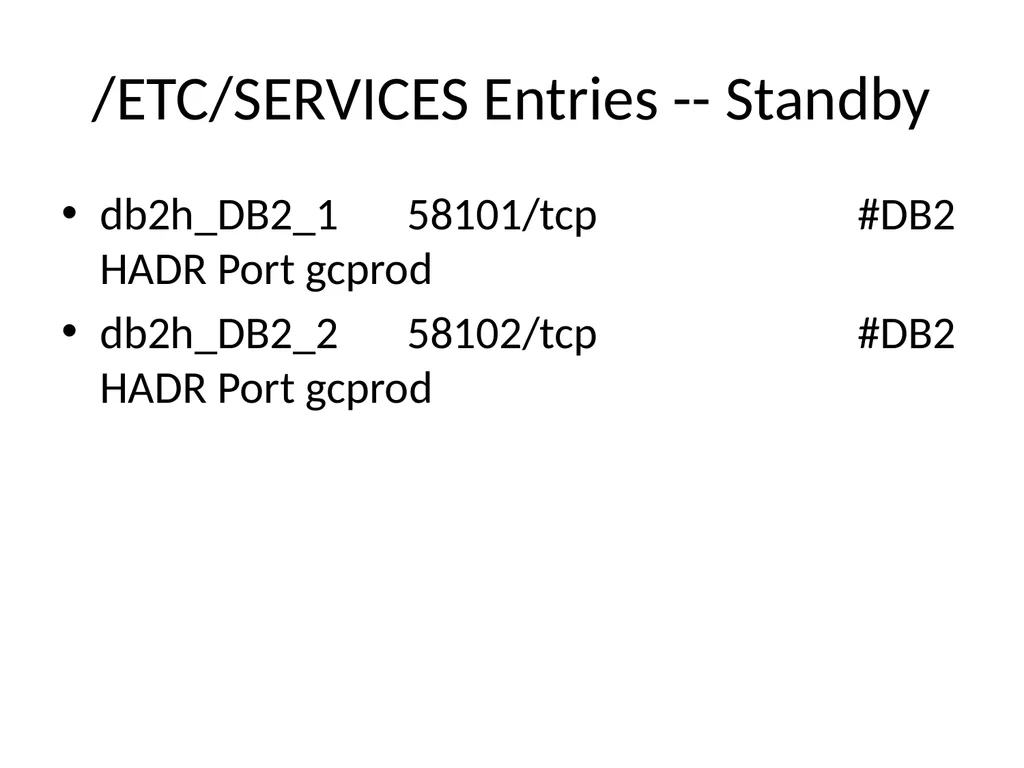
slide17. /ETC/SERVICES Entries -- Standby db2h_DB2_1 58101/tcp #DB2 HADR Port gcprod
db2h_DB2_2 58102/tcp #DB2 HADR Port gcprod<br>
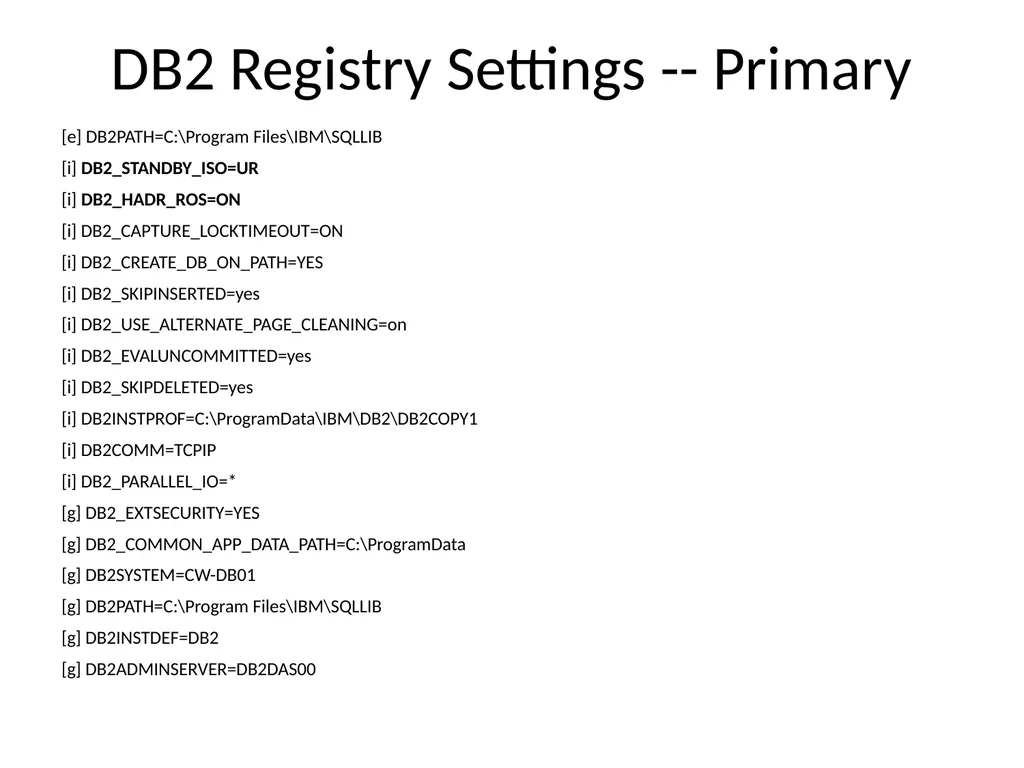
slide18. DB2 Registry Settings -- Primary [e] DB2PATH=C:\Program Files\IBM\SQLLIB
[i] DB2_STANDBY_ISO=UR
[i] DB2_HADR_ROS=ON
[i] DB2_CAPTURE_LOCKTIMEOUT=ON
[i] DB2_CREATE_DB_ON_PATH=YES
[i] DB2_SKIPINSERTED=yes
[i] DB2_USE_ALTERNATE_PAGE_CLEANING=on
[i] DB2_EVALUNCOMMITTED=yes
[i] DB2_SKIPDELETED=yes
[i] DB2INSTPROF=C:\ProgramData\IBM\DB2\DB2COPY1
[i] DB2COMM=TCPIP
[i] DB2_PARALLEL_IO=*
[g] DB2_EXTSECURITY=YES
[g] DB2_COMMON_APP_DATA_PATH=C:\ProgramData
[g] DB2SYSTEM=CW-DB01
[g] DB2PATH=C:\Program Files\IBM\SQLLIB
[g] DB2INSTDEF=DB2
[g] DB2ADMINSERVER=DB2DAS00<br>
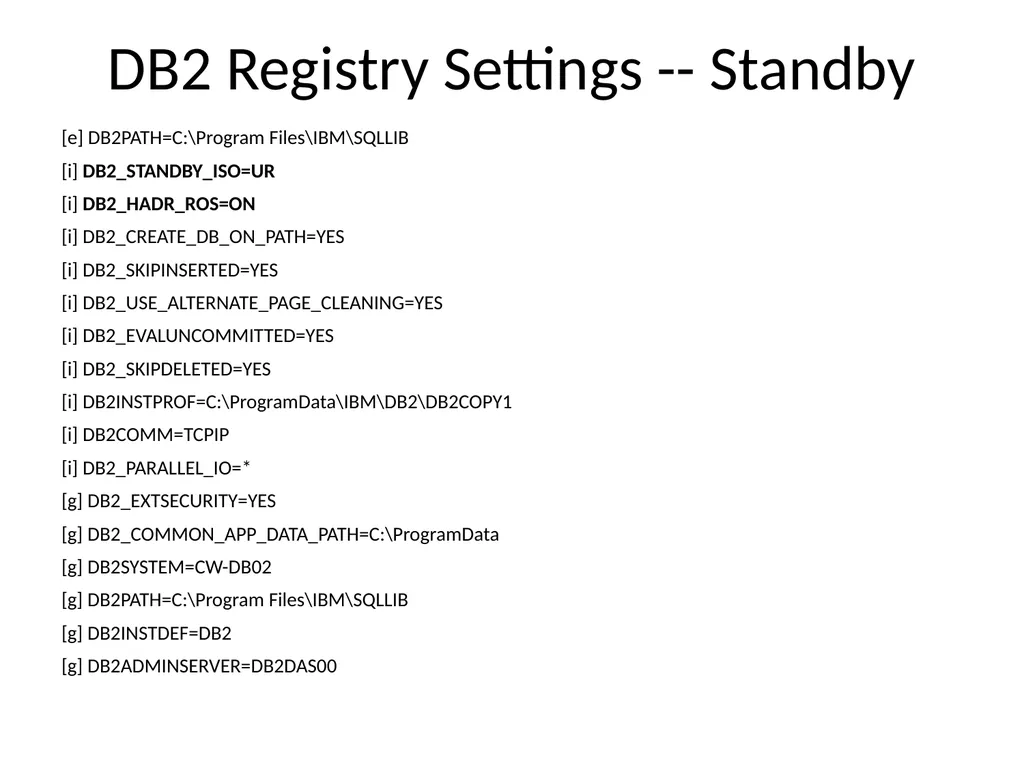
slide19. DB2 Registry Settings -- Standby [e] DB2PATH=C:\Program Files\IBM\SQLLIB
[i] DB2_STANDBY_ISO=UR
[i] DB2_HADR_ROS=ON
[i] DB2_CREATE_DB_ON_PATH=YES
[i] DB2_SKIPINSERTED=YES
[i] DB2_USE_ALTERNATE_PAGE_CLEANING=YES
[i] DB2_EVALUNCOMMITTED=YES
[i] DB2_SKIPDELETED=YES
[i] DB2INSTPROF=C:\ProgramData\IBM\DB2\DB2COPY1
[i] DB2COMM=TCPIP
[i] DB2_PARALLEL_IO=*
[g] DB2_EXTSECURITY=YES
[g] DB2_COMMON_APP_DATA_PATH=C:\ProgramData
[g] DB2SYSTEM=CW-DB02
[g] DB2PATH=C:\Program Files\IBM\SQLLIB
[g] DB2INSTDEF=DB2
[g] DB2ADMINSERVER=DB2DAS00<br>
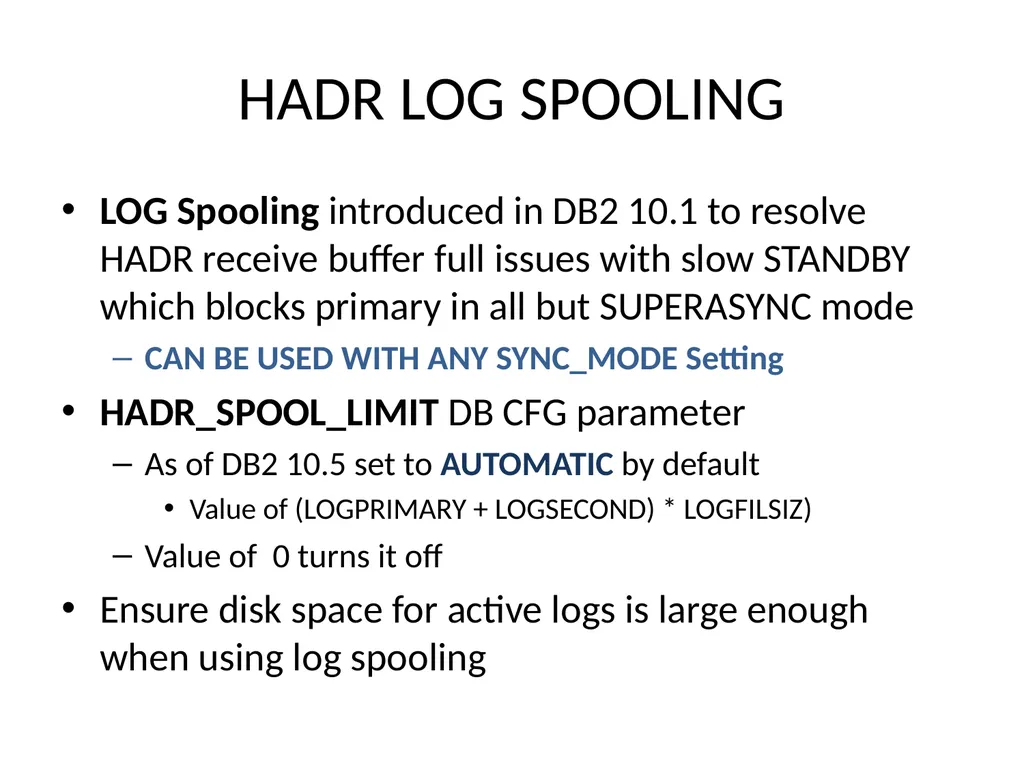
slide20. HADR LOG SPOOLING LOG Spooling introduced in DB2 10.1 to resolve HADR receive buffer full issues with slow STANDBY which blocks primary in all but SUPERASYNC mode
CAN BE USED WITH ANY SYNC_MODE Setting
HADR_SPOOL_LIMIT DB CFG parameter
As of DB2 10.5 set to AUTOMATIC by default
Value of (LOGPRIMARY + LOGSECOND) * LOGFILSIZ)
Value of 0 turns it off
Ensure disk space for active logs is large enough when using log spooling<br>
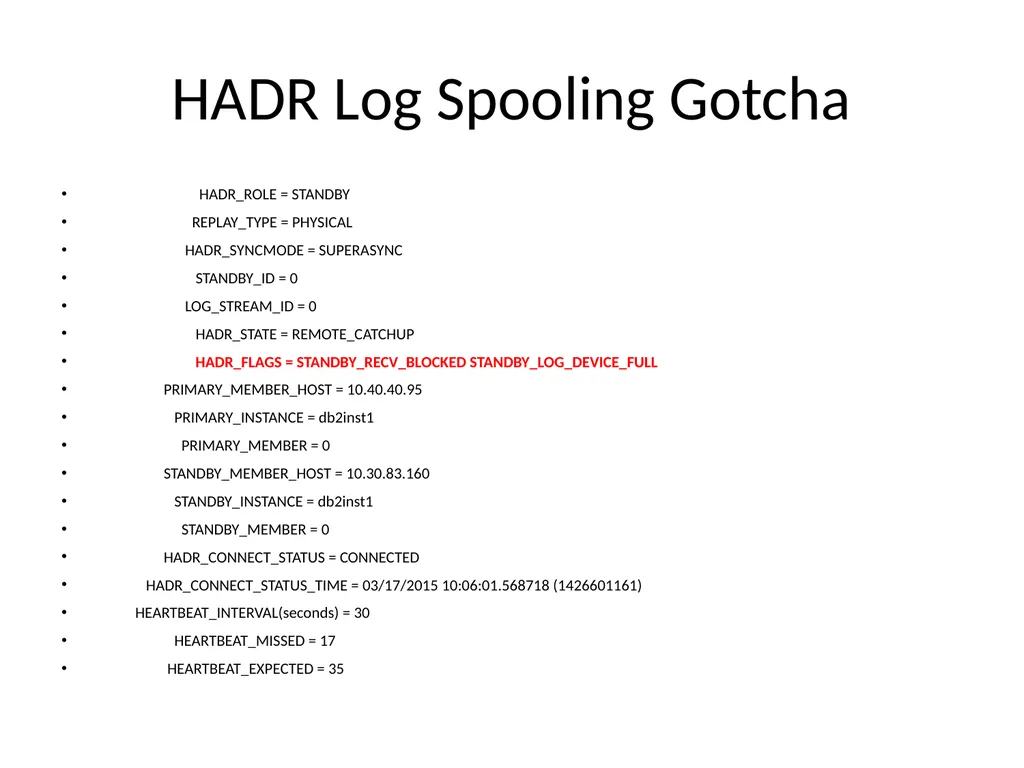
slide21. HADR Log Spooling Gotcha HADR_ROLE = STANDBY
REPLAY_TYPE = PHYSICAL
HADR_SYNCMODE = SUPERASYNC
STANDBY_ID = 0
LOG_STREAM_ID = 0
HADR_STATE = REMOTE_CATCHUP
HADR_FLAGS = STANDBY_RECV_BLOCKED STANDBY_LOG_DEVICE_FULL
PRIMARY_MEMBER_HOST = 10.40.40.95
PRIMARY_INSTANCE = db2inst1
PRIMARY_MEMBER = 0
STANDBY_MEMBER_HOST = 10.30.83.160
STANDBY_INSTANCE = db2inst1
STANDBY_MEMBER = 0
HADR_CONNECT_STATUS = CONNECTED
HADR_CONNECT_STATUS_TIME = 03/17/2015 10:06:01.568718 (1426601161)
HEARTBEAT_INTERVAL(seconds) = 30
HEARTBEAT_MISSED = 17
HEARTBEAT_EXPECTED = 35<br>
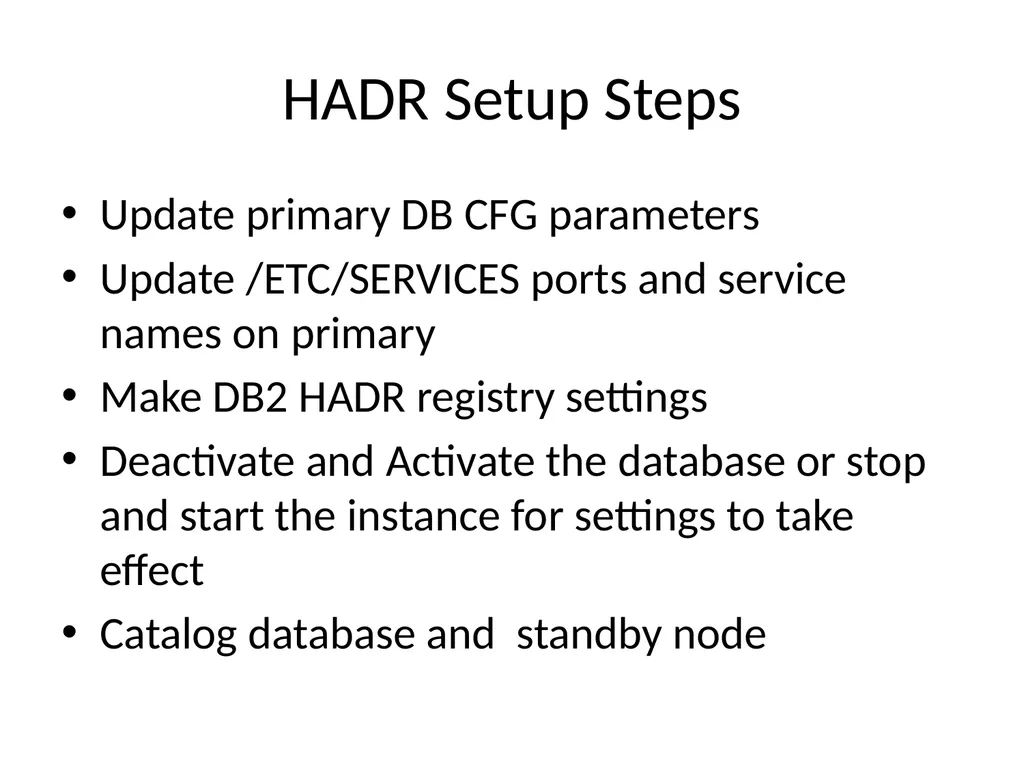
slide22. HADR Setup Steps Update primary DB CFG parameters
Update /ETC/SERVICES ports and service names on primary
Make DB2 HADR registry settings
Deactivate and Activate the database or stop and start the instance for settings to take effect
Catalog database and standby node<br>
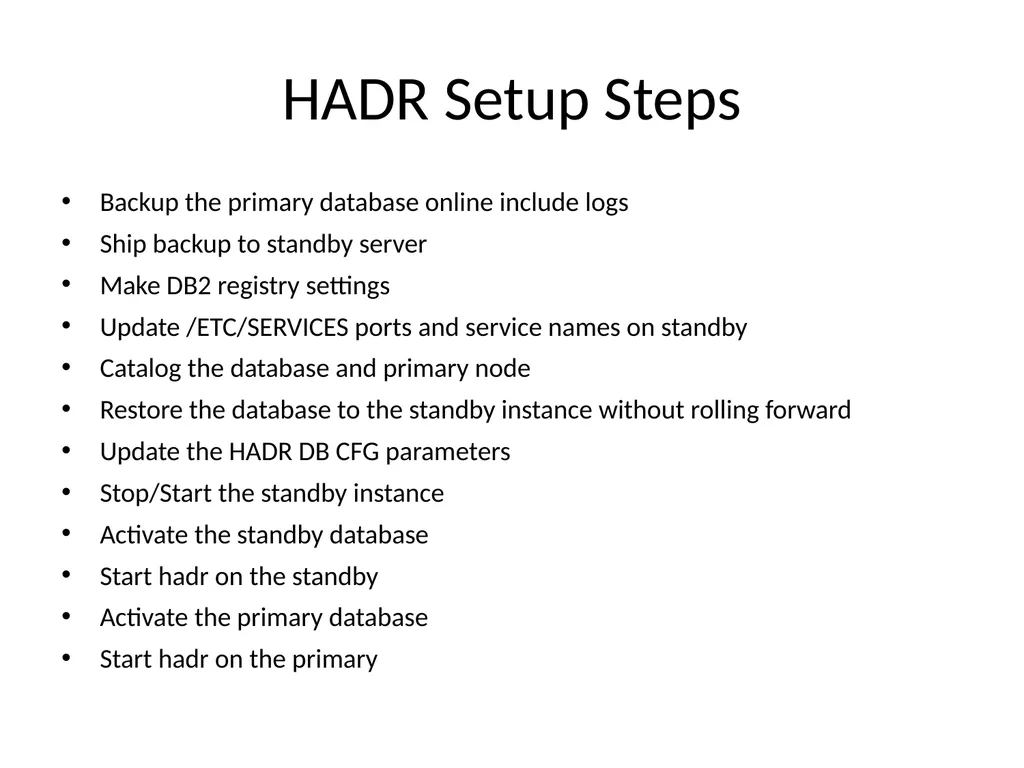
slide23. HADR Setup Steps Backup the primary database online include logs
Ship backup to standby server
Make DB2 registry settings
Update /ETC/SERVICES ports and service names on standby
Catalog the database and primary node
Restore the database to the standby instance without rolling forward
Update the HADR DB CFG parameters
Stop/Start the standby instance
Activate the standby database
Start hadr on the standby
Activate the primary database
Start hadr on the primary<br>
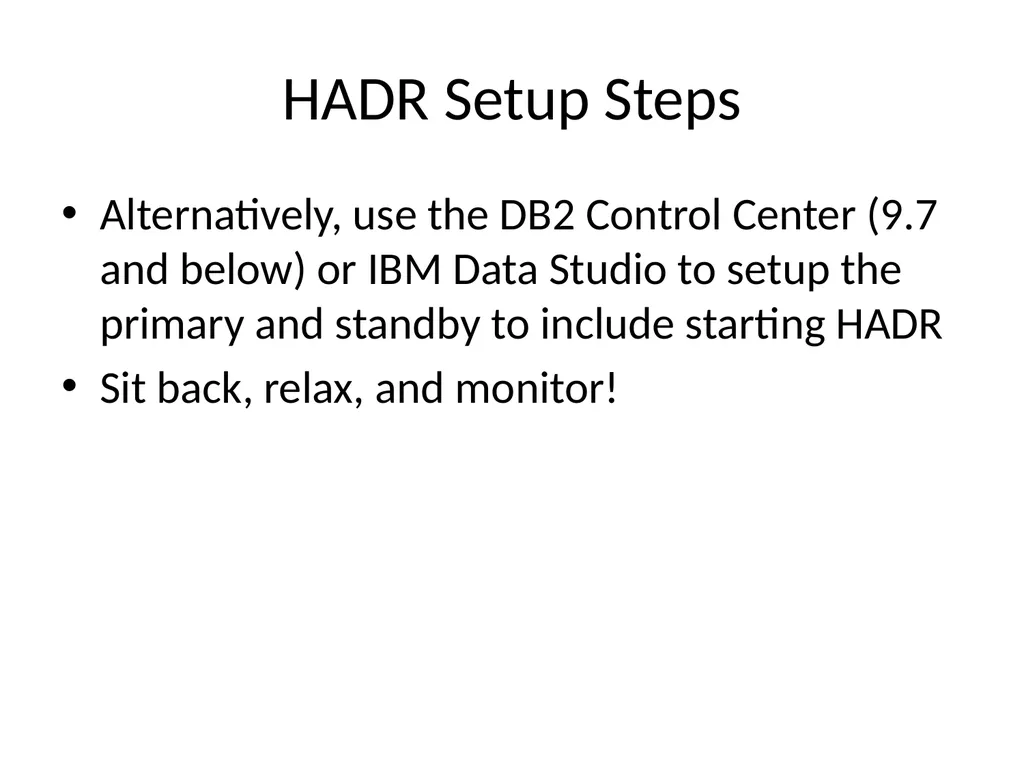
slide24. HADR Setup Steps Alternatively, use the DB2 Control Center (9.7 and below) or IBM Data Studio to setup the primary and standby to include starting HADR
Sit back, relax, and monitor!<br>
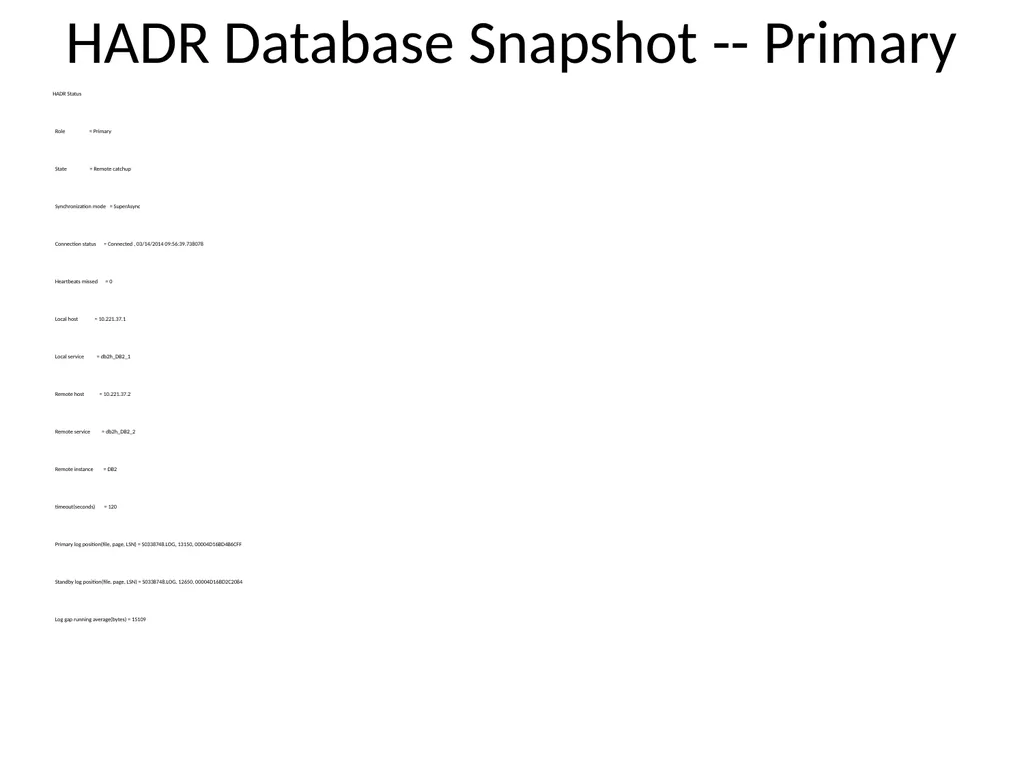
slide25. HADR Database Snapshot -- Primary HADR Status
Role = Primary
State = Remote catchup
Synchronization mode = SuperAsync
Connection status = Connected , 03/14/2014 09:56:39.738078
Heartbeats missed = 0
Local host = 10.221.37.1
Local service = db2h_DB2_1
Remote host = 10.221.37.2
Remote service = db2h_DB2_2
Remote instance = DB2
timeout(seconds) = 120
Primary log position(file, page, LSN) = S0338748.LOG, 13150, 00004D16BD4B6CFF
Standby log position(file, page, LSN) = S0338748.LOG, 12650, 00004D16BD2C2084
Log gap running average(bytes) = 15109<br>
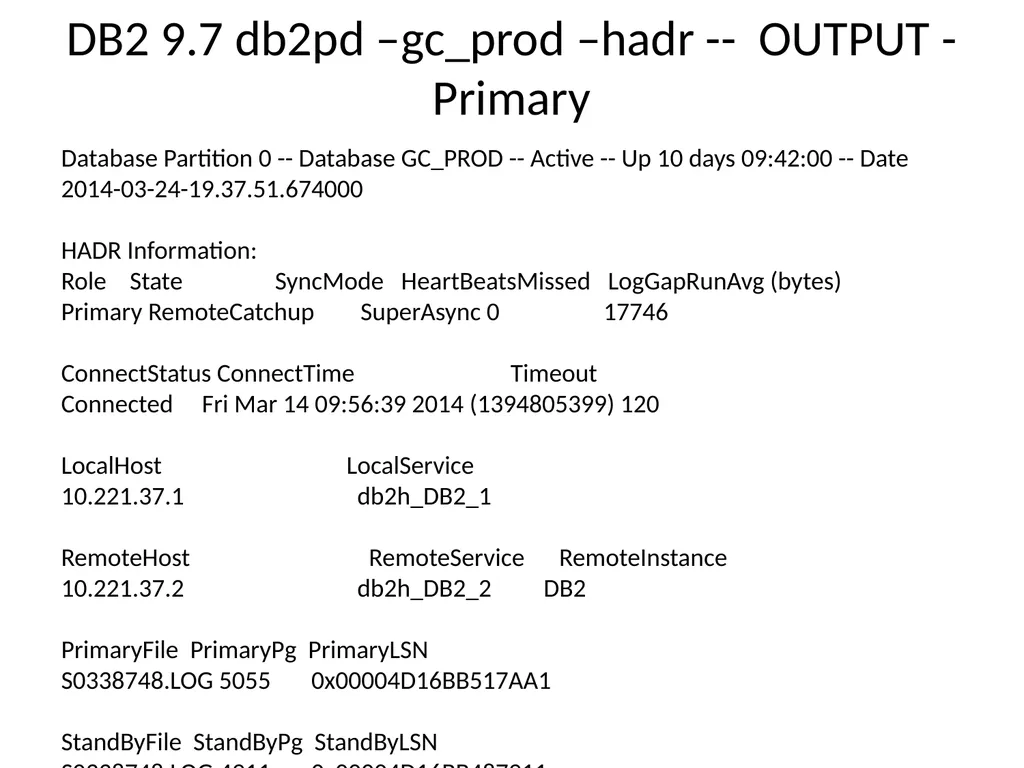
slide26. DB2 9.7 db2pd –gc_prod –hadr -- OUTPUT - Primary Database Partition 0 -- Database GC_PROD -- Active -- Up 10 days 09:42:00 -- Date 2014-03-24-19.37.51.674000
HADR Information:
Role State SyncMode HeartBeatsMissed LogGapRunAvg (bytes)
Primary RemoteCatchup SuperAsync 0 17746
ConnectStatus ConnectTime Timeout
Connected Fri Mar 14 09:56:39 2014 (1394805399) 120
LocalHost LocalService
10.221.37.1 db2h_DB2_1
RemoteHost RemoteService RemoteInstance
10.221.37.2 db2h_DB2_2 DB2
PrimaryFile PrimaryPg PrimaryLSN
S0338748.LOG 5055 0x00004D16BB517AA1
StandByFile StandByPg StandByLSN
S0338748.LOG 4911 0x00004D16BB487911<br>
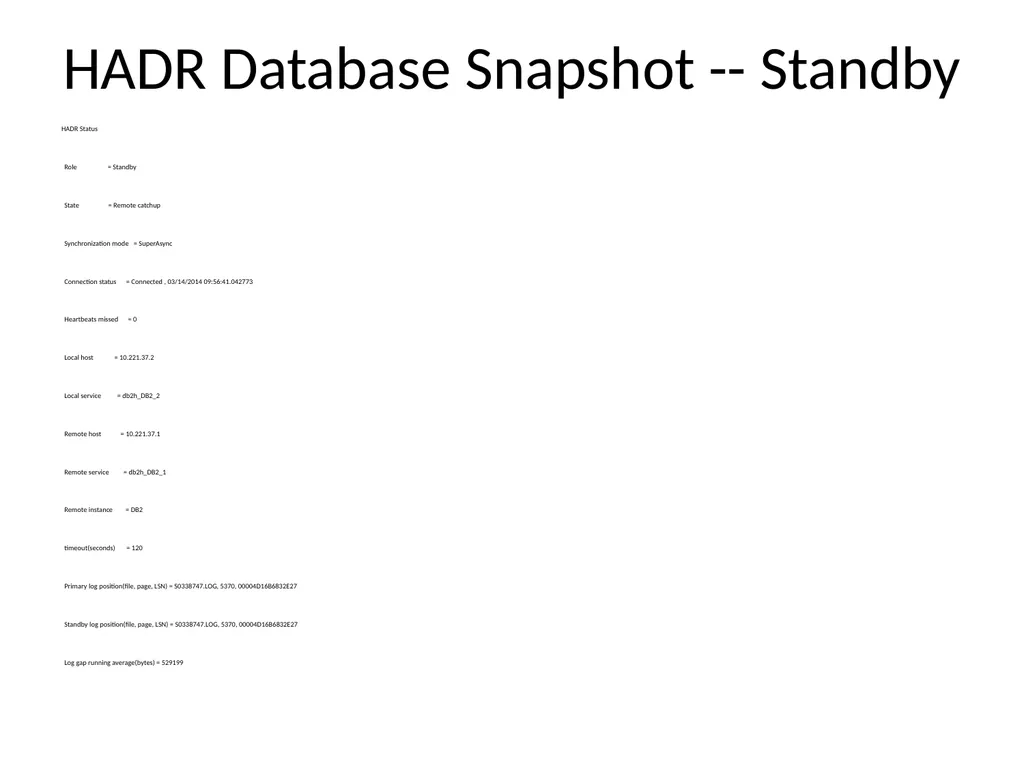
slide27. HADR Database Snapshot -- Standby HADR Status
Role = Standby
State = Remote catchup
Synchronization mode = SuperAsync
Connection status = Connected , 03/14/2014 09:56:41.042773
Heartbeats missed = 0
Local host = 10.221.37.2
Local service = db2h_DB2_2
Remote host = 10.221.37.1
Remote service = db2h_DB2_1
Remote instance = DB2
timeout(seconds) = 120
Primary log position(file, page, LSN) = S0338747.LOG, 5370, 00004D16B6832E27
Standby log position(file, page, LSN) = S0338747.LOG, 5370, 00004D16B6832E27
Log gap running average(bytes) = 529199<br>
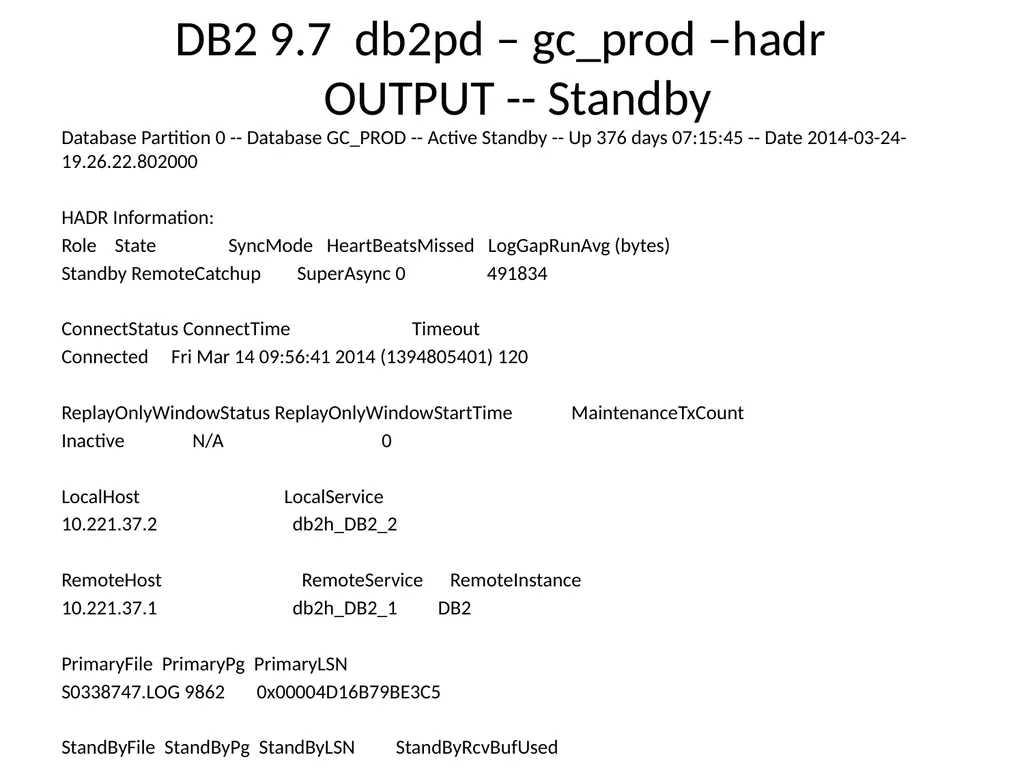
slide28. DB2 9.7 db2pd – gc_prod –hadr OUTPUT -- Standby Database Partition 0 -- Database GC_PROD -- Active Standby -- Up 376 days 07:15:45 -- Date 2014-03-24-19.26.22.802000
HADR Information:
Role State SyncMode HeartBeatsMissed LogGapRunAvg (bytes)
Standby RemoteCatchup SuperAsync 0 491834
ConnectStatus ConnectTime Timeout
Connected Fri Mar 14 09:56:41 2014 (1394805401) 120
ReplayOnlyWindowStatus ReplayOnlyWindowStartTime MaintenanceTxCount
Inactive N/A 0
LocalHost LocalService
10.221.37.2 db2h_DB2_2
RemoteHost RemoteService RemoteInstance
10.221.37.1 db2h_DB2_1 DB2
PrimaryFile PrimaryPg PrimaryLSN
S0338747.LOG 9862 0x00004D16B79BE3C5
StandByFile StandByPg StandByLSN StandByRcvBufUsed
S0338747.LOG 9858 0x00004D16B79BA42E 0%<br>
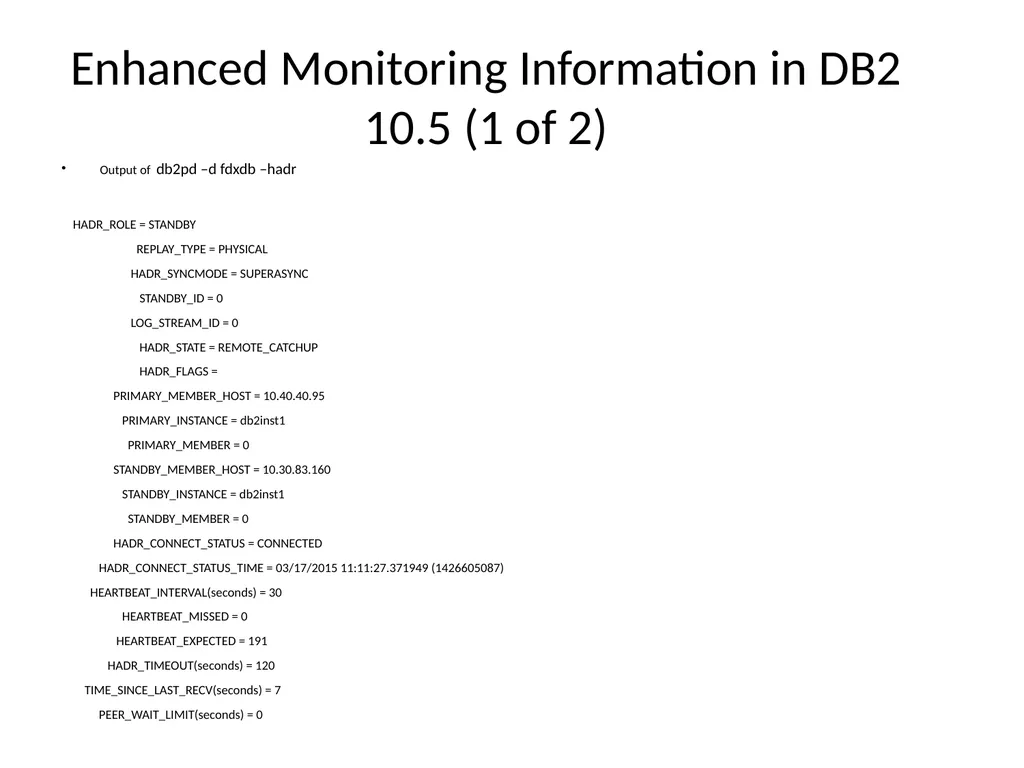
slide29. Enhanced Monitoring Information in DB2 10.5 (1 of 2) Output of db2pd –d fdxdb –hadr
HADR_ROLE = STANDBY
REPLAY_TYPE = PHYSICAL
HADR_SYNCMODE = SUPERASYNC
STANDBY_ID = 0
LOG_STREAM_ID = 0
HADR_STATE = REMOTE_CATCHUP
HADR_FLAGS =
PRIMARY_MEMBER_HOST = 10.40.40.95
PRIMARY_INSTANCE = db2inst1
PRIMARY_MEMBER = 0
STANDBY_MEMBER_HOST = 10.30.83.160
STANDBY_INSTANCE = db2inst1
STANDBY_MEMBER = 0
HADR_CONNECT_STATUS = CONNECTED
HADR_CONNECT_STATUS_TIME = 03/17/2015 11:11:27.371949 (1426605087)
HEARTBEAT_INTERVAL(seconds) = 30
HEARTBEAT_MISSED = 0
HEARTBEAT_EXPECTED = 191
HADR_TIMEOUT(seconds) = 120
TIME_SINCE_LAST_RECV(seconds) = 7
PEER_WAIT_LIMIT(seconds) = 0<br>
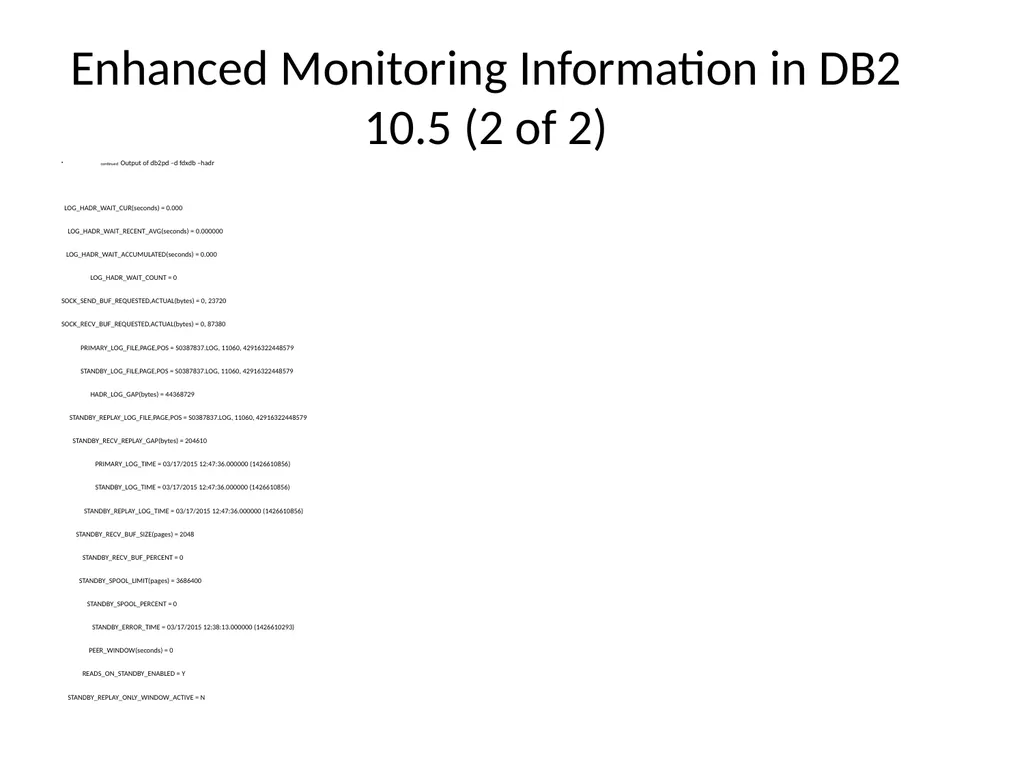
slide30. Enhanced Monitoring Information in DB2 10.5 (2 of 2) continued Output of db2pd –d fdxdb –hadr
LOG_HADR_WAIT_CUR(seconds) = 0.000
LOG_HADR_WAIT_RECENT_AVG(seconds) = 0.000000
LOG_HADR_WAIT_ACCUMULATED(seconds) = 0.000
LOG_HADR_WAIT_COUNT = 0
SOCK_SEND_BUF_REQUESTED,ACTUAL(bytes) = 0, 23720
SOCK_RECV_BUF_REQUESTED,ACTUAL(bytes) = 0, 87380
PRIMARY_LOG_FILE,PAGE,POS = S0387837.LOG, 11060, 42916322448579
STANDBY_LOG_FILE,PAGE,POS = S0387837.LOG, 11060, 42916322448579
HADR_LOG_GAP(bytes) = 44368729
STANDBY_REPLAY_LOG_FILE,PAGE,POS = S0387837.LOG, 11060, 42916322448579
STANDBY_RECV_REPLAY_GAP(bytes) = 204610
PRIMARY_LOG_TIME = 03/17/2015 12:47:36.000000 (1426610856)
STANDBY_LOG_TIME = 03/17/2015 12:47:36.000000 (1426610856)
STANDBY_REPLAY_LOG_TIME = 03/17/2015 12:47:36.000000 (1426610856)
STANDBY_RECV_BUF_SIZE(pages) = 2048
STANDBY_RECV_BUF_PERCENT = 0
STANDBY_SPOOL_LIMIT(pages) = 3686400
STANDBY_SPOOL_PERCENT = 0
STANDBY_ERROR_TIME = 03/17/2015 12:38:13.000000 (1426610293)
PEER_WINDOW(seconds) = 0
READS_ON_STANDBY_ENABLED = Y
STANDBY_REPLAY_ONLY_WINDOW_ACTIVE = N<br>
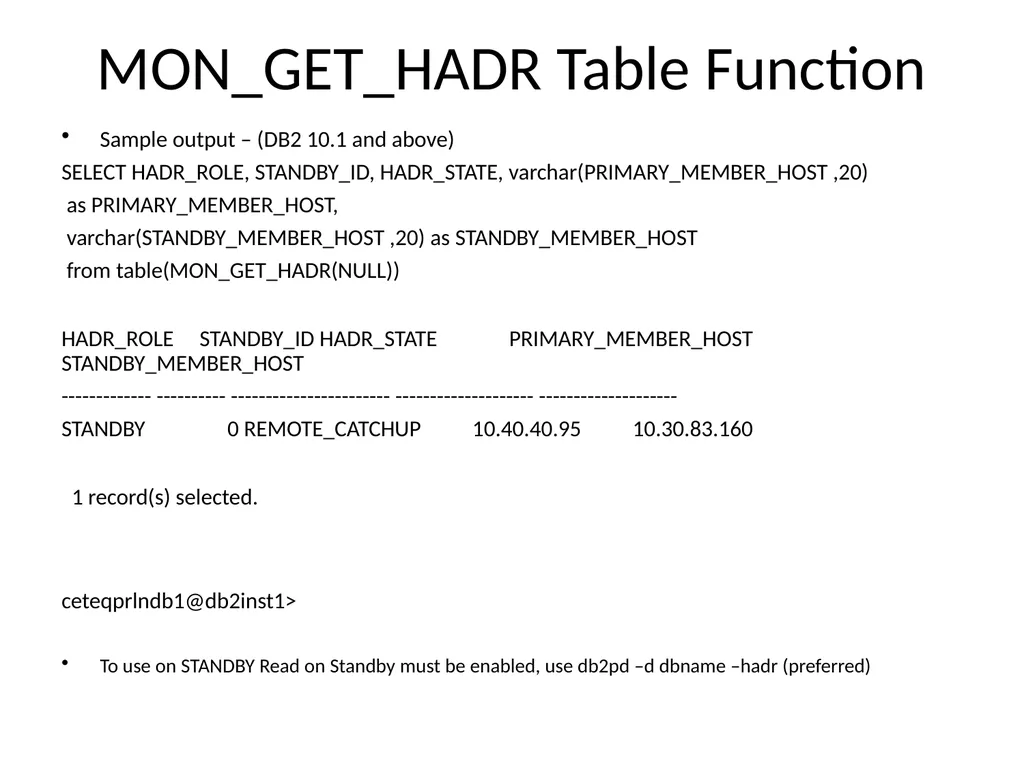
slide31. MON_GET_HADR Table Function Sample output – (DB2 10.1 and above)
SELECT HADR_ROLE, STANDBY_ID, HADR_STATE, varchar(PRIMARY_MEMBER_HOST ,20)
as PRIMARY_MEMBER_HOST,
varchar(STANDBY_MEMBER_HOST ,20) as STANDBY_MEMBER_HOST
from table(MON_GET_HADR(NULL))
HADR_ROLE STANDBY_ID HADR_STATE PRIMARY_MEMBER_HOST STANDBY_MEMBER_HOST
------------- ---------- ----------------------- -------------------- --------------------
STANDBY 0 REMOTE_CATCHUP 10.40.40.95 10.30.83.160
1 record(s) selected.
ceteqprlndb1@db2inst1>
To use on STANDBY Read on Standby must be enabled, use db2pd –d dbname –hadr (preferred)<br>
slide32. HADR Shutdown and Startup Log Messages HADR startup messages recorded in db2diag.log file
Error messages
HADR state changes
Important tool when troubleshooting HADR problems prior to DB2 10.1
New db2pd –hadr output provides much more information for status and troubleshooting<br>
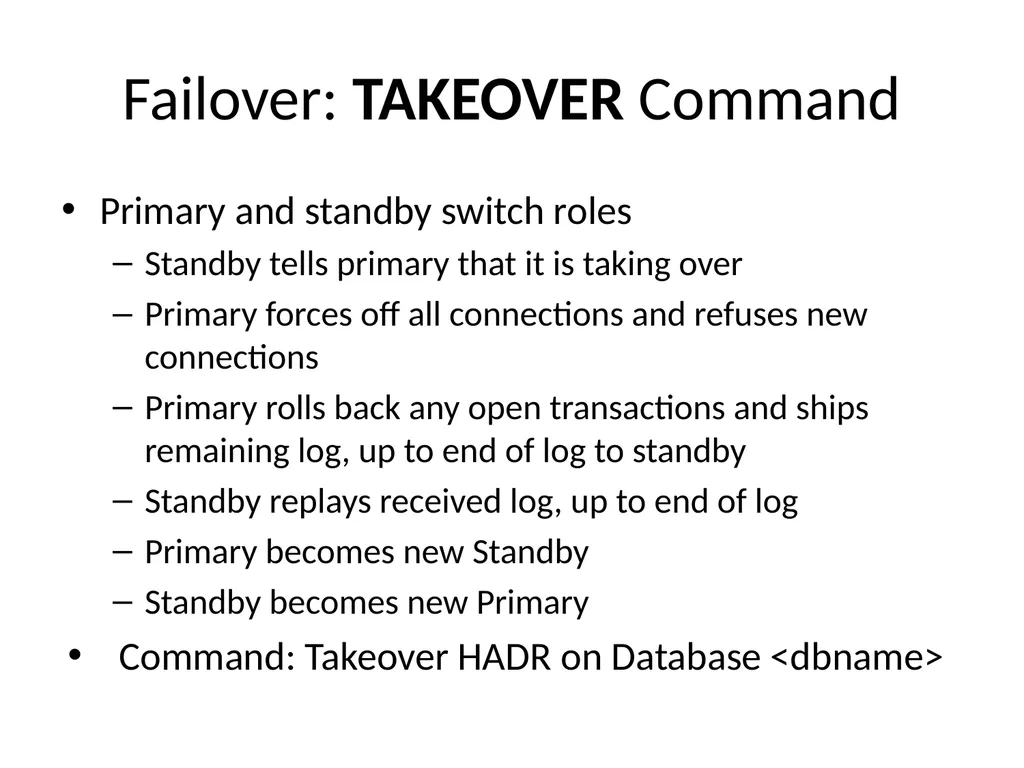
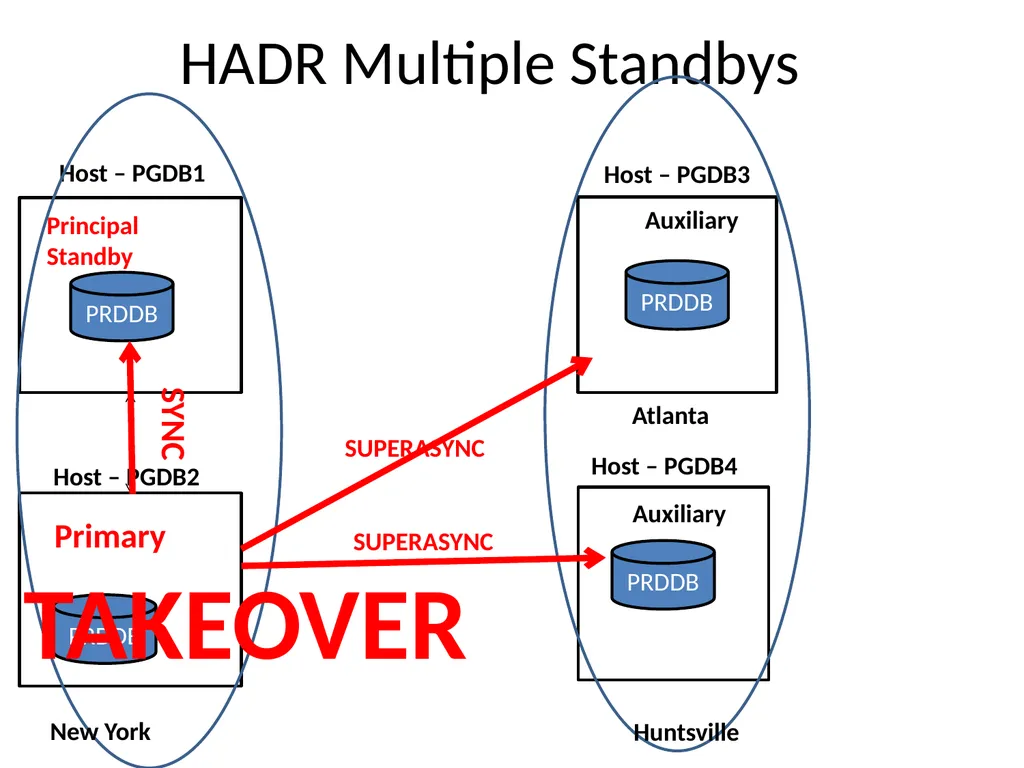
slide33. Failover: TAKEOVER Command Primary and standby switch roles
Standby tells primary that it is taking over
Primary forces off all connections and refuses new connections
Primary rolls back any open transactions and ships remaining log, up to end of log to standby
Standby replays received log, up to end of log
Primary becomes new Standby
Standby becomes new Primary
Command: Takeover HADR on Database <dbname><br>
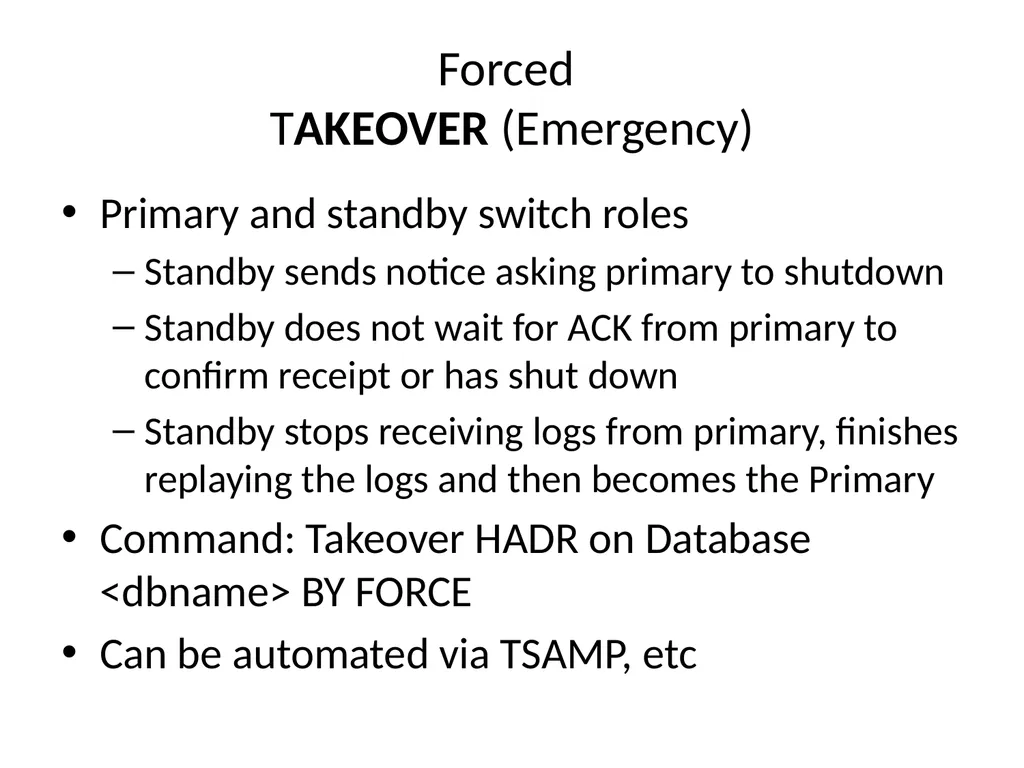
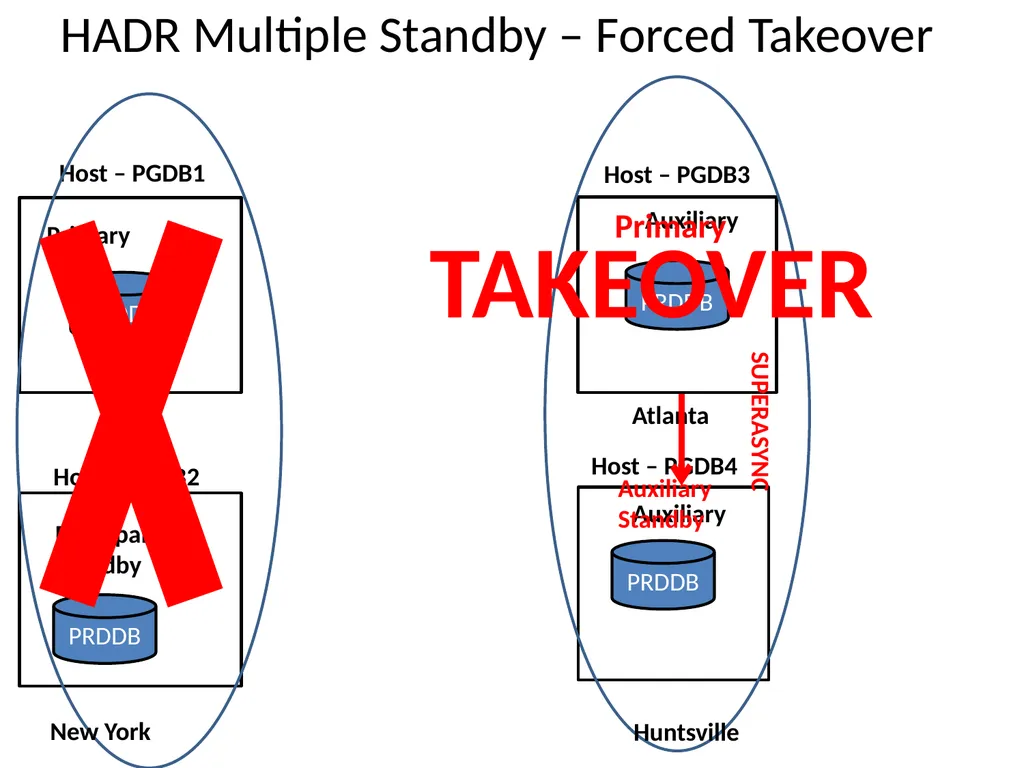
slide34. Forced TAKEOVER (Emergency) Primary and standby switch roles
Standby sends notice asking primary to shutdown
Standby does not wait for ACK from primary to confirm receipt or has shut down
Standby stops receiving logs from primary, finishes replaying the logs and then becomes the Primary
Command: Takeover HADR on Database <dbname> BY FORCE
Can be automated via TSAMP, etc<br>
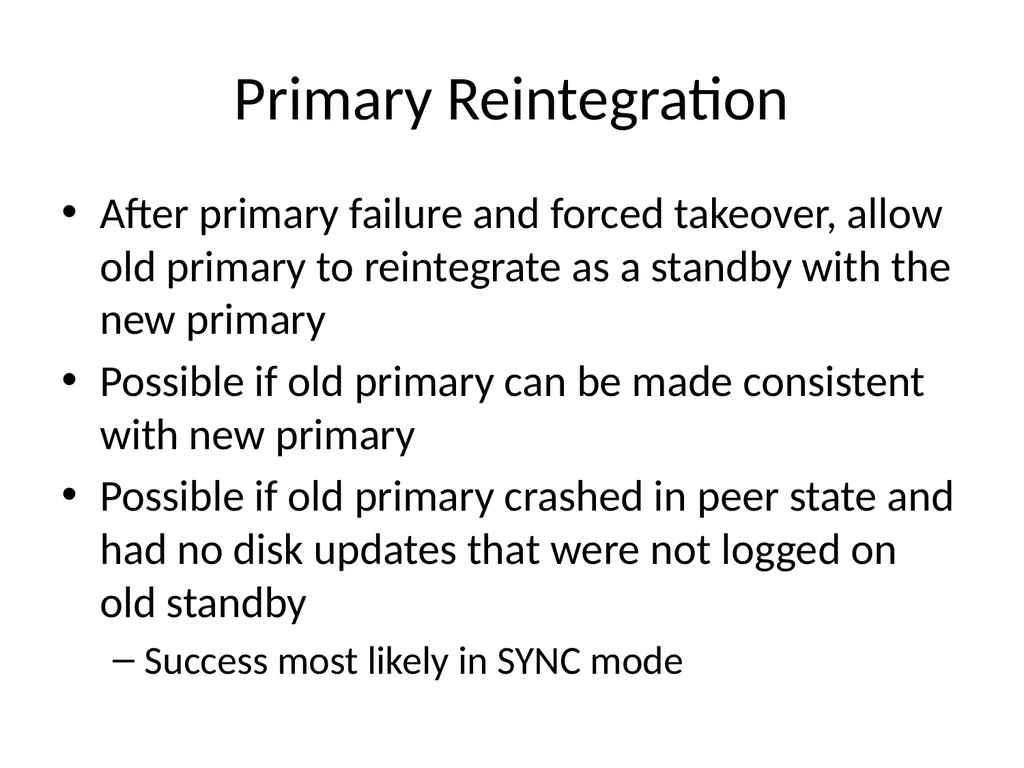
slide35. Primary Reintegration After primary failure and forced takeover, allow old primary to reintegrate as a standby with the new primary
Possible if old primary can be made consistent with new primary
Possible if old primary crashed in peer state and had no disk updates that were not logged on old standby
Success most likely in SYNC mode<br>
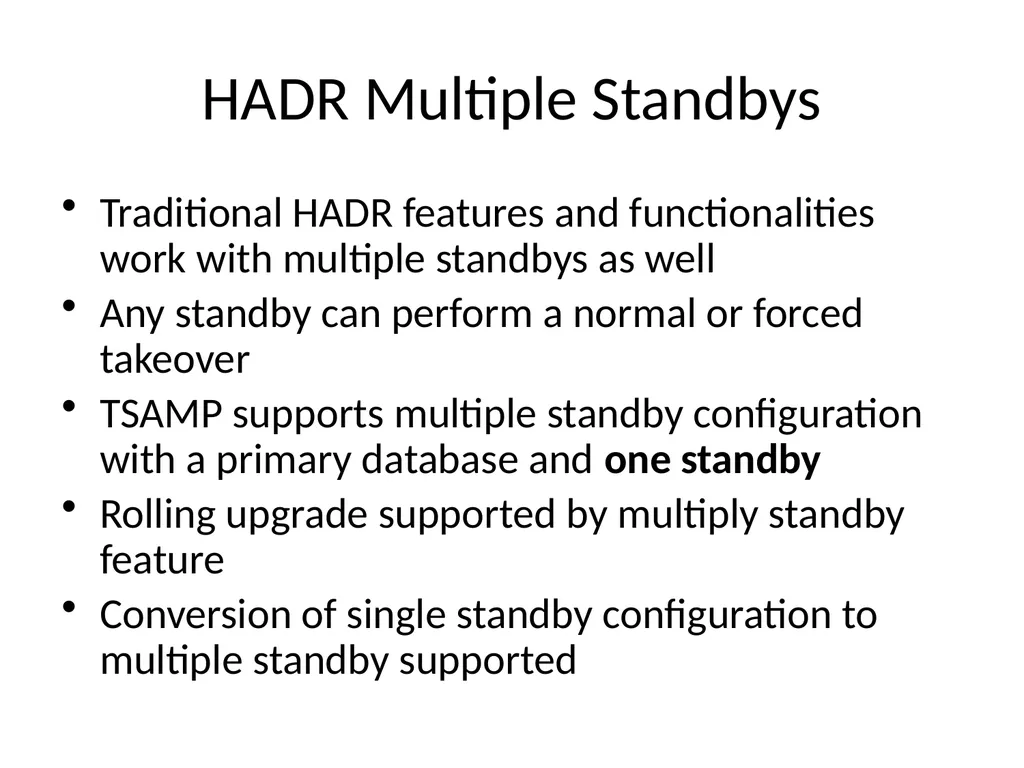
slide36. HADR Multiple Standbys Traditional HADR features and functionalities work with multiple standbys as well
Any standby can perform a normal or forced takeover
TSAMP supports multiple standby configuration with a primary database and one standby
Rolling upgrade supported by multiply standby feature
Conversion of single standby configuration to multiple standby supported<br>
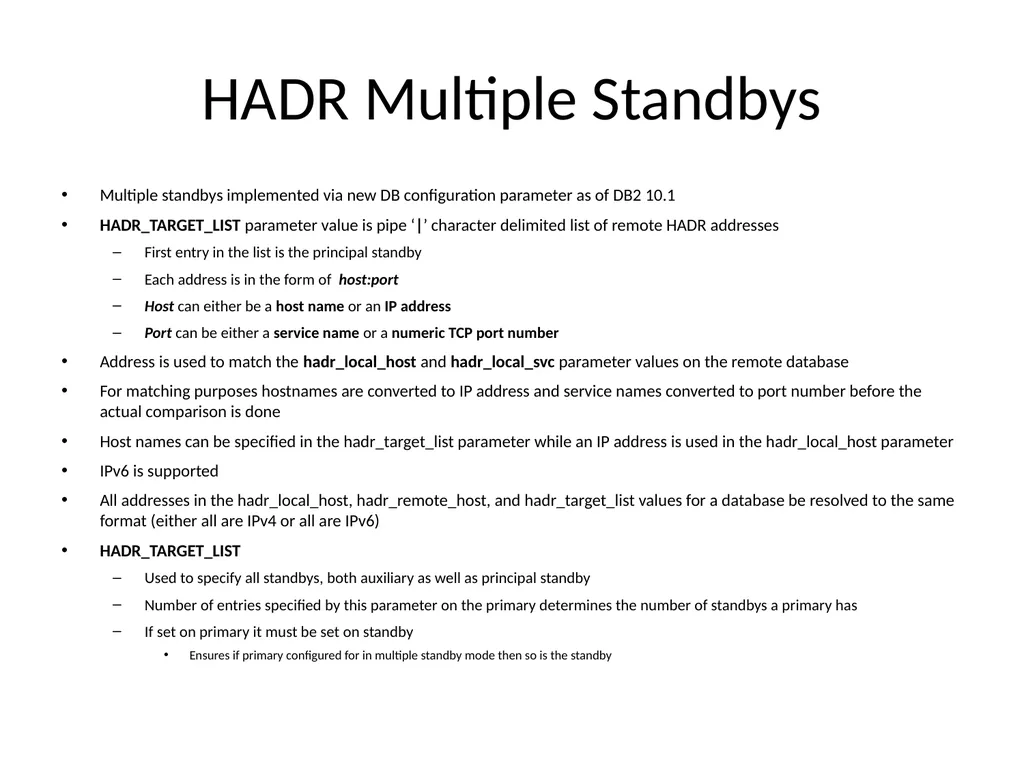
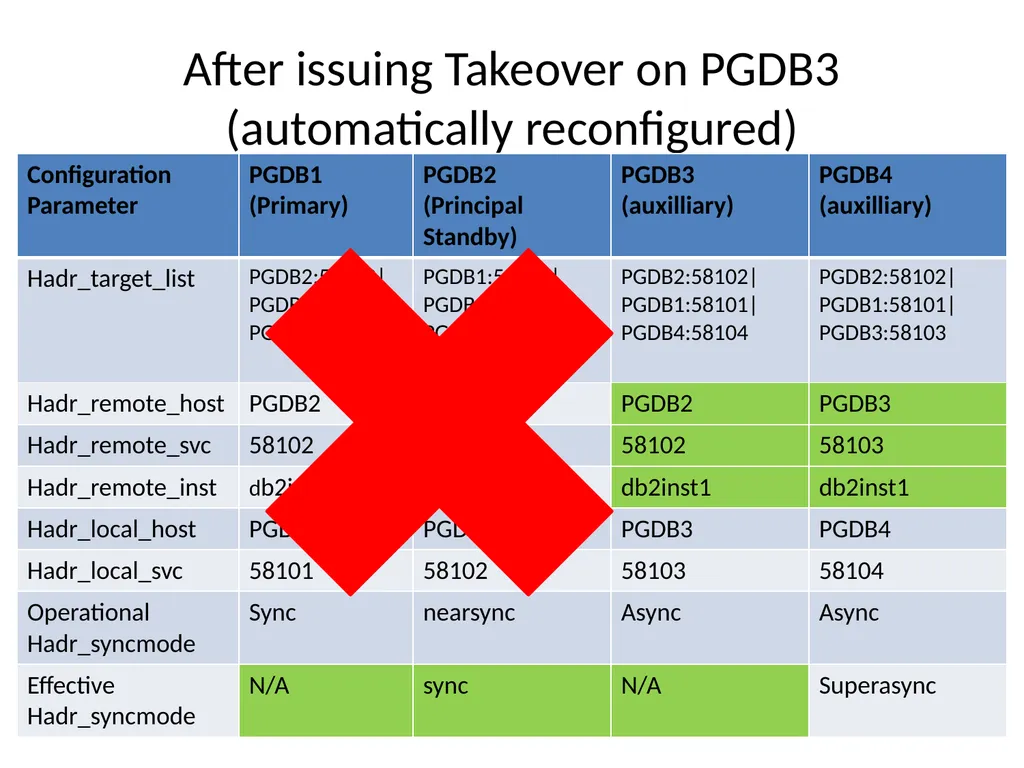
slide37. HADR Multiple Standbys Multiple standbys implemented via new DB configuration parameter as of DB2 10.1
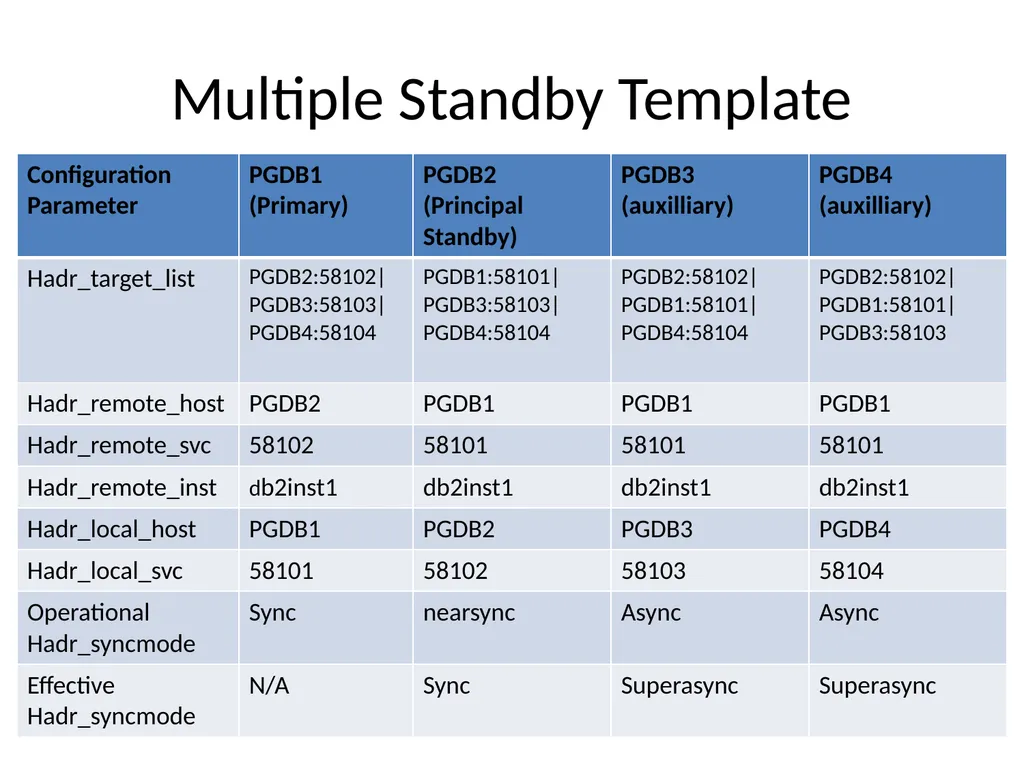
HADR_TARGET_LIST parameter value is pipe ‘|’ character delimited list of remote HADR addresses
First entry in the list is the principal standby
Each address is in the form of host:port
Host can either be a host name or an IP address
Port can be either a service name or a numeric TCP port number
Address is used to match the hadr_local_host and hadr_local_svc parameter values on the remote database
For matching purposes hostnames are converted to IP address and service names converted to port number before the actual comparison is done
Host names can be specified in the hadr_target_list parameter while an IP address is used in the hadr_local_host parameter
IPv6 is supported
All addresses in the hadr_local_host, hadr_remote_host, and hadr_target_list values for a database be resolved to the same format (either all are IPv4 or all are IPv6)
HADR_TARGET_LIST
Used to specify all standbys, both auxiliary as well as principal standby
Number of entries specified by this parameter on the primary determines the number of standbys a primary has
If set on primary it must be set on standby
Ensures if primary configured for in multiple standby mode then so is the standby<br>
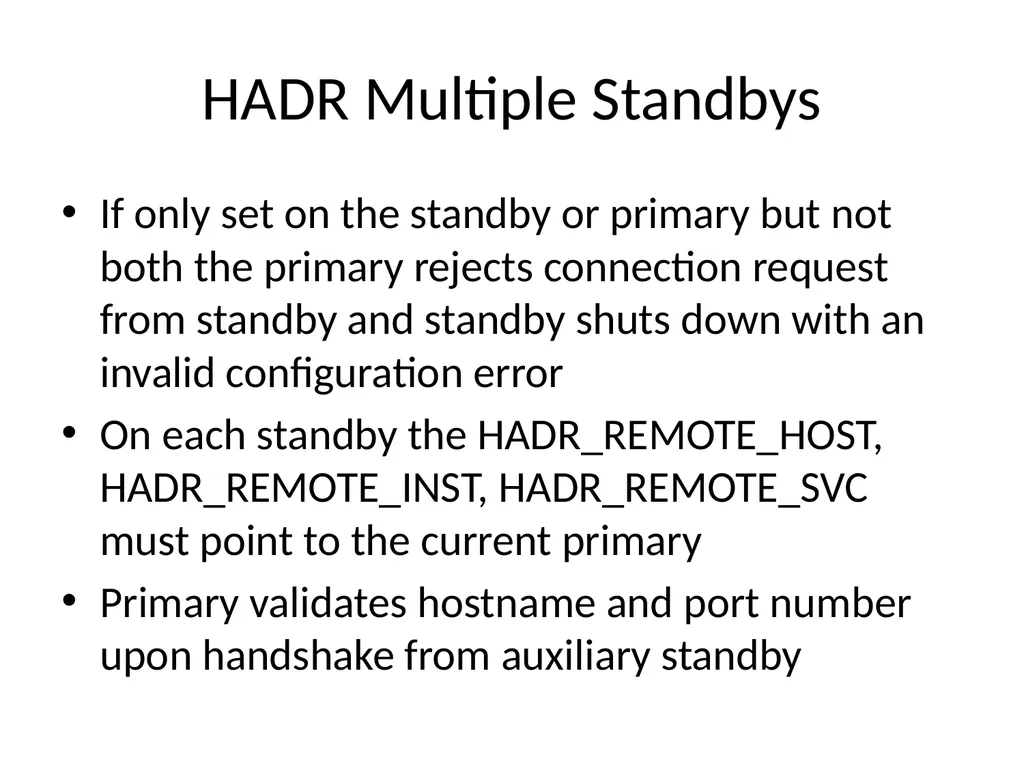
slide38. HADR Multiple Standbys If only set on the standby or primary but not both the primary rejects connection request from standby and standby shuts down with an invalid configuration error
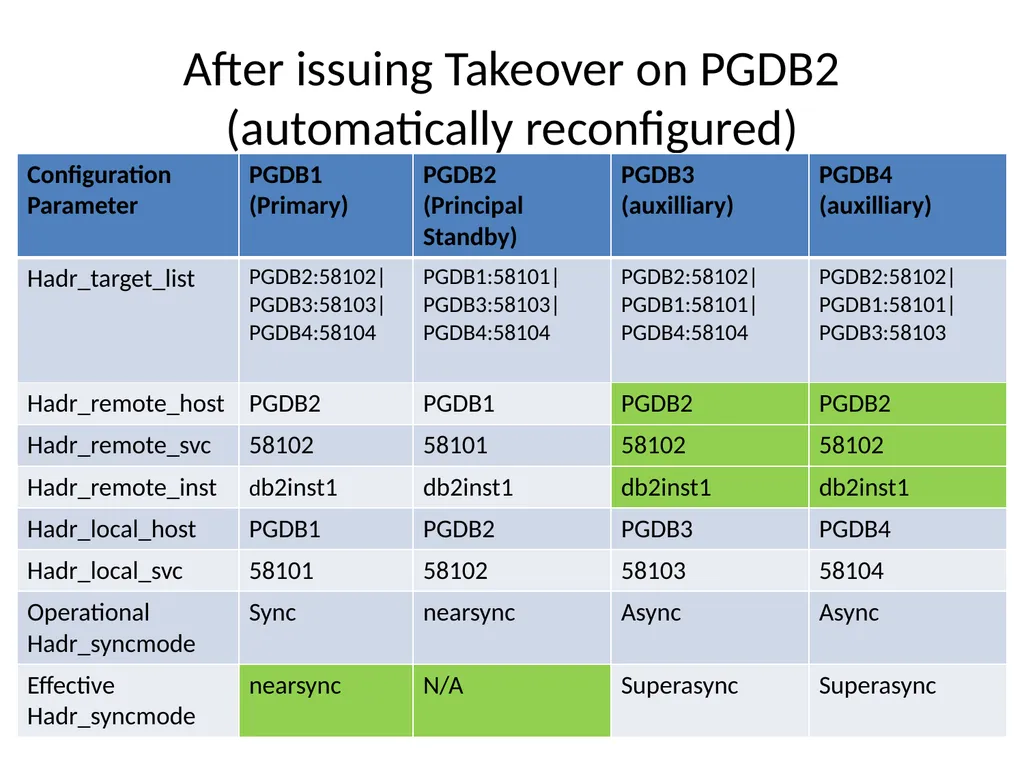
On each standby the HADR_REMOTE_HOST, HADR_REMOTE_INST, HADR_REMOTE_SVC must point to the current primary
Primary validates hostname and port number upon handshake from auxiliary standby<br>
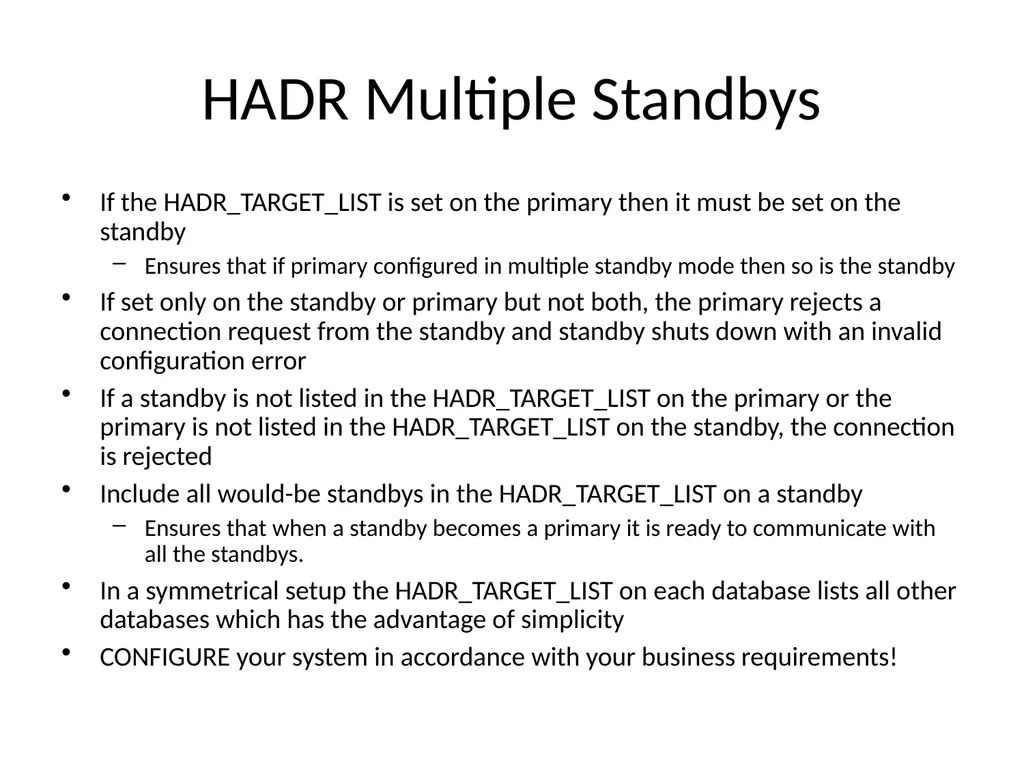
slide39. HADR Multiple Standbys If the HADR_TARGET_LIST is set on the primary then it must be set on the standby
Ensures that if primary configured in multiple standby mode then so is the standby
If set only on the standby or primary but not both, the primary rejects a connection request from the standby and standby shuts down with an invalid configuration error
If a standby is not listed in the HADR_TARGET_LIST on the primary or the primary is not listed in the HADR_TARGET_LIST on the standby, the connection is rejected
Include all would-be standbys in the HADR_TARGET_LIST on a standby
Ensures that when a standby becomes a primary it is ready to communicate with all the standbys.
In a symmetrical setup the HADR_TARGET_LIST on each database lists all other databases which has the advantage of simplicity
CONFIGURE your system in accordance with your business requirements!<br>
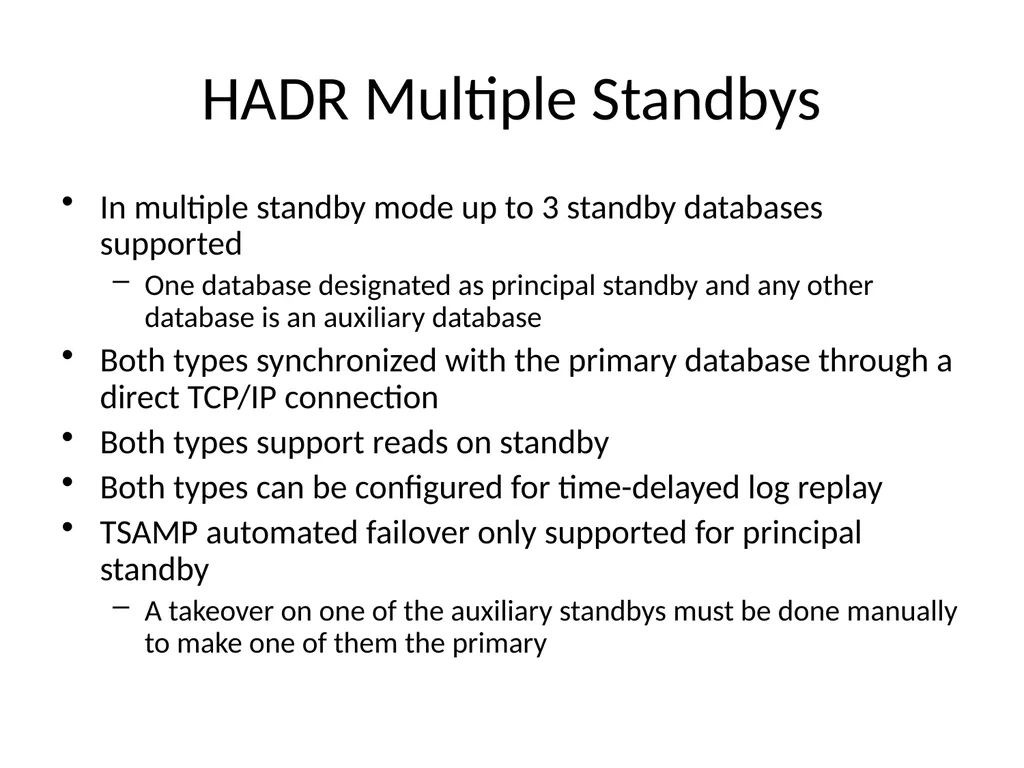
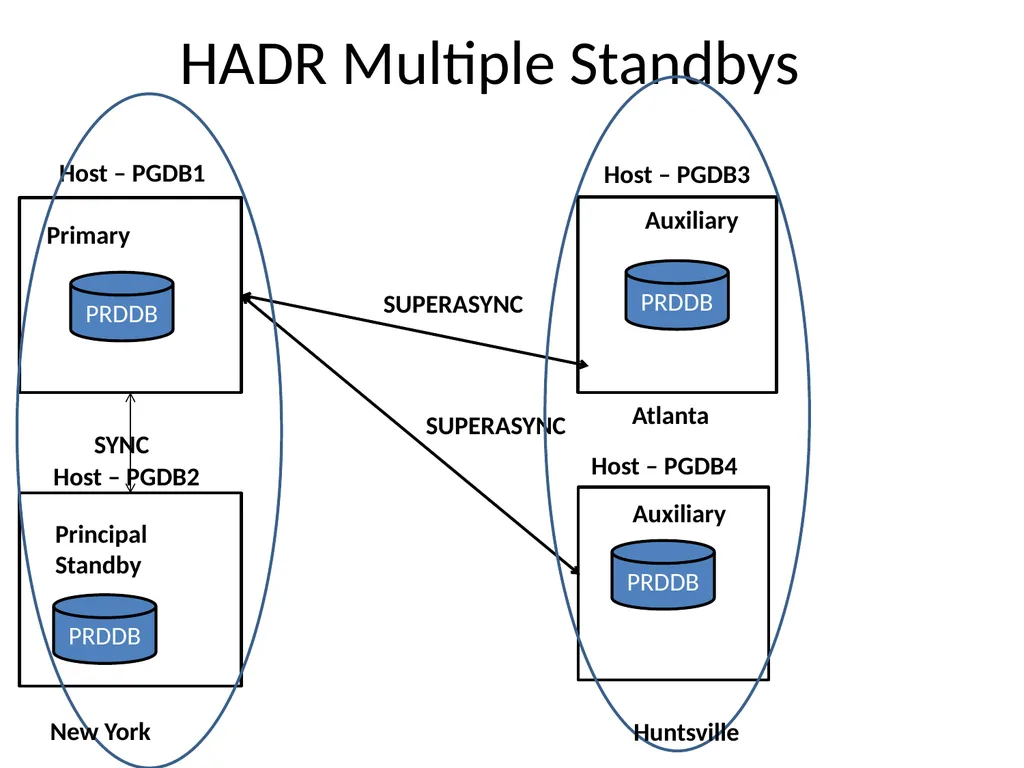
slide40. HADR Multiple Standbys In multiple standby mode up to 3 standby databases supported
One database designated as principal standby and any other database is an auxiliary database
Both types synchronized with the primary database through a direct TCP/IP connection
Both types support reads on standby
Both types can be configured for time-delayed log replay
TSAMP automated failover only supported for principal standby
A takeover on one of the auxiliary standbys must be done manually to make one of them the primary<br>
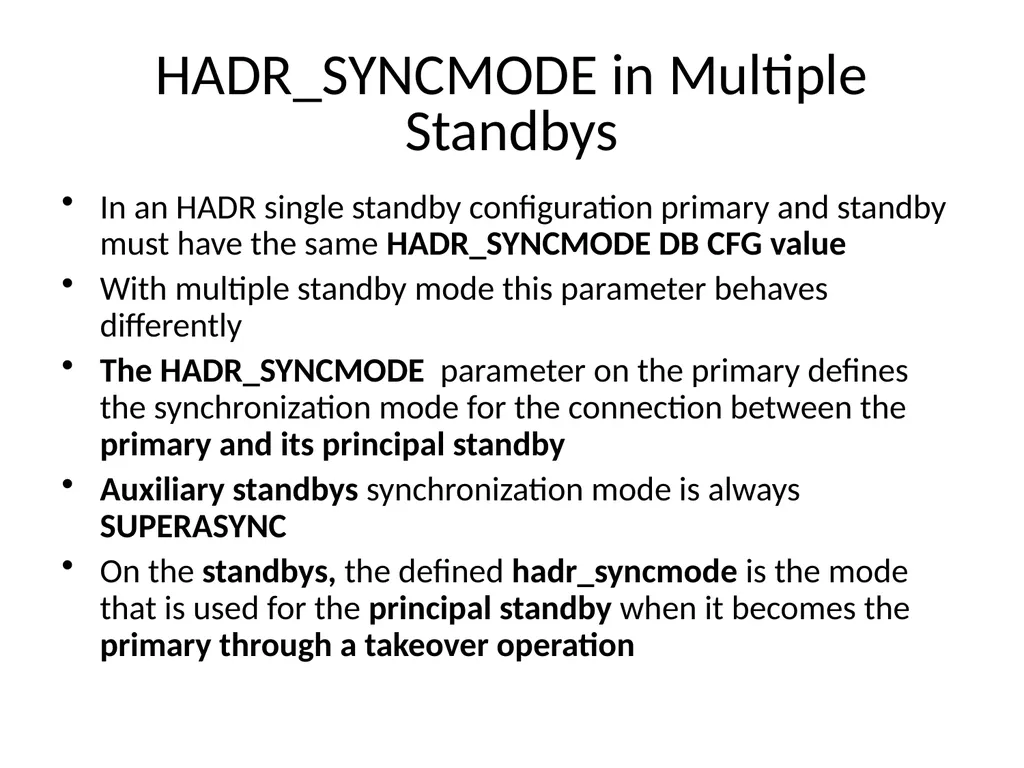
slide41. HADR_SYNCMODE in Multiple Standbys In an HADR single standby configuration primary and standby must have the same HADR_SYNCMODE DB CFG value
With multiple standby mode this parameter behaves differently
The HADR_SYNCMODE parameter on the primary defines the synchronization mode for the connection between the primary and its principal standby
Auxiliary standbys synchronization mode is always SUPERASYNC
On the standbys, the defined hadr_syncmode is the mode that is used for the principal standby when it becomes the primary through a takeover operation<br>
slide42. HADR Multiple Standbys Primary Principal Standby Auxiliary Auxiliary PRDDB PRDDB SYNC Host – PGDB1 PRDDB PRDDB Host – PGDB3 Host – PGDB4 SUPERASYNC SUPERASYNC Host – PGDB2 New York Huntsville Atlanta<br>
slide43. Multiple Standby Template<br>
slide44. HADR Multiple Standbys Principal Standby Primary Auxiliary Auxiliary PRDDB PRDDB SYNC Host – PGDB1 PRDDB PRDDB Host – PGDB3 Host – PGDB4 SUPERASYNC SUPERASYNC Host – PGDB2 New York Huntsville Atlanta TAKEOVER<br>
slide45. After issuing Takeover on PGDB2 (automatically reconfigured)<br>
slide46. HADR Multiple Standby – Forced Takeover Primary Principal Standby Auxiliary Auxiliary PRDDB PRDDB SYNC Host – PGDB1 PRDDB PRDDB Host – PGDB3 Host – PGDB4 SUPERASYNC Host – PGDB2 New York Huntsville Atlanta TAKEOVER Primary Auxiliary Standby<br>
slide47. After issuing Takeover on PGDB3 (automatically reconfigured)<br>
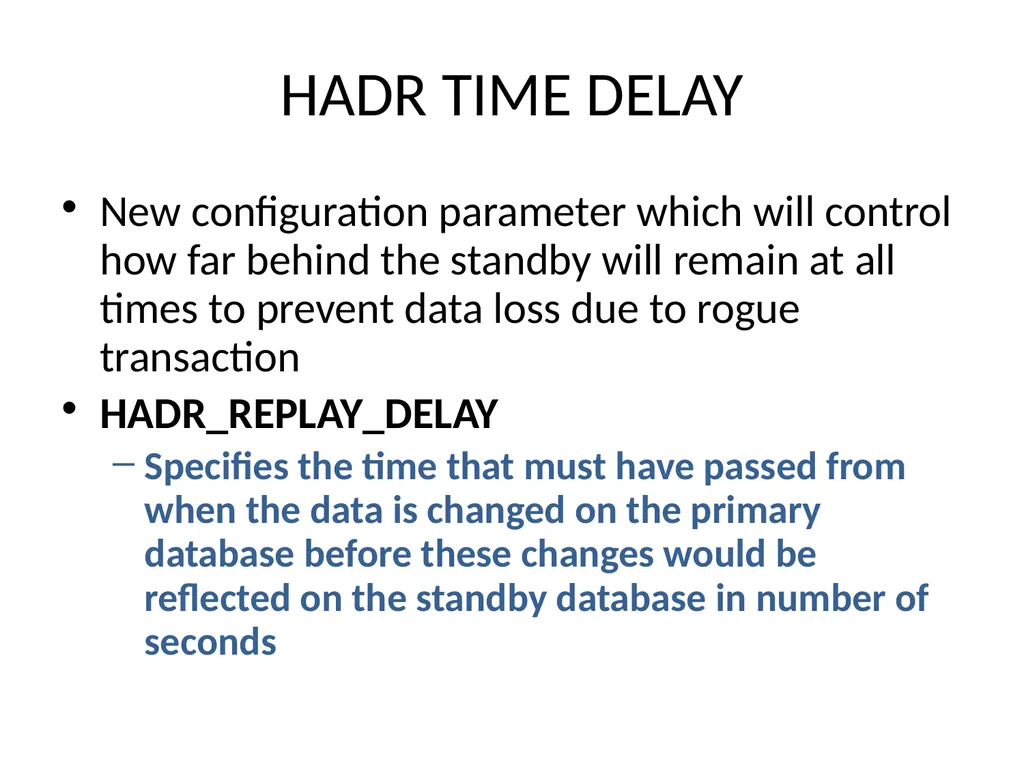
slide48. HADR TIME DELAY New configuration parameter which will control how far behind the standby will remain at all times to prevent data loss due to rogue transaction
HADR_REPLAY_DELAY
Specifies the time that must have passed from when the data is changed on the primary database before these changes would be reflected on the standby database in number of seconds<br>
slide49. Clustering Everyone wants it but few want to take the time to understand it and support it properly
Achieve High Availability and Reliability if properly implemented
Disaster waiting to happen if not properly implemented and understood<br>
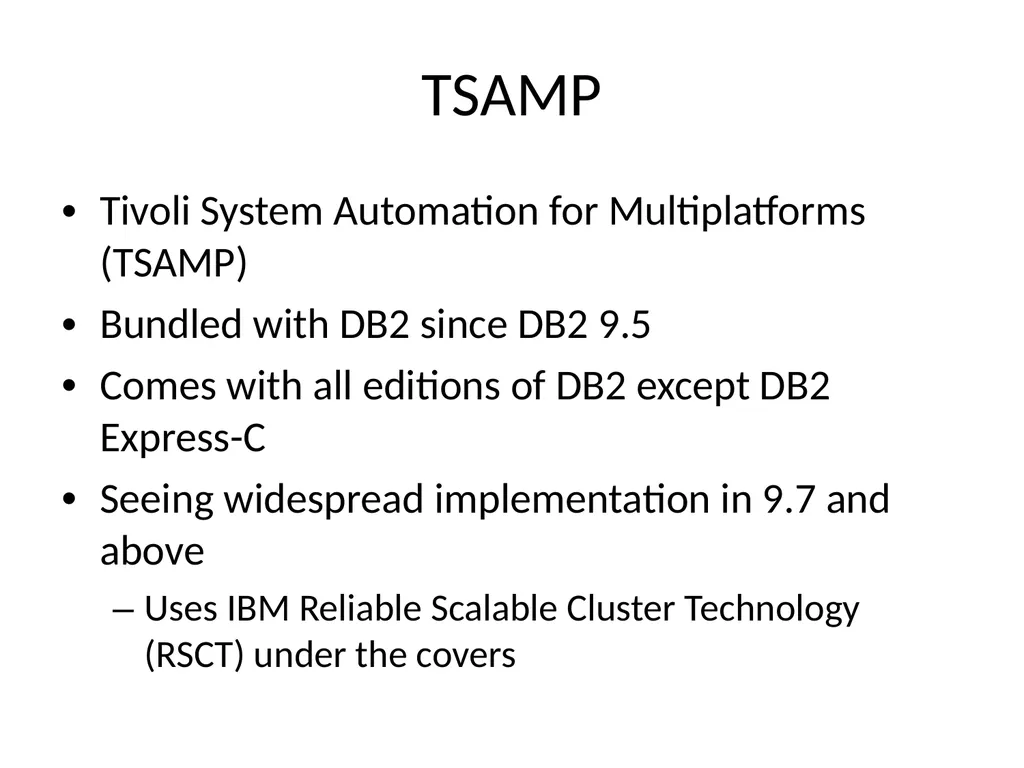
slide50. TSAMP Tivoli System Automation for Multiplatforms (TSAMP)
Bundled with DB2 since DB2 9.5
Comes with all editions of DB2 except DB2 Express-C
Seeing widespread implementation in 9.7 and above
Uses IBM Reliable Scalable Cluster Technology (RSCT) under the covers<br>
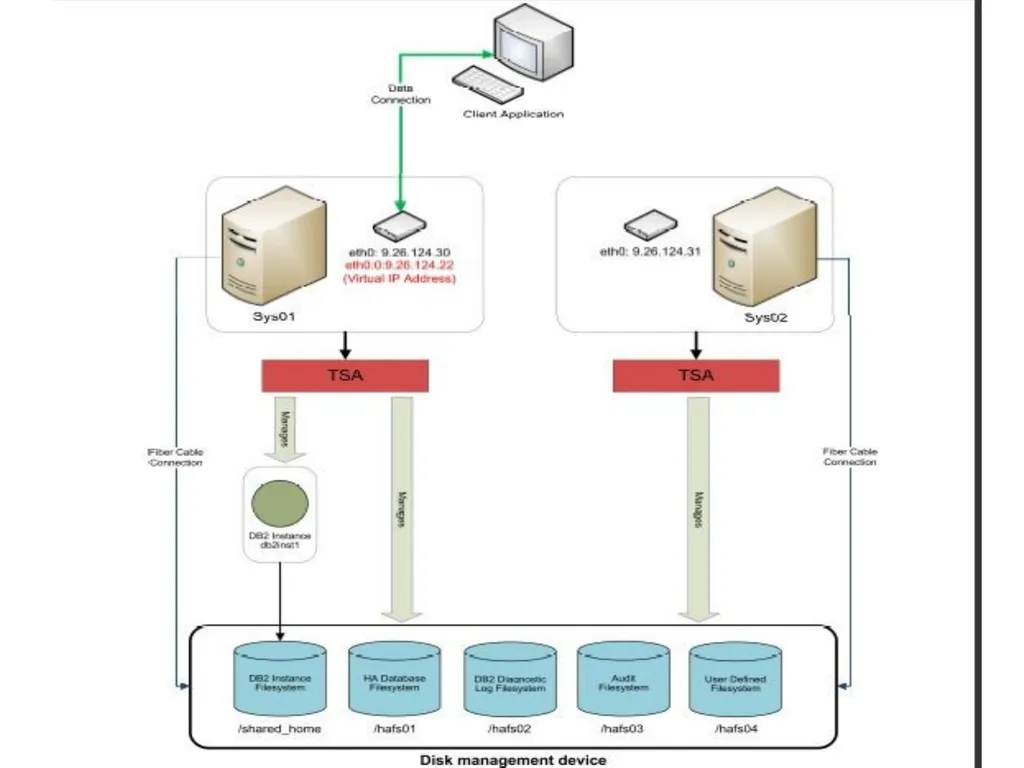
slide51. TSAMP<br>
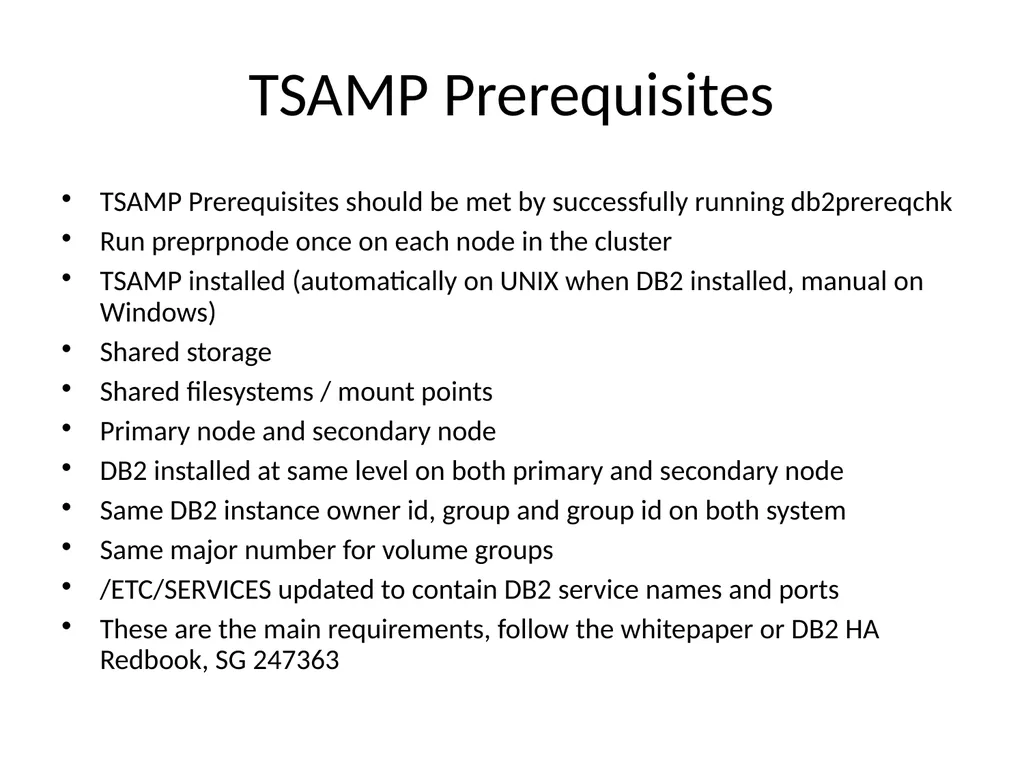
slide52. TSAMP Prerequisites TSAMP Prerequisites should be met by successfully running db2prereqchk
Run preprpnode once on each node in the cluster
TSAMP installed (automatically on UNIX when DB2 installed, manual on Windows)
Shared storage
Shared filesystems / mount points
Primary node and secondary node
DB2 installed at same level on both primary and secondary node
Same DB2 instance owner id, group and group id on both system
Same major number for volume groups
/ETC/SERVICES updated to contain DB2 service names and ports
These are the main requirements, follow the whitepaper or DB2 HA Redbook, SG 247363<br>
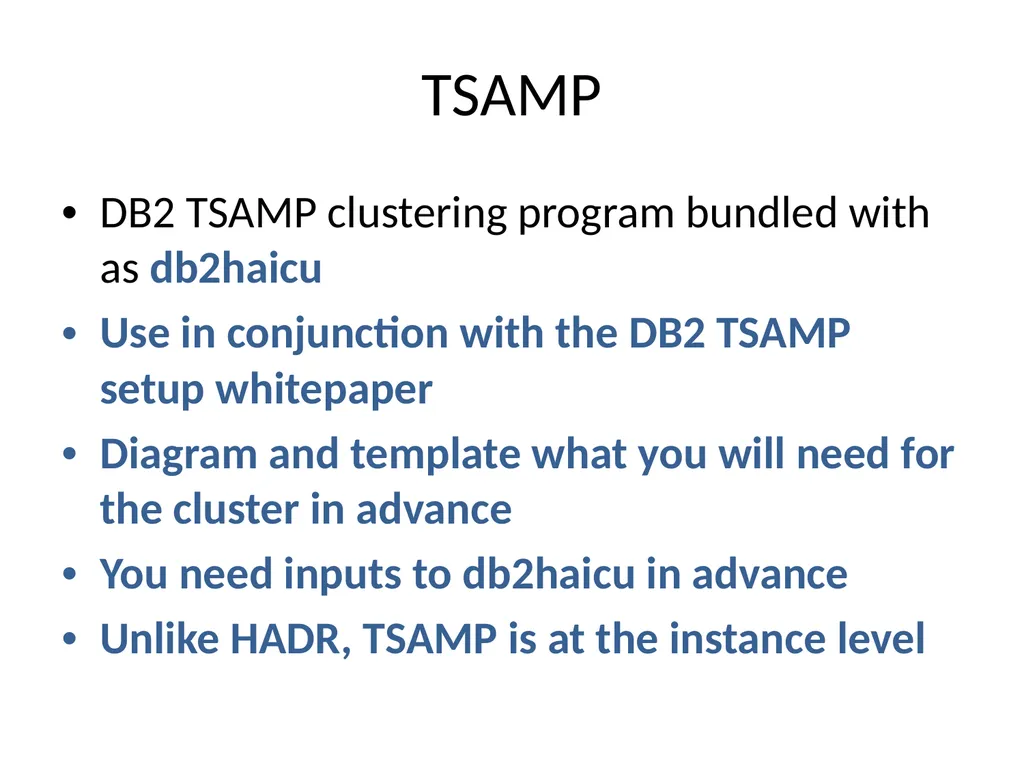
slide53. TSAMP DB2 TSAMP clustering program bundled with as db2haicu
Use in conjunction with the DB2 TSAMP setup whitepaper
Diagram and template what you will need for the cluster in advance
You need inputs to db2haicu in advance
Unlike HADR, TSAMP is at the instance level<br>
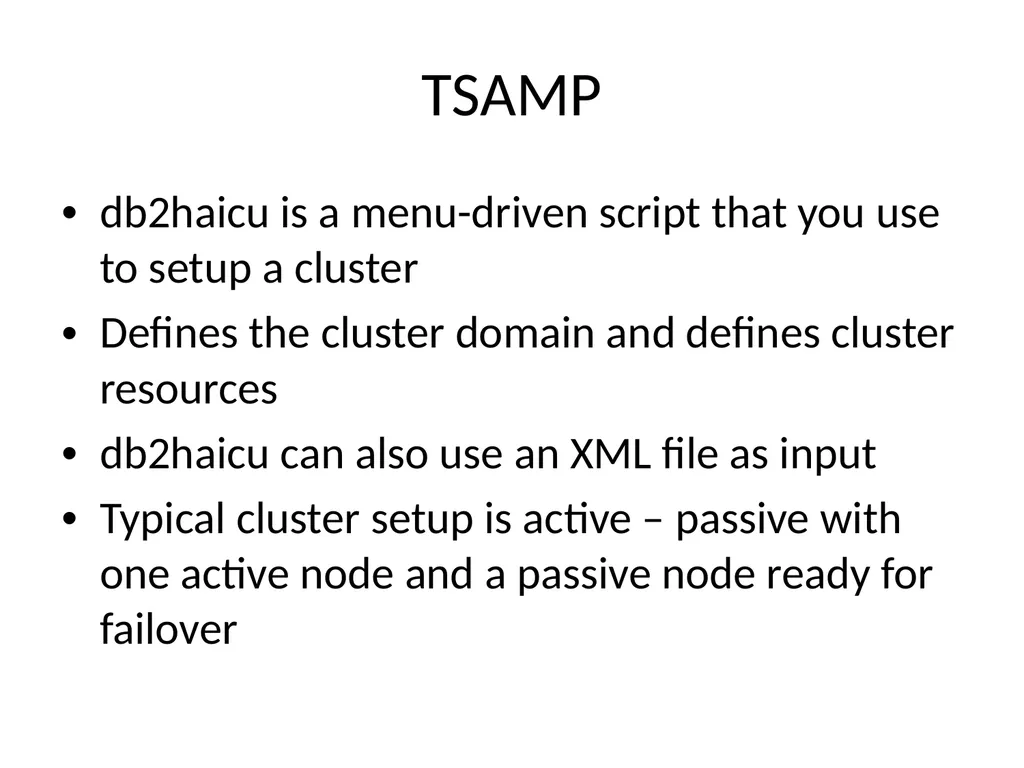
slide54. TSAMP db2haicu is a menu-driven script that you use to setup a cluster
Defines the cluster domain and defines cluster resources
db2haicu can also use an XML file as input
Typical cluster setup is active – passive with one active node and a passive node ready for failover<br>
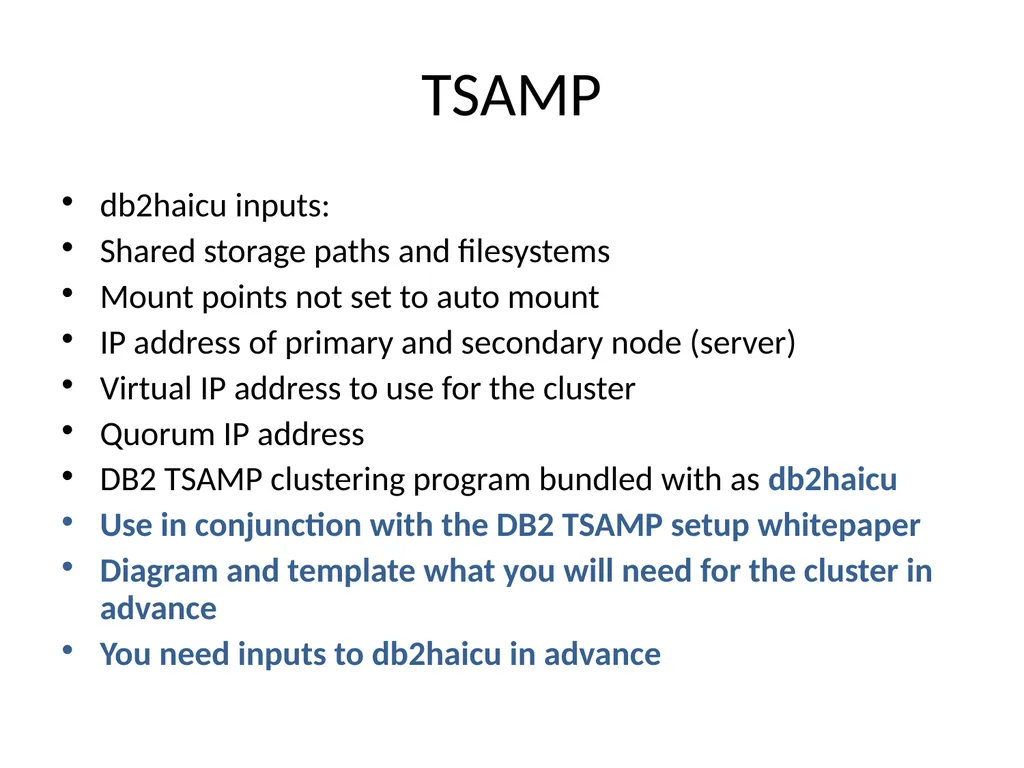
slide55. TSAMP db2haicu inputs:
Shared storage paths and filesystems
Mount points not set to auto mount
IP address of primary and secondary node (server)
Virtual IP address to use for the cluster
Quorum IP address
DB2 TSAMP clustering program bundled with as db2haicu
Use in conjunction with the DB2 TSAMP setup whitepaper
Diagram and template what you will need for the cluster in advance
You need inputs to db2haicu in advance<br>
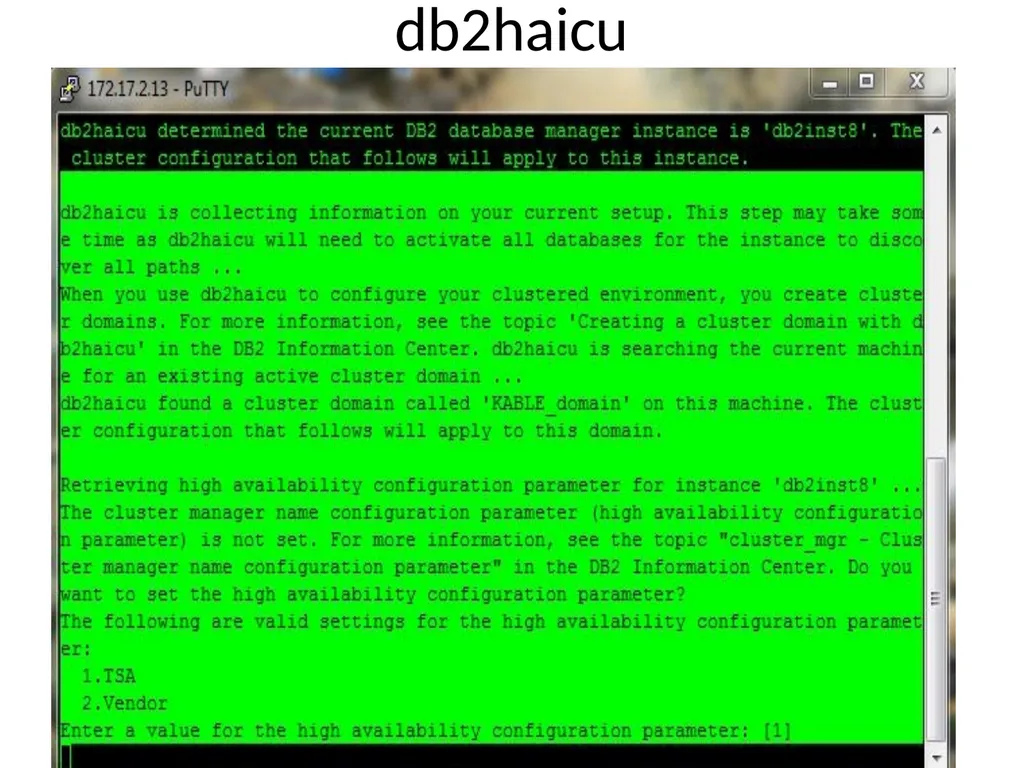
slide56. db2haicu<br>
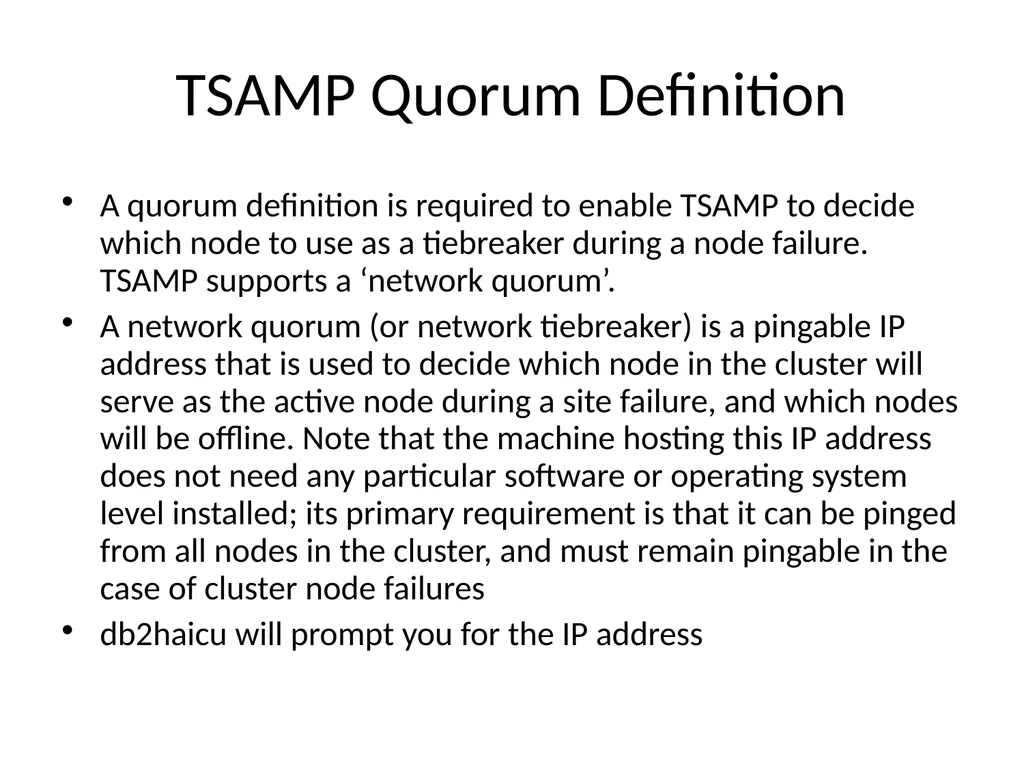
slide57. TSAMP Quorum Definition A quorum definition is required to enable TSAMP to decide which node to use as a tiebreaker during a node failure. TSAMP supports a ‘network quorum’.
A network quorum (or network tiebreaker) is a pingable IP address that is used to decide which node in the cluster will serve as the active node during a site failure, and which nodes will be offline. Note that the machine hosting this IP address does not need any particular software or operating system level installed; its primary requirement is that it can be pinged from all nodes in the cluster, and must remain pingable in the case of cluster node failures
db2haicu will prompt you for the IP address<br>
slide58. db2haicu Upon successful completion of defining all the resources to db2haicu, the cluster will be started and active
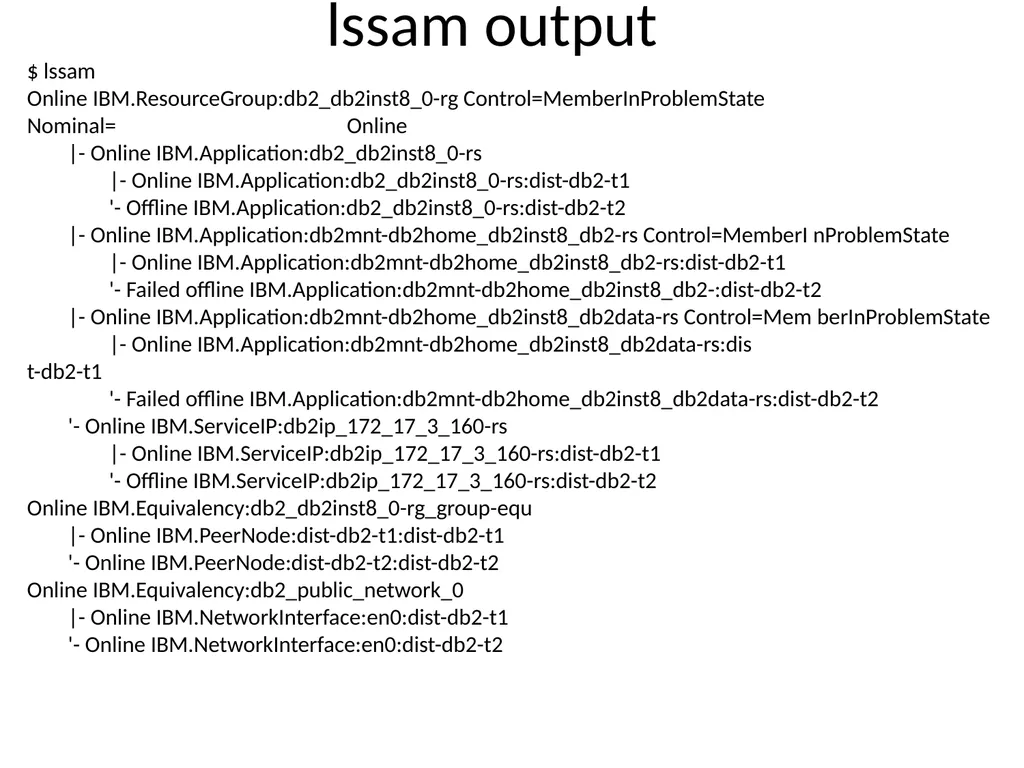
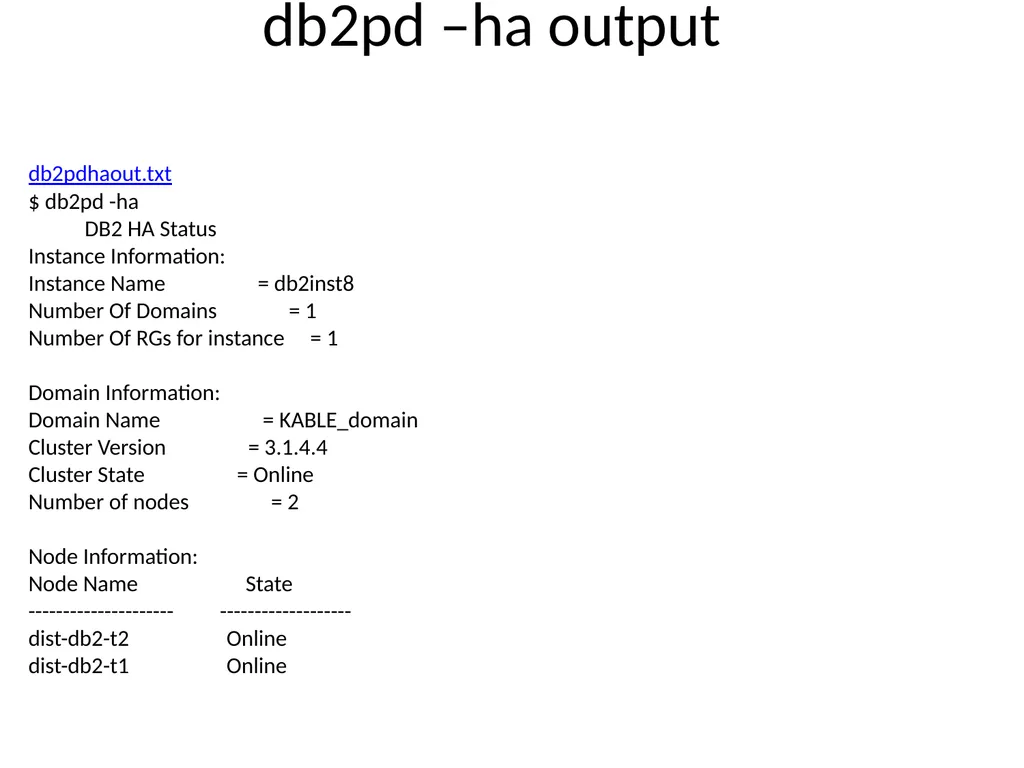
Use db2pd –ha or lssam command to monitor status of HA for the instance<br>
slide59. lssam output $ lssam
Online IBM.ResourceGroup:db2_db2inst8_0-rg Control=MemberInProblemState Nominal= Online
|- Online IBM.Application:db2_db2inst8_0-rs
|- Online IBM.Application:db2_db2inst8_0-rs:dist-db2-t1
'- Offline IBM.Application:db2_db2inst8_0-rs:dist-db2-t2
|- Online IBM.Application:db2mnt-db2home_db2inst8_db2-rs Control=MemberI nProblemState
|- Online IBM.Application:db2mnt-db2home_db2inst8_db2-rs:dist-db2-t1
'- Failed offline IBM.Application:db2mnt-db2home_db2inst8_db2-:dist-db2-t2
|- Online IBM.Application:db2mnt-db2home_db2inst8_db2data-rs Control=Mem berInProblemState
|- Online IBM.Application:db2mnt-db2home_db2inst8_db2data-rs:dis t-db2-t1
'- Failed offline IBM.Application:db2mnt-db2home_db2inst8_db2data-rs:dist-db2-t2
'- Online IBM.ServiceIP:db2ip_172_17_3_160-rs
|- Online IBM.ServiceIP:db2ip_172_17_3_160-rs:dist-db2-t1
'- Offline IBM.ServiceIP:db2ip_172_17_3_160-rs:dist-db2-t2
Online IBM.Equivalency:db2_db2inst8_0-rg_group-equ
|- Online IBM.PeerNode:dist-db2-t1:dist-db2-t1
'- Online IBM.PeerNode:dist-db2-t2:dist-db2-t2
Online IBM.Equivalency:db2_public_network_0
|- Online IBM.NetworkInterface:en0:dist-db2-t1
'- Online IBM.NetworkInterface:en0:dist-db2-t2<br>
slide60. db2pd –ha output db2pdhaout.txt
$ db2pd -ha
DB2 HA Status
Instance Information:
Instance Name = db2inst8
Number Of Domains = 1
Number Of RGs for instance = 1
Domain Information:
Domain Name = KABLE_domain
Cluster Version = 3.1.4.4
Cluster State = Online
Number of nodes = 2
Node Information:
Node Name State
--------------------- -------------------
dist-db2-t2 Online
dist-db2-t1 Online<br>
slide61. TSAMP Conduct failure testing
Network
Storage
Server
Learn TSAMP and RSCT commands to use to monitor status of cluster, stop cluster, and move cluster to secondary node for maintenance or other reasons
Learn how to know if the cluster has failed over and what to do to get it back to the primary
Test all of the above and document<br>
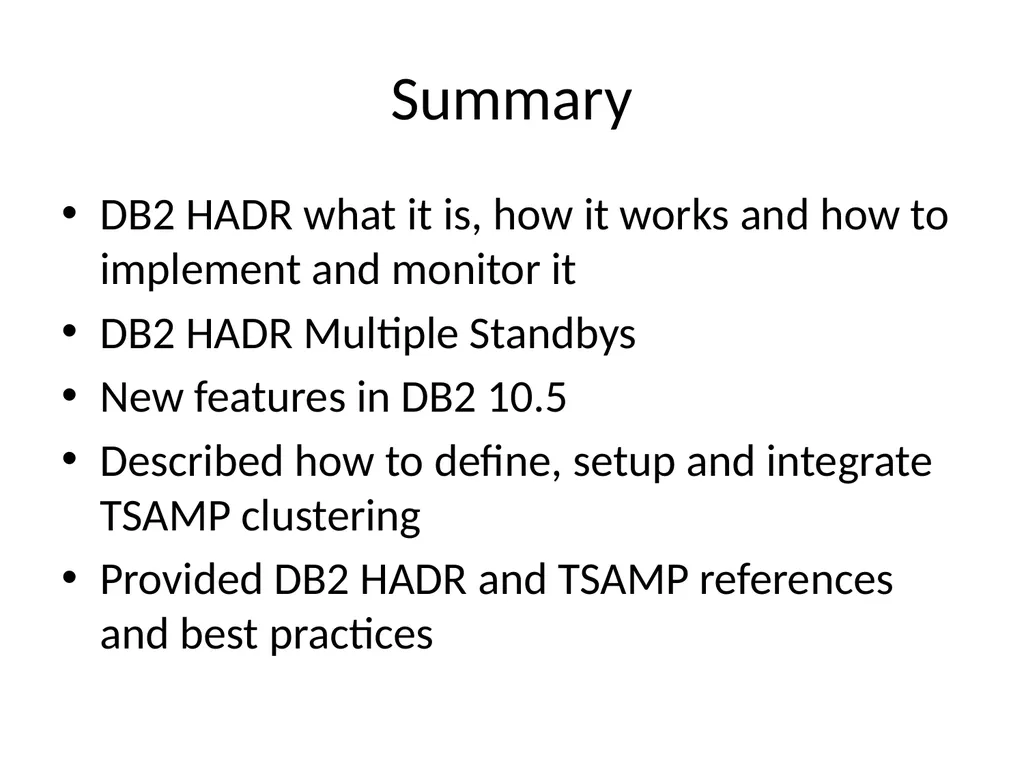
slide62. Summary DB2 HADR what it is, how it works and how to implement and monitor it
DB2 HADR Multiple Standbys
New features in DB2 10.5
Described how to define, setup and integrate TSAMP clustering
Provided DB2 HADR and TSAMP references and best practices<br>
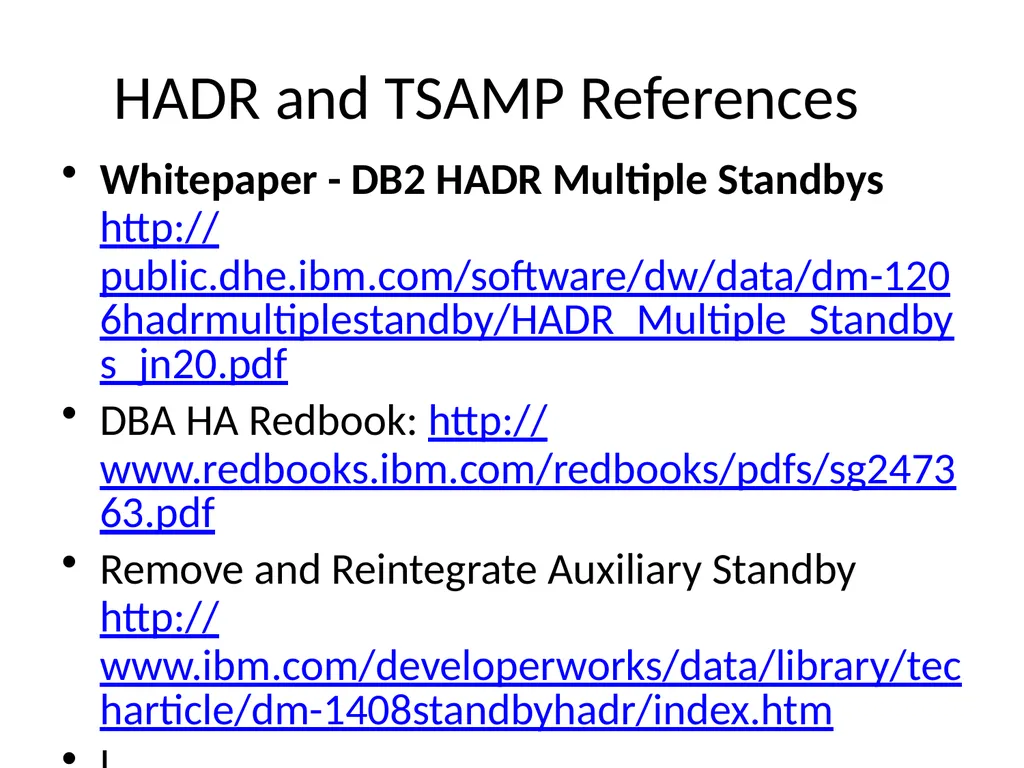
slide63. HADR and TSAMP References Whitepaper - DB2 HADR Multiple Standbys http://public.dhe.ibm.com/software/dw/data/dm-1206hadrmultiplestandby/HADR_Multiple_Standbys_jn20.pdf
DBA HA Redbook: http://www.redbooks.ibm.com/redbooks/pdfs/sg247363.pdf
Remove and Reintegrate Auxiliary Standby http://www.ibm.com/developerworks/data/library/techarticle/dm-1408standbyhadr/index.htm
l<br>
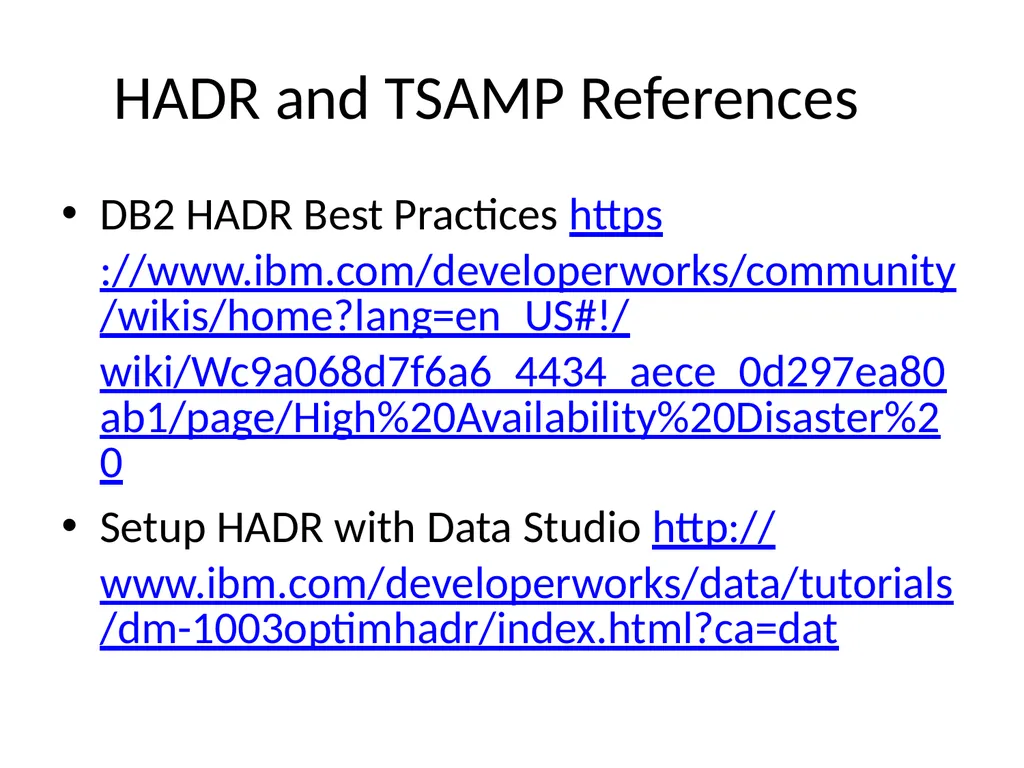
slide64. HADR and TSAMP References DB2 HADR Best Practices https://www.ibm.com/developerworks/community/wikis/home?lang=en_US#!/wiki/Wc9a068d7f6a6_4434_aece_0d297ea80ab1/page/High%20Availability%20Disaster%20
Setup HADR with Data Studio http://www.ibm.com/developerworks/data/tutorials/dm-1003optimhadr/index.html?ca=dat<br>
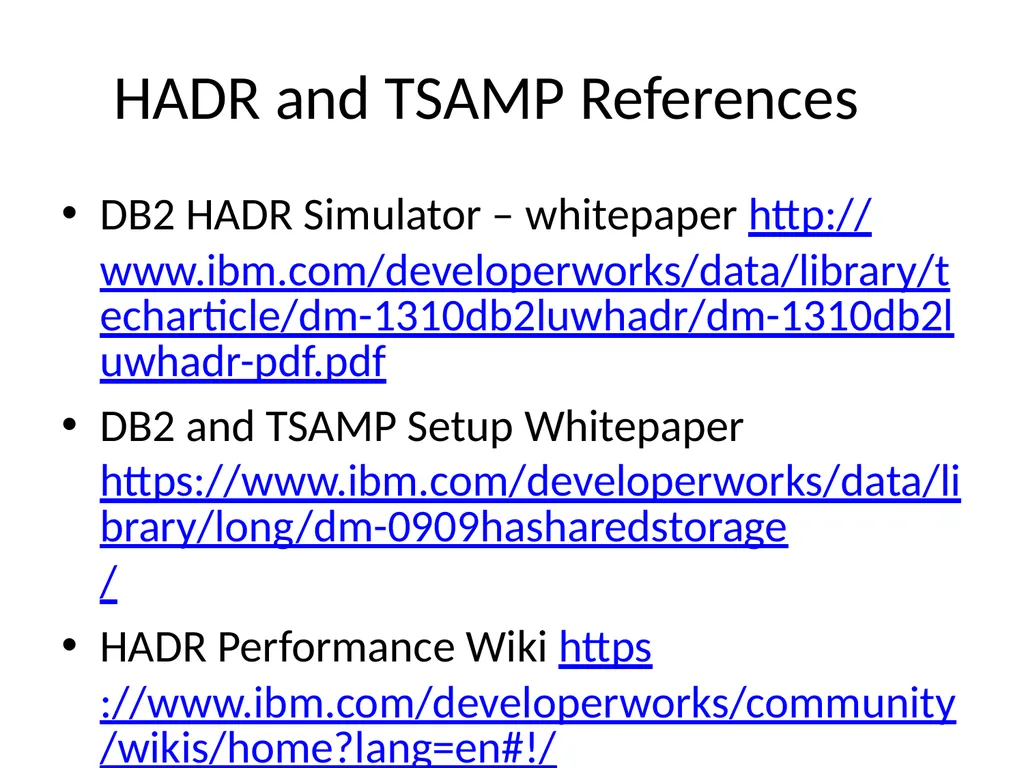
slide65. HADR and TSAMP References DB2 HADR Simulator – whitepaper http://www.ibm.com/developerworks/data/library/techarticle/dm-1310db2luwhadr/dm-1310db2luwhadr-pdf.pdf
DB2 and TSAMP Setup Whitepaper https://www.ibm.com/developerworks/data/library/long/dm-0909hasharedstorage/
HADR Performance Wiki https://www.ibm.com/developerworks/community/wikis/home?lang=en#!/wiki/DB2HADR/page/HADR%20perf<br>
slide66. DB2 Books by Phil<br>
slide67. Achieving High Availability with DB2 HADR and TSAMP Philip K. Gunning
Gunning Technology Solutions, LLC
pgunning@gts1consulting.com
www.gts1consulting.com<br>
Gunning Technology Solutions, LLC<br>
slide2. What is HADR? High Availability Disaster Recovery (HADR)
Introduced in DB2 V8.2
Log based replication using existing network infrastructure
Ported from Informix after acquired by IBM
Provides for High Availability (HA) in same data center or Disaster Recovery (DR) at remote data center
Many improvements over the years based on customer feedback and technology improvements<br>
slide3. HADR Bundled with all versions of DB2 except DB2 Express-C
Easy to setup and monitor
Provides additional flexibility for report only databases while providing a degree of high availability
Multiple synchronous modes to choose some
Synchronization mode should be chosen based on BUSINESS REQUIREMENTS
Many times the business doesn’t know there requirements
That’s where you provide recommendations based on analysis of application requirements<br>
slide4. HADR Overview Primary Standby New York Atlanta TCPIP PRDDB PRDDB HADR
Send buffer HADR
Recv buffer Log writer Log
Replay
Agents Log spool LOG LOG LOG<br>
slide5. Configuring Databases for HADR Before you can use HADR you have to determine the SYNC mode you will use and then create a template of ports, service names, and IP addresses you will use
You normally need to coordinate this with network support personnel or server ADMINS
Properly size the STANDBY server or servers
The primary STANDBY should have same amount of RAM and CPU as the primary in the event of a failover or takeover (for takeover purposes and log replay agents)
It is recommended that the hardware be identical<br>
slide6. Synchronization Modes hadr_syncmode – Database Configuration Parameter that controls the HADR synchronization mode
Four possible values:
SYNC
NEARSYNC
ASYNC
SUPERASYNC<br>
slide7. Hadr_syncmode SYNC Mode (Think LAN)
SYNC mode offers the best protection of data. Two on-disk copies of data are required for transaction commit. The cost is the extra time for writing on the standby and sending an acknowledgment message back to the primary. In SYNC mode, logs are sent to the standby only after they are written to the primary disk. Log write and replication events happen sequentially. The total time for a log write event is the sum of (primary_log_write + log_send + standby_log_write + ack_message). The communication overhead of replication in this mode is significantly higher than that of the other three modes.<br>
slide8. Hadr_syncmode NEARSYNC Mode (Think LAN)
NEARSYNC mode is nearly as good as SYNC, with significantly less communication overhead. In NEARSYNC mode, sending logs to the standby and writing logs to the primary disk are done in parallel, and the standby sends an acknowledgement message as soon as it receives the logs in memory. On a fast network, log replication causes no or little overhead to primary log writing. In NEARSYNC mode, you will lose data if the primary fails and the standby fails before it has a chance to write the received logs to disk. This is a relatively rare "double failure" scenario. Thus NEARSYNC is a good choice for many applications, providing near synchronization protection at far less performance cost.<br>
slide9. Hadr_syncmode ASYNC Mode (Think WAN)
In ASYNC mode, sending logs to the standby and writing logs to the primary disk are done in parallel, just like in NEARSYNC mode. Because ASYNC mode does not wait for acknowledgment messages from the standby, the primary system throughput is min(log write rate, log send rate). ASYNC mode is well suited for WAN applications. Network transmission delay does not impact performance in this mode, but if the primary database fails, there is a higher chance that logs in transit will be lost (not replicated to standby).<br>
slide10. Hadr_syncmode SUPERASYNC Mode (Think WAN)
This mode has the shortest transaction response time of all synchronization modes but has also the highest probability of transaction losses if the primary system fails. The primary system throughput is only affected by the time needed to write the transaction to the local disk. This mode is useful when you do not want transactions to be blocked or experience elongated response times due to network interruptions or congestion. SUPERASYNC mode is well suited for WAN applications. Since the transaction commit operations on the primary database are not affected by the relative slowness of the HADR network or the standby HADR server, the log gap between the primary database and the standby database might continue to increase. It is important to monitor the log gap in this mode as it is an indirect measure of the potential number of transactions that might be lost should a true disaster occur on the primary system.<br>
slide11. Hadr_syncmode Summary SYNC: Log Write on primary requires replication to the persistent storage on the standby (Think LAN)
NEARSYNC: Log write on primary requires replication to the memory on the standby (Think LAN)
ASYNC: Log write on primary requires a successful send to standby (receive is not guaranteed) (Think WAN)
SUPERASYNC: Log Write on primary has no dependency on replication to standby (Think WAN)<br>
slide12. Configuring Databases for HADR Setup separate dedicated NETWORK for HADR PRIMARY to SECONDARY connection
Open HADR ports in Firewalls else HADR will fail and can be difficult to diagnose!<br>
slide13. HADR Design RECAP Before you can use HADR you have to determine the SYNC mode you will use and then create a template of ports, service names, and IP addresses you will use
Create a diagram of the proposed architecture, so all involved have a common picture of the setup
Helps to avoid confusion and misconceptions!<br>
slide14. DB CFG HADR Parameters -- Primary HADR local host name (HADR_LOCAL_HOST) = 10.221.37.1
HADR local service name (HADR_LOCAL_SVC) = db2h_DB2_1
HADR remote host name (HADR_REMOTE_HOST) = 10.221.37.2
HADR remote service name (HADR_REMOTE_SVC) = db2h_DB2_2
HADR instance name of remote server (HADR_REMOTE_INST) = DB2
HADR timeout value (HADR_TIMEOUT) = 120
HADR log write synchronization mode (HADR_SYNCMODE) = SUPERASYNC
HADR peer window duration (seconds) (HADR_PEER_WINDOW) = 600<br>
slide15. /ETC/SERVICES Entries -- Primary db2h_DB2_1 58101/tcp #DB2 HADR GCPROD Port
db2h_DB2_2 58102/tcp #DB2 HADR GCPROD Port<br>
slide16. DB CFG HADR Parameters -- Standby HADR local host name (HADR_LOCAL_HOST) = 10.221.37.2
HADR local service name (HADR_LOCAL_SVC) = db2h_DB2_2
HADR remote host name (HADR_REMOTE_HOST) = 10.221.37.1
HADR remote service name (HADR_REMOTE_SVC) = db2h_DB2_1
HADR instance name of remote server (HADR_REMOTE_INST) = DB2
HADR timeout value (HADR_TIMEOUT) = 120
HADR log write synchronization mode (HADR_SYNCMODE) = SUPERASYNC
HADR peer window duration (seconds) (HADR_PEER_WINDOW) = 600<br>
slide17. /ETC/SERVICES Entries -- Standby db2h_DB2_1 58101/tcp #DB2 HADR Port gcprod
db2h_DB2_2 58102/tcp #DB2 HADR Port gcprod<br>
slide18. DB2 Registry Settings -- Primary [e] DB2PATH=C:\Program Files\IBM\SQLLIB
[i] DB2_STANDBY_ISO=UR
[i] DB2_HADR_ROS=ON
[i] DB2_CAPTURE_LOCKTIMEOUT=ON
[i] DB2_CREATE_DB_ON_PATH=YES
[i] DB2_SKIPINSERTED=yes
[i] DB2_USE_ALTERNATE_PAGE_CLEANING=on
[i] DB2_EVALUNCOMMITTED=yes
[i] DB2_SKIPDELETED=yes
[i] DB2INSTPROF=C:\ProgramData\IBM\DB2\DB2COPY1
[i] DB2COMM=TCPIP
[i] DB2_PARALLEL_IO=*
[g] DB2_EXTSECURITY=YES
[g] DB2_COMMON_APP_DATA_PATH=C:\ProgramData
[g] DB2SYSTEM=CW-DB01
[g] DB2PATH=C:\Program Files\IBM\SQLLIB
[g] DB2INSTDEF=DB2
[g] DB2ADMINSERVER=DB2DAS00<br>
slide19. DB2 Registry Settings -- Standby [e] DB2PATH=C:\Program Files\IBM\SQLLIB
[i] DB2_STANDBY_ISO=UR
[i] DB2_HADR_ROS=ON
[i] DB2_CREATE_DB_ON_PATH=YES
[i] DB2_SKIPINSERTED=YES
[i] DB2_USE_ALTERNATE_PAGE_CLEANING=YES
[i] DB2_EVALUNCOMMITTED=YES
[i] DB2_SKIPDELETED=YES
[i] DB2INSTPROF=C:\ProgramData\IBM\DB2\DB2COPY1
[i] DB2COMM=TCPIP
[i] DB2_PARALLEL_IO=*
[g] DB2_EXTSECURITY=YES
[g] DB2_COMMON_APP_DATA_PATH=C:\ProgramData
[g] DB2SYSTEM=CW-DB02
[g] DB2PATH=C:\Program Files\IBM\SQLLIB
[g] DB2INSTDEF=DB2
[g] DB2ADMINSERVER=DB2DAS00<br>
slide20. HADR LOG SPOOLING LOG Spooling introduced in DB2 10.1 to resolve HADR receive buffer full issues with slow STANDBY which blocks primary in all but SUPERASYNC mode
CAN BE USED WITH ANY SYNC_MODE Setting
HADR_SPOOL_LIMIT DB CFG parameter
As of DB2 10.5 set to AUTOMATIC by default
Value of (LOGPRIMARY + LOGSECOND) * LOGFILSIZ)
Value of 0 turns it off
Ensure disk space for active logs is large enough when using log spooling<br>
slide21. HADR Log Spooling Gotcha HADR_ROLE = STANDBY
REPLAY_TYPE = PHYSICAL
HADR_SYNCMODE = SUPERASYNC
STANDBY_ID = 0
LOG_STREAM_ID = 0
HADR_STATE = REMOTE_CATCHUP
HADR_FLAGS = STANDBY_RECV_BLOCKED STANDBY_LOG_DEVICE_FULL
PRIMARY_MEMBER_HOST = 10.40.40.95
PRIMARY_INSTANCE = db2inst1
PRIMARY_MEMBER = 0
STANDBY_MEMBER_HOST = 10.30.83.160
STANDBY_INSTANCE = db2inst1
STANDBY_MEMBER = 0
HADR_CONNECT_STATUS = CONNECTED
HADR_CONNECT_STATUS_TIME = 03/17/2015 10:06:01.568718 (1426601161)
HEARTBEAT_INTERVAL(seconds) = 30
HEARTBEAT_MISSED = 17
HEARTBEAT_EXPECTED = 35<br>
slide22. HADR Setup Steps Update primary DB CFG parameters
Update /ETC/SERVICES ports and service names on primary
Make DB2 HADR registry settings
Deactivate and Activate the database or stop and start the instance for settings to take effect
Catalog database and standby node<br>
slide23. HADR Setup Steps Backup the primary database online include logs
Ship backup to standby server
Make DB2 registry settings
Update /ETC/SERVICES ports and service names on standby
Catalog the database and primary node
Restore the database to the standby instance without rolling forward
Update the HADR DB CFG parameters
Stop/Start the standby instance
Activate the standby database
Start hadr on the standby
Activate the primary database
Start hadr on the primary<br>
slide24. HADR Setup Steps Alternatively, use the DB2 Control Center (9.7 and below) or IBM Data Studio to setup the primary and standby to include starting HADR
Sit back, relax, and monitor!<br>
slide25. HADR Database Snapshot -- Primary HADR Status
Role = Primary
State = Remote catchup
Synchronization mode = SuperAsync
Connection status = Connected , 03/14/2014 09:56:39.738078
Heartbeats missed = 0
Local host = 10.221.37.1
Local service = db2h_DB2_1
Remote host = 10.221.37.2
Remote service = db2h_DB2_2
Remote instance = DB2
timeout(seconds) = 120
Primary log position(file, page, LSN) = S0338748.LOG, 13150, 00004D16BD4B6CFF
Standby log position(file, page, LSN) = S0338748.LOG, 12650, 00004D16BD2C2084
Log gap running average(bytes) = 15109<br>
slide26. DB2 9.7 db2pd –gc_prod –hadr -- OUTPUT - Primary Database Partition 0 -- Database GC_PROD -- Active -- Up 10 days 09:42:00 -- Date 2014-03-24-19.37.51.674000
HADR Information:
Role State SyncMode HeartBeatsMissed LogGapRunAvg (bytes)
Primary RemoteCatchup SuperAsync 0 17746
ConnectStatus ConnectTime Timeout
Connected Fri Mar 14 09:56:39 2014 (1394805399) 120
LocalHost LocalService
10.221.37.1 db2h_DB2_1
RemoteHost RemoteService RemoteInstance
10.221.37.2 db2h_DB2_2 DB2
PrimaryFile PrimaryPg PrimaryLSN
S0338748.LOG 5055 0x00004D16BB517AA1
StandByFile StandByPg StandByLSN
S0338748.LOG 4911 0x00004D16BB487911<br>
slide27. HADR Database Snapshot -- Standby HADR Status
Role = Standby
State = Remote catchup
Synchronization mode = SuperAsync
Connection status = Connected , 03/14/2014 09:56:41.042773
Heartbeats missed = 0
Local host = 10.221.37.2
Local service = db2h_DB2_2
Remote host = 10.221.37.1
Remote service = db2h_DB2_1
Remote instance = DB2
timeout(seconds) = 120
Primary log position(file, page, LSN) = S0338747.LOG, 5370, 00004D16B6832E27
Standby log position(file, page, LSN) = S0338747.LOG, 5370, 00004D16B6832E27
Log gap running average(bytes) = 529199<br>
slide28. DB2 9.7 db2pd – gc_prod –hadr OUTPUT -- Standby Database Partition 0 -- Database GC_PROD -- Active Standby -- Up 376 days 07:15:45 -- Date 2014-03-24-19.26.22.802000
HADR Information:
Role State SyncMode HeartBeatsMissed LogGapRunAvg (bytes)
Standby RemoteCatchup SuperAsync 0 491834
ConnectStatus ConnectTime Timeout
Connected Fri Mar 14 09:56:41 2014 (1394805401) 120
ReplayOnlyWindowStatus ReplayOnlyWindowStartTime MaintenanceTxCount
Inactive N/A 0
LocalHost LocalService
10.221.37.2 db2h_DB2_2
RemoteHost RemoteService RemoteInstance
10.221.37.1 db2h_DB2_1 DB2
PrimaryFile PrimaryPg PrimaryLSN
S0338747.LOG 9862 0x00004D16B79BE3C5
StandByFile StandByPg StandByLSN StandByRcvBufUsed
S0338747.LOG 9858 0x00004D16B79BA42E 0%<br>
slide29. Enhanced Monitoring Information in DB2 10.5 (1 of 2) Output of db2pd –d fdxdb –hadr
HADR_ROLE = STANDBY
REPLAY_TYPE = PHYSICAL
HADR_SYNCMODE = SUPERASYNC
STANDBY_ID = 0
LOG_STREAM_ID = 0
HADR_STATE = REMOTE_CATCHUP
HADR_FLAGS =
PRIMARY_MEMBER_HOST = 10.40.40.95
PRIMARY_INSTANCE = db2inst1
PRIMARY_MEMBER = 0
STANDBY_MEMBER_HOST = 10.30.83.160
STANDBY_INSTANCE = db2inst1
STANDBY_MEMBER = 0
HADR_CONNECT_STATUS = CONNECTED
HADR_CONNECT_STATUS_TIME = 03/17/2015 11:11:27.371949 (1426605087)
HEARTBEAT_INTERVAL(seconds) = 30
HEARTBEAT_MISSED = 0
HEARTBEAT_EXPECTED = 191
HADR_TIMEOUT(seconds) = 120
TIME_SINCE_LAST_RECV(seconds) = 7
PEER_WAIT_LIMIT(seconds) = 0<br>
slide30. Enhanced Monitoring Information in DB2 10.5 (2 of 2) continued Output of db2pd –d fdxdb –hadr
LOG_HADR_WAIT_CUR(seconds) = 0.000
LOG_HADR_WAIT_RECENT_AVG(seconds) = 0.000000
LOG_HADR_WAIT_ACCUMULATED(seconds) = 0.000
LOG_HADR_WAIT_COUNT = 0
SOCK_SEND_BUF_REQUESTED,ACTUAL(bytes) = 0, 23720
SOCK_RECV_BUF_REQUESTED,ACTUAL(bytes) = 0, 87380
PRIMARY_LOG_FILE,PAGE,POS = S0387837.LOG, 11060, 42916322448579
STANDBY_LOG_FILE,PAGE,POS = S0387837.LOG, 11060, 42916322448579
HADR_LOG_GAP(bytes) = 44368729
STANDBY_REPLAY_LOG_FILE,PAGE,POS = S0387837.LOG, 11060, 42916322448579
STANDBY_RECV_REPLAY_GAP(bytes) = 204610
PRIMARY_LOG_TIME = 03/17/2015 12:47:36.000000 (1426610856)
STANDBY_LOG_TIME = 03/17/2015 12:47:36.000000 (1426610856)
STANDBY_REPLAY_LOG_TIME = 03/17/2015 12:47:36.000000 (1426610856)
STANDBY_RECV_BUF_SIZE(pages) = 2048
STANDBY_RECV_BUF_PERCENT = 0
STANDBY_SPOOL_LIMIT(pages) = 3686400
STANDBY_SPOOL_PERCENT = 0
STANDBY_ERROR_TIME = 03/17/2015 12:38:13.000000 (1426610293)
PEER_WINDOW(seconds) = 0
READS_ON_STANDBY_ENABLED = Y
STANDBY_REPLAY_ONLY_WINDOW_ACTIVE = N<br>
slide31. MON_GET_HADR Table Function Sample output – (DB2 10.1 and above)
SELECT HADR_ROLE, STANDBY_ID, HADR_STATE, varchar(PRIMARY_MEMBER_HOST ,20)
as PRIMARY_MEMBER_HOST,
varchar(STANDBY_MEMBER_HOST ,20) as STANDBY_MEMBER_HOST
from table(MON_GET_HADR(NULL))
HADR_ROLE STANDBY_ID HADR_STATE PRIMARY_MEMBER_HOST STANDBY_MEMBER_HOST
------------- ---------- ----------------------- -------------------- --------------------
STANDBY 0 REMOTE_CATCHUP 10.40.40.95 10.30.83.160
1 record(s) selected.
ceteqprlndb1@db2inst1>
To use on STANDBY Read on Standby must be enabled, use db2pd –d dbname –hadr (preferred)<br>
slide32. HADR Shutdown and Startup Log Messages HADR startup messages recorded in db2diag.log file
Error messages
HADR state changes
Important tool when troubleshooting HADR problems prior to DB2 10.1
New db2pd –hadr output provides much more information for status and troubleshooting<br>
slide33. Failover: TAKEOVER Command Primary and standby switch roles
Standby tells primary that it is taking over
Primary forces off all connections and refuses new connections
Primary rolls back any open transactions and ships remaining log, up to end of log to standby
Standby replays received log, up to end of log
Primary becomes new Standby
Standby becomes new Primary
Command: Takeover HADR on Database <dbname><br>
slide34. Forced TAKEOVER (Emergency) Primary and standby switch roles
Standby sends notice asking primary to shutdown
Standby does not wait for ACK from primary to confirm receipt or has shut down
Standby stops receiving logs from primary, finishes replaying the logs and then becomes the Primary
Command: Takeover HADR on Database <dbname> BY FORCE
Can be automated via TSAMP, etc<br>
slide35. Primary Reintegration After primary failure and forced takeover, allow old primary to reintegrate as a standby with the new primary
Possible if old primary can be made consistent with new primary
Possible if old primary crashed in peer state and had no disk updates that were not logged on old standby
Success most likely in SYNC mode<br>
slide36. HADR Multiple Standbys Traditional HADR features and functionalities work with multiple standbys as well
Any standby can perform a normal or forced takeover
TSAMP supports multiple standby configuration with a primary database and one standby
Rolling upgrade supported by multiply standby feature
Conversion of single standby configuration to multiple standby supported<br>
slide37. HADR Multiple Standbys Multiple standbys implemented via new DB configuration parameter as of DB2 10.1
HADR_TARGET_LIST parameter value is pipe ‘|’ character delimited list of remote HADR addresses
First entry in the list is the principal standby
Each address is in the form of host:port
Host can either be a host name or an IP address
Port can be either a service name or a numeric TCP port number
Address is used to match the hadr_local_host and hadr_local_svc parameter values on the remote database
For matching purposes hostnames are converted to IP address and service names converted to port number before the actual comparison is done
Host names can be specified in the hadr_target_list parameter while an IP address is used in the hadr_local_host parameter
IPv6 is supported
All addresses in the hadr_local_host, hadr_remote_host, and hadr_target_list values for a database be resolved to the same format (either all are IPv4 or all are IPv6)
HADR_TARGET_LIST
Used to specify all standbys, both auxiliary as well as principal standby
Number of entries specified by this parameter on the primary determines the number of standbys a primary has
If set on primary it must be set on standby
Ensures if primary configured for in multiple standby mode then so is the standby<br>
slide38. HADR Multiple Standbys If only set on the standby or primary but not both the primary rejects connection request from standby and standby shuts down with an invalid configuration error
On each standby the HADR_REMOTE_HOST, HADR_REMOTE_INST, HADR_REMOTE_SVC must point to the current primary
Primary validates hostname and port number upon handshake from auxiliary standby<br>
slide39. HADR Multiple Standbys If the HADR_TARGET_LIST is set on the primary then it must be set on the standby
Ensures that if primary configured in multiple standby mode then so is the standby
If set only on the standby or primary but not both, the primary rejects a connection request from the standby and standby shuts down with an invalid configuration error
If a standby is not listed in the HADR_TARGET_LIST on the primary or the primary is not listed in the HADR_TARGET_LIST on the standby, the connection is rejected
Include all would-be standbys in the HADR_TARGET_LIST on a standby
Ensures that when a standby becomes a primary it is ready to communicate with all the standbys.
In a symmetrical setup the HADR_TARGET_LIST on each database lists all other databases which has the advantage of simplicity
CONFIGURE your system in accordance with your business requirements!<br>
slide40. HADR Multiple Standbys In multiple standby mode up to 3 standby databases supported
One database designated as principal standby and any other database is an auxiliary database
Both types synchronized with the primary database through a direct TCP/IP connection
Both types support reads on standby
Both types can be configured for time-delayed log replay
TSAMP automated failover only supported for principal standby
A takeover on one of the auxiliary standbys must be done manually to make one of them the primary<br>
slide41. HADR_SYNCMODE in Multiple Standbys In an HADR single standby configuration primary and standby must have the same HADR_SYNCMODE DB CFG value
With multiple standby mode this parameter behaves differently
The HADR_SYNCMODE parameter on the primary defines the synchronization mode for the connection between the primary and its principal standby
Auxiliary standbys synchronization mode is always SUPERASYNC
On the standbys, the defined hadr_syncmode is the mode that is used for the principal standby when it becomes the primary through a takeover operation<br>
slide42. HADR Multiple Standbys Primary Principal Standby Auxiliary Auxiliary PRDDB PRDDB SYNC Host – PGDB1 PRDDB PRDDB Host – PGDB3 Host – PGDB4 SUPERASYNC SUPERASYNC Host – PGDB2 New York Huntsville Atlanta<br>
slide43. Multiple Standby Template<br>
slide44. HADR Multiple Standbys Principal Standby Primary Auxiliary Auxiliary PRDDB PRDDB SYNC Host – PGDB1 PRDDB PRDDB Host – PGDB3 Host – PGDB4 SUPERASYNC SUPERASYNC Host – PGDB2 New York Huntsville Atlanta TAKEOVER<br>
slide45. After issuing Takeover on PGDB2 (automatically reconfigured)<br>
slide46. HADR Multiple Standby – Forced Takeover Primary Principal Standby Auxiliary Auxiliary PRDDB PRDDB SYNC Host – PGDB1 PRDDB PRDDB Host – PGDB3 Host – PGDB4 SUPERASYNC Host – PGDB2 New York Huntsville Atlanta TAKEOVER Primary Auxiliary Standby<br>
slide47. After issuing Takeover on PGDB3 (automatically reconfigured)<br>
slide48. HADR TIME DELAY New configuration parameter which will control how far behind the standby will remain at all times to prevent data loss due to rogue transaction
HADR_REPLAY_DELAY
Specifies the time that must have passed from when the data is changed on the primary database before these changes would be reflected on the standby database in number of seconds<br>
slide49. Clustering Everyone wants it but few want to take the time to understand it and support it properly
Achieve High Availability and Reliability if properly implemented
Disaster waiting to happen if not properly implemented and understood<br>
slide50. TSAMP Tivoli System Automation for Multiplatforms (TSAMP)
Bundled with DB2 since DB2 9.5
Comes with all editions of DB2 except DB2 Express-C
Seeing widespread implementation in 9.7 and above
Uses IBM Reliable Scalable Cluster Technology (RSCT) under the covers<br>
slide51. TSAMP<br>
slide52. TSAMP Prerequisites TSAMP Prerequisites should be met by successfully running db2prereqchk
Run preprpnode once on each node in the cluster
TSAMP installed (automatically on UNIX when DB2 installed, manual on Windows)
Shared storage
Shared filesystems / mount points
Primary node and secondary node
DB2 installed at same level on both primary and secondary node
Same DB2 instance owner id, group and group id on both system
Same major number for volume groups
/ETC/SERVICES updated to contain DB2 service names and ports
These are the main requirements, follow the whitepaper or DB2 HA Redbook, SG 247363<br>
slide53. TSAMP DB2 TSAMP clustering program bundled with as db2haicu
Use in conjunction with the DB2 TSAMP setup whitepaper
Diagram and template what you will need for the cluster in advance
You need inputs to db2haicu in advance
Unlike HADR, TSAMP is at the instance level<br>
slide54. TSAMP db2haicu is a menu-driven script that you use to setup a cluster
Defines the cluster domain and defines cluster resources
db2haicu can also use an XML file as input
Typical cluster setup is active – passive with one active node and a passive node ready for failover<br>
slide55. TSAMP db2haicu inputs:
Shared storage paths and filesystems
Mount points not set to auto mount
IP address of primary and secondary node (server)
Virtual IP address to use for the cluster
Quorum IP address
DB2 TSAMP clustering program bundled with as db2haicu
Use in conjunction with the DB2 TSAMP setup whitepaper
Diagram and template what you will need for the cluster in advance
You need inputs to db2haicu in advance<br>
slide56. db2haicu<br>
slide57. TSAMP Quorum Definition A quorum definition is required to enable TSAMP to decide which node to use as a tiebreaker during a node failure. TSAMP supports a ‘network quorum’.
A network quorum (or network tiebreaker) is a pingable IP address that is used to decide which node in the cluster will serve as the active node during a site failure, and which nodes will be offline. Note that the machine hosting this IP address does not need any particular software or operating system level installed; its primary requirement is that it can be pinged from all nodes in the cluster, and must remain pingable in the case of cluster node failures
db2haicu will prompt you for the IP address<br>
slide58. db2haicu Upon successful completion of defining all the resources to db2haicu, the cluster will be started and active
Use db2pd –ha or lssam command to monitor status of HA for the instance<br>
slide59. lssam output $ lssam
Online IBM.ResourceGroup:db2_db2inst8_0-rg Control=MemberInProblemState Nominal= Online
|- Online IBM.Application:db2_db2inst8_0-rs
|- Online IBM.Application:db2_db2inst8_0-rs:dist-db2-t1
'- Offline IBM.Application:db2_db2inst8_0-rs:dist-db2-t2
|- Online IBM.Application:db2mnt-db2home_db2inst8_db2-rs Control=MemberI nProblemState
|- Online IBM.Application:db2mnt-db2home_db2inst8_db2-rs:dist-db2-t1
'- Failed offline IBM.Application:db2mnt-db2home_db2inst8_db2-:dist-db2-t2
|- Online IBM.Application:db2mnt-db2home_db2inst8_db2data-rs Control=Mem berInProblemState
|- Online IBM.Application:db2mnt-db2home_db2inst8_db2data-rs:dis t-db2-t1
'- Failed offline IBM.Application:db2mnt-db2home_db2inst8_db2data-rs:dist-db2-t2
'- Online IBM.ServiceIP:db2ip_172_17_3_160-rs
|- Online IBM.ServiceIP:db2ip_172_17_3_160-rs:dist-db2-t1
'- Offline IBM.ServiceIP:db2ip_172_17_3_160-rs:dist-db2-t2
Online IBM.Equivalency:db2_db2inst8_0-rg_group-equ
|- Online IBM.PeerNode:dist-db2-t1:dist-db2-t1
'- Online IBM.PeerNode:dist-db2-t2:dist-db2-t2
Online IBM.Equivalency:db2_public_network_0
|- Online IBM.NetworkInterface:en0:dist-db2-t1
'- Online IBM.NetworkInterface:en0:dist-db2-t2<br>
slide60. db2pd –ha output db2pdhaout.txt
$ db2pd -ha
DB2 HA Status
Instance Information:
Instance Name = db2inst8
Number Of Domains = 1
Number Of RGs for instance = 1
Domain Information:
Domain Name = KABLE_domain
Cluster Version = 3.1.4.4
Cluster State = Online
Number of nodes = 2
Node Information:
Node Name State
--------------------- -------------------
dist-db2-t2 Online
dist-db2-t1 Online<br>
slide61. TSAMP Conduct failure testing
Network
Storage
Server
Learn TSAMP and RSCT commands to use to monitor status of cluster, stop cluster, and move cluster to secondary node for maintenance or other reasons
Learn how to know if the cluster has failed over and what to do to get it back to the primary
Test all of the above and document<br>
slide62. Summary DB2 HADR what it is, how it works and how to implement and monitor it
DB2 HADR Multiple Standbys
New features in DB2 10.5
Described how to define, setup and integrate TSAMP clustering
Provided DB2 HADR and TSAMP references and best practices<br>
slide63. HADR and TSAMP References Whitepaper - DB2 HADR Multiple Standbys http://public.dhe.ibm.com/software/dw/data/dm-1206hadrmultiplestandby/HADR_Multiple_Standbys_jn20.pdf
DBA HA Redbook: http://www.redbooks.ibm.com/redbooks/pdfs/sg247363.pdf
Remove and Reintegrate Auxiliary Standby http://www.ibm.com/developerworks/data/library/techarticle/dm-1408standbyhadr/index.htm
l<br>
slide64. HADR and TSAMP References DB2 HADR Best Practices https://www.ibm.com/developerworks/community/wikis/home?lang=en_US#!/wiki/Wc9a068d7f6a6_4434_aece_0d297ea80ab1/page/High%20Availability%20Disaster%20
Setup HADR with Data Studio http://www.ibm.com/developerworks/data/tutorials/dm-1003optimhadr/index.html?ca=dat<br>
slide65. HADR and TSAMP References DB2 HADR Simulator – whitepaper http://www.ibm.com/developerworks/data/library/techarticle/dm-1310db2luwhadr/dm-1310db2luwhadr-pdf.pdf
DB2 and TSAMP Setup Whitepaper https://www.ibm.com/developerworks/data/library/long/dm-0909hasharedstorage/
HADR Performance Wiki https://www.ibm.com/developerworks/community/wikis/home?lang=en#!/wiki/DB2HADR/page/HADR%20perf<br>
slide66. DB2 Books by Phil<br>
slide67. Achieving High Availability with DB2 HADR and TSAMP Philip K. Gunning
Gunning Technology Solutions, LLC
pgunning@gts1consulting.com
www.gts1consulting.com<br>