Application Process Click to add text Ref: 0001410 Agenda Process Scoping for Application Housekeeping Start and finish on time Breaks will be taken as needed; approximately every two hours Return from breaks and lunch promptly. If
"<Application> Process Click to add text Ref:" is the property of its rightful owner. Permission is granted to
download and print the materials on this website for personal, non-commercial use only, and to display it
on your personal computer provided you do not modify the materials and that you retain all copyright
notices contained in the materials. By downloading content from our website, you accept the terms of this
agreement.
Presentation Transcript
01
<Application> Process Click to add text Ref: 0001410<br>
02
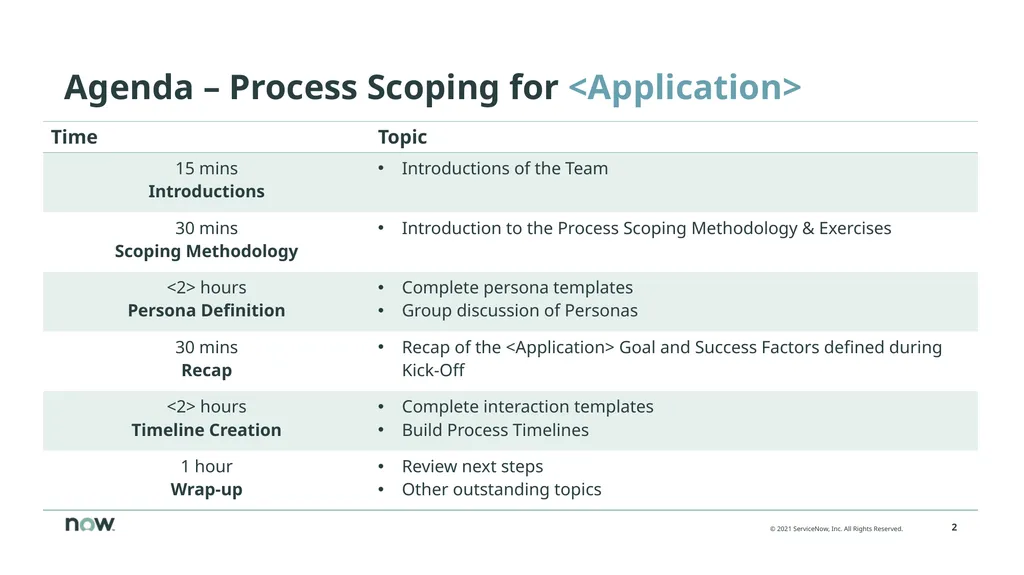
Agenda – Process Scoping for <Application><br>
03
Housekeeping Start and finish on time
Breaks will be taken as needed; approximately every two hours
Return from breaks and lunch promptly. If late, catch up during breaks or after Workshop
Points needing greater detail will be recorded in a “Parking Lot” for later resolution
All phones on vibrate. Please leave the room if you must take a call
Avoid temptation to check Email. Please keep laptops closed unless taking notes or working on something for this Workshop
Active participation and passive listening
Silence = ”I Agree”
Everyone’s ideas are valued. There are no titles in this room<br>
04
Introductions Customer project team
Name, Title
Name, Title
Partner project team
Name, Title
Name, Title
ServiceNow project team
Name, Title
Name, Title<br>
05
ServiceNow Process Scoping Methodology<br>
06
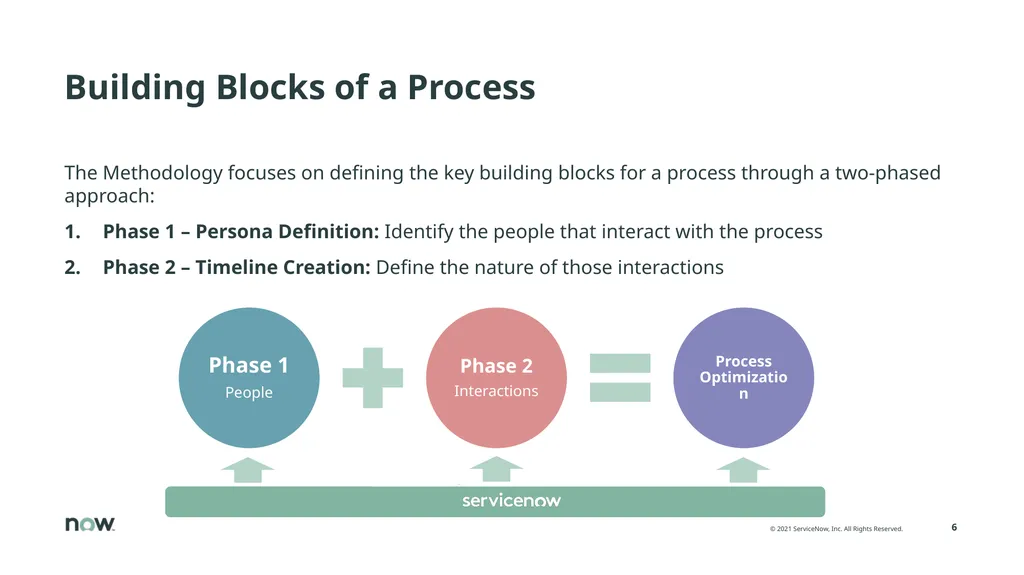
Building Blocks of a Process The Methodology focuses on defining the key building blocks for a process through a two-phased approach:
Phase 1 – Persona Definition: Identify the people that interact with the process
Phase 2 – Timeline Creation: Define the nature of those interactions<br>
07
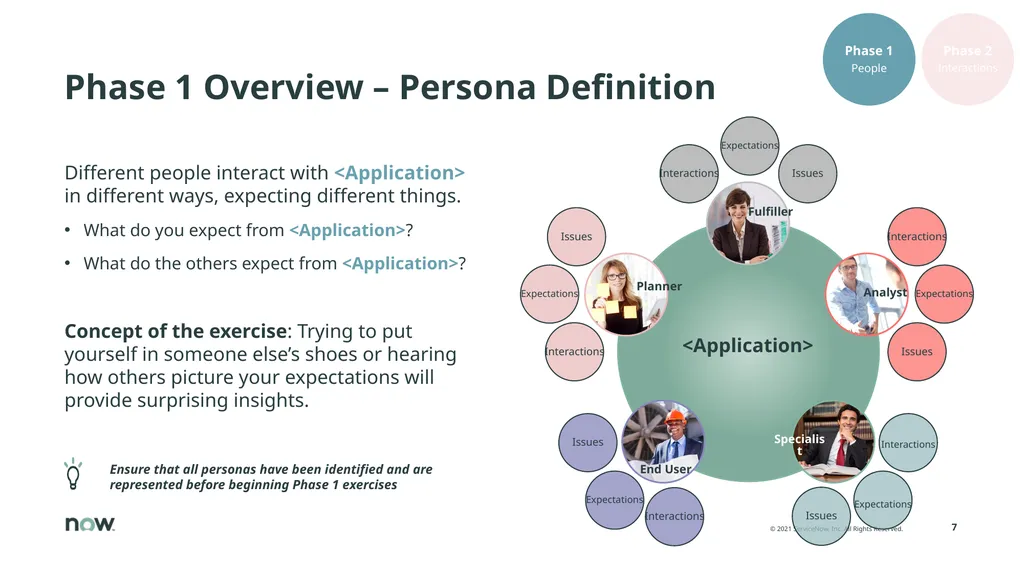
Phase 1 Overview – Persona Definition Different people interact with <Application> in different ways, expecting different things.
What do you expect from <Application>?
What do the others expect from <Application>?
Concept of the exercise: Trying to put yourself in someone else’s shoes or hearing how others picture your expectations will provide surprising insights. Ensure that all personas have been identified and are represented before beginning Phase 1 exercises Analyst End User Planner Specialist Fulfiller<br>
08
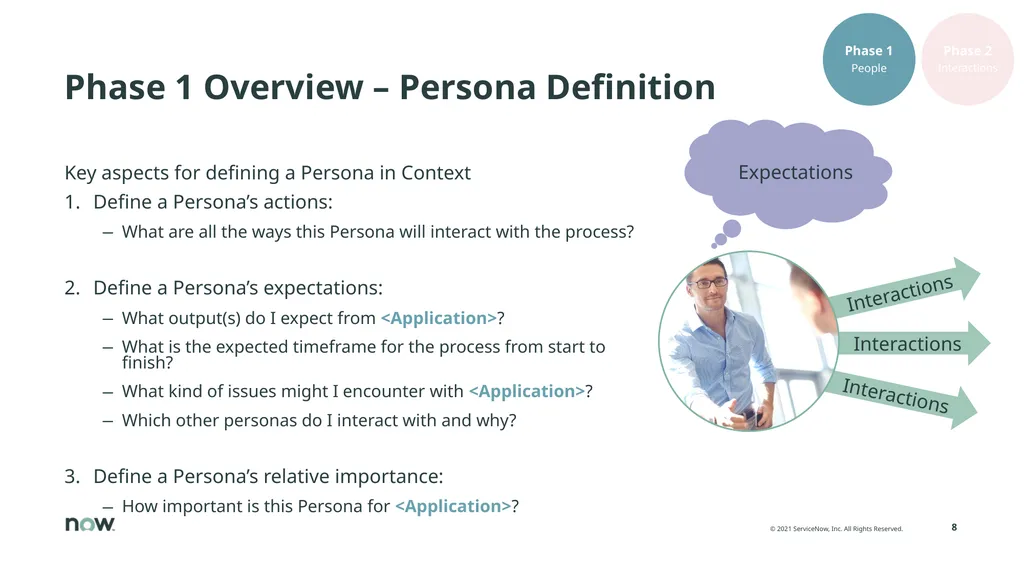
Phase 1 Overview – Persona Definition Key aspects for defining a Persona in Context
Define a Persona’s actions:
What are all the ways this Persona will interact with the process?
Define a Persona’s expectations:
What output(s) do I expect from <Application>?
What is the expected timeframe for the process from start to finish?
What kind of issues might I encounter with <Application>?
Which other personas do I interact with and why?
Define a Persona’s relative importance:
How important is this Persona for <Application>?<br>
09
Phase 2 Overview – Timeline Creation Why think of a process in terms of timelines?
Each interaction of a Persona with the application represents a piece of work that the Persona performs
These interactions take time, and converting time into value is the true nature of every organization
Concept of the exercise: Breaking down work into comprehensible pieces and using these pieces to build the process from the ground up.<br>
10
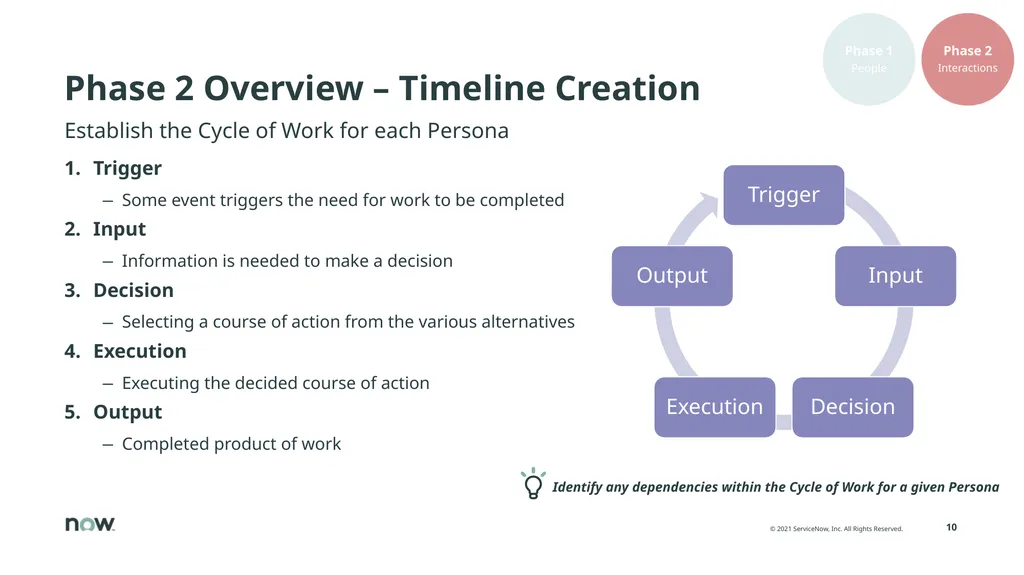
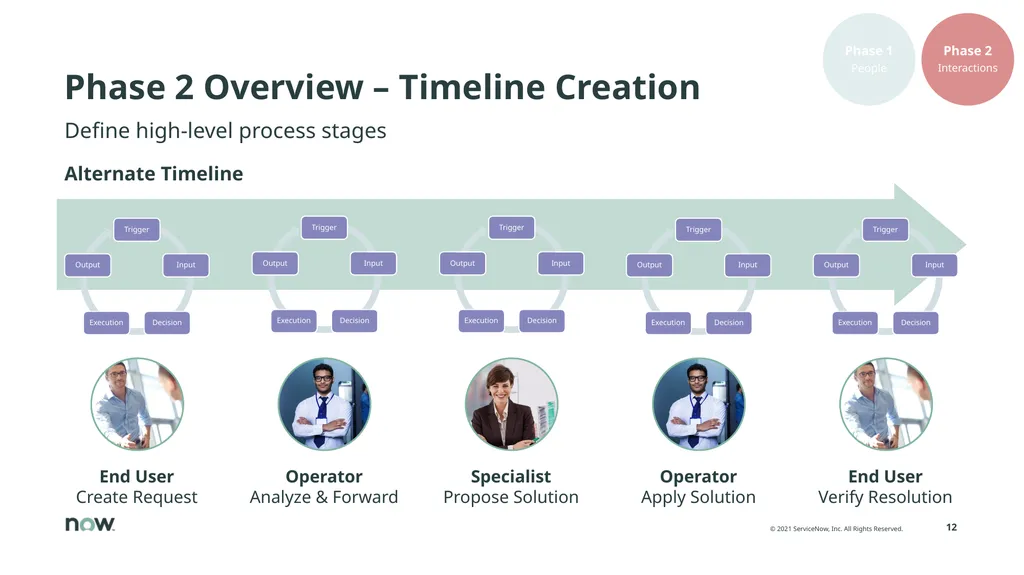
Phase 2 Overview – Timeline Creation Trigger
Some event triggers the need for work to be completed
Input
Information is needed to make a decision
Decision
Selecting a course of action from the various alternatives
Execution
Executing the decided course of action
Output
Completed product of work Identify any dependencies within the Cycle of Work for a given Persona Establish the Cycle of Work for each Persona<br>
11
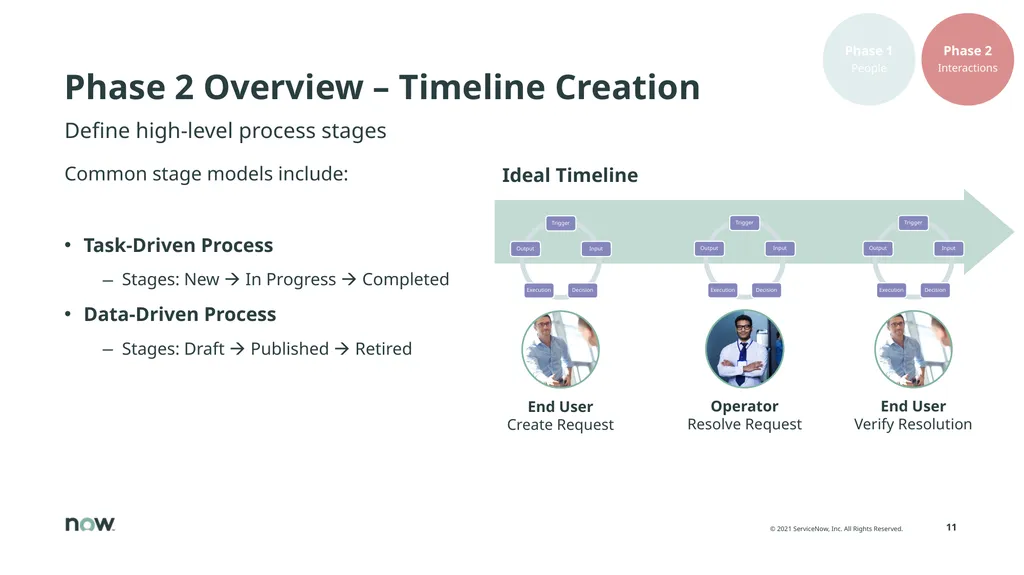
Phase 2 Overview – Timeline Creation Ideal Timeline Define high-level process stages Common stage models include:
Task-Driven Process
Stages: New In Progress Completed
Data-Driven Process
Stages: Draft Published Retired<br>
12
Phase 2 Overview – Timeline Creation Operator
Apply Solution End User
Verify Resolution Operator
Analyze & Forward Specialist
Propose Solution Define high-level process stages Alternate Timeline<br>
13
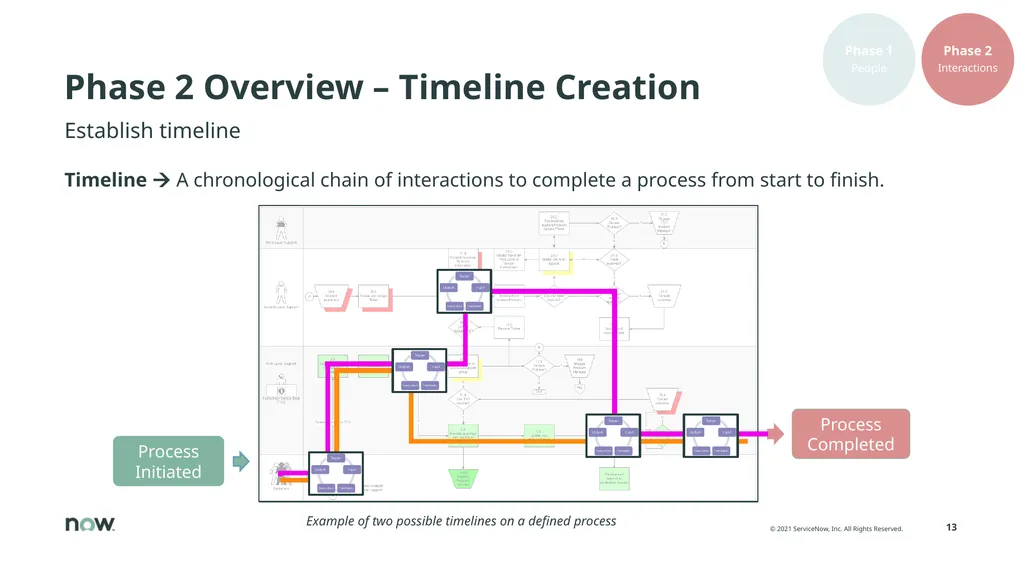
Phase 2 Overview – Timeline Creation Timeline A chronological chain of interactions to complete a process from start to finish. Establish timeline Example of two possible timelines on a defined process<br>
14
Phase 1 – Persona Definition Exercise<br>
15
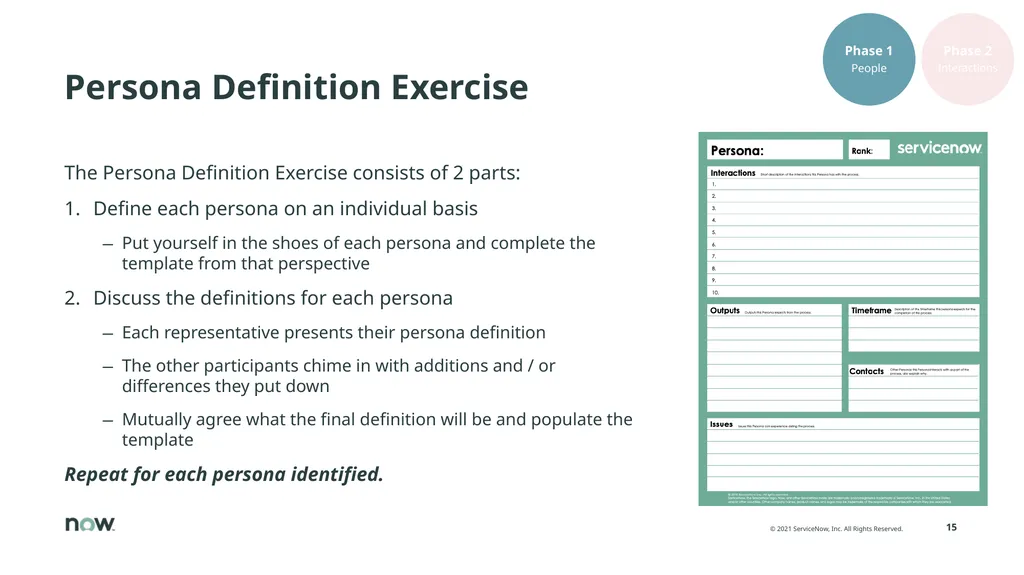
Persona Definition Exercise The Persona Definition Exercise consists of 2 parts:
Define each persona on an individual basis
Put yourself in the shoes of each persona and complete the template from that perspective
Discuss the definitions for each persona
Each representative presents their persona definition
The other participants chime in with additions and / or differences they put down
Mutually agree what the final definition will be and populate the template
Repeat for each persona identified.<br>
16
Recap – <Application> Success Factors<br>
17
Recap Recap of <Application> Goals and Success Factors
<Application> Goals:
…
…
…
<Application> Success Factors:
…
…
… Populate this slide with details from the Kick-Off meeting Update this slide<br>
18
Phase 2 – Timeline Creation Exercise<br>
19
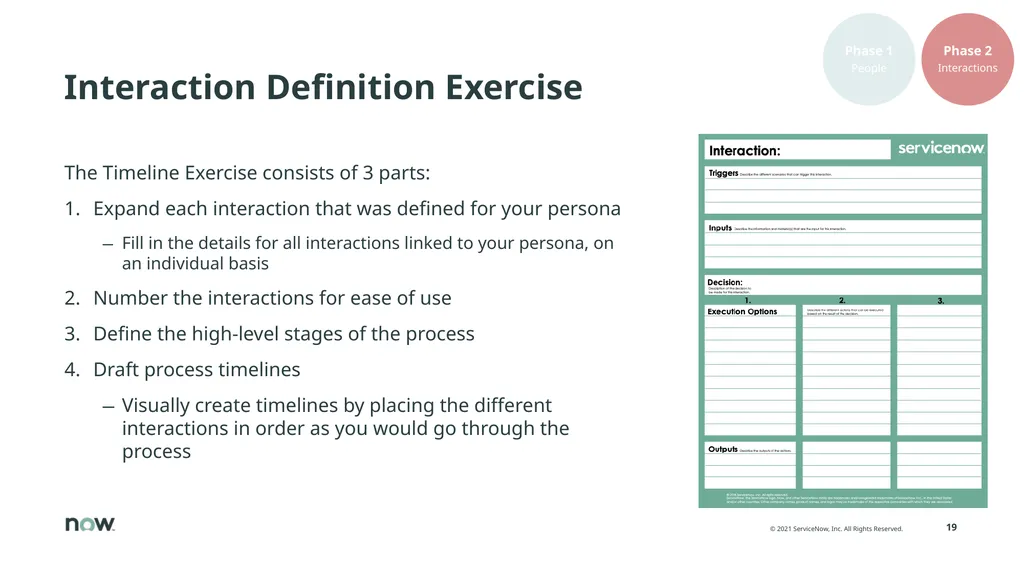
Interaction Definition Exercise The Timeline Exercise consists of 3 parts:
Expand each interaction that was defined for your persona
Fill in the details for all interactions linked to your persona, on an individual basis
Number the interactions for ease of use
Define the high-level stages of the process
Draft process timelines
Visually create timelines by placing the different interactions in order as you would go through the process<br>