01
Automated Flux Reader Team 513 | Andrew Atallah | Sean Hemstreet | Joshua Huls | Liora Louis It takes an average of 10-15 minutes to print most 24”x 36” posters. If you have used 100% ink coverage, and/or a lot of images, it will take longer to spool and print. We recommend a white background, with no edge-to-edge background images.
DESIGN NOTE: If you are creating a poster from resources other than individual PPT slides, please re-size all images to 100% of the desired placed size before inserting, to prevent raster image processing (RIP) problems. Image resolution should be no bigger than 300dpi; 150dpi is preferred.
FYI. Use only one of the college logos provided: Save your PowerPoint poster file as a PDF and email both the PowerPoint and the PDF to MarComm Staff: trisha@eng.famu.fsu.edu, and herring@eng.famu.fsu.edu
Marketing & Communications Print Hours are:
Tuesday & Wednesday: 2pm-4pm
Thursday, 11am-3pm
Unfortunately, we can no longer allow users to bring files to us on USB flash drives due to the prevalence of malicious software. We will give you access to webmail on the PC or Mac desktop so that you can save your file to the hard drive and open to review for cross-platform, font and software version conflicts. Recommended fonts are Arial for headlines and accent text and Times New Roman for paragraphs. The serif font, Times New Roman, increases readability of large amounts of text.
To create the title of your poster, select the text box tool and click at the top of the poster. Click on the edge of the text box until the dotted margin appears then drag from the corner of text box until it fits from one side of the poster to the other. Type your title text here. Headline font size will be around 72 points. The subhead text box (under the title text box) with its font size around 48 points. This PowerPoint template is set up to make it easier to format your poster.
Final poster size is 36 inches wide by 24 inches tall. Leave a one inch white margin on all sides – the printer is not able to print to the edges. This format is set up to allow the one-inch margin.
The paper size exceeds that which most desktop printers can accommodate. If you are printing proofs, save the files as pdf and “reduce to fit” or choose to “tile” when you send the file to the printer.
It is suggested that you adopt this 4-column format for your poster presentation, but it is not required. The format allows you flexibility – you can span two or three or even four columns with photos and graphics. When you are presenting your text, following a flow from the top left to the bottom right will help your audience interpret your presentation.
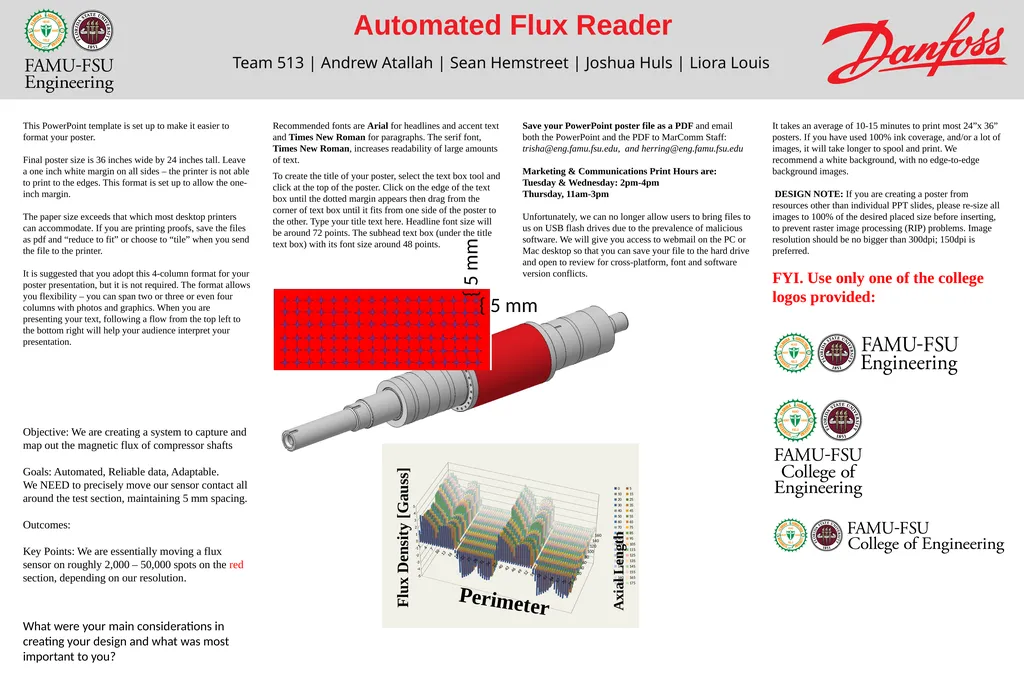
Objective: We are creating a system to capture and map out the magnetic flux of compressor shafts
Goals: Automated, Reliable data, Adaptable.
We NEED to precisely move our sensor contact all around the test section, maintaining 5 mm spacing.
Outcomes:
Key Points: We are essentially moving a flux sensor on roughly 2,000 – 50,000 spots on the red section, depending on our resolution.
What were your main considerations in creating your design and what was most important to you? { 5 mm { 5 mm<br>
02
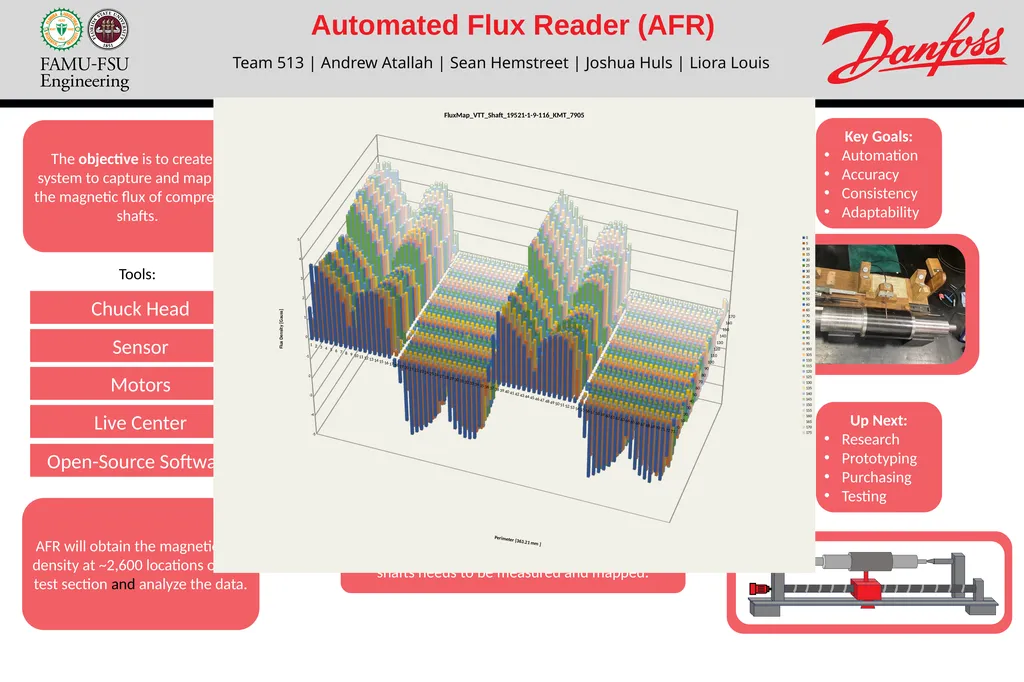
Automated Flux Reader (AFR) Team 513 | Andrew Atallah | Sean Hemstreet | Joshua Huls | Liora Louis The objective is to create a system to capture and map out the magnetic flux of compressor shafts. Key Goals:
Automation
Accuracy
Consistency
Adaptability For quality purposes the magnetic region of these shafts needs to be measured and mapped. AFR will obtain the magnetic flux density at ~2,600 locations on the test section and analyze the data. Up Next:
Research
Prototyping
Purchasing
Testing Inspiration:
Danfoss uses magnetic blade shafts to reduce friction in their compressors. The current method used to measure the flux of these shafts is unreliable and labor intensive. Sensor Chuck Head Open-Source Software Motors Live Center Measurements will be spaced out 5 mm apart in the axial & circumferential directions Tools:<br>
03
Automated Flux Reader (AFR) Team 513 | Andrew Atallah | Sean Hemstreet | Joshua Huls | Liora Louis The objective is to create a system to capture and map the magnetic flux of compressor shafts. Key Goals:
Automation
Accuracy
Consistency
Adaptability AFR will obtain the magnetic flux density at ~2,600 locations on the test section and analyze the data. Up Next:
Research
Prototyping
Purchasing
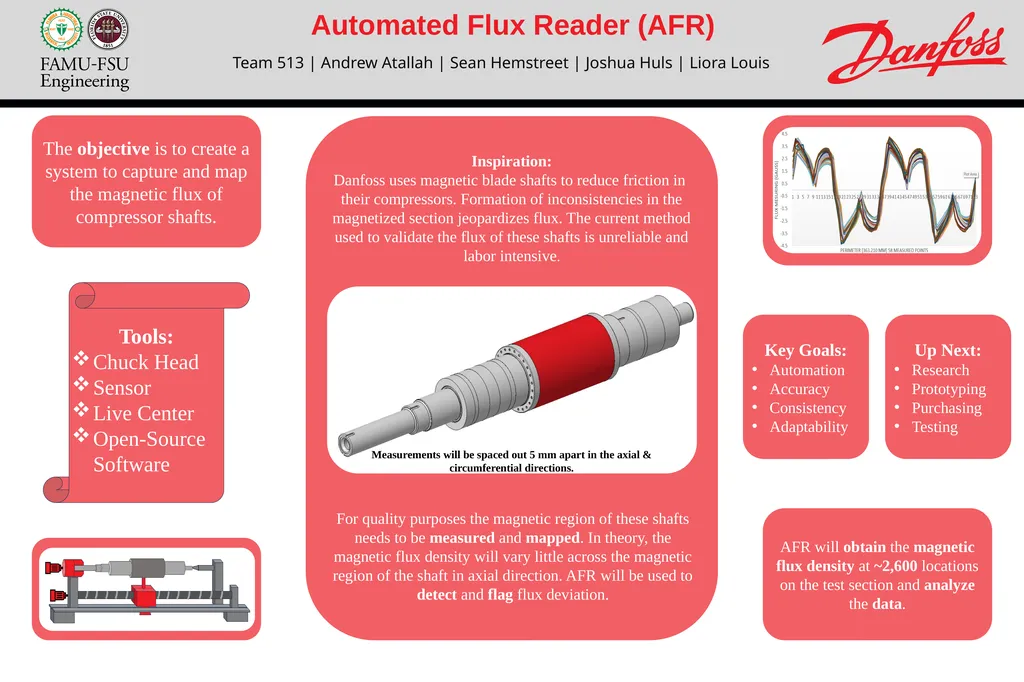
Testing Measurements will be spaced out 5 mm apart in the axial & circumferential directions. Inspiration:
Danfoss uses magnetic blade shafts to reduce friction in
their compressors. Formation of inconsistencies in the magnetized section jeopardizes flux. The current method used to validate the flux of these shafts is unreliable and labor intensive. For quality purposes the magnetic region of these shafts needs to be measured and mapped. In theory, the magnetic flux density will vary little across the magnetic region of the shaft in axial direction. AFR will be used to detect and flag flux deviation. Tools:
Chuck Head
Sensor
Live Center
Open-Source Software<br>