
Autopilot for New Computers Brian Arkills,
JO
Published · 33 slides · 0 views
1 / 1
Description
Autopilot for New Computers Brian Arkills, barkillsuw.edu Kim Frye, kimfryeuw.edu Agenda Introductions Project Summary Benefits Scope Deliverables Summary of our Solution ProblemsSolutions Technology approach Access control Support
Related Topics
Share
Embed code
Download this presentation From Below
"Autopilot for New Computers Brian Arkills," is the property of its rightful owner. Permission is granted to download and print the materials on this website for personal, non-commercial use only, and to display it on your personal computer provided you do not modify the materials and that you retain all copyright notices contained in the materials. By downloading content from our website, you accept the terms of this agreement.
Presentation Transcript
01
Autopilot for New Computers
Brian Arkills, barkills@uw.edu
Kim Frye, kimfrye@uw.edu<br>
Brian Arkills, barkills@uw.edu
Kim Frye, kimfrye@uw.edu<br>
02
Agenda Introductions
Project Summary / Benefits / Scope / Deliverables
Summary of our Solution
Problems/Solutions
Technology approach
Access control
Support
Device setup
Device lifecycle
Azure AD
AD / Delegated OU
Autopilot workflows
User experience
Questions<br>
Project Summary / Benefits / Scope / Deliverables
Summary of our Solution
Problems/Solutions
Technology approach
Access control
Support
Device setup
Device lifecycle
Azure AD
AD / Delegated OU
Autopilot workflows
User experience
Questions<br>
03
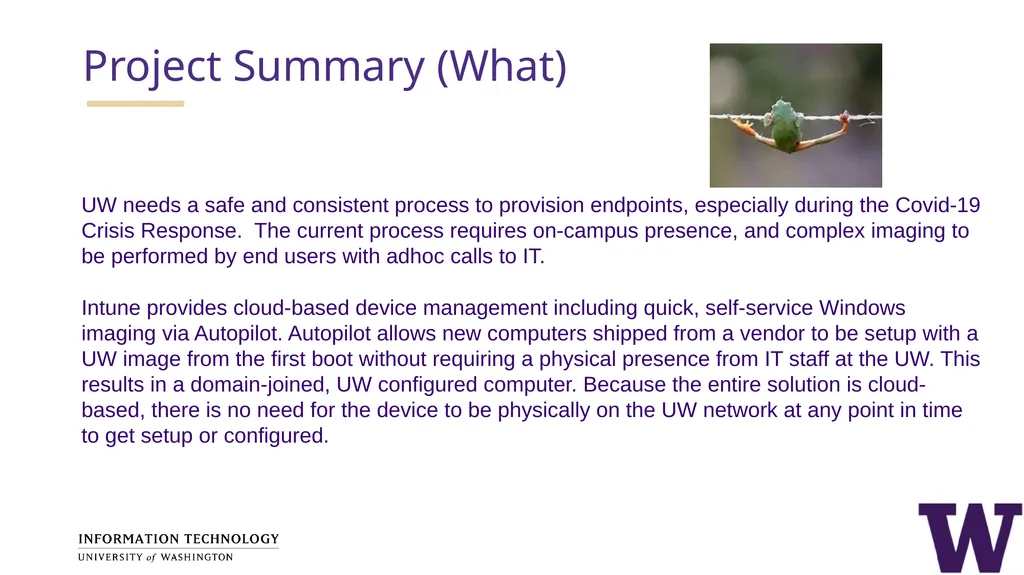
Project Summary (What) UW needs a safe and consistent process to provision endpoints, especially during the Covid-19 Crisis Response. The current process requires on-campus presence, and complex imaging to be performed by end users with adhoc calls to IT.
Intune provides cloud-based device management including quick, self-service Windows imaging via Autopilot. Autopilot allows new computers shipped from a vendor to be setup with a UW image from the first boot without requiring a physical presence from IT staff at the UW. This results in a domain-joined, UW configured computer. Because the entire solution is cloud-based, there is no need for the device to be physically on the UW network at any point in time to get setup or configured.<br>
Intune provides cloud-based device management including quick, self-service Windows imaging via Autopilot. Autopilot allows new computers shipped from a vendor to be setup with a UW image from the first boot without requiring a physical presence from IT staff at the UW. This results in a domain-joined, UW configured computer. Because the entire solution is cloud-based, there is no need for the device to be physically on the UW network at any point in time to get setup or configured.<br>
04
Goals, Objectives & Benefits (Why) Establish a seamless process of provisioning useful UW appropriate Windows computers to end users. Reduce or eliminate IT physical intervention with each device prior to provisioning to the end user.
Implementing this project will address requirements to decrease or eliminate campus presence during the Covid-19 Stay-At-Home mandate while meeting the computing needs of staff.<br>
Implementing this project will address requirements to decrease or eliminate campus presence during the Covid-19 Stay-At-Home mandate while meeting the computing needs of staff.<br>
05
Scope In Scope
Enable cloud-based Windows setup for UW employees, such that the device does not need to be physically present on the UW network.
Minimally provide cloud-based management capabilities, limited to what Autopilot requires or would result in significant future problems
As needed to provide Autopilot, minimally provide limited delegation to other IT units at UW
Design Intune infrastructure to allow for additional capabilities to be realized in the future
The project beneficiary community will ultimately be all UW employees.
Out of Scope
Custom Images
Intune Based Workstation Management
Direct join to Delegated Organizational Units (OUs)<br>
Enable cloud-based Windows setup for UW employees, such that the device does not need to be physically present on the UW network.
Minimally provide cloud-based management capabilities, limited to what Autopilot requires or would result in significant future problems
As needed to provide Autopilot, minimally provide limited delegation to other IT units at UW
Design Intune infrastructure to allow for additional capabilities to be realized in the future
The project beneficiary community will ultimately be all UW employees.
Out of Scope
Custom Images
Intune Based Workstation Management
Direct join to Delegated Organizational Units (OUs)<br>
06
Key Project Deliverables Deliver minimal Intune and Autopilot design, limited by the scope
Enable hybrid device join
Work with common hardware vendors to setup Autopilot enrollment into our Azure AD tenant
Amend Microsoft Infrastructure (MI) and MWS team processes to account for cloud-based device provisioning, lifecycle, and management
Release new capability to customers, including;
Establish Autopilot provisioning process for customers
Publish customer documentation<br>
Enable hybrid device join
Work with common hardware vendors to setup Autopilot enrollment into our Azure AD tenant
Amend Microsoft Infrastructure (MI) and MWS team processes to account for cloud-based device provisioning, lifecycle, and management
Release new capability to customers, including;
Establish Autopilot provisioning process for customers
Publish customer documentation<br>
07
Problems to Solve Technology approach – what tools and approach do we take?
Access control questions - Which users can do what?
Support problems – Who supports what?
Device setup questions – what's on the "image"?
Device lifecycle - When does it go away? Renames?
Azure AD considerations – What needs to change in AAD?
AD Delegated OU considerations – What needs to change in AD?<br>
Access control questions - Which users can do what?
Support problems – Who supports what?
Device setup questions – what's on the "image"?
Device lifecycle - When does it go away? Renames?
Azure AD considerations – What needs to change in AAD?
AD Delegated OU considerations – What needs to change in AD?<br>
08
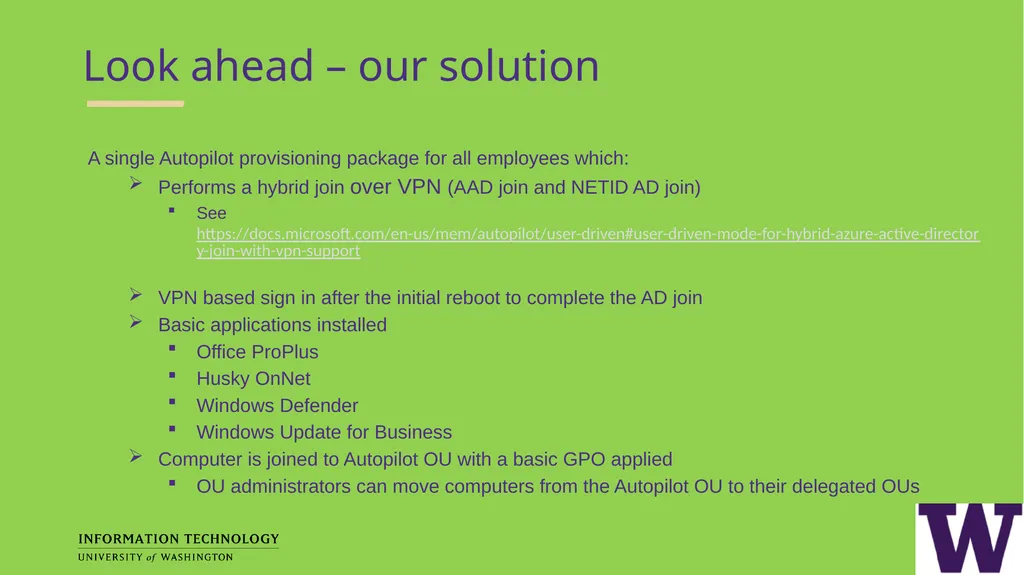
Look ahead – our solution A single Autopilot provisioning package for all employees which:
Performs a hybrid join over VPN (AAD join and NETID AD join)
See https://docs.microsoft.com/en-us/mem/autopilot/user-driven#user-driven-mode-for-hybrid-azure-active-directory-join-with-vpn-support
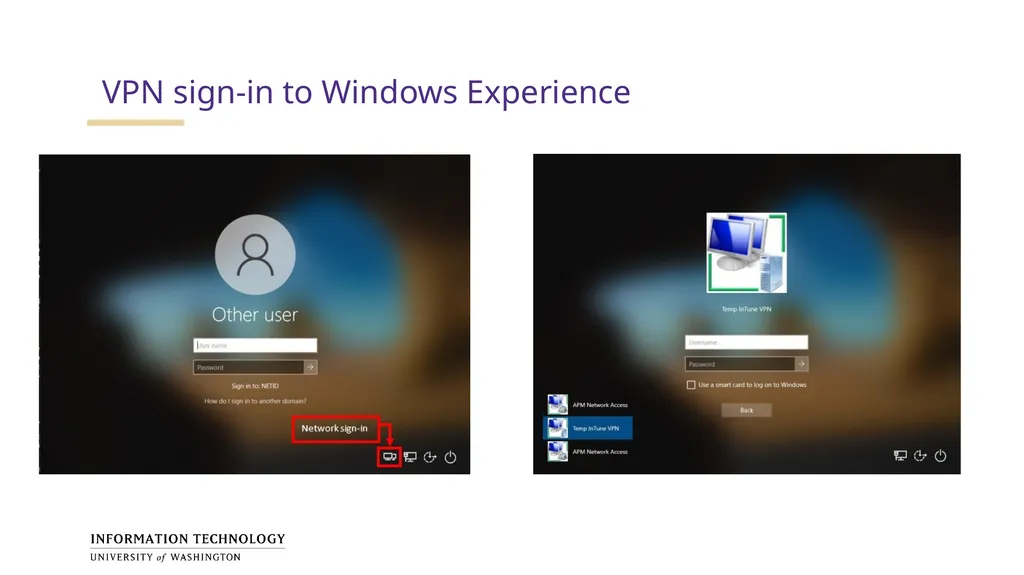
VPN based sign in after the initial reboot to complete the AD join
Basic applications installed
Office ProPlus
Husky OnNet
Windows Defender
Windows Update for Business
Computer is joined to Autopilot OU with a basic GPO applied
OU administrators can move computers from the Autopilot OU to their delegated OUs<br>
Performs a hybrid join over VPN (AAD join and NETID AD join)
See https://docs.microsoft.com/en-us/mem/autopilot/user-driven#user-driven-mode-for-hybrid-azure-active-directory-join-with-vpn-support
VPN based sign in after the initial reboot to complete the AD join
Basic applications installed
Office ProPlus
Husky OnNet
Windows Defender
Windows Update for Business
Computer is joined to Autopilot OU with a basic GPO applied
OU administrators can move computers from the Autopilot OU to their delegated OUs<br>
09
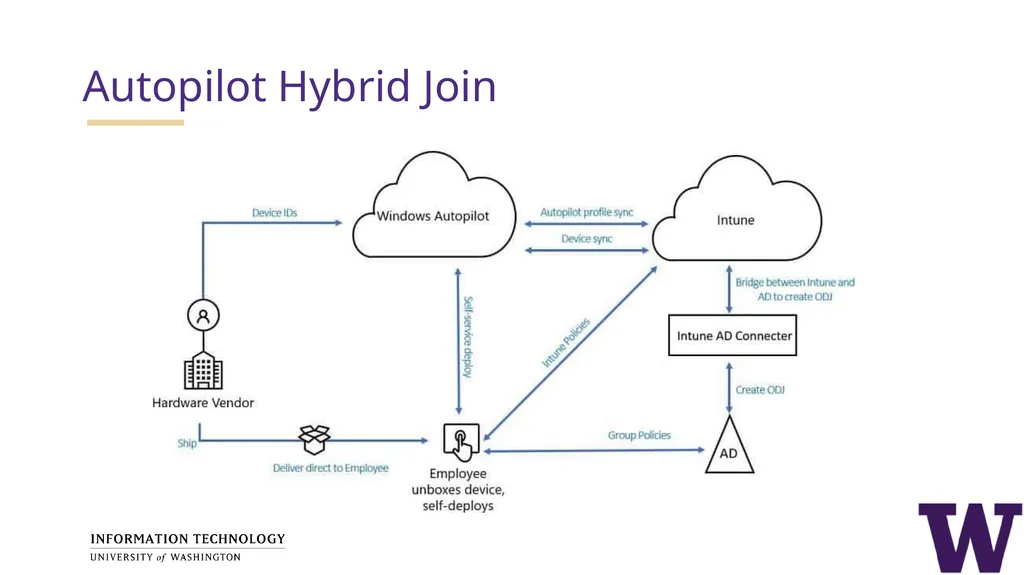
Autopilot Hybrid Join<br>
10
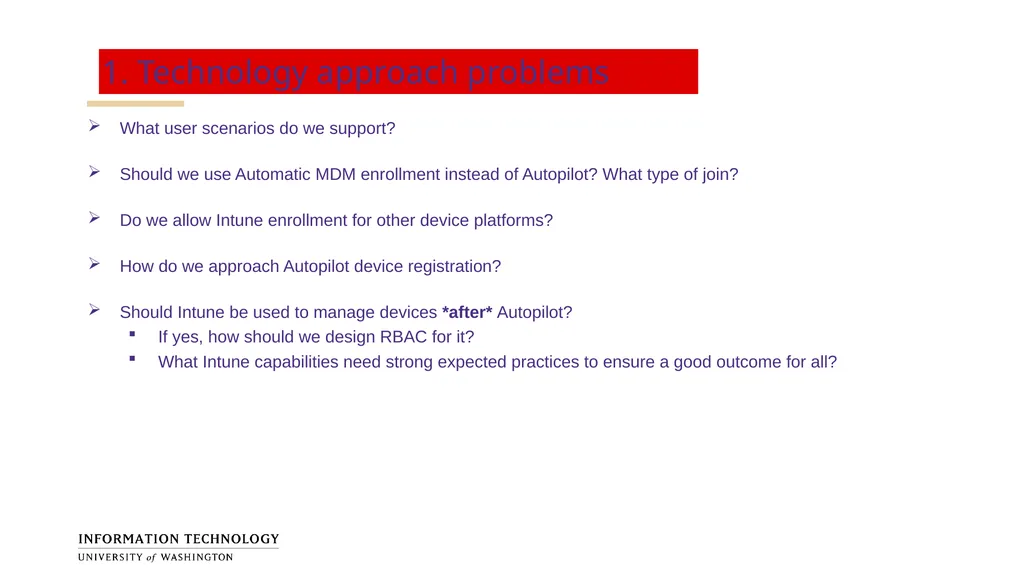
1. Technology approach problems What user scenarios do we support?
Should we use Automatic MDM enrollment instead of Autopilot? What type of join?
Do we allow Intune enrollment for other device platforms?
How do we approach Autopilot device registration?
Should Intune be used to manage devices *after* Autopilot?
If yes, how should we design RBAC for it?
What Intune capabilities need strong expected practices to ensure a good outcome for all?<br>
Should we use Automatic MDM enrollment instead of Autopilot? What type of join?
Do we allow Intune enrollment for other device platforms?
How do we approach Autopilot device registration?
Should Intune be used to manage devices *after* Autopilot?
If yes, how should we design RBAC for it?
What Intune capabilities need strong expected practices to ensure a good outcome for all?<br>
11
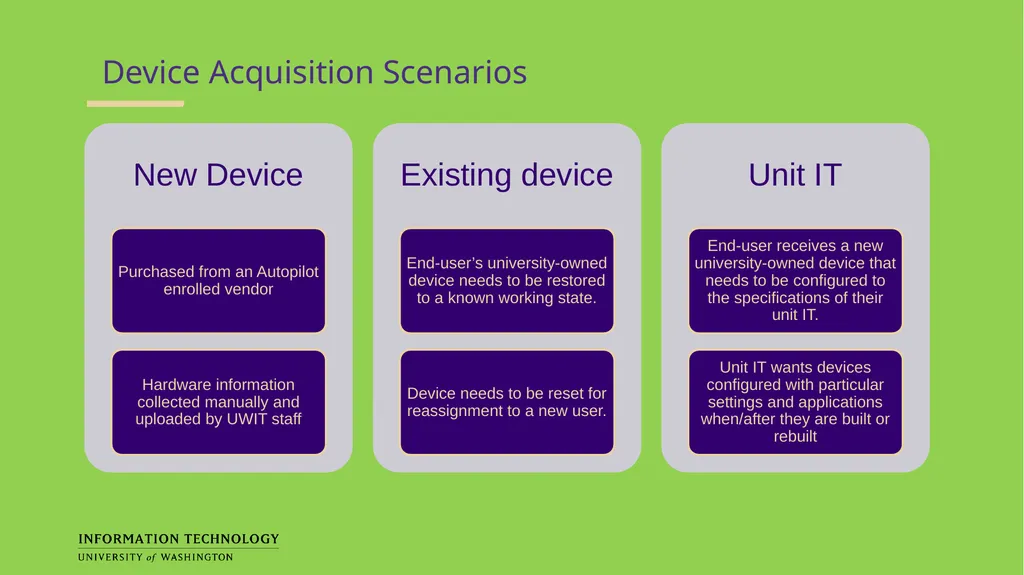
Device Acquisition Scenarios<br>
12
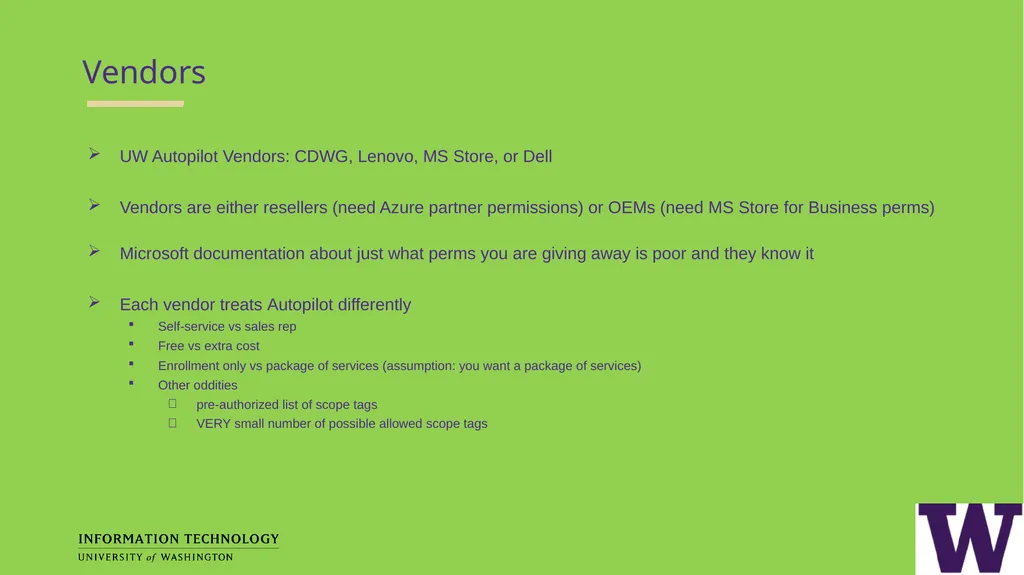
Vendors UW Autopilot Vendors: CDWG, Lenovo, MS Store, or Dell
Vendors are either resellers (need Azure partner permissions) or OEMs (need MS Store for Business perms)
Microsoft documentation about just what perms you are giving away is poor and they know it
Each vendor treats Autopilot differently
Self-service vs sales rep
Free vs extra cost
Enrollment only vs package of services (assumption: you want a package of services)
Other oddities
pre-authorized list of scope tags
VERY small number of possible allowed scope tags<br>
Vendors are either resellers (need Azure partner permissions) or OEMs (need MS Store for Business perms)
Microsoft documentation about just what perms you are giving away is poor and they know it
Each vendor treats Autopilot differently
Self-service vs sales rep
Free vs extra cost
Enrollment only vs package of services (assumption: you want a package of services)
Other oddities
pre-authorized list of scope tags
VERY small number of possible allowed scope tags<br>
13
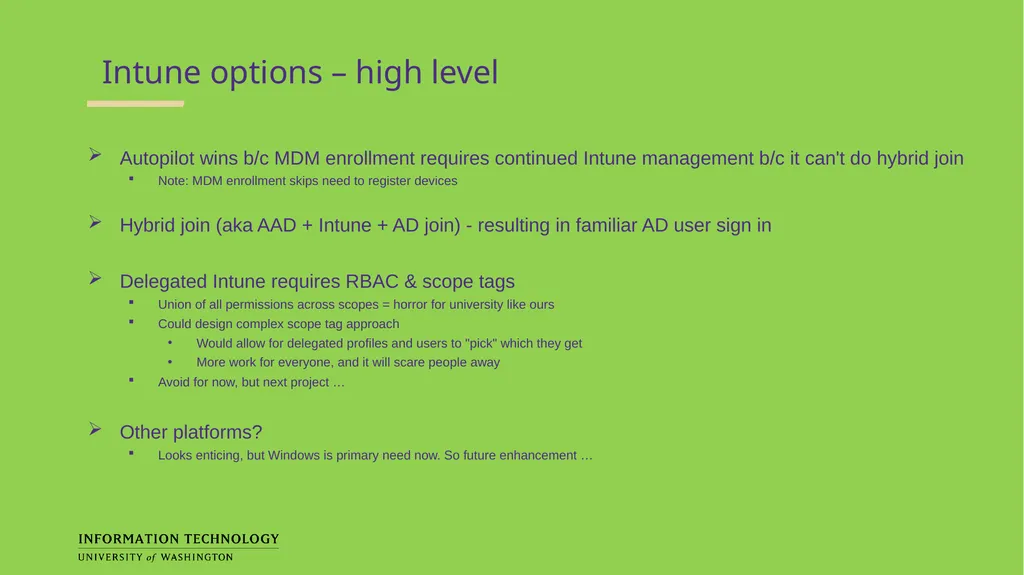
Intune options – high level Autopilot wins b/c MDM enrollment requires continued Intune management b/c it can't do hybrid join
Note: MDM enrollment skips need to register devices
Hybrid join (aka AAD + Intune + AD join) - resulting in familiar AD user sign in
Delegated Intune requires RBAC & scope tags
Union of all permissions across scopes = horror for university like ours
Could design complex scope tag approach
Would allow for delegated profiles and users to "pick" which they get
More work for everyone, and it will scare people away
Avoid for now, but next project …
Other platforms?
Looks enticing, but Windows is primary need now. So future enhancement …<br>
Note: MDM enrollment skips need to register devices
Hybrid join (aka AAD + Intune + AD join) - resulting in familiar AD user sign in
Delegated Intune requires RBAC & scope tags
Union of all permissions across scopes = horror for university like ours
Could design complex scope tag approach
Would allow for delegated profiles and users to "pick" which they get
More work for everyone, and it will scare people away
Avoid for now, but next project …
Other platforms?
Looks enticing, but Windows is primary need now. So future enhancement …<br>
14
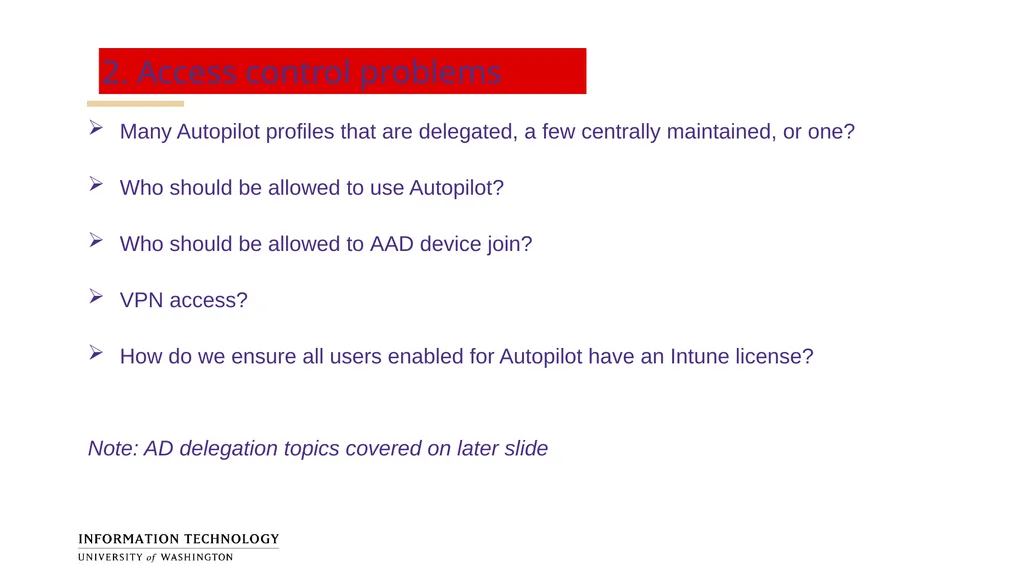
2. Access control problems Many Autopilot profiles that are delegated, a few centrally maintained, or one?
Who should be allowed to use Autopilot?
Who should be allowed to AAD device join?
VPN access?
How do we ensure all users enabled for Autopilot have an Intune license?
Note: AD delegation topics covered on later slide<br>
Who should be allowed to use Autopilot?
Who should be allowed to AAD device join?
VPN access?
How do we ensure all users enabled for Autopilot have an Intune license?
Note: AD delegation topics covered on later slide<br>
15
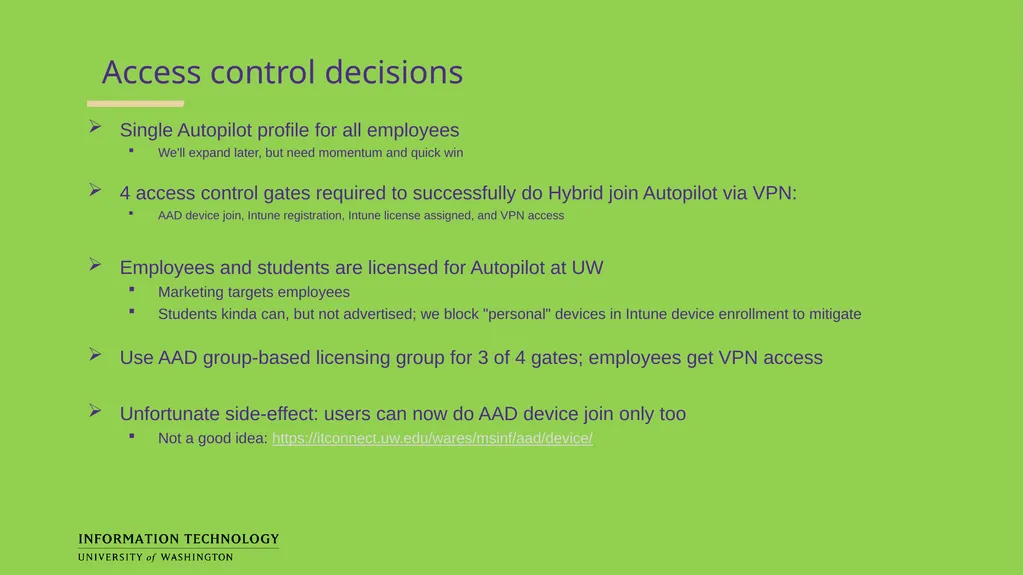
Access control decisions Single Autopilot profile for all employees
We'll expand later, but need momentum and quick win
4 access control gates required to successfully do Hybrid join Autopilot via VPN:
AAD device join, Intune registration, Intune license assigned, and VPN access
Employees and students are licensed for Autopilot at UW
Marketing targets employees
Students kinda can, but not advertised; we block "personal" devices in Intune device enrollment to mitigate
Use AAD group-based licensing group for 3 of 4 gates; employees get VPN access
Unfortunate side-effect: users can now do AAD device join only too
Not a good idea: https://itconnect.uw.edu/wares/msinf/aad/device/<br>
We'll expand later, but need momentum and quick win
4 access control gates required to successfully do Hybrid join Autopilot via VPN:
AAD device join, Intune registration, Intune license assigned, and VPN access
Employees and students are licensed for Autopilot at UW
Marketing targets employees
Students kinda can, but not advertised; we block "personal" devices in Intune device enrollment to mitigate
Use AAD group-based licensing group for 3 of 4 gates; employees get VPN access
Unfortunate side-effect: users can now do AAD device join only too
Not a good idea: https://itconnect.uw.edu/wares/msinf/aad/device/<br>
16
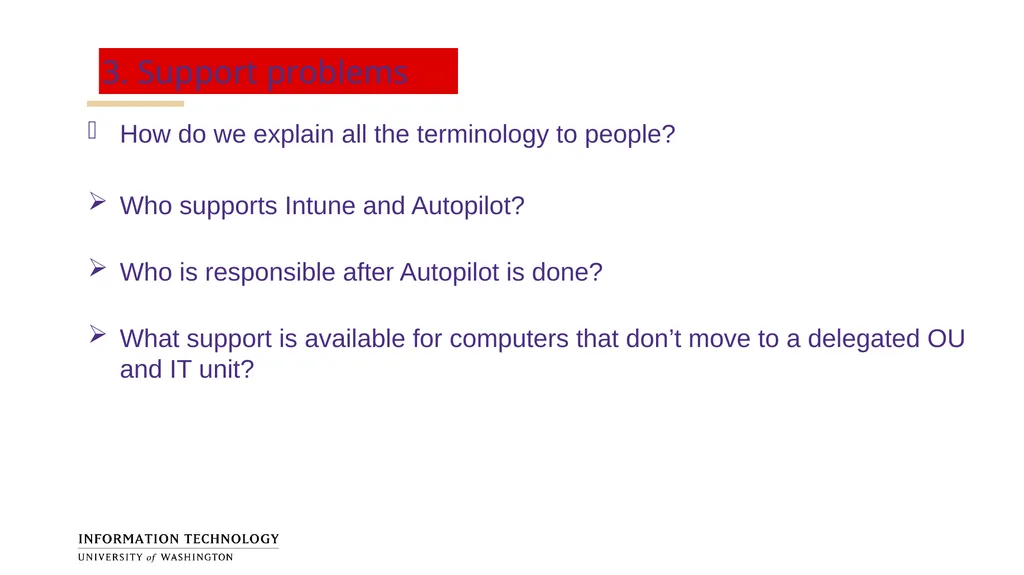
3. Support problems How do we explain all the terminology to people?
Who supports Intune and Autopilot?
Who is responsible after Autopilot is done?
What support is available for computers that don’t move to a delegated OU and IT unit?<br>
Who supports Intune and Autopilot?
Who is responsible after Autopilot is done?
What support is available for computers that don’t move to a delegated OU and IT unit?<br>
17
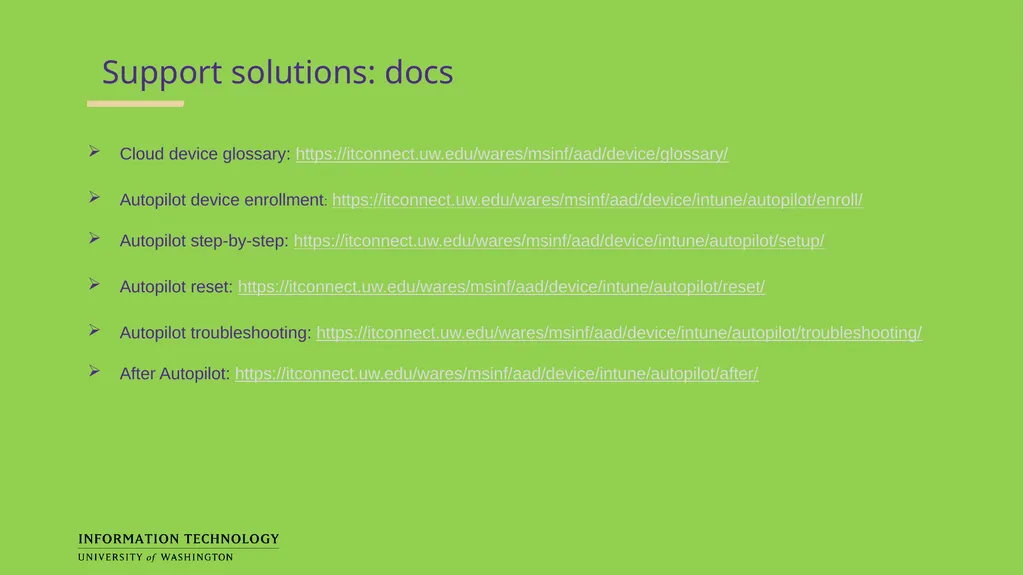
Support solutions: docs Cloud device glossary: https://itconnect.uw.edu/wares/msinf/aad/device/glossary/
Autopilot device enrollment: https://itconnect.uw.edu/wares/msinf/aad/device/intune/autopilot/enroll/
Autopilot step-by-step: https://itconnect.uw.edu/wares/msinf/aad/device/intune/autopilot/setup/
Autopilot reset: https://itconnect.uw.edu/wares/msinf/aad/device/intune/autopilot/reset/
Autopilot troubleshooting: https://itconnect.uw.edu/wares/msinf/aad/device/intune/autopilot/troubleshooting/
After Autopilot: https://itconnect.uw.edu/wares/msinf/aad/device/intune/autopilot/after/<br>
Autopilot device enrollment: https://itconnect.uw.edu/wares/msinf/aad/device/intune/autopilot/enroll/
Autopilot step-by-step: https://itconnect.uw.edu/wares/msinf/aad/device/intune/autopilot/setup/
Autopilot reset: https://itconnect.uw.edu/wares/msinf/aad/device/intune/autopilot/reset/
Autopilot troubleshooting: https://itconnect.uw.edu/wares/msinf/aad/device/intune/autopilot/troubleshooting/
After Autopilot: https://itconnect.uw.edu/wares/msinf/aad/device/intune/autopilot/after/<br>
18
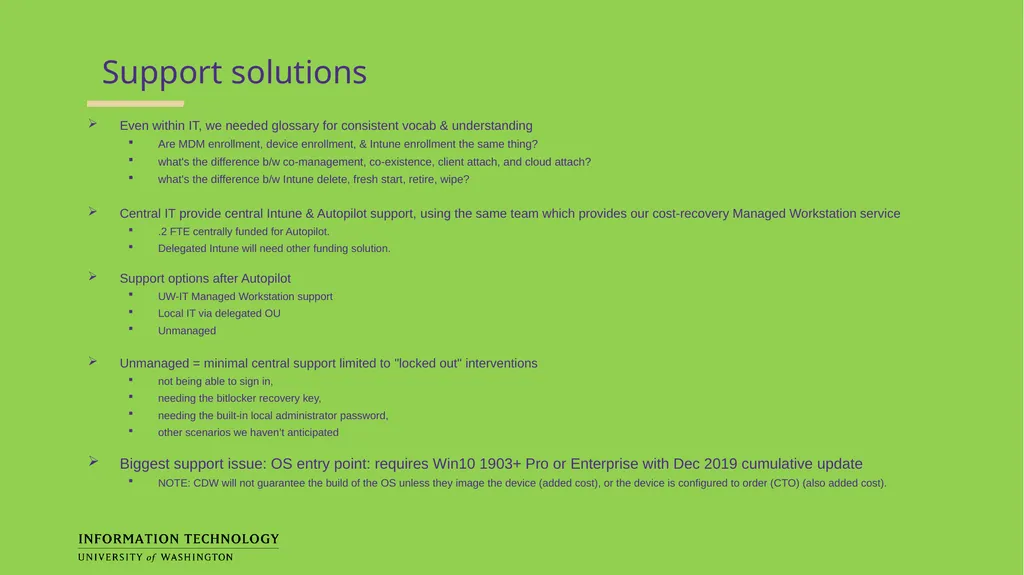
Support solutions Even within IT, we needed glossary for consistent vocab & understanding
Are MDM enrollment, device enrollment, & Intune enrollment the same thing?
what's the difference b/w co-management, co-existence, client attach, and cloud attach?
what's the difference b/w Intune delete, fresh start, retire, wipe?
Central IT provide central Intune & Autopilot support, using the same team which provides our cost-recovery Managed Workstation service
.2 FTE centrally funded for Autopilot.
Delegated Intune will need other funding solution.
Support options after Autopilot
UW-IT Managed Workstation support
Local IT via delegated OU
Unmanaged
Unmanaged = minimal central support limited to "locked out" interventions
not being able to sign in,
needing the bitlocker recovery key,
needing the built-in local administrator password,
other scenarios we haven’t anticipated
Biggest support issue: OS entry point: requires Win10 1903+ Pro or Enterprise with Dec 2019 cumulative update
NOTE: CDW will not guarantee the build of the OS unless they image the device (added cost), or the device is configured to order (CTO) (also added cost).<br>
Are MDM enrollment, device enrollment, & Intune enrollment the same thing?
what's the difference b/w co-management, co-existence, client attach, and cloud attach?
what's the difference b/w Intune delete, fresh start, retire, wipe?
Central IT provide central Intune & Autopilot support, using the same team which provides our cost-recovery Managed Workstation service
.2 FTE centrally funded for Autopilot.
Delegated Intune will need other funding solution.
Support options after Autopilot
UW-IT Managed Workstation support
Local IT via delegated OU
Unmanaged
Unmanaged = minimal central support limited to "locked out" interventions
not being able to sign in,
needing the bitlocker recovery key,
needing the built-in local administrator password,
other scenarios we haven’t anticipated
Biggest support issue: OS entry point: requires Win10 1903+ Pro or Enterprise with Dec 2019 cumulative update
NOTE: CDW will not guarantee the build of the OS unless they image the device (added cost), or the device is configured to order (CTO) (also added cost).<br>
19
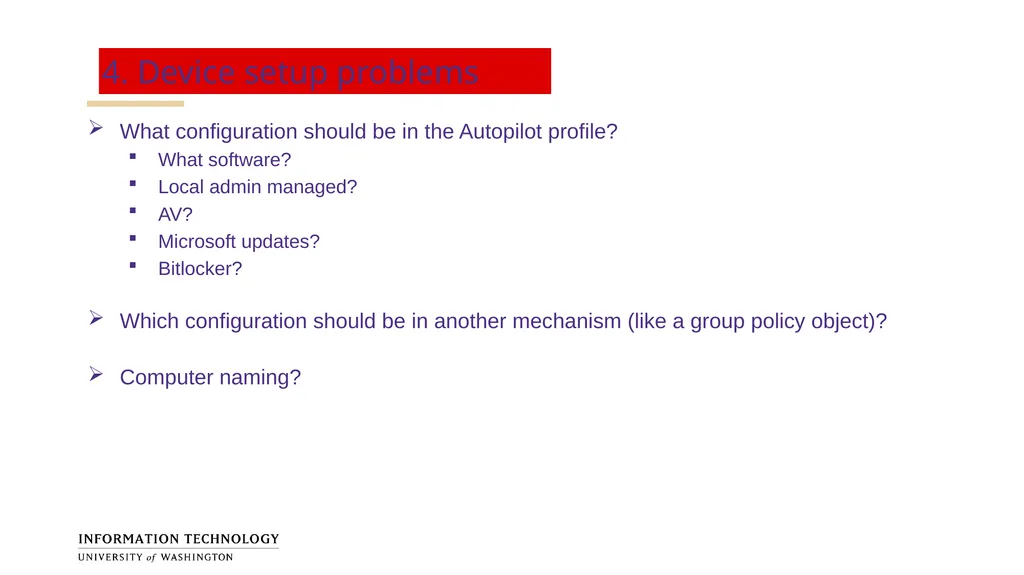
4. Device setup problems What configuration should be in the Autopilot profile?
What software?
Local admin managed?
AV?
Microsoft updates?
Bitlocker?
Which configuration should be in another mechanism (like a group policy object)?
Computer naming?<br>
What software?
Local admin managed?
AV?
Microsoft updates?
Bitlocker?
Which configuration should be in another mechanism (like a group policy object)?
Computer naming?<br>
20
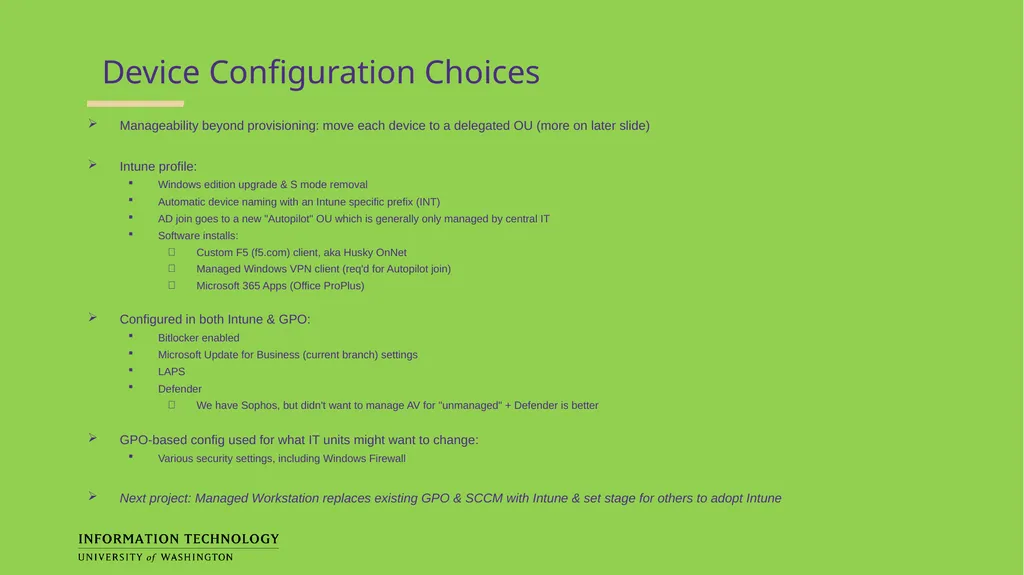
Device Configuration Choices Manageability beyond provisioning: move each device to a delegated OU (more on later slide)
Intune profile:
Windows edition upgrade & S mode removal
Automatic device naming with an Intune specific prefix (INT)
AD join goes to a new "Autopilot" OU which is generally only managed by central IT
Software installs:
Custom F5 (f5.com) client, aka Husky OnNet
Managed Windows VPN client (req'd for Autopilot join)
Microsoft 365 Apps (Office ProPlus)
Configured in both Intune & GPO:
Bitlocker enabled
Microsoft Update for Business (current branch) settings
LAPS
Defender
We have Sophos, but didn't want to manage AV for "unmanaged" + Defender is better
GPO-based config used for what IT units might want to change:
Various security settings, including Windows Firewall
Next project: Managed Workstation replaces existing GPO & SCCM with Intune & set stage for others to adopt Intune<br>
Intune profile:
Windows edition upgrade & S mode removal
Automatic device naming with an Intune specific prefix (INT)
AD join goes to a new "Autopilot" OU which is generally only managed by central IT
Software installs:
Custom F5 (f5.com) client, aka Husky OnNet
Managed Windows VPN client (req'd for Autopilot join)
Microsoft 365 Apps (Office ProPlus)
Configured in both Intune & GPO:
Bitlocker enabled
Microsoft Update for Business (current branch) settings
LAPS
Defender
We have Sophos, but didn't want to manage AV for "unmanaged" + Defender is better
GPO-based config used for what IT units might want to change:
Various security settings, including Windows Firewall
Next project: Managed Workstation replaces existing GPO & SCCM with Intune & set stage for others to adopt Intune<br>
21
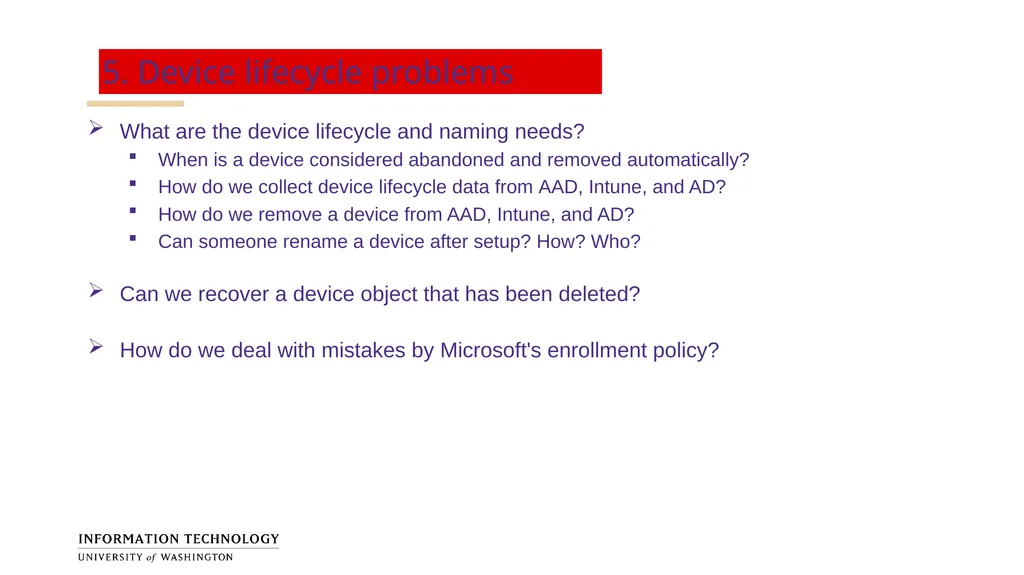
5. Device lifecycle problems What are the device lifecycle and naming needs?
When is a device considered abandoned and removed automatically?
How do we collect device lifecycle data from AAD, Intune, and AD?
How do we remove a device from AAD, Intune, and AD?
Can someone rename a device after setup? How? Who?
Can we recover a device object that has been deleted?
How do we deal with mistakes by Microsoft's enrollment policy?<br>
When is a device considered abandoned and removed automatically?
How do we collect device lifecycle data from AAD, Intune, and AD?
How do we remove a device from AAD, Intune, and AD?
Can someone rename a device after setup? How? Who?
Can we recover a device object that has been deleted?
How do we deal with mistakes by Microsoft's enrollment policy?<br>
22
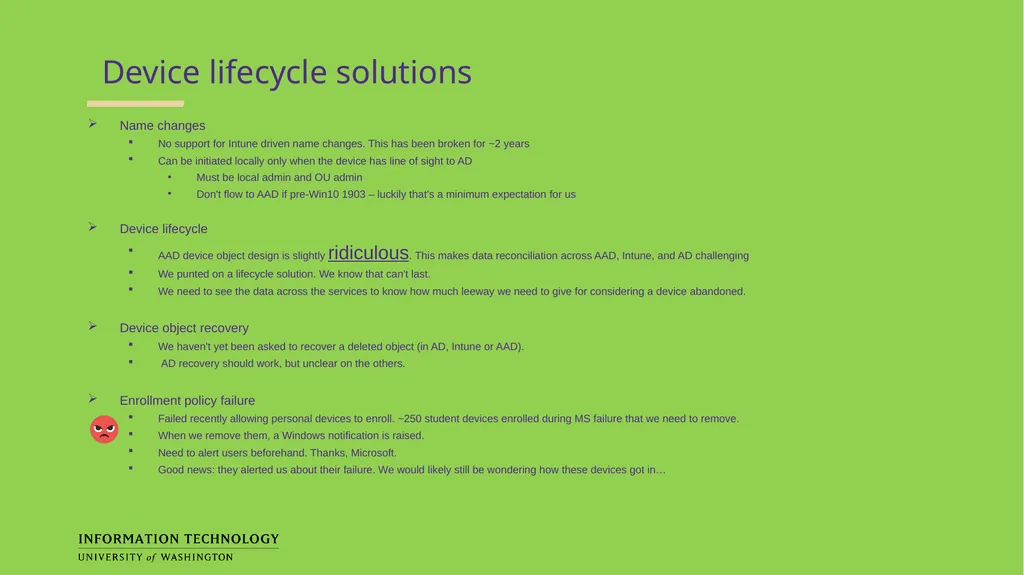
Device lifecycle solutions Name changes
No support for Intune driven name changes. This has been broken for ~2 years
Can be initiated locally only when the device has line of sight to AD
Must be local admin and OU admin
Don't flow to AAD if pre-Win10 1903 – luckily that's a minimum expectation for us
Device lifecycle
AAD device object design is slightly ridiculous. This makes data reconciliation across AAD, Intune, and AD challenging
We punted on a lifecycle solution. We know that can't last.
We need to see the data across the services to know how much leeway we need to give for considering a device abandoned.
Device object recovery
We haven't yet been asked to recover a deleted object (in AD, Intune or AAD).
AD recovery should work, but unclear on the others.
Enrollment policy failure
Failed recently allowing personal devices to enroll. ~250 student devices enrolled during MS failure that we need to remove.
When we remove them, a Windows notification is raised.
Need to alert users beforehand. Thanks, Microsoft.
Good news: they alerted us about their failure. We would likely still be wondering how these devices got in…<br>
No support for Intune driven name changes. This has been broken for ~2 years
Can be initiated locally only when the device has line of sight to AD
Must be local admin and OU admin
Don't flow to AAD if pre-Win10 1903 – luckily that's a minimum expectation for us
Device lifecycle
AAD device object design is slightly ridiculous. This makes data reconciliation across AAD, Intune, and AD challenging
We punted on a lifecycle solution. We know that can't last.
We need to see the data across the services to know how much leeway we need to give for considering a device abandoned.
Device object recovery
We haven't yet been asked to recover a deleted object (in AD, Intune or AAD).
AD recovery should work, but unclear on the others.
Enrollment policy failure
Failed recently allowing personal devices to enroll. ~250 student devices enrolled during MS failure that we need to remove.
When we remove them, a Windows notification is raised.
Need to alert users beforehand. Thanks, Microsoft.
Good news: they alerted us about their failure. We would likely still be wondering how these devices got in…<br>
23
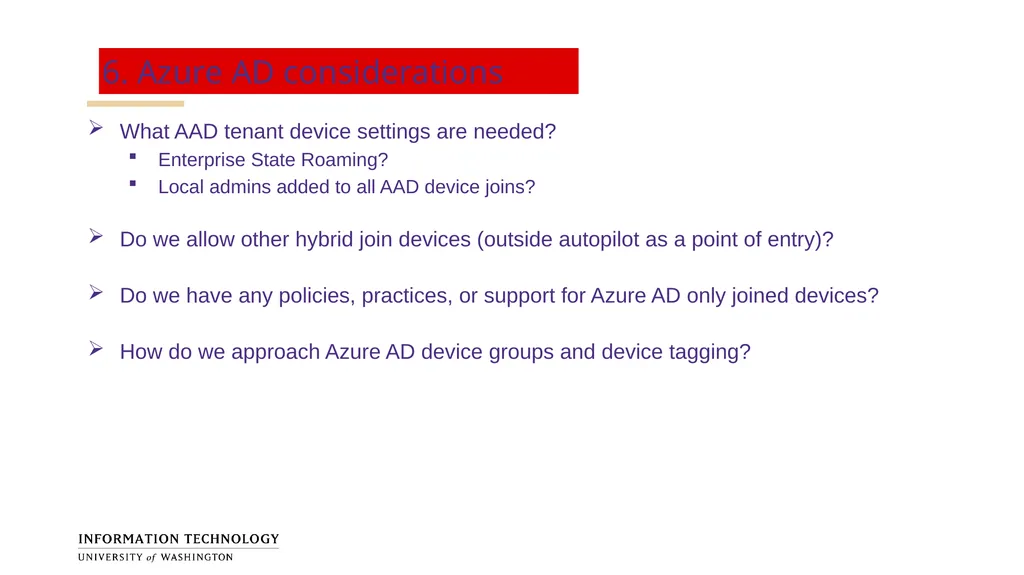
6. Azure AD considerations What AAD tenant device settings are needed?
Enterprise State Roaming?
Local admins added to all AAD device joins?
Do we allow other hybrid join devices (outside autopilot as a point of entry)?
Do we have any policies, practices, or support for Azure AD only joined devices?
How do we approach Azure AD device groups and device tagging?<br>
Enterprise State Roaming?
Local admins added to all AAD device joins?
Do we allow other hybrid join devices (outside autopilot as a point of entry)?
Do we have any policies, practices, or support for Azure AD only joined devices?
How do we approach Azure AD device groups and device tagging?<br>
24
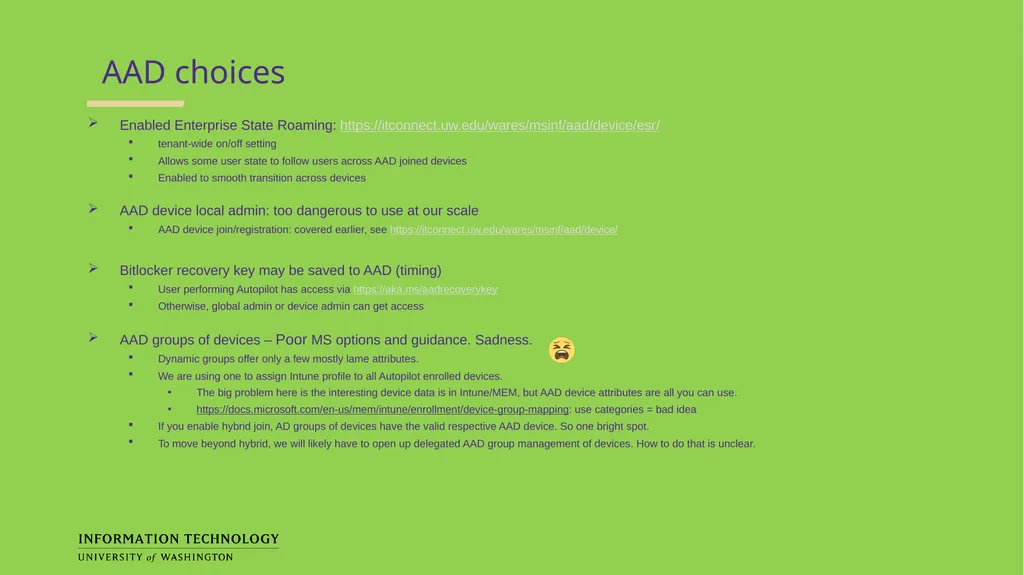
AAD choices Enabled Enterprise State Roaming: https://itconnect.uw.edu/wares/msinf/aad/device/esr/
tenant-wide on/off setting
Allows some user state to follow users across AAD joined devices
Enabled to smooth transition across devices
AAD device local admin: too dangerous to use at our scale
AAD device join/registration: covered earlier, see https://itconnect.uw.edu/wares/msinf/aad/device/
Bitlocker recovery key may be saved to AAD (timing)
User performing Autopilot has access via https://aka.ms/aadrecoverykey
Otherwise, global admin or device admin can get access
AAD groups of devices – Poor MS options and guidance. Sadness.
Dynamic groups offer only a few mostly lame attributes.
We are using one to assign Intune profile to all Autopilot enrolled devices.
The big problem here is the interesting device data is in Intune/MEM, but AAD device attributes are all you can use.
https://docs.microsoft.com/en-us/mem/intune/enrollment/device-group-mapping: use categories = bad idea
If you enable hybrid join, AD groups of devices have the valid respective AAD device. So one bright spot.
To move beyond hybrid, we will likely have to open up delegated AAD group management of devices. How to do that is unclear.<br>
tenant-wide on/off setting
Allows some user state to follow users across AAD joined devices
Enabled to smooth transition across devices
AAD device local admin: too dangerous to use at our scale
AAD device join/registration: covered earlier, see https://itconnect.uw.edu/wares/msinf/aad/device/
Bitlocker recovery key may be saved to AAD (timing)
User performing Autopilot has access via https://aka.ms/aadrecoverykey
Otherwise, global admin or device admin can get access
AAD groups of devices – Poor MS options and guidance. Sadness.
Dynamic groups offer only a few mostly lame attributes.
We are using one to assign Intune profile to all Autopilot enrolled devices.
The big problem here is the interesting device data is in Intune/MEM, but AAD device attributes are all you can use.
https://docs.microsoft.com/en-us/mem/intune/enrollment/device-group-mapping: use categories = bad idea
If you enable hybrid join, AD groups of devices have the valid respective AAD device. So one bright spot.
To move beyond hybrid, we will likely have to open up delegated AAD group management of devices. How to do that is unclear.<br>
25
7. AD Delegated OU considerations What changes do delegated OU customers need to make to incorporate Autopilot?
How do computers get into the right delegated OU?
What about opening up hybrid join? Is this required? Should we do it?<br>
How do computers get into the right delegated OU?
What about opening up hybrid join? Is this required? Should we do it?<br>
26
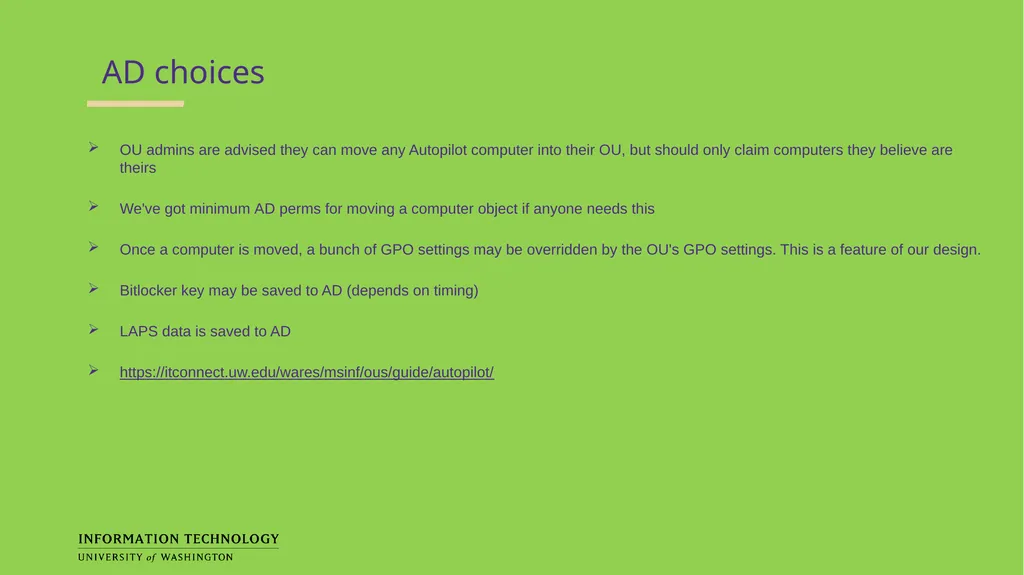
AD choices OU admins are advised they can move any Autopilot computer into their OU, but should only claim computers they believe are theirs
We've got minimum AD perms for moving a computer object if anyone needs this
Once a computer is moved, a bunch of GPO settings may be overridden by the OU's GPO settings. This is a feature of our design.
Bitlocker key may be saved to AD (depends on timing)
LAPS data is saved to AD
https://itconnect.uw.edu/wares/msinf/ous/guide/autopilot/<br>
We've got minimum AD perms for moving a computer object if anyone needs this
Once a computer is moved, a bunch of GPO settings may be overridden by the OU's GPO settings. This is a feature of our design.
Bitlocker key may be saved to AD (depends on timing)
LAPS data is saved to AD
https://itconnect.uw.edu/wares/msinf/ous/guide/autopilot/<br>
27
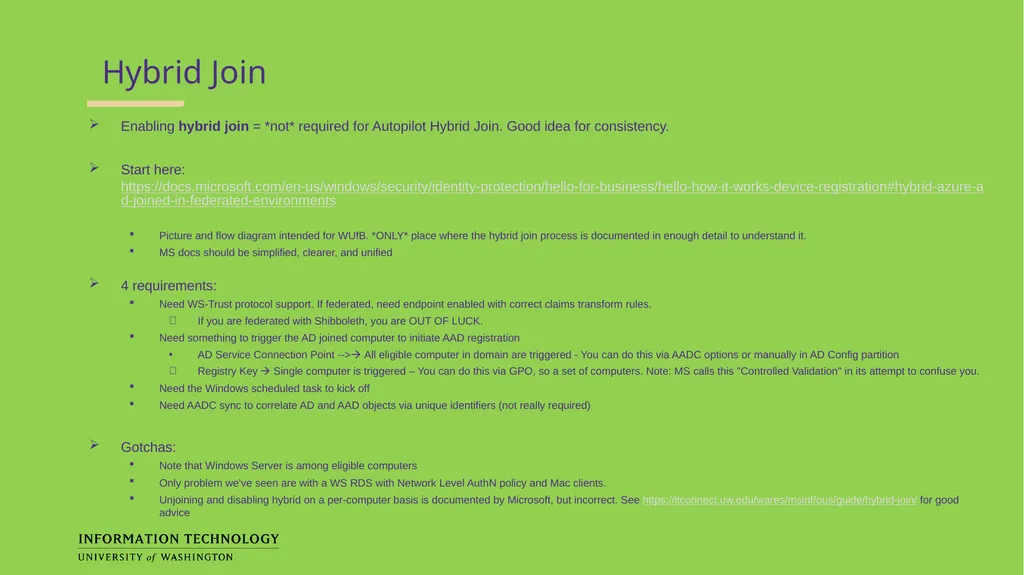
Hybrid Join Enabling hybrid join = *not* required for Autopilot Hybrid Join. Good idea for consistency.
Start here: https://docs.microsoft.com/en-us/windows/security/identity-protection/hello-for-business/hello-how-it-works-device-registration#hybrid-azure-ad-joined-in-federated-environments
Picture and flow diagram intended for WUfB. *ONLY* place where the hybrid join process is documented in enough detail to understand it.
MS docs should be simplified, clearer, and unified
4 requirements:
Need WS-Trust protocol support. If federated, need endpoint enabled with correct claims transform rules.
If you are federated with Shibboleth, you are OUT OF LUCK.
Need something to trigger the AD joined computer to initiate AAD registration
AD Service Connection Point --> All eligible computer in domain are triggered - You can do this via AADC options or manually in AD Config partition
Registry Key Single computer is triggered – You can do this via GPO, so a set of computers. Note: MS calls this "Controlled Validation" in its attempt to confuse you.
Need the Windows scheduled task to kick off
Need AADC sync to correlate AD and AAD objects via unique identifiers (not really required)
Gotchas:
Note that Windows Server is among eligible computers
Only problem we've seen are with a WS RDS with Network Level AuthN policy and Mac clients.
Unjoining and disabling hybrid on a per-computer basis is documented by Microsoft, but incorrect. See https://itconnect.uw.edu/wares/msinf/ous/guide/hybrid-join/ for good advice<br>
Start here: https://docs.microsoft.com/en-us/windows/security/identity-protection/hello-for-business/hello-how-it-works-device-registration#hybrid-azure-ad-joined-in-federated-environments
Picture and flow diagram intended for WUfB. *ONLY* place where the hybrid join process is documented in enough detail to understand it.
MS docs should be simplified, clearer, and unified
4 requirements:
Need WS-Trust protocol support. If federated, need endpoint enabled with correct claims transform rules.
If you are federated with Shibboleth, you are OUT OF LUCK.
Need something to trigger the AD joined computer to initiate AAD registration
AD Service Connection Point --> All eligible computer in domain are triggered - You can do this via AADC options or manually in AD Config partition
Registry Key Single computer is triggered – You can do this via GPO, so a set of computers. Note: MS calls this "Controlled Validation" in its attempt to confuse you.
Need the Windows scheduled task to kick off
Need AADC sync to correlate AD and AAD objects via unique identifiers (not really required)
Gotchas:
Note that Windows Server is among eligible computers
Only problem we've seen are with a WS RDS with Network Level AuthN policy and Mac clients.
Unjoining and disabling hybrid on a per-computer basis is documented by Microsoft, but incorrect. See https://itconnect.uw.edu/wares/msinf/ous/guide/hybrid-join/ for good advice<br>
28
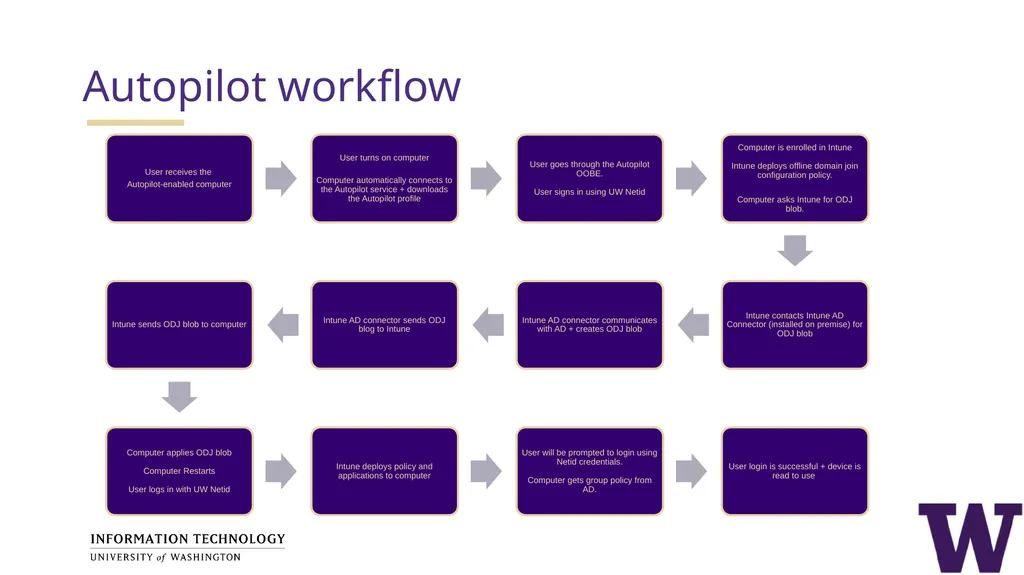
Autopilot workflow<br>
29
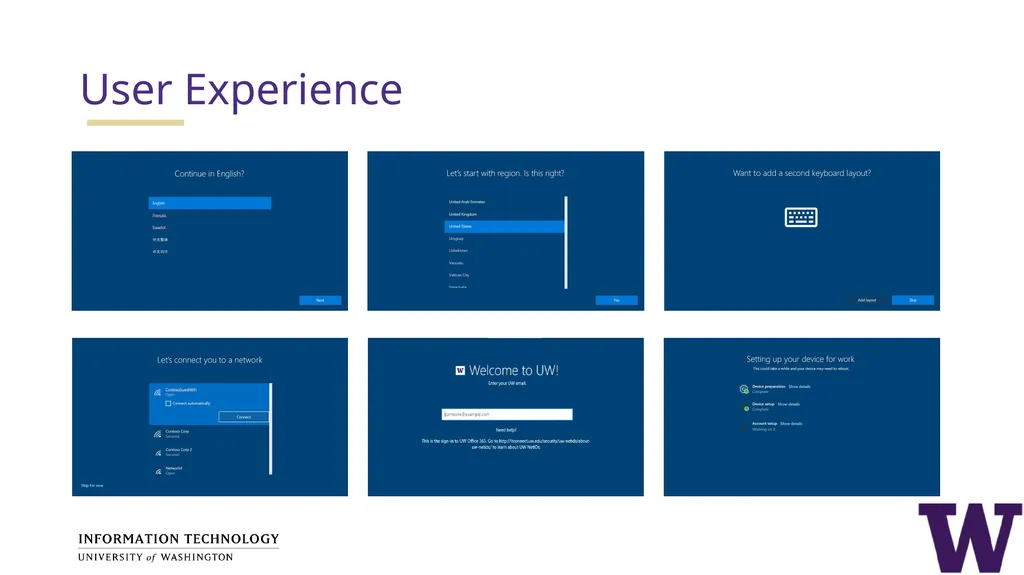
User Experience<br>
30
VPN sign-in to Windows Experience<br>
31
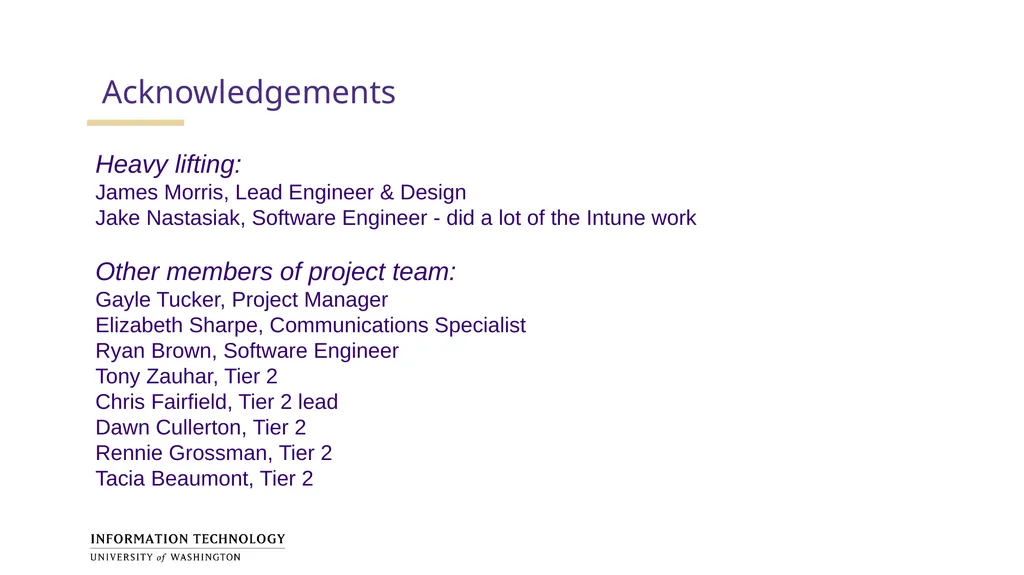
Acknowledgements Heavy lifting:
James Morris, Lead Engineer & Design
Jake Nastasiak, Software Engineer - did a lot of the Intune work
Other members of project team:
Gayle Tucker, Project Manager
Elizabeth Sharpe, Communications Specialist
Ryan Brown, Software Engineer
Tony Zauhar, Tier 2
Chris Fairfield, Tier 2 lead
Dawn Cullerton, Tier 2
Rennie Grossman, Tier 2
Tacia Beaumont, Tier 2<br>
James Morris, Lead Engineer & Design
Jake Nastasiak, Software Engineer - did a lot of the Intune work
Other members of project team:
Gayle Tucker, Project Manager
Elizabeth Sharpe, Communications Specialist
Ryan Brown, Software Engineer
Tony Zauhar, Tier 2
Chris Fairfield, Tier 2 lead
Dawn Cullerton, Tier 2
Rennie Grossman, Tier 2
Tacia Beaumont, Tier 2<br>
32
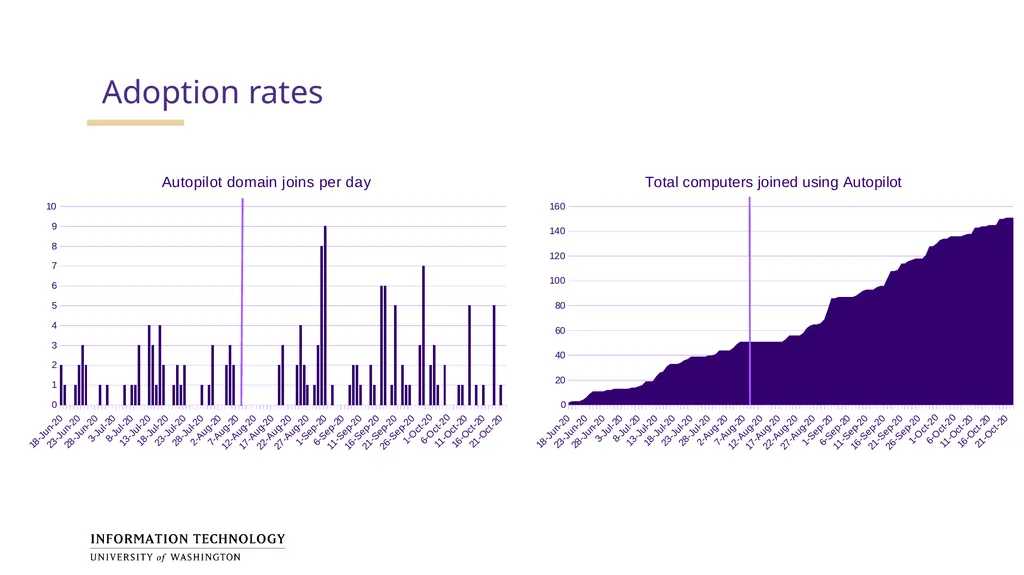
Adoption rates<br>
33
Questions?<br>