
Borrowing Money Section 6.3 Fun Fact 1 Helpful
DP
Published · 97 slides · 0 views

1 / 1

Description
Borrowing Money Section 6.3 Fun Fact 1 Helpful Hint 1 Collateral is something used as security for the repayment of a loan. It is forfeited if the loan is not paid back. Definition: Fixed Installment Loan and Down Payment Fixed Installment
Related Topics
Share
Embed code
Download this presentation From Below
"Borrowing Money Section 6.3 Fun Fact 1 Helpful" is the property of its rightful owner. Permission is granted to download and print the materials on this website for personal, non-commercial use only, and to display it on your personal computer provided you do not modify the materials and that you retain all copyright notices contained in the materials. By downloading content from our website, you accept the terms of this agreement.
Presentation Transcript
01
Borrowing Money Section 6.3<br>
02
Fun Fact 1<br>
03
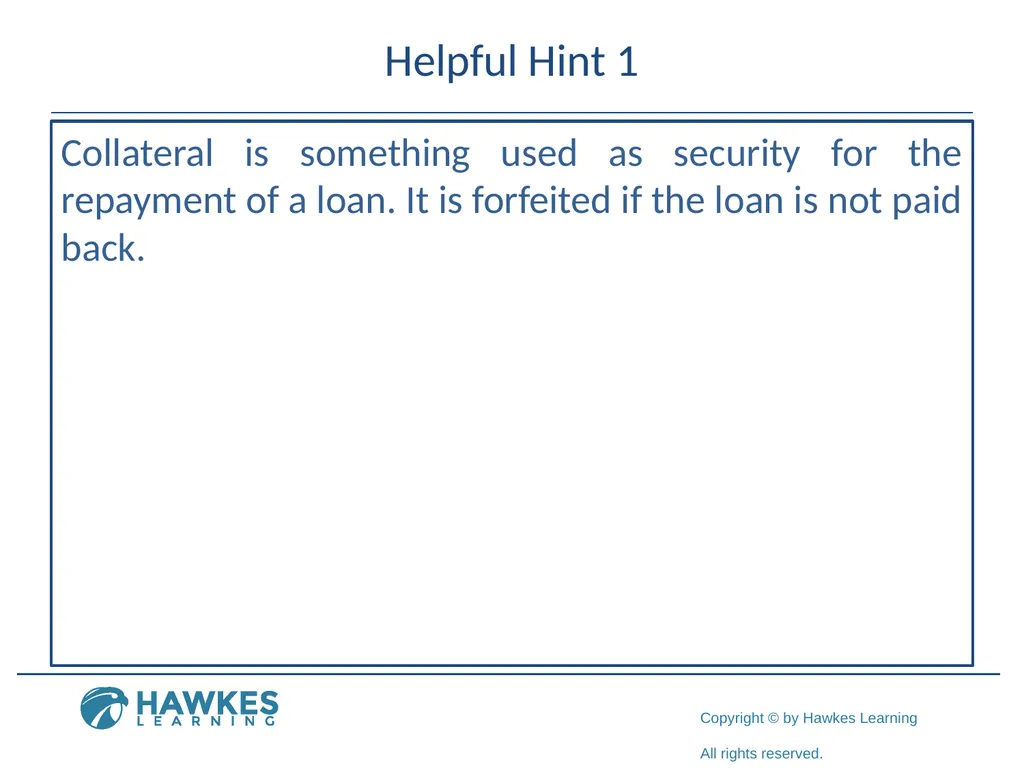
Helpful Hint 1 Collateral is something used as security for the repayment of a loan. It is forfeited if the loan is not paid back.<br>
04
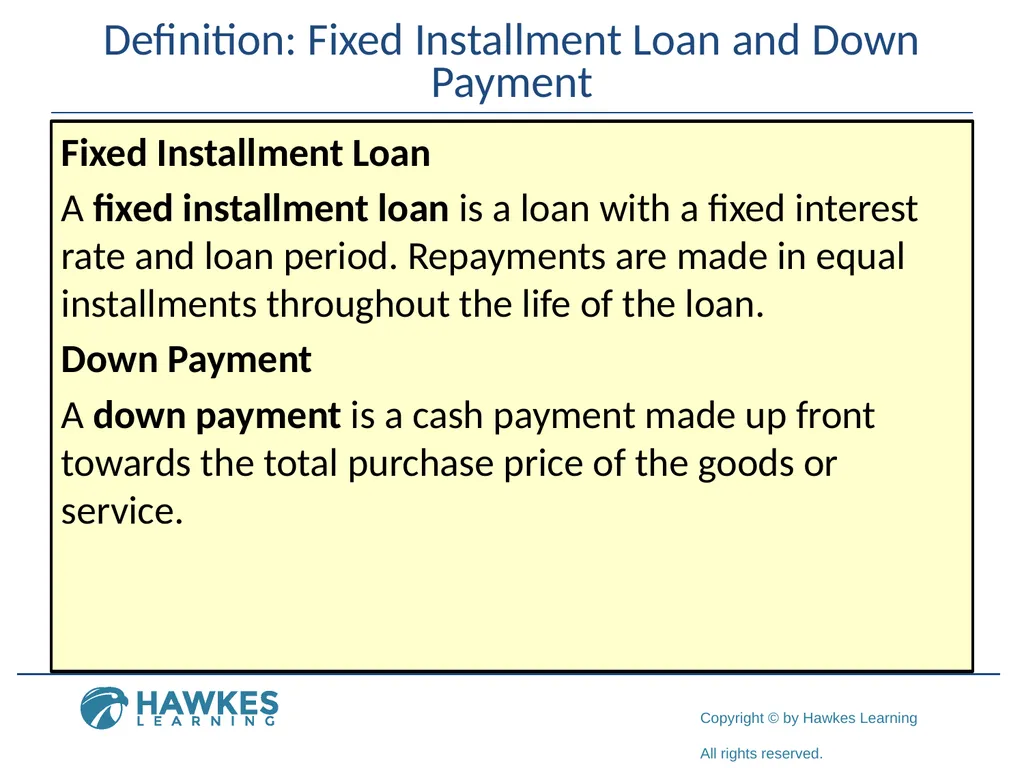
Definition: Fixed Installment Loan and Down Payment Fixed Installment Loan
A fixed installment loan is a loan with a fixed interest rate and loan period. Repayments are made in equal installments throughout the life of the loan.
Down Payment
A down payment is a cash payment made up front towards the total purchase price of the goods or service.<br>
A fixed installment loan is a loan with a fixed interest rate and loan period. Repayments are made in equal installments throughout the life of the loan.
Down Payment
A down payment is a cash payment made up front towards the total purchase price of the goods or service.<br>
05
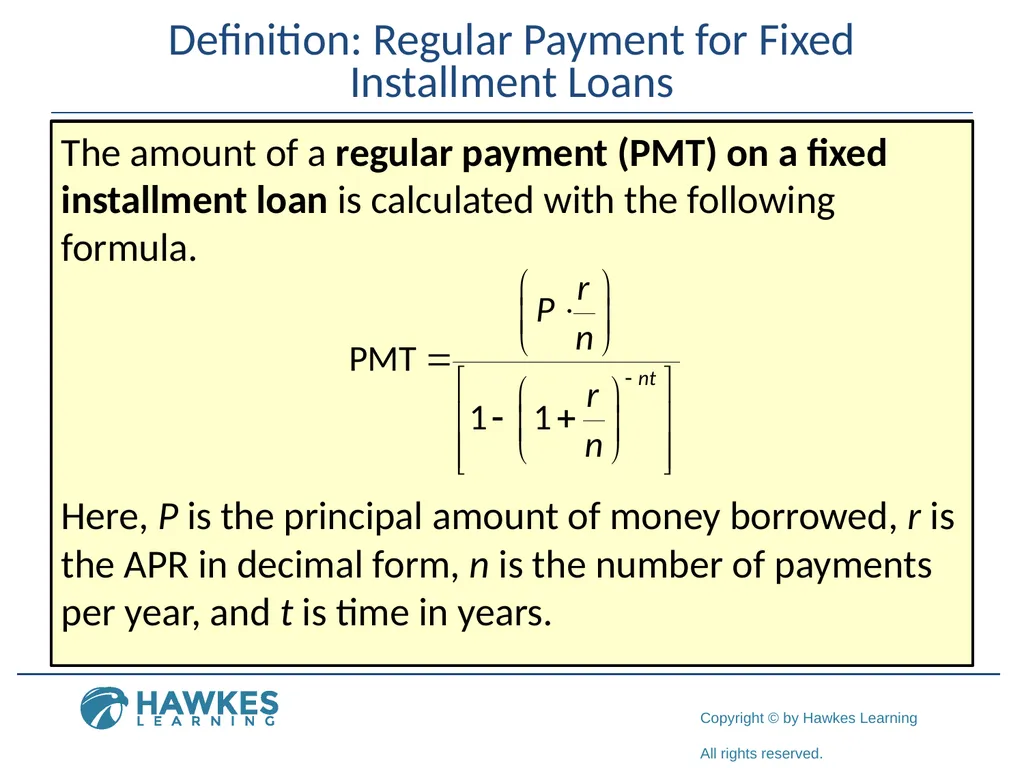
Definition: Regular Payment for Fixed Installment Loans The amount of a regular payment (PMT) on a fixed installment loan is calculated with the following formula. Here, P is the principal amount of money borrowed, r is the APR in decimal form, n is the number of payments per year, and t is time in years.<br>
06
Helpful Hint 2 Notice that the formula contains a negative exponent in the denominator. Be careful not to drop the negative sign during calculations.<br>
07
Fun Fact 2 The US Department of Education pays the interest on a Direct Subsidized Loan while you are in school at least half-time. However, you are responsible for paying the interest on a Direct Unsubsidized Loan during all periods.<br>
08
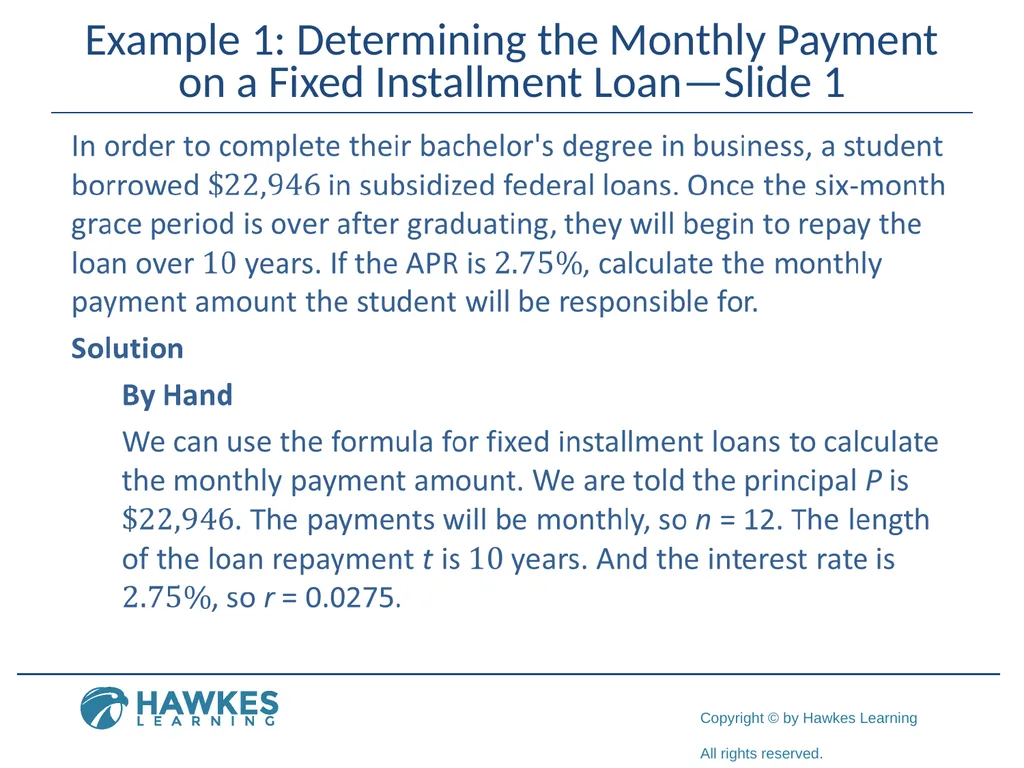
Example 1: Determining the Monthly Payment on a Fixed Installment Loan—Slide 1<br>
09
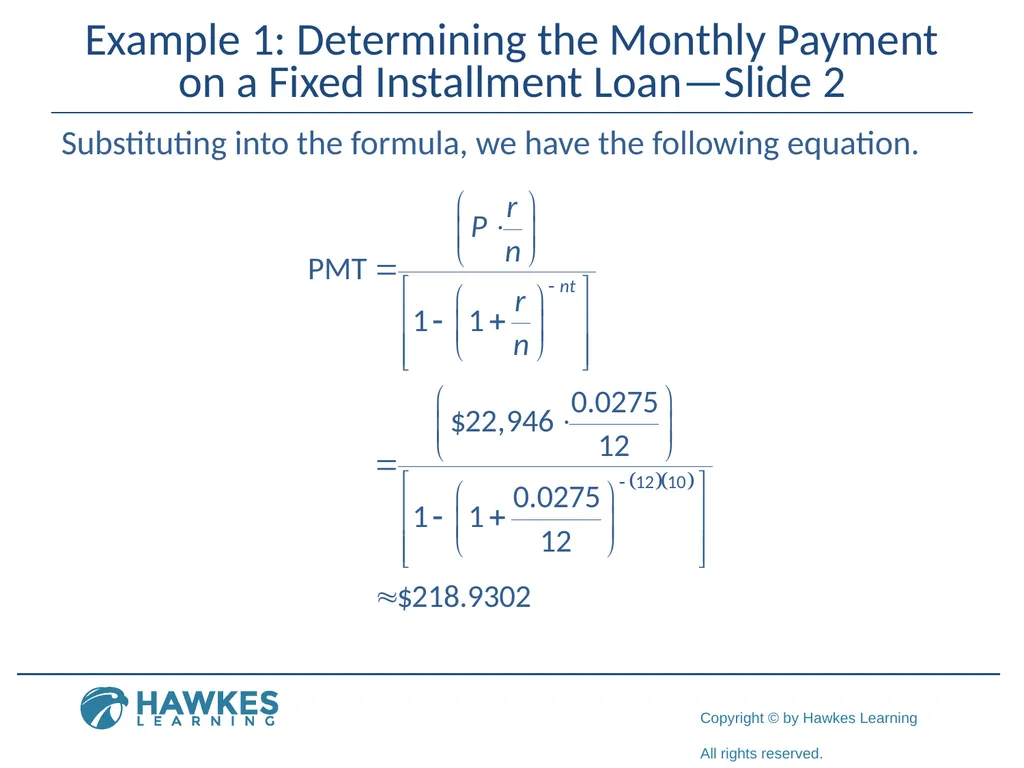
Example 1: Determining the Monthly Payment on a Fixed Installment Loan—Slide 2 Substituting into the formula, we have the following equation.<br>
10
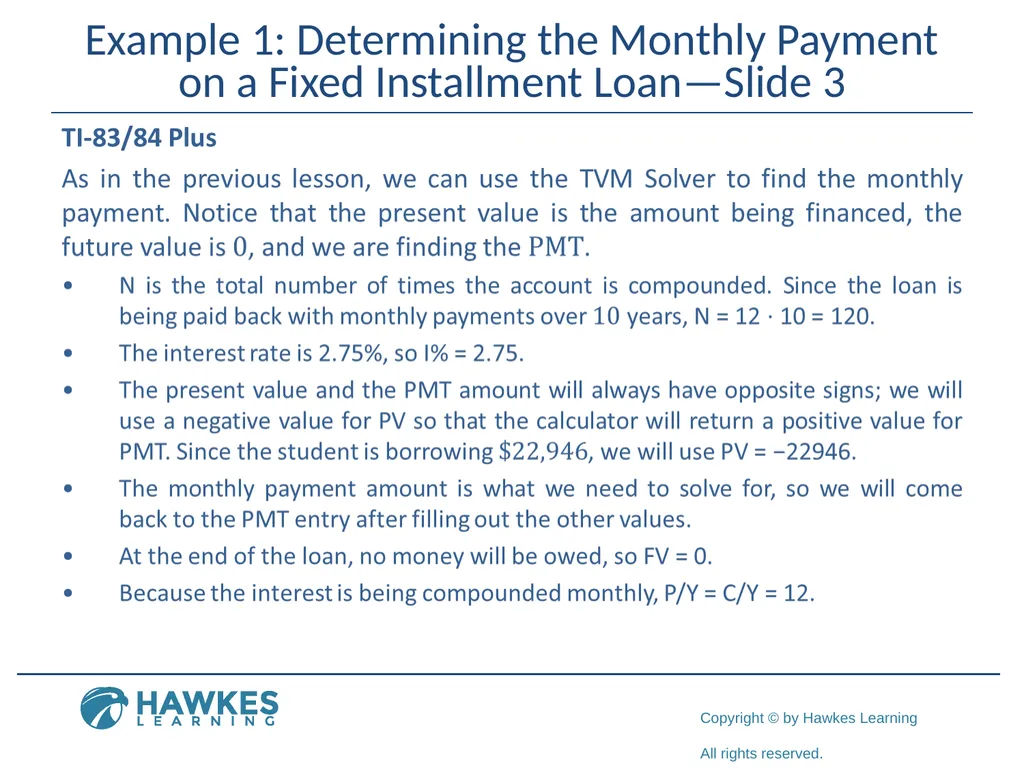
Example 1: Determining the Monthly Payment on a Fixed Installment Loan—Slide 3<br>
11
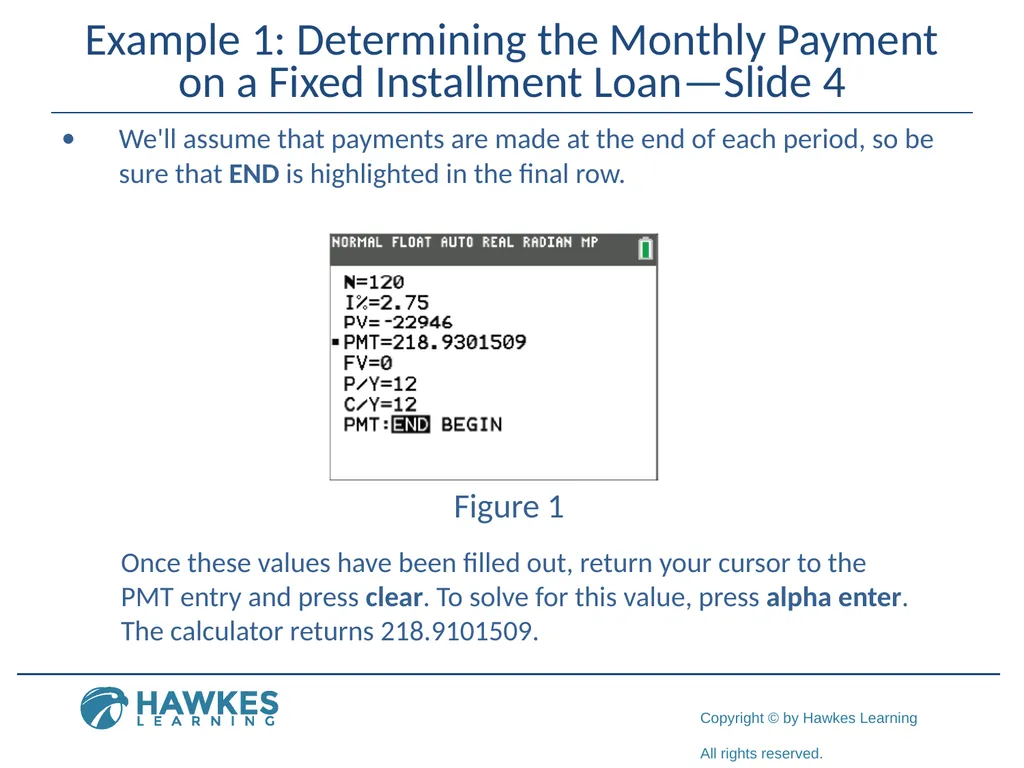
Example 1: Determining the Monthly Payment on a Fixed Installment Loan—Slide 4 We'll assume that payments are made at the end of each period, so be sure that END is highlighted in the final row. Figure 1 Once these values have been filled out, return your cursor to the PMT entry and press clear. To solve for this value, press alpha enter. The calculator returns 218.9101509.<br>
12
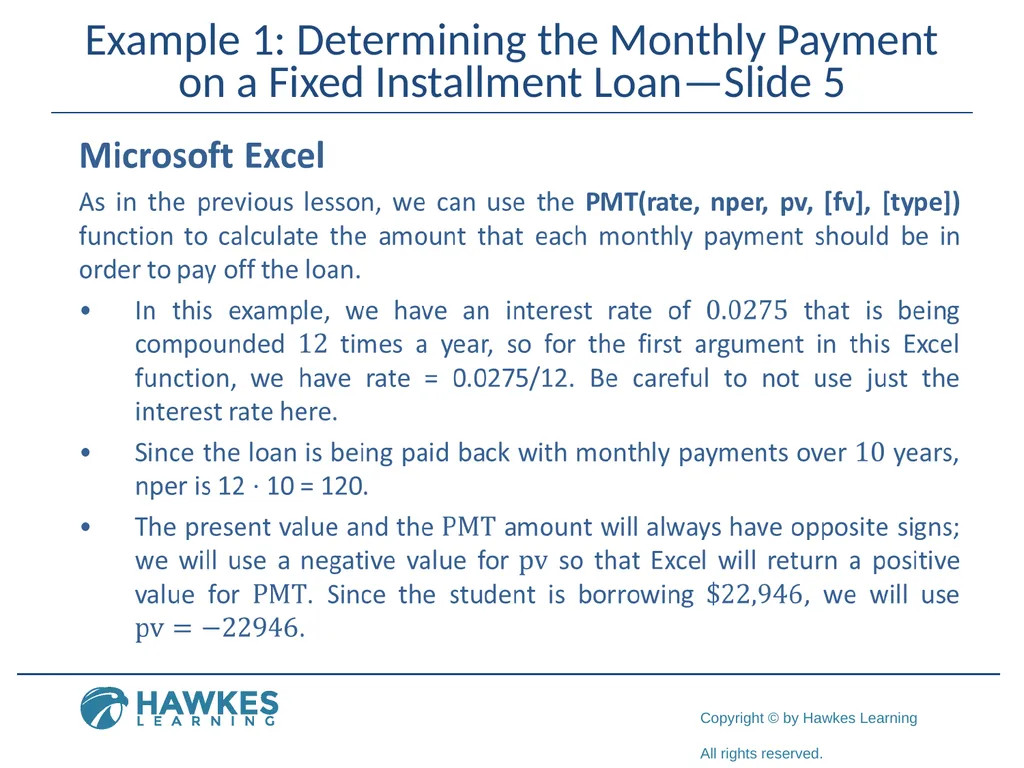
Example 1: Determining the Monthly Payment on a Fixed Installment Loan—Slide 5<br>
13
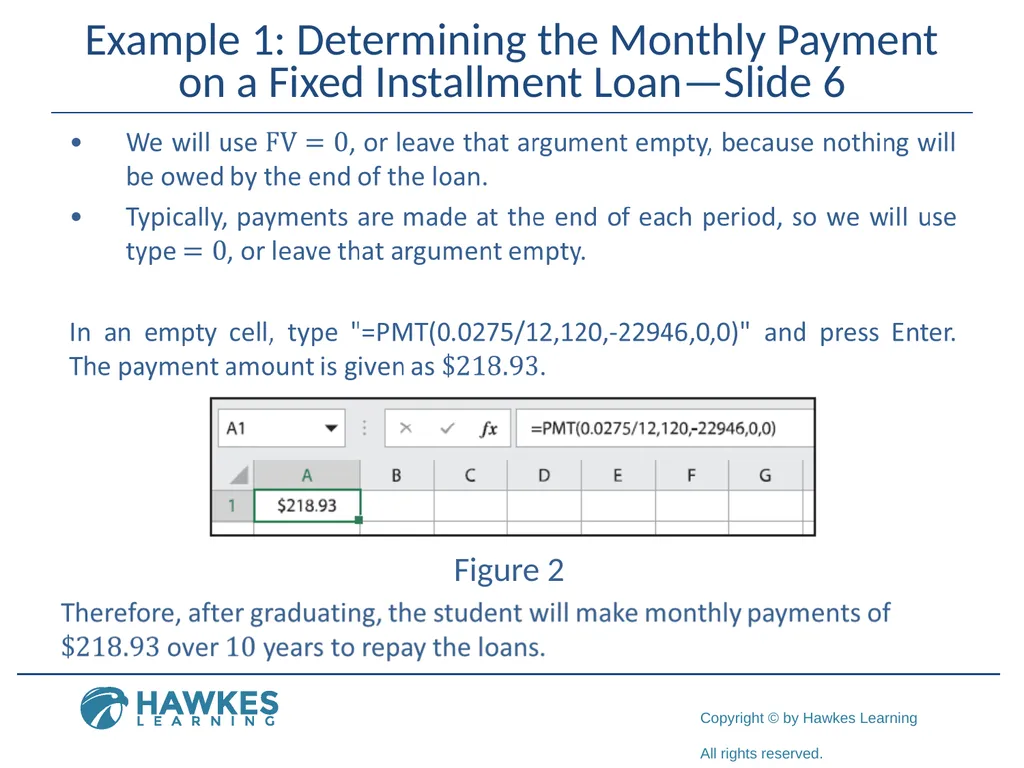
Example 1: Determining the Monthly Payment on a Fixed Installment Loan—Slide 6 Figure 2<br>
14
Fun Fact 3 Most auto loans are advertised with the number of months (typically 60 or 72) unlike other loans such as mortgages that are described in terms of years.<br>
15
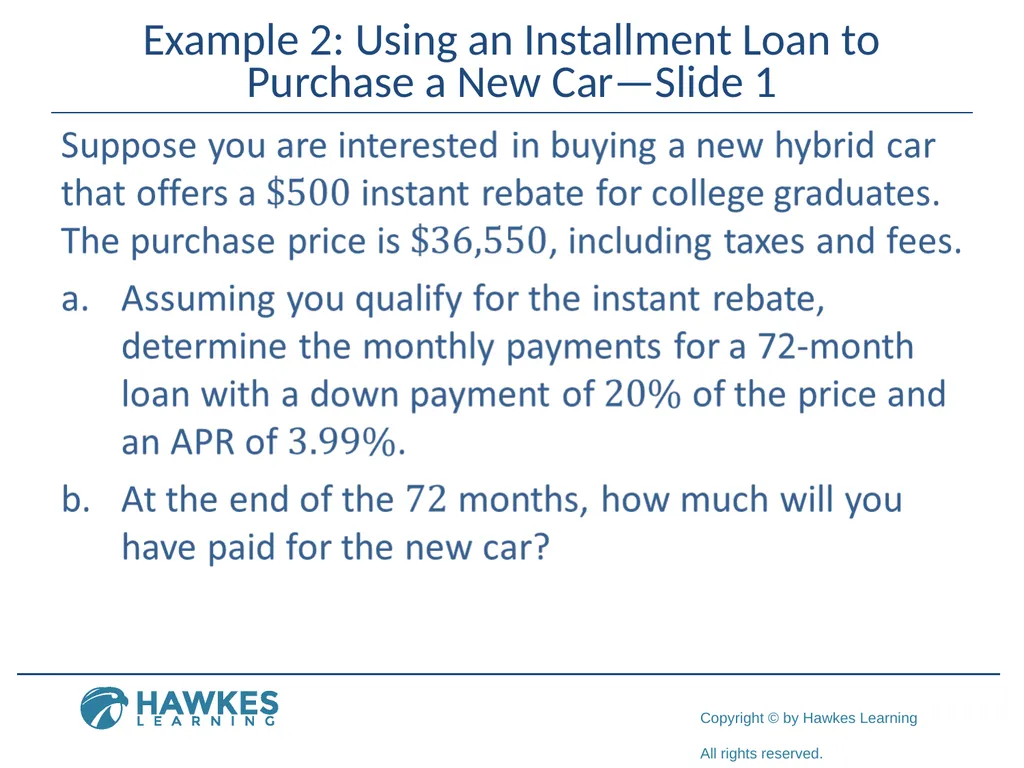
Example 2: Using an Installment Loan to Purchase a New Car—Slide 1<br>
16
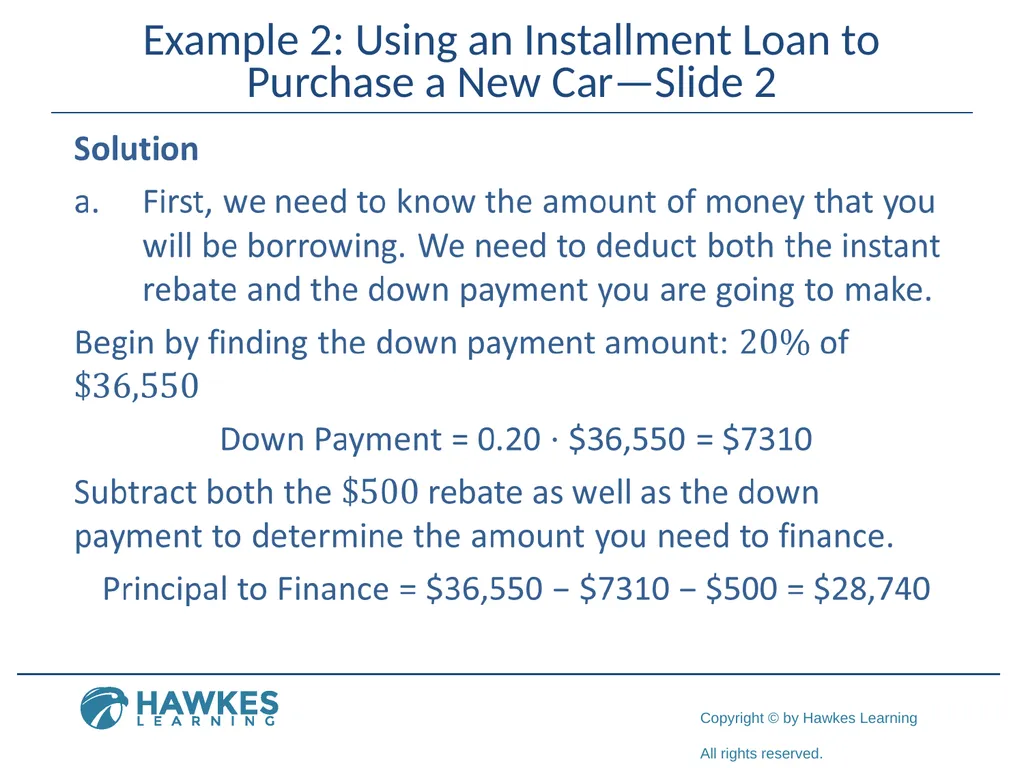
Example 2: Using an Installment Loan to Purchase a New Car—Slide 2<br>
17
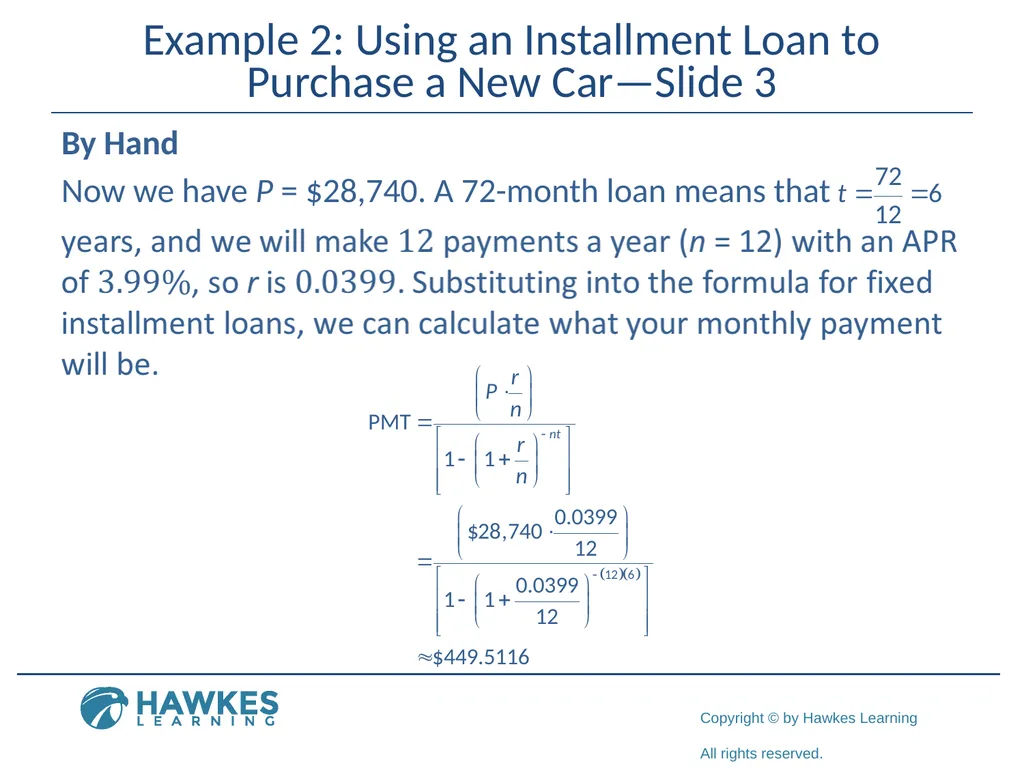
Example 2: Using an Installment Loan to Purchase a New Car—Slide 3 By Hand
Now we have P = $28,740. A 72-month loan means that<br>
Now we have P = $28,740. A 72-month loan means that<br>
18
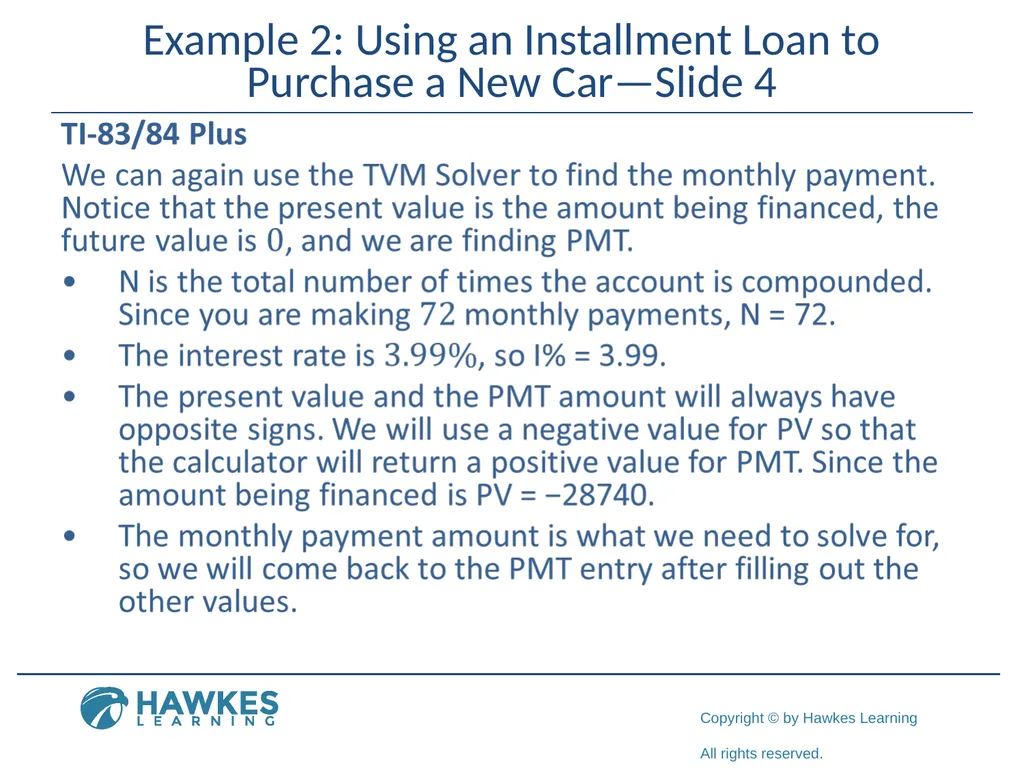
Example 2: Using an Installment Loan to Purchase a New Car—Slide 4<br>
19
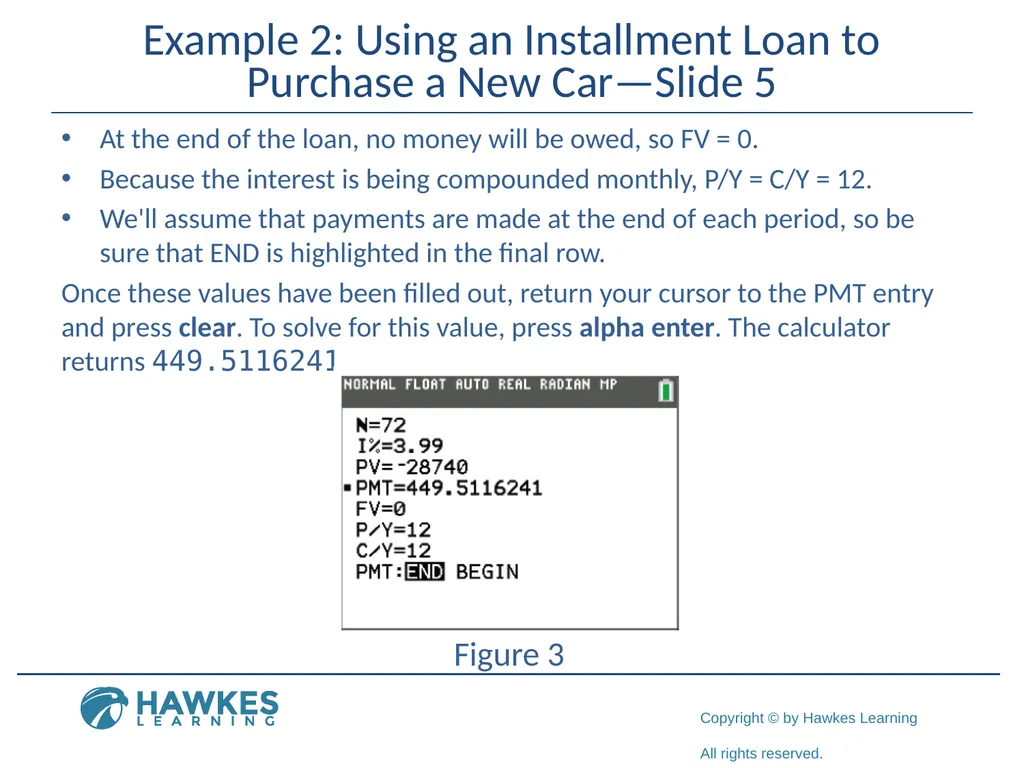
Example 2: Using an Installment Loan to Purchase a New Car—Slide 5 At the end of the loan, no money will be owed, so FV = 0.
Because the interest is being compounded monthly, P/Y = C/Y = 12.
We'll assume that payments are made at the end of each period, so be sure that END is highlighted in the final row.
Once these values have been filled out, return your cursor to the PMT entry and press clear. To solve for this value, press alpha enter. The calculator returns 449.5116241.
Figure 3<br>
Because the interest is being compounded monthly, P/Y = C/Y = 12.
We'll assume that payments are made at the end of each period, so be sure that END is highlighted in the final row.
Once these values have been filled out, return your cursor to the PMT entry and press clear. To solve for this value, press alpha enter. The calculator returns 449.5116241.
Figure 3<br>
20
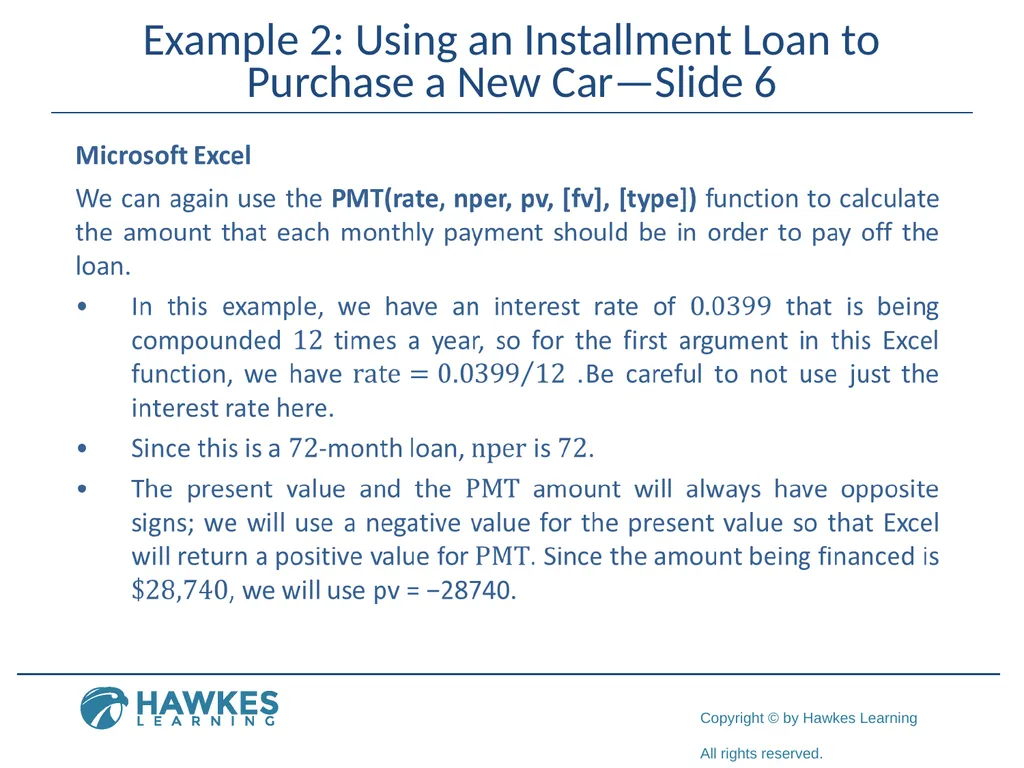
Example 2: Using an Installment Loan to Purchase a New Car—Slide 6<br>
21
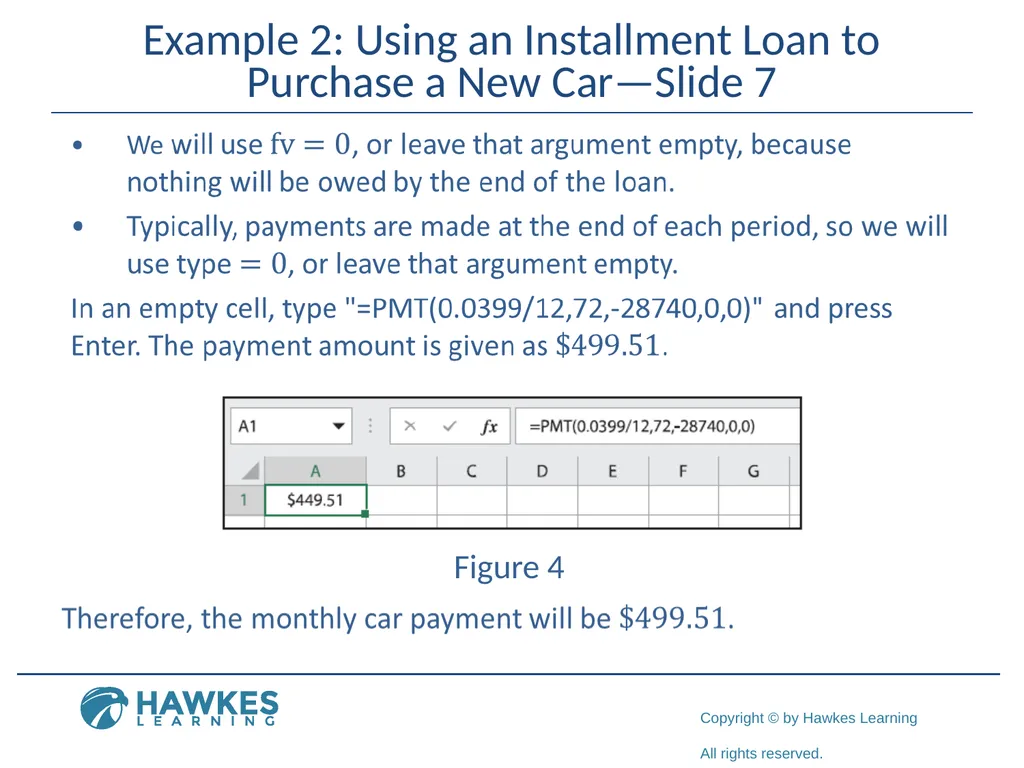
Example 2: Using an Installment Loan to Purchase a New Car—Slide 7 Figure 4<br>
22
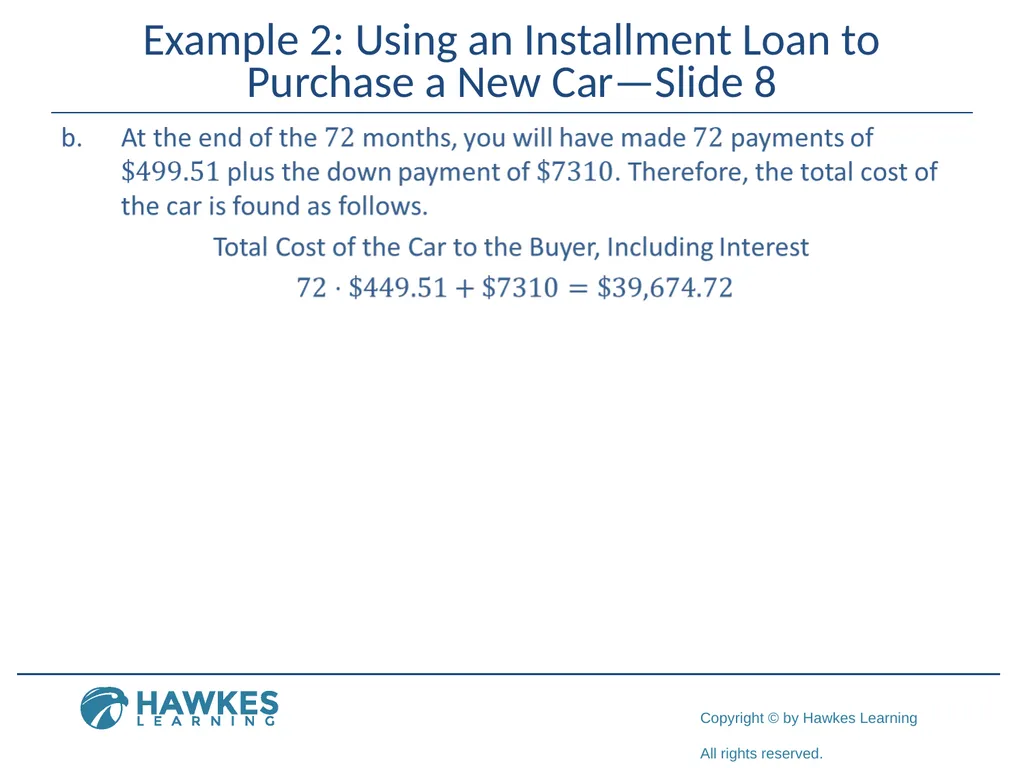
Example 2: Using an Installment Loan to Purchase a New Car—Slide 8<br>
23
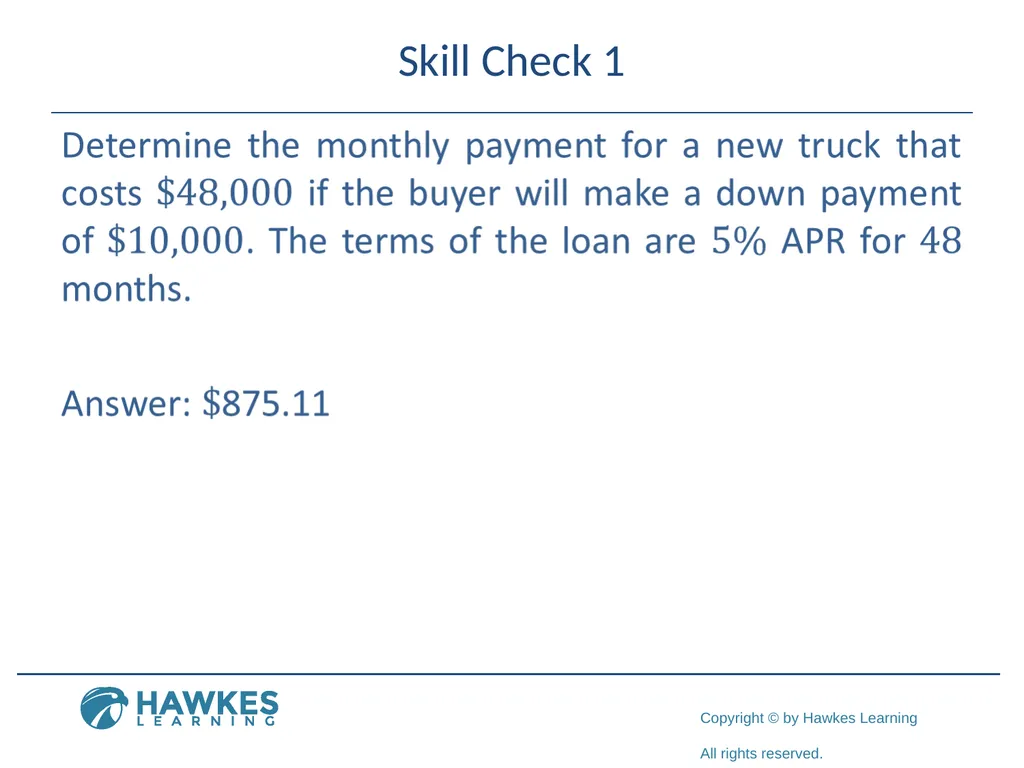
Skill Check 1<br>
24
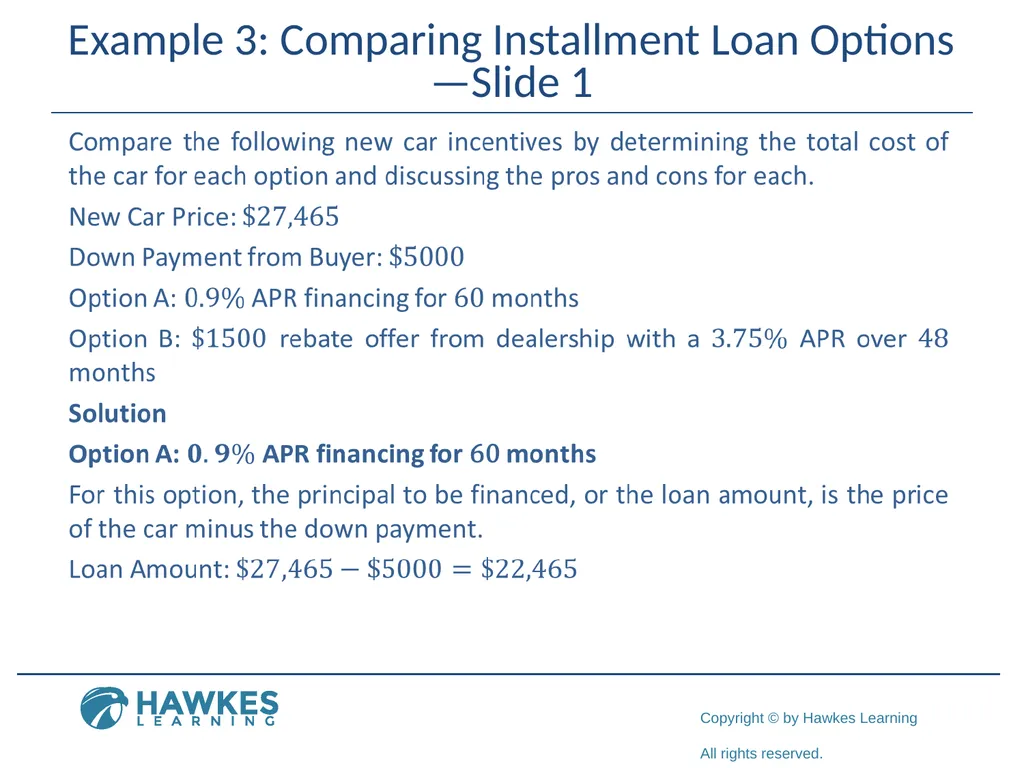
Example 3: Comparing Installment Loan Options—Slide 1<br>
25
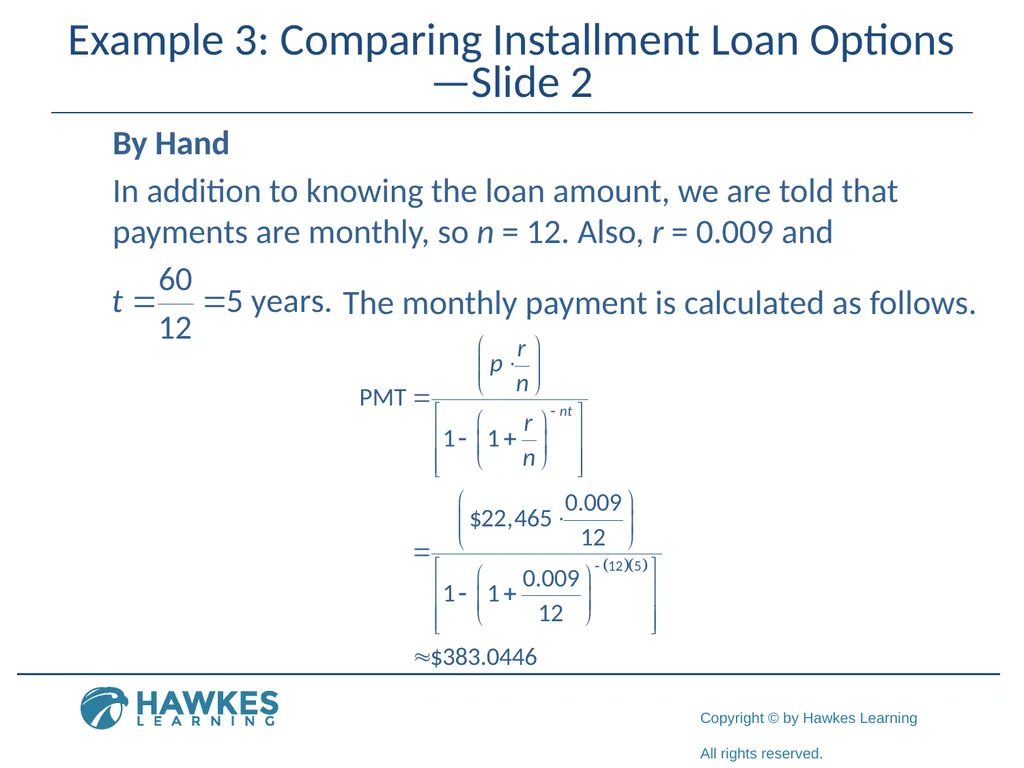
Example 3: Comparing Installment Loan Options—Slide 2 By Hand
In addition to knowing the loan amount, we are told that payments are monthly, so n = 12. Also, r = 0.009 and The monthly payment is calculated as follows.<br>
In addition to knowing the loan amount, we are told that payments are monthly, so n = 12. Also, r = 0.009 and The monthly payment is calculated as follows.<br>
26
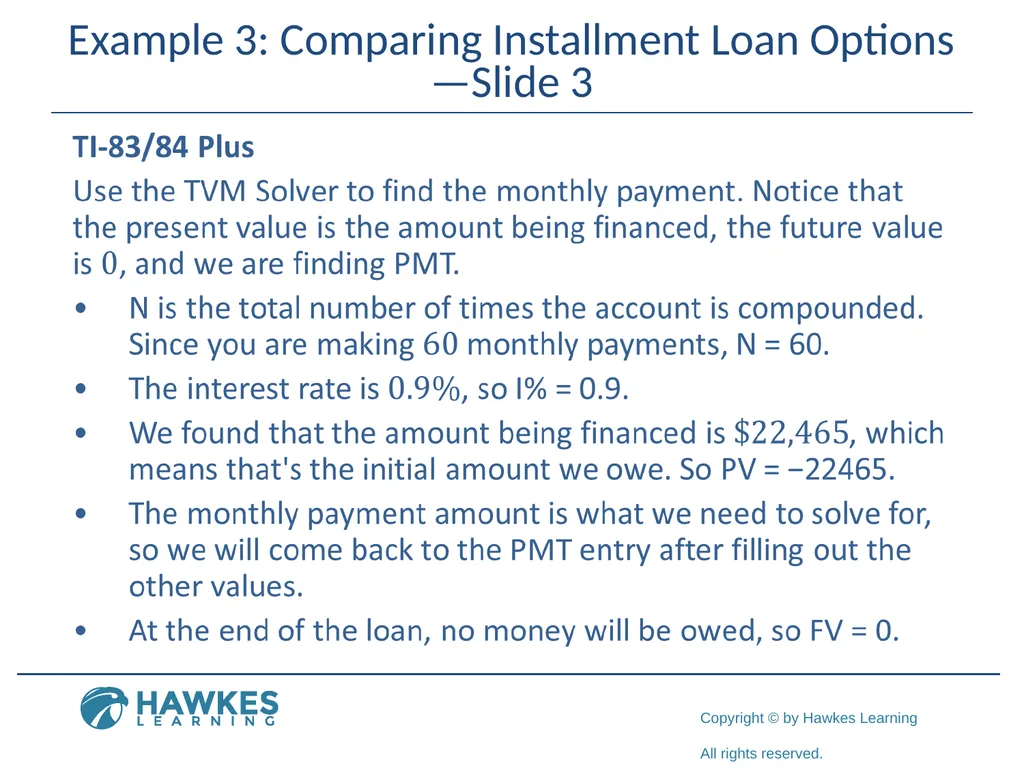
Example 3: Comparing Installment Loan Options—Slide 3<br>
27
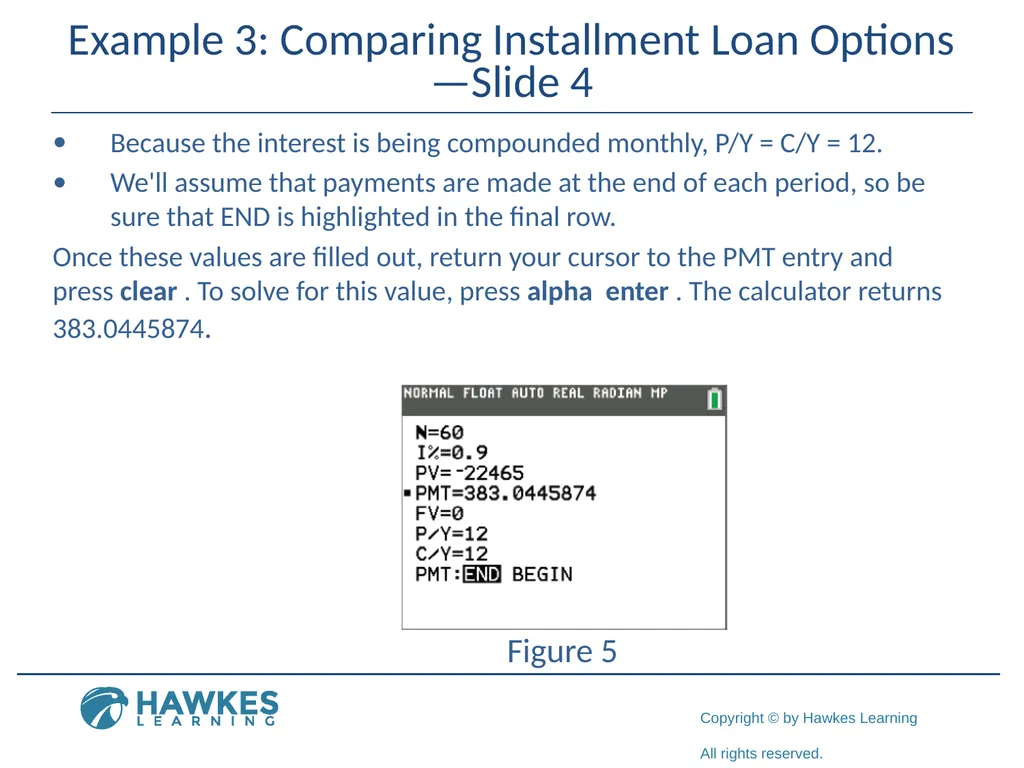
Example 3: Comparing Installment Loan Options—Slide 4 Because the interest is being compounded monthly, P/Y = C/Y = 12.
We'll assume that payments are made at the end of each period, so be sure that END is highlighted in the final row.
Once these values are filled out, return your cursor to the PMT entry and press clear . To solve for this value, press alpha enter . The calculator returns 383.0445874. Figure 5<br>
We'll assume that payments are made at the end of each period, so be sure that END is highlighted in the final row.
Once these values are filled out, return your cursor to the PMT entry and press clear . To solve for this value, press alpha enter . The calculator returns 383.0445874. Figure 5<br>
28
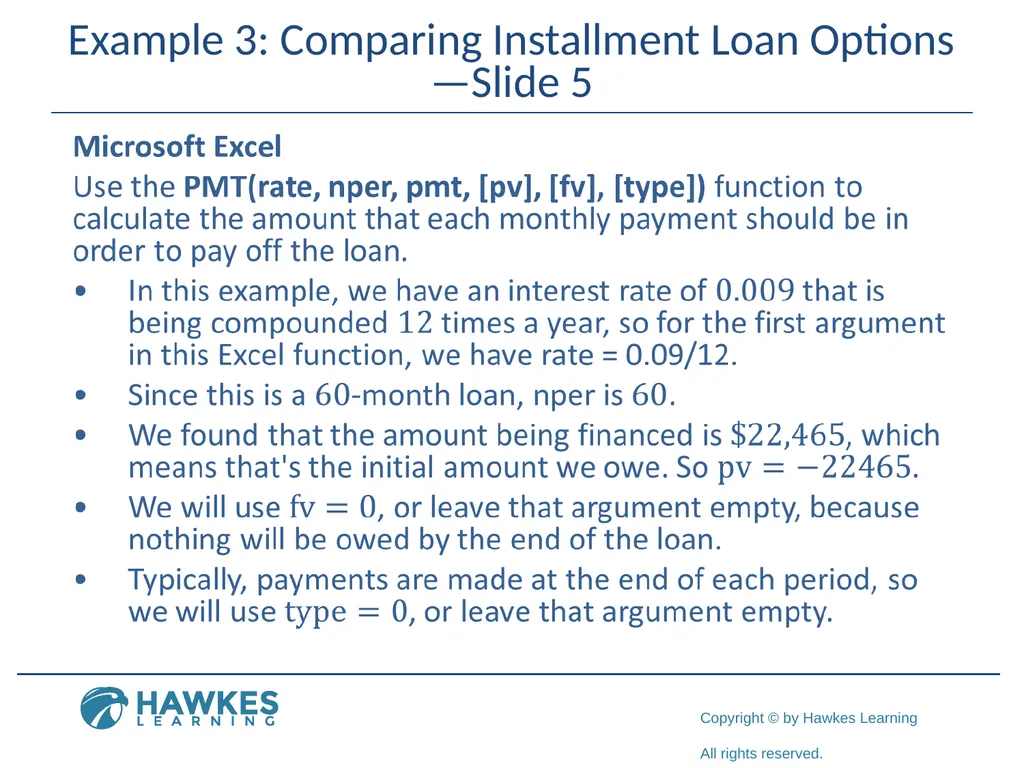
Example 3: Comparing Installment Loan Options—Slide 5<br>
29
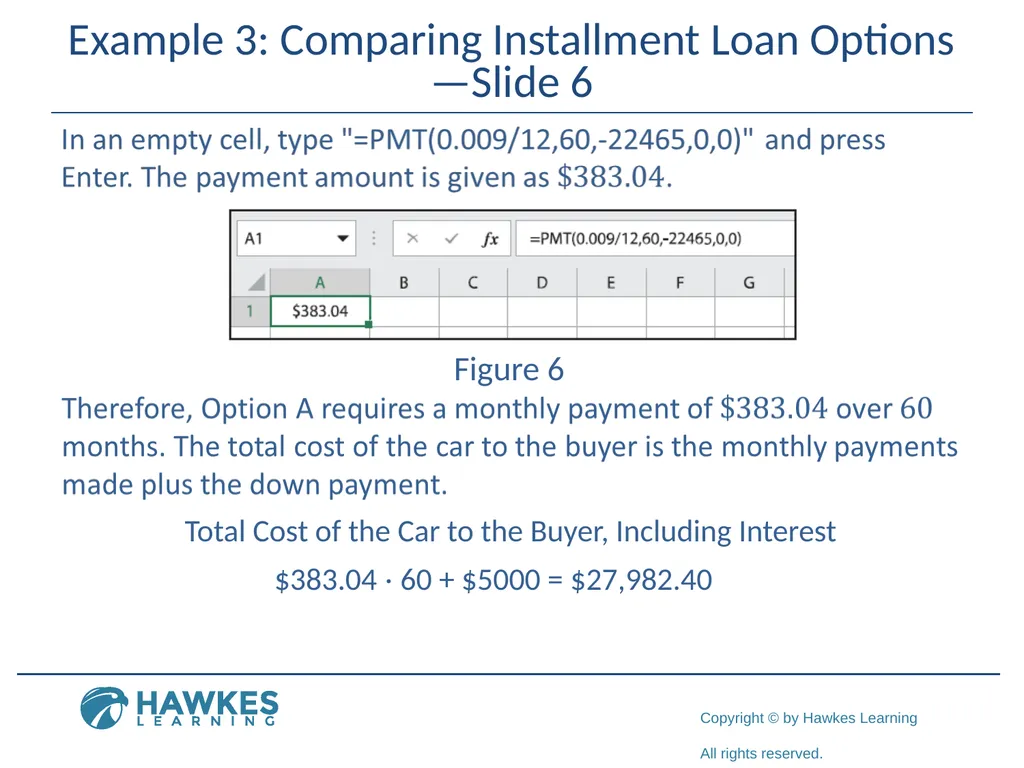
Example 3: Comparing Installment Loan Options—Slide 6 Figure 6 Total Cost of the Car to the Buyer, Including Interest $383.04 ⋅ 60 + $5000 = $27,982.40<br>
30
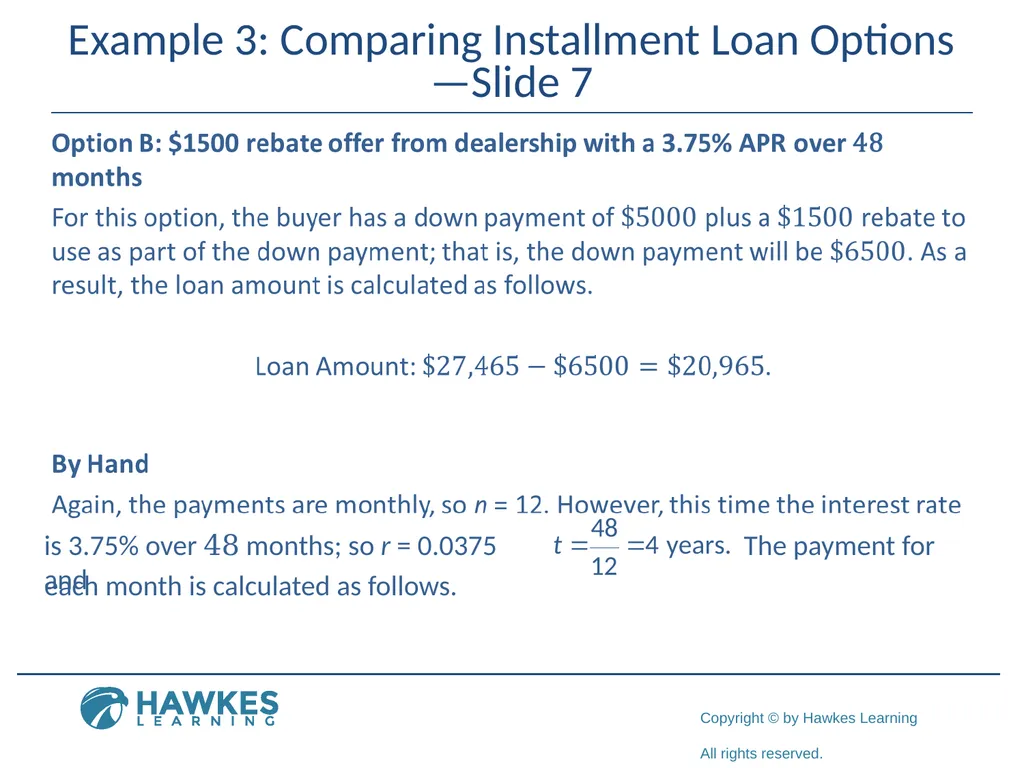
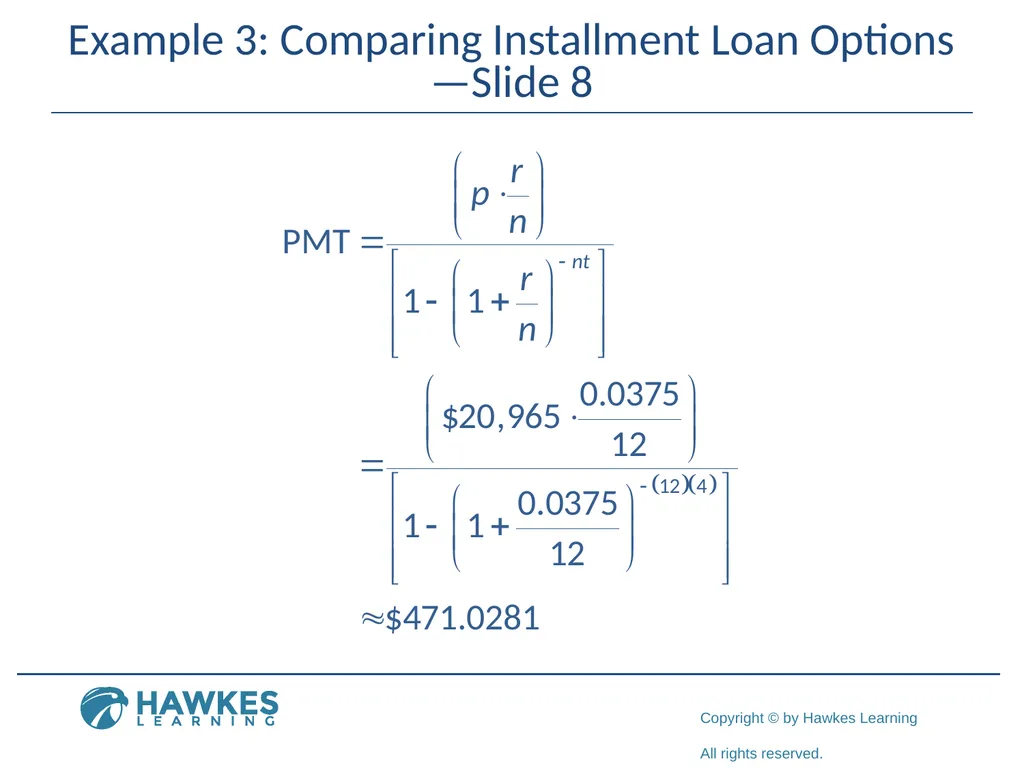
Example 3: Comparing Installment Loan Options—Slide 7 is 3.75% over 48 months; so r = 0.0375 and The payment for each month is calculated as follows.<br>
31
Example 3: Comparing Installment Loan Options—Slide 8<br>
32
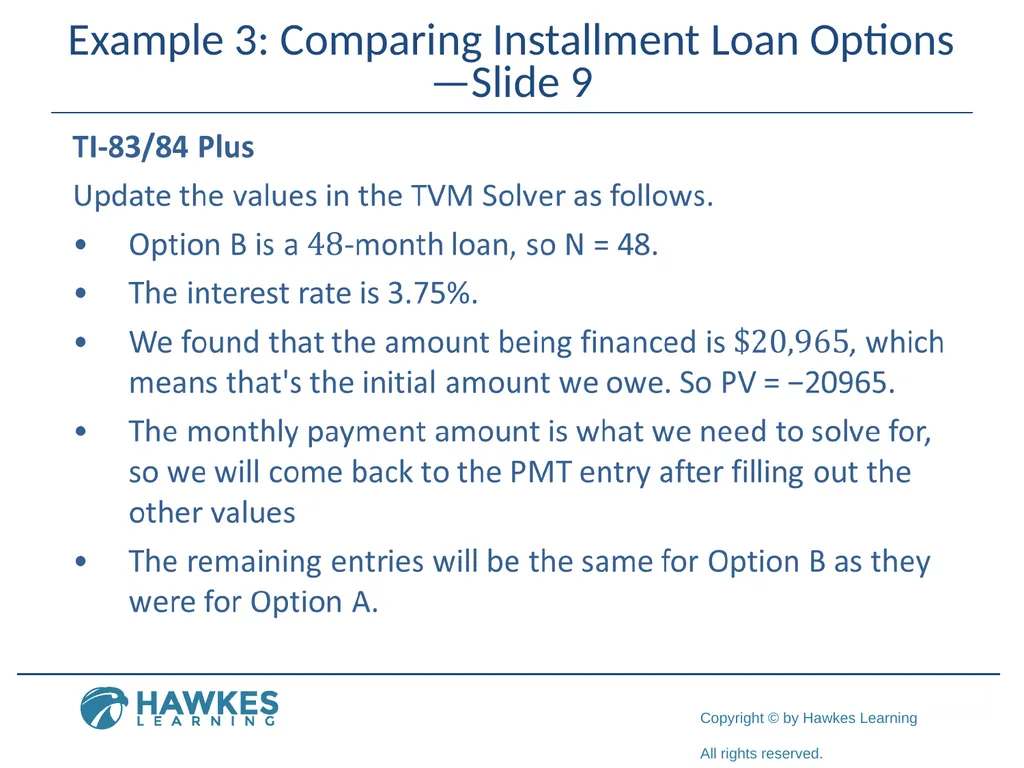
Example 3: Comparing Installment Loan Options—Slide 9<br>
33
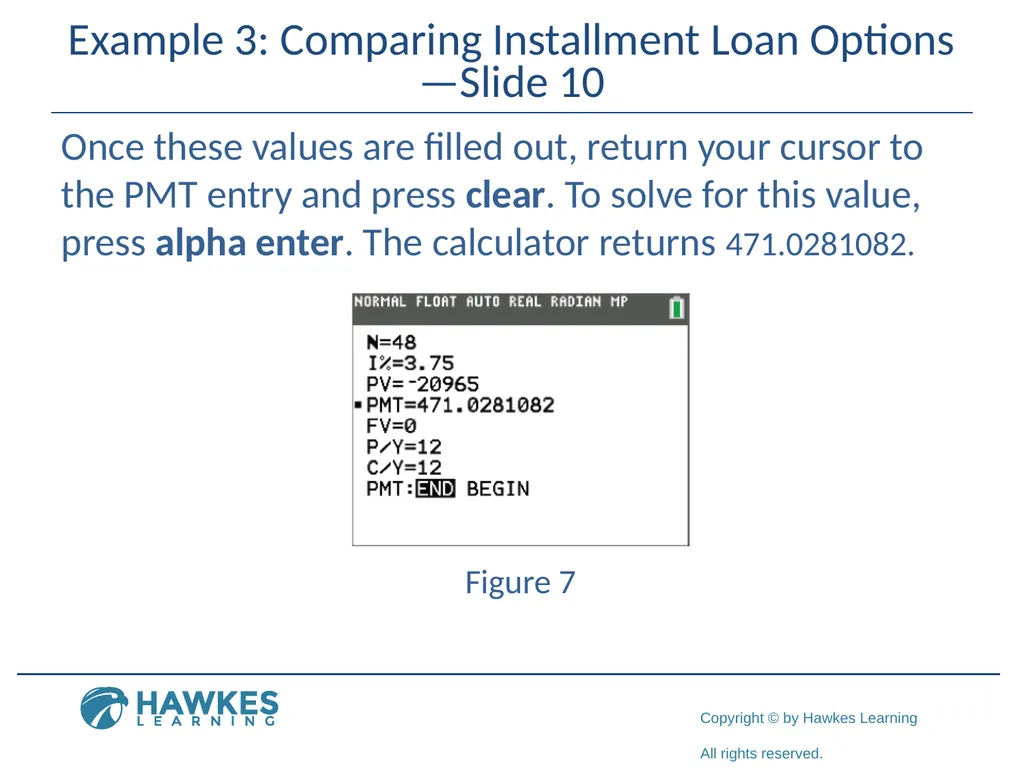
Example 3: Comparing Installment Loan Options—Slide 10 Once these values are filled out, return your cursor to the PMT entry and press clear. To solve for this value, press alpha enter. The calculator returns 471.0281082. Figure 7<br>
34
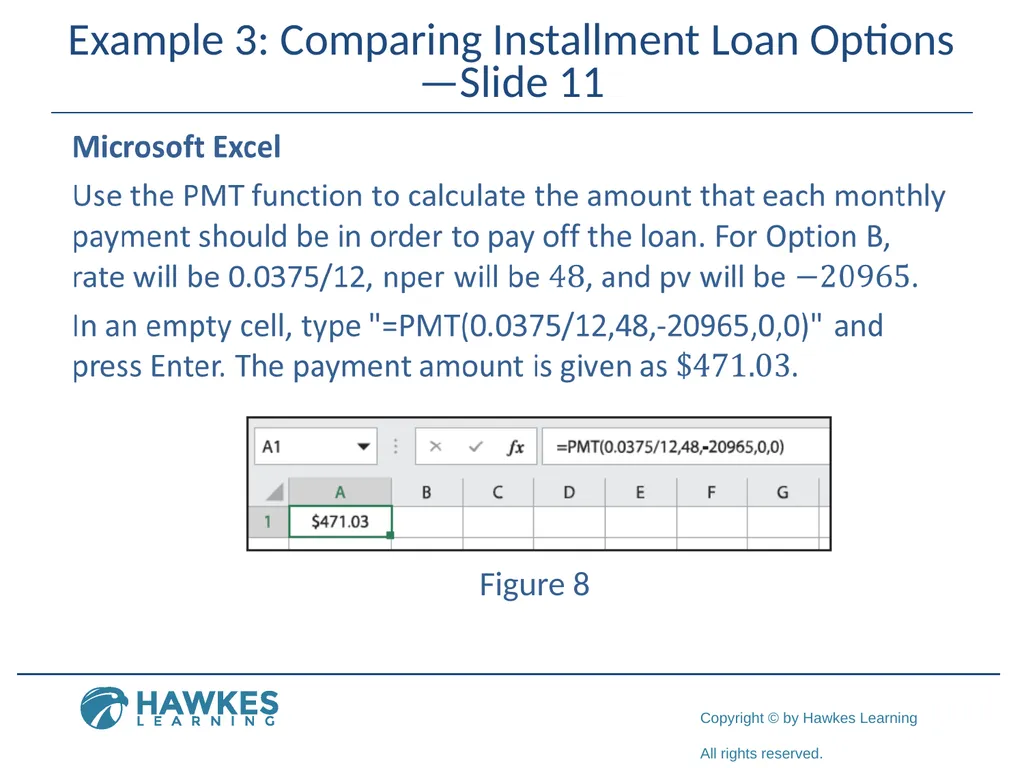
Example 3: Comparing Installment Loan Options—Slide 11 Figure 8<br>
35
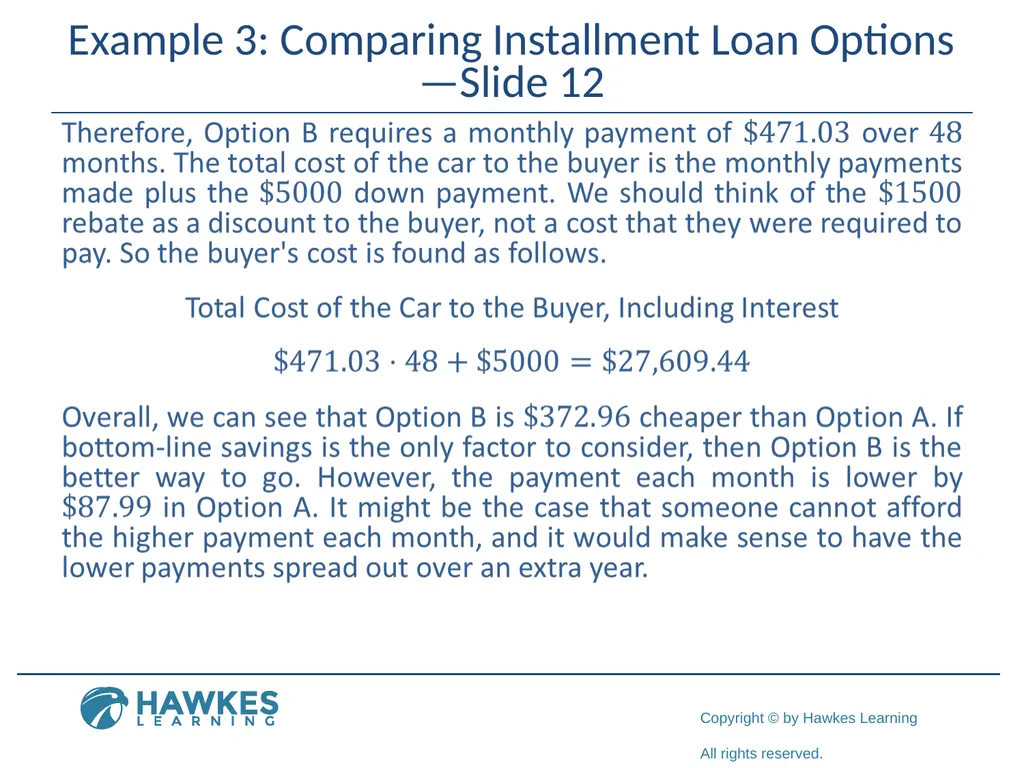
Example 3: Comparing Installment Loan Options —Slide 12<br>
36
Helpful Hint 3 The closing of a mortgage is the last step in the process of buying real estate. It is when the buyer, lender, and any other parties associated sign the necessary documents. After signing, the buyer becomes responsible for the mortgage loan.<br>
37
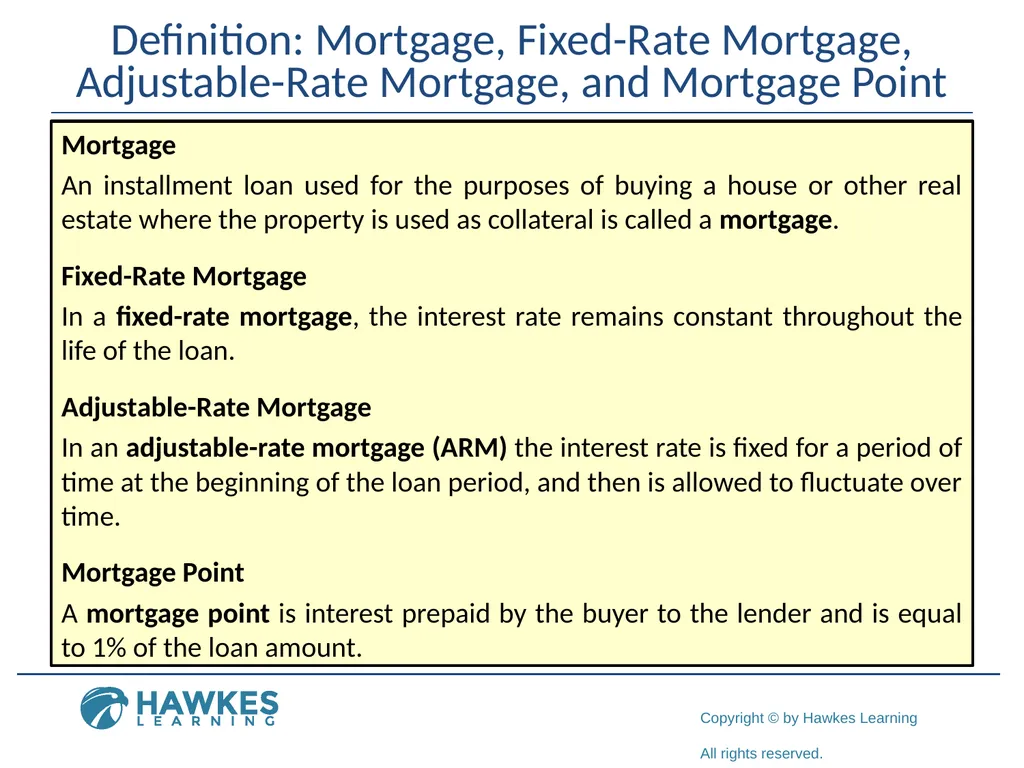
Definition: Mortgage, Fixed-Rate Mortgage, Adjustable-Rate Mortgage, and Mortgage Point Mortgage
An installment loan used for the purposes of buying a house or other real estate where the property is used as collateral is called a mortgage.
Fixed-Rate Mortgage
In a fixed-rate mortgage, the interest rate remains constant throughout the life of the loan.
Adjustable-Rate Mortgage
In an adjustable-rate mortgage (ARM) the interest rate is fixed for a period of time at the beginning of the loan period, and then is allowed to fluctuate over time.
Mortgage Point
A mortgage point is interest prepaid by the buyer to the lender and is equal to 1% of the loan amount.<br>
An installment loan used for the purposes of buying a house or other real estate where the property is used as collateral is called a mortgage.
Fixed-Rate Mortgage
In a fixed-rate mortgage, the interest rate remains constant throughout the life of the loan.
Adjustable-Rate Mortgage
In an adjustable-rate mortgage (ARM) the interest rate is fixed for a period of time at the beginning of the loan period, and then is allowed to fluctuate over time.
Mortgage Point
A mortgage point is interest prepaid by the buyer to the lender and is equal to 1% of the loan amount.<br>
38
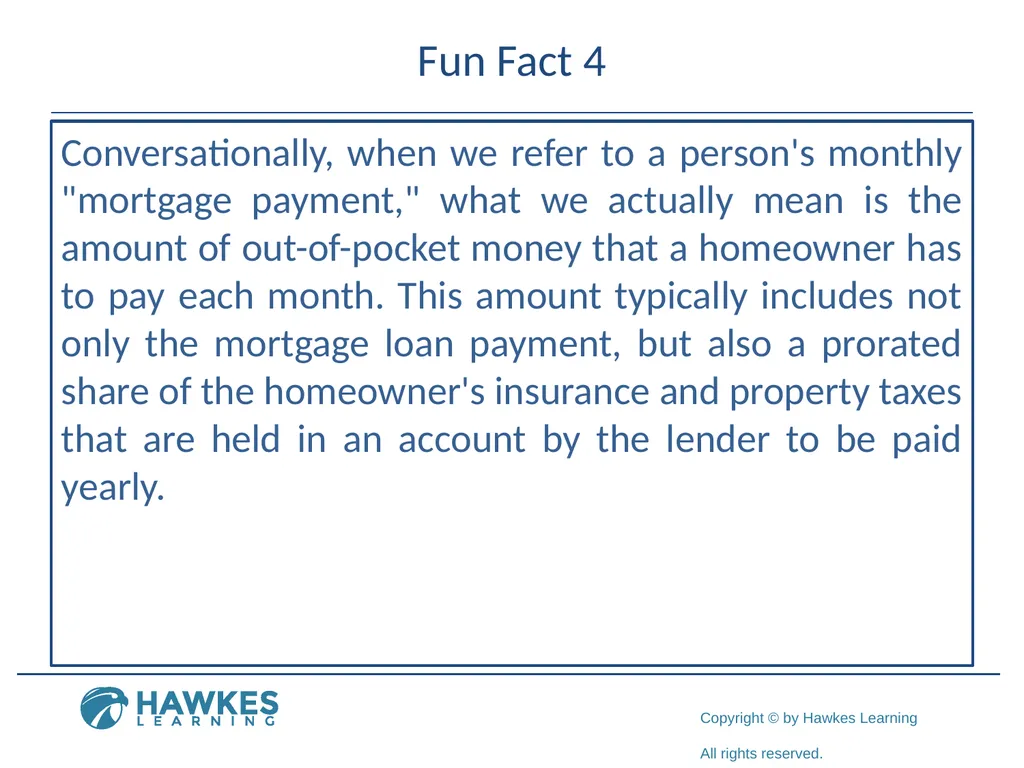
Fun Fact 4 Conversationally, when we refer to a person's monthly "mortgage payment," what we actually mean is the amount of out-of-pocket money that a homeowner has to pay each month. This amount typically includes not only the mortgage loan payment, but also a prorated share of the homeowner's insurance and property taxes that are held in an account by the lender to be paid yearly.<br>
39
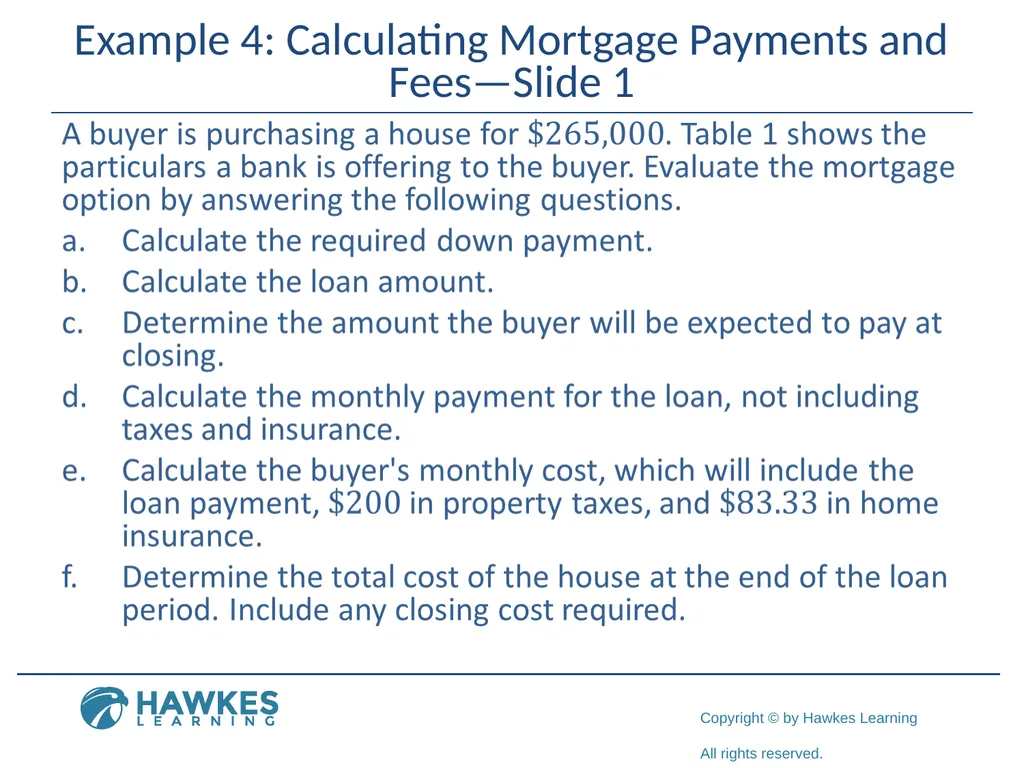
Example 4: Calculating Mortgage Payments and Fees—Slide 1<br>
40
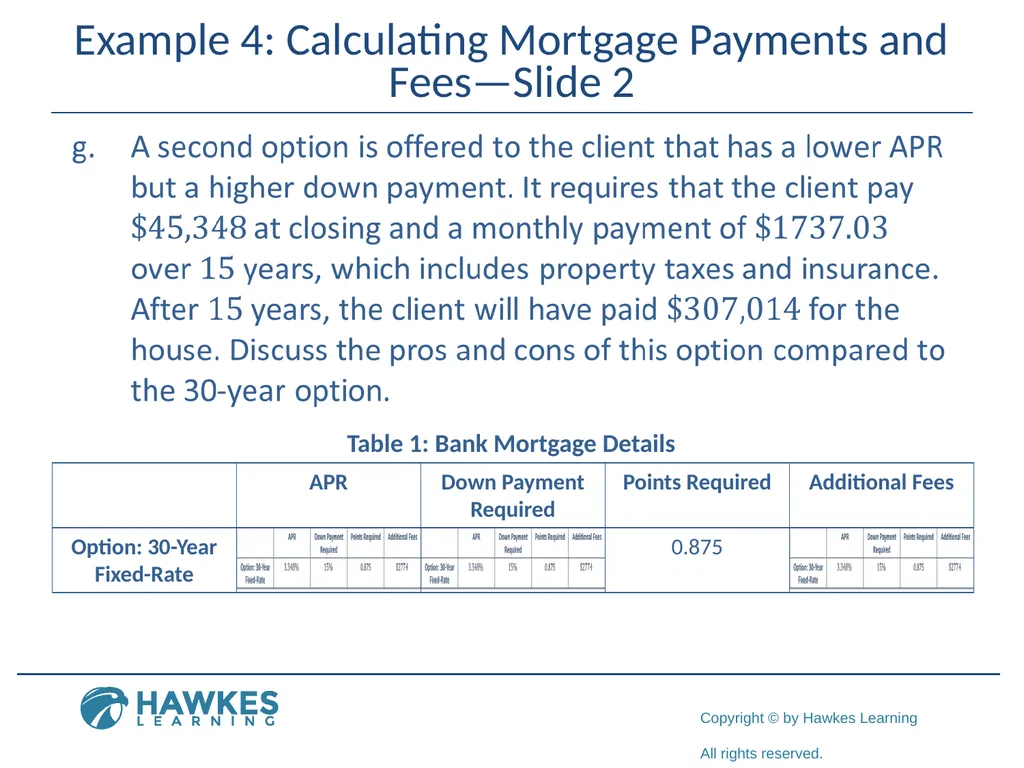
Example 4: Calculating Mortgage Payments and Fees—Slide 2 Table 1: Bank Mortgage Details<br>
41
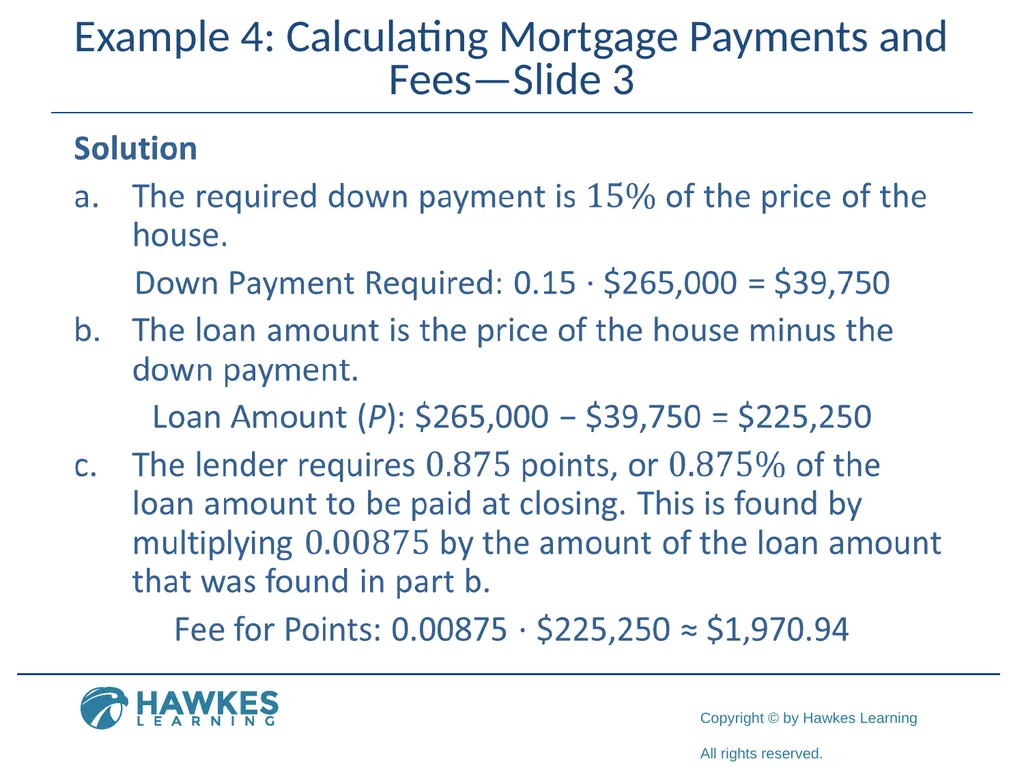
Example 4: Calculating Mortgage Payments and Fees—Slide 3<br>
42
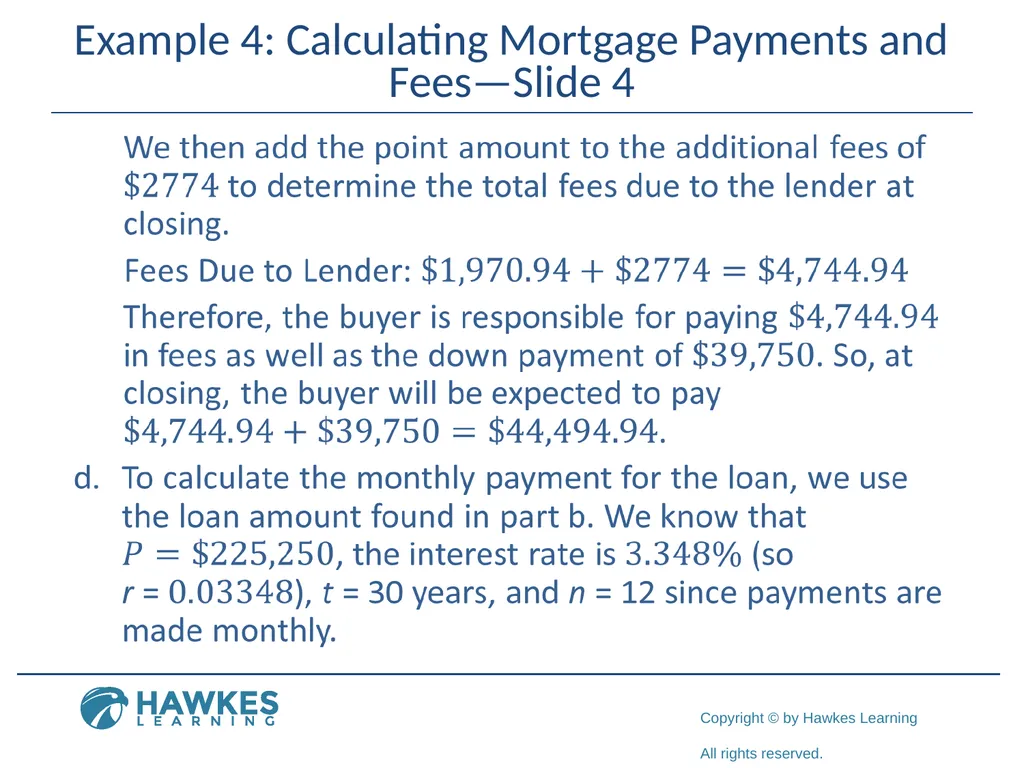
Example 4: Calculating Mortgage Payments and Fees—Slide 4<br>
43
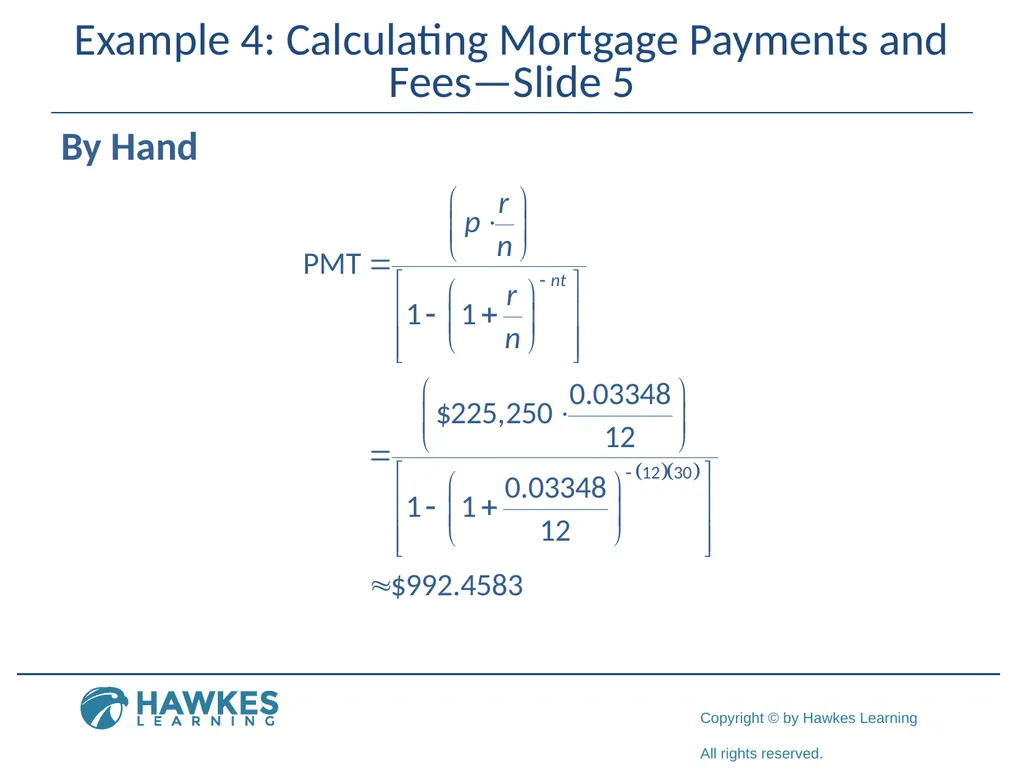
Example 4: Calculating Mortgage Payments and Fees—Slide 5 By Hand<br>
44
Example 4: Calculating Mortgage Payments and Fees—Slide 6 TI-83/84 Plus
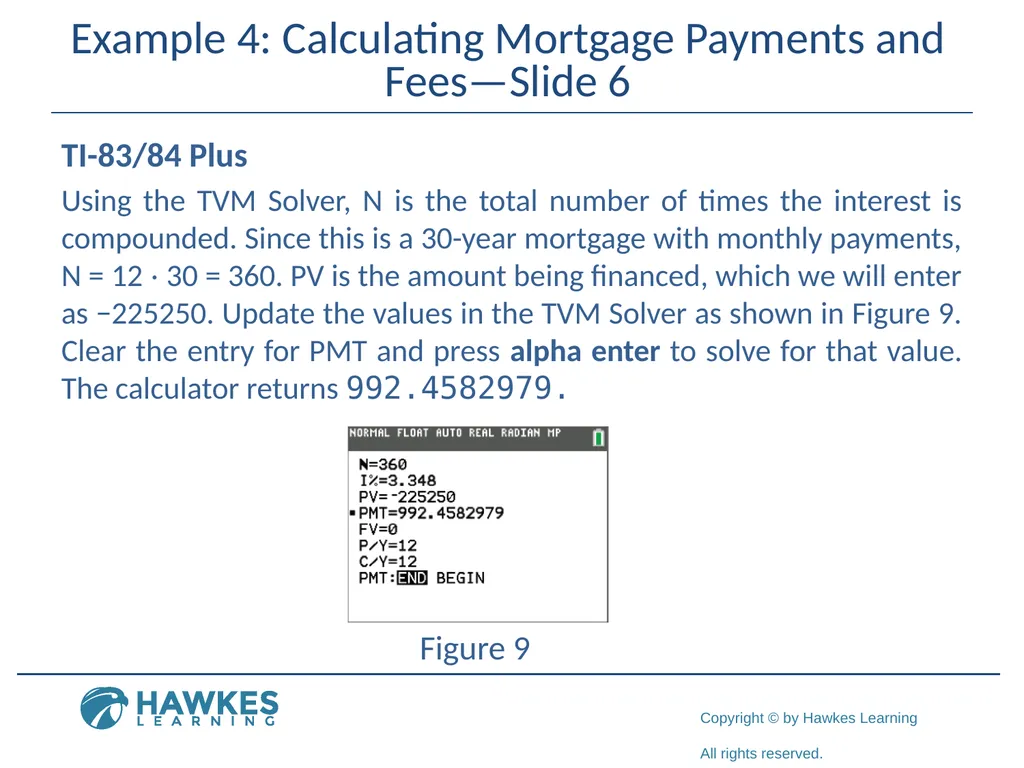
Using the TVM Solver, N is the total number of times the interest is compounded. Since this is a 30-year mortgage with monthly payments, N = 12 ⋅ 30 = 360. PV is the amount being financed, which we will enter as −225250. Update the values in the TVM Solver as shown in Figure 9. Clear the entry for PMT and press alpha enter to solve for that value. The calculator returns 992.4582979. Figure 9<br>
Using the TVM Solver, N is the total number of times the interest is compounded. Since this is a 30-year mortgage with monthly payments, N = 12 ⋅ 30 = 360. PV is the amount being financed, which we will enter as −225250. Update the values in the TVM Solver as shown in Figure 9. Clear the entry for PMT and press alpha enter to solve for that value. The calculator returns 992.4582979. Figure 9<br>
45
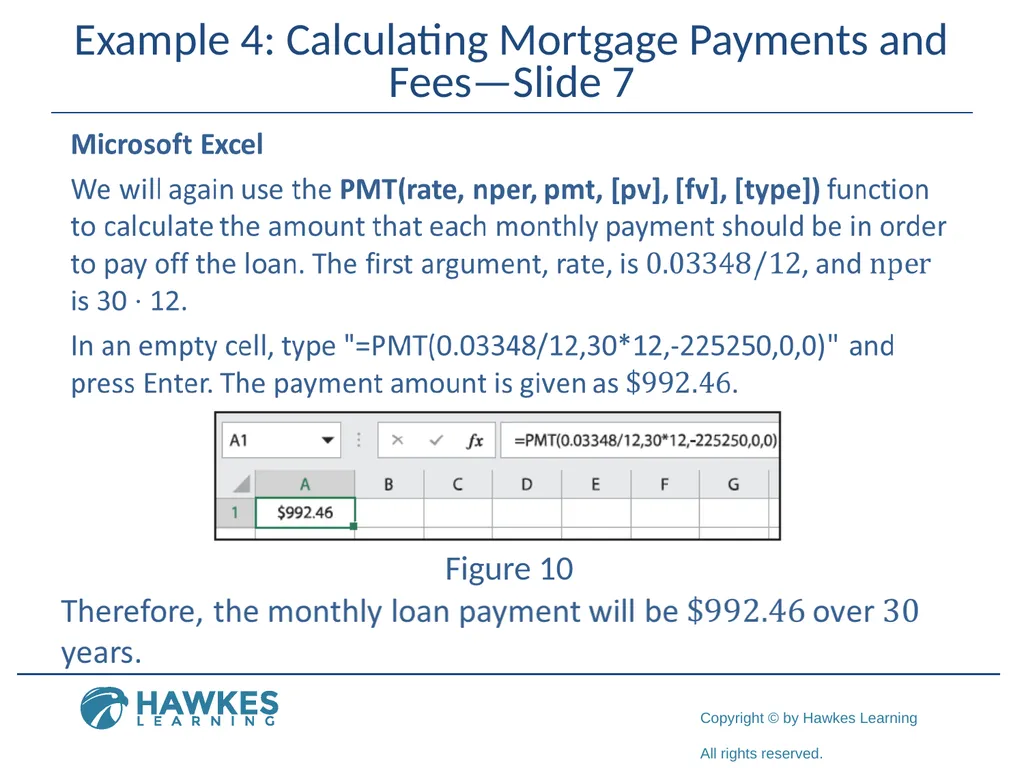
Example 4: Calculating Mortgage Payments and Fees—Slide 7 Figure 10<br>
46
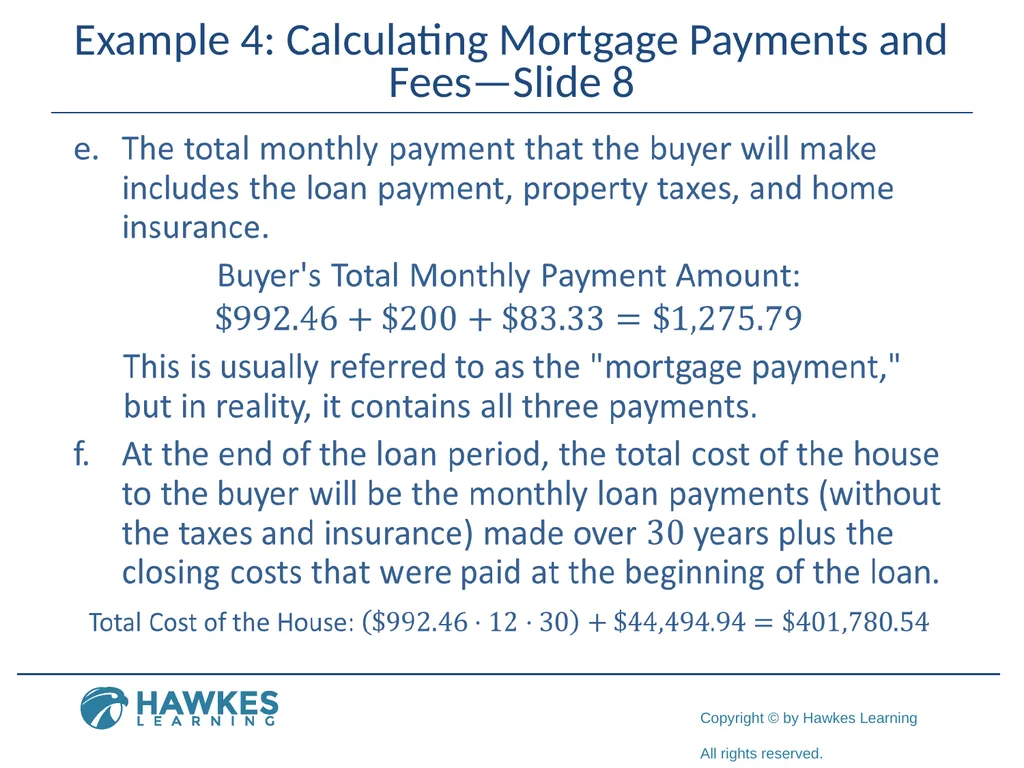
Example 4: Calculating Mortgage Payments and Fees—Slide 8<br>
47
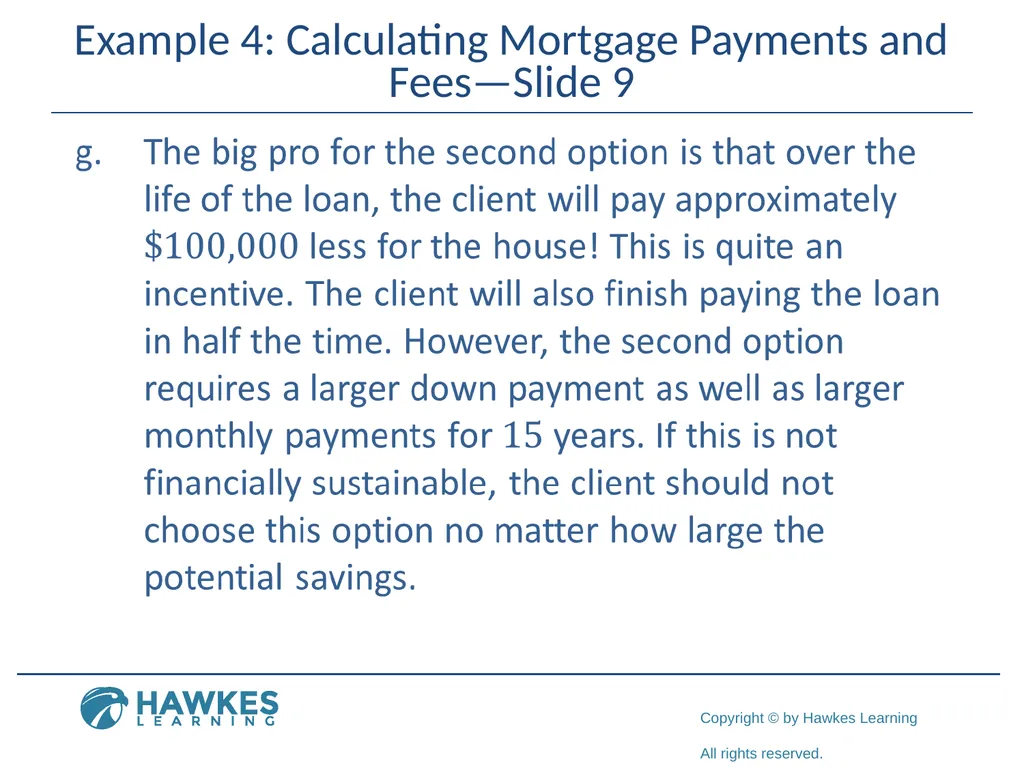
Example 4: Calculating Mortgage Payments and Fees—Slide 9<br>
48
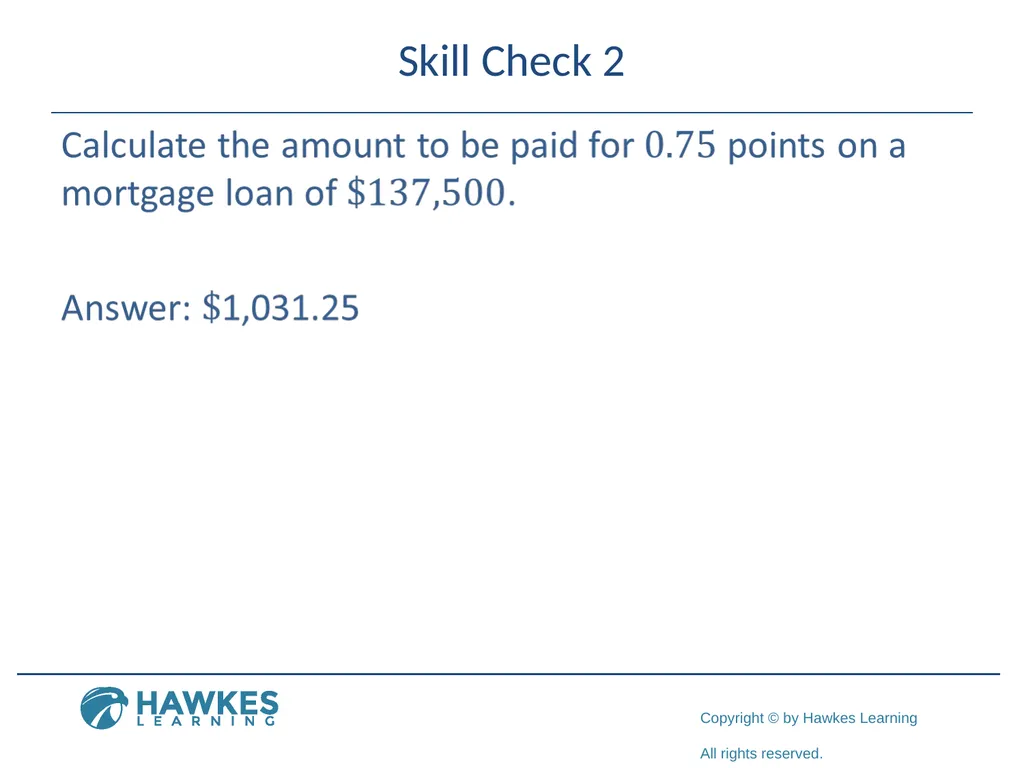
Skill Check 2<br>
49
Fun Fact 5 To help homeowners offset the cost of buying a home, the IRS allows you to deduct the interest paid on your mortgage when you file your personal income taxes.<br>
50
Helpful Hint 4 When the celebratory day comes to finally settle the debt on your mortgage, your payoff amount is likely to differ from the monthly payments you've been making. Along with the balance on the loan, it will include any interest you owe through the day you intend to pay off your loan, as well as any fees or additional charges from the lender. It's best to ask for a payoff amount one to two months before your last payment.<br>
51
Tech tip Websites and smartphone apps can quickly create amortization tables for you. These apps can also quickly help you see the effects of changing the mortgage<br>
52
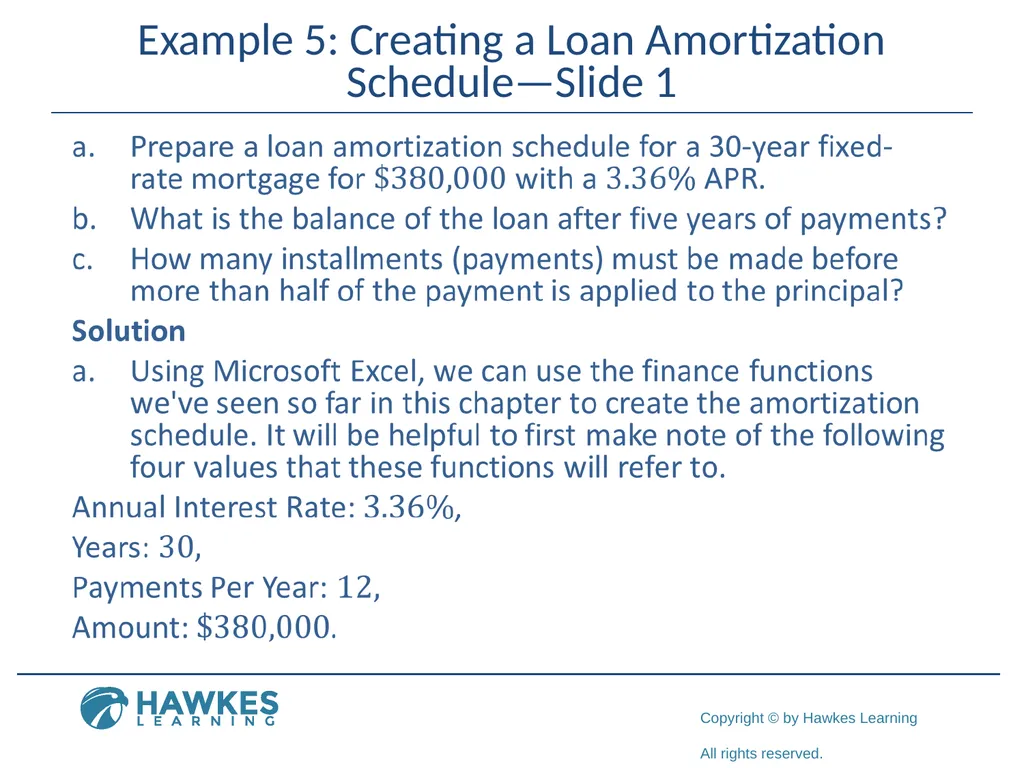
Example 5: Creating a Loan Amortization Schedule—Slide 1<br>
53
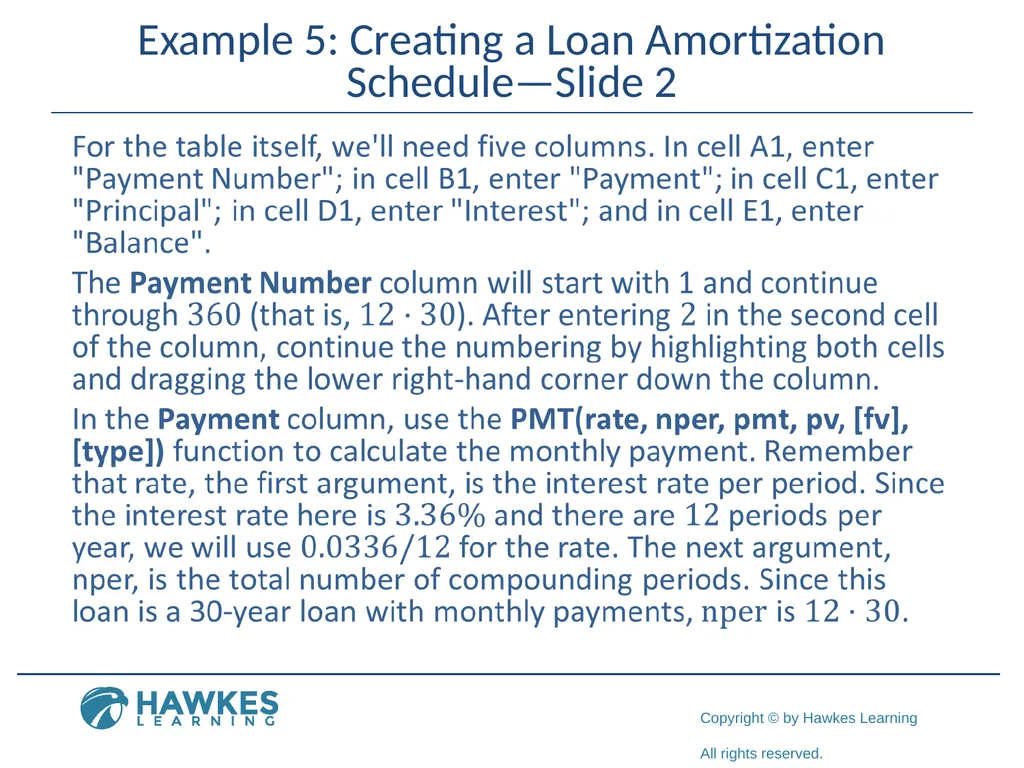
Example 5: Creating a Loan Amortization Schedule—Slide 2<br>
54
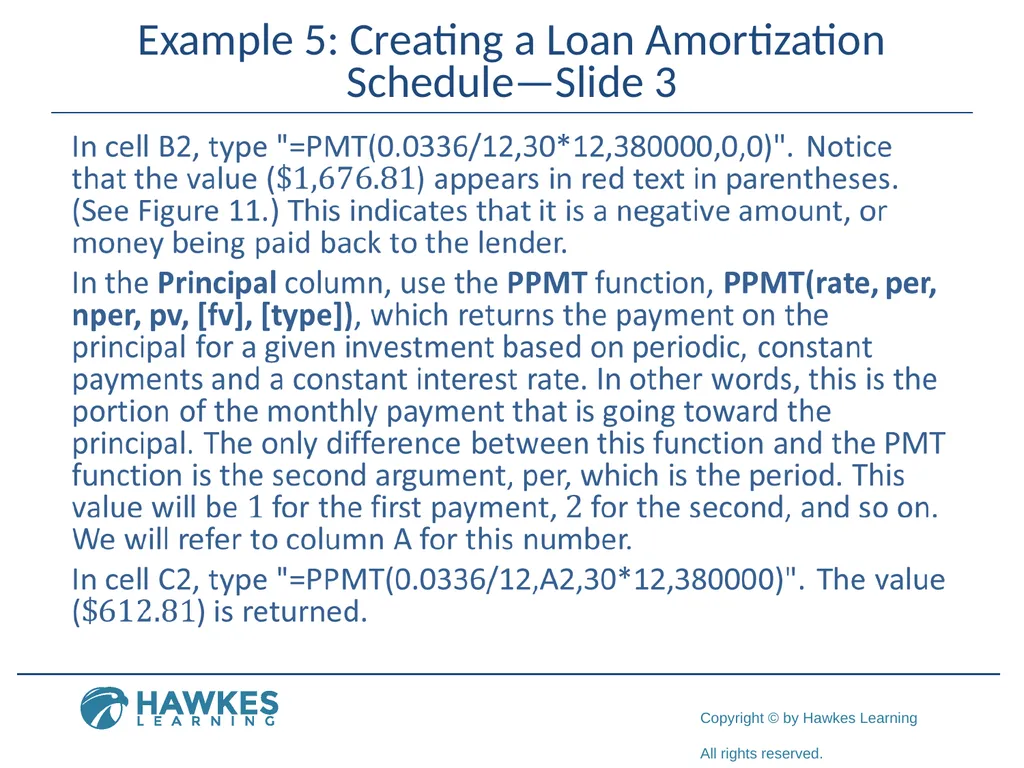
Example 5: Creating a Loan Amortization Schedule—Slide 3<br>
55
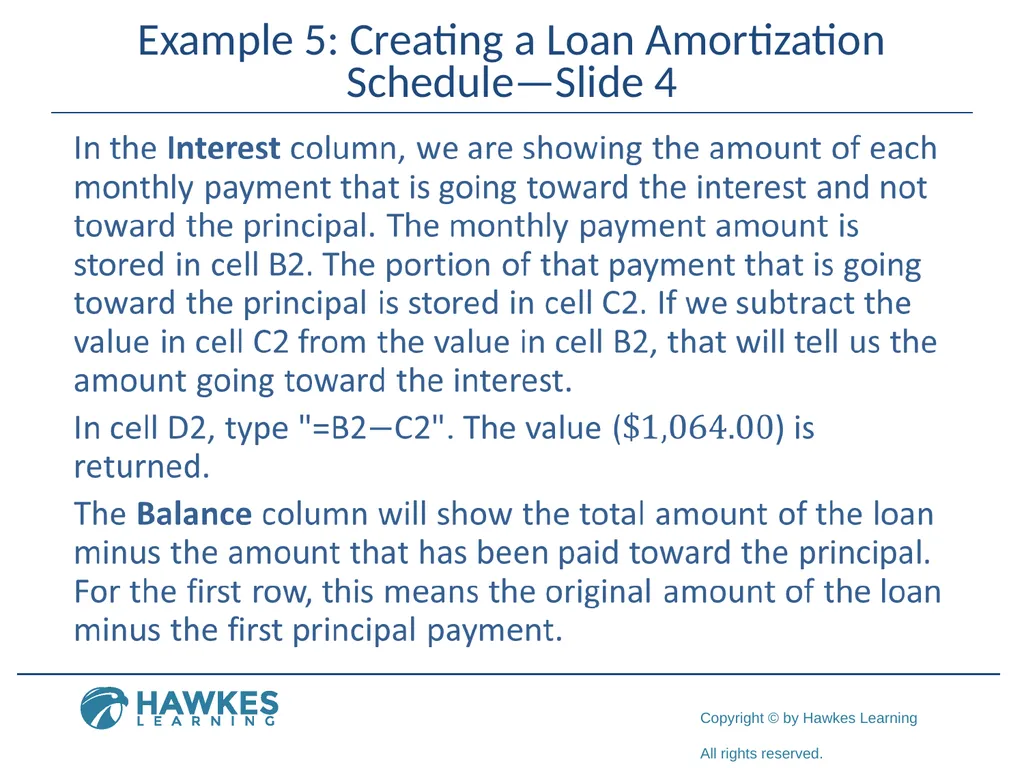
Example 5: Creating a Loan Amortization Schedule—Slide 4<br>
56
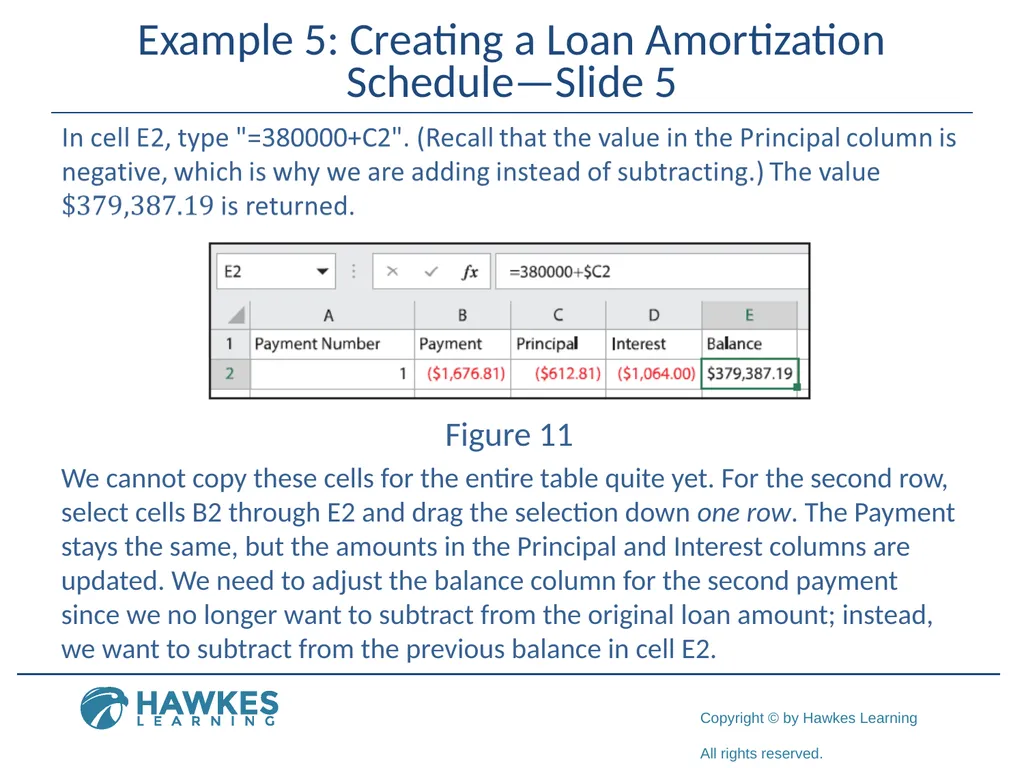
Example 5: Creating a Loan Amortization Schedule—Slide 5 Figure 11 We cannot copy these cells for the entire table quite yet. For the second row, select cells B2 through E2 and drag the selection down one row. The Payment stays the same, but the amounts in the Principal and Interest columns are updated. We need to adjust the balance column for the second payment since we no longer want to subtract from the original loan amount; instead, we want to subtract from the previous balance in cell E2.<br>
57
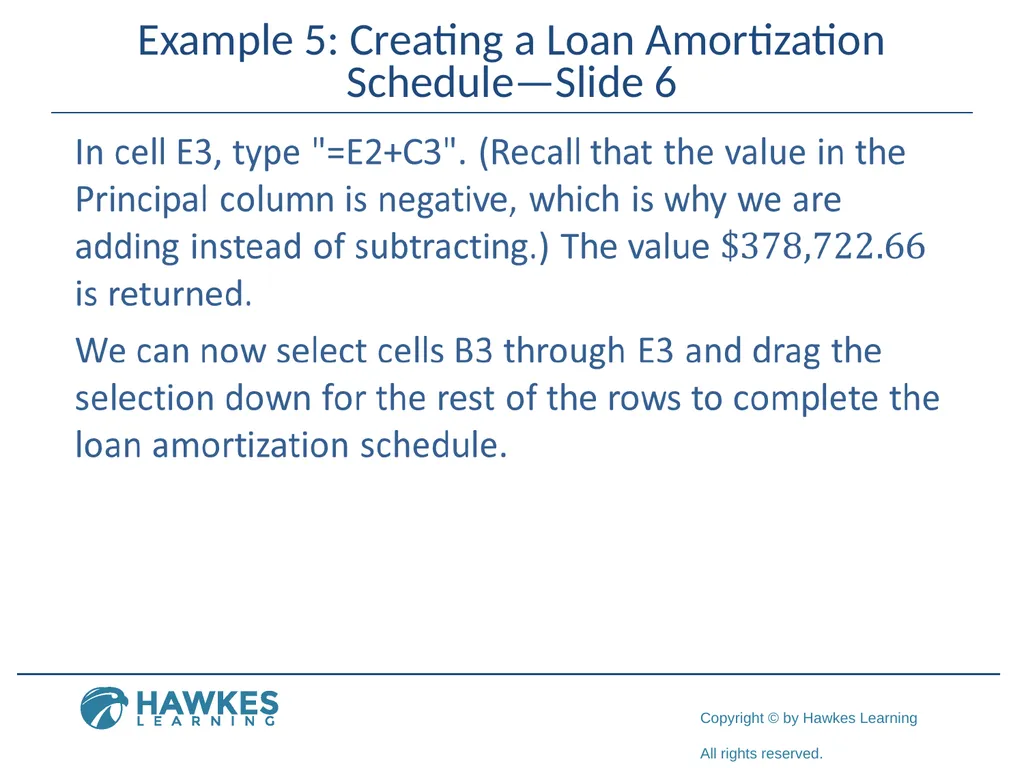
Example 5: Creating a Loan Amortization Schedule—Slide 6<br>
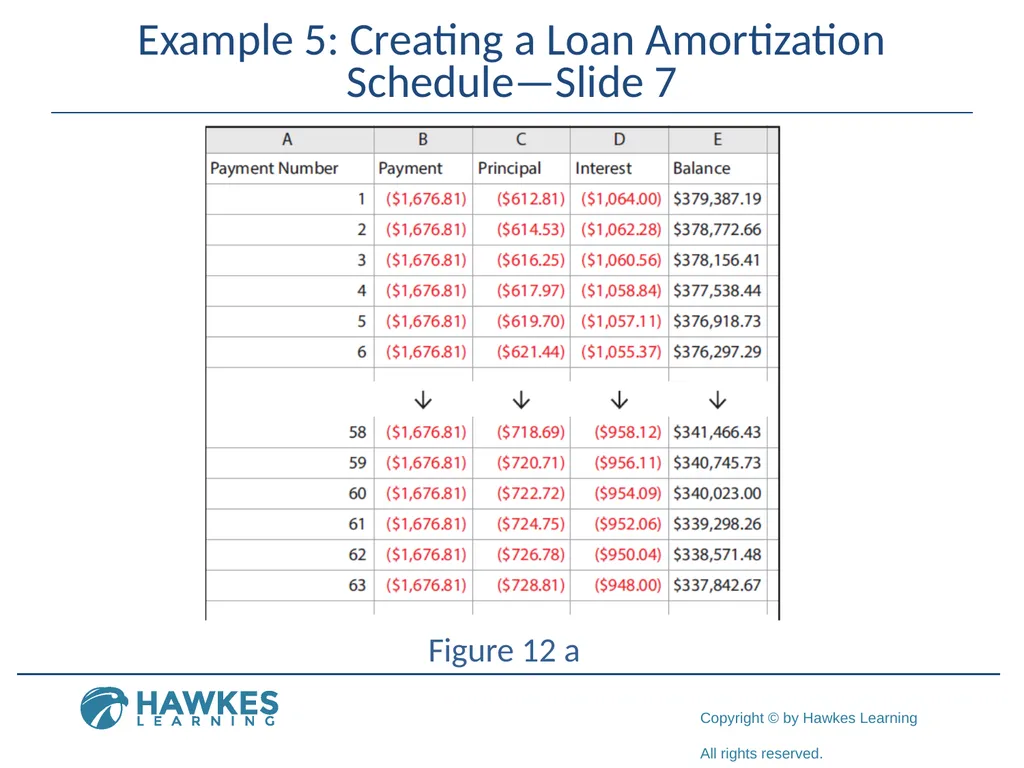
58
Example 5: Creating a Loan Amortization Schedule—Slide 7 Figure 12 a<br>
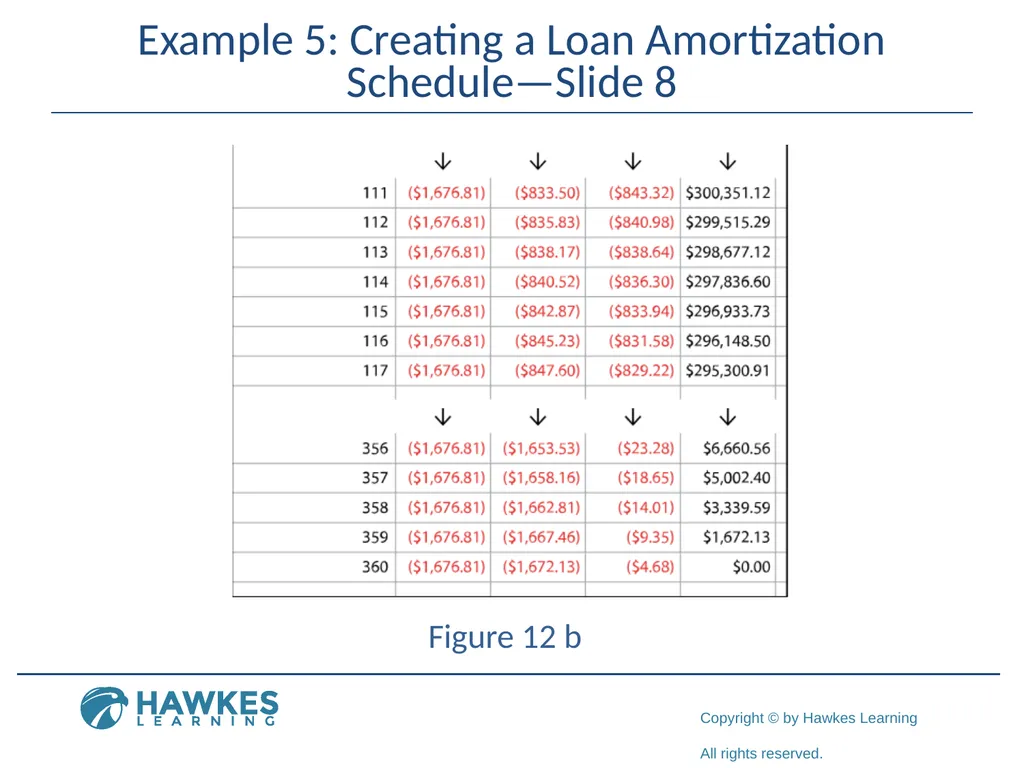
59
Example 5: Creating a Loan Amortization Schedule—Slide 8 Figure 12 b<br>
60
Example 5: Creating a Loan Amortization Schedule—Slide 9<br>
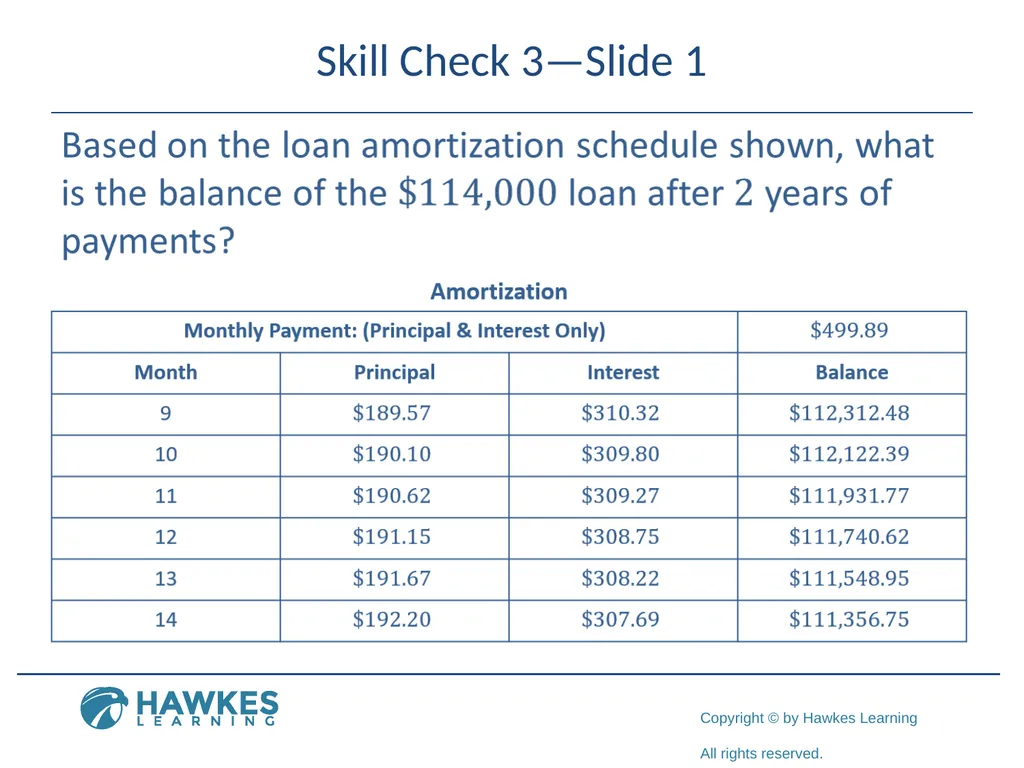
61
Skill Check 3—Slide 1<br>
62
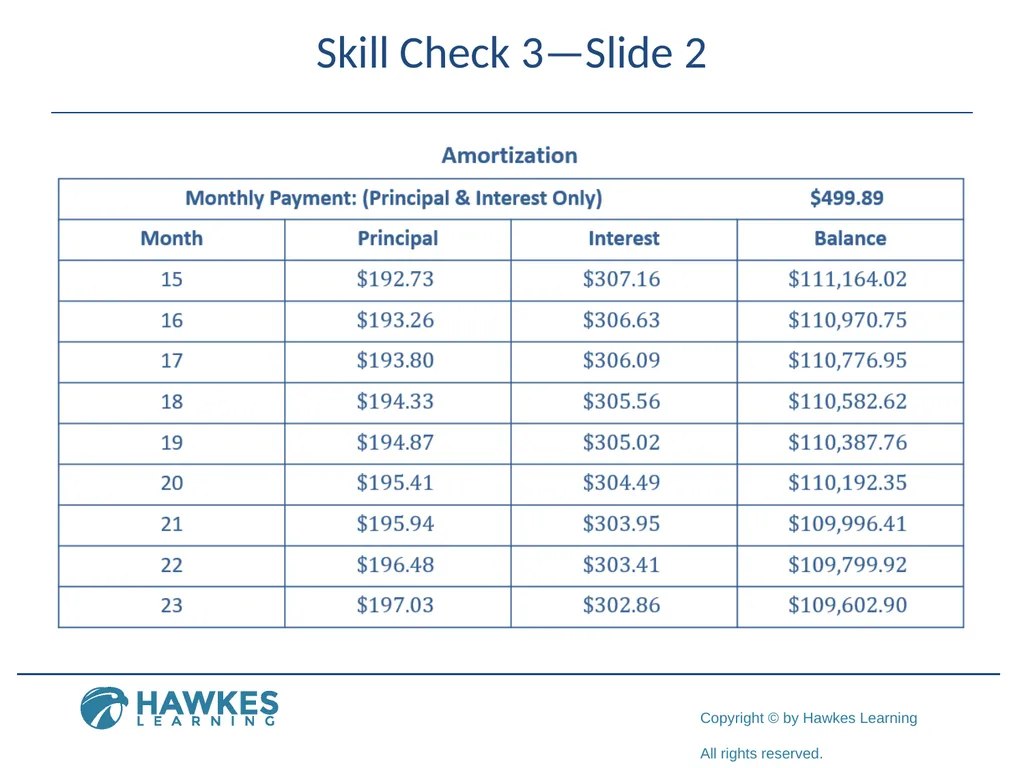
Skill Check 3—Slide 2<br>
63
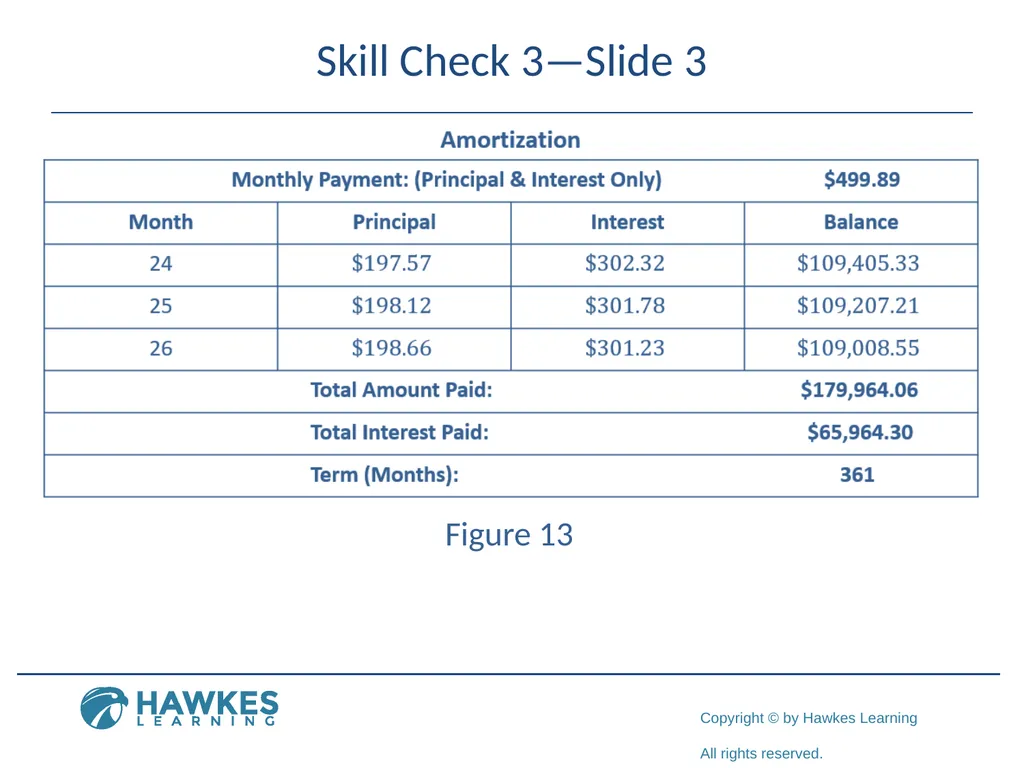
Skill Check 3—Slide 3 Figure 13<br>
64
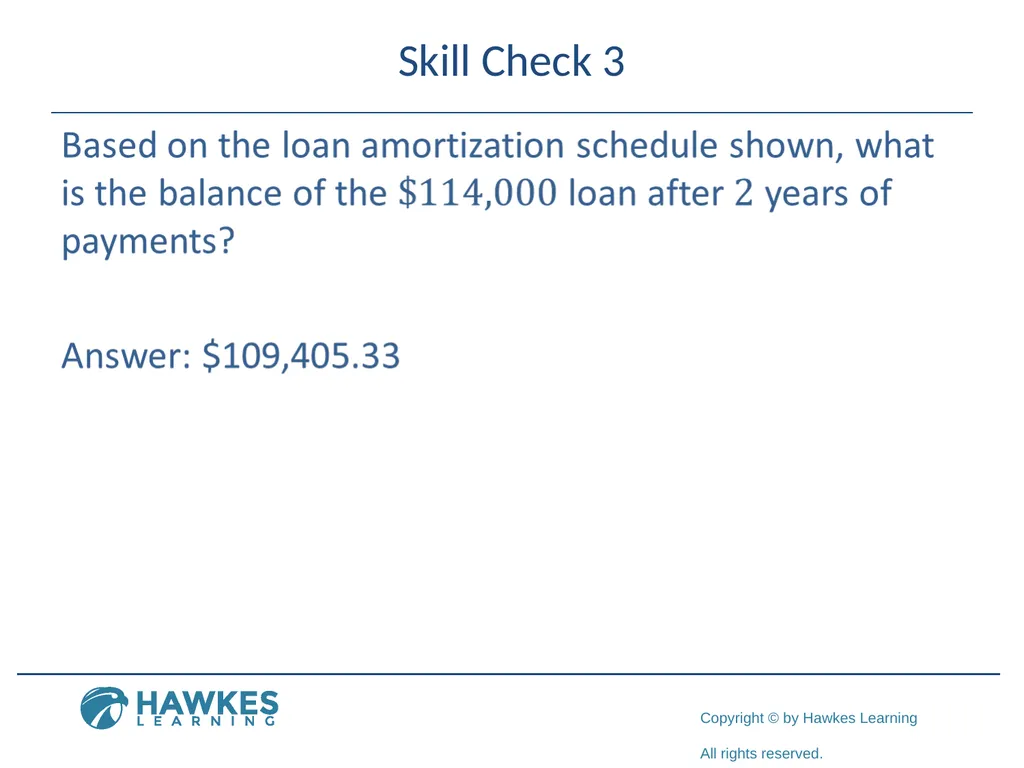
Skill Check 3<br>
65
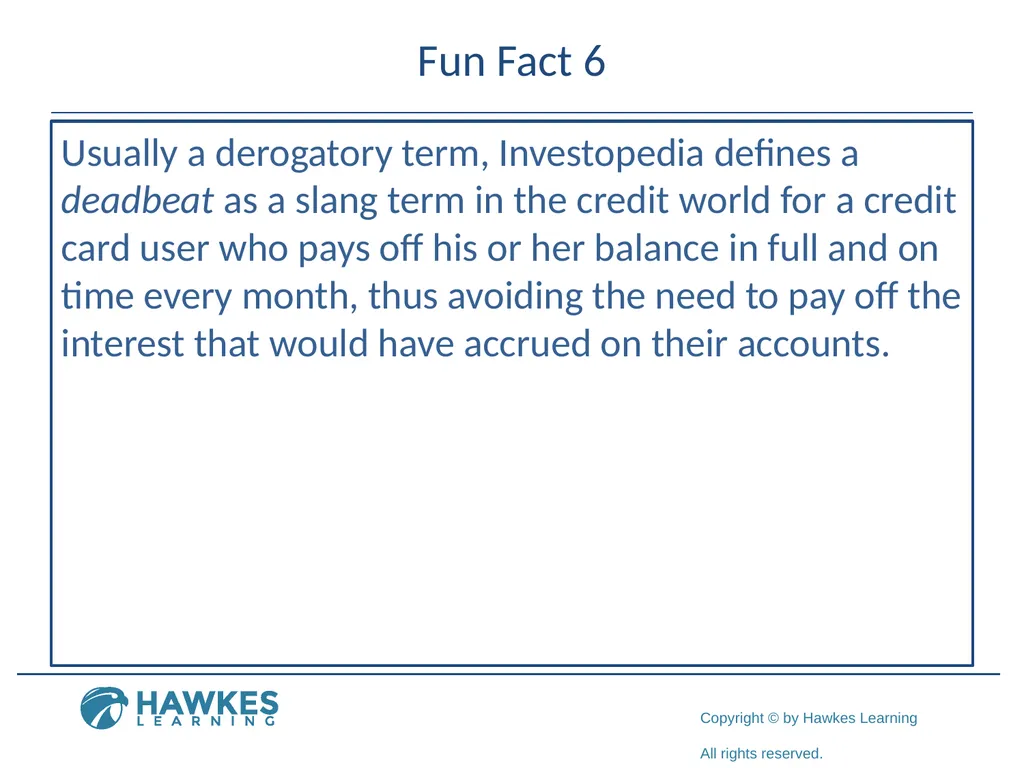
Fun Fact 6 Usually a derogatory term, Investopedia defines a deadbeat as a slang term in the credit world for a credit card user who pays off his or her balance in full and on time every month, thus avoiding the need to pay off the interest that would have accrued on their accounts.<br>
66
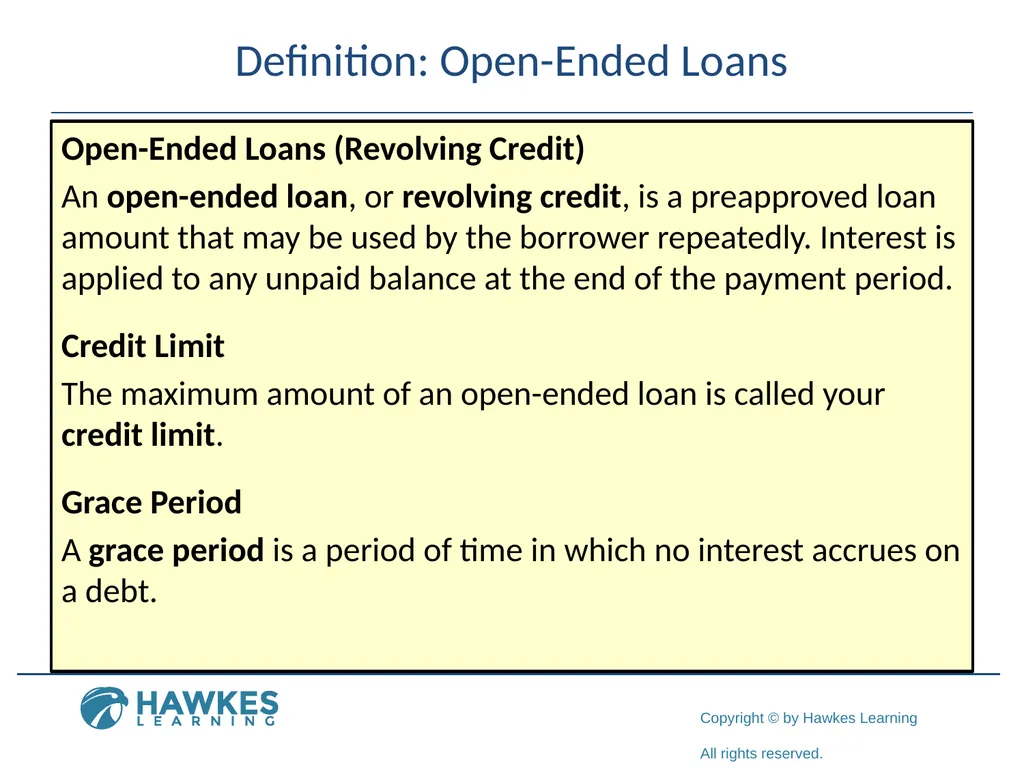
Definition: Open-Ended Loans Open-Ended Loans (Revolving Credit)
An open-ended loan, or revolving credit, is a preapproved loan amount that may be used by the borrower repeatedly. Interest is applied to any unpaid balance at the end of the payment period.
Credit Limit
The maximum amount of an open-ended loan is called your credit limit.
Grace Period
A grace period is a period of time in which no interest accrues on a debt.<br>
An open-ended loan, or revolving credit, is a preapproved loan amount that may be used by the borrower repeatedly. Interest is applied to any unpaid balance at the end of the payment period.
Credit Limit
The maximum amount of an open-ended loan is called your credit limit.
Grace Period
A grace period is a period of time in which no interest accrues on a debt.<br>
67
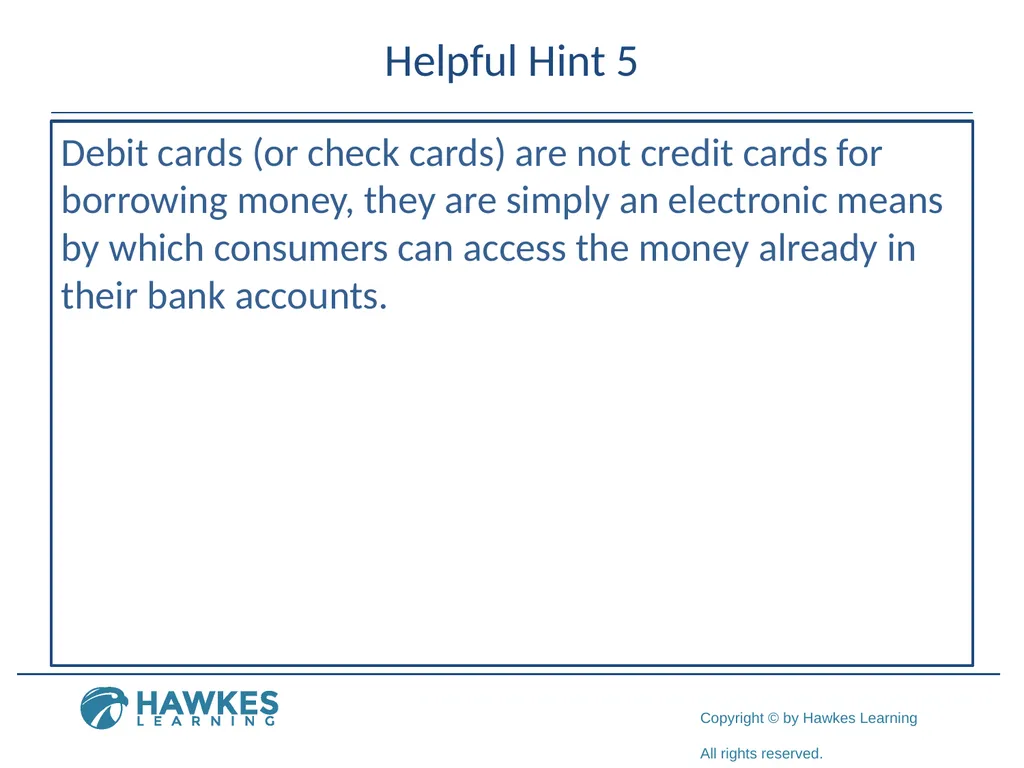
Helpful Hint 5 Debit cards (or check cards) are not credit cards for borrowing money, they are simply an electronic means by which consumers can access the money already in their bank accounts.<br>
68
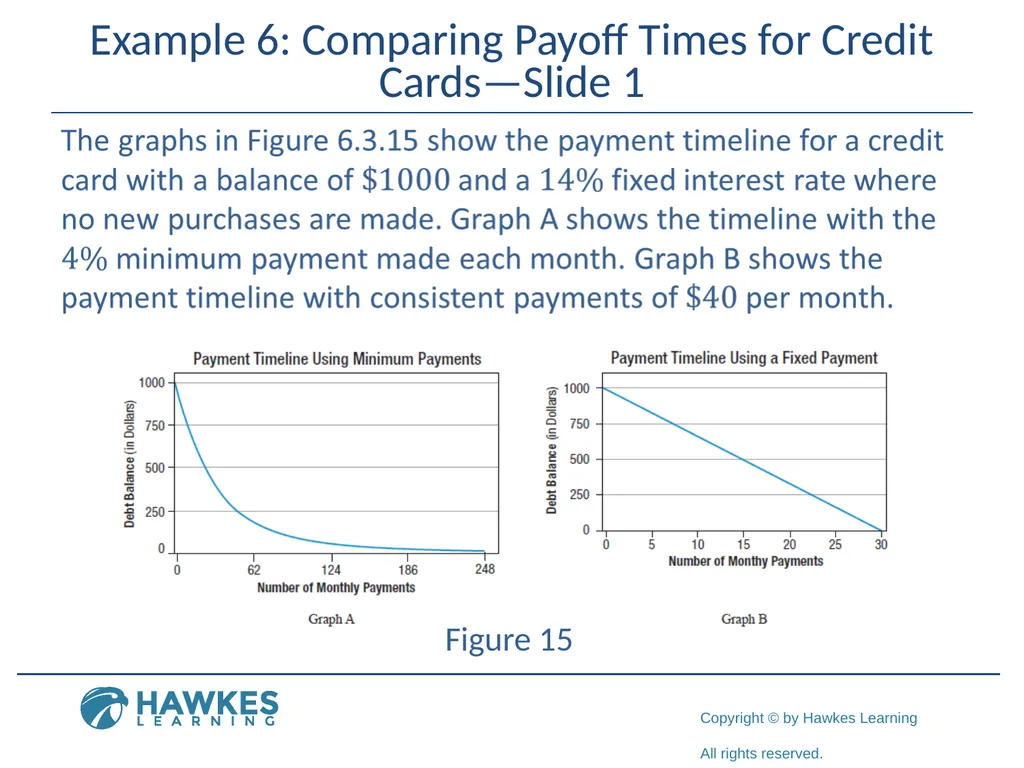
Example 6: Comparing Payoff Times for Credit Cards—Slide 1 Figure 15<br>
69
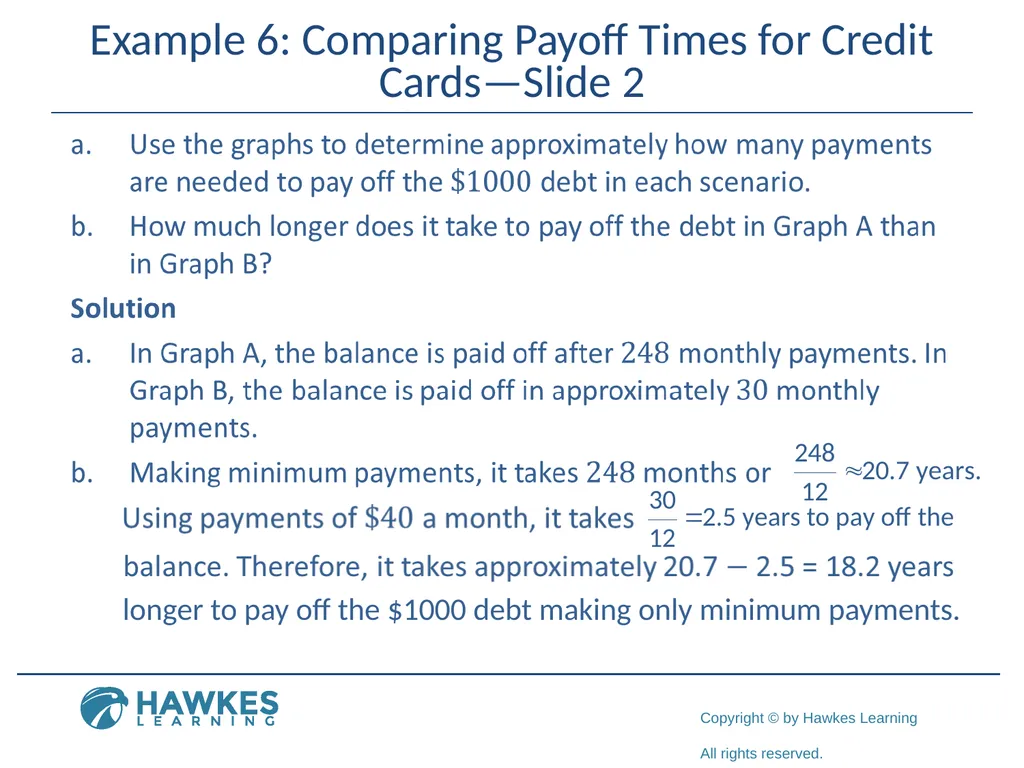
Example 6: Comparing Payoff Times for Credit Cards—Slide 2 longer to pay off the $1000 debt making only minimum payments.<br>
70
Helpful Hint 6 Schumer boxes are the easy-to-read tables used by credit card issuers to clearly disclose important rate, fee, and term information. They are named after the New York Senator (then Congressman) Charles Schumer who is responsible for the legislation which requires easily readable font instead of "mice type" legal print.<br>
71
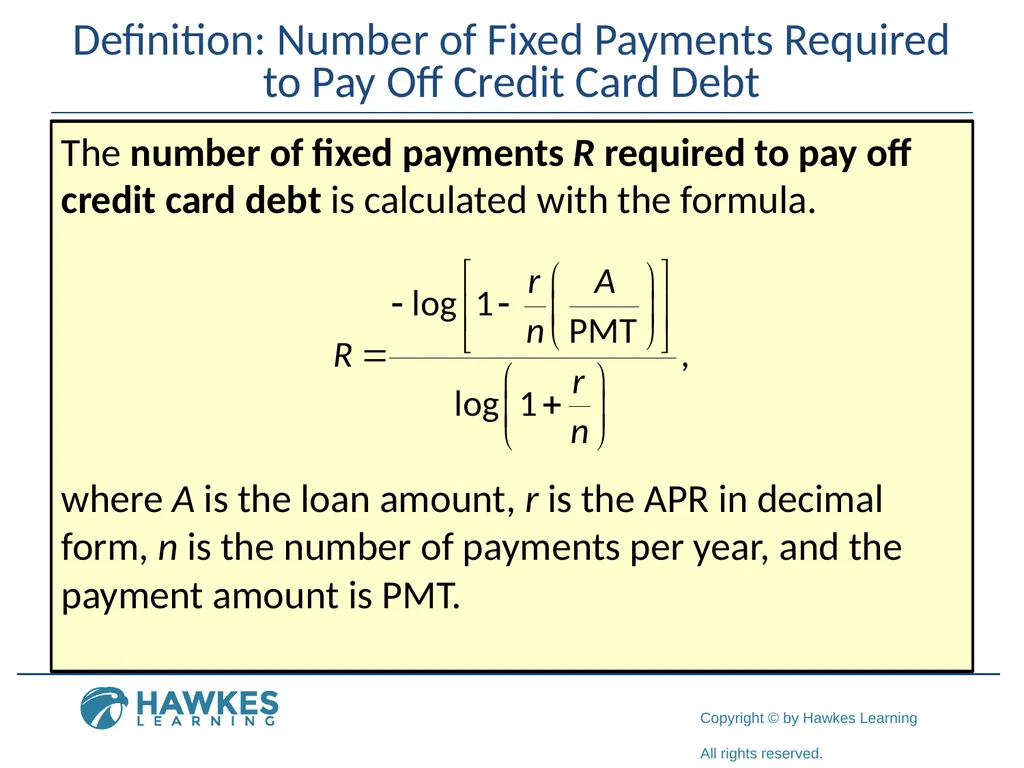
Definition: Number of Fixed Payments Required to Pay Off Credit Card Debt The number of fixed payments R required to pay off credit card debt is calculated with the formula. where A is the loan amount, r is the APR in decimal form, n is the number of payments per year, and the payment amount is PMT.<br>
72
Helpful Hint 7 The payment amount must be more than the amount of interested add on each period. Otherwise, the balance will never decrease. The formula will return an error if the payment is less than the interest to be added.<br>
73
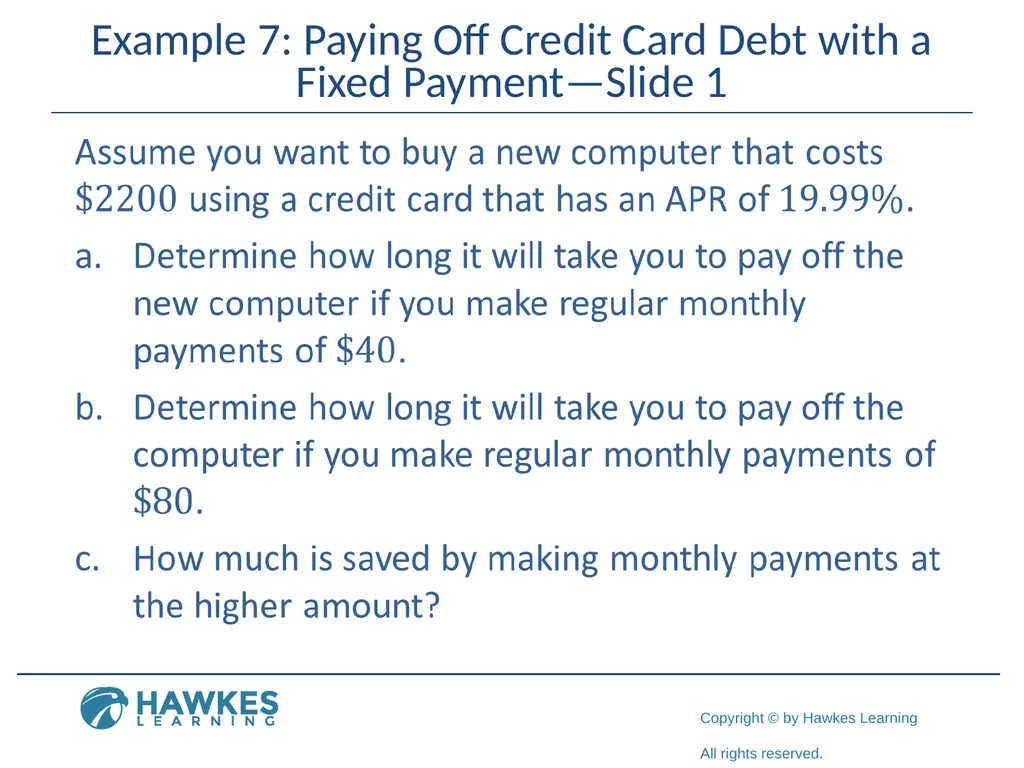
Example 7: Paying Off Credit Card Debt with a Fixed Payment—Slide 1<br>
74
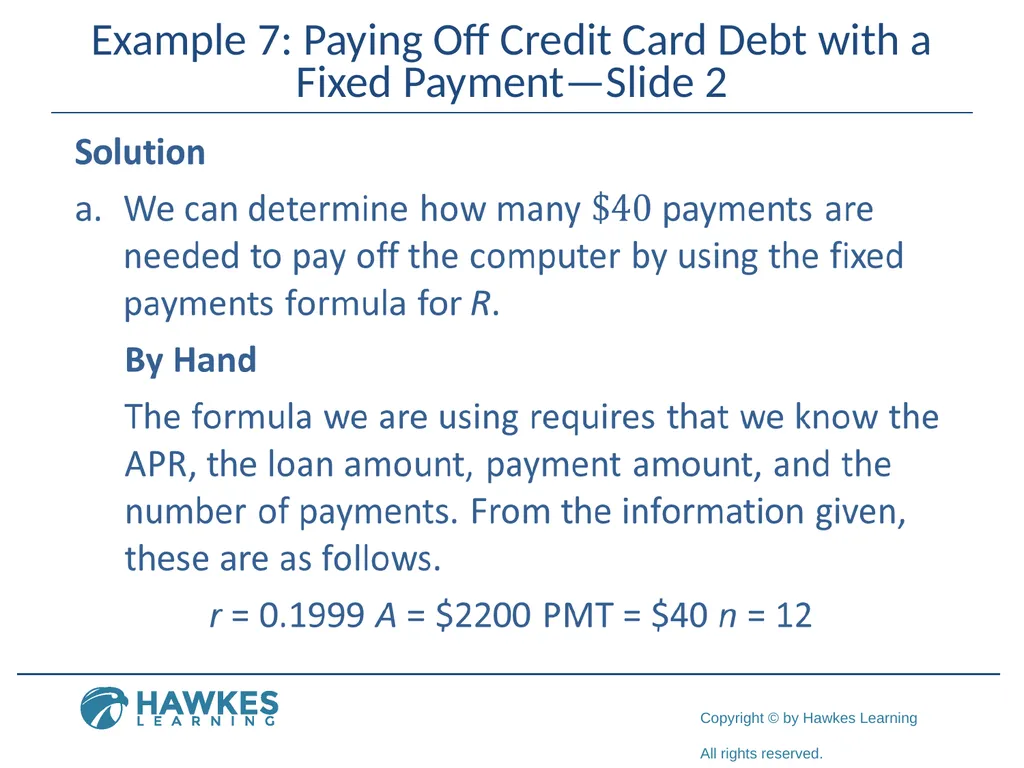
Example 7: Paying Off Credit Card Debt with a Fixed Payment—Slide 2<br>
75
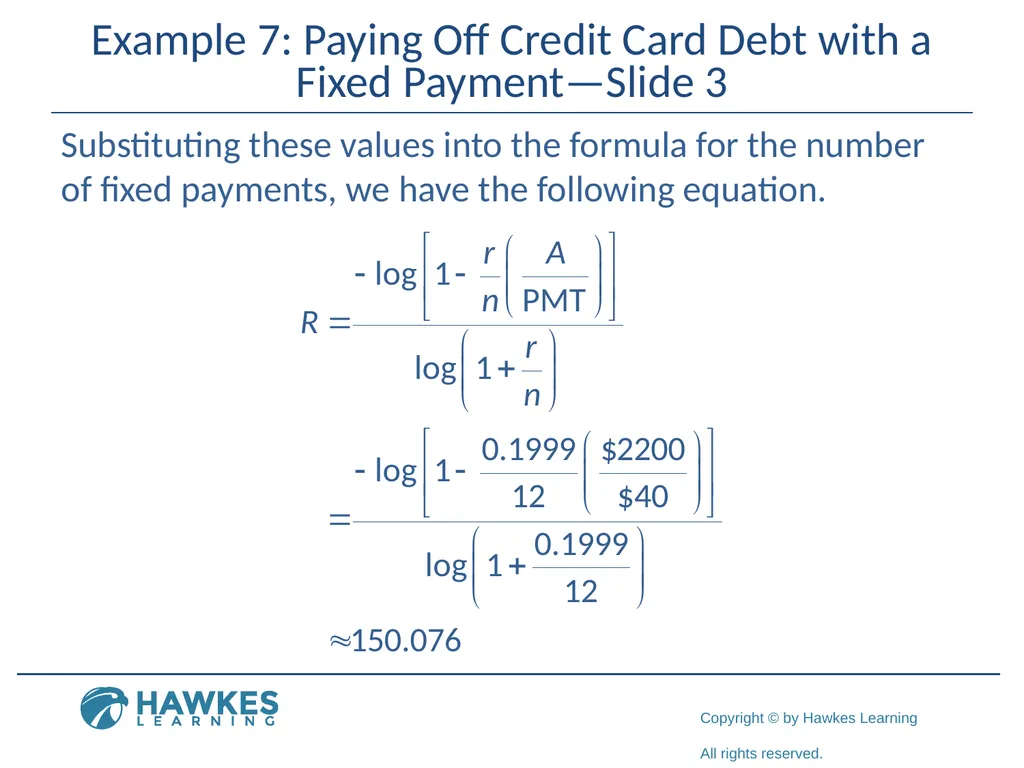
Example 7: Paying Off Credit Card Debt with a Fixed Payment—Slide 3 Substituting these values into the formula for the number of fixed payments, we have the following equation.<br>
76
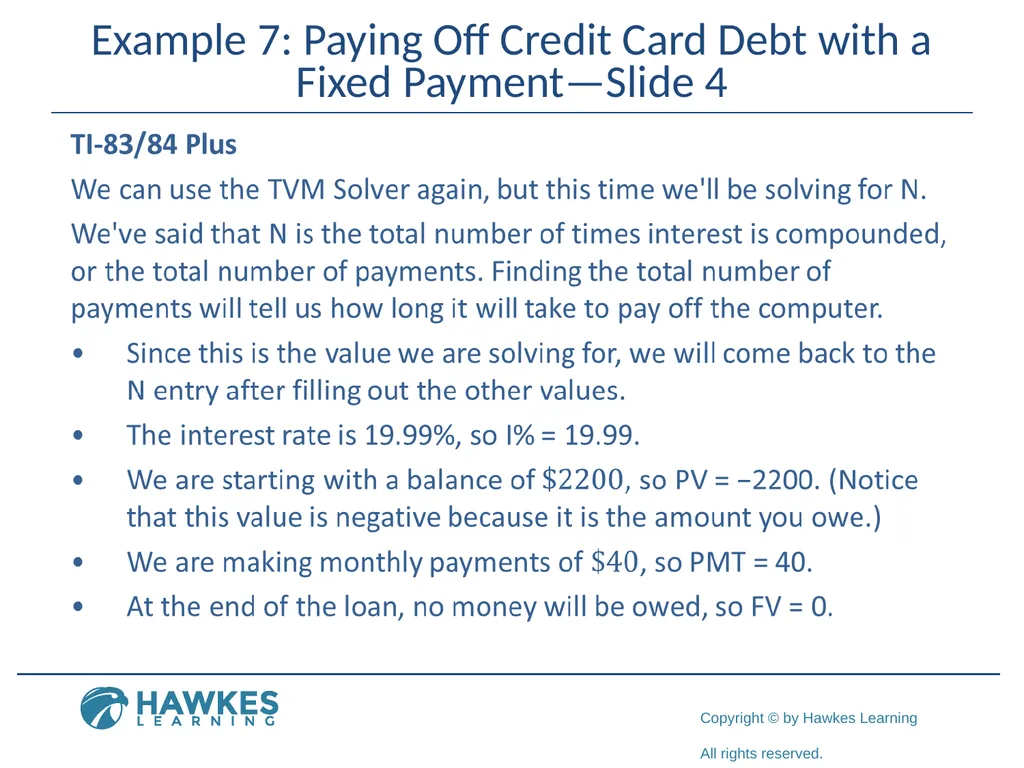
Example 7: Paying Off Credit Card Debt with a Fixed Payment—Slide 4<br>
77
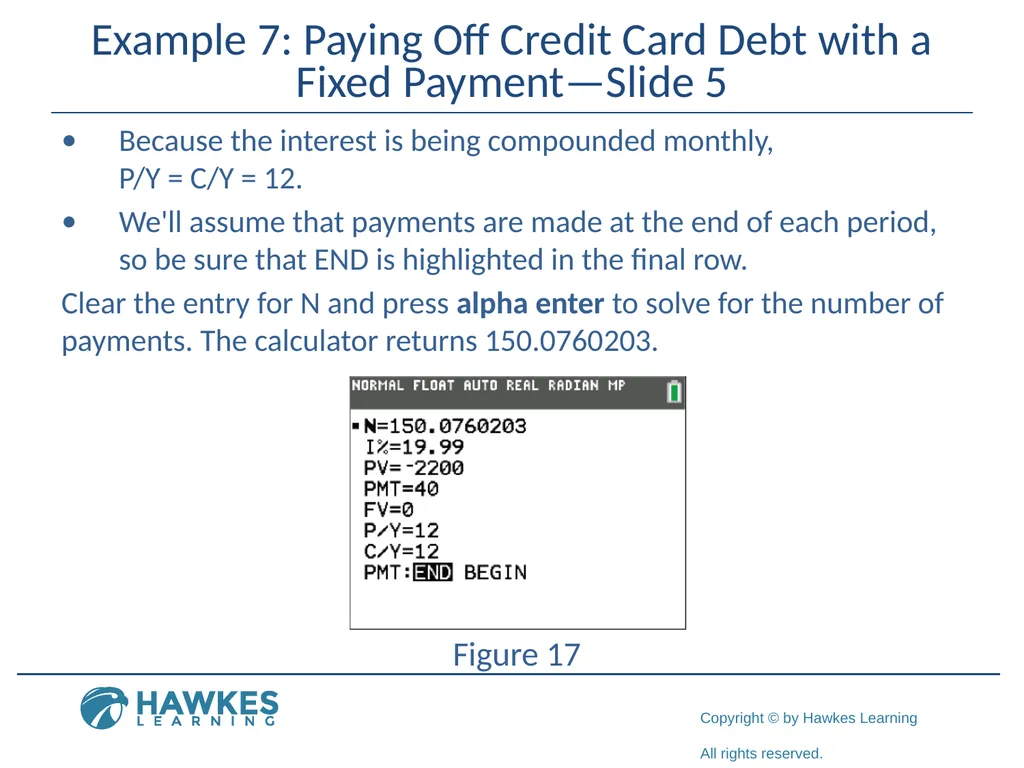
Example 7: Paying Off Credit Card Debt with a Fixed Payment—Slide 5 Because the interest is being compounded monthly,
P/Y = C/Y = 12.
We'll assume that payments are made at the end of each period, so be sure that END is highlighted in the final row.
Clear the entry for N and press alpha enter to solve for the number of payments. The calculator returns 150.0760203.
Figure 17<br>
We'll assume that payments are made at the end of each period, so be sure that END is highlighted in the final row.
Clear the entry for N and press alpha enter to solve for the number of payments. The calculator returns 150.0760203.
Figure 17<br>
78
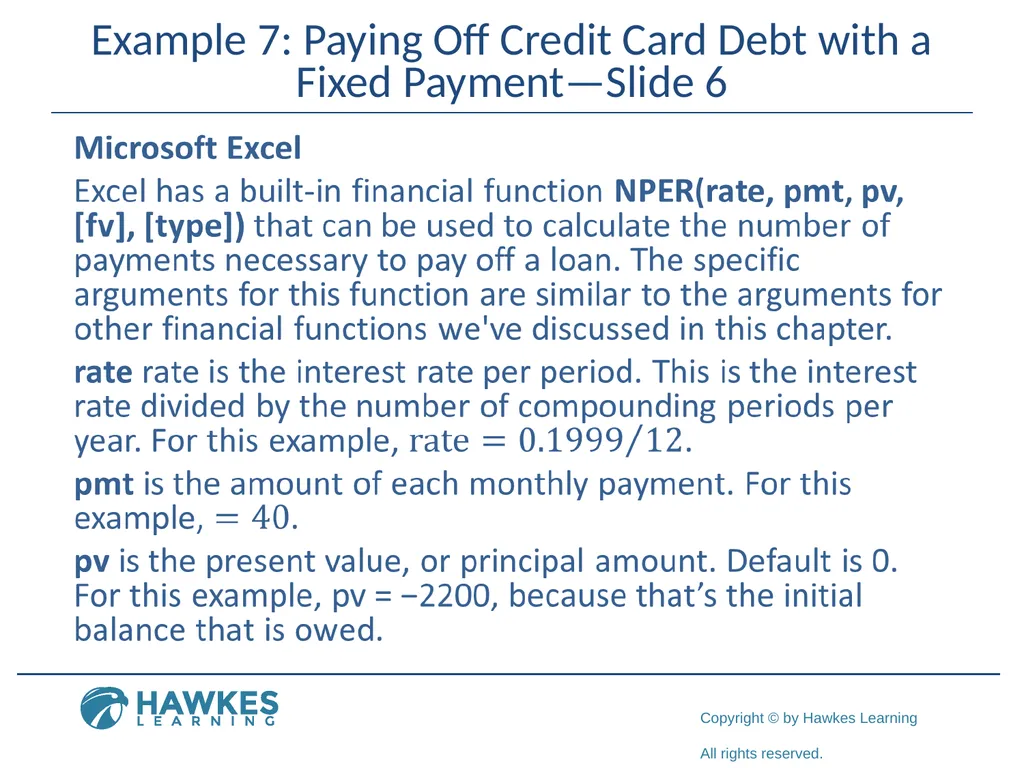
Example 7: Paying Off Credit Card Debt with a Fixed Payment—Slide 6<br>
79
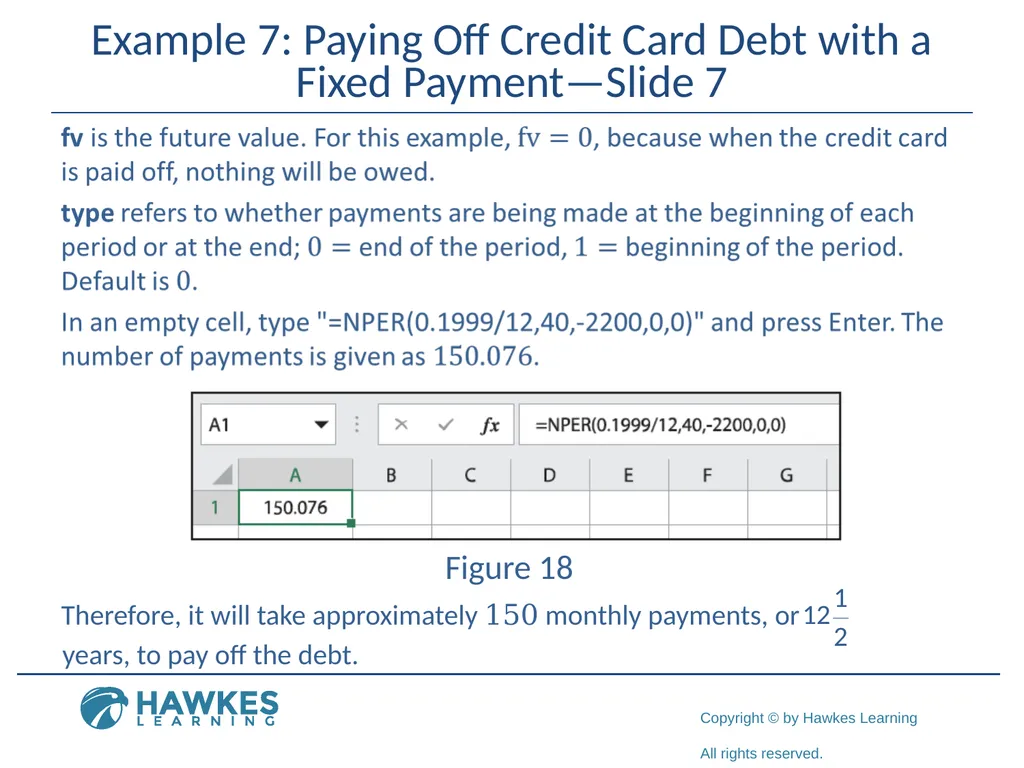
Example 7: Paying Off Credit Card Debt with a Fixed Payment—Slide 7 Figure 18 Therefore, it will take approximately 150 monthly payments, or years, to pay off the debt.<br>
80
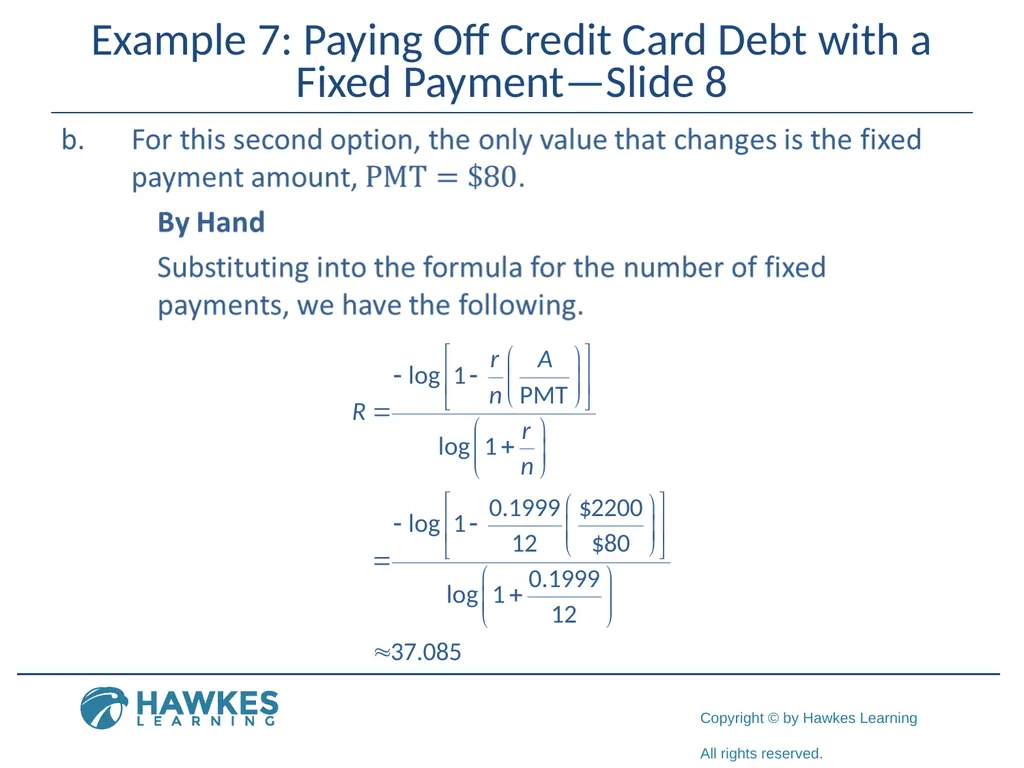
Example 7: Paying Off Credit Card Debt with a Fixed Payment—Slide 8<br>
81
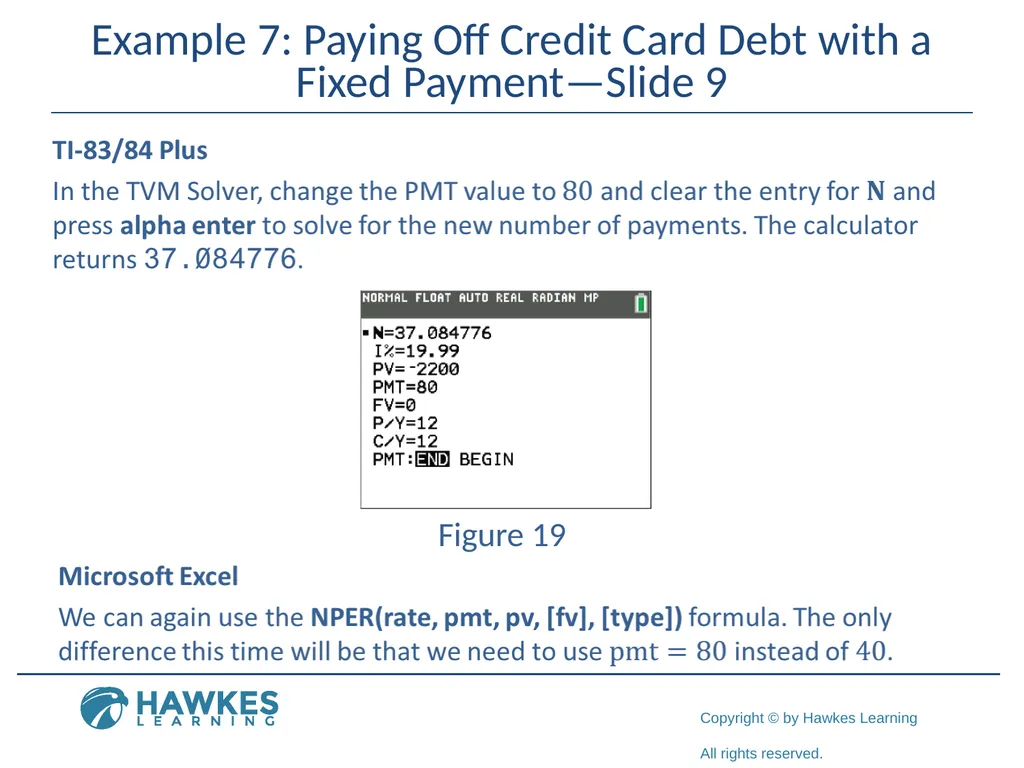
Example 7: Paying Off Credit Card Debt with a Fixed Payment—Slide 9 Figure 19<br>
82
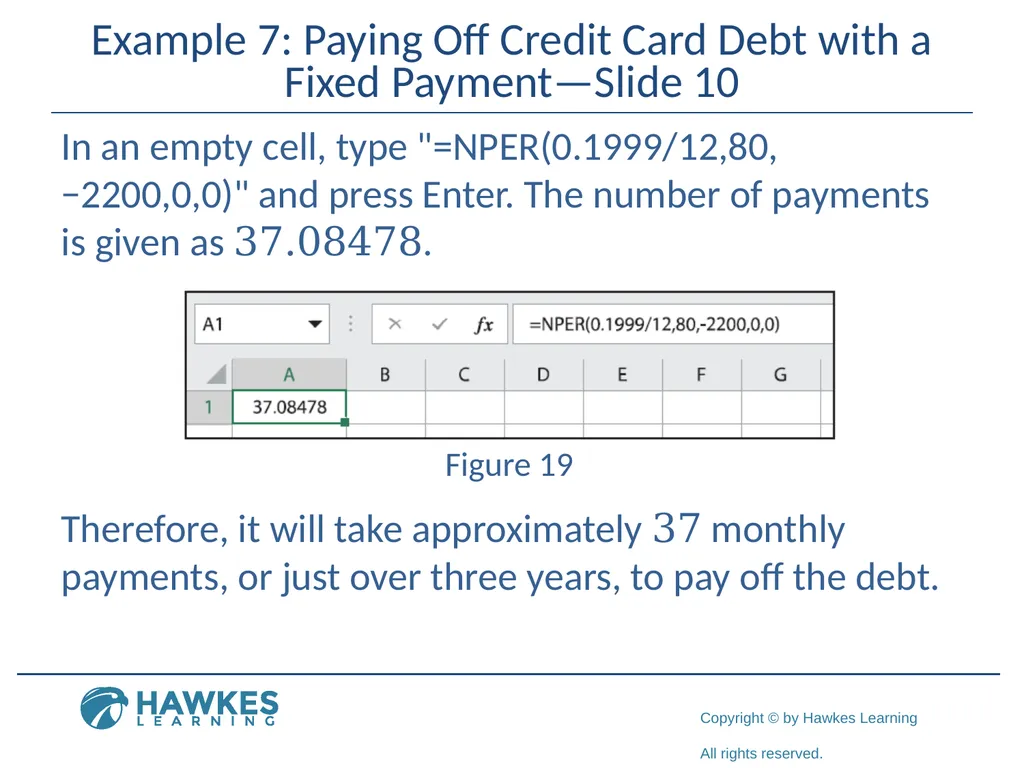
Example 7: Paying Off Credit Card Debt with a Fixed Payment—Slide 10 In an empty cell, type "=NPER(0.1999/12,80,
−2200,0,0)" and press Enter. The number of payments is given as 37.08478. Figure 19 Therefore, it will take approximately 37 monthly payments, or just over three years, to pay off the debt.<br>
83
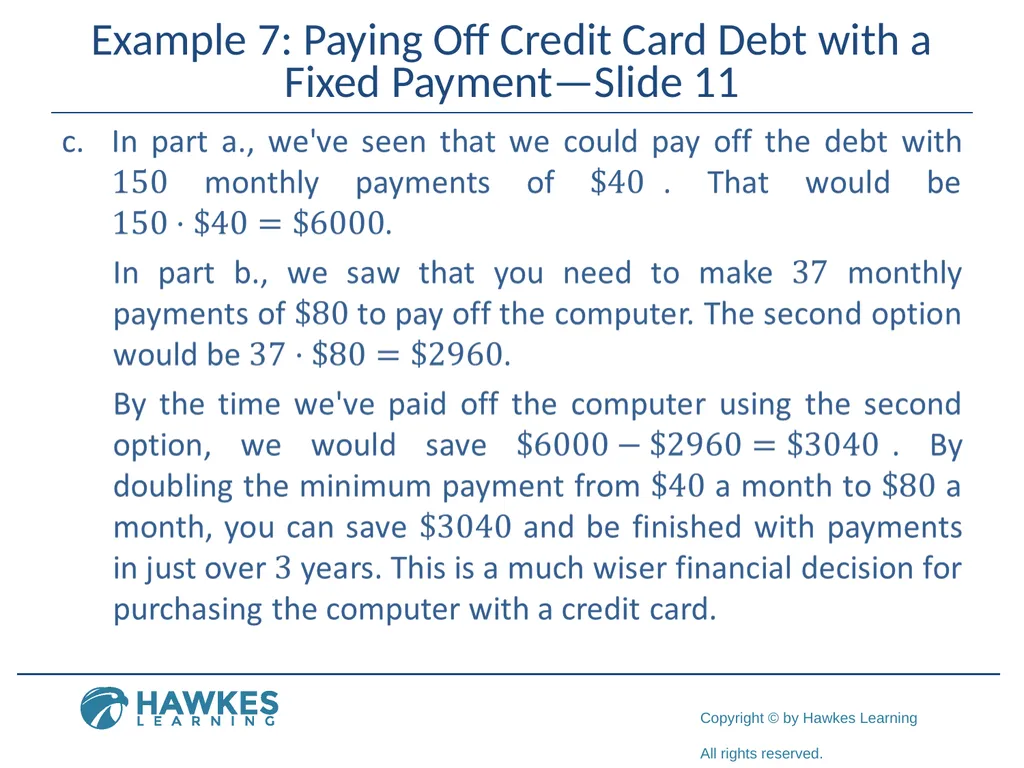
Example 7: Paying Off Credit Card Debt with a Fixed Payment—Slide 11<br>
84
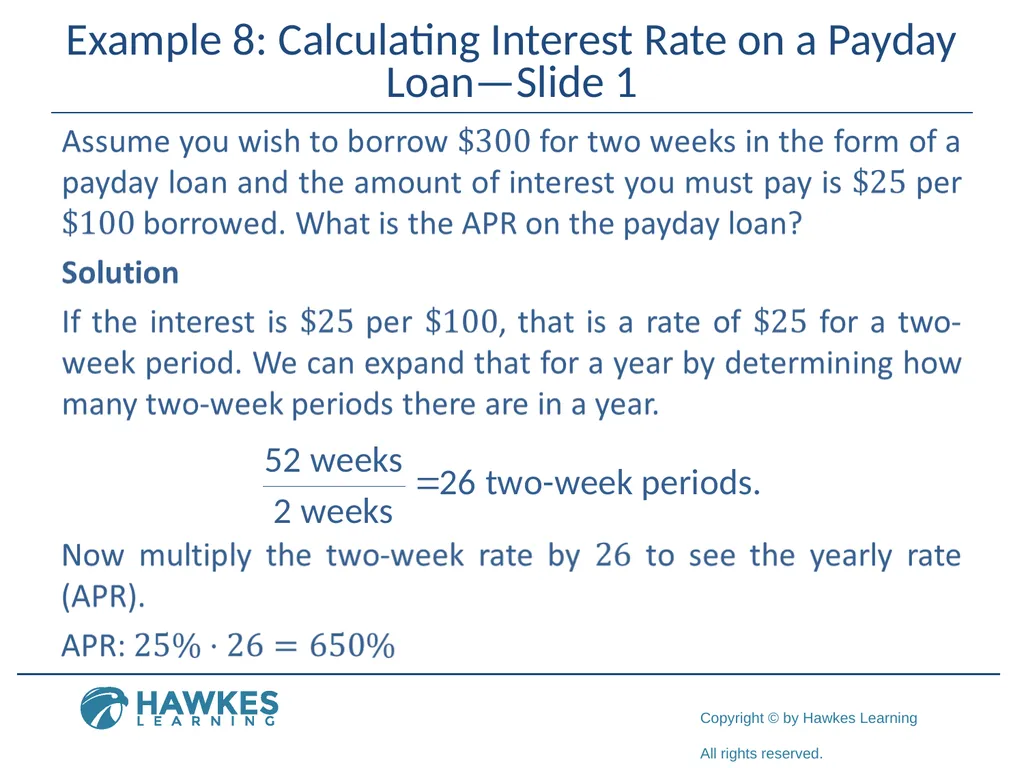
Example 8: Calculating Interest Rate on a Payday Loan—Slide 1<br>
85
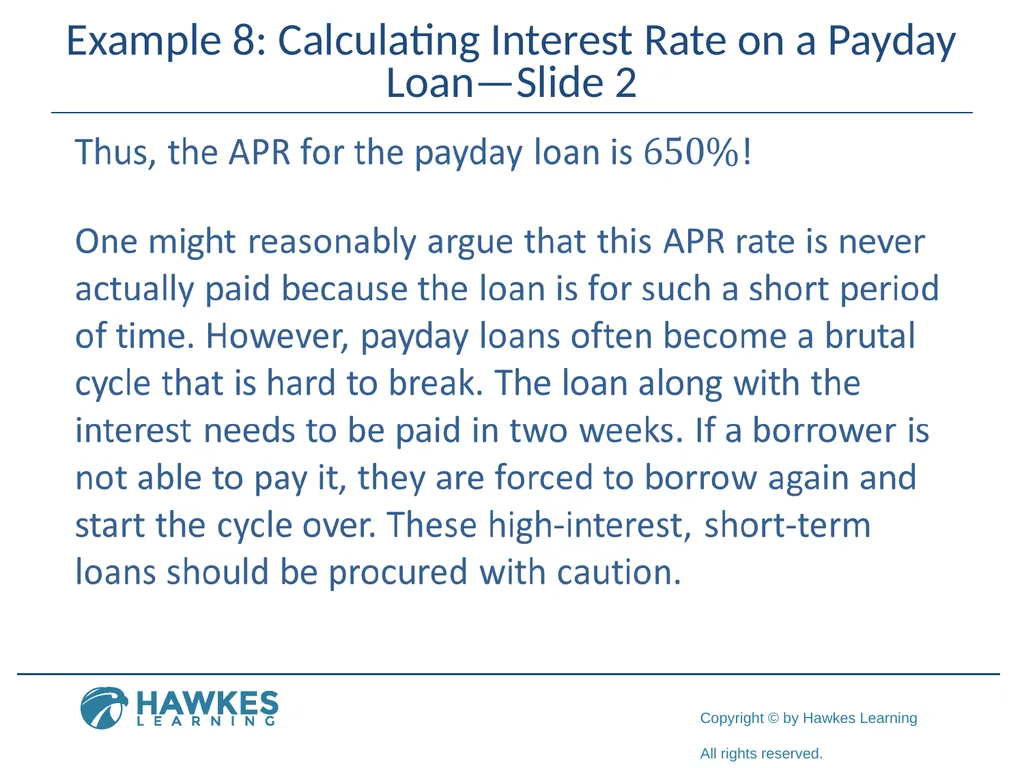
Example 8: Calculating Interest Rate on a Payday Loan—Slide 2<br>
86
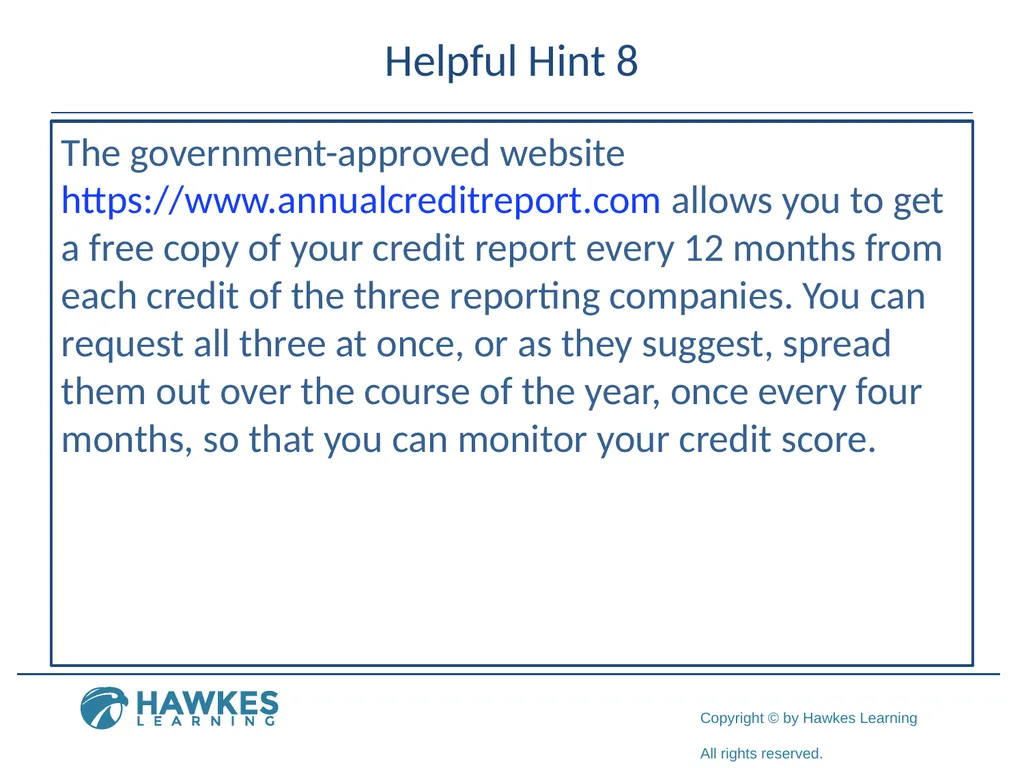
Helpful Hint 8 The government-approved website https://www.annualcreditreport.com allows you to get a free copy of your credit report every 12 months from each credit of the three reporting companies. You can request all three at once, or as they suggest, spread them out over the course of the year, once every four months, so that you can monitor your credit score.<br>
87
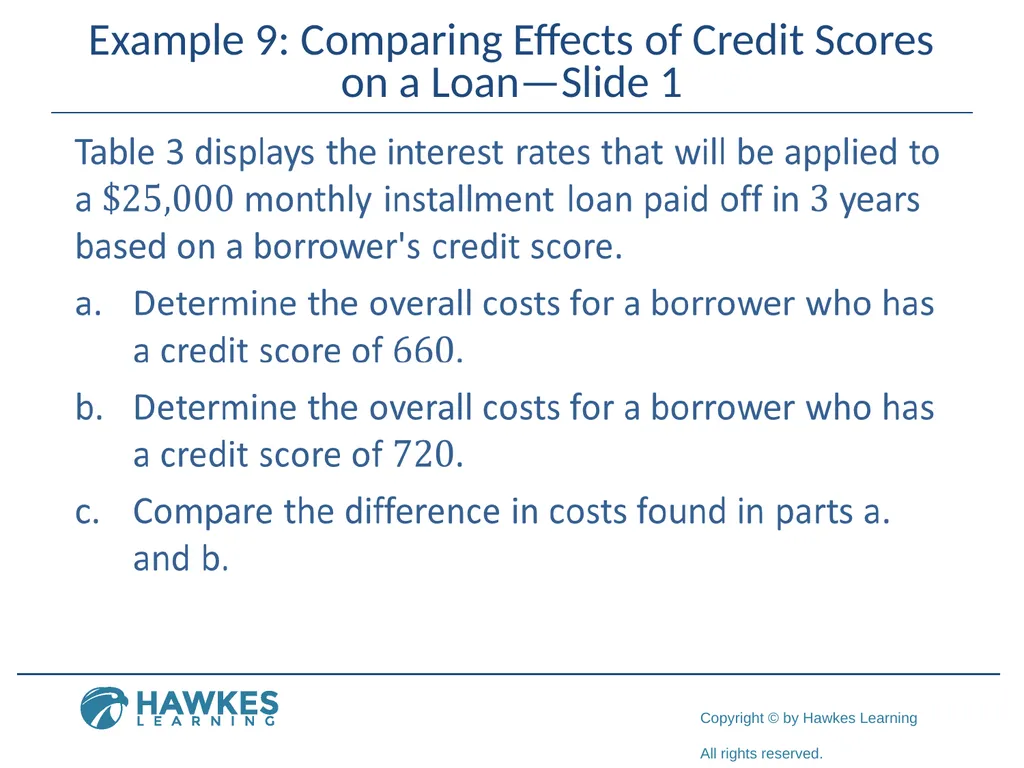
Example 9: Comparing Effects of Credit Scores on a Loan—Slide 1<br>
88
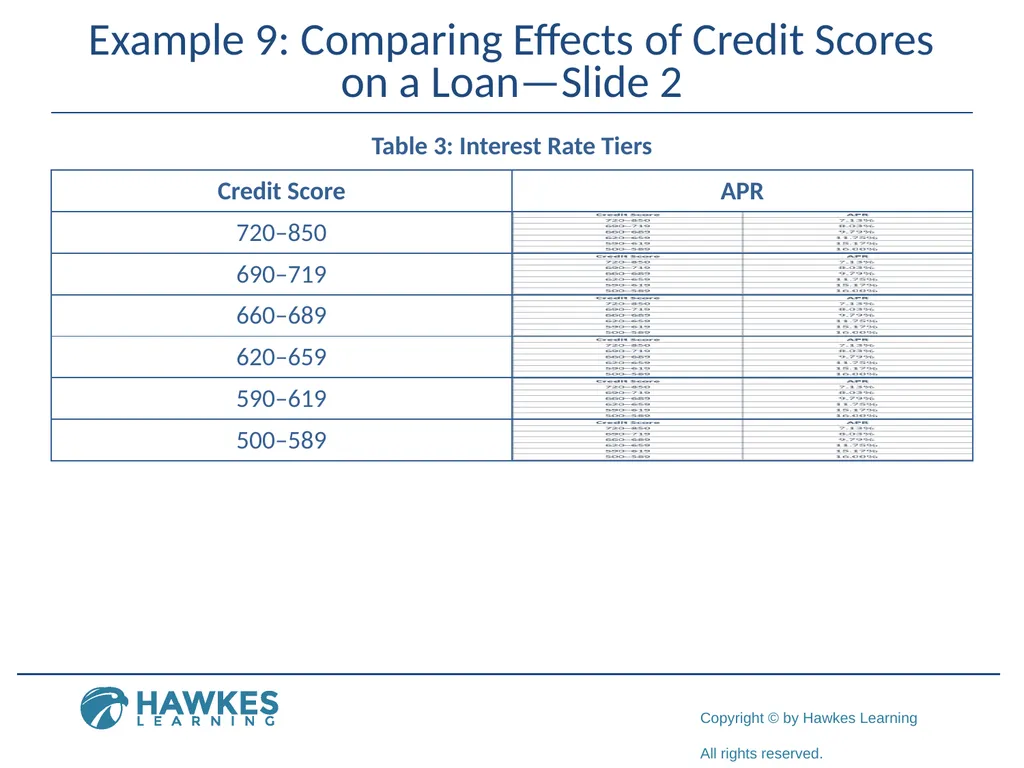
Example 9: Comparing Effects of Credit Scores on a Loan—Slide 2 Table 3: Interest Rate Tiers<br>
89
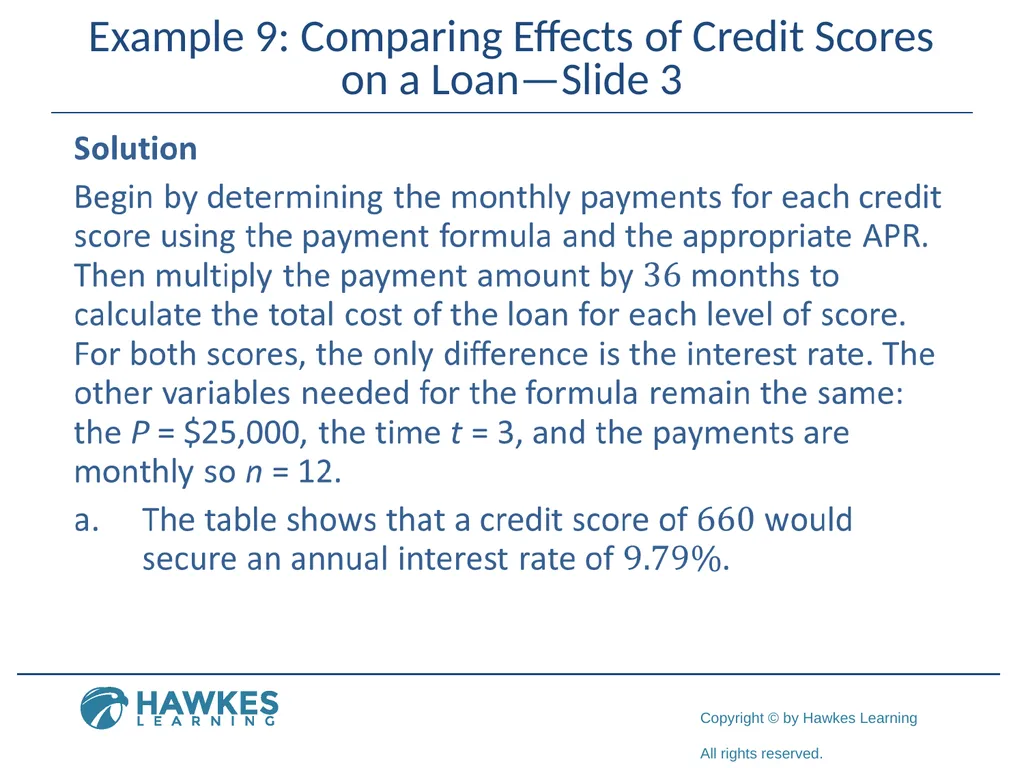
Example 9: Comparing Effects of Credit Scores on a Loan—Slide 3<br>
90
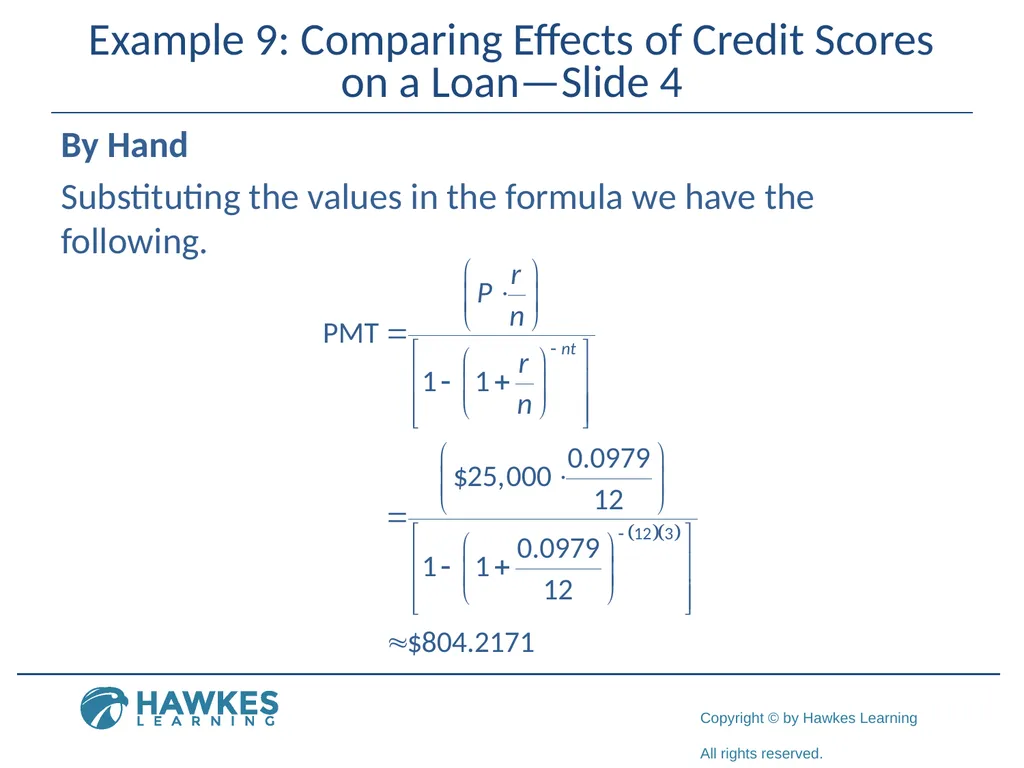
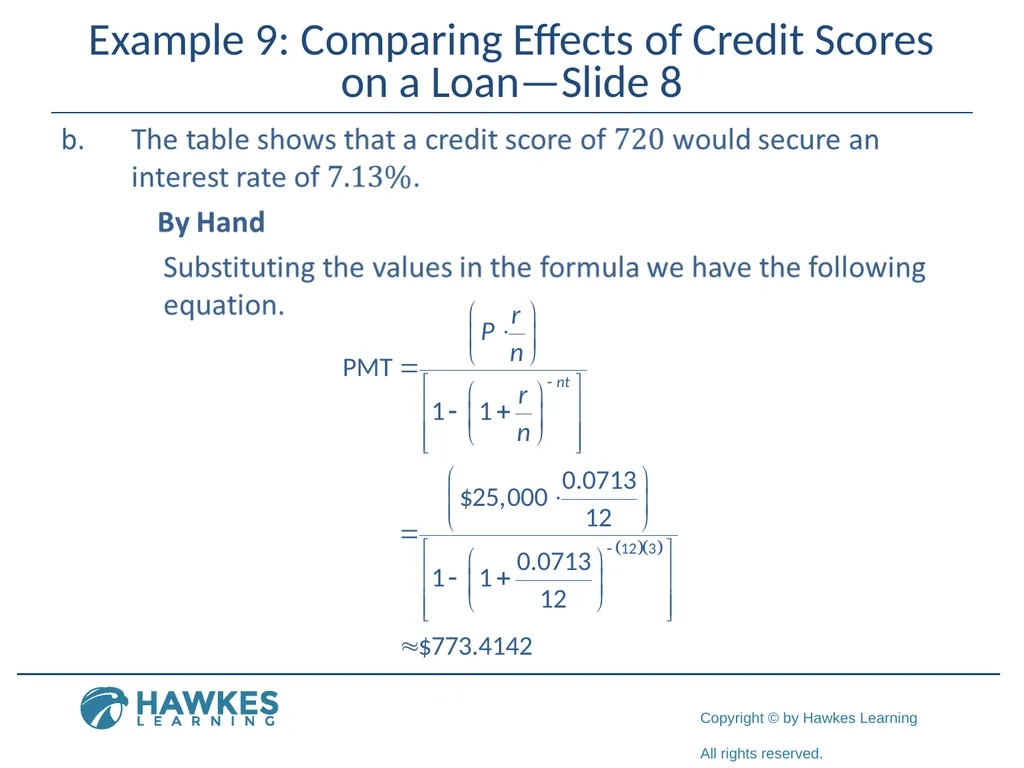
Example 9: Comparing Effects of Credit Scores on a Loan—Slide 4 By Hand
Substituting the values in the formula we have the following.<br>
Substituting the values in the formula we have the following.<br>
91
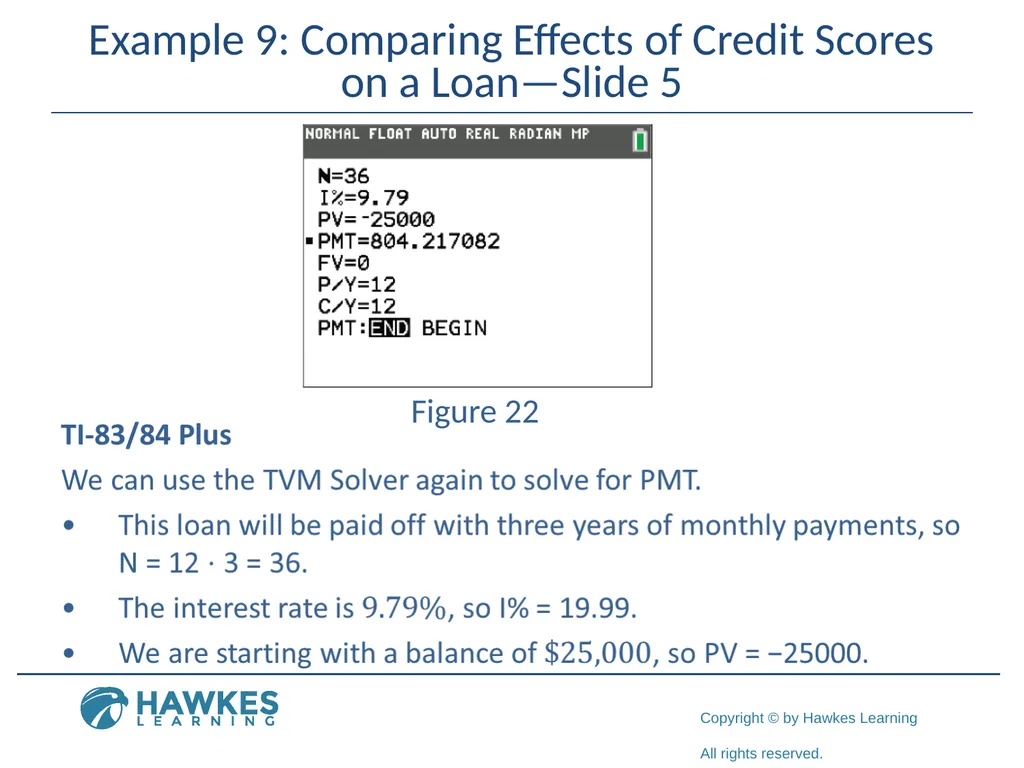
Example 9: Comparing Effects of Credit Scores on a Loan—Slide 5 Figure 22<br>
92
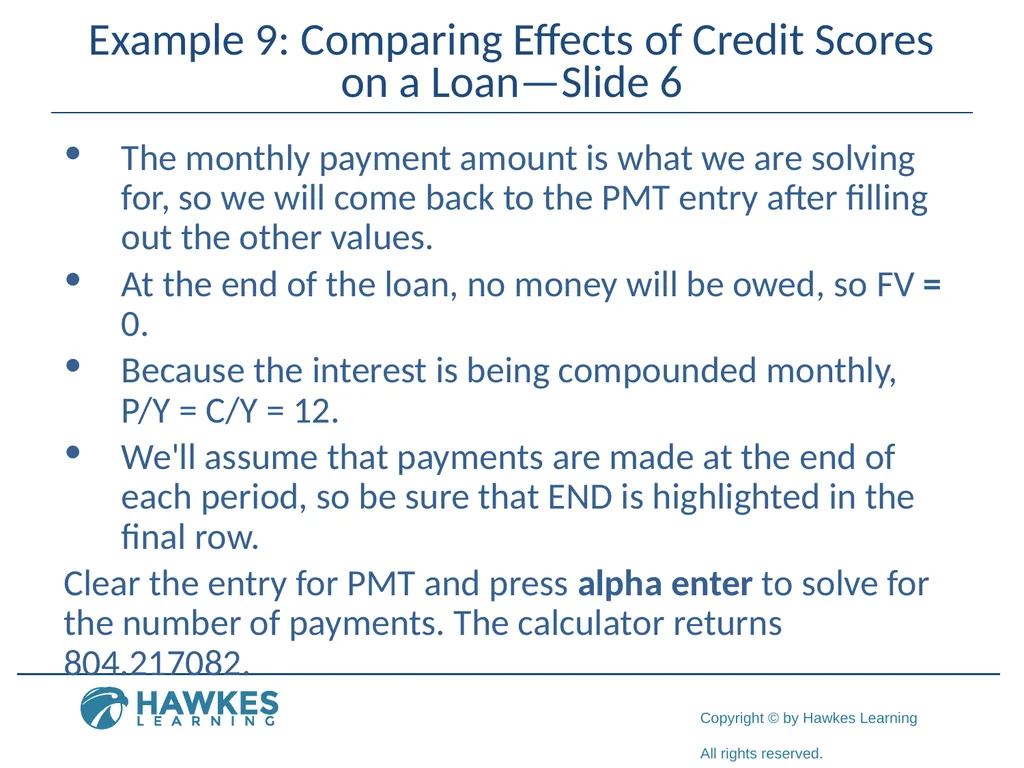
Example 9: Comparing Effects of Credit Scores on a Loan—Slide 6 The monthly payment amount is what we are solving for, so we will come back to the PMT entry after filling out the other values.
At the end of the loan, no money will be owed, so FV = 0.
Because the interest is being compounded monthly, P/Y = C/Y = 12.
We'll assume that payments are made at the end of each period, so be sure that END is highlighted in the final row.
Clear the entry for PMT and press alpha enter to solve for the number of payments. The calculator returns 804.217082.<br>
At the end of the loan, no money will be owed, so FV = 0.
Because the interest is being compounded monthly, P/Y = C/Y = 12.
We'll assume that payments are made at the end of each period, so be sure that END is highlighted in the final row.
Clear the entry for PMT and press alpha enter to solve for the number of payments. The calculator returns 804.217082.<br>
93
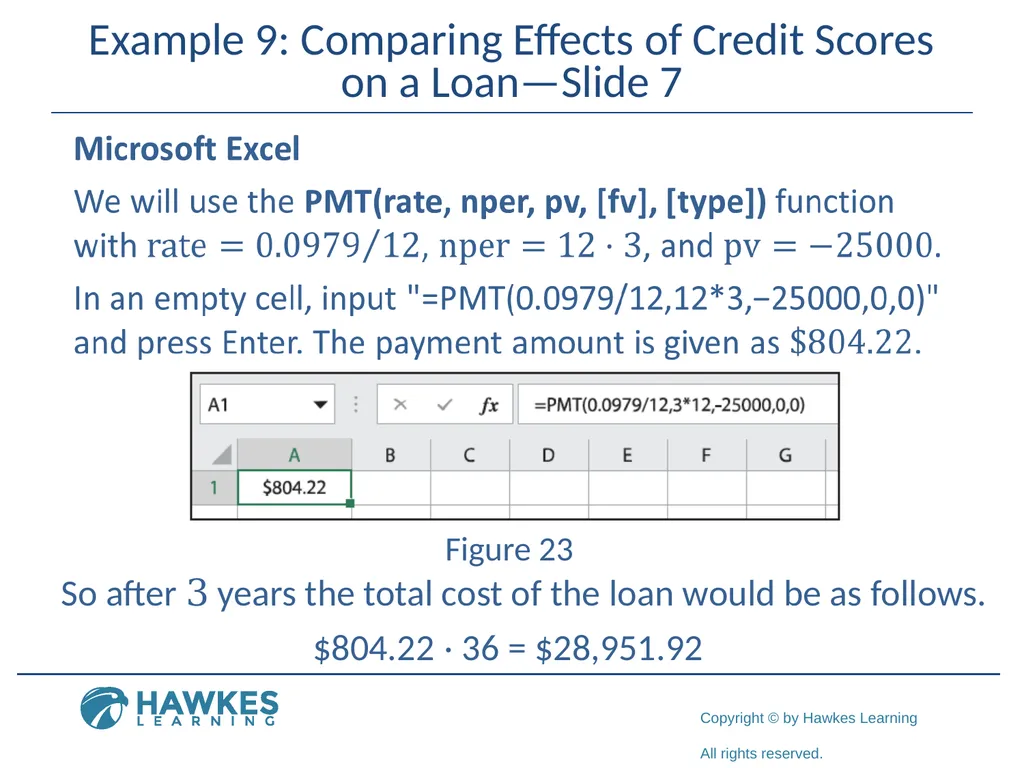
Example 9: Comparing Effects of Credit Scores on a Loan—Slide 7 Figure 23 So after 3 years the total cost of the loan would be as follows. $804.22 ⋅ 36 = $28,951.92<br>
94
Example 9: Comparing Effects of Credit Scores on a Loan—Slide 8<br>
95
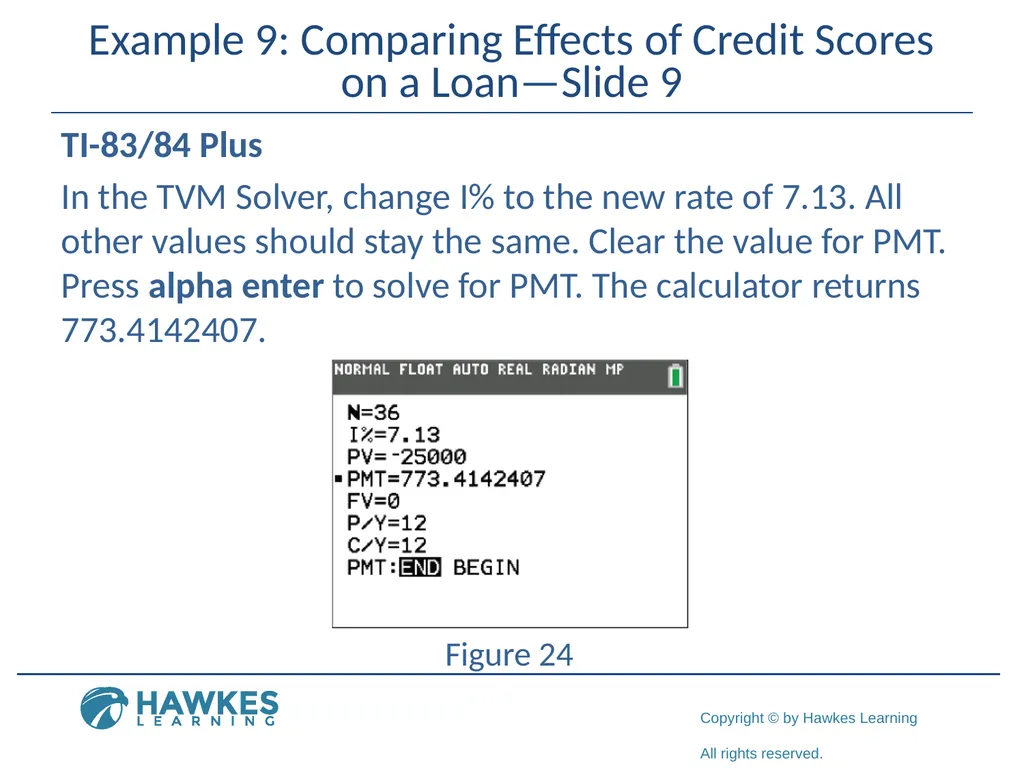
Example 9: Comparing Effects of Credit Scores on a Loan—Slide 9 TI-83/84 Plus
In the TVM Solver, change I% to the new rate of 7.13. All other values should stay the same. Clear the value for PMT. Press alpha enter to solve for PMT. The calculator returns 773.4142407. Figure 24<br>
In the TVM Solver, change I% to the new rate of 7.13. All other values should stay the same. Clear the value for PMT. Press alpha enter to solve for PMT. The calculator returns 773.4142407. Figure 24<br>
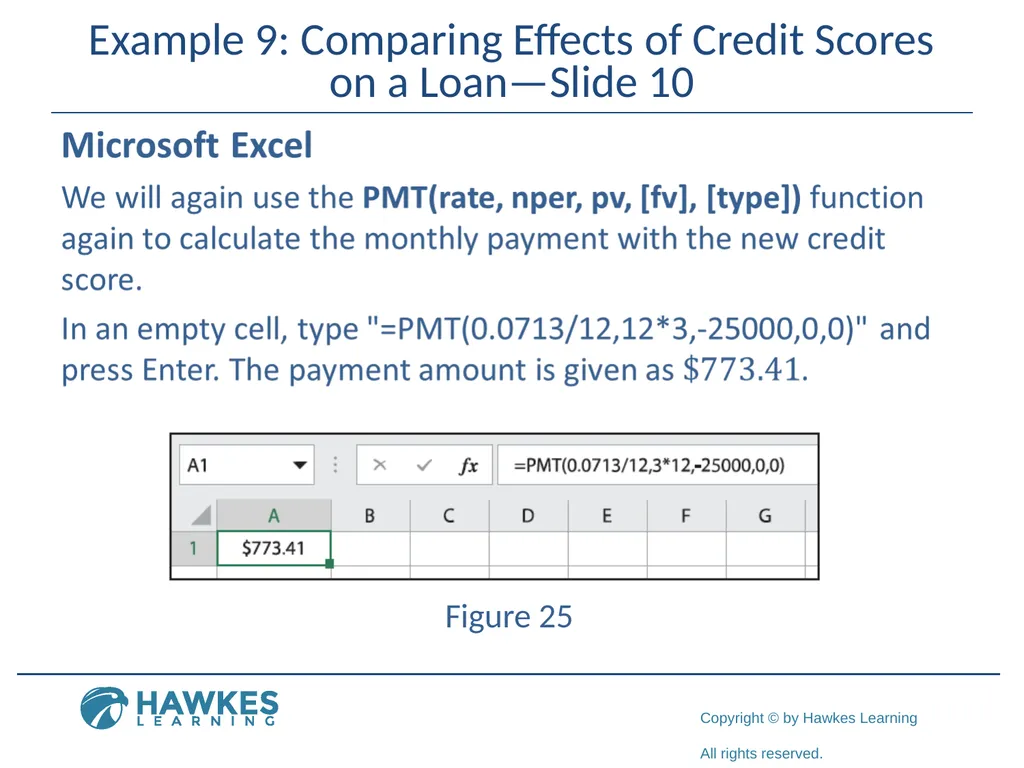
96
Example 9: Comparing Effects of Credit Scores on a Loan—Slide 10 Figure 25<br>
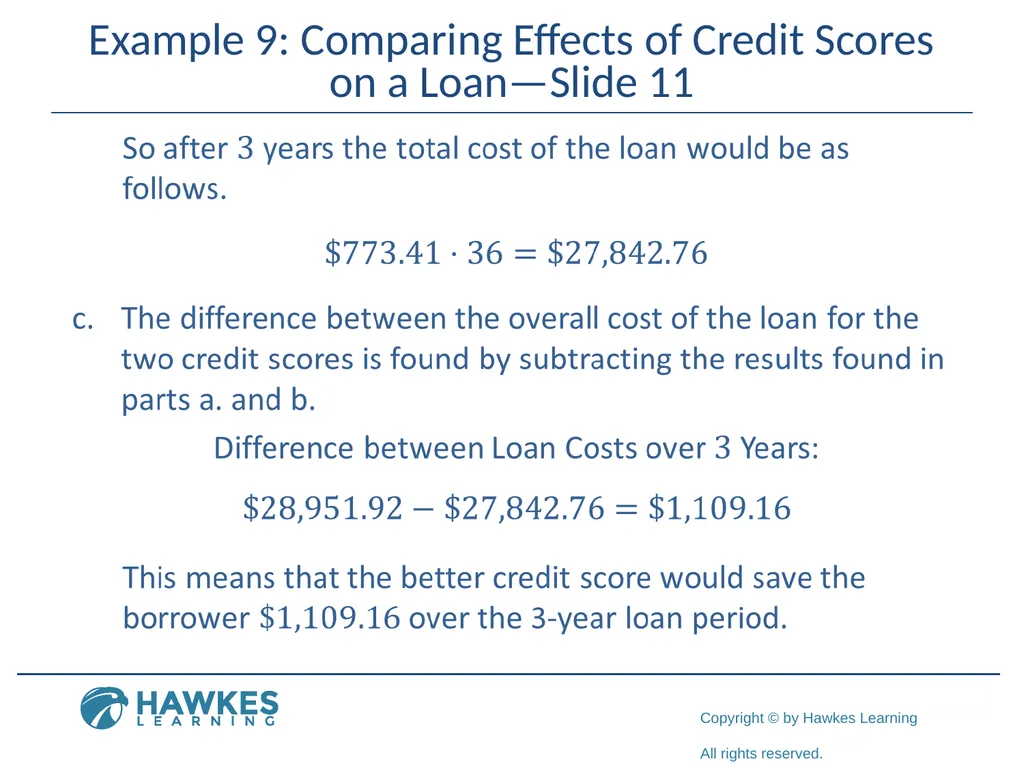
97
Example 9: Comparing Effects of Credit Scores on a Loan—Slide 11<br>