
Budget Basics & MSU Funding Sources Financial
MY
Published · 47 slides · 0 views

1 / 1



Description
Budget Basics MSU Funding Sources Financial Development Certificate FD101 April 17, 2019 Agenda Banner Fund Type Descriptions Budget Cycle Budgeting and Adjusting Budgets Current Unrestricted Other Fund Types Grant Funds Reviewing
Related Topics
Share
Embed code
Download this presentation From Below
"Budget Basics & MSU Funding Sources Financial" is the property of its rightful owner. Permission is granted to download and print the materials on this website for personal, non-commercial use only, and to display it on your personal computer provided you do not modify the materials and that you retain all copyright notices contained in the materials. By downloading content from our website, you accept the terms of this agreement.
Presentation Transcript
01
Budget Basics & MSU Funding Sources Financial Development Certificate
FD101 April 17, 2019<br>
FD101 April 17, 2019<br>
02
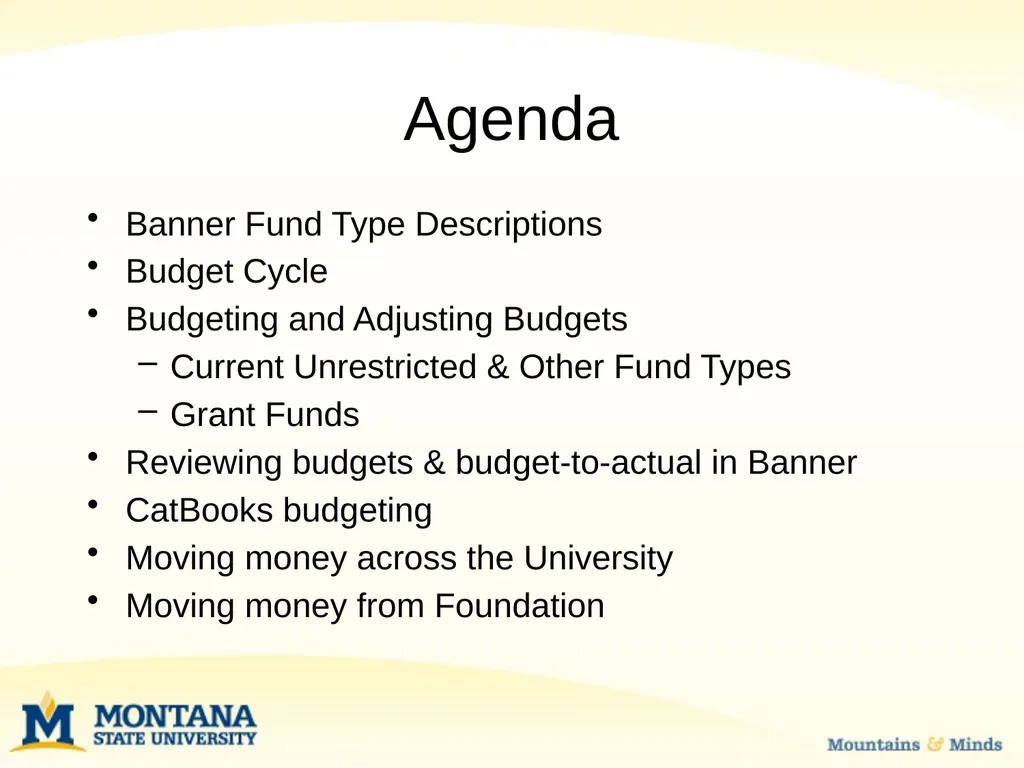
Agenda Banner Fund Type Descriptions
Budget Cycle
Budgeting and Adjusting Budgets
Current Unrestricted & Other Fund Types
Grant Funds
Reviewing budgets & budget-to-actual in Banner
CatBooks budgeting
Moving money across the University
Moving money from Foundation<br>
Budget Cycle
Budgeting and Adjusting Budgets
Current Unrestricted & Other Fund Types
Grant Funds
Reviewing budgets & budget-to-actual in Banner
CatBooks budgeting
Moving money across the University
Moving money from Foundation<br>
03
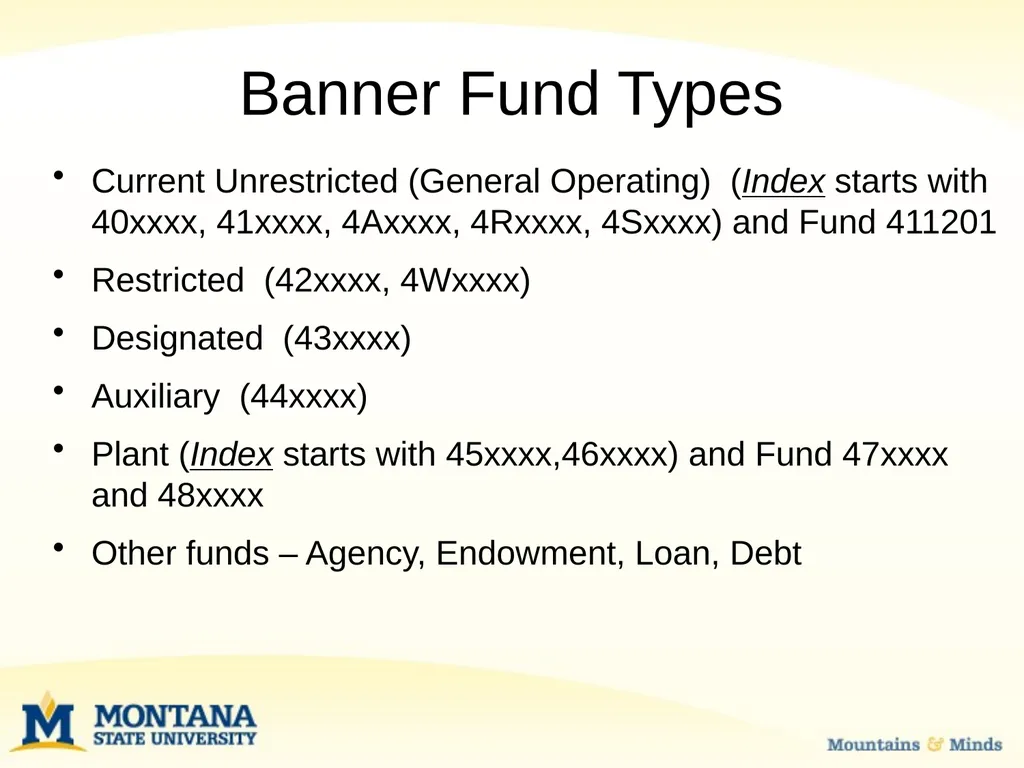
Banner Fund Types Current Unrestricted (General Operating) (Index starts with 40xxxx, 41xxxx, 4Axxxx, 4Rxxxx, 4Sxxxx) and Fund 411201
Restricted (42xxxx, 4Wxxxx)
Designated (43xxxx)
Auxiliary (44xxxx)
Plant (Index starts with 45xxxx,46xxxx) and Fund 47xxxx and 48xxxx
Other funds – Agency, Endowment, Loan, Debt<br>
Restricted (42xxxx, 4Wxxxx)
Designated (43xxxx)
Auxiliary (44xxxx)
Plant (Index starts with 45xxxx,46xxxx) and Fund 47xxxx and 48xxxx
Other funds – Agency, Endowment, Loan, Debt<br>
04
Current Unrestricted
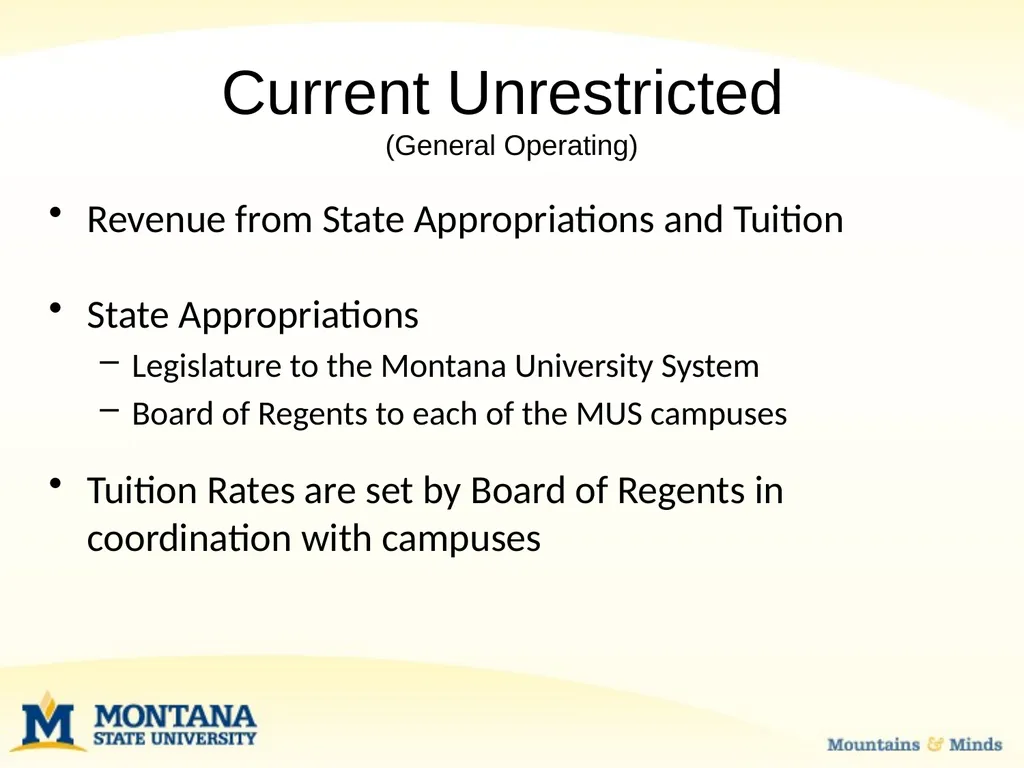
(General Operating) Revenue from State Appropriations and Tuition
State Appropriations
Legislature to the Montana University System
Board of Regents to each of the MUS campuses
Tuition Rates are set by Board of Regents in coordination with campuses<br>
State Appropriations
Legislature to the Montana University System
Board of Regents to each of the MUS campuses
Tuition Rates are set by Board of Regents in coordination with campuses<br>
05
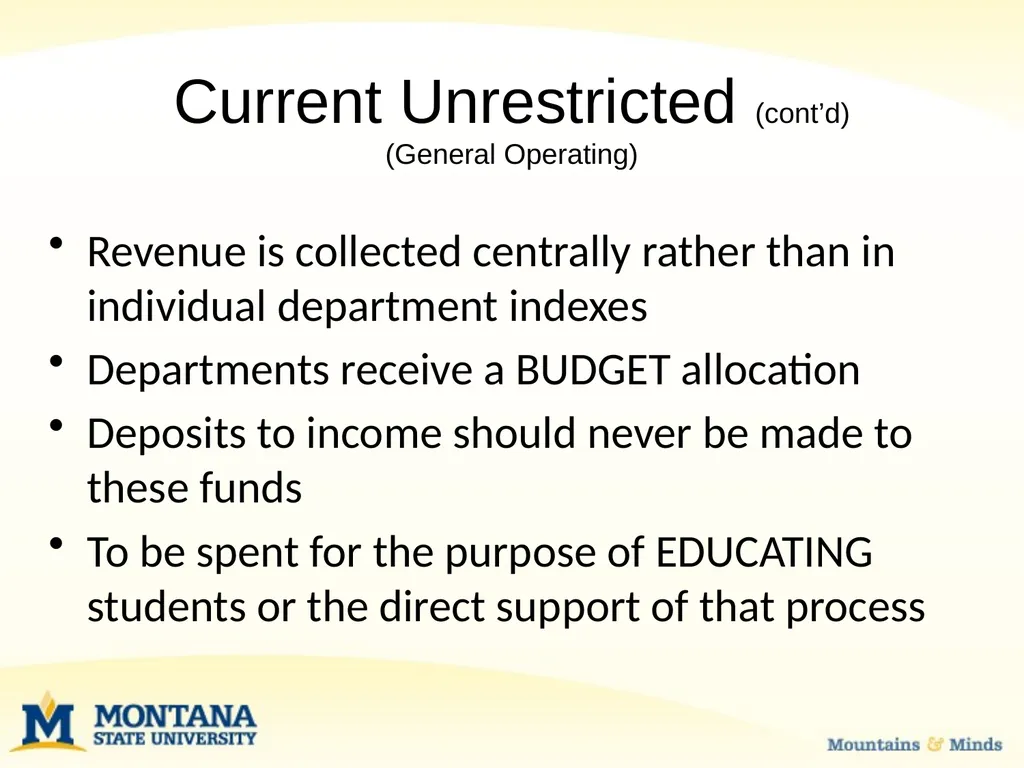
Current Unrestricted (cont’d)
(General Operating) Revenue is collected centrally rather than in individual department indexes
Departments receive a BUDGET allocation
Deposits to income should never be made to these funds
To be spent for the purpose of EDUCATING students or the direct support of that process<br>
Departments receive a BUDGET allocation
Deposits to income should never be made to these funds
To be spent for the purpose of EDUCATING students or the direct support of that process<br>
06
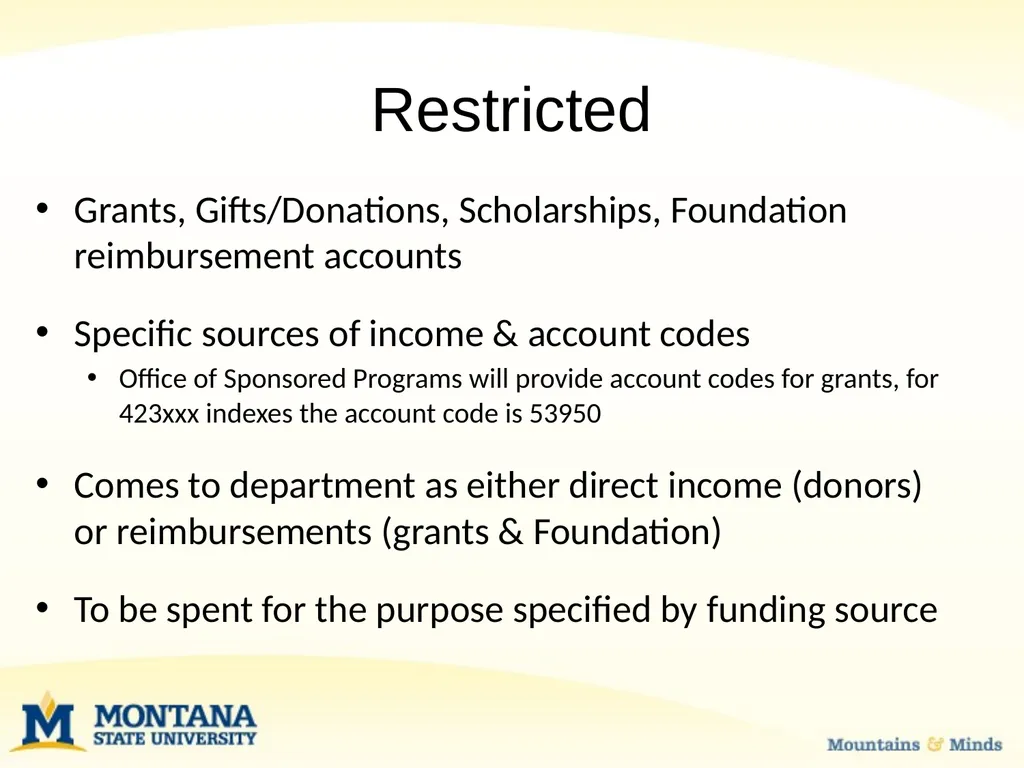
Restricted Grants, Gifts/Donations, Scholarships, Foundation reimbursement accounts
Specific sources of income & account codes
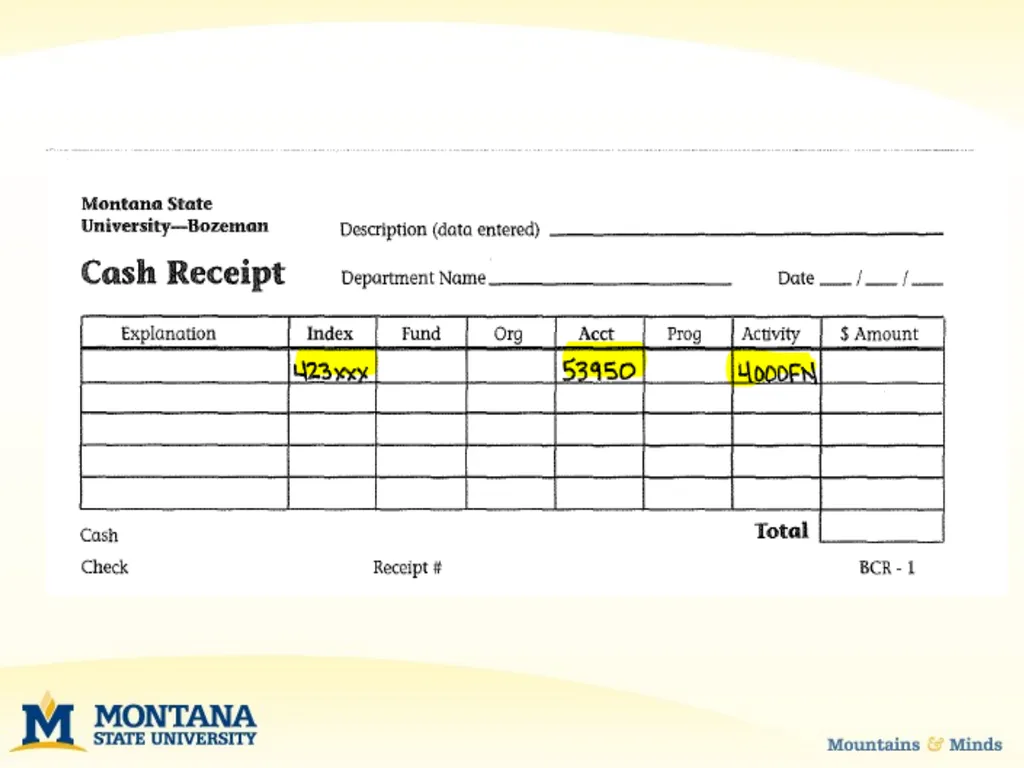
Office of Sponsored Programs will provide account codes for grants, for 423xxx indexes the account code is 53950
Comes to department as either direct income (donors) or reimbursements (grants & Foundation)
To be spent for the purpose specified by funding source<br>
Specific sources of income & account codes
Office of Sponsored Programs will provide account codes for grants, for 423xxx indexes the account code is 53950
Comes to department as either direct income (donors) or reimbursements (grants & Foundation)
To be spent for the purpose specified by funding source<br>
07
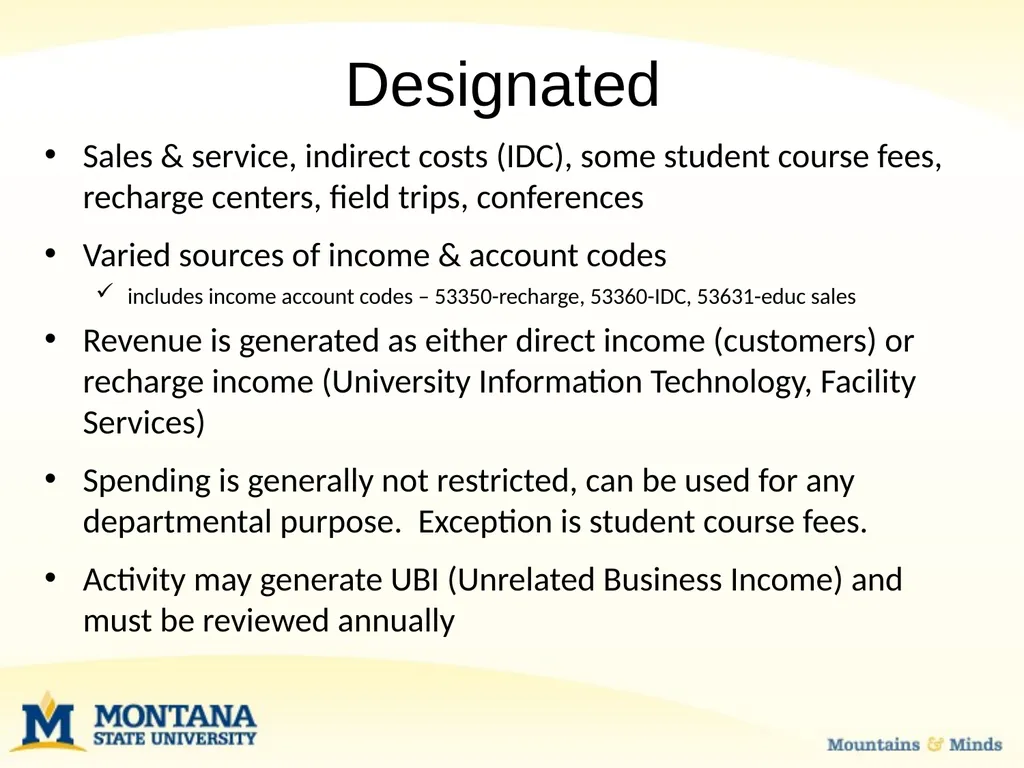
Designated Sales & service, indirect costs (IDC), some student course fees, recharge centers, field trips, conferences
Varied sources of income & account codes
includes income account codes – 53350-recharge, 53360-IDC, 53631-educ sales
Revenue is generated as either direct income (customers) or recharge income (University Information Technology, Facility Services)
Spending is generally not restricted, can be used for any departmental purpose. Exception is student course fees.
Activity may generate UBI (Unrelated Business Income) and must be reviewed annually<br>
Varied sources of income & account codes
includes income account codes – 53350-recharge, 53360-IDC, 53631-educ sales
Revenue is generated as either direct income (customers) or recharge income (University Information Technology, Facility Services)
Spending is generally not restricted, can be used for any departmental purpose. Exception is student course fees.
Activity may generate UBI (Unrelated Business Income) and must be reviewed annually<br>
08
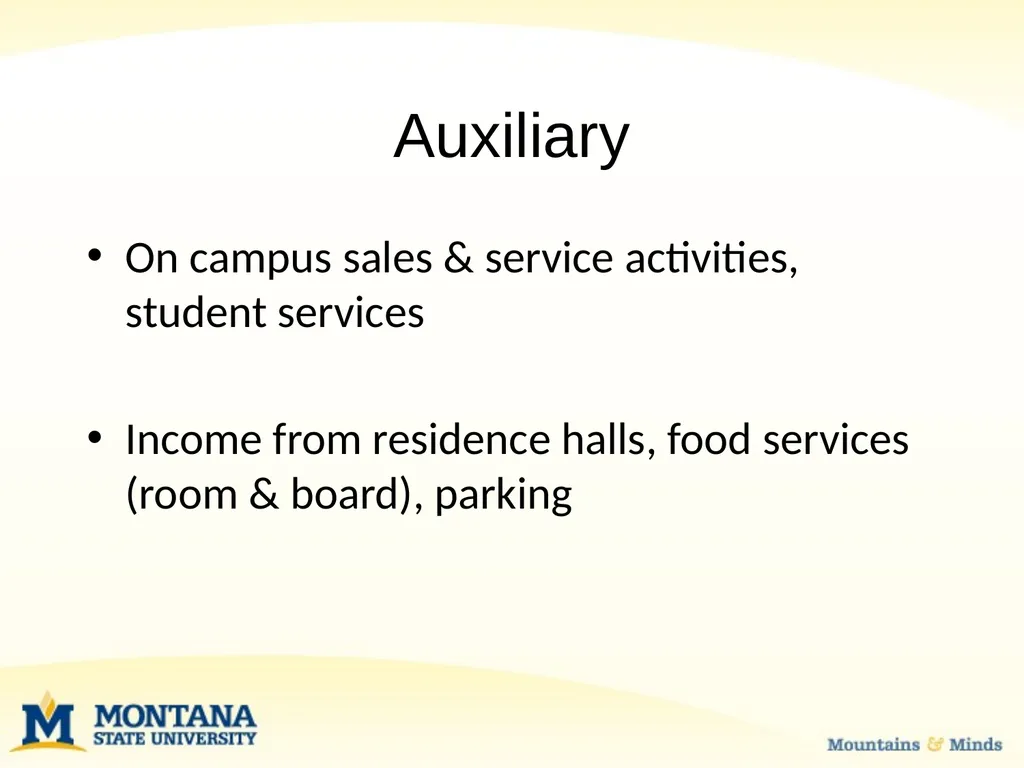
Auxiliary On campus sales & service activities, student services
Income from residence halls, food services (room & board), parking<br>
Income from residence halls, food services (room & board), parking<br>
09
Plant New construction, Repair & Replacement (R&R), Capital equipment, Capital Software
Income is usually a transfer in from some other fund type<br>
Income is usually a transfer in from some other fund type<br>
10
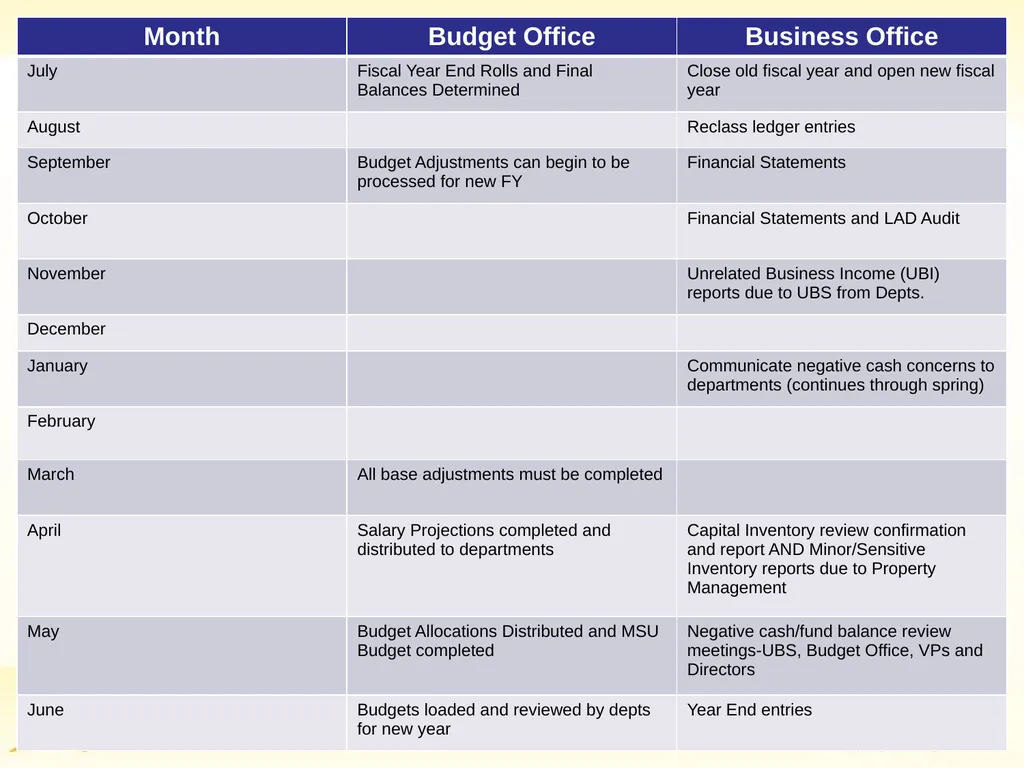
Budget Cycle Fiscal year is from July 1-June 30th
Fall
Executives make budget requests for upcoming year based on Planning Council’s set of strategic priorities
Spring
March: Position budgets corrected
May: Current Unrestricted Allocations
May to June: Departments enter budgets
July: Budgets loaded for new year<br>
Fall
Executives make budget requests for upcoming year based on Planning Council’s set of strategic priorities
Spring
March: Position budgets corrected
May: Current Unrestricted Allocations
May to June: Departments enter budgets
July: Budgets loaded for new year<br>
11
Budgeting Guidelines Current Unrestricted
Receive budget allocation and all dollars need to be budgeted to match that allocation
Other Fund Types
Budget what you believe you will receive in revenue and what you believe you will expend
Grants are not budgeted through this process<br>
Receive budget allocation and all dollars need to be budgeted to match that allocation
Other Fund Types
Budget what you believe you will receive in revenue and what you believe you will expend
Grants are not budgeted through this process<br>
12
Budget Entry Process Budgets completed at index level
Position budgets are pre-loaded into Labor Plan files in MSU Budget by the Budget Office
Operations budgets are completed in Budget by Index files in MSU Budget
Limited licenses so this is now being completed primarily at the college/unit<br>
Position budgets are pre-loaded into Labor Plan files in MSU Budget by the Budget Office
Operations budgets are completed in Budget by Index files in MSU Budget
Limited licenses so this is now being completed primarily at the college/unit<br>
13
Office of Sponsored Programs Budgets OSP manages and provides general oversight for all budget functions related to sponsored programs or any activity, research or otherwise, that is funded by an external source such as a federal, state, or private organization.
May not follow State Fiscal Year and can be multi year
May be subjected to additional restrictions
Vary by funding agency
Different budget categories
Different formats<br>
May not follow State Fiscal Year and can be multi year
May be subjected to additional restrictions
Vary by funding agency
Different budget categories
Different formats<br>
14
Office of Sponsored Programs If you have a question regarding funds handled through OSP, please contact your department’s fiscal manager (FM).
OSP main line: 994-2381
Website: http://www.montana.edu/research/osp/<br>
OSP main line: 994-2381
Website: http://www.montana.edu/research/osp/<br>
15
Adjustments to Your Budget After your original budget has been entered it is loaded into Banner
You can make adjustment to your budget throughout the year
There are 2 types of adjustments
Base Adjustments (positions are always base)
One Time Only adjustments<br>
You can make adjustment to your budget throughout the year
There are 2 types of adjustments
Base Adjustments (positions are always base)
One Time Only adjustments<br>
16
Budget Adjustments Must be done within the same fund types
Processed in MSU Budget
Each fund type must balance to zero
If making a base adjustment to a permanent personnel account code (i.e. 61123, 61124, etc.) this must be done through a position adjustment<br>
Processed in MSU Budget
Each fund type must balance to zero
If making a base adjustment to a permanent personnel account code (i.e. 61123, 61124, etc.) this must be done through a position adjustment<br>
17
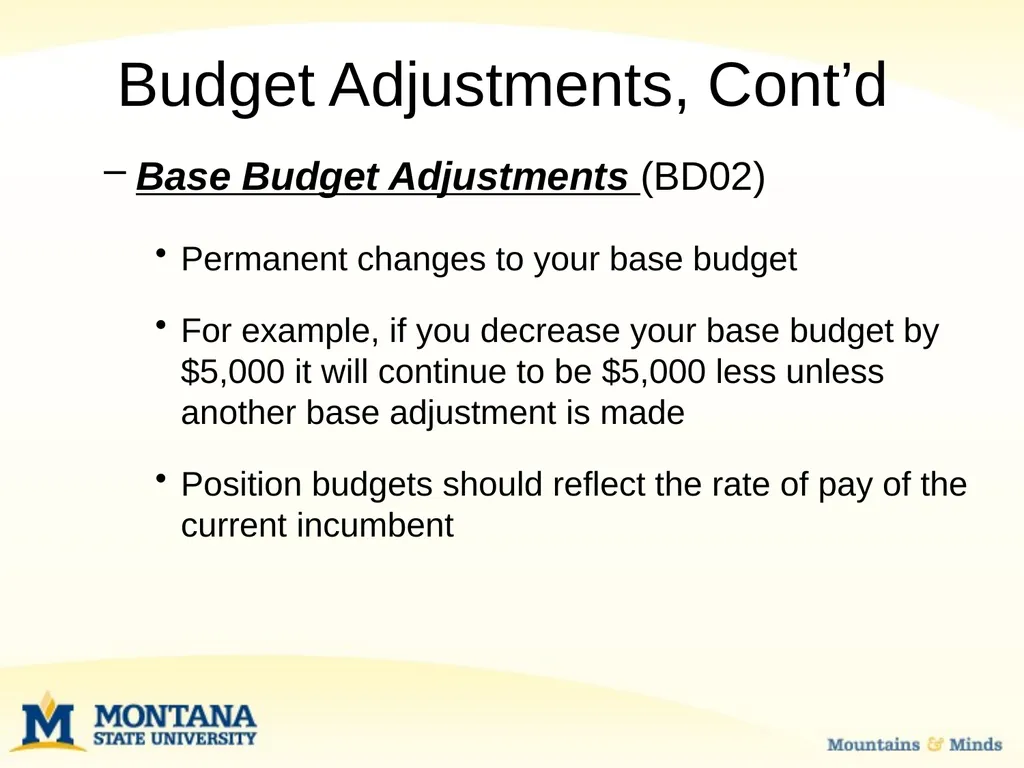
Base Budget Adjustments (BD02)
Permanent changes to your base budget
For example, if you decrease your base budget by $5,000 it will continue to be $5,000 less unless another base adjustment is made
Position budgets should reflect the rate of pay of the current incumbent Budget Adjustments, Cont’d<br>
Permanent changes to your base budget
For example, if you decrease your base budget by $5,000 it will continue to be $5,000 less unless another base adjustment is made
Position budgets should reflect the rate of pay of the current incumbent Budget Adjustments, Cont’d<br>
18
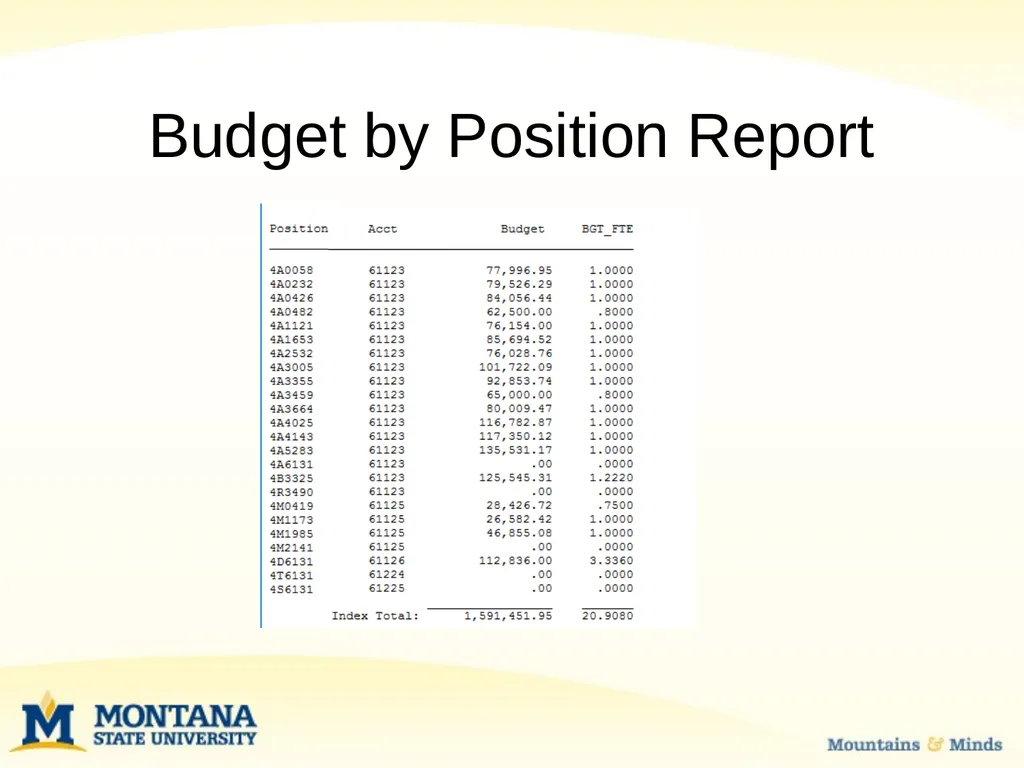
Budget by Position Report<br>
19
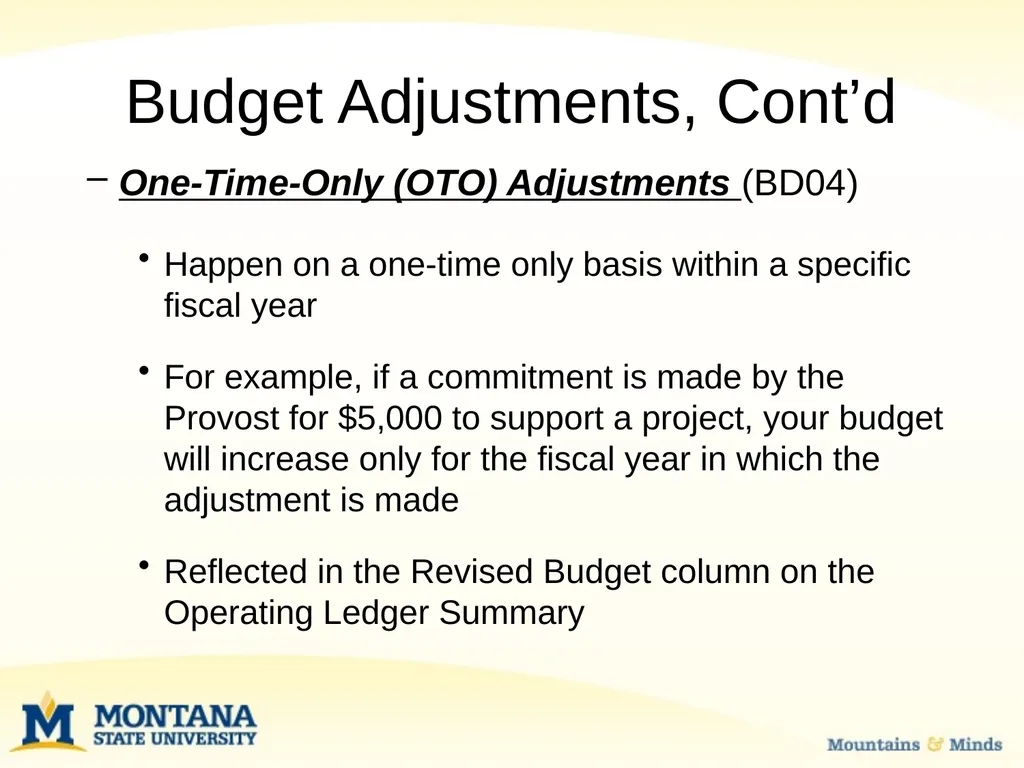
One-Time-Only (OTO) Adjustments (BD04)
Happen on a one-time only basis within a specific fiscal year
For example, if a commitment is made by the Provost for $5,000 to support a project, your budget will increase only for the fiscal year in which the adjustment is made
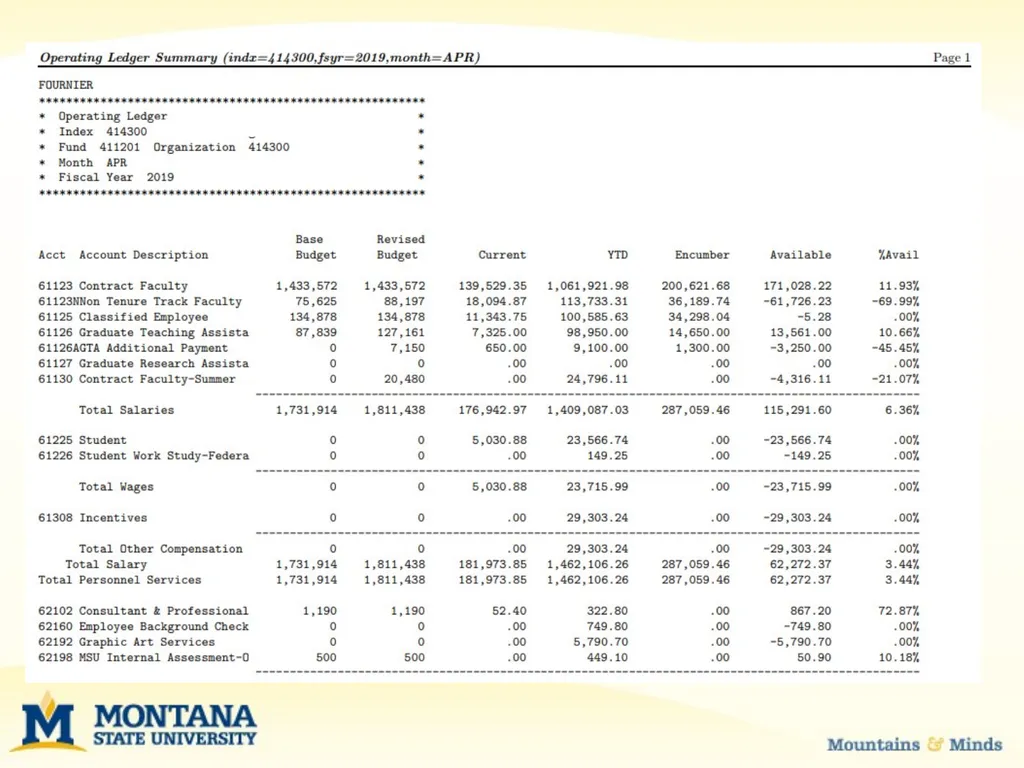
Reflected in the Revised Budget column on the Operating Ledger Summary Budget Adjustments, Cont’d<br>
Happen on a one-time only basis within a specific fiscal year
For example, if a commitment is made by the Provost for $5,000 to support a project, your budget will increase only for the fiscal year in which the adjustment is made
Reflected in the Revised Budget column on the Operating Ledger Summary Budget Adjustments, Cont’d<br>
20
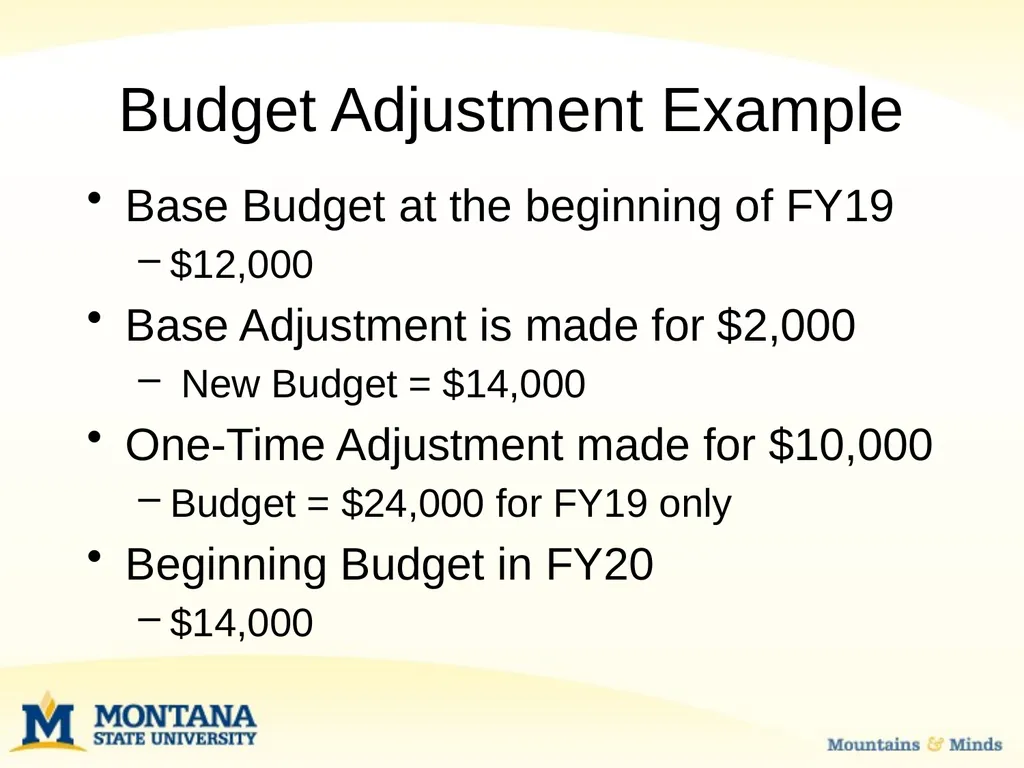
Budget Adjustment Example Base Budget at the beginning of FY19
$12,000
Base Adjustment is made for $2,000
New Budget = $14,000
One-Time Adjustment made for $10,000
Budget = $24,000 for FY19 only
Beginning Budget in FY20
$14,000<br>
$12,000
Base Adjustment is made for $2,000
New Budget = $14,000
One-Time Adjustment made for $10,000
Budget = $24,000 for FY19 only
Beginning Budget in FY20
$14,000<br>
21
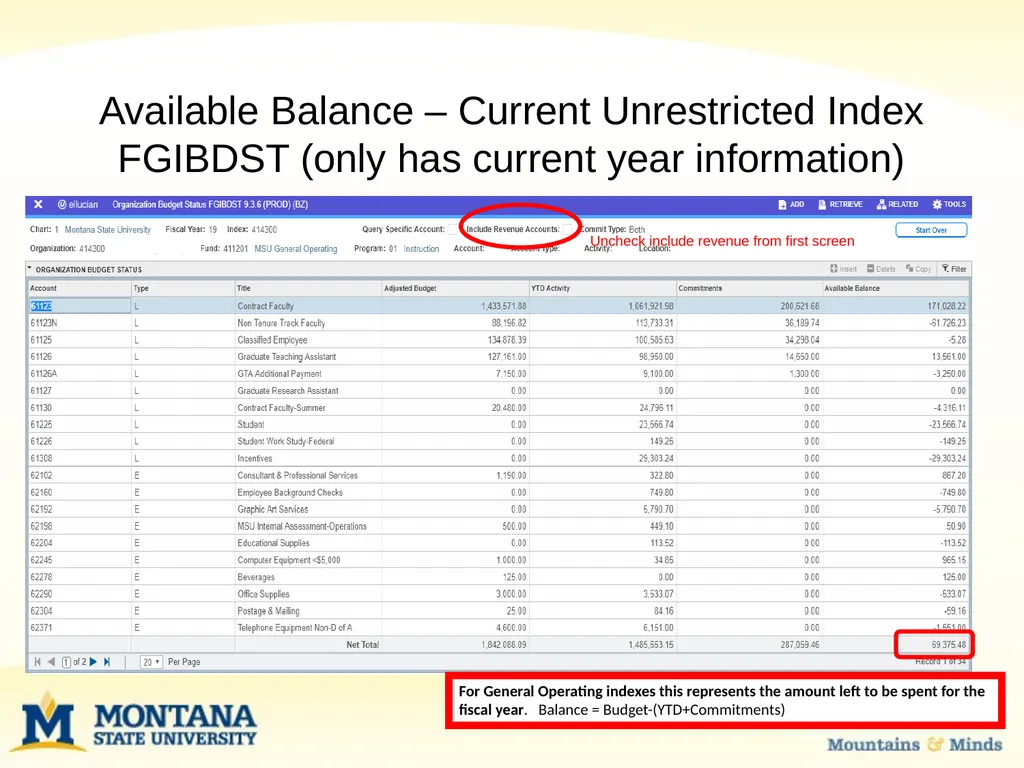
Available Balance – Current Unrestricted Index FGIBDST (only has current year information) Uncheck include revenue from first screen For General Operating indexes this represents the amount left to be spent for the fiscal year. Balance = Budget-(YTD+Commitments)<br>
22
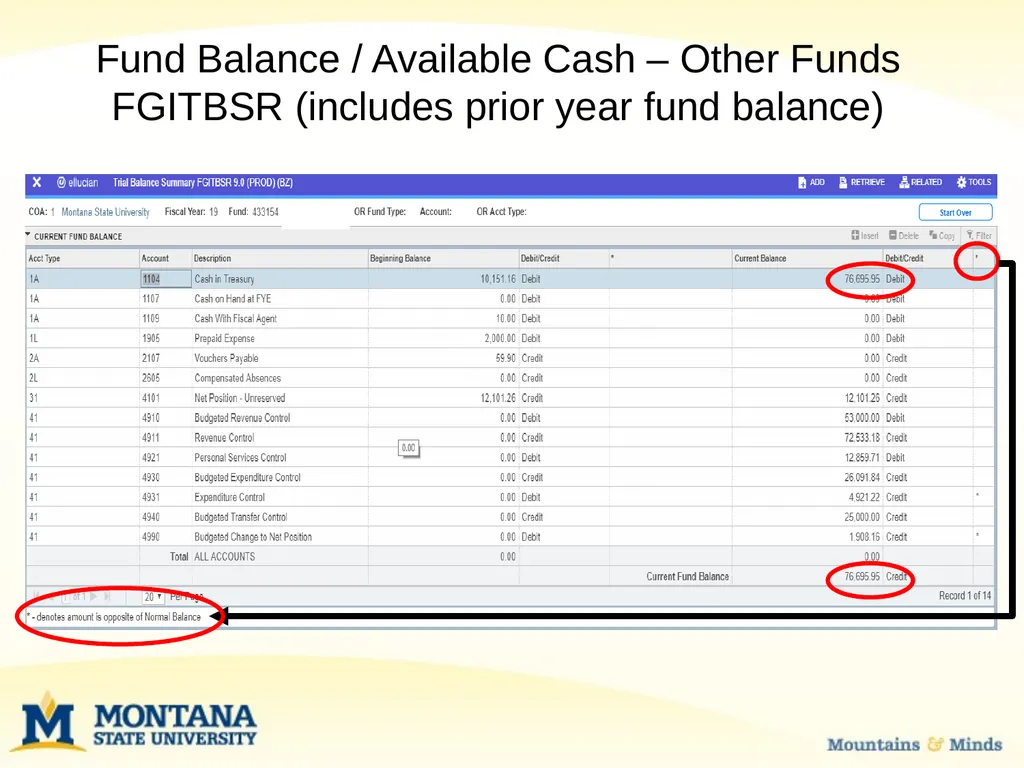
Fund Balance / Available Cash – Other Funds FGITBSR (includes prior year fund balance)<br>
23
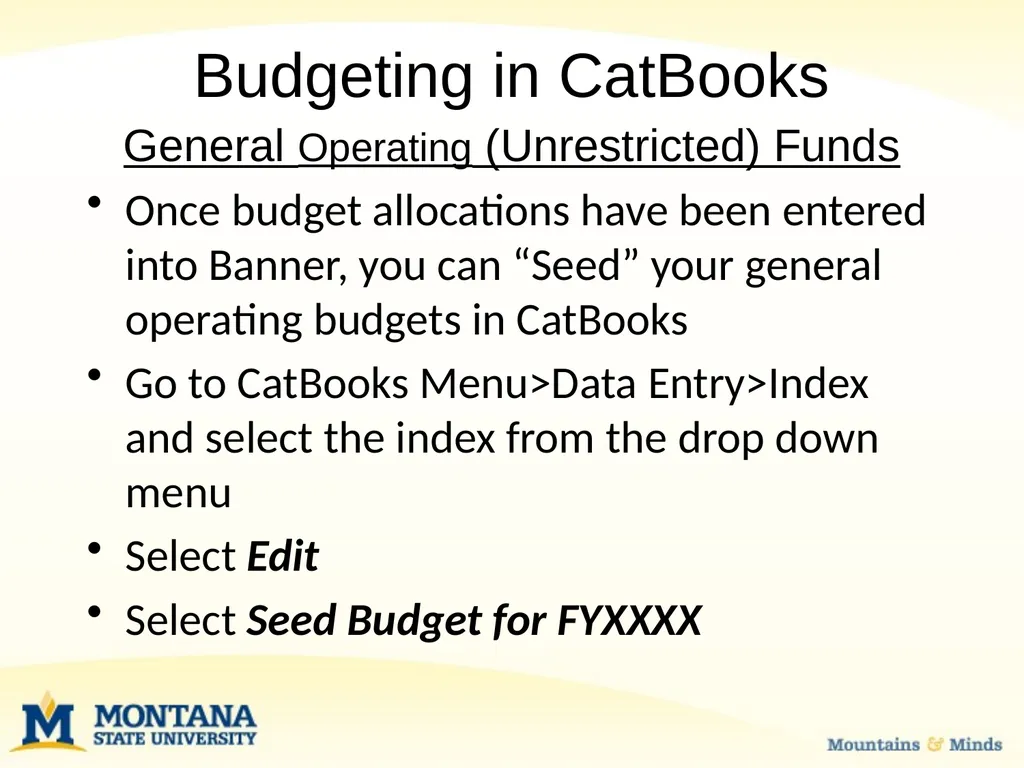
Budgeting in CatBooks General Operating (Unrestricted) Funds
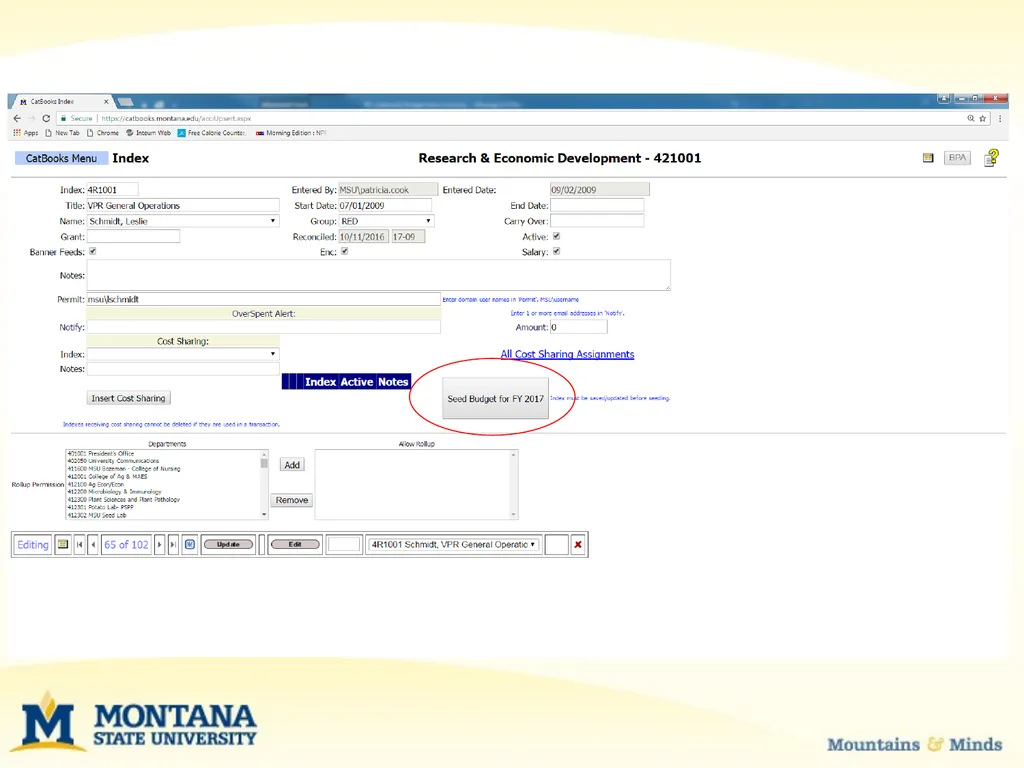
Once budget allocations have been entered into Banner, you can “Seed” your general operating budgets in CatBooks
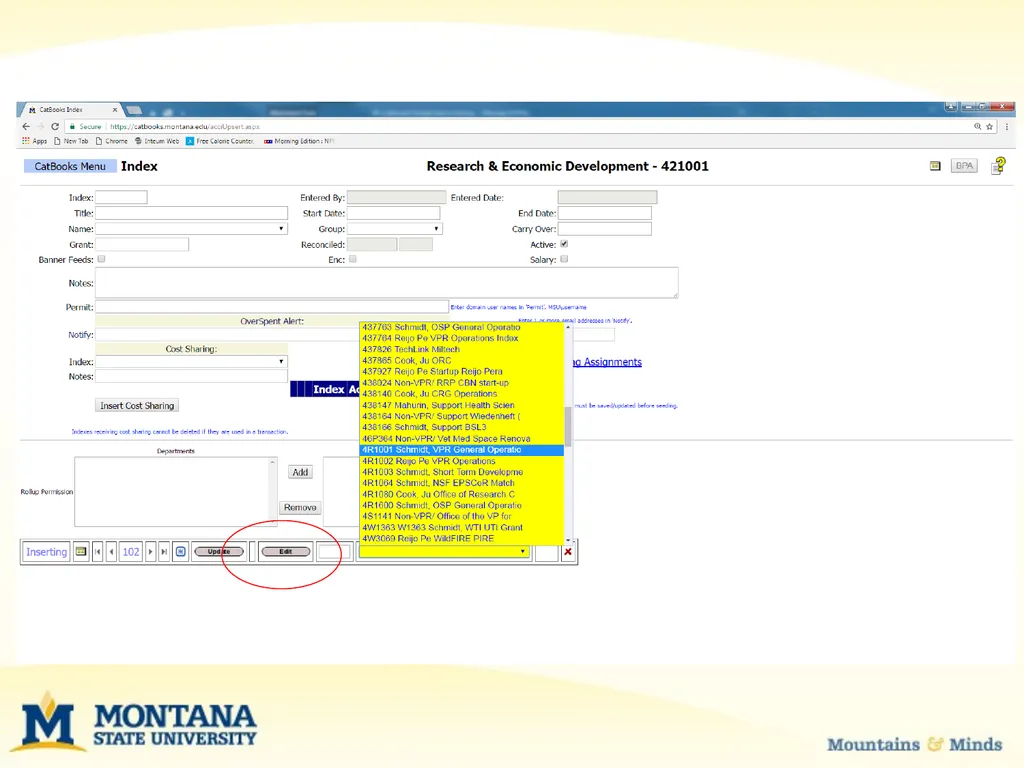
Go to CatBooks Menu>Data Entry>Index and select the index from the drop down menu
Select Edit
Select Seed Budget for FYXXXX<br>
Once budget allocations have been entered into Banner, you can “Seed” your general operating budgets in CatBooks
Go to CatBooks Menu>Data Entry>Index and select the index from the drop down menu
Select Edit
Select Seed Budget for FYXXXX<br>
24
Budgeting in CatBooks Seeding your budget imports budget entries (BD01 etc.) from Banner into CatBooks
Only do this once for each index. Seeding your budget more than once will duplicate the budget entries in CatBooks.
Normally done at the beginning of the fiscal year for base budget allocations.<br>
Only do this once for each index. Seeding your budget more than once will duplicate the budget entries in CatBooks.
Normally done at the beginning of the fiscal year for base budget allocations.<br>
25
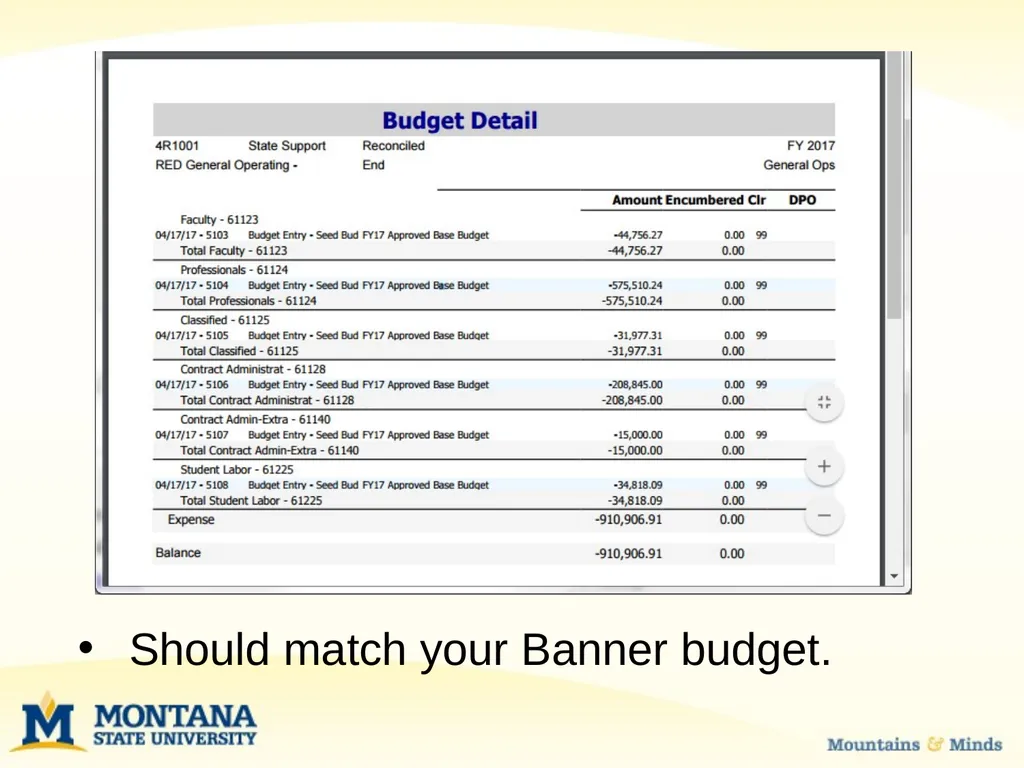
Should match your Banner budget.<br>
26
Budgeting in CatBooks Budget adjustments/transfers are not normally seeded in CatBooks but are entered as a transactions with a 99 in the clear month field.<br>
27
Budgeting in CatBooks Grant (Restricted) Funds
You can Seed the beginning Banner budget into CatBooks for a new grant.
Never Seed grant incremental budgets or budget modifications or it will double (or triple, or quadruple) your CatBooks budget.
Incremental budgets and modifications are entered as transactions with 99 in the clear month field.<br>
You can Seed the beginning Banner budget into CatBooks for a new grant.
Never Seed grant incremental budgets or budget modifications or it will double (or triple, or quadruple) your CatBooks budget.
Incremental budgets and modifications are entered as transactions with 99 in the clear month field.<br>
28
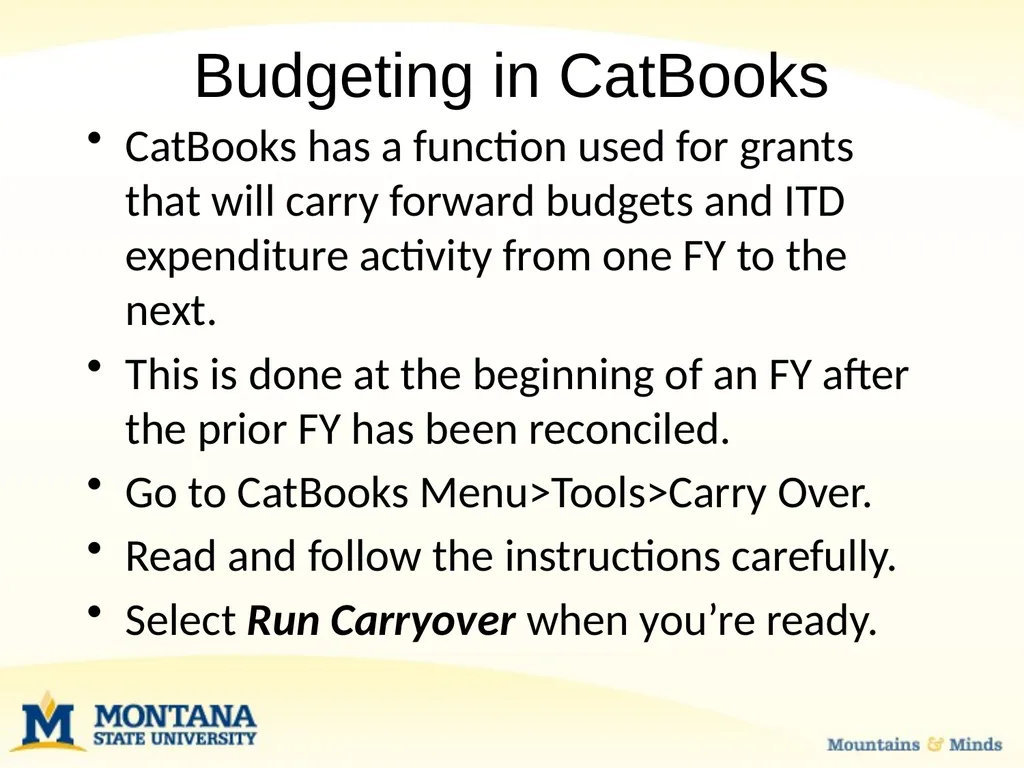
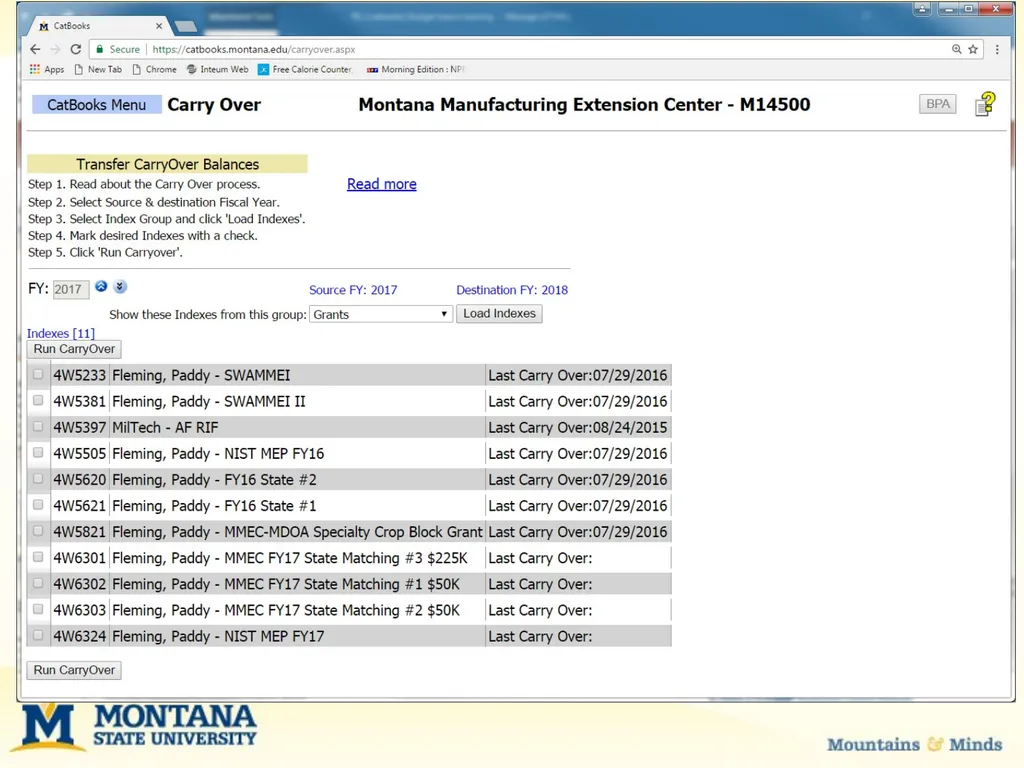
Budgeting in CatBooks CatBooks has a function used for grants that will carry forward budgets and ITD expenditure activity from one FY to the next.
This is done at the beginning of an FY after the prior FY has been reconciled.
Go to CatBooks Menu>Tools>Carry Over.
Read and follow the instructions carefully.
Select Run Carryover when you’re ready.<br>
This is done at the beginning of an FY after the prior FY has been reconciled.
Go to CatBooks Menu>Tools>Carry Over.
Read and follow the instructions carefully.
Select Run Carryover when you’re ready.<br>
29
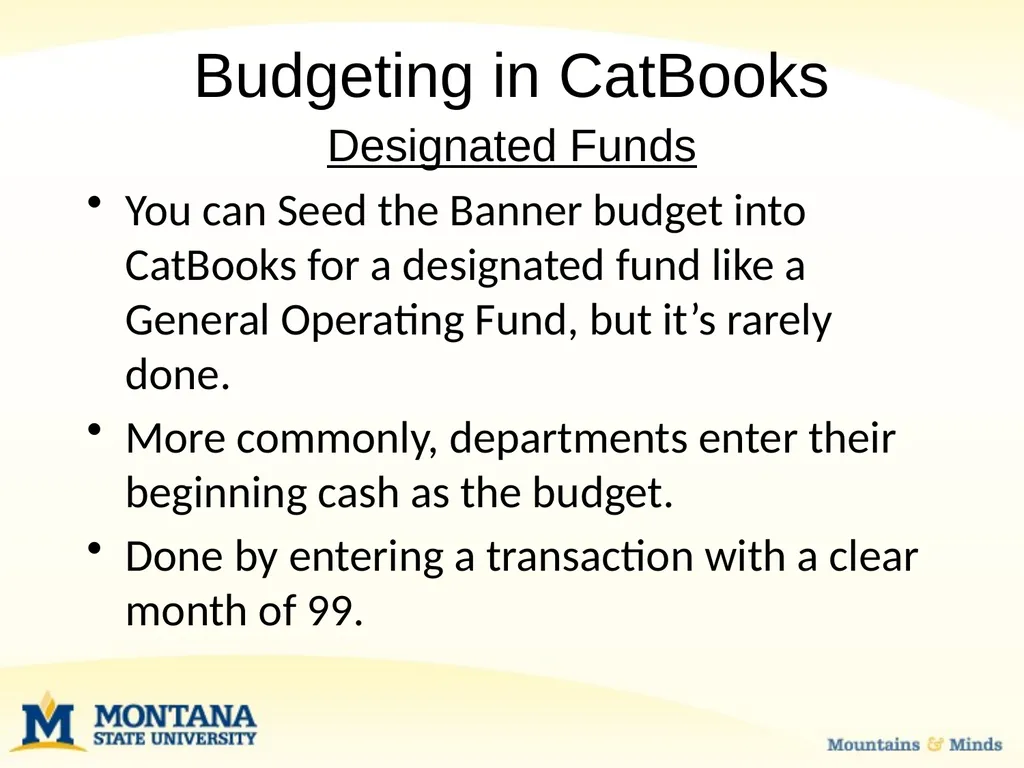
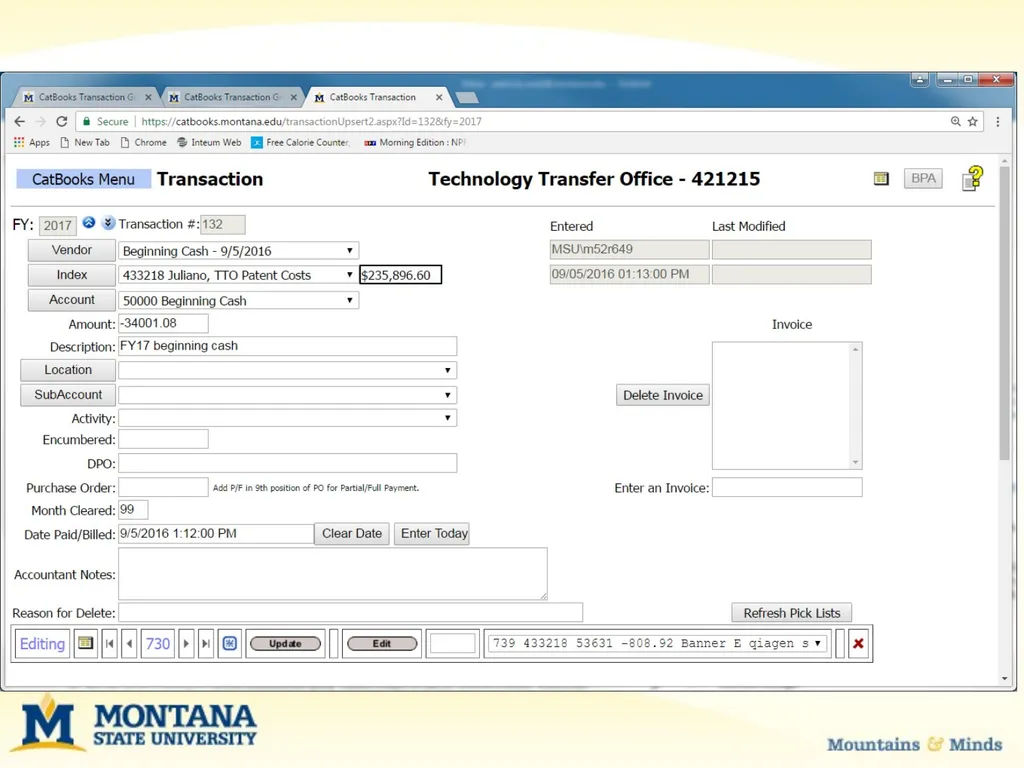
Budgeting in CatBooks Designated Funds
You can Seed the Banner budget into CatBooks for a designated fund like a General Operating Fund, but it’s rarely done.
More commonly, departments enter their beginning cash as the budget.
Done by entering a transaction with a clear month of 99.<br>
You can Seed the Banner budget into CatBooks for a designated fund like a General Operating Fund, but it’s rarely done.
More commonly, departments enter their beginning cash as the budget.
Done by entering a transaction with a clear month of 99.<br>
30
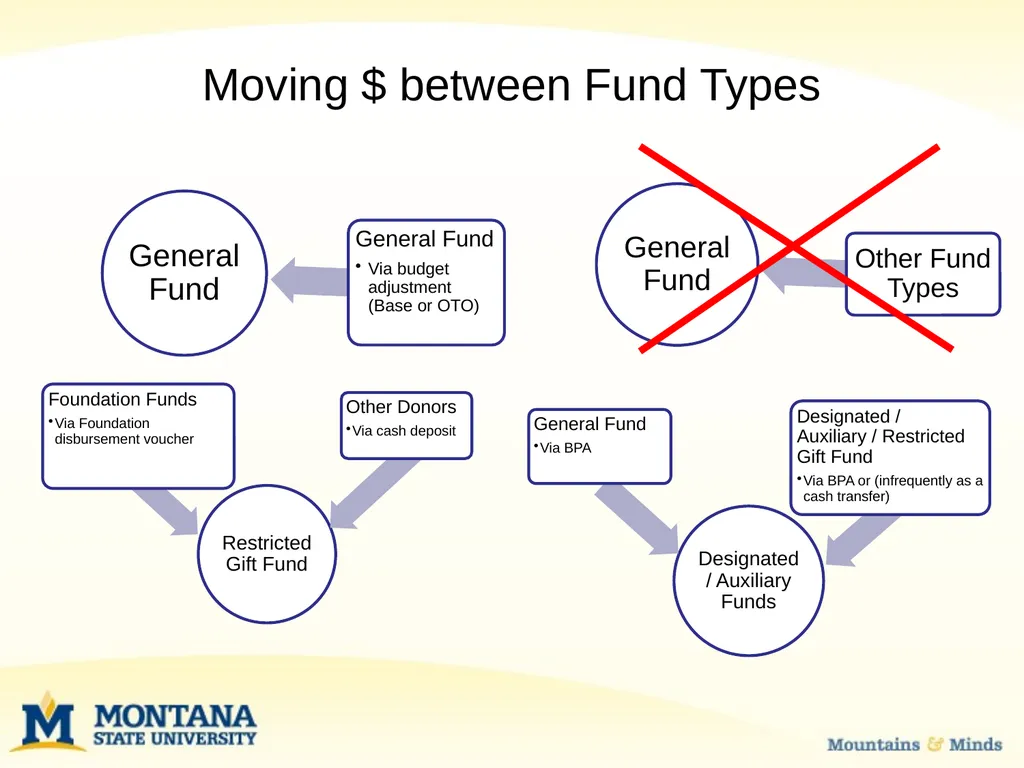
Moving $ between Fund Types<br>
31
Moving $ between Fund Types Moving budget from general fund to other fund type
This is more like a cash transaction
Use a BPA to “pay” the index. This is how we handle catering bills
Deposit money into general fund
This is a big “no no”
Needs to be deposited in another fund type<br>
This is more like a cash transaction
Use a BPA to “pay” the index. This is how we handle catering bills
Deposit money into general fund
This is a big “no no”
Needs to be deposited in another fund type<br>
32
Moving $ with a JRC JRC = Journal Recharge
For example, UIT buys a computer for a department and ‘resells’ it. They receive recharge income (53350) and the department records the expense.
These entries are eliminated in the financial statements because money only comes into the University once.<br>
For example, UIT buys a computer for a department and ‘resells’ it. They receive recharge income (53350) and the department records the expense.
These entries are eliminated in the financial statements because money only comes into the University once.<br>
33
Moving $ for Sponsorships Sponsorship = Support for campus event
For example, Lilly Ledbetter-speaker
Department sponsors some of the costs for the event. Depending upon funding type (both revenue and expense side), either BPA (JRC income 53350/expense 62899), a transfer (income 53975 & expense 68801) or budget adjustment (between 2 general fund indexes)
These can be tricky! Call UBS to discuss.<br>
For example, Lilly Ledbetter-speaker
Department sponsors some of the costs for the event. Depending upon funding type (both revenue and expense side), either BPA (JRC income 53350/expense 62899), a transfer (income 53975 & expense 68801) or budget adjustment (between 2 general fund indexes)
These can be tricky! Call UBS to discuss.<br>
34
Moving $ from Foundation Departments with spendable funds at the Foundation must set up a 423xxx restricted gift index/fund in Banner
Title of Banner index/fund should closely match Foundation’s title
Foundation account will serve as ‘reimbursement’ for MSU expenditures
Foundation’s disbursement policy differs from MSU’s. Please review the Foundation’s policies regarding:
“Entertainment/Hosting”
“Employee Social Functions/Retreats”
“Flowers/Gifts/Tokens of Appreciation”<br>
Title of Banner index/fund should closely match Foundation’s title
Foundation account will serve as ‘reimbursement’ for MSU expenditures
Foundation’s disbursement policy differs from MSU’s. Please review the Foundation’s policies regarding:
“Entertainment/Hosting”
“Employee Social Functions/Retreats”
“Flowers/Gifts/Tokens of Appreciation”<br>
35
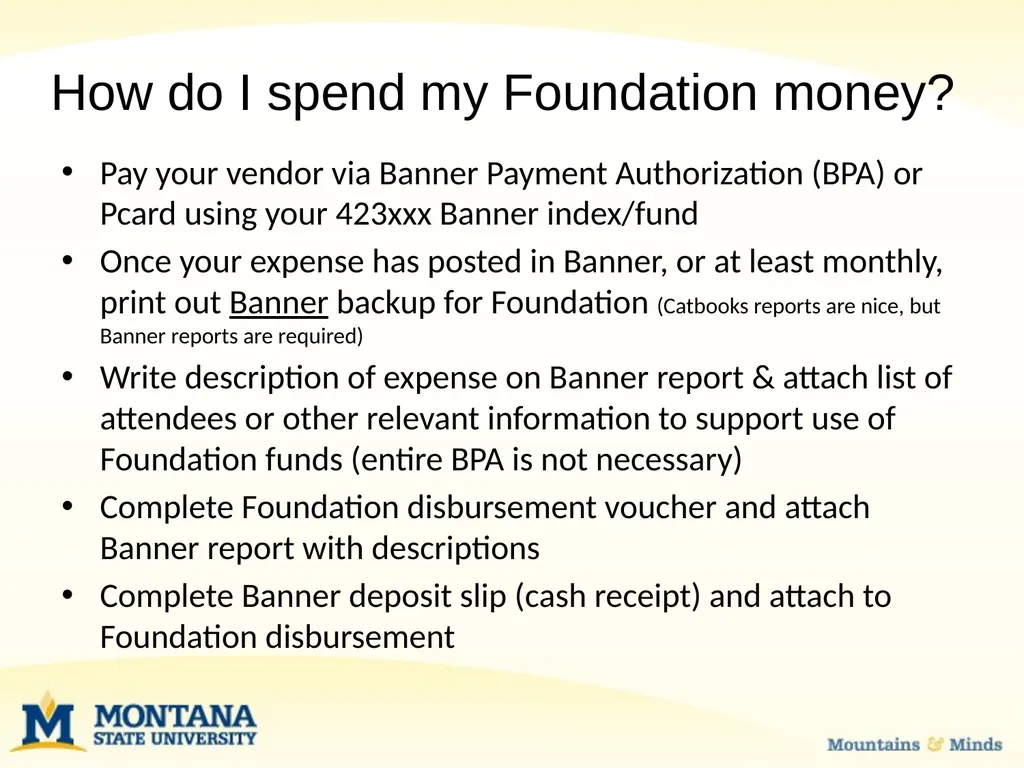
How do I spend my Foundation money? Pay your vendor via Banner Payment Authorization (BPA) or Pcard using your 423xxx Banner index/fund
Once your expense has posted in Banner, or at least monthly, print out Banner backup for Foundation (Catbooks reports are nice, but Banner reports are required)
Write description of expense on Banner report & attach list of attendees or other relevant information to support use of Foundation funds (entire BPA is not necessary)
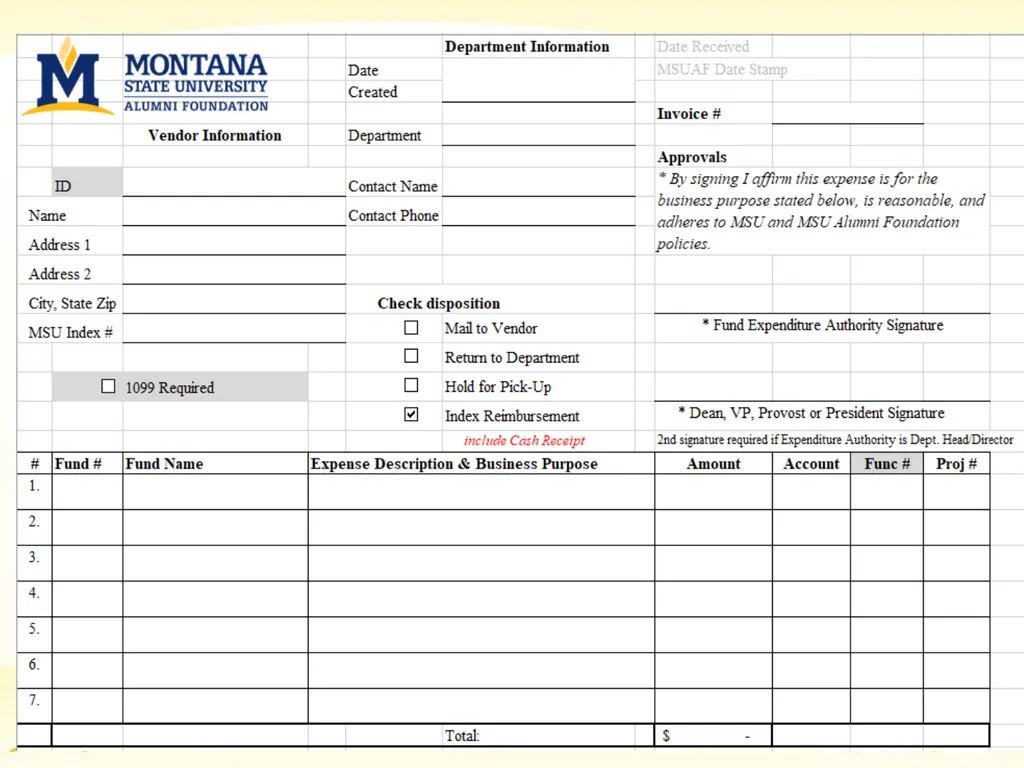
Complete Foundation disbursement voucher and attach Banner report with descriptions
Complete Banner deposit slip (cash receipt) and attach to Foundation disbursement<br>
Once your expense has posted in Banner, or at least monthly, print out Banner backup for Foundation (Catbooks reports are nice, but Banner reports are required)
Write description of expense on Banner report & attach list of attendees or other relevant information to support use of Foundation funds (entire BPA is not necessary)
Complete Foundation disbursement voucher and attach Banner report with descriptions
Complete Banner deposit slip (cash receipt) and attach to Foundation disbursement<br>
36
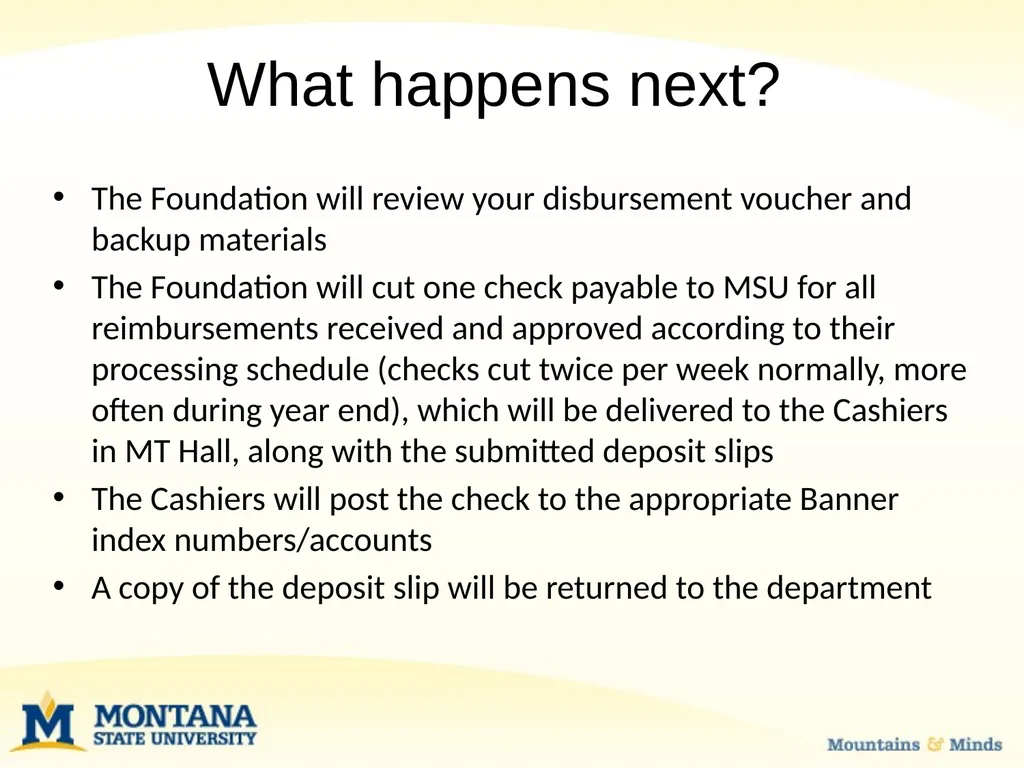
What happens next? The Foundation will review your disbursement voucher and backup materials
The Foundation will cut one check payable to MSU for all reimbursements received and approved according to their processing schedule (checks cut twice per week normally, more often during year end), which will be delivered to the Cashiers in MT Hall, along with the submitted deposit slips
The Cashiers will post the check to the appropriate Banner index numbers/accounts
A copy of the deposit slip will be returned to the department<br>
The Foundation will cut one check payable to MSU for all reimbursements received and approved according to their processing schedule (checks cut twice per week normally, more often during year end), which will be delivered to the Cashiers in MT Hall, along with the submitted deposit slips
The Cashiers will post the check to the appropriate Banner index numbers/accounts
A copy of the deposit slip will be returned to the department<br>
37
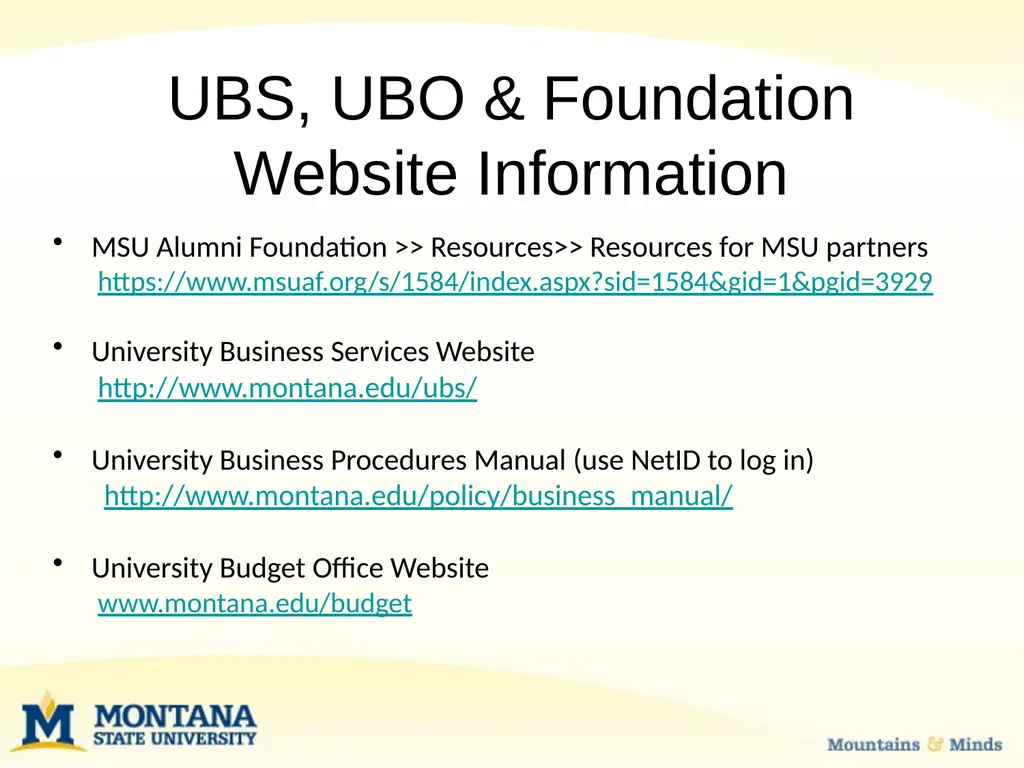
UBS, UBO & Foundation Website Information MSU Alumni Foundation >> Resources>> Resources for MSU partners
https://www.msuaf.org/s/1584/index.aspx?sid=1584&gid=1&pgid=3929
University Business Services Website
http://www.montana.edu/ubs/
University Business Procedures Manual (use NetID to log in)
http://www.montana.edu/policy/business_manual/
University Budget Office Website
www.montana.edu/budget<br>
https://www.msuaf.org/s/1584/index.aspx?sid=1584&gid=1&pgid=3929
University Business Services Website
http://www.montana.edu/ubs/
University Business Procedures Manual (use NetID to log in)
http://www.montana.edu/policy/business_manual/
University Budget Office Website
www.montana.edu/budget<br>
38
Important Contacts Questions about Foundation reimbursements:
Carrie Faulhaber, Controller, 994-6421
Carrie.faulhaber@msuaf.org
Barb Gordon, Assistant Controller, 994-2508
Barb.Gordon@msuaf.org
Questions about Budgets:
Megan Lasso, Budget & Fiscal Manager, 994-1834
mbergstedt@montana.edu
Mackenzie Seeley, Budget Analyst, 994-2990
mackenzie.seeley@montana.edu
Questions about adding index/funds:
Tanya Arrington, UBS, Financial Manager, 994-3345
Tanya.Arrington@montana.edu
Other/General UBS questions:
Christina Fournier, UBS, Financial Manager, 994-3653
Fournier@montana.edu or UBSHelp@montana.edu<br>
Carrie Faulhaber, Controller, 994-6421
Carrie.faulhaber@msuaf.org
Barb Gordon, Assistant Controller, 994-2508
Barb.Gordon@msuaf.org
Questions about Budgets:
Megan Lasso, Budget & Fiscal Manager, 994-1834
mbergstedt@montana.edu
Mackenzie Seeley, Budget Analyst, 994-2990
mackenzie.seeley@montana.edu
Questions about adding index/funds:
Tanya Arrington, UBS, Financial Manager, 994-3345
Tanya.Arrington@montana.edu
Other/General UBS questions:
Christina Fournier, UBS, Financial Manager, 994-3653
Fournier@montana.edu or UBSHelp@montana.edu<br>
39
Questions & Comments<br>