04
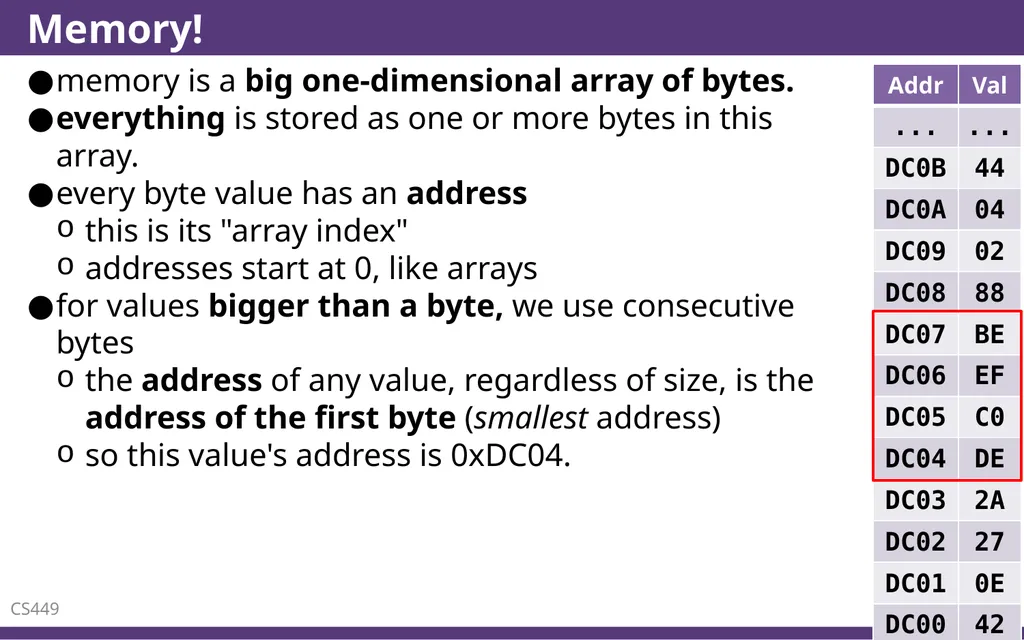
Memory! memory is a big one-dimensional array of bytes.
everything is stored as one or more bytes in this array.
every byte value has an address
this is its "array index"
addresses start at 0, like arrays
for values bigger than a byte, we use consecutive bytes
the address of any value, regardless of size, is the address of the first byte (smallest address)
so this value's address is 0xDC04. CS449 4<br>
05
Everything's an array of bytes really, that's it. that's the Grand Unifying Theory of C.
ints, floats, strings, "objects," everything.
everything has an address (where it is)
everything has a type (what it is)
and there are no boundaries.
you can interpret any type as any other.
you can go out of bounds of anything.
there are no rules, everything is weird. CS449 5<br>
06
Solving the fgets problem CS449 6<br>
07
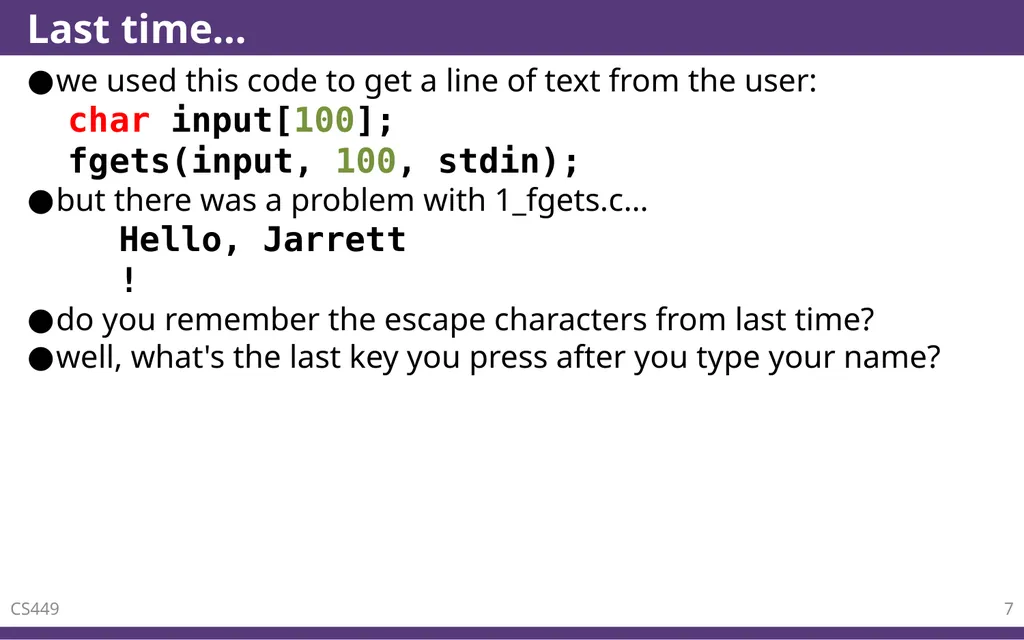
Last time… we used this code to get a line of text from the user:
char input[100];
fgets(input, 100, stdin);
but there was a problem with 1_fgets.c…
Hello, Jarrett
!
do you remember the escape characters from last time?
well, what's the last key you press after you type your name? CS449 7<br>
08
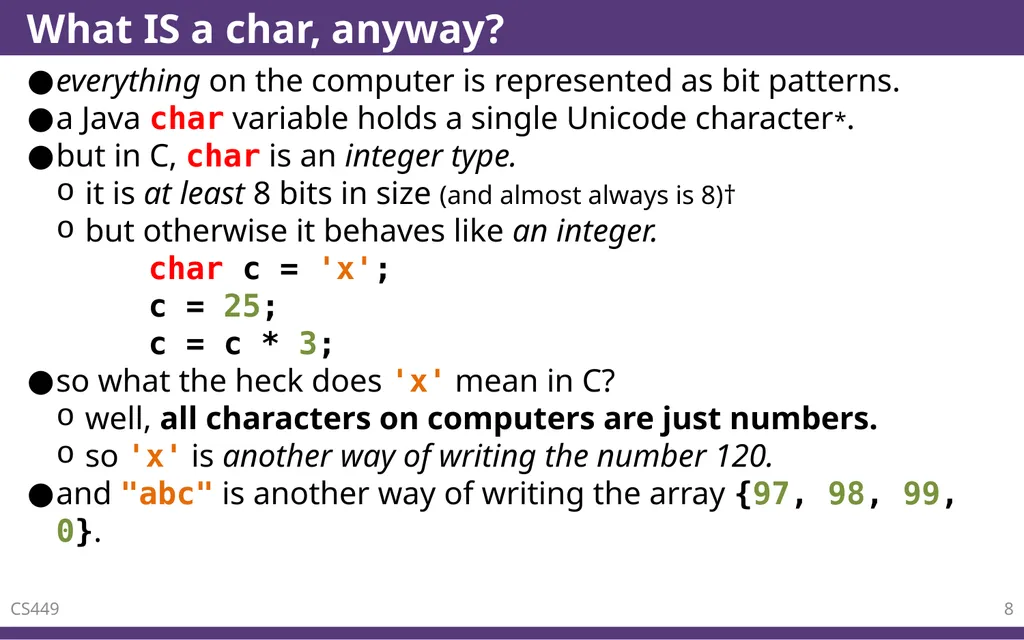
What IS a char, anyway? everything on the computer is represented as bit patterns.
a Java char variable holds a single Unicode character*.
but in C, char is an integer type.
it is at least 8 bits in size (and almost always is 8)†
but otherwise it behaves like an integer.
char c = 'x';
c = 25;
c = c * 3;
so what the heck does 'x' mean in C?
well, all characters on computers are just numbers.
so 'x' is another way of writing the number 120.
and "abc" is another way of writing the array {97, 98, 99, 0}. CS449 8<br>
09
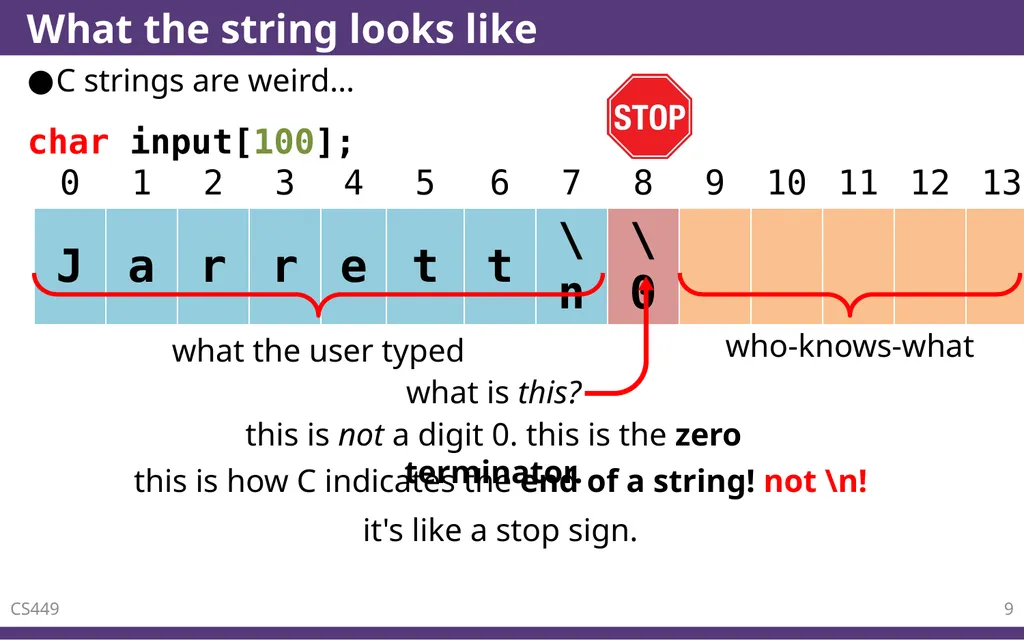
What the string looks like C strings are weird… CS449 9 this is not a digit 0. this is the zero terminator. this is how C indicates the end of a string! not \n! char input[100]; it's like a stop sign.<br>
10
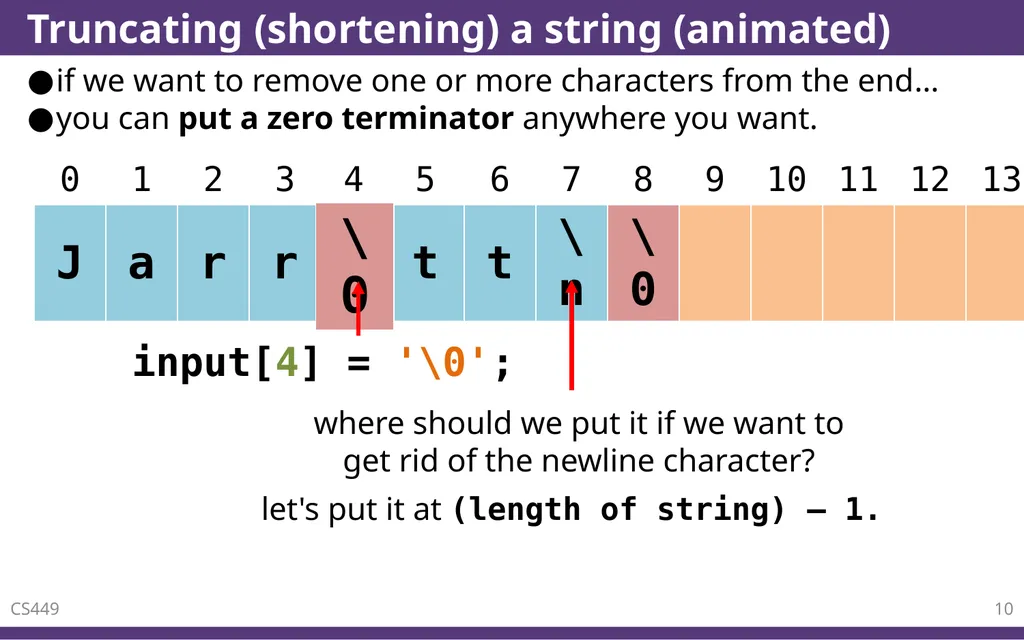
Truncating (shortening) a string (animated) if we want to remove one or more characters from the end…
you can put a zero terminator anywhere you want. CS449 10 where should we put it if we want to�get rid of the newline character? let's put it at (length of string) – 1.<br>
11
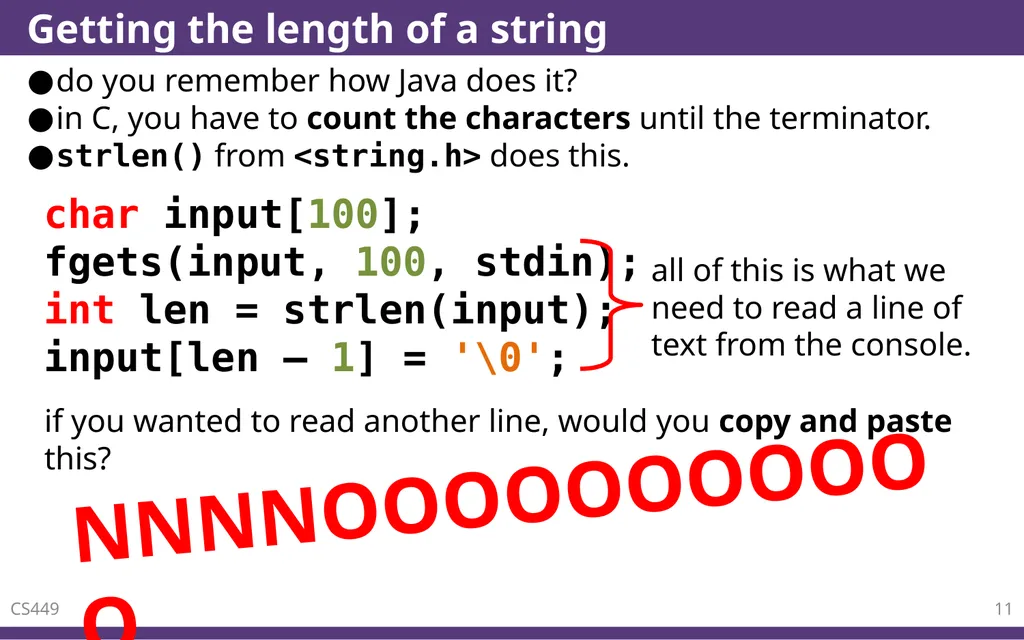
Getting the length of a string do you remember how Java does it?
in C, you have to count the characters until the terminator.
strlen() from <string.h> does this. CS449 11 char input[100];
fgets(input, 100, stdin);
int len = strlen(input);
input[len – 1] = '\0'; if you wanted to read another line, would you copy and paste this? NNNNOOOOOOOOOOO<br>
12
Functions CS449 12<br>
13
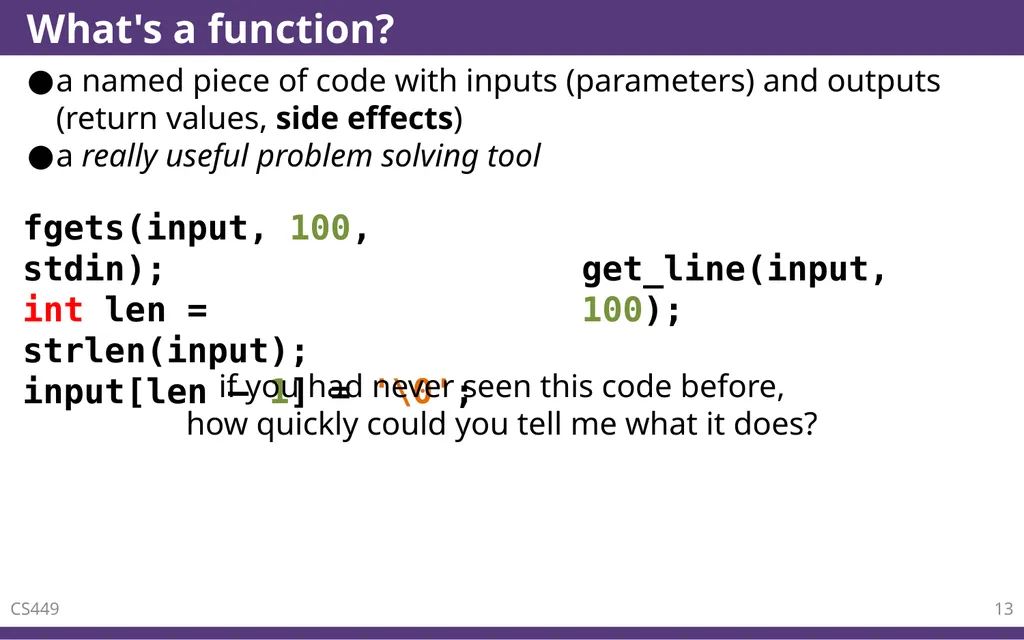
What's a function? a named piece of code with inputs (parameters) and outputs (return values, side effects)
a really useful problem solving tool CS449 13 fgets(input, 100, stdin);
int len = strlen(input);
input[len – 1] = '\0'; get_line(input, 100); if you had never seen this code before,
how quickly could you tell me what it does?<br>
14
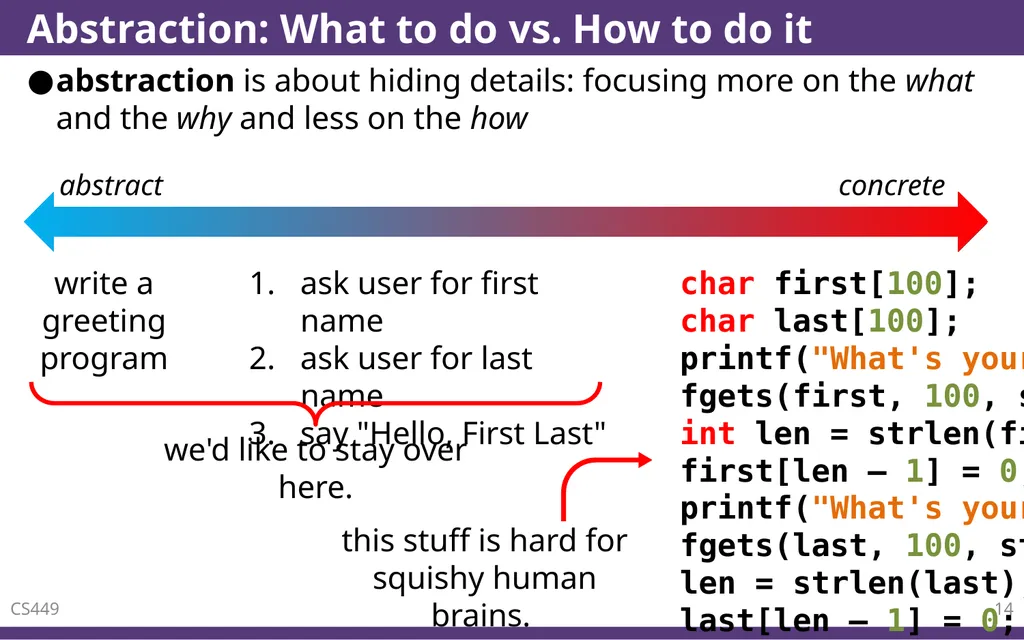
Abstraction: What to do vs. How to do it abstraction is about hiding details: focusing more on the what and the why and less on the how CS449 14 write a greeting program ask user for first name
ask user for last name
say "Hello, First Last" char first[100];
char last[100];
printf("What's your first name? ");
fgets(first, 100, stdin);
int len = strlen(first);
first[len – 1] = 0;
printf("What's your last name? ");
fgets(last, 100, stdin);
len = strlen(last);
last[len – 1] = 0;
printf("Hello, %s %s!\n", first, last);<br>
15
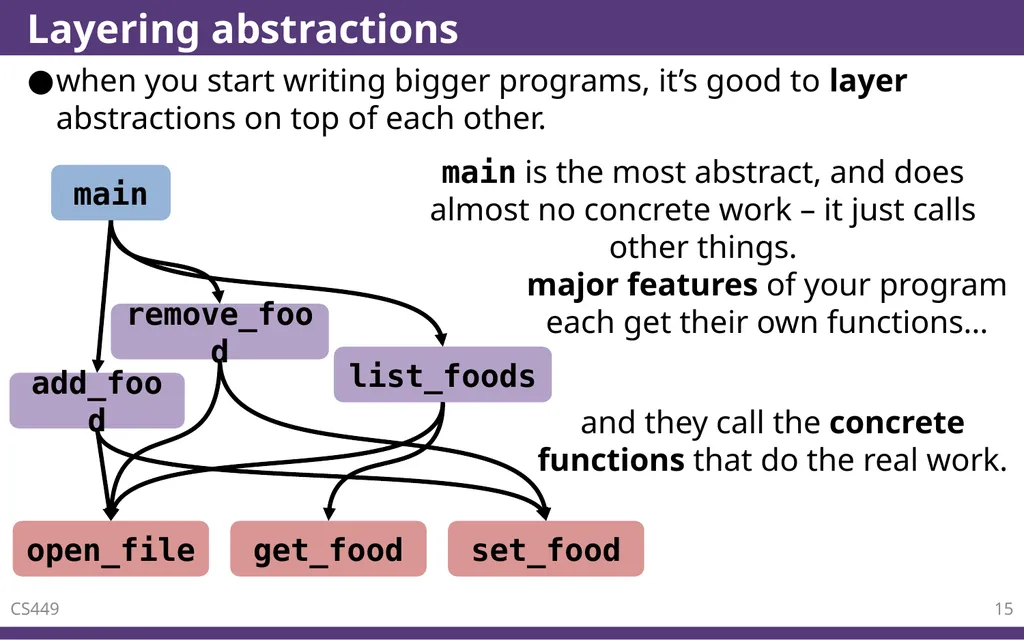
Layering abstractions when you start writing bigger programs, it’s good to layer abstractions on top of each other. CS449 15 main add_food main is the most abstract, and does almost no concrete work – it just calls other things. remove_food list_foods major features of your program each get their own functions… and they call the concrete functions that do the real work. open_file get_food set_food<br>
16
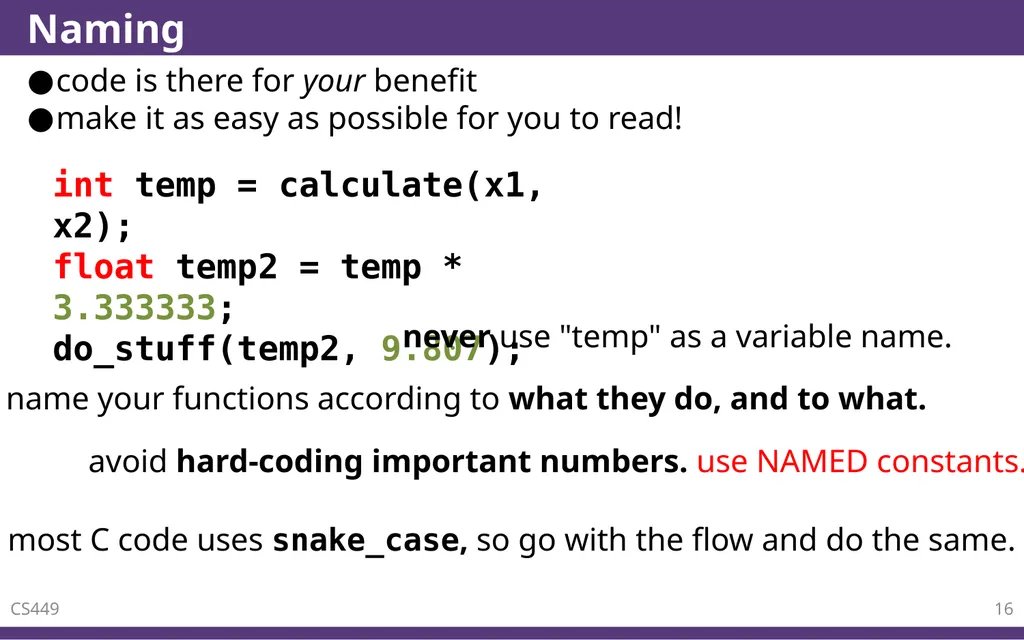
Naming code is there for your benefit
make it as easy as possible for you to read! CS449 16 int temp = calculate(x1, x2);
float temp2 = temp * 3.333333;
do_stuff(temp2, 9.807); never use "temp" as a variable name. name your functions according to what they do, and to what. avoid hard-coding important numbers. use NAMED constants. most C code uses snake_case, so go with the flow and do the same.<br>
17
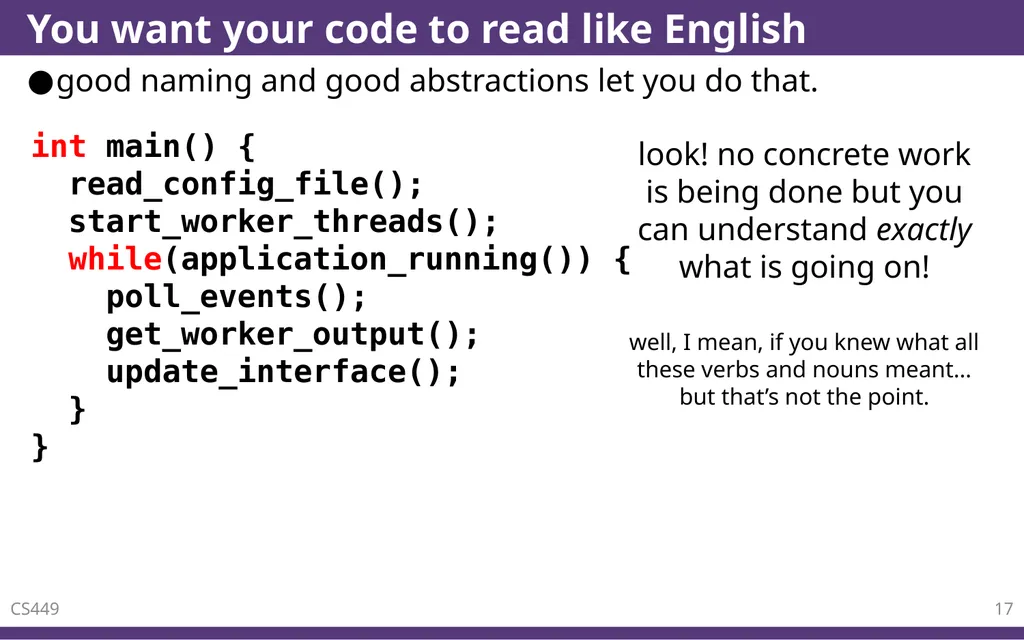
You want your code to read like English good naming and good abstractions let you do that. CS449 17 int main() {� read_config_file();
start_worker_threads();
while(application_running()) {� poll_events();
get_worker_output();
update_interface();� }�} look! no concrete work is being done but you can understand exactly what is going on! well, I mean, if you knew what all these verbs and nouns meant… but that’s not the point.<br>
18
Functions in C CS449 18<br>
19
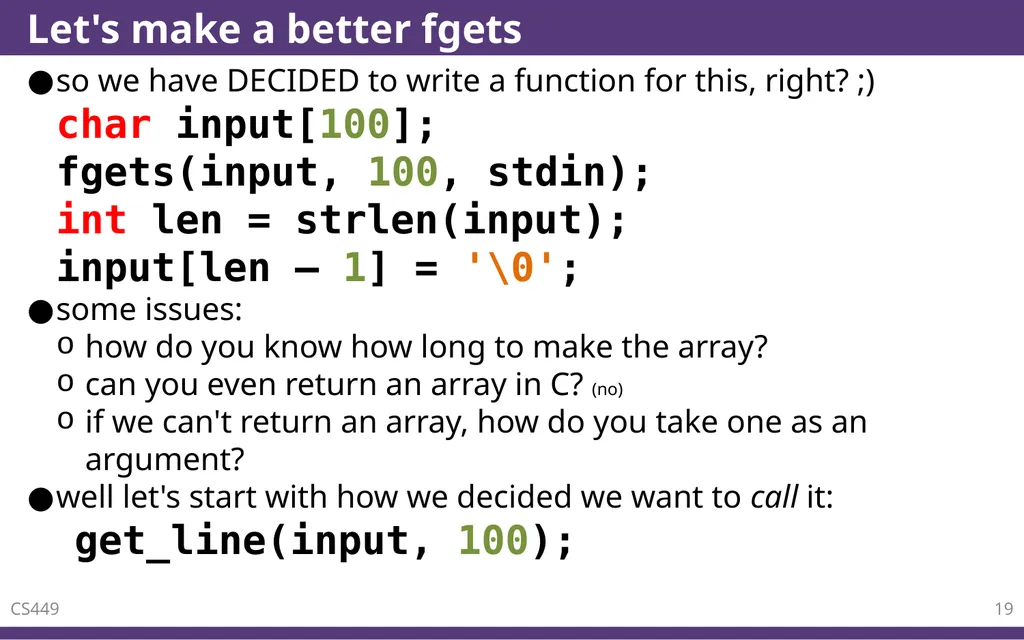
Let's make a better fgets so we have DECIDED to write a function for this, right? ;)
char input[100];
fgets(input, 100, stdin);
int len = strlen(input);
input[len – 1] = '\0';
some issues:
how do you know how long to make the array?
can you even return an array in C? (no)
if we can't return an array, how do you take one as an argument?
well let's start with how we decided we want to call it:
get_line(input, 100); CS449 19<br>
20
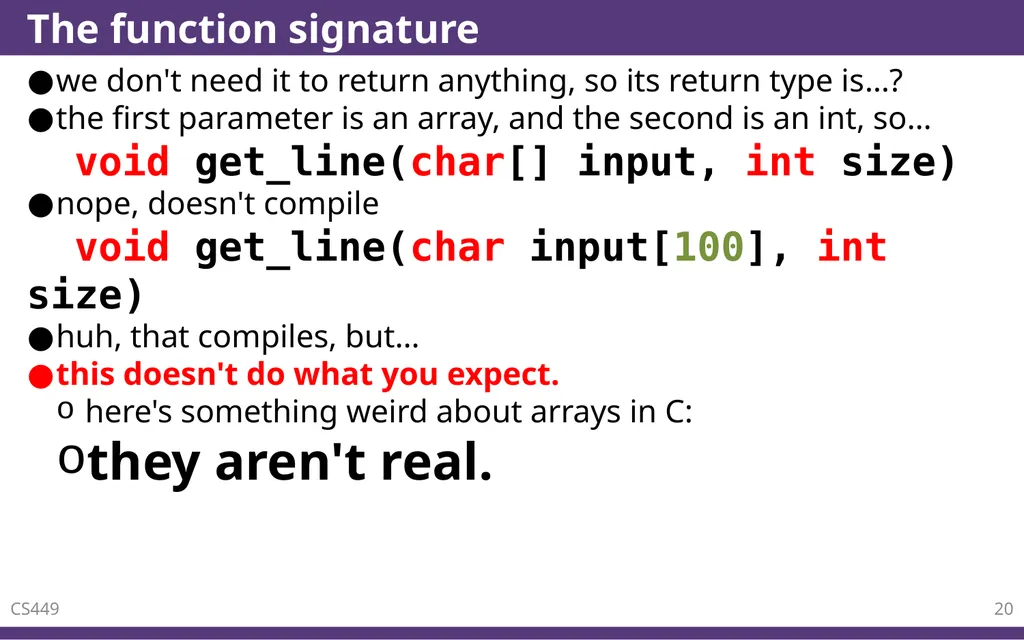
The function signature we don't need it to return anything, so its return type is…?
the first parameter is an array, and the second is an int, so…
void get_line(char[] input, int size)
nope, doesn't compile
void get_line(char input[100], int size)
huh, that compiles, but…
this doesn't do what you expect.
here's something weird about arrays in C:
they aren't real. CS449 20<br>
21
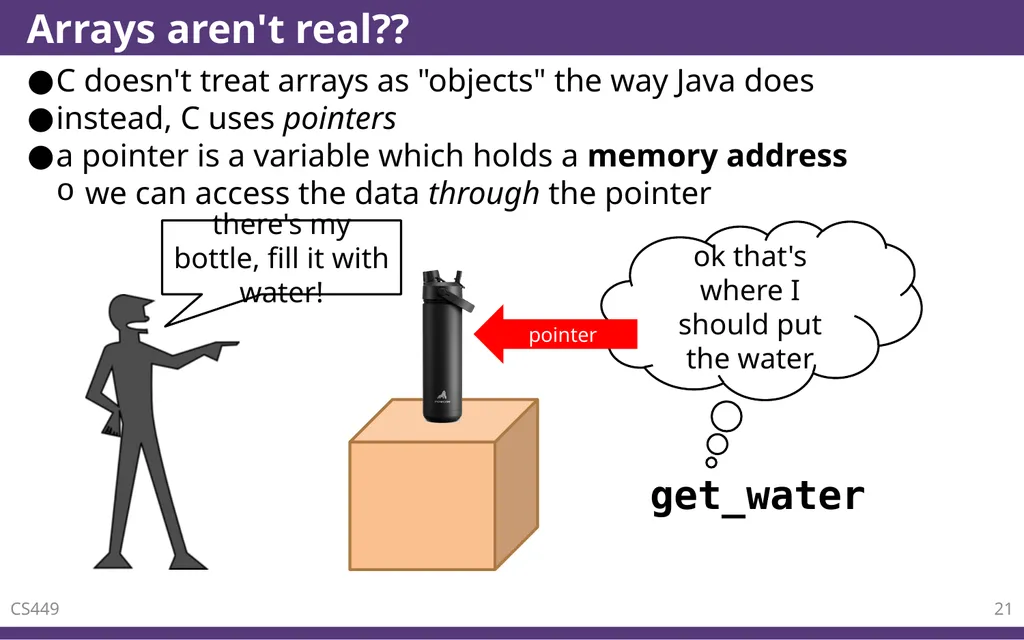
Arrays aren't real?? C doesn't treat arrays as "objects" the way Java does
instead, C uses pointers
a pointer is a variable which holds a memory address
we can access the data through the pointer CS449 21 there's my bottle, fill it with water! get_water ok that's where I should put the water pointer<br>
22
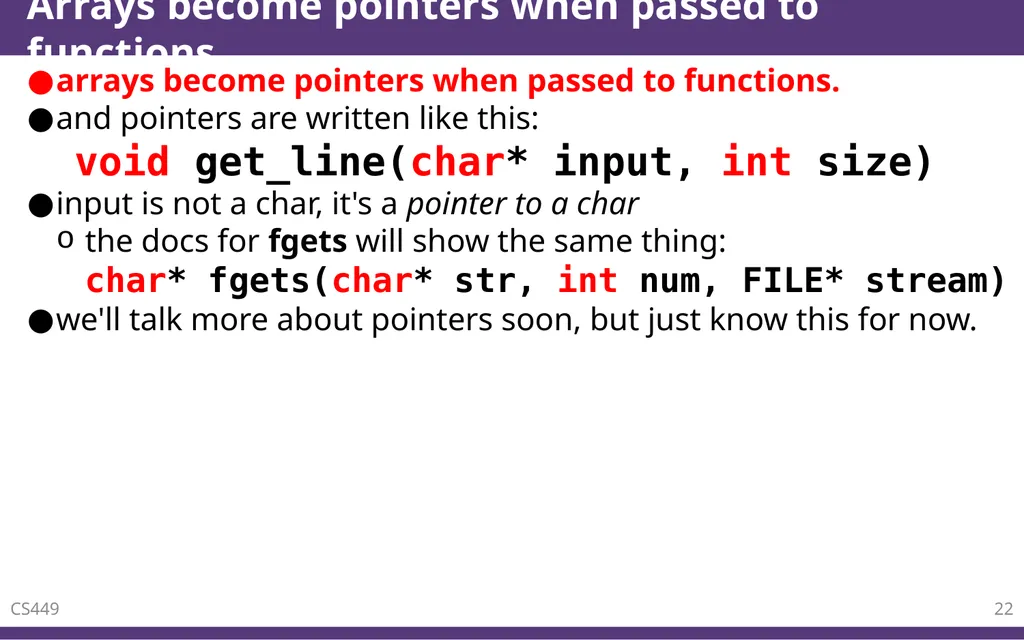
Arrays become pointers when passed to functions arrays become pointers when passed to functions.
and pointers are written like this:
void get_line(char* input, int size)
input is not a char, it's a pointer to a char
the docs for fgets will show the same thing:�char* fgets(char* str, int num, FILE* stream)
we'll talk more about pointers soon, but just know this for now. CS449 22<br>
23
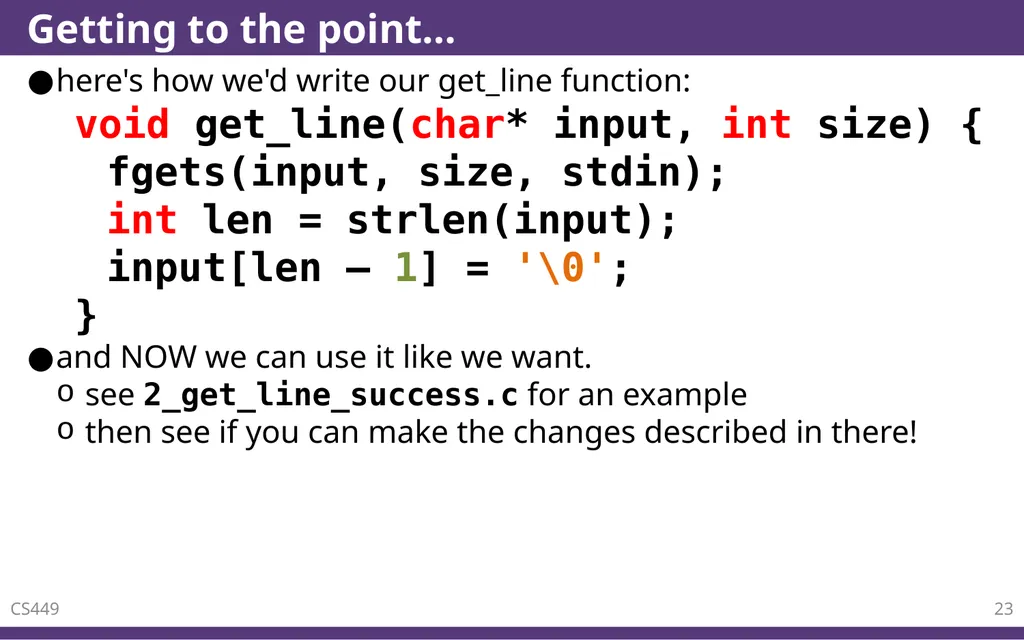
Getting to the point… here's how we'd write our get_line function:
void get_line(char* input, int size) {
fgets(input, size, stdin);
int len = strlen(input);
input[len – 1] = '\0';
}
and NOW we can use it like we want.
see 2_get_line_success.c for an example
then see if you can make the changes described in there! CS449 23<br>
24
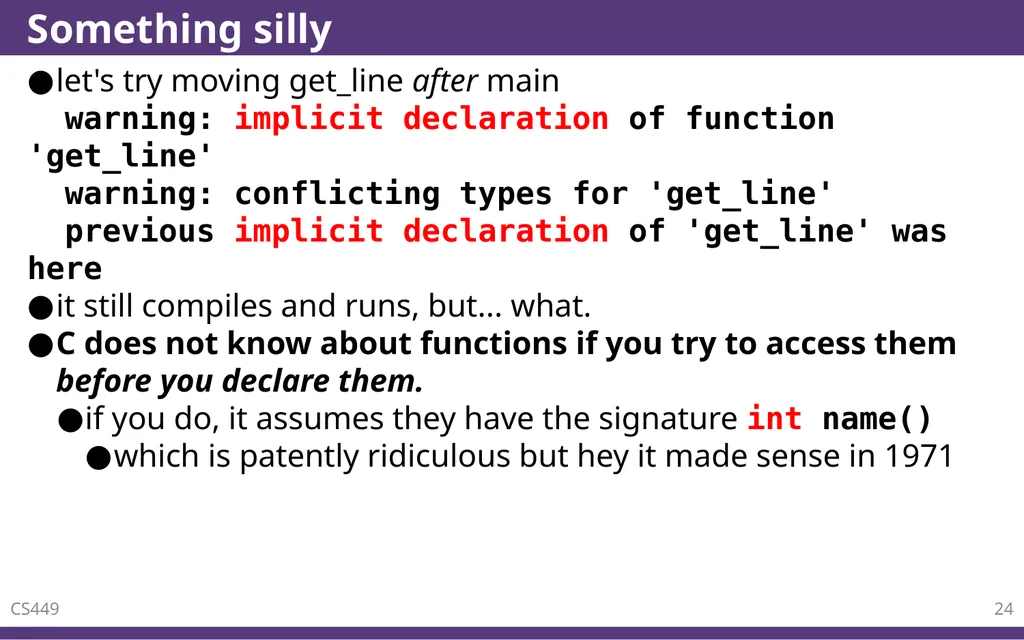
Something silly let's try moving get_line after main
warning: implicit declaration of function 'get_line'
warning: conflicting types for 'get_line'
previous implicit declaration of 'get_line' was here
it still compiles and runs, but... what.
C does not know about functions if you try to access them before you declare them.
if you do, it assumes they have the signature int name()
which is patently ridiculous but hey it made sense in 1971 CS449 24<br>
25
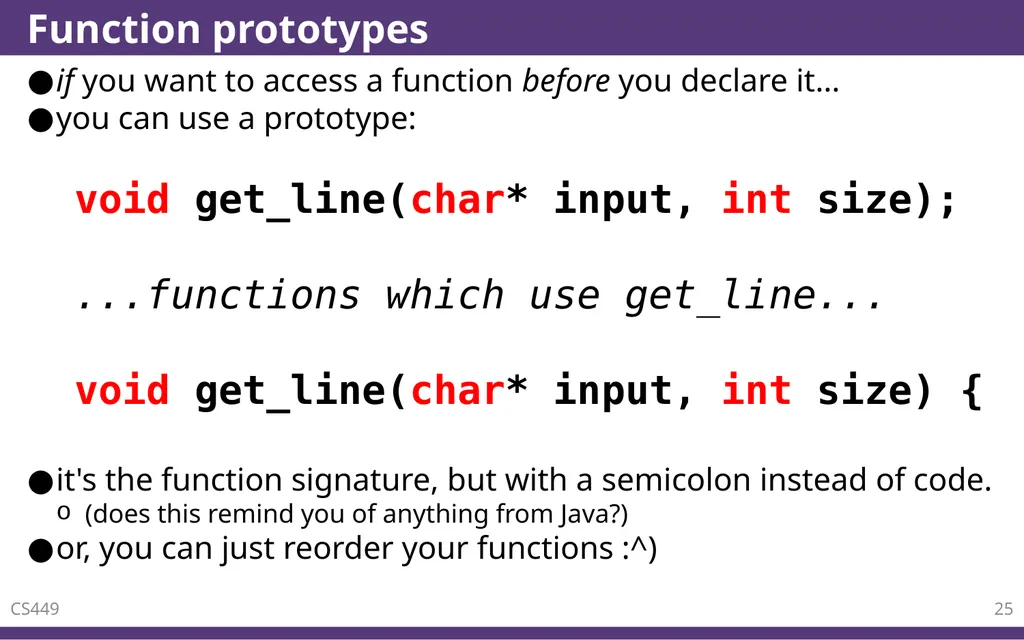
Function prototypes if you want to access a function before you declare it…
you can use a prototype:�
void get_line(char* input, int size);
...functions which use get_line...
void get_line(char* input, int size) {
it's the function signature, but with a semicolon instead of code.
(does this remind you of anything from Java?)
or, you can just reorder your functions :^) CS449 25<br>
26
Returning arrays? CS449 26<br>
27
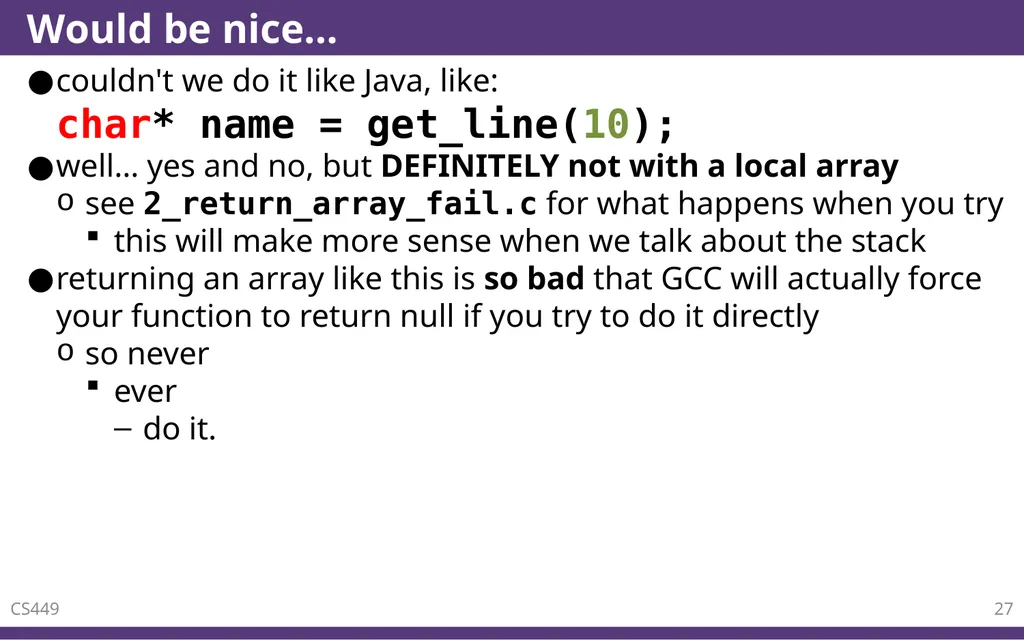
Would be nice… couldn't we do it like Java, like:
char* name = get_line(10);
well… yes and no, but DEFINITELY not with a local array
see 2_return_array_fail.c for what happens when you try
this will make more sense when we talk about the stack
returning an array like this is so bad that GCC will actually force your function to return null if you try to do it directly
so never
ever
do it. CS449 27<br>