
chapter 19 groupware Groupware What is groupware
MJ
Published · 62 slides · 0 views
1 / 1
Description
chapter 19 groupware Groupware What is groupware Types of groupware computer-mediated communication meeting and decisions support systems shared applications and artefacts Models of groupware Implementation issues What is groupware?
Related Topics
Share
Embed code
Download this presentation From Below
"chapter 19 groupware Groupware What is groupware" is the property of its rightful owner. Permission is granted to download and print the materials on this website for personal, non-commercial use only, and to display it on your personal computer provided you do not modify the materials and that you retain all copyright notices contained in the materials. By downloading content from our website, you accept the terms of this agreement.
Presentation Transcript
01
chapter 19 groupware<br>
02
Groupware What is groupware
Types of groupware
computer-mediated communication
meeting and decisions support systems
shared applications and artefacts
Models of groupware
Implementation issues<br>
Types of groupware
computer-mediated communication
meeting and decisions support systems
shared applications and artefacts
Models of groupware
Implementation issues<br>
03
What is groupware? Software specifically designed
to support group working
with cooperative requirements in mind
NOT just tools for communication
Groupware can be classified by
when and where the participants are working
the function it performs for cooperative work
Specific and difficult problems with groupware implementation<br>
to support group working
with cooperative requirements in mind
NOT just tools for communication
Groupware can be classified by
when and where the participants are working
the function it performs for cooperative work
Specific and difficult problems with groupware implementation<br>
04
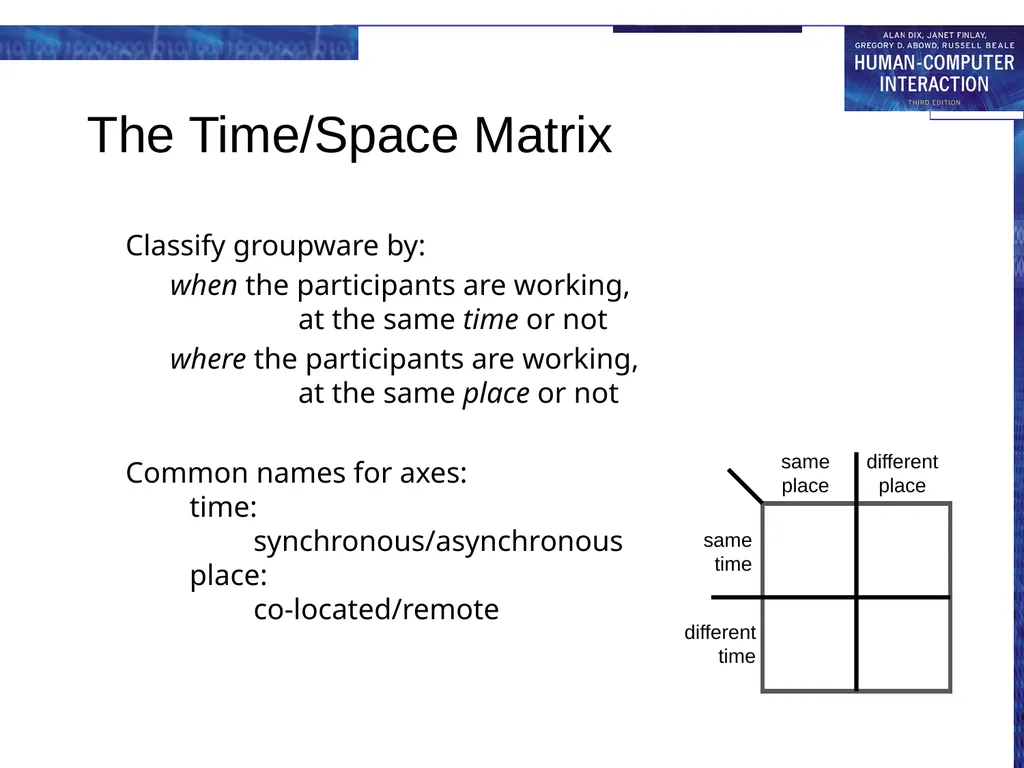
The Time/Space Matrix Classify groupware by:
when the participants are working, at the same time or not
where the participants are working, at the same place or not
Common names for axes: time: synchronous/asynchronous place: co-located/remote<br>
when the participants are working, at the same time or not
where the participants are working, at the same place or not
Common names for axes: time: synchronous/asynchronous place: co-located/remote<br>
05
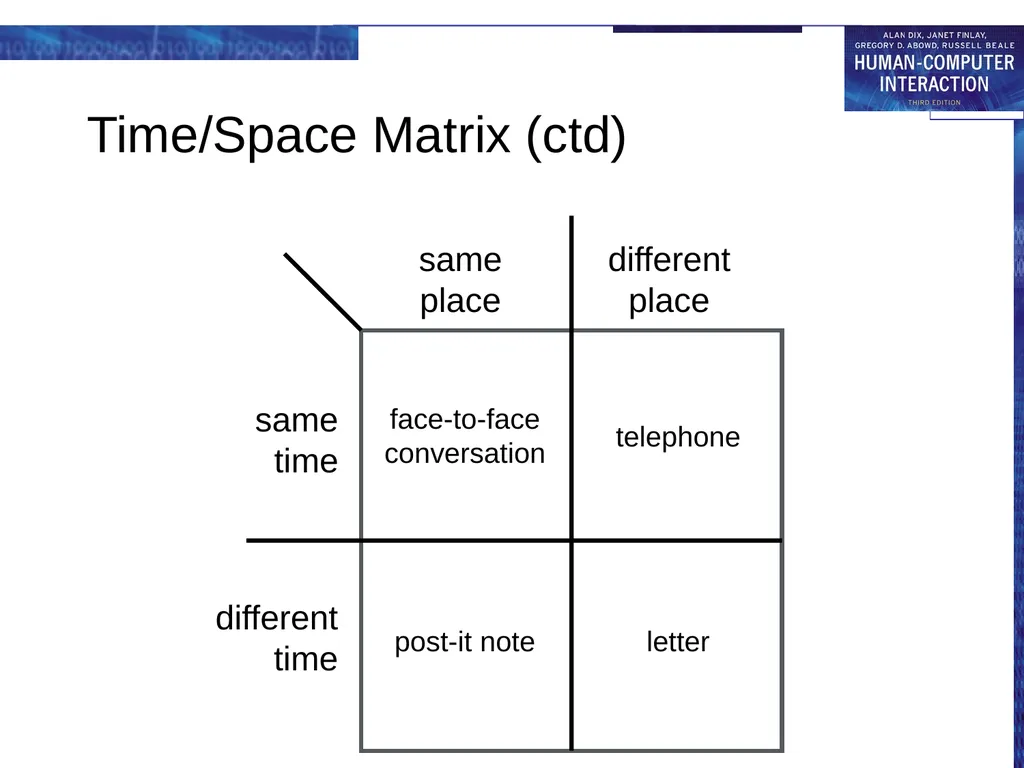
Time/Space Matrix (ctd) different
place same
place same
time different
time face-to-face
conversation telephone post-it note letter<br>
06
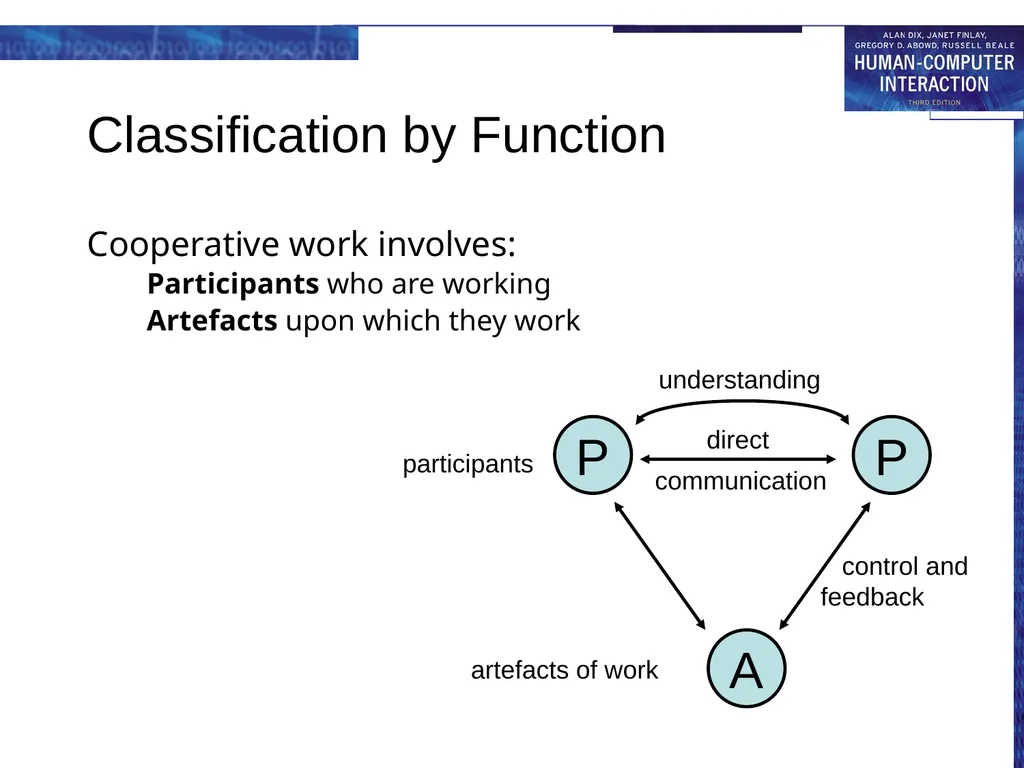
Classification by Function Cooperative work involves:
Participants who are working
Artefacts upon which they work<br>
Participants who are working
Artefacts upon which they work<br>
07
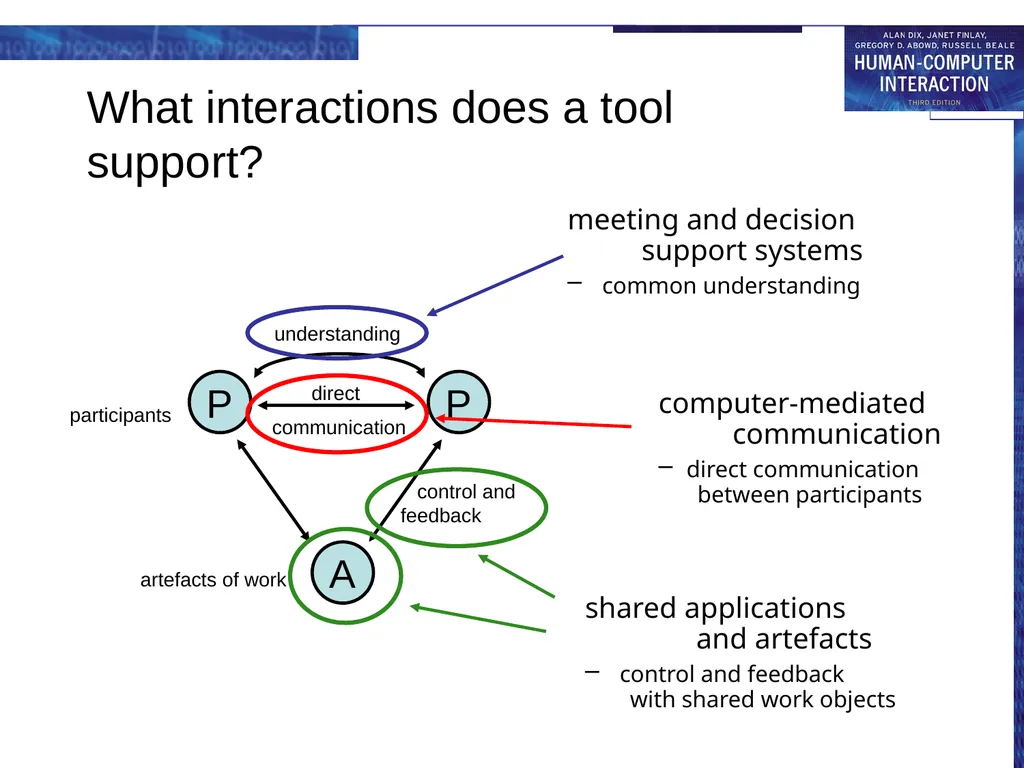
What interactions does a tool support? computer-mediated communication
direct communication between participants
meeting and decision support systems
common understanding
shared applications and artefacts
control and feedback with shared work objects<br>
direct communication between participants
meeting and decision support systems
common understanding
shared applications and artefacts
control and feedback with shared work objects<br>
08
computer-mediated communication email and bulletin boards
structured message systems
text messaging
video, virtual environments<br>
structured message systems
text messaging
video, virtual environments<br>
09
Email and bulletin boards asynchronous/remote
familiar and most successful groupware
Recipients of email: direct in To: field copies in Cc: field
delivery identical – difference is social purpose<br>
familiar and most successful groupware
Recipients of email: direct in To: field copies in Cc: field
delivery identical – difference is social purpose<br>
10
Email vs. bulletin boards fan out
one-to-one – email, direct communication
one-to-many – email, distribution lists
BBs, broadcast distribution
control
sender – email, private distribution list
administrator – email, shared distribution list
recipient – BBs, subscription to topics<br>
one-to-one – email, direct communication
one-to-many – email, distribution lists
BBs, broadcast distribution
control
sender – email, private distribution list
administrator – email, shared distribution list
recipient – BBs, subscription to topics<br>
11
Structured message systems asynchronous/remote
`super' email – cross between email and a database
sender – fills in special fields
recipient – filters and sorts incoming mail based on field contents
… but – work by the sender – benefit for the recipient<br>
`super' email – cross between email and a database
sender – fills in special fields
recipient – filters and sorts incoming mail based on field contents
… but – work by the sender – benefit for the recipient<br>
12
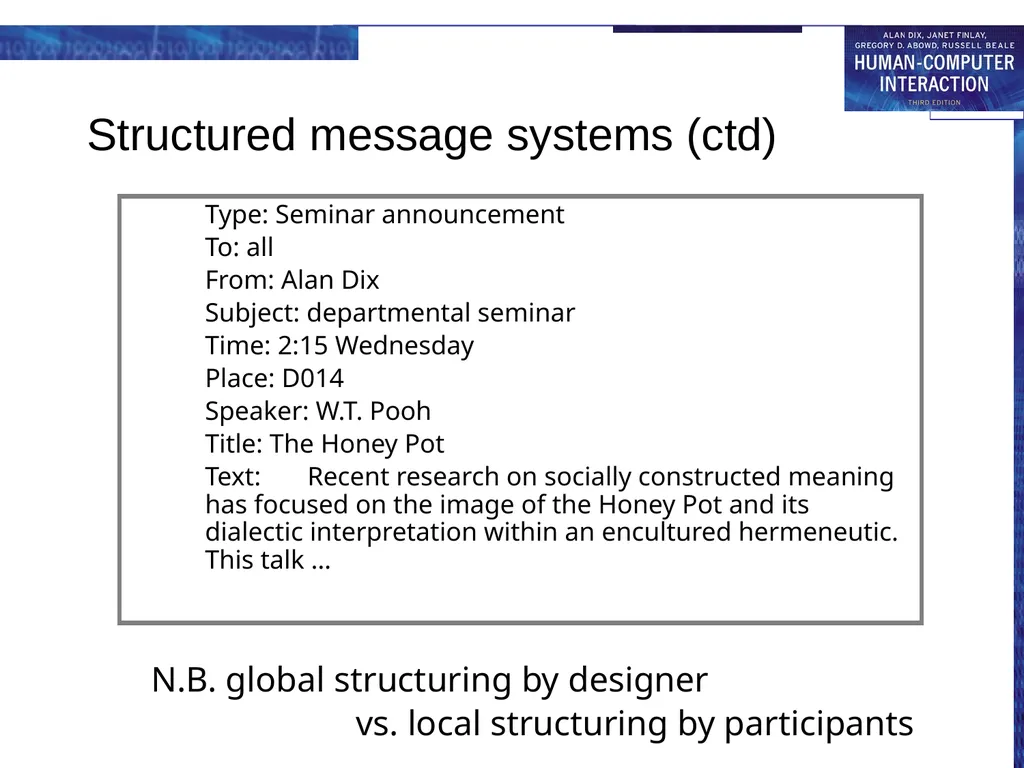
Structured message systems (ctd) N.B. global structuring by designer
vs. local structuring by participants Type: Seminar announcement
To: all
From: Alan Dix
Subject: departmental seminar
Time: 2:15 Wednesday
Place: D014
Speaker: W.T. Pooh
Title: The Honey Pot
Text: Recent research on socially constructed meaning has focused on the image of the Honey Pot and its dialectic interpretation within an encultured hermeneutic. This talk …<br>
vs. local structuring by participants Type: Seminar announcement
To: all
From: Alan Dix
Subject: departmental seminar
Time: 2:15 Wednesday
Place: D014
Speaker: W.T. Pooh
Title: The Honey Pot
Text: Recent research on socially constructed meaning has focused on the image of the Honey Pot and its dialectic interpretation within an encultured hermeneutic. This talk …<br>
13
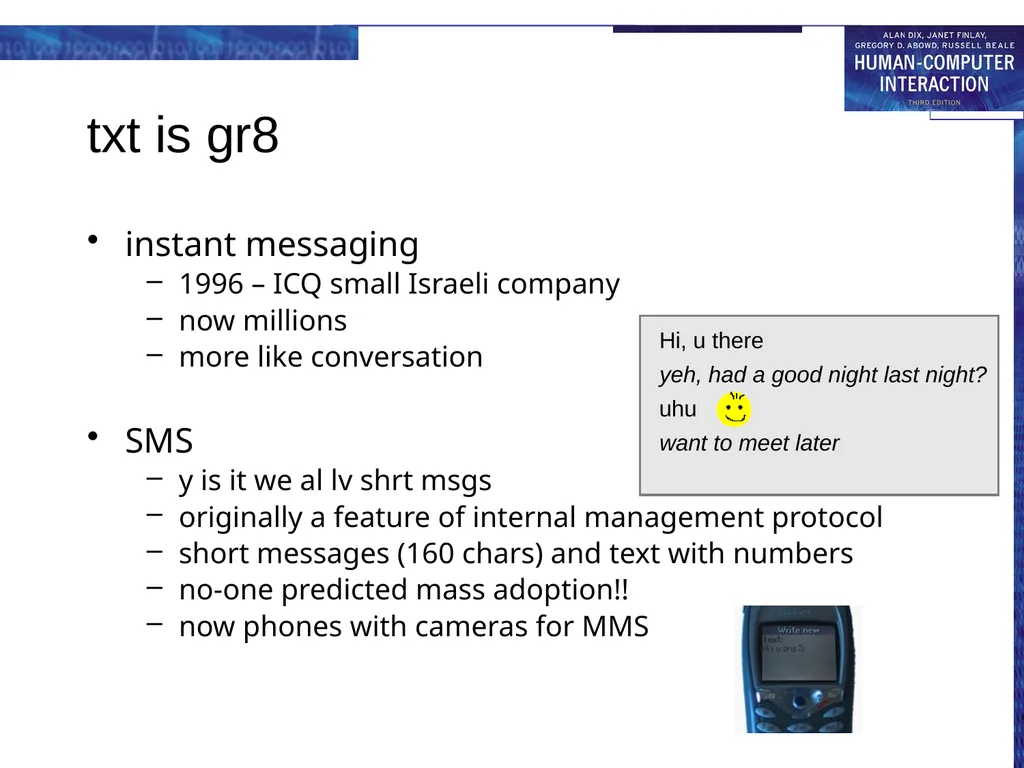
txt is gr8 instant messaging
1996 – ICQ small Israeli company
now millions
more like conversation
SMS
y is it we al lv shrt msgs
originally a feature of internal management protocol
short messages (160 chars) and text with numbers
no-one predicted mass adoption!!
now phones with cameras for MMS Hi, u there want to meet later yeh, had a good night last night?<br>
1996 – ICQ small Israeli company
now millions
more like conversation
SMS
y is it we al lv shrt msgs
originally a feature of internal management protocol
short messages (160 chars) and text with numbers
no-one predicted mass adoption!!
now phones with cameras for MMS Hi, u there want to meet later yeh, had a good night last night?<br>
14
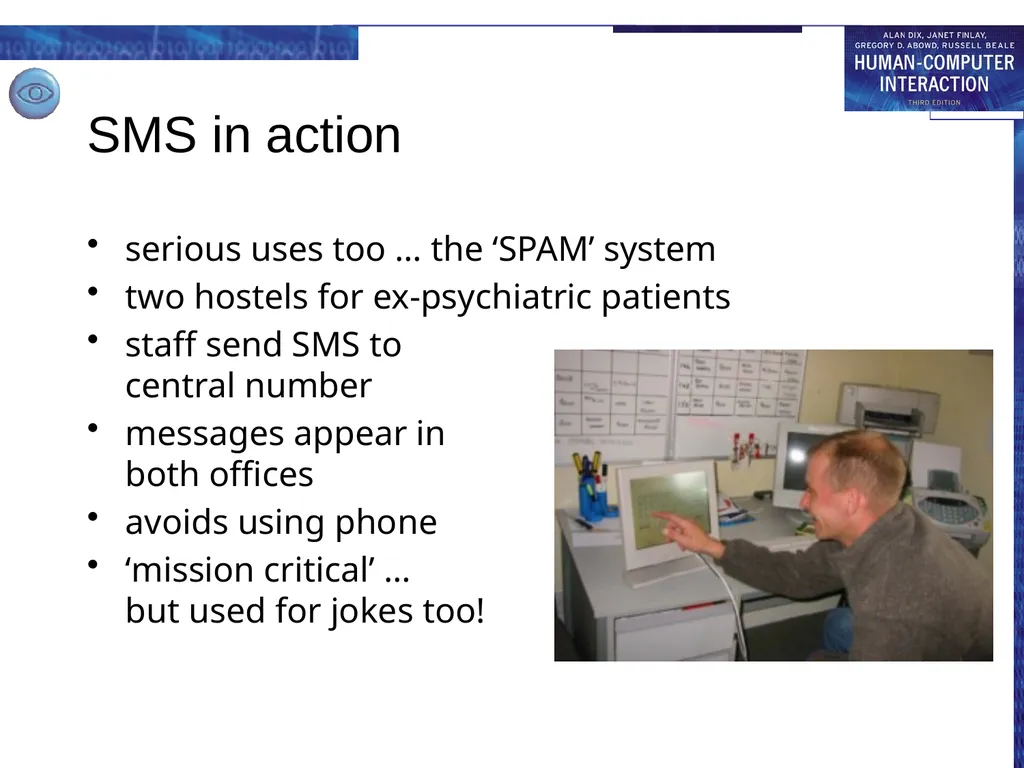
SMS in action serious uses too … the ‘SPAM’ system
two hostels for ex-psychiatric patients
staff send SMS to central number
messages appear in both offices
avoids using phone
‘mission critical’ … but used for jokes too!<br>
two hostels for ex-psychiatric patients
staff send SMS to central number
messages appear in both offices
avoids using phone
‘mission critical’ … but used for jokes too!<br>
15
Video conferences and communication synchronous/remote
Technology:
ISDN + video compression
internet, web cams
major uses:
video conferences
pervasive video for social contact
integration with other applications
often cheaper than face-to-face meetings
(telecommunications costs vs. air flights)<br>
Technology:
ISDN + video compression
internet, web cams
major uses:
video conferences
pervasive video for social contact
integration with other applications
often cheaper than face-to-face meetings
(telecommunications costs vs. air flights)<br>
16
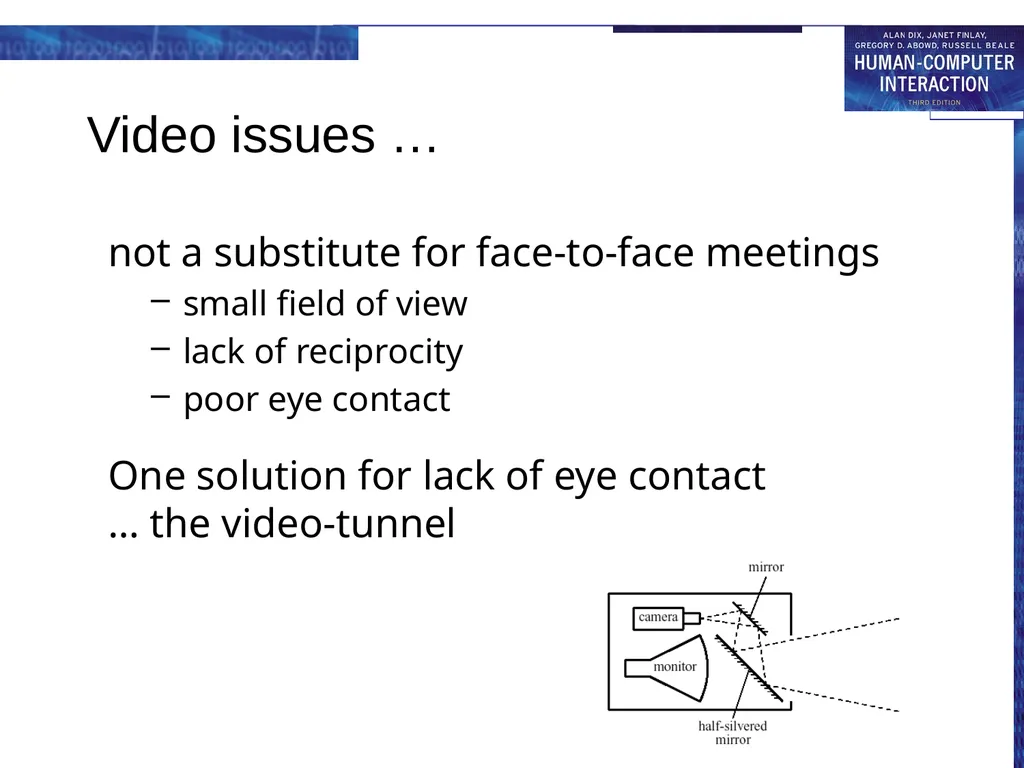
Video issues … not a substitute for face-to-face meetings
small field of view
lack of reciprocity
poor eye contact
One solution for lack of eye contact … the video-tunnel<br>
small field of view
lack of reciprocity
poor eye contact
One solution for lack of eye contact … the video-tunnel<br>
17
web-video video-conferencing – expensive technology
but internet (almost) free!
web-cams
used for face-to-face chat
for video-conferencing
for permanent web-cams
low bandwidth
pictures ‘block out’ … not terrible
audio more problematic
may use text chat<br>
but internet (almost) free!
web-cams
used for face-to-face chat
for video-conferencing
for permanent web-cams
low bandwidth
pictures ‘block out’ … not terrible
audio more problematic
may use text chat<br>
18
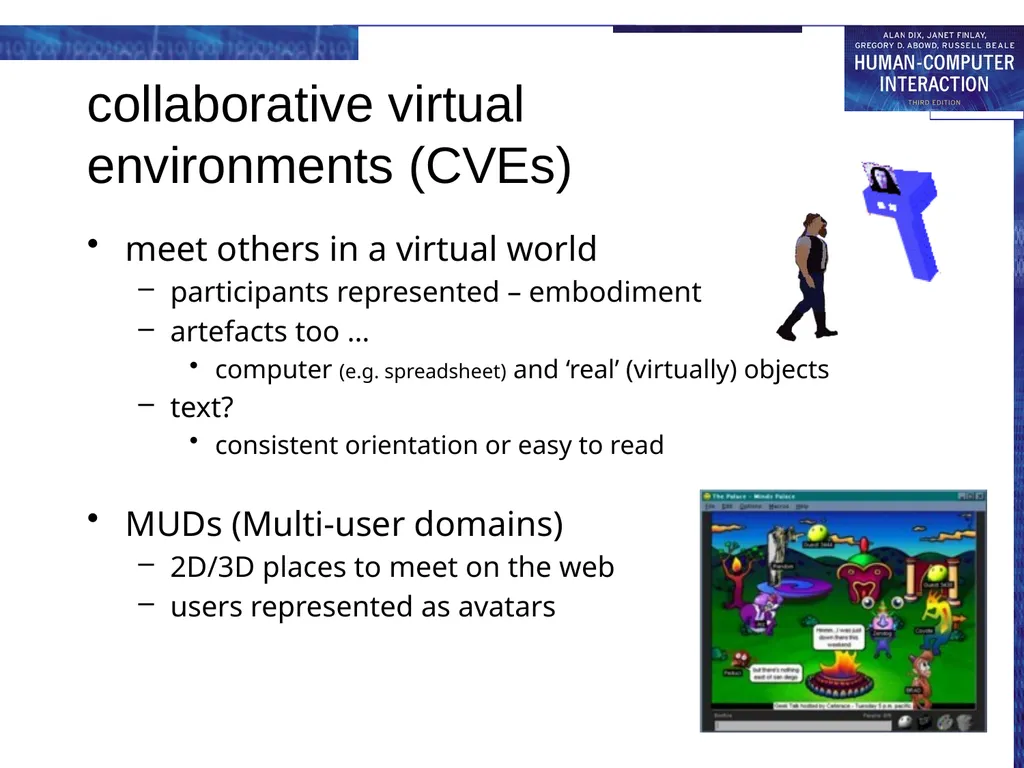
collaborative virtual environments (CVEs) meet others in a virtual world
participants represented – embodiment
artefacts too …
computer (e.g. spreadsheet) and ‘real’ (virtually) objects
text?
consistent orientation or easy to read
MUDs (Multi-user domains)
2D/3D places to meet on the web
users represented as avatars<br>
participants represented – embodiment
artefacts too …
computer (e.g. spreadsheet) and ‘real’ (virtually) objects
text?
consistent orientation or easy to read
MUDs (Multi-user domains)
2D/3D places to meet on the web
users represented as avatars<br>
19
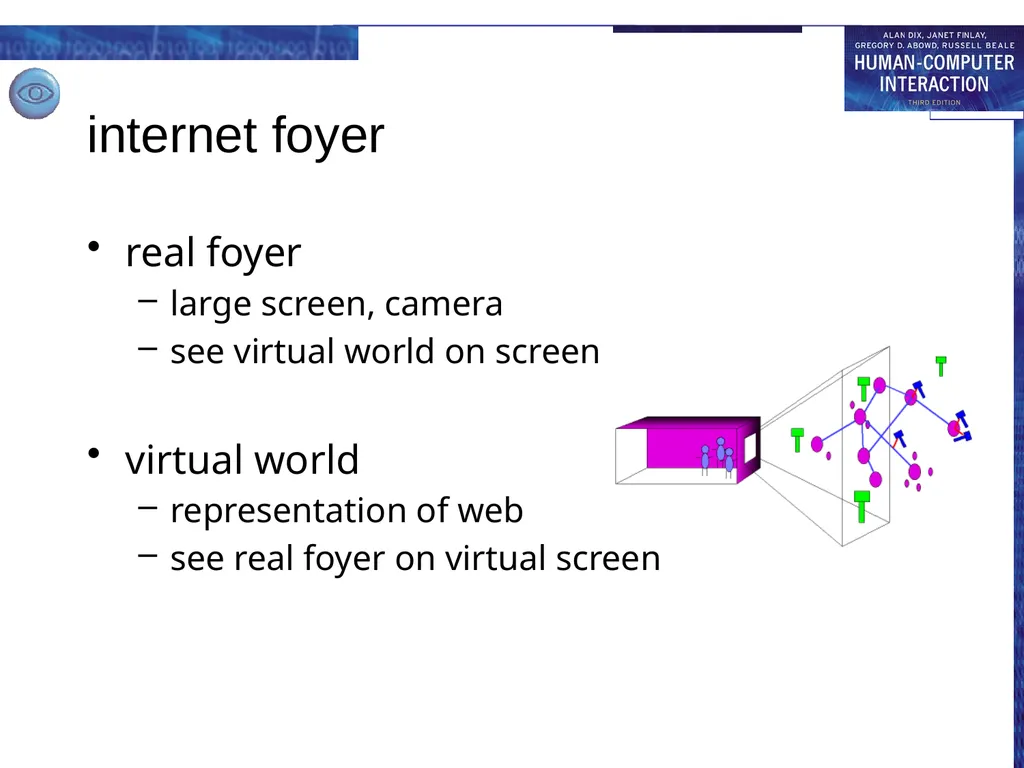
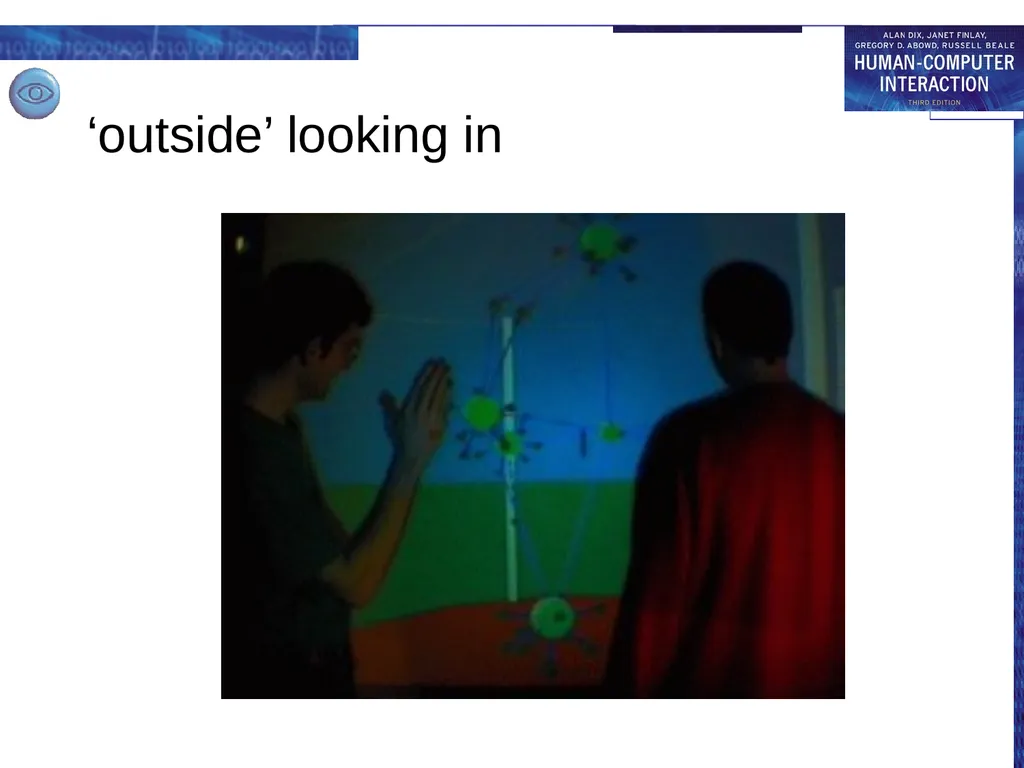
internet foyer real foyer
large screen, camera
see virtual world on screen
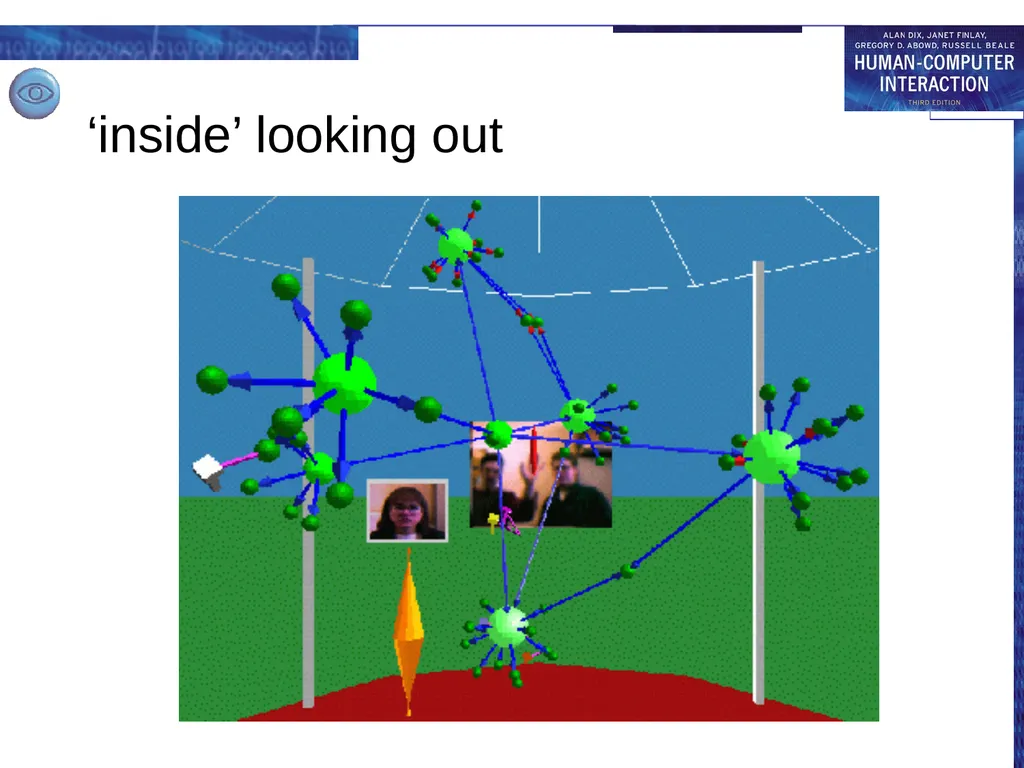
virtual world
representation of web
see real foyer on virtual screen<br>
large screen, camera
see virtual world on screen
virtual world
representation of web
see real foyer on virtual screen<br>
20
‘outside’ looking in<br>
21
‘inside’ looking out<br>
22
meeting and decision support systems argumentation tools
meeting rooms
shared work surfaces<br>
meeting rooms
shared work surfaces<br>
23
Meeting and decision support In design, management and research,
we want to:
generate ideas
develop ideas
record ideas
primary emphasis – common understanding<br>
generate ideas
develop ideas
record ideas
primary emphasis – common understanding<br>
24
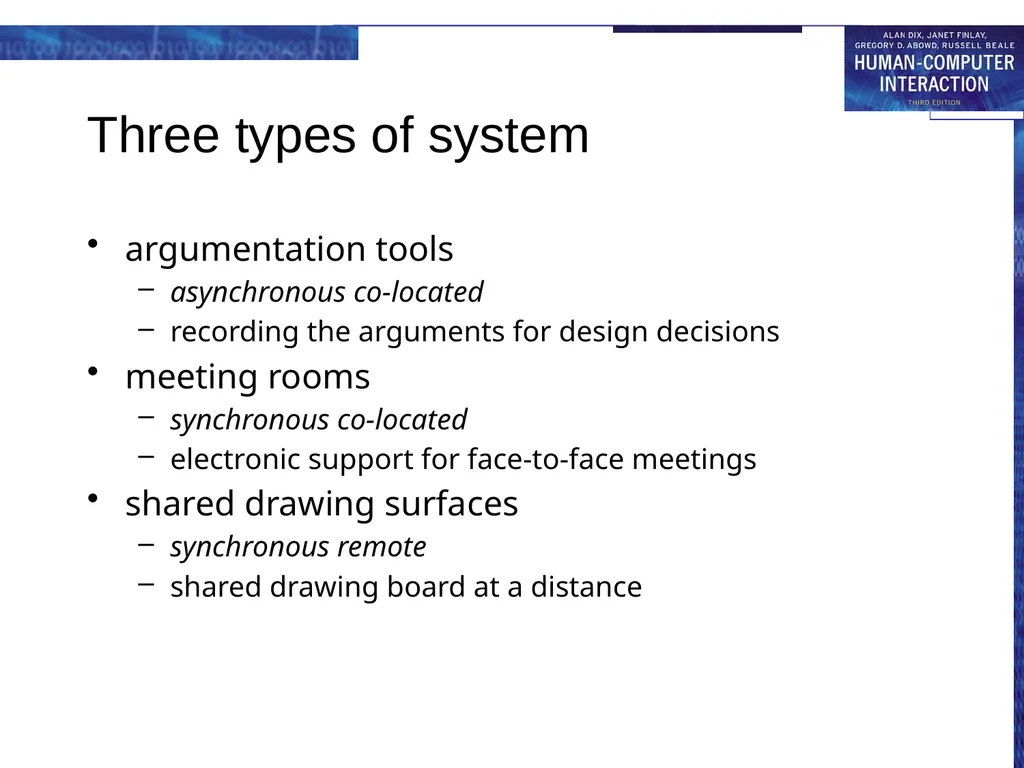
Three types of system argumentation tools
asynchronous co-located
recording the arguments for design decisions
meeting rooms
synchronous co-located
electronic support for face-to-face meetings
shared drawing surfaces
synchronous remote
shared drawing board at a distance<br>
asynchronous co-located
recording the arguments for design decisions
meeting rooms
synchronous co-located
electronic support for face-to-face meetings
shared drawing surfaces
synchronous remote
shared drawing board at a distance<br>
25
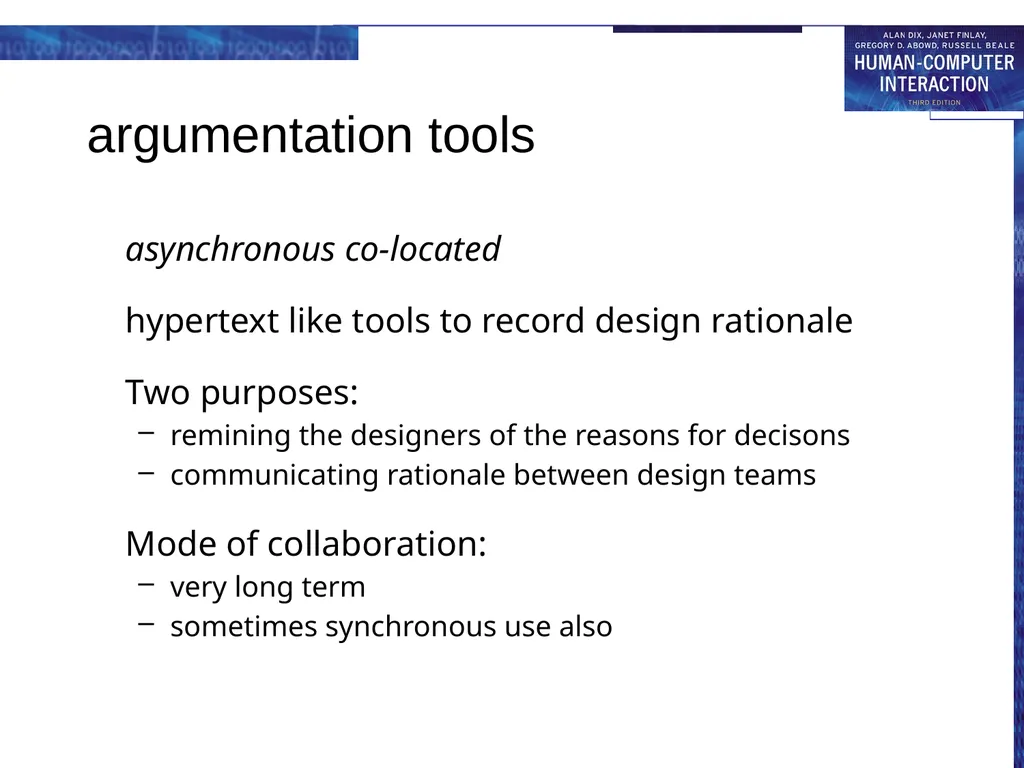
argumentation tools asynchronous co-located
hypertext like tools to record design rationale
Two purposes:
remining the designers of the reasons for decisons
communicating rationale between design teams
Mode of collaboration:
very long term
sometimes synchronous use also<br>
hypertext like tools to record design rationale
Two purposes:
remining the designers of the reasons for decisons
communicating rationale between design teams
Mode of collaboration:
very long term
sometimes synchronous use also<br>
26
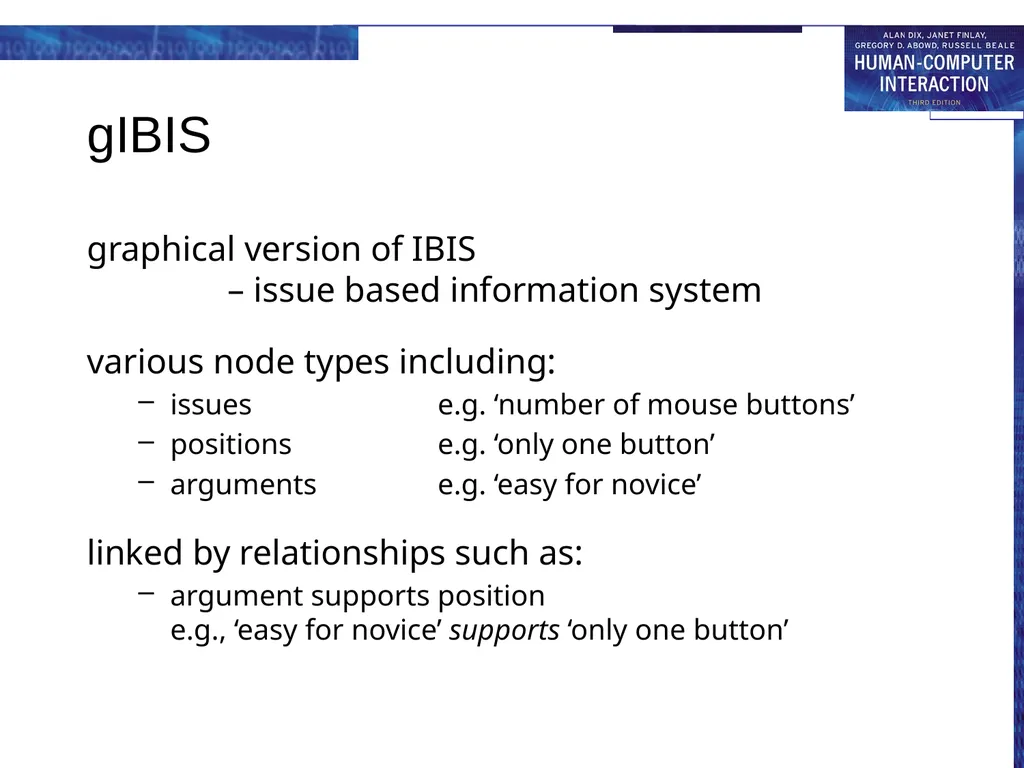
gIBIS graphical version of IBIS
– issue based information system
various node types including:
issues e.g. ‘number of mouse buttons’
positions e.g. ‘only one button’
arguments e.g. ‘easy for novice’
linked by relationships such as:
argument supports position e.g., ‘easy for novice’ supports ‘only one button’<br>
various node types including:
issues e.g. ‘number of mouse buttons’
positions e.g. ‘only one button’
arguments e.g. ‘easy for novice’
linked by relationships such as:
argument supports position e.g., ‘easy for novice’ supports ‘only one button’<br>
27
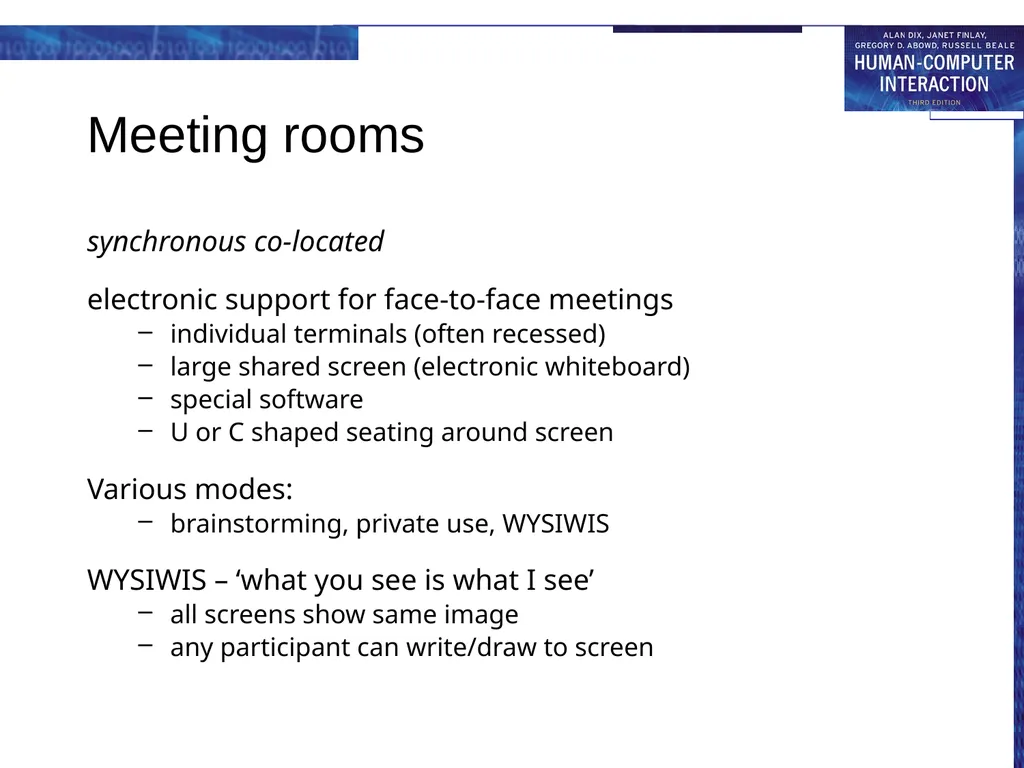
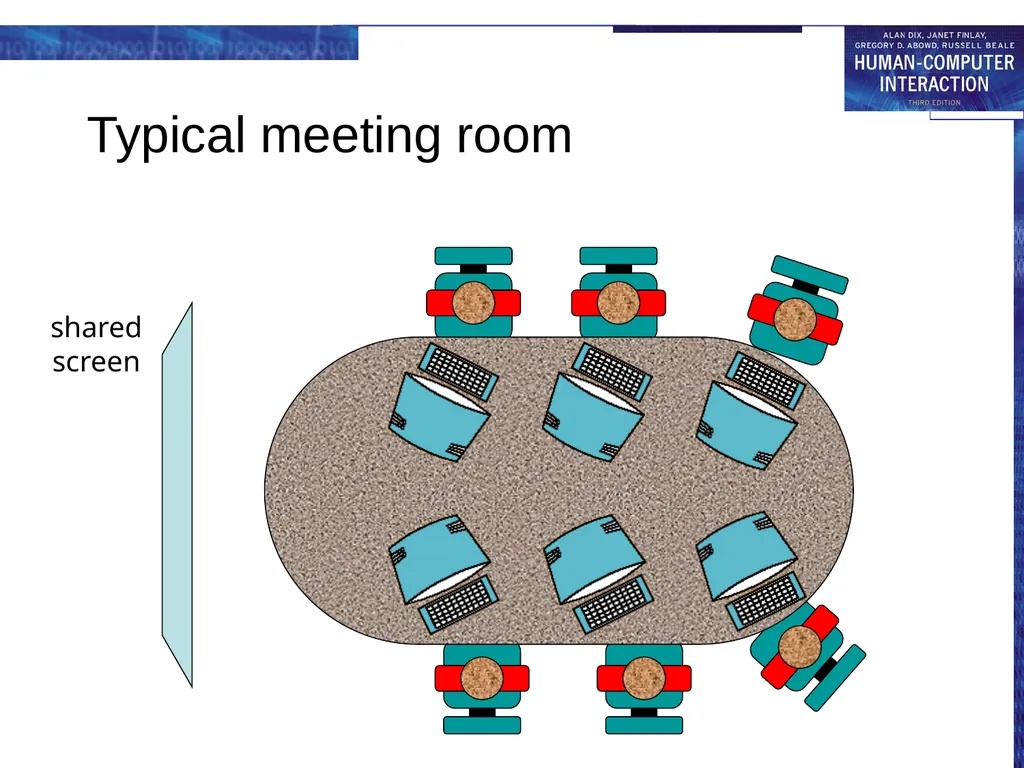
Meeting rooms synchronous co-located
electronic support for face-to-face meetings
individual terminals (often recessed)
large shared screen (electronic whiteboard)
special software
U or C shaped seating around screen
Various modes:
brainstorming, private use, WYSIWIS
WYSIWIS – ‘what you see is what I see’
all screens show same image
any participant can write/draw to screen<br>
electronic support for face-to-face meetings
individual terminals (often recessed)
large shared screen (electronic whiteboard)
special software
U or C shaped seating around screen
Various modes:
brainstorming, private use, WYSIWIS
WYSIWIS – ‘what you see is what I see’
all screens show same image
any participant can write/draw to screen<br>
28
Typical meeting room shared
screen<br>
screen<br>
29
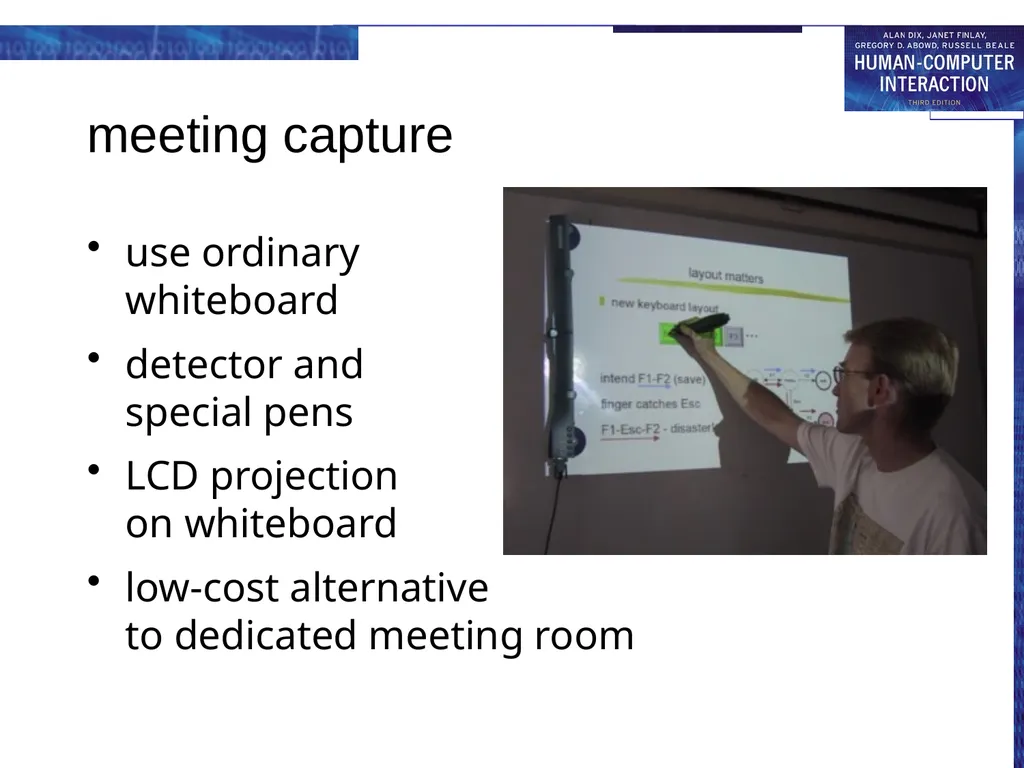
meeting capture use ordinary
whiteboard
detector and special pens
LCD projection on whiteboard
low-cost alternative to dedicated meeting room<br>
detector and special pens
LCD projection on whiteboard
low-cost alternative to dedicated meeting room<br>
30
Issues for cooperation Argumentation tools
concurrency control
two people access the same node
one solution is node locking
notification mechanisms
knowing about others' changes
Meeting rooms
floor holders one or many?
floor control policies
who can write and when?
solution: locking + social protocol
group pointer
for deictic reference (this and that)<br>
concurrency control
two people access the same node
one solution is node locking
notification mechanisms
knowing about others' changes
Meeting rooms
floor holders one or many?
floor control policies
who can write and when?
solution: locking + social protocol
group pointer
for deictic reference (this and that)<br>
31
Shared work surfaces synchronous remote
At simplest, meeting rooms at a distance, but …
additional audio/video for social protocols and discussion
network delays can be major problem
Additional special effects:
participants write onto large video screen
problems with parallax
shadow of other participant's hands appears on screen
electronic image integrated with video and paper images
Example: TeamWorkStation
remote teaching of Japanese calligraphy
student's strokes on paper overlaid with video of instructor's strokes<br>
At simplest, meeting rooms at a distance, but …
additional audio/video for social protocols and discussion
network delays can be major problem
Additional special effects:
participants write onto large video screen
problems with parallax
shadow of other participant's hands appears on screen
electronic image integrated with video and paper images
Example: TeamWorkStation
remote teaching of Japanese calligraphy
student's strokes on paper overlaid with video of instructor's strokes<br>
32
shared applications and artefacts shared PCs and windows
shared editors, co-authoring tools
shared diaries
communication through the artefact<br>
shared editors, co-authoring tools
shared diaries
communication through the artefact<br>
33
Shared Applications and Artefacts Compare purpose of cooperation:
meeting rooms and decison support systems – develop shared understanding
shared applications and artefacts – work on the same objects
technology similar but primary purpose different
many different modalities (time/space matrix)
shared windows – synchronous remote/co-located
shared editors – synchronous remote/co-located
co-authoring systems – largely asynchronous
shared diaries – largely asynchronous remote
shared information – any, but largely asynchronous
synchronous remote needs additional audio/video channel<br>
meeting rooms and decison support systems – develop shared understanding
shared applications and artefacts – work on the same objects
technology similar but primary purpose different
many different modalities (time/space matrix)
shared windows – synchronous remote/co-located
shared editors – synchronous remote/co-located
co-authoring systems – largely asynchronous
shared diaries – largely asynchronous remote
shared information – any, but largely asynchronous
synchronous remote needs additional audio/video channel<br>
34
Similar … but different Shared PCs and shared window systems
Multiplex keyboard and screen
Individual applications not collaboration aware
Floor control problems:
user A types: `interleave the'
user B types: `keystrokes'
result: `inkeytersltreaokeve tshe'
Shared editors
An editor which is collaboration aware
One document – several users
Similar to shared screen in meeting room … … with similar floor control problems!
Additional problem – multiple views<br>
Multiplex keyboard and screen
Individual applications not collaboration aware
Floor control problems:
user A types: `interleave the'
user B types: `keystrokes'
result: `inkeytersltreaokeve tshe'
Shared editors
An editor which is collaboration aware
One document – several users
Similar to shared screen in meeting room … … with similar floor control problems!
Additional problem – multiple views<br>
35
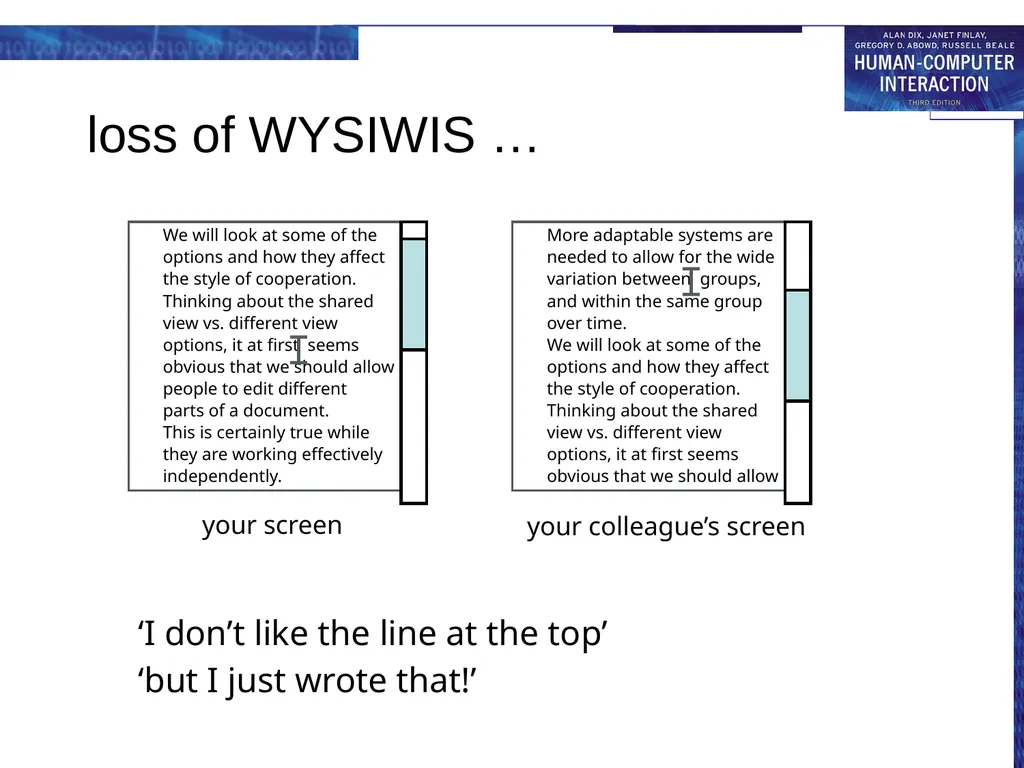
Shared editors - multiple views Options:
same view or different view
single or separate insertion points
Single view scroll wars
Multiple views loss of context with indexicals<br>
same view or different view
single or separate insertion points
Single view scroll wars
Multiple views loss of context with indexicals<br>
36
loss of WYSIWIS … ‘I don’t like the line at the top’
‘but I just wrote that!’ your screen your colleague’s screen<br>
‘but I just wrote that!’ your screen your colleague’s screen<br>
37
Co-authoring systems Emphasis is on long term document production, not editing
Two levels of representation
the document itself
annotation and discussion
Often some form of hypertext structure used
Similar problems of concurrency control to argumentation systems
Sometimes include rôles:
author, commentator, reader, …
but who decides the rôles?
and how flexible are they?<br>
Two levels of representation
the document itself
annotation and discussion
Often some form of hypertext structure used
Similar problems of concurrency control to argumentation systems
Sometimes include rôles:
author, commentator, reader, …
but who decides the rôles?
and how flexible are they?<br>
38
Shared diaries Idea:
make diaries and calendars more easily shared
allow automatic meeting scheduling etc.
Issues for cooperation:
privacy – who can see my diary entries?
control – who can write in my diary?
Similar to file sharing issues, but need to be lightweight
Many systems have failed because they ignored these issues<br>
make diaries and calendars more easily shared
allow automatic meeting scheduling etc.
Issues for cooperation:
privacy – who can see my diary entries?
control – who can write in my diary?
Similar to file sharing issues, but need to be lightweight
Many systems have failed because they ignored these issues<br>
39
Communication through the artefact When you change a shared application:
you can see the effect – feedback
your colleagues can too – feedthrough
feedthrough enables … communication through the artefact<br>
you can see the effect – feedback
your colleagues can too – feedthrough
feedthrough enables … communication through the artefact<br>
40
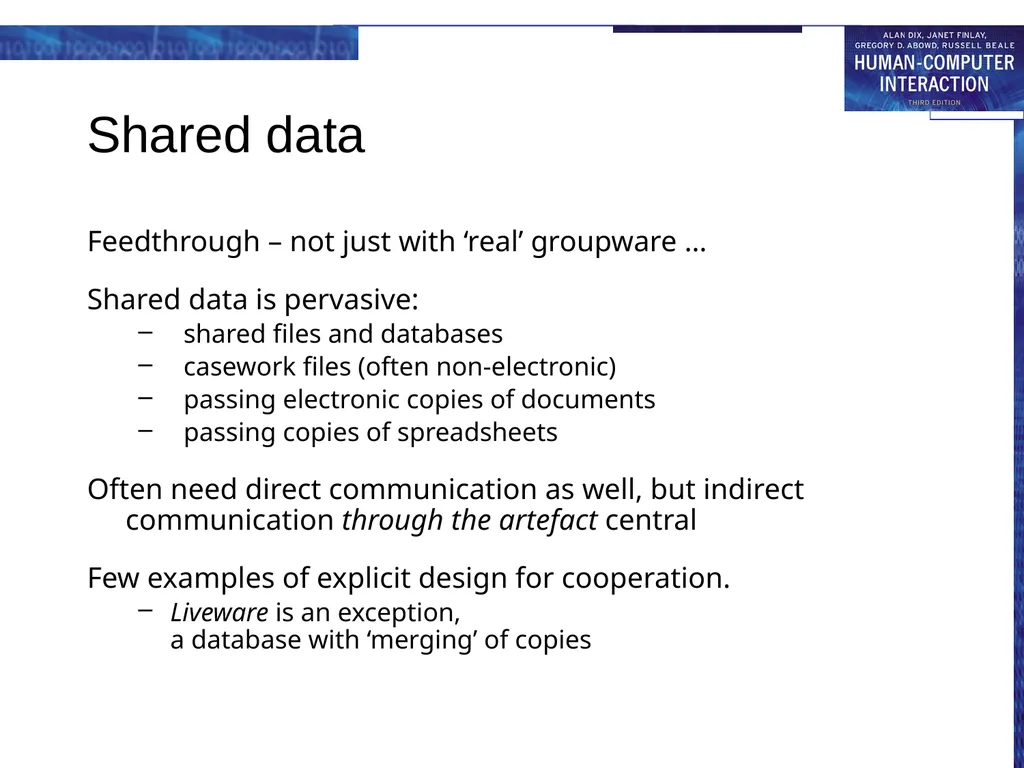
Shared data Feedthrough – not just with ‘real’ groupware …
Shared data is pervasive:
shared files and databases
casework files (often non-electronic)
passing electronic copies of documents
passing copies of spreadsheets
Often need direct communication as well, but indirect communication through the artefact central
Few examples of explicit design for cooperation.
Liveware is an exception, a database with ‘merging’ of copies<br>
Shared data is pervasive:
shared files and databases
casework files (often non-electronic)
passing electronic copies of documents
passing copies of spreadsheets
Often need direct communication as well, but indirect communication through the artefact central
Few examples of explicit design for cooperation.
Liveware is an exception, a database with ‘merging’ of copies<br>
41
frameworks for groupware time/space matrix revisited!
shared information
communication and work
awareness<br>
shared information
communication and work
awareness<br>
42
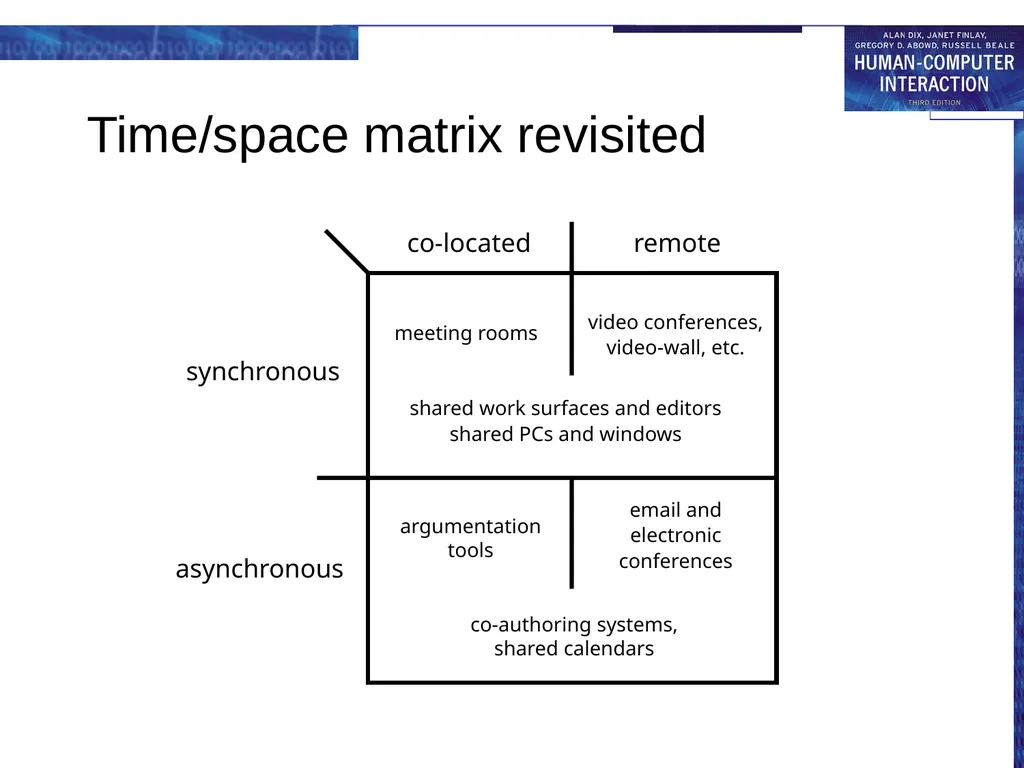
Time/space matrix revisited co-located remote synchronous asynchronous co-authoring systems,
shared calendars argumentation
tools email and
electronic
conferences shared work surfaces and editors
shared PCs and windows video conferences,
video-wall, etc. meeting rooms<br>
electronic
conferences shared work surfaces and editors
shared PCs and windows video conferences,
video-wall, etc. meeting rooms<br>
43
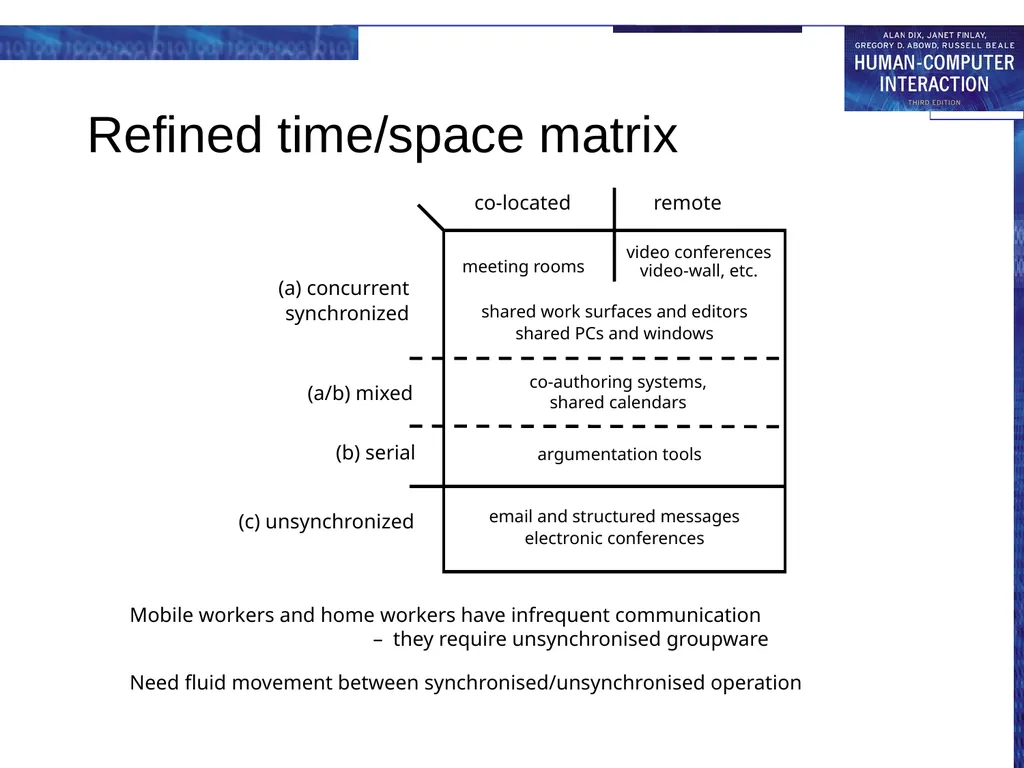
Refined time/space matrix Mobile workers and home workers have infrequent communication
– they require unsynchronised groupware
Need fluid movement between synchronised/unsynchronised operation co-located remote (a) concurrent
synchronized (a/b) mixed (b) serial (c) unsynchronized meeting rooms video conferences video-wall, etc. shared work surfaces and editors
shared PCs and windows co-authoring systems, shared calendars argumentation tools email and structured messages
electronic conferences<br>
Need fluid movement between synchronised/unsynchronised operation co-located remote (a) concurrent
synchronized (a/b) mixed (b) serial (c) unsynchronized meeting rooms video conferences video-wall, etc. shared work surfaces and editors
shared PCs and windows co-authoring systems, shared calendars argumentation tools email and structured messages
electronic conferences<br>
44
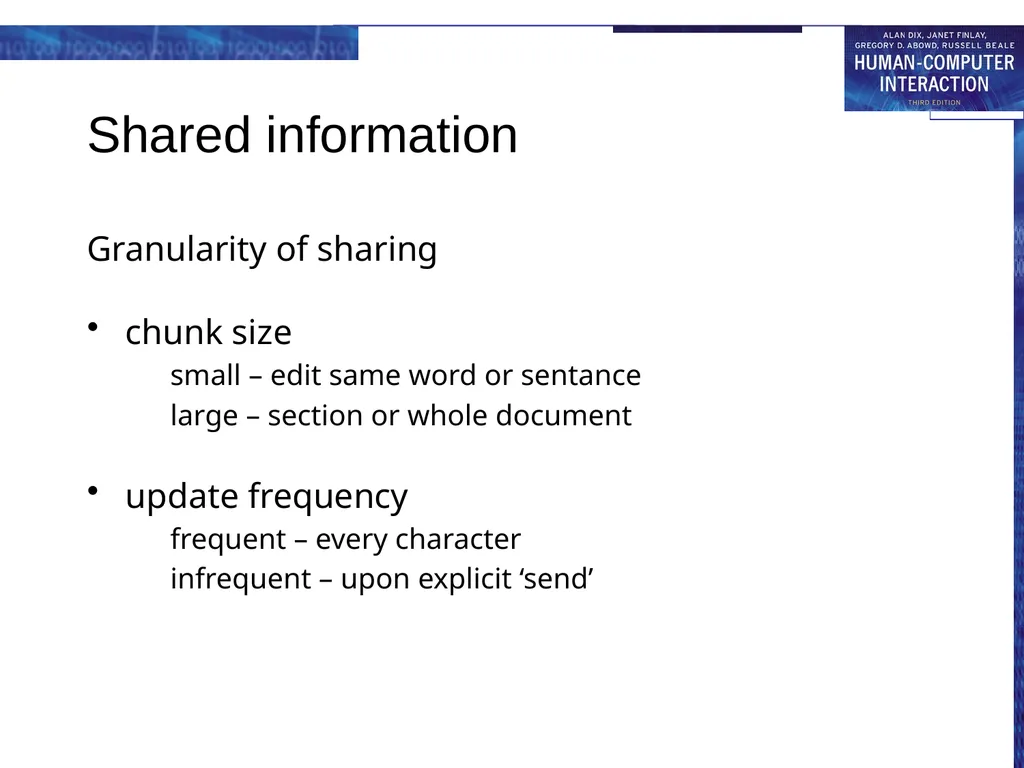
Shared information Granularity of sharing
chunk size
small – edit same word or sentance
large – section or whole document
update frequency
frequent – every character
infrequent – upon explicit ‘send’<br>
chunk size
small – edit same word or sentance
large – section or whole document
update frequency
frequent – every character
infrequent – upon explicit ‘send’<br>
45
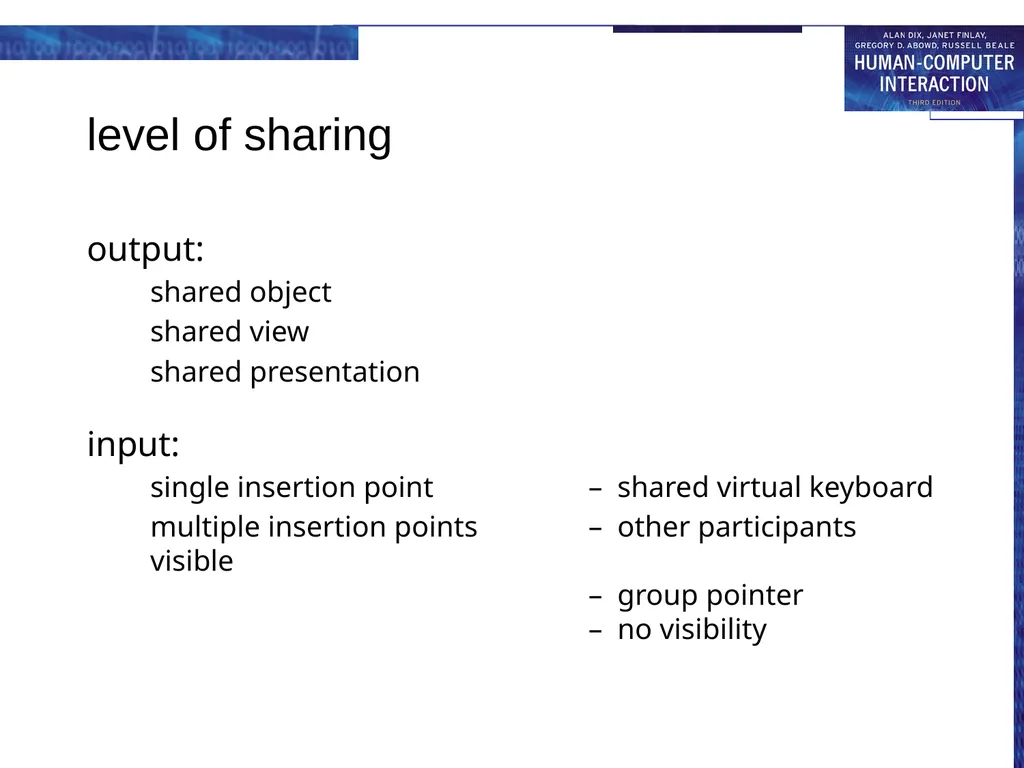
level of sharing output:
shared object
shared view
shared presentation
input:
single insertion point – shared virtual keyboard
multiple insertion points – other participants visible – group pointer – no visibility<br>
shared object
shared view
shared presentation
input:
single insertion point – shared virtual keyboard
multiple insertion points – other participants visible – group pointer – no visibility<br>
46
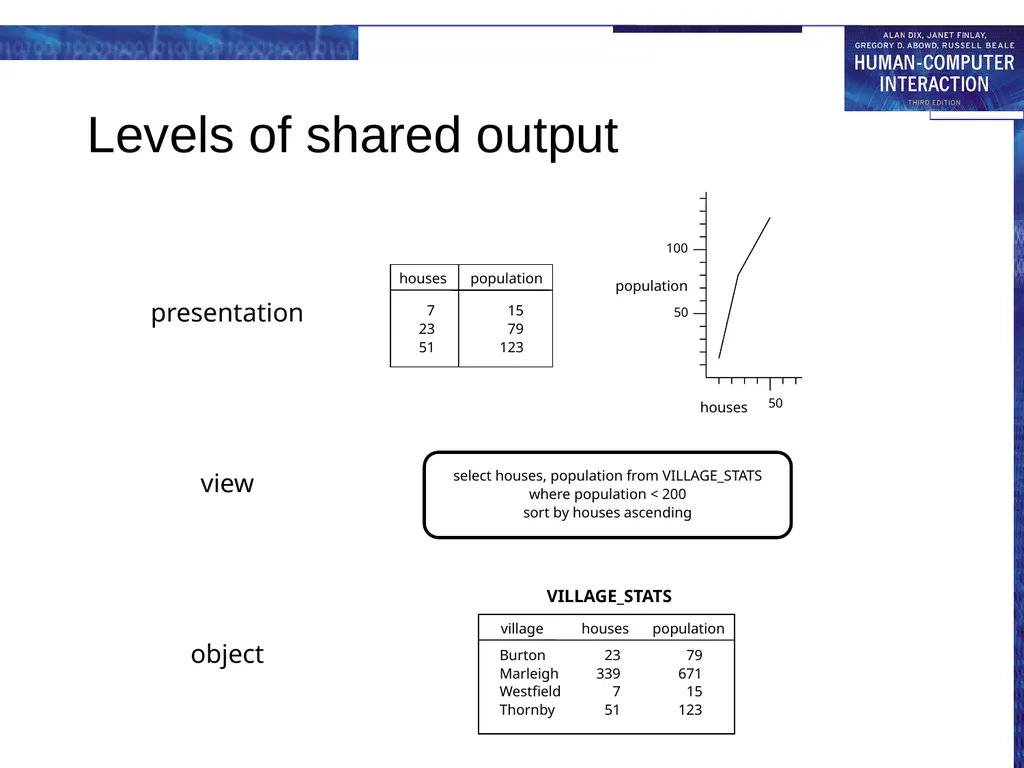
Levels of shared output select houses, population from VILLAGE_STATS
where population < 200
sort by houses ascending view object presentation<br>
where population < 200
sort by houses ascending view object presentation<br>
47
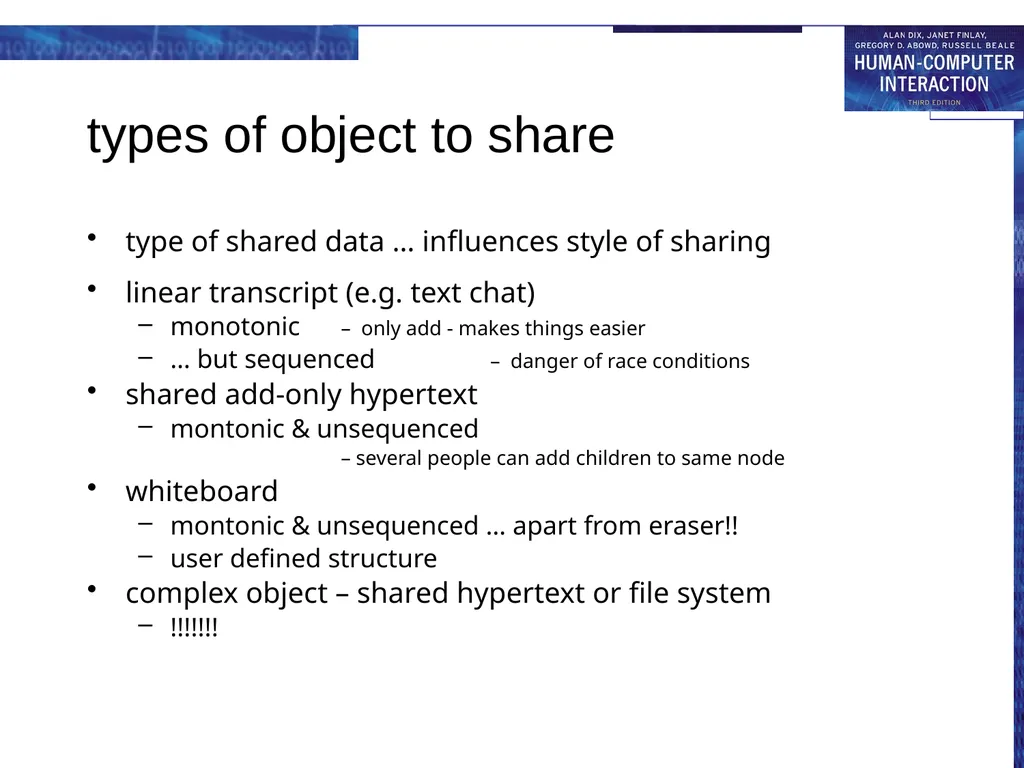
types of object to share type of shared data … influences style of sharing
linear transcript (e.g. text chat)
monotonic – only add - makes things easier
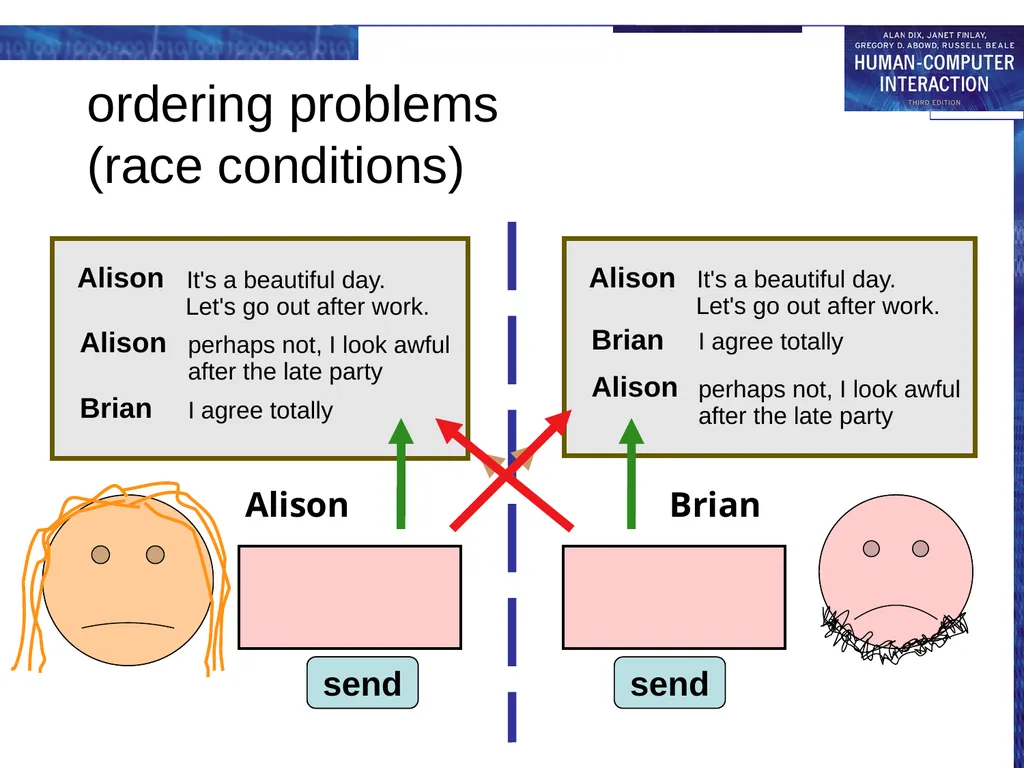
… but sequenced – danger of race conditions
shared add-only hypertext
montonic & unsequenced – several people can add children to same node
whiteboard
montonic & unsequenced … apart from eraser!!
user defined structure
complex object – shared hypertext or file system
!!!!!!!<br>
linear transcript (e.g. text chat)
monotonic – only add - makes things easier
… but sequenced – danger of race conditions
shared add-only hypertext
montonic & unsequenced – several people can add children to same node
whiteboard
montonic & unsequenced … apart from eraser!!
user defined structure
complex object – shared hypertext or file system
!!!!!!!<br>
48
ordering problems
(race conditions) Alison Brian send send It's a beautiful day
Let's go out after
work. I agree totally send perhaps not, I look
awful after the
late party<br>
late party<br>
49
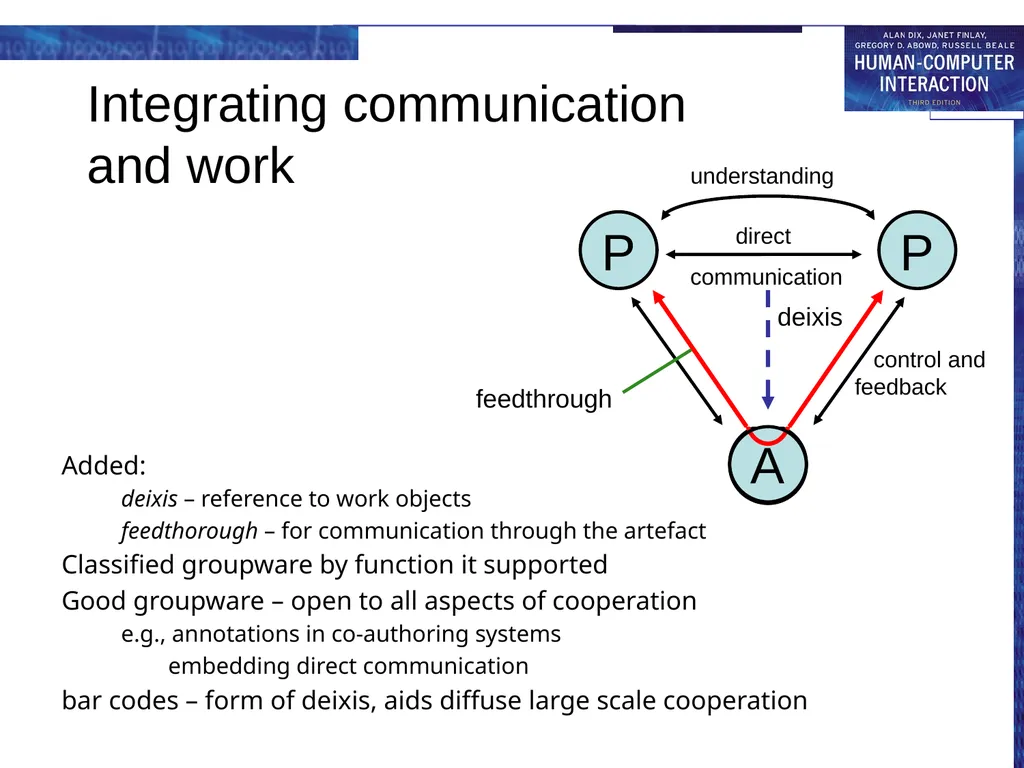
Integrating communication
and work Added:
deixis – reference to work objects
feedthorough – for communication through the artefact
Classified groupware by function it supported
Good groupware – open to all aspects of cooperation
e.g., annotations in co-authoring systems
embedding direct communication
bar codes – form of deixis, aids diffuse large scale cooperation control and feedback A communication understanding direct deixis feedthrough<br>
deixis – reference to work objects
feedthorough – for communication through the artefact
Classified groupware by function it supported
Good groupware – open to all aspects of cooperation
e.g., annotations in co-authoring systems
embedding direct communication
bar codes – form of deixis, aids diffuse large scale cooperation control and feedback A communication understanding direct deixis feedthrough<br>
50
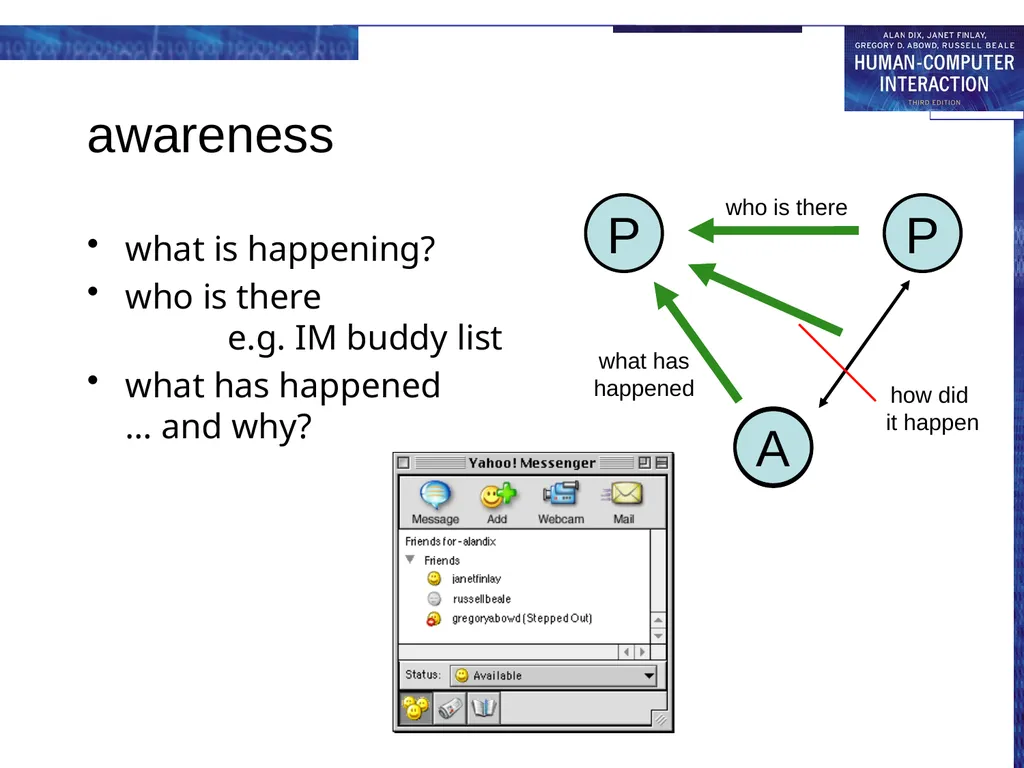
awareness what is happening?
who is there e.g. IM buddy list
what has happened … and why? A what has happened who is there<br>
who is there e.g. IM buddy list
what has happened … and why? A what has happened who is there<br>
51
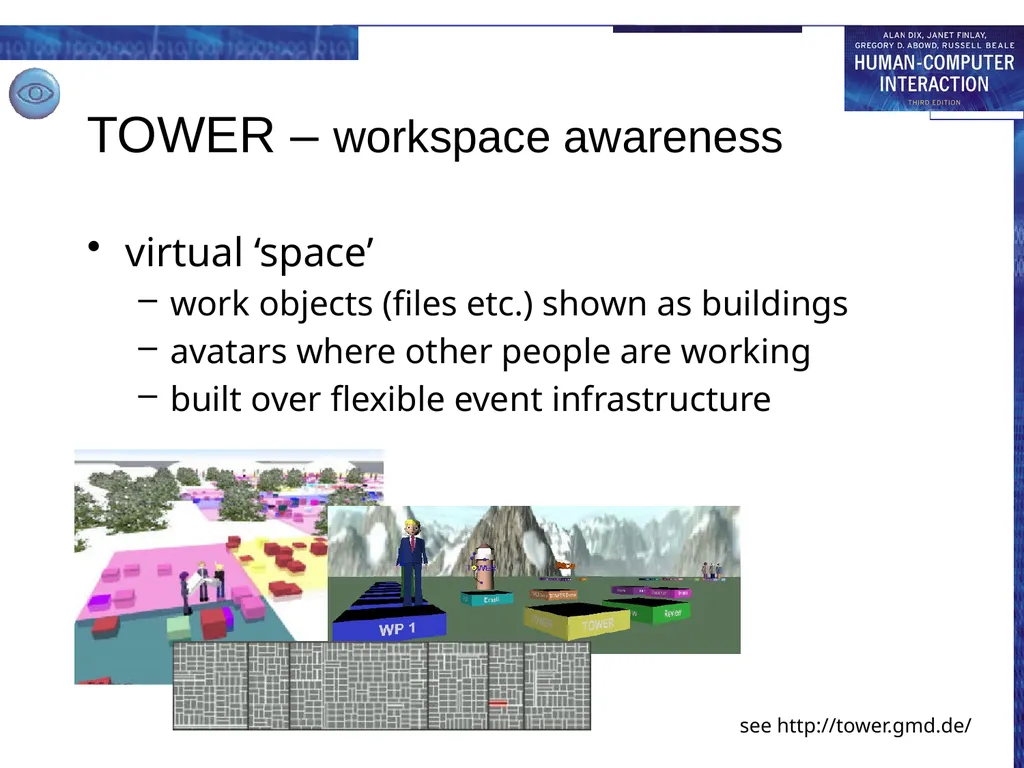
TOWER – workspace awareness virtual ‘space’
work objects (files etc.) shown as buildings
avatars where other people are working
built over flexible event infrastructure see http://tower.gmd.de/<br>
work objects (files etc.) shown as buildings
avatars where other people are working
built over flexible event infrastructure see http://tower.gmd.de/<br>
52
implementing groupware feedback and network delays
architectures for groupware
feedthrough and network traffic
toolkits, robustness and scaling<br>
architectures for groupware
feedthrough and network traffic
toolkits, robustness and scaling<br>
53
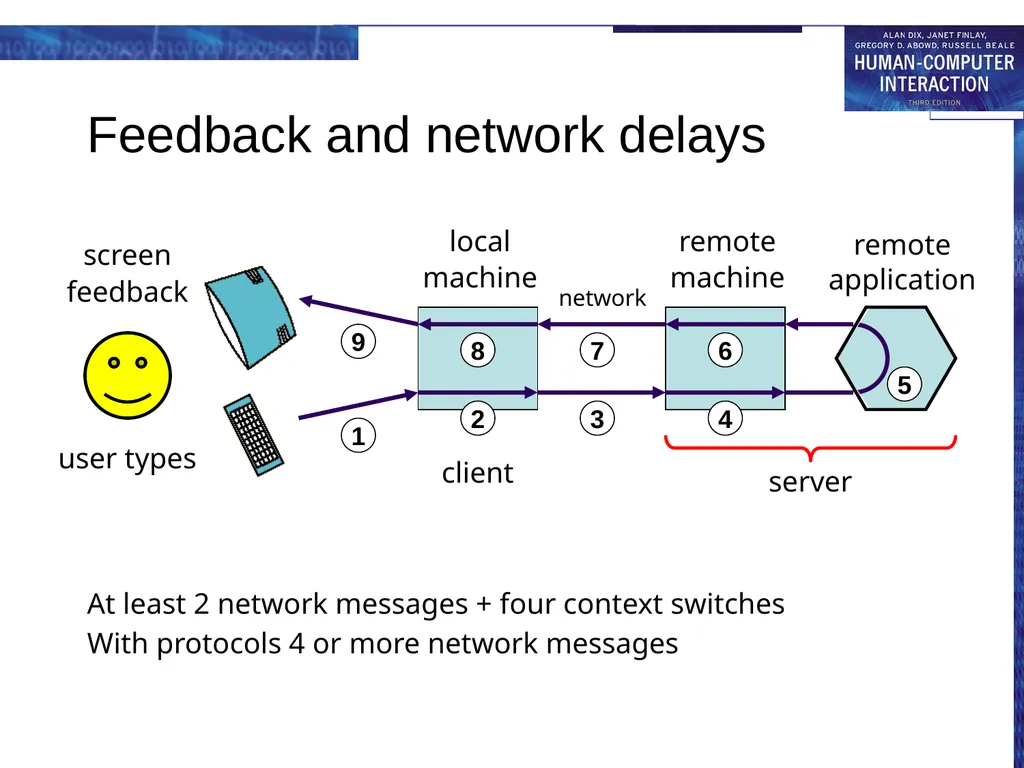
Feedback and network delays At least 2 network messages + four context switches
With protocols 4 or more network messages<br>
With protocols 4 or more network messages<br>
54
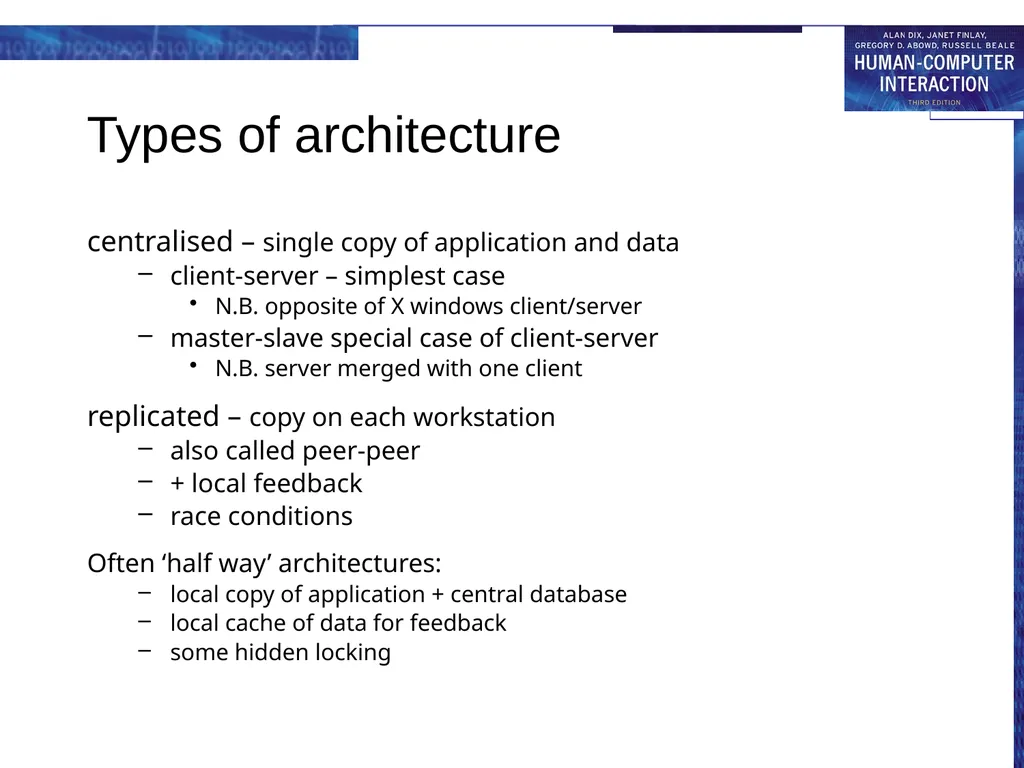
Types of architecture centralised – single copy of application and data
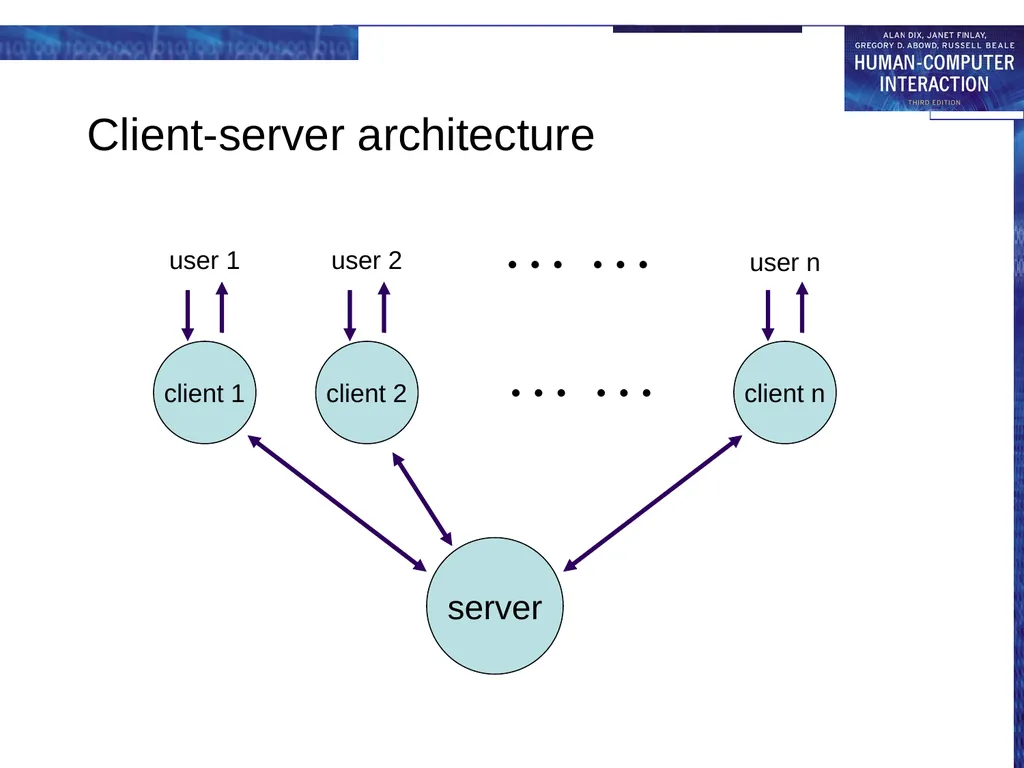
client-server – simplest case
N.B. opposite of X windows client/server
master-slave special case of client-server
N.B. server merged with one client
replicated – copy on each workstation
also called peer-peer
+ local feedback
race conditions
Often ‘half way’ architectures:
local copy of application + central database
local cache of data for feedback
some hidden locking<br>
client-server – simplest case
N.B. opposite of X windows client/server
master-slave special case of client-server
N.B. server merged with one client
replicated – copy on each workstation
also called peer-peer
+ local feedback
race conditions
Often ‘half way’ architectures:
local copy of application + central database
local cache of data for feedback
some hidden locking<br>
55
Client-server architecture client 1 server client 2 client n user 1 user 2 user n … … … …<br>
56
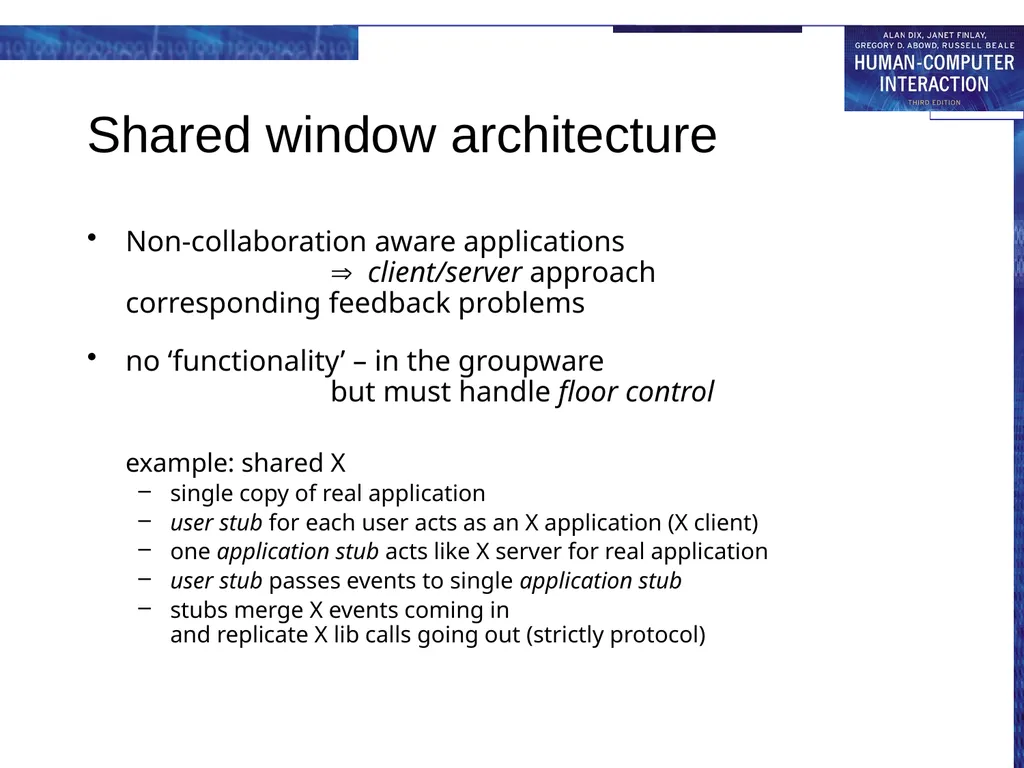
Shared window architecture Non-collaboration aware applications
client/server approach
corresponding feedback problems
no ‘functionality’ – in the groupware but must handle floor control
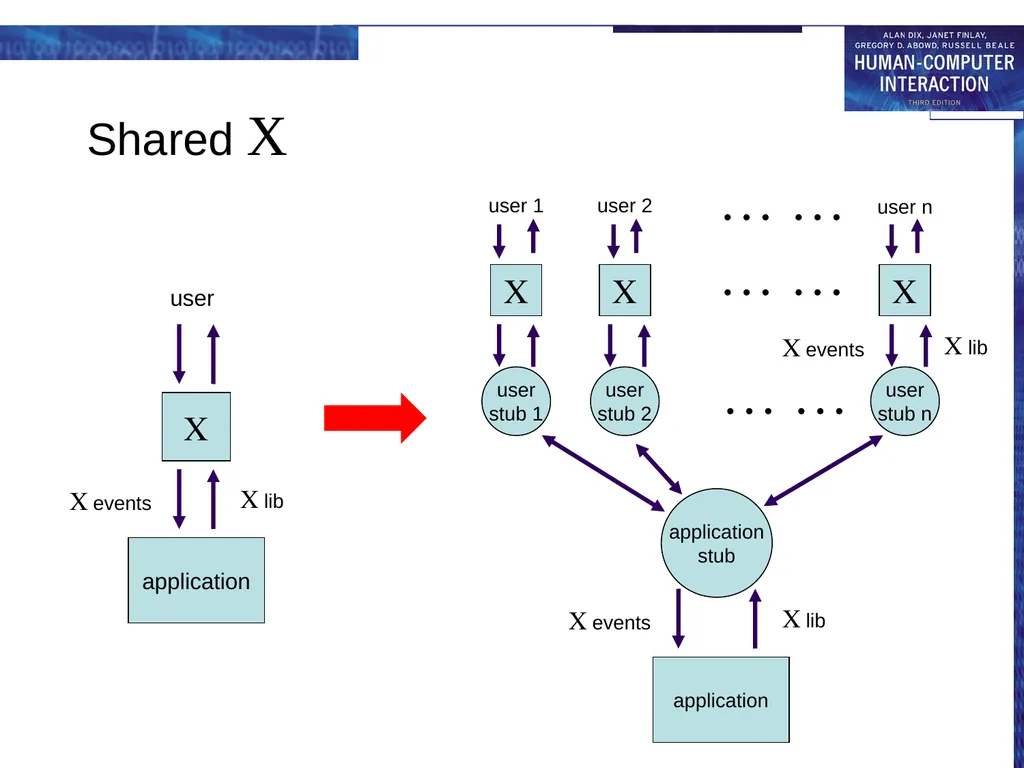
example: shared X
single copy of real application
user stub for each user acts as an X application (X client)
one application stub acts like X server for real application
user stub passes events to single application stub
stubs merge X events coming in and replicate X lib calls going out (strictly protocol)<br>
no ‘functionality’ – in the groupware but must handle floor control
example: shared X
single copy of real application
user stub for each user acts as an X application (X client)
one application stub acts like X server for real application
user stub passes events to single application stub
stubs merge X events coming in and replicate X lib calls going out (strictly protocol)<br>
57
Shared X<br>
58
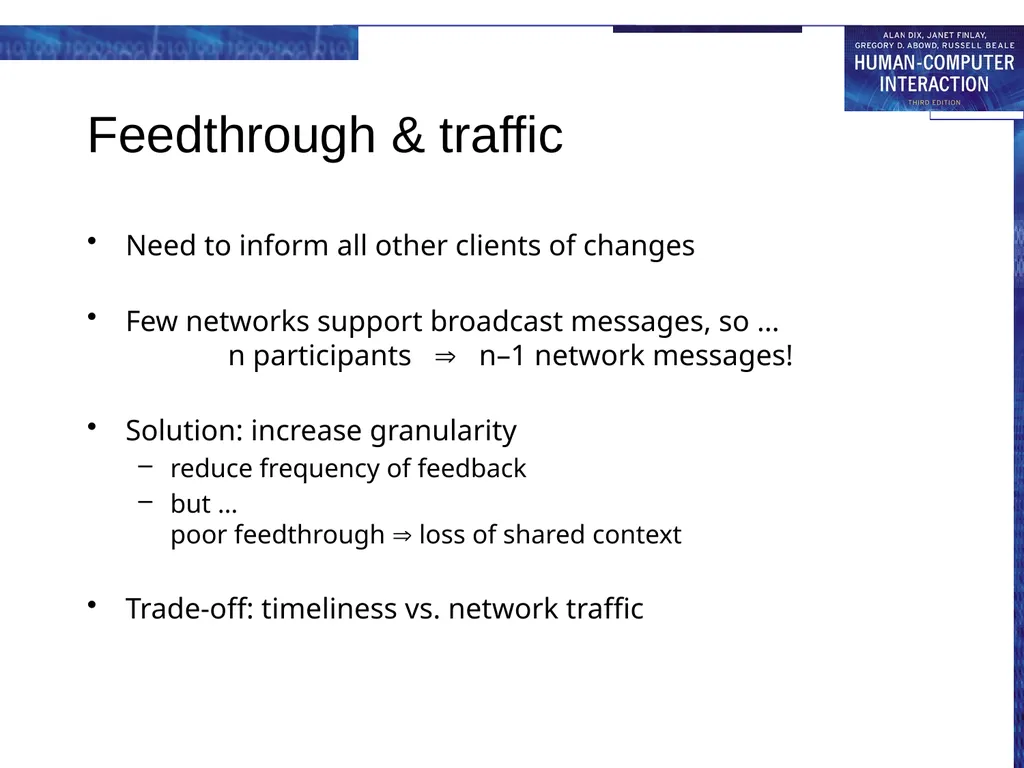
Feedthrough & traffic Need to inform all other clients of changes
Few networks support broadcast messages, so … n participants n–1 network messages!
Solution: increase granularity
reduce frequency of feedback
but … poor feedthrough loss of shared context
Trade-off: timeliness vs. network traffic<br>
Few networks support broadcast messages, so … n participants n–1 network messages!
Solution: increase granularity
reduce frequency of feedback
but … poor feedthrough loss of shared context
Trade-off: timeliness vs. network traffic<br>
59
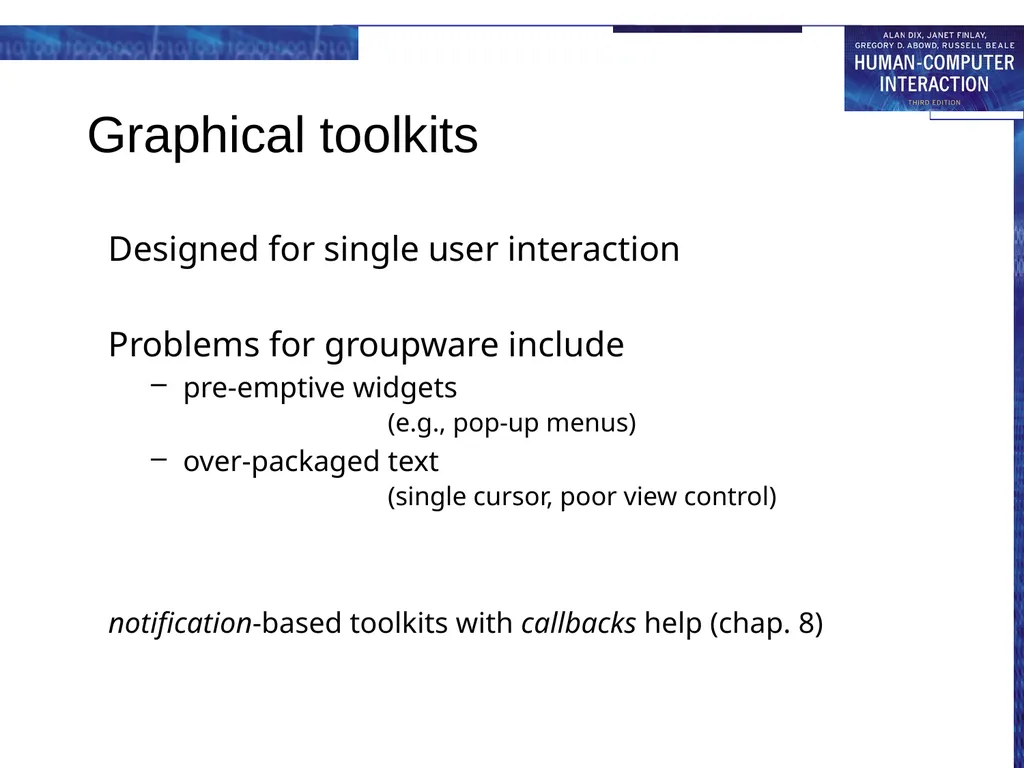
Graphical toolkits Designed for single user interaction
Problems for groupware include
pre-emptive widgets (e.g., pop-up menus)
over-packaged text (single cursor, poor view control)
notification-based toolkits with callbacks help (chap. 8)<br>
Problems for groupware include
pre-emptive widgets (e.g., pop-up menus)
over-packaged text (single cursor, poor view control)
notification-based toolkits with callbacks help (chap. 8)<br>
60
Robustness and scaleability crash in single-user interface – one sad user
crash in groupware – disaster !
but …
groupware complex: networks, graphics etc.
scaling up to large numbers of users?
testing and debugging – hard!<br>
crash in groupware – disaster !
but …
groupware complex: networks, graphics etc.
scaling up to large numbers of users?
testing and debugging – hard!<br>
61
… some tips … network or server fails – standard solutions
client fails – three `R's for server:
robust – server should survive client crash
reconfigure – detect and respond to failure
resynchronise – catch up when client restarts
errors in programming
defensive programming
simple algorithms
formal methods
unforeseen sequences of events
deadlock – never use blocking I/O
never assume particular orders
network packet ≠ logical message<br>
client fails – three `R's for server:
robust – server should survive client crash
reconfigure – detect and respond to failure
resynchronise – catch up when client restarts
errors in programming
defensive programming
simple algorithms
formal methods
unforeseen sequences of events
deadlock – never use blocking I/O
never assume particular orders
network packet ≠ logical message<br>
62
scaling and testing scaling up
robustness simple algorithms … but don’t scale well – need to evolve
good software architecture helps
document fixed-size assumptions
know operating system limits (e.g. open files)
testing for robustness
take off the kid gloves … mistreat it
reboot, pull out network cable, random input
create a rogue client, simulate high loads
and when you think it is perfect … give it to some computing students to test<br>
robustness simple algorithms … but don’t scale well – need to evolve
good software architecture helps
document fixed-size assumptions
know operating system limits (e.g. open files)
testing for robustness
take off the kid gloves … mistreat it
reboot, pull out network cable, random input
create a rogue client, simulate high loads
and when you think it is perfect … give it to some computing students to test<br>