
Communications Types of Communication
TF
Published · 15 slides · 0 views

1 / 1

Description
Communications Types of Communication Intra-process communication (thread cooperation and synchronization) Threads sharing the same memory space Function calls, shared resources Synchronization primitives (mutexes, semaphores) Inter-process
Related Topics
Share
Embed code
Download this presentation From Below
"Communications Types of Communication" is the property of its rightful owner. Permission is granted to download and print the materials on this website for personal, non-commercial use only, and to display it on your personal computer provided you do not modify the materials and that you retain all copyright notices contained in the materials. By downloading content from our website, you accept the terms of this agreement.
Presentation Transcript
01
Communications<br>
02
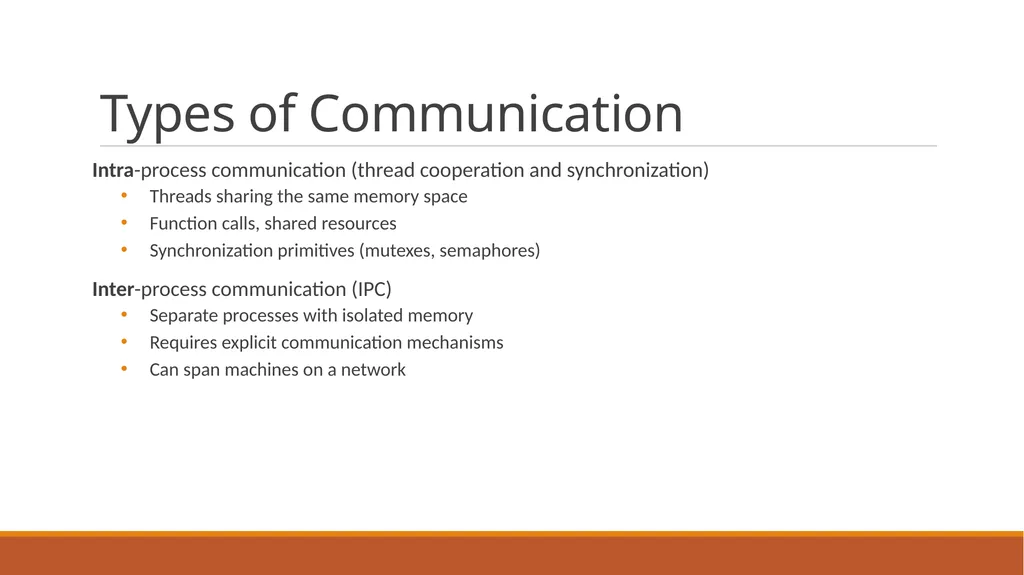
Types of Communication Intra-process communication (thread cooperation and synchronization)
Threads sharing the same memory space
Function calls, shared resources
Synchronization primitives (mutexes, semaphores)
Inter-process communication (IPC)
Separate processes with isolated memory
Requires explicit communication mechanisms
Can span machines on a network<br>
Threads sharing the same memory space
Function calls, shared resources
Synchronization primitives (mutexes, semaphores)
Inter-process communication (IPC)
Separate processes with isolated memory
Requires explicit communication mechanisms
Can span machines on a network<br>
03
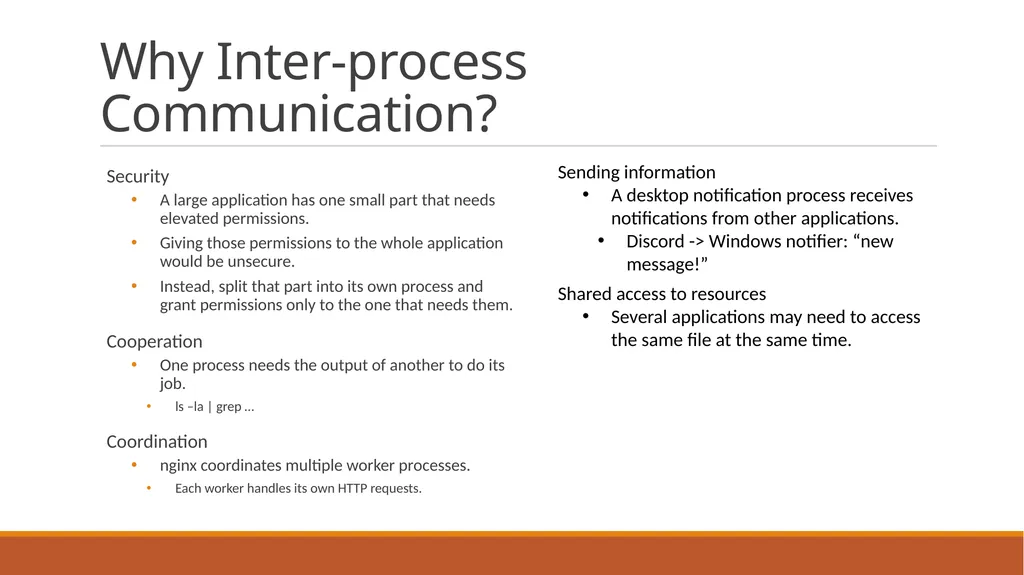
Why Inter-process Communication? Security
A large application has one small part that needs elevated permissions.
Giving those permissions to the whole application would be unsecure.
Instead, split that part into its own process and grant permissions only to the one that needs them.
Cooperation
One process needs the output of another to do its job.
ls –la | grep …
Coordination
nginx coordinates multiple worker processes.
Each worker handles its own HTTP requests. Sending information
A desktop notification process receives notifications from other applications.
Discord -> Windows notifier: “new message!”
Shared access to resources
Several applications may need to access the same file at the same time.<br>
A large application has one small part that needs elevated permissions.
Giving those permissions to the whole application would be unsecure.
Instead, split that part into its own process and grant permissions only to the one that needs them.
Cooperation
One process needs the output of another to do its job.
ls –la | grep …
Coordination
nginx coordinates multiple worker processes.
Each worker handles its own HTTP requests. Sending information
A desktop notification process receives notifications from other applications.
Discord -> Windows notifier: “new message!”
Shared access to resources
Several applications may need to access the same file at the same time.<br>
04
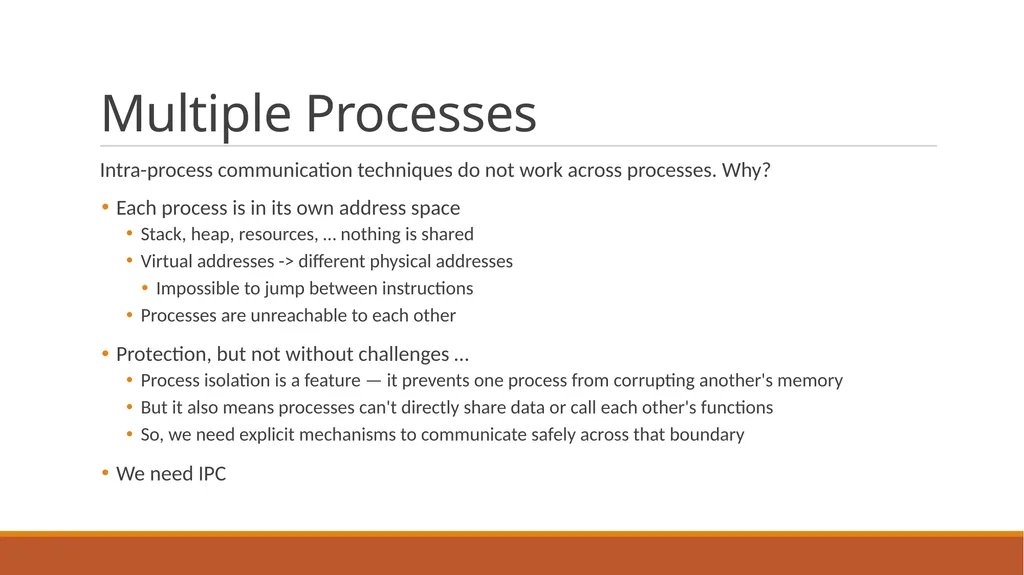
Multiple Processes Intra-process communication techniques do not work across processes. Why?
Each process is in its own address space
Stack, heap, resources, … nothing is shared
Virtual addresses -> different physical addresses
Impossible to jump between instructions
Processes are unreachable to each other
Protection, but not without challenges …
Process isolation is a feature — it prevents one process from corrupting another's memory
But it also means processes can't directly share data or call each other's functions
So, we need explicit mechanisms to communicate safely across that boundary
We need IPC<br>
Each process is in its own address space
Stack, heap, resources, … nothing is shared
Virtual addresses -> different physical addresses
Impossible to jump between instructions
Processes are unreachable to each other
Protection, but not without challenges …
Process isolation is a feature — it prevents one process from corrupting another's memory
But it also means processes can't directly share data or call each other's functions
So, we need explicit mechanisms to communicate safely across that boundary
We need IPC<br>
05
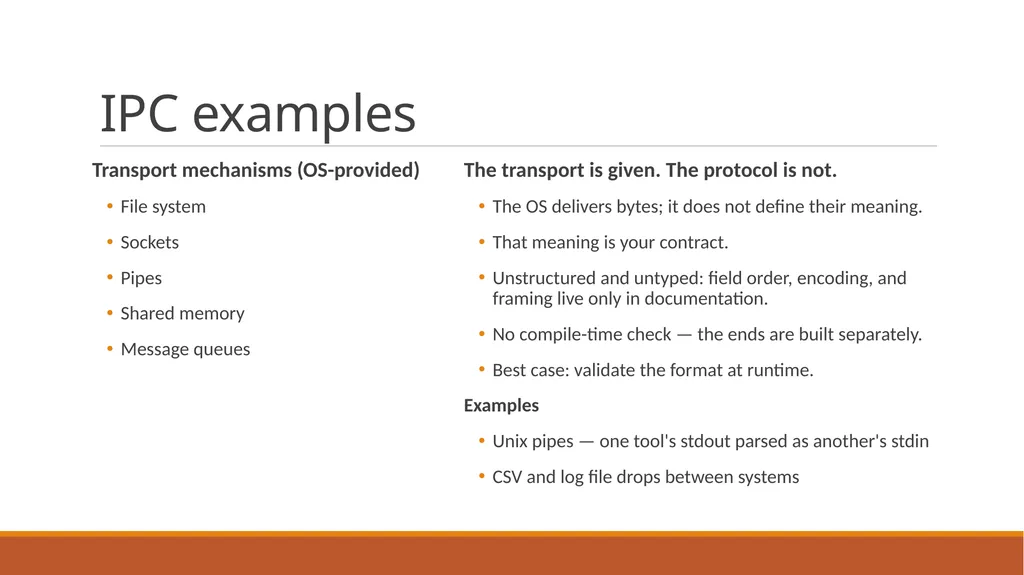
IPC examples Transport mechanisms (OS-provided)
File system
Sockets
Pipes
Shared memory
Message queues The transport is given. The protocol is not.
The OS delivers bytes; it does not define their meaning.
That meaning is your contract.
Unstructured and untyped: field order, encoding, and framing live only in documentation.
No compile-time check — the ends are built separately.
Best case: validate the format at runtime.
Examples
Unix pipes — one tool's stdout parsed as another's stdin
CSV and log file drops between systems<br>
File system
Sockets
Pipes
Shared memory
Message queues The transport is given. The protocol is not.
The OS delivers bytes; it does not define their meaning.
That meaning is your contract.
Unstructured and untyped: field order, encoding, and framing live only in documentation.
No compile-time check — the ends are built separately.
Best case: validate the format at runtime.
Examples
Unix pipes — one tool's stdout parsed as another's stdin
CSV and log file drops between systems<br>
06
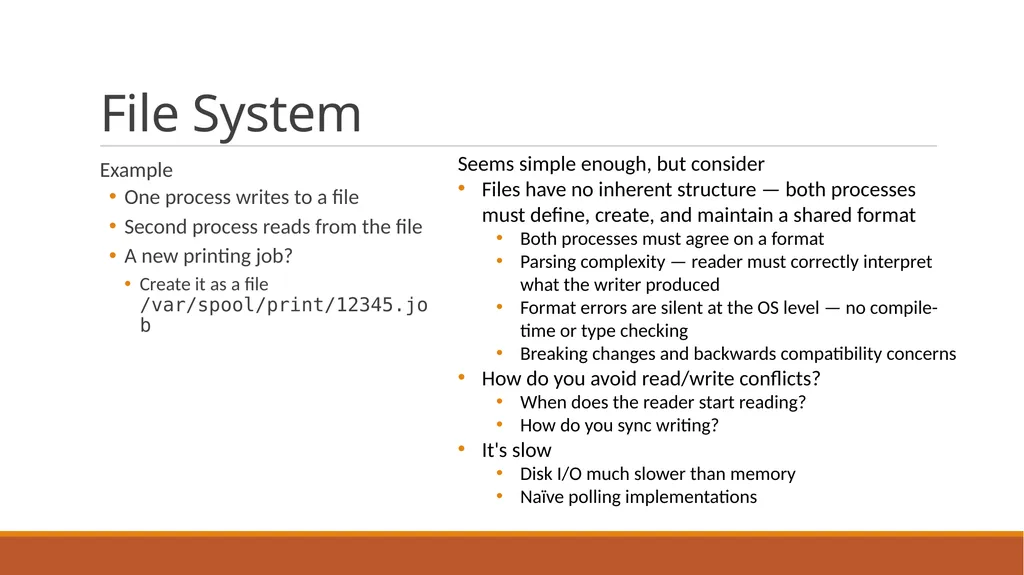
File System Example
One process writes to a file
Second process reads from the file
A new printing job?
Create it as a file /var/spool/print/12345.job Seems simple enough, but consider
Files have no inherent structure — both processes must define, create, and maintain a shared format
Both processes must agree on a format
Parsing complexity — reader must correctly interpret what the writer produced
Format errors are silent at the OS level — no compile-time or type checking
Breaking changes and backwards compatibility concerns
How do you avoid read/write conflicts?
When does the reader start reading?
How do you sync writing?
It's slow
Disk I/O much slower than memory
Naïve polling implementations<br>
One process writes to a file
Second process reads from the file
A new printing job?
Create it as a file /var/spool/print/12345.job Seems simple enough, but consider
Files have no inherent structure — both processes must define, create, and maintain a shared format
Both processes must agree on a format
Parsing complexity — reader must correctly interpret what the writer produced
Format errors are silent at the OS level — no compile-time or type checking
Breaking changes and backwards compatibility concerns
How do you avoid read/write conflicts?
When does the reader start reading?
How do you sync writing?
It's slow
Disk I/O much slower than memory
Naïve polling implementations<br>
07
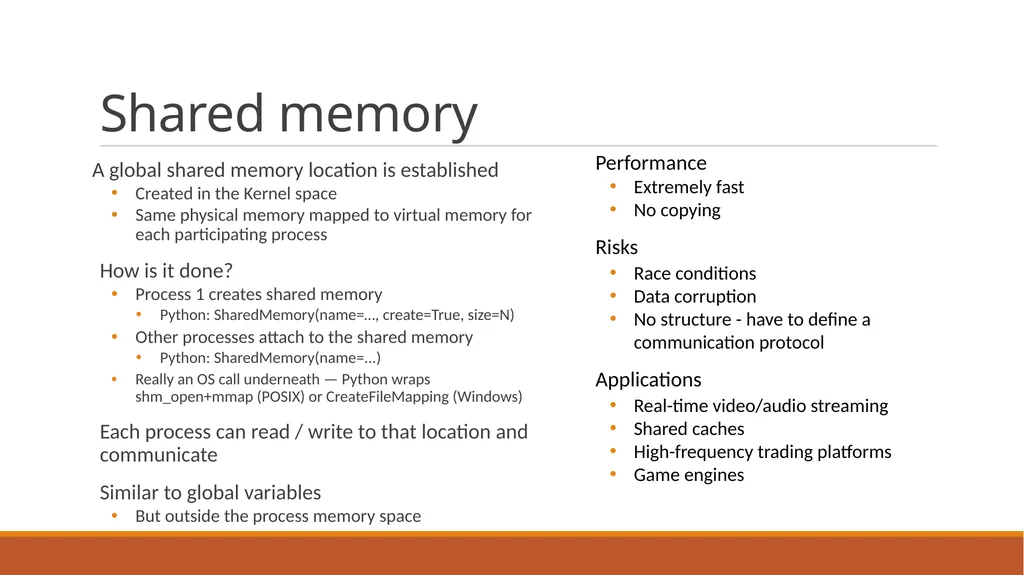
Shared memory A global shared memory location is established
Created in the Kernel space
Same physical memory mapped to virtual memory for each participating process
How is it done?
Process 1 creates shared memory
Python: SharedMemory(name=…, create=True, size=N)
Other processes attach to the shared memory
Python: SharedMemory(name=...)
Really an OS call underneath — Python wraps shm_open+mmap (POSIX) or CreateFileMapping (Windows)
Each process can read / write to that location and communicate
Similar to global variables
But outside the process memory space Performance
Extremely fast
No copying
Risks
Race conditions
Data corruption
No structure - have to define a communication protocol
Applications
Real-time video/audio streaming
Shared caches
High-frequency trading platforms
Game engines<br>
Created in the Kernel space
Same physical memory mapped to virtual memory for each participating process
How is it done?
Process 1 creates shared memory
Python: SharedMemory(name=…, create=True, size=N)
Other processes attach to the shared memory
Python: SharedMemory(name=...)
Really an OS call underneath — Python wraps shm_open+mmap (POSIX) or CreateFileMapping (Windows)
Each process can read / write to that location and communicate
Similar to global variables
But outside the process memory space Performance
Extremely fast
No copying
Risks
Race conditions
Data corruption
No structure - have to define a communication protocol
Applications
Real-time video/audio streaming
Shared caches
High-frequency trading platforms
Game engines<br>
08
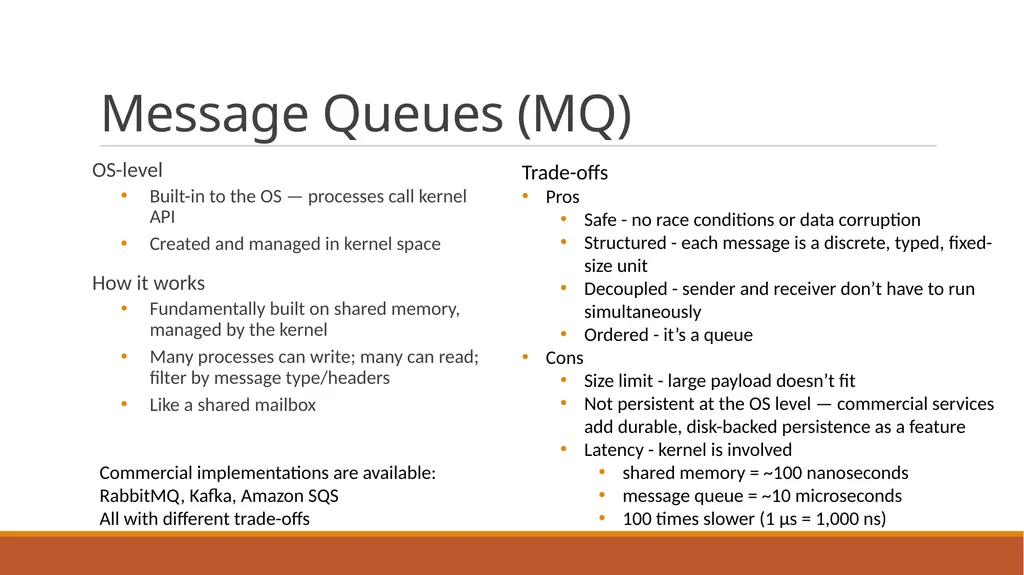
Message Queues (MQ) OS-level
Built-in to the OS — processes call kernel API
Created and managed in kernel space
How it works
Fundamentally built on shared memory, managed by the kernel
Many processes can write; many can read; filter by message type/headers
Like a shared mailbox Trade-offs
Pros
Safe - no race conditions or data corruption
Structured - each message is a discrete, typed, fixed-size unit
Decoupled - sender and receiver don’t have to run simultaneously
Ordered - it’s a queue
Cons
Size limit - large payload doesn’t fit
Not persistent at the OS level — commercial services add durable, disk-backed persistence as a feature
Latency - kernel is involved
shared memory = ~100 nanoseconds
message queue = ~10 microseconds
100 times slower (1 µs = 1,000 ns) Commercial implementations are available: RabbitMQ, Kafka, Amazon SQS
All with different trade-offs<br>
Built-in to the OS — processes call kernel API
Created and managed in kernel space
How it works
Fundamentally built on shared memory, managed by the kernel
Many processes can write; many can read; filter by message type/headers
Like a shared mailbox Trade-offs
Pros
Safe - no race conditions or data corruption
Structured - each message is a discrete, typed, fixed-size unit
Decoupled - sender and receiver don’t have to run simultaneously
Ordered - it’s a queue
Cons
Size limit - large payload doesn’t fit
Not persistent at the OS level — commercial services add durable, disk-backed persistence as a feature
Latency - kernel is involved
shared memory = ~100 nanoseconds
message queue = ~10 microseconds
100 times slower (1 µs = 1,000 ns) Commercial implementations are available: RabbitMQ, Kafka, Amazon SQS
All with different trade-offs<br>
09
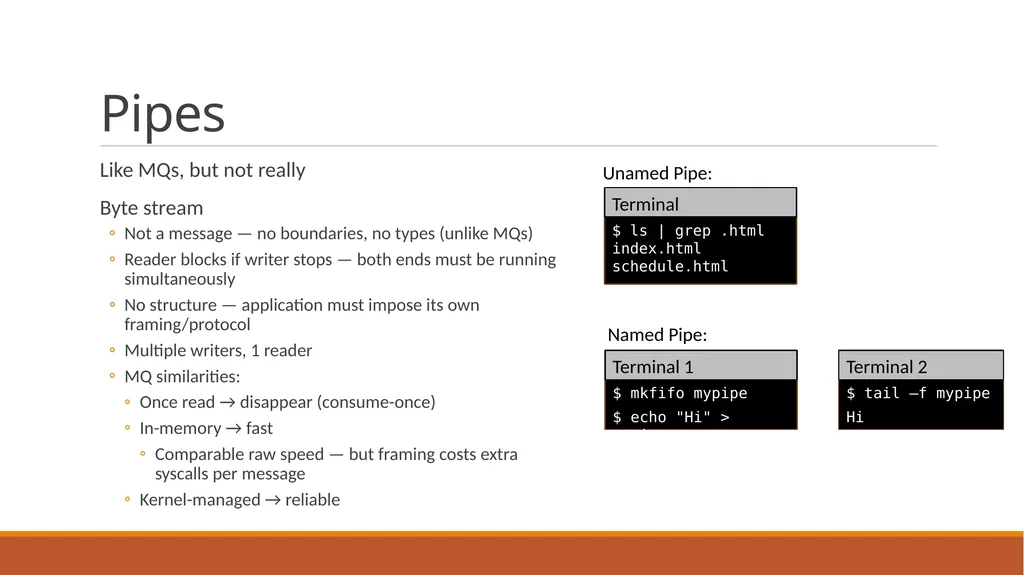
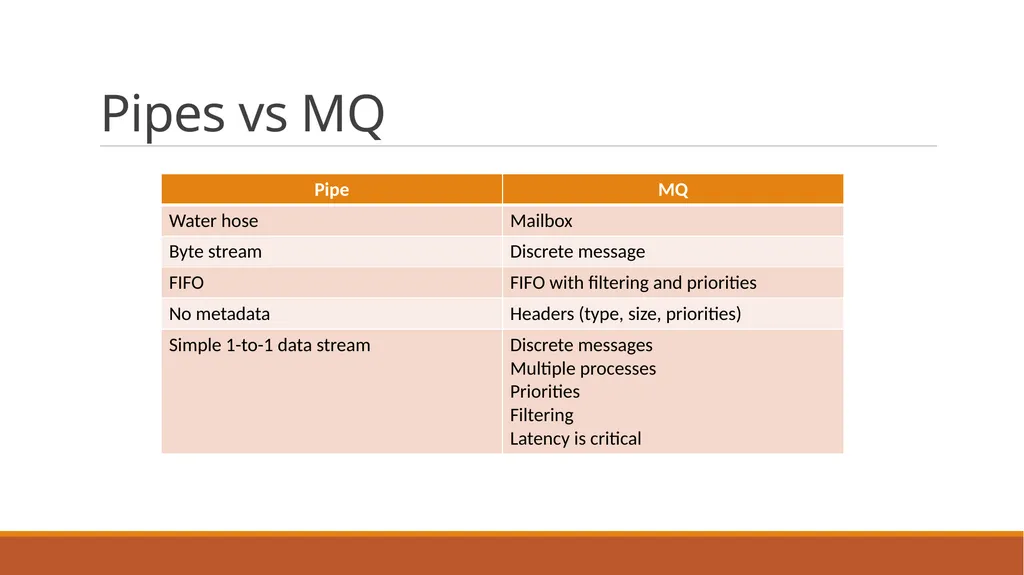
Pipes Like MQs, but not really
Byte stream
Not a message — no boundaries, no types (unlike MQs)
Reader blocks if writer stops — both ends must be running simultaneously
No structure — application must impose its own framing/protocol
Multiple writers, 1 reader
MQ similarities:
Once read → disappear (consume-once)
In-memory → fast
Comparable raw speed — but framing costs extra syscalls per message
Kernel-managed → reliable $ mkfifo mypipe
$ echo "Hi" > mypipe $ tail –f mypipe
Hi Terminal 1 Terminal 2 Named Pipe: Unamed Pipe: $ ls | grep .html
index.html
schedule.html Terminal<br>
Byte stream
Not a message — no boundaries, no types (unlike MQs)
Reader blocks if writer stops — both ends must be running simultaneously
No structure — application must impose its own framing/protocol
Multiple writers, 1 reader
MQ similarities:
Once read → disappear (consume-once)
In-memory → fast
Comparable raw speed — but framing costs extra syscalls per message
Kernel-managed → reliable $ mkfifo mypipe
$ echo "Hi" > mypipe $ tail –f mypipe
Hi Terminal 1 Terminal 2 Named Pipe: Unamed Pipe: $ ls | grep .html
index.html
schedule.html Terminal<br>
10
Pipes vs MQ<br>
11
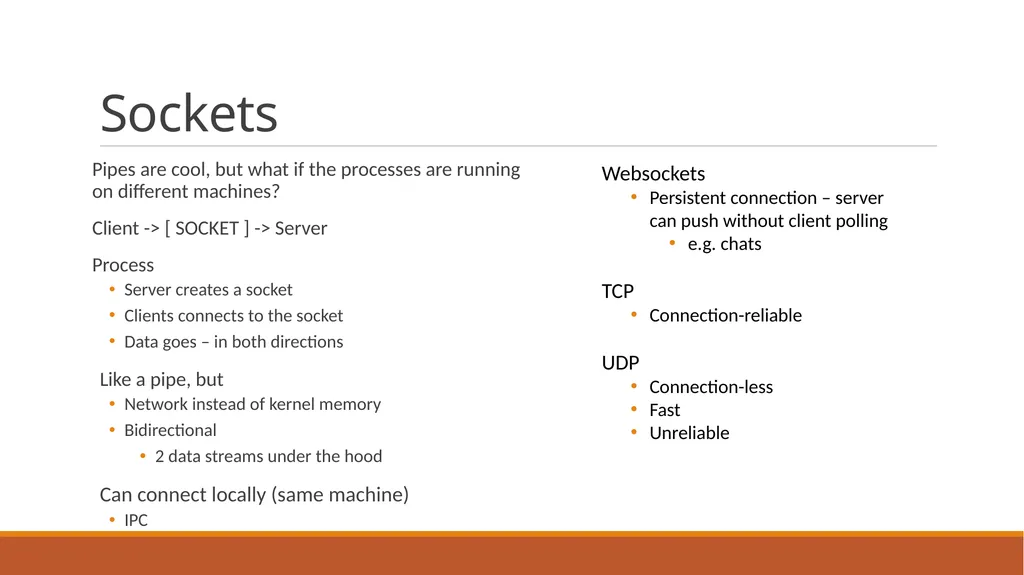
Sockets Pipes are cool, but what if the processes are running on different machines?
Client -> [ SOCKET ] -> Server
Process
Server creates a socket
Clients connects to the socket
Data goes – in both directions
Like a pipe, but
Network instead of kernel memory
Bidirectional
2 data streams under the hood
Can connect locally (same machine)
IPC Websockets
Persistent connection – server can push without client polling
e.g. chats
TCP
Connection-reliable
UDP
Connection-less
Fast
Unreliable<br>
Client -> [ SOCKET ] -> Server
Process
Server creates a socket
Clients connects to the socket
Data goes – in both directions
Like a pipe, but
Network instead of kernel memory
Bidirectional
2 data streams under the hood
Can connect locally (same machine)
IPC Websockets
Persistent connection – server can push without client polling
e.g. chats
TCP
Connection-reliable
UDP
Connection-less
Fast
Unreliable<br>
12
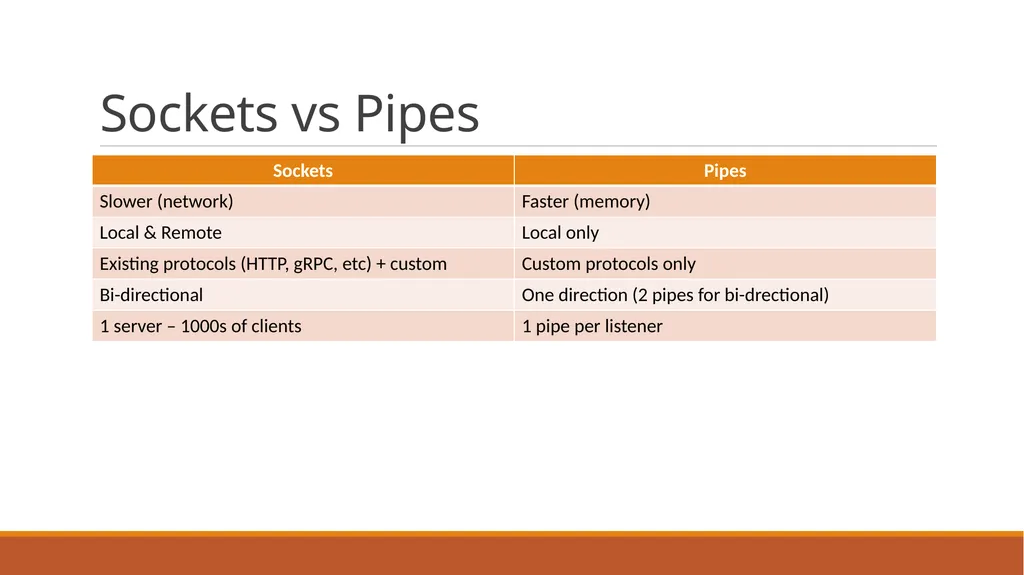
Sockets vs Pipes<br>
13
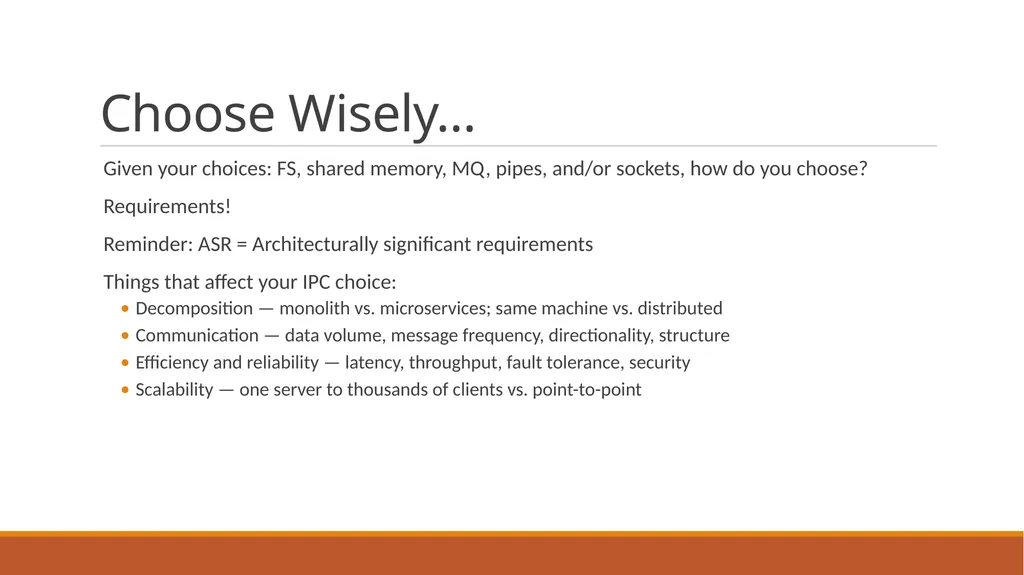
Choose Wisely… Given your choices: FS, shared memory, MQ, pipes, and/or sockets, how do you choose?
Requirements!
Reminder: ASR = Architecturally significant requirements
Things that affect your IPC choice:
Decomposition — monolith vs. microservices; same machine vs. distributed
Communication — data volume, message frequency, directionality, structure
Efficiency and reliability — latency, throughput, fault tolerance, security
Scalability — one server to thousands of clients vs. point-to-point<br>
Requirements!
Reminder: ASR = Architecturally significant requirements
Things that affect your IPC choice:
Decomposition — monolith vs. microservices; same machine vs. distributed
Communication — data volume, message frequency, directionality, structure
Efficiency and reliability — latency, throughput, fault tolerance, security
Scalability — one server to thousands of clients vs. point-to-point<br>
14
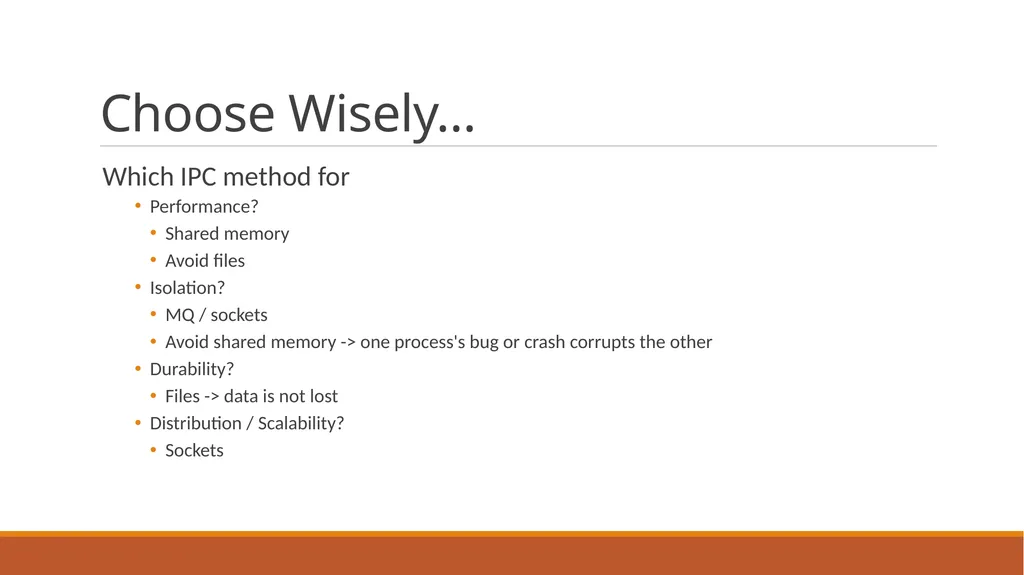
Choose Wisely… Which IPC method for
Performance?
Shared memory
Avoid files
Isolation?
MQ / sockets
Avoid shared memory -> one process's bug or crash corrupts the other
Durability?
Files -> data is not lost
Distribution / Scalability?
Sockets<br>
Performance?
Shared memory
Avoid files
Isolation?
MQ / sockets
Avoid shared memory -> one process's bug or crash corrupts the other
Durability?
Files -> data is not lost
Distribution / Scalability?
Sockets<br>
15
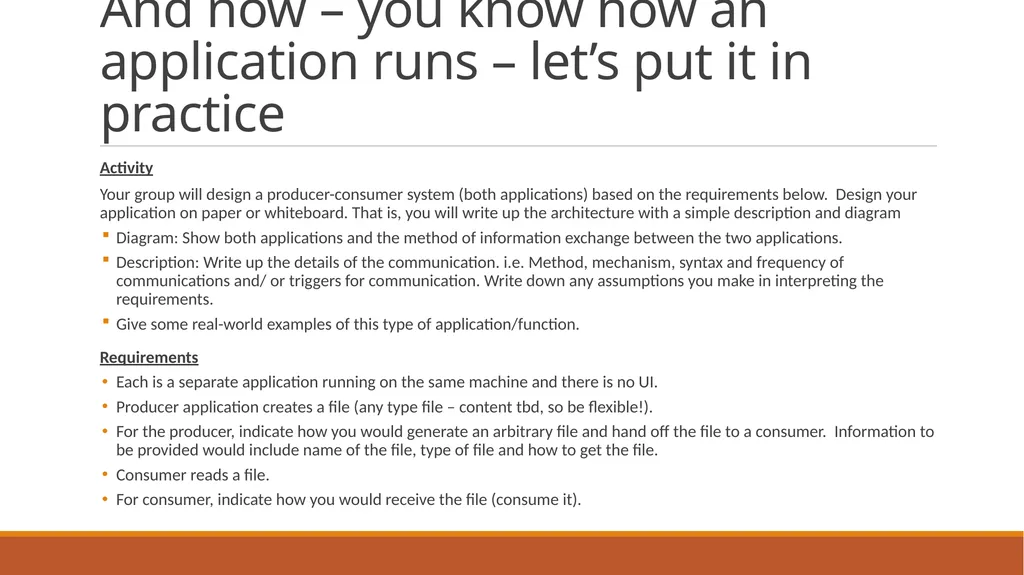
And now – you know how an application runs – let’s put it in practice Activity
Your group will design a producer-consumer system (both applications) based on the requirements below. Design your application on paper or whiteboard. That is, you will write up the architecture with a simple description and diagram
Diagram: Show both applications and the method of information exchange between the two applications.
Description: Write up the details of the communication. i.e. Method, mechanism, syntax and frequency of communications and/ or triggers for communication. Write down any assumptions you make in interpreting the requirements.
Give some real-world examples of this type of application/function.
Requirements
Each is a separate application running on the same machine and there is no UI.
Producer application creates a file (any type file – content tbd, so be flexible!).
For the producer, indicate how you would generate an arbitrary file and hand off the file to a consumer. Information to be provided would include name of the file, type of file and how to get the file.
Consumer reads a file.
For consumer, indicate how you would receive the file (consume it).<br>
Your group will design a producer-consumer system (both applications) based on the requirements below. Design your application on paper or whiteboard. That is, you will write up the architecture with a simple description and diagram
Diagram: Show both applications and the method of information exchange between the two applications.
Description: Write up the details of the communication. i.e. Method, mechanism, syntax and frequency of communications and/ or triggers for communication. Write down any assumptions you make in interpreting the requirements.
Give some real-world examples of this type of application/function.
Requirements
Each is a separate application running on the same machine and there is no UI.
Producer application creates a file (any type file – content tbd, so be flexible!).
For the producer, indicate how you would generate an arbitrary file and hand off the file to a consumer. Information to be provided would include name of the file, type of file and how to get the file.
Consumer reads a file.
For consumer, indicate how you would receive the file (consume it).<br>
16
Polling Approach Simple to build, but the consumer burns CPU cycles asking “is it there yet?” over and over — the same cost called out for blocking I/O.
Communication details:
Syntax: file named <id>_<timestamp>.dat; header + payload format agreed in advance
Frequency/Trigger: consumer polls every ~500ms; producer writes whenever new data is ready
Assumption: filenames are unique (e.g., timestamped), so new files never collide with unprocessed ones; the consumer scans the whole folder each poll so it doesn't fall behind if several files land between polls
Open question: how does the consumer know the file is finished?<br>
Communication details:
Syntax: file named <id>_<timestamp>.dat; header + payload format agreed in advance
Frequency/Trigger: consumer polls every ~500ms; producer writes whenever new data is ready
Assumption: filenames are unique (e.g., timestamped), so new files never collide with unprocessed ones; the consumer scans the whole folder each poll so it doesn't fall behind if several files land between polls
Open question: how does the consumer know the file is finished?<br>
17
File-System Event Approach The OS notifies the consumer the instant a file appears — zero wasted cycles waiting. This is the non-blocking, event-driven model from the I/O lecture.
Communication details:
Syntax: same file format as polling; delivery is via OS notification, not the file's content
Frequency/Trigger: fires immediately on the file-creation event — no fixed interval
Assumption: OS file-watch support is available; consumer is registered before producer writes
Open question: how does the consumer know the file is finished?
Caveat: events can be dropped under bursts — keep a periodic scan as a fallback<br>
Communication details:
Syntax: same file format as polling; delivery is via OS notification, not the file's content
Frequency/Trigger: fires immediately on the file-creation event — no fixed interval
Assumption: OS file-watch support is available; consumer is registered before producer writes
Open question: how does the consumer know the file is finished?
Caveat: events can be dropped under bursts — keep a periodic scan as a fallback<br>
18
What Could Go Wrong? The race condition: reading a file while it's still being written
If the consumer sees the file the instant it's created, it may read a half-written, corrupt file.
Common fixes
Atomic rename — write to a temp file, then rename it into place. Rename is atomic on most filesystems, so the consumer never sees a partial file.
A "done" marker file or lock — the producer signals completion explicitly instead of relying on timing.
Size-stability polling — check the file size, wait, check again; only read once the size stops changing between checks. Trade-off: added latency.
Other considerations
Backlog and disk usage grow unbounded if the producer runs faster than the consumer can keep up.
Cleanup policy — does the consumer delete the file when done, or move it to an archive folder? Deleting keeps the folder small; archiving gives you an audit trail and something to replay if processing fails.<br>
If the consumer sees the file the instant it's created, it may read a half-written, corrupt file.
Common fixes
Atomic rename — write to a temp file, then rename it into place. Rename is atomic on most filesystems, so the consumer never sees a partial file.
A "done" marker file or lock — the producer signals completion explicitly instead of relying on timing.
Size-stability polling — check the file size, wait, check again; only read once the size stops changing between checks. Trade-off: added latency.
Other considerations
Backlog and disk usage grow unbounded if the producer runs faster than the consumer can keep up.
Cleanup policy — does the consumer delete the file when done, or move it to an archive folder? Deleting keeps the folder small; archiving gives you an audit trail and something to replay if processing fails.<br>
19
Real-World Examples Log shipping
Your app writes logs (producer); a shipper like Filebeat or Fluentd tails and forwards them (consumer)
Print spoolers
Your app produces a print job file; the OS print spooler consumes it and sends it to the printer whenever it's ready.
ETL (extract, transform, and load) / data pipelines
One job drops files in a folder; another watches and processes them.<br>
Your app writes logs (producer); a shipper like Filebeat or Fluentd tails and forwards them (consumer)
Print spoolers
Your app produces a print job file; the OS print spooler consumes it and sends it to the printer whenever it's ready.
ETL (extract, transform, and load) / data pipelines
One job drops files in a folder; another watches and processes them.<br>