
10/25/2011 2 Pablo Saiz
\nslide3. What happens then: …\n\n…\n 3. Send info 4. Create statistics \n (may take time) 10/25/2011 3 Pablo Saiz
\nslide4. What do you get: 10/25/2011 4 Pablo Saiz
\nslide5. Pages, browser, location, language 10/25/2011 5 Pablo Saiz
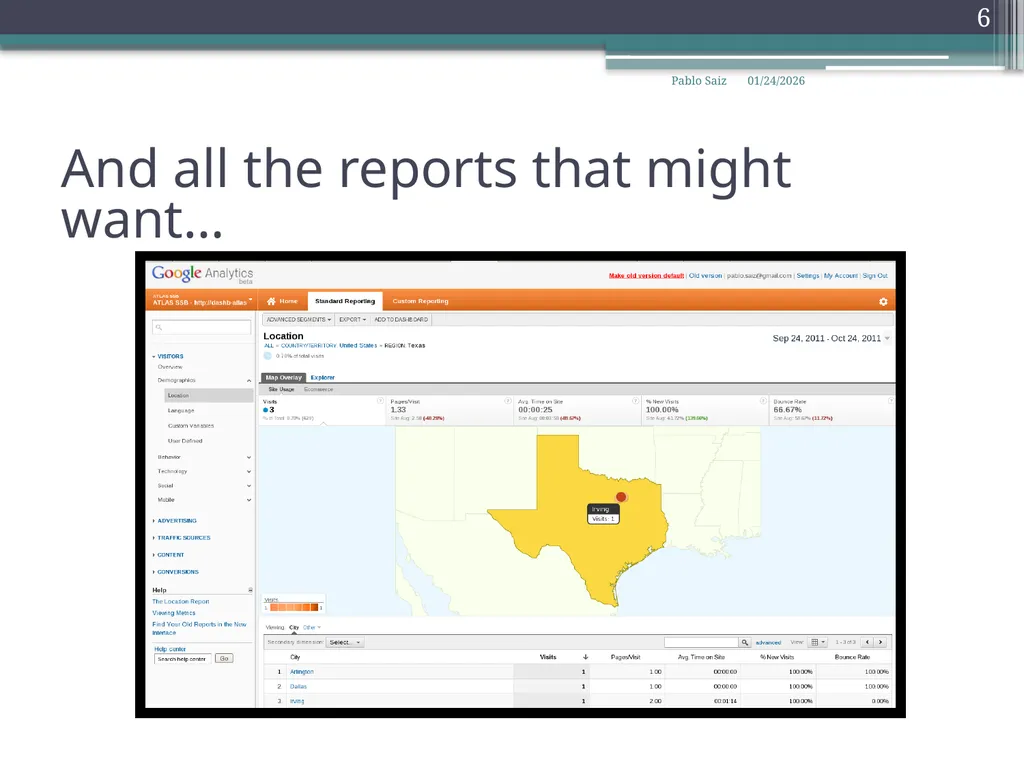
\nslide6. And all the reports that might want… 10/25/2011 6 Pablo Saiz
\nslide7. Some issues: Delay until first data arrives\nWorks great with html pages\nJson/xml needs some tuning\nSends data to google\nPrivacy (?)\nPiwik.cern.ch 10/25/2011 7 Pablo Saiz
\nslide8. Open source web analytics\nSame idea as google analytics\nPossible to define where to store data\nUsed already at CERN IT (Document server)\nNew project to offer this functionality\nFellow selected yesterday\nWe will be guinea pigs\nDoes not offer (yet) ‘Avg. Page Load Time’ 10/25/2011 8 Pablo Saiz
\nslide9. Summary Very easy to add analytics to your application\nInclude javascript code in every page\nID per application:\nSeveral applications on same server\nLoad balanced servers\nShort term: install google analytics\nMedium/long: install piwik\nhttps://twiki.cern.ch/twiki/bin/view/ArdaGrid/WebAnalytics 10/25/2011 9 Pablo Saiz
" }

Configure google analytics Pablo Saiz 25 October


Published  . 0 views
↓ Download
Configure google analytics Pablo Saiz 25 October
1 / 1
Configure google analytics Pablo Saiz 25 October - slide 1 of 9 Configure google analytics Pablo Saiz 25 October - slide 2 of 9 Configure google analytics Pablo Saiz 25 October - slide 3 of 9 Configure google analytics Pablo Saiz 25 October - slide 4 of 9 Configure google analytics Pablo Saiz 25 October - slide 5 of 9 Configure google analytics Pablo Saiz 25 October - slide 6 of 9 Configure google analytics Pablo Saiz 25 October - slide 7 of 9 Configure google analytics Pablo Saiz 25 October - slide 8 of 9 Configure google analytics Pablo Saiz 25 October - slide 9 of 9
Description: Configure google analytics Pablo Saiz 25 October 2011 DNG section Meeting How to configure Create google account: cern.dashboardgmail.com Signup for analytics: (done!) Get an unique ID for your application: (i.e. UA-26525073-1 for CMS SAM)

Related Topics

Download Presentation

"Configure google analytics Pablo Saiz 25 October" is the property of its rightful owner. Permission is granted to download and print the materials on this website for personal, non-commercial use only, and to display it on your personal computer provided you do not modify the materials and that you retain all copyright notices contained in the materials. By downloading content from our website, you accept the terms of this agreement.

Presentation Transcript

slide1. Configure google analytics Pablo Saiz

25 October 2011
DNG section Meeting<br>
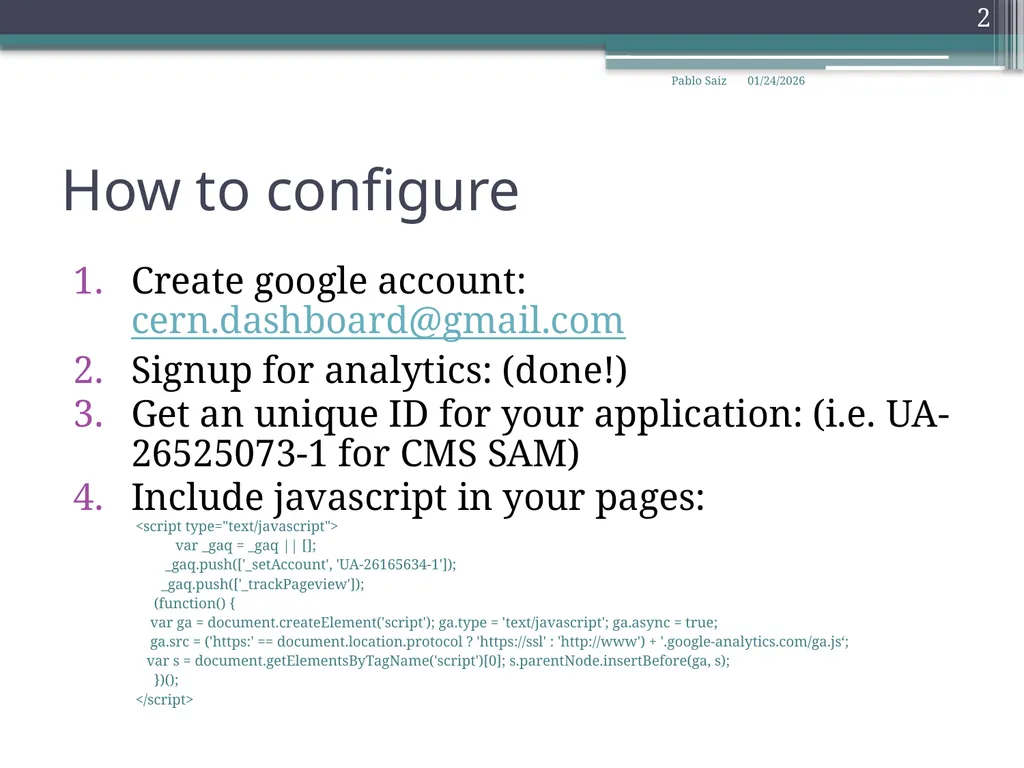
slide2. How to configure Create google account: cern.dashboard@gmail.com
Signup for analytics: (done!)
Get an unique ID for your application: (i.e. UA-26525073-1 for CMS SAM)
Include javascript in your pages:
<script type="text/javascript">
var _gaq = _gaq || [];
_gaq.push(['_setAccount', 'UA-26165634-1']);
_gaq.push(['_trackPageview']);
(function() {
var ga = document.createElement('script'); ga.type = 'text/javascript'; ga.async = true;
ga.src = ('https:' == document.location.protocol ? 'https://ssl' : 'http://www') + '.google-analytics.com/ga.js‘;
var s = document.getElementsByTagName('script')[0]; s.parentNode.insertBefore(ga, s);
})();
</script> 10/25/2011 2 Pablo Saiz<br>
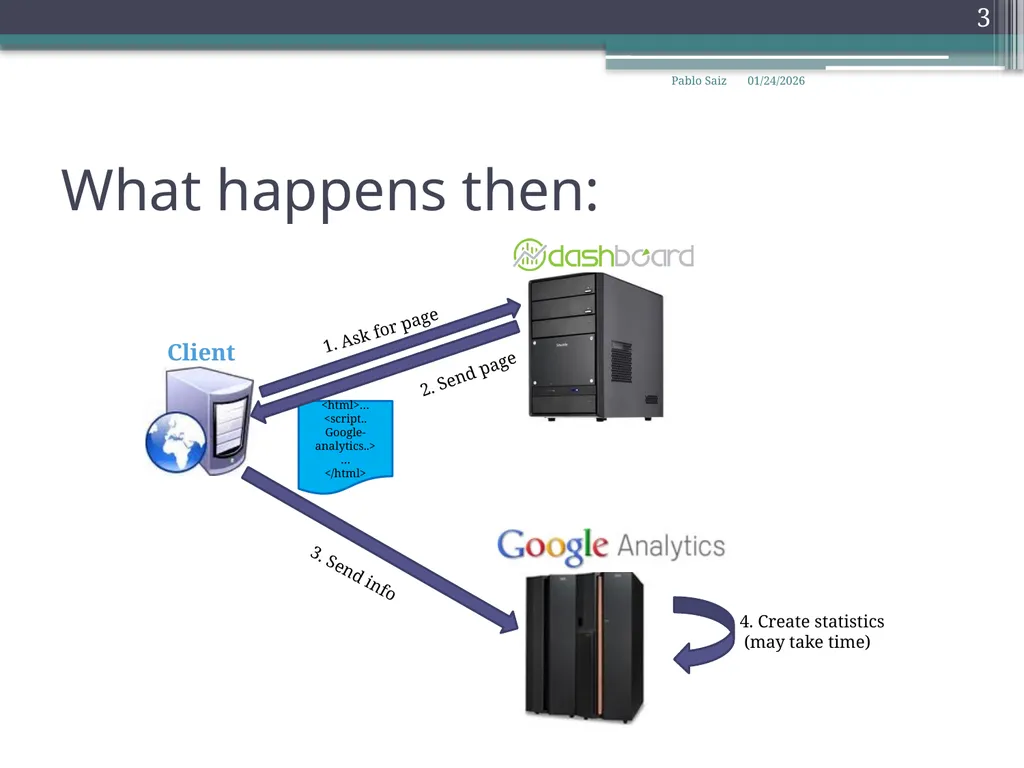
slide3. What happens then: <html>…
<script.. Google-analytics..>

</html> 3. Send info 4. Create statistics
(may take time) 10/25/2011 3 Pablo Saiz<br>
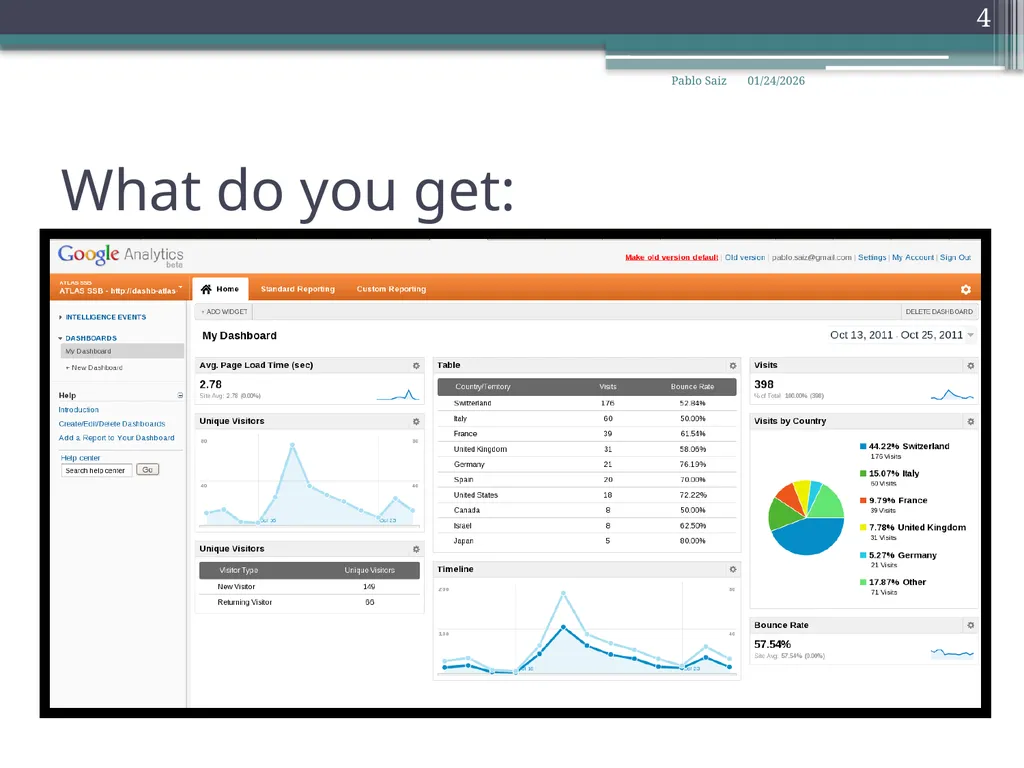
slide4. What do you get: 10/25/2011 4 Pablo Saiz<br>
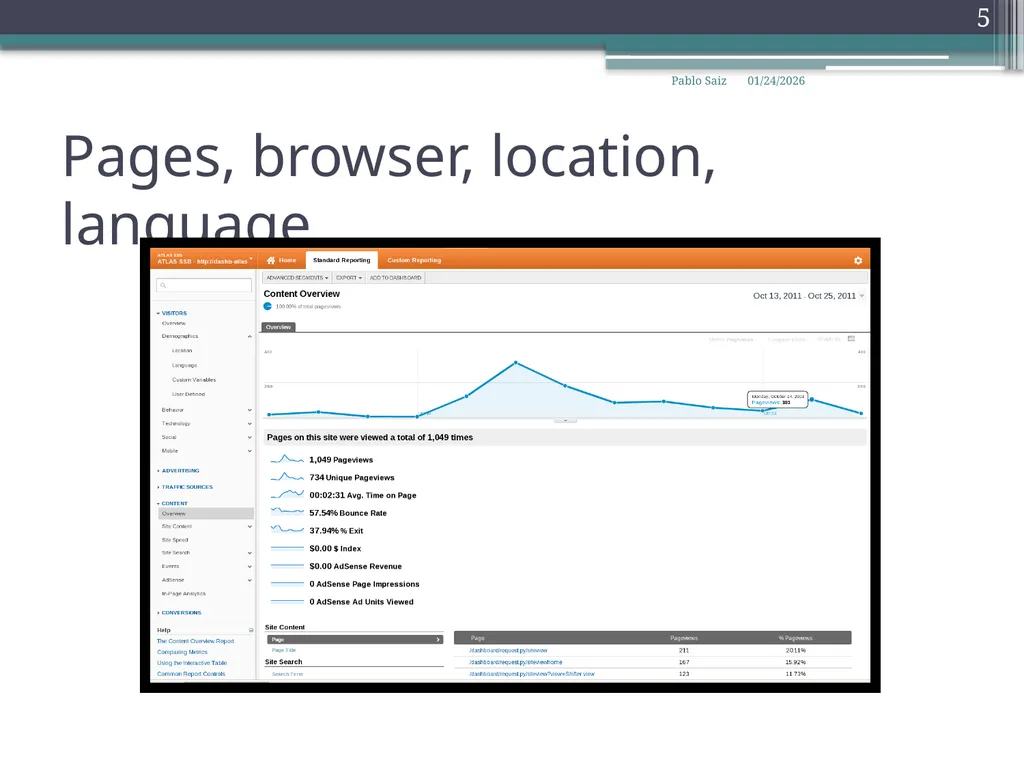
slide5. Pages, browser, location, language 10/25/2011 5 Pablo Saiz<br>
slide6. And all the reports that might want… 10/25/2011 6 Pablo Saiz<br>
slide7. Some issues: Delay until first data arrives
Works great with html pages
Json/xml needs some tuning
Sends data to google
Privacy (?)
Piwik.cern.ch 10/25/2011 7 Pablo Saiz<br>
slide8. Open source web analytics
Same idea as google analytics
Possible to define where to store data
Used already at CERN IT (Document server)
New project to offer this functionality
Fellow selected yesterday
We will be guinea pigs
Does not offer (yet) ‘Avg. Page Load Time’ 10/25/2011 8 Pablo Saiz<br>
slide9. Summary Very easy to add analytics to your application
Include javascript code in every page
ID per application:
Several applications on same server
Load balanced servers
Short term: install google analytics
Medium/long: install piwik
https://twiki.cern.ch/twiki/bin/view/ArdaGrid/WebAnalytics 10/25/2011 9 Pablo Saiz<br>