04
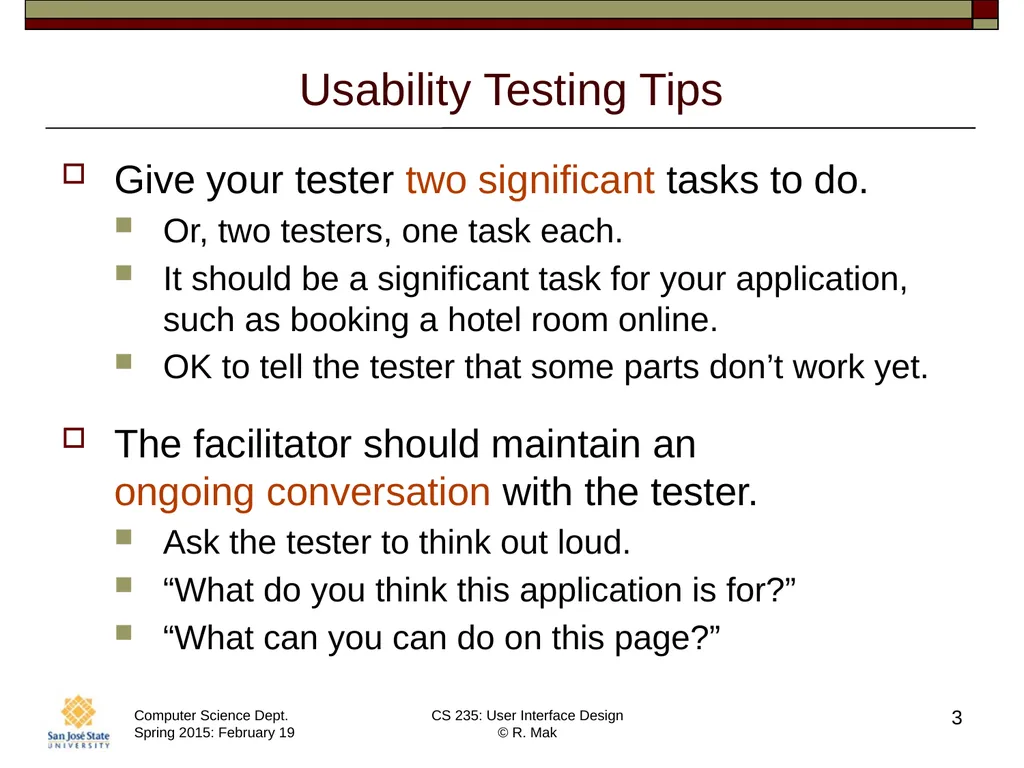
Usability Testing Tips, cont’d Do not hand-hold the tester.
Wrong: “Now press this button.”
Right: “What should you do next?”
Provide more explicit help only if the tester is truly stuck or confused.
You want to see how a typical user will behave, �and you won’t be sitting next to every user.
Your goal is to uncover UI/UX problems.
Do not get frustrated with the tester.
Tester confusion what needs to be improved! 4<br>
05
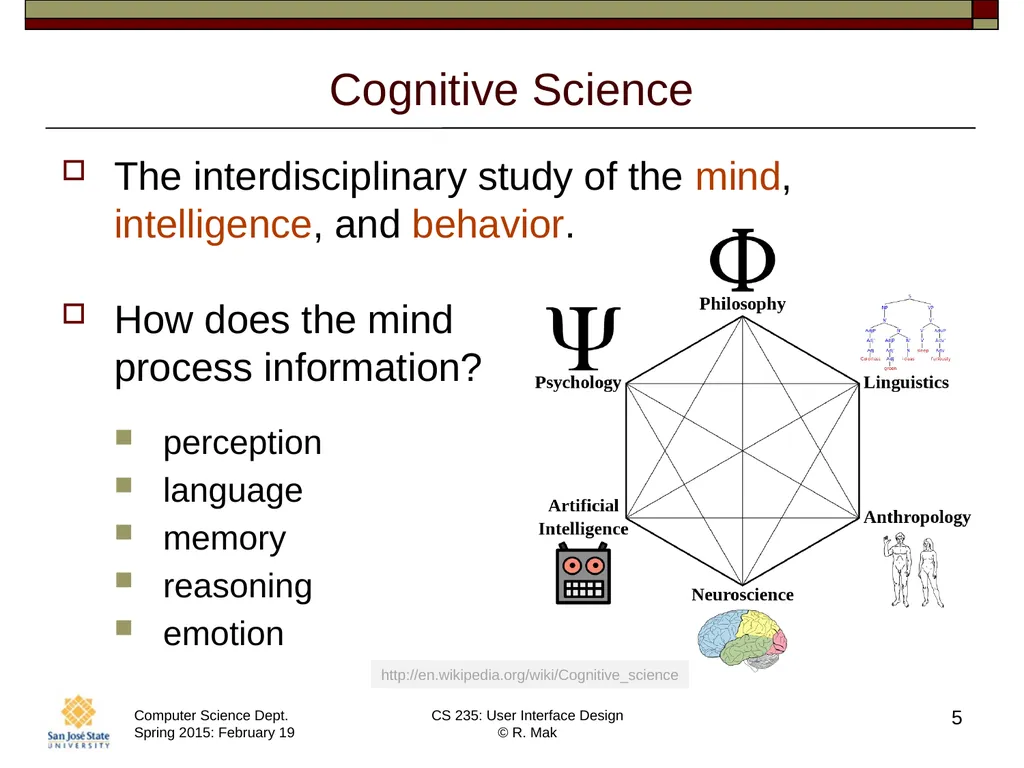
Cognitive Science The interdisciplinary study of the mind, intelligence, and behavior.
How does the mind �process information?
perception
language
memory
reasoning
emotion 5 http://en.wikipedia.org/wiki/Cognitive_science<br>
06
Perception Can be Biased What we see is actually an “alternate reality”.
Heavily biased by:
The past: our experience
The present: the current context
The future: our goals�_ 6<br>
07
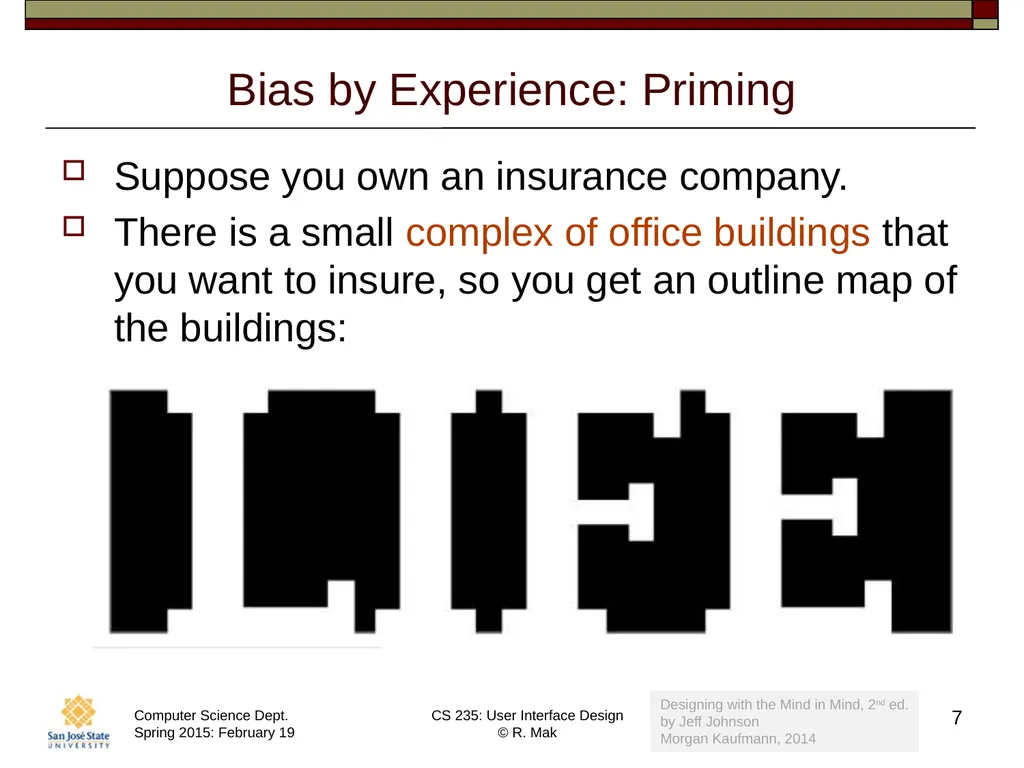
Bias by Experience: Priming Suppose you own an insurance company.
There is a small complex of office buildings that you want to insure, so you get an outline map of the buildings: 7 Designing with the Mind in Mind, 2nd ed.�by Jeff Johnson
Morgan Kaufmann, 2014<br>
08
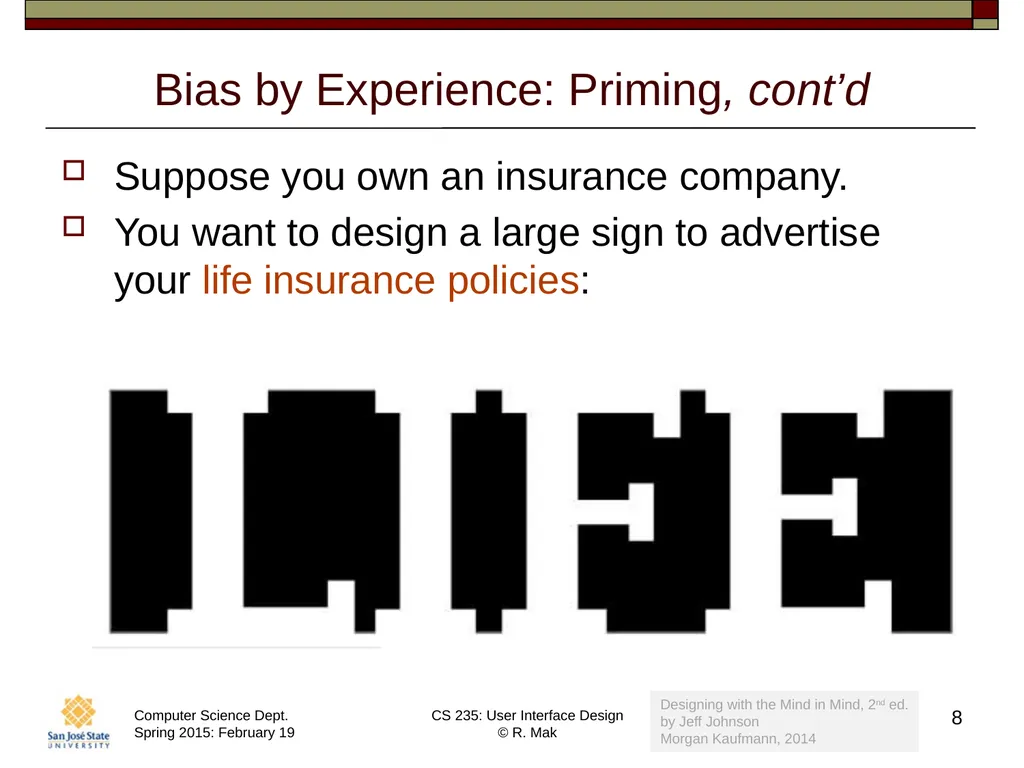
Bias by Experience: Priming, cont’d Suppose you own an insurance company.
You want to design a large sign to advertise your life insurance policies: 8 Designing with the Mind in Mind, 2nd ed.�by Jeff Johnson
Morgan Kaufmann, 2014<br>
09
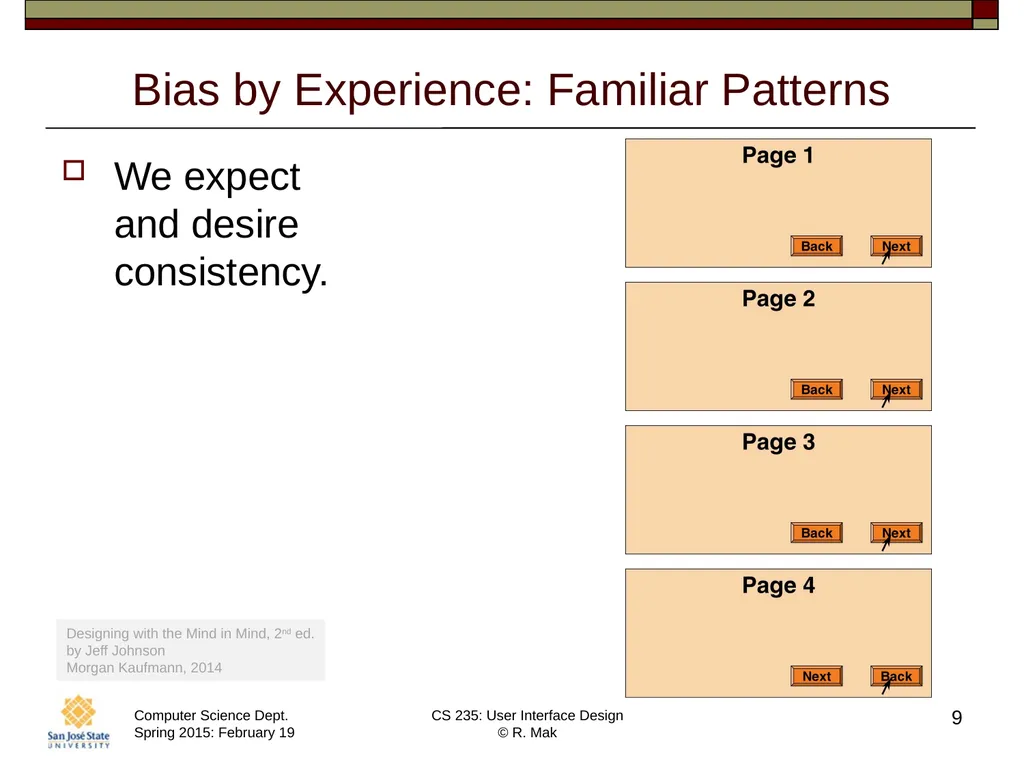
Bias by Experience: Familiar Patterns We expect�and desire�consistency. 9 Designing with the Mind in Mind, 2nd ed.�by Jeff Johnson
Morgan Kaufmann, 2014<br>
10
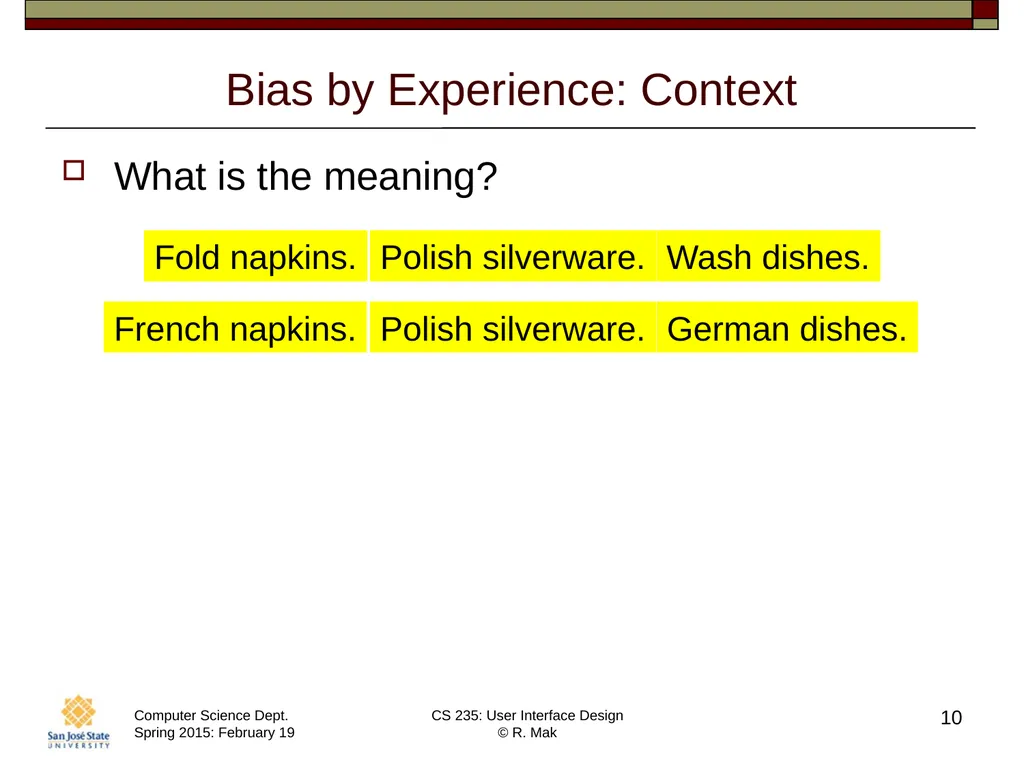
Bias by Experience: Context What is the meaning? 10 Polish silverware. Fold napkins. Wash dishes. Polish silverware. French napkins. German dishes.<br>
11
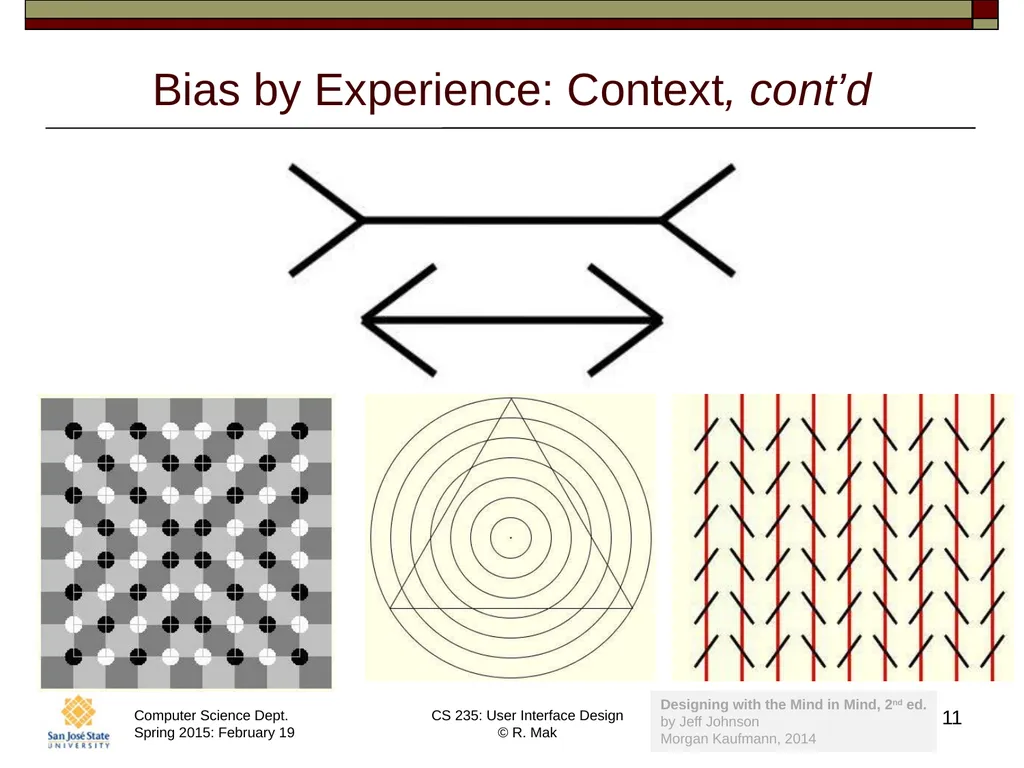
Bias by Experience: Context, cont’d 11 Designing with the Mind in Mind, 2nd ed.�by Jeff Johnson
Morgan Kaufmann, 2014<br>
12
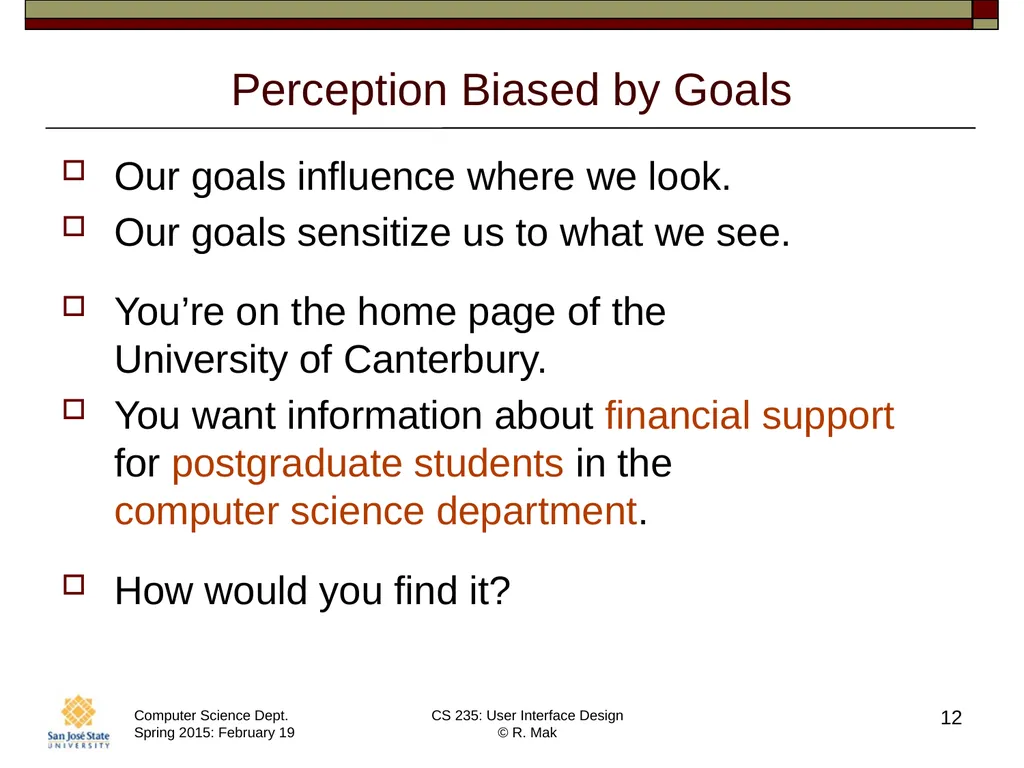
Perception Biased by Goals Our goals influence where we look.
Our goals sensitize us to what we see.
You’re on the home page of the �University of Canterbury.
You want information about financial support �for postgraduate students in the �computer science department.
How would you find it? 12<br>
13
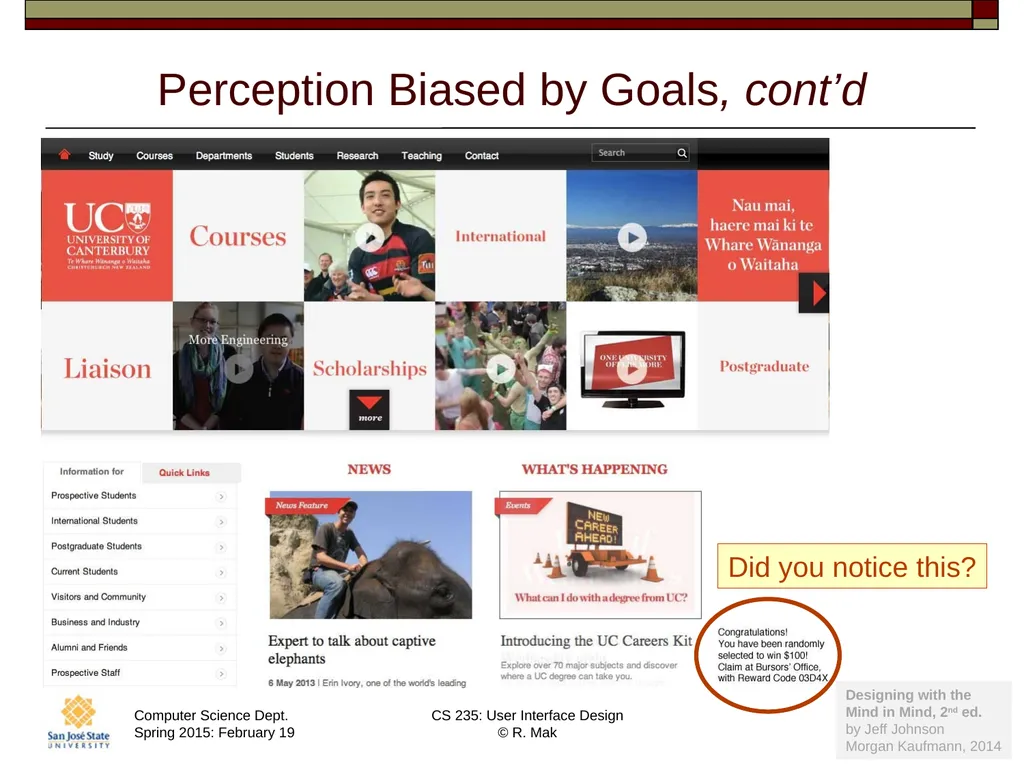
Perception Biased by Goals, cont’d 13 Did you notice this? Designing with the
Mind in Mind, 2nd ed.�by Jeff Johnson
Morgan Kaufmann, 2014<br>
14
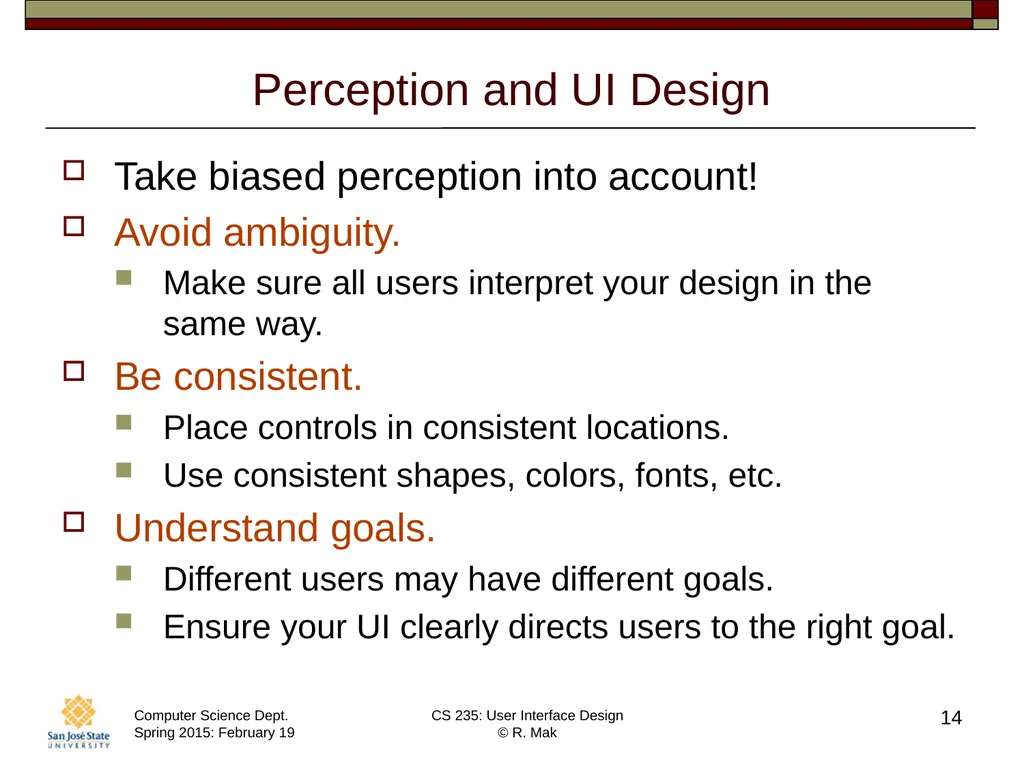
Perception and UI Design Take biased perception into account!
Avoid ambiguity.
Make sure all users interpret your design in the same way.
Be consistent.
Place controls in consistent locations.
Use consistent shapes, colors, fonts, etc.
Understand goals.
Different users may have different goals.
Ensure your UI clearly directs users to the right goal. 14<br>
15
Perception Video 15 https://www.youtube.com/watch?v=9Il_D3Xt9W0<br>
16
Long-Term Memory Perceptions enter through our visual, auditory, olfactory, gustatory, and tactile sensory systems.
Long-term memory is recorded in our brains �by changes in the neurons that are �involved in a neural activity pattern. 16<br>
17
Long-Term Memory: Recognition vs. Recall Recognition
New perceptions similar to previous ones �reactivate the same pattern of neurons.
Recall
Other brain activity causes a pattern of neurons �to reactivate. 17<br>
18
Short-Term Memory A combination of phenomena involving:
perception
attention
retrieval from long-term memory
Working memory
The main component of short-term memory.
The tiny subset of all available information �from our perceptual systems and our long-term memory that we are aware of right now. 18<br>
19
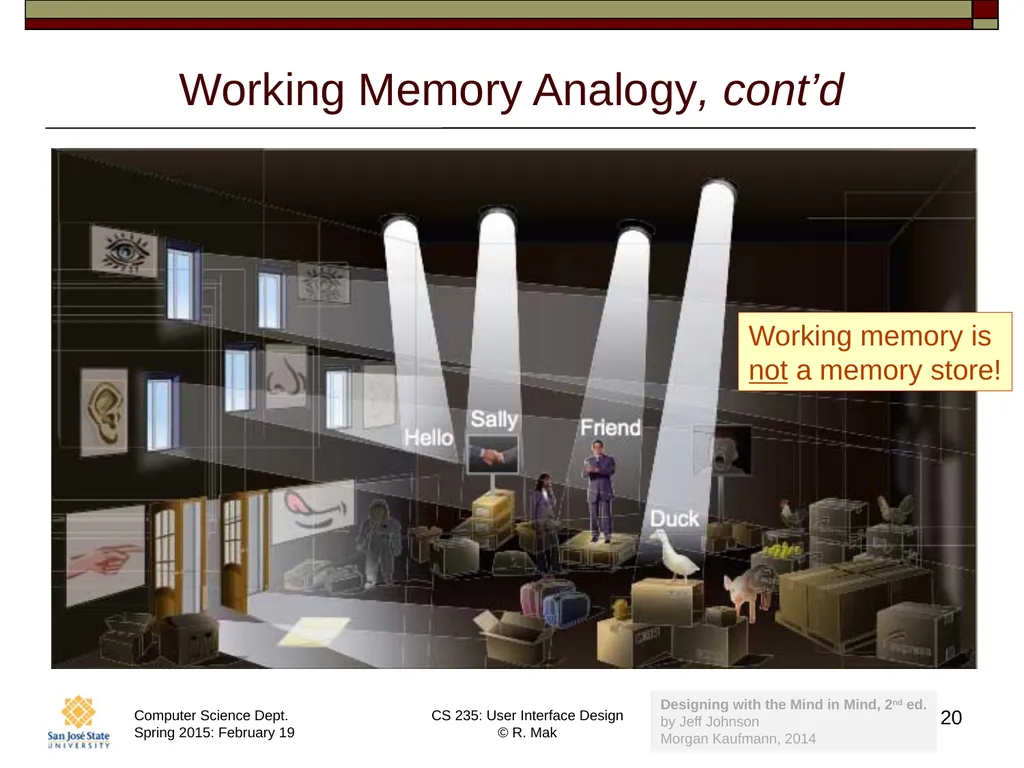
Working Memory Analogy Long-term memory is a �dark warehouse full of stuff.
Doors and windows represent �our perceptual senses.
Working memory consists of whatever �is lit up by a few searchlights.
The searchlights move to shine on �different objects as our attention �(what we are aware of now) shifts. 19<br>
20
Working Memory Analogy, cont’d 20 Working memory is
not a memory store! Designing with the Mind in Mind, 2nd ed.�by Jeff Johnson
Morgan Kaufmann, 2014<br>
21
Attention and Working Memory Attention is highly focused and selective.
Objects and events related to our current goals.
Movement near or toward us.
Threats, faces, food, sex.
Capacity of attention
Old theory: 7 plus or minus 2
Actual average capacity: 4 plus or minus 1
Volatility of working memory
Easy to forget goals and details. 21<br>
22
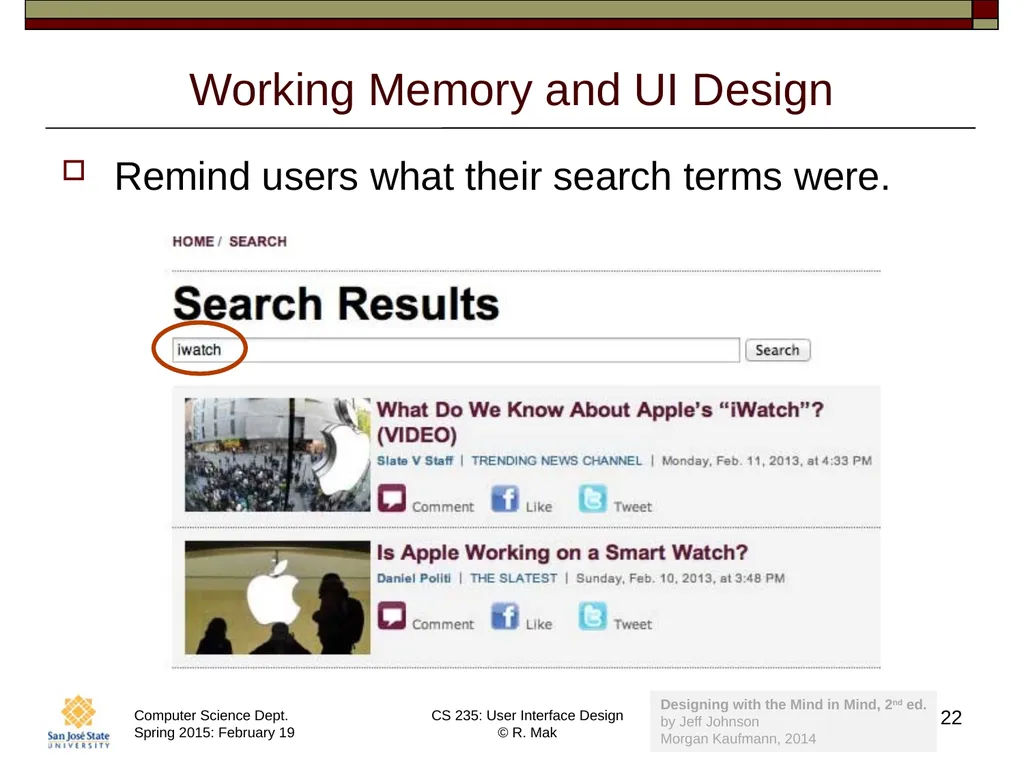
Working Memory and UI Design Remind users what their search terms were. 22 Designing with the Mind in Mind, 2nd ed.�by Jeff Johnson
Morgan Kaufmann, 2014<br>
23
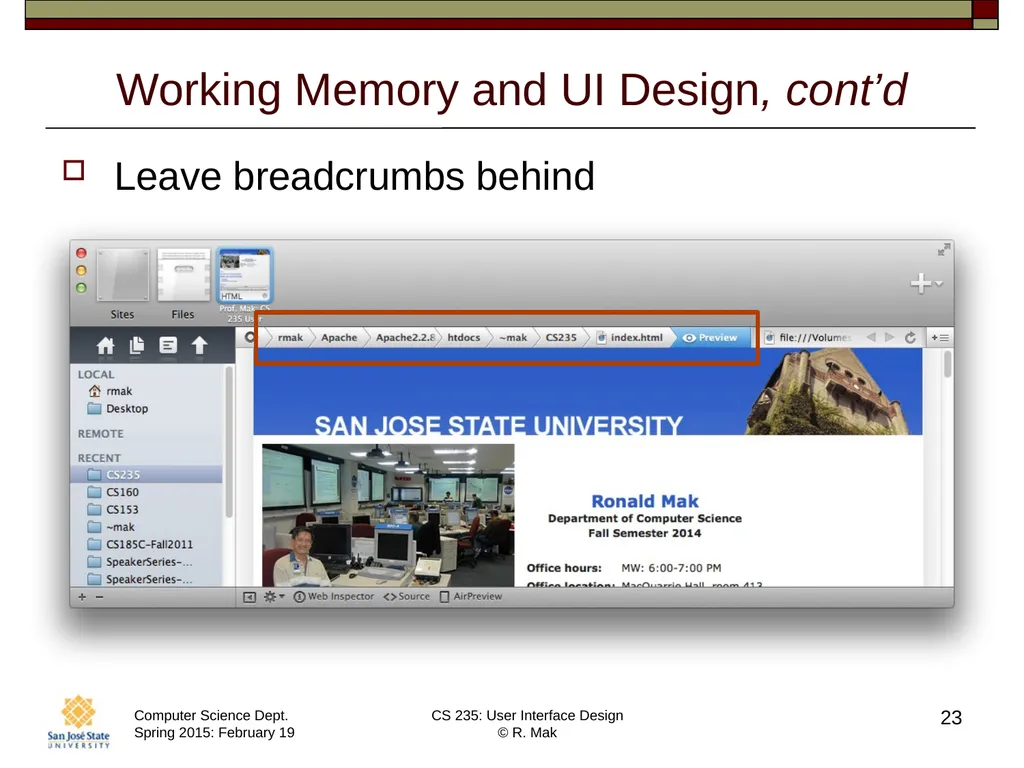
Working Memory and UI Design, cont’d Leave breadcrumbs behind 23<br>
24
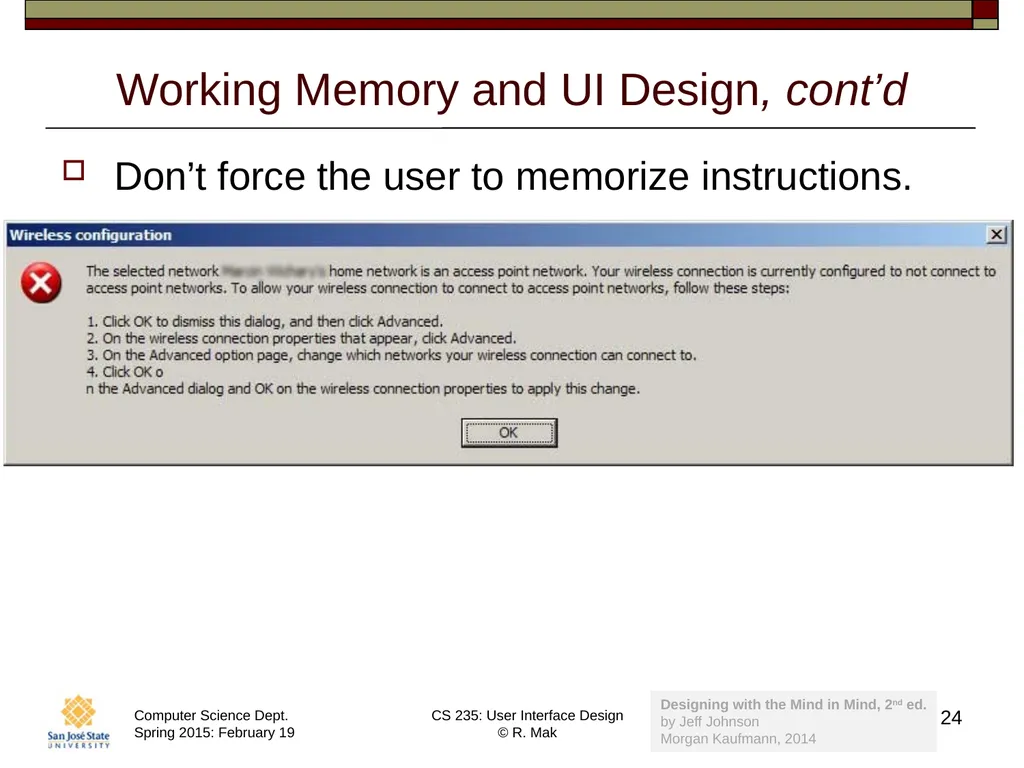
Working Memory and UI Design, cont’d Don’t force the user to memorize instructions. 24 Designing with the Mind in Mind, 2nd ed.�by Jeff Johnson
Morgan Kaufmann, 2014<br>
25
Long-Term Memory Long-term memory is a memory store �(a dark warehouse).
Error-prone
Not an accurate, high-resolution recording.
Weighted by emotions
Retroactively alterable�_ 25<br>
26
Long-Term Memory and UI Design Do not burden long-term memory.
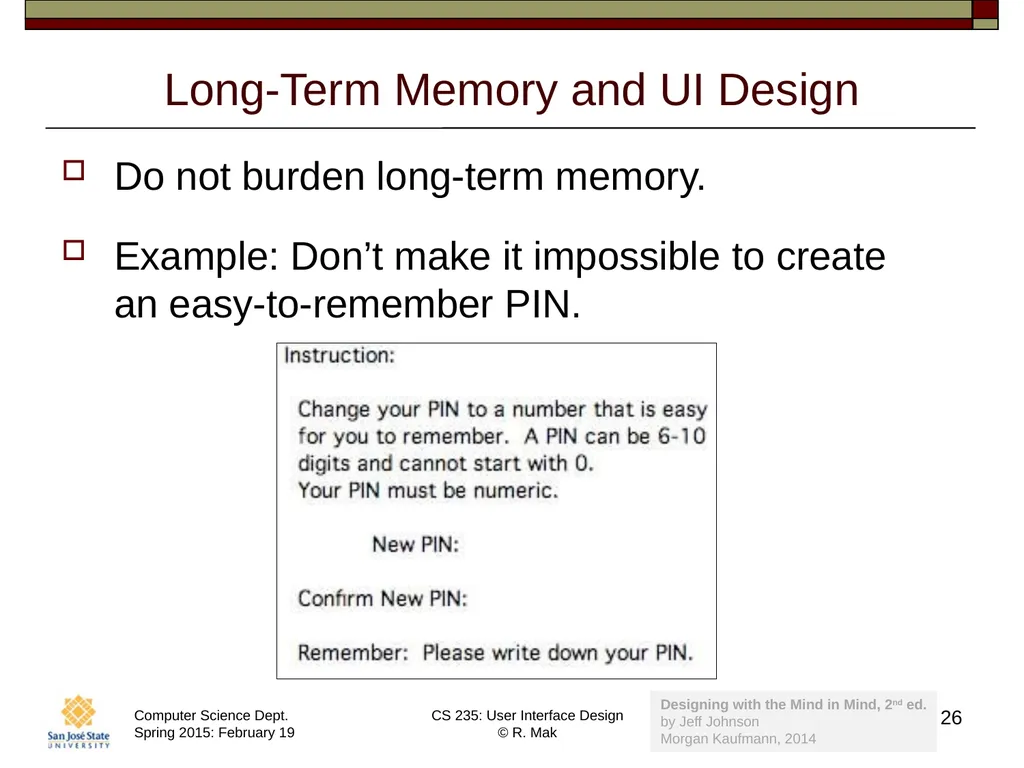
Example: Don’t make it impossible to create �an easy-to-remember PIN. 26 Designing with the Mind in Mind, 2nd ed.�by Jeff Johnson
Morgan Kaufmann, 2014<br>
27
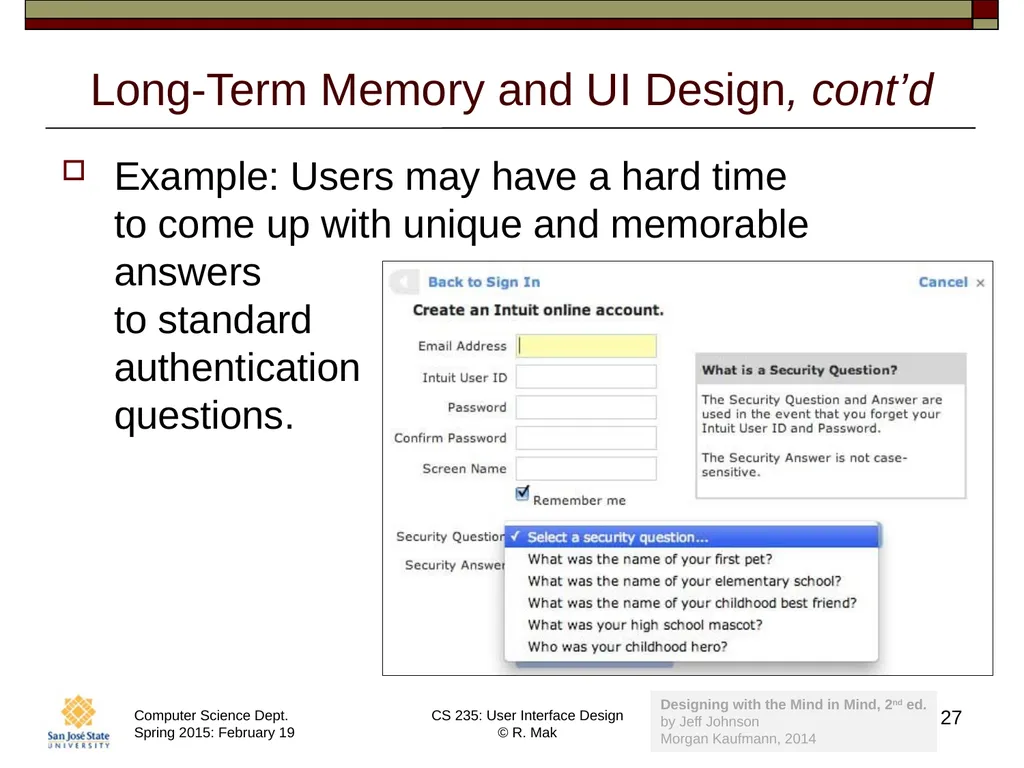
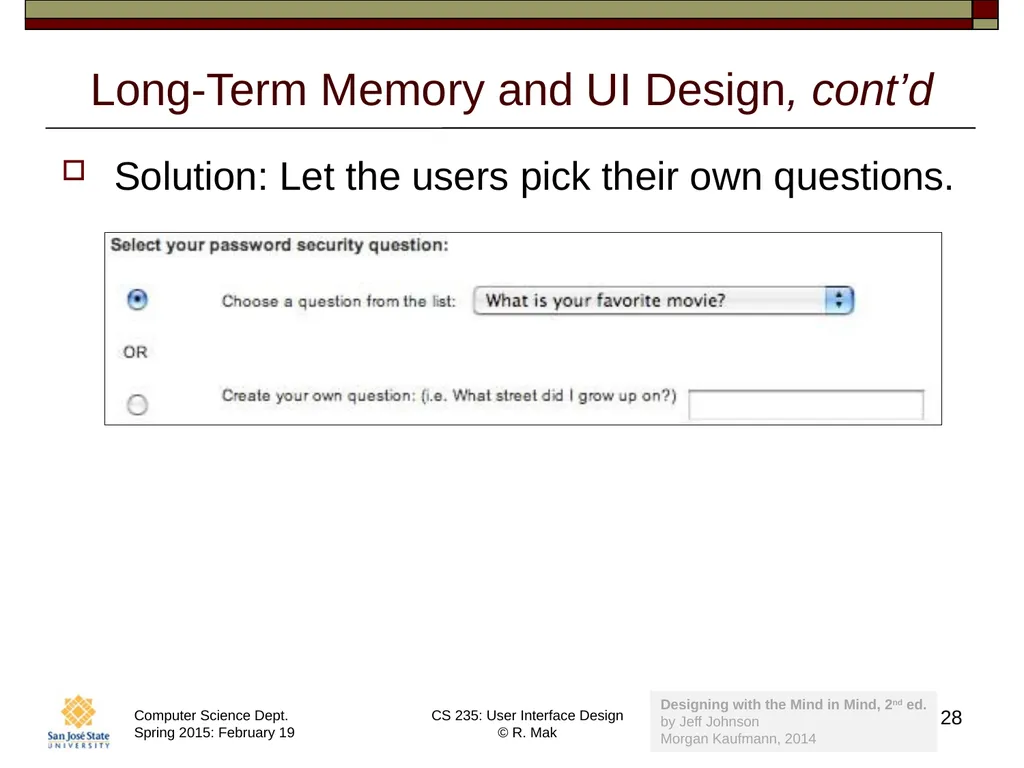
Long-Term Memory and UI Design, cont’d Example: Users may have a hard time �to come up with unique and memorable answers �to standard�authentication �questions. 27 Designing with the Mind in Mind, 2nd ed.�by Jeff Johnson
Morgan Kaufmann, 2014<br>
28
Long-Term Memory and UI Design, cont’d Solution: Let the users pick their own questions. 28 Designing with the Mind in Mind, 2nd ed.�by Jeff Johnson
Morgan Kaufmann, 2014<br>
29
Attention and Goals We focus on our goals and pay little attention �to things not related to our goals.
Attention blindness
When we are occupied with a task or goal, we can fail to notice objects and events that we would otherwise notice.
Change blindness
When our attention is focused, �we fail to notice change. 29<br>
30
Attention and Change Blindness Videos 30 https://www.youtube.com/watch?v=IGQmdoK_ZfY&index=2&list=PLB228A1652CD49370<br>
31
Recognition is Easy Recognition = perception + long-term memory
Recognition is often very fast.
Recognize threats
Recognize faces 31<br>
32
Recall is Hard Our brains did not evolve to recall facts well.
We all hated to memorize facts in school.
Modern memory aids include:
PowerPoint slides
Account books
Address books
Calendars
Alarm clocks 32<br>
33
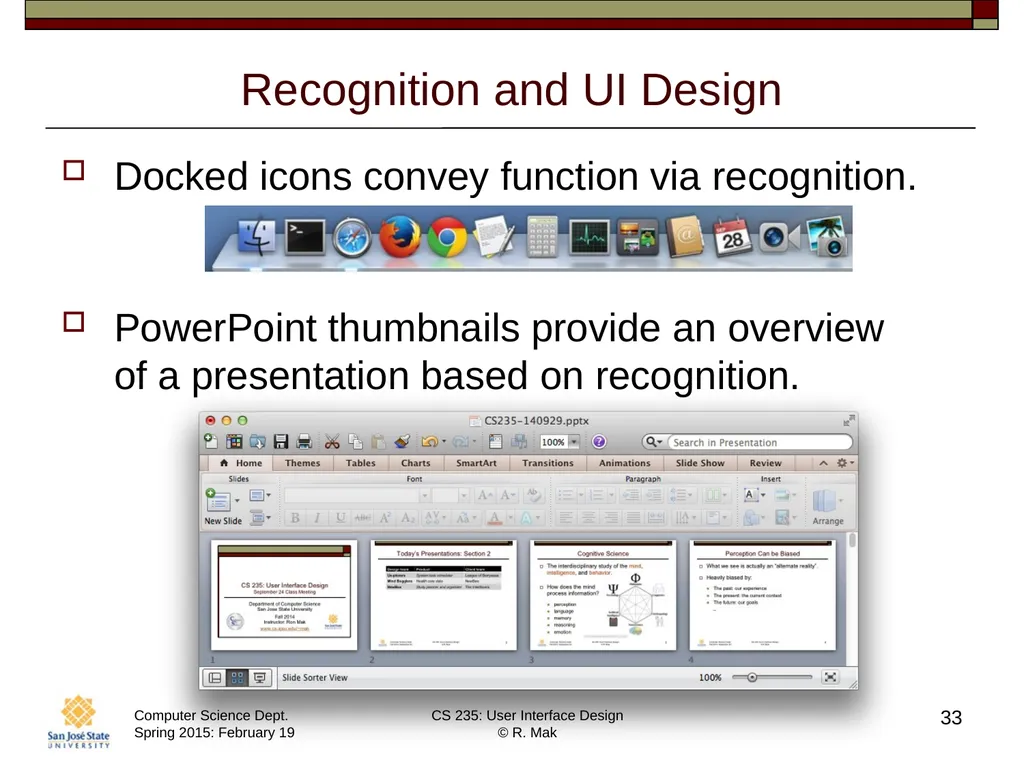
Recognition and UI Design Docked icons convey function via recognition.
PowerPoint thumbnails provide an overview �of a presentation based on recognition. 33<br>