CS112: Compositing Techniques PA2 will be due next week Please start early and use Piazza for discussions! Fridays discussion sessions No official presentations You are encouraged to attend to get TA time! Announcements The Alpha Channel
"CS112: Compositing Techniques PA2 will be due next" is the property of its rightful owner. Permission is granted to
download and print the materials on this website for personal, non-commercial use only, and to display it
on your personal computer provided you do not modify the materials and that you retain all copyright
notices contained in the materials. By downloading content from our website, you accept the terms of this
agreement.
Presentation Transcript
01
CS112: Compositing Techniques<br>
02
PA2 will be due next week
Please start early and use Piazza for discussions!
Friday’s discussion sessions
No official presentations
You are encouraged to attend to get TA time! Announcements<br>
03
The Alpha Channel In addition to RGB, the fourth color channel
Used for alpha blending
GL_BLEND in OpenGL
Application can control the value of alpha at every pixel (the same way as for RGB)<br>
04
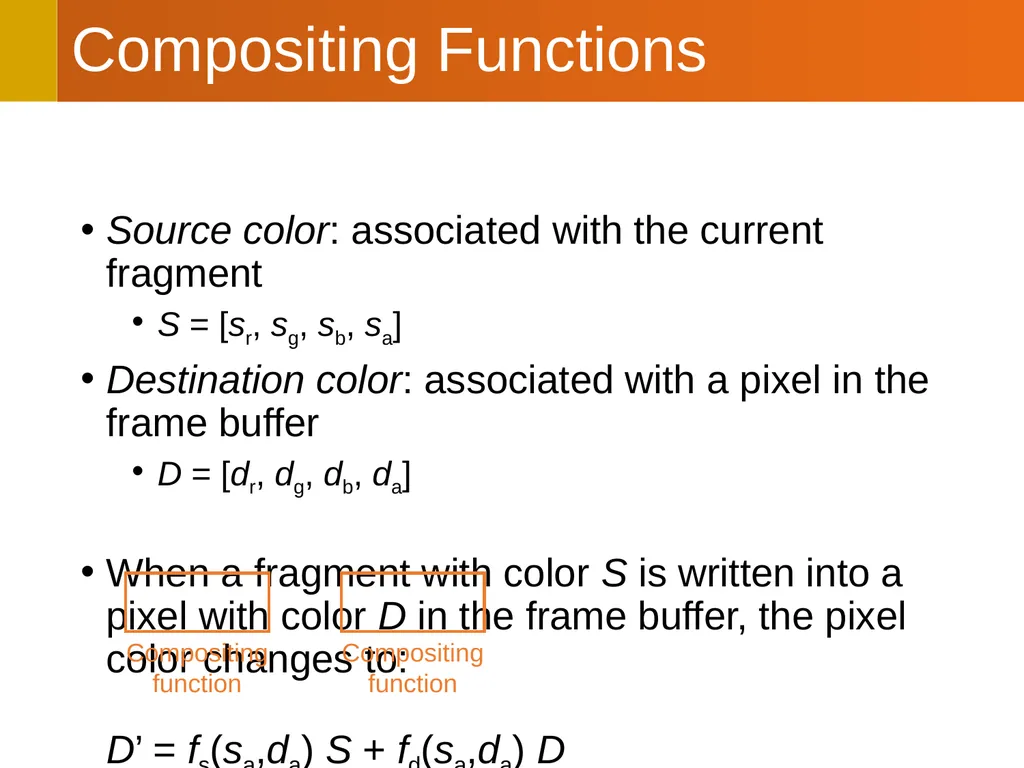
Compositing Functions Source color: associated with the current fragment
S = [sr, sg, sb, sa]
Destination color: associated with a pixel in the frame buffer
D = [dr, dg, db, da]
When a fragment with color S is written into a pixel with color D in the frame buffer, the pixel color changes to: D’ = fs(sa,da) S + fd(sa,da) D<br>
05
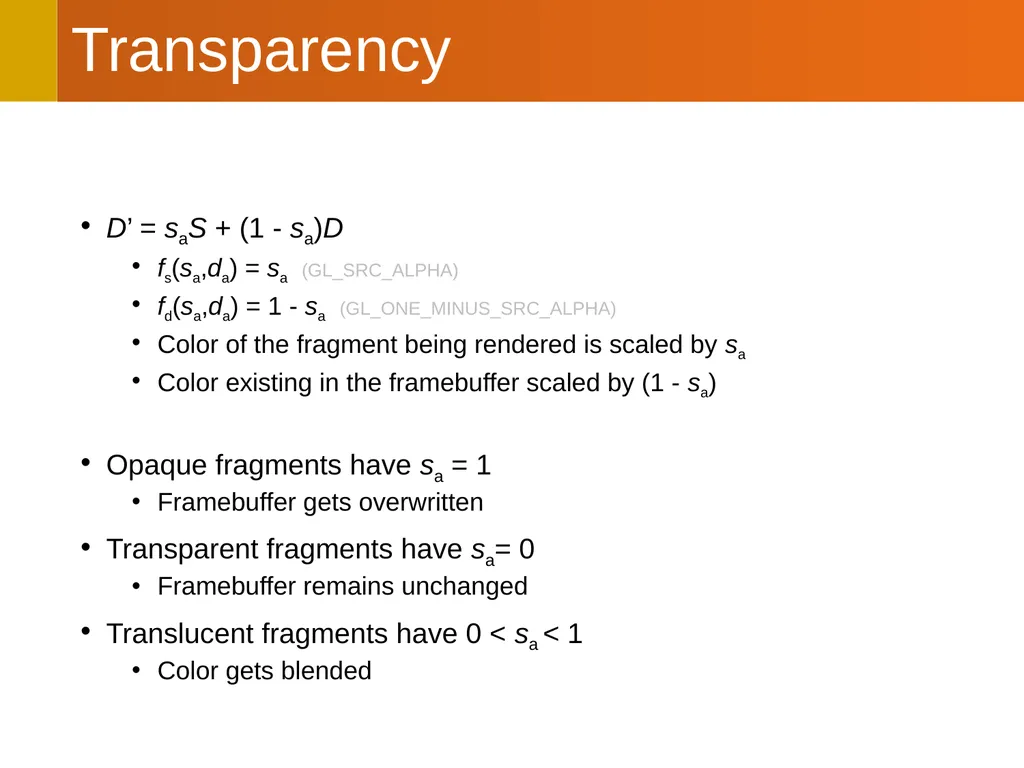
Transparency D’ = saS + (1 - sa)D
fs(sa,da) = sa (GL_SRC_ALPHA)
fd(sa,da) = 1 - sa (GL_ONE_MINUS_SRC_ALPHA)
Color of the fragment being rendered is scaled by sa
Color existing in the framebuffer scaled by (1 - sa)
Opaque fragments have sa = 1
Framebuffer gets overwritten
Transparent fragments have sa= 0
Framebuffer remains unchanged
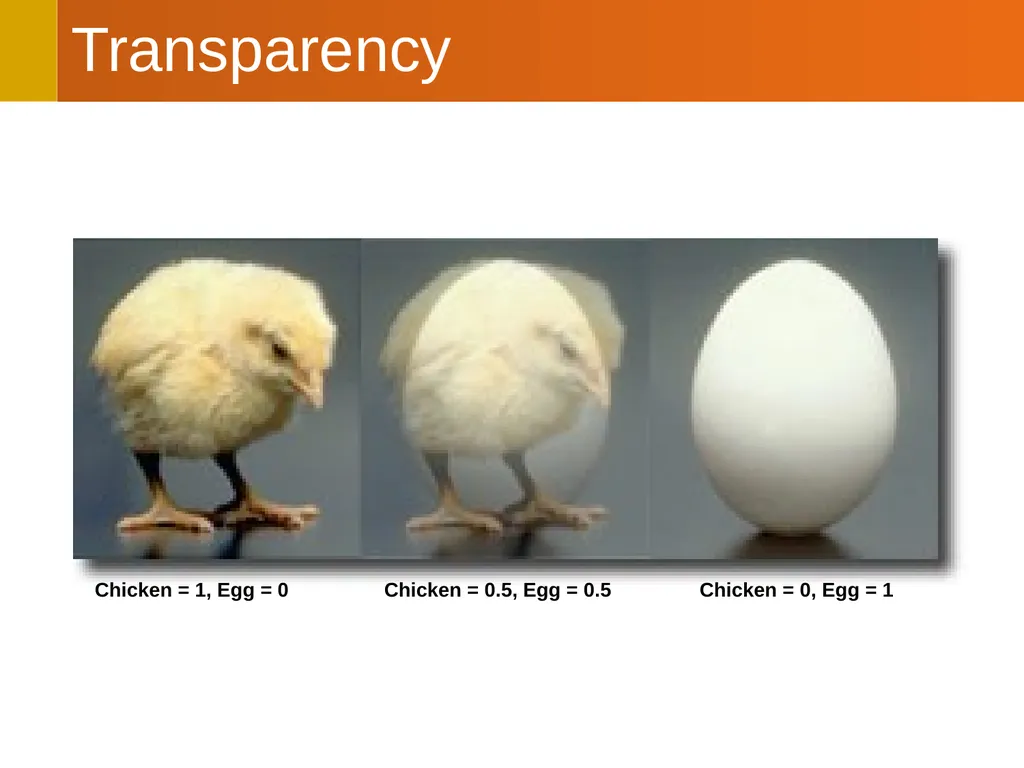
Translucent fragments have 0 < sa < 1
Color gets blended<br>
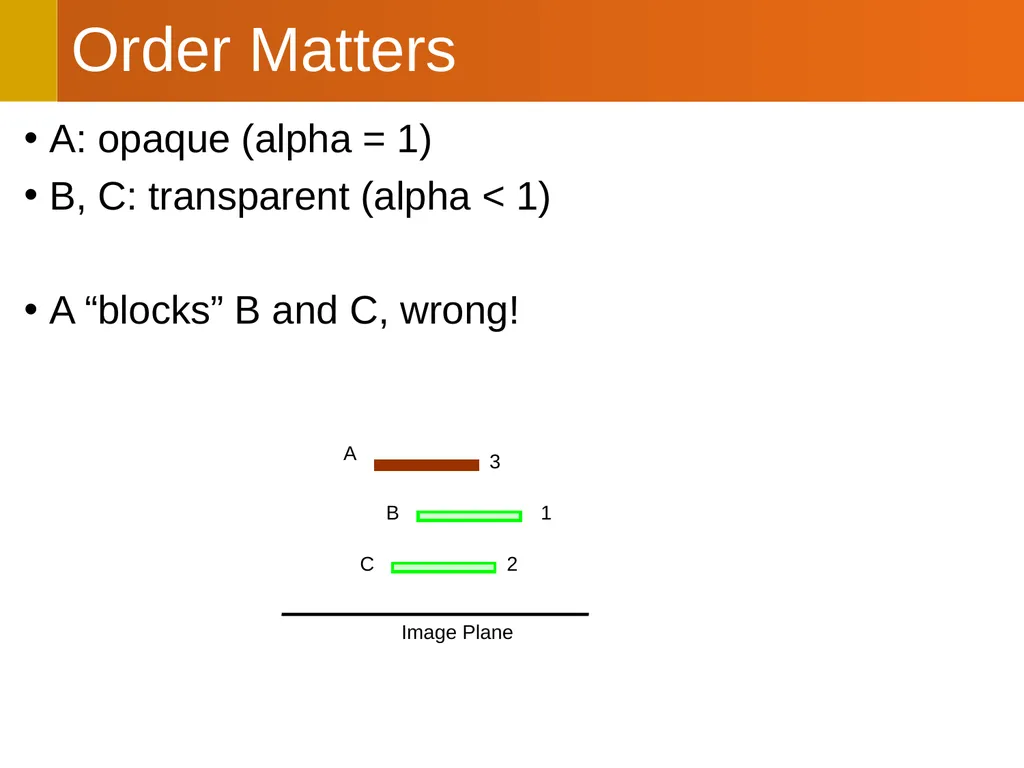
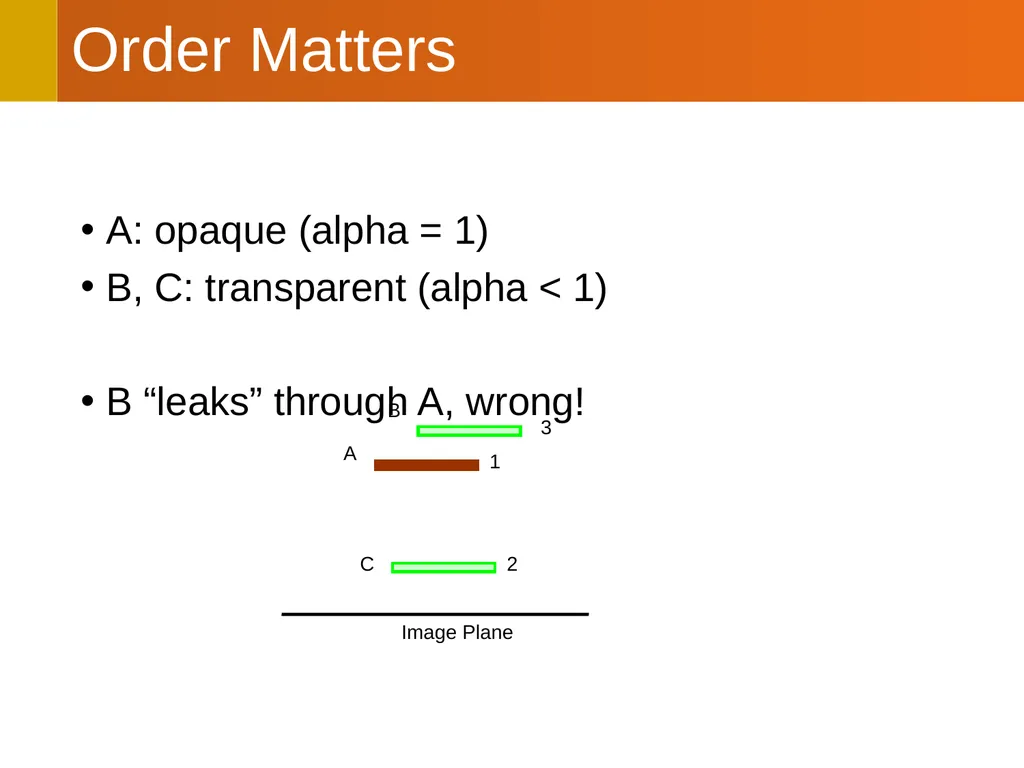
B “leaks” through A, wrong! 3 2 1 Image Plane A B C<br>
09
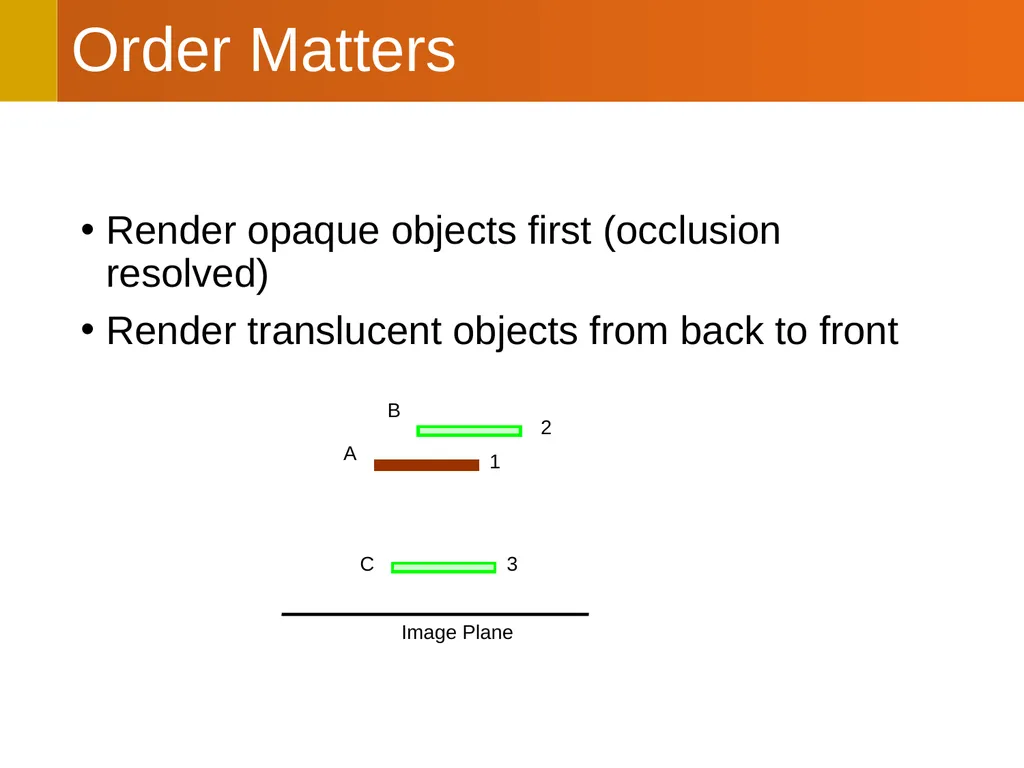
Order Matters Render opaque objects first (occlusion resolved)
Render translucent objects from back to front 2 3 1 Image Plane A B C<br>
10
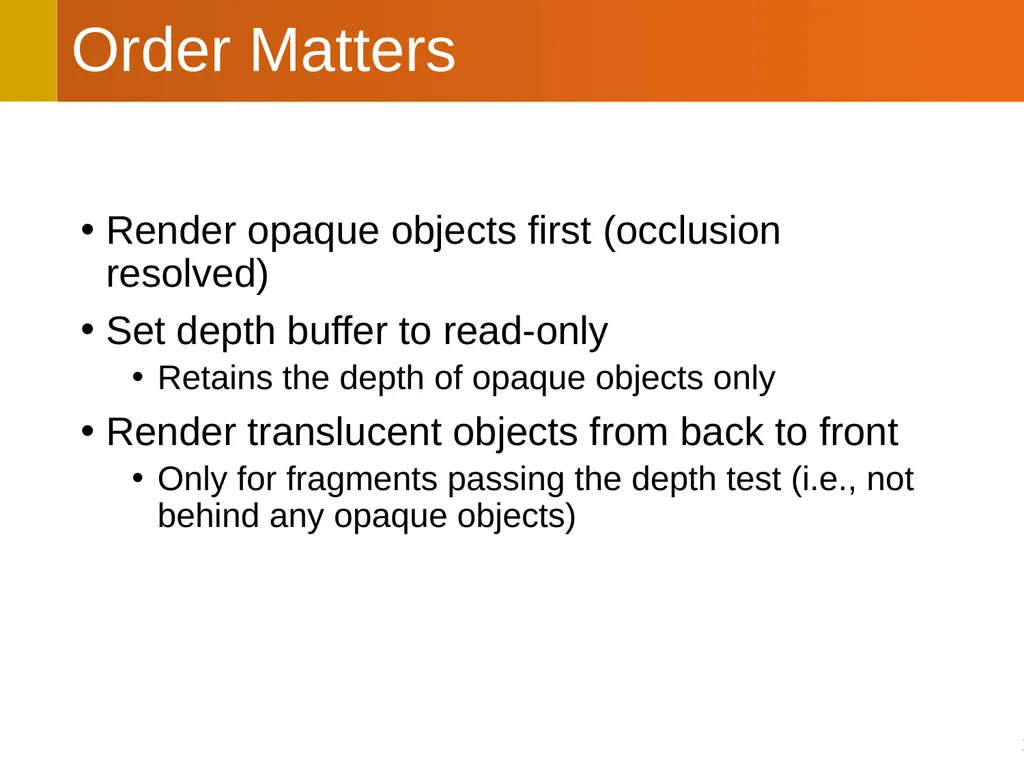
Order Matters Render opaque objects first (occlusion resolved)
Set depth buffer to read-only
Retains the depth of opaque objects only
Render translucent objects from back to front
Only for fragments passing the depth test (i.e., not behind any opaque objects)<br>
11
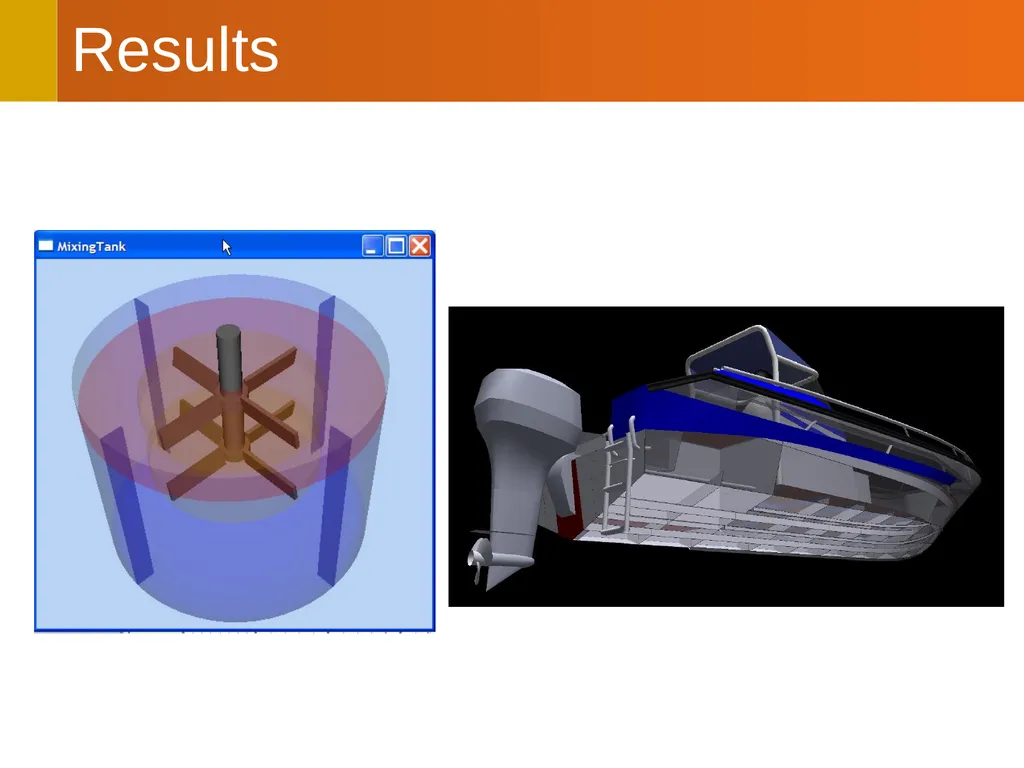
Results<br>
12
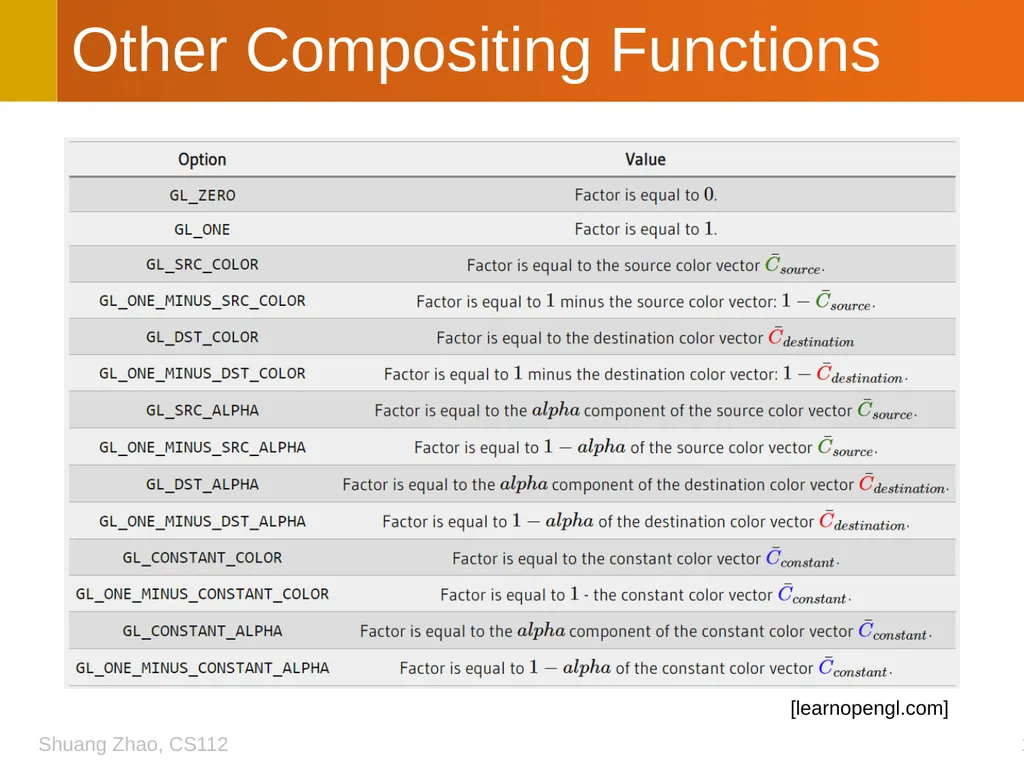
Other Compositing Functions [learnopengl.com]<br>
13
CS112: Projective Textures Shuang Zhao
Assistant Professor of Computer Science
University of California, Irvine<br>
14
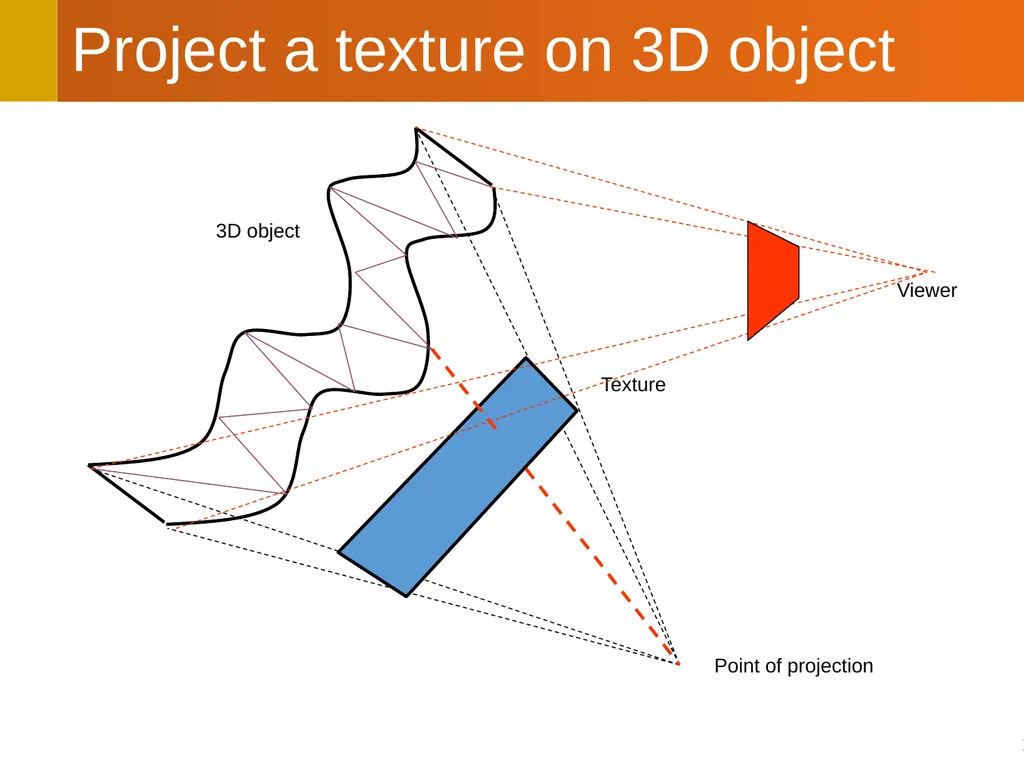
Project a texture on 3D object Texture 3D object Point of projection Viewer<br>
15
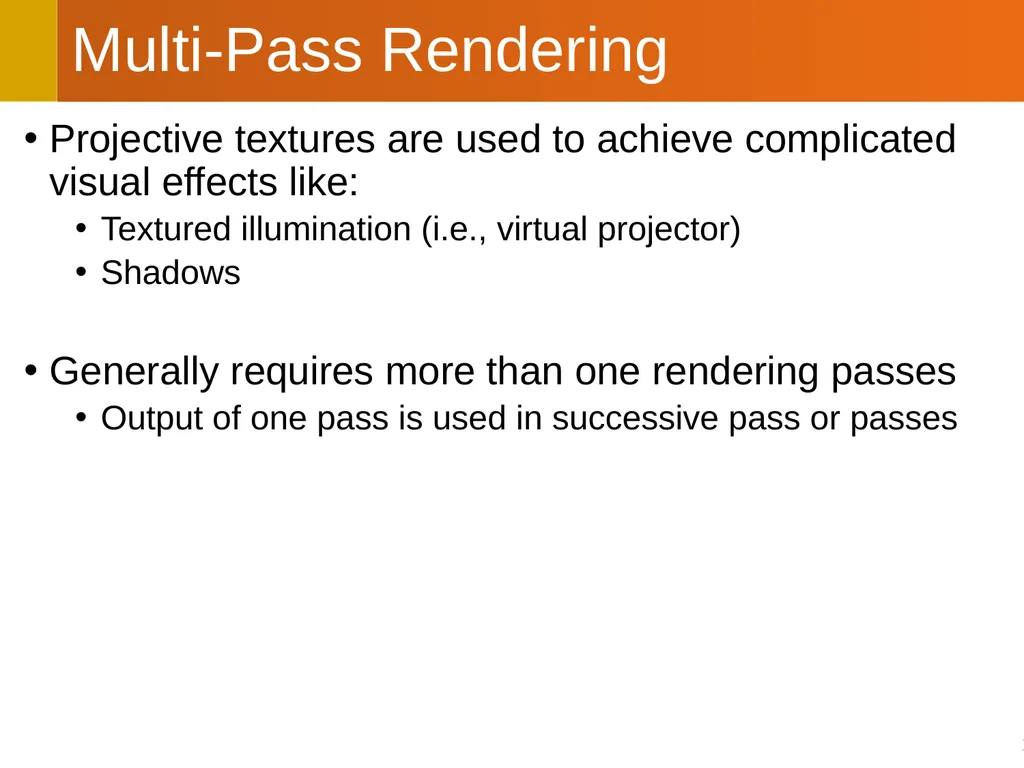
Projective textures are used to achieve complicated visual effects like:
Textured illumination (i.e., virtual projector)
Shadows
Generally requires more than one rendering passes
Output of one pass is used in successive pass or passes Multi-Pass Rendering<br>
16
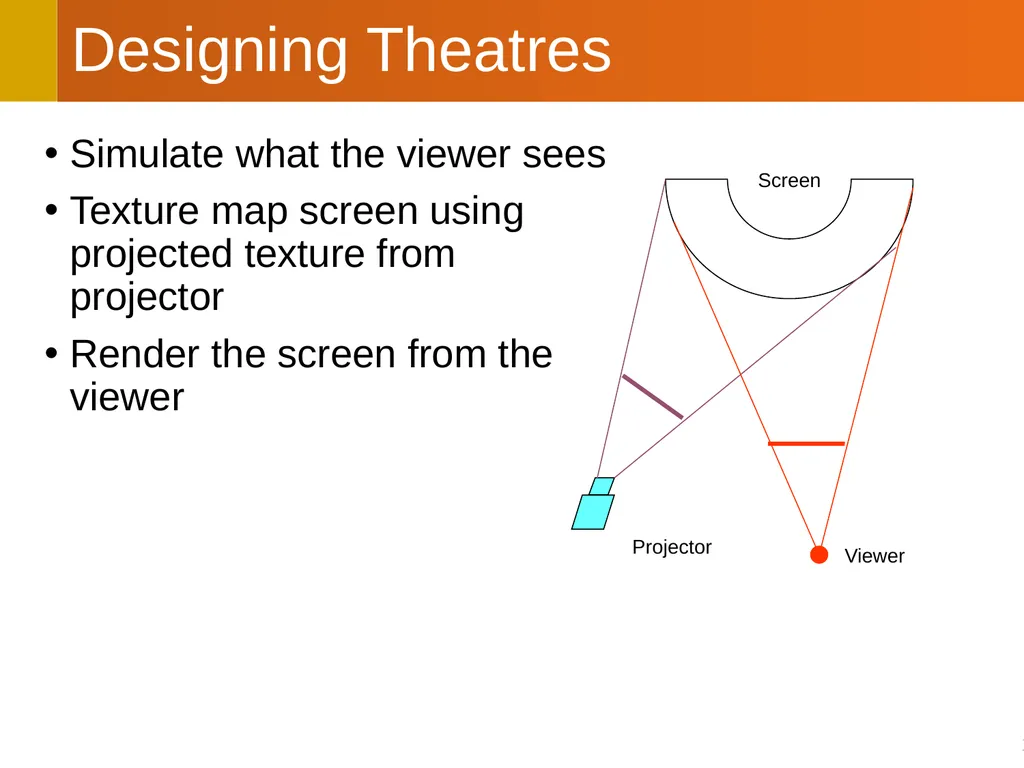
Designing Theatres Simulate what the viewer sees
Texture map screen using projected texture from projector
Render the screen from the viewer Projector Viewer Screen<br>
17
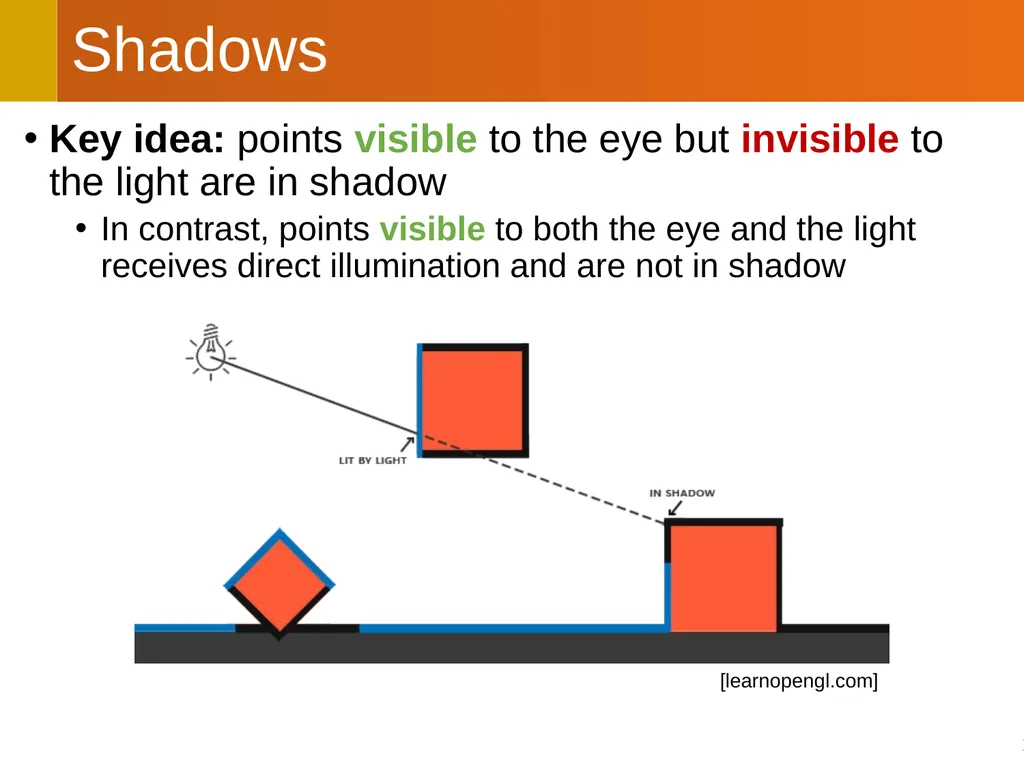
Key idea: points visible to the eye but invisible to the light are in shadow
In contrast, points visible to both the eye and the light receives direct illumination and are not in shadow Shadows [learnopengl.com]<br>
18
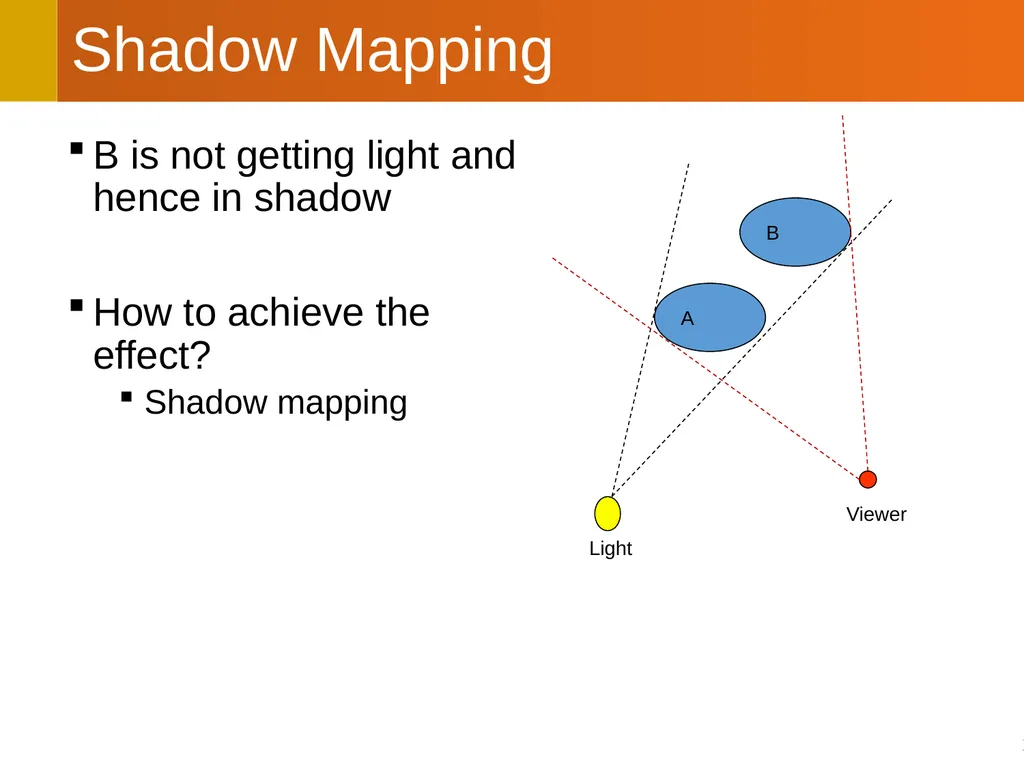
Shadow Mapping B is not getting light and hence in shadow
How to achieve the effect?
Shadow mapping B A Light Viewer<br>
19
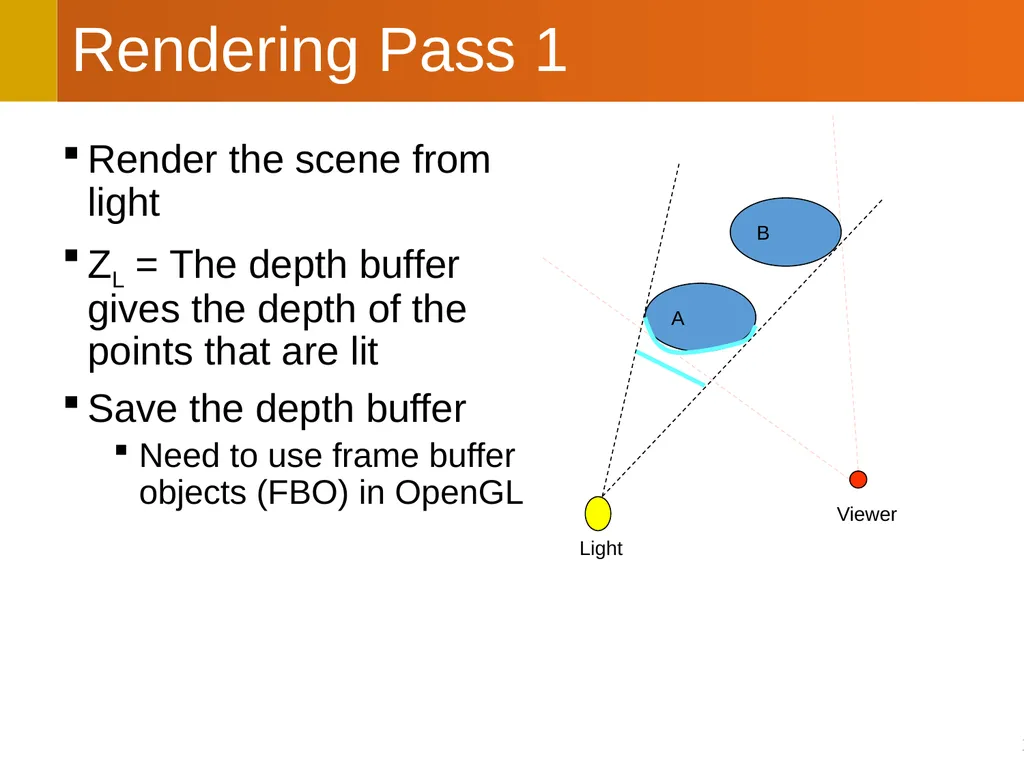
Rendering Pass 1 Render the scene from light
ZL = The depth buffer gives the depth of the points that are lit
Save the depth buffer
Need to use frame buffer objects (FBO) in OpenGL B A Light Viewer<br>
20
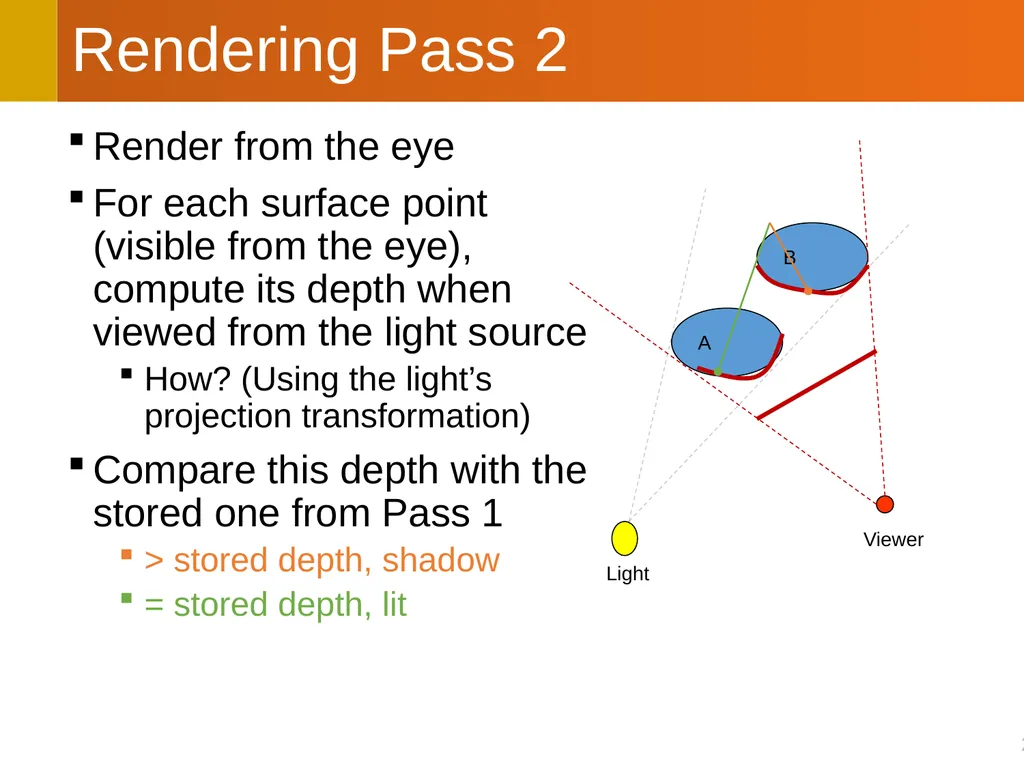
Rendering Pass 2 Render from the eye
For each surface point (visible from the eye), compute its depth when viewed from the light source
How? (Using the light’s projection transformation)
Compare this depth with the stored one from Pass 1
> stored depth, shadow
= stored depth, lit B A Light Viewer<br>
21
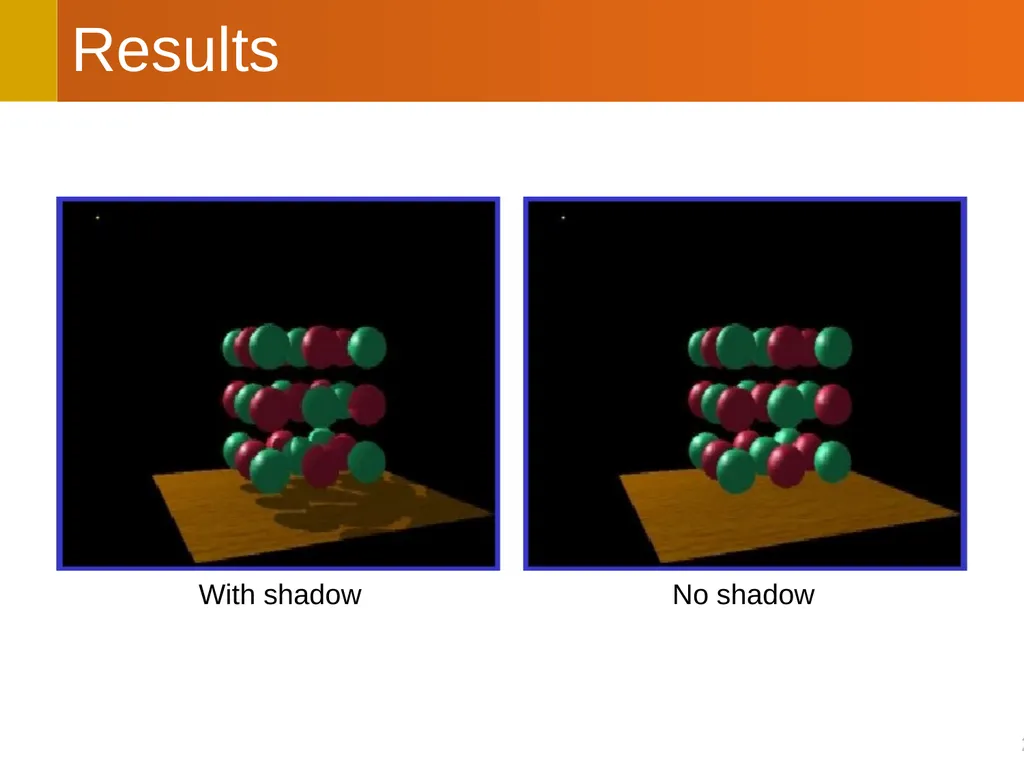
Results With shadow No shadow<br>
22
Creates “hard shadows”
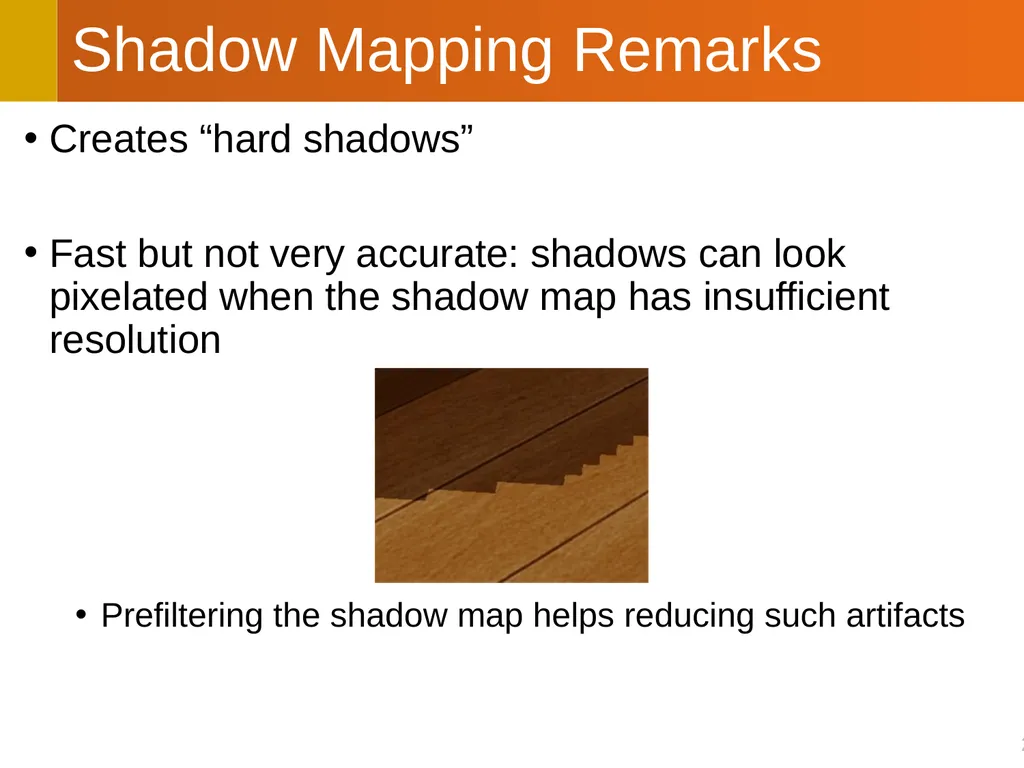
Fast but not very accurate: shadows can look pixelated when the shadow map has insufficient resolution
Prefiltering the shadow map helps reducing such artifacts Shadow Mapping Remarks<br>