
CSE 1321 Module 1 Syntax Basics: Variables,
JO
Published · 60 slides · 0 views
1 / 1
Description
CSE 1321 Module 1 Syntax Basics: Variables, Arithmetic, and IO Topics Syntax Python Syntax Comments Indentations Brief Introduction to Types How to start writing code Variables Output Input Basic math operators Module 1: Syntax Syntax:
Related Topics
Share
Embed code
Download this presentation From Below
"CSE 1321 Module 1 Syntax Basics: Variables," is the property of its rightful owner. Permission is granted to download and print the materials on this website for personal, non-commercial use only, and to display it on your personal computer provided you do not modify the materials and that you retain all copyright notices contained in the materials. By downloading content from our website, you accept the terms of this agreement.
Presentation Transcript
01
CSE 1321
Module 1 Syntax Basics: Variables, Arithmetic, and I/O<br>
02
Topics Syntax
Python Syntax
Comments
Indentations
Brief Introduction to Types
How to start writing code
Variables
Output
Input
Basic math operators<br>
Python Syntax
Comments
Indentations
Brief Introduction to Types
How to start writing code
Variables
Output
Input
Basic math operators<br>
03
Module 1:
Syntax<br>
04
Syntax: What is Syntax? In the English language and any other “human languages” we have a set of rules that define the structure of the language.
These rules are different per language, meaning that the grammatical rules in one language, like English, do not necessarily apply to another, like Spanish.
In programming, we have multiple programming languages, each with their own set of rules. These rules we are going to call them syntax.<br>
These rules are different per language, meaning that the grammatical rules in one language, like English, do not necessarily apply to another, like Spanish.
In programming, we have multiple programming languages, each with their own set of rules. These rules we are going to call them syntax.<br>
05
Module 1:
Python Syntax<br>
06
Python Syntax: What are Comments? When you write code, sometimes it is important to leave some written messages to:
Explain or document what your code is doing.
Explain or document how to user your code.
Leave a message to yourself or another developer.
Leave placeholder code or To Dos.
Comments are not executed by the computer and completely ignored.<br>
Explain or document what your code is doing.
Explain or document how to user your code.
Leave a message to yourself or another developer.
Leave placeholder code or To Dos.
Comments are not executed by the computer and completely ignored.<br>
07
Python Syntax: How to add a comment in Python In Python, we have two ways to write comments in the code: Single-line comments, and Multi-line comments.
Single-line comments:
To start a single-line comment you need to use the hash (#) character.
Anything written to the right-side of the hash (#) character within a single line of code will become a comment, making it un-executable.<br>
Single-line comments:
To start a single-line comment you need to use the hash (#) character.
Anything written to the right-side of the hash (#) character within a single line of code will become a comment, making it un-executable.<br>
08
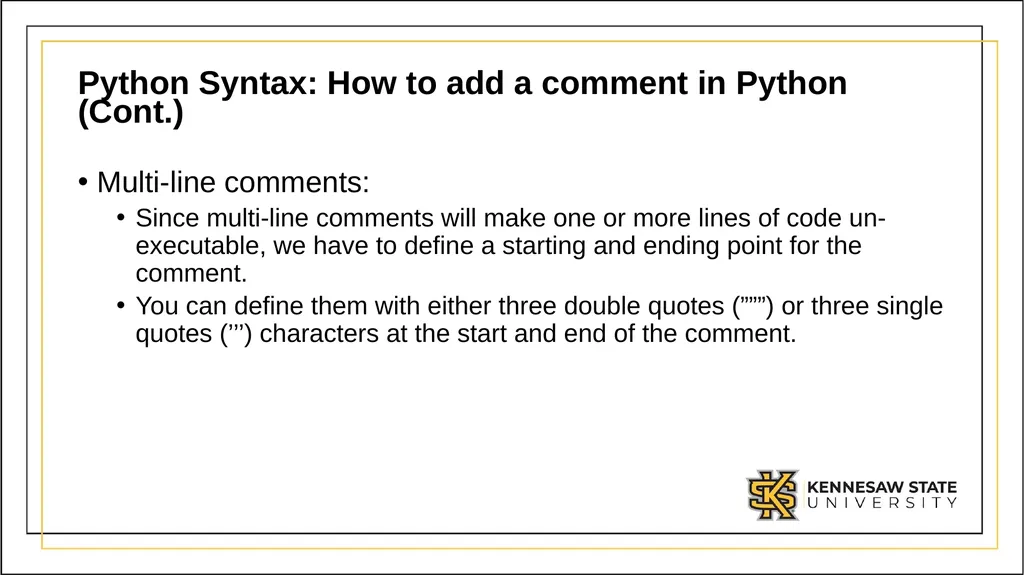
Python Syntax: How to add a comment in Python (Cont.) Multi-line comments:
Since multi-line comments will make one or more lines of code un-executable, we have to define a starting and ending point for the comment.
You can define them with either three double quotes (”””) or three single quotes (’’’) characters at the start and end of the comment.<br>
Since multi-line comments will make one or more lines of code un-executable, we have to define a starting and ending point for the comment.
You can define them with either three double quotes (”””) or three single quotes (’’’) characters at the start and end of the comment.<br>
09
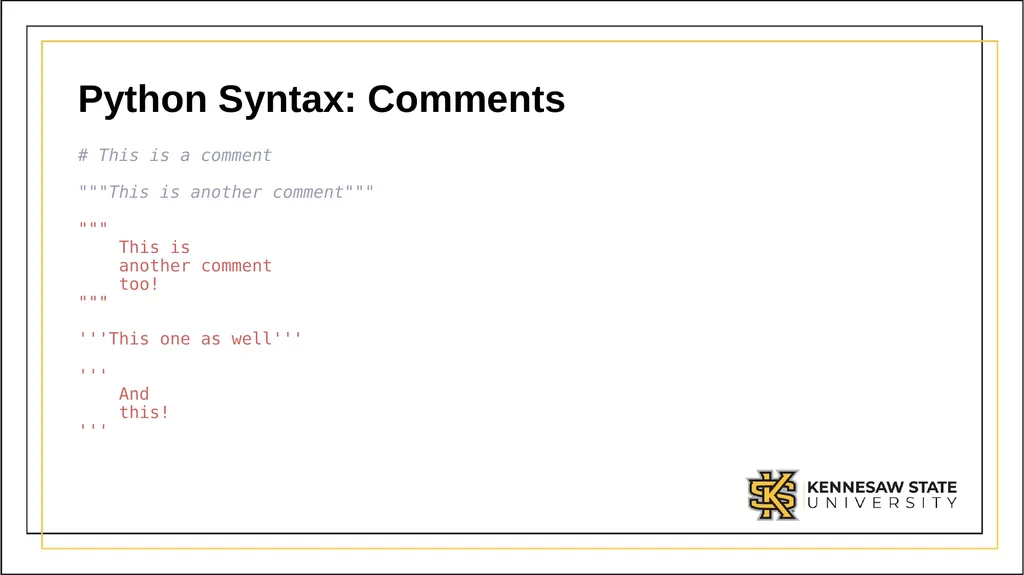
Python Syntax: Comments # This is a comment
"""This is another comment"""
"""
This is
another comment
too!
"""
'''This one as well'''
'''
And
this!
'''<br>
10
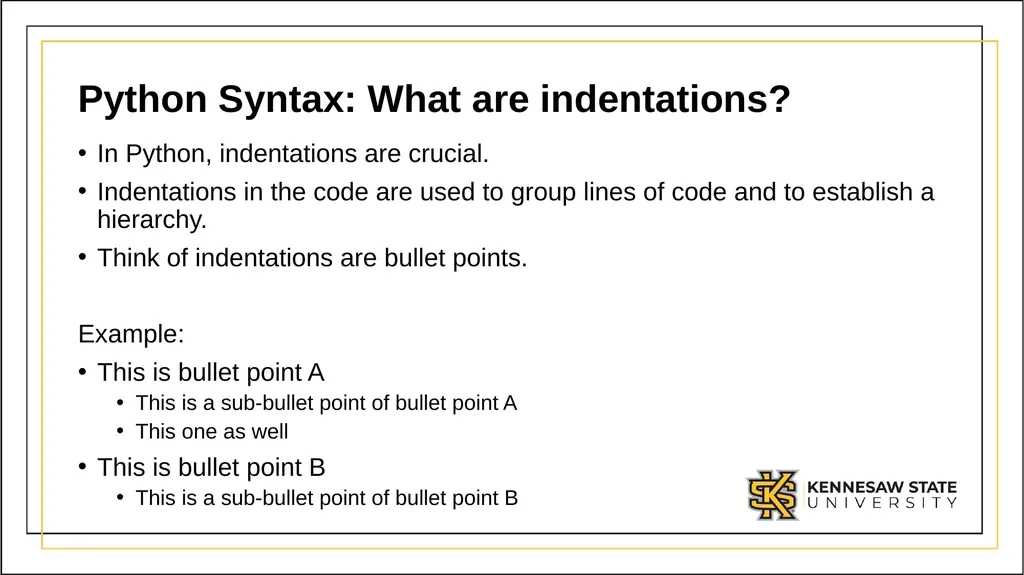
Python Syntax: What are indentations? In Python, indentations are crucial.
Indentations in the code are used to group lines of code and to establish a hierarchy.
Think of indentations are bullet points.
Example:
This is bullet point A
This is a sub-bullet point of bullet point A
This one as well
This is bullet point B
This is a sub-bullet point of bullet point B<br>
Indentations in the code are used to group lines of code and to establish a hierarchy.
Think of indentations are bullet points.
Example:
This is bullet point A
This is a sub-bullet point of bullet point A
This one as well
This is bullet point B
This is a sub-bullet point of bullet point B<br>
11
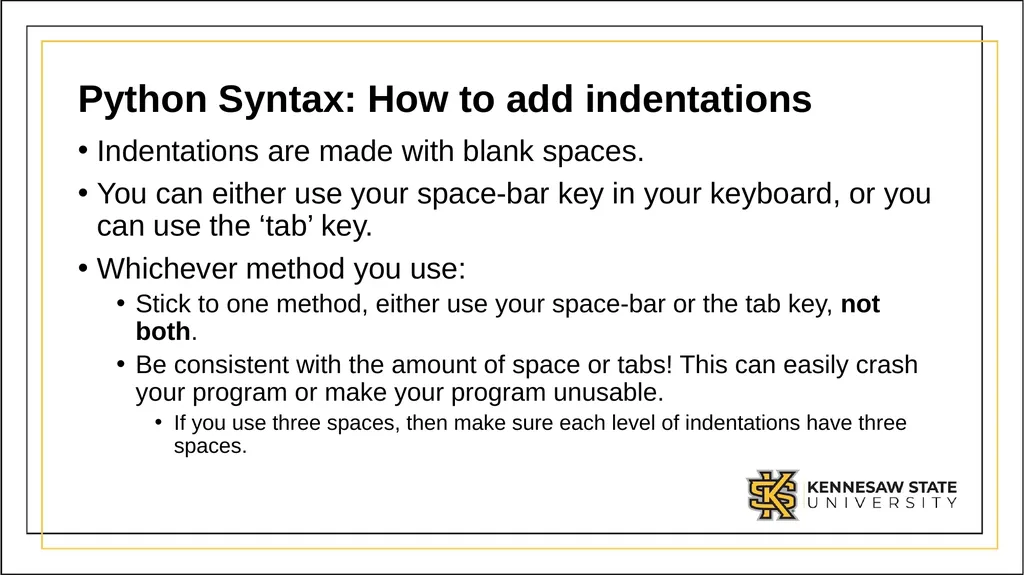
Python Syntax: How to add indentations Indentations are made with blank spaces.
You can either use your space-bar key in your keyboard, or you can use the ‘tab’ key.
Whichever method you use:
Stick to one method, either use your space-bar or the tab key, not both.
Be consistent with the amount of space or tabs! This can easily crash your program or make your program unusable.
If you use three spaces, then make sure each level of indentations have three spaces.<br>
You can either use your space-bar key in your keyboard, or you can use the ‘tab’ key.
Whichever method you use:
Stick to one method, either use your space-bar or the tab key, not both.
Be consistent with the amount of space or tabs! This can easily crash your program or make your program unusable.
If you use three spaces, then make sure each level of indentations have three spaces.<br>
12
Python Syntax: Using Tab for indentations We highly encourage you to use tabs instead of the space-bar method.
It makes writing code easier, and you do not have to remember how many blank spaces you must use.<br>
It makes writing code easier, and you do not have to remember how many blank spaces you must use.<br>
13
Module 1:
Brief introduction to Types<br>
14
Brief introduction to Types When declaring values in code, it is important to define what is what.
This is very important since most programming languages make a big distinction between characters and numbers.
This distinction are made through Data Types.
We will cover Data Types more in-depth in the classes to come, but for now there are a couple of things you will need to know.<br>
This is very important since most programming languages make a big distinction between characters and numbers.
This distinction are made through Data Types.
We will cover Data Types more in-depth in the classes to come, but for now there are a couple of things you will need to know.<br>
15
Brief introduction to Types: Strings In Python, we have a group of Data Types called Strings.
Strings are used to represent character or text values.
It is called a string since it is a sequence of characters or a “string of characters”.
Almost any value can be a character for a string:
A character could be any lower-case [a,z]
Also, any upper-case letters [A-Z]
Symbols (!, @, #, ,)
Numbers (0-9)
Even spaces ( )
To tell the computer that something is a String data type, we will enclose the value with either double quotes (“ ”) or single quotes (‘ ’)<br>
Strings are used to represent character or text values.
It is called a string since it is a sequence of characters or a “string of characters”.
Almost any value can be a character for a string:
A character could be any lower-case [a,z]
Also, any upper-case letters [A-Z]
Symbols (!, @, #, ,)
Numbers (0-9)
Even spaces ( )
To tell the computer that something is a String data type, we will enclose the value with either double quotes (“ ”) or single quotes (‘ ’)<br>
16
Brief introduction to Types: Numbers In Python, we have a group of Data Types called Numerics.
We use numeric types to perform mathematical calculations like addition, subtraction, division, multiplication, etc..
We can define a numeric data type value in-code by writing the number by itself.<br>
We use numeric types to perform mathematical calculations like addition, subtraction, division, multiplication, etc..
We can define a numeric data type value in-code by writing the number by itself.<br>
17
Brief introduction to Types: Strings & Numbers Having data types in mind, 3.14 is not the same as “3.14”.
In python, 3.14 would be a number and “3.14” would be a string.
Since 3.14 is a number, we can perform any mathematical operation with it.
So, 3.14 + 3 would give us 7.14!
What do you think you would get if you do “3.14” + “3” ?
What if we do 3.14 + “3” ?<br>
In python, 3.14 would be a number and “3.14” would be a string.
Since 3.14 is a number, we can perform any mathematical operation with it.
So, 3.14 + 3 would give us 7.14!
What do you think you would get if you do “3.14” + “3” ?
What if we do 3.14 + “3” ?<br>
18
Module 1:
How to start writing code<br>
19
How to start writing code In programming, we must define a starting point for our program.
With most programming languages we have Skeleton Code.
Skeleton code/programs are the smallest program you can write.
The code is the bare minimum for a program to successfully run, therefore it does nothing.
It just defines the entry/starting point of the program.<br>
With most programming languages we have Skeleton Code.
Skeleton code/programs are the smallest program you can write.
The code is the bare minimum for a program to successfully run, therefore it does nothing.
It just defines the entry/starting point of the program.<br>
20
How to start writing code: Python In Python, we do not have a formal Skeleton Code or Program. Instead, you can start writing functional code from the first line in your program.
Otherwise, we highly encourage you to follow the following Sample Code as a template anytime you want to start writing code in python.<br>
Otherwise, we highly encourage you to follow the following Sample Code as a template anytime you want to start writing code in python.<br>
21
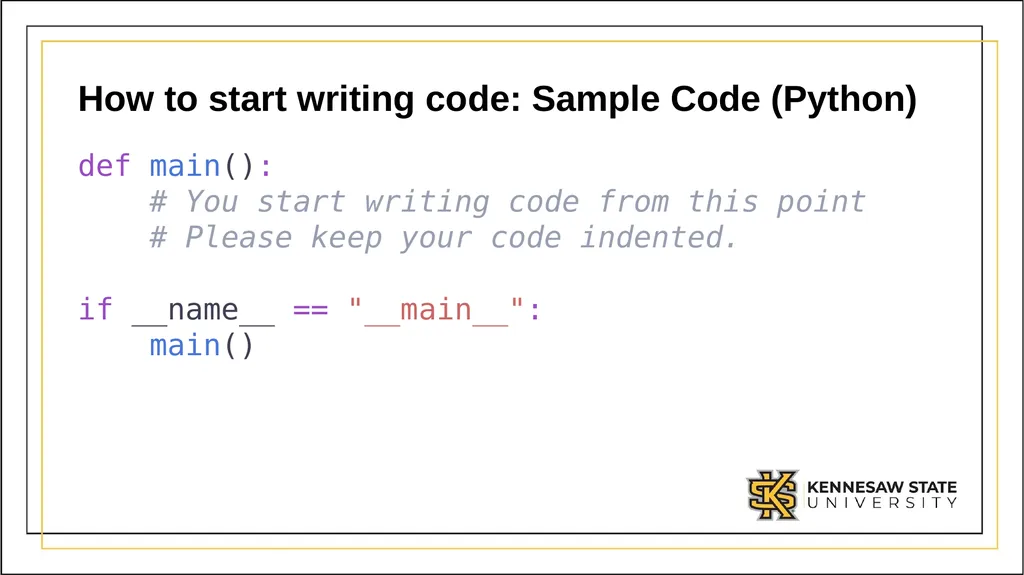
How to start writing code: Sample Code (Python) def main():
# You start writing code from this point
# Please keep your code indented.
if __name__ == "__main__":
main()<br>
# You start writing code from this point
# Please keep your code indented.
if __name__ == "__main__":
main()<br>
22
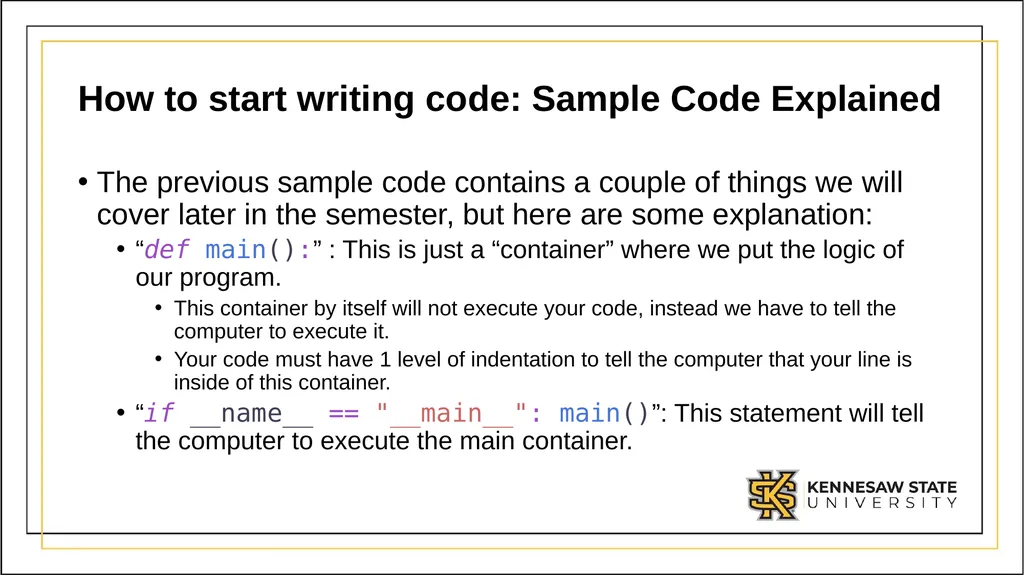
How to start writing code: Sample Code Explained The previous sample code contains a couple of things we will cover later in the semester, but here are some explanation:
“def main():” : This is just a “container” where we put the logic of our program.
This container by itself will not execute your code, instead we have to tell the computer to execute it.
Your code must have 1 level of indentation to tell the computer that your line is inside of this container.
“if __name__ == "__main__": main()”: This statement will tell the computer to execute the main container.<br>
“def main():” : This is just a “container” where we put the logic of our program.
This container by itself will not execute your code, instead we have to tell the computer to execute it.
Your code must have 1 level of indentation to tell the computer that your line is inside of this container.
“if __name__ == "__main__": main()”: This statement will tell the computer to execute the main container.<br>
23
How to start writing code: What is program flow? Like a cooking recipe or a set of instructions on how to tie a knot, it is important to know the order of execution of each step.
Understanding the order of operation in programming is critical, if you disregard this your program will not work as expected or it could potentially crash.<br>
Understanding the order of operation in programming is critical, if you disregard this your program will not work as expected or it could potentially crash.<br>
24
How to start writing code: Program Flow in Python We will cover more complex flows as we go on throughout the semester, but to start:
Your code is executed line by line, starting from line 1.
The computer will execute one line then move to the line below.<br>
Your code is executed line by line, starting from line 1.
The computer will execute one line then move to the line below.<br>
25
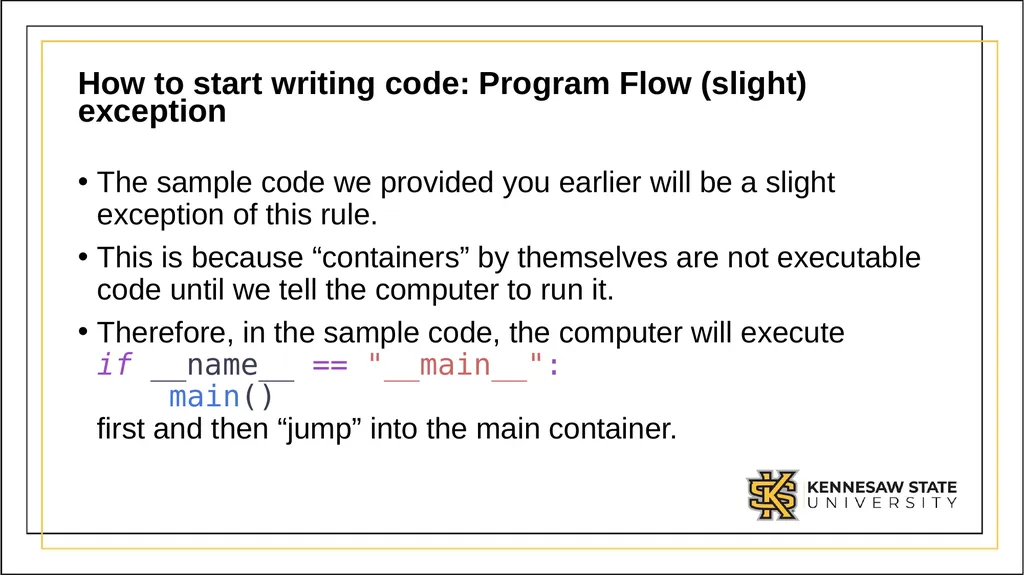
How to start writing code: Program Flow (slight) exception The sample code we provided you earlier will be a slight exception of this rule.
This is because “containers” by themselves are not executable code until we tell the computer to run it.
Therefore, in the sample code, the computer will execute if __name__ == "__main__": main() first and then “jump” into the main container.<br>
This is because “containers” by themselves are not executable code until we tell the computer to run it.
Therefore, in the sample code, the computer will execute if __name__ == "__main__": main() first and then “jump” into the main container.<br>
26
Module 1:
Variables<br>
27
Variables: What are variables? A variable is a name for a location in memory used to hold a data value.
It is the most basic way of saving or storing data.
It is the most basic way we can tell the computer to remember something.
Think of it as a box:
You can store something inside of it.
You can always find that “something” by finding and opening that box.
You can always change and replace what you store inside of it.<br>
It is the most basic way of saving or storing data.
It is the most basic way we can tell the computer to remember something.
Think of it as a box:
You can store something inside of it.
You can always find that “something” by finding and opening that box.
You can always change and replace what you store inside of it.<br>
28
Variables: How to create a variable in Python In Python, to create a variable you start by declaring it’s identifier.
Then, you must define a starting value.
In Python, you must initialize a variable with a value.<br>
Then, you must define a starting value.
In Python, you must initialize a variable with a value.<br>
29
Variables: Identifier The identifier is the name you give to a variable.
You will use this identifier whenever you:
Create the variable
Read or recall the variable
Update the variable.<br>
You will use this identifier whenever you:
Create the variable
Read or recall the variable
Update the variable.<br>
30
Variables: Naming Rules Your variables names should follow these rules:
It must start with a letter (upper-case or lower-case) or an underscore (_).
It cannot start with a number or a non-alphabetic character.
It cannot contain any blank or white-spaces.<br>
It must start with a letter (upper-case or lower-case) or an underscore (_).
It cannot start with a number or a non-alphabetic character.
It cannot contain any blank or white-spaces.<br>
31
Variables: Spaces in variable names As discussed, you cannot have blank or white-spaces in your variables but sometimes you may want to name a variable as “first name” or “number 1”.
For these situations you may use some of these notation conventions:
camelCaseNotation
TitleCaseNotation
snake_ case_notation
Kebab-case-notation
These notations are completely valid since we get rid of any empty or blank spaces in the word.<br>
For these situations you may use some of these notation conventions:
camelCaseNotation
TitleCaseNotation
snake_ case_notation
Kebab-case-notation
These notations are completely valid since we get rid of any empty or blank spaces in the word.<br>
32
Variables: How you should name your variable You can name your variables any name you want.
It might be tempting to name your variables with single letters like X or A but this will make your code harder to read and understand.
Instead give your variables meaningful names. If a variable will store the name of the user, then the variable could be named:
“name” or “user_name” instead of just “a”<br>
It might be tempting to name your variables with single letters like X or A but this will make your code harder to read and understand.
Instead give your variables meaningful names. If a variable will store the name of the user, then the variable could be named:
“name” or “user_name” instead of just “a”<br>
33
Variables: Tips on naming your variables The names/identifier for your variables should:
Be meaningful.
Reflect the data they will store.
Its name should “self-document” your code.
If a variable is named as “age” or “squarePerimeter” I do not have to guess what value it may be holding.<br>
Be meaningful.
Reflect the data they will store.
Its name should “self-document” your code.
If a variable is named as “age” or “squarePerimeter” I do not have to guess what value it may be holding.<br>
34
Variables: Things to avoid when naming your variables For the names/identifier for your variables avoid:
Small variable names, these are not efficient.
Extremely long names.
Python keywords.
Some words are reserved by Python. We will be learning some of these words as we go on.<br>
Small variable names, these are not efficient.
Extremely long names.
Python keywords.
Some words are reserved by Python. We will be learning some of these words as we go on.<br>
35
Variables: Storing Data As discussed, when you create a variable in Python you must declare its name or identifier and assign it a value.
This step is done by using the Assignment Operator (equal character): ‘=’<br>
This step is done by using the Assignment Operator (equal character): ‘=’<br>
36
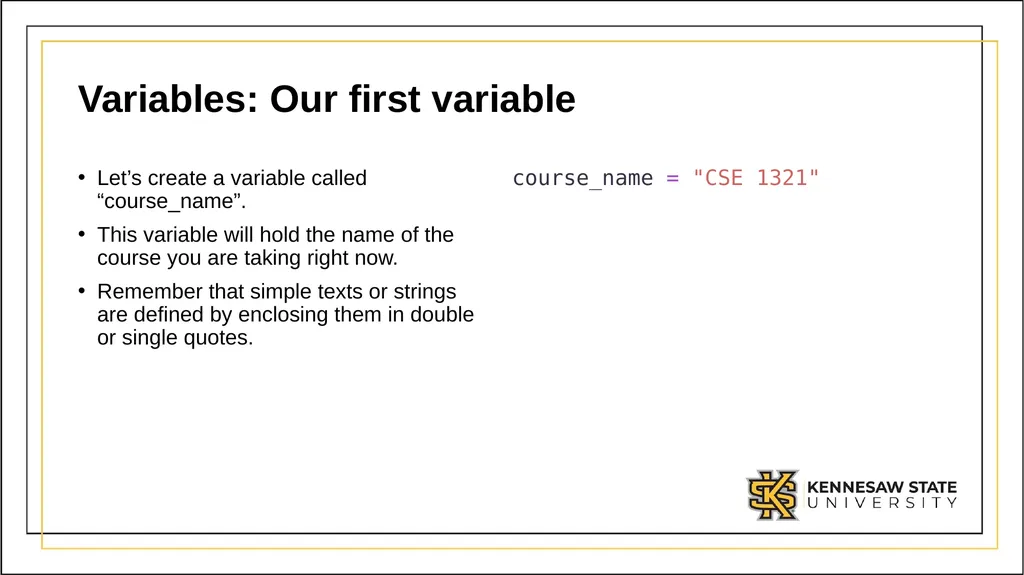
Variables: Our first variable Let’s create a variable called “course_name”.
This variable will hold the name of the course you are taking right now.
Remember that simple texts or strings are defined by enclosing them in double or single quotes. course_name = "CSE 1321"<br>
This variable will hold the name of the course you are taking right now.
Remember that simple texts or strings are defined by enclosing them in double or single quotes. course_name = "CSE 1321"<br>
37
Module 1:
Output<br>
38
Output We have discussed how you can tell the computer to remember a value.
We can also instruct the computer to output something as well.
In Python we use the print function.
This is used to either communicate something to the user, output the result of some calculation, or it can also be used to debug your code.<br>
We can also instruct the computer to output something as well.
In Python we use the print function.
This is used to either communicate something to the user, output the result of some calculation, or it can also be used to debug your code.<br>
39
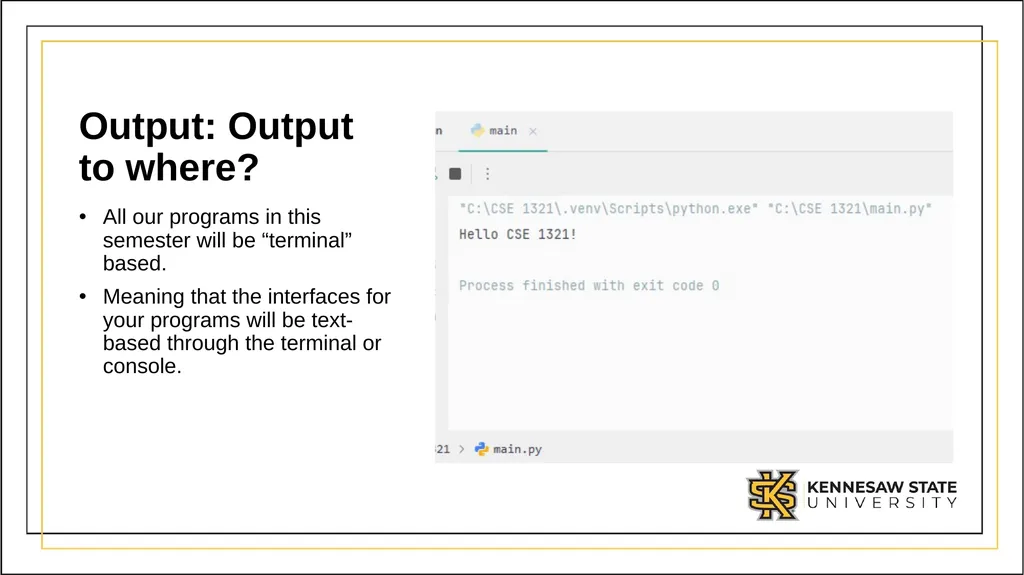
Output: Output to where? All our programs in this semester will be “terminal” based.
Meaning that the interfaces for your programs will be text-based through the terminal or console.<br>
Meaning that the interfaces for your programs will be text-based through the terminal or console.<br>
40
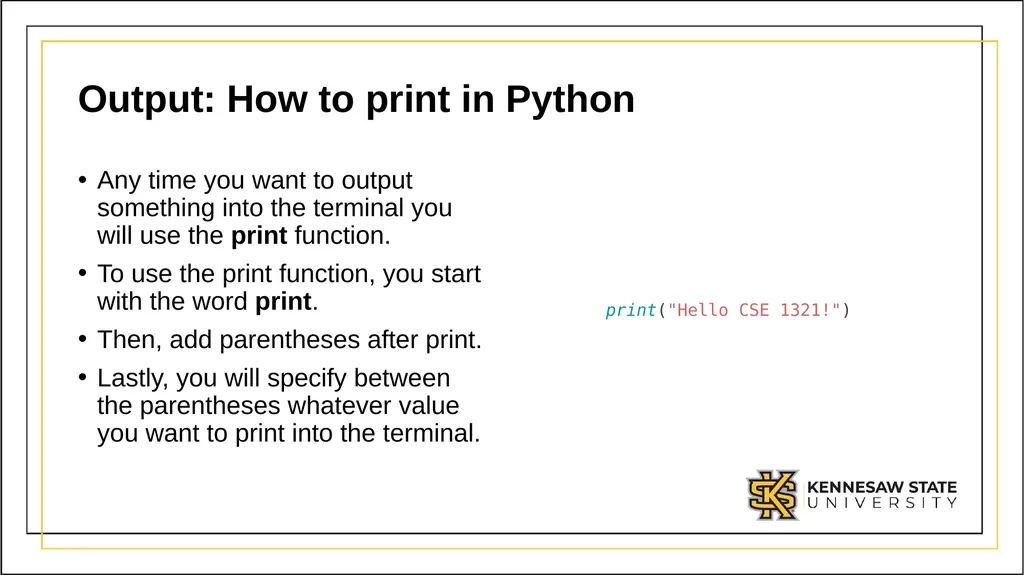
Output: How to print in Python Any time you want to output something into the terminal you will use the print function.
To use the print function, you start with the word print.
Then, add parentheses after print.
Lastly, you will specify between the parentheses whatever value you want to print into the terminal. print("Hello CSE 1321!")<br>
To use the print function, you start with the word print.
Then, add parentheses after print.
Lastly, you will specify between the parentheses whatever value you want to print into the terminal. print("Hello CSE 1321!")<br>
41
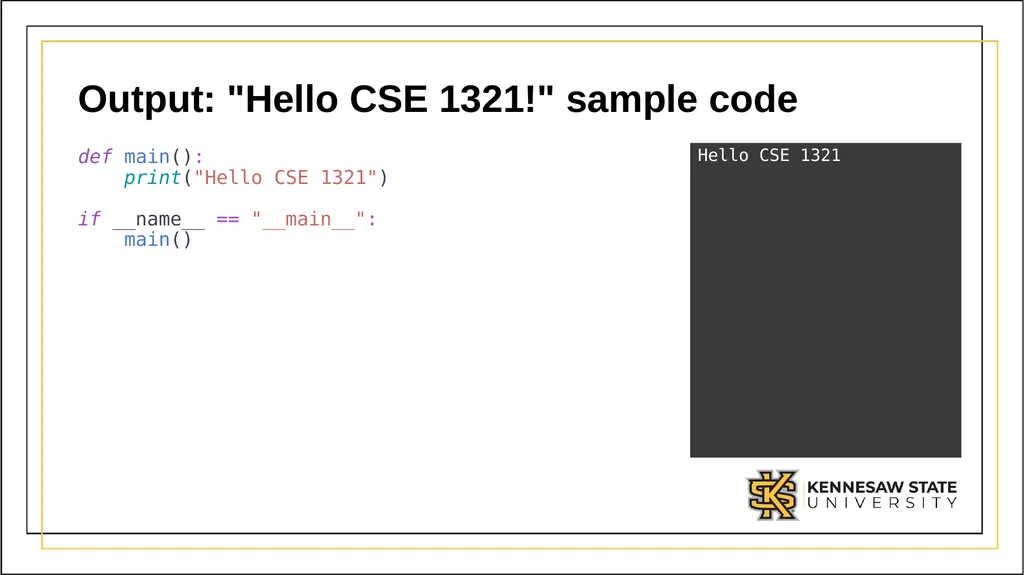
Output: "Hello CSE 1321!" sample code def main():
print("Hello CSE 1321")
if __name__ == "__main__":
main() Hello CSE 1321<br>
42
Output: Print new line The print function by default will print whatever value you specify between the parentheses.
It will also add a new line after it is done printing the value.
Think of it like this:
Whenever you tell the computer to print, the computer will type the value that you specify it.
After it is done typing, it will hit the "enter" key, moving the type cursor to the line below.
This behavior is what we call a print new line.<br>
It will also add a new line after it is done printing the value.
Think of it like this:
Whenever you tell the computer to print, the computer will type the value that you specify it.
After it is done typing, it will hit the "enter" key, moving the type cursor to the line below.
This behavior is what we call a print new line.<br>
43
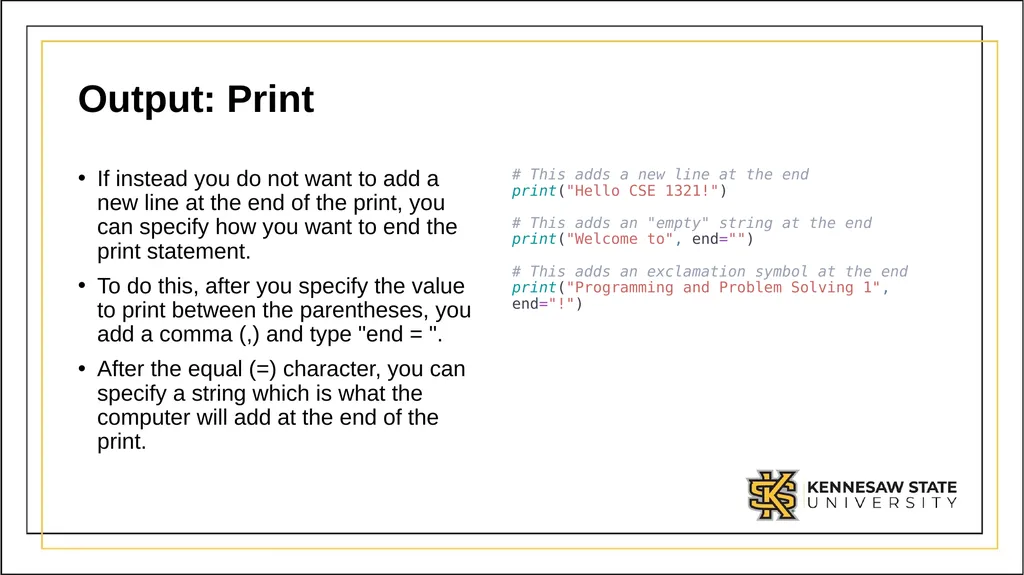
Output: Print If instead you do not want to add a new line at the end of the print, you can specify how you want to end the print statement.
To do this, after you specify the value to print between the parentheses, you add a comma (,) and type "end = ".
After the equal (=) character, you can specify a string which is what the computer will add at the end of the print. # This adds a new line at the end print("Hello CSE 1321!") # This adds an "empty" string at the end print("Welcome to", end="") # This adds an exclamation symbol at the end print("Programming and Problem Solving 1", end="!")<br>
To do this, after you specify the value to print between the parentheses, you add a comma (,) and type "end = ".
After the equal (=) character, you can specify a string which is what the computer will add at the end of the print. # This adds a new line at the end print("Hello CSE 1321!") # This adds an "empty" string at the end print("Welcome to", end="") # This adds an exclamation symbol at the end print("Programming and Problem Solving 1", end="!")<br>
44
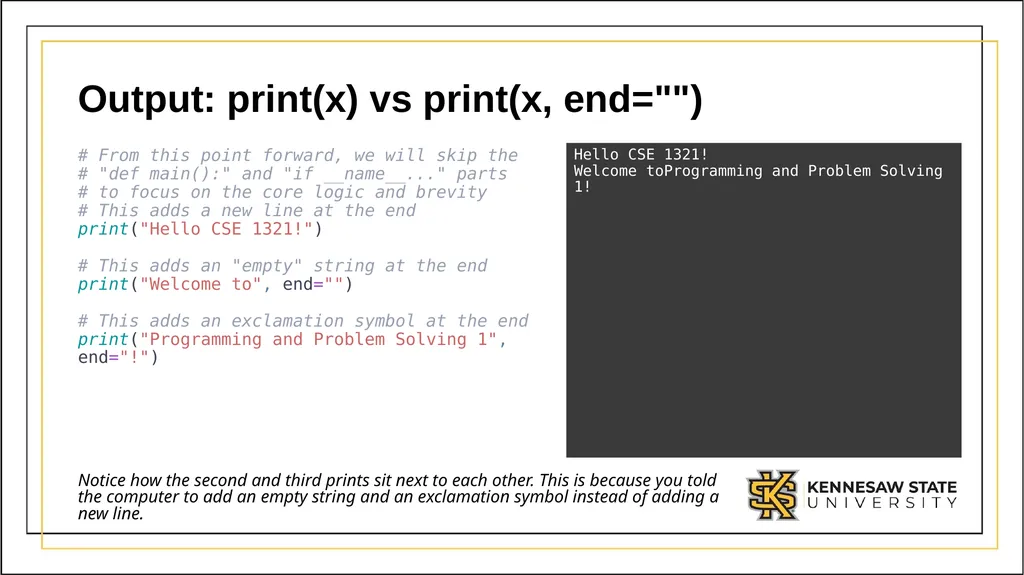
Output: print(x) vs print(x, end="") # From this point forward, we will skip the
# "def main():" and "if __name__..." parts
# to focus on the core logic and brevity
# This adds a new line at the end
print("Hello CSE 1321!")
# This adds an "empty" string at the end
print("Welcome to", end="")
# This adds an exclamation symbol at the end
print("Programming and Problem Solving 1", end="!") Hello CSE 1321!
Welcome toProgramming and Problem Solving 1! Notice how the second and third prints sit next to each other. This is because you told the computer to add an empty string and an exclamation symbol instead of adding a new line.<br>
Welcome toProgramming and Problem Solving 1! Notice how the second and third prints sit next to each other. This is because you told the computer to add an empty string and an exclamation symbol instead of adding a new line.<br>
45
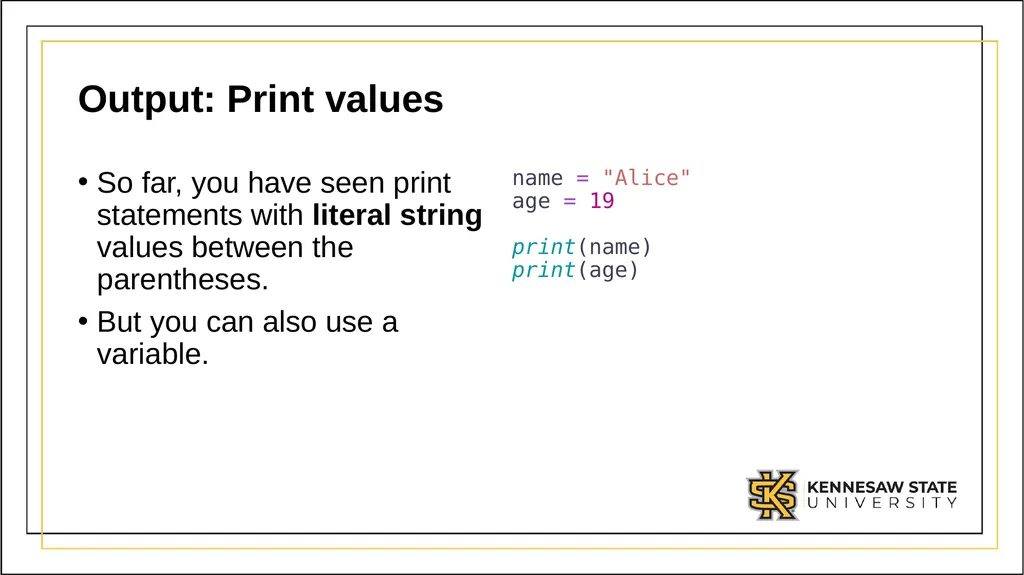
Output: Print values So far, you have seen print statements with literal string values between the parentheses.
But you can also use a variable. name = "Alice" age = 19 print(name) print(age)<br>
But you can also use a variable. name = "Alice" age = 19 print(name) print(age)<br>
46
Module 1:
Input<br>
47
Input So far, we have discussed how to tell the computer to remember values/data and to communicate with use via the terminal through prints.
Now, we will learn how to tell the computer to listen for values/data from the user.
This operation can be done with the input function.<br>
Now, we will learn how to tell the computer to listen for values/data from the user.
This operation can be done with the input function.<br>
48
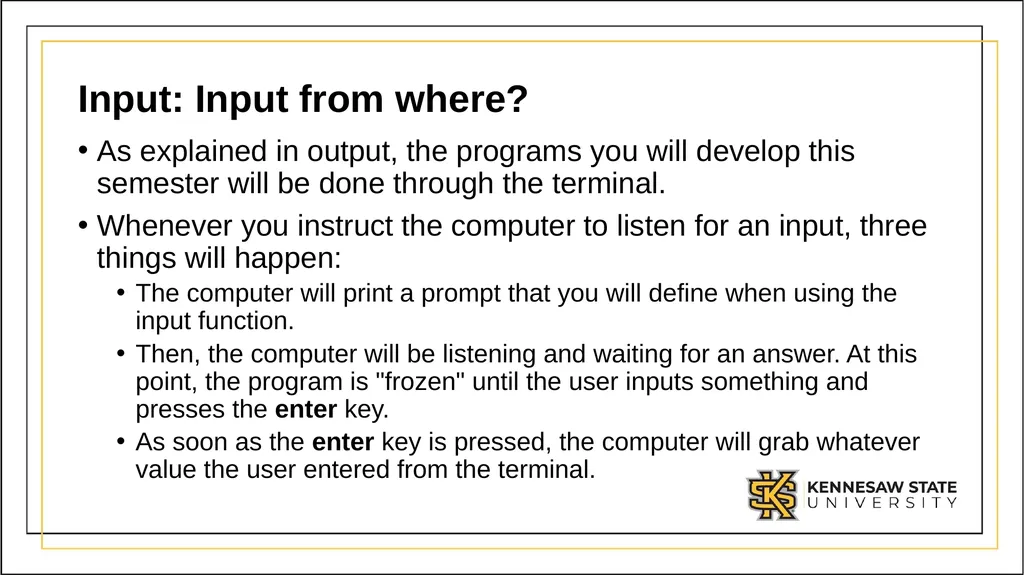
Input: Input from where? As explained in output, the programs you will develop this semester will be done through the terminal.
Whenever you instruct the computer to listen for an input, three things will happen:
The computer will print a prompt that you will define when using the input function.
Then, the computer will be listening and waiting for an answer. At this point, the program is "frozen" until the user inputs something and presses the enter key.
As soon as the enter key is pressed, the computer will grab whatever value the user entered from the terminal.<br>
Whenever you instruct the computer to listen for an input, three things will happen:
The computer will print a prompt that you will define when using the input function.
Then, the computer will be listening and waiting for an answer. At this point, the program is "frozen" until the user inputs something and presses the enter key.
As soon as the enter key is pressed, the computer will grab whatever value the user entered from the terminal.<br>
49
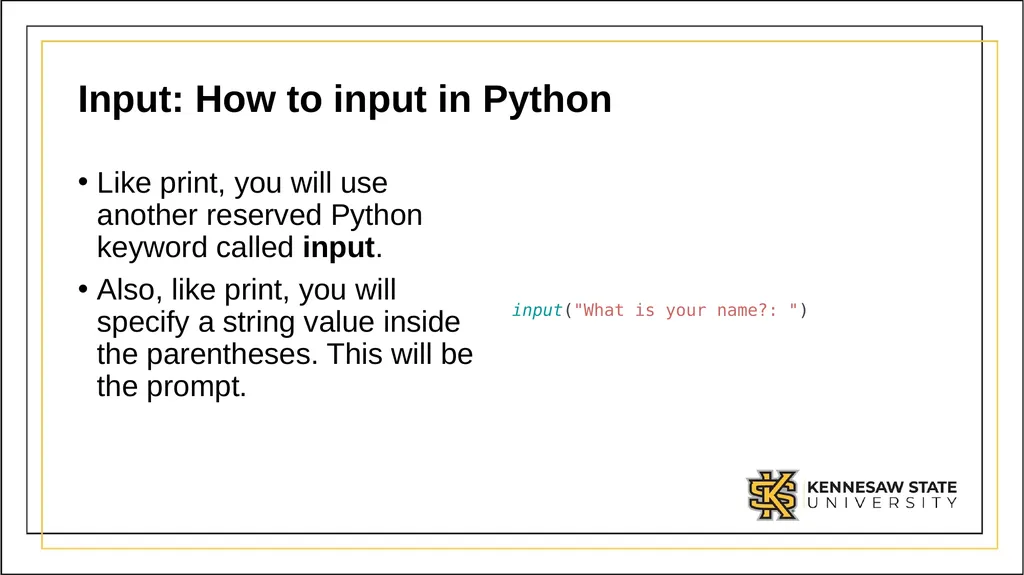
Input: How to input in Python Like print, you will use another reserved Python keyword called input.
Also, like print, you will specify a string value inside the parentheses. This will be the prompt. input("What is your name?: ")<br>
Also, like print, you will specify a string value inside the parentheses. This will be the prompt. input("What is your name?: ")<br>
50
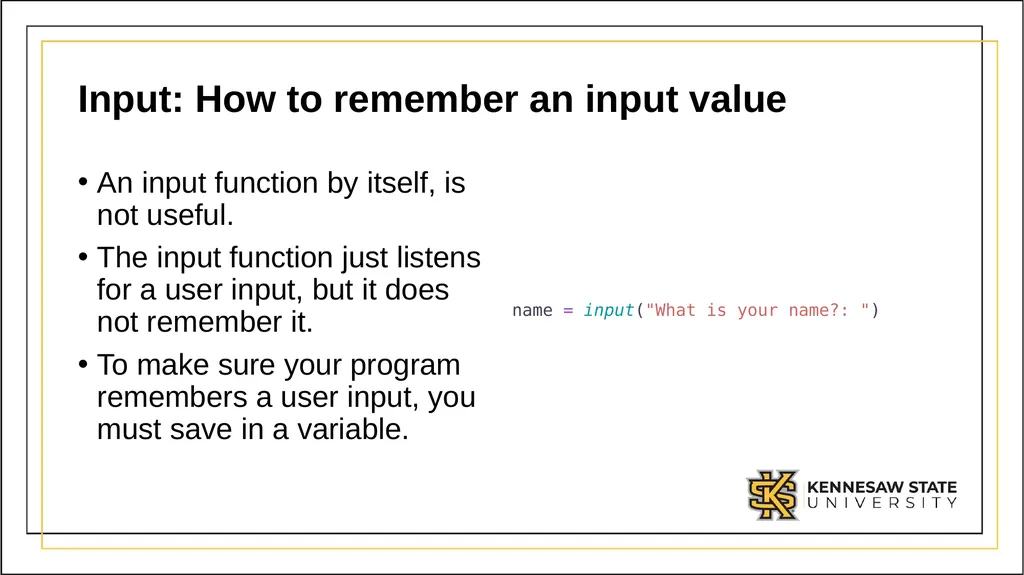
Input: How to remember an input value An input function by itself, is not useful.
The input function just listens for a user input, but it does not remember it.
To make sure your program remembers a user input, you must save in a variable. name = input("What is your name?: ")<br>
The input function just listens for a user input, but it does not remember it.
To make sure your program remembers a user input, you must save in a variable. name = input("What is your name?: ")<br>
51
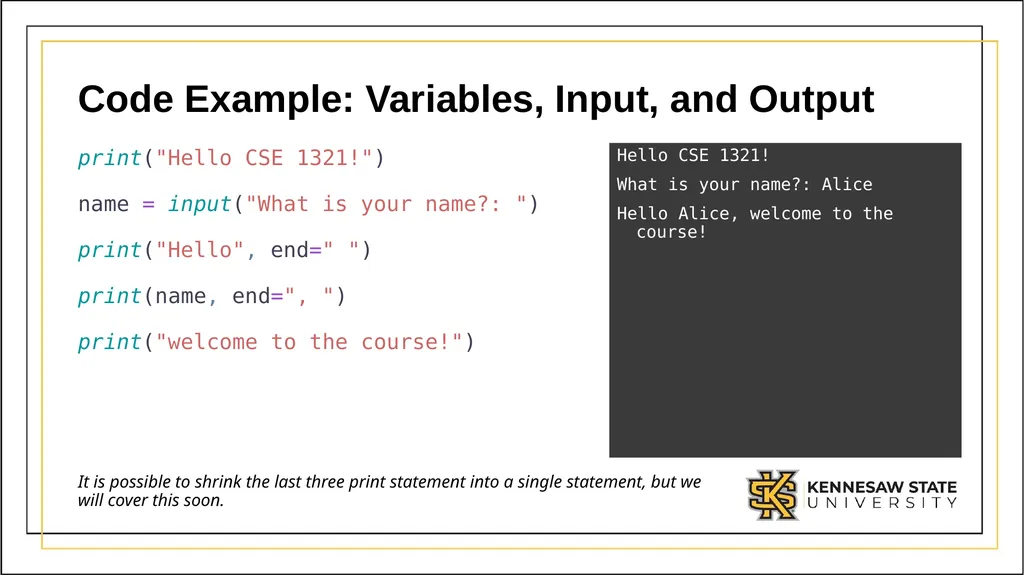
Code Example: Variables, Input, and Output print("Hello CSE 1321!")
name = input("What is your name?: ")
print("Hello", end=" ")
print(name, end=", ")
print("welcome to the course!") Hello CSE 1321!
What is your name?: Alice
Hello Alice, welcome to the course! It is possible to shrink the last three print statement into a single statement, but we will cover this soon.<br>
name = input("What is your name?: ")
print("Hello", end=" ")
print(name, end=", ")
print("welcome to the course!") Hello CSE 1321!
What is your name?: Alice
Hello Alice, welcome to the course! It is possible to shrink the last three print statement into a single statement, but we will cover this soon.<br>
52
Module 1:
Basic math operators<br>
53
Basic Math Operators One very important type operations you can perform in a program is mathematical operations.
In Python, you can tell the computer to perform basic operations like addition, subtraction, multiplication, division, and more.<br>
In Python, you can tell the computer to perform basic operations like addition, subtraction, multiplication, division, and more.<br>
54
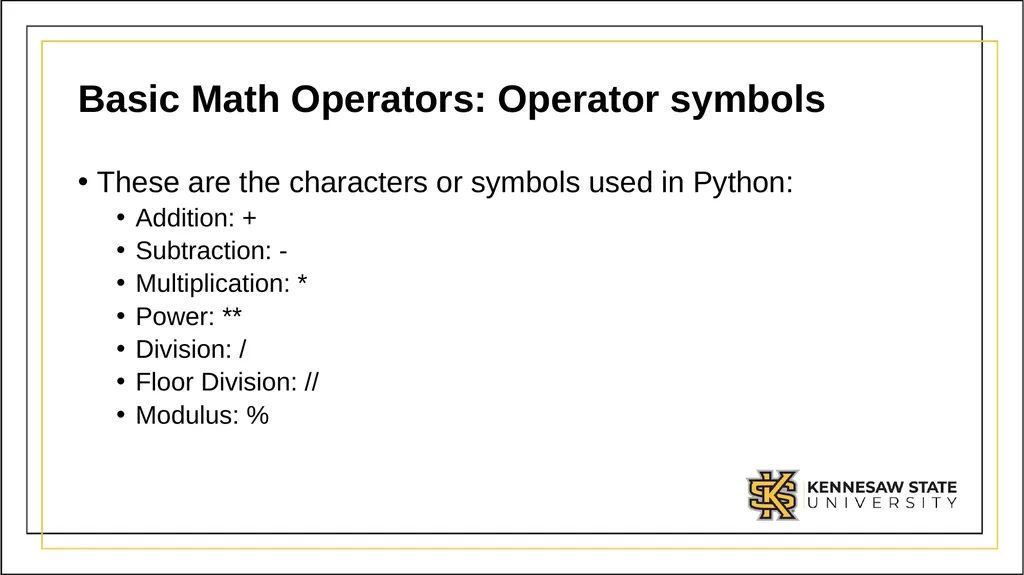
Basic Math Operators: Operator symbols These are the characters or symbols used in Python:
Addition: +
Subtraction: -
Multiplication: *
Power: **
Division: /
Floor Division: //
Modulus: %<br>
Addition: +
Subtraction: -
Multiplication: *
Power: **
Division: /
Floor Division: //
Modulus: %<br>
55
Basic Math Operators: Power, Floor Division, and Modulus Some of the operations described before may seem new, here are some definitions:<br>
56
Basic Math Operators: Power The power operator raises a number to the power of another, the left-hand side value is the base, and the right-hand side value is the exponent.
Example: 2 to the power of 3 would be 2 ** 3<br>
Example: 2 to the power of 3 would be 2 ** 3<br>
57
Basic Math Operators: Floor Division This operator divides two number and rounds down to the nearest whole number.
For example:
5 / 2 would give you 2.5
5 // 2 would give you 2<br>
For example:
5 / 2 would give you 2.5
5 // 2 would give you 2<br>
58
Basic Math Operators: Modulus This operator divides two number and give you the remainder of the division.
For example:
5 / 2 would give you 2.5
5 % 2 would give you 1<br>
For example:
5 / 2 would give you 2.5
5 % 2 would give you 1<br>
59
Basic Math Operators: Regarding Modulus When you perform a division, you are splitting or dividing a number evenly.
For example, if you have 5 apples and want to divide it into 2, you end up with two groups of 2 and a half apple, 2.5.
With modulus, you want to find the left over. Following the same example, you split the apples into all the groups of 2 that you can.
After you are done grouping, count the remaining ungrouped apples, this is your remainder.<br>
For example, if you have 5 apples and want to divide it into 2, you end up with two groups of 2 and a half apple, 2.5.
With modulus, you want to find the left over. Following the same example, you split the apples into all the groups of 2 that you can.
After you are done grouping, count the remaining ungrouped apples, this is your remainder.<br>
60
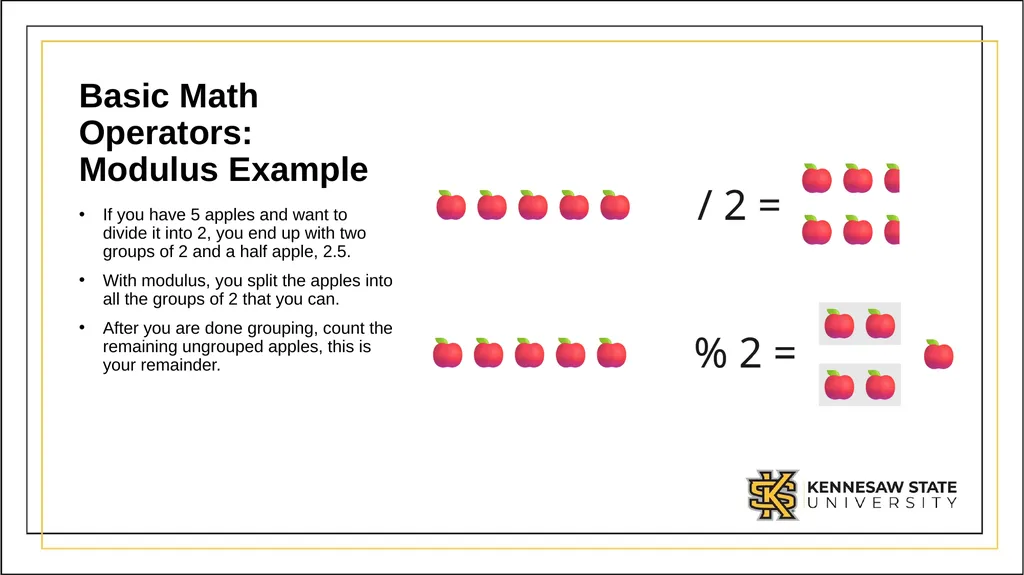
Basic Math Operators: Modulus Example If you have 5 apples and want to divide it into 2, you end up with two groups of 2 and a half apple, 2.5.
With modulus, you split the apples into all the groups of 2 that you can.
After you are done grouping, count the remaining ungrouped apples, this is your remainder.<br>
With modulus, you split the apples into all the groups of 2 that you can.
After you are done grouping, count the remaining ungrouped apples, this is your remainder.<br>