
CSE 1321 Module 2 Selection Structures Topics Flow
MS
Published · 42 slides · 0 views
1 / 1

Description
CSE 1321 Module 2 Selection Structures Topics Flow of Control Boolean IF Statements MATCH Statements Module 2: Flow of Control Flow of Control Flow of control refers to the order in which the computer executes our code. So far, our programs
Related Topics
Share
Embed code
Download this presentation From Below
"CSE 1321 Module 2 Selection Structures Topics Flow" is the property of its rightful owner. Permission is granted to download and print the materials on this website for personal, non-commercial use only, and to display it on your personal computer provided you do not modify the materials and that you retain all copyright notices contained in the materials. By downloading content from our website, you accept the terms of this agreement.
Presentation Transcript
01
CSE 1321
Module 2 Selection Structures<br>
02
Topics Flow of Control
Boolean
IF Statements
MATCH Statements<br>
Boolean
IF Statements
MATCH Statements<br>
03
Module 2:
Flow of Control<br>
04
Flow of Control Flow of control refers to the order in which the computer executes our code.
So far, our programs have followed a simple sequential linear flow.
Python reads our program like a book, starting from the first instruction to the next executing every instruction in order until there are no more instructions and the program stops.
In this module, we are going to learn ways how we can make the flow of our program more complex.<br>
So far, our programs have followed a simple sequential linear flow.
Python reads our program like a book, starting from the first instruction to the next executing every instruction in order until there are no more instructions and the program stops.
In this module, we are going to learn ways how we can make the flow of our program more complex.<br>
05
Flow of Control: Selection Statements Selection structures allows us to add deviations or different paths in the flow of the program.
We can tell the computer to skip certain lines of code or run certain lines of code based on a condition.<br>
We can tell the computer to skip certain lines of code or run certain lines of code based on a condition.<br>
06
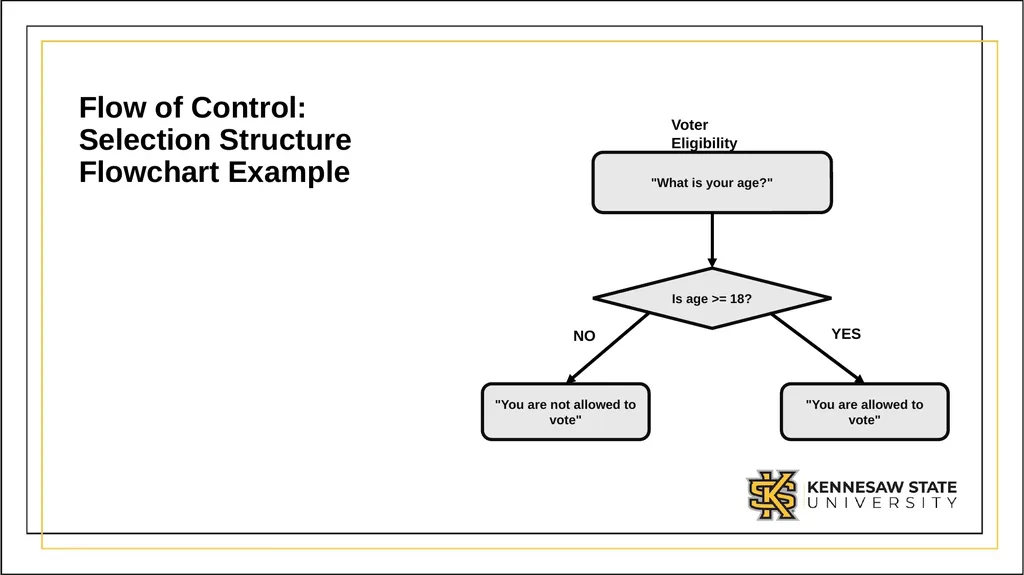
Flow of Control: Selection Structure Flowchart Example<br>
07
Module 2:
Boolean<br>
08
Boolean As you have seen in the flowchart, we used a conditional expression to decide whether the user was eligible to vote or not.
Before we move on into talking about selection structures, it is important that we discuss about Boolean values and expressions.<br>
Before we move on into talking about selection structures, it is important that we discuss about Boolean values and expressions.<br>
09
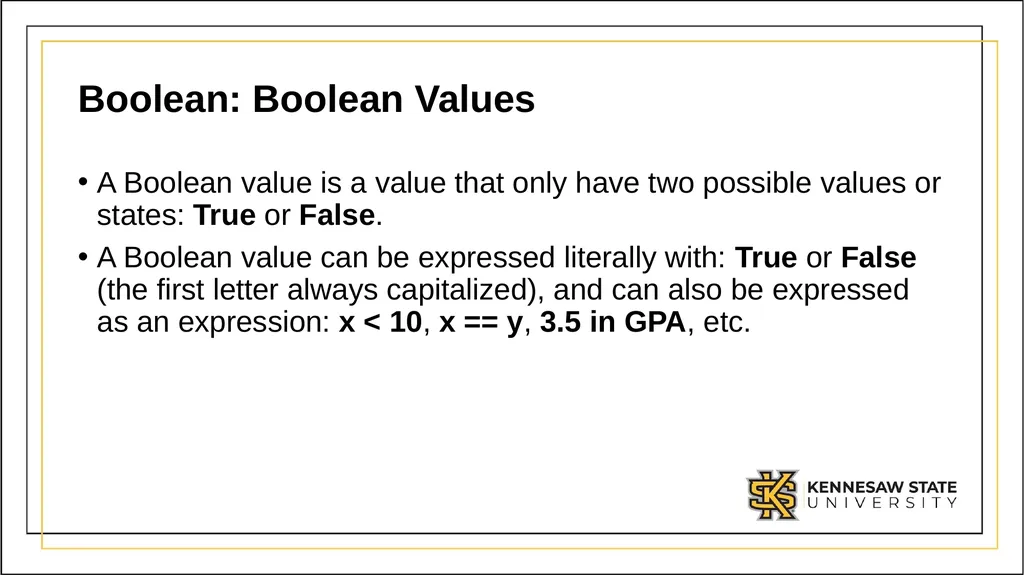
Boolean: Boolean Values A Boolean value is a value that only have two possible values or states: True or False.
A Boolean value can be expressed literally with: True or False (the first letter always capitalized), and can also be expressed as an expression: x < 10, x == y, 3.5 in GPA, etc.<br>
A Boolean value can be expressed literally with: True or False (the first letter always capitalized), and can also be expressed as an expression: x < 10, x == y, 3.5 in GPA, etc.<br>
10
Boolean: Operators We have previously discussed the types of operators we use with Boolean values and expressions:
Comparison Operators
Logical Operators<br>
Comparison Operators
Logical Operators<br>
11
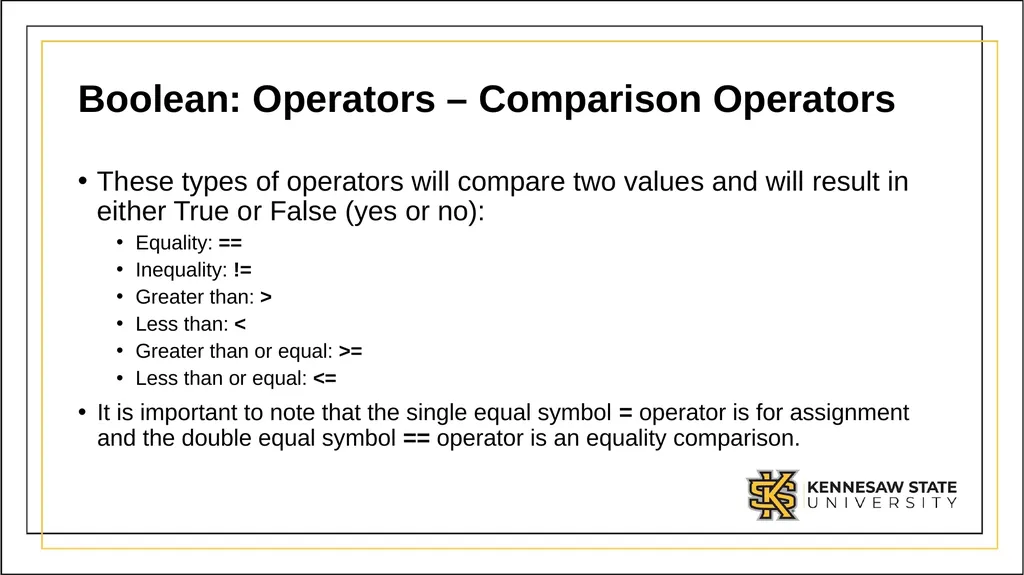
Boolean: Operators – Comparison Operators These types of operators will compare two values and will result in either True or False (yes or no):
Equality: ==
Inequality: !=
Greater than: >
Less than: <
Greater than or equal: >=
Less than or equal: <=
It is important to note that the single equal symbol = operator is for assignment and the double equal symbol == operator is an equality comparison.<br>
Equality: ==
Inequality: !=
Greater than: >
Less than: <
Greater than or equal: >=
Less than or equal: <=
It is important to note that the single equal symbol = operator is for assignment and the double equal symbol == operator is an equality comparison.<br>
12
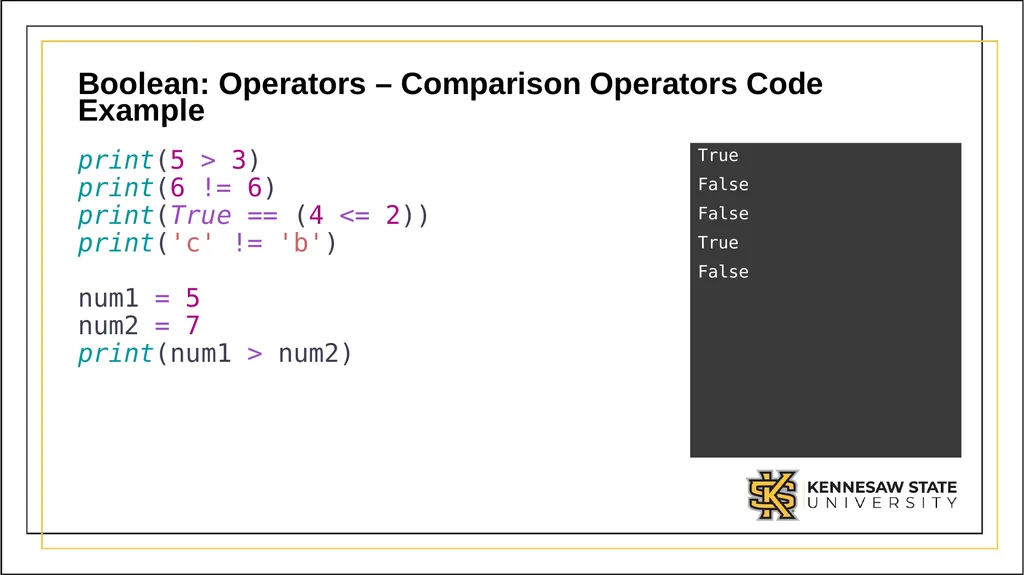
Boolean: Operators – Comparison Operators Code Example print(5 > 3)
print(6 != 6)
print(True == (4 <= 2))
print('c' != 'b')
num1 = 5
num2 = 7
print(num1 > num2) True
False
False
True
False<br>
False
False
True
False<br>
13
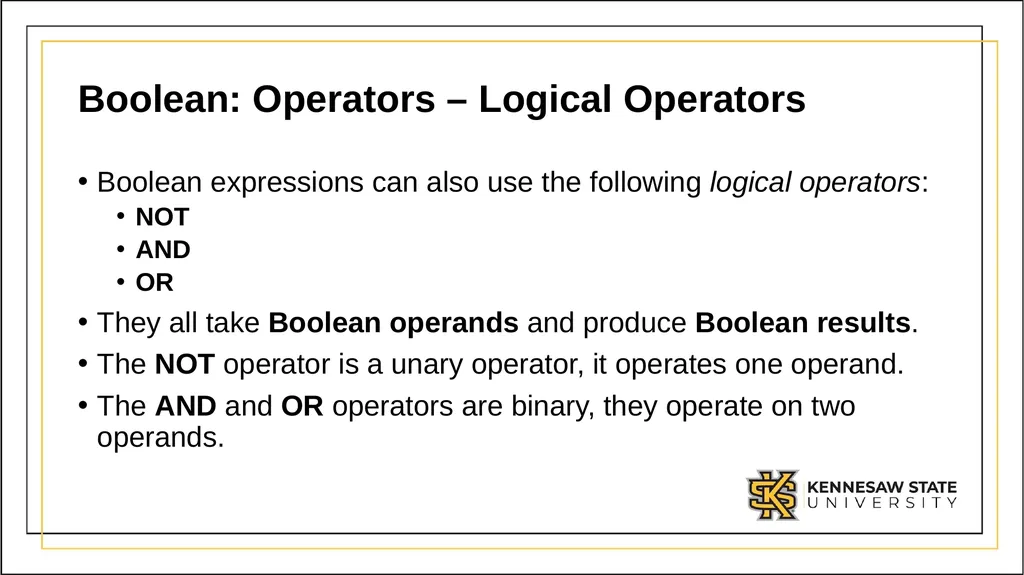
Boolean: Operators – Logical Operators Boolean expressions can also use the following logical operators:
NOT
AND
OR
They all take Boolean operands and produce Boolean results.
The NOT operator is a unary operator, it operates one operand.
The AND and OR operators are binary, they operate on two operands.<br>
NOT
AND
OR
They all take Boolean operands and produce Boolean results.
The NOT operator is a unary operator, it operates one operand.
The AND and OR operators are binary, they operate on two operands.<br>
14
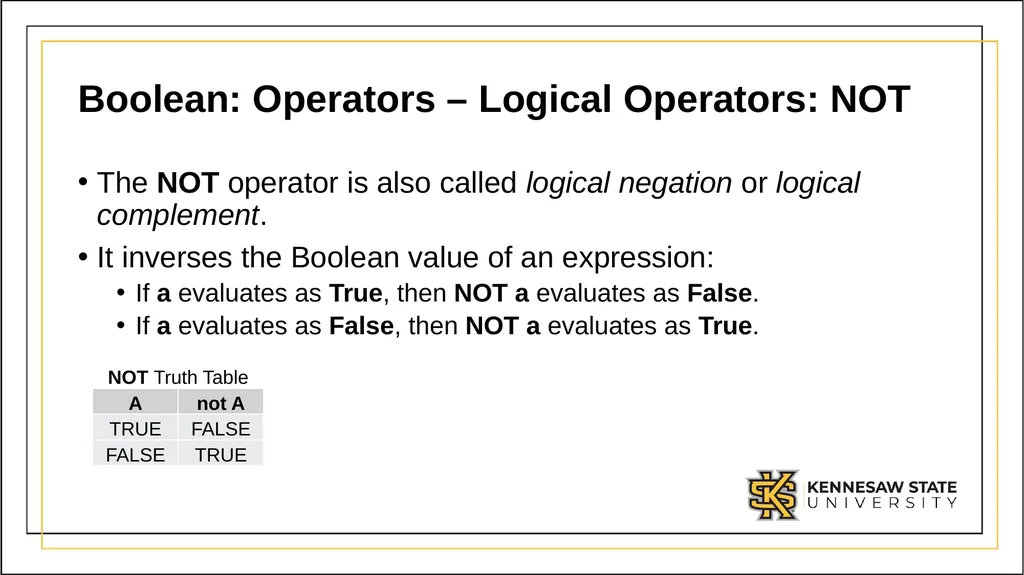
Boolean: Operators – Logical Operators: NOT The NOT operator is also called logical negation or logical complement.
It inverses the Boolean value of an expression:
If a evaluates as True, then NOT a evaluates as False.
If a evaluates as False, then NOT a evaluates as True.<br>
It inverses the Boolean value of an expression:
If a evaluates as True, then NOT a evaluates as False.
If a evaluates as False, then NOT a evaluates as True.<br>
15
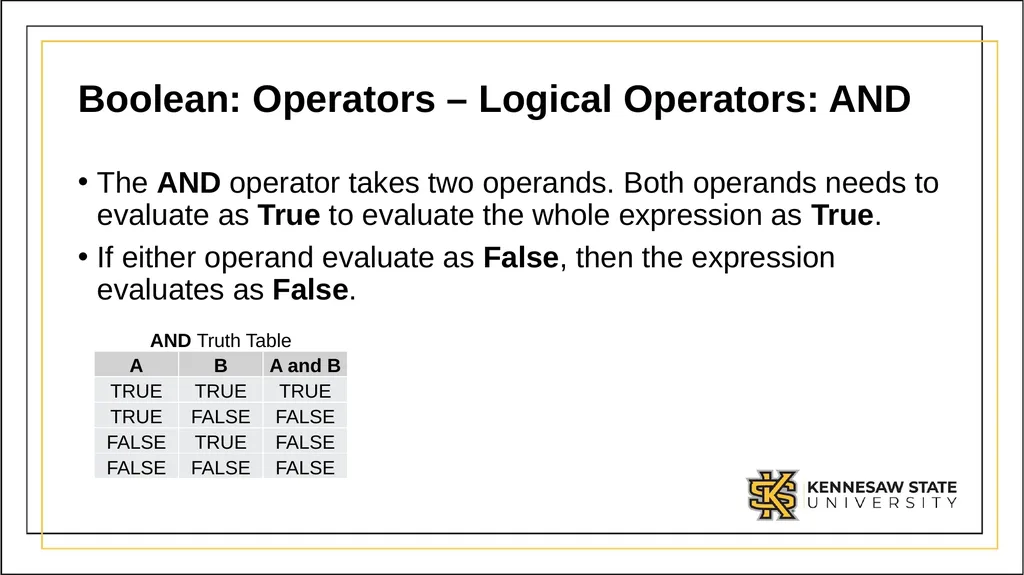
Boolean: Operators – Logical Operators: AND The AND operator takes two operands. Both operands needs to evaluate as True to evaluate the whole expression as True.
If either operand evaluate as False, then the expression evaluates as False.<br>
If either operand evaluate as False, then the expression evaluates as False.<br>
16
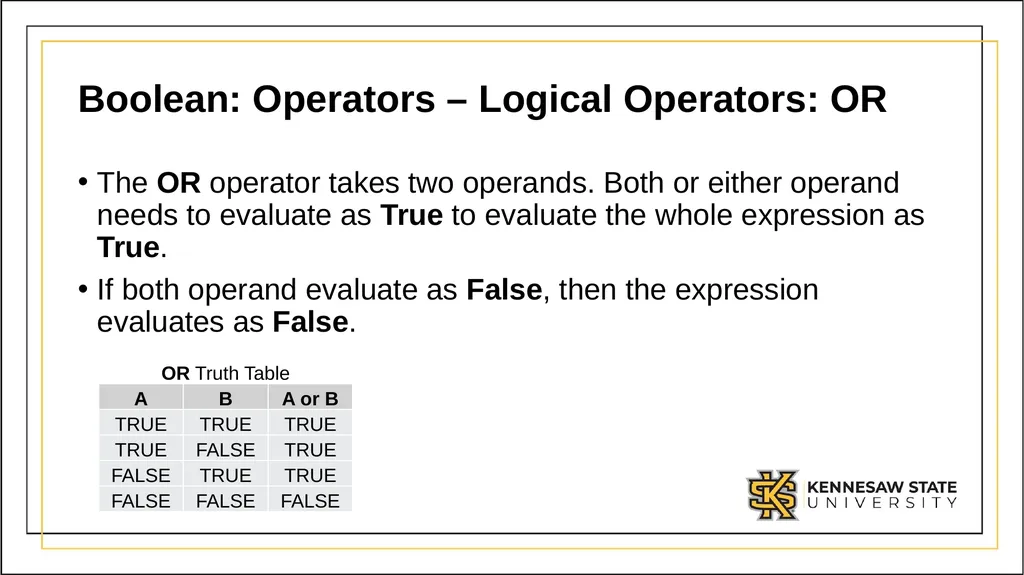
Boolean: Operators – Logical Operators: OR The OR operator takes two operands. Both or either operand needs to evaluate as True to evaluate the whole expression as True.
If both operand evaluate as False, then the expression evaluates as False.<br>
If both operand evaluate as False, then the expression evaluates as False.<br>
17
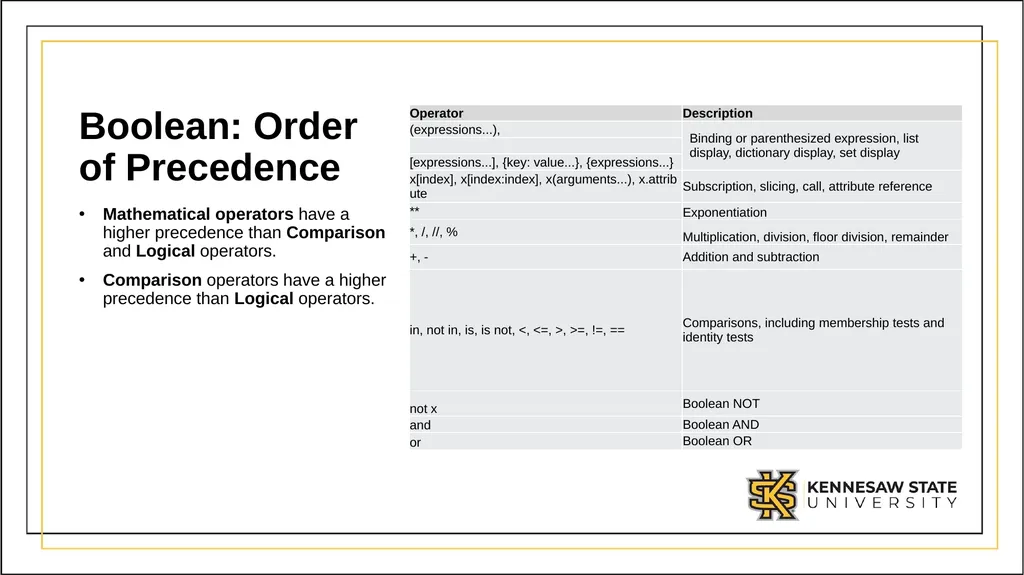
Boolean: Order of Precedence Mathematical operators have a higher precedence than Comparison and Logical operators.
Comparison operators have a higher precedence than Logical operators.<br>
Comparison operators have a higher precedence than Logical operators.<br>
18
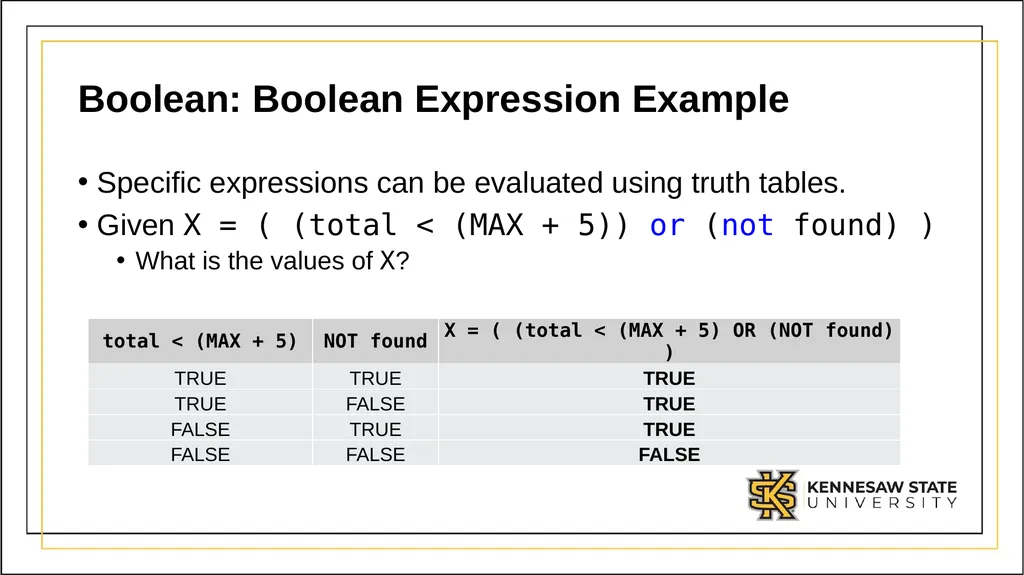
Boolean: Boolean Expression Example Specific expressions can be evaluated using truth tables.
Given X = ( (total < (MAX + 5)) or (not found) )
What is the values of X?<br>
Given X = ( (total < (MAX + 5)) or (not found) )
What is the values of X?<br>
19
Module 2:
IF Statement<br>
20
IF Statement One type of selection structure available in Python is the IF statement.
An IF statement control structure allows the program to execute a block of code only if a specific condition is met.
As what we have just covered, this condition will be built using Boolean expressions.<br>
An IF statement control structure allows the program to execute a block of code only if a specific condition is met.
As what we have just covered, this condition will be built using Boolean expressions.<br>
21
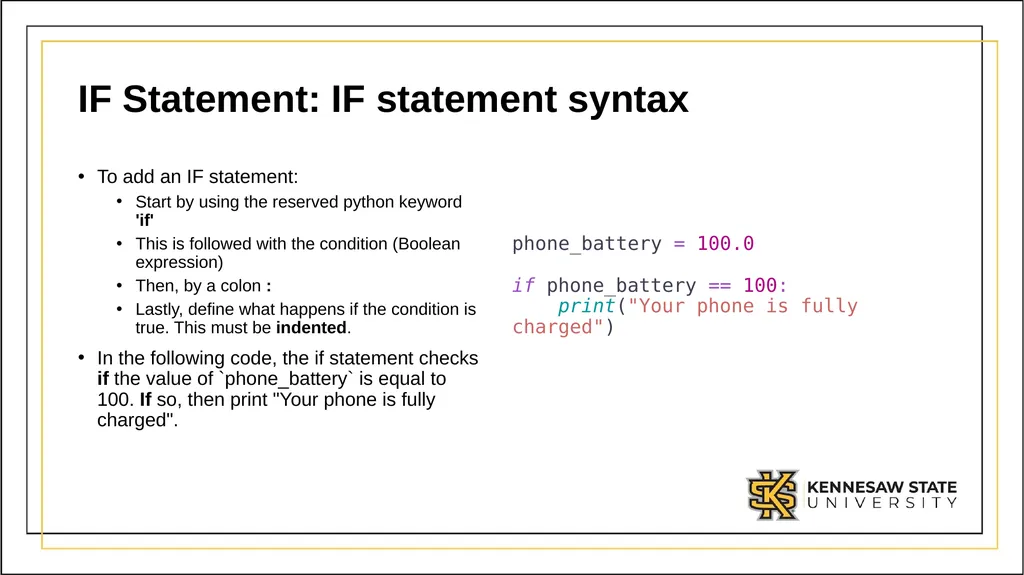
IF Statement: IF statement syntax To add an IF statement:
Start by using the reserved python keyword 'if'
This is followed with the condition (Boolean expression)
Then, by a colon :
Lastly, define what happens if the condition is true. This must be indented.
In the following code, the if statement checks if the value of `phone_battery` is equal to 100. If so, then print "Your phone is fully charged". phone_battery = 100.0 if phone_battery == 100: print("Your phone is fully charged")<br>
Start by using the reserved python keyword 'if'
This is followed with the condition (Boolean expression)
Then, by a colon :
Lastly, define what happens if the condition is true. This must be indented.
In the following code, the if statement checks if the value of `phone_battery` is equal to 100. If so, then print "Your phone is fully charged". phone_battery = 100.0 if phone_battery == 100: print("Your phone is fully charged")<br>
22
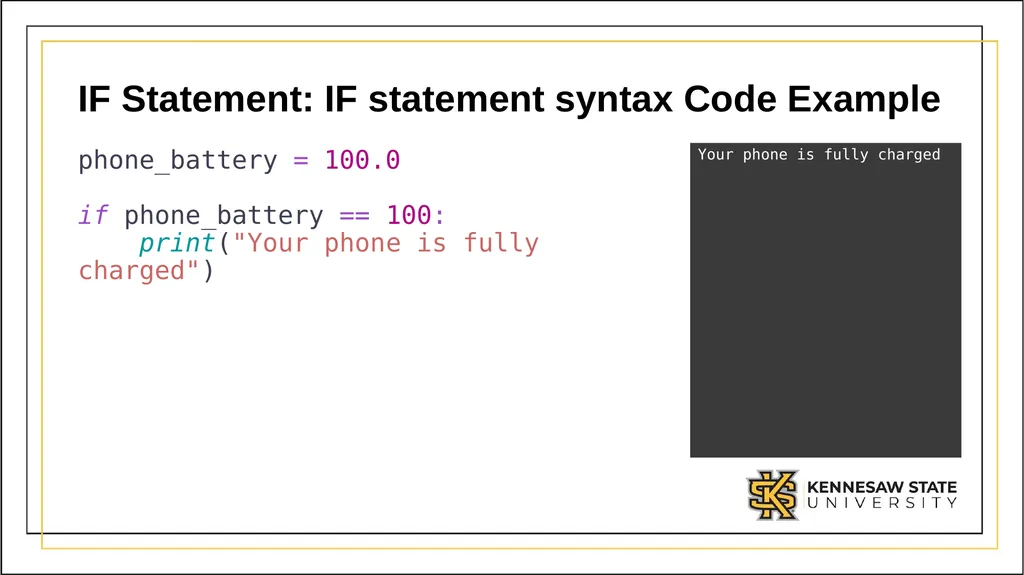
IF Statement: IF statement syntax Code Example phone_battery = 100.0
if phone_battery == 100:
print("Your phone is fully charged") Your phone is fully charged<br>
23
IF Statement: ELIF Statement Another type of structure we can use along side an IF statement is an ELSE IF or ELIF statement.
An ELIF statement's conditional will only be evaluate by the computer if the previous IF or ELIF statements failed (the condition Boolean expression was evaluated to False).
An ELIF statement must be placed after an IF statement or another ELIF statement. It cannot be placed by itself.<br>
An ELIF statement's conditional will only be evaluate by the computer if the previous IF or ELIF statements failed (the condition Boolean expression was evaluated to False).
An ELIF statement must be placed after an IF statement or another ELIF statement. It cannot be placed by itself.<br>
24
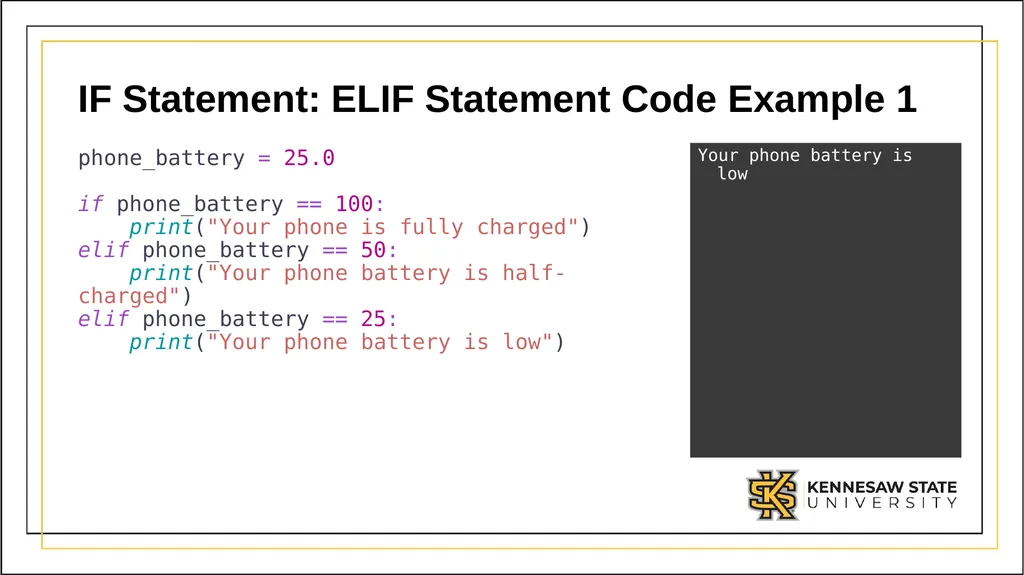
IF Statement: ELIF Statement Code Example 1 phone_battery = 25.0
if phone_battery == 100:
print("Your phone is fully charged")
elif phone_battery == 50:
print("Your phone battery is half-charged")
elif phone_battery == 25:
print("Your phone battery is low") Your phone battery is low<br>
25
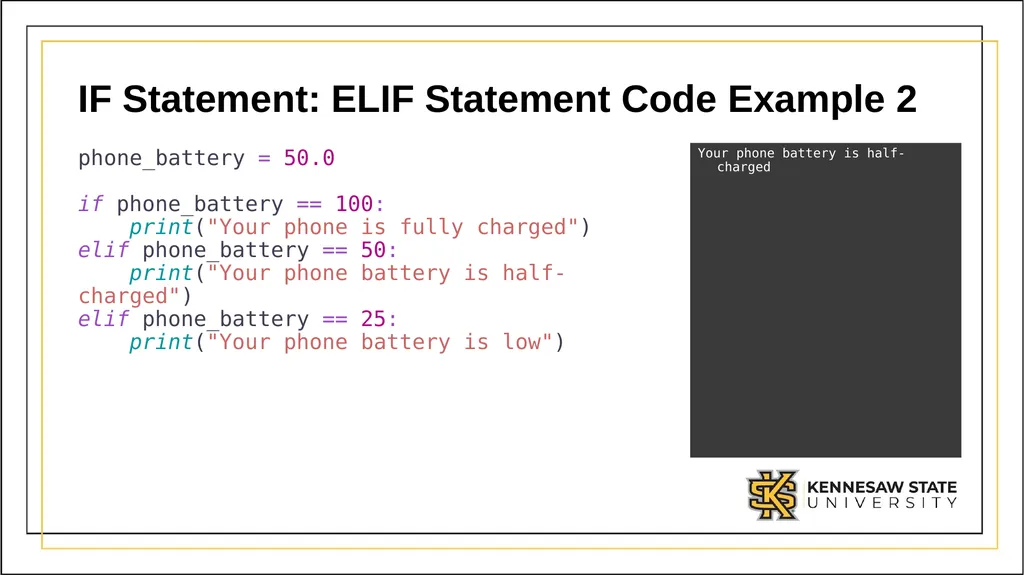
IF Statement: ELIF Statement Code Example 2 phone_battery = 50.0
if phone_battery == 100:
print("Your phone is fully charged")
elif phone_battery == 50:
print("Your phone battery is half-charged")
elif phone_battery == 25:
print("Your phone battery is low") Your phone battery is half-charged<br>
26
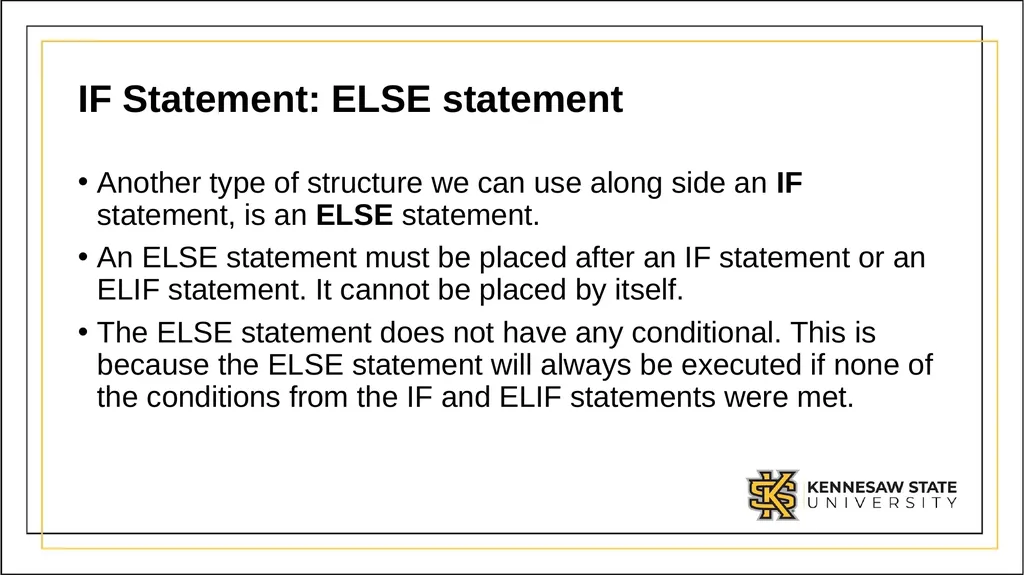
IF Statement: ELSE statement Another type of structure we can use along side an IF statement, is an ELSE statement.
An ELSE statement must be placed after an IF statement or an ELIF statement. It cannot be placed by itself.
The ELSE statement does not have any conditional. This is because the ELSE statement will always be executed if none of the conditions from the IF and ELIF statements were met.<br>
An ELSE statement must be placed after an IF statement or an ELIF statement. It cannot be placed by itself.
The ELSE statement does not have any conditional. This is because the ELSE statement will always be executed if none of the conditions from the IF and ELIF statements were met.<br>
27
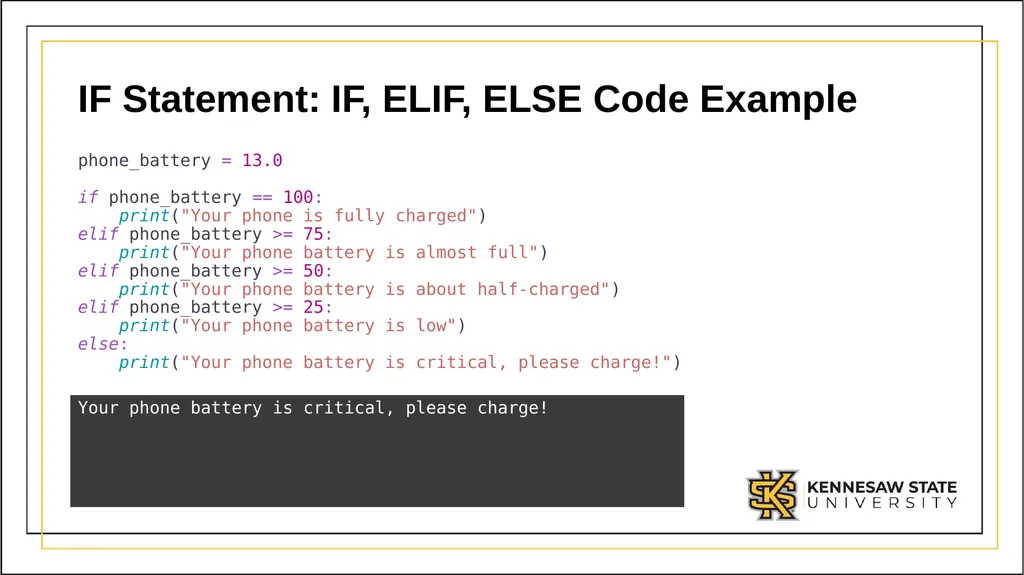
IF Statement: IF, ELIF, ELSE Code Example phone_battery = 13.0
if phone_battery == 100:
print("Your phone is fully charged")
elif phone_battery >= 75:
print("Your phone battery is almost full")
elif phone_battery >= 50:
print("Your phone battery is about half-charged")
elif phone_battery >= 25:
print("Your phone battery is low")
else:
print("Your phone battery is critical, please charge!") Your phone battery is critical, please charge!<br>
28
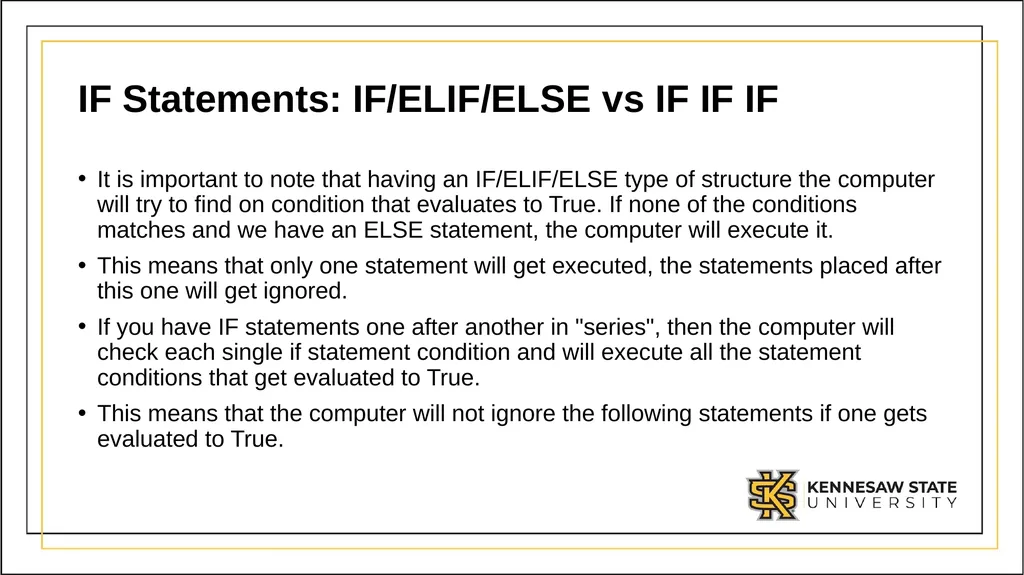
IF Statements: IF/ELIF/ELSE vs IF IF IF It is important to note that having an IF/ELIF/ELSE type of structure the computer will try to find on condition that evaluates to True. If none of the conditions matches and we have an ELSE statement, the computer will execute it.
This means that only one statement will get executed, the statements placed after this one will get ignored.
If you have IF statements one after another in "series", then the computer will check each single if statement condition and will execute all the statement conditions that get evaluated to True.
This means that the computer will not ignore the following statements if one gets evaluated to True.<br>
This means that only one statement will get executed, the statements placed after this one will get ignored.
If you have IF statements one after another in "series", then the computer will check each single if statement condition and will execute all the statement conditions that get evaluated to True.
This means that the computer will not ignore the following statements if one gets evaluated to True.<br>
29
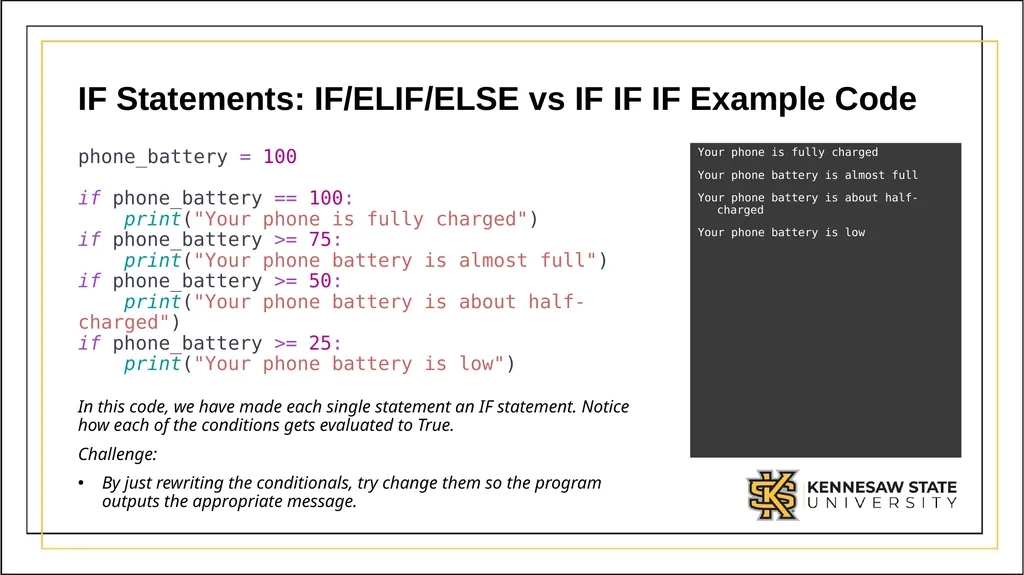
IF Statements: IF/ELIF/ELSE vs IF IF IF Example Code phone_battery = 100
if phone_battery == 100:
print("Your phone is fully charged")
if phone_battery >= 75:
print("Your phone battery is almost full")
if phone_battery >= 50:
print("Your phone battery is about half-charged")
if phone_battery >= 25:
print("Your phone battery is low") Your phone is fully charged
Your phone battery is almost full
Your phone battery is about half-charged
Your phone battery is low In this code, we have made each single statement an IF statement. Notice how each of the conditions gets evaluated to True.
Challenge:
By just rewriting the conditionals, try change them so the program outputs the appropriate message.<br>
Your phone battery is almost full
Your phone battery is about half-charged
Your phone battery is low In this code, we have made each single statement an IF statement. Notice how each of the conditions gets evaluated to True.
Challenge:
By just rewriting the conditionals, try change them so the program outputs the appropriate message.<br>
30
IF Statements: Nesting You can define or write any code inside the body of an IF, ELIF, or ELSE statement.
For example, you can create a new variable, perform any operation, etc.
This means that you can have another IF Statement Structure nested in another IF statement.<br>
For example, you can create a new variable, perform any operation, etc.
This means that you can have another IF Statement Structure nested in another IF statement.<br>
31
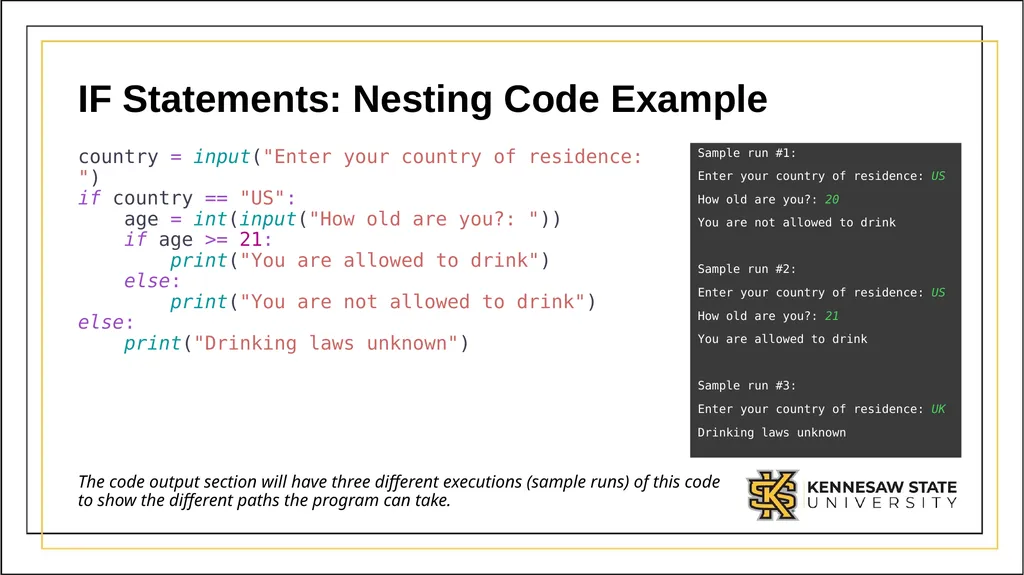
IF Statements: Nesting Code Example country = input("Enter your country of residence: ")
if country == "US":
age = int(input("How old are you?: "))
if age >= 21:
print("You are allowed to drink")
else:
print("You are not allowed to drink")
else:
print("Drinking laws unknown") Sample run #1:
Enter your country of residence: US
How old are you?: 20
You are not allowed to drink
Sample run #2:
Enter your country of residence: US
How old are you?: 21
You are allowed to drink
Sample run #3:
Enter your country of residence: UK
Drinking laws unknown The code output section will have three different executions (sample runs) of this code to show the different paths the program can take.<br>
Enter your country of residence: US
How old are you?: 20
You are not allowed to drink
Sample run #2:
Enter your country of residence: US
How old are you?: 21
You are allowed to drink
Sample run #3:
Enter your country of residence: UK
Drinking laws unknown The code output section will have three different executions (sample runs) of this code to show the different paths the program can take.<br>
32
Module 2:
Match Statements<br>
33
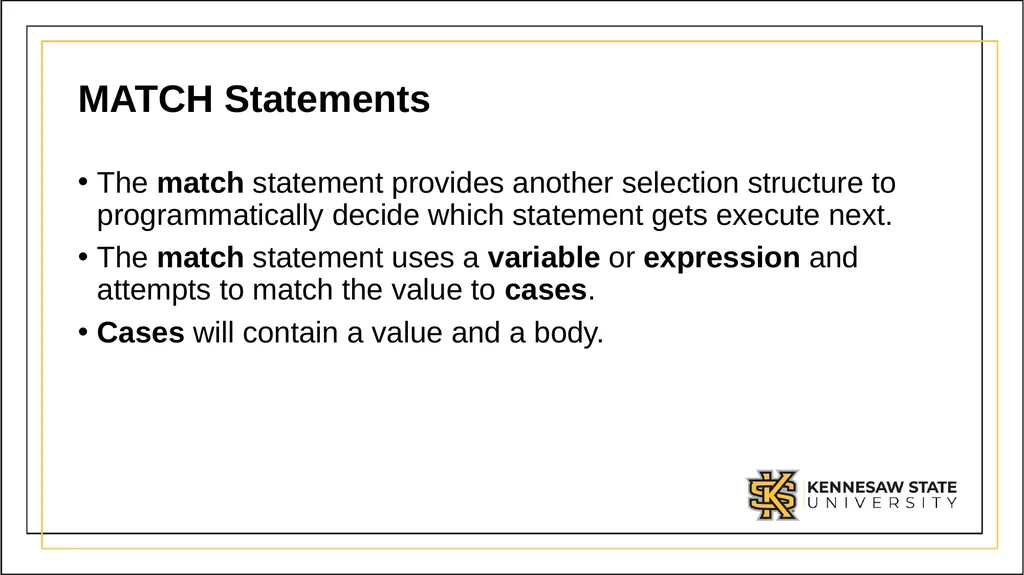
MATCH Statements The match statement provides another selection structure to programmatically decide which statement gets execute next.
The match statement uses a variable or expression and attempts to match the value to cases.
Cases will contain a value and a body.<br>
The match statement uses a variable or expression and attempts to match the value to cases.
Cases will contain a value and a body.<br>
34
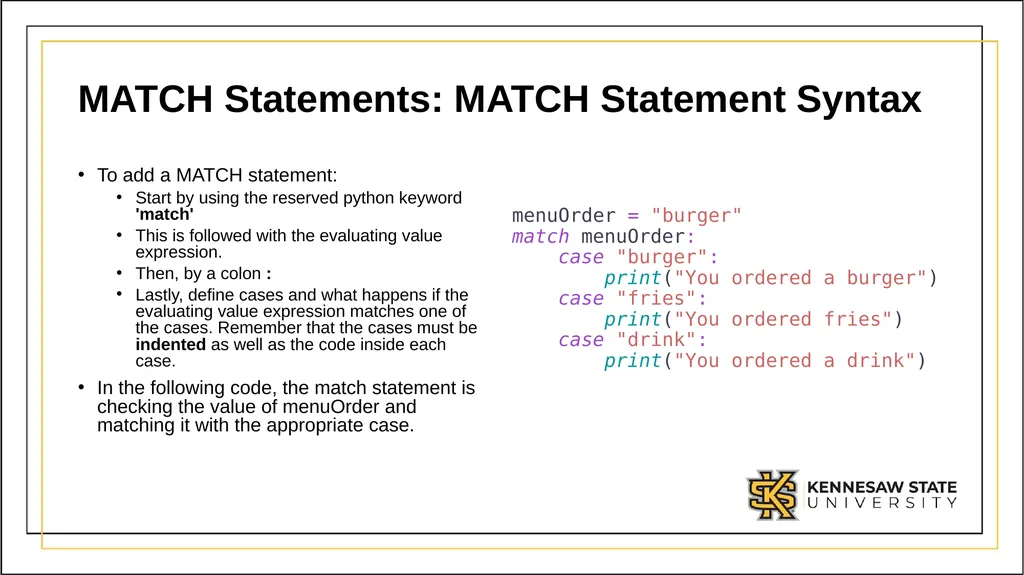
MATCH Statements: MATCH Statement Syntax To add a MATCH statement:
Start by using the reserved python keyword 'match'
This is followed with the evaluating value expression.
Then, by a colon :
Lastly, define cases and what happens if the evaluating value expression matches one of the cases. Remember that the cases must be indented as well as the code inside each case.
In the following code, the match statement is checking the value of menuOrder and matching it with the appropriate case. menuOrder = "burger" match menuOrder: case "burger": print("You ordered a burger") case "fries": print("You ordered fries") case "drink": print("You ordered a drink")<br>
Start by using the reserved python keyword 'match'
This is followed with the evaluating value expression.
Then, by a colon :
Lastly, define cases and what happens if the evaluating value expression matches one of the cases. Remember that the cases must be indented as well as the code inside each case.
In the following code, the match statement is checking the value of menuOrder and matching it with the appropriate case. menuOrder = "burger" match menuOrder: case "burger": print("You ordered a burger") case "fries": print("You ordered fries") case "drink": print("You ordered a drink")<br>
35
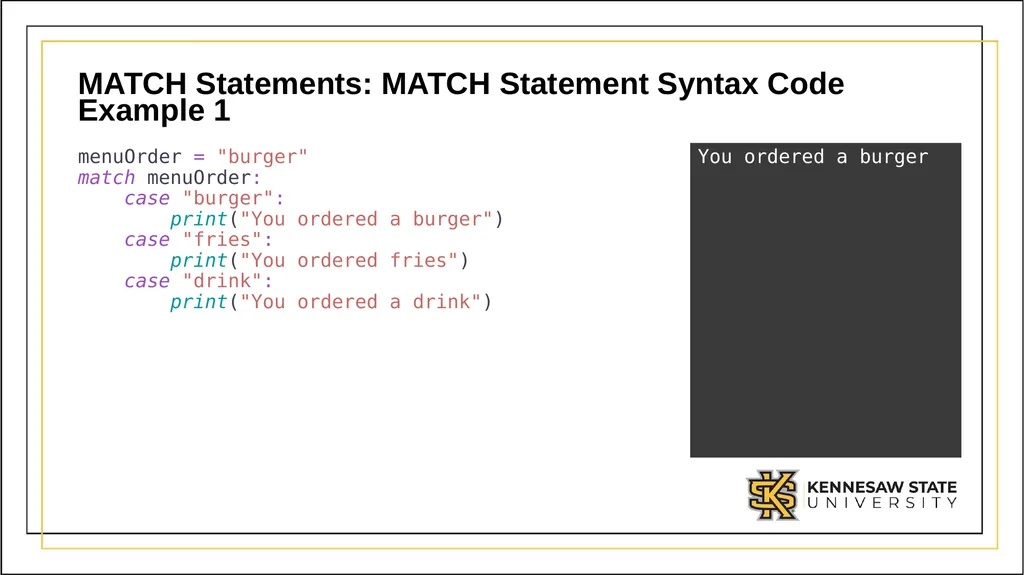
MATCH Statements: MATCH Statement Syntax Code Example 1 menuOrder = "burger"
match menuOrder:
case "burger":
print("You ordered a burger")
case "fries":
print("You ordered fries")
case "drink":
print("You ordered a drink") You ordered a burger<br>
36
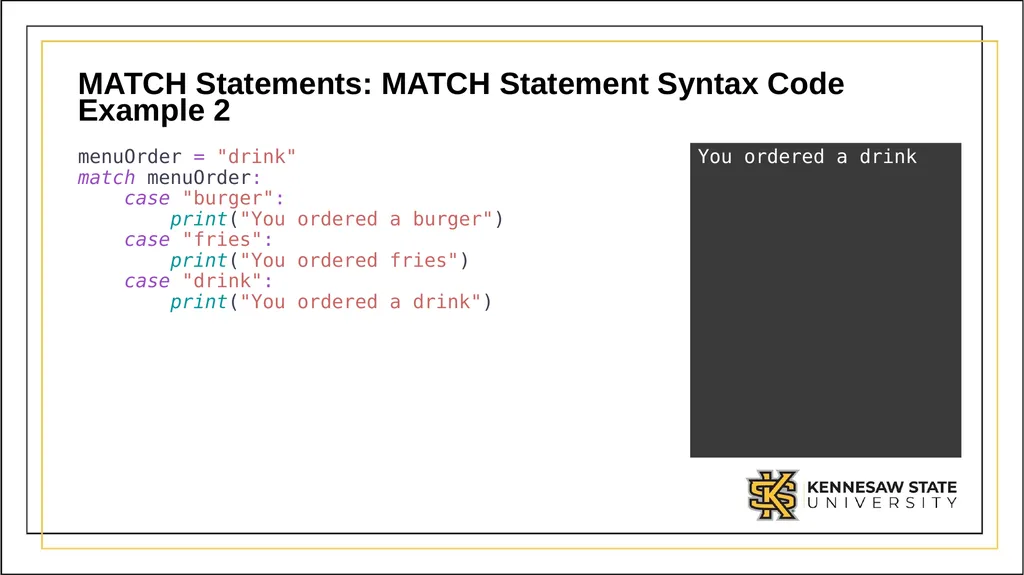
MATCH Statements: MATCH Statement Syntax Code Example 2 menuOrder = "drink"
match menuOrder:
case "burger":
print("You ordered a burger")
case "fries":
print("You ordered fries")
case "drink":
print("You ordered a drink") You ordered a drink<br>
37
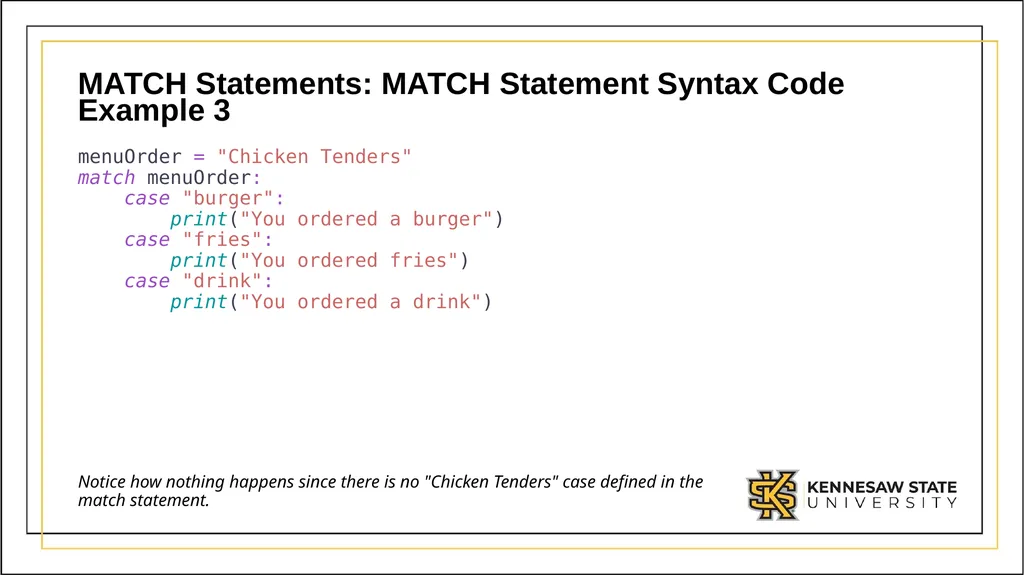
MATCH Statements: MATCH Statement Syntax Code Example 3 menuOrder = "Chicken Tenders"
match menuOrder:
case "burger":
print("You ordered a burger")
case "fries":
print("You ordered fries")
case "drink":
print("You ordered a drink") Notice how nothing happens since there is no "Chicken Tenders" case defined in the match statement.<br>
38
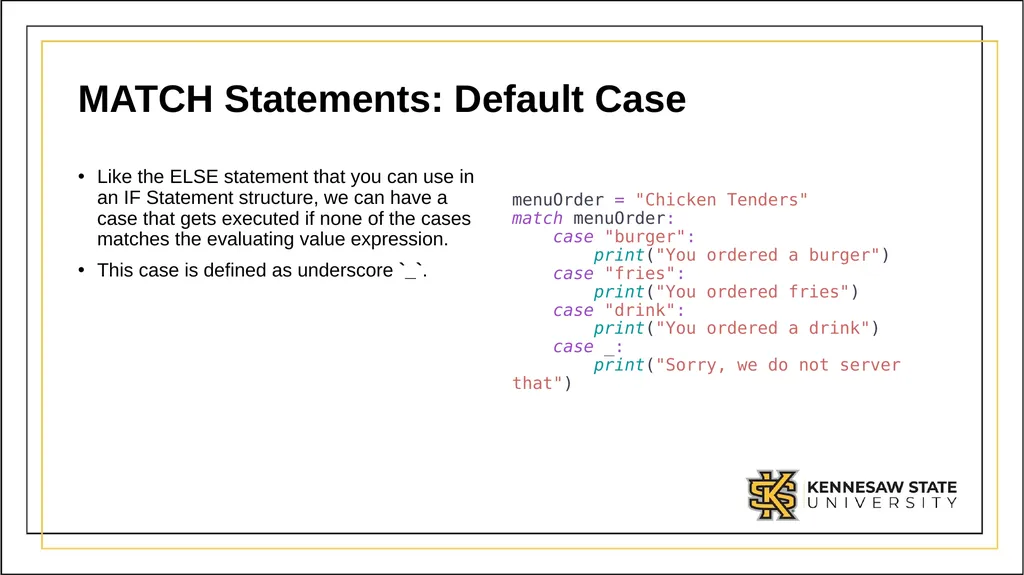
MATCH Statements: Default Case Like the ELSE statement that you can use in an IF Statement structure, we can have a case that gets executed if none of the cases matches the evaluating value expression.
This case is defined as underscore `_`. menuOrder = "Chicken Tenders" match menuOrder: case "burger": print("You ordered a burger") case "fries": print("You ordered fries") case "drink": print("You ordered a drink")
case _: print("Sorry, we do not server that")<br>
This case is defined as underscore `_`. menuOrder = "Chicken Tenders" match menuOrder: case "burger": print("You ordered a burger") case "fries": print("You ordered fries") case "drink": print("You ordered a drink")
case _: print("Sorry, we do not server that")<br>
39
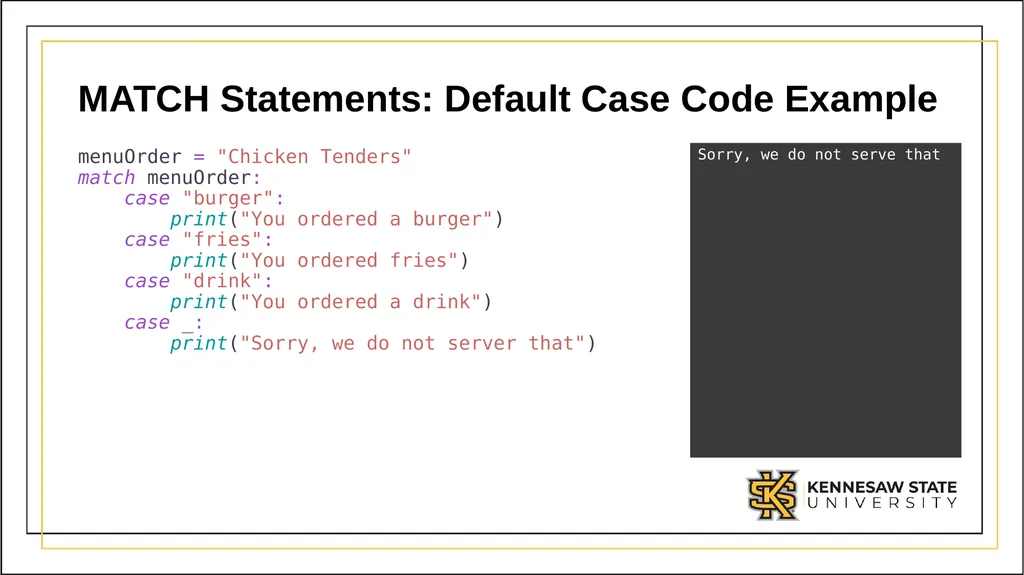
MATCH Statements: Default Case Code Example menuOrder = "Chicken Tenders"
match menuOrder:
case "burger":
print("You ordered a burger")
case "fries":
print("You ordered fries")
case "drink":
print("You ordered a drink")
case _: print("Sorry, we do not server that") Sorry, we do not serve that<br>
case _: print("Sorry, we do not server that") Sorry, we do not serve that<br>
40
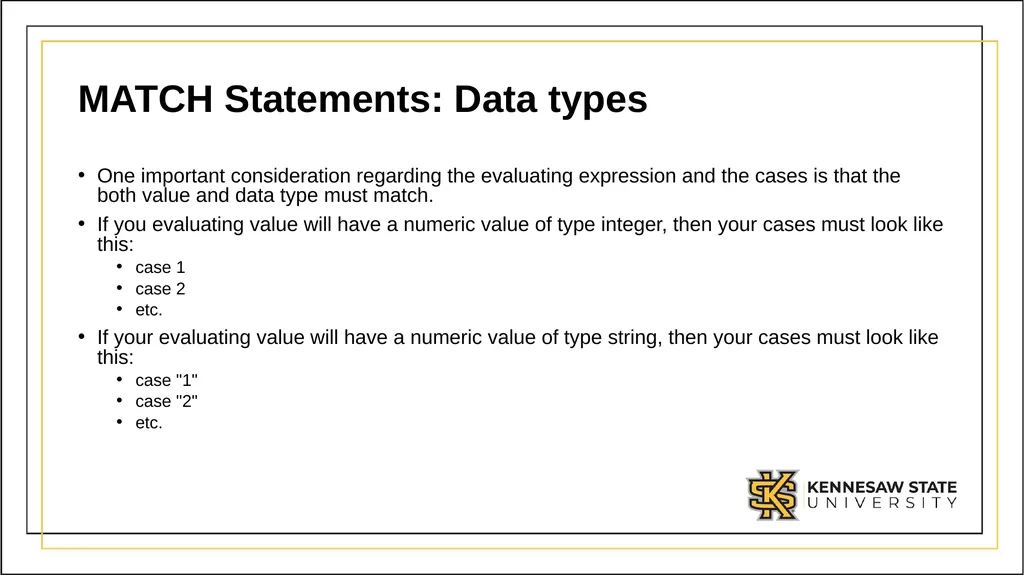
MATCH Statements: Data types One important consideration regarding the evaluating expression and the cases is that the both value and data type must match.
If you evaluating value will have a numeric value of type integer, then your cases must look like this:
case 1
case 2
etc.
If your evaluating value will have a numeric value of type string, then your cases must look like this:
case "1"
case "2"
etc.<br>
If you evaluating value will have a numeric value of type integer, then your cases must look like this:
case 1
case 2
etc.
If your evaluating value will have a numeric value of type string, then your cases must look like this:
case "1"
case "2"
etc.<br>
41
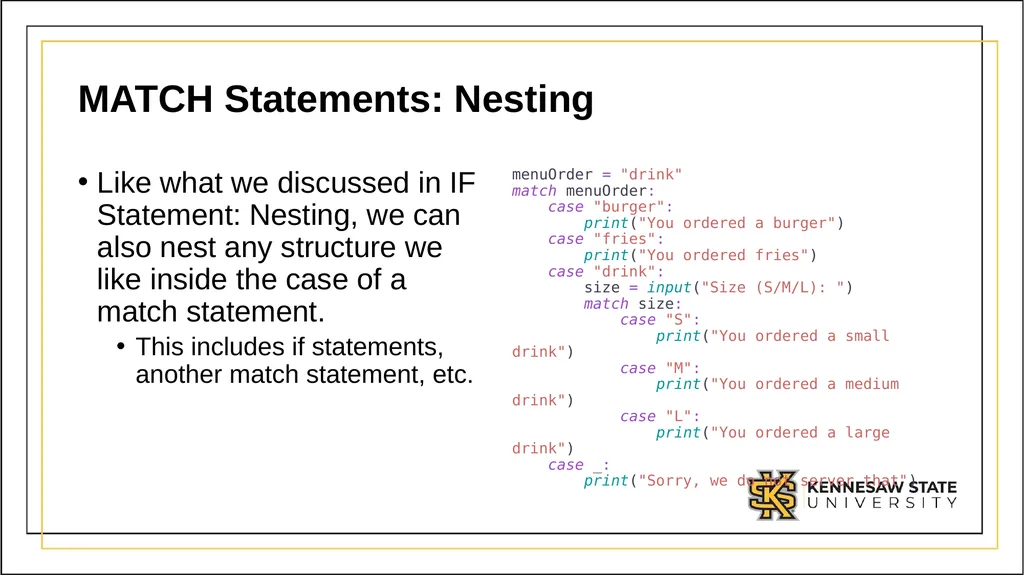
MATCH Statements: Nesting Like what we discussed in IF Statement: Nesting, we can also nest any structure we like inside the case of a match statement.
This includes if statements, another match statement, etc. menuOrder = "drink" match menuOrder: case "burger": print("You ordered a burger") case "fries": print("You ordered fries") case "drink": size = input("Size (S/M/L): ") match size: case "S": print("You ordered a small drink") case "M": print("You ordered a medium drink") case "L": print("You ordered a large drink") case _: print("Sorry, we do not server that")<br>
This includes if statements, another match statement, etc. menuOrder = "drink" match menuOrder: case "burger": print("You ordered a burger") case "fries": print("You ordered fries") case "drink": size = input("Size (S/M/L): ") match size: case "S": print("You ordered a small drink") case "M": print("You ordered a medium drink") case "L": print("You ordered a large drink") case _: print("Sorry, we do not server that")<br>
42
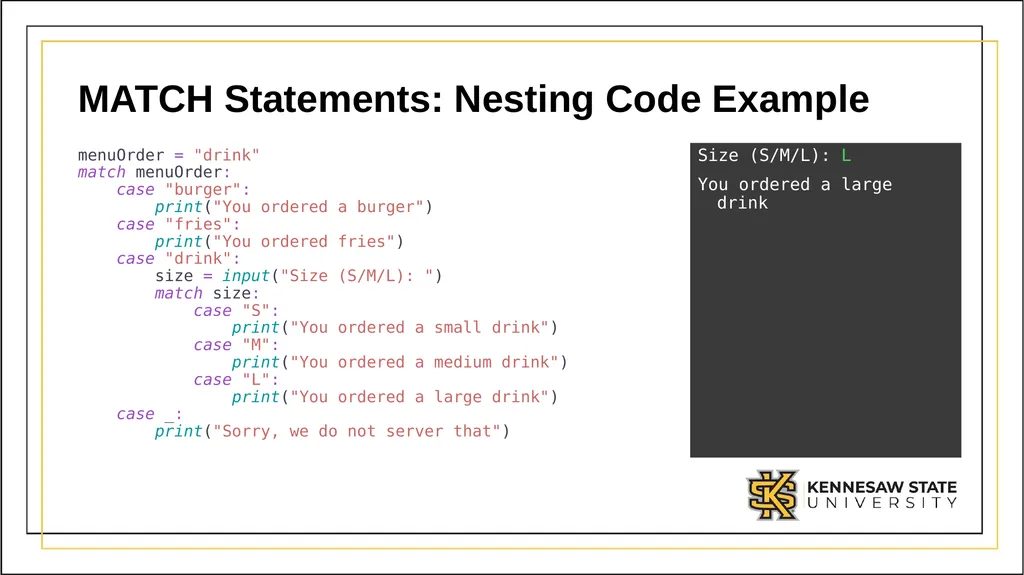
MATCH Statements: Nesting Code Example menuOrder = "drink"
match menuOrder:
case "burger":
print("You ordered a burger")
case "fries":
print("You ordered fries")
case "drink":
size = input("Size (S/M/L): ")
match size:
case "S":
print("You ordered a small drink")
case "M":
print("You ordered a medium drink")
case "L":
print("You ordered a large drink")
case _:
print("Sorry, we do not server that") Size (S/M/L): L
You ordered a large drink<br>
You ordered a large drink<br>