
CSS for Styling CS380 1 The good, the bad and
OM
Published · 31 slides · 0 views

1 / 1

Description
CSS for Styling CS380 1 The good, the bad and the ugly! Tags such as b, i, u, and font are discouraged in strict XHTML Why is this bad? CS380 2 p font faceArialShashdot.font News for bnerds!!b You will ineveri,
Related Topics
Share
Embed code
Download this presentation From Below
"CSS for Styling CS380 1 The good, the bad and" is the property of its rightful owner. Permission is granted to download and print the materials on this website for personal, non-commercial use only, and to display it on your personal computer provided you do not modify the materials and that you retain all copyright notices contained in the materials. By downloading content from our website, you accept the terms of this agreement.
Presentation Transcript
01
CSS for Styling CS380 1<br>
02
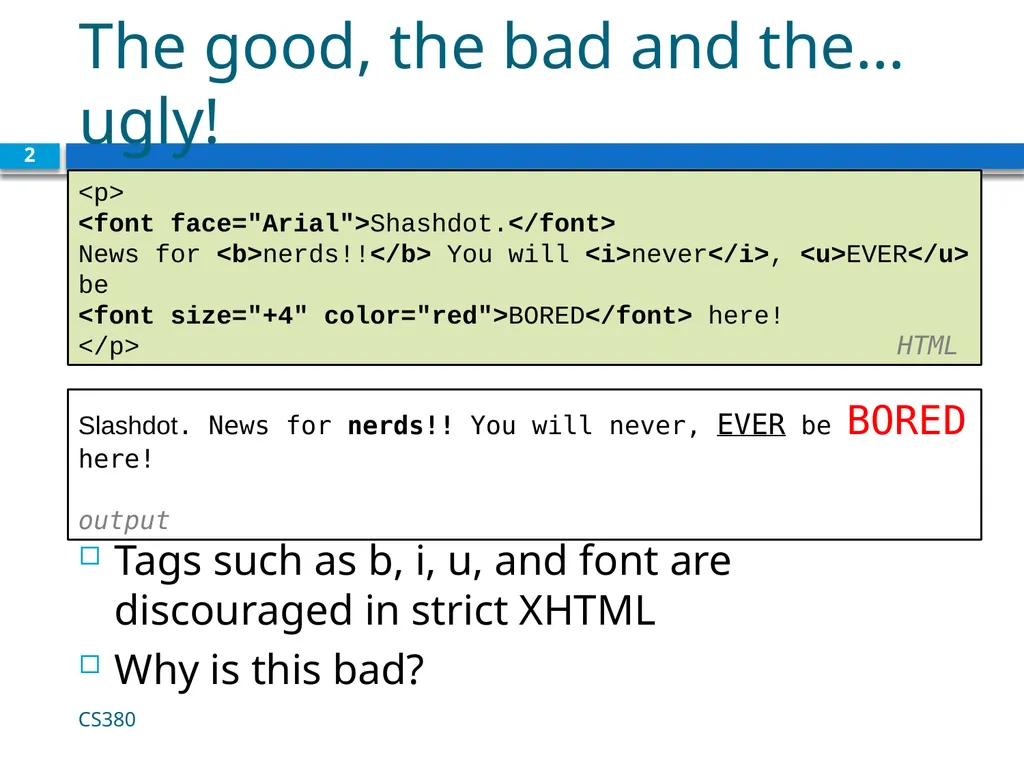
The good, the bad and the… ugly! Tags such as b, i, u, and font are discouraged in strict XHTML
Why is this bad? CS380 2 <p>
<font face="Arial">Shashdot.</font>
News for <b>nerds!!</b> You will <i>never</i>, <u>EVER</u> be
<font size="+4" color="red">BORED</font> here!
</p> HTML Slashdot. News for nerds!! You will never, EVER be BORED here!
output<br>
Why is this bad? CS380 2 <p>
<font face="Arial">Shashdot.</font>
News for <b>nerds!!</b> You will <i>never</i>, <u>EVER</u> be
<font size="+4" color="red">BORED</font> here!
</p> HTML Slashdot. News for nerds!! You will never, EVER be BORED here!
output<br>
03
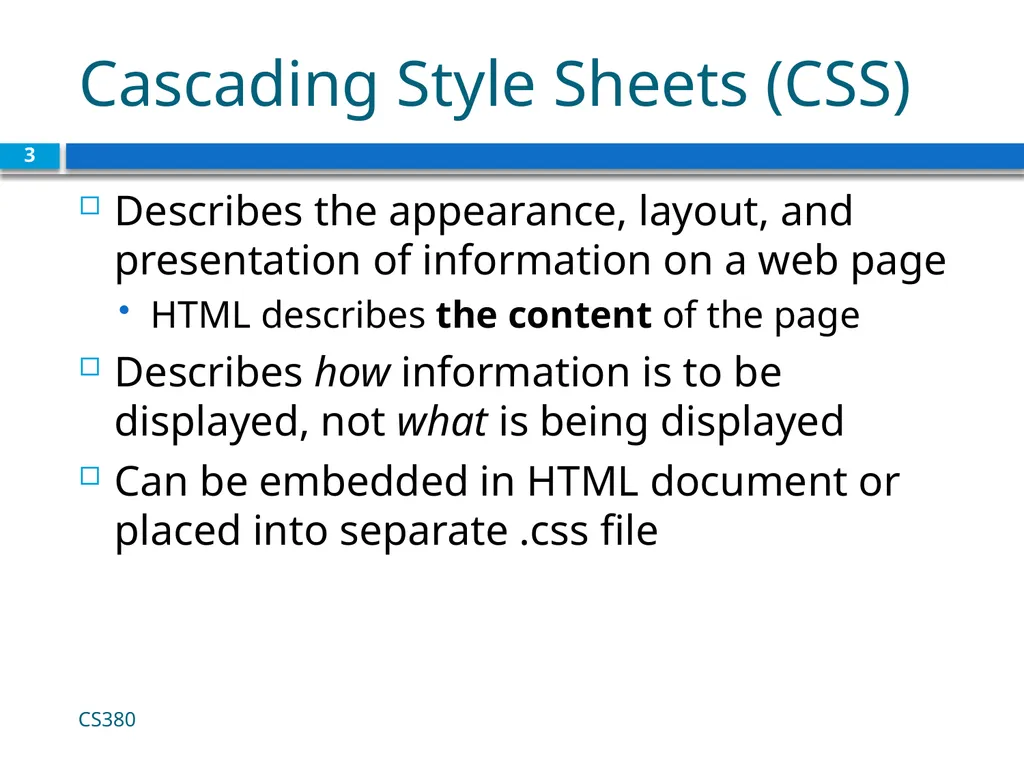
Cascading Style Sheets (CSS) Describes the appearance, layout, and presentation of information on a web page
HTML describes the content of the page
Describes how information is to be displayed, not what is being displayed
Can be embedded in HTML document or placed into separate .css file CS380 3<br>
HTML describes the content of the page
Describes how information is to be displayed, not what is being displayed
Can be embedded in HTML document or placed into separate .css file CS380 3<br>
04
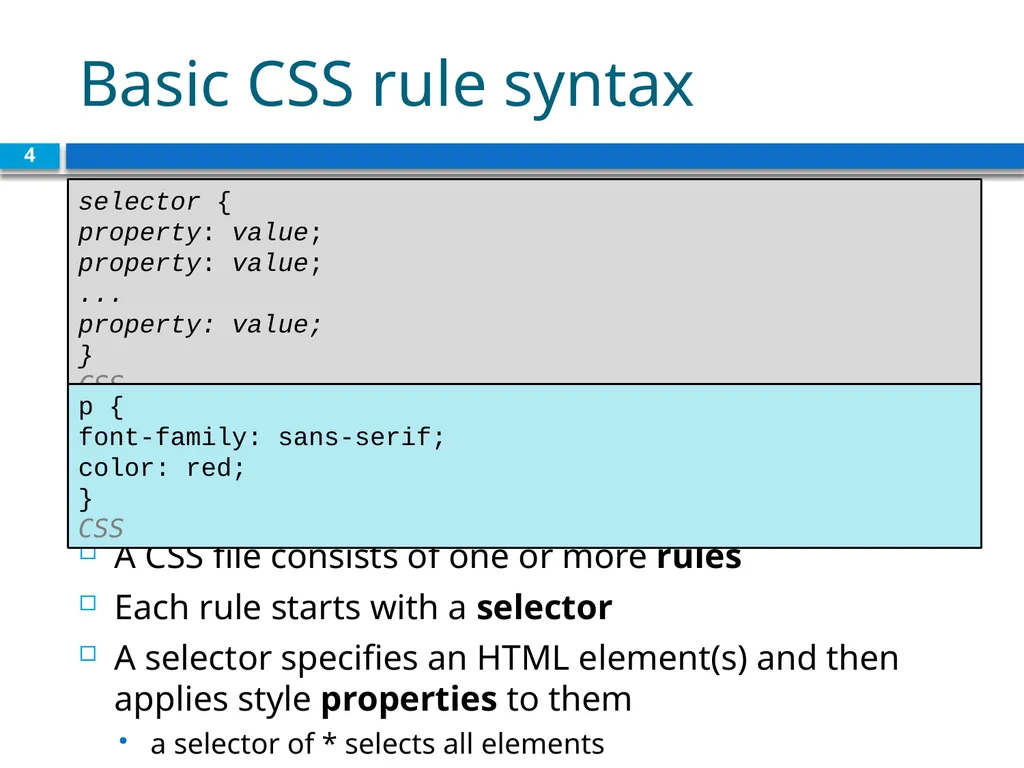
Basic CSS rule syntax A CSS file consists of one or more rules
Each rule starts with a selector
A selector specifies an HTML element(s) and then applies style properties to them
a selector of * selects all elements 4 selector {
property: value;
property: value;
...
property: value;
} CSS p {
font-family: sans-serif;
color: red;
} CSS<br>
Each rule starts with a selector
A selector specifies an HTML element(s) and then applies style properties to them
a selector of * selects all elements 4 selector {
property: value;
property: value;
...
property: value;
} CSS p {
font-family: sans-serif;
color: red;
} CSS<br>
05
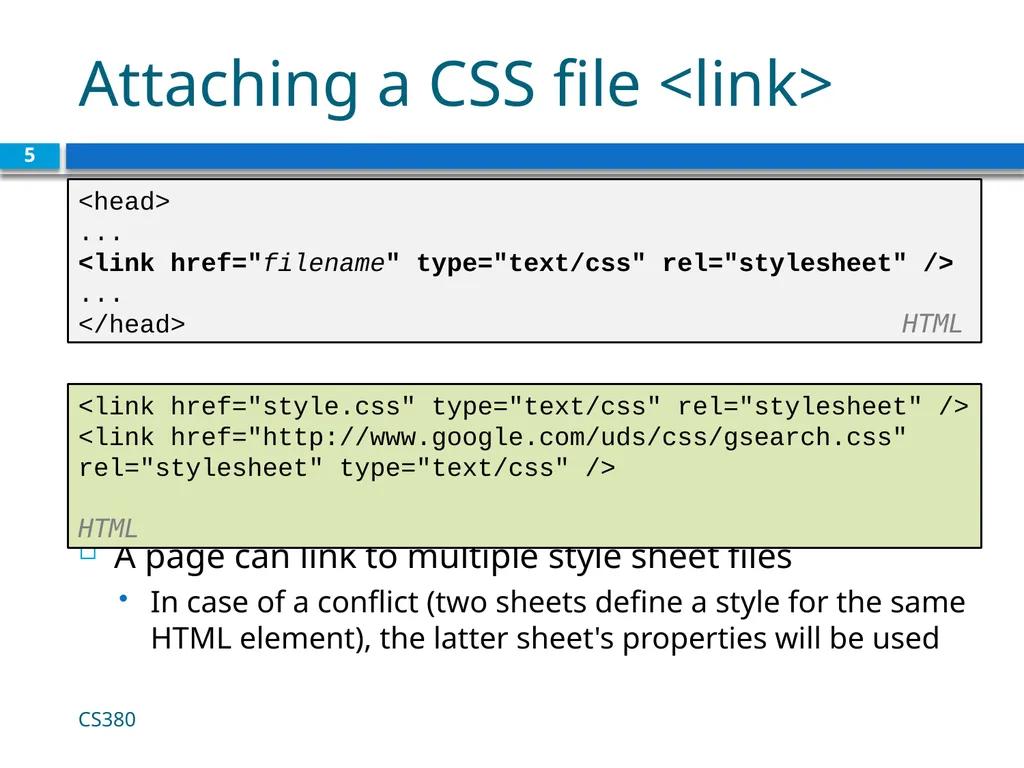
Attaching a CSS file <link> A page can link to multiple style sheet files
In case of a conflict (two sheets define a style for the same HTML element), the latter sheet's properties will be used 5 <head>
...
<link href="filename" type="text/css" rel="stylesheet" />
...
</head> HTML <link href="style.css" type="text/css" rel="stylesheet" />
<link href="http://www.google.com/uds/css/gsearch.css"
rel="stylesheet" type="text/css" /> HTML CS380<br>
In case of a conflict (two sheets define a style for the same HTML element), the latter sheet's properties will be used 5 <head>
...
<link href="filename" type="text/css" rel="stylesheet" />
...
</head> HTML <link href="style.css" type="text/css" rel="stylesheet" />
<link href="http://www.google.com/uds/css/gsearch.css"
rel="stylesheet" type="text/css" /> HTML CS380<br>
06
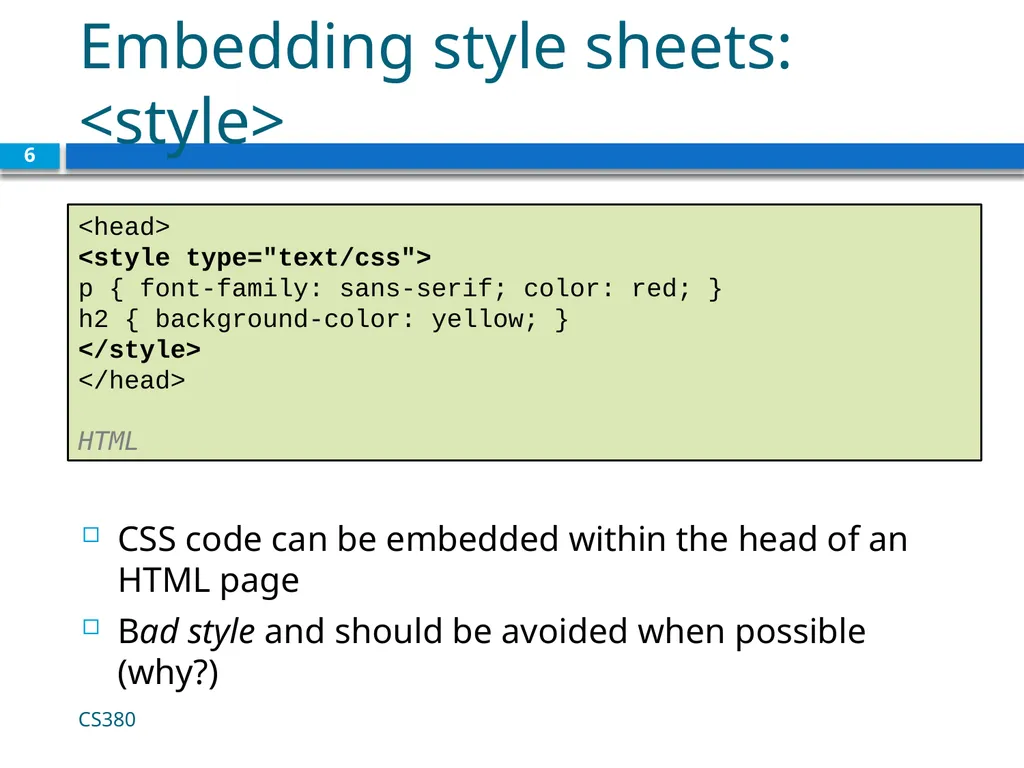
Embedding style sheets: <style> CSS code can be embedded within the head of an HTML page
Bad style and should be avoided when possible (why?) 6 <head>
<style type="text/css">
p { font-family: sans-serif; color: red; }
h2 { background-color: yellow; }
</style>
</head>
HTML CS380<br>
Bad style and should be avoided when possible (why?) 6 <head>
<style type="text/css">
p { font-family: sans-serif; color: red; }
h2 { background-color: yellow; }
</style>
</head>
HTML CS380<br>
07
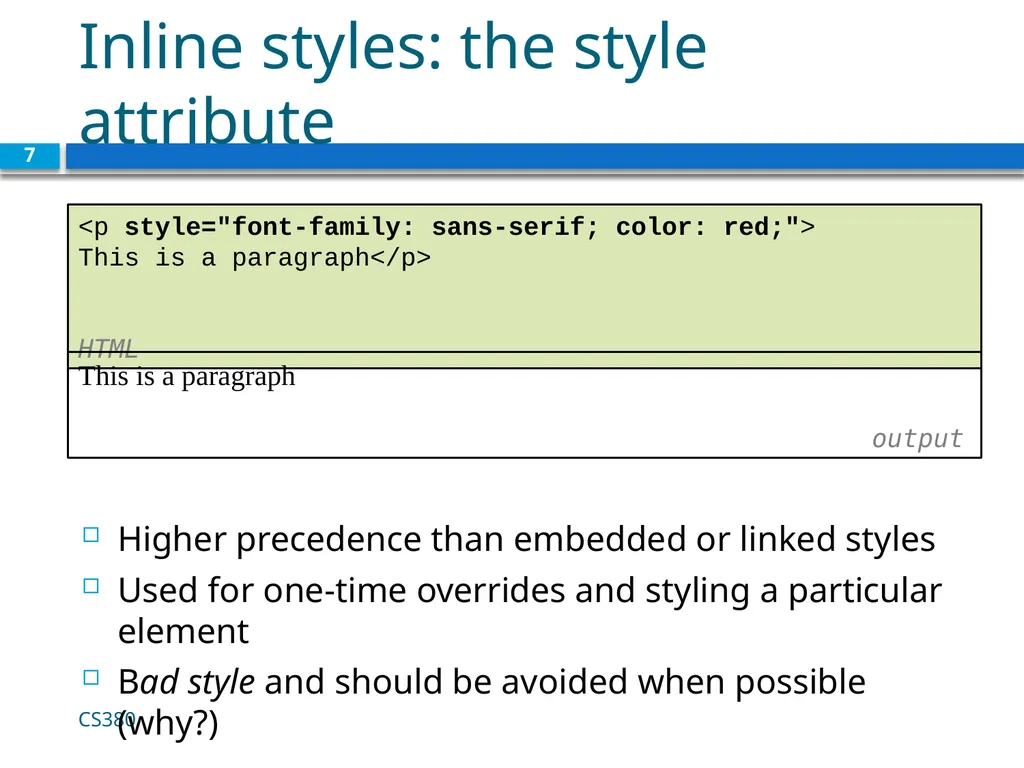
Inline styles: the style attribute Higher precedence than embedded or linked styles
Used for one-time overrides and styling a particular element
Bad style and should be avoided when possible (why?) 7 <p style="font-family: sans-serif; color: red;">
This is a paragraph</p>
HTML CS380 This is a paragraph
output<br>
Used for one-time overrides and styling a particular element
Bad style and should be avoided when possible (why?) 7 <p style="font-family: sans-serif; color: red;">
This is a paragraph</p>
HTML CS380 This is a paragraph
output<br>
08
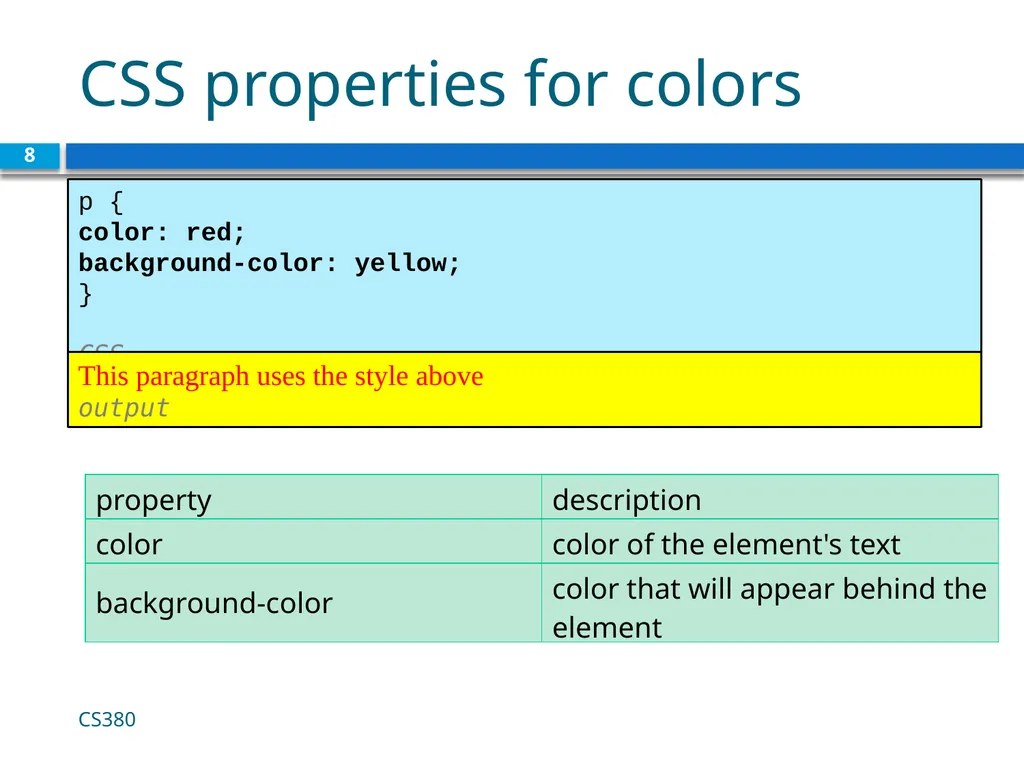
CSS properties for colors 8 p {
color: red;
background-color: yellow;
}
CSS CS380 This paragraph uses the style above output<br>
color: red;
background-color: yellow;
}
CSS CS380 This paragraph uses the style above output<br>
09
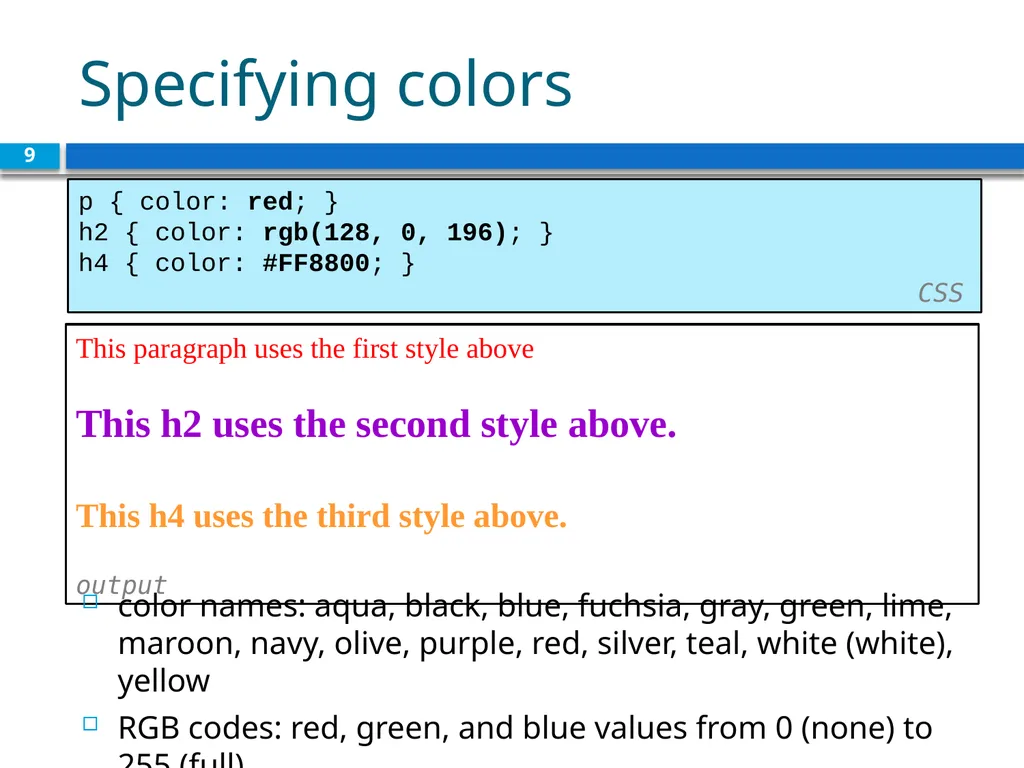
Specifying colors 9 p { color: red; }
h2 { color: rgb(128, 0, 196); }
h4 { color: #FF8800; } CSS This paragraph uses the first style above
This h2 uses the second style above.
This h4 uses the third style above.
output color names: aqua, black, blue, fuchsia, gray, green, lime, maroon, navy, olive, purple, red, silver, teal, white (white), yellow
RGB codes: red, green, and blue values from 0 (none) to 255 (full)
hex codes: RGB values in base-16 from 00 (0, none) to FF (255, full)<br>
h2 { color: rgb(128, 0, 196); }
h4 { color: #FF8800; } CSS This paragraph uses the first style above
This h2 uses the second style above.
This h4 uses the third style above.
output color names: aqua, black, blue, fuchsia, gray, green, lime, maroon, navy, olive, purple, red, silver, teal, white (white), yellow
RGB codes: red, green, and blue values from 0 (none) to 255 (full)
hex codes: RGB values in base-16 from 00 (0, none) to FF (255, full)<br>
10
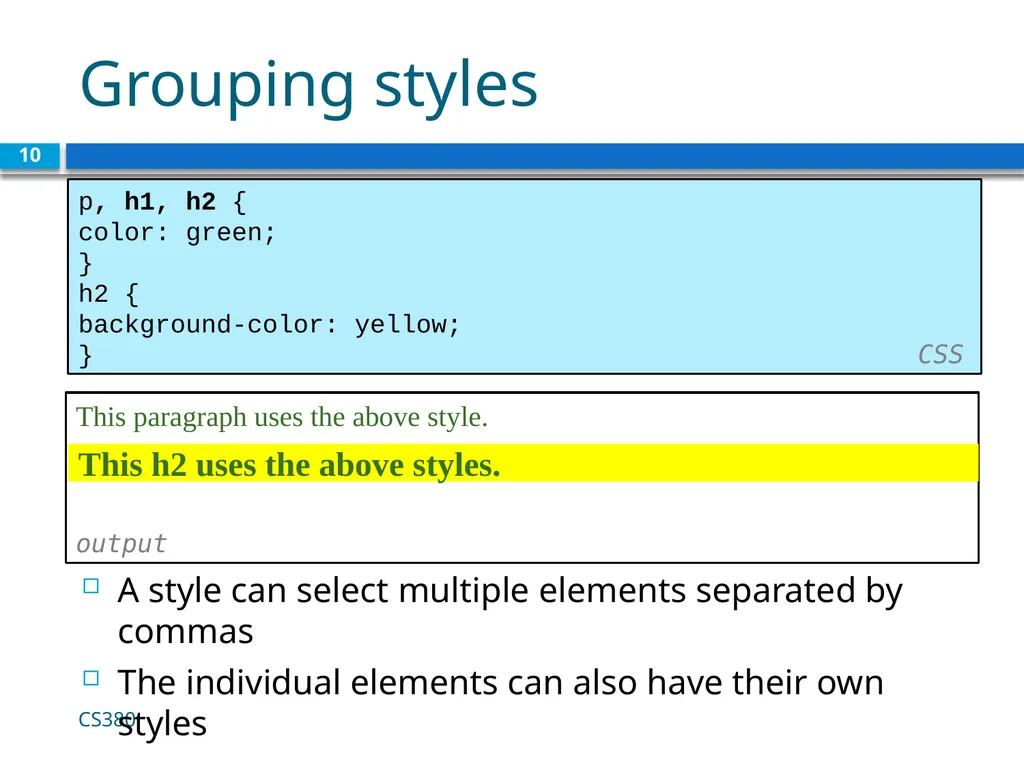
Grouping styles 10 p, h1, h2 {
color: green;
}
h2 {
background-color: yellow;
} CSS This paragraph uses the above style.
output This h2 uses the above styles. A style can select multiple elements separated by commas
The individual elements can also have their own styles CS380<br>
color: green;
}
h2 {
background-color: yellow;
} CSS This paragraph uses the above style.
output This h2 uses the above styles. A style can select multiple elements separated by commas
The individual elements can also have their own styles CS380<br>
11
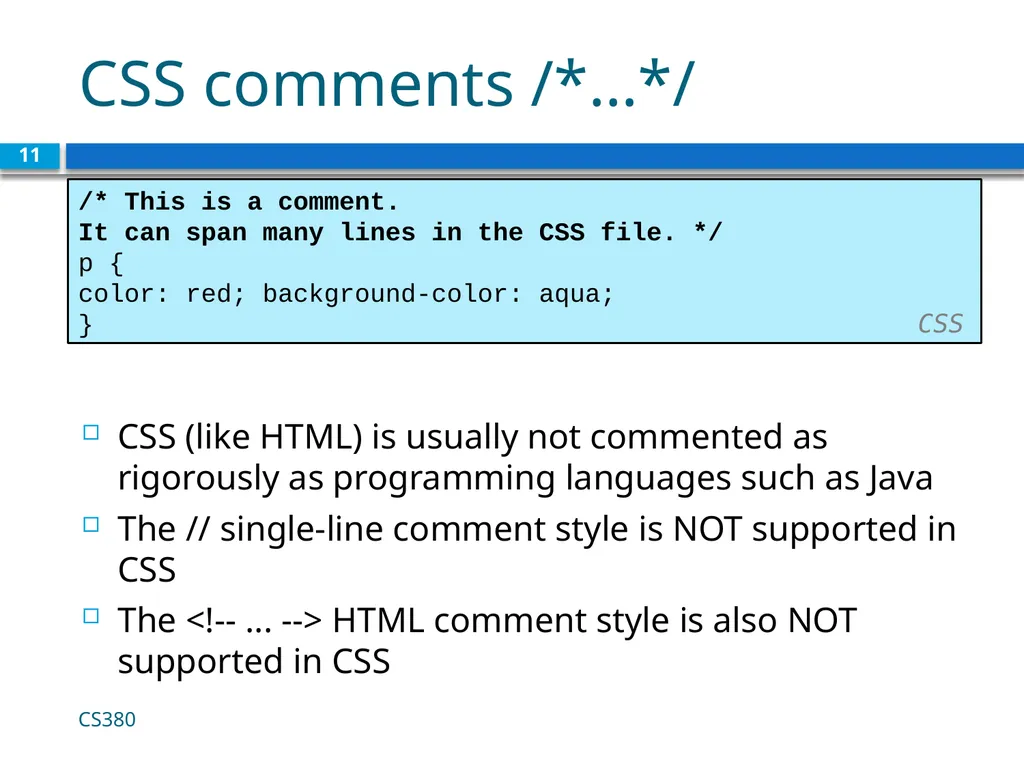
CSS comments /*…*/ 11 /* This is a comment.
It can span many lines in the CSS file. */
p {
color: red; background-color: aqua;
} CSS CSS (like HTML) is usually not commented as rigorously as programming languages such as Java
The // single-line comment style is NOT supported in CSS
The <!-- ... --> HTML comment style is also NOT supported in CSS CS380<br>
It can span many lines in the CSS file. */
p {
color: red; background-color: aqua;
} CSS CSS (like HTML) is usually not commented as rigorously as programming languages such as Java
The // single-line comment style is NOT supported in CSS
The <!-- ... --> HTML comment style is also NOT supported in CSS CS380<br>
12
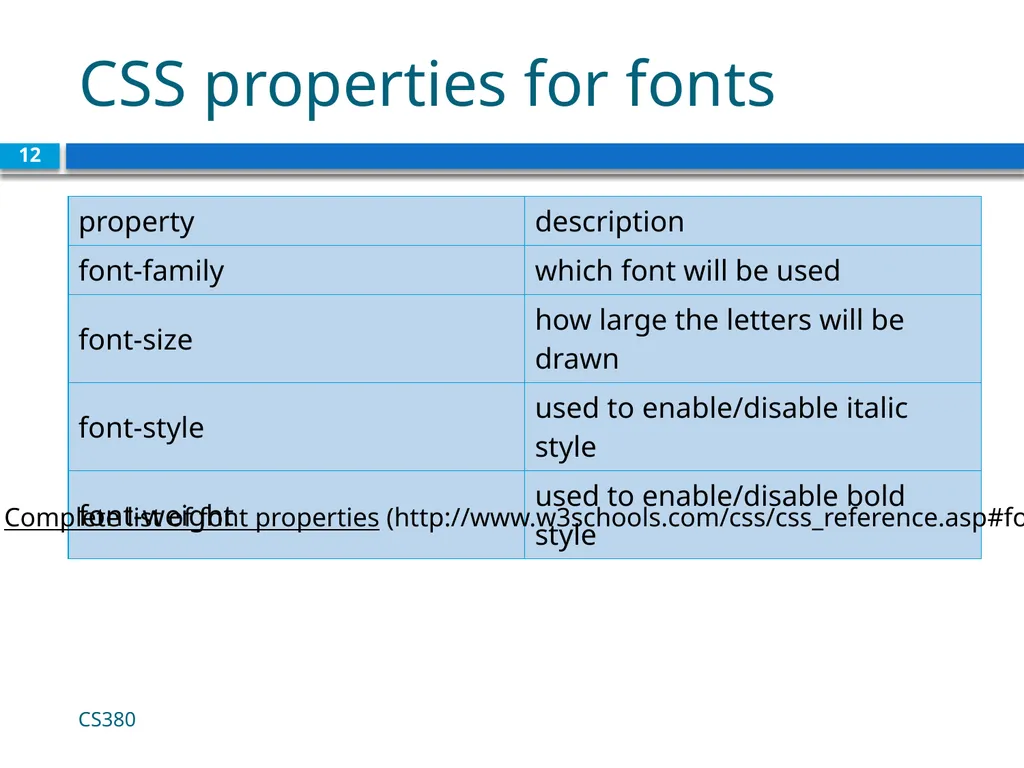
CSS properties for fonts CS380 12 Complete list of font properties (http://www.w3schools.com/css/css_reference.asp#font)<br>
13
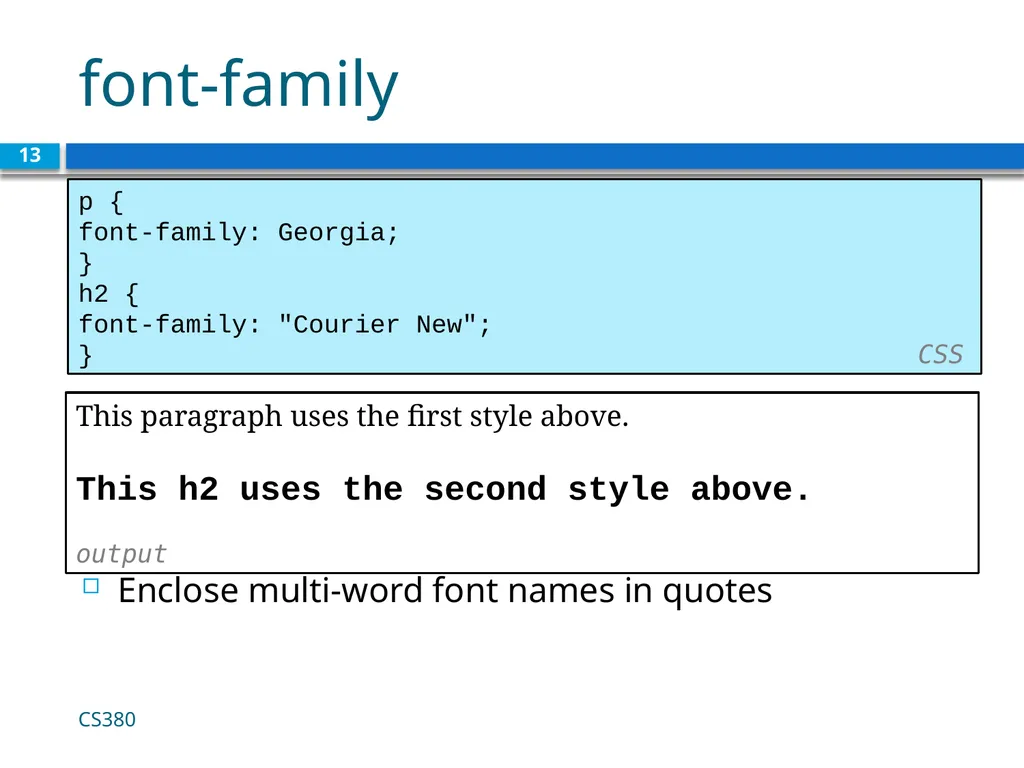
font-family 13 p {
font-family: Georgia;
}
h2 {
font-family: "Courier New";
} CSS This paragraph uses the first style above.
This h2 uses the second style above.
output Enclose multi-word font names in quotes CS380<br>
font-family: Georgia;
}
h2 {
font-family: "Courier New";
} CSS This paragraph uses the first style above.
This h2 uses the second style above.
output Enclose multi-word font names in quotes CS380<br>
14
More about font-family 14 p {
font-family: Garamond, "Times New Roman", serif;
} CSS This paragraph uses the above style. output We can specify multiple fonts from highest to lowest priority
Generic font names:
serif, sans-serif, cursive, fantasy, monospace
If the first font is not found on the user's computer, the next is tried
Placing a generic font name at the end of your font-family value, ensures that every computer will use a valid font CS380<br>
font-family: Garamond, "Times New Roman", serif;
} CSS This paragraph uses the above style. output We can specify multiple fonts from highest to lowest priority
Generic font names:
serif, sans-serif, cursive, fantasy, monospace
If the first font is not found on the user's computer, the next is tried
Placing a generic font name at the end of your font-family value, ensures that every computer will use a valid font CS380<br>
15
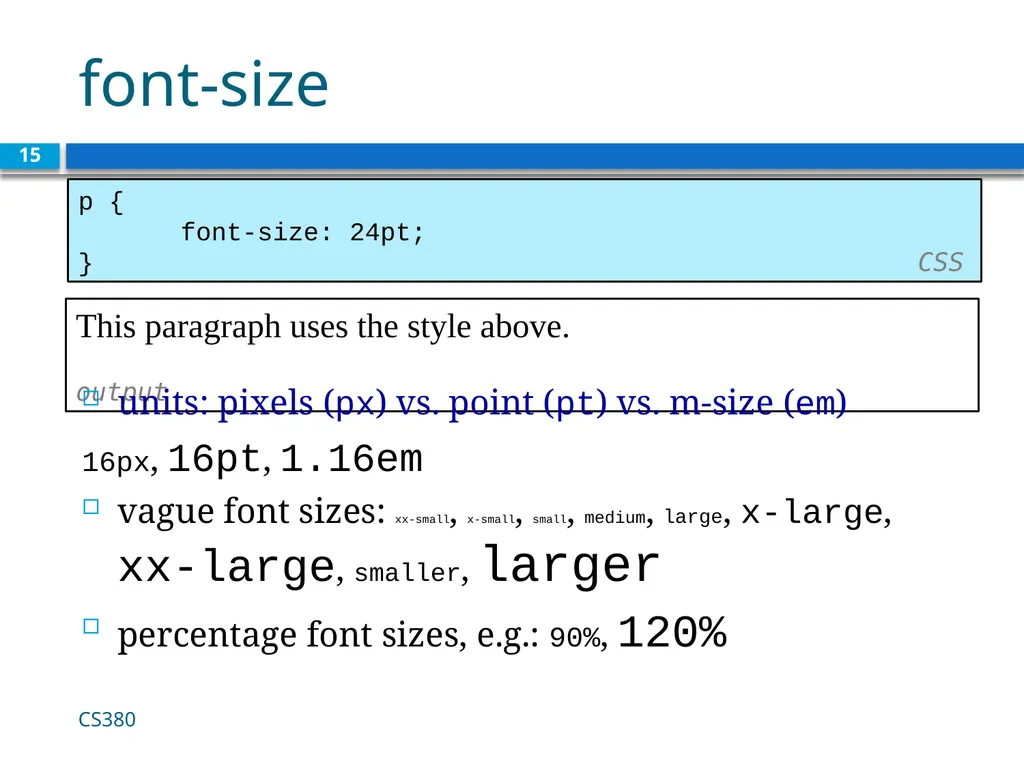
font-size 15 p {
font-size: 24pt;
} CSS This paragraph uses the style above. output units: pixels (px) vs. point (pt) vs. m-size (em)
16px, 16pt, 1.16em
vague font sizes: xx-small, x-small, small, medium, large, x-large, xx-large, smaller, larger
percentage font sizes, e.g.: 90%, 120% CS380<br>
font-size: 24pt;
} CSS This paragraph uses the style above. output units: pixels (px) vs. point (pt) vs. m-size (em)
16px, 16pt, 1.16em
vague font sizes: xx-small, x-small, small, medium, large, x-large, xx-large, smaller, larger
percentage font sizes, e.g.: 90%, 120% CS380<br>
16
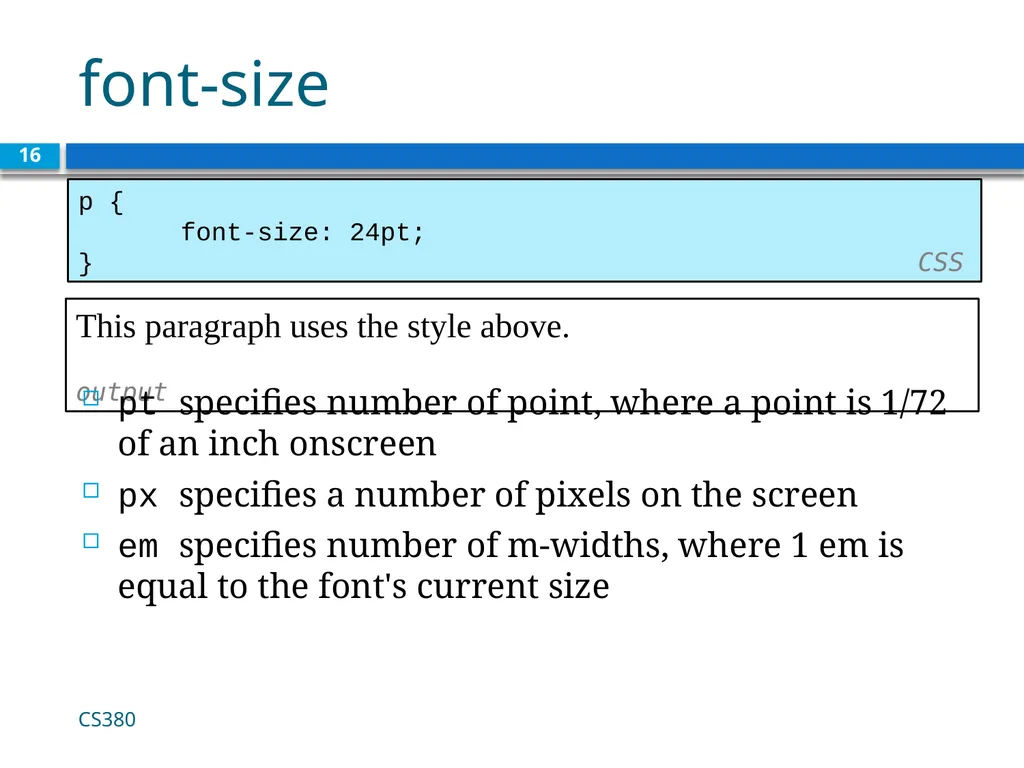
font-size 16 p {
font-size: 24pt;
} CSS This paragraph uses the style above. output pt specifies number of point, where a point is 1/72 of an inch onscreen
px specifies a number of pixels on the screen
em specifies number of m-widths, where 1 em is equal to the font's current size CS380<br>
font-size: 24pt;
} CSS This paragraph uses the style above. output pt specifies number of point, where a point is 1/72 of an inch onscreen
px specifies a number of pixels on the screen
em specifies number of m-widths, where 1 em is equal to the font's current size CS380<br>
17
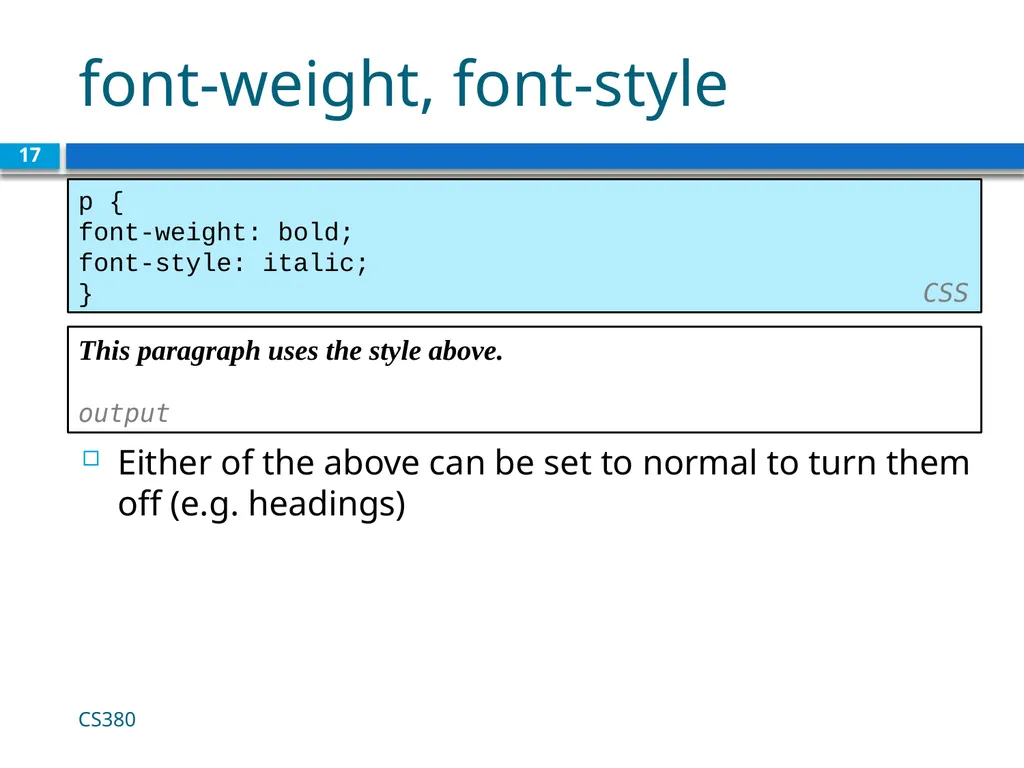
font-weight, font-style 17 p {
font-weight: bold;
font-style: italic;
} CSS This paragraph uses the style above. output Either of the above can be set to normal to turn them off (e.g. headings) CS380<br>
font-weight: bold;
font-style: italic;
} CSS This paragraph uses the style above. output Either of the above can be set to normal to turn them off (e.g. headings) CS380<br>
18
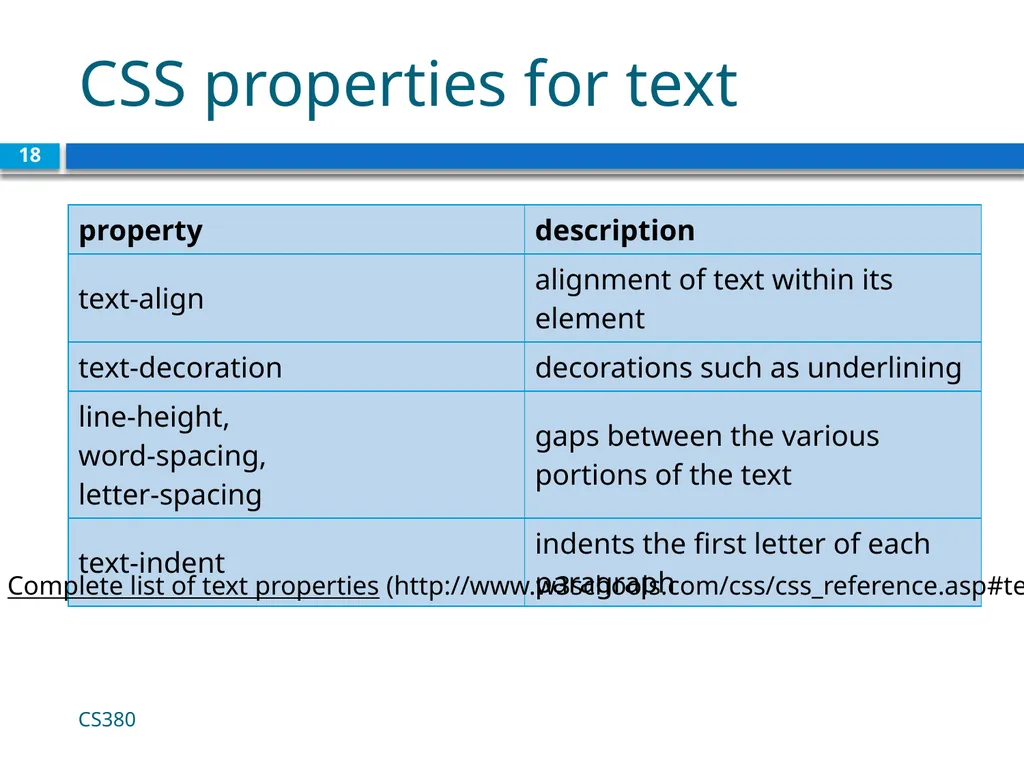
CSS properties for text CS380 18 Complete list of text properties (http://www.w3schools.com/css/css_reference.asp#text)<br>
19
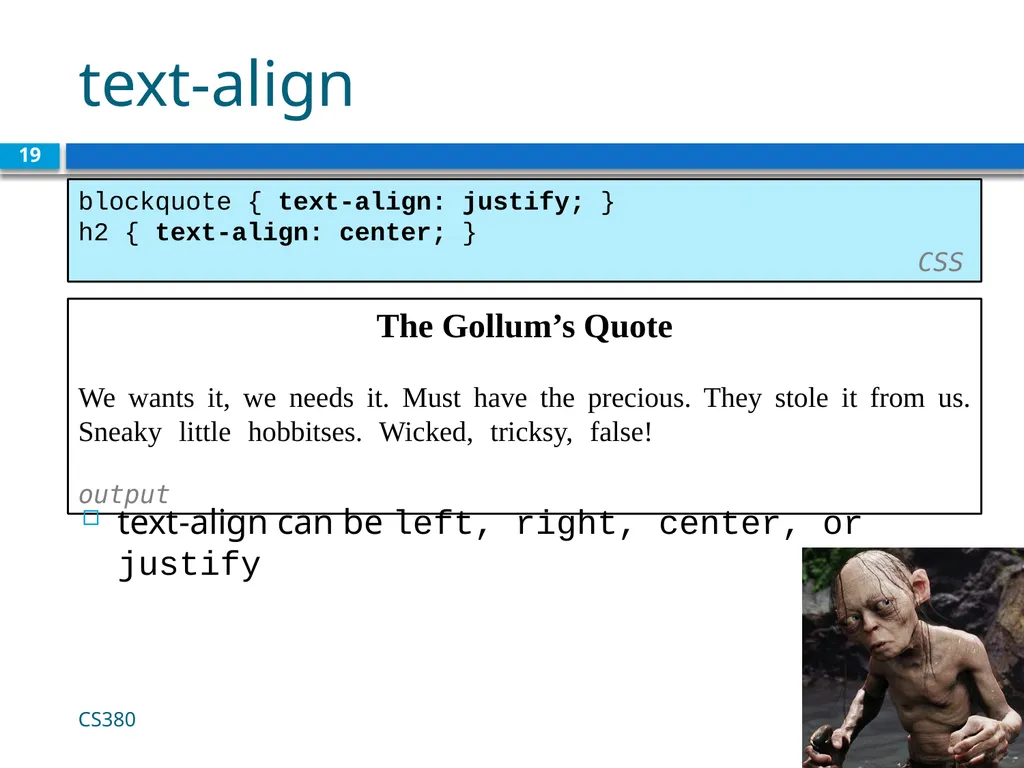
text-align 19 blockquote { text-align: justify; }
h2 { text-align: center; } CSS The Gollum’s Quote
We wants it, we needs it. Must have the precious. They stole it from us. Sneaky little hobbitses. Wicked, tricksy, false! output text-align can be left, right, center, or justify CS380<br>
h2 { text-align: center; } CSS The Gollum’s Quote
We wants it, we needs it. Must have the precious. They stole it from us. Sneaky little hobbitses. Wicked, tricksy, false! output text-align can be left, right, center, or justify CS380<br>
20
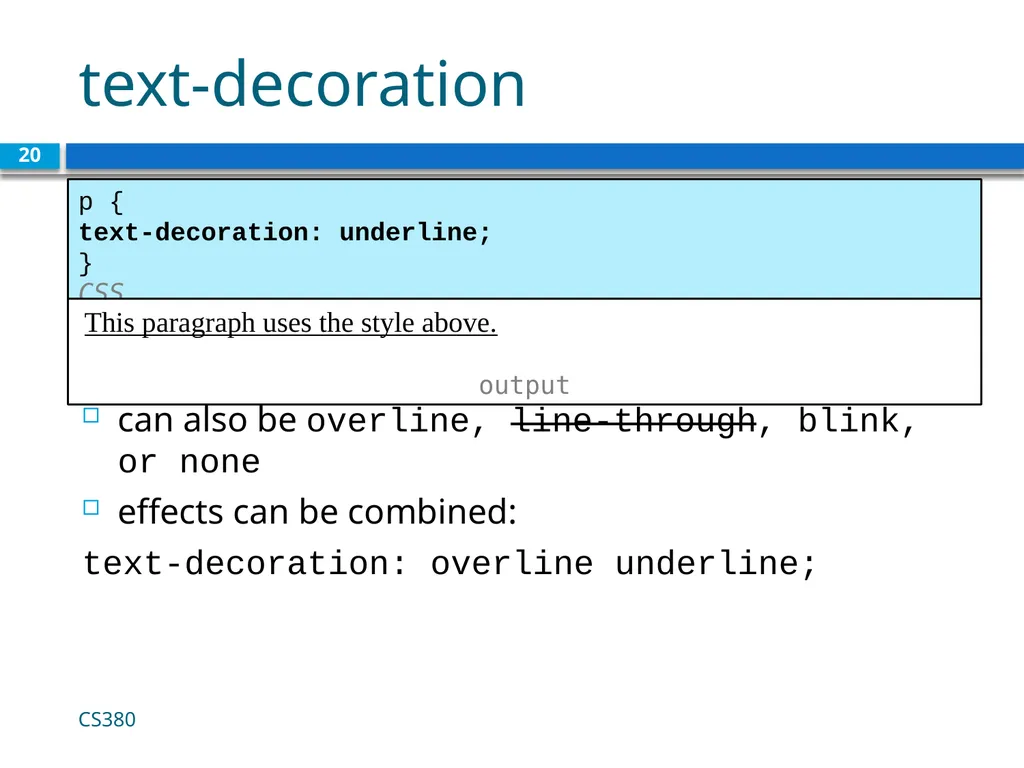
text-decoration 20 p {
text-decoration: underline;
} CSS This paragraph uses the style above. output can also be overline, line-through, blink, or none
effects can be combined:
text-decoration: overline underline; CS380<br>
text-decoration: underline;
} CSS This paragraph uses the style above. output can also be overline, line-through, blink, or none
effects can be combined:
text-decoration: overline underline; CS380<br>
21
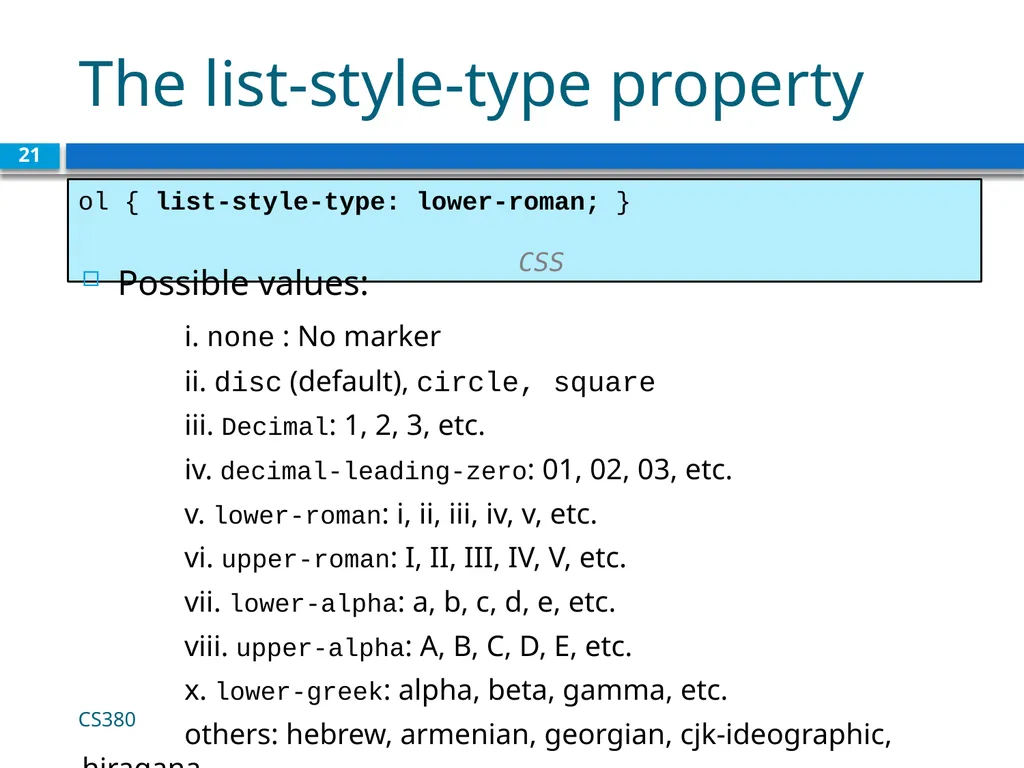
The list-style-type property 21 ol { list-style-type: lower-roman; } CSS Possible values:
i. none : No marker
ii. disc (default), circle, square
iii. Decimal: 1, 2, 3, etc.
iv. decimal-leading-zero: 01, 02, 03, etc.
v. lower-roman: i, ii, iii, iv, v, etc.
vi. upper-roman: I, II, III, IV, V, etc.
vii. lower-alpha: a, b, c, d, e, etc.
viii. upper-alpha: A, B, C, D, E, etc.
x. lower-greek: alpha, beta, gamma, etc.
others: hebrew, armenian, georgian, cjk-ideographic, hiragana… CS380<br>
i. none : No marker
ii. disc (default), circle, square
iii. Decimal: 1, 2, 3, etc.
iv. decimal-leading-zero: 01, 02, 03, etc.
v. lower-roman: i, ii, iii, iv, v, etc.
vi. upper-roman: I, II, III, IV, V, etc.
vii. lower-alpha: a, b, c, d, e, etc.
viii. upper-alpha: A, B, C, D, E, etc.
x. lower-greek: alpha, beta, gamma, etc.
others: hebrew, armenian, georgian, cjk-ideographic, hiragana… CS380<br>
22
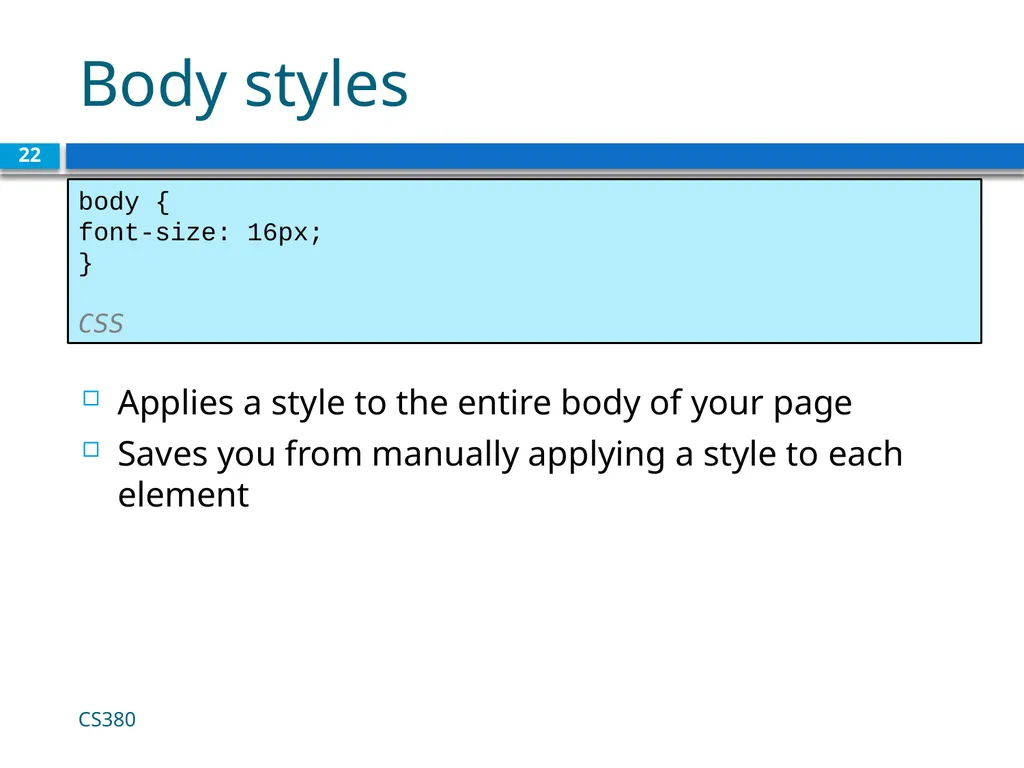
Body styles 22 body {
font-size: 16px;
} CSS Applies a style to the entire body of your page
Saves you from manually applying a style to each element CS380<br>
font-size: 16px;
} CSS Applies a style to the entire body of your page
Saves you from manually applying a style to each element CS380<br>
23
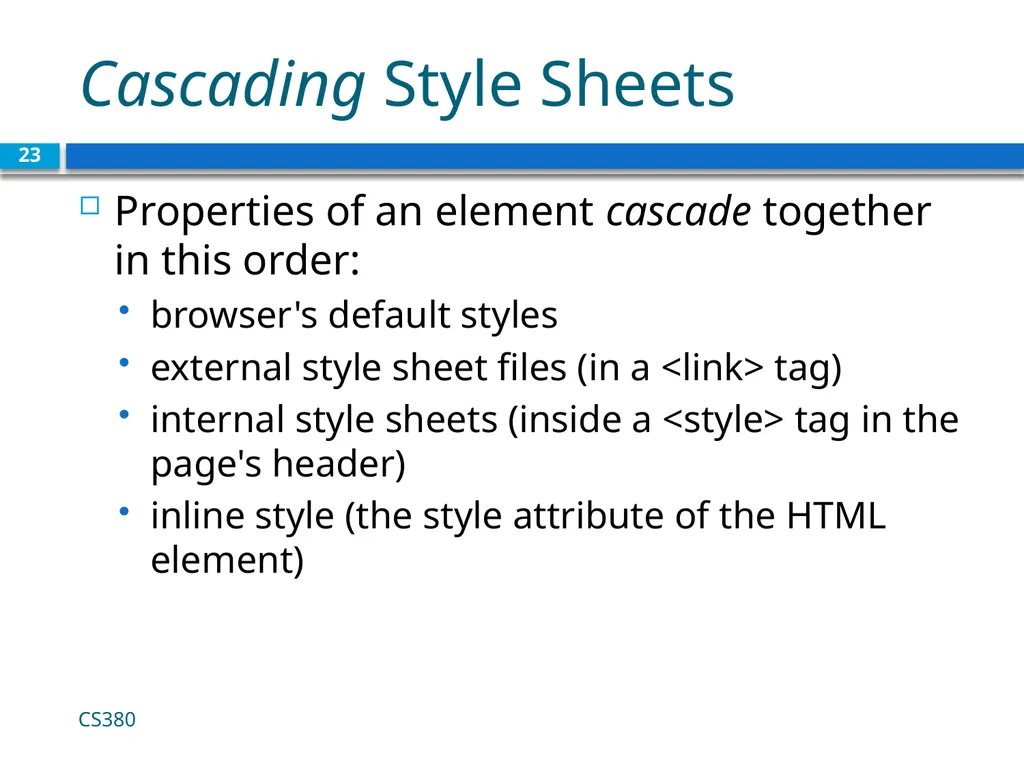
Cascading Style Sheets Properties of an element cascade together in this order:
browser's default styles
external style sheet files (in a <link> tag)
internal style sheets (inside a <style> tag in the page's header)
inline style (the style attribute of the HTML element) CS380 23<br>
browser's default styles
external style sheet files (in a <link> tag)
internal style sheets (inside a <style> tag in the page's header)
inline style (the style attribute of the HTML element) CS380 23<br>
24
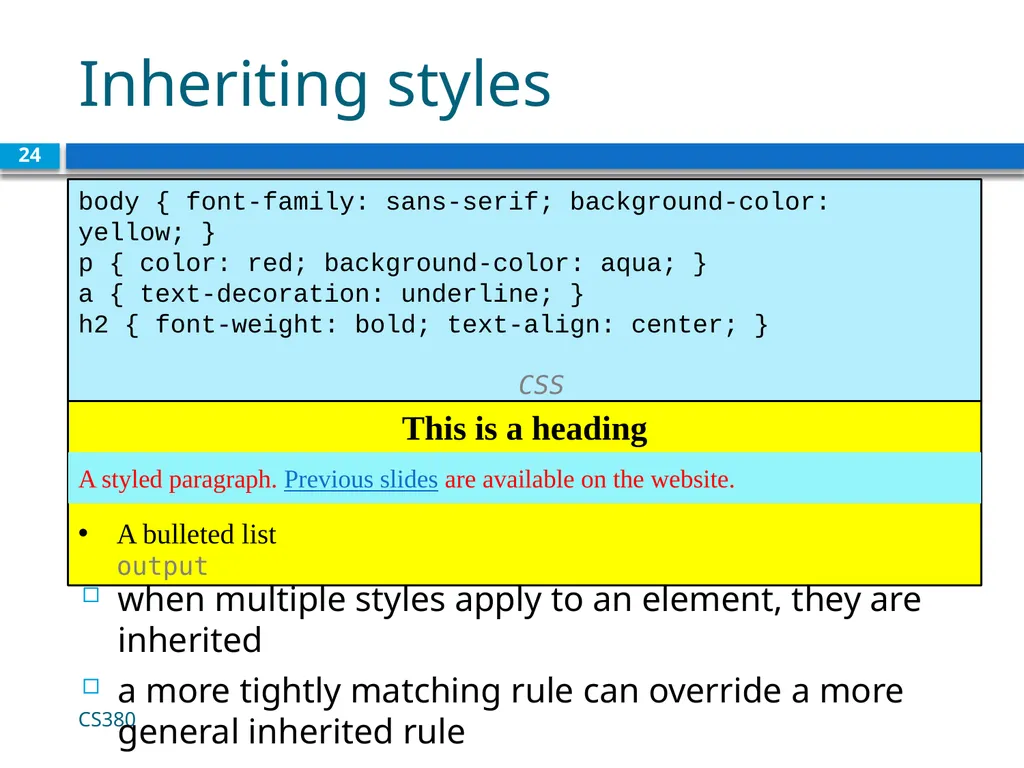
Inheriting styles 24 body { font-family: sans-serif; background-color: yellow; }
p { color: red; background-color: aqua; }
a { text-decoration: underline; }
h2 { font-weight: bold; text-align: center; } CSS This is a heading
A bulleted list output when multiple styles apply to an element, they are inherited
a more tightly matching rule can override a more general inherited rule A styled paragraph. Previous slides are available on the website. CS380<br>
p { color: red; background-color: aqua; }
a { text-decoration: underline; }
h2 { font-weight: bold; text-align: center; } CSS This is a heading
A bulleted list output when multiple styles apply to an element, they are inherited
a more tightly matching rule can override a more general inherited rule A styled paragraph. Previous slides are available on the website. CS380<br>
25
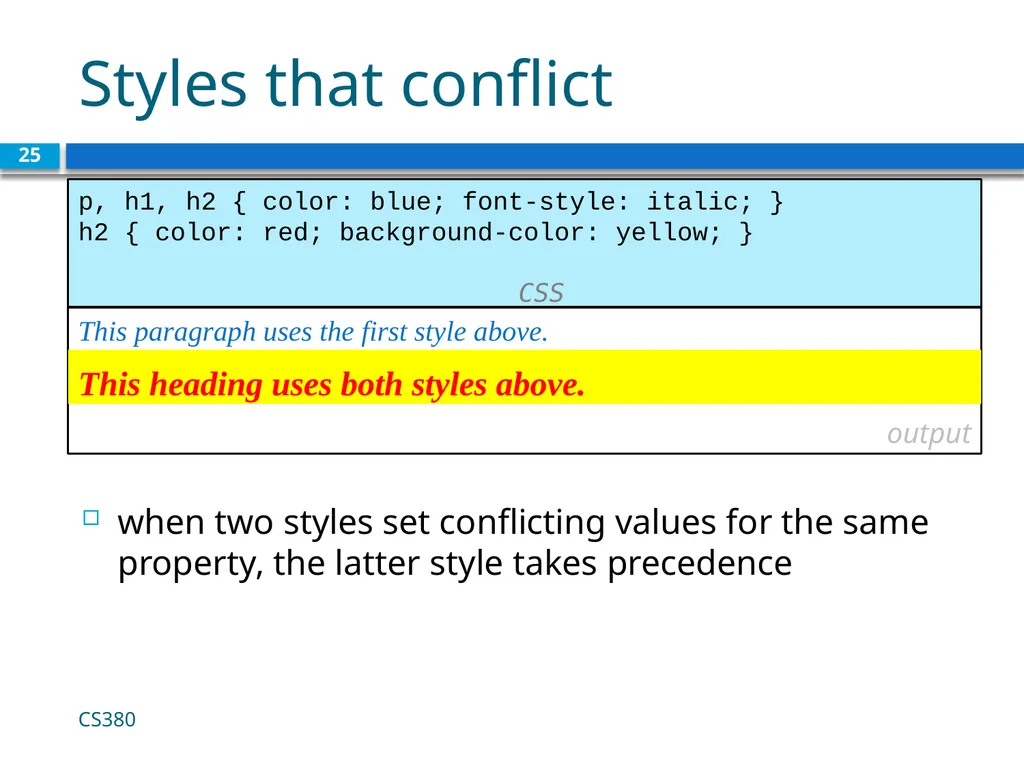
Styles that conflict 25 p, h1, h2 { color: blue; font-style: italic; }
h2 { color: red; background-color: yellow; } CSS This paragraph uses the first style above.
output when two styles set conflicting values for the same property, the latter style takes precedence This heading uses both styles above. CS380<br>
h2 { color: red; background-color: yellow; } CSS This paragraph uses the first style above.
output when two styles set conflicting values for the same property, the latter style takes precedence This heading uses both styles above. CS380<br>
26
W3C CSS Validator 26 <p>
<a href="http://jigsaw.w3.org/css-validator/check/referer">
<img src="http://jigsaw.w3.org/css-validator/images/vcss"
alt="Valid CSS!" /></a>
</p> CSS output jigsaw.w3.org/css-validator/
checks your CSS to make sure it meets the official CSS specifications CS380<br>
<a href="http://jigsaw.w3.org/css-validator/check/referer">
<img src="http://jigsaw.w3.org/css-validator/images/vcss"
alt="Valid CSS!" /></a>
</p> CSS output jigsaw.w3.org/css-validator/
checks your CSS to make sure it meets the official CSS specifications CS380<br>
27
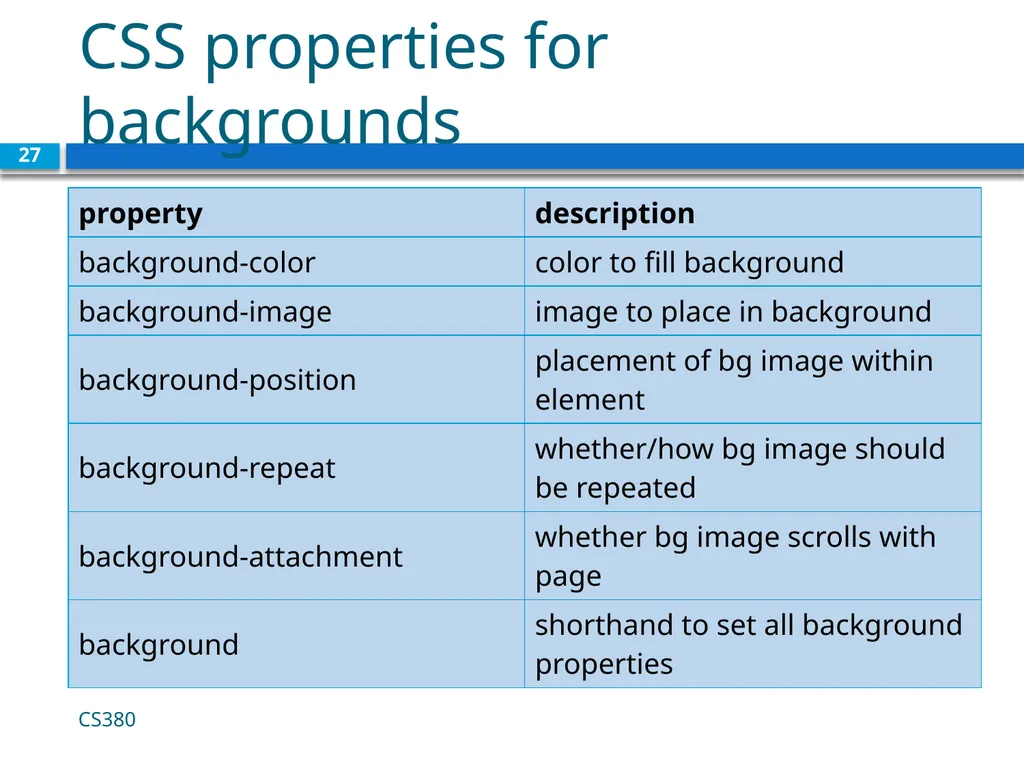
CSS properties for backgrounds CS380 27<br>
28
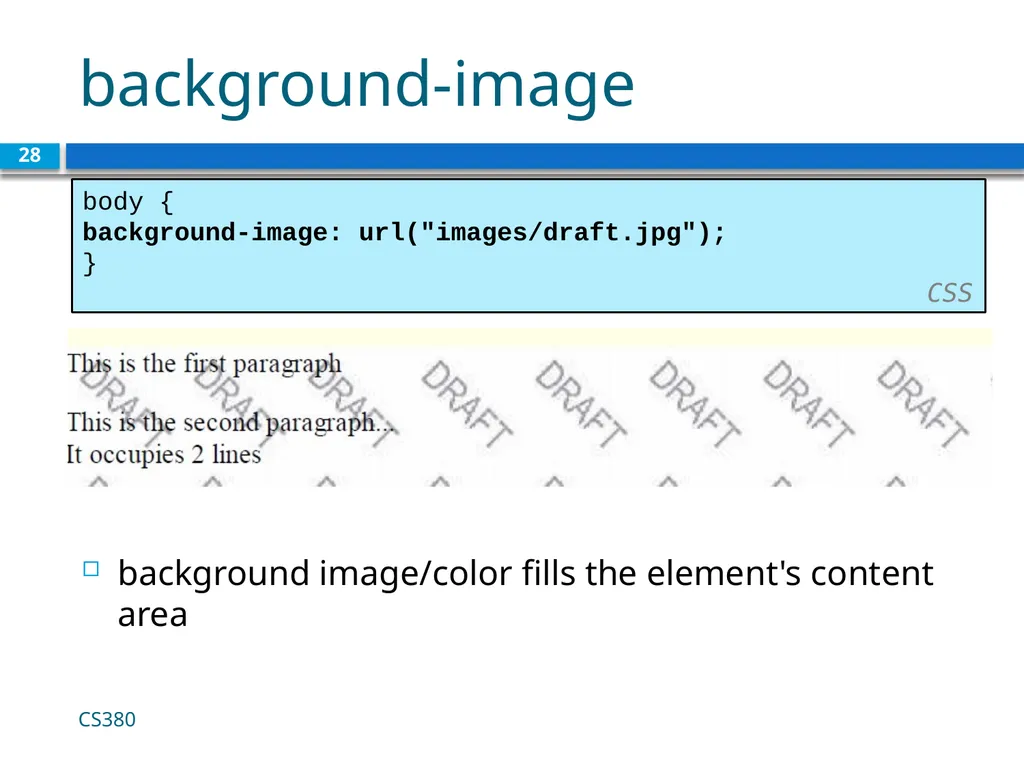
background-image 28 body {
background-image: url("images/draft.jpg");
}
CSS background image/color fills the element's content area CS380<br>
background-image: url("images/draft.jpg");
}
CSS background image/color fills the element's content area CS380<br>
29
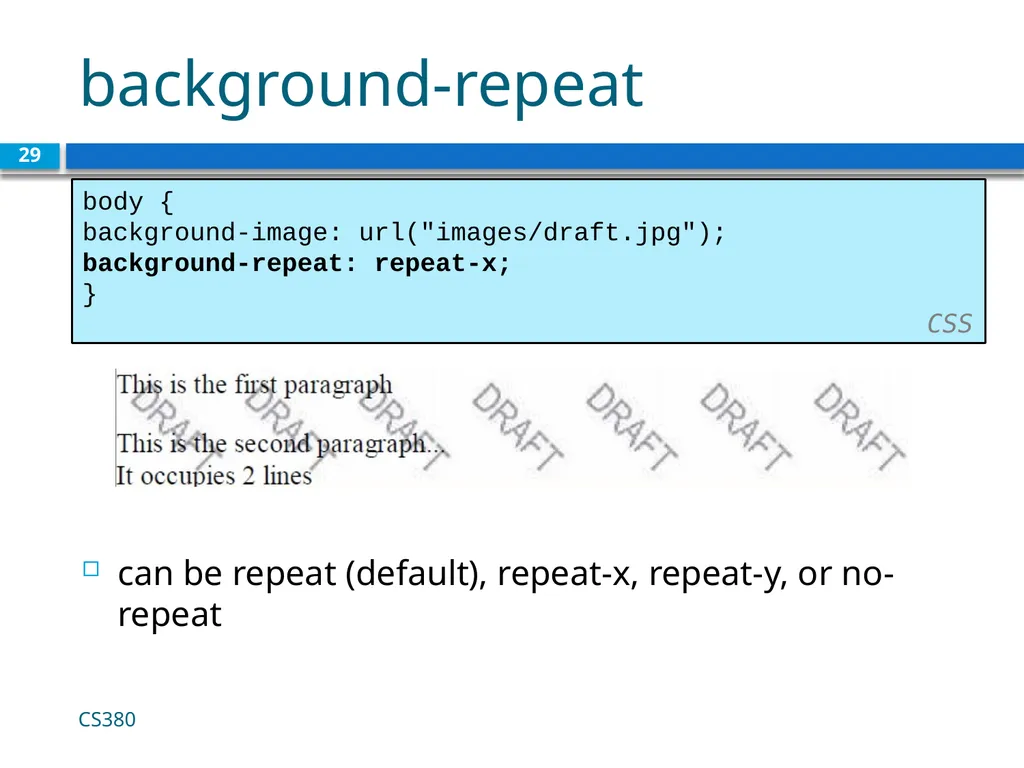
background-repeat 29 body {
background-image: url("images/draft.jpg");
background-repeat: repeat-x;
}
CSS can be repeat (default), repeat-x, repeat-y, or no-repeat CS380<br>
background-image: url("images/draft.jpg");
background-repeat: repeat-x;
}
CSS can be repeat (default), repeat-x, repeat-y, or no-repeat CS380<br>
30
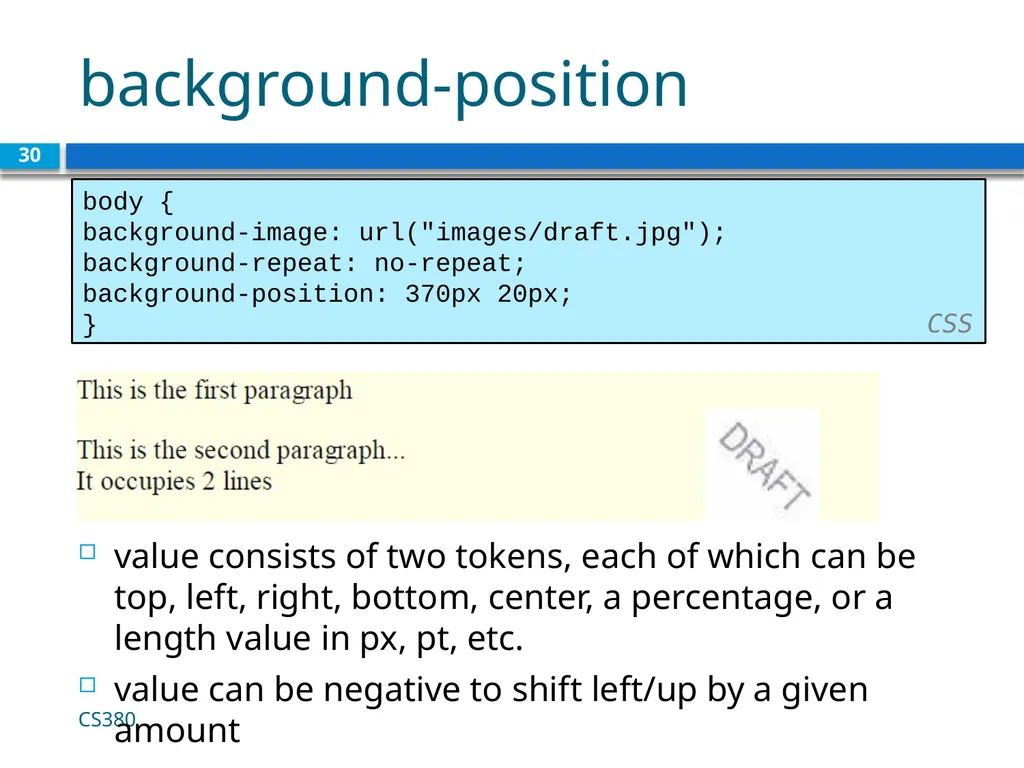
background-position 30 body {
background-image: url("images/draft.jpg");
background-repeat: no-repeat;
background-position: 370px 20px;
} CSS value consists of two tokens, each of which can be top, left, right, bottom, center, a percentage, or a length value in px, pt, etc.
value can be negative to shift left/up by a given amount CS380<br>
background-image: url("images/draft.jpg");
background-repeat: no-repeat;
background-position: 370px 20px;
} CSS value consists of two tokens, each of which can be top, left, right, bottom, center, a percentage, or a length value in px, pt, etc.
value can be negative to shift left/up by a given amount CS380<br>
31
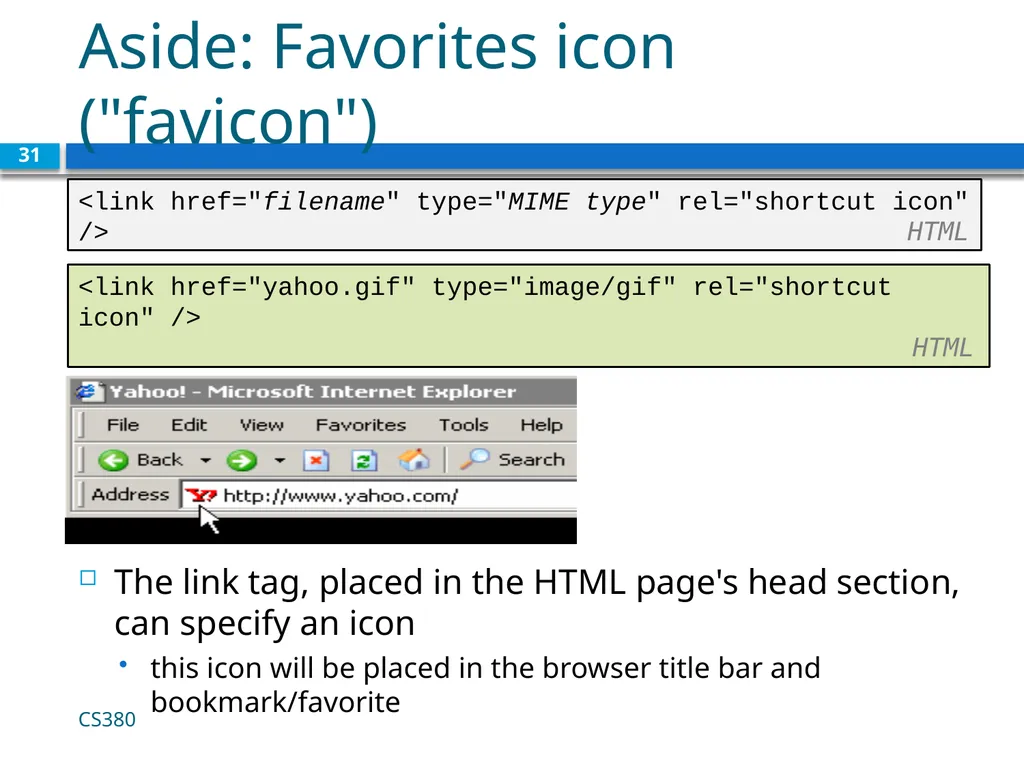
Aside: Favorites icon ("favicon") The link tag, placed in the HTML page's head section, can specify an icon
this icon will be placed in the browser title bar and bookmark/favorite 31 <link href="filename" type="MIME type" rel="shortcut icon" /> HTML <link href="yahoo.gif" type="image/gif" rel="shortcut icon" /> HTML CS380<br>
this icon will be placed in the browser title bar and bookmark/favorite 31 <link href="filename" type="MIME type" rel="shortcut icon" /> HTML <link href="yahoo.gif" type="image/gif" rel="shortcut icon" /> HTML CS380<br>