Data Mobility ESnet Science Engagement Lawrence Berkeley National Laboratory Data Mobility Break Out Hands-On Workship Networking Topics-EPOC, NYSERNET, UoSC April 5, 2022 Ken Miller kenes.net Performance At Different Data Scales This
"Data Mobility ESnet Science Engagement Lawrence" is the property of its rightful owner. Permission is granted to
download and print the materials on this website for personal, non-commercial use only, and to display it
on your personal computer provided you do not modify the materials and that you retain all copyright
notices contained in the materials. By downloading content from our website, you accept the terms of this
agreement.
Presentation Transcript
01
Data Mobility ESnet Science Engagement
Lawrence Berkeley National Laboratory Data Mobility Break Out
Hands-On Workship Networking Topics-EPOC, NYSERNET, UoSC
April 5, 2022
Ken Miller ken@es.net<br>
02
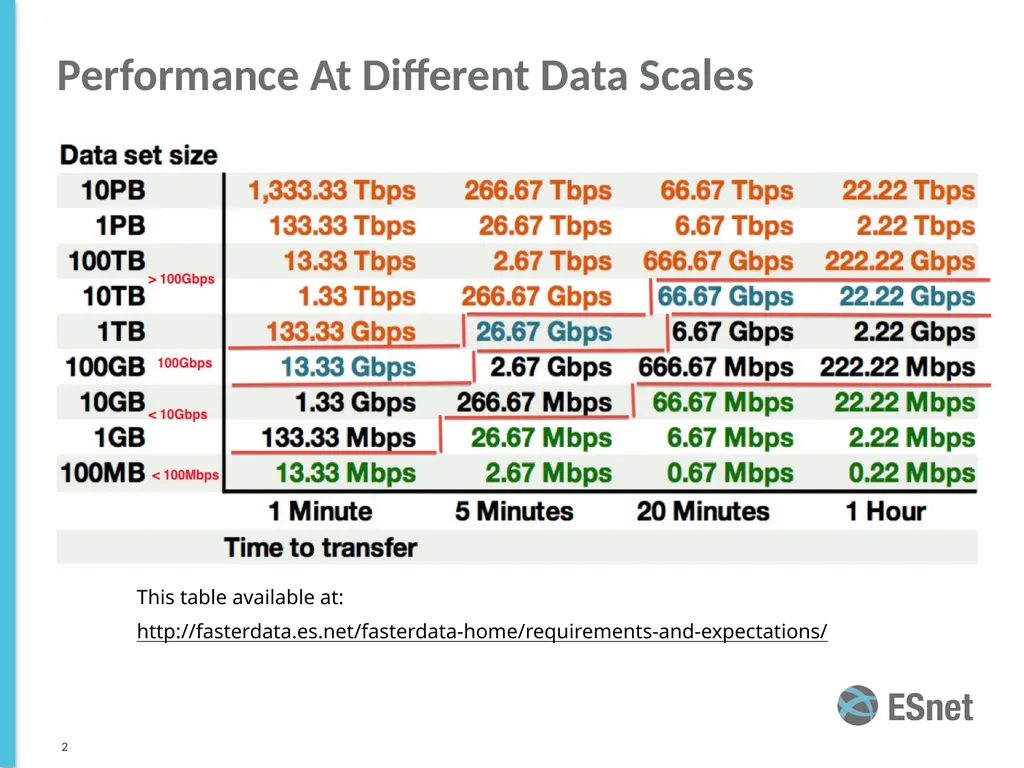
Performance At Different Data Scales This table available at:
http://fasterdata.es.net/fasterdata-home/requirements-and-expectations/ ‹#›<br>
03
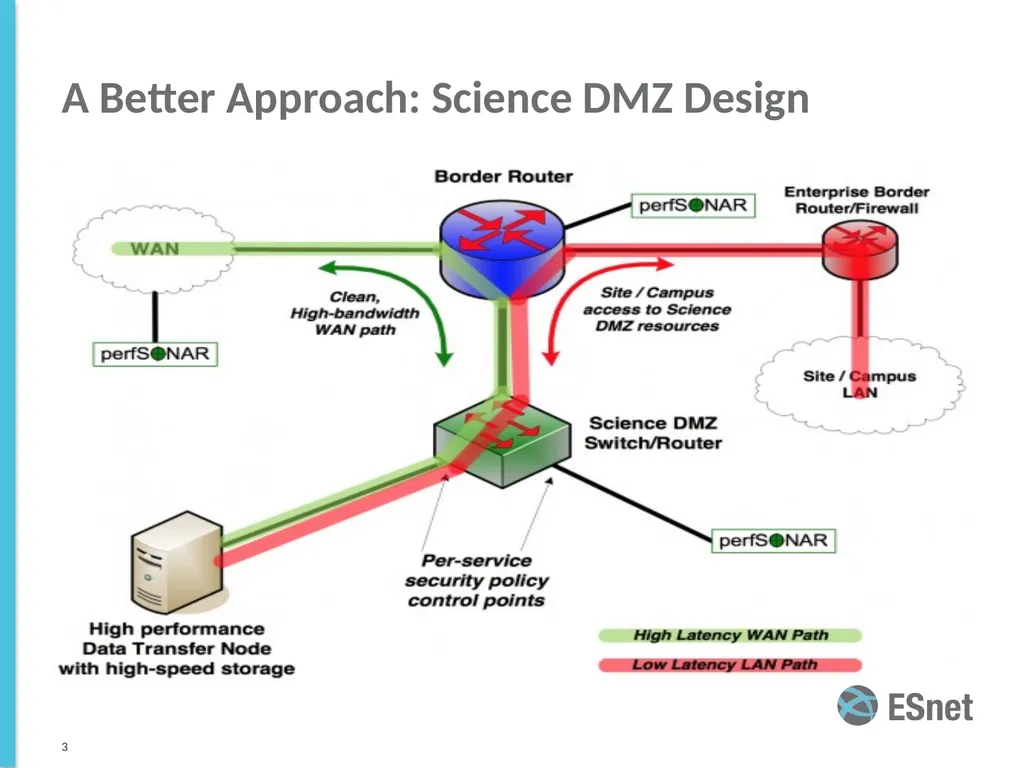
A Better Approach: Science DMZ Design ‹#›<br>
04
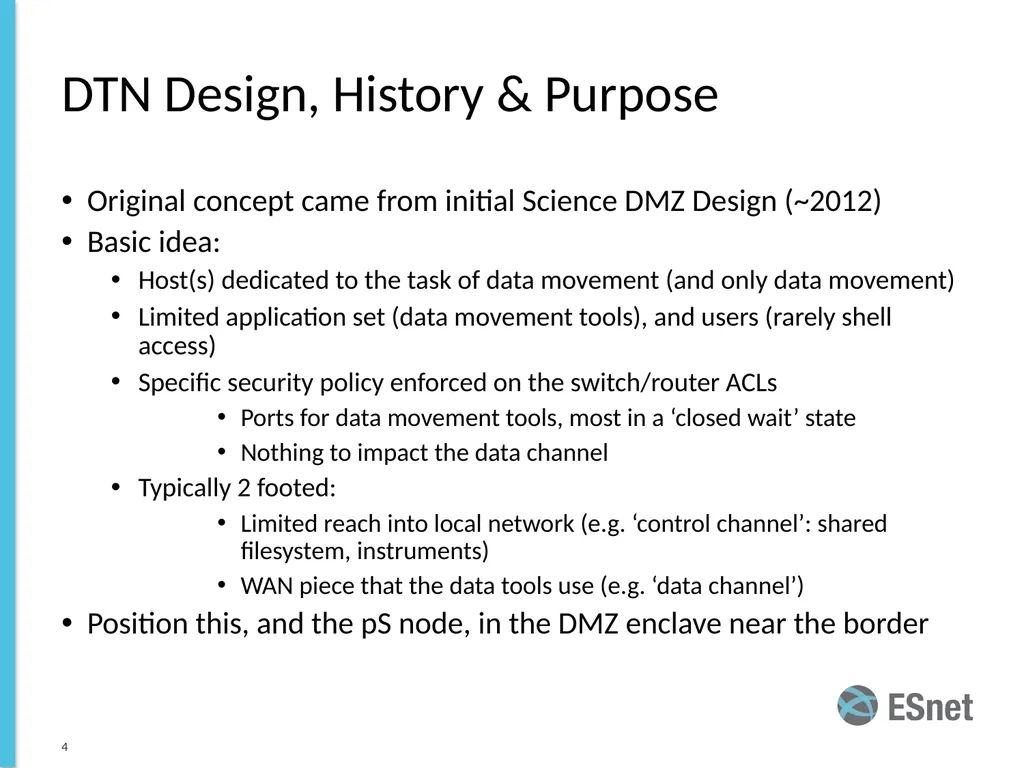
DTN Design, History & Purpose Original concept came from initial Science DMZ Design (~2012)
Basic idea:
Host(s) dedicated to the task of data movement (and only data movement)
Limited application set (data movement tools), and users (rarely shell access)
Specific security policy enforced on the switch/router ACLs
Ports for data movement tools, most in a ‘closed wait’ state
Nothing to impact the data channel
Typically 2 footed:
Limited reach into local network (e.g. ‘control channel’: shared filesystem, instruments)
WAN piece that the data tools use (e.g. ‘data channel’)
Position this, and the pS node, in the DMZ enclave near the border ‹#›<br>
05
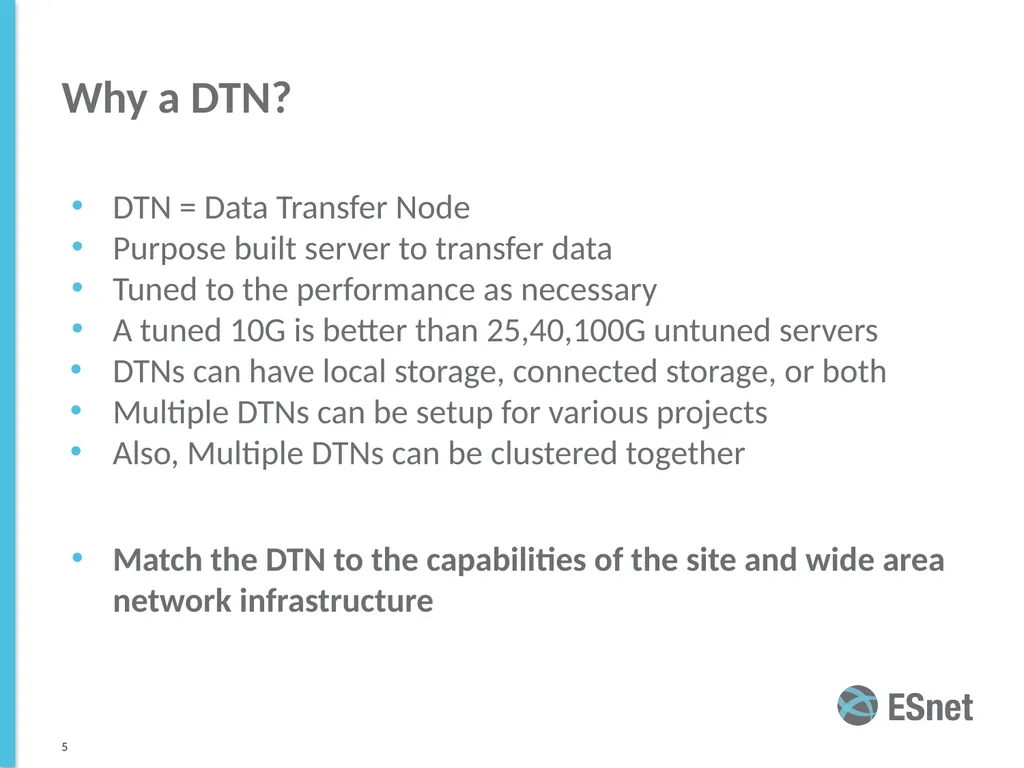
Why a DTN? DTN = Data Transfer Node
Purpose built server to transfer data
Tuned to the performance as necessary
A tuned 10G is better than 25,40,100G untuned servers
DTNs can have local storage, connected storage, or both
Multiple DTNs can be setup for various projects
Also, Multiple DTNs can be clustered together
Match the DTN to the capabilities of the site and wide area network infrastructure ‹#›<br>
06
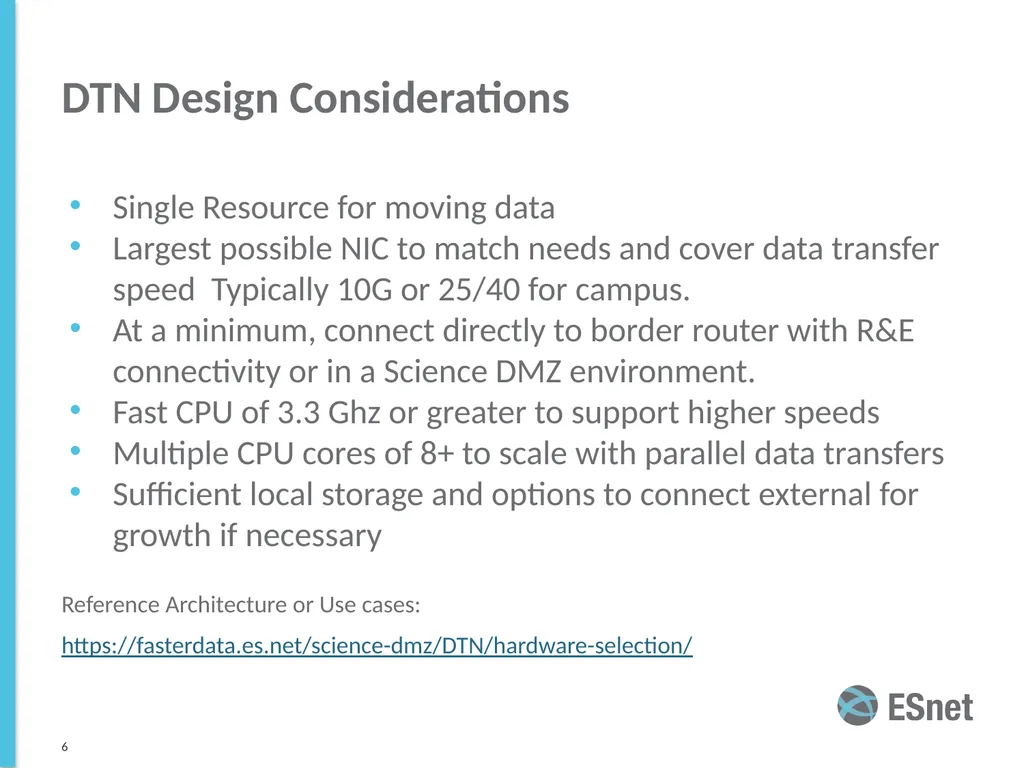
DTN Design Considerations Single Resource for moving data
Largest possible NIC to match needs and cover data transfer speed Typically 10G or 25/40 for campus.
At a minimum, connect directly to border router with R&E connectivity or in a Science DMZ environment.
Fast CPU of 3.3 Ghz or greater to support higher speeds
Multiple CPU cores of 8+ to scale with parallel data transfers
Sufficient local storage and options to connect external for growth if necessary
Reference Architecture or Use cases:
https://fasterdata.es.net/science-dmz/DTN/hardware-selection/ ‹#›<br>
07
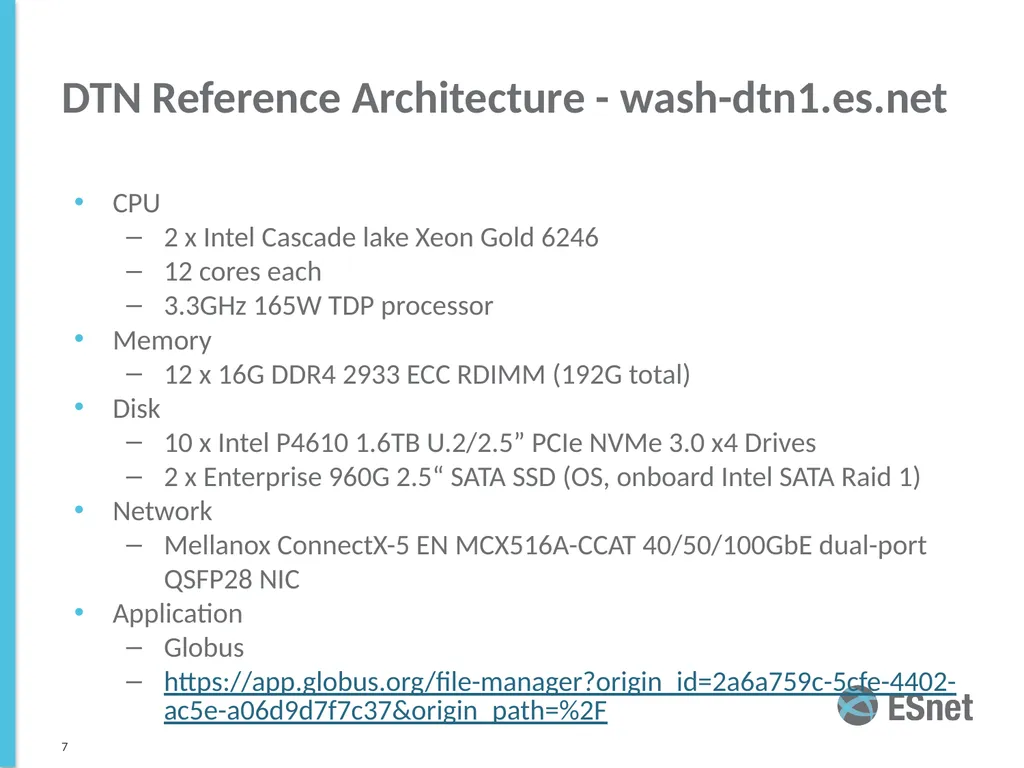
DTN Reference Architecture - wash-dtn1.es.net CPU
2 x Intel Cascade lake Xeon Gold 6246
12 cores each
3.3GHz 165W TDP processor
Memory
12 x 16G DDR4 2933 ECC RDIMM (192G total)
Disk
10 x Intel P4610 1.6TB U.2/2.5” PCIe NVMe 3.0 x4 Drives
2 x Enterprise 960G 2.5“ SATA SSD (OS, onboard Intel SATA Raid 1)
Network
Mellanox ConnectX-5 EN MCX516A-CCAT 40/50/100GbE dual-port QSFP28 NIC
Application
Globus
https://app.globus.org/file-manager?origin_id=2a6a759c-5cfe-4402-ac5e-a06d9d7f7c37&origin_path=%2F ‹#›<br>
08
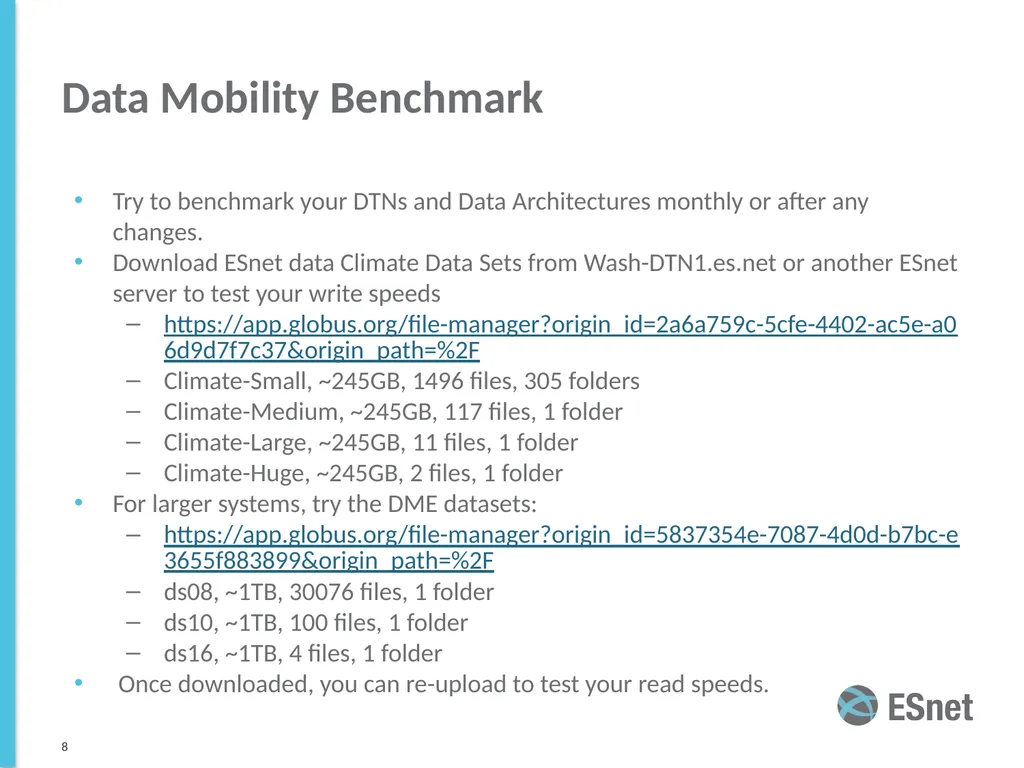
Data Mobility Benchmark Try to benchmark your DTNs and Data Architectures monthly or after any changes.
Download ESnet data Climate Data Sets from Wash-DTN1.es.net or another ESnet server to test your write speeds
https://app.globus.org/file-manager?origin_id=2a6a759c-5cfe-4402-ac5e-a06d9d7f7c37&origin_path=%2F
Climate-Small, ~245GB, 1496 files, 305 folders
Climate-Medium, ~245GB, 117 files, 1 folder
Climate-Large, ~245GB, 11 files, 1 folder
Climate-Huge, ~245GB, 2 files, 1 folder
For larger systems, try the DME datasets:
https://app.globus.org/file-manager?origin_id=5837354e-7087-4d0d-b7bc-e3655f883899&origin_path=%2F
ds08, ~1TB, 30076 files, 1 folder
ds10, ~1TB, 100 files, 1 folder
ds16, ~1TB, 4 files, 1 folder
Once downloaded, you can re-upload to test your read speeds. ‹#›<br>
09
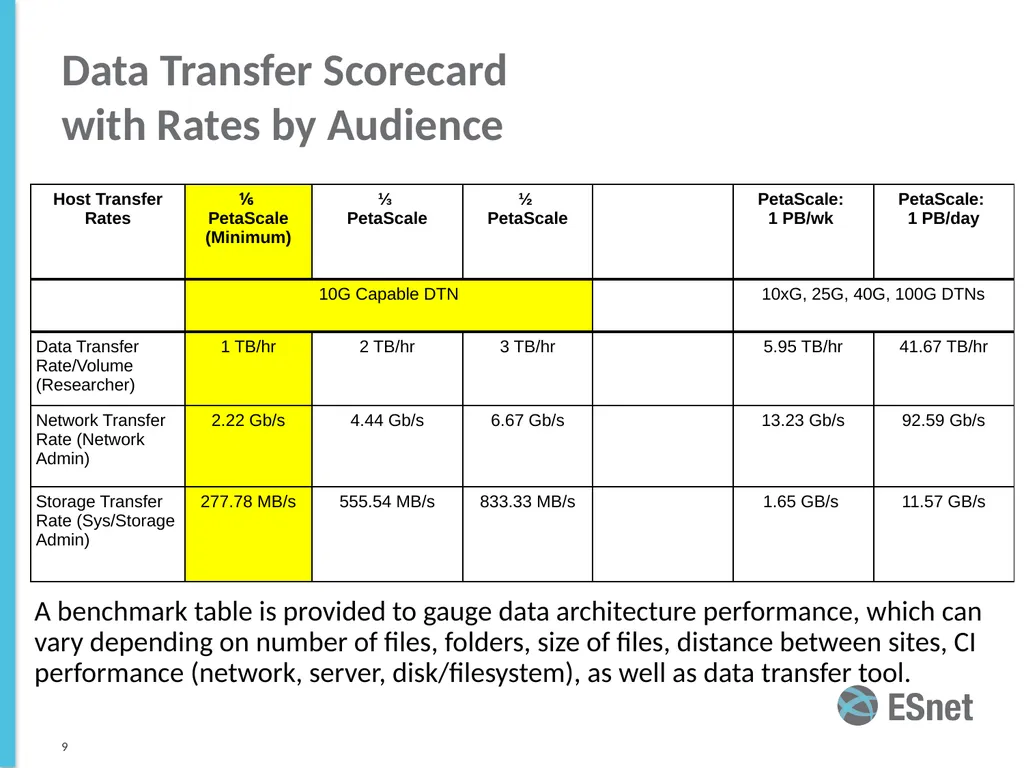
Data Transfer Scorecard
with Rates by Audience ‹#› A benchmark table is provided to gauge data architecture performance, which can vary depending on number of files, folders, size of files, distance between sites, CI performance (network, server, disk/filesystem), as well as data transfer tool. ‹#›<br>
10
Questions? Ken Miller
ken@es.net ‹#› EPOC contact
epoc@iu.edu<br>