
Data Munging And Data Pre-Processing in R SPRING
SB
Published · 52 slides · 0 views
1 / 1

Description
Data Munging And Data Pre-Processing in R SPRING 2021 CAMAR MEETING Louise Francis, FCAS, CSPA, MAAA Francis Analytics and Actuarial Data Mining, Inc Louisefrancismsn.com Poll: Time Spent on Data Munging Tasks How Much Time do you spend
Related Topics
Share
Embed code
Download this presentation From Below
"Data Munging And Data Pre-Processing in R SPRING" is the property of its rightful owner. Permission is granted to download and print the materials on this website for personal, non-commercial use only, and to display it on your personal computer provided you do not modify the materials and that you retain all copyright notices contained in the materials. By downloading content from our website, you accept the terms of this agreement.
Presentation Transcript
01
Data Munging And Data Pre-Processing in R
SPRING 2021 CAMAR MEETING Louise Francis, FCAS, CSPA, MAAA
Francis Analytics and Actuarial Data Mining, Inc
Louise_francis@msn.com<br>
Francis Analytics and Actuarial Data Mining, Inc
Louise_francis@msn.com<br>
02
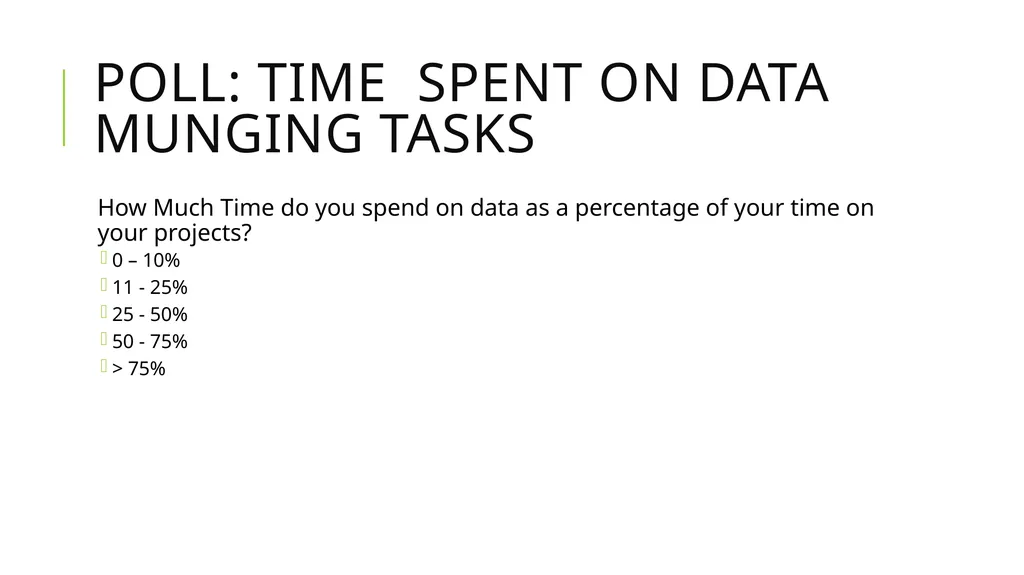
Poll: Time Spent on Data Munging Tasks How Much Time do you spend on data as a percentage of your time on your projects?
0 – 10%
11 - 25%
25 - 50%
50 - 75%
> 75%<br>
0 – 10%
11 - 25%
25 - 50%
50 - 75%
> 75%<br>
03
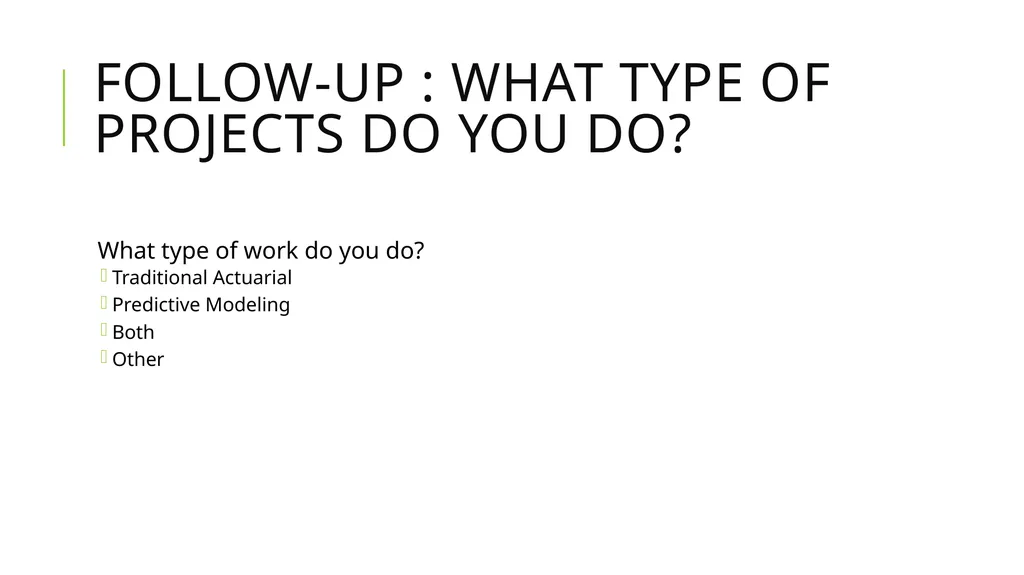
Follow-up : What type of projects do you do? What type of work do you do?
Traditional Actuarial
Predictive Modeling
Both
Other<br>
Traditional Actuarial
Predictive Modeling
Both
Other<br>
04
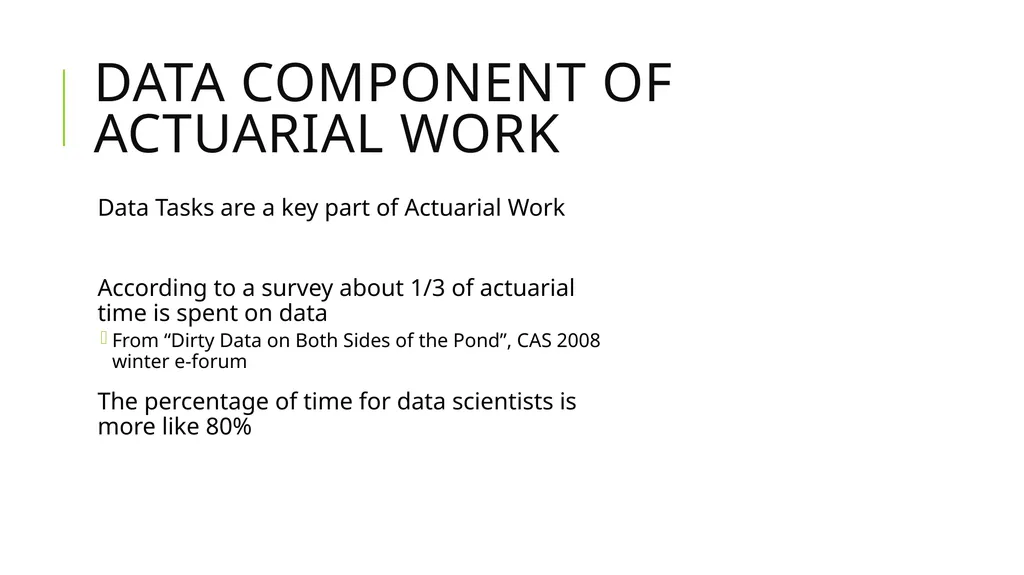
Data component of actuarial work Data Tasks are a key part of Actuarial Work
According to a survey about 1/3 of actuarial time is spent on data
From “Dirty Data on Both Sides of the Pond”, CAS 2008 winter e-forum
The percentage of time for data scientists is more like 80%<br>
According to a survey about 1/3 of actuarial time is spent on data
From “Dirty Data on Both Sides of the Pond”, CAS 2008 winter e-forum
The percentage of time for data scientists is more like 80%<br>
05
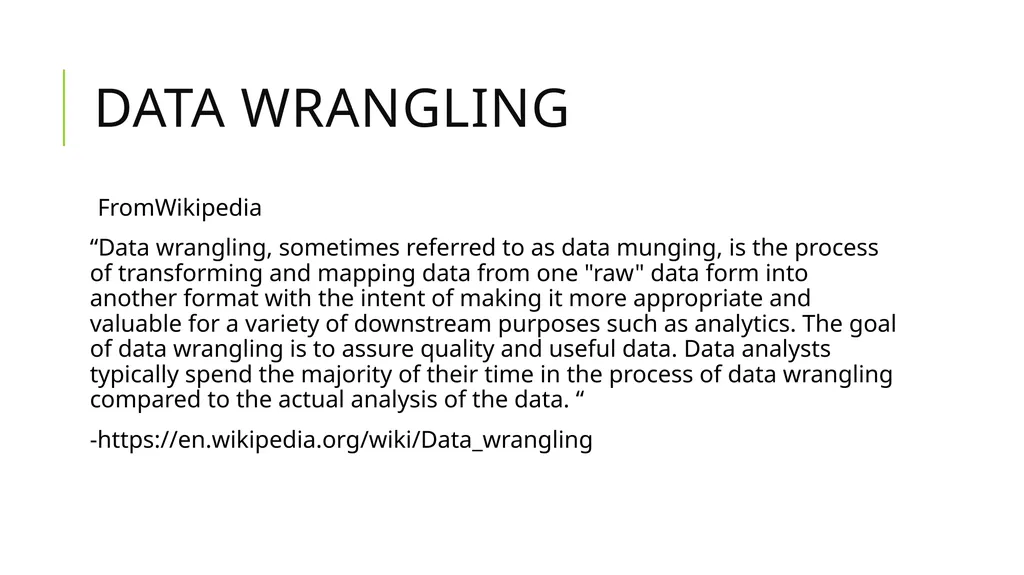
Data Wrangling FromWikipedia
“Data wrangling, sometimes referred to as data munging, is the process of transforming and mapping data from one "raw" data form into another format with the intent of making it more appropriate and valuable for a variety of downstream purposes such as analytics. The goal of data wrangling is to assure quality and useful data. Data analysts typically spend the majority of their time in the process of data wrangling compared to the actual analysis of the data. “
-https://en.wikipedia.org/wiki/Data_wrangling<br>
“Data wrangling, sometimes referred to as data munging, is the process of transforming and mapping data from one "raw" data form into another format with the intent of making it more appropriate and valuable for a variety of downstream purposes such as analytics. The goal of data wrangling is to assure quality and useful data. Data analysts typically spend the majority of their time in the process of data wrangling compared to the actual analysis of the data. “
-https://en.wikipedia.org/wiki/Data_wrangling<br>
06
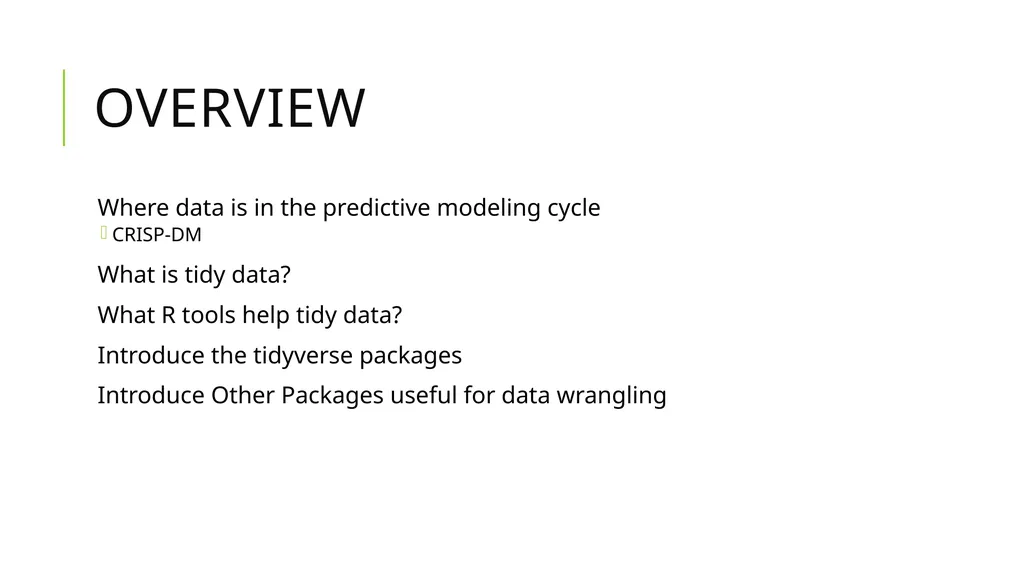
Overview Where data is in the predictive modeling cycle
CRISP-DM
What is tidy data?
What R tools help tidy data?
Introduce the tidyverse packages
Introduce Other Packages useful for data wrangling<br>
CRISP-DM
What is tidy data?
What R tools help tidy data?
Introduce the tidyverse packages
Introduce Other Packages useful for data wrangling<br>
07
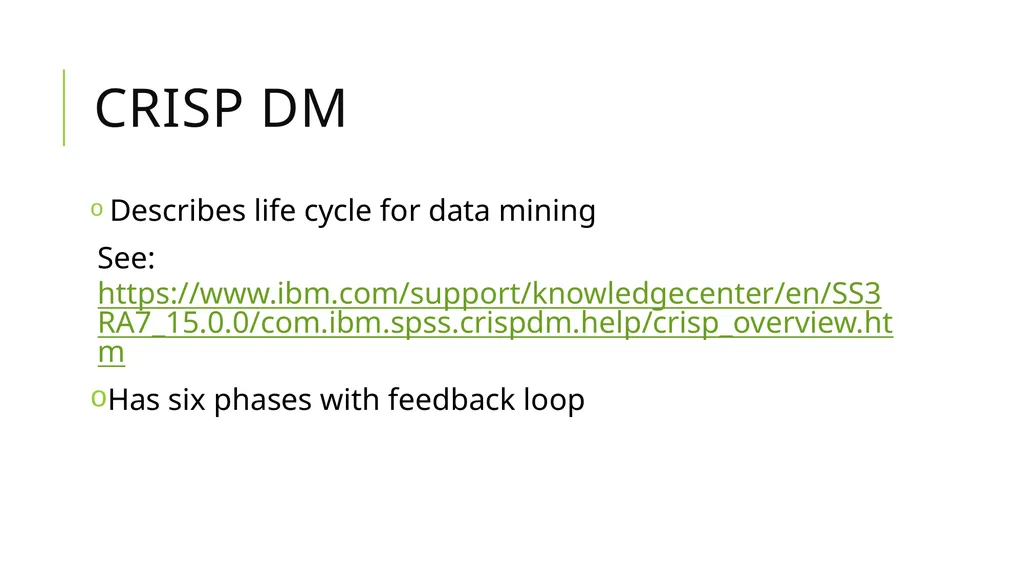
CRISP DM Describes life cycle for data mining
See: https://www.ibm.com/support/knowledgecenter/en/SS3RA7_15.0.0/com.ibm.spss.crispdm.help/crisp_overview.htm
Has six phases with feedback loop<br>
See: https://www.ibm.com/support/knowledgecenter/en/SS3RA7_15.0.0/com.ibm.spss.crispdm.help/crisp_overview.htm
Has six phases with feedback loop<br>
08
6 Phases of CRISP DM Business understanding
Data Understanding
Data Preprocessing
Modeling
Evaluation
Deployment<br>
Data Understanding
Data Preprocessing
Modeling
Evaluation
Deployment<br>
09
CRISP DM Describes life cycle for data mining
See: https://www.ibm.com/support/knowledgecenter/en/SS3RA7_15.0.0/com.ibm.spss.crispdm.help/crisp_overview.htm
Has six phases with feedback loop<br>
See: https://www.ibm.com/support/knowledgecenter/en/SS3RA7_15.0.0/com.ibm.spss.crispdm.help/crisp_overview.htm
Has six phases with feedback loop<br>
10
6 Phases of CRISP DM Business understanding
Data Understanding
Data Preprocessing
Modeling
Evaluation
Deployment<br>
Data Understanding
Data Preprocessing
Modeling
Evaluation
Deployment<br>
11
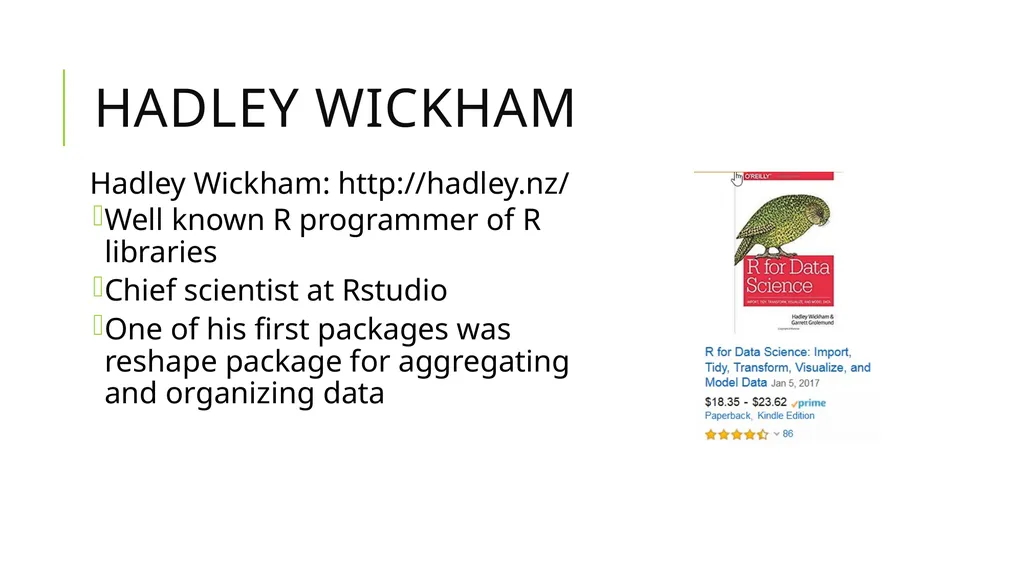
Hadley Wickham Hadley Wickham: http://hadley.nz/
Well known R programmer of R libraries
Chief scientist at Rstudio
One of his first packages was reshape package for aggregating and organizing data<br>
Well known R programmer of R libraries
Chief scientist at Rstudio
One of his first packages was reshape package for aggregating and organizing data<br>
12
Another Resource: R for Actuaries Recommended: Chapter on Data Wrangling in R for Actuaries by Brian Fannin<br>
13
Hadley Wickham Developed ggplot2 package
Developed dplyr package
Books include R for Data Science and ggplot2
Proposed tidy data framework
Described in paper “Tidy Data” in Journal of Statistical Software<br>
Developed dplyr package
Books include R for Data Science and ggplot2
Proposed tidy data framework
Described in paper “Tidy Data” in Journal of Statistical Software<br>
14
Hadley Wickham Hadley Wickham: http://hadley.nz/
Well known R programmer of R libraries
Chief scientist at Rstudio
One of his first packages was reshape package for aggregating and organizing data<br>
Well known R programmer of R libraries
Chief scientist at Rstudio
One of his first packages was reshape package for aggregating and organizing data<br>
15
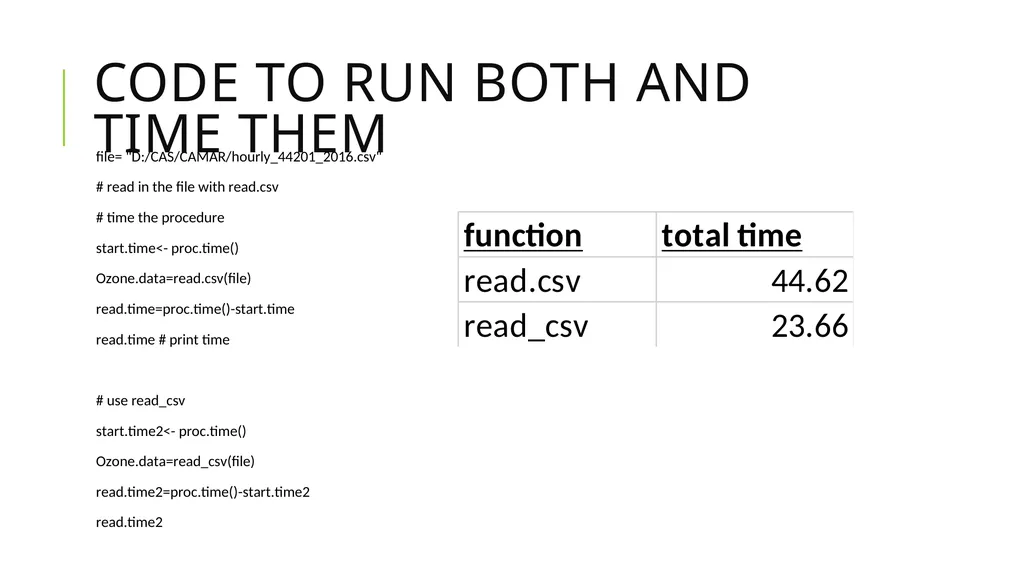
Reading data – readr library read.csv
read_csv
Both read comma delimited files
read_csv has some capabilities read.csv does not have
Creates tibble
Reads larger data sets
Faster
readr also has read.xls<br>
read_csv
Both read comma delimited files
read_csv has some capabilities read.csv does not have
Creates tibble
Reads larger data sets
Faster
readr also has read.xls<br>
16
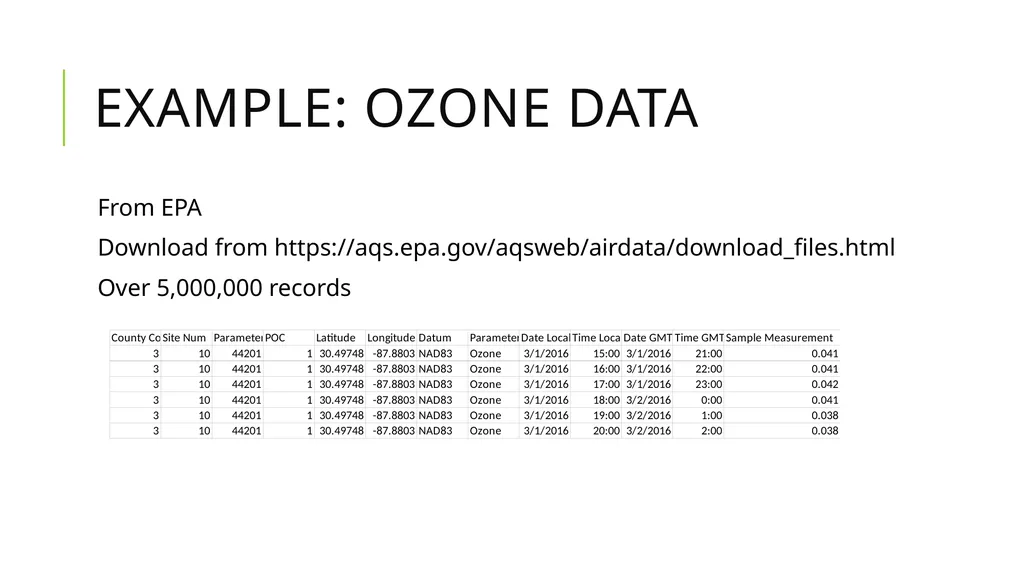
Example: Ozone Data From EPA
Download from https://aqs.epa.gov/aqsweb/airdata/download_files.html
Over 5,000,000 records<br>
Download from https://aqs.epa.gov/aqsweb/airdata/download_files.html
Over 5,000,000 records<br>
17
Code to run both and time them<br>
18
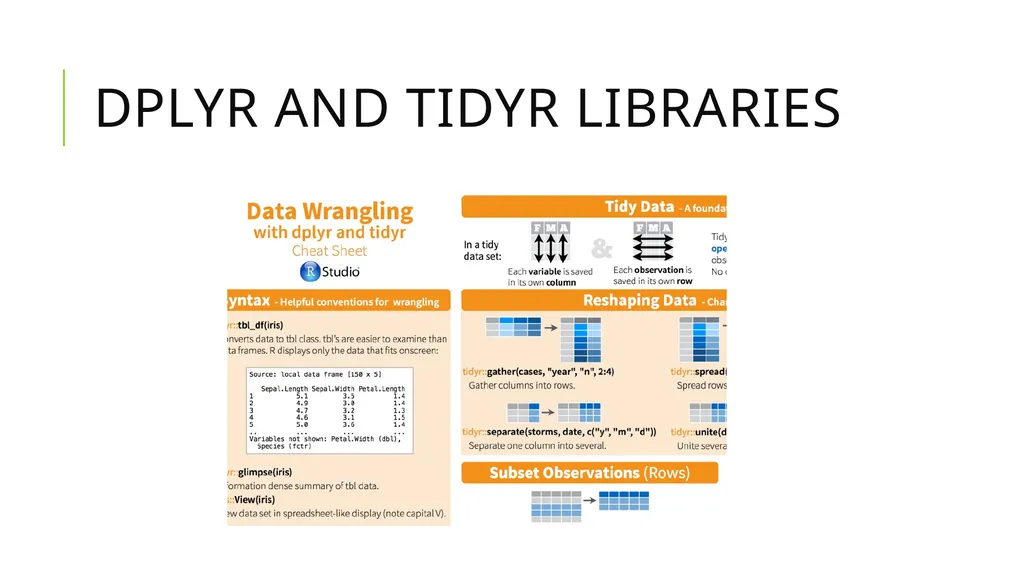
Dplyr and tidyr libraries<br>
19
Tidy Data Principles Provides principles on how to organize data
To make data cleaning easier
Which led to tools to make the process easier and more efficient<br>
To make data cleaning easier
Which led to tools to make the process easier and more efficient<br>
20
Wickham’s Definitions A data set is a collection of values
quantitative
qualitative
A variable contains all values that measure the same attribute (such as paid losses)
An observation contains all values measured on the same unit (such as accident year)<br>
quantitative
qualitative
A variable contains all values that measure the same attribute (such as paid losses)
An observation contains all values measured on the same unit (such as accident year)<br>
21
Multiple ways to organize data Two views of data
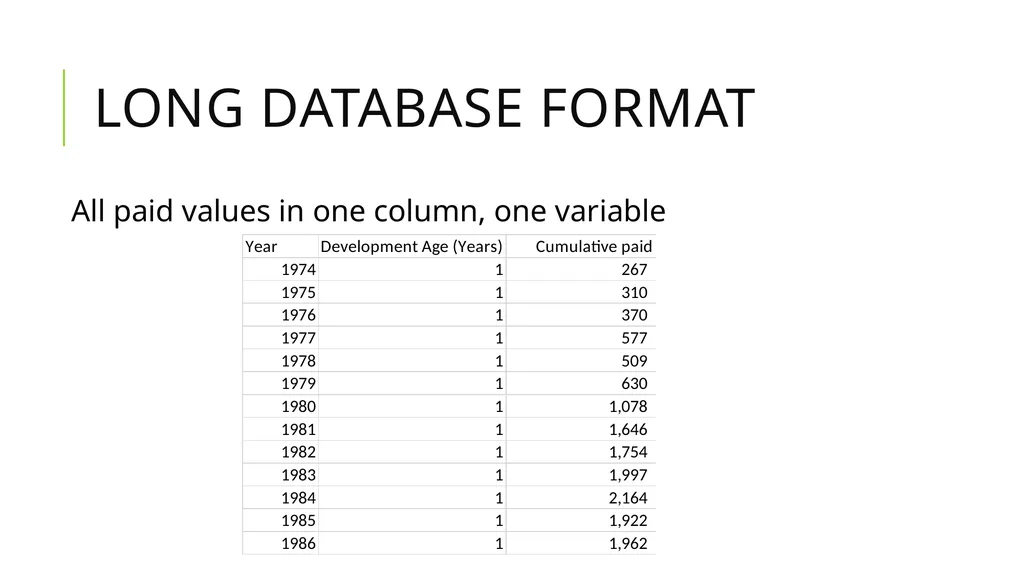
Database form
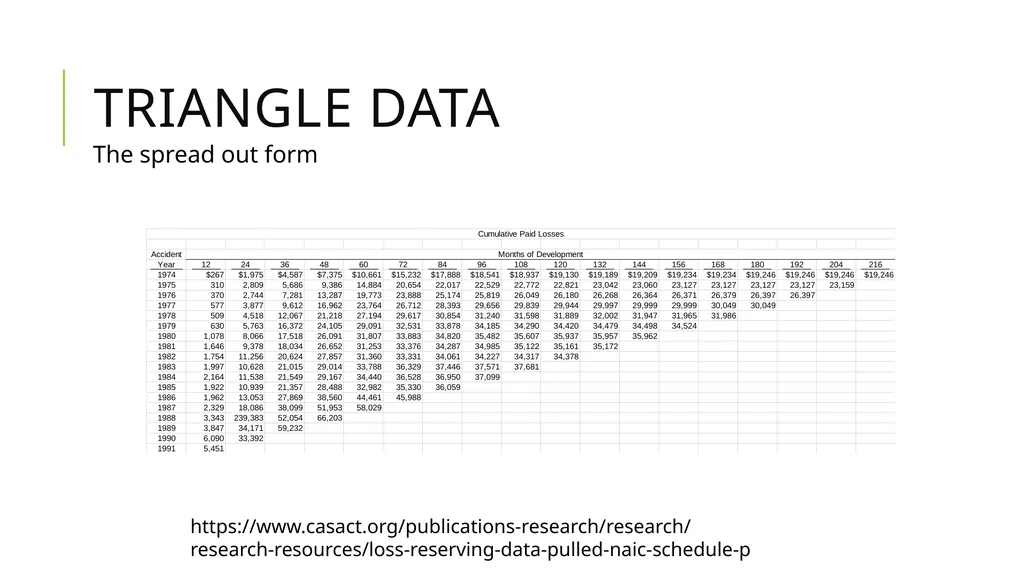
Spread out form – columns names could represent data
Both can be tidy depending on the application<br>
Database form
Spread out form – columns names could represent data
Both can be tidy depending on the application<br>
22
Triangle data The spread out form https://www.casact.org/publications-research/research/research-resources/loss-reserving-data-pulled-naic-schedule-p<br>
23
Triangle data -snapshot Values spread across development month<br>
24
Long Database Format All paid values in one column, one variable<br>
25
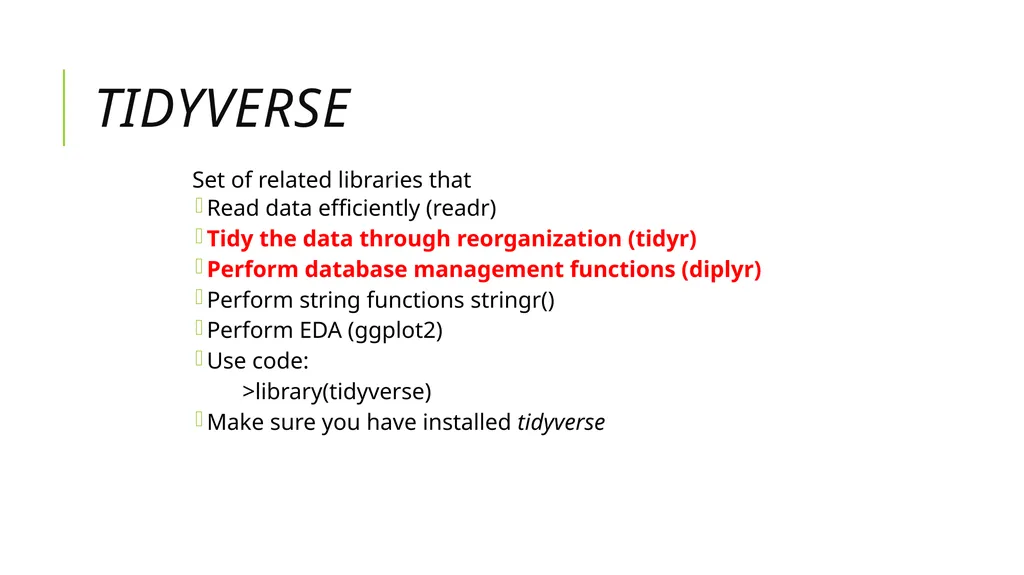
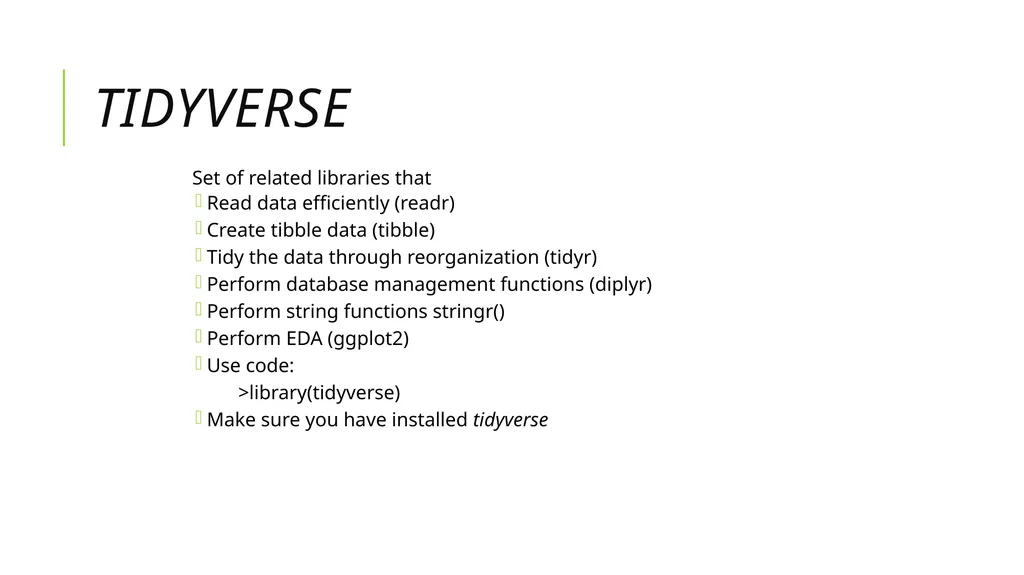
tidyverse Set of related libraries that
Read data efficiently (readr)
Tidy the data through reorganization (tidyr)
Perform database management functions (diplyr)
Perform string functions stringr()
Perform EDA (ggplot2)
Use code:
>library(tidyverse)
Make sure you have installed tidyverse<br>
Read data efficiently (readr)
Tidy the data through reorganization (tidyr)
Perform database management functions (diplyr)
Perform string functions stringr()
Perform EDA (ggplot2)
Use code:
>library(tidyverse)
Make sure you have installed tidyverse<br>
26
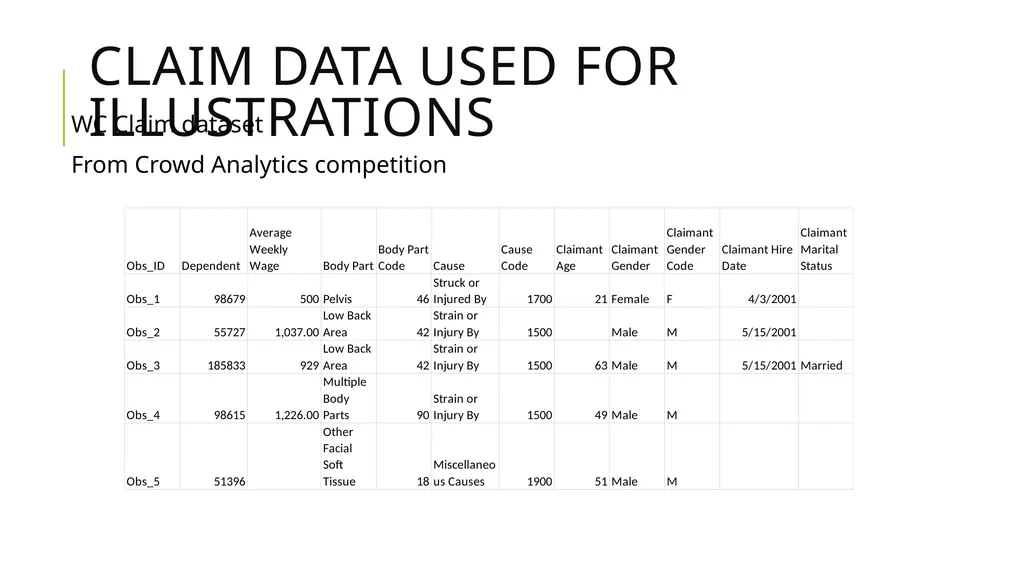
Claim Data used for illustrations WC Claim dataset
From Crowd Analytics competition<br>
From Crowd Analytics competition<br>
27
tidyverse Set of related libraries that
Read data efficiently (readr)
Create tibble data (tibble)
Tidy the data through reorganization (tidyr)
Perform database management functions (diplyr)
Perform string functions stringr()
Perform EDA (ggplot2)
Use code:
>library(tidyverse)
Make sure you have installed tidyverse<br>
Read data efficiently (readr)
Create tibble data (tibble)
Tidy the data through reorganization (tidyr)
Perform database management functions (diplyr)
Perform string functions stringr()
Perform EDA (ggplot2)
Use code:
>library(tidyverse)
Make sure you have installed tidyverse<br>
28
More on readr: Spaces in Variable Names<br>
29
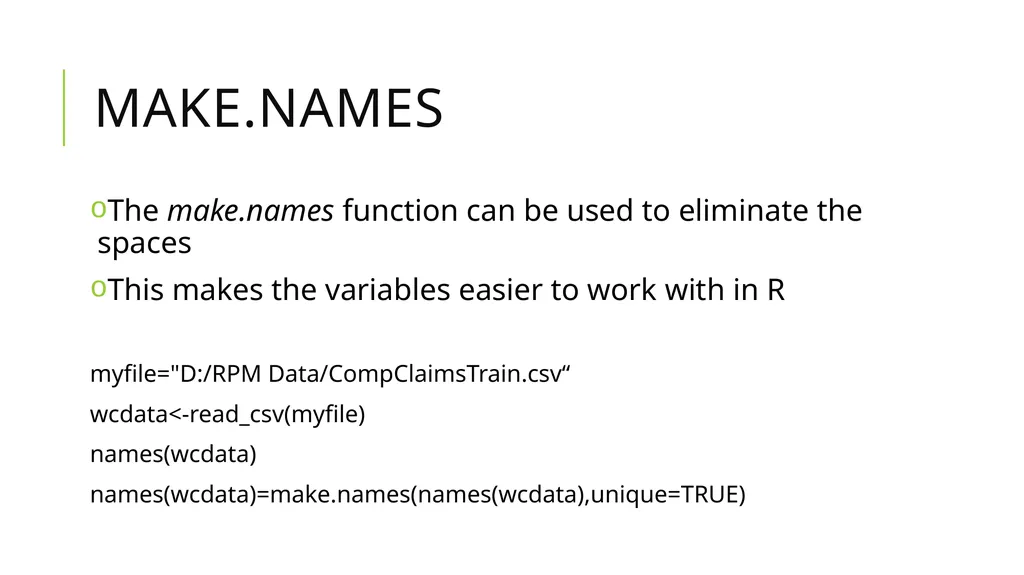
Make.names The make.names function can be used to eliminate the spaces
This makes the variables easier to work with in R
myfile="D:/RPM Data/CompClaimsTrain.csv“
wcdata<-read_csv(myfile)
names(wcdata)
names(wcdata)=make.names(names(wcdata),unique=TRUE)<br>
This makes the variables easier to work with in R
myfile="D:/RPM Data/CompClaimsTrain.csv“
wcdata<-read_csv(myfile)
names(wcdata)
names(wcdata)=make.names(names(wcdata),unique=TRUE)<br>
30
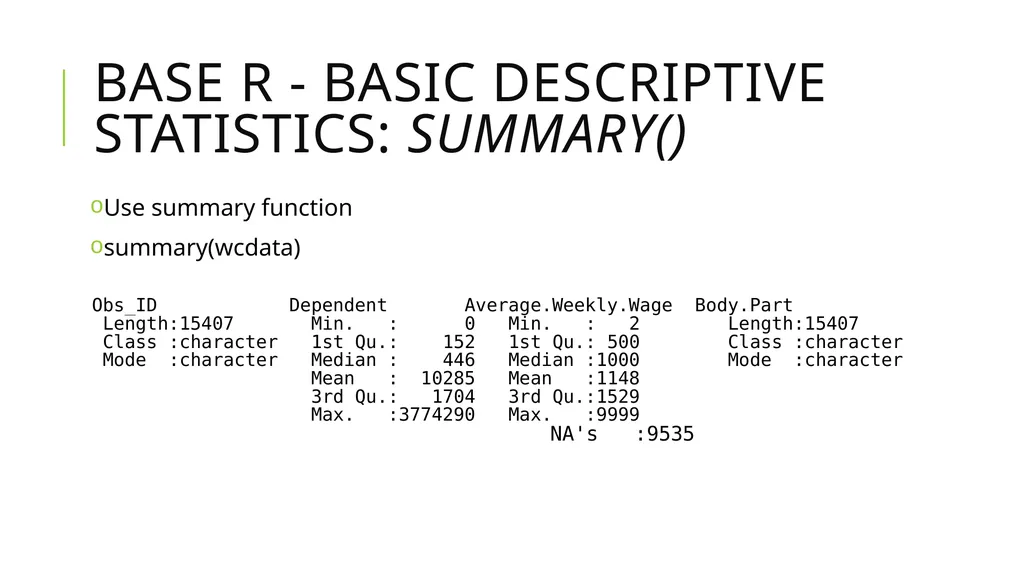
BASE R - Basic Descriptive Statistics: summary() Use summary function
summary(wcdata)<br>
summary(wcdata)<br>
31
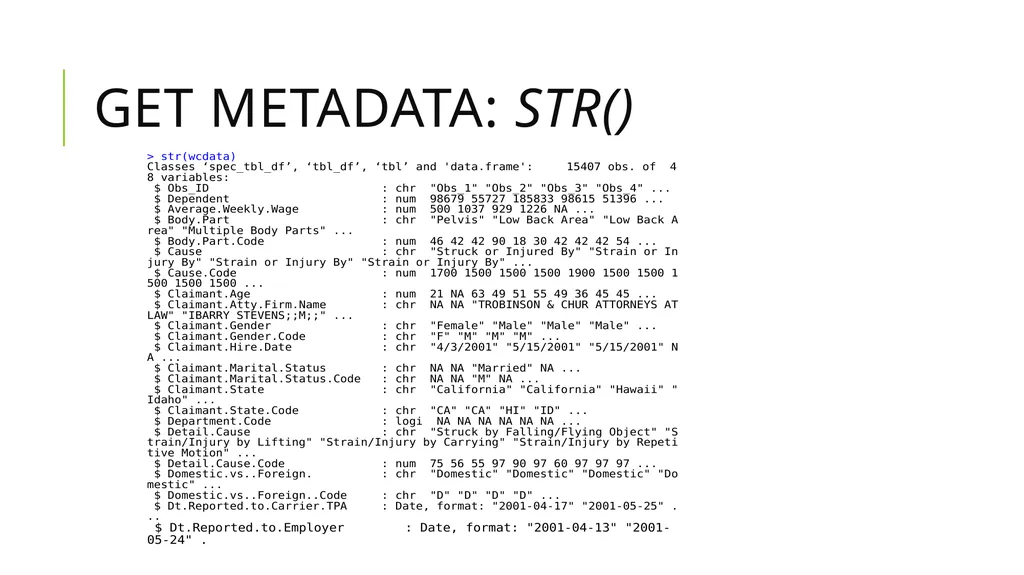
Get metadata: str()<br>
32
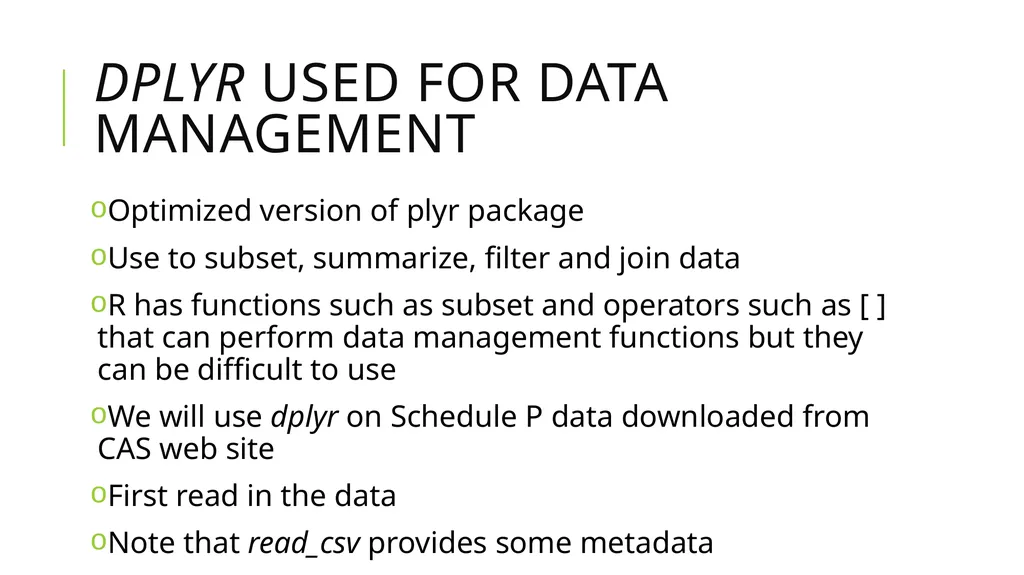
dplyr used for data management Optimized version of plyr package
Use to subset, summarize, filter and join data
R has functions such as subset and operators such as [ ] that can perform data management functions but they can be difficult to use
We will use dplyr on Schedule P data downloaded from CAS web site
First read in the data
Note that read_csv provides some metadata<br>
Use to subset, summarize, filter and join data
R has functions such as subset and operators such as [ ] that can perform data management functions but they can be difficult to use
We will use dplyr on Schedule P data downloaded from CAS web site
First read in the data
Note that read_csv provides some metadata<br>
33
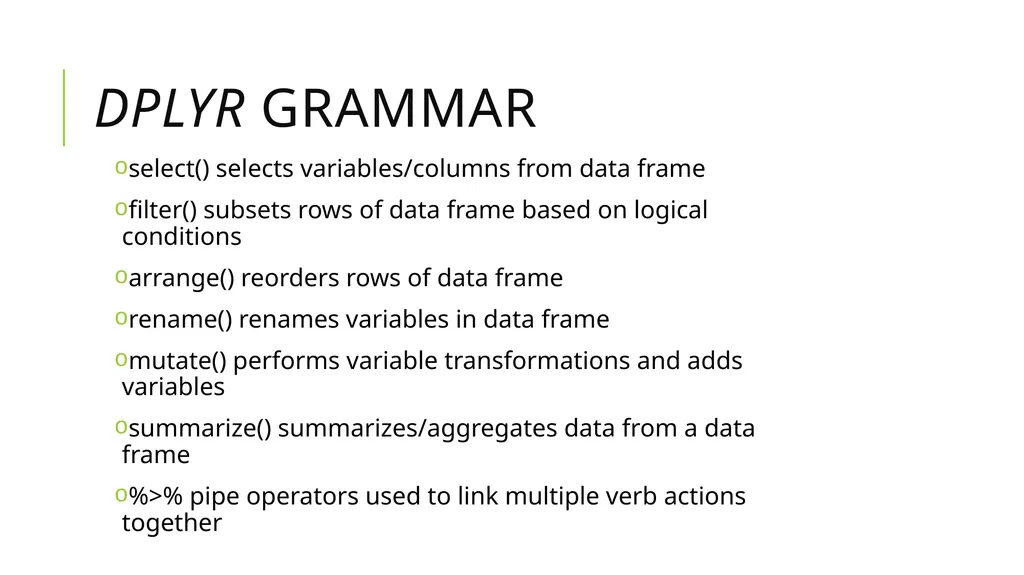
dplyr grammar select() selects variables/columns from data frame
filter() subsets rows of data frame based on logical conditions
arrange() reorders rows of data frame
rename() renames variables in data frame
mutate() performs variable transformations and adds variables
summarize() summarizes/aggregates data from a data frame
%>% pipe operators used to link multiple verb actions together<br>
filter() subsets rows of data frame based on logical conditions
arrange() reorders rows of data frame
rename() renames variables in data frame
mutate() performs variable transformations and adds variables
summarize() summarizes/aggregates data from a data frame
%>% pipe operators used to link multiple verb actions together<br>
34
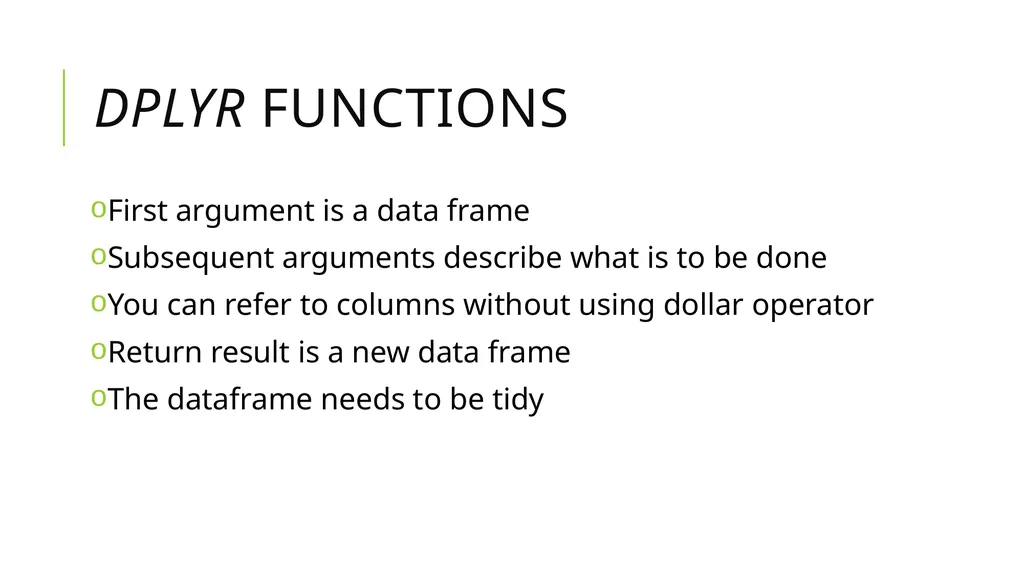
dplyr functions First argument is a data frame
Subsequent arguments describe what is to be done
You can refer to columns without using dollar operator
Return result is a new data frame
The dataframe needs to be tidy<br>
Subsequent arguments describe what is to be done
You can refer to columns without using dollar operator
Return result is a new data frame
The dataframe needs to be tidy<br>
35
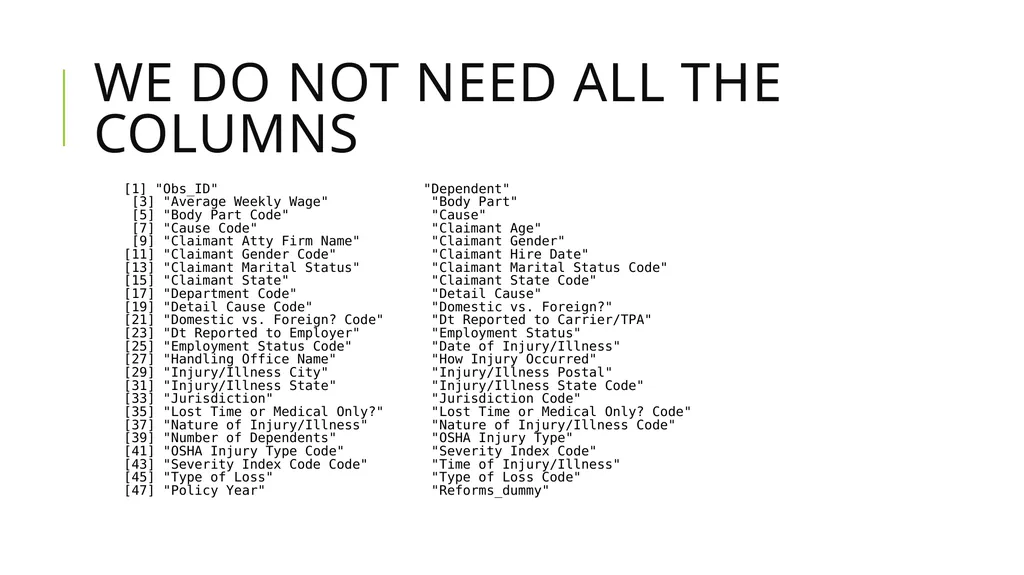
We do not need all the columns<br>
36
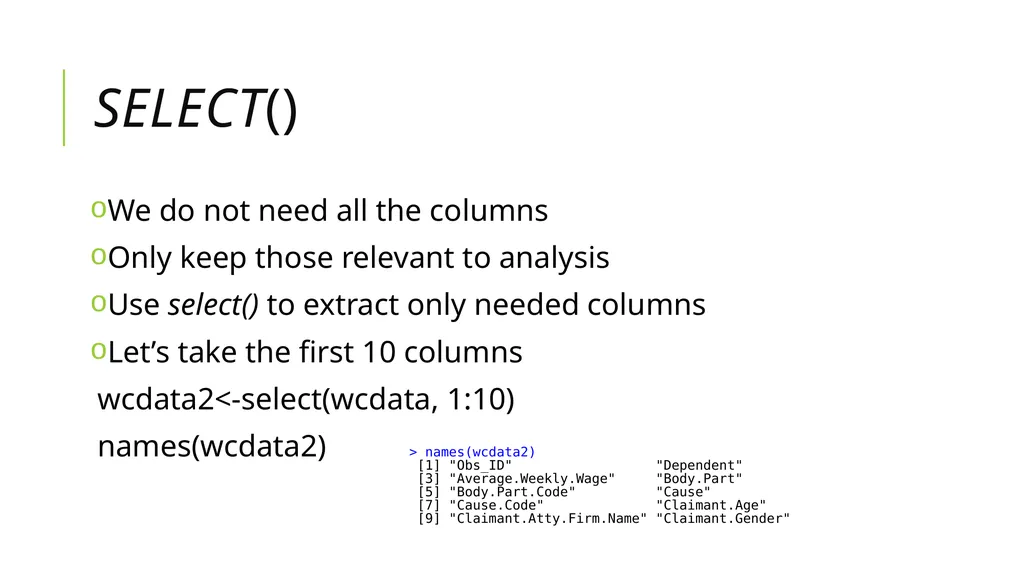
select() We do not need all the columns
Only keep those relevant to analysis
Use select() to extract only needed columns
Let’s take the first 10 columns
wcdata2<-select(wcdata, 1:10)
names(wcdata2)<br>
Only keep those relevant to analysis
Use select() to extract only needed columns
Let’s take the first 10 columns
wcdata2<-select(wcdata, 1:10)
names(wcdata2)<br>
37
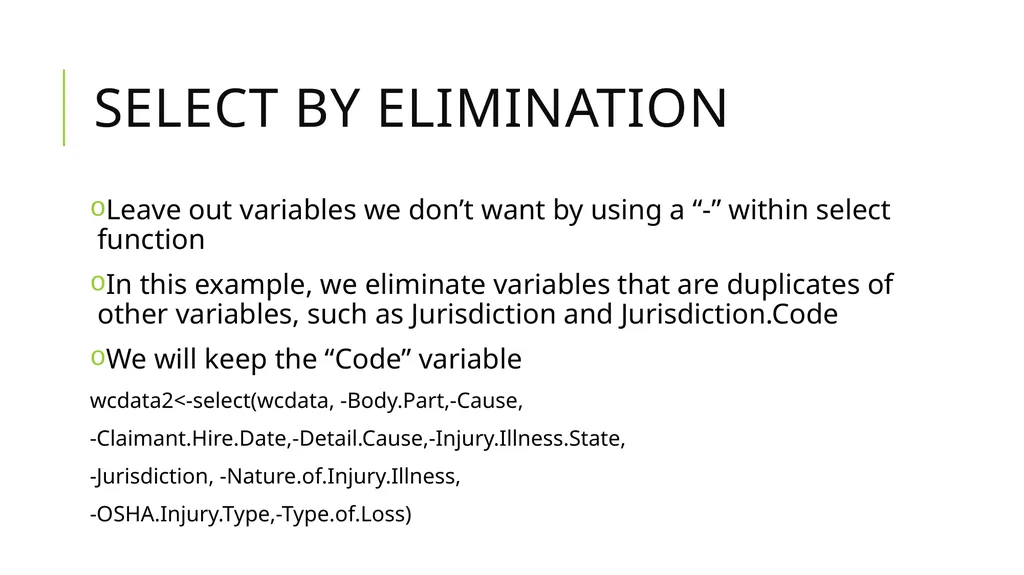
Select by Elimination Leave out variables we don’t want by using a “-” within select function
In this example, we eliminate variables that are duplicates of other variables, such as Jurisdiction and Jurisdiction.Code
We will keep the “Code” variable
wcdata2<-select(wcdata, -Body.Part,-Cause,
-Claimant.Hire.Date,-Detail.Cause,-Injury.Illness.State,
-Jurisdiction, -Nature.of.Injury.Illness,
-OSHA.Injury.Type,-Type.of.Loss)<br>
In this example, we eliminate variables that are duplicates of other variables, such as Jurisdiction and Jurisdiction.Code
We will keep the “Code” variable
wcdata2<-select(wcdata, -Body.Part,-Cause,
-Claimant.Hire.Date,-Detail.Cause,-Injury.Illness.State,
-Jurisdiction, -Nature.of.Injury.Illness,
-OSHA.Injury.Type,-Type.of.Loss)<br>
38
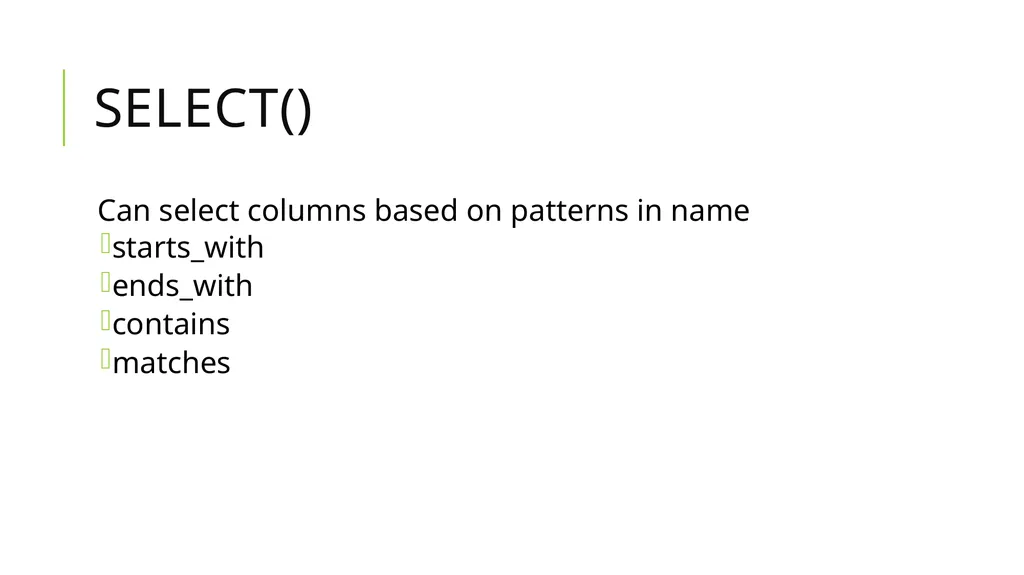
select() Can select columns based on patterns in name
starts_with
ends_with
contains
matches<br>
starts_with
ends_with
contains
matches<br>
39
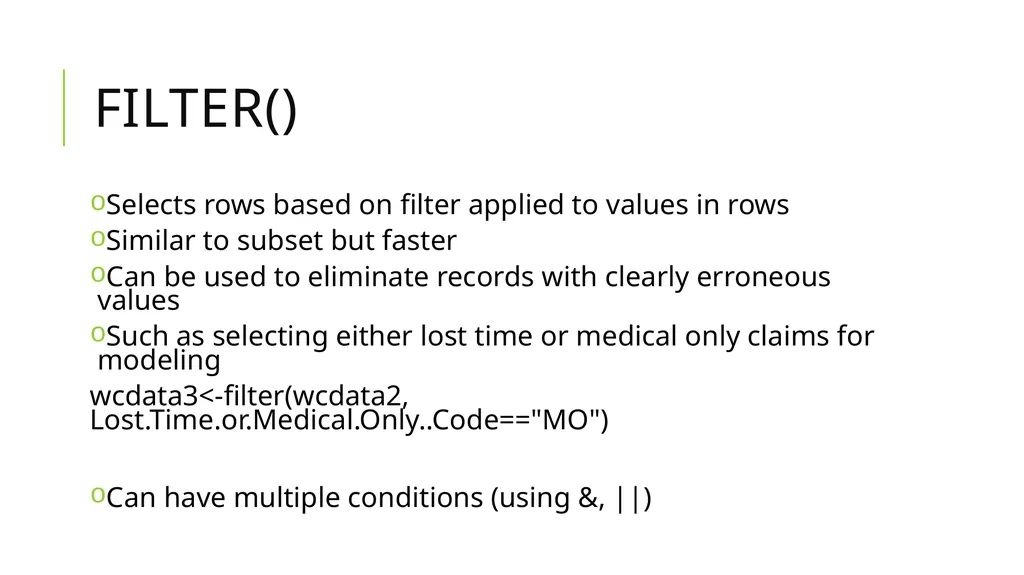
filter() Selects rows based on filter applied to values in rows
Similar to subset but faster
Can be used to eliminate records with clearly erroneous values
Such as selecting either lost time or medical only claims for modeling
wcdata3<-filter(wcdata2, Lost.Time.or.Medical.Only..Code=="MO")
Can have multiple conditions (using &, ||)<br>
Similar to subset but faster
Can be used to eliminate records with clearly erroneous values
Such as selecting either lost time or medical only claims for modeling
wcdata3<-filter(wcdata2, Lost.Time.or.Medical.Only..Code=="MO")
Can have multiple conditions (using &, ||)<br>
40
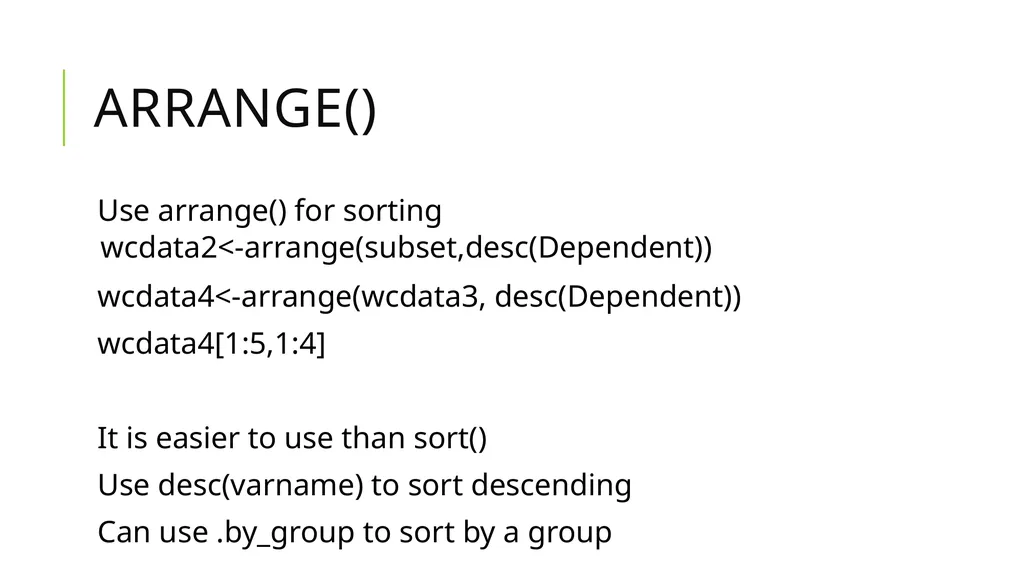
arrange() Use arrange() for sorting
wcdata2<-arrange(subset,desc(Dependent))
wcdata4<-arrange(wcdata3, desc(Dependent))
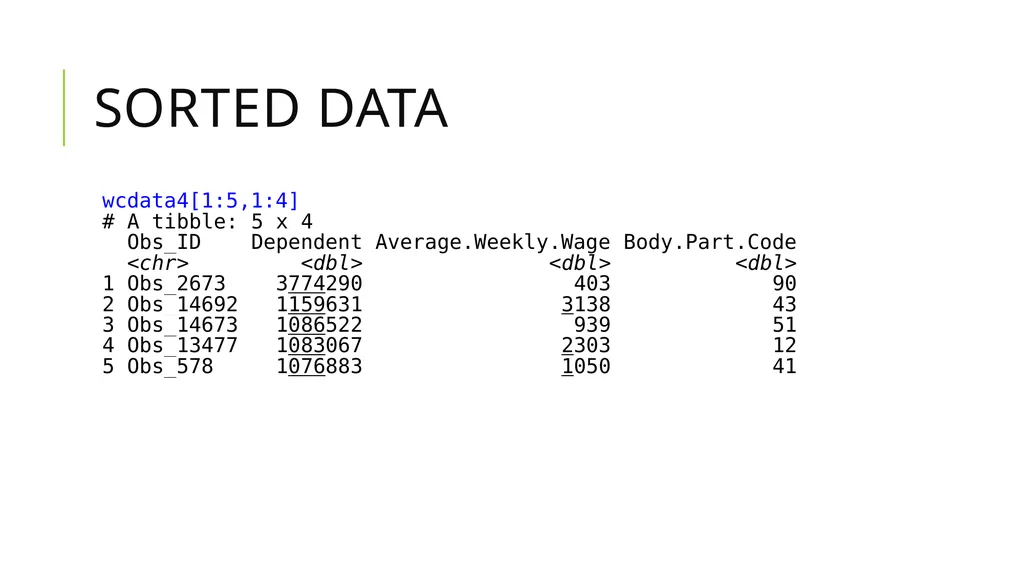
wcdata4[1:5,1:4]
It is easier to use than sort()
Use desc(varname) to sort descending
Can use .by_group to sort by a group<br>
wcdata2<-arrange(subset,desc(Dependent))
wcdata4<-arrange(wcdata3, desc(Dependent))
wcdata4[1:5,1:4]
It is easier to use than sort()
Use desc(varname) to sort descending
Can use .by_group to sort by a group<br>
41
Sorted Data<br>
42
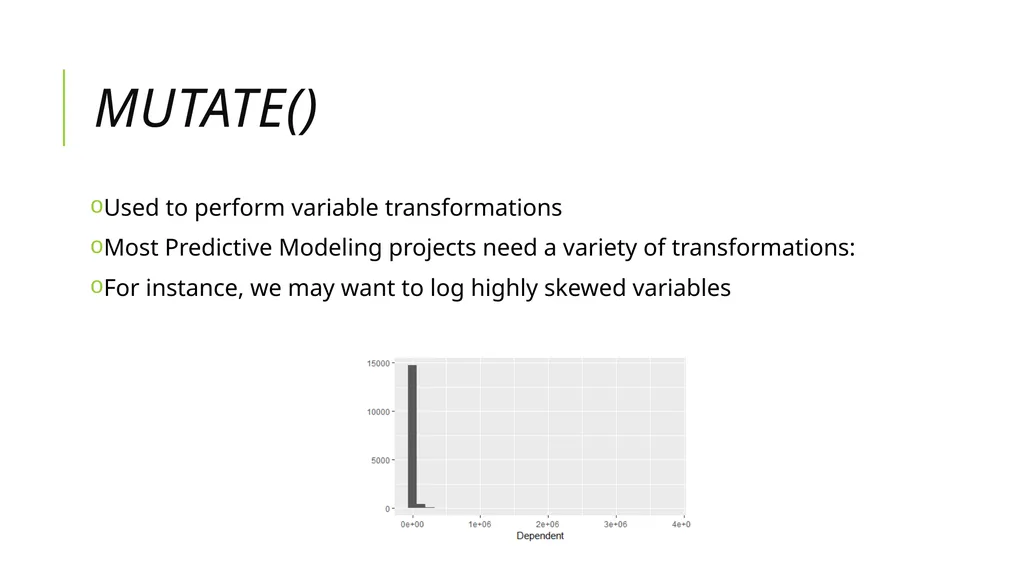
mutate() Used to perform variable transformations
Most Predictive Modeling projects need a variety of transformations:
For instance, we may want to log highly skewed variables<br>
Most Predictive Modeling projects need a variety of transformations:
For instance, we may want to log highly skewed variables<br>
43
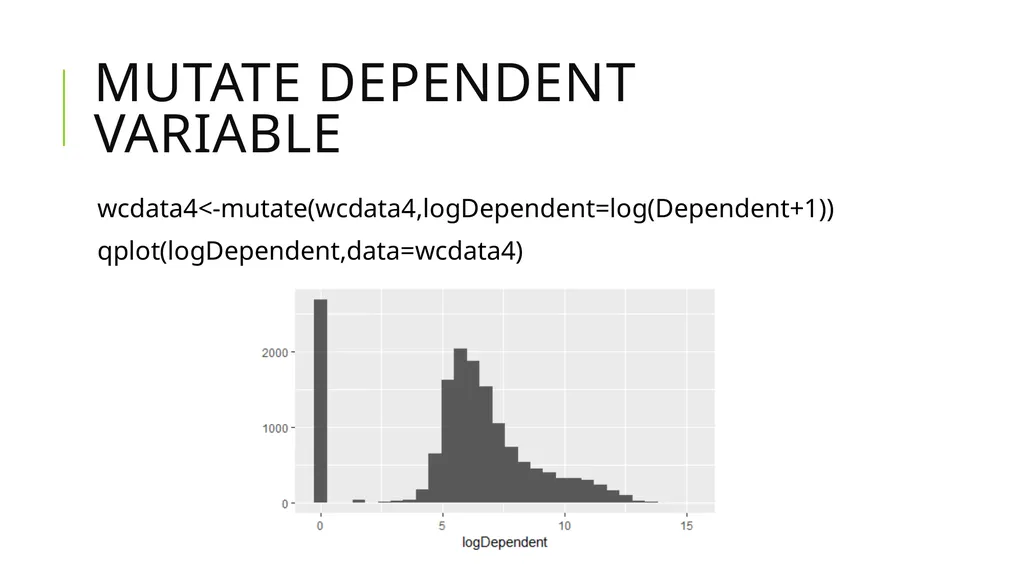
Mutate dependent variable wcdata4<-mutate(wcdata4,logDependent=log(Dependent+1))
qplot(logDependent,data=wcdata4)<br>
qplot(logDependent,data=wcdata4)<br>
44
Other transformations Indicator variables to Identify missing's in variables
Compute time lag variables (Report lag to employer, report lag to carrier)<br>
Compute time lag variables (Report lag to employer, report lag to carrier)<br>
45
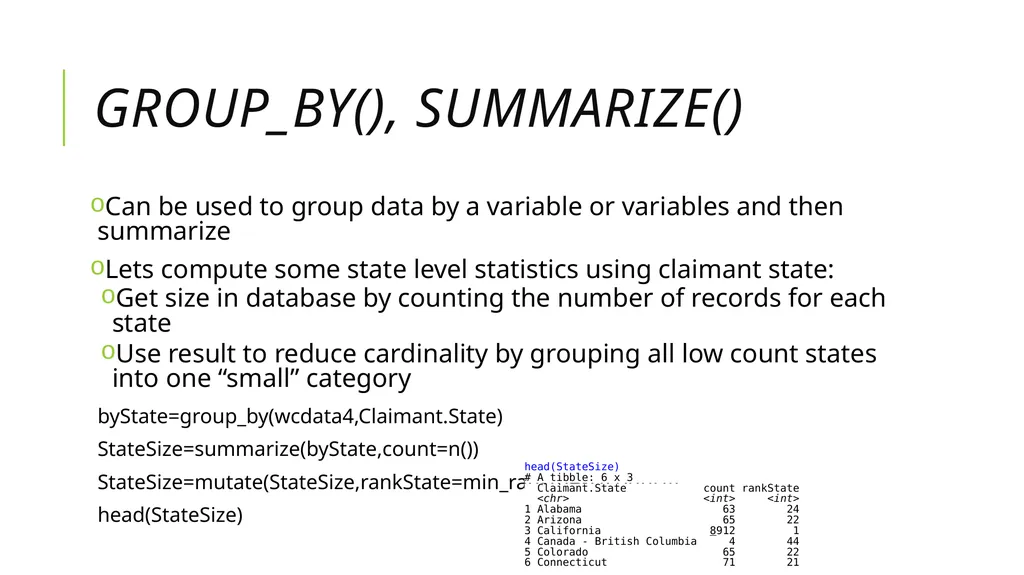
group_by(), summarize() Can be used to group data by a variable or variables and then summarize
Lets compute some state level statistics using claimant state:
Get size in database by counting the number of records for each state
Use result to reduce cardinality by grouping all low count states into one “small” category
byState=group_by(wcdata4,Claimant.State)
StateSize=summarize(byState,count=n())
StateSize=mutate(StateSize,rankState=min_rank(desc(count)))
head(StateSize)<br>
Lets compute some state level statistics using claimant state:
Get size in database by counting the number of records for each state
Use result to reduce cardinality by grouping all low count states into one “small” category
byState=group_by(wcdata4,Claimant.State)
StateSize=summarize(byState,count=n())
StateSize=mutate(StateSize,rankState=min_rank(desc(count)))
head(StateSize)<br>
46
Using the pipe operator A different way of organizing code
The logical sequence of the code is more natural
A way of executing steps or nested code/ functions
The pipe operator is %>%<br>
The logical sequence of the code is more natural
A way of executing steps or nested code/ functions
The pipe operator is %>%<br>
47
Redo Group_by and Summarize with pipe operator StateSize<- wcdata3 %>% group_by(Claimant.State.Code) %>%
summarize(count=n()) %>%
mutate(r=min_rank(desc(count)))
The pipe operator is denoted with “%>%”
It moves from left to right
The database comes first
Then the procedures performed on it in chronological order<br>
summarize(count=n()) %>%
mutate(r=min_rank(desc(count)))
The pipe operator is denoted with “%>%”
It moves from left to right
The database comes first
Then the procedures performed on it in chronological order<br>
48
Joining data Used to merge datasets
Certain joins are like a VLOOKUP in Excel
inner_join()
left_join()
right_join()
full_join()
We can use a join to join the StateSize data into the data file<br>
Certain joins are like a VLOOKUP in Excel
inner_join()
left_join()
right_join()
full_join()
We can use a join to join the StateSize data into the data file<br>
49
JoiNing the grouped data back into original data wcdata5 =inner_join(wcdata4,StateSize,by="Claimant.State.Code")
names(wcdata5)
Or
wcdata5 =right_join(wcdata4,StateSize,by="Claimant.State.Code")
names(wcdata5)<br>
names(wcdata5)
Or
wcdata5 =right_join(wcdata4,StateSize,by="Claimant.State.Code")
names(wcdata5)<br>
50
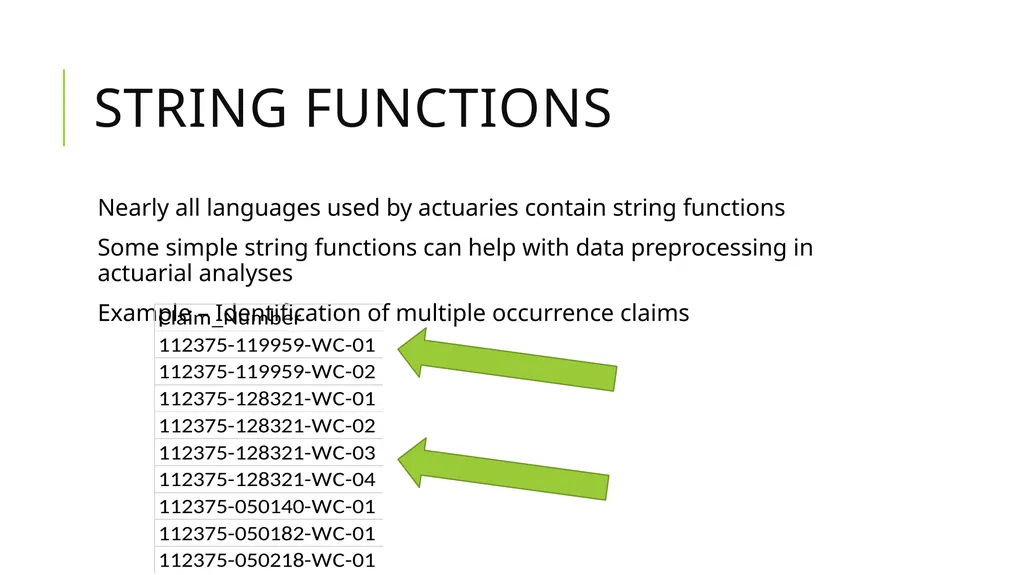
String Functions Nearly all languages used by actuaries contain string functions
Some simple string functions can help with data preprocessing in actuarial analyses
Example – Identification of multiple occurrence claims<br>
Some simple string functions can help with data preprocessing in actuarial analyses
Example – Identification of multiple occurrence claims<br>
51
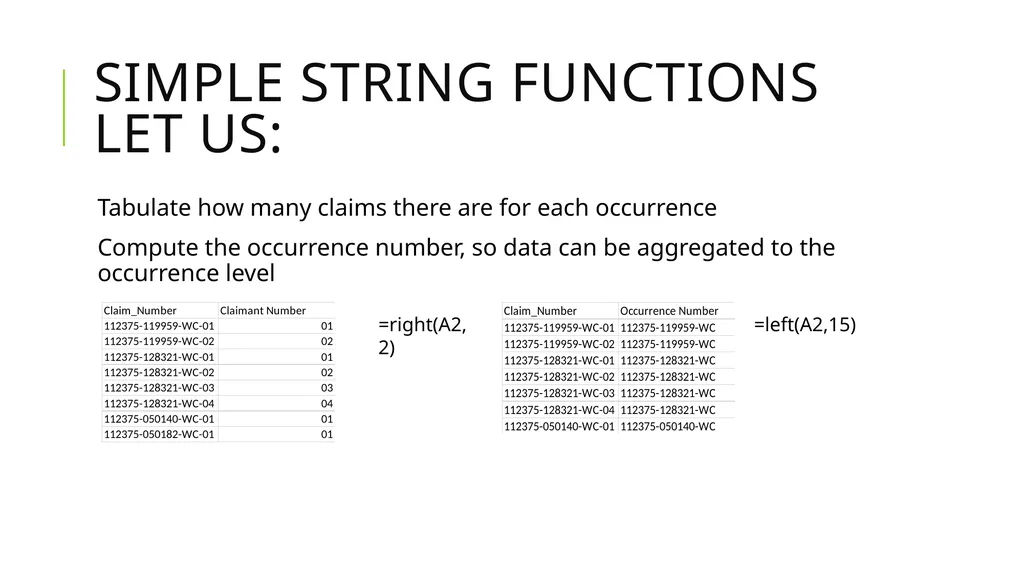
Simple String Functions Let Us: Tabulate how many claims there are for each occurrence
Compute the occurrence number, so data can be aggregated to the occurrence level =right(A2,2) =left(A2,15)<br>
Compute the occurrence number, so data can be aggregated to the occurrence level =right(A2,2) =left(A2,15)<br>
52
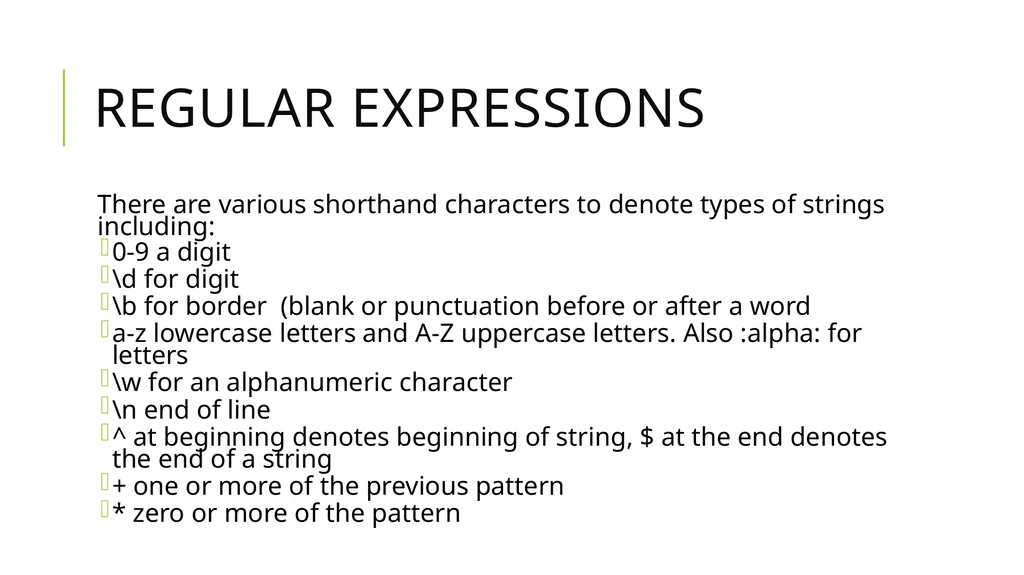
Regular Expressions There are various shorthand characters to denote types of strings including:
0-9 a digit
\d for digit
\b for border (blank or punctuation before or after a word
a-z lowercase letters and A-Z uppercase letters. Also :alpha: for letters
\w for an alphanumeric character
\n end of line
^ at beginning denotes beginning of string, $ at the end denotes the end of a string
+ one or more of the previous pattern
* zero or more of the pattern<br>
0-9 a digit
\d for digit
\b for border (blank or punctuation before or after a word
a-z lowercase letters and A-Z uppercase letters. Also :alpha: for letters
\w for an alphanumeric character
\n end of line
^ at beginning denotes beginning of string, $ at the end denotes the end of a string
+ one or more of the previous pattern
* zero or more of the pattern<br>
53
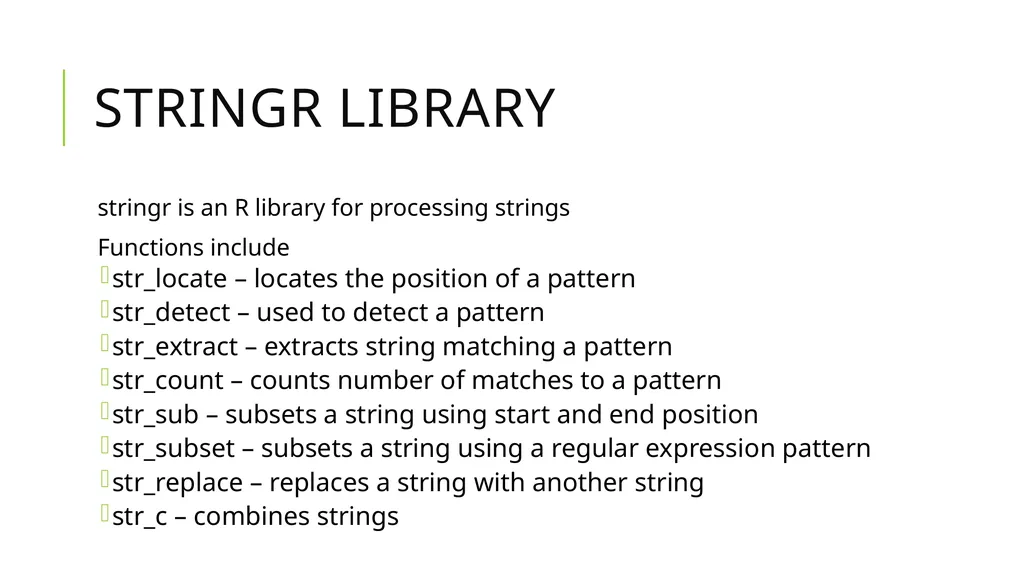
stringr library stringr is an R library for processing strings
Functions include
str_locate – locates the position of a pattern
str_detect – used to detect a pattern
str_extract – extracts string matching a pattern
str_count – counts number of matches to a pattern
str_sub – subsets a string using start and end position
str_subset – subsets a string using a regular expression pattern
str_replace – replaces a string with another string
str_c – combines strings<br>
Functions include
str_locate – locates the position of a pattern
str_detect – used to detect a pattern
str_extract – extracts string matching a pattern
str_count – counts number of matches to a pattern
str_sub – subsets a string using start and end position
str_subset – subsets a string using a regular expression pattern
str_replace – replaces a string with another string
str_c – combines strings<br>
54
stringr library stringr is an R library for processing strings
Functions include
str_locate – locates the position of a pattern
str_detect – used to detect a pattern
str_extract – extracts string matching a pattern
str_count – counts number of matches to a pattern
str_sub – subsets a string using start and end position
str_subset – subsets a string using a regular expression pattern
str_replace – replaces a string with another string
str_c – combines strings<br>
Functions include
str_locate – locates the position of a pattern
str_detect – used to detect a pattern
str_extract – extracts string matching a pattern
str_count – counts number of matches to a pattern
str_sub – subsets a string using start and end position
str_subset – subsets a string using a regular expression pattern
str_replace – replaces a string with another string
str_c – combines strings<br>
55
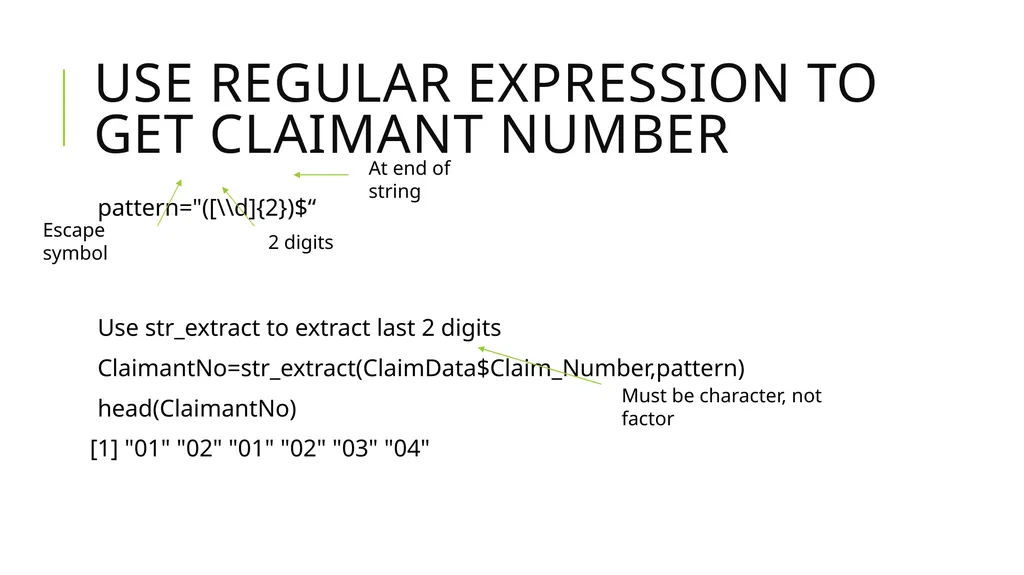
Use regular expression to get claimant number pattern="([\\d]{2})$“
Use str_extract to extract last 2 digits
ClaimantNo=str_extract(ClaimData$Claim_Number,pattern)
head(ClaimantNo)
[1] "01" "02" "01" "02" "03" "04" 2 digits At end of string Escape symbol Must be character, not factor<br>
Use str_extract to extract last 2 digits
ClaimantNo=str_extract(ClaimData$Claim_Number,pattern)
head(ClaimantNo)
[1] "01" "02" "01" "02" "03" "04" 2 digits At end of string Escape symbol Must be character, not factor<br>
56
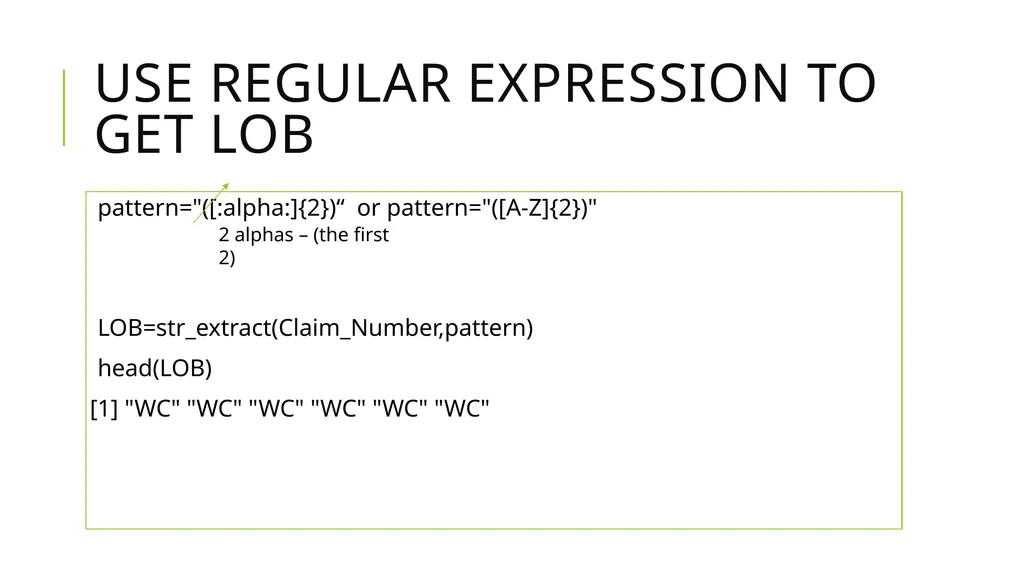
Use Regular Expression to get LOB pattern="([:alpha:]{2})“ or pattern="([A-Z]{2})"
LOB=str_extract(Claim_Number,pattern)
head(LOB)
[1] "WC" "WC" "WC" "WC" "WC" "WC" 2 alphas – (the first 2)<br>
LOB=str_extract(Claim_Number,pattern)
head(LOB)
[1] "WC" "WC" "WC" "WC" "WC" "WC" 2 alphas – (the first 2)<br>
57
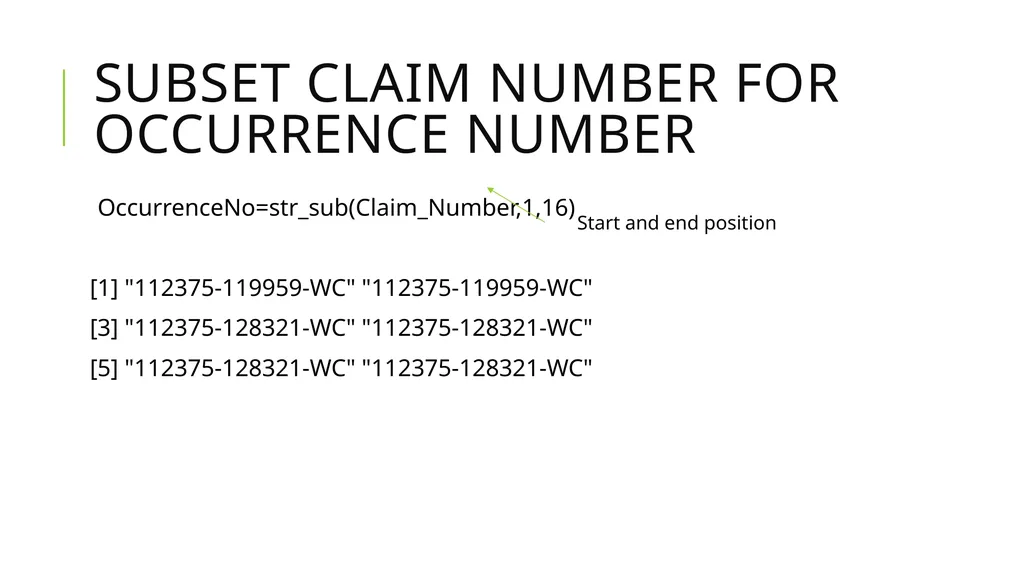
Subset claim number for Occurrence Number OccurrenceNo=str_sub(Claim_Number,1,16)
[1] "112375-119959-WC" "112375-119959-WC"
[3] "112375-128321-WC" "112375-128321-WC"
[5] "112375-128321-WC" "112375-128321-WC" Start and end position<br>
[1] "112375-119959-WC" "112375-119959-WC"
[3] "112375-128321-WC" "112375-128321-WC"
[5] "112375-128321-WC" "112375-128321-WC" Start and end position<br>
58
str_remove to remove the LOB All records end with the same LOB so remove it
pattern="-WC"
OccurrenceNo=str_remove(OccurrenceNo,pattern)
head(OccurrenceNo)
[1] "112375-119959" "112375-119959"
[3] "112375-128321" "112375-128321"
[5] "112375-128321" "112375-128321"<br>
pattern="-WC"
OccurrenceNo=str_remove(OccurrenceNo,pattern)
head(OccurrenceNo)
[1] "112375-119959" "112375-119959"
[3] "112375-128321" "112375-128321"
[5] "112375-128321" "112375-128321"<br>
59
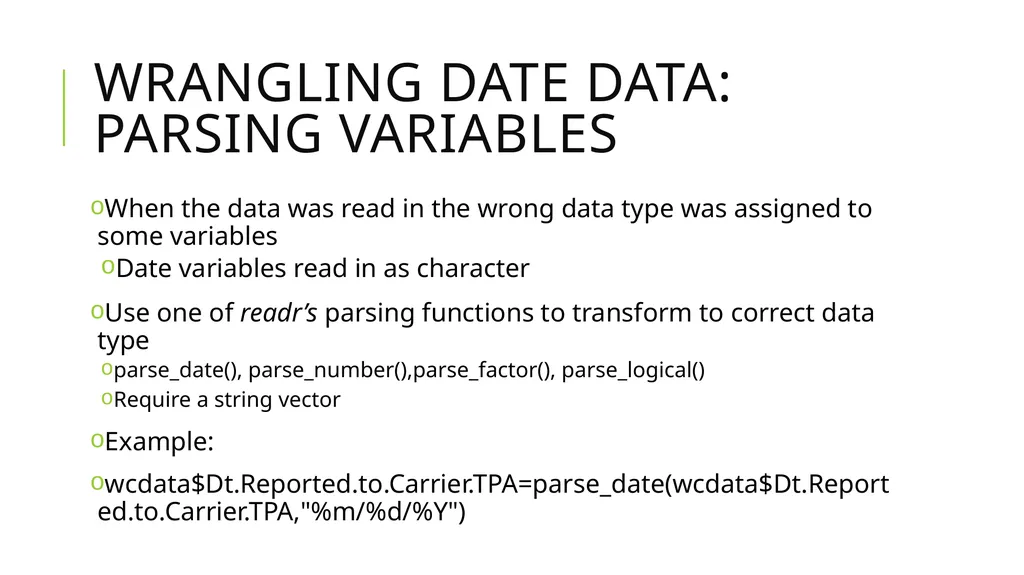
Wrangling Date data: Parsing variables When the data was read in the wrong data type was assigned to some variables
Date variables read in as character
Use one of readr’s parsing functions to transform to correct data type
parse_date(), parse_number(),parse_factor(), parse_logical()
Require a string vector
Example:
wcdata$Dt.Reported.to.Carrier.TPA=parse_date(wcdata$Dt.Reported.to.Carrier.TPA,"%m/%d/%Y")<br>
Date variables read in as character
Use one of readr’s parsing functions to transform to correct data type
parse_date(), parse_number(),parse_factor(), parse_logical()
Require a string vector
Example:
wcdata$Dt.Reported.to.Carrier.TPA=parse_date(wcdata$Dt.Reported.to.Carrier.TPA,"%m/%d/%Y")<br>
60
Any Questions?<br>