
District Assessment Coordinator Training Session
TF
Published · 105 slides · 0 views

1 / 1
Description
District Assessment Coordinator Training Session for School Assessment Coordinators Online Administration Spring, 2026 Enter the Date Presentation is Given 1 Spring Administration, 2026 This document should be used for administration of
Related Topics
Share
Embed code
Download this presentation From Below
"District Assessment Coordinator Training Session" is the property of its rightful owner. Permission is granted to download and print the materials on this website for personal, non-commercial use only, and to display it on your personal computer provided you do not modify the materials and that you retain all copyright notices contained in the materials. By downloading content from our website, you accept the terms of this agreement.
Presentation Transcript
01
District Assessment Coordinator Training Session for
School Assessment Coordinators
Online Administration
Spring, 2026 Enter the Date Presentation is Given 1<br>
02
Spring Administration, 2026 This document should be used for administration of PSSA and Keystone Exams in spring, 2026. 2<br>
03
Disclaimer Since this document contains the PDE logo, please adhere to the following guidelines as you use this document:
You may edit the slides on pages 1, 21, and 22. These slides contain information specific to your LEA.
If you are only administering the PSSA assessments, you may delete the slides for the Keystone Exams, and vice-versa.
The content of other slides should not be edited.
You may edit the order of the slides. 3<br>
You may edit the slides on pages 1, 21, and 22. These slides contain information specific to your LEA.
If you are only administering the PSSA assessments, you may delete the slides for the Keystone Exams, and vice-versa.
The content of other slides should not be edited.
You may edit the order of the slides. 3<br>
04
Agenda 4<br>
05
Agenda – Page 1 Acronyms
Changes for 2025 – 2026
District Assessment Schedule
Responsibilities of SACs
Receiving Secure Materials
Secure Materials 5<br>
Changes for 2025 – 2026
District Assessment Schedule
Responsibilities of SACs
Receiving Secure Materials
Secure Materials 5<br>
06
Agenda – Page 2 Accommodations
Transcribing a Student’s Responses
Student Participation
Qualifications and Responsibilities of TAs
Administration Preparation
PSTAT
Directions For Administration 6<br>
Transcribing a Student’s Responses
Student Participation
Qualifications and Responsibilities of TAs
Administration Preparation
PSTAT
Directions For Administration 6<br>
07
Agenda – Page 3 Code of Conduct
Online Administration
Electronic Devices
Calculators
Test Security Certification Statements
Parent Information
Contact Information/Mission 7<br>
Online Administration
Electronic Devices
Calculators
Test Security Certification Statements
Parent Information
Contact Information/Mission 7<br>
08
Acronyms 8<br>
09
Frequently Used Acronyms PDE – Pennsylvania Department of Education
DAC – District Assessment Coordinator
SAC – School Assessment Coordinator
TA – Test Administrator
HAC – Handbook for Assessment Coordinators
DFA – Directions for Administration
Online
Spanish
PSTAT – Pennsylvania State Test Administrator Training
DRC – Data Recognition Corporation 9<br>
DAC – District Assessment Coordinator
SAC – School Assessment Coordinator
TA – Test Administrator
HAC – Handbook for Assessment Coordinators
DFA – Directions for Administration
Online
Spanish
PSTAT – Pennsylvania State Test Administrator Training
DRC – Data Recognition Corporation 9<br>
10
Changes for 2025-2026 10<br>
11
Tech Enhanced Questions Technology Enhanced (TE) questions will appear on all PSSA and Keystone assessments. Students utilize features such as click-to-respond, drag-and-drop, drop-down, and text highlighting to answer questions.
Both field test and operational TE questions are included.
Online Tools Trainings have been expanded and updated to include all types of TE questions. https://portal.te.drcedirect.com/PA 11<br>
Both field test and operational TE questions are included.
Online Tools Trainings have been expanded and updated to include all types of TE questions. https://portal.te.drcedirect.com/PA 11<br>
12
Spanish Assessments All Spanish assessments will be delivered online.
SACs must request Mathematics formula sheets in Spanish and Spanish DFAs through additional material orders or print from the PDE website.
Spanish Online Tools Trainings (OTTs) are available within the accommodated version of the OTTs for Mathematics and Science beginning March 11, 2026. https://portal.te.drcedirect.com/PA 12<br>
SACs must request Mathematics formula sheets in Spanish and Spanish DFAs through additional material orders or print from the PDE website.
Spanish Online Tools Trainings (OTTs) are available within the accommodated version of the OTTs for Mathematics and Science beginning March 11, 2026. https://portal.te.drcedirect.com/PA 12<br>
13
Keystone Biology Exam The spring Keystone Biology Exam is aligned to the STEELS Standards
First time Biology test takers must take the STEELS form.
For students needing to retest, the SAC will select the legacy form within the accommodations portal. 13<br>
First time Biology test takers must take the STEELS form.
For students needing to retest, the SAC will select the legacy form within the accommodations portal. 13<br>
14
Survey Questions Four brief survey questions appear before the review page at the end of the final section or module of all assessments.
The questions ask students (1) if they used an external keyboard, (2) mouse, (3) stylus and (4) whether they practiced the online tools (OTTs) prior to testing.
TAs should instruct students who navigate to the survey before answering all test questions to check their work and answer each question before submitting the test.
Survey answers have no impact on the student’s score. 14<br>
The questions ask students (1) if they used an external keyboard, (2) mouse, (3) stylus and (4) whether they practiced the online tools (OTTs) prior to testing.
TAs should instruct students who navigate to the survey before answering all test questions to check their work and answer each question before submitting the test.
Survey answers have no impact on the student’s score. 14<br>
15
Updated Accommodations
Documents The following have been updated and posted on the PDE website: Accommodations Webpage
Accommodations PowerPoint
Accommodations Webinar Link
Accommodations Guidelines
Accommodations Guidelines for English Learners
Read Aloud, Scribing, and Transcribing Guidelines
Supplemental Guidelines for ASL in VSL
Unique Accommodation Assurance
Confidentiality Agreement Form
Print on demand Document – available early March on PDE website 15<br>
Accommodations PowerPoint
Accommodations Webinar Link
Accommodations Guidelines
Accommodations Guidelines for English Learners
Read Aloud, Scribing, and Transcribing Guidelines
Supplemental Guidelines for ASL in VSL
Unique Accommodation Assurance
Confidentiality Agreement Form
Print on demand Document – available early March on PDE website 15<br>
16
Initial Materials Shipment Districts/schools will receive a single shipment unless they order additional materials. The initial shipment will include:
HAC and DFAs
Mathematics formula sheets and Writer’s checklists.
A pack of rulers and protractors (as applicable) 16<br>
HAC and DFAs
Mathematics formula sheets and Writer’s checklists.
A pack of rulers and protractors (as applicable) 16<br>
17
Additional Materials Shipment If an LEA requires any of the following, the SAC must order these via the additional materials ordering system:
Spanish DFA(s)
Spanish formula sheet(s)
Large print booklet(s)
Braille booklet(s)
Braille graphic packet(s)
Window opens March 23rd for PSSA and April 13th for Keystone Exams
Secure materials will be delivered two weeks prior to testing 17<br>
Spanish DFA(s)
Spanish formula sheet(s)
Large print booklet(s)
Braille booklet(s)
Braille graphic packet(s)
Window opens March 23rd for PSSA and April 13th for Keystone Exams
Secure materials will be delivered two weeks prior to testing 17<br>
18
Print on Demand Information A very small number of students will need the print on demand accommodation. Paper/pencil testing is only available for a student who:
requires testing in paper/pencil mode as an accommodation due to disability, as documented in the IEP or 504 plan.
has medical documentation within two weeks of the testing window to test in paper/pencil mode, due to recent injury or illness.
is prohibited from using online devices per terms of educational placement or documented legal adjudication. 18<br>
requires testing in paper/pencil mode as an accommodation due to disability, as documented in the IEP or 504 plan.
has medical documentation within two weeks of the testing window to test in paper/pencil mode, due to recent injury or illness.
is prohibited from using online devices per terms of educational placement or documented legal adjudication. 18<br>
19
Print on Demand Requirements Consult the Accommodations Guidelines for a student needing a paper copy of the assessment.
Follow all PDE directions for print on demand testing.
Print materials must be kept secure until testing and securely destroyed after testing.
PDE strongly recommends that schools provide a single section or module of the assessment to the student on testing day. This prevents the student from answering questions in the incorrect section. 19<br>
Follow all PDE directions for print on demand testing.
Print materials must be kept secure until testing and securely destroyed after testing.
PDE strongly recommends that schools provide a single section or module of the assessment to the student on testing day. This prevents the student from answering questions in the incorrect section. 19<br>
20
District Assessment Schedule 20<br>
21
District Assessment Schedule:
PSSA Enter your testing dates, including make up dates, for:
ELA
Mathematics
Science 21<br>
ELA
Mathematics
Science 21<br>
22
District Assessment Schedule:
Keystone Exams Enter your testing dates, including make up dates, for:
Algebra I
Biology
Literature 22<br>
Algebra I
Biology
Literature 22<br>
23
Responsibilities of SACs 23<br>
24
SACs are to Review: Handbook for Assessment Coordinators
All Directions for Administration Manuals
Handbook for Secure Test Administration
Accommodations Webinar (PDF and YouTube)
All Accommodations Guidelines and Handbooks
LEA policies for home schooled and cyber students
Documents posted on the Pennsylvania System of Assessment site PSA Administration Training 24<br>
All Directions for Administration Manuals
Handbook for Secure Test Administration
Accommodations Webinar (PDF and YouTube)
All Accommodations Guidelines and Handbooks
LEA policies for home schooled and cyber students
Documents posted on the Pennsylvania System of Assessment site PSA Administration Training 24<br>
25
SAC Responsibilities Provide testing dates for the school to the DAC
Complete PSTAT: TA and SAC modules
Set up all test sessions within the DRC Insight portal
Ensure the correct TAs are assigned to each test session
Physically monitor all testing locations
Ensure TAs have posted required information from DFA
Maintain all documentation for PDE monitoring visit 25<br>
Complete PSTAT: TA and SAC modules
Set up all test sessions within the DRC Insight portal
Ensure the correct TAs are assigned to each test session
Physically monitor all testing locations
Ensure TAs have posted required information from DFA
Maintain all documentation for PDE monitoring visit 25<br>
26
SAC Additional Responsibilities Run Excessive Login Report daily. Report excessive logins to DAC and investigate if necessary. Report to PDE security violations have occurred. Consult page 5 of HAC.
Report all test security violations to the DAC and/or PDE within 24 hours and provide all documentation necessary
Sign the Test Security Certification Statement after testing is complete 26<br>
Report all test security violations to the DAC and/or PDE within 24 hours and provide all documentation necessary
Sign the Test Security Certification Statement after testing is complete 26<br>
27
DACs and SACs Will Develop: A plan with District Technology Coordinator to ensure all devices have the testing software installed and a plan to communicate technology issues.
A plan for adequate devices, chargers, outlets.
A plan for students to become familiar with the online testing platform using Online Tools Training. The CDT and/or Firefly assessments can also help prepare students. Ensure TAs understand they cannot assist students with how questions are answered during testing. Students must be familiar with the platform prior to the assessments. TAs may encourage students to use the Help feature. 27<br>
A plan for adequate devices, chargers, outlets.
A plan for students to become familiar with the online testing platform using Online Tools Training. The CDT and/or Firefly assessments can also help prepare students. Ensure TAs understand they cannot assist students with how questions are answered during testing. Students must be familiar with the platform prior to the assessments. TAs may encourage students to use the Help feature. 27<br>
28
Background Applications DACs, SACs and District Technology Coordinators must ensure all background applications are turned off every device used for testing.
Background applications include Grammarly, spell check, word suggestions, etc. 28<br>
Background applications include Grammarly, spell check, word suggestions, etc. 28<br>
29
Training Sessions to Provide Provide training to TAs, proctors, anyone present in testing rooms including student teachers, TSS, PCA, and all those with access to secure materials including secretarial and custodial staff
Sessions are held in person
Maintain copies of agendas and sign in sheets
Ensure these individuals complete the PSTAT for TAs 29<br>
Sessions are held in person
Maintain copies of agendas and sign in sheets
Ensure these individuals complete the PSTAT for TAs 29<br>
30
Documentation Maintained
by SACs PSTAT certificates (electronic or paper)
DAC, SAC, TAs and all others involved in testing
Copies of DAC training of SACs agendas and sign in sheet(s)
Copies of SAC training of TAs agendas and sign in sheet(s)
Procedures for emergencies, use of restrooms, extended time
Religious Opt Out documentation 30<br>
DAC, SAC, TAs and all others involved in testing
Copies of DAC training of SACs agendas and sign in sheet(s)
Copies of SAC training of TAs agendas and sign in sheet(s)
Procedures for emergencies, use of restrooms, extended time
Religious Opt Out documentation 30<br>
31
Additional Documentation SACs
Maintain List of those with access to secure materials
Schedule for assessments and make up sessions
Rosters for all test sessions with TAs and students listed
Secure materials sign out/sign in sheets
Seating charts
Excessive Login Report
Signed Test Security Certificates
DAC, SAC and building principal(s), TAs, General 31<br>
Schedule for assessments and make up sessions
Rosters for all test sessions with TAs and students listed
Secure materials sign out/sign in sheets
Seating charts
Excessive Login Report
Signed Test Security Certificates
DAC, SAC and building principal(s), TAs, General 31<br>
32
Storage of Documentation Copies of signed documents may be scanned and stored electronically.
Maintain copies of all documents for 3 years. 32<br>
Maintain copies of all documents for 3 years. 32<br>
33
Handling of Secure Materials SACs are to:
Print, organize, distribute, and collect test tickets
Treat test tickets as secure materials
If applicable, place the student’s name on:
the large print booklet
the braille booklet
Inventory secure materials daily during testing
Maintain secure storage of all materials 33<br>
Print, organize, distribute, and collect test tickets
Treat test tickets as secure materials
If applicable, place the student’s name on:
the large print booklet
the braille booklet
Inventory secure materials daily during testing
Maintain secure storage of all materials 33<br>
34
Materials to Shred Post Testing Test tickets
Used scratch and grid paper
Formula or Reference Sheets with writing
Print on demand tests
Large print and braille booklets 34<br>
Used scratch and grid paper
Formula or Reference Sheets with writing
Print on demand tests
Large print and braille booklets 34<br>
35
Receiving Secure Materials 35<br>
36
Booklets for large print and braille The large print and braille booklets are the only printed assessment booklets sent to districts/schools.
SACs should take inventory immediately upon receipt of materials.
Maintain copies of inventory lists.
Test security and accounting of materials are of utmost importance.
Consult DAC and SAC checklists located in HAC. 36<br>
SACs should take inventory immediately upon receipt of materials.
Maintain copies of inventory lists.
Test security and accounting of materials are of utmost importance.
Consult DAC and SAC checklists located in HAC. 36<br>
37
Secure Materials 37<br>
38
Storage of Secure Materials Secure materials should be stored in locked cabinets/storage room with limited access.
Maintain a list of those with access to the space.
Anyone with access to the secure storage area, including keys, needs to attend SAC training of All Involved with Test Administration and sign the appropriate test security certificate. 38<br>
Maintain a list of those with access to the space.
Anyone with access to the secure storage area, including keys, needs to attend SAC training of All Involved with Test Administration and sign the appropriate test security certificate. 38<br>
39
Printing Test Tickets When SACs print test tickets, a unique ticket for each section or module will print. This prevents students from logging into the incorrect section or module.
SACs should separate test tickets by section or module according to the TA. 39<br>
SACs should separate test tickets by section or module according to the TA. 39<br>
40
Distribution and Collection of
Secure Materials SACs should:
Distribute only the test tickets needed for that specific test session to TAs.
Have TAs count all test tickets prior to signing the sign out/sign in sheet when distributing tickets and when collecting tickets.
Maintain copies of sign out/sign in sheets.
Understand that test security and accounting of materials are of utmost importance. 40<br>
Distribute only the test tickets needed for that specific test session to TAs.
Have TAs count all test tickets prior to signing the sign out/sign in sheet when distributing tickets and when collecting tickets.
Maintain copies of sign out/sign in sheets.
Understand that test security and accounting of materials are of utmost importance. 40<br>
41
All those involved with testing
should: Know that students receive a unique test ticket for each section or module – this prevents students from logging into the incorrect section or module.
Understand that test tickets are secure materials.
Treat test tickets the same as test booklets in terms of test security.
Maintain security of test tickets, a print on demand document, a large print booklet and a braille booklet at all times. 41<br>
Understand that test tickets are secure materials.
Treat test tickets the same as test booklets in terms of test security.
Maintain security of test tickets, a print on demand document, a large print booklet and a braille booklet at all times. 41<br>
42
Print on Demand Materials Print on demand booklets are secure materials
Follow all PDE directions regarding print on demand
PDE strongly recommends that schools distribute a single section or module of the print on demand booklet to the student during testing. For example, if the student is completing ELA section 3, the TA should only receive ELA section 3 pages of the document. 42<br>
Follow all PDE directions regarding print on demand
PDE strongly recommends that schools distribute a single section or module of the print on demand booklet to the student during testing. For example, if the student is completing ELA section 3, the TA should only receive ELA section 3 pages of the document. 42<br>
43
Accommodations 43<br>
44
Unique Accommodation
Assurance Process SACs submit a Unique Accommodation Assurance only for a student needing an accommodation indicated in Table A of the Accommodations Manual
Submissions are due at least 6 weeks prior to testing
By March 9, 2026 for PSSA
By April 30, 2026 for Keystone Exams
PDE will contact the submitter only if there are questions or concerns
Email: ra-eduniqueaccom@pa.gov 44<br>
Submissions are due at least 6 weeks prior to testing
By March 9, 2026 for PSSA
By April 30, 2026 for Keystone Exams
PDE will contact the submitter only if there are questions or concerns
Email: ra-eduniqueaccom@pa.gov 44<br>
45
SACs will then: Enter the embedded accommodation for the student into platform.
Verify the accommodation has been entered for the student on the printed roster.
Provide TAs with the roster at least a week in advance. 45<br>
Verify the accommodation has been entered for the student on the printed roster.
Provide TAs with the roster at least a week in advance. 45<br>
46
Rosters For a student needing an accommodation, TAs should ensure the proper accommodation is noted on the roster.
TAs should not allow a student to begin the assessment if the accommodation is not listed. The SAC must edit and reprint the test ticket after the accommodation has been added.
TAs should ensure the student receives the proper accommodation. 46<br>
TAs should not allow a student to begin the assessment if the accommodation is not listed. The SAC must edit and reprint the test ticket after the accommodation has been added.
TAs should ensure the student receives the proper accommodation. 46<br>
47
Accommodations Guidelines SAC must ensure all TAs providing the read aloud, the scribing or the transcribing accommodation to a student follow the Read Aloud and Scribing and Transcription Guidelines for Operational Assessments
SACs must ensure any device approved to provide an accommodation is in lockdown mode prior to the beginning of the test session
Consult the Accommodations Webpage for additional information 47<br>
SACs must ensure any device approved to provide an accommodation is in lockdown mode prior to the beginning of the test session
Consult the Accommodations Webpage for additional information 47<br>
48
Transcribing a Student’s Responses 48<br>
49
Handling Transcriptions SACs should consult the Accommodations Guidelines.
A student’s responses for large print, braille and print on demand tests are transcribed by two adults:
Either the SAC and a TA who has completed the PSTAT and been trained by the SAC or
Two TAs who have completed the PSTAT and been trained by the SAC.
One serves as witness and one handles the transcription 49<br>
A student’s responses for large print, braille and print on demand tests are transcribed by two adults:
Either the SAC and a TA who has completed the PSTAT and been trained by the SAC or
Two TAs who have completed the PSTAT and been trained by the SAC.
One serves as witness and one handles the transcription 49<br>
50
Additional Transcription Guidance The transcription may occur in the testing room so the student can review their work. Adults must not cue the student while transcribing. When this is not possible, the transcription can occur at a later time. The transcription must be completed as soon as possible and no longer than 24 hours after the student completed the section or module.
The student’s exact responses, including errors, are entered.
The test platform is open until 5pm each day of testing. 50<br>
The student’s exact responses, including errors, are entered.
The test platform is open until 5pm each day of testing. 50<br>
51
Student Participation 51<br>
52
General Student Participation All students in grades 3-8 participate in PSSA in their enrolled grade level for federal accountability.
All students complete the three Keystone Exams for federal accountability by the end of grade 11. PDE recommends that students take the Keystone Exam at the end of the Algebra I, Biology, or Literature course. Some students may not complete all three courses.
Opt outs exist only for religious objection.
PASA must meet criteria. 52<br>
All students complete the three Keystone Exams for federal accountability by the end of grade 11. PDE recommends that students take the Keystone Exam at the end of the Algebra I, Biology, or Literature course. Some students may not complete all three courses.
Opt outs exist only for religious objection.
PASA must meet criteria. 52<br>
53
ELA Assessments for EL Students Participation in the PSSA ELA or Keystone Literature Exam is optional for EL students with fewer than 12 cumulative (not consecutive) months.
Scores for EL students in their first 12 months of enrollment in a U.S. school do not count for accountability, only for participation. 53<br>
Scores for EL students in their first 12 months of enrollment in a U.S. school do not count for accountability, only for participation. 53<br>
54
Mathematics and Science
Assessments for EL Students Participation in the PSSA Mathematics, PSSA Science, Keystone Algebra I Exam, and Keystone Biology Exam is mandatory for EL students in their first 12 total months of enrollment in a U.S. school.
Spanish versions of the assessments are available.
Students may use word-to-word translation dictionaries without definitions and without pictures.
LEAs can provide qualified interpreters/sight translators. Consult the Accommodations Guidelines for ELs 54<br>
Spanish versions of the assessments are available.
Students may use word-to-word translation dictionaries without definitions and without pictures.
LEAs can provide qualified interpreters/sight translators. Consult the Accommodations Guidelines for ELs 54<br>
55
Special Cases See the HAC for detailed information regarding:
PASA
Court/Agency placed students
Student withdrawal/enrollment during testing window
Suspended and expelled students
Home schooled students
First year English Learner students 55<br>
PASA
Court/Agency placed students
Student withdrawal/enrollment during testing window
Suspended and expelled students
Home schooled students
First year English Learner students 55<br>
56
Required Documents for
Religious Opt-outs Written district procedures for religious opt out
Copies of parent requests to view the exams
Copies of parent signed confidentiality statements
Copies of written parent requests to opt their child out of testing once exams have been viewed 56<br>
Copies of parent requests to view the exams
Copies of parent signed confidentiality statements
Copies of written parent requests to opt their child out of testing once exams have been viewed 56<br>
57
Qualifications and Responsibilities of TAs 57<br>
58
Qualifications of TAs Employed or contracted directly or indirectly including student teachers who are employed by LEA.
Student teachers not employed by LEA may observe if they attend SAC training and complete the PSTAT.
Not forbidden from serving as TA by PDE or LEA.
TSS and PCA may not serve as TA or proctor. 58<br>
Student teachers not employed by LEA may observe if they attend SAC training and complete the PSTAT.
Not forbidden from serving as TA by PDE or LEA.
TSS and PCA may not serve as TA or proctor. 58<br>
59
Responsibilities of TAs Complete PSTAT modules each school year
Attend SAC training prior to each administration
Provide ample opportunity for students to become familiar with testing platform via Online Tools, CDT, and/or Firefly
Maintain test security and report test security violations 59<br>
Attend SAC training prior to each administration
Provide ample opportunity for students to become familiar with testing platform via Online Tools, CDT, and/or Firefly
Maintain test security and report test security violations 59<br>
60
Additional Responsibilities of TAs Actively monitor and only actively monitor test sessions
Ensure necessary the accommodation is delivered to a student needing an accommodation
Assign seats based upon Form Number of the assessment and provide seating chart to SAC
Sign test security certification statement following testing 60<br>
Ensure necessary the accommodation is delivered to a student needing an accommodation
Assign seats based upon Form Number of the assessment and provide seating chart to SAC
Sign test security certification statement following testing 60<br>
61
Administration Preparation 61<br>
62
Preparation for Testing Provide ample opportunity for students to practice using the test platform via Online Tools Training (OTTs), CDT, Firefly, and/or Online Tutorials.
Link for OTTs https://portal.te.drcedirect.com/PA
OTTs blank mathematics questions can be used as formative assessments. 62<br>
Link for OTTs https://portal.te.drcedirect.com/PA
OTTs blank mathematics questions can be used as formative assessments. 62<br>
63
PSSA Resources The PSSA page of the PDE website contains numerous resources
Test Design documents
Assessment Anchors and Eligible Content documents
PSSA Glossaries for ELA, Mathematics, Science
Mathematics Reference Sheets - English, Spanish
ELA Writer’s Checklist
Item Samplers and Scoring Guidelines
PDE Calculator Policy
Desmos Online Calculator document 63<br>
Test Design documents
Assessment Anchors and Eligible Content documents
PSSA Glossaries for ELA, Mathematics, Science
Mathematics Reference Sheets - English, Spanish
ELA Writer’s Checklist
Item Samplers and Scoring Guidelines
PDE Calculator Policy
Desmos Online Calculator document 63<br>
64
Keystone Resources The Keystone Exams page of the PDE website contains numerous resources
Test Design documents
Assessment Anchors and Eligible Content documents
Algebra I Reference Sheet - English, Spanish
Algebra I Glossary
Item Samplers and
General Scoring Guidelines
PDE Calculator Policy
Desmos Online Calculator document 64<br>
Test Design documents
Assessment Anchors and Eligible Content documents
Algebra I Reference Sheet - English, Spanish
Algebra I Glossary
Item Samplers and
General Scoring Guidelines
PDE Calculator Policy
Desmos Online Calculator document 64<br>
65
PSTAT 65<br>
66
PSTAT Requirements SACs must complete
SAC and TA modules each school year
TAs, Proctors, TSS, PCAs must complete
TA modules each school year
www.pstattraining.net 66<br>
SAC and TA modules each school year
TAs, Proctors, TSS, PCAs must complete
TA modules each school year
www.pstattraining.net 66<br>
67
PSTAT Certificates SAC maintains copies all certificates.
TAs can save a PDF copy of the certificate and email a copy to the SAC. The SAC can maintain electronic copies of PSTAT certificates – they do not need to be printed.
DAC should scan and email copies of the 3 PSTAT certificates to all SACs for monitoring. 67<br>
TAs can save a PDF copy of the certificate and email a copy to the SAC. The SAC can maintain electronic copies of PSTAT certificates – they do not need to be printed.
DAC should scan and email copies of the 3 PSTAT certificates to all SACs for monitoring. 67<br>
68
Directions for Administration 68<br>
69
PSSA DFAs SACs and TAs should consult DFAs for specific directions which are read to students
PSSA
There are separate DFAs for each content area: ELA, Mathematics, and Science
There are two separate Spanish DFAs: Mathematics and Science 69<br>
PSSA
There are separate DFAs for each content area: ELA, Mathematics, and Science
There are two separate Spanish DFAs: Mathematics and Science 69<br>
70
Keystone Exam DFAs SACs and TAs should consult DFAs for specific directions which are read to students
Keystone Exams
There is one DFA for all three content areas: Algebra I, Biology, and Literature
There are two separate Spanish DFAs: Algebra I and Biology 70<br>
Keystone Exams
There is one DFA for all three content areas: Algebra I, Biology, and Literature
There are two separate Spanish DFAs: Algebra I and Biology 70<br>
71
Code of Conduct 71<br>
72
Reviewing the Code of Conduct TAs or Proctors should review the Code of Conduct with all students prior to test administration.
Students will acknowledge the Code of Conduct at the beginning of each section of the PSSA assessments or module of the Keystone Exams.
Students do not log out after acknowledging the Code of Conduct.
A copy of the Code of Conduct is provided in the HAC and DFAs. 72<br>
Students will acknowledge the Code of Conduct at the beginning of each section of the PSSA assessments or module of the Keystone Exams.
Students do not log out after acknowledging the Code of Conduct.
A copy of the Code of Conduct is provided in the HAC and DFAs. 72<br>
73
Online Administration 73<br>
74
Share with Students The assessments are an opportunity for students to demonstrate what they know.
Students should answer all questions.
Partial credit is awarded on open ended mathematics questions.
Responses for open ended items should be limited to space provided. Character limits are provided.
If the response box is small, students are not expected to show or explain work for mathematics questions. 74<br>
Students should answer all questions.
Partial credit is awarded on open ended mathematics questions.
Responses for open ended items should be limited to space provided. Character limits are provided.
If the response box is small, students are not expected to show or explain work for mathematics questions. 74<br>
75
Help Feature TAs may not provide information on how to answer questions during testing.
Students should have ample opportunity to become familiar with the platform prior to testing.
TAs may only suggest students access the Help Feature, which is available during the entire assessment. 75<br>
Students should have ample opportunity to become familiar with the platform prior to testing.
TAs may only suggest students access the Help Feature, which is available during the entire assessment. 75<br>
76
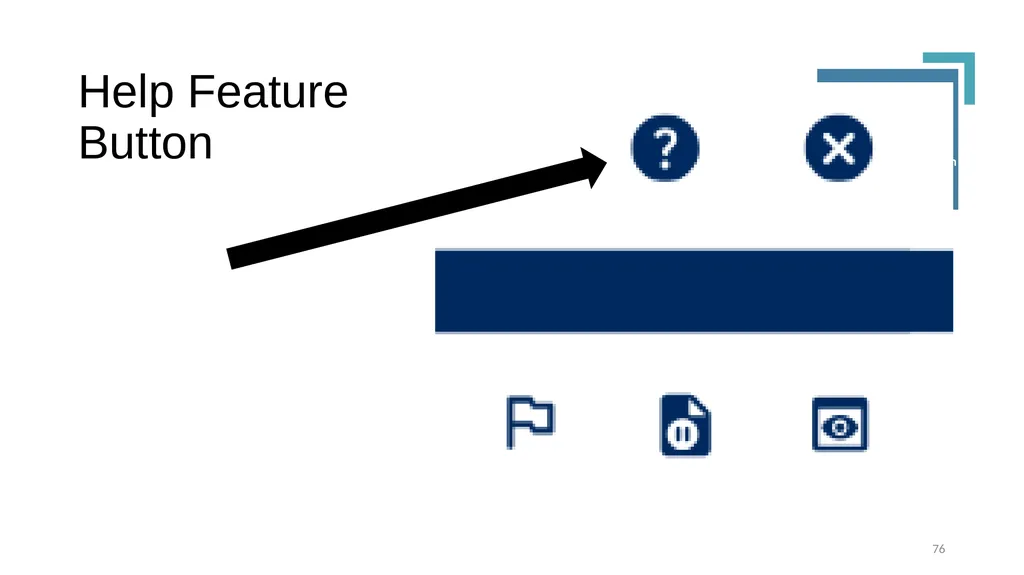
Help Feature Button 76<br>
77
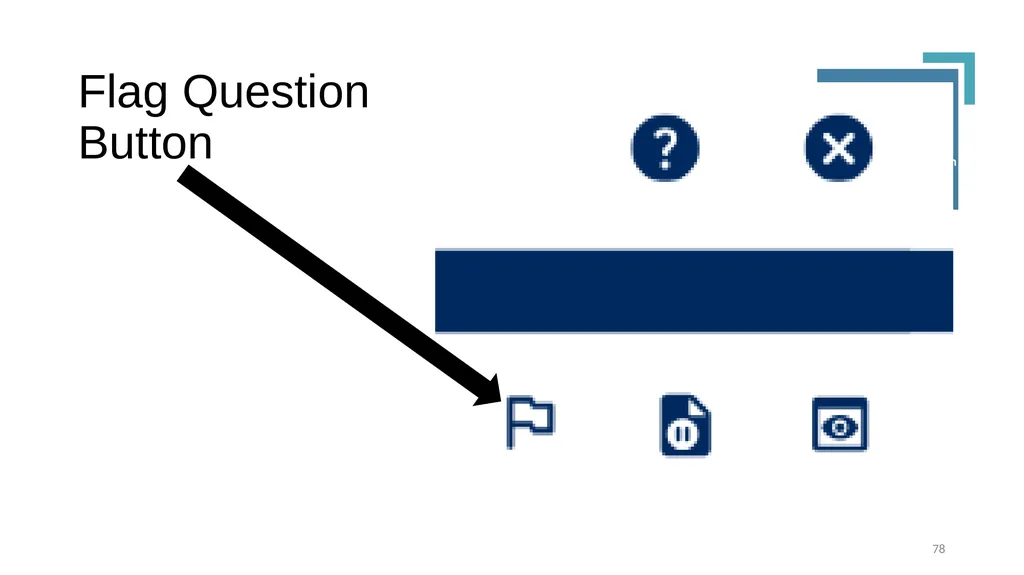
Flag and Return to Questions Students can flag questions they wish to return to while completing the assessment using the flag symbol in the upper right corner.
Students in grades 4-8 can flag and toggle among the non-calculator questions at the beginning of PSSA Mathematics section 1.
Students must submit all answers to these questions prior to moving to the calculator permitted questions. 77<br>
Students in grades 4-8 can flag and toggle among the non-calculator questions at the beginning of PSSA Mathematics section 1.
Students must submit all answers to these questions prior to moving to the calculator permitted questions. 77<br>
78
Flag Question Button 78<br>
79
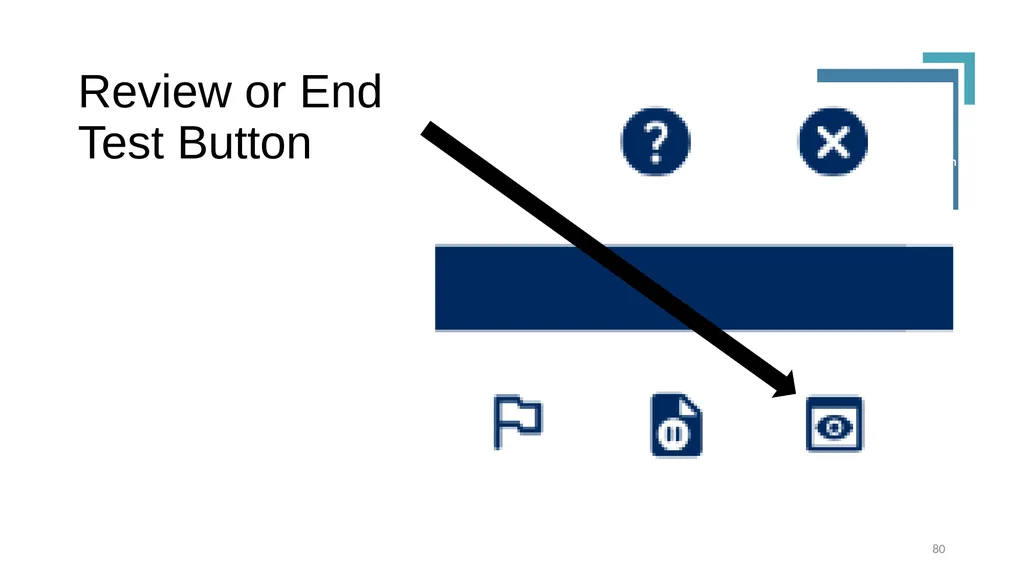
Submitting the Assessment Students should press the Review or End Test Button when they are ready to submit their work, not the Exit Test Button.
When students press the Review or End test Button, unanswered and flagged questions will appear on a Review Page. Students can return to questions, review answers, and change answers (except non-calculator questions once the student exits that section).
Students do not need to remove flags, highlighting or notes to submit their work. 79<br>
When students press the Review or End test Button, unanswered and flagged questions will appear on a Review Page. Students can return to questions, review answers, and change answers (except non-calculator questions once the student exits that section).
Students do not need to remove flags, highlighting or notes to submit their work. 79<br>
80
Review or End Test Button 80<br>
81
Additional Reminder Students receive a second reminder if any questions remain unanswered when they attempt to exit the test session a second time.
LEAs can instruct students to show the Review Page to the TA prior to exiting the assessment.
TAs can instruct students to check their work and return to unanswered all questions. 81<br>
LEAs can instruct students to show the Review Page to the TA prior to exiting the assessment.
TAs can instruct students to check their work and return to unanswered all questions. 81<br>
82
Electronic Devices 82<br>
83
Collection of Electronic Devices DACs with SACs should develop the procedures for collection and storage of electronic devices during testing.
DACs with SACs should develop the policies for test security violations.
TAs must collect all electronic devices prior to distributing secure materials.
These policies should be shared with parents and students prior to testing. 83<br>
DACs with SACs should develop the policies for test security violations.
TAs must collect all electronic devices prior to distributing secure materials.
These policies should be shared with parents and students prior to testing. 83<br>
84
Approved Electronic Devices Students who use a cellphone as a medical device (e.g., glucose monitoring) may have the device on their desk or the TAs’ desk and must sit in close proximity to the TA.
TAs must carefully monitor the student to ensure the student does not access the phone. 84<br>
TAs must carefully monitor the student to ensure the student does not access the phone. 84<br>
85
Steps for Reporting Violations TAs should report students possessing or using an unapproved electronic device to SAC immediately.
The SAC will confiscate the device and report the test security violation to the DAC.
The DAC or SAC will report the violation to PDE. 85<br>
The SAC will confiscate the device and report the test security violation to the DAC.
The DAC or SAC will report the violation to PDE. 85<br>
86
Reviewing the Device The DAC or SAC should obtain parent permission to view the device and determine if any secure material is stored on the device, including photos, text messages, searches related to tested content, posts to social media, etc.
Send documentation and copies of secure material immediately to PDE. 86<br>
Send documentation and copies of secure material immediately to PDE. 86<br>
87
Regeneration of the Test Ticket A student possessing or using an unapproved electronic device during testing must retake the assessment by the end of the makeup testing window using a different form of the test.
Once the DAC or SAC emails PDE, PDE approves regeneration of the test ticket. The DAC can then regenerate the ticket.
SAC will then print the regenerated test ticket using a different form number of the assessment. 87<br>
Once the DAC or SAC emails PDE, PDE approves regeneration of the test ticket. The DAC can then regenerate the ticket.
SAC will then print the regenerated test ticket using a different form number of the assessment. 87<br>
88
Other Test Security Violations TAs should report any test security violation suspicions to the SAC immediately. If the TA believes the SAC or DAC is involved, the TA should contact PDE immediately ra-edirregularities@pa.gov.
DACs or SACs should report test security violations or suspicions immediately ra-edirregularities@pa.gov.
Examples include a student using a calculator when answering non-calculator questions, a student viewing another student’s work. Consult the HAC for others.
Review the Handbook for Secure Test Administration. 88<br>
DACs or SACs should report test security violations or suspicions immediately ra-edirregularities@pa.gov.
Examples include a student using a calculator when answering non-calculator questions, a student viewing another student’s work. Consult the HAC for others.
Review the Handbook for Secure Test Administration. 88<br>
89
Calculators 89<br>
90
PDE Calculator Policy PDE Calculator Policy updated October, 2023.
Exam mode or Testing mode must be activated by the TA or proctor prior to each test session for devices with this capability.
TAs must set every device to factory settings before and after each test session.
Students are not to be assigned either task. 90<br>
Exam mode or Testing mode must be activated by the TA or proctor prior to each test session for devices with this capability.
TAs must set every device to factory settings before and after each test session.
Students are not to be assigned either task. 90<br>
91
Non-calculator Questions:
PSSA Mathematics Grade 3: entire assessment
Grades 4-8: questions 1 through 4 in section 1
The online calculator is not available for non-calculator questions. TAs must ensure students are not using a handheld calculator when answering these questions.
Students may toggle among these questions then submit their answers. Before advancing to the calculator permitted questions, the system will prompt students to verify they understand that once they have submitted their final answers, they will not be able to re-visit these questions. 91<br>
Grades 4-8: questions 1 through 4 in section 1
The online calculator is not available for non-calculator questions. TAs must ensure students are not using a handheld calculator when answering these questions.
Students may toggle among these questions then submit their answers. Before advancing to the calculator permitted questions, the system will prompt students to verify they understand that once they have submitted their final answers, they will not be able to re-visit these questions. 91<br>
92
Calculator Permitted Questions:
PSSA Mathematics Calculators should be stored under the student’s desk or on the TA’s desk when testing begins.
Students should raise their hand so TA can collect used scratch/grid paper and distribute new scratch/grid paper or verify scratch/grid paper has not been used.
TA should then indicate the student may retrieve a calculator from underneath the desk or provide a calculator to the student.
Report test security violations to the DAC and PDE immediately. 92<br>
Students should raise their hand so TA can collect used scratch/grid paper and distribute new scratch/grid paper or verify scratch/grid paper has not been used.
TA should then indicate the student may retrieve a calculator from underneath the desk or provide a calculator to the student.
Report test security violations to the DAC and PDE immediately. 92<br>
93
Desmos Online Calculators Grade 4-8: Once students have completed the non-calculator questions, they have access to the PA Desmos Calculator.
Students may use a handheld device which complies with the PDE Calculator Policy.
Any calculator with a Computer Algebra System (CAS) capabilities, including TI Inspire CAS and Casio CAS may not be used. 93<br>
Students may use a handheld device which complies with the PDE Calculator Policy.
Any calculator with a Computer Algebra System (CAS) capabilities, including TI Inspire CAS and Casio CAS may not be used. 93<br>
94
PSSA Science Students have access to the PA Desmos Calculator during the entire assessment.
Students may use a handheld device which complies with the PDE Calculator Policy.
Any calculator with Computer Algebra System (CAS) capabilities, including TI Inspire CAS and Casio CAS may not be used. 94<br>
Students may use a handheld device which complies with the PDE Calculator Policy.
Any calculator with Computer Algebra System (CAS) capabilities, including TI Inspire CAS and Casio CAS may not be used. 94<br>
95
Keystone Algebra I Students have access to the PA Desmos Calculator during the entire assessment.
Students may use a handheld device which complies with the PDE Calculator Policy.
Any calculator with Computer Algebra System (CAS) capabilities, including TI Inspire CAS and Casio CAS may not be used. 95<br>
Students may use a handheld device which complies with the PDE Calculator Policy.
Any calculator with Computer Algebra System (CAS) capabilities, including TI Inspire CAS and Casio CAS may not be used. 95<br>
96
Keystone Biology Students have access to the PA Desmos Calculator during the entire assessment.
Students may use a handheld device which complies with the PDE Calculator Policy.
Any calculator with Computer Algebra System (CAS) capabilities, including TI Inspire CAS and Casio CAS may not be used. 96<br>
Students may use a handheld device which complies with the PDE Calculator Policy.
Any calculator with Computer Algebra System (CAS) capabilities, including TI Inspire CAS and Casio CAS may not be used. 96<br>
97
Test Security Certification Statements 97<br>
98
Statements are Signed by: DAC
SAC
Building principal(s)
All TAs and Proctors
All individuals who handle or have access (including keys) to secure materials: custodians, secretarial staff, support staff, TSS, PCAs, student teachers, any others involved in testing 98<br>
SAC
Building principal(s)
All TAs and Proctors
All individuals who handle or have access (including keys) to secure materials: custodians, secretarial staff, support staff, TSS, PCAs, student teachers, any others involved in testing 98<br>
99
Certifications Signed by SAC PSSA
One covers all content areas: ELA, mathematics, science.
Keystone
One covers all content areas: Algebra I, Biology, Literature.
Each administration (winter, spring, summer) requires signed certificates.
SACs overseeing PSSA and Keystone Exams sign one for PSSA and one for Keystone Exams.
Certificates are located in the Appendix of the DFA, may be removed from the DFA. 99<br>
One covers all content areas: ELA, mathematics, science.
Keystone
One covers all content areas: Algebra I, Biology, Literature.
Each administration (winter, spring, summer) requires signed certificates.
SACs overseeing PSSA and Keystone Exams sign one for PSSA and one for Keystone Exams.
Certificates are located in the Appendix of the DFA, may be removed from the DFA. 99<br>
100
Certifications Signed by TAs PSSA
One covers all content areas: ELA, mathematics, science.
Keystone
One covers all content areas: Algebra I, Biology, Literature.
Each administration (winter, spring, summer) requires signed certificates.
TAs for PSSA and Keystone Exams sign one for PSSA and one for Keystone Exams.
Certificates are located in the Appendix of the DFA, may be removed from the DFA, signed and returned to SAC. 100<br>
One covers all content areas: ELA, mathematics, science.
Keystone
One covers all content areas: Algebra I, Biology, Literature.
Each administration (winter, spring, summer) requires signed certificates.
TAs for PSSA and Keystone Exams sign one for PSSA and one for Keystone Exams.
Certificates are located in the Appendix of the DFA, may be removed from the DFA, signed and returned to SAC. 100<br>
101
Failure to Sign Certifications Report anyone who refuses to sign the Test Security Certificate to the Chief School Administrator, and also to PDE via email ra-edirregularities@pa.gov. 101<br>
102
Parent Information 102<br>
103
Distribution of Parent Information See HAC Appendix for parent FAQs
Distribute copies of Electronic Device Notification
Provide Individual Student Report (ISR) to parents once score reports are shipped to LEA 103<br>
Distribute copies of Electronic Device Notification
Provide Individual Student Report (ISR) to parents once score reports are shipped to LEA 103<br>
104
Contact Information/Mission 104<br>
105
Contact Information/Mission For more information or answers to questions please send questions to ra-ed-pssa-keystone@pa.gov or to the individuals listed in “Contact Information Concerning Questions” found in the HAC. PA Customer Service at DRC is available for general questions at 800-451-7849 or pacustomerservice@datarecognitioncorp.com.
You can also visit PDE’s website at www.education.pa.gov 105<br>
You can also visit PDE’s website at www.education.pa.gov 105<br>