ERP Overview Presented by Jaya Agrawal Table of Contents What is ERP How do ERP systems work ERP Components An ERP Example: Before ERP An ERP exmaple: After ERP Why ERP Benefits of ERP LocalizationGlobalization ERP Projects and Timelines
"ERP Overview Presented by Jaya Agrawal Table of" is the property of its rightful owner. Permission is granted to
download and print the materials on this website for personal, non-commercial use only, and to display it
on your personal computer provided you do not modify the materials and that you retain all copyright
notices contained in the materials. By downloading content from our website, you accept the terms of this
agreement.
Presentation Transcript
01
ERP Overview Presented by
Jaya Agrawal<br>
02
Table of Contents What is ERP
How do ERP systems work
ERP Components
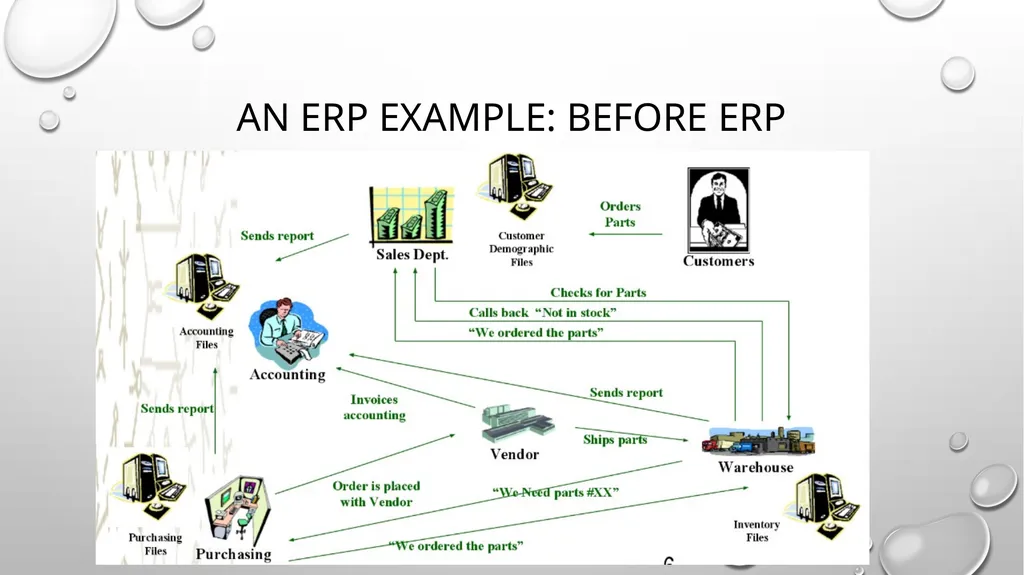
An ERP Example: Before ERP
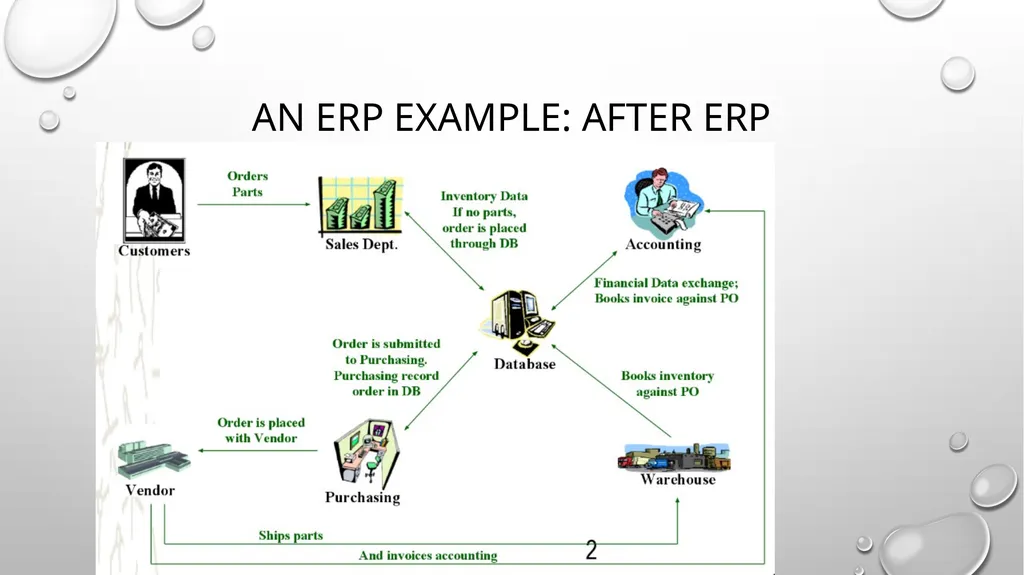
An ERP exmaple: After ERP
Why ERP
Benefits of ERP
Localization/Globalization
ERP Projects and Timelines
Hidden costs of ERP
Risks with ERP Implementation
Challenges faced during ERP implementation
Best Practices of ERP Implementation<br>
03
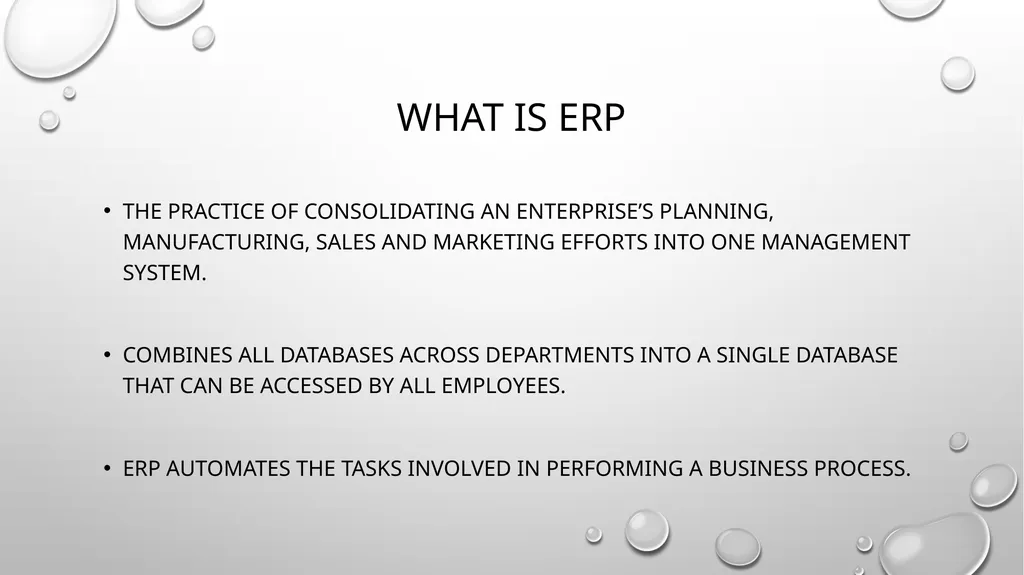
What is ERP The practice of consolidating an enterprise’s planning, manufacturing, sales and marketing efforts into one management system.
Combines all databases across departments into a single database that can be accessed by all employees.
ERP automates the tasks involved in performing a business process.<br>
04
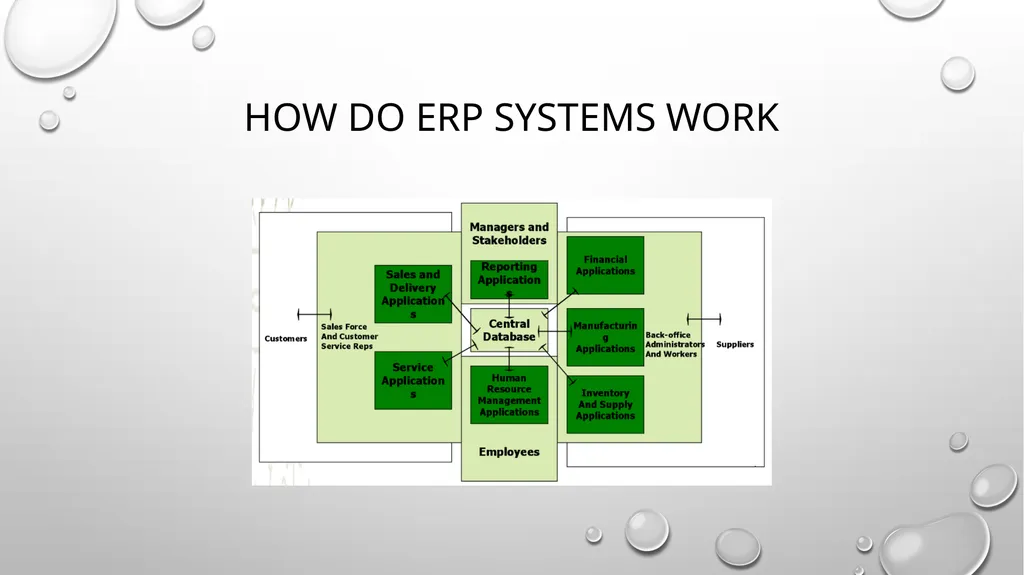
How do ERP systems work<br>
05
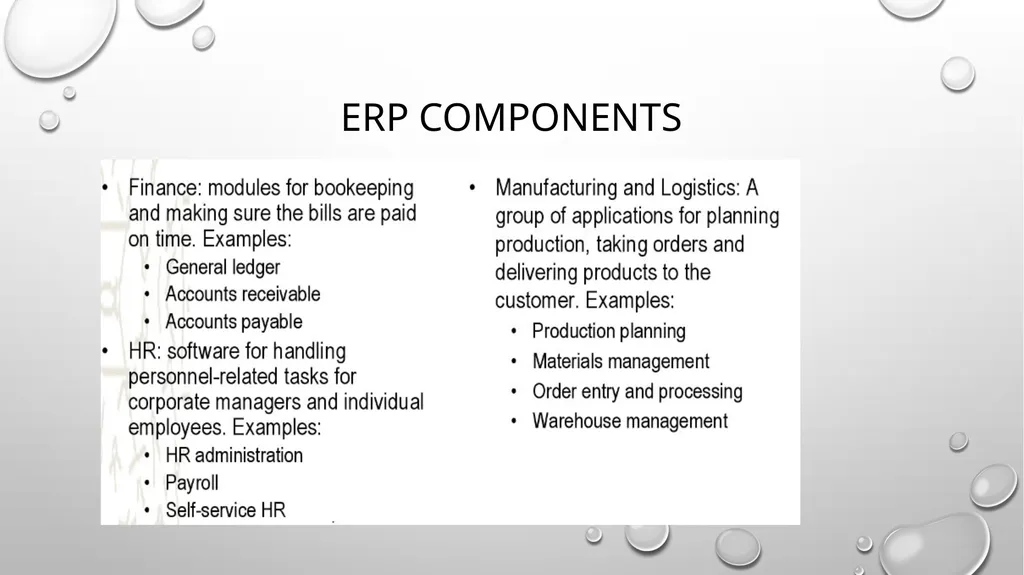
ERP Components<br>
06
An ERP Example: Before ERP<br>
07
An ERP Example: After ERP<br>
08
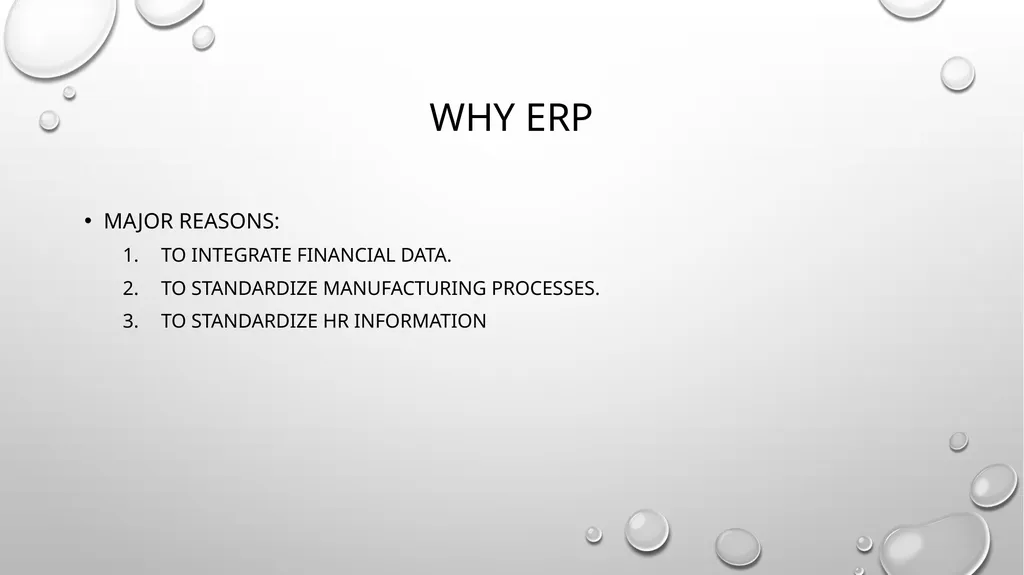
Why ERP Major Reasons:
To integrate financial data.
To standardize manufacturing processes.
To standardize HR information<br>
09
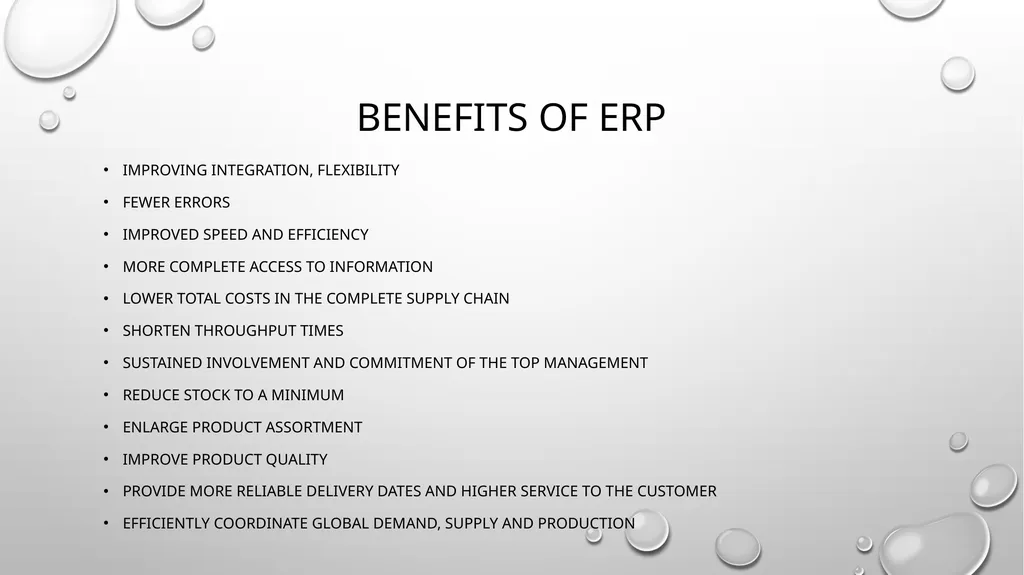
Benefits of ERP Improving integration, flexibility
Fewer errors
Improved speed and efficiency
More complete access to information
Lower total costs in the complete supply chain
Shorten throughput times
Sustained involvement and commitment of the top management
Reduce stock to a minimum
Enlarge product assortment
Improve product quality
Provide more reliable delivery dates and higher service to the customer
Efficiently coordinate global demand, supply and production<br>
10
Localization/Globalization Dynamic Language Conversion (translation to 15 languages)
Chinese (Simplified), Chinese (Traditional), Czech, Danish, Dutch, Finnish, French, German, Italian, Japanese, Korean, Portuguese (European), Portuguese (Brazilian), Spanish, Swedish
Codepage / Unicode support
Dynamic Time Zone translations
All timestamps are stored in warehouse stored as UTC
Custom labeling and naming support / Flex Field Naming
Column Names can be dynamically named<br>
11
ERP project and Timelines Real transformational ERP efforts will usually run between 1 to 3 years, on average.
Short implementations (3 to 6 months):
small companies,
implementation limited to a small area of the company,
or the company only used the financial pieces of the ERP system.
The important thing is not to focus on how long it will take but to understand why you need ERP and how you will use it to improve your business.<br>
12
Hidden Costs of ERP Training
Integration and testing
Data conversion
Data analysis
Consultants
Replacing best and brightest staff after implementation
Implementation teams can never stop
Waiting for ROI
Post-ERP depression<br>
13
Risks with ERP Implementation Expensive (can costs 100 thousands to millions of dollars)
Time-consuming (can take months to years)
Change Management
Transfer of Knowledge
Acceptance within the company<br>
14
Challenges of ERP implementation It is very important, that implementation is done in stages. Trying to implement everything at once will lead to a lot of confusion and chaos.
Appropriate training is very essential during and after the implementation. The staff should be comfortable in using the application or else, it will backfire, with redundant work and functional inefficiencies.
Lack of proper analysis of requirements will lead to non-availability of certain essential functionalities. This might affect the operations in the long run and reduce the productivity and profitability.
Lack of Support from Senior Management will lead to unnecessary frustrations in work place. Also, it will cause delay in operations and ineffective decisions. So, it is essential to ensure that the Senior Management supports the transformation.
Compatibility Issues with ERP Modules lead to issues in integration of modules. Companies associate different vendors to implement different ERP modules, based on their competency. It is very essential that there is a way to handle compatibility issues.
Cost Overheads will result, if requirements are not properly discussed and decided during the planning phase. So, before execution, a detailed plan with a complete breakdown of requirements should be worked out.
Investment in Infrastructure is very essential. ERP applications modules will require good processing speed and adequate storage. Not allocating suitable budget for infrastructure will result in reduced application speed and other software issues. Hardware and Software Security is also equally important.<br>
15
Best Practices of ERP implementation A Business Strategy aligned with Business Processes
Top-Down Project Support and commitment
Change Management
Extensive Education and Training
Data Clean up and Data Integrity
Implementation is viewed as an ongoing process<br>