FedRAMP & DAP Case Study Part 1: Assessing
Description: FedRAMP DAP Case Study Part 1: Assessing Analytics Strategy See how the FedRAMP team assessed their analytics objectives and key performance indicators (KPIs) prior to the launch of a redesigned site. 1 Overview This is the first webinar
Related Topics
Download Presentation
"FedRAMP & DAP Case Study Part 1: Assessing" is the property of its rightful owner. Permission is granted to download and print the materials on this website for personal, non-commercial use only, and to display it on your personal computer provided you do not modify the materials and that you retain all copyright notices contained in the materials. By downloading content from our website, you accept the terms of this agreement.
Presentation Transcript
slide1. FedRAMP & DAP Case Study Part 1: Assessing Analytics Strategy See how the FedRAMP team assessed their analytics objectives and key performance indicators (KPIs) prior to the launch of a redesigned site. 1<br>
slide2. Overview This is the first webinar in a 2 part series we’re giving in partnership with the FedRAMP team
In today’s webinar, we’ll talk primarily about analytics strategy - not how to use Google Analytics 2<br>
slide3. A big thank you to the FedRAMP team 3<br>
slide4. What we’ll cover today in Part 1 Quick recap - Analytics Strategy 101 & How to think about your website strategy
Defining website mission, goals & KPIs
Tracking engagement
Q&A with the FedRAMP team 4<br>
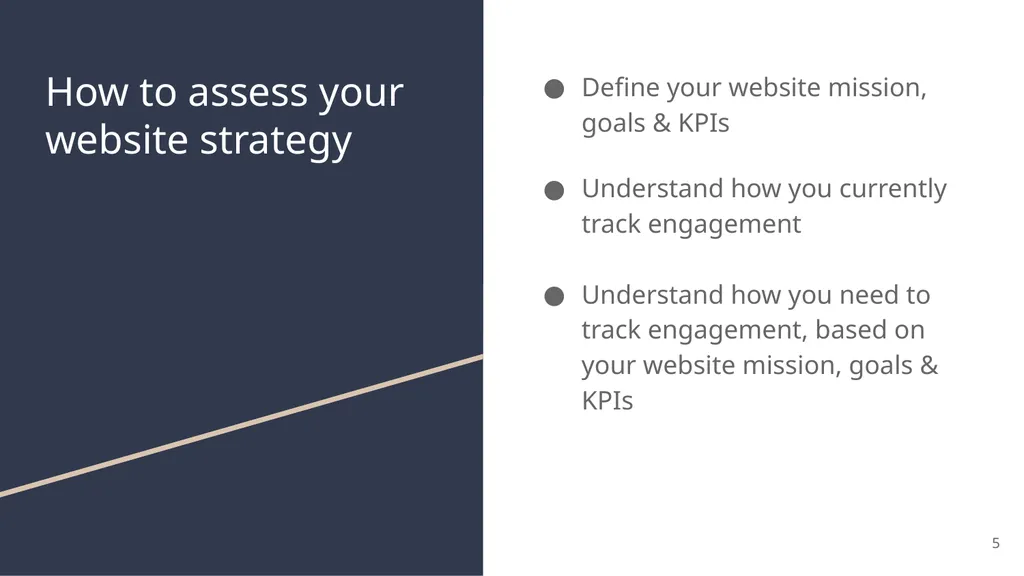
slide5. How to assess your website strategy Define your website mission, goals & KPIs
Understand how you currently track engagement
Understand how you need to track engagement, based on your website mission, goals & KPIs 5<br>
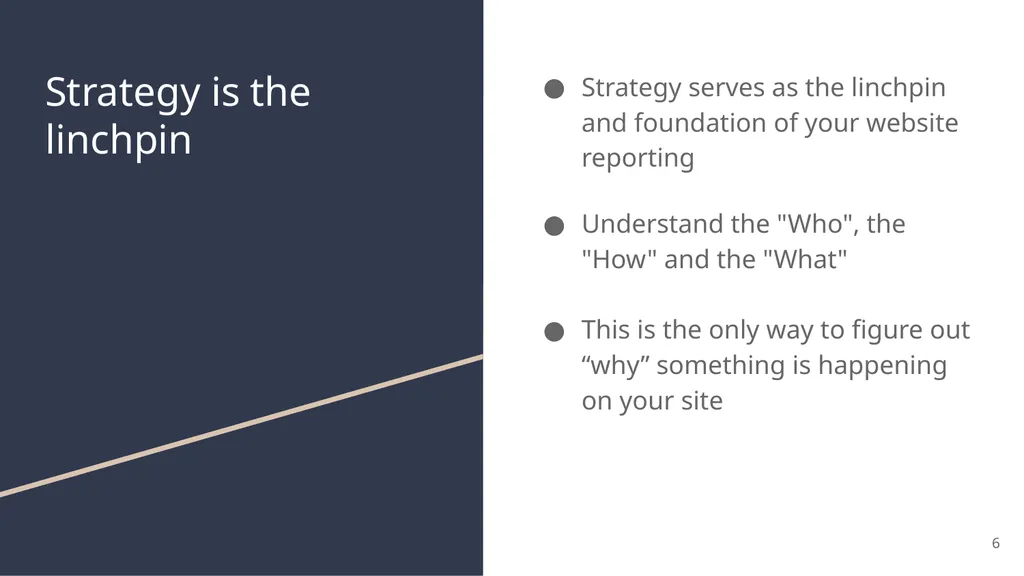
slide6. Strategy is the linchpin Strategy serves as the linchpin and foundation of your website reporting
Understand the "Who", the "How" and the "What"
This is the only way to figure out “why” something is happening on your site 6<br>
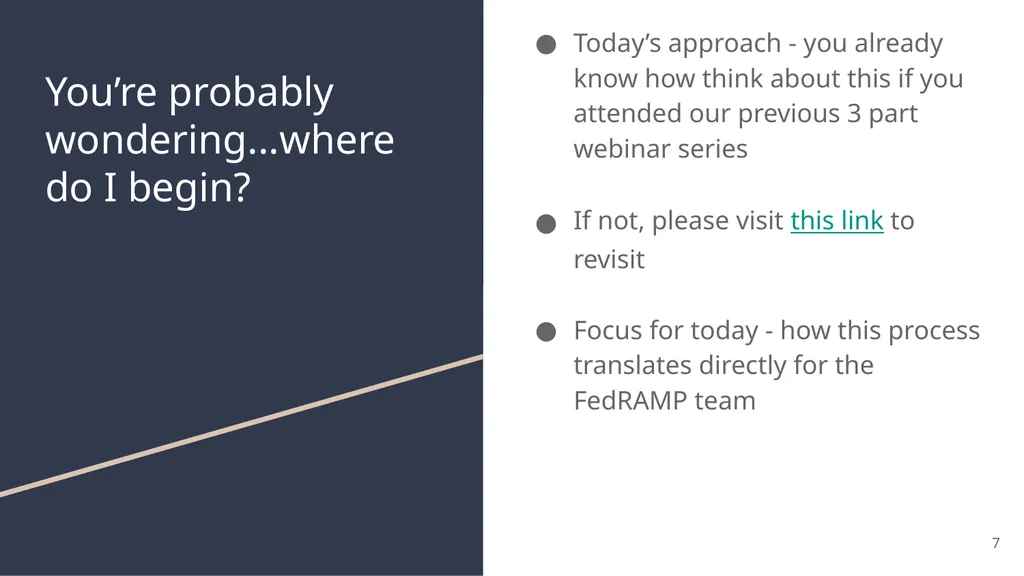
slide7. You’re probably wondering...where do I begin? Today’s approach - you already know how think about this if you attended our previous 3 part webinar series
If not, please visit this link to revisit
Focus for today - how this process translates directly for the FedRAMP team 7<br>
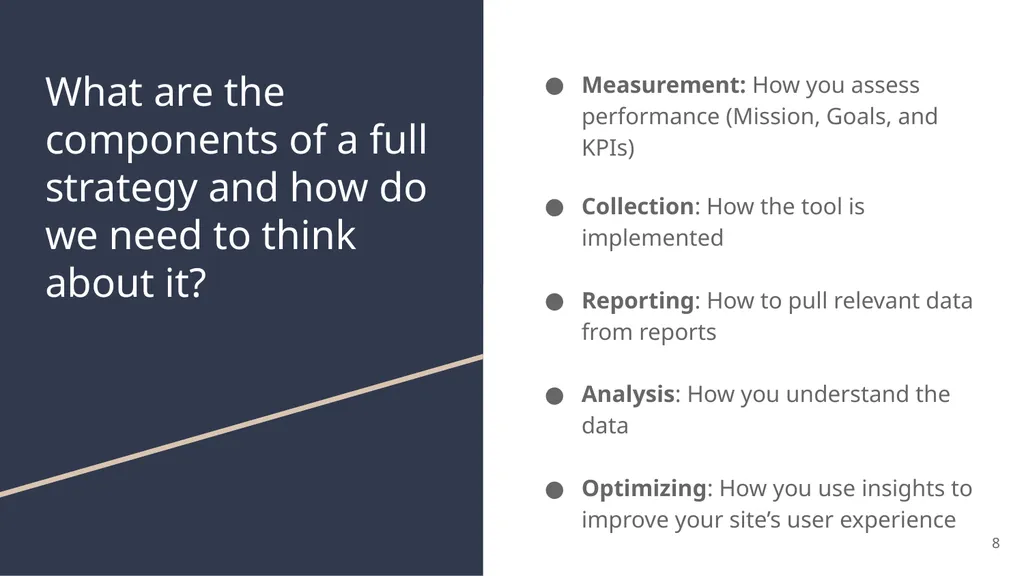
slide8. What are the components of a full strategy and how do we need to think about it? Measurement: How you assess performance (Mission, Goals, and KPIs)
Collection: How the tool is implemented
Reporting: How to pull relevant data from reports
Analysis: How you understand the data
Optimizing: How you use insights to improve your site’s user experience 8<br>
slide9. Measurement How you assess performance:
Mission
Goals
Key Performance Indicators 9<br>
slide10. Define your website mission, goals & KPIs Mission: Why does my site exist? Define a simple, straightforward way of describing what your site is designed to do.
Goals: What do you want your users to do on your site? This needs to be something that we can track with Google Analytics.
KPI: Metrics used to measure performance of your goals - usually a ratio, such as conversion rate. This is required. 10<br>
slide11. What is your website mission? Let’s bring in the FedRAMP team to discuss
Can you tell us about FedRAMP?
How do you define your website mission? 11<br>
slide12. FedRAMP Redesign How did your team approach redesign Fedramp.gov?
What do you hope to accomplish with the redesign? 12<br>
slide13. What are your website goals? What are the most important things you want your users to do on the site?
Let’s do a brief walk through of the these on fedramp.gov 13<br>
slide14. Comparison of DAP vs. FedRAMP GA account DAP vs. FedRAMP GA account
What’s the difference?
DAP - don’t configure goals
FedRAMP GA - do configure goals
Implemented goals in FedRAMP GA Account using Google Tag Manager
See DAP’s previous presentation on Goals
Next few slides include screenshots from FedRAMP account 14<br>
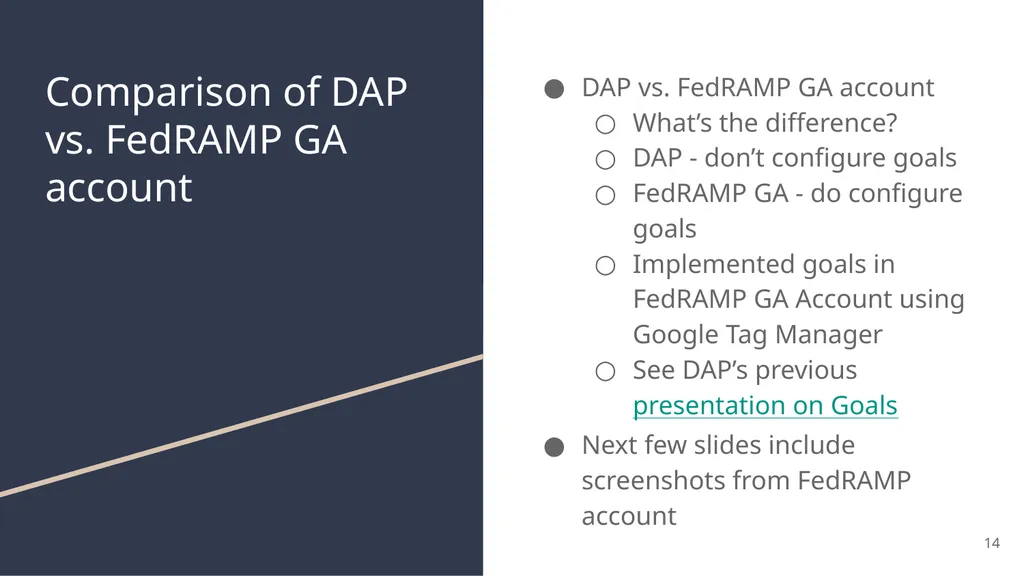
slide15. Goal 1 Goal: Decrease the percentage share of stakeholders reaching out to info@fedramp.gov directly from the website, by making information more easy to find.
Why is this important?
How do you use this in your day to day?
KPI: # of clicks on info@fedramp.gov divided by total sessions entering fedramp.gov 15<br>
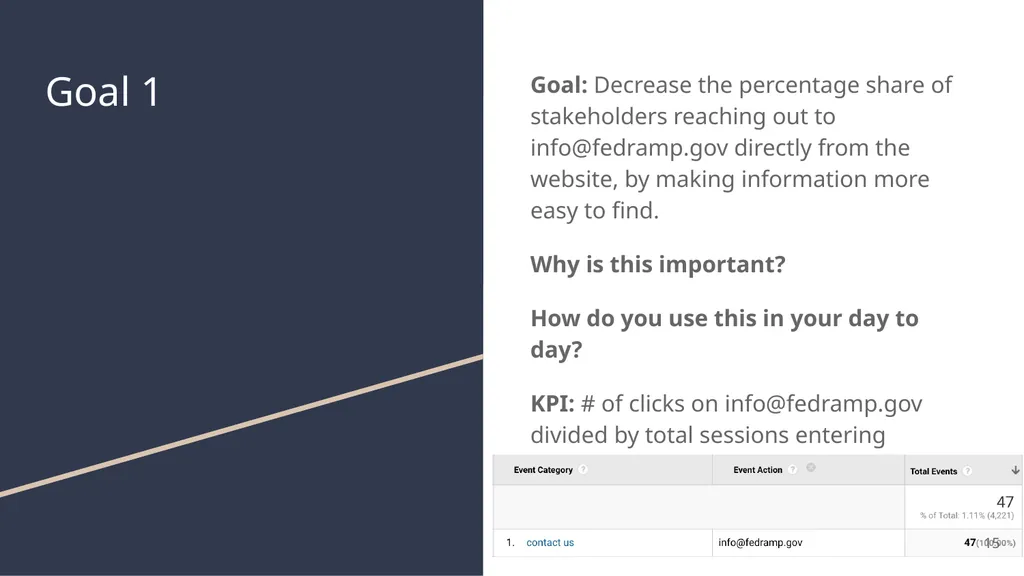
slide16. Goal 2 Goal: Increase percentage share of downloads by stakeholders to support them successfully navigating the FedRAMP process.
Why is this important?
How do you use this in your day to day?
KPI: # of PDF downloads divided by total number of sessions. 16<br>
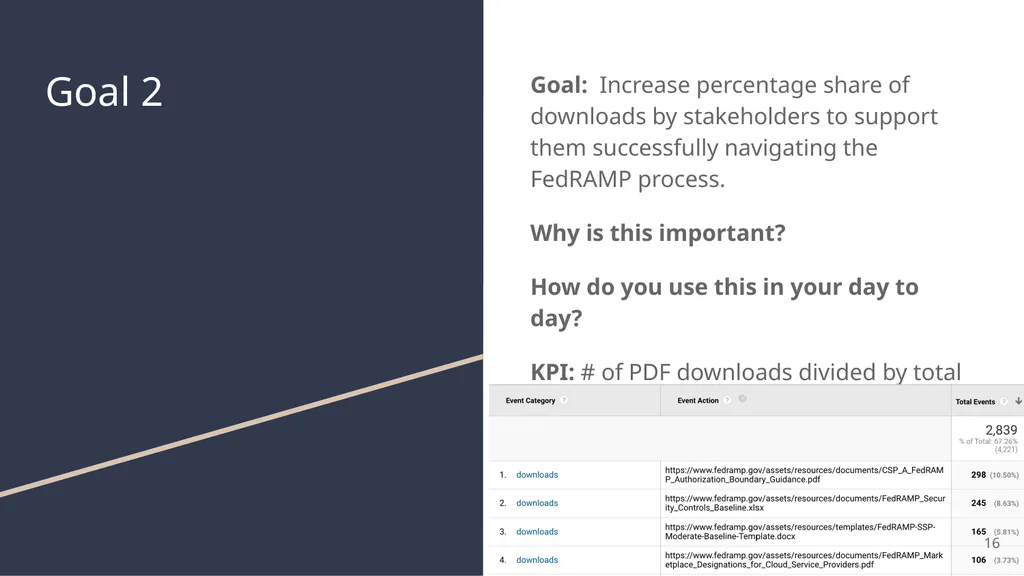
slide17. Goal 3 Goal: Increase traffic to the website through blog email communications through GovDelivery.
Why is this important?
How do you use this in your day to day?
KPI: increase in # email campaigns overlaid with decreased contact us conversion, and download conversion.
Additionally increase time spent on page and decrease bounce rate when entrances to the website come from the email communications 17<br>
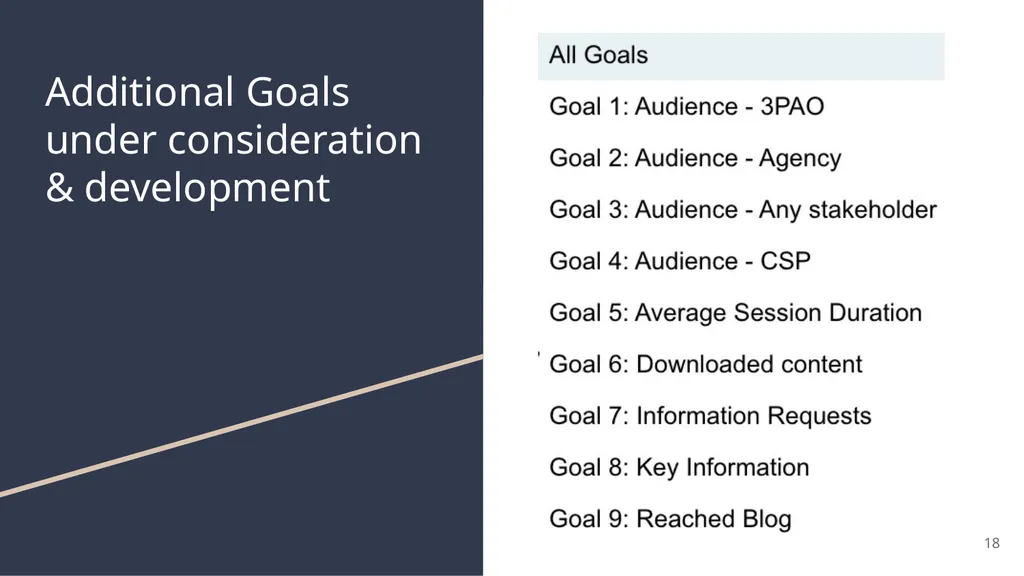
slide18. Additional Goals under consideration & development 18<br>
slide19. Collection How your analytics tool is implemented to collect data about site performance.
Your website CMS/tech stack directly impacts how and what you can track and implement using DAP Google Analytics (ex: SPA framework)
Using Google Tag Manager impacts how you can track
Google Analytics knows nothing about your site so it needs to be customized to your site
Marketing strategy, content strategy, website taxonomy, content types, audience and how you define success all impact how you implement
You need to know the questions you're trying to answer to know what to track 19<br>
slide20. Tracking engagement, goals & KPIs Which tools do you use today to track engagement?
DAP?
Independently managed Google Analytics?
Google Tag Manager?
Options for tracking engagement (differences between DAP vs. Free account)
Send DAP data to a free account, and configure goals there 20<br>
slide21. How does FedRAMP currently track engagement? DAP
FedRAMP Google Analytics account
Goals are configured
Google Tag Manager
Uses Wordpress with onsite search
No single page app functionality requiring virtual pageviews, except on FedRAMP Marketplace 21<br>
slide22. Fireside chat with the FedRAMP team Betsy Steele
Matt Silber 22<br>
slide23. How did your team previously report on user journeys? 23<br>
slide24. When you were thinking about website goals, did you think of anything you wanted to de-emphasize after going through this process? 24<br>
slide25. What are the most important things you want your users to do on the site? 25<br>
slide26. What is the importance of collecting analytics in light of the website redesign? 26<br>
slide27. How did you use data for the redesign of FedRAMP.gov? 27<br>
slide28. What are some examples of things the FedRAMP team initially looked at, but are now less important after this exercise? 28<br>
slide29. How do you use the goals in reality? 29<br>
slide30. Benefits What were the benefits of going through this engagement with the DAP team?
What did you you take from this experience, that you would use for a future redesign of your site? 30<br>
slide31. Advice to the audience Do you have any advice for anyone on today’s webinar for how to get started?
What do you wish you had known before you started?
How do you see your analytics strategy developing in the future? 31<br>
slide32. Questions from the audience? 32<br>
slide33. Thank you! Please fill out the survey - we appreciate feedback.
Please contact us at dap@support.digitalgov.gov
Part 2: September 1 @ 2 p.m. ET.
Keep an eye out for an email for the registration page in the near future! 33<br>

slide2. Overview This is the first webinar in a 2 part series we’re giving in partnership with the FedRAMP team
In today’s webinar, we’ll talk primarily about analytics strategy - not how to use Google Analytics 2<br>
slide3. A big thank you to the FedRAMP team 3<br>
slide4. What we’ll cover today in Part 1 Quick recap - Analytics Strategy 101 & How to think about your website strategy
Defining website mission, goals & KPIs
Tracking engagement
Q&A with the FedRAMP team 4<br>
slide5. How to assess your website strategy Define your website mission, goals & KPIs
Understand how you currently track engagement
Understand how you need to track engagement, based on your website mission, goals & KPIs 5<br>
slide6. Strategy is the linchpin Strategy serves as the linchpin and foundation of your website reporting
Understand the "Who", the "How" and the "What"
This is the only way to figure out “why” something is happening on your site 6<br>
slide7. You’re probably wondering...where do I begin? Today’s approach - you already know how think about this if you attended our previous 3 part webinar series
If not, please visit this link to revisit
Focus for today - how this process translates directly for the FedRAMP team 7<br>
slide8. What are the components of a full strategy and how do we need to think about it? Measurement: How you assess performance (Mission, Goals, and KPIs)
Collection: How the tool is implemented
Reporting: How to pull relevant data from reports
Analysis: How you understand the data
Optimizing: How you use insights to improve your site’s user experience 8<br>
slide9. Measurement How you assess performance:
Mission
Goals
Key Performance Indicators 9<br>
slide10. Define your website mission, goals & KPIs Mission: Why does my site exist? Define a simple, straightforward way of describing what your site is designed to do.
Goals: What do you want your users to do on your site? This needs to be something that we can track with Google Analytics.
KPI: Metrics used to measure performance of your goals - usually a ratio, such as conversion rate. This is required. 10<br>
slide11. What is your website mission? Let’s bring in the FedRAMP team to discuss
Can you tell us about FedRAMP?
How do you define your website mission? 11<br>
slide12. FedRAMP Redesign How did your team approach redesign Fedramp.gov?
What do you hope to accomplish with the redesign? 12<br>
slide13. What are your website goals? What are the most important things you want your users to do on the site?
Let’s do a brief walk through of the these on fedramp.gov 13<br>
slide14. Comparison of DAP vs. FedRAMP GA account DAP vs. FedRAMP GA account
What’s the difference?
DAP - don’t configure goals
FedRAMP GA - do configure goals
Implemented goals in FedRAMP GA Account using Google Tag Manager
See DAP’s previous presentation on Goals
Next few slides include screenshots from FedRAMP account 14<br>
slide15. Goal 1 Goal: Decrease the percentage share of stakeholders reaching out to info@fedramp.gov directly from the website, by making information more easy to find.
Why is this important?
How do you use this in your day to day?
KPI: # of clicks on info@fedramp.gov divided by total sessions entering fedramp.gov 15<br>
slide16. Goal 2 Goal: Increase percentage share of downloads by stakeholders to support them successfully navigating the FedRAMP process.
Why is this important?
How do you use this in your day to day?
KPI: # of PDF downloads divided by total number of sessions. 16<br>
slide17. Goal 3 Goal: Increase traffic to the website through blog email communications through GovDelivery.
Why is this important?
How do you use this in your day to day?
KPI: increase in # email campaigns overlaid with decreased contact us conversion, and download conversion.
Additionally increase time spent on page and decrease bounce rate when entrances to the website come from the email communications 17<br>
slide18. Additional Goals under consideration & development 18<br>
slide19. Collection How your analytics tool is implemented to collect data about site performance.
Your website CMS/tech stack directly impacts how and what you can track and implement using DAP Google Analytics (ex: SPA framework)
Using Google Tag Manager impacts how you can track
Google Analytics knows nothing about your site so it needs to be customized to your site
Marketing strategy, content strategy, website taxonomy, content types, audience and how you define success all impact how you implement
You need to know the questions you're trying to answer to know what to track 19<br>
slide20. Tracking engagement, goals & KPIs Which tools do you use today to track engagement?
DAP?
Independently managed Google Analytics?
Google Tag Manager?
Options for tracking engagement (differences between DAP vs. Free account)
Send DAP data to a free account, and configure goals there 20<br>
slide21. How does FedRAMP currently track engagement? DAP
FedRAMP Google Analytics account
Goals are configured
Google Tag Manager
Uses Wordpress with onsite search
No single page app functionality requiring virtual pageviews, except on FedRAMP Marketplace 21<br>
slide22. Fireside chat with the FedRAMP team Betsy Steele
Matt Silber 22<br>
slide23. How did your team previously report on user journeys? 23<br>
slide24. When you were thinking about website goals, did you think of anything you wanted to de-emphasize after going through this process? 24<br>
slide25. What are the most important things you want your users to do on the site? 25<br>
slide26. What is the importance of collecting analytics in light of the website redesign? 26<br>
slide27. How did you use data for the redesign of FedRAMP.gov? 27<br>
slide28. What are some examples of things the FedRAMP team initially looked at, but are now less important after this exercise? 28<br>
slide29. How do you use the goals in reality? 29<br>
slide30. Benefits What were the benefits of going through this engagement with the DAP team?
What did you you take from this experience, that you would use for a future redesign of your site? 30<br>
slide31. Advice to the audience Do you have any advice for anyone on today’s webinar for how to get started?
What do you wish you had known before you started?
How do you see your analytics strategy developing in the future? 31<br>
slide32. Questions from the audience? 32<br>
slide33. Thank you! Please fill out the survey - we appreciate feedback.
Please contact us at dap@support.digitalgov.gov
Part 2: September 1 @ 2 p.m. ET.
Keep an eye out for an email for the registration page in the near future! 33<br>